warning light AUDI Q7 2014 Owner´s Manual
[x] Cancel search | Manufacturer: AUDI, Model Year: 2014, Model line: Q7, Model: AUDI Q7 2014Pages: 340, PDF Size: 85.02 MB
Page 35 of 340
& WARNING
-If your veh icle should break down for
mechanical or other reasons, park at a
safe distance from moving traffic, turn off the engine and turn on the ha zard
warning lights¢
page 60, Emergency
flasher .
-
-Never open the hood if you see or hear
steam or coolant escap ing from the en
gine compartme nt -you risk being scald
ed . Wa it until you can no longe r see or
hear stea m or coo la nt escaping.
- The eng ine compartment of a ny veh icle
is a dangerous a rea . Before you perfo rm
any wor k in the engine compa rtme nt,
t ur n o f the eng ine and allow it to cool.
F ollow the warning stick ers ¢
page 257.
(D Note
Do not co nti nu e d riving if the . symbol
illumi nates. T here is a m alf unct io n in the
eng ine cooling system -you co uld dam age
your eng ine .
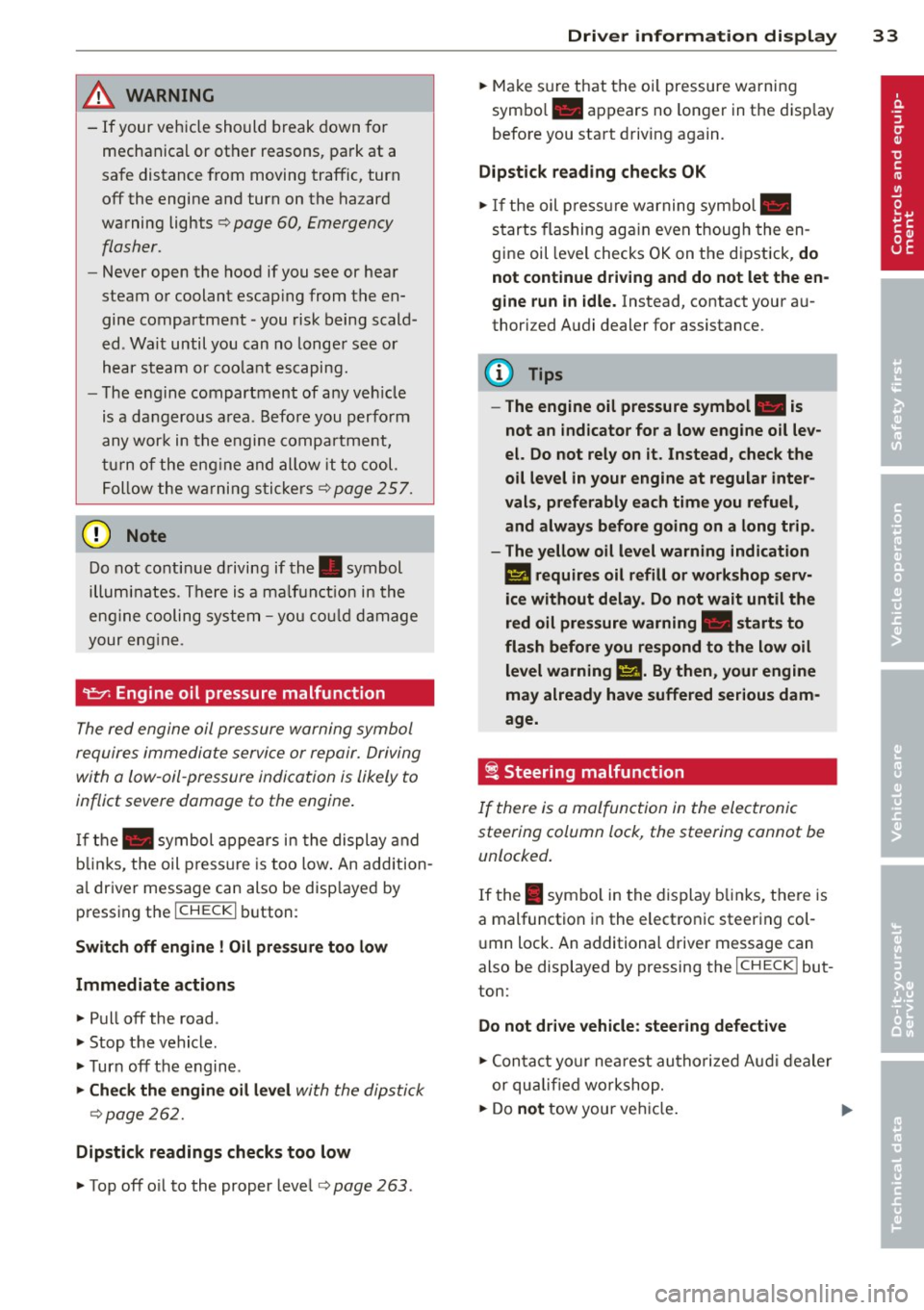
"t:::7: Engine oil pressure malfunction
The red engine oil pressure warning symbol
requires immediate servi ce or repair. Driving
with a low -oil -pressure indication is likely to
inflict severe damage to the engine .
If the. symbol appe ars in the display and
b links, the oil press ure is too low . An addition
a l driver message can also be disp layed by
pressing the
I CH ECK i button :
Switch off engine! Oil pre ssure too low
Immediate actions
~ Pull off the road .
~ Stop the vehicle.
~T urnoff the engine .
~ Check the engine oil lev el with the dipsti ck
¢page 262.
Dipstick readings checks too low
~ Top off o il to the proper level¢ page 263 .
Driver information di spla y 33
~ Make s ure that the oi l pressure wa rning
symbo l. appears no longer in the disp lay
befo re you sta rt driv ing again.
Dipstick reading checks OK
~ If the oil press ure warning symbol.
starts flashing aga in even thoug h the en
gine oil leve l checks OK on the dipstick,
do
not continue driving and do not let the en
gine run in idle .
Instead, contact your au
thori zed A udi dealer for assistance.
(D Tips
- The engine oil pressure symbol. is
not an indicator for a low engine o il lev
el. Do not rely on it . Instead, check the
oil level in your engine at regular inter
vals, preferably each time you refuel,
and always b efore going on a long trip .
- The yellow oil level warning indication
l!I requires oil refill or workshop serv
ice without delay . Do not wait until the
red oil pressure warning. start s to
fla sh before you. respond to th e low oil
level warning l!I. By then, your engine
may already have suffered serious dam
age.
i Steering malfunction
If there is a malfunction in the electronic
steering column lock, the steering cannot be
unlocked .
If the . symbo l in the display b links, the re is
a malfunction i n the elect ro nic steer ing col
u mn lock. An additional driver message can
also be displayed by pressing the
ICHECK I but
ton:
Do not drive vehicle: steering defective
~ Contact your nea rest au thori zed Aud i deale r
or qu alified worksho p.
~ Do not tow your ve hicle. .,..
Page 36 of 340
34 Driver in formation d isplay
A WARNING -
Your vehicle must not be towed in the
event of a malfunction in the electron ic
steering column lock because it cannot be
steered due to the locked steering. If it is
t owed w ith the stee ring locked, there is
the risk of an accident.
~ Ignition lock malfunction
A malfunction in the ignition lock must be re
paired immediately.
If the . symbo l in the d isplay blinks, there is
a malf unct ion in the electronic ignition lock.
A n addit ional driver message ca n also be d is
p layed by pressing the
! CHECK I button:
Ignit ion lo ck def ect ive . C ontact work shop !
• Do not turn the eng ine off.
• Drive immediate ly to an authorized Audi
dealer to have the ma lfunction corrected.
If there is a ma lfunction in the e lectronic igni
tion lock, the ign ition cannot be turned off.
Drive immediately to an a uthorized Audi dea l
e r to have the cause of the ma lfunction co r
rected .
On vehicles w ith Convenience key*, the engine
should not be sw itched
off using the ! STOP !
button because the eng ine cannot be started
aga in after the ignition is switched
off .
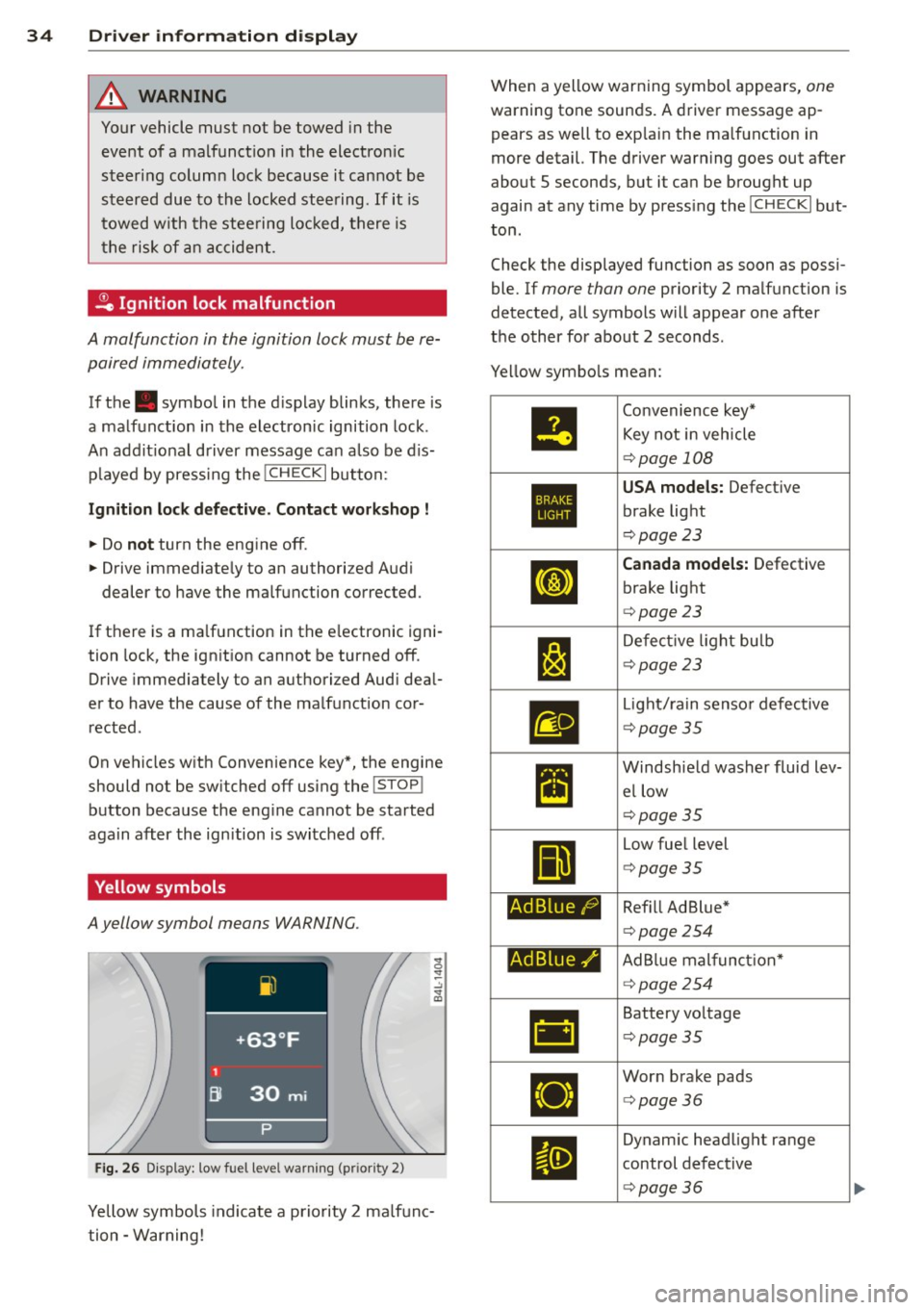
Yellow symbols
A yellow symbol means WARNING.
Fig . 26 Display: low fuel level warning (pr io ri ty 2)
Yellow symbols indicate a priority 2 ma lfunc
tion -Warning! When a yellow warning symbol appears,
one
warning tone sounds. A driver message ap
pears as well to exp lain the ma lfunction in
more detail. The driver warning goes out after
about 5 seconds, but it ca n be brought up
again at any time by press ing the
! CHECK I but
ton .
Check the displayed function as soon as possi
ble. If
more than one priority 2 ma lfunction is
detected, all symbols will appear one after
the o ther for about 2 seconds .
Ye llow symbo ls mean:
•
1:1
Ad Blue/)
Ad Blue,/'
•
Convenience key*
Key not i n veh icle
¢ page 108
USA models: Defect ive
brake light
¢ page 23
Canada model s: Defective
brake light
¢ page 23
De fect ive l ight bulb
¢page23
Light/ rain senso r defective
¢ page35
Windsh ie ld washer fluid lev
el low
¢page35
Low fue l level
¢ page35
Ref ill Ad Blue *
¢page 254
AdBlue mal funct ion*
¢ page254
Battery vo ltage
¢ page35
Wor n brake pads
<=> page36
Dynam ic headlight range
control defect ive
¢ page36
Page 38 of 340
36 Driver in formation d isplay
While this driver notification is displayed, yo u
have to be prepared for limited starting capa
b ili ty.
Driv er m essage appears and goes out
a ga in
If t his driver message appears after the igni
tion is turned on or while driving and it goes
out again after a while, the battery has been
adequately recharged.
Driv er m essage app ear s and do es not g o
out ag ain
If th is driver notification appears after the ig
n ition is turned on or while driv ing and does
not go out again, the battery's state of charge
is not in the opt imal range . Starting capability
is restricted . Have the battery checked by an
author ized Audi dealer as soon as poss ible.
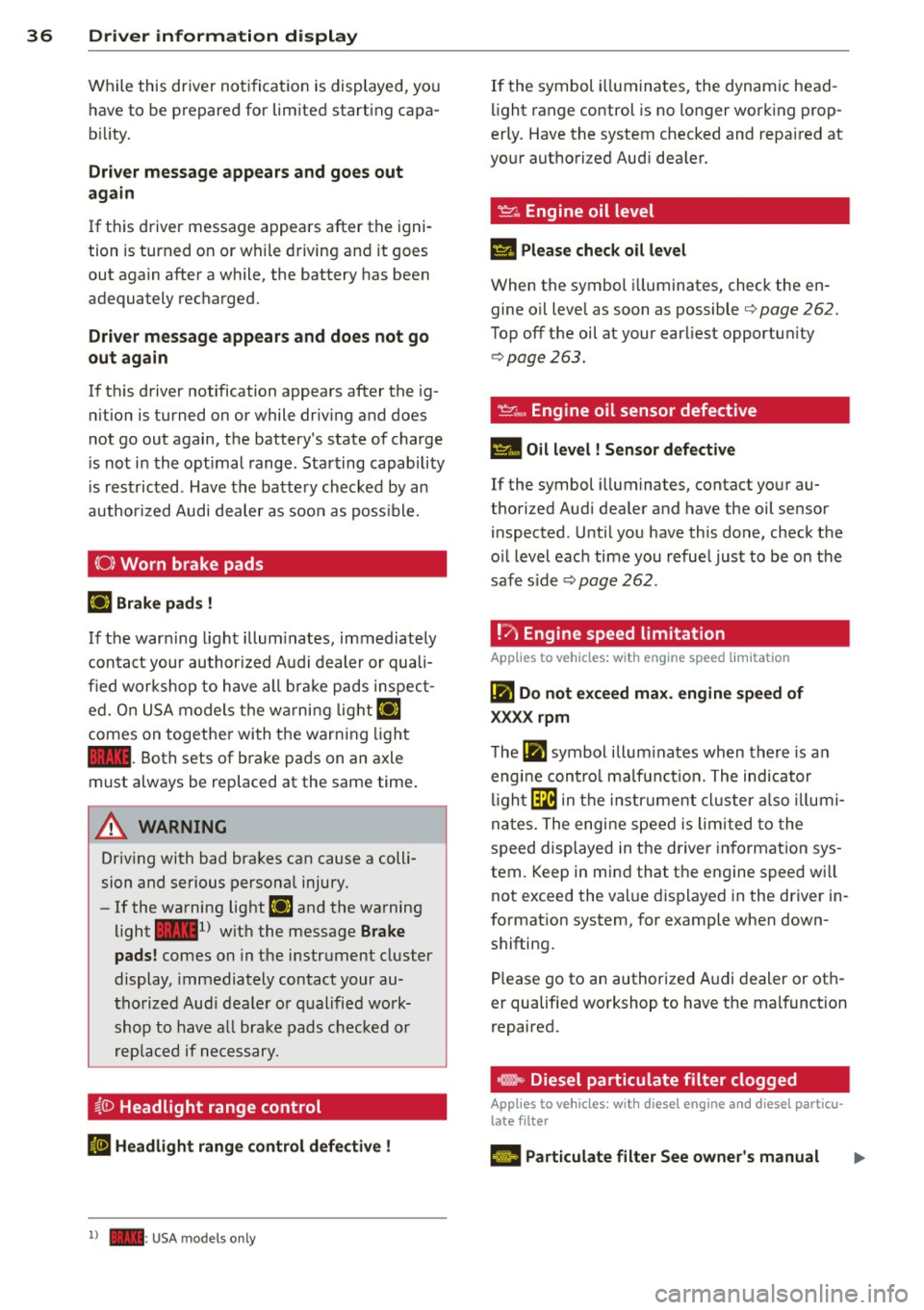
(0) Worn brake pads
EiJ Brak e pa ds !
If the war ning l ight illum inates, immediately
contact your authorized Audi dealer or quali
fied workshop to have all brake pads inspect
ed. On USA models the wa rning light
EiJ
comes on togethe r wi th the warn ing light
1111 . Both sets of brake pads on an axle
must always be replaced at the same time .
.&_ WARNING
Driv ing with bad brakes can cause a colli
sion and serious personal injury .
-If the warning light EiJ and the warning
light
11111 ) with the message Brake
pads !
comes on in the instrument cluster
display, immediately contact your au
tho rized Aud i dealer o r qualified work
shop to have a ll brake pads chec ked or
replaced if necessary.
i.(D Headlight range control
II H eadli ght range c ontrol def ective !
l ) - : USA mod els only
-
If the symbol i lluminates, the dynamic head
li ght range control is no lo nger working prop
erly. Have the system checked and repaired at
your authori zed Aud i dea ler.
~ .. Engine oil level
II Please check o il leve l
When the symbol i lluminates, check the en
gine oi l leve l as soon as possible
<=> page 262.
Top off the oil at your earliest opportun ity
<=> page 263.
~ .... , Engine oil sensor defective
Ill Oil level ! Sensor d efe ct ive
If the symbol illuminates, contact your au
thorized Audi dea ler and have the oil sensor
inspected . Until you have this done, check the
o il level each time you refue l just to be on the
safe side <=>
page 262.
! ?)
Engine speed limitation
Applies to vehicles: with engine speed limitation
Iii Do not exc eed ma x. engine speed of
XXXX rpm
T he Iii symbol illum inates when there is an
engi ne cont rol malf unct ion. The indicator
l igh t~ in the instr ument cluster a lso illumi
nates. The engine speed is limited to the
speed displayed in the driver in format ion sys
tem. Keep in mind that the engine speed wi ll
not exceed the val ue d isplayed in the driver in
format ion system, for example when down
shifting.
Please go to an authorized A udi dealer or oth
er qualified workshop to have the malfunct ion
repaired.
e, Diesel particulate filter clogged
Applies to vehicles: with diesel eng ine and diese l particu
late filter
El Particulate filter See owner's manual
Page 39 of 340
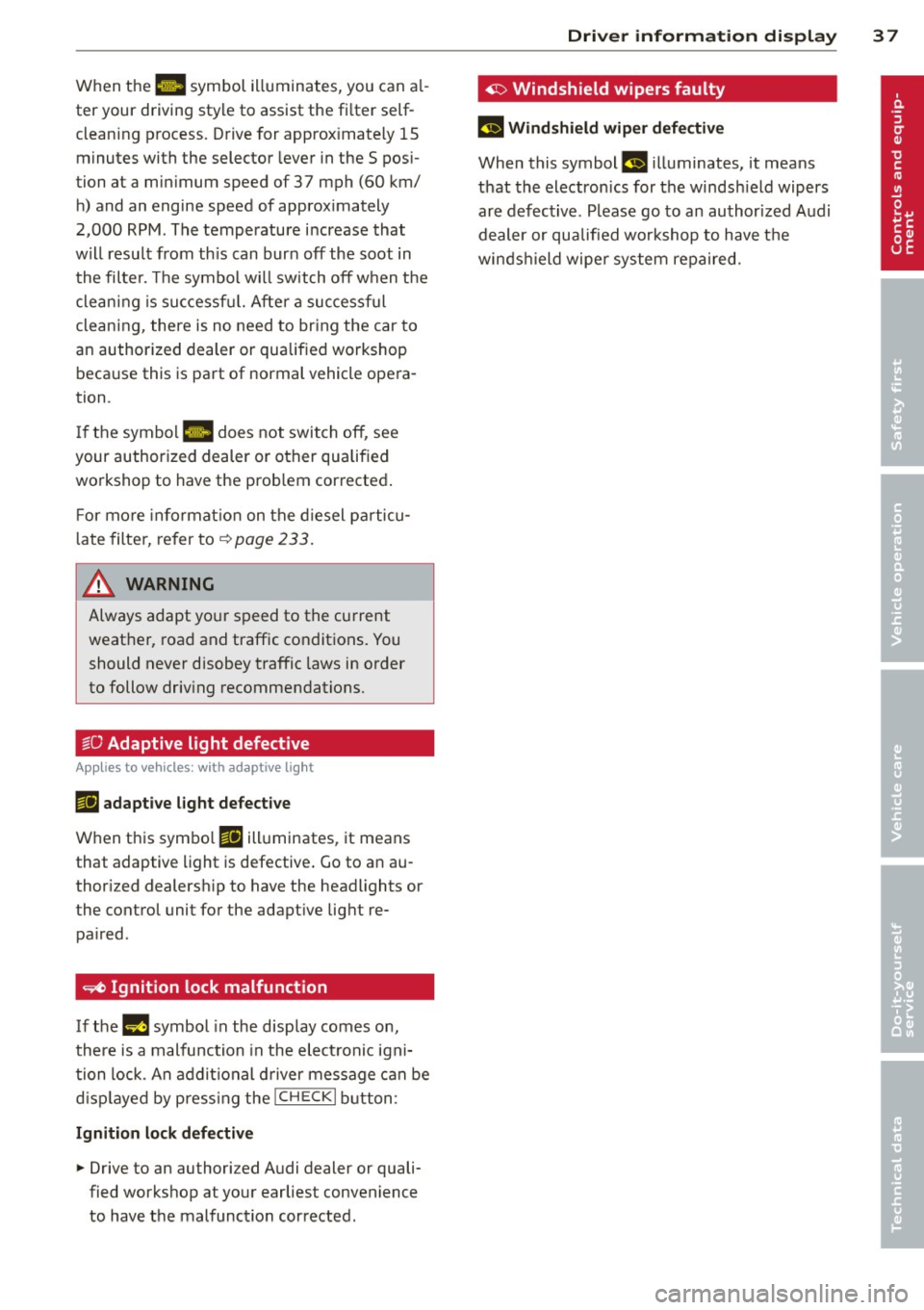
When the 1111 symbol illuminates, you can al
ter your driving style to assist the fi lter self
cleaning process. Drive for approx imately 15
minutes with the selector lever in the S pos i
tion at a minimum speed of 37 mph (60 km/ h) and an engine speed of approx imately
2,000 RPM . The temperature i ncrease that
will result from th is can burn off the soot in
the filter. The symbol w ill switch off when the
cleaning is successf ul. After a successful
cleaning, there is no need to br ing the car to
an authorized dealer or qualified workshop beca use this is part of normal vehicle opera
tion .
I f the symbol
II does not switch off, see
your authorized dealer or other qualified
workshop to have the prob lem corrected .
F or mo re informat io n on the d iesel pa rticu
l ate filter, refer to~
page 233 .
& WARNING ,..__
Always adapt yo ur speed to the current
weather, road and traffic condit ions. You
should never disobey traffic laws in order
to follow driv ing recommendations.
~O Adaptive light defective
Appl ies to vehicles: with adapt ive light
111 adapti ve l ight defe cti ve
When this symbo l Ill illuminates, it means
that adaptive light is defective . Go to an au
thor ized dealersh ip to have the headlights or
the control unit for the adapt ive lig ht re
pa ired .
~ Ignition lock malfunction
If the l!)J symbol in the display comes on,
there is a malfunction in the elect ronic igni
tion lock. An addit ional d river message can be
d isp layed by press ing the
! CHECK I b utton:
Ignitio n lock d efective
.. Drive to an authorized Audi dealer or quali
fied workshop at your earliest convenience
to have the malfunction corrected.
Dri ver information di spla y 37
'1> Windshield wipers faulty
£~$ Windshield wip er de fecti ve
When this symbol £11 illuminates, it means
t h at the electronics for the winds hield wipers
are defective . Please go to an author ized A udi
dealer or qualified wo rkshop to have t he
winds hield wiper system repaired.
Page 44 of 340

42 Openin g and clo sing
readiness light, located in the upper part of
the driver's door panel, will start to blink.
- T he vehicle interior lights turn off.
Unlocking and l ocking with Conven ience
k ey*
On vehicles which a re equipped w ith the C o n
ve nience k ey*
authorization system, the
doors are unlocked without a key by means of
a proximity sensor in the door handle. The
doors are simi larly locked without a key using
the locking button. Each door has a proximity
sensor and a locking button .
Automatic l ock ing
The automatic locking feature locks all the ve
hicle doors and the rear lid when you drive
faster than 9 mph (15 km/h). This function can be turned on and off in the MMI
C entr al
lo cking
Menu c:> page 44.
You can un lock the vehicle from the inside by :
- removing the key from the ign it ion sw itch
(the vehicle will automat ica lly unlock itself)
or
- pressing the unlock part of the power lock
switch @or
- pull ing the door handle (twice to open the
rear doors).
Unintent ionall y locking yourself out
In the following cases there safeguards to
prevent you locking your remote master key in
the vehicle :
- The veh icle does not lock with the power
locking sw itch
c:> page 44 if the driver's
door is open.
- On vehicles with Convenience key* , if the
most recently used master key is in the lug
gage compartment, the rear lid is automati
cal ly unloc ked aga in after it is closed.
Do not lock your vehicle with the
r e mot e m as
t e r k ey or Convenienc e key*
until all doors
and the rea r lid are closed. In t his way you
avoid locking yourse lf out accidenta lly.
A WARNING
- When you lock your vehicle from outside,
nobody- espec ially children -should re
main inside the vehicle . Remember,
when you lock the vehicle from the out
side the windows cannot be opened from
the inside.
- When you leave the veh icle, always re
move the ignition key and take it with
you . This will prevent passengers (chil
dren, for example) from accidentally be
ing locked in the vehicle should they acci
dentally press the power locking switch
in the front doors.
- Do not leave children inside the vehicle
unsupervised. In an emergency it would
be imposs ible to open the doors from
the outside without the key.
(D Tips
- In the event of a crash with airbag de
ployment all locked doors will be auto
matically unlocked to give access to the
vehicle occupants from the outside.
- If the power locking system sho uld mal
function, you can lock each door individ
ually using the vehicle key
c:> page 45 .
-If the power locking system shou ld fa il,
you can still open the fuel tank flap in an
emergency
c:> page 254 .
-You are well advised not to keep va lua
bles inside an unattended vehicle, v is ible
or not. Even a properly locked vehicle
cannot p rov ide the secur ity of a safe .
Page 45 of 340

Unlocking and locking the vehicle with
the remote control
How the remote control works.
Fig. 32 Remot e contr ol: fun ctio n but ton s
Either the driver 's door only or the entire vehi
cle will unlock when the unlock button @ is
pressed once, depending on the settings in
the MMI
Central locking menu ¢ page 44 .
To unlock the vehicle CD
.. Press button @.
.. Press button @two
times within two sec
onds
to unlock all doors and the rear lid .
To lock the vehicle 5'.l
.. Press button @¢A in General description
on page 42 .
.. Watch that all turn signal lights flash once .
To unlock rear lid only ,c::::j
.. Press button © for approximately one sec
ond .
PANIC Button
.. Push the red button @to activate the panic
function. The horn sounds and the turn sig nals flash .
.. Push the button @again to deactivate the
panic function.
On vehicles w ith Convenience key*, the selec
tor lever must be in the P posit ion, otherwise
the vehicle cannot be locked.
_& WARNING
Read and follow all WARNINGS ¢&. in
General description on page 42.
-
Opening and closing 43
@ Tips
-In order to make sure the locking func
tion is working, you should a lways keep
your eye on the vehicle to make s ure it is
properly locked.
- Do not use the remote control if you are
inside the car, otherwise you may unin
tentionally lock the vehicle, and then you
would set off the anti-theft alarm when
you try to start the eng ine or open a
door . In case this happens anyhow, push
the unlock button@.
- Use the pan ic function on ly if you are in
an emergency s ituation.
Operating locks with the key
To lock and unlock the vehicle from the out
side, turn the key in the lock of the driver's door .
Fig. 33 Key turns fo r open in g and closing .
To unlock the vehicle
.. Insert the key into the lock of the dr iver's
door .
.. Turn the key
one time to position @to un
lock the driver's door.
.. Turn the key
two times to position @
N N N :;
~
¢ fig. 33 to unlock all doors and the rear lid .
To lock the vehicle
.. Close a ll windows and doors properly.
.. Turn the key in the lock of the driver 's door
to the lock position
@ ¢ A in General de-
scription on page 42. ..,.
Page 46 of 340
44 Opening and clo sing
& WARNING
Read and follow all WARNINGS c> .&. in
General description on page 42.
Settings in the MMI
The driver can determine the functions for
power locking in the MMI.
• Se lect: ICAR ! function button > Sy stem s*
control button > Central locking . Or
• Se lect : ICAR !funct io n button>
Ca r systems*
control button > Vehicle sett ings > (Cent ral
locking )*.
Passenger 's door *, Left rea r door *, Right re ar
door *, Trunk lid /tailgate *
-You can specify
which doors should unlock when you unlock
the vehicle .
- If you se lect
On and then press the [@) but
ton on the remote control key, the corre
sponding door w ill unlock .
- If you select
Off and then press the[@] but
ton on the remote control key, the corre
sponding door will not unlock. If you press
the
Im button twice, all doors and the lug
gage compartment will unlock . When lock
ing the vehicle, all of the doors and t he lug
gage compar tme nt lock a utoma tica lly.
Unlock doors * -You can spec ify if all doors o r
only the d river's doo r shou ld un lock wh en un
l oc king t he ve hicle.
- If you select All and press the
l@J button on
the remote control key, a ll of the doors and
the luggag e compartment will un lock .
- If you select
Driver and then press the Im
button on the remote control key, only the
dr ive r's door w ill unlock. If you press the
l@J
button twice, all doors and the luggage
compar tment will u nlock. When lo cking the
vehicle, a ll of the doors and the luggage
compartment lock a utomatically. In vehicles
with a convenience key*, only t he door
whose hand le you pu ll w ill unlock.
Auto l ocking /Lo ck when d riv in g -If you se
lect
On , the doors and the luggage compart
ment will lock automatically .
(D Tips
The central locking settings are stored in
the remote control key .
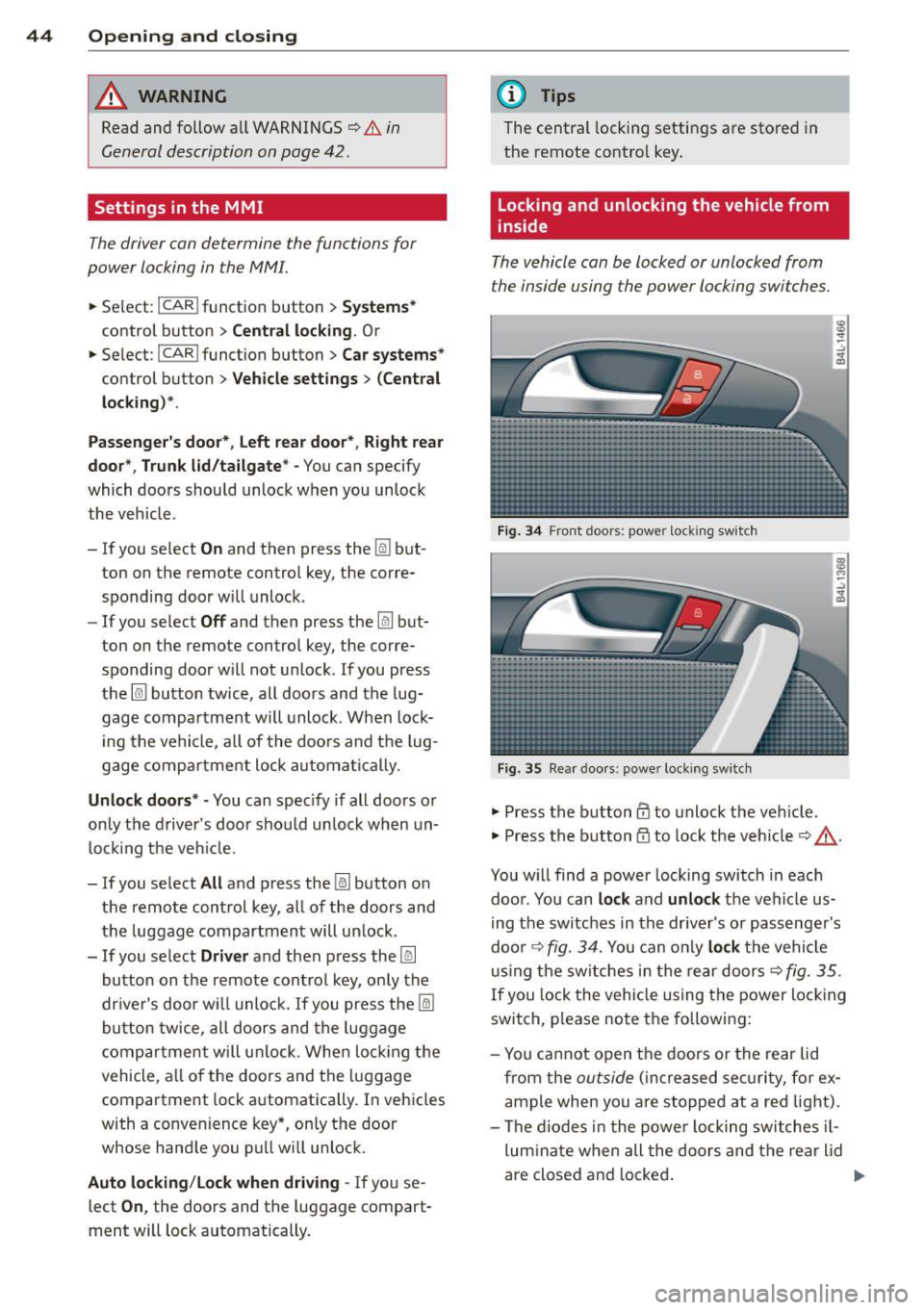
Locking and unlocking the vehicle from
inside
The vehicle can be locked or unlocked from
the inside using the power locking switches .
Fig. 34 Front doors: power lock ing switc h
Fig. 35 Rear doors : powe r locking switch
• Press the button@ to unlock the veh icle.
• Press the b utton @to loc k the veh icle
c> ,&. .
You w ill find a power locking switch in eac h
doo r. You can
lock and unlock the vehicle us
i ng the switches in the drive r's or passenger's
doo r
c> fig. 3 4. You can o nly lock the vehicle
u sing the switches in the rear doors
<=>fig . 35.
If you lock the veh icle using the power locking
switch, p lease note the following:
- Yo u cannot open the doors or the rear lid
from the
outside ( in cr eased se curity, for ex
ample when you are stopped at a red light).
- The diodes in the powe r locking switches il-
lum inate when all the doors and the rear lid
are closed and locked .
Page 48 of 340
46 Opening and clo sing
• The rear lid un locks automatically and opens
slightly .
• Lift the rear lid.
Clos ing th e re ar lid
• Pull the rear lid dow n and a llow it to drop
gently. The lid is then closed automat ica lly
Q A .
A WARNING
-After closing the rear lid, always pull up
on it to make sure that it is properly
closed. Otherw ise it could open suddenly
when the vehicle is moving.
- To help prevent po isonous exhaust gas
from being drawn into the vehicle , al
ways keep the rear lid closed while dr iv
ing. Never transport objects larger than
those which fit completely into the lug
gage area, because then the rear lid can
not be fully closed.
- Never leave you r vehicle unattended es
peci ally wi th the re ar lid left open. A
child could c rawl into the ca r through the
l u ggage compartment and pull the lid
shut, becom ing trapped and unab le to
get out. To reduce the risk of persona l in
jury, never let children play in or around
yo ur vehicle . Always keep the rear lid as
well as the vehicle doors closed when not
in use.
- Always ensure that no one is w ith in
range of the rear lid when it is mov ing, in
part icula r close to the h inges -fingers o r
hands can be pinched.
@ Tips
- If the rear lid is open or not properly
closed w hen the ign ition is turned on,
the door and rea r lid war ning
Q page 22
appears in the ins trument clus ter dis
play.
- Should you not be able to open the rear
li d as described, make sure the valet key
function is not activa ted
~ page 41.
Automatic rear lid/trunk lid operation
Applies to vehicles: with automatic rear lid/trunk lid oper
ation
The trunk lid can be opened and closed auto
matically.
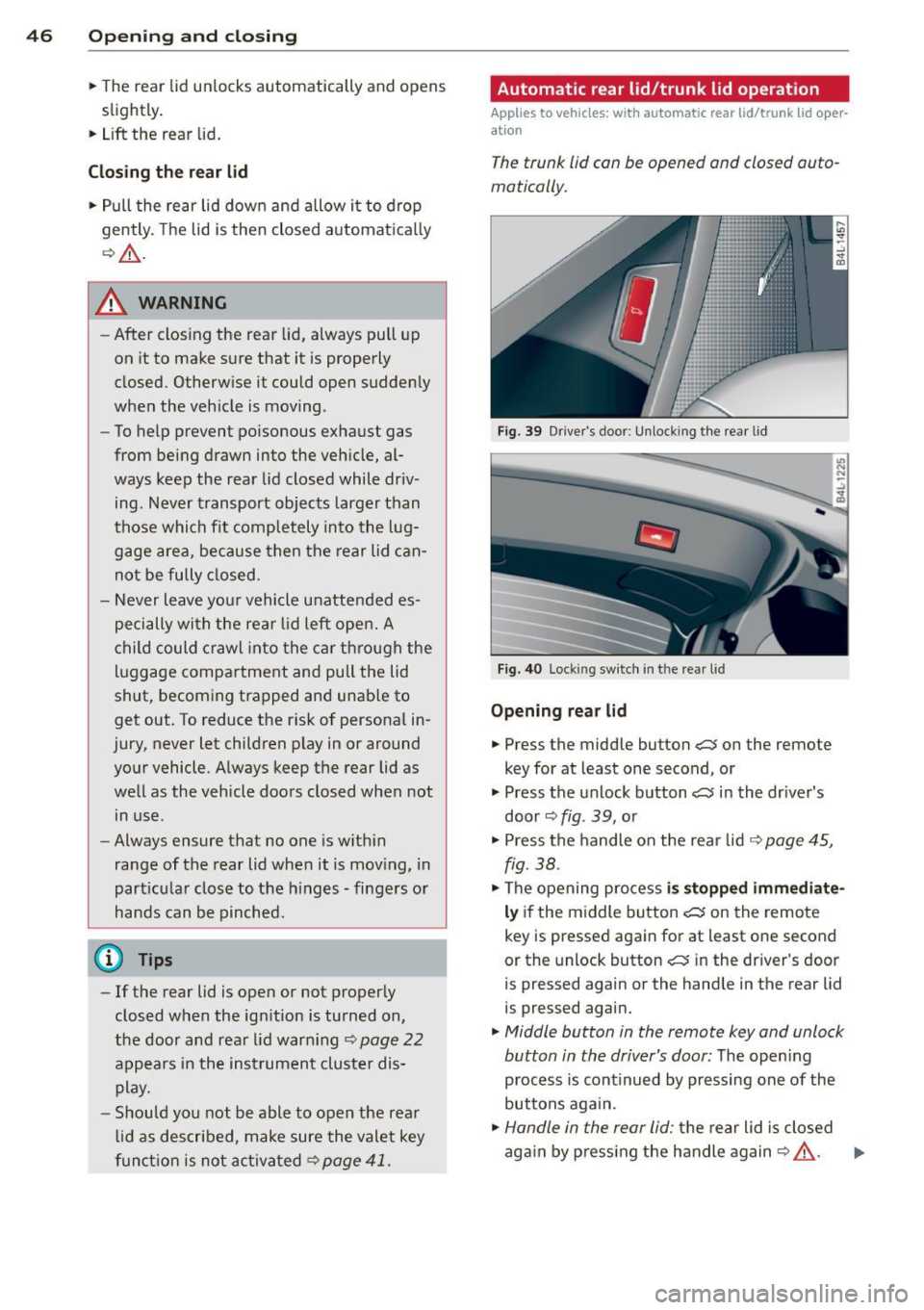
Fig. 39 Drive r's door: Unlock ing t he rea r lid
Fi g. 40 Locking sw itc h in th e rear lid
Opening rear lid
• Press the middle button cs on the remote
key for at least one second, or
• Press the unlock button
c::; in the driver's
door~
fig. 39, o r
• Press the handle on the rear lid
~ page 45,
fig. 38.
• The opening process is stopped immediate
ly if the middle button cs on the remote
key is pressed again for at least one second
or the unlock button
cs in the driver's door
is pressed again or the hand le in the rear lid
is pressed again.
• Middle button in the remote key and unlock
button in the driver's door:
The open ing
process is cont inued by pressing on e of the
buttons aga in .
• Handle in the rear lid: the rear lid is closed
ag ain by p ress ing the handle again
Q A . ..,.
Page 49 of 340
Clos ing re ar lid /trunk lid
"' Press the close button in the open rear lid
~ fig. 40. The trunk lid moves to the closed
posit ion by itself and soft close locks it auto
matically~ &_.
"' The closing process
is stopp ed immediately
if the close button in the rear lid is pressed
again.
"' By push ing the button again, the rear lid is
opened again .
Sa ving the open ing a ngle of the rear lid
"' Bring the rear lid manua lly or automatically
to the desired opening position and leave it i n th is position.
"' Press the button in the rear lid~
fig. 40 for
at least four seconds in order to save the de
s ired opening position. The position ca n only
be saved start ing at a certain level.
A WARNING
- Never close the rear lid inattentively or
without checking fi rst . Altho ugh the
closing force of the rear lid is lim ited,
yo u can st ill ser iously injure yourself or
others.
- Always ensure that no one is w ith in
range of the rear lid when it is moving, in
part icu lar close to the hinges and the up
per and lower edges -fingers or hands
can be p inched.
- To help prevent po isonous exhaust gas
from being d rawn into the vehicle, al
ways keep the rear lid closed while driv ing. Never transport objects larger than
those which fit completely into the lug
gage area, because then the rear lid can
not be fully closed.
- Never leave you r vehicle unattended es
pecially with the rea r lid left open . A
child could crawl into the car th rough the
l u ggage compa rtment and pull the lid
shut, becom ing trapped and unab le to
get out. To reduce the risk of persona l in
jury, never let children p lay in or around
your vehicle. A lways keep the rear lid as
-
Opening and clo sin g 47
well as the vehicle doors closed when not
in use.
- If there is a l uggage rack or bicycle rack
mounted on the rear lid, it may not be
ab le to open completely or an opened
rear lid may close by itself because of the
added weight. So the open rear lid must
be supported or the weight must be re
moved from the luggage rac k first.
@ Tips
- If the rear lid is open or not properly
locked when the ign ition is turned on,
the door and rear lid warning~
page 22
appears in the instrument cluster dis-
play.
- T he automatic rear lid opening/clos ing
process can be stopped by ho ld in g the
re ar lid w ith your hand. The lid can then
be further opened/closed by h and.
- I f there is a mechan ica l problem wit h the
automatic rear lid
opening proces s or
t here is an obstruction, the process is
stop ped immediately.
- I f there is a mechan ica l problem wit h au
tomatic closing fo r the rea r lid or there
is an obstr uction, it opens again slightly
r ight away . Chec k to see why the rear lid
cou ld not be closed before attempting to
close it again.
- If the rear lid on a locked vehicle is un
locked with the midd le button~ on the
remote key, the rear lid is automat ically
locked again immed iate ly after closing.
T his is indicated by the turn signals
blinking.
- The followi ng applies to vehicles equ ip
ped w ith the Convenience key* feature: if
the remote control key is left in the lug
gage compa rtment, l uggage comp art
ment w ill autom atic ally unlo ck itsel f af
ter yo u lock the vehicle. This preven ts
you from unintentionally locking you r
key in the luggage compartment.
- If the vehicle battery charge drops be low
a certain level, yo u can sti ll open o r close
the rear lid manually, however, you w ill
need to apply more force to close it. ..,.
Page 51 of 340
@ Tips
-In order to activate the child safety lock
on the left and the right side, you have to press the two safety buttons in succes
sion.
- Make certain that the check light comes
on in the corresponding safety switch
when the child safety lock is activated.
Convenience key
Description
A pp lies to vehicles: with Convenie nce key
Access and vehicle operation based on: Mas
ter key remains in driver 's pocket .
The Convenience key vehicle authorization
system allows
keyless unlocking , locking and
starting of the vehicle . You only have to carry
the master key on your person.
It makes no difference whether the master
key is in your jacket pocket or in your brief
case . As soon as you approach your vehicle,
the Convenience key recognizes the request
for access, checks for authorization and ena
bles the following functions:
- Unlocking the vehicle~
page 49.
-Locking the vehicle~ page 50.
-Switching on ignition and starting the en -
gine by pressing the
I START! button; the
master key does not have to be in the igni
tion switch
~page 107.
_& WARNING
- When you lock your vehicle from outside,
nobody- especially children -should re
main inside the vehicle. Remember,
when you lock the vehicle from the out
side the windows cannot be opened from
the inside .
- When you leave the vehicle, always re
move the ignition key and take it with
you. This will prevent passengers (chil
dren, for example) from accidentally be
ing locked in the vehicle should they acci-
Opening and closing 49
dentally press the power locking switch
in the front doors.
- Do not leave children inside the vehicle
unsupervised. In an emergency it would
be impossible to open the doors from
the outside without the key.
(D Tips
- In order for the Convenience key to func
tion, you must always carry the master
key with you .
- In order to be able to unlock or lock the
vehicle, the authorized master key must
be within a range of about S feet (l.S
meters) from the door or the rear lid.
- Of course, you can still unlock and lock
your vehicle using the buttons on the
master key . The selector lever must be in
the P position .
- For Declaration of Compliance to United
States FCC and Industry Canada regula
tions ~
page 319 .
Unlocking the vehicle
Applies to vehicles : wit h Co nve nience key
The doors and the rear lid can be unlocked
without operating the master key .
Fig. 44 Convenien ce key: unlocking vehicle door
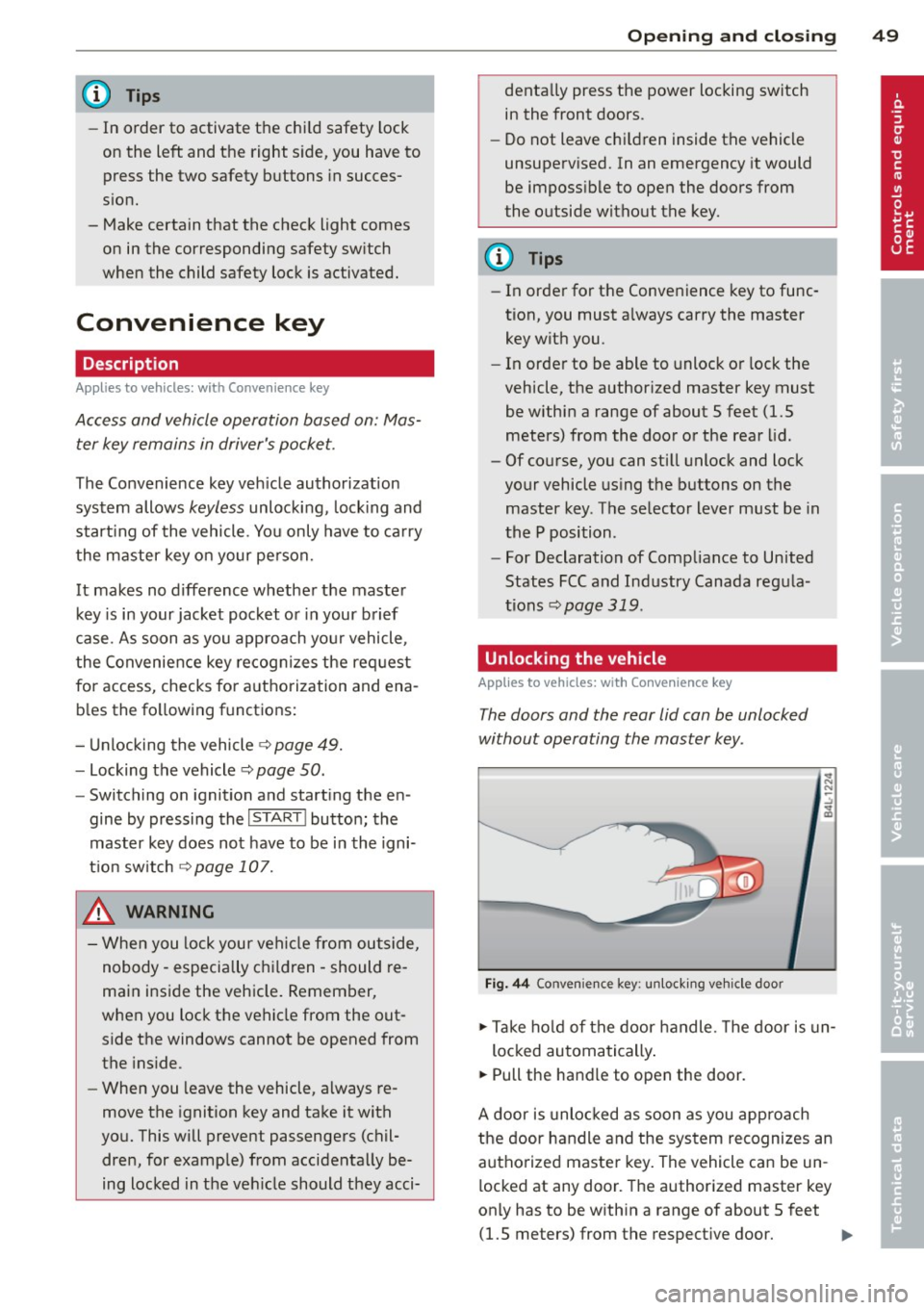
.,. Take hold of the door handle. The door is un-
locked automatically.
.,. Pull the handle to open the door.
A door is unlocked as soon as you approach
the door handle and the system recognizes an
authorized master key. The vehicle can be un
locked at any door. The authorized master key
only has to be within a range of about 5 feet (1.5 meters) from the respective door.
II>-