lock AUDI Q7 2014 Owner´s Manual
[x] Cancel search | Manufacturer: AUDI, Model Year: 2014, Model line: Q7, Model: AUDI Q7 2014Pages: 340, PDF Size: 85.02 MB
Page 132 of 340

130 Audi side assist
-The radar sensor's vision can be reduced
or entirely blocked by rain, snow, and
heavy spray . This can result in side assist
not adequately detecting vehicles or, in
some cases, not detecting them at all.
Always keep an eye on the direction you
are traveling and the relevant area
around the vehicle.
- Please note that side assist indicates
there are approaching vehicles, or
vehicles in your blind spot, only after
your vehicle has reached a driving speed
of at least 19 mph (30 km/h).
- Side assist signal does not work around
tight corners (turning radius less than
328 feet, or 100 m).
- Side assist is no replacement for the driv
er's full attention. The driver alone is re
sponsible for lane changes and similar
driving maneuvers. Always keep an eye
on the direction you are traveling and the relevant area around the vehicle.
- To ensure that you do not adversely af
fect side assist, do not block the area on
the rear bumper where the radar sensors
are located with foreign objects (such as
stickers or bicycle racks).
- Make sure that the signal light on the
outside mirror is not blocked by stickers
or other items.
(Di Tips
- Side assist automatically deactivates if it
detects that the radar sensors are
blocked ¢
page 135. The indicator light
on the button goes out .
- The area on the bumper where the radar
sensors are located must consistently re
main free of snow, ice, and heavy soiling
so that side assist can function properly.
Follow the additional notes on
¢page 136.
-For vehicles with a factory installed tow
ing hitch* or a trailer hitch* that was in
stalled later according to factory specifi
cations, side assist is automatically deac- tivated
as soon as the electrical connec
tion to the trailer electrical socket is made
¢ page 135.
-For vehicles with a trailer hitch that was
not installed according to factory specifi
cations, switch off the side assist when
towing a trailer .
- Additional tinting on the front side win
dows can make it harder to see and cor
rectly understand the signal light on the
outside mirror.
- For Declaration of Compliance to United
States FCC and Industry Canada regula
tions¢
page 319.
Sensor detection area
Applies to vehicles: with side assist
-----··· .... ·--·--
@ / ,
--
ill b''T -
Fig. 150 Sc hematic illustration: Sensor detectio n area
The detection ¢ fig. 150 of the radar sensor
detection area is made up of:
-
- the approach area (light red area) (D, about
230 feet (70 m) behind the vehicle, and
- the "blind spot" (dark red area) @.
The radar sensors cover the adjacent left and
right lanes. Other lanes are
not covered by the
radar sensors.
(D Tips
Side assist does not measure actual lane
width. The system assumes a fixed lane
width . Detection in the left and right lanes
is based on this assumed lane width.
When driving on narrow roads or when
driving to the left or right of the center of
a travel lane, it is possible that vehicles
will be detected that are
not in the lane
Page 137 of 340

Lane width
Applies to vehicles: with side assist
-· Fig. 155 Lan es o f a norma l wid th a re in detect ion area
Fig . 156 Narrow lanes: Side ass ist may detect vehicles
two la nes away
Side assist's detection area is designed to cov
e r l anes of standard w idth to the left and
r ight of your travel lane, depending on wheth
er you dr ive in the center of your lane or closer
to the edge.
I f you drive in narrow lanes, s ide ass ist's de
tec tion a rea may a lso incl ude other lanes -es
pec ia lly if you tend to drive on the edge of
your lane
c:::> fig. 156 . Under these cond it ions,
ve hicles can also be detected that are two
lanes away, and side assist then could switch
between the informat ional and warn ing stage
signals.
When driving in very wide lanes, vehicles in
the adjacent lane may not be detected be
cause they are not inside the detection area.
Notes
Messages in instrument cluster display
Applies to vehicles: with side assist
If s ide ass ist t urns off automa tically, the ind i
cator l igh t on the button wi ll go ou t and you
Aud i side assist 135
will see a message in the instrument cluster
display:
Audi side assist not available: sensors
bloc ked
The side assist sensors are built into the rear
bumper on the left and r ight (not visible on
the outside)
c:::> page 129, fig . 147. To ensure
that you do not adversely affect the way side
ass ist functions, foreign objects (such as stick
ers or bicycle racks) should not be attached to
the area on the rear bumper where the sen
sors a re located . If side ass ist functions are
adverse ly affec ted, you w ill see th is message
in the instrument cluster disp lay . Remove any
th ing t hat may be blocking the sensors.
If no vehicle is detected for a longer per iod of
t ime wh ile dr iv ing, s ide ass ist w ill also switch
off automatically.
Audi s ide as sist cu rrentl y not available
If there is a temporary problem (such as the
vehicle 's battery charge be ing low), side assist
cannot be act ivated temporar ily .
Audi side assis t: sy stem fault
Have the system checked by an author ized
Audi dealer or qualified workshop.
Audi side assist not availabl e when
towing
The radar sensor's view is limited when tow
ing a tra iler. For vehicles with a factory instal
led tow ing hitch or a trailer hitch that was in
stalled later according to facto ry specifica
tions, s ide ass ist is automatically deact ivated
as soon as the ele ctrical connection to the
trailer's e lectrical socke t is made, and this sta
tus message appears in the instrument clus
ter display. Deactivation cannot be guaran
teed when using a retrofitted towing hitch
that was
not installed according to factory
specifications.
Page 138 of 340

136 Audi side a ssis t
Safety tips
App lies to vehicles: wit h side ass ist
The s ide ass ist detect ion may be lim ited when
d riving around narrow street corners , on hilly
streets, and under poor weathe r cond itions.
It is poss ible that the radar sensors may also
detect other objects , such as high or stag
gered guardra ils .
Side assist does not measure actual lane
width . The system assumes a fixed lane w idth .
Detection in the left and r ight lanes is based
on this assumed lane width . When driving on
na rrow roads or when driving to the left or
right of the center of a travel lane , it is possi
b le that vehicles will be detected that are
not
in the lane next to the lane you are using.
A WARNING
- Improper reliance on the s ide assist sys
tem can cause collisions and serious per
sonal injury :
- Never rely only on side assist when
changing lanes .
- Always check rear view mirrors to make
sure that it is safe to change lanes.
- Side ass ist cannot detect a ll vehicles un
der all cond itions- danger of accident!
- Side ass ist cannot detect vehicles in time
to alert you when they approach from beh ind at very h igh speeds or drop back
very quick ly .
- T he radar sensor's
vision can be reduced
or entirely blocked by rain, snow, and
heavy spray. This can result in side assist
not adequately detecting vehicles or, in
some cases, not detecting them at a ll.
Always keep an eye on the direction you are traveling and the relevant area
around the vehicle .
- Please note that side assist indicates
there are approaching vehicles, or
vehicles in your blind spot, only after
your vehicle has reached a driving speed
of at least 19 mph (30 km/h). -
Side assist signa l does not work around
tight corners (turning radius less than
328 feet, or 100 m).
- Side assist is no replacement for the driv
er 's full attention. The driver alone is re
sponsible for lane changes and sim ilar
driving maneuvers. Always keep an eye
on the d irect ion you are traveling and the
re levant area around the vehicle.
(D Note
To ensure that side assist is not adversely
affected, you should not block the area on
the rear bumper where the radar sensors
are located with foreign objects (such as
with stickers or bi cycle racks).
(D Tips
If the pos itions of the radar sensors have
been changed as a result of a rear end-co l
lision, for instance, have s ide assist
checked by an autho rized Aud i dealer for
safety reasons.
Page 139 of 340
Automatic
transmission
tiptronic
Introduction
The automatic transmission is controlled elec
tronically. The transmission upshifts or down
shifts automatically depend ing on which drive
program is selected. The power is transferred
by a torque converter .
When a
mode rate d riv in g s ty le is used, the
transmission selects the most econom ica l
driving mode. It w ill then change up early and
delay the downshifts to g ive better fuel econ
omy.
T he transmission switches to a sporty mode
after a k ick-down or when the driver uses a
spo rty driving sty le characterized by quick ac
celerator pedal movements, heavy accelera
tion, frequent changes in speed and traveling
at the maximum speed.
If desired, the driver can a lso select the gears
manually ( tiptronic mode ) c:> page 140.
Selector lever positions
Fig. 157 D isp lay in t he i nst ru m en t cluster: selecto r
l ever in pos it ion P
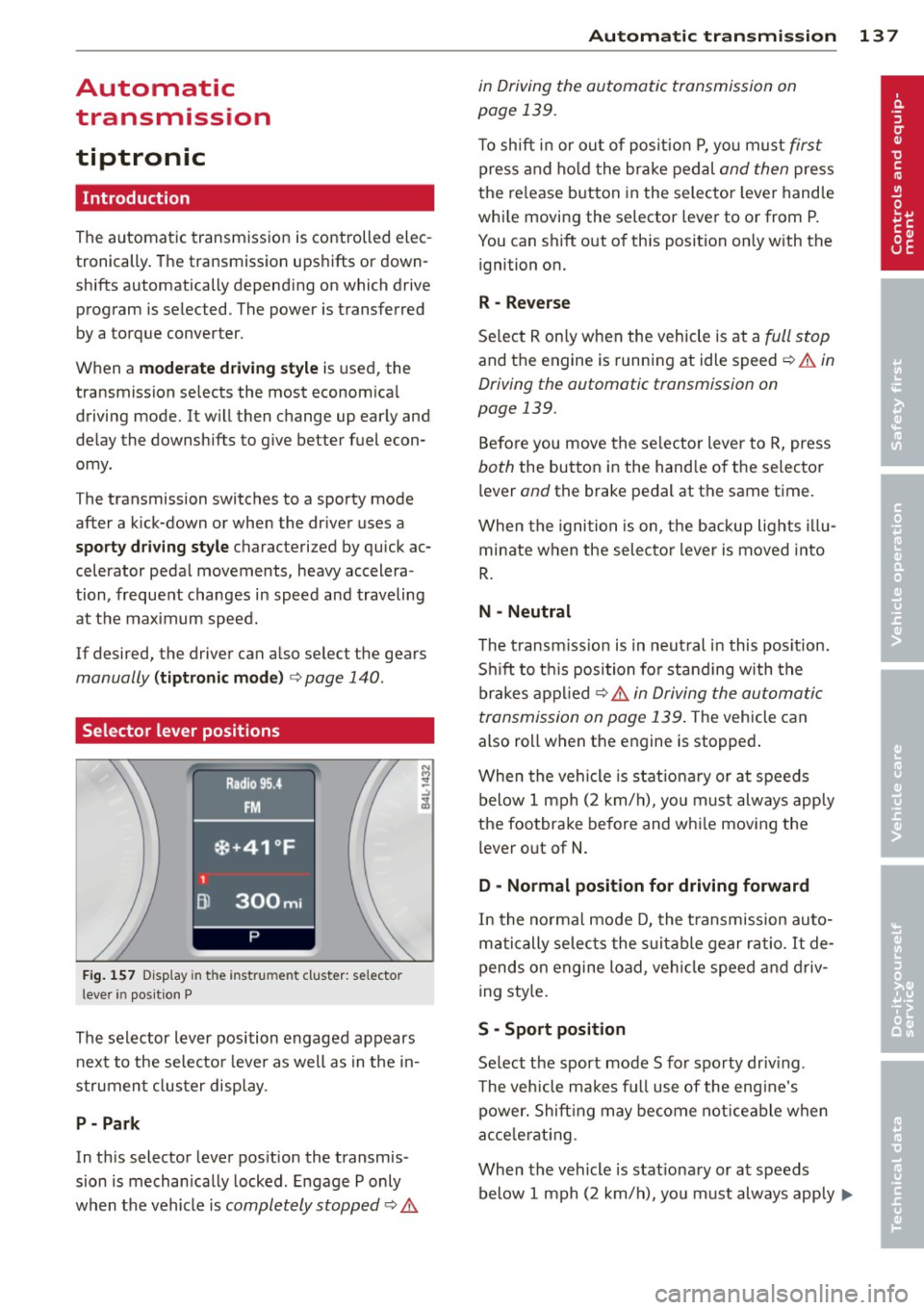
The selector lever position engaged appears
next to the selecto r lever as well as in the in
strument clus ter disp lay.
P- P ark
In th is selector lever pos ition the transmis
sion is mechan ically locked . Engage P only
when the vehicle is
completely stopped c:> 11::..
Automa tic tran sm iss ion 13 7
in Driving the automatic transmission on
page 139.
T o shift in or out of posit io n P , yo u m ust first
press and ho ld the brake pedal and then press
the re lease button in the selector leve r handle
whi le moving the selector lever to or from P.
You can shift out of th is position only with the
ignition on.
R -Reverse
Se lect R on ly when the vehicle is at a
full stop
and the engine is running at idle speed c:> 11::.. in
Driving the automatic transmission on
page 139.
Before you move the se lector lever to R, press
both the button in the hand le o f the selector
lever
and the brake pedal at the same t ime.
When the ignition is on, the backup lights illu
minate when the selecto r lever is moved into
R .
N -Neutral
T he t ransm iss ion is in neut ral in this pos ition.
S hi ft to t his position fo r standing with the
brakes appl ied
c:> 11::.. in Driving the automatic
transmission on page 139 .
The vehicle can
also roll when the engine is stopped .
When the vehicle is stat iona ry or at speeds
below 1 mph (2 km/h), yo u m ust always apply
the footbrake before and whi le mov ing the
lever o ut of
N .
D - Normal position for driving forward
In the no rma l mode D, the t ransmission auto
matically selects the s uitable gear ratio.
It de
pends on engine load, vehicle speed and driv
i ng sty le.
S -Sport posit ion
Se lect the sport mode S for spo rty dr iv ing .
T he vehicle makes fu ll use of the eng ine's
power. Shift ing may become noticeable when
acce lerat ing.
When the vehicle is stat ionary or at speeds
below 1 mph (2 km/h), you must always app ly ...,
Page 140 of 340
138 Automatic tr an smis sion
the foot brake before and while moving the
lever to Dor S out of N.
.&_ WARNING
Read and follow a ll WARNINGS
c::> & in
Driving the automatic transmission on
page 139.
(D Note
Coasting downhi ll with the transmission in
N and the engine not running wi ll result in
damage to the automatic transmiss ion
and possibly t he catalytic converter.
(D Tips
- If you accidenta lly select N while driv ing,
take your foot off the acce lerator pedal
i mmediately and wait fo r the engine to
s low down to idle before se lecting D.
- If there is a power failure, the selector
l eve r will not move out of t he P position.
The emergency release can be used if
th is happens
c::> page 1 41.
Automatic Shift Lock (ASL)
The Automatic Shift Lock safeguards you
against accidentally shifting into a forward or the reverse gear and causing the vehicl e to
move unintentionally.
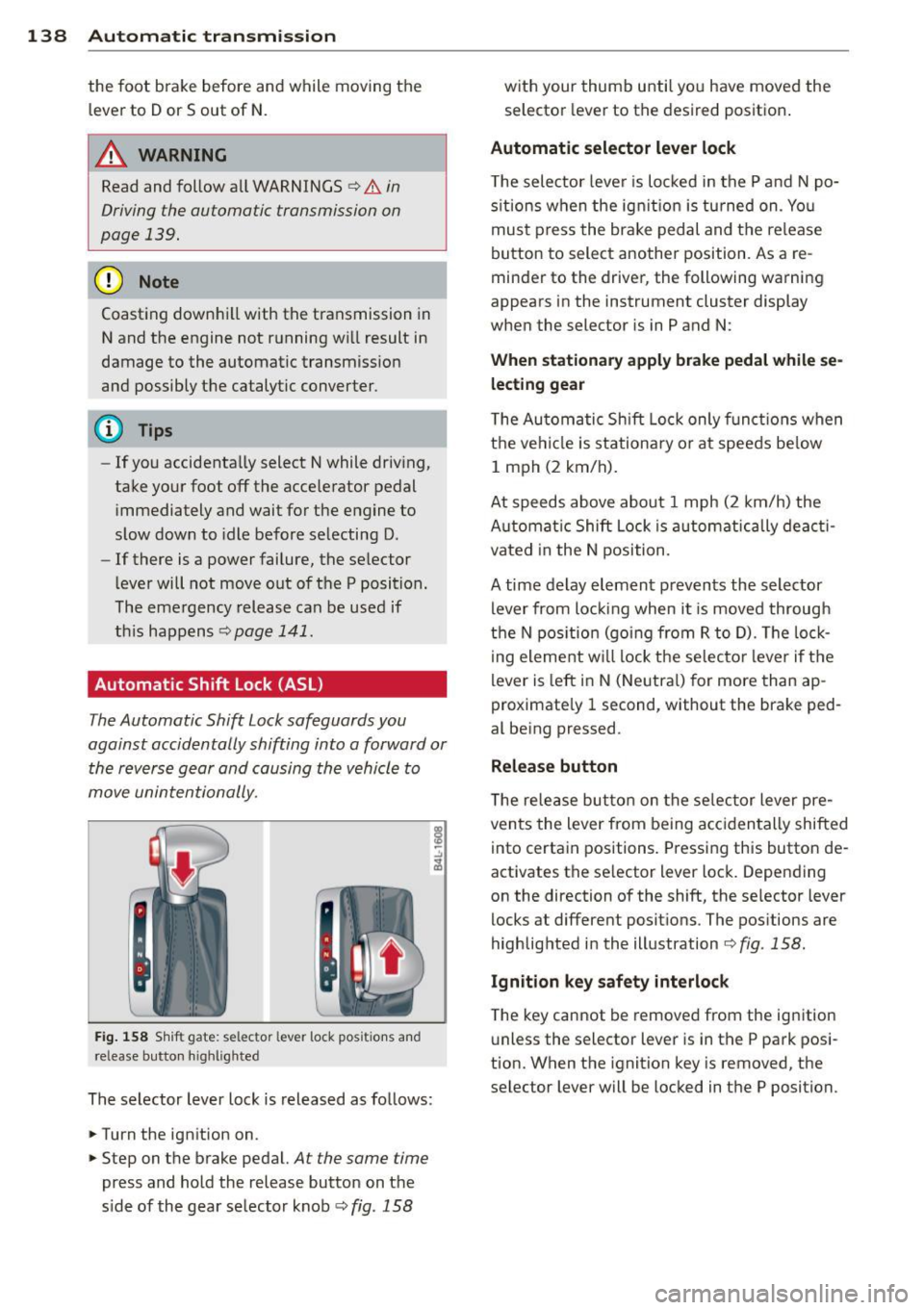
Fi g. 1 58 Sh ift gate: selector lever lock positions and
release button high lighted
The selector lever loc k is released as follows:
.. Turn the ignition on .
.. Step on the brake pedal.
At the same time
press and hold the release button on t he
s ide of the gear se lecto r knob
c::> fig . 158
with your thumb until yo u have moved the
selector lever to the desired position .
Automatic selector lever lock
T he selector leve r is lo cked in the P and N po
s it ions w hen the ig nition is tu rned on . Yo u
mus t press the br ake pedal and t he re lease
button to select another position. As a re
minder to the driver, the following warning
appears in the instrument cluster display
whe n the selector is in P and N:
When stationary apply brake pedal while se
lecting gear
T he Au tomatic Shift Loc k only f unct io ns when
the ve hicl e is stationa ry o r at spee ds be low
1 mph (2 km/h).
At speeds ab ove abo ut 1 mph (2 km/h) the
A ut omat ic Shift Lock is a utomatic ally deac ti
vated in the N position.
A time delay el ement p reven ts the selector
lever from loc king when i t is moved through
the N pos itio n (go ing from R to D). The lo ck
i ng eleme nt w ill lock the selecto r leve r if the
lever is left in N (Neutra l) for more than ap
proximate ly 1 second, without the brake ped
al be ing pressed .
Release button
T he re le ase bu tton on the se lec tor lever pre
ven ts the lever from being acc iden tally shifted
into certa in positions . Press ing this button de
activates the se lector lever loc k. Depending
on the direction of the shift, the se lector lever
locks at differe nt posit ions. The positions are
highlighted in the illustration
<=:> fig . 158.
Ignition key safety interlock
T he key cannot be remove d from the ignition
u nless the selector lever is in t he P park posi
tion. When the ignition key is removed, the
selector lever will be loc ked in the P position.
Page 141 of 340

Driving the automatic transmission
Fig. 159 Shift g ate on the center co nso le: se lector lev
er wi th release butt on
Starting the engine
~ The selector lever must be in P or N .
Starting off
~ Press and hold the brake pedal.
~ Press and hold the release button in these
lector lever handle , select the desired selec
tor lever pos ition such as D and release the
button .
~ Wait briefly until the transmission has shift
ed (you will feel a slight movement).
~ Remove your foot from the brake pedal and
acce lerate .
Stopping temporarily
~ Keep the vehicle stationary us ing the brak
ing pedal, for examp le at traffic lights.
~ Do not press the accelerato r pedal when do -
ing this.
Stopping /parking
If the selector lever is not in the P position
when you open the driver's door, the vehicle
could roll. The message
Transmi ssion : Car
may roll! Shift to park!
appears.
~ Press and hold the brake pedal unt il the ve
hicle has come to a complete stop.
~ Set the parking brake firmly 9 page 110,
Parking.
~ Se lect the P selector lever position 9 &.-
Stopping on an incline
~ Always press the brake pedal to hold the ve
hicle in place and prevent it from "rolling
back"
9 ,& . Do not try to prevent the vehi-
Autom atic transm ission 139
cle from "rolling back" when a gear is en
gaged by increasing the engine speed
c::>(D.
Under certain circumstances, such as driving
in the mountains, it may be usefu l to switch
temporarily to the manual shift program in or
der to adjust the gears to the driving condi
tions by hand
c::> page 140 .
On slopes, activate the parking brake first and
then move the selector lever to the P position.
This prevents too much stress from being
placed on the locking mechanism.
A WARNING
- Unintended vehicle movement can cause
serious injury.
- Never leave your vehicle with the engine
running while in gear.
If you must leave
your veh icle when the engine is running,
apply the park ing brake firmly and move
the selector lever to P.
- Power is still transmitted to the wheels
when the engine is running at idle. To
prevent the vehicle from "c reeping ", you
must keep your foot on the brake when
the engine is running and the selector
lever is in D, Sor R or "tiptronic" mode is
selected.
- Do not press the accelerator pedal when
changing the se lector lever position
while the vehicle is stationary and the engine is running.
- Never shift into R or P while driving.
- Before driving down a steep slope, re-
duce your speed and shift into a lower
gear with "tiptronic".
- Do not ride the brakes or press the bra ke
pedal too often or too long when driving
down a hi ll. Constant braking causes the
brakes to overheat and substantially re
duces braking performance, increases braking distance or causes complete fa il·
ure of the brake system.
- To prevent the vehicle from rolling back
when stopping on inclines, always hold it
in place with the brake pedal or parking
brake . .,..
Page 142 of 340
140 Automatic transmission
-Never hold the vehicle on an incline with
a slipping clutch. The clutch opens auto
matically when it becomes too hot from
the overload. An indicator lamp
[O] illu
minates and a driver message appears
c!;> page 141 when the clutch is overload
ed.
- If the engine must remain running, never
have any driving position engaged when
checking under the hood. Make sure the
selector lever has securely engaged and
is locked in P with the parking brake
firmly set¢
page 257. Otherwise, any
increase in engine speed may set the ve
hicle in motion, even with the parking
brake applied.
(D Note
- When stopping on an incline, do not try
to hold the vehicle in place by pressing
the accelerator peda l while a driving gear
is selected. This can cause the transmis
sion to overheat and can damage it. Acti
vate the park ing brake or press the brake
pedal to prevent the vehicle from rolling.
- Allowing the vehicle to roll when the en
gine is stopped and the selector lever is
in
N will damage the transmiss ion be
cause it is not lubricated under those cir
cumstances.
Hill descent control
The hill descent control system assists the
driver when driving down declines.
H ill descent control is activated when these
lector lever is in D/S and you press the brake
pedal. The transmission automatically selects
a gear that is suitab le for the incline. Hill de
scent control tries to maintain the speed ach
ieved at the time of braking, within physical
and technical limitations . It may st ill be nec
essary to adjust the speed with the brakes.
Hill descent control switches off once the de
cline levels out or you press the accelerator pedal. When the speed
is set in the cruise control
system
c!;>page 111, hill descent control is al
so activated.
A WARNING
--
Hill descent control cannot overcome
physical limitations, so it may not be able
to maintain a constant speed under all
conditions. Always be ready to apply the brakes.
· Manual shift program
Using the manual shift program you can
manually select gears.
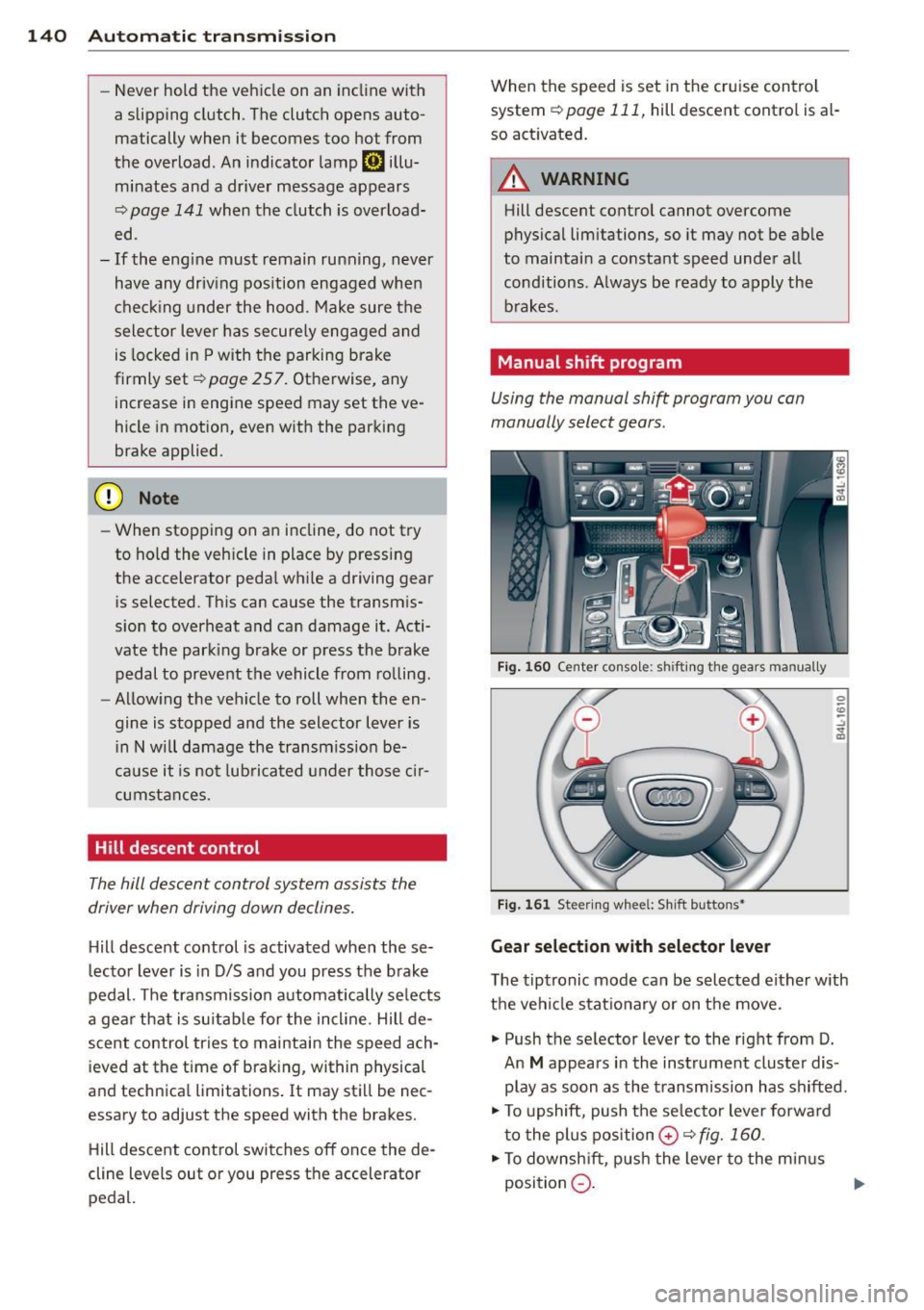
Fig. 160 Center console: shift ing the gears manually
Fig. 161 Steering wheel: Sh ift buttons•
Gear selection with selector lever
The tiptronic mode can be selected either with
the vehicle stationary or on the move.
.,. Push the selector lever to the right from D.
An
M appears in the instrument cluster dis
play as soon as the transmission has shifted .
.,. To upshift, push the se lecto r lever forward
to the plus position
0 c!;> fig. 160 .
.,. To downshift, push the lever to the minus
position
Q . 1J>-
Page 144 of 340
142 Automatic tran smi ssion
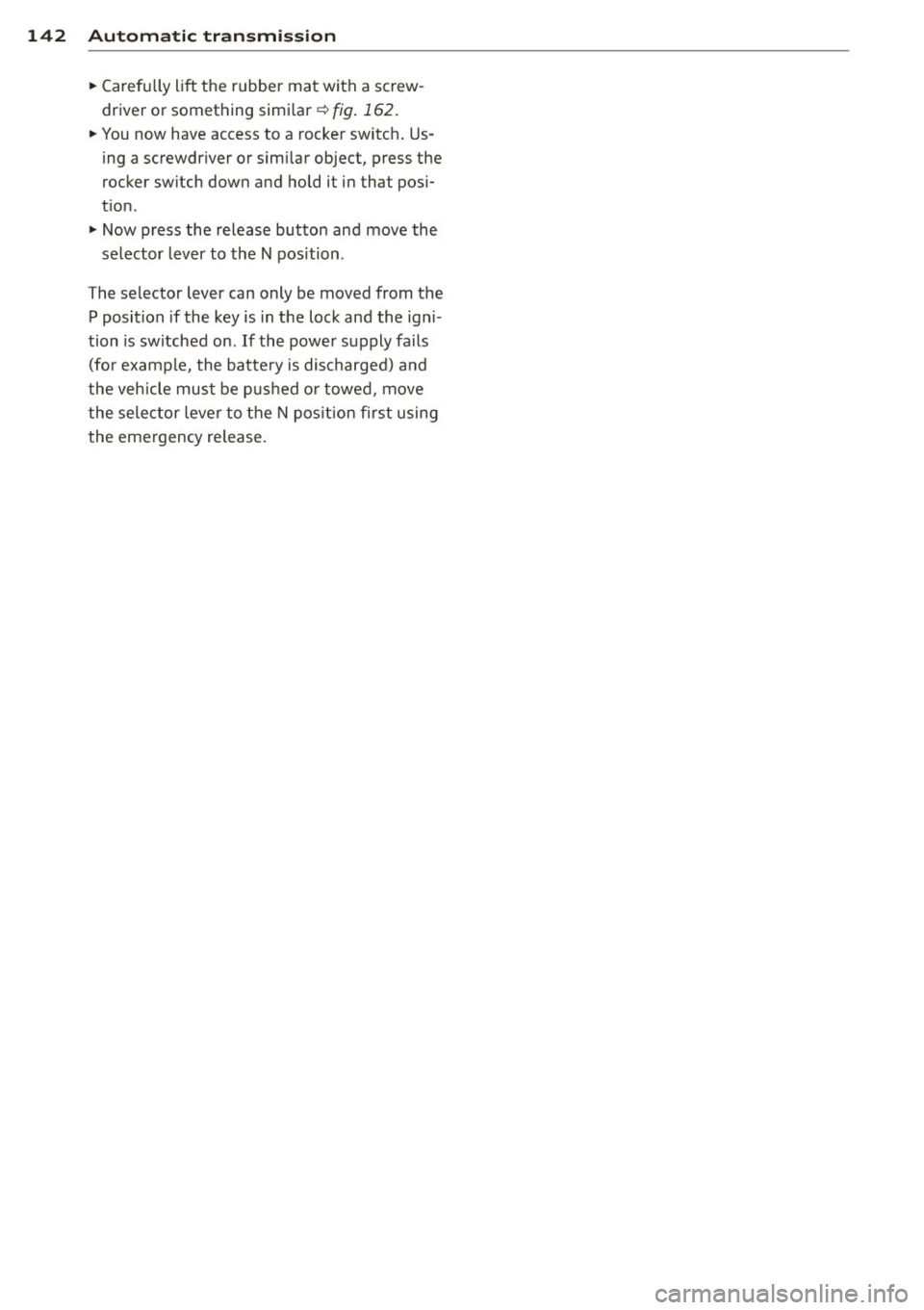
• Carefu lly lift the rubber mat with a screw
driver or something similar ¢
fig . 162.
• You now have access to a rocker switch . Us
ing a screwdriver or similar object, press the
rocker sw itch down and hold it in that pos i
t ion.
• Now press the release button and move the
selector lever to the N position .
The selector lever can only be moved from the P position if the key is in the lock and the igni
tion is sw itched on .
If the power supply fails
(for example, the battery is discharged) a nd
the vehicle must be p ushed or towed , move
the selector leve r to the N pos ition first using
the emergency release .
Page 147 of 340
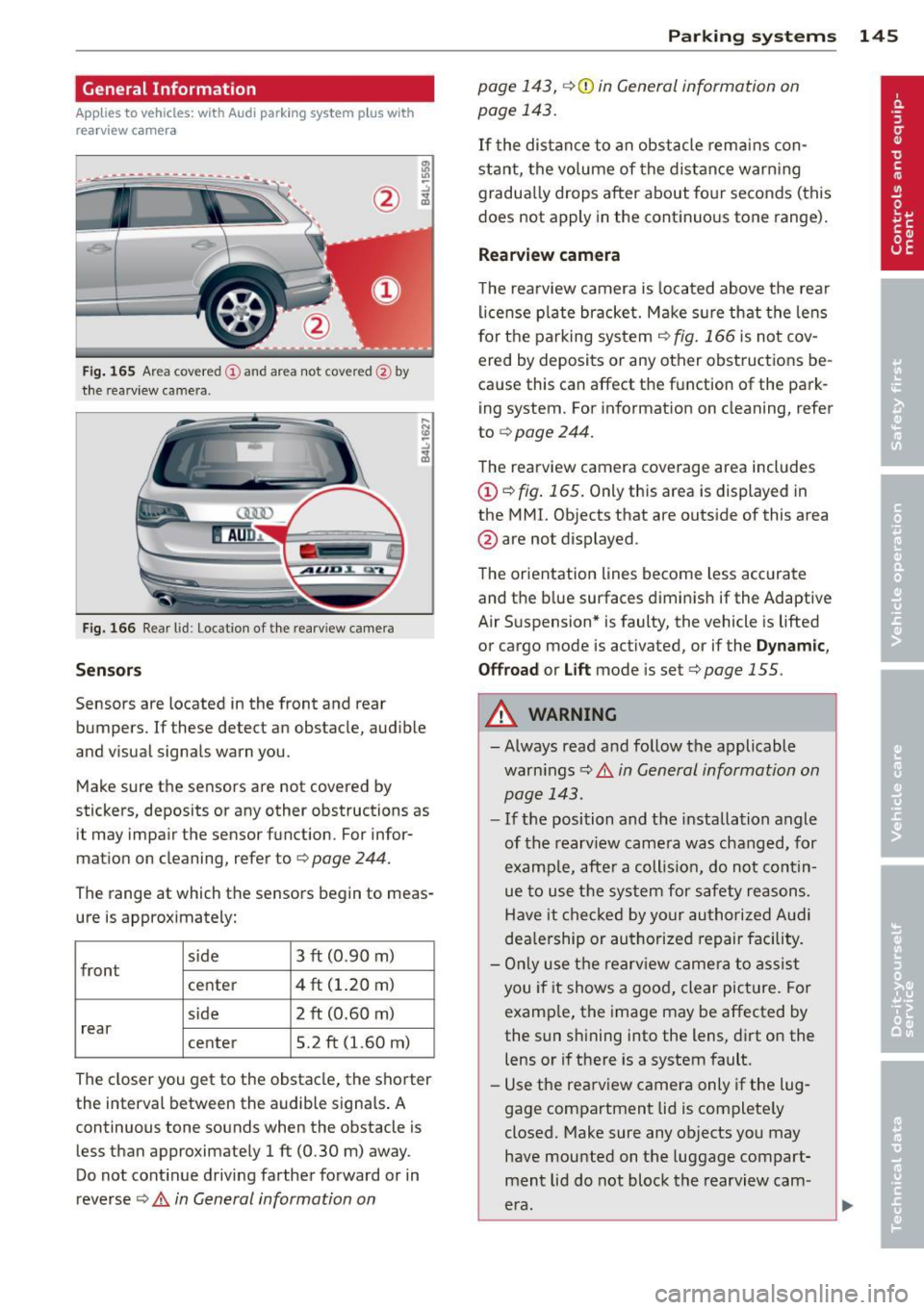
General Information
Applies to vehicles: with Audi parking system plus w ith
rea rview camera
@
Fig . 165 Area covered (D and area not covered @by
t h e rearv iew camera.
Fig. 166 Rear lid: Location of the rea rv iew came ra
Sen sor s
Sensors are located in the front and rear
bumpers. If these detect an obstacle, aud ible
and visual signals warn you.
Make sure the sensors are not covered by
stickers, deposits or any other obstructions as it may impair the sensor function. For infor
mation on cleaning, refer to ¢
page 244.
The range at which the sensors begin to meas
ure is approximately:
side
front 3 ft (0
.90 m)
center 4 ft (1.20 m)
side 2 ft (0.60 m)
rear center 5.2 ft (1.60 m)
The closer you get to the obstacle, the shorter
the interval between the audib le signa ls . A
continuous tone sounds when the obstacle is less than approximately 1 ft (0.30 m) away .
Do not cont inue driving farther forward or in
reverse
¢ .& in General information on
Parking sys tems 145
page 143, ¢(i) in General information on
page 143.
If t he distance to an obstacle rem ains con
stant, the vo lume of the distance warn ing
gradua lly drops after about fo ur seconds (this
does not apply in the continuo us tone range).
Rearview camera
T he rearview camera is located above t he rear
l ice nse p late bracket. M ake s ure that the lens
for the parking system¢
fig. 166 is not cov
ered by deposits or any other obstructions be
cause this can affect the function of the park
ing system. For informat ion on cleaning, refer
to
¢ page 244.
The rearview camera coverage area includes
(D ¢ fig. 165. Only this area is displayed in
the MMI. Objects that are outside of this area
@ are not displayed.
The orientation lines become less accurate
and the b lue surfaces diminis h if the Adaptive
Air S uspension* is faulty, the vehicle is lifted
or cargo mode is act ivated, or if the
Dynamic ,
Offroa d
or Lift mode is set¢ page 155.
.&_ WARNING
- Always read and follow the applicable
warn ings¢ .&
in General information on
page 143.
- If the position and the installation angle
of the rearview came ra was chang ed, for
examp le, afte r a coll is io n, do not cont in
ue to use the system for safety reasons.
Have it checked by your authori ze d Aud i
dea le rship or authorized repair facility.
- On ly use the rearv iew came ra to assist
you if it shows a good, clear picture. Fo r
examp le, the image may be affected by
the sun shining into the lens, dirt on the
lens or if there is a system fault.
- Use the rearv iew camera only if the lug
gage compartment lid is complete ly
closed. Make sure any objects you may
have mounted on the luggage compart
ment lid do not block the rearview cam
era.
-
Page 168 of 340
166 Driving Safely
• Always keep both feet in the footwell so
that you are in control of the vehicle at all
times.
For detailed information on how to adjust the
driver's seat, see
¢ page 73.
A WARNING
Drivers who are unbelted, out of position
or too close to the airbag can be seriously
injured by an airbag as it unfolds. To help
reduce the risk of serious personal injury:
- Always adjust the driver's seat and the
steering wheel so that there are at least
10 inches (25 cm) between your breast
bone and the steering wheel.
- Always hold the steering wheel on the
outside of the steering wheel rim with
your hands at the 9 o'clock and 3 o'clock positions to help reduce the risk of per
sonal injury if the driver's airbag inflates.
- Never hold the steering wheel at the
12 o'clock position or with your hands at
other positions inside the steering wheel
rim or on the steering wheel hub. Hold
ing the steering wheel the wrong way
can cause serious injuries to the hands,
arms and head if the driver's airbag de
ploys.
- Pointing the steering wheel toward your
face decreases the ability of the supple
mental driver's airbag to protect you in a
collision.
- Always sit in an upright position and nev
er lean against or place any part of your
body too close to the area where the air
bags are located.
- Before driving, always adjust the front
seats and head restraints properly and
make sure that all passengers are prop
erly restrained.
- Never adjust the seats while the vehicle
is moving . Your seat may move unexpect
edly and you could lose control of the ve
hicle.
- Never drive with the backrest reclined or
tilted far back! The farther the backrests
are tilted back, the greater the risk of in- jury due to incorrect positioning of the
safety belt and improper seating posi
tion.
- Children must always ride in child safety
seats ¢
page 204. Special precautions
apply when installing a child safety seat
on the front passenger seat¢
page 183.
Proper seating position for the front
passenger
The proper front passenger seating position
is important for safe, relaxed driving .
For your own safety and to reduce the risk of
injury in the event of an accident, we recom
mend that you adjust the seat for the front
passenger to the following position :
• Adjust the angle of the seatback so that it is
in an upright position and your back comes
in full contact with it whenever the vehicle is
moving .
• Adjust the head restraint so the upper edge
is as even as possible with the top of your
head. If that is not possible, try to adjust
the head restraint so that it is as close to
this position as possible
¢ page 167.
• Keep both feet flat on the floor in front of
the front passenger seat .
• Fasten and wear safety belts correct
ly ¢
page 178 .
For detailed information on how to adjust the
front passenger's seat, see ¢
page 72.
A WARNING
-Front seat passengers who are unbelted,
out of position or too close to the airbag
can be seriously injured or killed by the air
bag as it unfolds. To help reduce the risk of
serious personal injury:
- Passengers must always sit in an upright
position and never lean against or place
any part of their body too close to the
area where the airbags are located.
- Passengers who are unbelted, out of po
sition or too close to the airbag can be
seriously injured by an airbag as it