warning AUDI Q7 2015 Owner´s Manual
[x] Cancel search | Manufacturer: AUDI, Model Year: 2015, Model line: Q7, Model: AUDI Q7 2015Pages: 350, PDF Size: 86 MB
Page 128 of 350
126 Adaptive cruise control
Stationary object ahead
The text message Stationary object ahead ap
pears, when you want to activate the system
and there is a stationary vehicle or an object
immediately in front of you .
Gradient too steep
The text message Gradient too steep appears
when the max imum gradient for proper ACC
operation has been exceeded. Adaptive cru ise
contro l is turned
off . A warning tone also
sounds as a reminder.
Shift lever position!
The text message Shift lever position! ap
pears when the selector lever is moved to po
sition
N . In this position, adapt ive cruise con
trol is not ava ilab le .
Driver intervention prompt
Applies to vehicles: with adaptive cruise co ntrol
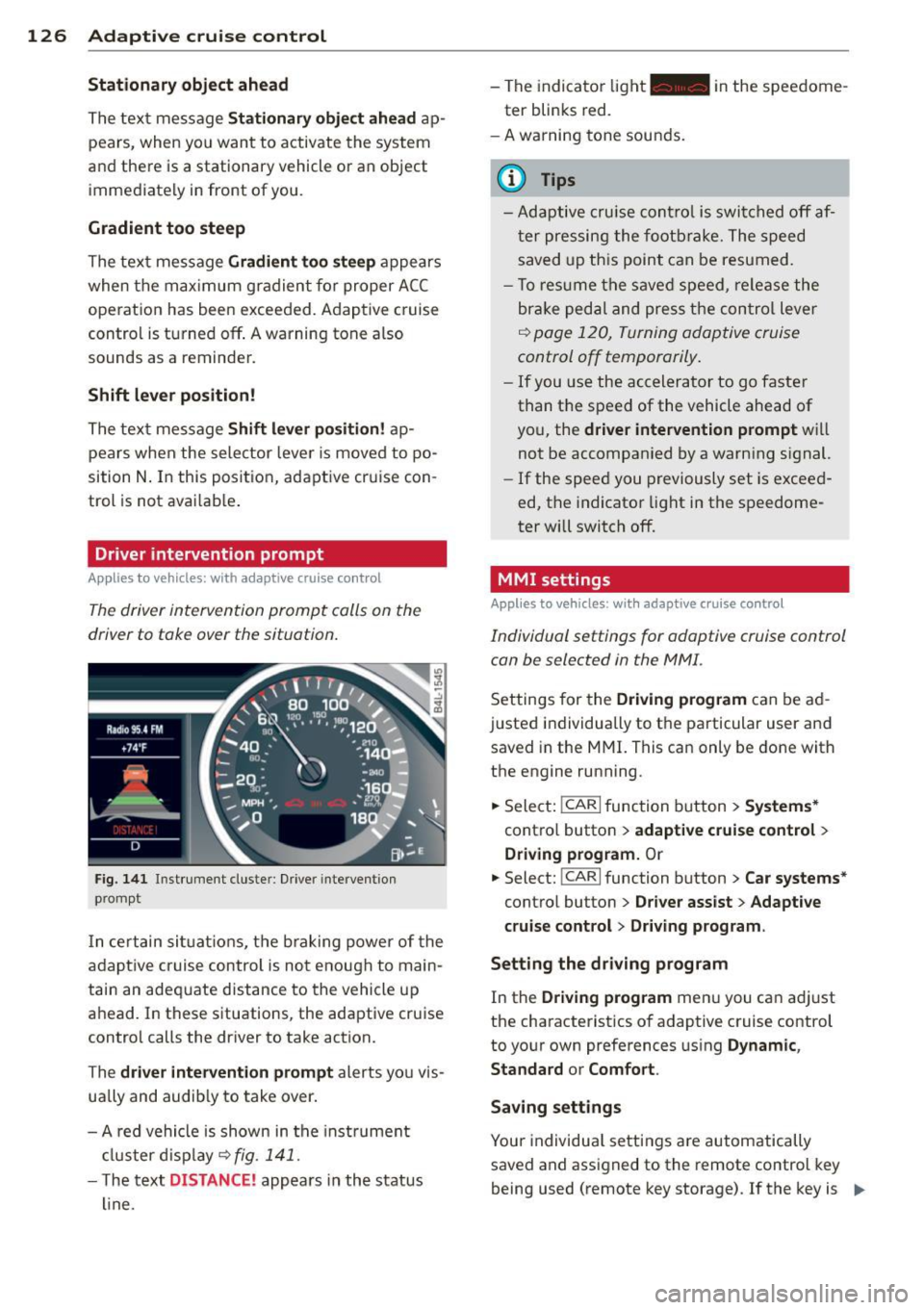
The driver intervention prompt calls on the
driver to toke over the situation.
Fig. 141 I n st rument clus te r: Drive r in terven tion
p romp t
In certain situations, the braking power of the
adapt ive cr uise control is not enough to main
tain an adequate distance to the vehicle up
ahead. In these situations, the adaptive cruise
control calls the driver to take action.
The
driver intervention prompt alerts you vis
ually and audib ly to take over.
- A red vehicle is shown in the instrument
cluster display ~
fig. 141 .
- The text DIS TANCE! appears in the status
line. -
The indicator light- in the speedome
ter blinks red.
- A warning tone sounds.
0) Tips
-Adaptive cruise control is switched off af
ter pressing the footbrake. The speed
saved up this point can be resumed.
- To res um e the saved speed , release the
brake pedal and press the control lever
~ page 120, Turning adoptive cruise
control off temporarily .
-If you use the accelerator to go faster
than the speed of the vehicle ahead of
you, the
driver intervention prompt will
not be accompanied by a warn ing s ignal.
- If the speed you previously set is exceed
ed, the indicator light in the speedome
ter will switch
off.
MMI settings
Applies to vehicles : with adaptive cruise contro l
Individual settings for adoptive cruise control
con be selected in the MMI.
Settings for the Driving program can be ad
justed individually to the particular user and
saved in the MMI. This can only be done with
the engine running .
.,. Select:
!CAR I function button> Systems*
cont ro l button > adaptive cruise control >
Driving program. Or
.,. Select: !CAR I function button > Car systems *
control button > Driver assist > Adaptive
cruise control
> Driving program .
Setting the driving program
In the Driving program menu you can ad just
the characteristics of adaptive cruise control
to your own preferences using
Dynamic,
Standard
or Comfort .
Saving settings
Your individual settings are automatically
saved and assigned to the remote control key
being used (remote key storage) . If the key is ..,_
Page 129 of 350

M
"' 0 ..J
"". rl I.O
"' rl
"' rl
given to another person, the saved settings remain as they are .
System limitations
General information
Applies to vehicles: with adaptive cruise co ntrol
The radar sensor has limits that the driver
must know to be able to use ACC properly .
The adaptive cruise control works within lim its that are also related to radar sensor range
and sight distance . In some situations ACC
may react unusually or late from the driver's
point of v iew. Therefore, always be attent ive
to what is happening around you and always
be ready to intervene, if necessary:
-when driving around curves ¢page 127
- when vehicles up front are not in line with
your vehicle ¢ page 128
- when other veh icles are changing lanes
i=> page 128
- when other vehicles are difficult to detect
i=> page 128
- when vehicles up ahead are not moving or obstacles are in your travel lane i=>page 128
A WARNING
The radar sensor's function and range can
be reduced by rain, snow and heavy spray.
Moving veh icles up ahead may not be
prompt ly detec ted or may not be detected
a t all.
- Always pay careful att ention to the traf
fic s ituation and be ready to intervene
and be re ady to take comp lete cont rol
whenever necessary.
Ad apti ve crui se control 12 7
When driving around curves
Applies to vehicles: wit h adaptive cruise control
Fig. 142 Vehicle e nter ing a curve
Fi g. 14 3 Vehicle leav ing a curve
Entering a curv e
When entering a curve, the adaptive cruise
control may react to a vehicle in the next lane
and apply the brakes in your vehicle
¢ fig . 142. The braking action can be overrid·
den by depressing the accelerator pedal.
L e aving a curv e
At the end of very long curves, ACC's predic
tive lane reading can cause ACC to react to an
other vehicle in the next lane and app ly the
brakes on your vehicle¢ fig . 143. The braking
action can be overr idden by depress ing the ac
ce lerator pedal.
Page 131 of 350

M N
0 ...J
'SI: ,...., \!) ..,.,
,...., ..,., ,....,
Audi braking guard
Description
Applies to vehicles: with a daptive cruise co ntrol
Audi braking guard warns you of a possible
collision with a moving vehicle up ahead .
Fig. 149 Display in the instrument cluster
The Audi braking guard is act ive from a speed
of app rox. 20 mph (30 km/h) and wor ks w ith
in the system limits¢
page 127 even when
the adaptive cruise contro l is deactivated .
A radar sensor is bu ilt into the front of the ve
h icle
¢page 116, fig. 130. The system is in
tended to measure the distance to reflect ive
surfaces .
If a measurement is not possible,
the system does not respond.
When the meas urement has been taken, the
system can recognize a possibly hazardous sit
uation, for example, whe n a vehicle up ahead
in your lane of trave l sudden ly brakes or when
your own vehicle is moving at high speed to wards a much slower vehicle up ahead . As
soon as the system senses that a possible col
lision with the vehicle up ahead can only be
avoided by immed iate full brake app lication or
by an avoidance maneuver, a warning appea rs.
The system has a defau lt response time to be
able to signal before a collision occurs. This
system response time is automat ica lly re
duced if you acce lerate actively, fo r example
to join a highway . B rak ing, tra nsverse acceler
ation and the steering ang le can lead to a re
duced system response time. The warning is
deactivated if you begin to overtake with full
acceleration .
Adapti ve crui se control 129
The system can make you aware o f two diffe r
ent hazardous situations:
Distance
T he distance warning is given if the system
ca lculates that there is not enough distance
to the vehicle up ahead a pe riod of more than
S seconds . If the distance is less than 30 feet
(9 meters) at SO mph (80 km/h), for examp le,
an optical display comes on in the instrument
cluster¢
fig. 149.
If the vehicle ahead brakes sharp ly, Audi brak
ing guard cannot help you to avoid a collision,
even in the case of an immediate response.
Take immed iate action to avoid the co llision
and increase the distance to the vehicle up
ahead.
Speed
If there is a much slower vehicle moving up
ahead in your lane, or if the vehicle ahead
brakes sharply, the Aud i brak ing guard calcu
lates the po int from which a collision can only
be avoided by full braking or by an avoidance
maneuve r. If a warning does sou nd, a poss ible
collision with the ve hicle in front can on ly be
avo ided th rough an evas ive maneuve r or by
braking.
T he warning is given in two stages :
-Pre -warning: A visual display appears in the
instrument cluster and a warning tone
sounds.
- Acute warning : If you do not respond to the
pre-warn ing, the second stage warning is
given. A quick brake application helps to di
rect your attention to the road and traffic
situat ion.
Under heavy braking, the brake ass istant
¢
page 116 also helps you benef it from maxi
mum brak ing eff ic iency.
A WARNING
I nattention can cause collisions, other ac
cidents and ser ious perso nal i nju ries.
Page 132 of 350

130 Adapti ve crui se co ntrol
- Always pay close attention to the traffic,
even when the Audi brak ing guard is
switched on. The Aud i brak ing guard pro
vides a warning but does not brake the
car for you . You must apply the brakes
yourself!
- Always keep the safe and legal distance
between your vehicle and veh icles up
ahead.
-Audi braking guard works within limits and w ill not respond outs ide the system
limits, for example when approaching a
stopped vehicle or stationary obstacle
(end of a traff ic jam or veh icle that has
broken down in traffic).
- Always remember that the radar sensor
for the A udi braking guard works within
defined detection and range limits that
may prevent the proper detection of oth
er vehicles.
- The radar sensor's function and range
can be reduced by rain, snow and heavy
spray. Moving vehicles up ahead may not
be promptly detected or may not be de
tected at all.
- Always pay careful attention to the traf
fic s ituation and be ready to intervene
and be ready to take complete control
whenever necessary.
- Reflective surfaces includ ing crash barri
ers or tunnel entrances may impair the
function of the radar sensor .
Settings in the MMI
Applies to vehicles: with a daptive cruise co ntrol
The settings of the Audi braking guard are
performed in the MMI.
.. Se lect : I CAR I funct ion button > S ystems *
control button > Audi brak ing guard . Or
"Se lect :
I CAR I funct io n button > Car sy stem s*
control button > Driver ass is t > Audi brak
ing guard .
- System -
the Audi braking guard system can
be switched
O n and Off .
-Earl y w arn ing -the acoustic warning and
the messages can be switched
On and Off .
(D Tips
When handing ove r the keys to another
person, the p revious settings are adopted
i f the Audi braking guard is activated
¢ page 43.
Driver's information in the instrument
cluster display
App lies to vehicles : wit h adaptive cruise contro l
Braking guard activated
This message appears when the Aud i b rak ing
guard applies the brakes du ring a second
stage (ac ute) war ning .
Braking guard off
This message appears when the system has
been deactivated via the MMI. This message
also appea rs br iefly at each beginn ing of a trip
i f the sys tem is switched off .
The message a lso appears if the system is not
available due to a malfunction or if the ESC is
not sw itched on¢
page 224. If th is is the
case, the system will not provide warnings
abo ut a po ssible collision.
Page 133 of 350
M
"' 0 _,
"". rl I.O
"' rl
"' rl
Audi side assist Lane Change Assistant
Description
App lies to vehicles: with side assist
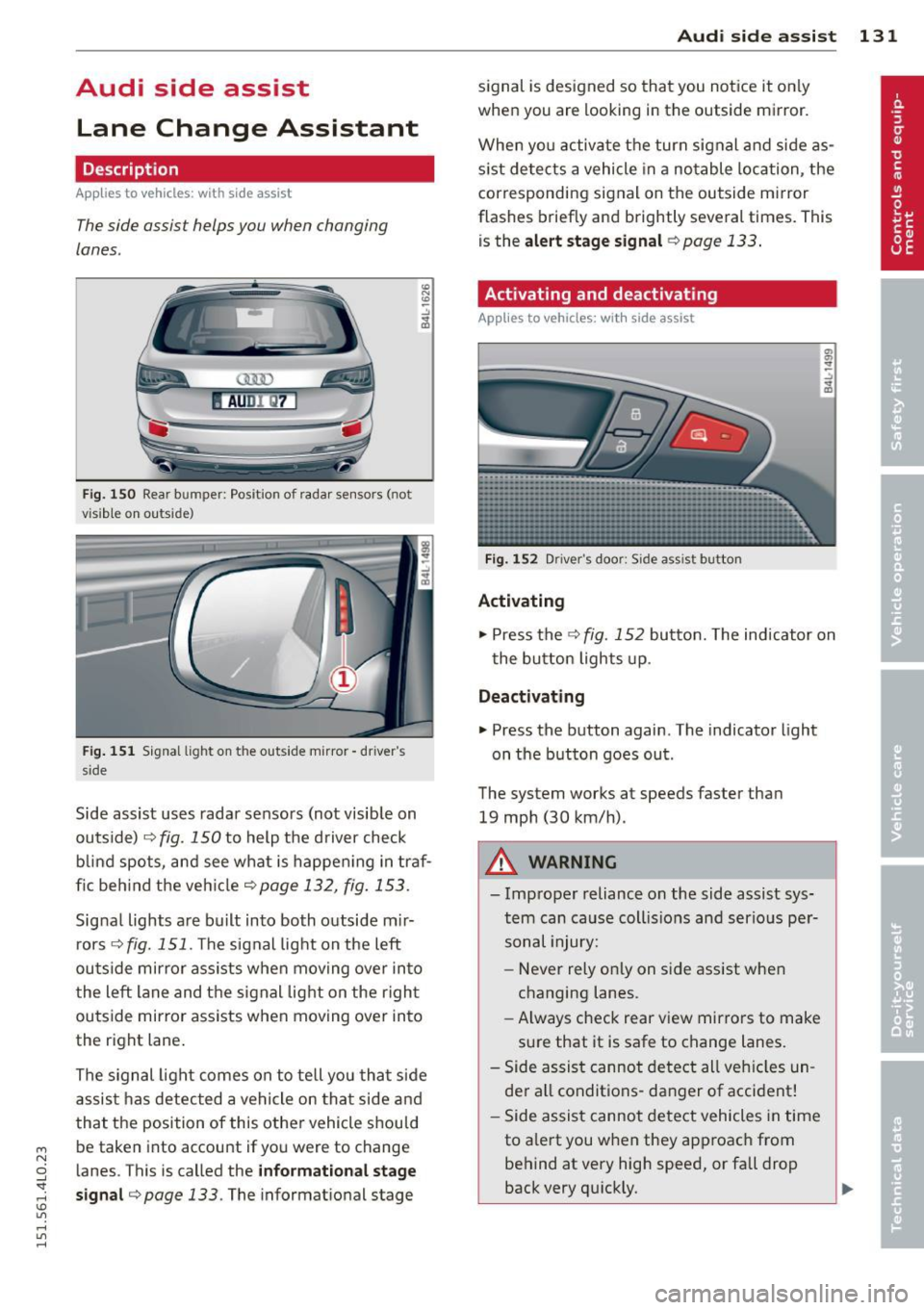
The side assist helps you when changing
lanes .
AUDl Q7
Fig. 150 Rear b umper: Pos it ion of radar sensors (not
v is ib le on outside)
F ig .
15 1 Signal light on the outside mirror -driver 's
s ide
~ -..:, .. (D
Side assist uses radar sensors (not visib le on
outside) ¢
fig. 150 to help the d river check
b lind spots, and see what is happen ing in traf
fic beh ind the veh icle
¢ page 132, fig. 153.
Signa l lights are bu ilt into both outside m ir
r ors ¢
fig. 151 . The signal light on the left
ou tside mirror assists when moving over into
the left lane and the signal light on the r igh t
ou tside mirror assists when moving over in to
the right lane .
The s ignal lig ht comes on to tell yo u that side
assis t has detec ted a vehicle on tha t side and
that t he position of this othe r vehicle shou ld
be taken into account if yo u were to change
l anes. This is called the
informationa l stage
sign al¢ page 133.
The informat ional stage
Aud i side assist 131
signal is designed so that you notice it on ly
when you are looking in the outside mirror.
When yo u activate the turn signal and side as
s ist de tects a vehicle in a no table location, the
corresponding signal on the outside mi rror
flashes briefly and brightly several times. Th is
is the
alert stage signal ¢page 133.
Activating and deactivating
Applies to vehicles: wit h side assist
Fi g.
1 52 D river 's doo r: Side assist button
Activating
.,. Press the
¢ fig. 152 button. The indicator on
t he button lights up .
Deactivating
.,. Press the button again. The indicator light
on the button goes ou t.
The system works at speeds faster than
19 mph (30 km/h) .
A WARNING
-Imp roper reliance on the side assist sys
tem can cause coll is ions and serio us pe r
sonal injury:
- Never rely on ly on side assist when
changing lanes.
- Always check rear view mirrors to make
su re that it is safe to change lanes.
- Side assist canno t detect all veh icles un
de r all conditions- danger of accident!
- Side assist canno t detect vehicles in time
to a lert you w hen they app roac h from
behind at very hig h speed, or fall drop
back very qu ickly.
~
Page 140 of 350
138 Audi side a ssis t
Safety tips
App lies to vehicles: wit h side ass ist
The s ide ass ist detect ion may be lim ited when
d riving around narrow street corners , on hilly
streets, and under poor weathe r cond itions.
It is poss ible that the radar sensors may also
detect other objects , such as high o r stag
gered guardra ils .
Side assist does not measure actual lane
width . T he system assumes a fixed lane w idth .
Detection in the left and r ight lanes is based
on this assumed lane width . When driving on
na rrow roads or when driving to the left or
right of the center of a travel lane , it is possi
b le that vehicles wi ll be detected that are
not
in the lane next to the lane you are using.
A WARNING
- Improper reliance on the s ide ass ist sys
tem can cause collisions and serious per
sonal injury :
- Neve r rely only on side assist when
changing lanes .
- Always check rear view mirrors to make
sure that it is safe to change lanes.
- Side ass ist cannot detect a ll vehicles un
der all cond itions- danger of accident!
- Side ass ist cannot detect vehicles in time
to alert you when they approach from beh ind at very h igh speeds or drop back
very quick ly .
- T he radar sensor's
vision can be reduced
or entirely blocked by rain, snow, and
heavy spray. This can result in side assist
not adequately detecting vehicles or, in
some cases, not detecting them at a ll.
Always keep an eye on the direction you are traveling and the relevant area
around the vehicle .
- Please note that side assist indicates
there are approaching vehicles, or
vehicles in your blind spot, only after
your vehicle has reached a driving speed
of at least 19 mph (30 km/h). -
Side assist signa l does not work around
tight corners (turning radius less than
328 feet, or 100 m).
- Side assist is no replacement for the driv
er 's full attention. The driver alone is re
sponsible for lane changes and sim ilar
driving maneuvers. Always keep an eye
on the d irect ion you are traveling and the
re levant area around the vehicle.
(D Note
To ensure that side assist is not adversely
affected, you should not block the area on
the rear bumper where the radar sensors
are located with foreign objects (such as
with stickers or bi cycle racks).
(D Tips
If the pos itions of the radar sensors have
been changed as a result of a rear end-co l
lision, for instance, have s ide assist
checked by an autho rized Aud i deale r for
safety reasons.
Page 142 of 350
140 Automatic transmission
the foot brake before and while moving the
lever to Dor S out of N .
.&_ WARNING
Read and follow all WARNINGS
c::> & in
Driving the automatic transmission on
page 141.
(D Note
Coasting downhill with the transmission in N and the engine not running will result in
damage to the automatic transmission
and possibly the catalytic converter.
(D Tips
- If you accidentally select N while driving,
take your foot off the accelerator pedal immediately and wait for the engine to
slow down to idle before selecting D.
- If there is a power failure, the selector
lever will not move out of the P position.
The emergency release can be used if
this happens
c::> page 143.
Automatic Shift Lock (ASL)
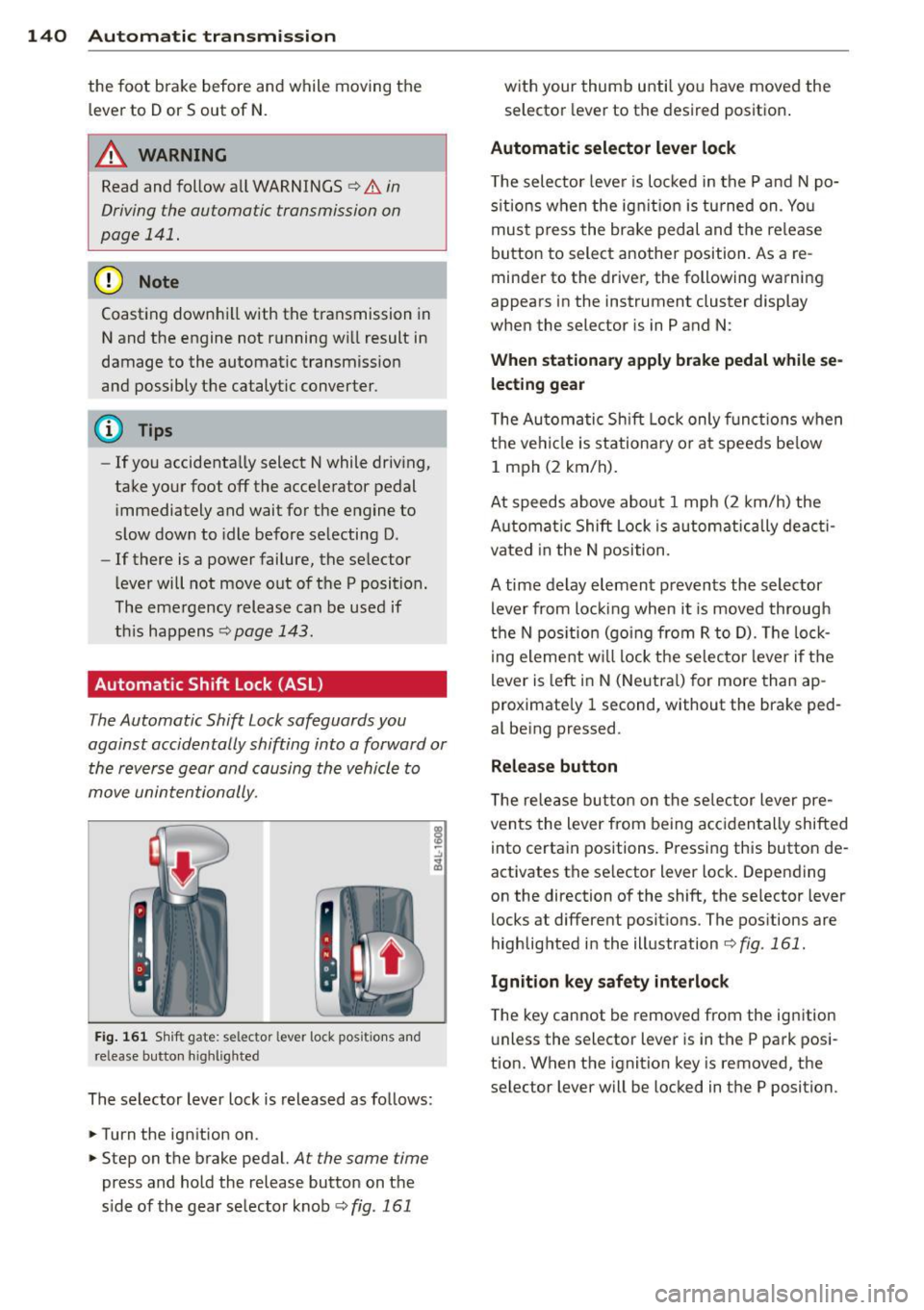
T he Automatic Shift Lock safeguards you
against accidentally shifting into a forward or the reverse gear and causing the vehicle to
move unintentionally.
Fig . 161 Shift gate : se lector lever lock posi tion s an d
re lease button h ig hl igh te d
The selector lever lock is released as follows:
.. Tu rn the ignition on .
.. Step on the brake pedal.
At the same time
press and hold the release button on the
side of the gear selector knob
c::> fig. 161
with your thumb until you have moved the selector lever to the desired position .
Automatic selector lever lock
The selector lever is locked in the P and N po
sitions when the ignition is tu rned on . You
must press the brake pedal and the release
button to select another position . As a re
minder to the driver, the following warning
appears in the instrument cluster display
when the selector is in P and N:
When stationary apply brake pedal while se
lecting gear
The Automatic Shift Lock only functions when
the vehicle is stationary or at speeds below
1 mph (2 km/h).
At speeds above about 1 mph (2 km/h) the
Automat ic Shift Lock is automatically deacti
vated in the N position.
A time delay element prevents the selector lever from locking when it is moved through
the N position (going from R to D). The lock
ing element will lock the selector lever if the
lever is left in N (Neutral) for more than ap
proximately 1 second, without the brake ped
al being pressed .
Release button
The release button on the selector lever pre
vents the lever from being accidentally shifted
into certain positions. Pressing this button de
activates the selector lever lock. Depending
on the direction of the shift, the selector lever
locks at different positions . The positions are
highlighted in the illustration
c::> fig . 161.
Ignition key safety interlock
The key cannot be removed from the ignition
unless the selector lever is in the P park posi
tion. When the ignition key is removed, the
selector lever will be locked in the P position.
Page 143 of 350
M
"' 0 _,
"". rl I.O
"' rl
"' rl
Driving the automatic transmission
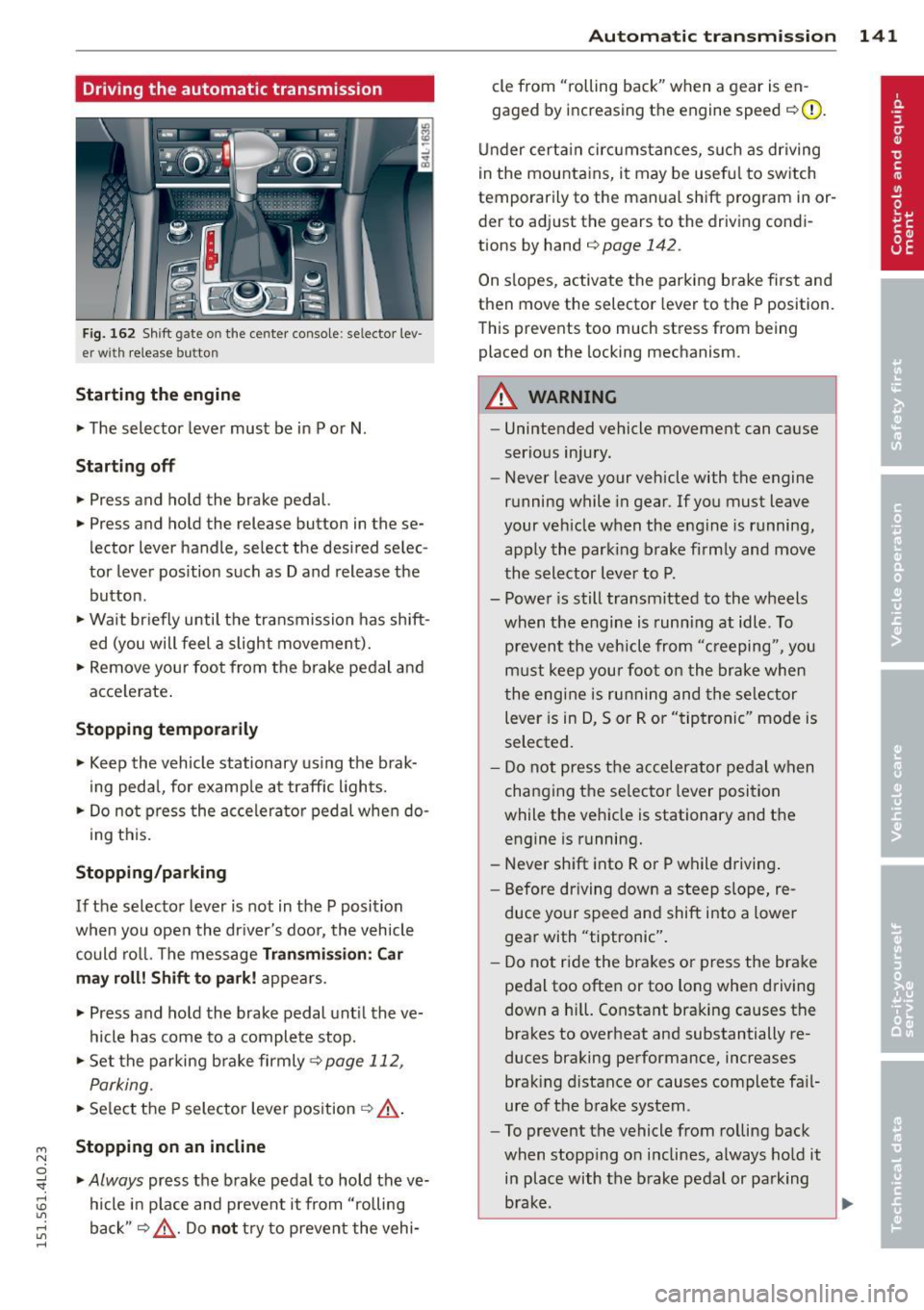
Fig. 162 Shift g ate on the center co nso le: se lector lev
er wi th release butt on
Starting the engine
~ The selector lever must be in P or N .
Starting off
~ Press and hold the brake pedal.
~ Press and hold the release button in these
lector lever handle , select the desired selec
tor lever pos ition such as D and release the
button .
~ Wait briefly until the transmission has shift
ed (you will feel a slight movement).
~ Remove your foot from the brake pedal and
acce lerate .
Stopping temporarily
~ Keep the vehicle stationary us ing the brak
ing pedal, for examp le at traffic lights.
~ Do not press the accelerato r pedal when do -
ing this.
Stopping /parking
If the selector lever is not in the P position
when you open the driver's door, the vehicle
could roll. The message
Transmi ssion : Car
may roll! Shift to park! appears.
~ Press and hold the brake pedal unt il the ve
hicle has come to a complete stop.
~ Set the parking brake firmly 9 page 112,
Parking.
~ Se lect the P selector lever position 9 &.-
Stopping on an incline
~ Always press the brake pedal to hold the ve
hicle in place and prevent it from "rolling
back"
9 ,& . Do not try to prevent the vehi-
Autom atic transm ission 141
cle from "rolling back" when a gear is en
gaged by increasing the engine speed
c::>(D.
Under certain circumstances, such as driving
in the mountains, it may be usefu l to switch
temporarily to the manual shift program in or
der to adjust the gears to the driving condi
tions by hand
c::> page 142 .
On slopes, activate the parking brake first and
then move the selector lever to the P position.
This prevents too much stress from being
placed on the locking mechanism.
A WARNING
- Unintended vehicle movement can cause
serious injury.
- Never leave your vehicle with the engine
running while in gear.
If you must leave
your veh icle when the engine is running,
apply the park ing brake firmly and move
the selector lever to P.
- Power is still transmitted to the wheels
when the engine is running at idle. To
prevent the vehicle from "c reeping ", you
must keep your foot on the brake when
the engine is running and the selector
lever is in D, Sor R or "tiptronic" mode is
selected.
- Do not press the accelerator pedal when
changing the se lector lever position
while the vehicle is stationary and the engine is running.
- Never shift into R or P while driving.
- Before driving down a steep slope, re-
duce your speed and shift into a lower
gear with "tiptronic".
- Do not ride the brakes or press the bra ke
pedal too often or too long when driving
down a hi ll. Constant braking causes the
brakes to overheat and substantially re
duces braking performance, increases braking distance or causes complete fa il·
ure of the brake system.
- To prevent the vehicle from rolling back
when stopping on inclines, always hold it
in place with the brake pedal or parking
brake . .,..
Page 144 of 350
142 Automatic tr an smis sion
- Never hold the veh icle on an incl ine with
a slipp ing clutch . The clutch opens auto
matically when it becomes too hot from
the overload. An indicator lamp@] illu
minates and a dr iver message appears
c!;> page 143 when the clutch is overload
ed.
- If the engine must remain running, never
hav e any driving pos ition engaged when
che cking under the hood. Make sure the
selector lever has secure ly engaged and
is locked in P with the parking bra ke
firmly set¢
page 256. Otherwise, any
increase in engine speed may set the ve
hicle in motion, even with the parking
brake applied.
(D Note
- When stopping on an incline, do not try
to hold the vehicle in place by pressing
the accelerator peda l while a driving gear
is selected. Th is can cause the transm is
s io n to overheat and can damage it. Acti
vate the park ing brake or p ress the brake
pedal to prevent the vehicle from ro lling .
- Allow ing the vehicle to roll when the en
gine is stopped and the selector lever is i n
N w ill damage the transmiss ion be
cause it is no t lub rica ted under those c ir
cumst ances.
Hill descent control
The hill d escent control system assists the
driver when driving down declines.
H ill desce nt co ntrol is activated when these
lecto r lever is in D/S a nd you press the b rake
pedal. The tra nsmission a utomatically se lects
a gea r that is suitab le for the incline. Hill de
scent control tries to maintain the speed ach
i eved at the t ime of brak ing, within physical
a nd techn ica l limitations . It may st ill be nec
essary to adjust the speed with the brakes.
H ill descent co ntrol sw it ches off once the de
cline levels out or you press t he accelerator
pedal. When the speed is set in the cruise con
trol
system
c!;> page 113, hill descent contro l is al
so act ivated.
A WARNING
--
Hill descent control cannot overcome
physical lim itations, so it may not be ab le
to maintai n a co nstant speed under all
conditions . A lways be ready to apply the
b rakes .
· Manual shift program
Using the manual shift program you can
manually select gears.
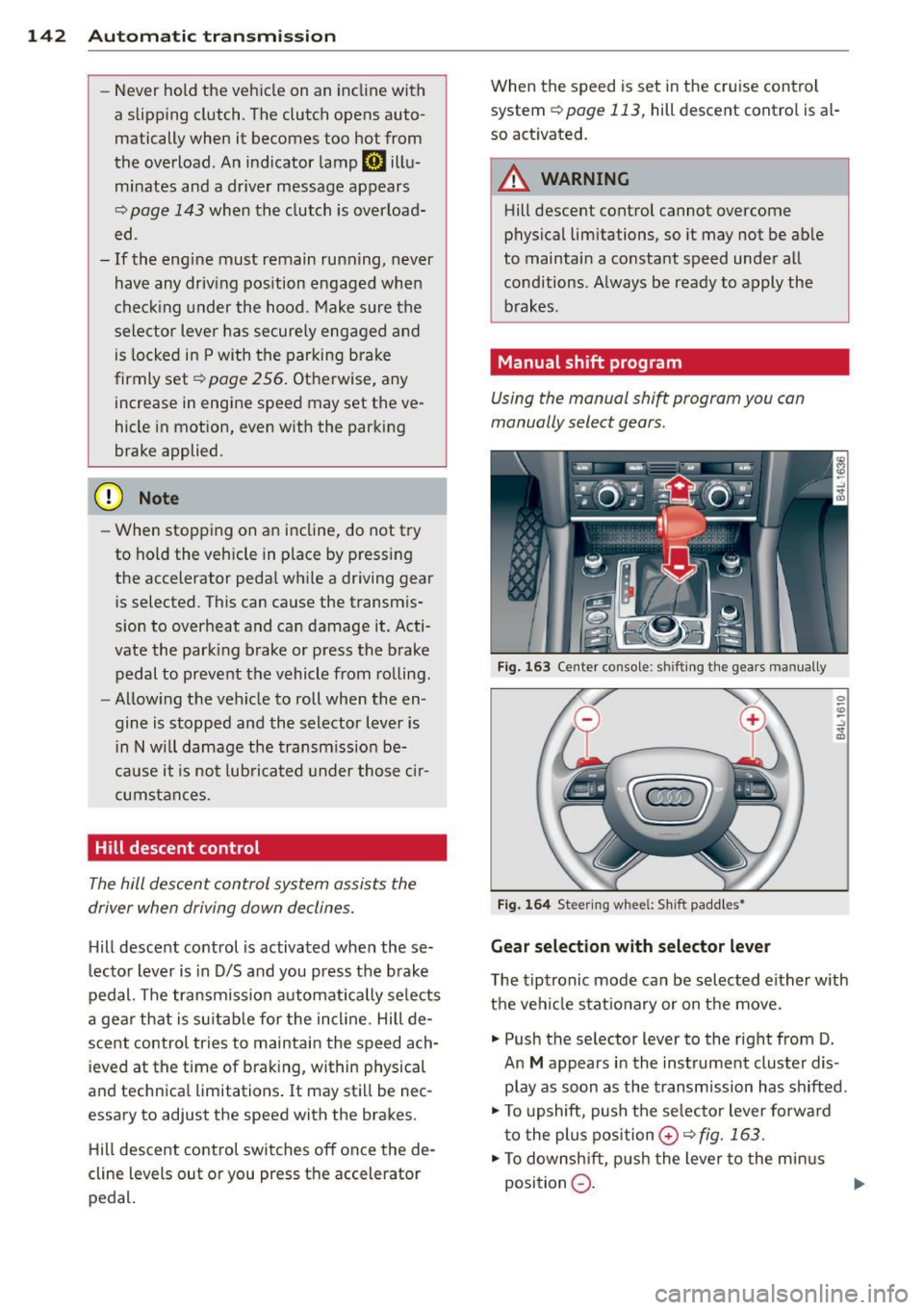
Fig. 1 63 Center conso le: sh ift in g the gears m an ually
Fig . 1 64 St ee rin g whee l: S h ift paddle s•
Gear selection with selector lever
The tiptronic mode can be sel ected either w ith
the vehicle stat io na ry or on t he move.
.,. Push the se lector lever to the right from D.
An
M appears in the instrument cluster dis
play as soon as the transmission has shifted .
.,. To upshift, push the se lecto r lever forwa rd
t o the plu s position
0 c!;> fig. 163 .
.,. To downsh ift, pus h the lever to the min us
position
Q . 1J>-
Page 145 of 350
M
"' 0 ..J
"". rl I.O
"' rl
"' rl
Gear selection with shift paddles*
The shift paddles are activated when these
lector lever is in D, Sor the tiptronic manual
shift program .
.,. To upsh ift, touch the button on the right
0
¢fig. 164.
.,. To downshift, touch the button on the left
0-
... If you do not press a shift paddle within a
short time while in the Dor S position, the
transmission will return to automatic mode .
T o keep shifting using the shift paddles,
move the selector lever to the right out of
the D position .
The transmission automatically shifts up or
down before critical engine speed is reached.
T he transmission only allows manua l shifting
when the engine speed is within the permit
ted range.
(D Tips
- When you sh ift into the next lower gear,
the transmiss ion will downshift only
when there is no possibility of over-rev
ving the engine .
- When the kick-down comes on, the
transmission will sh ift down to a lower
gear, depending on vehicle and engine
speeds .
- Tiptronic is inoperat ive when the trans
mission is in the fail-safe mode .
Kick-down
Kick-down enables maximum acceleration.
When you depress the accelerator pedal be
yond the resistance point, the automatic
t ransmission downshifts in to a lower gear, de
pending on vehicle speed and engine speed.
The upshift into the next higher gear takes
p lace once the maximum spec ified eng ine
speed is reached.
Autom atic transm ission 143
A WARNING
Please note that the drive wheels can spin
if kick-dow n is used on a smooth slippery
road -there is a risk of skidding .
Transmission malfunction
[i] Transmission malfunction : You can con
tinue driving
There is a system malfunction in the transmis
sion. You may continue driving . Drive to your
authorized Aud i dealer or qualified repair fa
cility soon to have the malfunction corrected.
[il Transmission malfunction: Limited driv
ing functionality
There is a system malfunction in the transmis
sion. The transmission is switching to emer gency mode . This mode on ly shifts into cer
tain gears or will no longer shift at all. The en
gine may sta ll. Drive to your authorized Audi
dealer or qualified repair facility immediately
to have the malfunction cor rected.
(D Note
If the transmission switches to emergency
mode, you should take the vehi cle to an
a ut horized Aud i dealership as soon as pos
sible to have the condition corrected.
Selector lever emergency release
If the vehicle's power supply fails, the selec
tor lever can be released in an emergency.
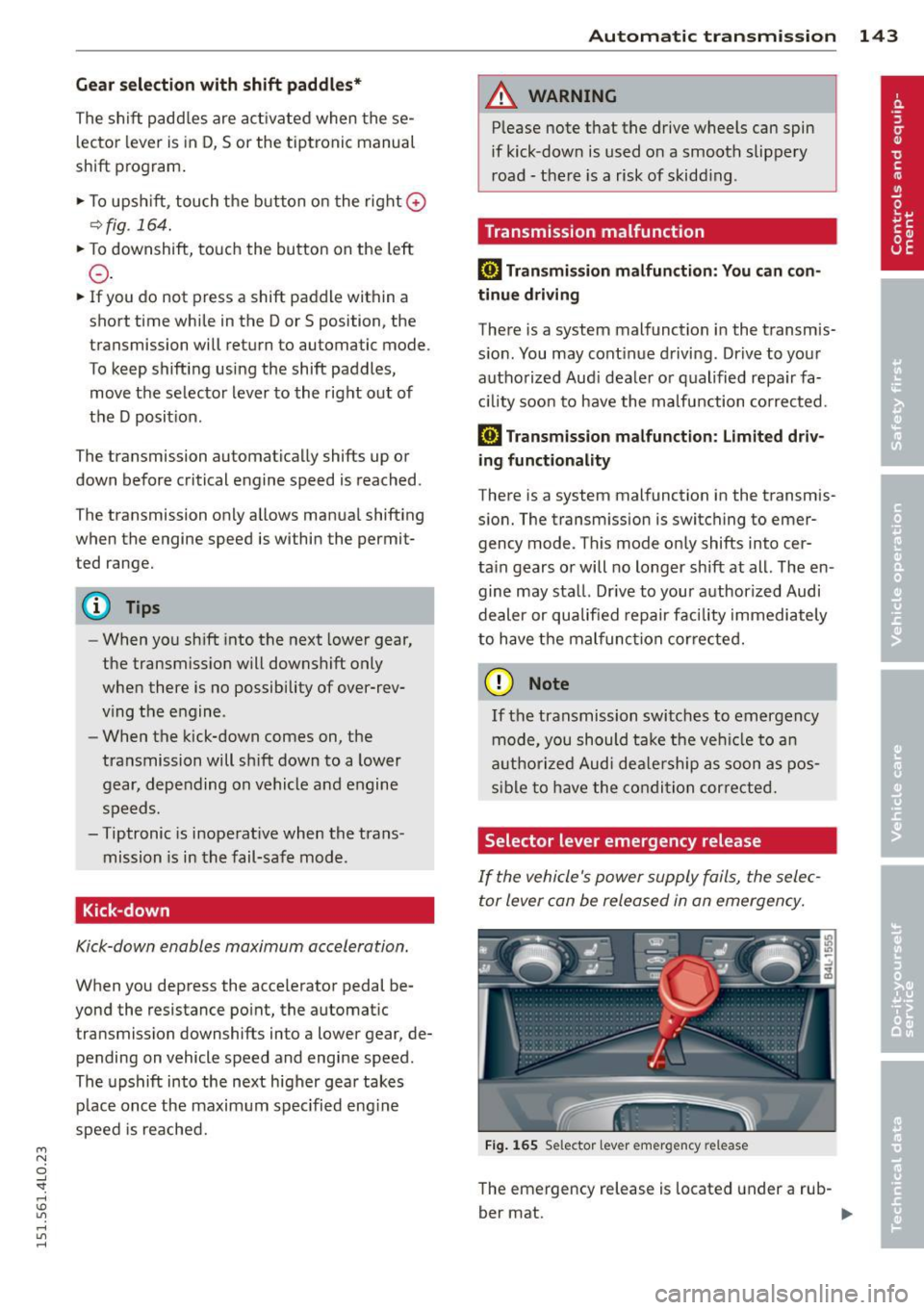
Fig. 165 Selecto r lever emer gency release
The emergency release is located under a rub-
ber mat. ..,.