warning AUDI Q7 2015 Owner´s Manual
[x] Cancel search | Manufacturer: AUDI, Model Year: 2015, Model line: Q7, Model: AUDI Q7 2015Pages: 350, PDF Size: 86 MB
Page 147 of 350
M N
0 ...J
'SI: ,...., \!) 1.1'1 ,...., 1.1'1 ,....,
Parking systems
General information
App lies to vehicles: with rea r park assis t/Audi park ing sys
tem plus w ith rearview camera/front -and rearview cam
era
Depending on your vehicle's equipment, vari
ous parking aids will help you when parking
and maneuvering.
The
rear park assist is an acoustic park assist
system that will give you a sound warning to let you know there is something
behind the
veh icle ¢page
146.
The Audi parking system plus with rearview
camera
audibly and visually tells you there is
something
in front of and behind the vehicle .
A rearview camera also shows you what is be
hind the vehicle¢ page
146.
The Audi parking system plus with front- and
rearview camera
audibly and visually tells you
there is something
in front of and behind the
veh icle. A front and rearview camera also
shows you what is in front of and behind the
veh icle ¢page
150.
& WARNING
- Always look for traffic and check the area
around your vehicle by looking at it di
rect ly as well. The parking system cannot
replace the driver's attention. The driver
is a lways responsible for safety during
park ing and for all other maneuvers.
- Please note that some surfaces, such as clothing, are not detected by the system.
- Sensors and cameras have blind spots in
wh ich people and objects cannot be de
tected. Be especially cautious of children
and animals.
- The sensors can be displaced by impacts
or damage to the radiator grille, bumper,
wheel housing and the underbody . The
park ing systems may become impaired
as a resu lt. Have your authorized Audi
dealer or qualified workshop check their
function .
- Make sure the sensors are not covered by
stickers, deposits or any other obstruc-
Parking systems 145
tions as it may impair the sensor func
tion. For informat ion on cleaning, refer
to
¢ page 242.
([) Note
-Some objects are not detected by the
system under certain circumstances:
- Objects such as barrier chains, trailer
draw bars, vertical poles or fences
- Objects above the sensors such as wall
extensions
- Objects w ith specific surfaces or struc
tures such as chain link fences or pow
der snow.
- If you continue driving closer to a low-ly
ing object, it may disappear from the
sensor range. Note that you w ill no lon
ger be warned about this obstacle.
@ Tips
-The system may provide a warning even
though there are no obstacles in the cov
erage area in some situations, such as:
- certain road surfaces or for long grass.
- externa l ultrasonic sources e .g . from
cleaning vehicles.
- heavy rain, snow or thick vehicle ex
haust.
- We recommend tha t you practice park
ing in a traff ic-free location or parking
lot to become familiar with the system.
When doing this, there should be good
light and weather cond itions.
- You can change the vo lume and pitch of
the s ignals as well as the disp lay
¢page
155.
- Please refer to the instructions for tow
ing a trailer ¢page
155.
-What appears in the MMI display is
somewhat time-delayed.
Page 148 of 350

146 Parking systems
Rear park assist
Description
Applies to vehicles: with rear park assist
The rear park assist is an audible system.
Sensors are located in the rear bumpers. If
these detect an obstacle, audible signals warn
you .
Make sure the sensors are not covered by
stickers, deposits or any other obstructions as it may impair the sensor function. For infor
mat ion on cleaning, refer to¢ page 242.
The range at which the sensors begin to meas ure is app roximately :
s ide 2 ft (0.60 m)
rear
center 5.2 ft (1.60 m)
The closer you get to the obstacle, the sho rter
the interval between the audible signa ls . A
continuous tone sounds when the obstacle is less than approximate ly 1 ft (0.30 m) away .
Do not continue driving farther¢
..1. in Gener
al information on page 145,
¢ (I) in General
information on page 145!
If the d istance to an obstacle remains con
stant, the volume of the distance warning
gradually d rops after about four seconds (th is
does not apply in the continuous tone range).
The park assist is activated automatically
when reverse gear is engaged. A short confir mat ion tone sounds .
Audi parking system
plus with rearview
camera
Introduction
Applies to vehicles: wit h Audi parking syste m plus with
rearv iew camera
-
u
F ig. 166 Illust rat ion: C ross park ing
F ig. 167 Illust ration: Paralle l pa rki ng
Vehicles with the Aud i pa rking system plus
with rearview camera ar e equipped with a
re arvi ew camera in addition to the acoustic
and visual pa rking sys tem .
You can use cross parking for example, to
park in a parking space or in a garage
a,
"' :; .. ID
¢ fig . 166. You can use parallel parking if you
would like to par k on the side of the road
¢fig . 167.
Page 149 of 350

M
"' 0 ..J
"". rl I.O
"' rl
"' rl
General Information
Applies to vehicles: with Audi parking system plus w ith
rea rview camera
@
Fig . 168 Ar ea cov ere d (D and are a not cove red @ by
t h e rea rv iew c amera.
Fig. 169 Rea r lid: Locat ion of the rea rv iew came ra
Sen sor s
Senso rs are located in the front and rear
bumpe rs. If these detect an obstacle, aud ible
and visual signals warn you.
Make sure the sensors are not covered by
stickers, deposits o r any othe r obstructions as
it may impair the sensor function . For infor
mation on cleaning, refer to ¢
page 242.
The range at wh ich the sensors begin to meas
ure is approximately:
side
front 3 ft (0
.90 m)
center 4 ft (1.20 m)
side 2 ft (0.60 m)
rear center 5.2 ft (1.60 m)
The closer you get to the obstacle, the shorter
the interval between the audib le signa ls . A
continuous tone sounds when the obstacle is less than approximately 1 ft (0.30 m) away .
Do not cont inue driving farther forward or in
reverse
¢ .& in General information on
Parking sys tems 147
page 145, ¢(i) in General information on
page 145.
If t he distance to an obstacle rem ains con
stant, the vo lume of the distance warn ing
gradua lly drops after about fo ur seconds (this
does not apply in the continuo us tone range).
Rearview camera
T he rearview camera is located above t he rear
l ice nse p late bracket. M ake s ure that the lens
for the parking system¢
fig. 169 is not cov
ered by deposits or any other obstructions be
cause this can affect the function of the park
ing system. For informat ion on cleaning, refer
to
¢ page 242.
The rearview camera coverage area includes
(D ¢ fig . 168. Only this area is displayed in
the MMI. Objects that a re outside of this area
@ are not displayed .
The orientation lines become less accurate
and the b lue surfaces diminis h if the Adaptive
Air S uspension* is faulty, the vehicle is lifted
or cargo mode is act ivated, or if the
Dynamic ,
Offroa d
or Lift mode is set ¢ page 157 .
.&_ WARNING
-Always read and follow the applicable
warn ings ¢.&
in General information on
page 145.
- If the position and the installation angle
of the rearview came ra was chang ed, for
examp le, afte r a coll is io n, do not cont in
ue to use the system for safety reasons.
Have it che cked by your authori ze d Aud i
dea le rship or authorized repair facility .
- On ly use the rearv iew came ra to assist
you if it shows a good, clear picture . Fo r
examp le, the image may be affected by
the sun shining into the lens, dirt on the
lens or if there is a system fault.
- Use the rearv iew camera only if the lug
gage compartment lid is complete ly
closed. Make sure any objects you may
have mounted on the luggage compart
ment lid do not block the rearview cam
era .
-
Page 150 of 350
148 Parking sy stems
- The came ra lens en larges and distorts
the field of vision. The object appears
both a ltered and inaccurate on the
screen .
- In certa in s ituations, people or objects in
the display appear closer or further
away:
- objects th at do no t touch the gro und,
such as the bumper o f a parked vehicle,
a trailer hitch o r the rea r of a truck. Do
not use the help lines in this case.
- If driven from a leve l su rface onto an
incline, or a downward slope .
- I f driven toward protr uding objec ts.
- I f the veh icle is ca rrying too much load
in t he rear.
(D Note
-Always read and fo llow the applicab le
warnings
¢ (D in General information on
page 14 5.
- The o range colored orientation lines in
t h e M MI disp lay show t he ve hicl e path
depend ing o n the steering wheel angle .
The front of the vehicle fron t swings out
more than the rea r of the vehicle. Main
ta in p lenty of distance so that your o ut
s ide mirror or a corner of your veh icle
does not collide with any obstacles.
Switching on and off
A pplies to vehicles: with Audi parking system p lus w ith
rearview camera
F ig . 170 Ce nter co nsole: P"A b utto n
Fig . 17 1 MMI display : Visual distance d isplay
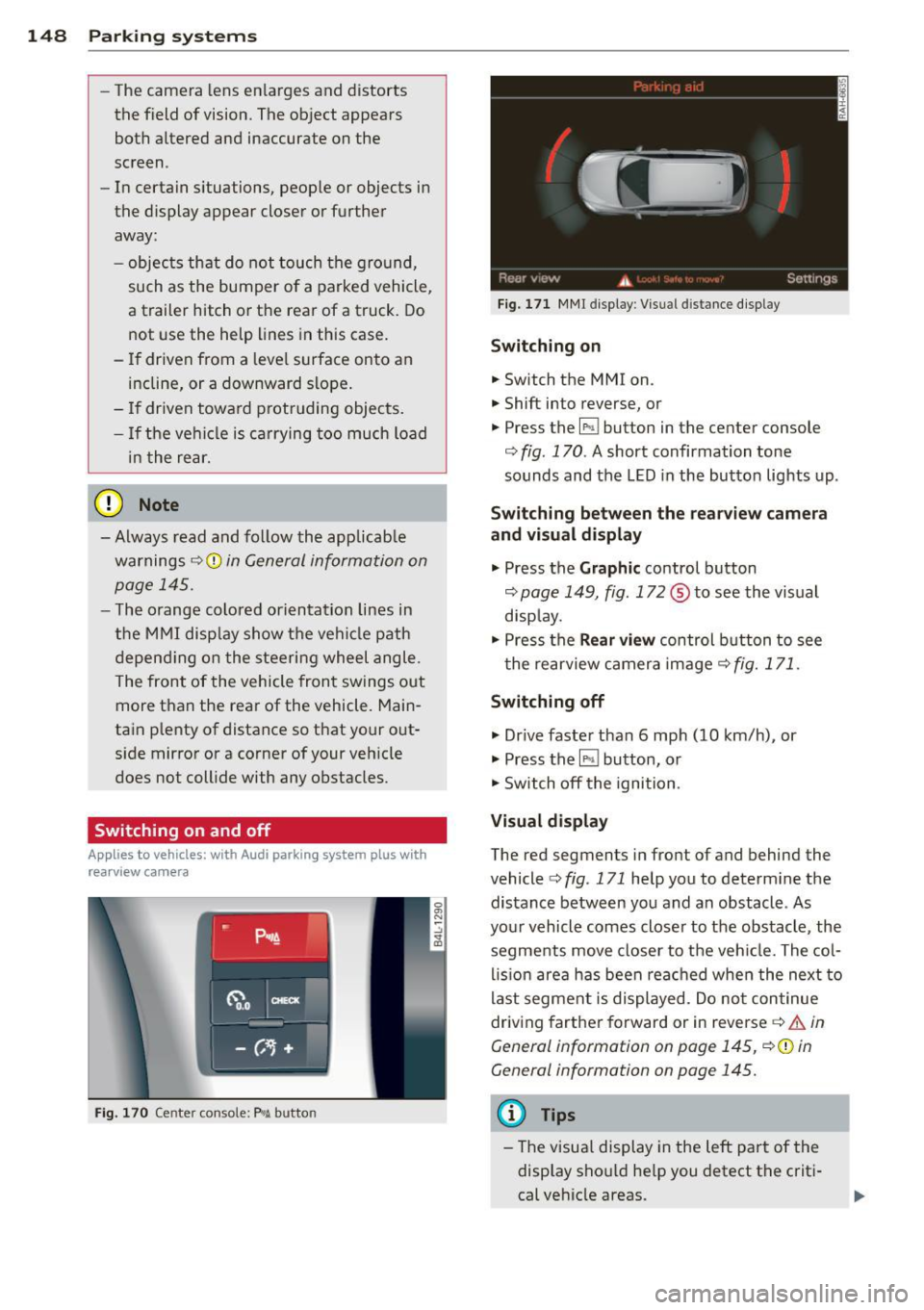
Switching on
.. Switch the MMI on .
.. Shift into reverse, or
.. Press the
l" •I button in the center console
co
fig. 170 . A short confirmation tone
sounds and the LED in the button lights up .
Switching between the rearv iew camera
and visual display
.. Press the Graphic control button
~ page 149, fig. 172 ® to see the vis ual
disp lay.
.. Press the
Rear vi ew control b utton to see
t he rearview c amera image ~
fig. 171.
Switching off
.. Dr ive faster than 6 mph (10 km/h) , or
.. Press the~ button, or
.. Switch off the ignition .
Visual displ ay
The red segments in front of and behind the
vehicle co
fig. 171 help you to determ ine the
distance between you and an obstacle . As
your vehicle comes closer to the obstacle , the
segments move closer to t he veh icle. The col
lis ion are a has been rea ched when the next to
last segment is displayed . Do no t continue
driving farther forward or in reverse co.&.
in
General information on page 145,
~ @ in
General information on page 145.
(D Tips
- The visua l display in the left part of the
disp lay sho uld he lp you detect t he crit i
cal ve hicle areas .
Page 152 of 350
150 Parking system s
•Backup and align yo ur vehicle so the blue
area @ borders on the rear end of the vehi
cle or on the parking space line
c:> A in Gen
eral Informa tion on page 147,
c:> (D in Gen
eral Informa tion on page 148 .
The blue
area represents an extension of the vehicle's
outline by app rox imately 16 ft (5 m) to the
rear . The long side of the b lue a rea shou ld
be o n the curb. The enti re blue area must fit
i n to the par kin g space.
• With the veh icle stopped, turn the s teer ing
wheel to the right as far as it wi ll go .
• Back into the parking space until the b lue
curve
c:> fig. 175 touches the curb c:> A in
General Information on page 147,
c:> (D in
General Informa tion on page 148.
Stop the
vehicle .
• With the veh icle stopped, turn the steer ing
wheel to the left as far as it will go .
• Co nti nue to bac k into the pa rking space un
t il the vehicle is parked p aralle l to the c urb
c:> A in G eneral Information on pag e 147,
c:> (D in General Information on page 148 .
® marks the rear bumper. Stop the vehicle,
at the latest, when the red orientation line
@ borders an obstacle . Keep an eye on the
front of your vehicle wh ile doing this.
P ar king ne xt to ob stacle s
When there is an obstacle (s uch as a wall)
next to the parking space, choose a space with
more space on the sides. Pos ition the long
side of the blue area so that there is sufficient
space from the curb . The area must not be on
the curb . You w ill also need to start turning
the steering whee l much earl ie r. T he re shou ld
be a suffic ient amount of space between the
curb and the b lue curve, and the blue curve
c:> fig. 175 mus t not touch the curb.
@ Tips
The left or right orientation lines and sur
faces wi ll be displayed, depending on the
t urn signa l being use d.
Audi parking system
plus with front- and
rearview camera
Introduction '
Applies to vehicles: with Aud i parking system plus with
front- and rearview camera
In addition to an acoustic and visual parking
system, this parking system contains a front
and rearview camera
c:> page 148. You are as
s isted by various views, such as corner v iews
at the front and rear of the ve hicle, and views
directly in front of or behind the vehicle.
General information
Appli es to vehicles: with Audi parking system plus with
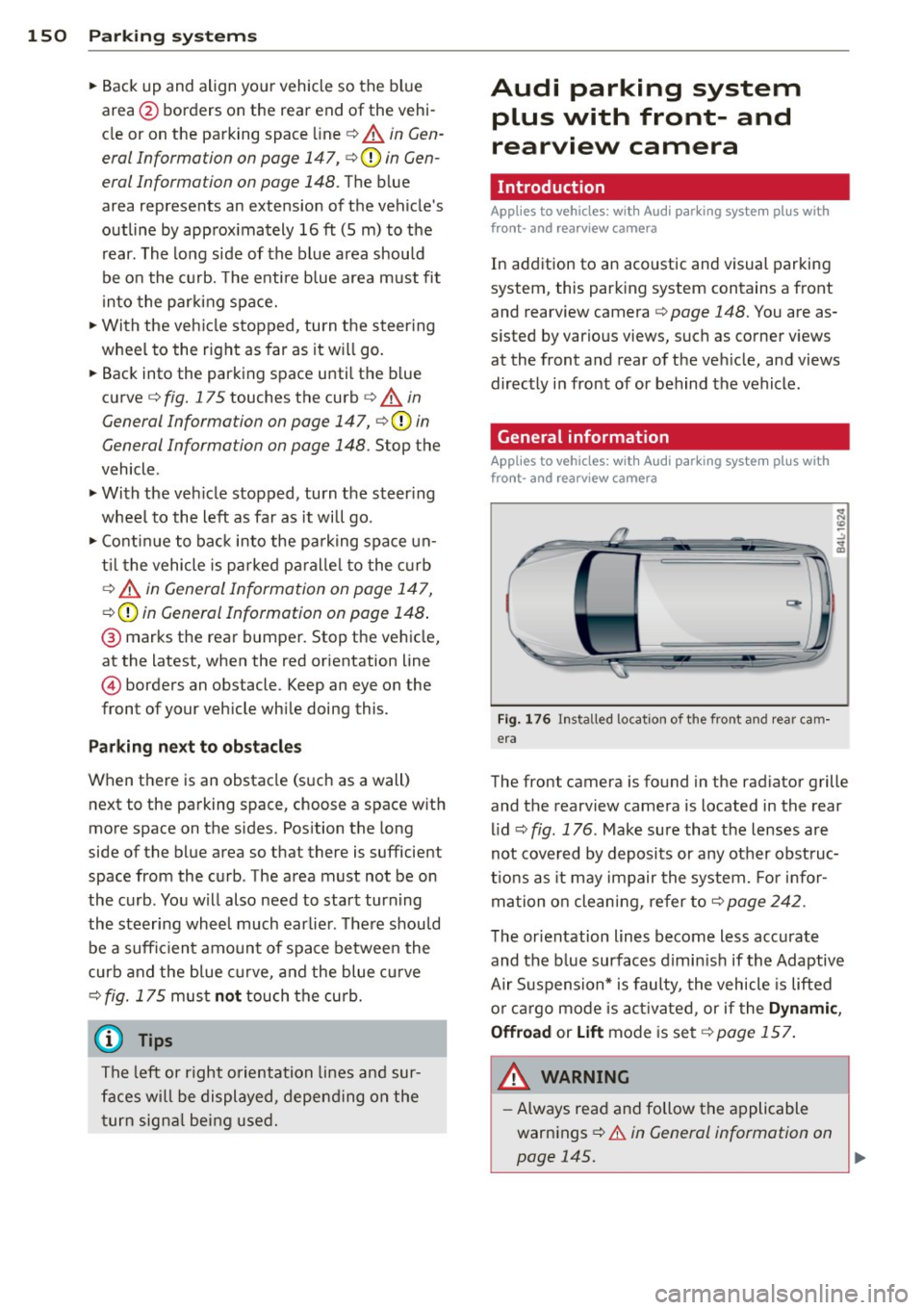
front- and rearview camera
Fig . 1 76 In stalled lo cat ion o f th e fro nt and rea r cam
era
The front camera is found in the radiator grille and the rearview camera is located in the rear
l id
c:> fig . 176 . Make sure that t he lenses are
not cover ed by deposits or any other obst ruc
tio ns as it may impair the system. Fo r in for
mation o n clean ing , re fer to
c:> page 242 .
The orientation lines become less accurate
and the b lue surfaces d imin is h if the Adaptive
Air S uspension* is faulty, the vehicle is lifted
o r car go mode is acti va ted , or if the
Dynami c,
0ffroad
or Lift mode is set c:> page 157.
A WARNING
-Always read and follow the applicable
warnings
c:> .& in General information on
-
page 145. .,..
Page 153 of 350
M
"' 0 ..J
""'. rl I.O
"' rl
"' rl
-If the position or the installation angle
of a camera was changed, after a colli
sion for example, do not continue to use
the system for safety reasons . Have it
checked by your authorized Audi dealer
ship .
- Use the
Rear mode and the Corner view
(rear)
mode only when the rear lid is
completely closed, otherwise the image
in the display will be inaccurate.
- Objects and obstacles
above the camera
are not displayed.
- Camera lenses enlarge and distort the
field of vision. The objects appear both altered and inaccurate on the screen.
(0 Note
- Always read and follow the applicable
warnings ¢0
in General information on
page 145 .
-The MMI display shows the direction in
which the rear of the vehicle is traveling
based on the steering wheel angle. The
vehicle front swings out more than the
vehicle rear. Maintain plenty of distance
so that your outside mirror or a corner of
your vehicle does not collide with any ob
stacles.
@ Tips
If the rear lid is open, the image in the
rearview camera is displayed without ori
entation lines and without blue surfac es.
Switching on or off
Applies to vehicles: with Audi parking system plus w ith
front- and rearview camera
Fig. 177 Center console : P,•A but ton
Parking systems 151
Fig. 178 MMI display: Select mode
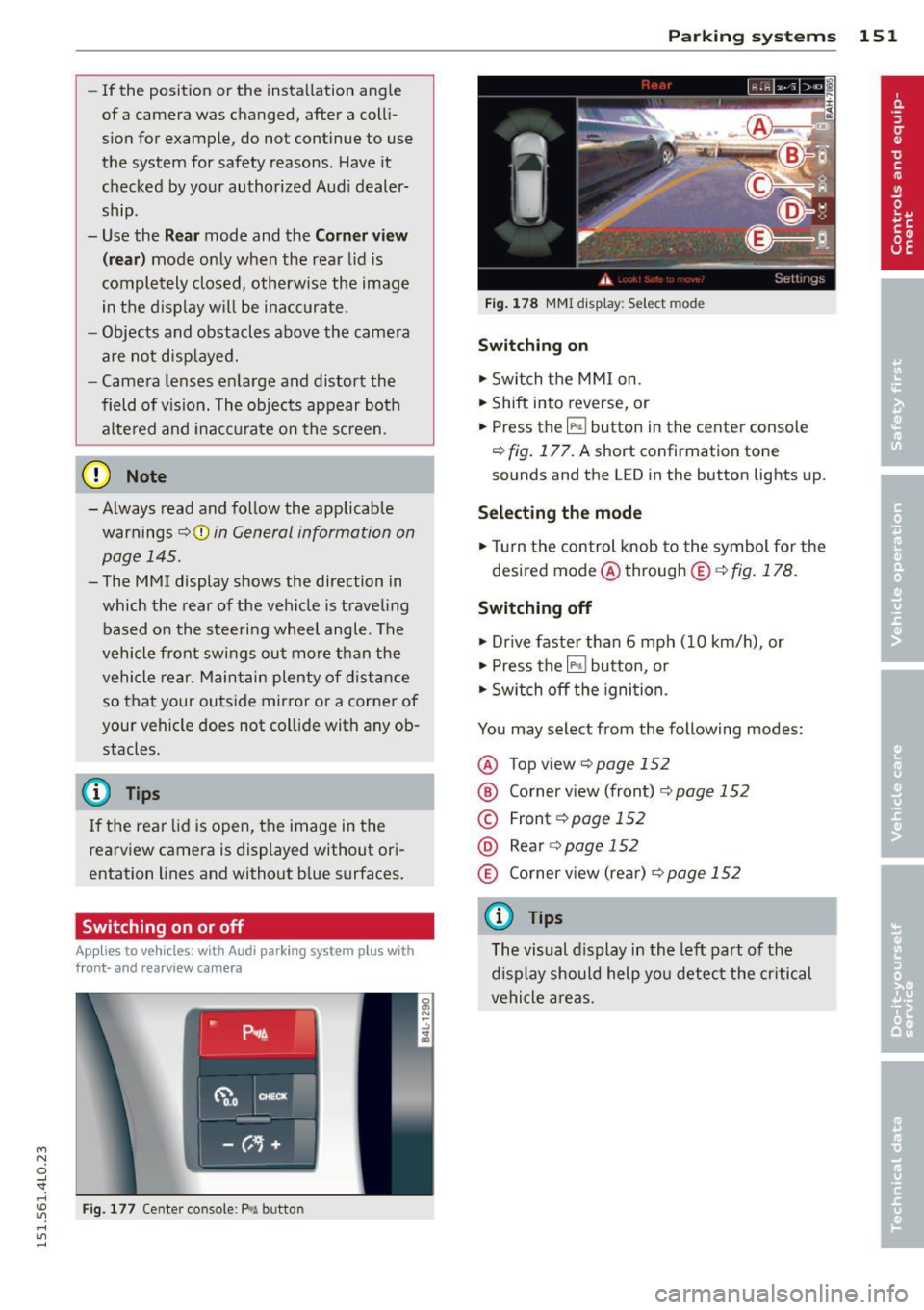
Switching on
.,. Switch the MMI on.
.,. Shift into reverse, or
.,. Press the
IP.1! button in the center console
¢
fig. 177. A short confirmation tone
sounds and the L ED in the button lights up.
Selecting the mode
.,. Turn the control knob to the symbol for the
desired mode @through @¢fig.178.
Switching off
.,. Drive faster than 6 mph (10 km/h) , or
.,. Press the
l""'I button, or
.,. Switch off the ignition .
You may select from the following modes:
@ Topview ¢page152
@ Corner view (front) ¢ page 152
© Front¢ page 152
@ Rear o page 152
® Corner view (rear)¢ page 152
(D Tips
The visual display in the left part of the
display should help you detect the critical
vehicle areas.
Page 157 of 350

M N
0 ...J
'SI: ,...., \!) ..,.,
,...., ..,., ,....,
Adjusting the display and warning tones
Applies to vehicles: with rear park assist/Audi parking sys
tem plus with rearview camera/front- and rearview cam
era
The display* and warning tones can be ad
justed in the MMI.
~ Select: ICARI function button> Systems*
control button > Parking system. Or
~ Select: ICARI function button> Car systems*
control button > Driver assist> Parking aid.
Display*
- Off -when the parking system is switched
on, only audible signals are given.
-On -when the parking system is switched
on, either the visua l display or the picture
from the rearview camera is disp layed.
Warning tones
- Front volume* -front sensor volume
- Front frequency* -front sensor frequency
- Rear volume -rear sensor volume
- Rear frequency -rear sensor frequency
- In-car entertainment fader/Music volume
while parking -when the parking system is
switched on, the volume of the active audio
source is lowered.
The new ly adjusted value is briefly heard from
the signal generator .
(D Tips
- The warning tones can also be adjusted
direct ly by the visual disp lay* or the pic
ture from the camera*. Simply press the
Settings* control button.
- Changed settings are activated when
parking system is switched on again.
- The settings are automatically stored
and assigned to the remote control key
being used. Parking
systems 155
Error messages
Applies to vehicles: with
rear park assist/Audi parking sys
tem plus with rearview camera/front- and rearview cam
era
There is an error in the system if the LED in
the~ button* is blinking and you hear a con
tinuous alarm for a few seconds after switch ing on the park ing system or when the park
ing system is already activated .
If the error is
not corrected before you switch off the igni
tion, when you switch on the parking system
again, the LED in the ~ button* will blink. If
you activate the parking system with the but
ton in this case, the continuous warning tone
will continue to sound.
Parking system plus with front and
rearview camera*
There is another system error if:
- the~·· symbol appears in the display and
the corresponding display area is shown in
blue. The camera is not working in this area.
- all segments around the vehicles are red or
if no segments are displayed.
Drive to your authorized Audi dealer or au
thorized repa ir facility immediately to have
the malfunction corrected .
Trailer hitch
Applies to vehicles: with rear park assist/Audi parking sys
tem plus with rearview camera/front- and rearview cam
era and trailer hitch
For vehicles using the trailer socket, the park
ing system rear sensors do not turn on when
you shift into reverse gear or when you press
the~ button*. This results in the follow ing
restrictions:
Rear park assist*
There is no warning for distances to the rear.
Audi parking system plus with rearview
camera/front and rearview camera*
There is no distance warning for the rear. The
front sensors remain activated. The visual dis play switches to the trailer towing mode. The
rearview camera image will not show the ori-
entat ion lines and the blue surfaces . ..,.
Page 159 of 350

M N
0 ...J 'SI" ,...., \!) 1.1'1 ,...., 1.1'1 ,....,
Adaptive Air Suspension
Air suspension and damping
Description
App lies to vehicles: with Adapt ive Air S uspe nsio n
Air suspension and damping con be adjusted
separately.
Adaptive A ir Suspension is an electronically
controlled springing and damping system.
This chassis system makes it easier on the
driver by adapt ing to the particular situation
through imperceptible control processes.
The
Adaptive Air Suspension component reg
ulates ground clearance depending on vehicle
speed and driver input. It functions independ
ently from the load condition . Accelerating to
a speed above a predetermined limit will make the vehicle lower itself. On the other
hand, driving more slowly results in the vehi
cle raising again at specific speeds.
The
damping component provides individual
control of the damping forces . For example,
w ith damping characterist ics set to provide
greater comfort, damping is set somewhat
harder for a br ief per iod only as required, for
example, when go ing aro und a curve or when
braking.
Settings
Adapt ive Air Suspension prov ides the driver
with the opportun ity to set the chassis charac
ter istics also to their individual preference.
W ith the driving modes
Comfort, Automatic
and Dynamic the driver has three chassis set
tings available, ranging from comfort to spor
ty. The
Offrood mode can be selected for driv
ing on poor quality stretches of road. In addi
tion,
Lift provides a fifth mode, which can be
selected when exceptionally high ground
clearance is needed
c::;, page 157, Chassis con
trols .
The modes are set in MMI <::;,page 159.
Adaptive A ir Suspension 157
A WARNING
The height of the parked vehicle can
change due to temperature fluctuations or
changes in load .
@ Note
-Whenever you park your vehicle, a lways
make sure there is adequate clearance
above and below the vehicle. The he ight
of the parked vehicle can change as the
result of temperature fluctuations,
changes in load condition and changes in
the driving mode (ground clearance).
- If the vehicle is be ing t ransported (e.g .
by tow truck, train, ship, etc.), mount the
tie-down chains/cables over the running
surface (circumference) o f the tires. Nev
er secure the vehicle by the axle, the sus
pension struts or the front or rear tow
line eye . For technica l reasons, the pres
sure in the suspens ion struts may change
dur ing the transport, which could result
in the vehicle no longer being secured
properly.
- If you are going to tow a trailer with a
trailer hitch that was
not installed ac
cording to factory specif ications, you
must activate the traile r operation mode
man ually
<::;,page 161.
(D Tips
-Before you can raise your vehicle using
the vehicle jack (for example, when
chang ing a flat tire) or a vehicle lift, yo u
must activate the jacking mode
c::;, page 161.
-On some models, the vehicle can reach
its maximum speed only in the
Automat
ic
and Dynamic modes.
Chassis controls
App lies to vehicles : wit h Adaptive A ir Suspensio n
Five different driving modes can be set by the
driver.
T he automatic control processes are speed
and time-dependent. For example, it is not
Page 160 of 350
158 Adapti ve Air Susp en sion
possible to raise the suspension to a h igh level
above certain speeds .
When a speed of about 75 mph (120 km/h) is
exceeded for more than 30 seconds, the vehi
cle is automatically lowered to
low level when
in comfort and automatic mode. Ground
clearance is about 0.6 inch (15 mm) less,
compared to the
normal level.
When a speed of about 100 mph (160 km/h)
is exceeded for more than 20 seconds, the ve
h icle is automat ica lly lowered to
highway lev
el
when in automatic and dynamic mode.
Ground clearance is about 1.4 inches (35 mm)
less, compared to the
normal level. Road
hold ing is optimized as a result of the lower
center of gravity, and fuel consumption is re
duced as a result of reduced wind resistance.
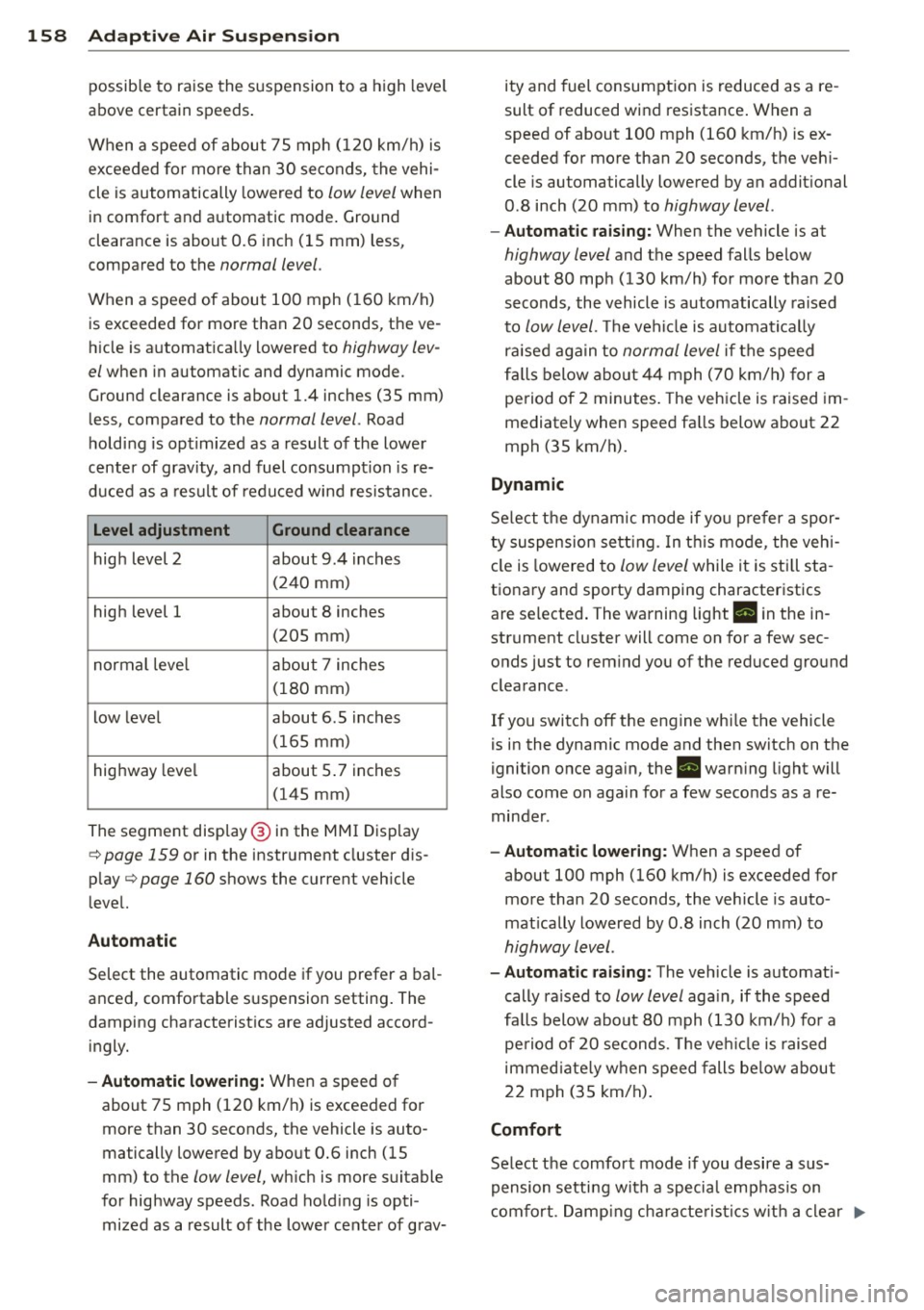
Level adjustment Ground clearance
high level 2 about 9.4 inches
(2 40 mm)
high level 1 about 8 inches
(205 mm)
normal leve l about 7 inches
(180 mm)
low level about 6.5 inches
(165 mm)
highway level about 5 .7 inches
(145 mm)
The segment disp lay @ in the MMI Display
c:::> page 159 or in the instr ument cluster dis
p lay
c:::> page 160 shows the current veh icle
level.
Automatic
Select the automatic mode if you prefer a bal
anced, comfortable suspension setting . The
damping characteristics are adjusted accord ingly.
- Autom atic lowe rin g: When a speed of
about 75 mph (120 km/h) is exceeded for
more than 30 seconds, the vehicle is auto
matically lowered by about 0.6 inch (15
mm) to the
low level, wh ich is more suitable
for highway speeds. Road hold ing is opti
mized as a result of the lower ce nter of grav- ity and fuel consumption is reduced as a re
sult of reduced wind resistance . When a
speed of about 100 mph (160 km/h) is ex
ceeded for more than 20 seconds, the veh i
cle is automatically lowered by an addit ional
0.8 inch (20 mm) to
highway level .
-Automat ic raising: When the vehicle is at
highway level and the speed falls below
about 80 mph (130 km/h) for more than 20
seconds, the vehicle is automatically raised
to
low level. Th e vehicle is automatically
raised aga in to
normal level if the speed
fa lls below about 44 mph (70 km/h) for a
pe riod of 2 minutes . The vehicle is raised im
mediately when speed fa lls below about 22
mph (35 km/h).
Dynamic
Se lect the dynam ic mode if yo u pre fer a spor
ty suspension se tti ng. In t his mode, the veh i
cle is lowered to
low level while it is still sta
t ionary and sporty damping characteristics
are selected . The warning light. in the in
strument cluster will come on for a few sec
onds just to rem ind you of the reduced ground
clearance .
If you switch off the engine whi le the vehicle
is in the dynamic mode and then switch on the
ignition once aga in, the . warn ing light will
also come on again for a few seconds as a re minder .
-Automat ic lowe ring: When a speed of
about 100 mph (160 km/h) is exceeded for
more than 20 seconds, the veh icle is auto
mat ically lowered by 0.8 inch (20 mm) to
highway level .
-Automa tic raising: The vehicle is automati
cally ra ised to
low level aga in, if the speed
fa lls below about 80 mph (130 km/h) for a
pe riod of 20 seconds. The ve hicle is raised
immed iate ly w hen speed falls be low about
22 mph (35 km/h).
Comfort
Select the comfort mode if you desire a sus
pension setti ng with a specia l emp hasis on
comfort. Damp ing cha racteris tics w ith a clear .,.
Page 165 of 350
M N
0 ...J
'SI: ,...., \!) 1.1'1 ,...., 1.1'1 ,....,
Driving Safely
General notes
Safe driving habits
Please remember -safety first!
This chapter contains important information,
tips, instructions and warnings that you need
to read and observe for your own safety, the
safety of your passengers and others . We have
summarized here what you need to know
about safety belts, airbags, ch ild restra ints as
well as child safety. You r safety is for us
priori
ty number 1.
Always observe t he information
a nd warn ings in th is se ct ion - for yo ur own
safety as well as that of your passengers .
The information in this se ction applies to all
model ve rsion s of your veh icle . Some of the
feat ures descr ibed in th is sec tions may be
standa rd equipment on some models, or may
be optional equipment on others . If you are
not sure, ask yo ur authorized Aud i dea ler.
A WARNING
- Always make sure that you follow the in
st ruct ions and heed the WARNINGS i n
this manual. It is in your interest and in
the inte rest of you r passengers.
- Always keep all of the Owner's Literature
man uals in your Audi when you lend o r
sell your vehicle so that this im po rtant
information will a lways be availab le to
the driver and passengers.
- Always keep the Owner's Literature han
dy so that you can find it easily if yo u
have ques tion s.
Safety equipment
The safety features are part of the occupant
restraint syst em and work togeth er to help
redu ce the risk of injury in a wide variety of
accident situations .
Your safety and the safety of your passenge rs
should not be left to chance. Advances in
t echnology have made a var iety o f fea tures
avai lable to he lp red uce the risk of i njury in an
Dr iving Safel y 163
accident . The following is a list of just a few of
the safety features in yo ur Audi :
- sophis ticated s afety be lts fo r drive r and a ll
passenger sea ting posit ions,
- be lt tens ione rs fo r the fro nt seats and the
outer sea ting pos it ions in the second row
seating,
- be lt h eight adjustment fo r th e front seats
a nd the o ute r seat ing positions in the sec
ond row sea ting,
- he ad restra ints for e ach sea ting pos it ion,
- front airbags,
- side airbags in the fro nt seats a nd the outer
seating posit ions i n the second row seat
ing*,
- side curta in airbags,
- special LATCH anchorages for child re-
straints,
- adjustab le steeri ng column.
T hese individual safety features, can work to
gether as a system to he lp protect you and
your passengers in a wide range of accide nts.
These features cannot work as a system if
they are not always correctly adjusted and cor
rect ly used .
Safety is everybody's responsibil ity!
Important things to do before driving
Safety is everybody 's job! Vehicle and occu
pant safety always depends on the informed
and careful driver.
Fo r yo ur safety and the safety of your passen
gers,
before driving always:
.. Ma ke s ure that all lights and signa ls are op
erating correctly .
.. Ma ke s ure that the tire pressure is co rrect .
.. Make s ure that all windows are clean and a f
ford good vis ibility to the outs ide.
.. Secure all luggage and o ther items carefu lly
¢ page 90.
.. Make s ure that nothing can interfere with
the peda ls.
.. Adj ust fron t se at, head res traint and m irrors
c orrectly fo r you r heigh t. .,..
•
•