display AUDI Q7 2015 Owner´s Manual
[x] Cancel search | Manufacturer: AUDI, Model Year: 2015, Model line: Q7, Model: AUDI Q7 2015Pages: 350, PDF Size: 86 MB
Page 39 of 350
M N
0 ..J
'SI: ,...., \!) 1.1"1 ,...., 1.1"1 ,....,
A WARNING
Always adapt your speed to the current
weather, road and traffic conditions. You
should never disobey traffic laws in order
to follow driv ing recommendations.
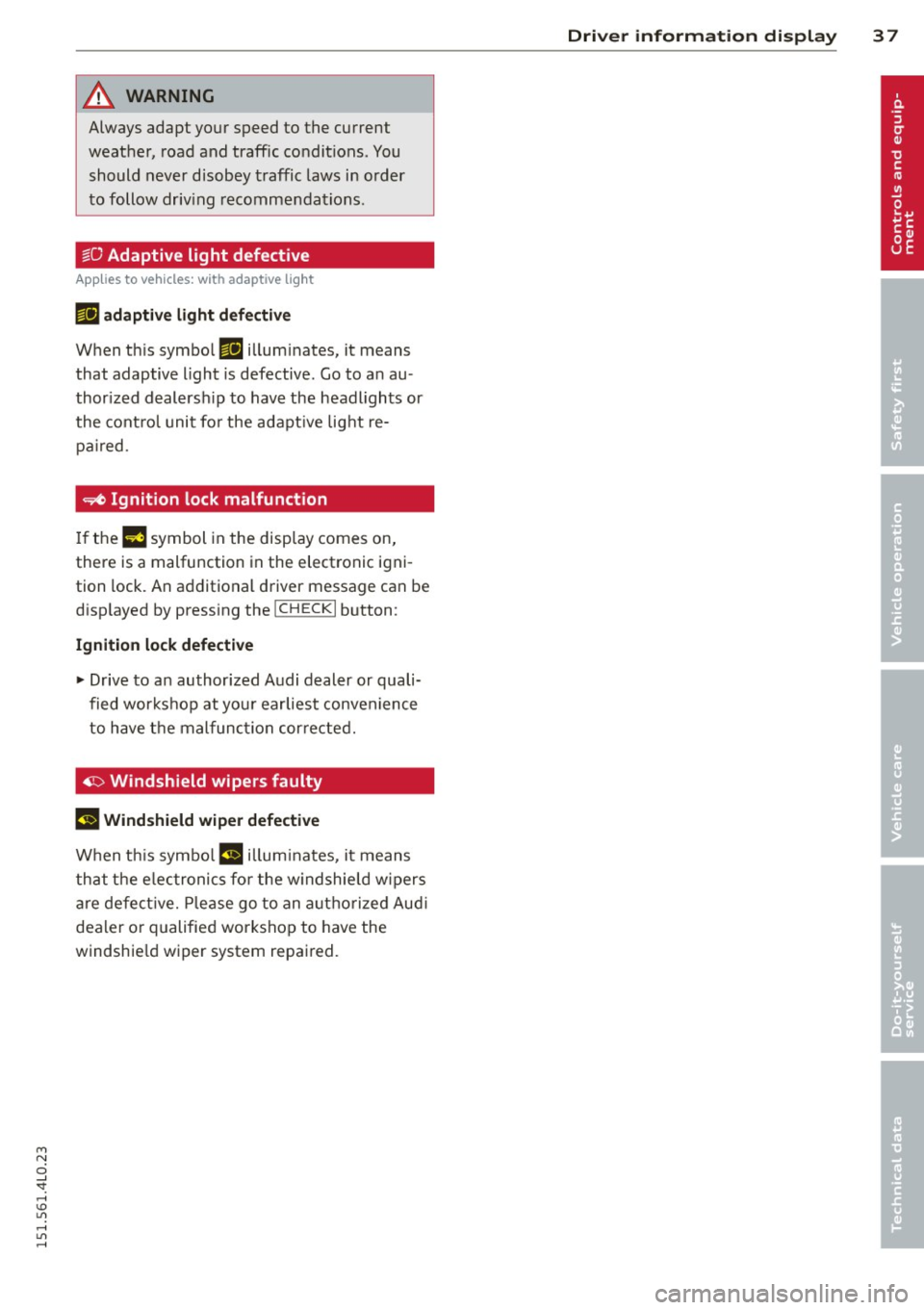
~O Adaptive light defective
A ppl ies to vehicles: wit h ad apt ive l ig ht
mil adap tive light d efec tive
When th is symbol mil illum inates, it means
that adaptive light is defective . Go to an au
thor ized dealersh ip to have the headl ights or
the cont rol unit fo r the adapt ive lig ht re
pa ired .
~ Ignition l ock malfunction
If the m symbol in the display comes on,
there is a malfunction in the electronic igni
tion lock. An additional driver message can be
disp layed by pressing the
! CHECK I button :
Ignition lo ck d efec tive
~ Drive to an authorized Audi dealer or quali
fied workshop at you r earliest convenience
to have the malfunction cor rected.
~ Windsh ield wipers faulty
m Wind shi eld w iper d efe cti ve
When th is symbo l m illuminates, it means
that the e lectronics fo r the w indshie ld w ipers
a re defe ct ive. Please go to an autho rized Aud i
dealer o r qualified workshop to have the
windshie ld wiper system repair ed.
Dri ver information di spla y 37
Page 54 of 350

52 Openin g and clo sing
opened are the power windows switched
off.
- Be careful when closing the windows .
Check to see that no one is in the way, or
serious injury could result!
- Always remove the ignition key whenever
you leave your vehicle.
- If you lock your vehicle from the outside,
no one, especia lly children, sho uld re
main in the vehicle .
- Do not stick anything on the windows or
the windshield that may interfere with
the driver's fie ld of vision.
In addition to t he switches in the drive r's
door there is a separate switch in each
door for the power window in that door
¢ page 53, fig. 47.
Switches in the driver's door
T he driver can operate all windows.
I f the respective switch is pushed or pulled
the w indow will open or close. The power win
dow switches have a
two -positi on fun ction :
Opening the windows
.. Push the sw itch to the fir st stop and hold i t
there unt il the wi ndow has lowered to the
desired position.
.. Push the switch briefly to the
second stop:
the window wi ll automatically open all the
way.
Closing the windows
.. Pull the switch up to the fir st stop and ho ld
it there until the window has risen to the de
sired position .
.. Pull the switch quick ly to the
second po si
tion :
the w indow w ill automatically close all
t he way ¢
A in Controls on page 5 l.
Activating /deactivating the r ear windows
.. Press the left[!] switch ¢ page 51, fig. 46 to
deactivate only the window regulator in the
left door . The indicator light in the switch i l
luminates.
.. Press the right[!] switch ¢ page 51, fig. 46
to
d eactiv ate only the window reg ulator in
the
right door. The ind icator light in the
sw itch illuminates .
.. Press the
1±1 sw itch aga in to reactivate the
w indow regu lator . The indicato r light in the
sw itch goes out .
If you press both
1±1 switches ® in succession,
the following funct ions are switched off in the
rear of the vehicle:
- The window regulator switches in the rear
doors .
- The buttons for the Panoramic slid ing su n
roof* .
- On veh icles with rear climate control*, oper
ation from the rear is blocked . Dashes" ---"
are show n in the displays for the rear cli
mate cont ro ls, and the rear air-cond ition ing
can only be operated from the climate con
trols in the cabin ¢page 100.
- I f
only th e left 1±1 sw itch was pressed, the
w indow regu lator in the
left rear do or and
t he buttons in t he rear for the Panoramic
sliding sunroof* are deactivated . In addi
t ion , the door is locked .
- If
o nly the right[!] switch was pressed, the
w indow regu lator in the
right re ar door and
the buttons in the rear for the Panoramic
sliding sunroof* are deactivated . In addi
tion, the door is locked.
T his feature has been provided for the safety
of small children riding in the rear of the ve hi
cle .
(D Tips
- T he windows can sti ll be opened and
closed for about ten minutes after the
ignition has been t urned off . The powe r
w indows are not shut off unt il one of the
front doors is opened.
- In order to act ivate the child safety lock
on the left and the right side, you have to
press the two safety switches in succes
sion . Make certa in that the check light
comes on the correspond ing safety
Page 62 of 350
60 Clear vision
Clear vision
Lights
Switching the headlights on and off
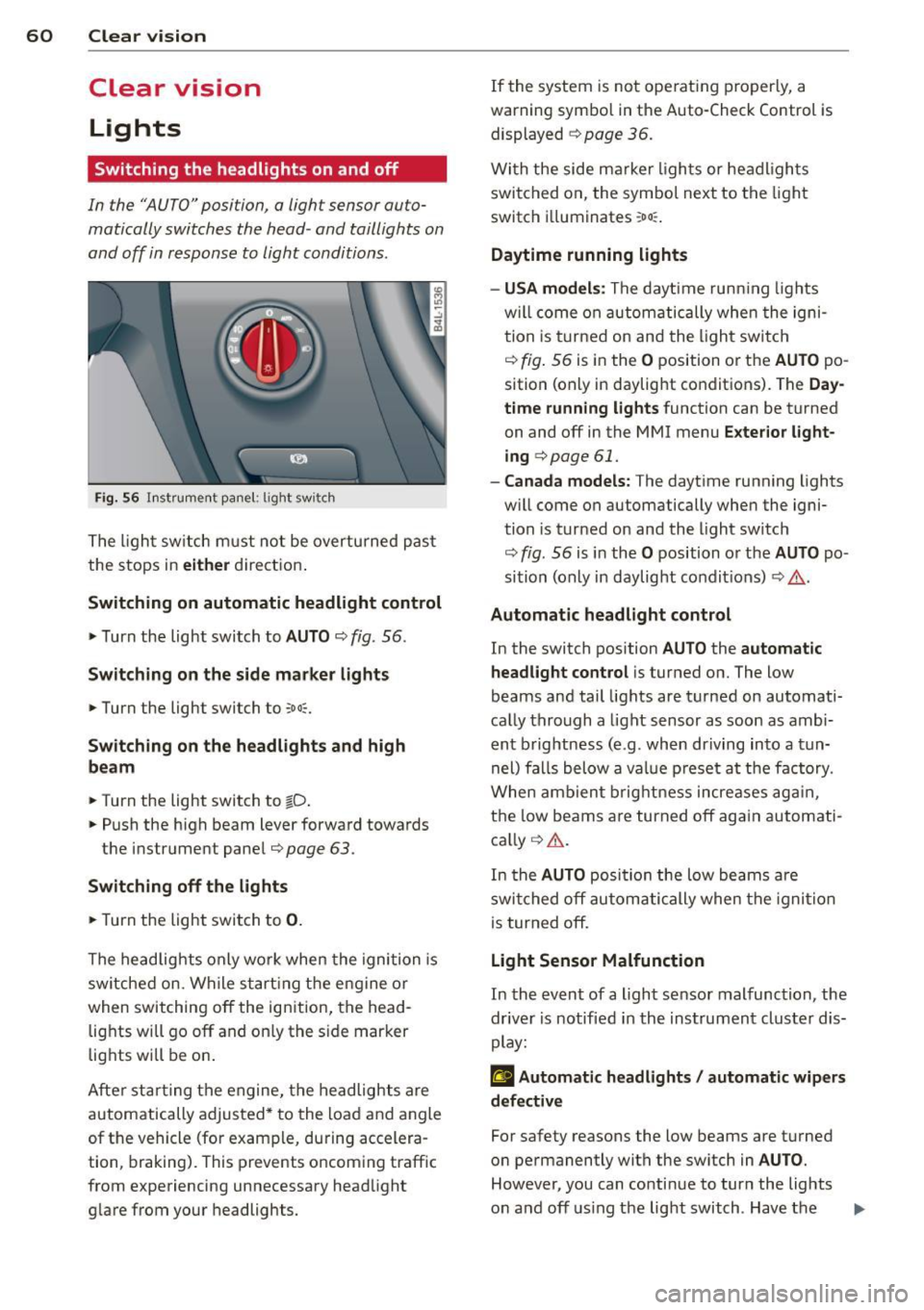
In the "AUTO" position, a light sensor auto
matically switches the head -and taillights on
and off in response to light conditions .
Fig. 56 Instrument pane l: lig ht sw it ch
The light switch must not be overturned past
the stops in
either direction.
Switching on automatic headlight control
.,. Turn the light switch to AUTO ¢ fig. 56.
Switching on the side marker lights
... Turn the light switch to :o o:.
Switching on the headlights and high
beam
... Turn the light switch to tD .
... Push the high beam lever forward towards
the instrument panel¢
page 63 .
Switching off the lights
... Turn the light switch to 0.
The headlights only work when the ignition is
switched on. While starting the engine or
when switching off the ignition, the head
lights will go off and on ly the side marker
lights will be on.
After starting the engine, the headlights are
automatically adjusted* to the load and angle
of the vehicle (for example, during accelera
tion, braking). This prevents oncoming traff ic
from experiencing unnecessary headlight
glare from your headlights. If the
system is not ope rating properly, a
warn ing symbol in the Auto-Check Control is
displayed
¢ page 36.
With the side marker lights or headlights
switched on, the symbol next to the light
switch i lluminates
:oo :.
Daytime running lights
- USA models :
The daytime running lights
w ill come on automatically when the igni
tion is turned on and the light switch
¢ fig. 56 is in the O position or the AUTO po
sition (only in daylight conditions). The
Day
time running lights
function can be turned
on and off in the MMI menu
Exterior light
ing
c> page 61.
- Canada models: The daytime running lights
w ill come on automatically when the igni
tion is turned on and the light switch
¢ fig. 56 is in the O position or the AUTO po
sition (only in daylight condit ions) ¢
.&..
Automatic headlight control
In the switch position AUTO the automatic
headlight control
is turned on. The low
beams and tail lights are turned on automati
cally through
a light sensor as soon as ambi
ent brightness (e .g . when driving into
a tun
nel) falls below
a value preset at the factory .
When ambient brightness increases again,
the low beams are turned off again automati
cally ¢
A.
In the AUTO position the low beams are
switched off automatically when the ignition
is turned off.
Light Sensor Malfunction
In the event of a light sensor malfunction , the
driver is notified in the instrument cluster dis
play:
£I Automatic headlights / automatic wipers
defective
For safety reasons the low beams are turned
on permanently with the sw itch in
AUTO.
However, you can conti nue to turn the lights
on and off using the light switch . Have the ..,.
Page 63 of 350
light sensor checked as soon as possible at an
authorized Audi dealer or qualified workshop.
A WARNING
- Daytime running lights and automatic
headlights are only intended to assist
the driver. They do not relieve the driver
of his responsibility to check the head
lights and to turn them on manually ac
cording to the current light and visibility
conditions. For example, fog cannot be
detected by the light sensors*. So always
switch on the headlights
~D under these
weather conditions and when driving in
the dark.
- Crashes can happen when you cannot see
the road ahead and when you cannot be
seen by other motorists. Always turn on
the headlights so that you can see ahead
and so that others can see your car from
the back.
- Please obey all laws when using the
lighting systems described here.
@ Tips
-With the switch in AUTO front fog lights
and rear fog lights cannot be turned on in addition.
- The light sensor for headlight control is
located in the rear view mirror mount.
You should therefore not apply any stick
ers to the windshield in this area in order
to prevent malfunctions or failures.
- Some exterior lighting functions can be
adjusted ¢
page 61.
-When you remove your key from the igni
tion while the vehicle's lights are turned
on, a buzzer sounds as long as the driv
er's door is open.
- In cool or damp weather, the inside of
the headlights, turn signals and tail
lights can fog over due to the tempera
ture difference between the inside and
outside. They will clear shortly after
M "' switching them on. This does not affect 0
~ the service life of the lighting.
rl I.O
"' rl
"' rl
Clear vision 61
-In the event of a light sensor malfunc
tion, the driver is notified in the instru
ment cluster display¢
page 35.
Adjusting exterior lighting
The functions are set in the MMI.
.,. Select: !CAR ! function button > Systems*
control button > Exterior lighting. Or
.,. Select:
I CAR I function button > Car systems*
control button > Vehicle settings > Exterior
light ing.
Coming home (Lights when leaving car),
Leaving home (Lights when unlocking car)
The coming home function illuminates the
area outside the vehicle when you turn the ig
nition off and open the driver's door. Depend
ing on vehicle equipment, the function can be
switched on and off or the length of ti me the lights remain on* can be adjusted .
The leaving home illuminates the area outside
the vehicle when you unlock the vehicle . This
function can be switched on and off .
The Coming home and Leaving home func
tions only operate when it is dark and the light switch is in the
AUTO position.
Daytime running lights
USA models: The daytime running lights can
be turned on or off using this function.
Canada models: The function cannot be
turned
off. It is activated automatically each
time the ignition is turned on. This menu item is shown "greyed out" .
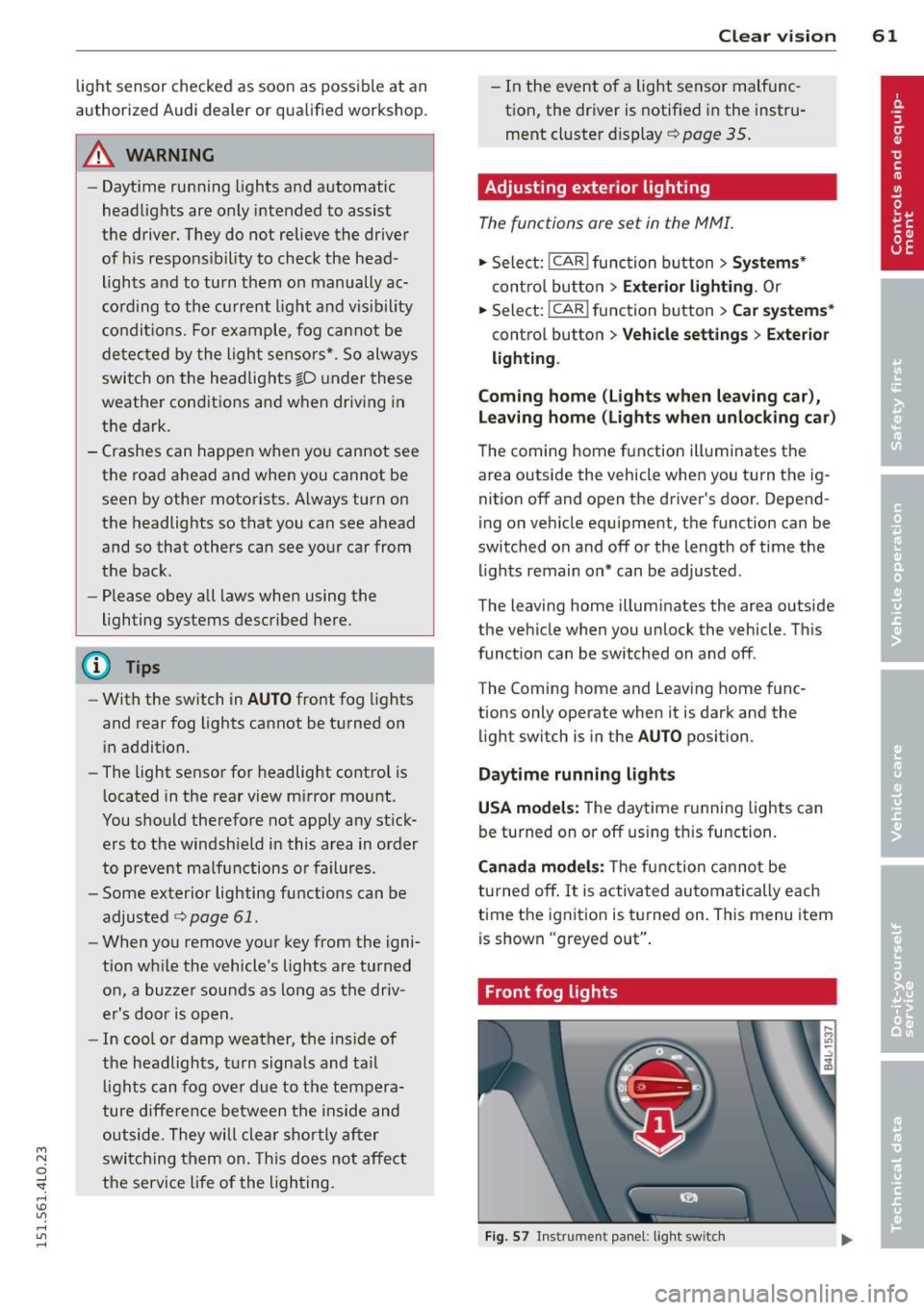
Front fog lights
Fig. 57 Instrument panel: light switch
Page 74 of 350
7 2 Clear vision
-Repeated or prolonged exposure to elec
trolyte can cause irritation to the respira tory system, especially among people
with asthma or other respiratory condi
tions . Get fresh air immediately by leav
ing the vehicle or, if that is not possible,
open windows and doors all the way.
- If electrolyte gets into the eyes, flush
them thoroughly with large amounts of
clean water for at least 15 minutes;
medical attention is recommended.
- If electrolyte contacts skin, flush affect
ed area with clean water for at least 15
minutes and then wash affected area
with soap and water; medical attention
is recommended . Thoroughly wash af
fected clothing and shoes before reuse.
- If swallowed and person is conscious,
rinse mouth with water for at least 15
minutes. Do not induce vomiting unless
instructed to do so by medical professio
nal. Get medical attention immediately.
(D Note
Liquid electrolyte leaking from broken mir
ror glass will damage any plastic surfaces
it comes in contact with. Clean up spilled
electrolyte immediately with clean water
and a sponge.
@ Tips
- Switching off the dimming function of
the inside rear view mirror also deacti
vates the automatic dimming function of
the exterior mirrors*.
- The automatic dimming mirrors do not
dim when the interior lighting is turned
on or the reverse gear is selected.
-Automatic dimming for the mirror only operates properly if the sun shade* for
the rear window is not in use or the light
striking the inside mirror is not hindered
by other objects.
Digital compass
Activating or deactivating the compass
Applies to veh icles: w ith dig ital compass
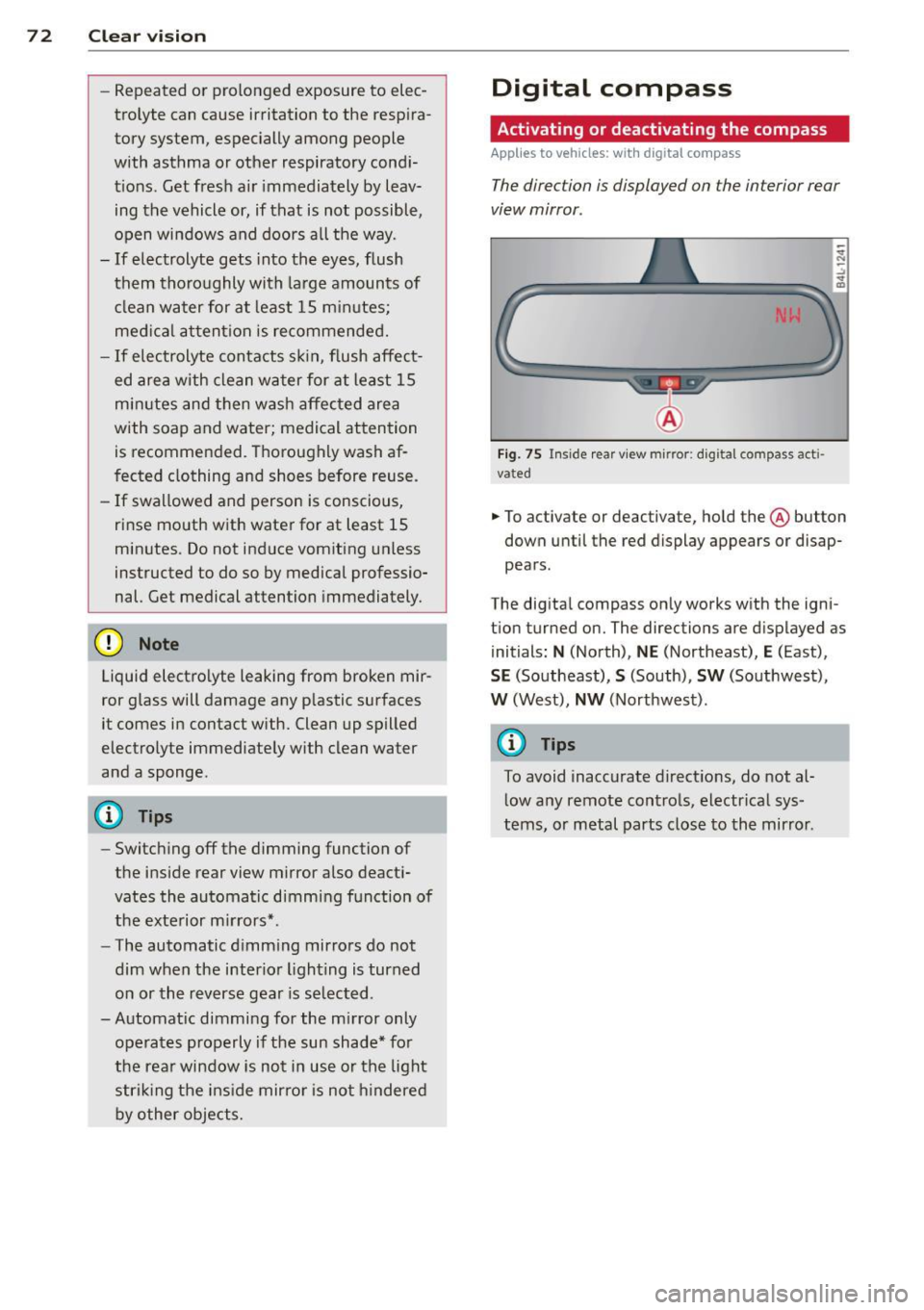
The direction is displayed on the interior rear
view mirror .
Fig. 75 Inside rear view mirror: digital compass acti
vated
.. To activate or deactivate, hold the @ button
down until the red display appears or disap
pears.
The digital compass only works with the igni
t ion turned on. The directions are displayed as
initials:
N (North), NE (Northeast), E (East),
SE (Southeast), S (South), SW (Southwest),
W (West), NW (Northwest).
@ Tips
To avoid inaccurate directions, do not al
low any remote controls, electrical sys
tems, or metal parts close to the mirror .
Page 75 of 350
M
"' 0 ..J
'
"' rl
Setting the magnetic deflection zone
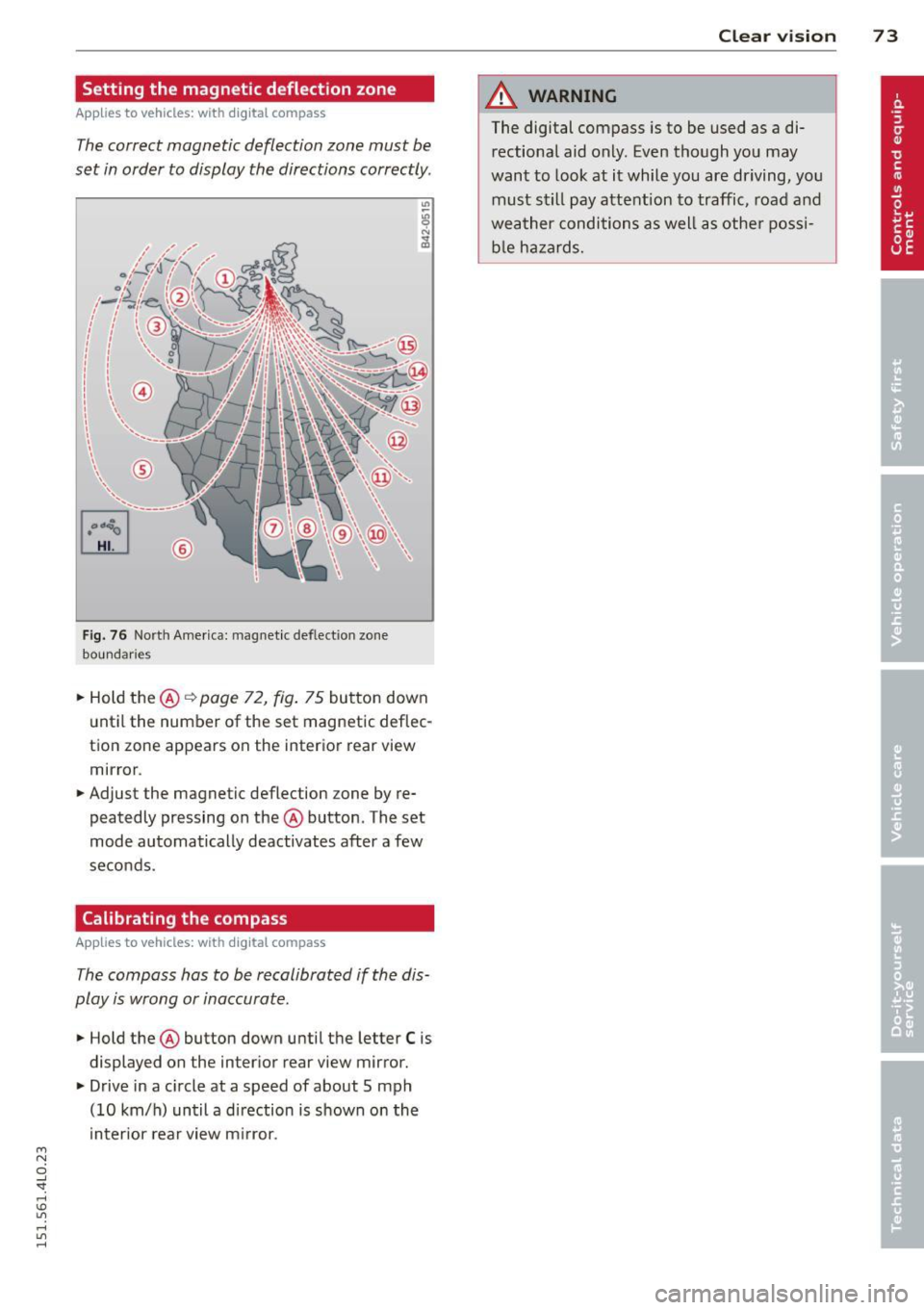
Applies to vehicles: with dig ital compass
The correct magnetic deflection zone must be
set in order to display the directions correctly .
Fig. 76 North America: magnet ic def lect ion zone
boundari es
.. Hold the @ Q page 72, fig. 75 button down
until the number of the set magnetic deflec
tion zone appears on the interior rear view
mirror .
.. Adjust the magnetic deflection zone by re
peatedly pressing on the @ button . The set
mode automatically deactivates after a few
seconds .
Calibrating the compass
Applies to vehicles: with dig ital compass
The compass hos to be recalibrated if the dis
play is wrong or inaccurate .
.. Hold the @ button down until the letter C is
displayed on the interior rear view mirror .
.. Drive in a circle at a speed of about 5 mph
(10 km/h) until a direction is shown on the
interior rear view mirror.
Clear vision 7 3
A WARNING
The digital compass is to be used as a di
rectional aid only. Even though you may
want to look at it while you are driving, you
must still pay attention to traffic, road and
weather conditions as well as other possi
ble hazards.
Page 93 of 350
M
"' 0 _,
"". rl I.O
"' rl
"' rl
-Any articles of cloth ing that you have
hung up must not interfere with the driv
er's view. The coat hooks are designed
only for lightweight clothing. Never hang
any clothing with hard, pointed or heavy
objects in the pockets on the coat hooks.
During sudden braking or in an accident -
especially if the airbag is deployed -
these objects could injure any passen
gers inside the vehicle.
Glove compartment
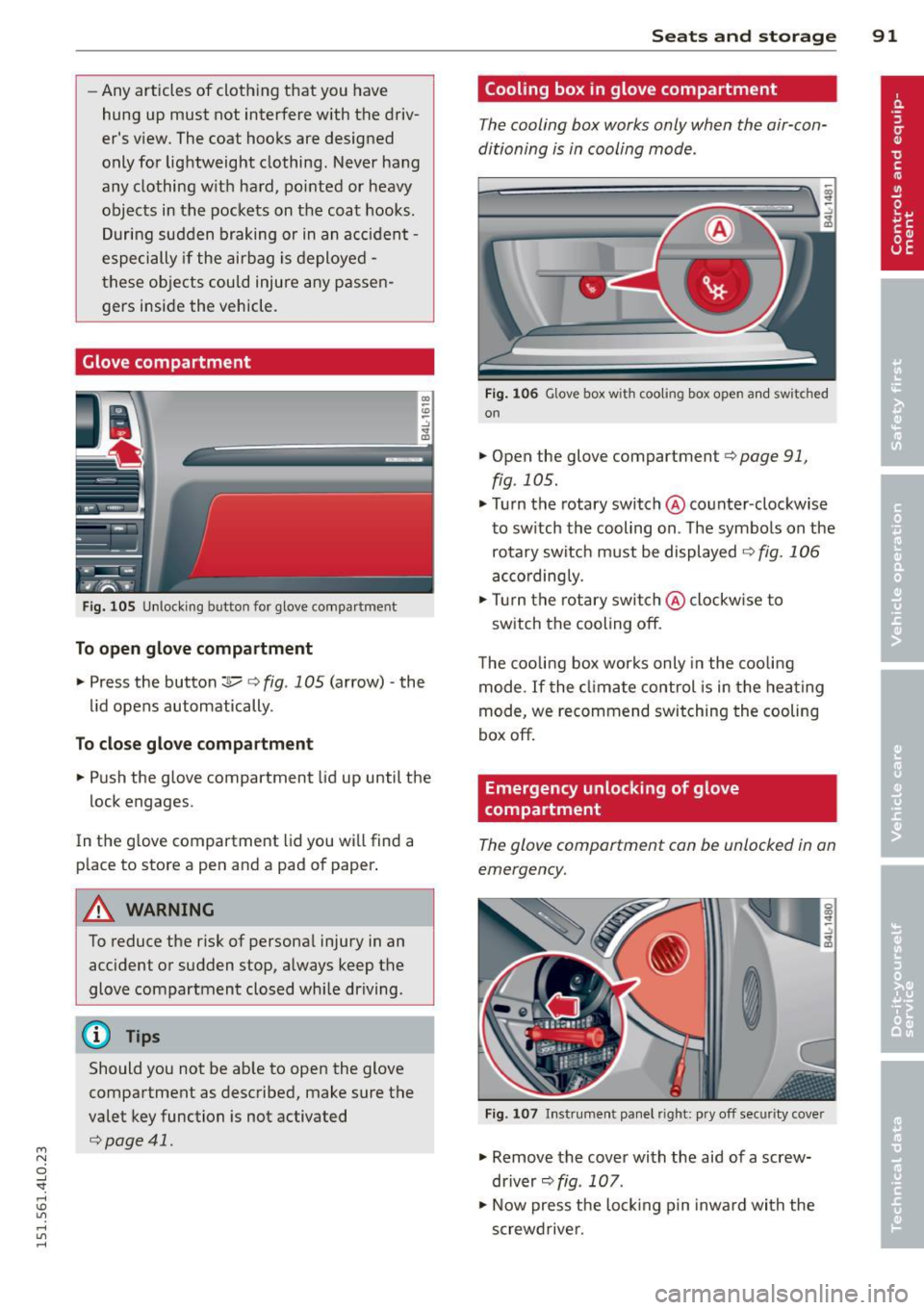
Fig. 105 Unlocking button for glove compa rtment
To open glove compartment
.. Press the button:]...--r=> fig . 105 (a rrow) -the
lid opens automatically.
To close glove compartment
.. Push the glove compartment lid up until the
lock engages.
In the g love compartment lid you will find a
p lace to store a pen and a pad of paper .
A WARNING
To reduce the risk of persona l injury in an
accident or sudden stop, always keep the
glove compartment closed whi le driving.
(D Tips
Should you not be able to open the glove
compartment as described, make sure the
valet key function is not activated
r=>poge 41.
Seats and storage 91
Cooling box in glove compartment
The cooling box works only when the air-con
ditioning is in cooling mode.
F ig . 106 Glove box with cooling box open an d switched
on
.. Open the glove compartment r=> page 91,
fig. 105 .
.. Turn the rotary switch @counter-clockwise
to switch the cooling on . The symbols on the
rotary switch must be displayed
9 fig. 106
accordingly .
.. Turn the rotary switch@clockw ise to
switch the cooling off.
The cooling box works only in the cooling
mode.
If the climate control is in the heating
mode, we recommend switching the cooling
box off.
Emergency unlocking of glove
compartment
The glove comportment con be unlocked in on
emergency.
Fig. 107 In strument panel right: pry off security cover
.. Remove the cover with the aid of a screw
driver~
fig. 107 .
.. Now press the locking p in inward with the
screwdrive r.
Page 97 of 350
M
"' 0 _,
"". rl I.O
"' rl
"' rl
,&_ WARNING
Reduced visibility is dangerous and can
cause accidents.
-
-For safe driving it is very important that
all windows be free of ice, snow and con
densation.
- Completely familiarize yourself with the proper use and function of the heating
and ventilation system and especially
how to defog and defrost the windows.
- Never use the windshield wiper/washer
system in freezing weather until you
have warmed the windshield first, using
the heating and ventilation system. The
washer solution may freeze on the wind
shield and reduce visibility.
(D Note
- If you suspect that the climate control
system has been damaged, switch the
system off to avoid further damages,
and have it inspected by a qualified deal
ership.
Controls
Warm and cold 95
-Repairs to the Audi air conditioner re
quire special technical knowledge and
special tools. Contact an authorized Audi
dealer for assistance.
@ Tips
- Keep the air intake slots (in front of the
windshield) free from ice, snow and de
bris in order to maintain the proper func
tion of the climate control system.
- Air inside the vehicle escapes through air
vents located in the side trim panels be
neath the rear side windows. Make sure
that the outlet slots are not covered by
clothing, etc.
- Climate control works most effectively if
the windows and the Panoramic sliding
sunroof* are closed. However, if the inte
rior of a parked vehicle is extremely hot
from the sun's rays, briefly opening the
windows can speed up the cooling proc
ess.
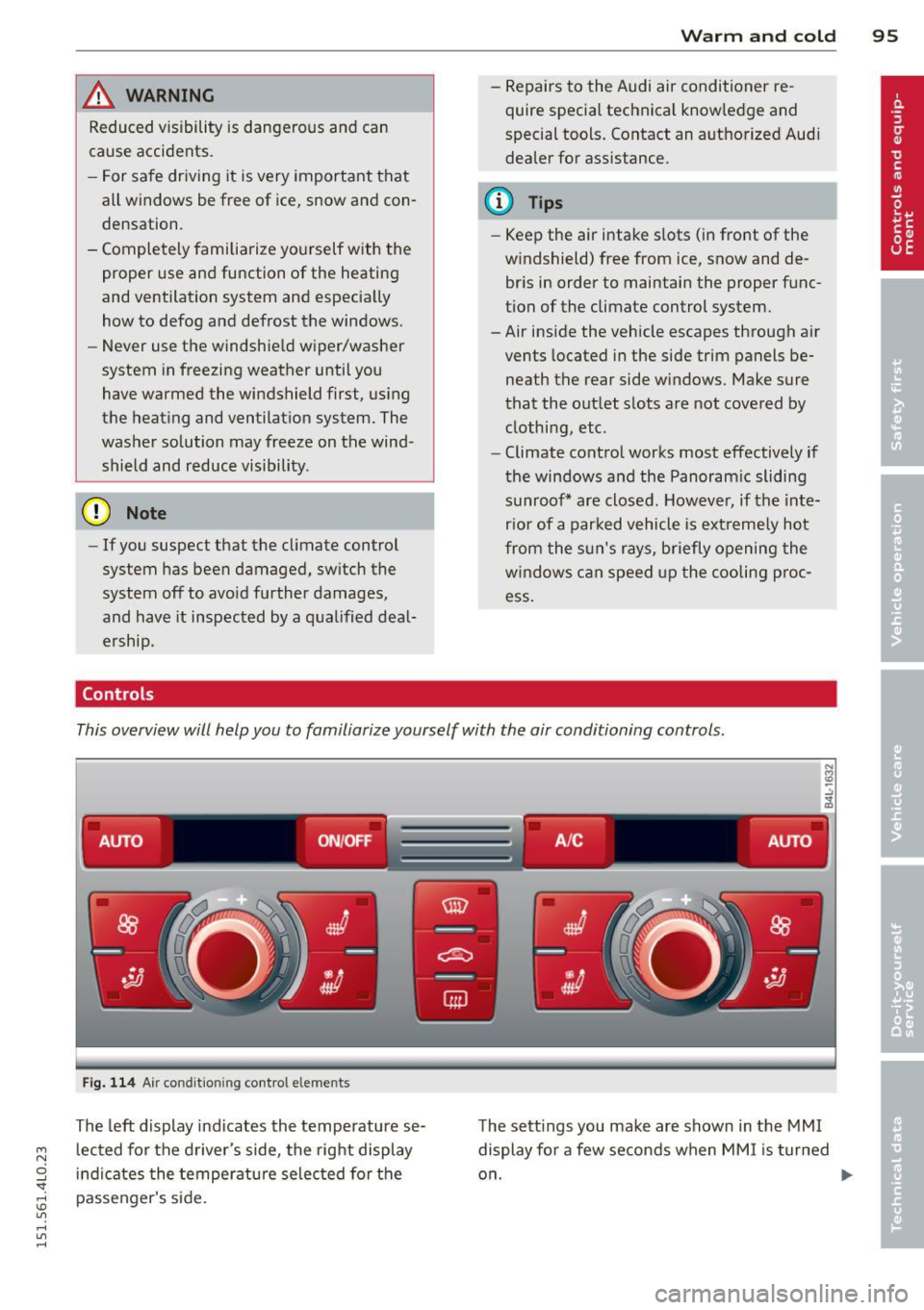
This overview will help you to familiarize yourself with the air conditioning controls.
-------. .- .--. -
AUTO ON/OFF A /C AUTO
;;__,
Fig. 114 Air condit ioning control elements
The left display indicates the temperature se
lected for the driver's side, the right display
indicates the temperature selected for the
passenger's side. The
settings you make are shown in the MMI
display for a few seconds when MMI is turned
on. .,.
Page 98 of 350

96 Warm and cold
Each function is turned on or off by briefly
pressing the corresponding button . The indi
cator light in the button illum inates when the
function is active.
Button(s ) Function
ION/OFFI Climate control on/off
c> page96
IA/Cl Air conditioner on/off
c>page96
IAU TO I Automatic mode
¢page 97
Regulatora) G Temperature selection
c>page 97
[tl Seat heating*
¢page 103
~
Seat ventilation*
i=>page 103
~ Fan
¢ page 97
Qi] Air distr ibut ion
c> page 97
~ Defrost
i=>page 97
~ Manua l recircu lation
c>page98
~ Heated rear window
i=>page 98
al The re gula tor is also used to set th e fan speed, air dis
t ribution, seat heating and seat vent ilat ion.
Synchroniz ing clim ate control
By pressing and holding the regu lator on the
d river's s ide, the temperature setting on the
driver's side can be switched to the passeng
e r's side, and vice versa. The new temperature
is shown in the display.
Synchronizing four-zone automatic
comfort air conditi oning*
By pressing and holding the regu lator on the
driver's side, the temperature setting on the
driver's side can be switched to the passeng
er's side and to the outer rear seats. The new
temperature is shown in the disp lay. By sim
ultaneously pressing and holding the
regulators o n the driver's side and front pas
senger's s ide, the temperature setting on the
driver's side can be switched to the front pas
senger's side . The new temperature is shown
i n the disp lay .
(D Tips
The gr ille on the controls m ust rema in un
obstr ucted and m ust not be taped over.
Measur ing sensors are located behind it.
Turning on and off~
Turning the climate control on
.,. Press the ION/O FF! button, or
.,. Press the
IAUTO I button.
Turning the climate control off
.,. Press the ION/O FFj button to sw itch the cli
mate contro l off and to block the air supply
from the outside.
The air conditioner turns bac k on when you
press the
temperature regulator or one of the
buttons.
(D Tips
With the ign ition t urned off, you can acti
vate the residua l heat funct ion by pressing
the
ION/O FF I button. The res idual heat
from the coolant can be used to heat the
vehicle interior .
Air Conditioner On/Off~
Switching off the air conditioner saves fuel.
.,. Press the IAIC I button to switch the air con-
ditioner on or off.
When the air conditioner is switched on, the
indicator lamp in the button will illum inate
and the heat ing/venti lation system is control
led automatically.
P lease keep in mind that with the air condi
tione r switched off, the interior tempe rat ure ..,_
Page 99 of 350
M N
0 ...J
'SI: ...... \!) 1.1'1
...... 1.1'1 ......
cannot be lower than the outside tempera
ture. The air wi ll not be cooled or
dehumid ified. The windows can fog up.
Automat ic mode ~
The automatic mode is the standard setting
for all seasons.
.,. Se lect temperature between 60 °F ( + 16 °()
and 84 °F (+ 28 °C) .
.. Press the !AUTO ! button.
Automatic opera tion ens ures constant tem
peratures in the interior and dehumidifies the
air inside the vehicle . Air temperature, vol ume
and distribution are controlled automatically
to reach or maintain the desired interior tem perature as quickly as possible. Fluctuations
in exterior temperature and the effects of
temperature from the pos ition of the sun are
compensated for automat ically.
This operat ing mode works only in the adjust
ab le temperature range, from 60
°F ( + 16 °C)
to 84 °F (+28 °C) . If a temperature be low 60
°F ( + 16 °C) is selected, L O appears in the d is
p lay. At tempe rat ures above
84 °F (+ 28 °C),
HI is d isplayed. At both extreme settings, cl i
mate con trol r uns con tinuously at maximum
coo ling or heat ing power . There is no temper
ature reg ulation.
Setting the temperature
Separate temperatures con be selected for
the driver's and front passenger's side.
.,. Rotate the reg ulator to the left to reduce
the temperature, or to the right to increase
the temperature.
The se lected temperatu re appea rs on the cli
mate con trol d isp lay. The tempe rature sett ing
will also appear for a few seconds in the MMI
d isp lay .
Warm and c old 97
Fan~
The automatically preset fan speed con be re
duced or increased .
.. Press the [!] button .
.. Rotate the regulator to the des ired fan
speed.
The climate control system automatically reg ulates fan speed depending on inter ior tem
perature. You ca n adjust the volume of air pro
duced by the fan to your own requirements .
The fan speed setting will appear for a few
seconds in the MMI display.
(D Tips
It is possible that the fan speed may
change automatically. This occurs to en
sure that the des ired temperature sett ing
i s reached as quickly as possible .
Air distribution ~
The automatically controlled air distribution
con be changed manually.
.. Press the G!J button.
.. Rotate the regulator to the des ired setting.
You can adjust the air distribut ion so that air
flows from specific vents. In position
:,0 air
flows on ly to the windows, in posit ion
;J, it
flows to the driver or passenger, and in pos i
tion
!J it flows to the footwell. There are ad
ditional comb inat ions availab le to adjust air
distribution as needed .
To regulate air d istribution automatically,
switch to
IAUTOI.
The air distribution setting will appear for a
few seconds in the MMI display.
Defrosting ~
The windshield and side windows ore rapidly
defrosted or defogged.
.,. Press the~ button to turn on the defroster .
.. Press the~ button again, or press the
!AUTO ! button to turn it off . ..,.