steering AUDI Q7 2015 Owner´s Manual
[x] Cancel search | Manufacturer: AUDI, Model Year: 2015, Model line: Q7, Model: AUDI Q7 2015Pages: 350, PDF Size: 86 MB
Page 5 of 350
M N
0 ...J
'SI: ,...., \!) 1.1'1 ,...., 1.1'1 ,....,
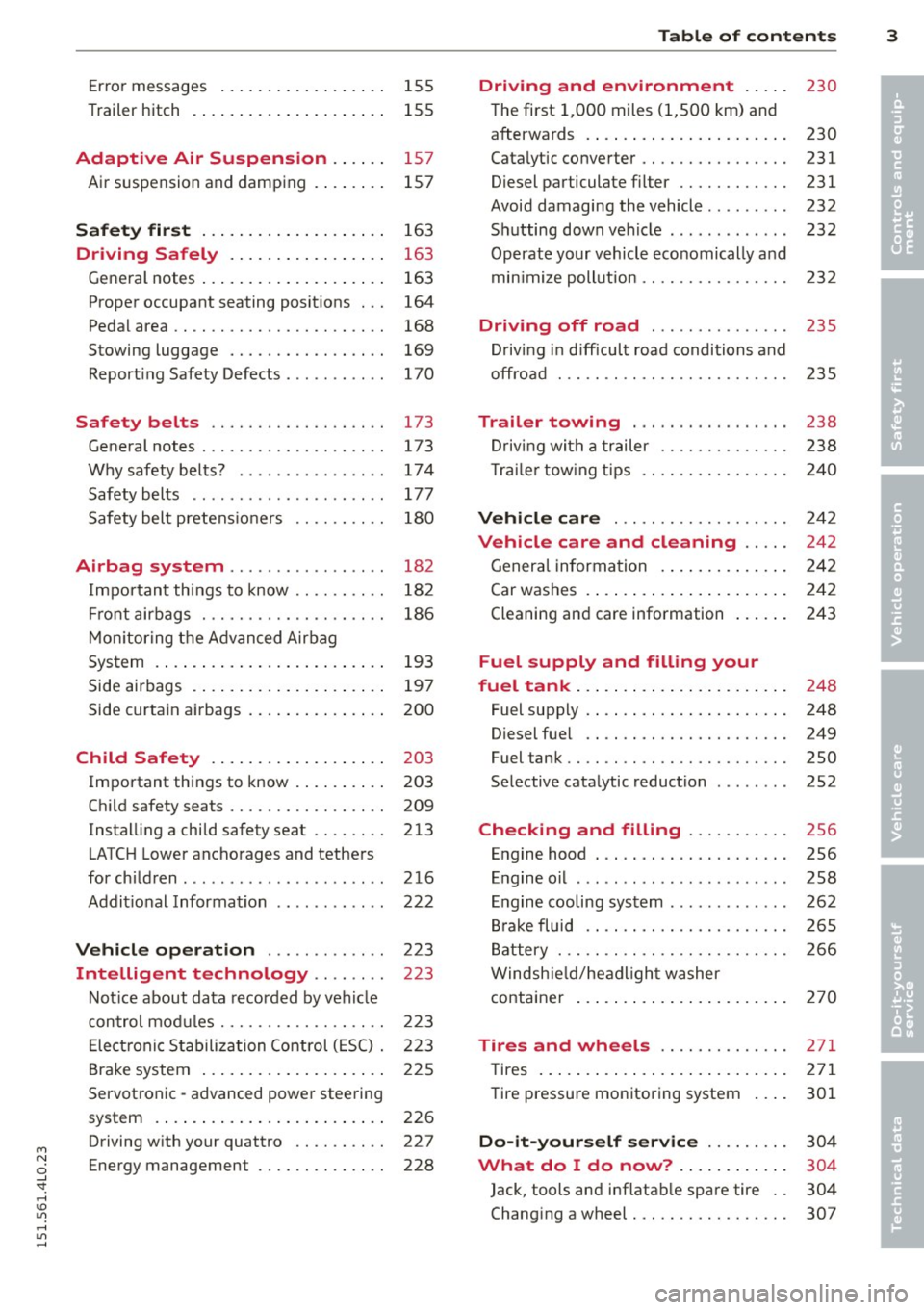
Error messages . . . . . . . . . . . . . . . . . . 155
Trailer hitch . . . . . . . . . . . . . . . . . . . . . 155
Adaptive Air Suspension .. .. . .
Air suspension and damping
S afet y fir st ... ...... ... .. .. .. . .
15 7
157
163
Driving Safely . . . . . . . . . . . . . . . . . 163
Gene ral notes ..... .... ... .. .. .. . .
Proper occupant seating posit ions . . .
Ped al area .. .. ............. .. .. . .
Stowing luggage ......... .... .. . .
Report ing Safety Defects ....... ... .
Safety belts ........... .... .. . .
General notes ............... .... .
Why safety belts? ............... .
Safety belts ..... ... ... .. .. .. .. . .
Safety bel t pretens ioners .. .. .. .. . .
Airbag system .......... ... ... .
Important things to know .. .. .. .. . .
Fr ont airbags ..... ..... .. .... .. . .
M on itoring the A dvanced Airbag
System .... .. ... .. ..... ... .. .. . .
Side airbags . ... ...... ... .. .. .. . .
Side curtain ai rbags .... ... .. .. .. . .
Child Safety .. .. .... ... .. .. .. . .
Important th ings to know . ... .. .. . .
Ch ild safety seats ......... .... .. . .
Instal ling a child safe ty seat .. .. .. . .
LATC H Lower ancho rages and tethers
for chi ldren .... .. ... ... .. .. .. .. . .
Addit ional Information
Vehicle operation ... .. .. .. .. . .
Intelligent technology .. .. . .. .
163
164
168
169
1 70
173 1 73
174
177
180
182
18 2
186
193
197
200
203
203
209
213
216
222
223
223
Not ice about data recorded by vehi cle
con trol mod ules . . . . . . . . . . . . . . . . . . 223
E lect ronic S tabiliz ation Control ( ESC) . 223
Brake system . . . . . . . . . . . . . . . . . . . . 225
Servotronic -advanced powe r steering
system . . . . . . . . . . . . . . . . . . . . . . . . . 226
Driving w ith your quattro . . . . . . . . . . 227
Energy management . . . . . . . . . . . . . . 228
Table of contents 3
Driving and environment . . . . .
230
The first 1,000 miles (1 ,500 km) and
afterwa rds . . . . . . . . . . . . . . . . . . . . . . 230
Catalytic co nverter . . . . . . . . . . . . . . . . 231
Diesel particulate filter . . . . . . . . . . . . 231
Avoid damaging the vehicle . . . . . . . . . 232
S h utting down veh icle . . . . . . . . . . . . . 232
Operate yo ur v ehicl e economically and
min imi ze poll ution .. . ............ .
Driving off road .............. .
D riv ing i n diff icult road conditions and
offroad . .. .. .. .. .... ........... .
Trailer towing .... .. .. ... ..... .
Drivi ng with a trailer ........... .. .
T rail er tow ing t ips .. . ............ .
Vehicle care ... .. .. ........... .
Vehicle care and cleaning .... .
Genera l informa tion . ... .... ... .. .
Car was hes . ..... .. . .. .. ..... ... .
Cleaning and care information ... .. .
Fuel supply and filling your
fuel tank ... .... .. . .. .. ..... ... .
Fuel supp ly . ... .. .. .. ... ..... ... .
Diesel f uel .. .. .. .... ........... .
Fuel tank .. .. .. .. ... ............ .
Se lective cata lytic reduction ....... .
Checking and filling .......... .
En gine hood . .... .... .... ... .... .
E n gine o il ... .. .. .. . .. .... .... .. .
Engine cooling system ............ .
Br ake fluid .. .. .. ............... .
B attery ... .. .. .. .. .. ........... .
Windsh ie ld /hea dligh t washer 2
32
235
2 35
238
2 38
2 40
2 42
2 4 2
2 4 2
242
243
2 4 8
248
249
250
252
256
256
258
262
2 65
2 66
container . . . . . . . . . . . . . . . . . . . . . . . 2 70
Tires and wheels . . . . . . . . . . . . . . 271
T ires . . . . . . . . . . . . . . . . . . . . . . . . . . . 2 71
Tire pressure monitoring system 301
Do-it-yourself service . . . . . . . . . 304
What do I do now? . . . . . . . . . . . . 304
Jack, too ls an d inf lata ble spare tire . . 304
Changi ng a wheel . . . . . . . . . . . . . . . . . 307
•
•
Page 11 of 350
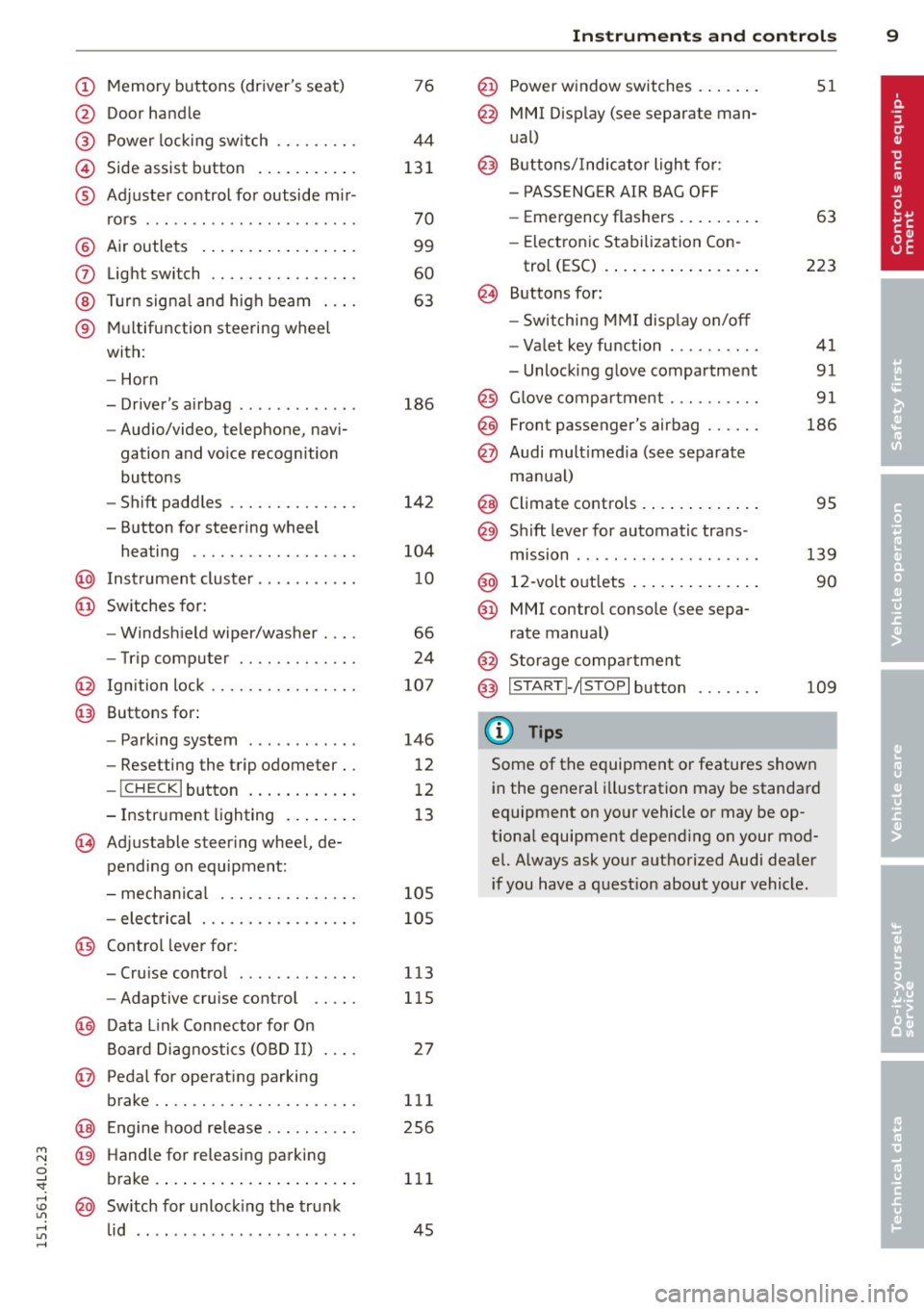
(!) Memory buttons (driver's seat)
@ Door handle
@ Power locking switch .... .. .. .
© Side assist button .......... .
® Adjuster control for outside m ir-
rors .... ... ............... .
@ Air outlets ................ .
(J) Light switch ........... .... .
@ Turn signal and high beam . .. .
® Multifunction steering wheel
with:
- Horn
- Driver's airbag ............ .
- Audio/video, telephone, navi-
gation and vo ice recognition
buttons
- Shift paddles ......... .. .. .
- Button for steering wheel heating ............. .... .
@ Instrument cluster ...... .. .. .
@ Switches for:
- Windshield wiper/washer . .. .
- Trip computer ........ .. .. .
@ Ignition lock ........... .... .
@ Buttons for:
- Parking system
- Resetting the trip odometer ..
- !CHECK lbutton ... ' ... .... .
- Instrument lighting ....... .
'3 Adjustable steer ing wheel, de
pending on equipment:
- mechanical .......... .... .
- electrical ............ .... .
@ Control lever for:
76
44
131
70
99
60
63
186
142
104
10
66
24
107
146
12
12
13
105
105
- Cru ise control ........... .. 113
- Adaptive cruise control . . . . . 115
@ Data Link Connector for On
Board Diagnostics (OBD II) . . . . 27
@ Pedal for operating parking
brake .. .. ............. .... . 111
@ Engin e hood release . . . . . . . . . . 256
~ @ Handle for releasing parking
0 ;;f_ brake. ..... .... .... ... .. .. . 111
; @ Switch for unlock ing the trunk
~ lid . . . . . . . . . . . . . . . . . . . . . . . . 45 ,....,
Instruments and controls 9
@ Power window switches ...... .
@ MMI Display (see separate man
ual)
@ Buttons/Indicator light for:
- PASS ENG ER AIR BAG OFF
- Emergency flashers ........ .
- Electronic Stabilization Con-
trol (ESC) ...... . ......... .
@ Buttons for:
- Switching MMI display on/off
- Valet key function ......... .
- Unlocking glove compartment
@ Glove compartment ......... .
@ Front passenger's airbag ..... .
@ Audi multimed ia (see separate
manua l)
@ Climate controls . .. .. .. ..... .
@) Sh ift lever for automatic trans -
mission ....... .. .......... .
@ 12-volt outlets ... . .. .. ..... .
@ MMI control console (see sepa
rate manual)
@ Storage compartment
@ IS TART I- / IS T OPI button
(D Tips
51
63
223
41
91
91
186
95
139
90
109
Some of the equipment or features shown
in the general illustration may be standard
equipment on yo ur vehicle or may be op
tional equipment depend ing on your mod
el. Always ask your authorized Audi dealer
i f you have a question about your vehicle .
Page 33 of 350
M N
0 ...J
'SI: ,...., \!) 1.1"1 ,...., 1.1"1 ,....,
For example, the symbol II appears in the
display, indicating low windshield washer flu
id level. The follow ing message also appears:
Please refill washer fluid
The driver message disappears after a few
seconds. The driver message can be d isp layed
again by briefly pressing the
!CHECK I button.
Red symbols
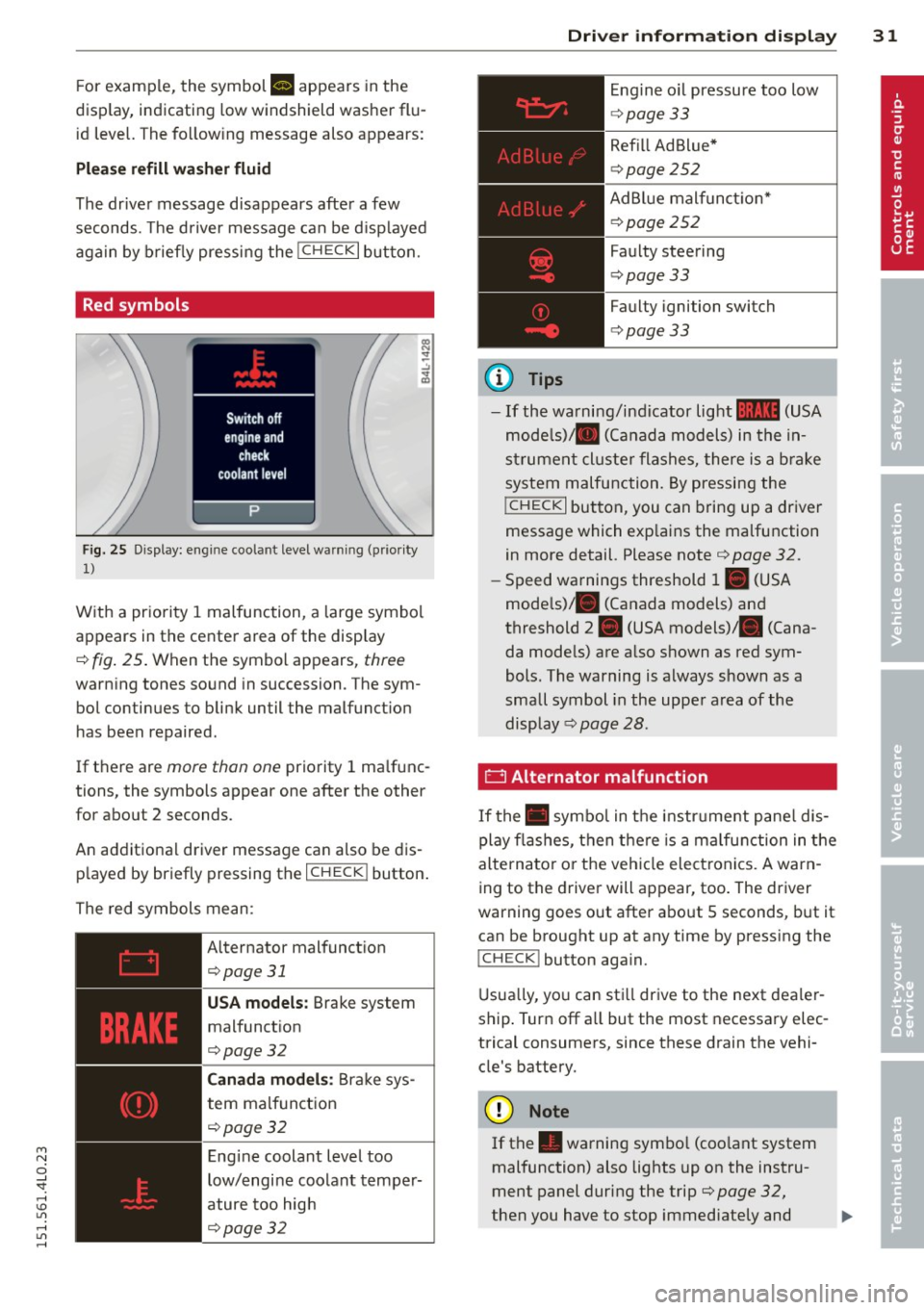
Fig. 25 Display: engine coolant level warning (prio rity
1)
With a priority 1 malfunction, a large symbol
appears in the center area of the display
¢ fig . 25 . Wh en the symbo l appears, three
warning tones sound in succession. The sym
bol continues to blink until the malfunct ion
has been repaired.
If there are
more than one priority 1 ma lfunc
tions, the symbols appear one after the other for about 2 seconds.
An additional driver message can also be dis
played by briefly pressing the
I CHECK ! button.
The red symbols mean:
Alternator malfunct ion
¢page31
USA models: Brake system
malfunction
¢page32
Canada models: Brake sys
tem malfunction
¢pa ge32
Engine coolant level too
low/engine coolant temper
ature too high
¢page32
Driver information display 31
@ Tips
Engine oil pressure too low
¢page 33
Refill Ad Blue*
¢page 252
AdBlue malfunct ion*
c!>page252
Faulty steering
c!>page 33
Faulty ignition switch
¢page 33
-If the warning/indicator light 11111 (USA
models)/ . (Canada models) in the in
strument cluster flashes, there is a brake
system malfunction. By pressing the
!CHECK I button, you can bring up a driver
message which exp lains the malfunction
in more detail. Please note ¢
page 32.
-Speed warnings threshold 1. (USA
mode ls)/ . (Canada models) and
threshold 2. (USA models) . (Cana
da models) are a lso shown as red sym
bols. The warning is always shown as a
small symbol in the uppe r area of the
display
c!> page 28.
0 Alternator malfunction
If the . symbol in the instrument panel dis
play flashes, then there is a malfunction in the
alternator o r the vehicle elect ronics. A warn
ing to the driver will appear, too . The driver
warning goes out after about 5 seconds, but it
can be brought up at any time by pressing the
ICHECK I button aga in.
Usually, you can still drive to the next deale r
ship . Turn off all but the most necessary elec
trical consumers, since these drain the vehi
cle's battery.
([) Note
If the . warning symbo l (coo lant system
malfunction) also lights up on the instru
ment panel during the trip¢
page 32,
then you have to stop immediately and ..,_
Page 35 of 350
M N
0 ...J
'SI: ,...., \!) 1.1"1 ,...., 1.1"1 ,....,
-The e ngine com partment of any ve hicle
is a dangerous area. Before you perform
any work in the engine compartment,
turn of the eng ine and allow it to cool.
Follow the wa rning stickers~
page 256.
(D Note
Do not contin ue driving if the. symbo l
illuminates. There is a ma lfunct ion in the
eng ine cooling system -you cou ld damage
your engine.
9=:7-: Engine oil pressure malfunction
The red engine oil pressure warning symbol
requires immediate service or repair. Driving
with a low-oil-pressure indication is likely to
inflict severe damage to the engin e.
If the . symbol appears in the display and
b links, the oil pressure is too low. An addition
a l dr ive r message can also be d isp layed by
p ress ing t he
I CH ECKi b utton:
Switch off engine I Oil pressur e too low
Immediate a ction s
~ Pull off the road.
~ Stop the vehicle.
~ Turnoff the engine.
~ Check the engine oil le vel with the dipstick
i=> page
260.
Dipstick reading s checks too low
~ Top off oi l to the proper level~ page 261.
~ Make sure that the oil pressure warning
symbol . appears no longer in the display
before you start driving aga in.
Dipstick reading checks OK
~ If the o il pressure warning symbol. starts
flashing again even though the engi ne oil
l evel checks OK on the d ipst ick,
do not con
tinue driving and do not let the engine run in idle.
Instead , contact your authorized
A udi dealer for assistance.
Dri ver information di spla y 33
(D Tips
- The engine oil pressure symbol. is
not an indicator for a low engine oil lev
el. Do not rely on it . Instead, check the
o il level in your engine at regular inter
vals, preferably each time you refuel, and always before going on a long trip .
- The yellow oil level warn ing indication
l!I requires oil refill or workshop serv
ice without delay . Do not wait until the
red oil pressure warning. start s to
flash before you respond to the low oil
level warning
m. By then, your engine
may already have suffered serious dam
age.
i Steering malfunction
If there is a malfunction in the ele ctronic
steering column lock, the steering cannot be
unlocked .
If the . sym bo l in t he d isplay b links, there is
a mal func tion in the ele ct ronic s teer ing col
u mn lock. An additional drive r message can
also be displayed by pressing the
I CHECK ! but
ton:
Do not d rive vehicle: steering defective
~ Contact your nea rest autho riz ed Aud i dea le r
or qualifie d wo rkshop.
~ Do not tow your ve hicle.
A WARNING
= -
Your ve hicle must not be towed in t he
event of a malfunction in the electro nic
steering column lock beca use it cannot be
steered d ue to the loc ked steering. If it is
t o wed with the steer ing locked, there is
the r isk of an accident .
~ Ignition lock malfunction
A malfunction in the ignition lock must be re
paired immedia tely.
If the . symbol in t he display blinks, there is
a mal function in the electronic ign it ion lock. ..,_
Page 41 of 350
M
"' 0 ..J
"". rl I.O
"' rl
"' rl
The transmitter and battery a re located in the
head of the remote control. The receiver is lo
cated inside the vehicle. The maxim um effec
tive range depends on several things. Remem
ber, if the battery is weak, the effective range
decrease s.
If you need to replace the remote contro l, or if
you need to have it repaired, you must see
your author ized Audi dealer. Only then can
you use the key again .
Personalizing the ma ster key
When t he ignit ion is t urned off or when the
veh icle is locked, vari ous conven ience settings
are stored automatically and assigned to the
key that was used . The settings that are as
signed to the maste r key are recalled auto
ma ticall y when the veh icle is unlocked, when
the door is opened o r when th e ignition is
sw itched on .
Sett ings are saved for the following systems :
- Climate control
- Central lock ing
-W indows
- Am bien ce light ing*
- Seat memory*
- Steering w heel heat ing*
- Adaptive cruise control*
- Audi side ass ist*
- Pa rking system*
The
Remote control key f unc tion mus t be ac
t iv at ed in t he MMI ¢
page 77, so that the
set tings for the driver 's seat (i ncluding the
settings for the steering co lumn and exter ior
mirrors) are saved on the master key through
the seat memory when the vehicle is locked,
and a re set automatically when the ve hicle is
u nl ocked.
(D Tips
- If
the ignition is sw itched on, t he remote
contr ol system is deact ivated.
- The remote control system can be affec t
ed by other systems operating in the
same frequency range close to the vehi-
Opening and clo sin g 39
cle, such as mo bile telep hones, televi
sion broadcast ing stations, etc .
- F or Declara tion of Com pliance to United
States FCC and In du stry Canada re gula
ti ons¢
page 329.
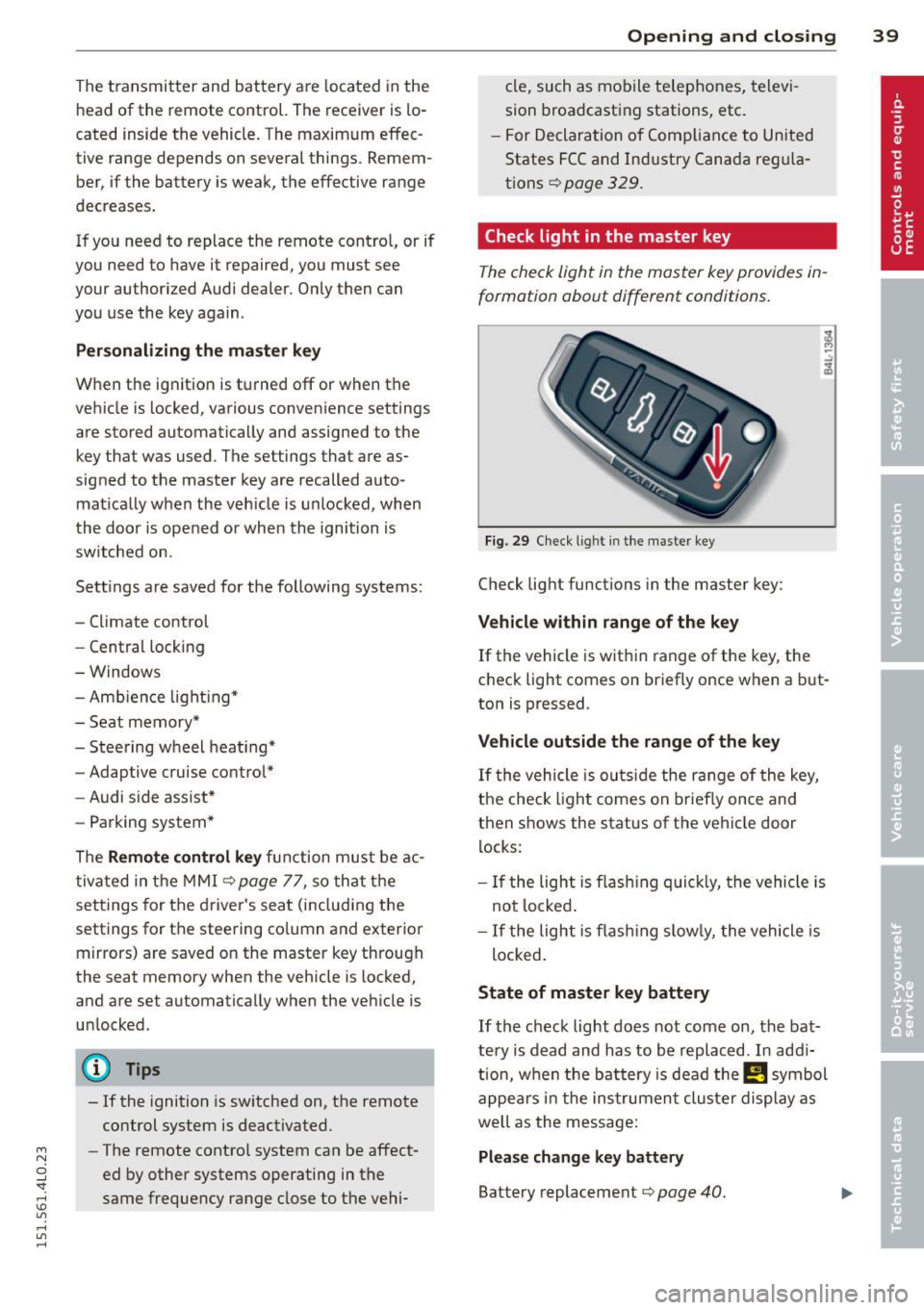
Check light in the master key
The che ck light in the m aster key provides in
formation about different conditions .
Fig. 29 Ch eck l ig ht in t he m aster key
Check lig ht functions in the master key :
Vehicle within range of the key
If
the vehicle is w it hi n range of the key, the
c heck light comes on br iefly once when a b ut
ton is pressed .
Vehicle outside the range of the key
If
t he vehicle is ou ts id e the r ange of the key,
the check light comes on brie fly once and
then shows the status of the vehicle door l ocks:
- If the ligh t is fla shin g qu ickl y, the vehicle is
no t locke d.
- If the ligh t is f lash ing slow ly, the vehicle is
loc ked .
State of master key battery
If
t h e ch ec k light does not come on, the bat
te ry is d ead and has to b e re pla ced . In ad di
tio n, w hen the b attery is dea d the !! symbol
appe ars in t he in strumen t clu ste r displ ay a s
well as the message:
Please change key battery
Battery replacement ¢ page 40.
Page 64 of 350
62 Clear vis ion
The light sw itch must not be overturned past
the stops in
either direction.
Switching on the front f og lights tO
.. Turn the light switch to :oo: or to gD .
.. Pull the ligh t switch to the first stop (!).
When the front fog l ights are on, the symbol
}O next to the light switch will i llum inate.
(D Tips
With the switch in AUTO front fog lights
and rear fog lights cannot be turned on in
add it ion.
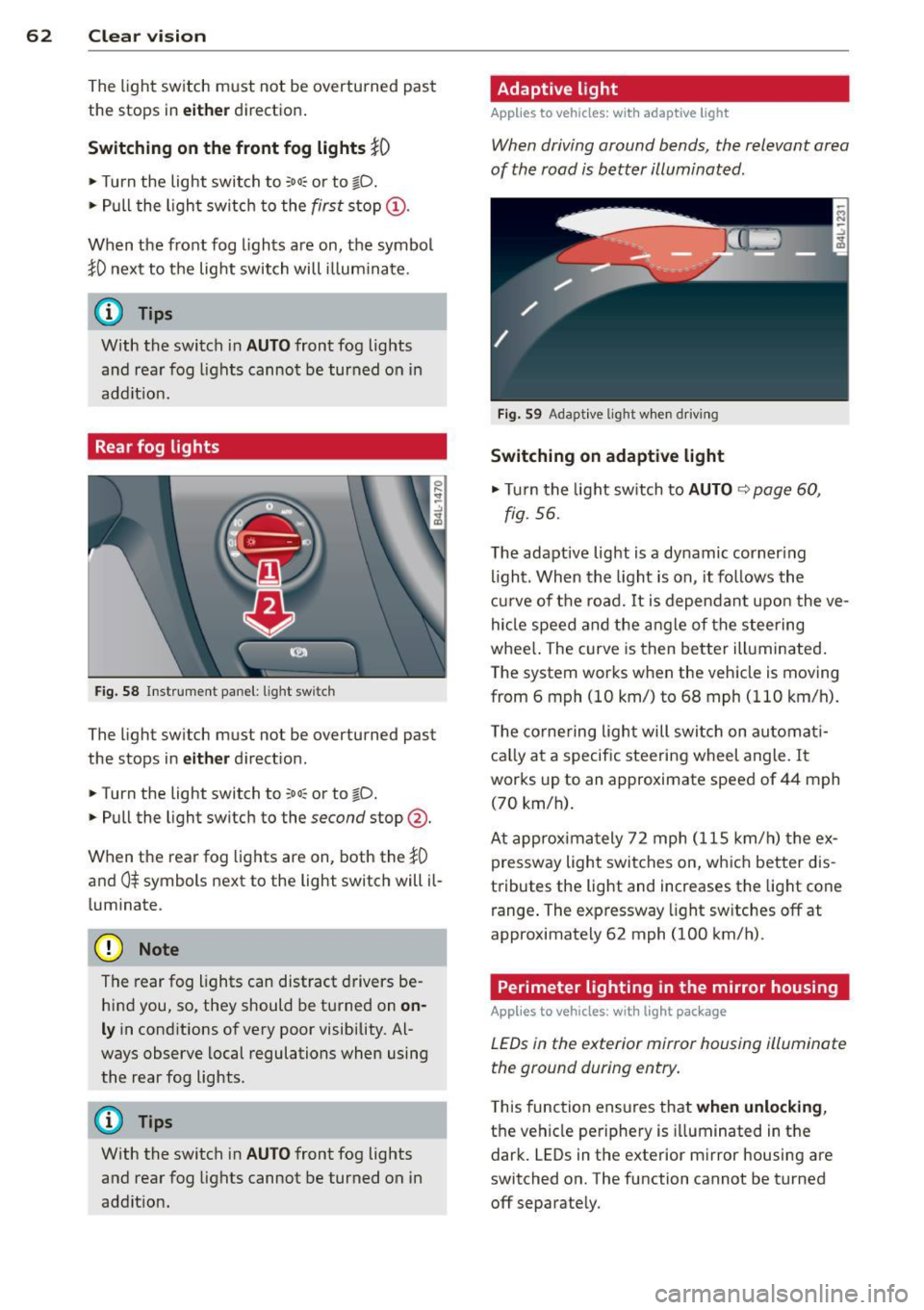
Rear fog lights
F ig. S8 Instrume nt panel: light switch
The light switch must not be overturned past
the stops in
eit her d irect ion.
.. Turn the light switch to
:oo: or to gD.
.. Pull the light switch to the second stop @.
When the rear fog lights are on, both the
}0
and 0$ symbols next to the light switch will il
l um inate.
(D Note
The rear fog lights can distract drivers be
hind you, so, they should be turned on
on
ly in cond itions of very poor visibility. Al
ways observe local regulations when using
the rear fog lights.
{D) Tips
With the switch in AUTO front fog lights
and rear fog lights cannot be turned on in
addit ion.
Adaptive light
Applies to vehicles: with adaptive ligh t
When driving around bends, the relevant area
of the rood is better illuminated .
Fig . S9 Adapt ive light w hen dr iv in g
Switching on adaptive light
... Tu rn the light sw itch to AUTO ¢ page 60,
fig. 56.
The adaptive light is a dynamic corner ing
li ght. When the light is on, it follows the
cur ve of the road. It is dependan t upon the ve
hicle speed and the angle of the steering
whee l. The curve is then better illuminated .
T he system works when the vehicle is moving
from 6 mph (10 km/) to 68 mph ( 110 km/h).
T he corne ring ligh t will switch on automati
ca lly at a specific stee ring wheel angle. It
works up to an approximate speed of 44 mph
(70 km/h) .
At approxima tely 72 mph (115 km/h) the ex
pressway light switches on, wh ich better dis
tributes the light and increases the light cone
range . The expressway light sw itches
off at
approximately 62 mph (100 km/h).
Perimeter lighting in the mirror housing
Applies to vehicles: with light package
LEDs in the exterior mirror housing illuminate
the ground during entry .
This func tion ensures that when unlockin g,
the vehicle pe riphery is illuminated in the
dark. LEDs in the exterior m irror housing are
switched on. The function cannot be turned
off separate ly.
Page 65 of 350
M
"' 0 ..J
"". rl I.O
"' rl
"' rl
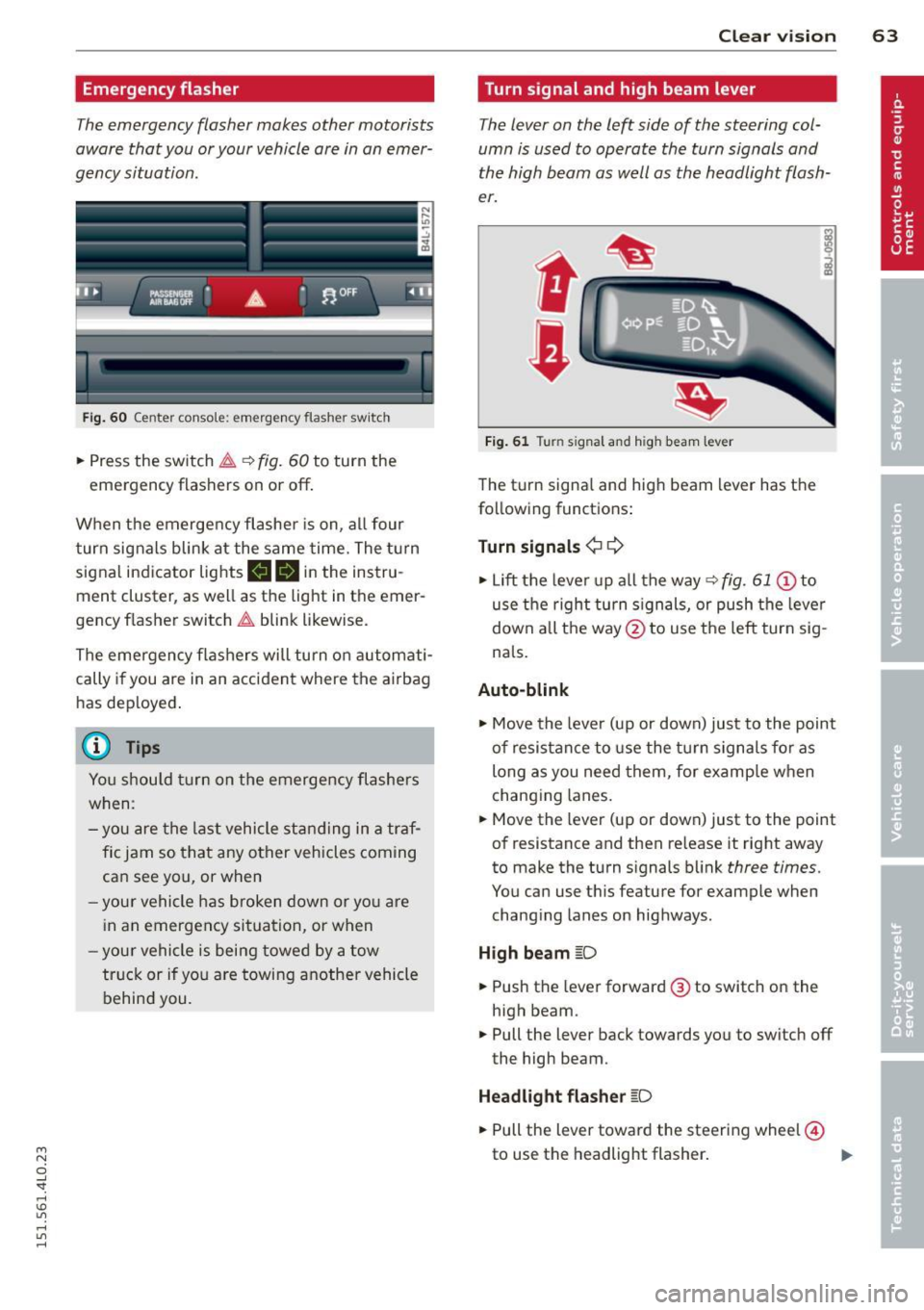
Emergency flasher
The emergency flasher makes other motorists
aware that you or your vehicle are in an emer
gency situation.
,r--,a.
-------------------
Fi g. 6 0 Center console: em ergency flasher sw itch
.. Press the sw itch ~ ~ fig. 60 to turn the
emergency flashers on or off .
When the emerge ncy flashe r is on, al l four
turn signals blink at the same time. The t urn
signal indicator lights
11111 in the instru
ment cluster, as well as the light in the emer
gency f lasher switch ~ blink likewise.
The emergency flashers will turn on automati cally if you are in an accident where the airbag
has dep loyed .
@ Tips
You shou ld tu rn on the emergency flashers
when:
- you are the l ast vehicle st anding in a tr af
fi c jam so that any other vehicles coming
can see you, or when
- your vehicle h as broken down or yo u are
i n an emergency si tuation, or when
- your vehicle is being towed by a tow
tru ck or if you are towing another vehicle
behind you.
Clear vi sion 63
Turn signal and high beam lever
The lever on the left side of the steering col
umn is used to operate the turn signals and
the high beam as well as the headlight flash
er.
t
'
Fi g. 61 Turn signal and high beam lever
The turn signa l and high beam lever has t he
following functions :
Turn signals ¢¢
.. Lift the leve r up a ll the way ~ fig. 61 @to
use t he right turn s ignals, or push the leve r
down all the way@to use t he left tur n sig
na ls .
Auto -blink
.. Move the leve r (up or down) just to the point
of resistan ce to use the turn signa ls fo r as
long as you need them, for example w hen
chang ing lanes.
.. Move the lever (up or down) just to the point
of resistance and then release it right away
to make the turn signals blink
three times.
You can use t his feature for example when
chang ing lanes on highways.
H igh beam [D
.. Push the lever forward @ to sw itch on the
high beam .
.. Pull the lever back towards you to switch off
the high beam.
Headlight flasher [D
.. Pull the lever toward the steering wheel@
to use the headlight flasher .
~
Page 68 of 350
66 Clear vis ion
Wiper and washer
system
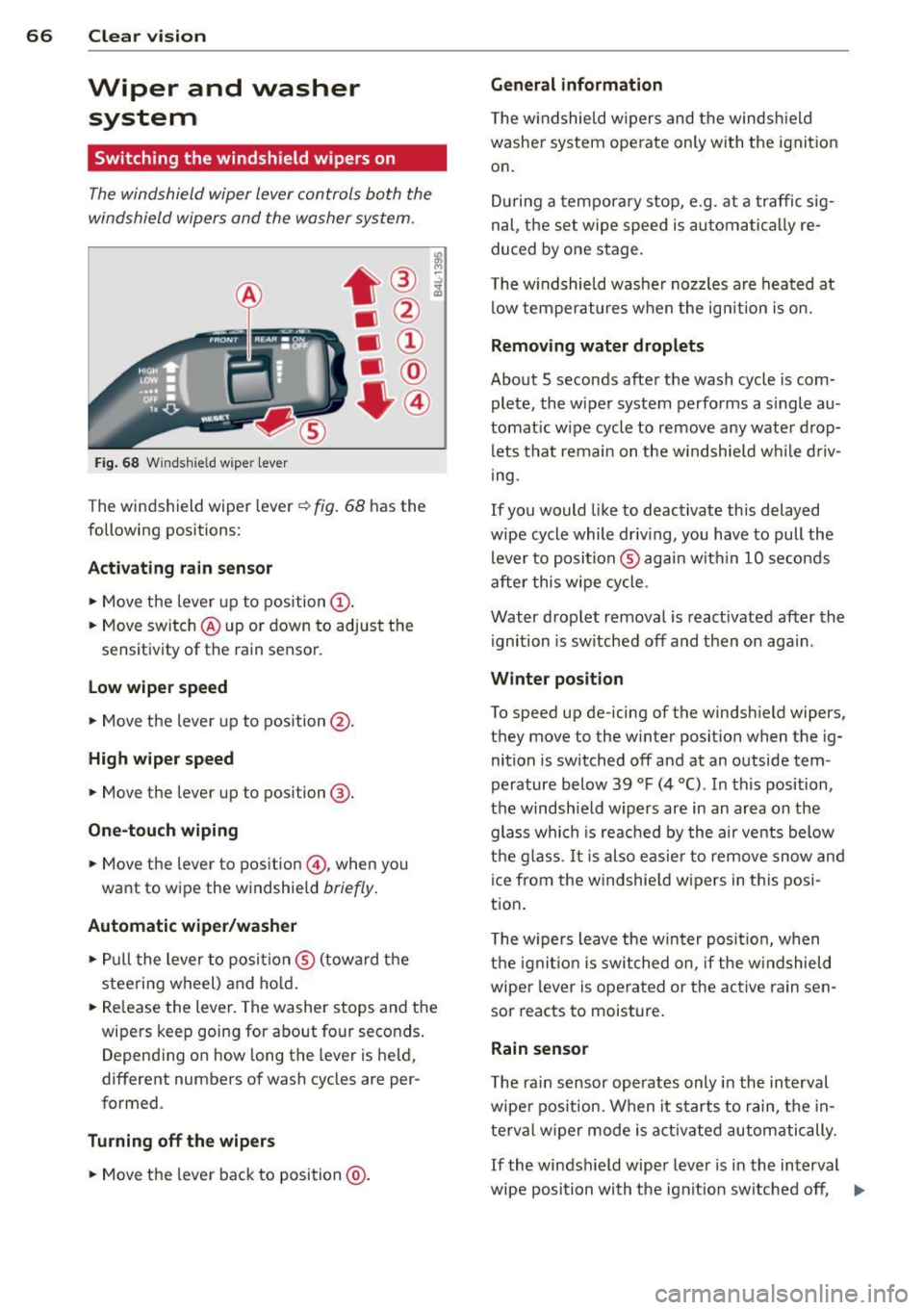
Switching the windshield wipers on
The windshield wiper lever controls both the
windshield wipers and the washer system .
Fig. 68 Windshie ld w ipe r lever
T he windshield wiper lever ¢ fig. 68 has th e
following posit ions :
Act ivating r ain sen sor
.. Move the lever up to position (D .
.. Move switch @up or down to adjust the
sensitivity of th e rain sensor.
low wiper sp eed
.. Move the leve r up to position @.
High wiper speed
.. Move the lever up to posi tion @.
One-touch wiping
.. Move the lever to pos ition @, when you
want to w ipe the w indshield
br iefly .
Automatic wip er/ washer
.. Pull the lever to posi tion ® (toward the
steering wheel) and ho ld.
.. Re lease the lever. The washer stops and the
wipers keep going for abou t four seconds .
D epend ing on how long th e lever is held,
different numbers of wash cycles are pe r
formed .
Turning off the wip ers
.. Move the lever back to position @.
General information
The w indshie ld wipers and the windsh ield
washer system operate only with the ignit ion
on .
D uring a tempora ry stop, e.g. at a traffic sig
nal, the set wipe speed is automati cally re
duced by one stage.
T he w indshie ld washe r nozzles are heated at
low temperatures when the ign ition is o n.
Removing water drop lets
About 5 seconds after the wash cycle is com
plete, the wiper system performs a s ingle au
tomat ic w ipe cycle to remove any wate r d rop
lets that remain on the w indshie ld w hile d riv
ing .
If you would like to deactivate this delayed
wipe cycle while driv ing , you have to pull the
lever to position ® agai n w ith in 10 seconds
after this wipe cycle .
Water drop let remova l is reactivated after the
ignition is sw itched off and then on aga in .
Winter posit ion
To speed up de-icing of the windsh ield wipe rs,
they move to the w inter po sition when the ig
nition is switched off and at an outside tem
perature below 39
°F (4 °() . In this position,
the windshie ld wipers are in an area on the
glass whi ch is reac hed by the air vents below
the g lass . It i s also easie r to remove snow and
ice from the w indshie ld w ipers in t his posi
tion.
T he w ipers leave the win ter posi tion, when
the igni tion is switched on, if the w indshield
wiper lever is ope rated or the active rain sen
sor reacts to moisture.
Rain sensor
T he rain sensor operates only in the interval
wiper pos ition. When it starts to rain, the in
te rv al wiper mode is activ ated automatically.
If the windshield wipe r lever is in the interval
wipe position with the ignit ion sw itched off , ..,.
Page 76 of 350
7 4 Seats and stor age
Seats and storage
General recommen
dations
Why is your seat adjustment so
important?
The safety belts and the airbag system can
only provide maximum protection if the front
seats are correctly adjusted.
There are various ways of adjusting the front
seats to provide safe and comfortable support
for the driver and the front passenger. Adjust
you r seat prope rly so that :
- you can easily and quickly reach all the
switches and controls in the instrument
panel
-your body is properly supported thus reduc
ing physical stress and fatigue
- the safety be lts and airbag system can offer
maximum protection
¢ page 182 .
In the following sections, you will see exactly
how you can best adjust your seats .
There are special regulations and instructions
for installing a child safety seat on the front
passenger's seat. Always follow the informa
tion regarding child safety provided in
q page 203, Child Safety.
A WARNING
Incorrect seating position of the driver and
all other passengers can result in serious
personal injury.
- Always keep your feet on the floor when
the vehicle is in motion -never put your
feet on top of the instrument panel, out
of the w indow or on top of the seat cush
ion . This applies especially to the passen
gers .
If your seating position is incorrect,
you increase the risk of injury in the case
of sudden braking or an acc ident.
If the
airbag inflates and the seating position
is incorrect, this could result in personal
injury or even death.
- It is important for both the driver and
front passenger to keep a distance of at least 10
inches (25 cm) between them
selves and the steering wheel and/or in
strument panel. If you're sitting any
closer than this, the airbag system can not protect you properly . In addition, the
front seats and head restraints must be
adjusted to your body height so that they
can give you maximum protection.
- Always try to keep as much distance as
possible between yourself and the steer
ing wheel or instrument panel.
- Do not adjust the driver's or front pas
senger's seat while the vehicle is moving.
Your seat may move unexpectedly, caus
ing sudden loss of vehicle control and
personal injury. If you adjust your seat
while the veh icle is moving, you are out
of position.
Driver's seat '
The correct seat position is important for safe
and relaxed driving.
We recommend that you adjust the driver's
seat in the following manner :
.,. Adjust the seat in fore and aft direction so
that you can easily push the peda ls to the
floor wh ile keeping your knees sl ightly bent
q A in Why is your seat adjustment so im
portant? on page 74.
.. Adjust the seatback so that when you sit
with your back against the seatback, you can
still grasp the top of the steering wheel.
.. Adjust the head restraint so the upper edge
is as even as possible with the top of your
head . If that is not poss ible , try to adjust
the head restraint so that it is as close to
this position as possib le
q page 79.
A WARNING
Never place any objects in the driver's foot
well. An object could get into the pedal
area and interfere with pedal function. In
case of sudden braking or an accident, you
would not be able to brake or accelerate .
Page 78 of 350
76 Seats and storage
unattended in the vehicle -they could be
injured!
- Exercise caution when adjusting the seat
height. Unsupervised or careless seat ad
justment can pinch fingers or hands
causing injuries.
- While the vehicle is moving, the seat
backs of the front seats must not be in
clined too far to the rear because the ef
fectiveness of the safety belts and the
airbag system is severely compromised -
there is a risk of injury.
- To reduce the risk of injury in the case of
sudden braking or accident, front pas
sengers must never ride in a moving ve
hicle with the seatback reclined. Safety
belts and the airbag system only offer
maximum protection when the seatback
is upright and the safety belts are prop
erly positioned on the body. The more
the seatback is reclined, the greater the
risk of personal injury from an incorrect
seating position and improperly posi
tioned safety belts.
Seat memory
Driver's seat memory
A ppl ies to vehicles: w ith sea t memo ry
The seat adjustment settings for two drivers
can be stored using the memory buttons in
the driver's door.
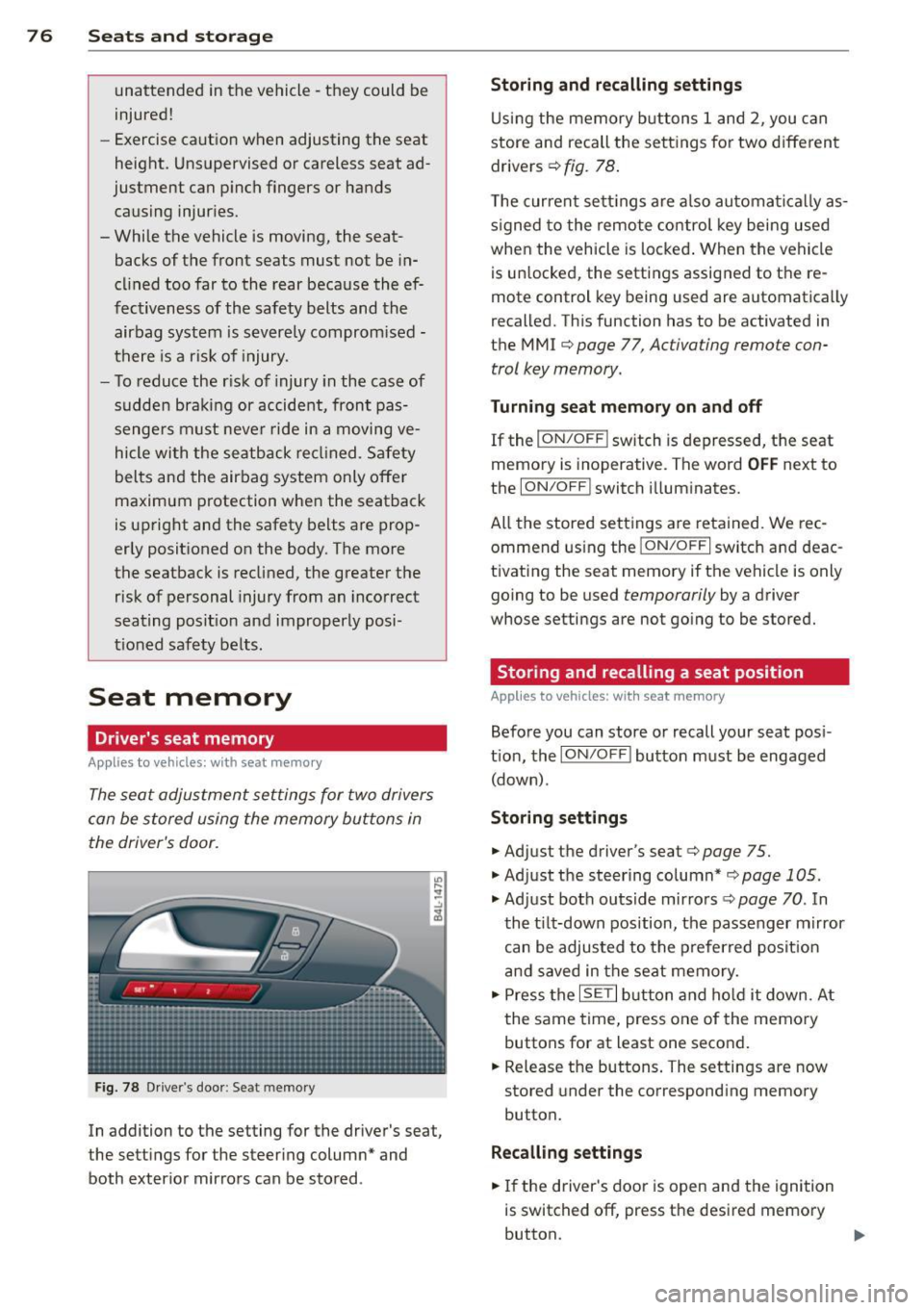
Fig. 78 Driver's door : Seat memory
In addition to the setting for the driver's seat,
the settings for the steering column* and
both exterior mirrors can be stored .
Storing and recalling settings
Using the memory buttons 1 and 2, you can
store and recall the settings for two different
drivers¢
fig. 78.
The current settings are also automatically as
signed to the remote control key being used
when the vehicle is locked. When the vehicle
is unlocked, the settings assigned to the re
mote control key being used are automatically
recalled. This function has to be activated in
the MMI ¢
page 77, Activating remote con
trol key memory.
Turning seat memory on and off
If the I ON/OFF I switch is depressed, the seat
memory is inoperative. The word
OFF next to
the
ION/OFF ! switch illuminates.
All the stored settings are retained. We rec
ommend using the
ION/OFF I switch and deac
tivating the seat memory if the vehicle is only
going to be used
temporarily by a driver
whose settings are not going to be stored.
Storing and recalling a seat position
Applies to vehicles: with seat memory
Before you can store or recall your seat posi
tion, the
ION/OFF I button must be engaged
(down) .
Storing settings
.,. Adjust the driver's seat¢ page 75 .
.,. Adjust the steering column*¢ page 105 .
.,. Adjust both outside mirrors¢ page 70. In
the tilt-down position, the passenger mirror
can be adjusted to the preferred position
and saved in the seat memory .
.,. Press the
ISETI button and hold it down. At
the same time, press one of the memory
buttons for at least one second .
.,. Release the buttons. The settings are now
stored under the corresponding memory
button.
Recalling settings
.,. If the driver's door is open and the ignition
is switched off, press the desired memory
button.
...