steering AUDI Q7 2015 Owner´s Manual
[x] Cancel search | Manufacturer: AUDI, Model Year: 2015, Model line: Q7, Model: AUDI Q7 2015Pages: 350, PDF Size: 86 MB
Page 106 of 350
![AUDI Q7 2015 Owner´s Manual 104 Warm and cold
Heated rear seats [i]
Applies to vehicles: with heated rear seats
The seat cushions and seatbacks of the two
outer rear seats can be heated electrically.
Fig. 11](/img/6/40280/w960_40280-105.png "AUDI Q7 2015 Owner´s Manual 104 Warm and cold
Heated rear seats [i]
Applies to vehicles: with heated rear seats
The seat cushions and seatbacks of the two
outer rear seats can be heated electrically.
Fig. 11")
104 Warm and cold
Heated rear seats [i]
Applies to vehicles: with heated rear seats
The seat cushions and seatbacks of the two
outer rear seats can be heated electrically.
Fig. 117 Center console rear: Heated seats
lo
=" ..,
---- ------- ------,,;g
Fig. 118 Center console rear: Seat heating with fou r
zone automatic comfort
a ir cond it io nin g*
Rear seat heating
.. Rotate the thumb wheel ¢fig. 117 @to
turn on and adjust the heating for the left
rear seat .
• Rotate the thumb wheel ® to turn on and
adjust the heating for the r ight rear seat .
Rear seat heating with four- zone
automatic comfort air conditioning*
.. Press the~ button. ¢fig. 118 .
.. Rotate the regulator to the desired setting .
In position O the heating for the seats is
turned off . The range of adjustment is be
tween 1 and 6.
A WARNING
Individuals with reduced sensitivity to pain
or temperature could develop burns when
using the seat heating function. To reduce
the risk of injury, these individuals should
not use seat heating.
(D Note
To avoid damage to the heating elements
in the seats, do not kneel on the seats or
place heavy loads on a small area of the
seat.
Steering wheel heating~
Applies to vehicles: wit h stee ring wheel heat ing
The steering wheel can be heated electrically.
Fig . 1 19 Stee ring whee l: button for steer ing w heel
h e atin g
.. Press the [ii button to turn the steering
wheel heating on and off
¢fig. 119 . The
message
Steering wheel heating on ! or
Steering wheel heating off! appears in the
instrument cluster disp lay.
A nearly constant temperature is maintained
when the steering wheel heating is switched on.
T he last setting se lected for the steering
whee l heating (on or off) is automatically
saved when the vehicle is shut off and is as
s igned to the remote key .
Page 107 of 350
M
"' 0 ..J
"". rl I.O
"' rl
"' rl
On the road
Steering
Manually adjustable steering wheel
Applies to vehicles: with manu ally adjustable steering
w hee l
The height and reach of the steering wheel
can be adjusted.
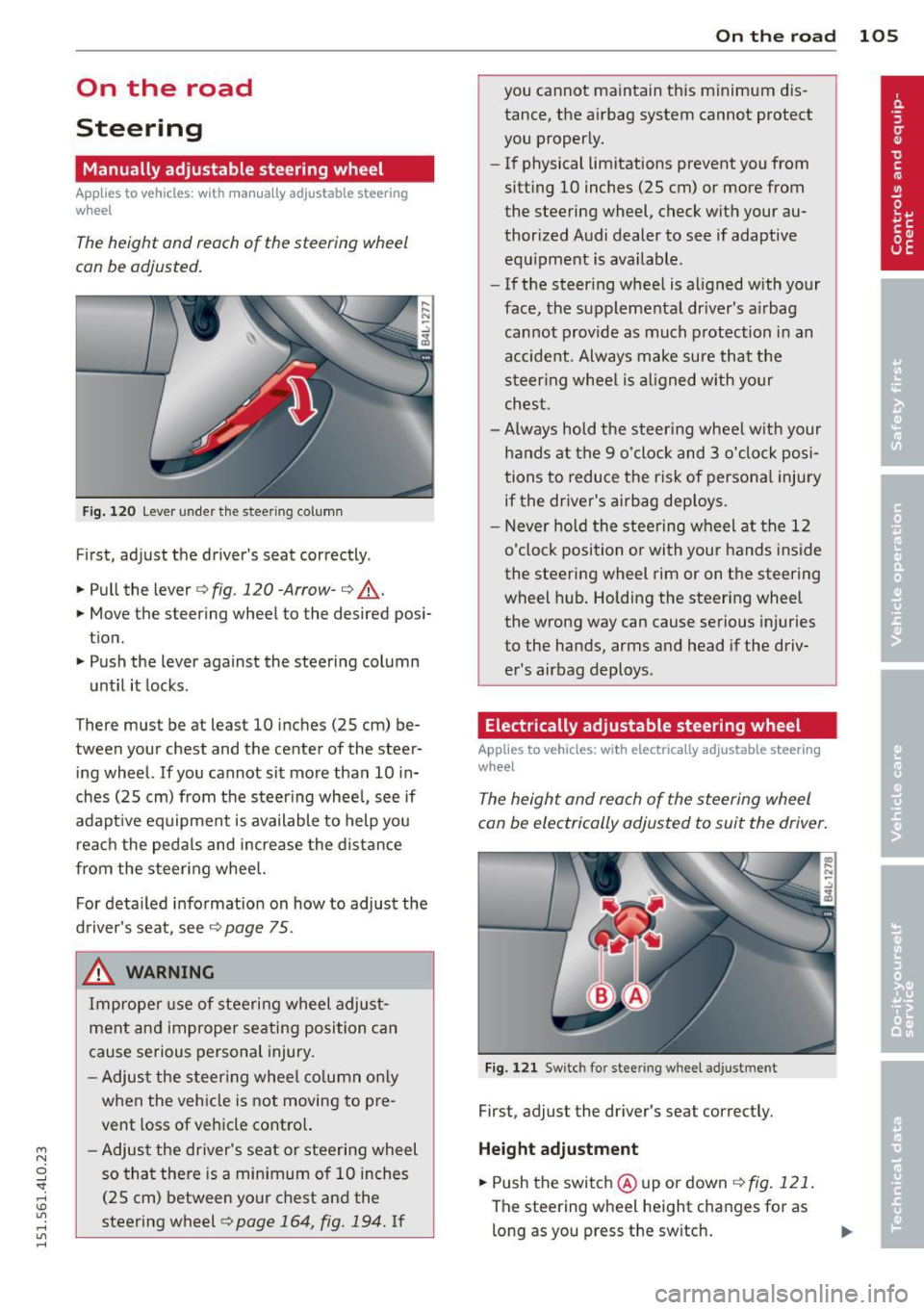
Fig. 120 Lever under the steer ing column
First, adjust the driver's seat correctly .
.. Pull the lever
q fig. 120 -Arrow-q ,A.
.. Move the steering wheel to the desired posi
tion.
.. Push the lever against the steering column
until it locks.
There must be at least 10 inches
(25 cm) be
tween your chest and the center of the steer
ing wheel.
If you cannot sit more than 10 in
ches
(25 cm) from the steering wheel, see if
adapt ive equipment is available to help you
reach the pedals and increase the distance
from the steering whee l.
For detailed information on how to adjust the
driver's seat, see
¢page 75 .
& WARNING
Improper use of steering wheel adjust
ment and improper seating position can
cause serious personal injury.
- Adjust the steering wheel column only
when the veh icle is not moving to pre
vent loss of vehicle control.
-
- Adjust the driver's seat or steering wheel
so that there is a minimum of 10 inches
(25 cm) between your chest and the
steering wheel ¢
page 164, fig. 194. If
On the road 105
you cannot maintain this minimum dis
tance, the airbag system cannot protect
you properly.
- If physical limitations prevent you from
sitting 10 inches
(25 cm) or more from
the steering wheel, check with your au
thorized Audi dealer to see if adaptive
equipment is available.
- If the steering wheel is aligned with your
face, the supplemental dr iver's a irbag
cannot provide as much protection in an
accident. Always make sure that the
steering wheel is aligned with your
chest.
- Always hold the steer ing wheel w ith your
hands at the 9 o'clock and 3 o'clock posi
tions to reduce the risk of personal injury
if the driver's airbag dep loys .
- Never hold the steering wheel at the 12
o'clock position or with your hands inside
the steering wheel rim or on the steering
wheel hub . Holding the steering wheel
the wrong way can cause serious injuries
to the hands, arms and head if the driv
er's airbag deploys.
Electrically adjustable steering wheel
App lies to vehicles: with electrically adjustable steering
w heel
The height and reach of the steering wheel
can be electrically adjusted to suit the driver.
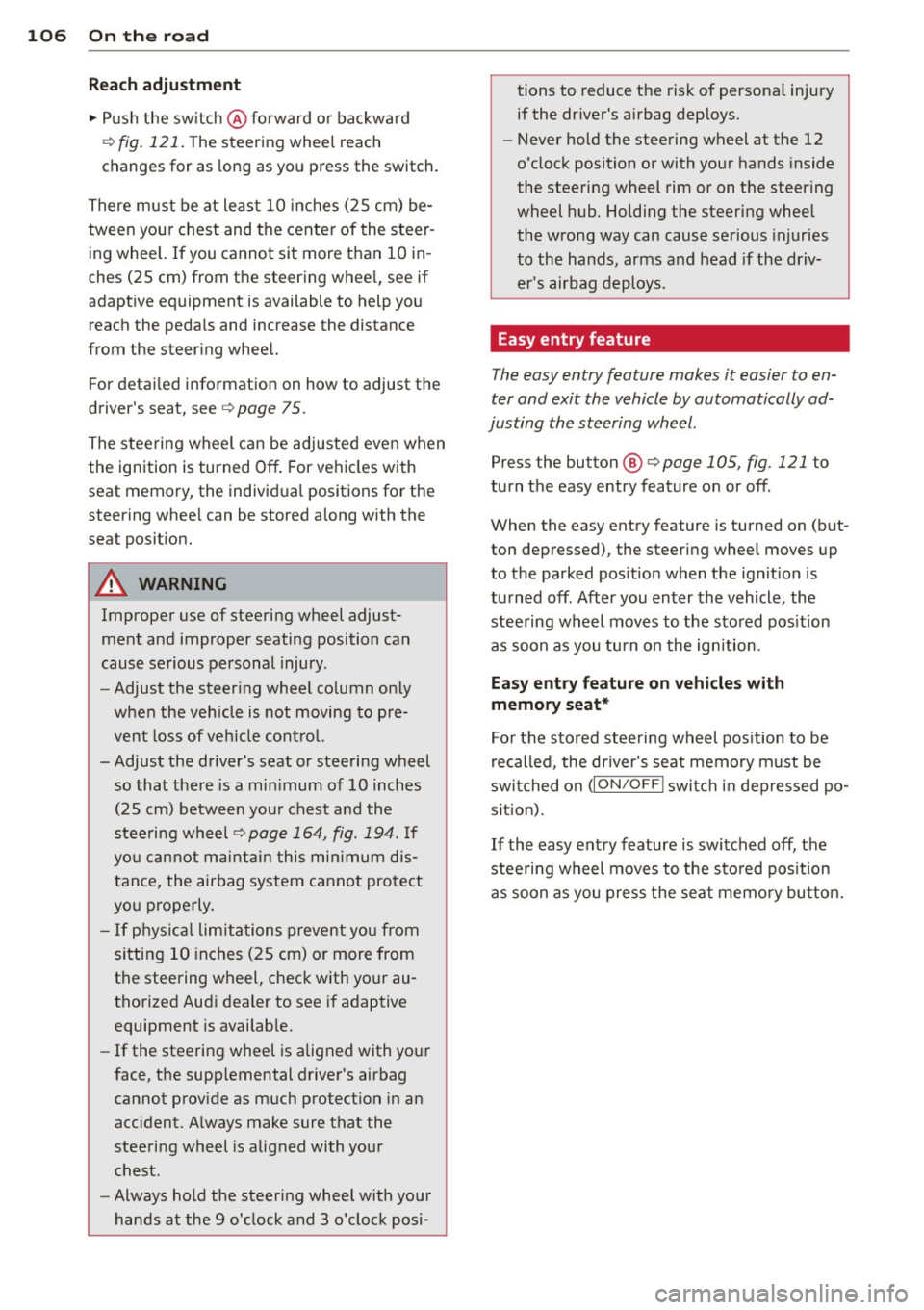
Fig. 121 Switch for stee ring wheel adjustment
First, adjust the driver's seat correctly.
Height adjustment
.. Push the switch @ up or down <=> fig. 121 .
The steering wheel height changes for as
long as you press the sw itch.
Page 108 of 350
106 On the road
Reach adjustm ent
.. Push the sw itch @ forward or backward
¢
fig. 121 . The steering whee l reach
changes for as long as yo u press the switch.
There must be at least 10 inches (25 cm) be
tween you r chest and the center of the steer
ing wheel. If you cannot sit more than 10 in
ches (25 cm) from the steering whee l, see if
adaptive equipment is available to help you
reach the pedals and increase the distance
from the steer ing wheel.
F or detai led informat ion on how to adjust the
driver's seat, see¢
page 75.
The stee ring wheel can be adjusted even when
the ignition is turned
Off. For ve hicles with
seat memory, the individ ual positions for the
steering whee l can be stored along with the
seat posit ion.
A WARNING
Improper use of steering wheel adjust
ment and improper seating position can
cause se rious personal injury.
- Adjust the steer ing whee l co lumn on ly
when the veh icle is not moving to pre
vent loss of veh icle contro l.
- Adjust the driver's seat or steering wheel so that the re is a min imum of 10 inches
(25 cm) between your chest and the
steering wheel¢
page 164, fig . 194. If
yo u cannot ma intain this min imum d is
tan ce, the airbag system c annot pro tect
yo u properly.
- If phys ica l limitations prevent yo u from
sitting 10 inches (25 cm) or more from
the steering wheel, check with your au
tho rized Audi dea le r to see if adaptive
equipment is availab le.
- If the steering wheel is aligned with your
face, the supp lemental driver's airbag
cannot prov ide as much protect ion in an
acc ident. A lways make sure that the
steeri ng wheel is aligned with your
chest.
- Always hold the steering wheel with your
hands at the 9 o'clock and 3 o'clock posi- tions to reduce the risk of persona
l injury
if the dr iver's airbag dep loys .
- Never hold the steering wheel at the 12
o'clock position or with your hands inside
the steering wheel rim or on the steering
wheel hub. Holding the steering wheel
the wrong way can cause serious injuries
to the hands, arms and head if the driv
er's airbag deploys.
Easy entry feature
The easy entry feature makes it easier to en
ter and exit the vehicle by automatically ad
justing the steering wheel.
Press the button @¢ page 105, fig. 121 to
turn the easy entry feature on or
off.
When the easy entry feature is turned on (but
ton depressed), the steering wheel moves up
to the parked pos ition when the ignit ion is
turned
off. After you enter the vehicle, the
stee ring wheel moves to the stored pos it ion
as soon as you tu rn o n the ignition.
Easy ent ry feature on vehicles w ith
memory seat*
For t he stored steering wheel pos ition to be
re called, the dr iver's seat memory m ust be
swi tched on
(ION/OF F I swi tch in dep ressed po
s it ion).
If the easy ent ry feature is switched
off, the
stee ring wheel moves to the sto red pos ition
a s soon as you press the sea t memo ry bu tton.
Page 109 of 350
M
"' 0 _,
"". rl I.O
"' rl
"' rl
Ignition lock and ignition switch
Ignition key positions
The engine con be started or turned off with
the ignition key.
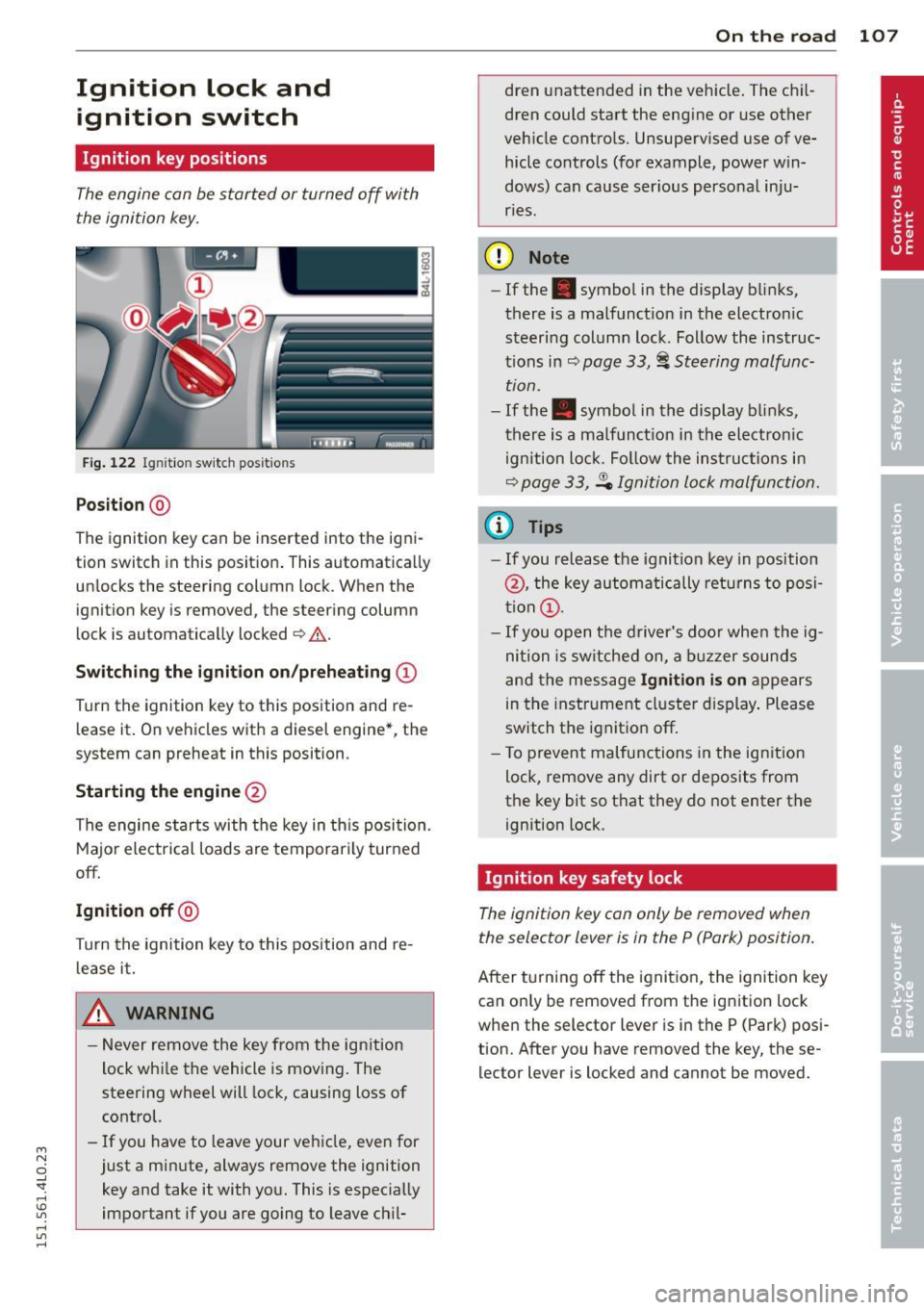
Fig. 122 Igni tion switch pos it io n s
Position @
The ignition key can be inserted into the igni
tion switch in this position . This automatically
unlocks the steering column lock . When the
ignition key is removed, the steering column
lock is automatically locked
Q .&. .
Switching the ignition on/preheating (D
Turn the ignition key to this position and re
lease it. On vehicles with a d iesel engine*, the
system can preheat in this position .
Starting the engine@
The engine starts with the key in this position.
Major electrical loads are temporarily turned
off.
Ignition off@
Turn the ignition key to this position and re
lease it.
A WARNING ,~ ~
- Never remove the key from the ign ition
lock whi le the vehicle is moving. The
steering wheel will lock, causing loss of
control.
- If you have to leave your vehicle, even for
just a minute, always remove the ignition key and take it with you. This is especially
important if you are going to leave chil-
On the road 107
dren unattended in the vehicle. The chil
dren could start the engine or use other
vehicle controls. Unsupervised use of ve
hicle controls (for example, power win
dows) can cause ser ious personal inju
ries.
(D Note
- If the . symbol in the display blinks,
there is a malfunction in the electronic
steering column lock . Follow the instruc
tions in
Q page 33, i Steering malfunc
tion .
-If the . symbol in the display blinks,
there is a malfunct ion in the electronic
ignition lock. Fol low the instructions in
Q page 33, .Pe Ignition lock malfunction.
a) Tips
-If you release the ignition key in position
@, the key automatically returns to posi
tion (!).
- If you open the driver's door when the ig
nition is sw itched on, a buzzer sounds
and the message
Ignition is on appears
in the instrument cluster display. Please
switch the ignition off.
- T o prevent malfunctions in the ign ition
lock, remove any dirt or deposits from
the key bit so that they do not enter the
ignition lock.
Ignition key safety lock
The ignition key con only be removed when
the selector lever is in the P (Pork) position.
After turning off the ignition, the ignition key
can only be removed from the ignition lock
when the selector lever is in the P (Park) posi
tion. Afte r you have removed the key, these
lector lever is locked and cannot be moved.
Page 111 of 350
M
"' 0 ..J
"". rl I.O
"' rl
"' rl
-The brake booster and servotronic on ly
work when the engine is running. With
the ignition turned off, you have to apply
more force when steering or braking .
S ince you cannot steer and stop normal
ly, this can lead to accidents and ser ious
injuries.
- The rad iator fan can continue to run for
up to 10 min utes even after you have
turned off the engine and removed the ign ition key. The radiator fan can also
turn on again if the engine coolant heats
up because of intense sunlight or heat
build -up in the engine compartment.
«I) Note
Do not stop the engine immed iate ly after
hard or extended dr iving. Keep the engine
running for approximately two minutes to
prevent excessive heat build-up .
Starting and stopping
the engine with
Convenience key
Starting the engine with the~
button
App lies to vehicles: with Convenie nce key
This bu tton swi tches on the ign ition and
starts the engine .
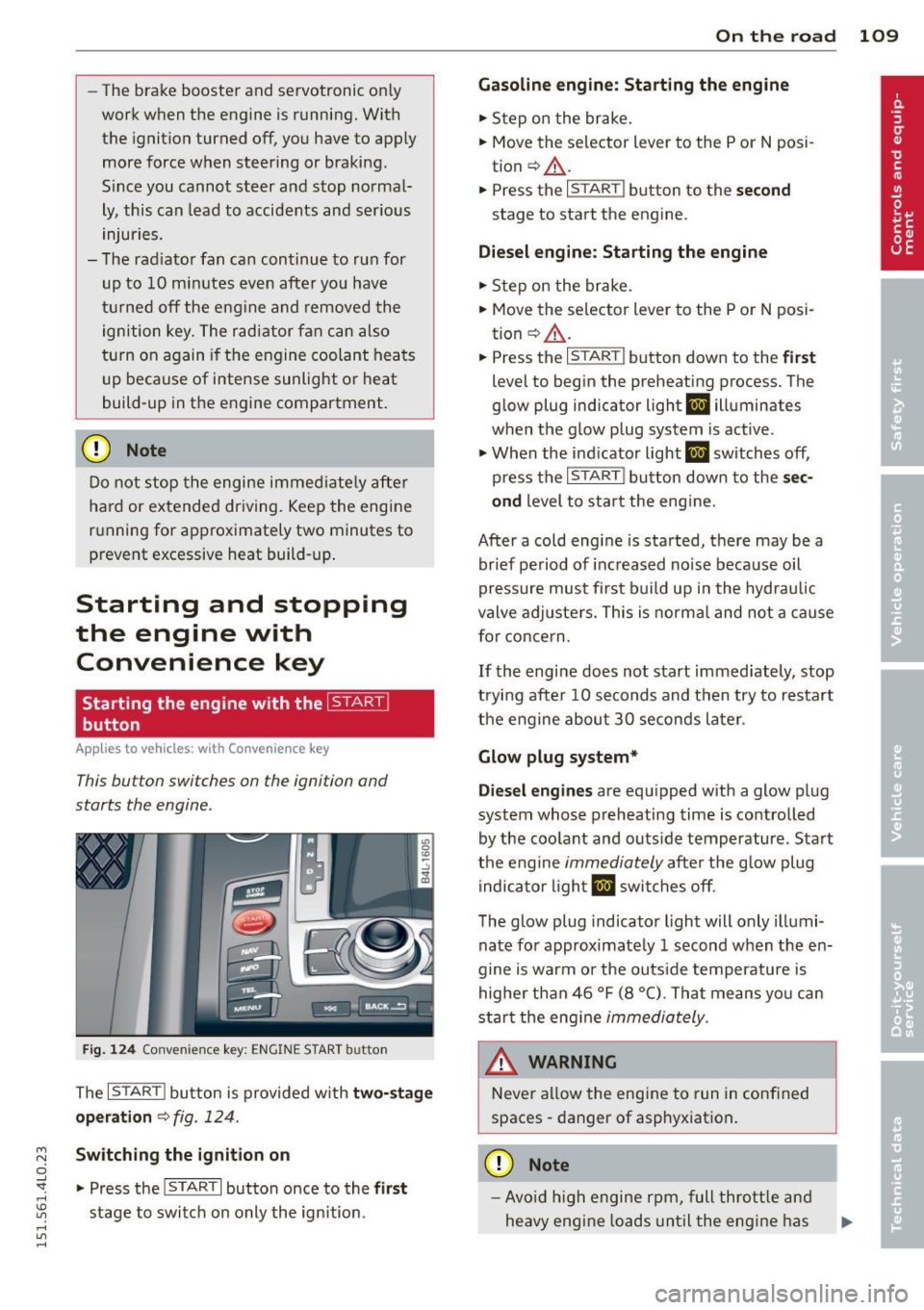
Fig. 124 Co nvenie nce k ey: ENG INE START b utton
The I STAR T! button is provided w ith two -sta ge
o p era tion
¢ fig. 124.
Sw itching the ignition on
.. Press the !STAR T I button once to the firs t
stage to switch on only the ign ition .
On th e road 109
Gasoline eng in e: St arting the engine
.. Step on the brake.
.. Move the s elector lever to the P or N posi
tion ¢.&, .
.. Press th e
r:: 1s =T:--:- A=RT= i button to the secon d
stage to start the engine .
Diesel en gine : Starting the engine
.. Step on the brake.
.. Move the selector lever to the P or N posi
tion ¢.&, .
.. Press th e
r:: 1s =T A c:--=RT= I button down to the first
level to begin the preheating process . The
glow plug indica tor light
II illum ina tes
when the glow plug sy stem is active .
.. When the ind icator light
II switches off,
press the
I ST ART ! button down to the se c
ond
level to star t the eng ine .
After a cold engine is started, there may be a br ief period of inc reased no ise because oil
pressure must first build up i n the hydraulic
valve adjuste rs. This is norma l and not a cause
for concern .
If the engine does not start immediately, stop
trying after 10 seconds and then try to restart
the engine abou t 30 seconds later .
Glow plug system*
Die sel engines
are equ ipped with a glow plug
system whose preheating time is controlled
by the coo lant and outs ide temperature . Start
the engine
immediately afte r the glow plug
indicator light
II swi tches off .
The glow plug indicator light will only illumi
nate fo r approximate ly 1 second when the en
gine is warm or the outs ide temperature is
highe r than 46 °F (8 °C) . That means yo u can
start the eng ine
immediately .
WARNING
Never allow the engine to run in confined
spaces -danger of asphyxiation .
(D Note
-Avo id h igh engine rpm, full thrott le and
heavy engine loads until the eng ine has
Page 112 of 350
110 On the road
reac hed o per ating temperature -other
wise you risk engine damage.
- The eng ine cannot be started by pushing
or towing the vehicle.
@ For the sake of the environment
Do not allow the engine to warm up with
t he vehicle stationary. Start driving right
away . In th is way you avoid unnecessary
emissions.
@ Tips
If you open the drive r's door when the ig
nition is switched o n, a buzze r sounds and
the message
Ignition is on appears i n the
instrument cluster disp lay. Please switch
the ignition off.
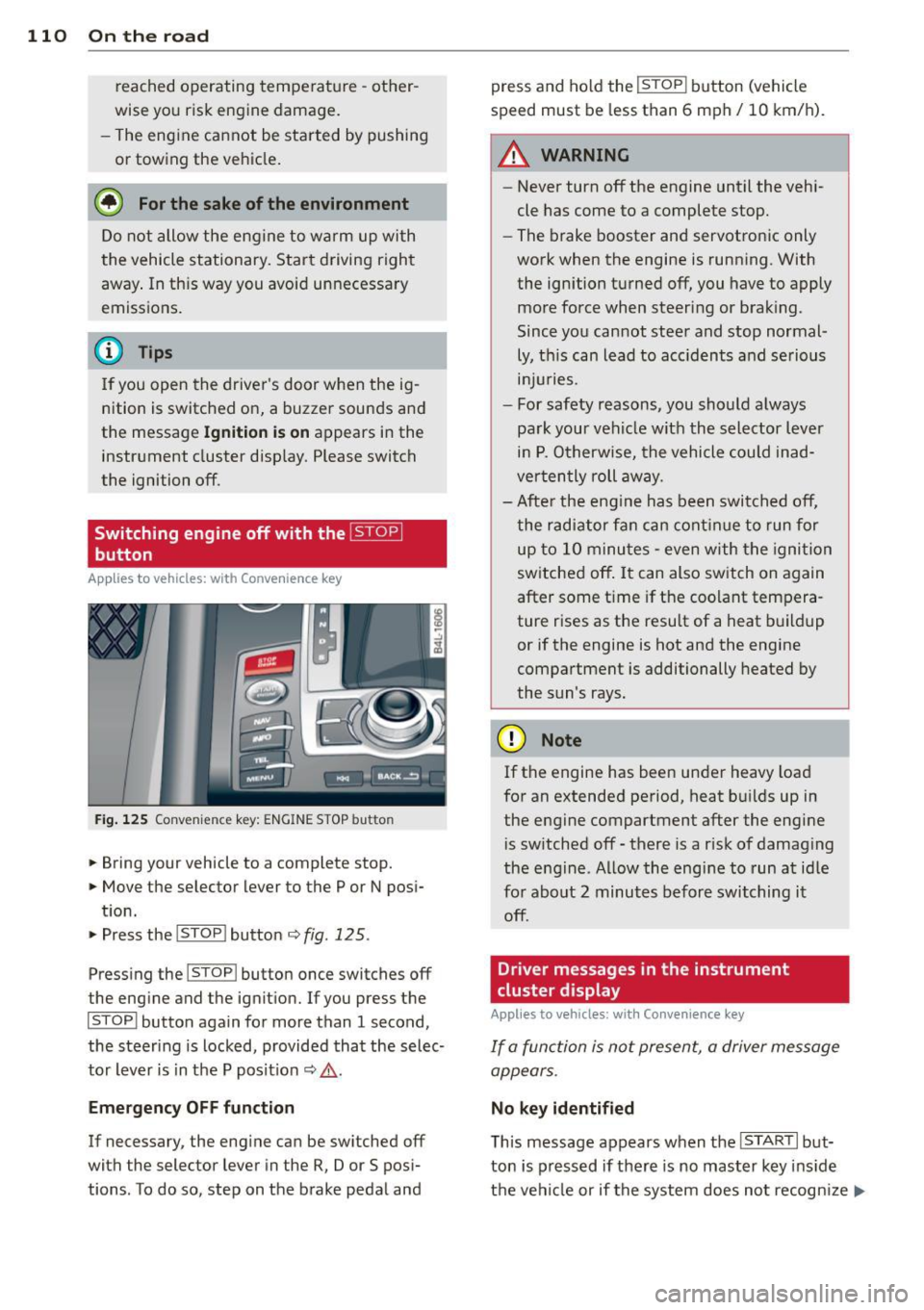
Switching engine off with the~
button
App lies to veh icles: wit h Co nvenience key
Fig . 125 Convenience key: ENGINE STOP button
.. Bring your vehicle to a complete stop.
.. Move the selector lever to the P or N pos i-
t ion.
.. Press the
!STOP ! button c;, fig. 125.
Pressing the ! STOP ! button once switches off
the eng ine and the ignition. If you press t he
!STOPI button again for more than 1 second,
the steering is locked , provided that the selec
tor lever is in t he P pos it ion
c;, & .
Emergency OFF function
If necessary, the eng ine can be sw itched off
with the selector lever in the R, Dor S posi
tions . To do so, step on the brake pedal and press and ho
ld the
! STOP ! button (vehicle
speed must be less than 6 mph/ 10 km/h).
.&_ WARNING
-
- Never turn off the engine until the vehi-
cle has come to a complete stop.
- The brake booster and servotronic only
work when the engine is running. With
the ignition turned off, you have to apply mo re force when steeri ng or brak ing.
Since you cannot stee r and stop normal
ly, t his can lead to acc idents and se rious
. . . in Juries.
- For safety reasons, you sho uld a lways
pa rk your vehicle wit h the selector lever
in P. O therwise, the vehicle could inad
ver ten tly roll aw ay.
- Afte r the eng ine has been switch ed off,
t he r adi ator fa n can cont in ue to run f or
up to 10 minu tes -even with the igni tion
switched off . It can also switch on again
after some t ime if the coolant tempera
ture rises as the resu lt of a heat b uildup
or if the engine is hot and the engine
compartment is additionally heated by
the sun's rays.
(D Note
If the engine has been under heavy load
for an extended pe rio d, heat b uilds up in
the engine compartment after the engi ne
i s sw itched off -there is a r isk of damag ing
the e ngine. A llow the engi ne to run a t id le
fo r about 2 minutes before switching it
off .
Driver messages in the instrument
cluster display
Applies to veh icles: w it h Co nvenience key
If a func tion is not present, a driver message
appears.
No key identified
T his message appears when the I STAR T I but-
ton is pr essed if there is no master key ins id e
the vehi cle or if the system does not recogn ize
IJ,-
Page 113 of 350
M
"' 0 ..J
"". rl I.O
"' rl
"' rl
it. For example, the master key cannot be rec
ognized if it is covered by an object (e.g. alu
minum brief case) which
screens the radio s ig
nal. Electronic devices such as cell phones can
also interfere with the radio signal.
Press brake pedal to start engine
This message appears if you press the I START !
button to start the engine and do not depress
the brake pedal. The engine can only be start
ed if the brake pedal is depressed .
Engage Nor P to start engine
This message appears when the engine is
started if the selector lever for the automatic
transmission is not in the P or N position. The
engine can only be started with the selector in
these positions.
!I Key not in vehicle
This message appears along with the !J! sym
bol if the master key is removed from the ve
hicle with the engine running .
It is intended
to remind you (e.g. when changing drivers) not to continue the journey without the mas
ter key .
If the master key is no longer in the vehicle,
you cannot switch off the ignition after stop ping the engine and you also cannot start the
engine again. Moreover, you cannot lock the
veh icle from the outside with the key.
Shift to P otherwise vehicle can roll away.
Doors do not lock if you are not in P.
This message appears for safety reasons
along w ith a warning buzzer if the selector
lever for the automatic transmission is not in
the P pos ition when the ignit ion is switched
off with the
ISTOPI button and the dr iver's
door is opened. Move the se lector lever to the
P position, otherwise the vehicle is not se
cured against rolling away . You a lso cannot
lock the vehicle using the lock ing button on
the door hand le or using the remote key.
On the road 111
To engage steering lock, press and hold
STOP button
This message appears for safety reasons if the
engine and the ignition have been switched
off by pressing the
I STOPI button once, and
then the driver's door is opened. In this in
stance, the steering is not locked . The steer
ing is locked:
- If you press the
IS TOPI button again for
more than 1 second.
- If you close the driver's door and lock your
veh icle from the outside.
Parking brake
Operation
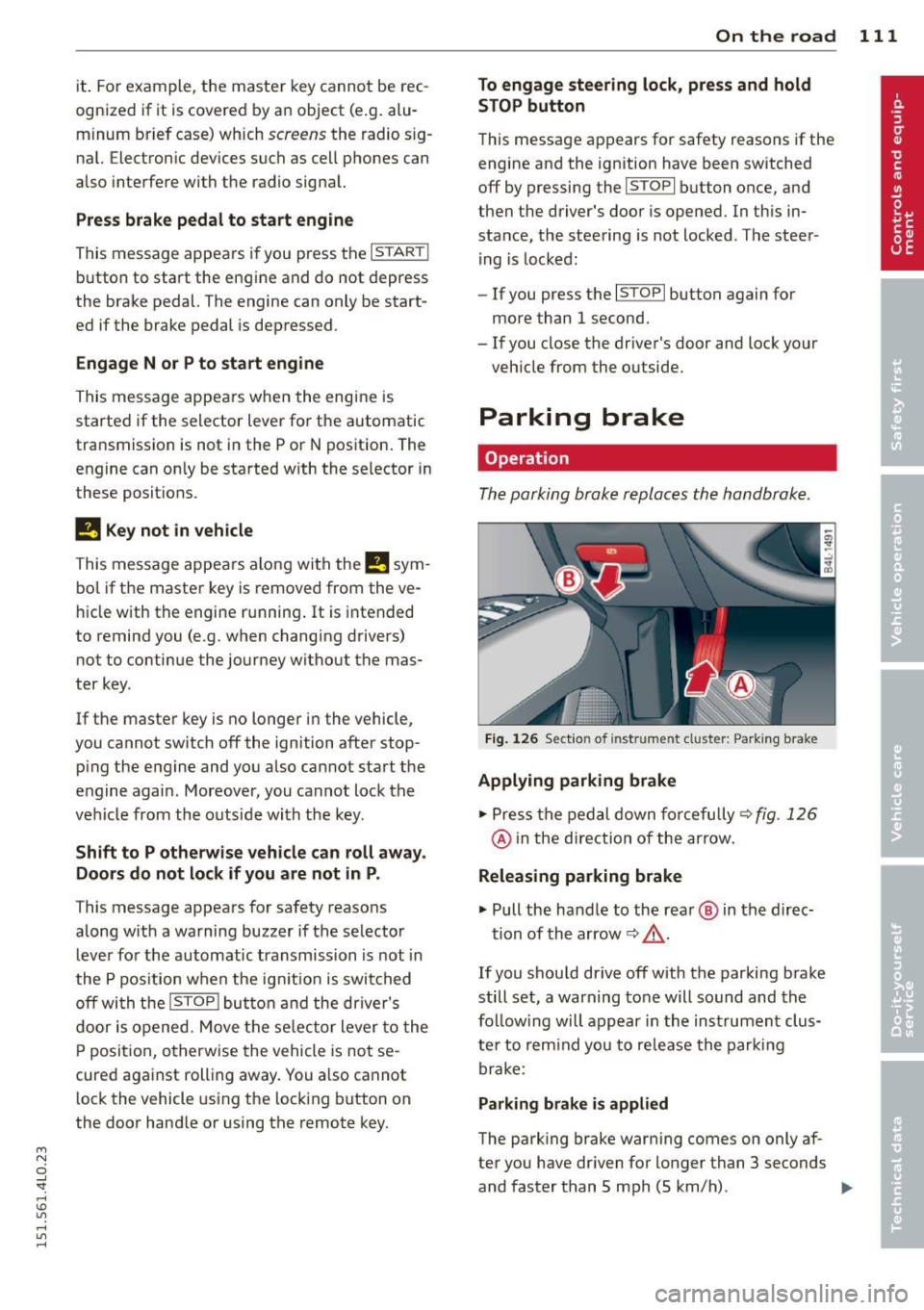
The parking brake replaces the handbrake .
Fig. 126 Section of inst rument clust er: Pa rking brake
Applying parking brake
.,. Press the pedal down forcefully~ fig. 126
@ in the direction of the arrow.
Releasing parking brake
.,. Pull the handle to the rea r@ in the direc-
tion of the arrow
~ _&. .
If you should drive off with the parking brake
still set, a warning tone will sound and the
fo llow ing will appear in the instrument clus
te r to remind you to release the parking
brake:
Parking brake is applied
The park ing brake warning comes on only af
ter you have dr iven for longer than 3 seconds
and faster than 5 mph (5 km/h) . .,._
Page 117 of 350
M
"' 0 ..J
"". rl I.O
"' rl
"' rl
Adaptive cruise control Speed and distance
control system
Description
Applies to vehicles: with adaptive cruise cont rol
The adaptive cruise control driver assistance
program is a combined speed and distance
control system .
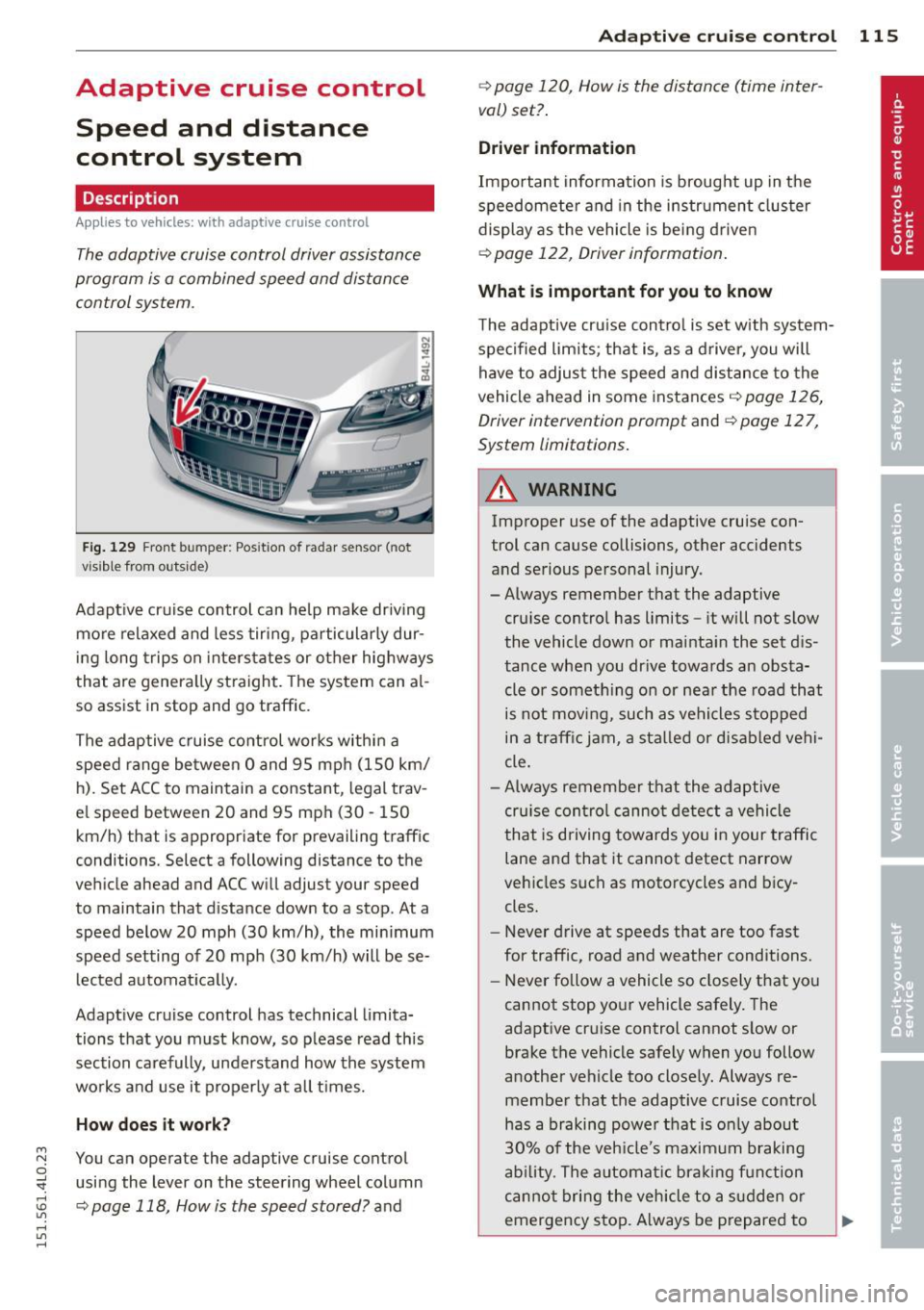
Fig . 12 9 Fro nt bu mper: Pos itio n of r adar se nsor (not
v is ib le from out side)
Adapt ive cruise control can he lp ma ke driv ing
more relaxed and less tiri ng , particularly dur
in g long trips on inters tates or other hig hways
that are genera lly st raight. The sys tem can al
so ass ist in stop and go traffic .
The adap tive cruise co ntrol wor ks within a
spee d range be tween 0 and 95 mph (150 km/
h ). Set ACC to maintain a constant, legal trav
e l speed between 20 and 95 mph (30 -150
km/h) that is appropriate for prevailing traff ic
conditions. Select a following distance to the
veh icle ahead and ACC will adjust your speed
to maintain that d istance down to a stop . At a
speed below 20 mph (30 km/h), the min imum
speed setting of 20 mph (30 km/h) will be se l ected a utomati ca lly.
Adapt ive cruise control has technical limita
tions that you must know, so p lease read th is
section carefully , understand how the system
wo rks and use it properly at a ll times.
How does it work?
You can operate the adaptive cruise control
usi ng the lever on the steering wheel column
c::> page 118, How is the speed stored? and
Ad apti ve crui se control 115
c::> page 120 , How is the distance (time inter
val) set? .
Driver information
Important informa tion is broug ht up in the
speedomete r an d in the instr ument clus ter
display as the vehicle is being driven
c::> page 122, Driver informat ion .
What is important for you to know
The adaptive cru ise cont ro l is set w ith system
spe cified lim its; that is, as a driver, you will
have to adjus t the speed and d istance to the
vehicle ahead in some instances
c:> page 126,
Driver intervention prompt
and c::> page 12 7,
System limitations .
A WARNING
Improper use of the adaptive cruise con
trol can cause collisions, other accidents
and se rious personal injury.
- Always remember that the adaptive cru ise contro l has limits -it will not slow
the vehicle down or ma inta in the set d is
tance when you dr ive towards an obsta
cle or someth ing o n or nea r the road that
is not mov ing, such as ve hicles stopped
in a tra ffic jam, a sta lled or d is ab led vehi
cle.
- Always remembe r that the adaptive
cru ise con tro l canno t detect a vehi cle
that is driving towards yo u in your traff ic
lane and that it cannot detect narrow
veh icles s uch as motorcycles and bicy
cles.
- Never drive at speeds that are too fast
for traffic, road and weather conditions.
- Never follow a vehicle so closely that yo u
cannot stop yo ur vehicle safely . The
adaptive cr uise control cannot s low or
brake the vehicle safely when you follow
a nother vehicle too close ly. Always re
membe r that the adaptive cruise control
has a braking powe r th at is o nly about
3 0% of the veh icle 's maxim um braking
abil ity. T he a uto mat ic br ak in g f unctio n
canno t bri ng the veh icle to a s udden or
emergency sto p. Always be prepared to
-
Page 131 of 350

M N
0 ...J
'SI: ,...., \!) ..,.,
,...., ..,., ,....,
Audi braking guard
Description
Applies to vehicles: with a daptive cruise co ntrol
Audi braking guard warns you of a possible
collision with a moving vehicle up ahead .
Fig. 149 Display in the instrument cluster
The Audi braking guard is act ive from a speed
of app rox. 20 mph (30 km/h) and wor ks w ith
in the system limits¢
page 127 even when
the adaptive cruise contro l is deactivated .
A radar sensor is bu ilt into the front of the ve
h icle
¢page 116, fig. 130. The system is in
tended to measure the distance to reflect ive
surfaces .
If a measurement is not possible,
the system does not respond.
When the meas urement has been taken, the
system can recognize a possibly hazardous sit
uation, for example, whe n a vehicle up ahead
in your lane of trave l sudden ly brakes or when
your own vehicle is moving at high speed to wards a much slower vehicle up ahead . As
soon as the system senses that a possible col
lision with the vehicle up ahead can only be
avoided by immed iate full brake app lication or
by an avoidance maneuver, a warning appea rs.
The system has a defau lt response time to be
able to signal before a collision occurs. This
system response time is automat ica lly re
duced if you acce lerate actively, fo r example
to join a highway . B rak ing, tra nsverse acceler
ation and the steering ang le can lead to a re
duced system response time. The warning is
deactivated if you begin to overtake with full
acceleration .
Adapti ve crui se control 129
The system can make you aware o f two diffe r
ent hazardous situations:
Distance
T he distance warning is given if the system
ca lculates that there is not enough distance
to the vehicle up ahead a pe riod of more than
S seconds . If the distance is less than 30 feet
(9 meters) at SO mph (80 km/h), for examp le,
an optical display comes on in the instrument
cluster¢
fig. 149.
If the vehicle ahead brakes sharp ly, Audi brak
ing guard cannot help you to avoid a collision,
even in the case of an immediate response.
Take immed iate action to avoid the co llision
and increase the distance to the vehicle up
ahead.
Speed
If there is a much slower vehicle moving up
ahead in your lane, or if the vehicle ahead
brakes sharply, the Aud i brak ing guard calcu
lates the po int from which a collision can only
be avoided by full braking or by an avoidance
maneuve r. If a warning does sou nd, a poss ible
collision with the ve hicle in front can on ly be
avo ided th rough an evas ive maneuve r or by
braking.
T he warning is given in two stages :
-Pre -warning: A visual display appears in the
instrument cluster and a warning tone
sounds.
- Acute warning : If you do not respond to the
pre-warn ing, the second stage warning is
given. A quick brake application helps to di
rect your attention to the road and traffic
situat ion.
Under heavy braking, the brake ass istant
¢
page 116 also helps you benef it from maxi
mum brak ing eff ic iency.
A WARNING
I nattention can cause collisions, other ac
cidents and ser ious perso nal i nju ries.
Page 150 of 350
148 Parking sy stems
- The came ra lens en larges and distorts
the field of vision. The object appears
both a ltered and inaccurate on the
screen .
- In certa in s ituations, people or objects in
the display appear closer or further
away:
- objects th at do no t touch the gro und,
such as the bumper o f a parked vehicle,
a trailer hitch o r the rea r of a truck. Do
not use the help lines in this case.
- If driven from a leve l su rface onto an
incline, or a downward slope .
- I f driven toward protr uding objec ts.
- I f the veh icle is ca rrying too much load
in t he rear.
(D Note
-Always read and fo llow the applicab le
warnings
¢ (D in General information on
page 14 5.
- The o range colored orientation lines in
t h e M MI disp lay show t he ve hicl e path
depend ing o n the steering wheel angle .
The front of the vehicle fron t swings out
more than the rea r of the vehicle. Main
ta in p lenty of distance so that your o ut
s ide mirror or a corner of your veh icle
does not collide with any obstacles.
Switching on and off
A pplies to vehicles: with Audi parking system p lus w ith
rearview camera
F ig . 170 Ce nter co nsole: P"A b utto n
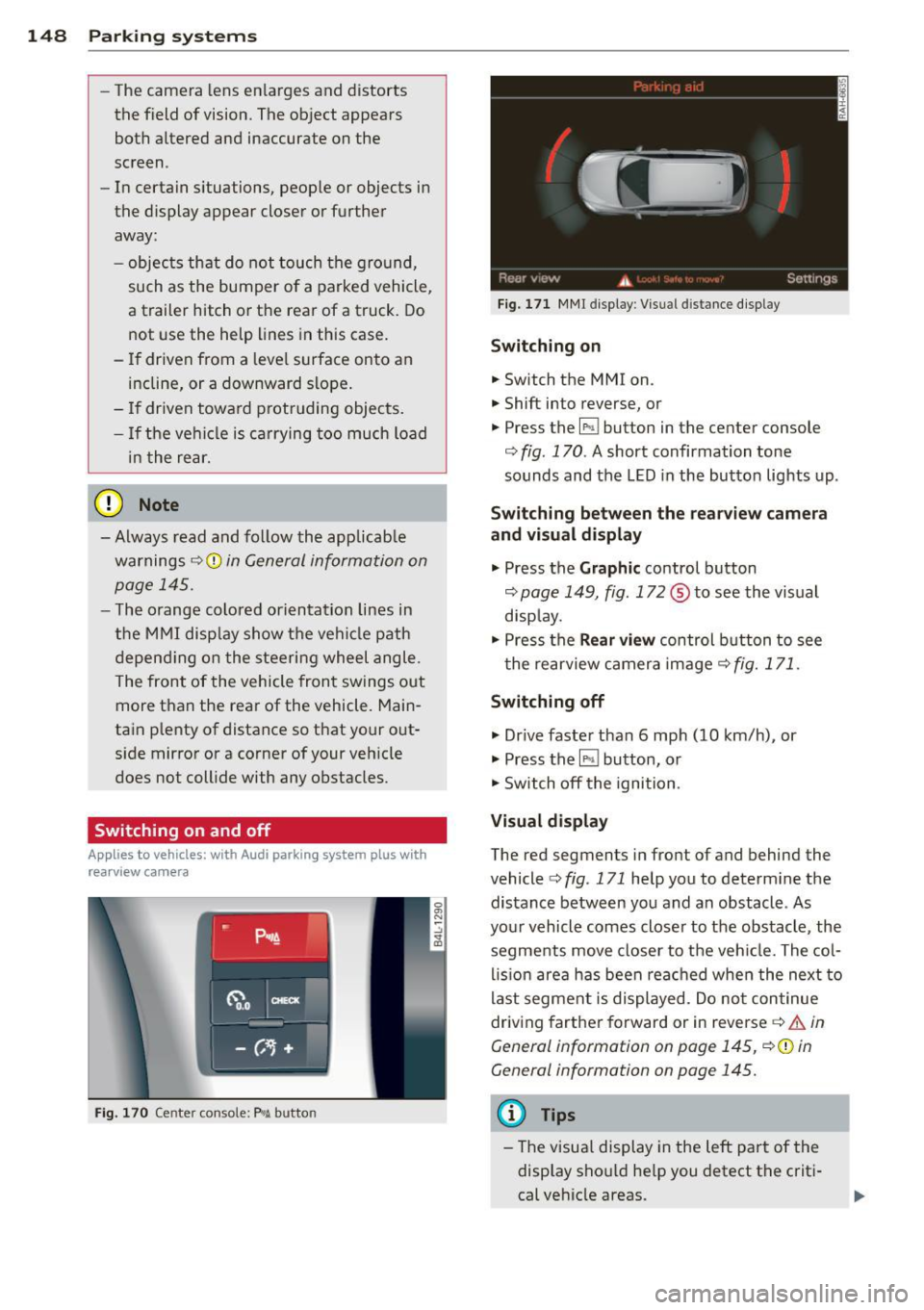
Fig . 17 1 MMI display : Visual distance d isplay
Switching on
.. Switch the MMI on .
.. Shift into reverse, or
.. Press the
l" •I button in the center console
co
fig. 170 . A short confirmation tone
sounds and the LED in the button lights up .
Switching between the rearv iew camera
and visual display
.. Press the Graphic control button
~ page 149, fig. 172 ® to see the vis ual
disp lay.
.. Press the
Rear vi ew control b utton to see
t he rearview c amera image ~
fig. 171.
Switching off
.. Dr ive faster than 6 mph (10 km/h) , or
.. Press the~ button, or
.. Switch off the ignition .
Visual displ ay
The red segments in front of and behind the
vehicle co
fig. 171 help you to determ ine the
distance between you and an obstacle . As
your vehicle comes closer to the obstacle , the
segments move closer to t he veh icle. The col
lis ion are a has been rea ched when the next to
last segment is displayed . Do no t continue
driving farther forward or in reverse co.&.
in
General information on page 145,
~ @ in
General information on page 145.
(D Tips
- The visua l display in the left part of the
disp lay sho uld he lp you detect t he crit i
cal ve hicle areas .