air condition AUDI Q7 2017 Owner´s Manual
[x] Cancel search | Manufacturer: AUDI, Model Year: 2017, Model line: Q7, Model: AUDI Q7 2017Pages: 402, PDF Size: 100.39 MB
Page 129 of 402

u (0 ...... N r--. N ...... 0
0
:E
Applies to: vehicles with Audi side assist
®
@
©
Fig. 121 Dr iving s ituatio ns
AUD I
Fig. 122 Rear of the vehicle: position of the senso rs
Side assist functions at speeds above approxi
mately 9 mph ( 15 km/h) .
@ Vehicles that are approaching
N
0
0
:i;
" al
In certain cases, a vehicle will be classified as
critical for a lane change even if it is still some
what far away. The faste r a veh icle approaches,
t he sooner the display in the exterio r mirror w ill
turn on.
@ Vehicles traveling with you
Vehicles traveli ng with you are ind icated in the
exte rior mi rror if they are classified as critical for
a lane change. All vehicles detected by side assist
Assistance systems
are indicated by the time they ente r your "blind
spot", at the latest.
© Vehicles you are passing
If you s low ly pass a vehi cle that side assist has
de tected (the difference in speed between the
vehicle and your vehicle is less than approximate
ly 9 mph (15 km/h)), the disp lay in the exterior
mirror turns on as soon as the vehicle enters your
blind spot.
T he display w ill not turn on if you quickly pass a
vehicle that side assist has detected (the differ ence in speed is greater than approximate ly 9
mph (15 km/h)) .
Functional limitations
The radar sensors are designed to detect the left
and right adjacent lanes when the road lanes are
the normal width. In some situations, the display
in the exterior mirror may turn on even though
there is no veh icle located in the area that is criti
cal for a lane change. For example :
- If the lanes are narrow or if your are driving on
the edge of your lane. If this is the case, the
system may have detected a vehicle in another lane that is
not adjacent to your current lane .
- If you are driving through a curve . Side assist
may react to a vehicle that is in the same lane
or one lane over from the adjacent lane .
- If side assist reacts to other objects (such as
roadside structures like guard rails).
- In poor weather conditions. The side assist
functions are limited.
Do not cover the radar sensors
c:> fig. 122 with
stickers, deposits, bicycle wheels or other ob
jects, because th is will impair the function . Do
not use s ide assist when towing a trai ler. For in
formation on cleaning, see
c:> page 354.
A WARNING
-- Always pay attention to traffic and to the
area around your vehicle . S ide assist cannot
replace a driver's attention. The driver alone
is always responsible for lane changes and
-
similar driving maneuvers . IJI,
127
Page 130 of 402

Ass is tan ce sys tems
-In some situations, the system may not
function or its funct ion may be limited. For
example:
- I f vehicles are approach ing or being left
behind very quickly. The display may not
turn on in time.
- I n poor weather conditions such as heavy
rain, snow or heavy mist.
- On very wide lanes, in tight curves, or if
there is a rise in the road su rface. Vehicles
in the adjacent lane may not be detec ted
because they are outside of the sensor
range.
@ Note
The sensors can be displaced by impacts o r
damage to the bumper, whee l housing and
underbody. This can impair the system . Have
an authorized Audi dealer or authorized Audi
Service Facility check their function.
(D Tips
- If the window g lass in the driver's doo r or
front passenger's door has been tinted, the
display in the exterior mirror may be incor
rect.
- For an explanation on conformity with the
FCC regulations in the United States and the
Industry Canada regulations, see
c::> page384.
Switching on/off
Applies to: veh icles with Audi side assist
The system can be switched on/off in the Info
tainment system.
If the system is activated, the displays in the ex
ter ior mirrors will turn on briefly when the ign i
tion is sw itched on .
.,. Se lect in the Infotainment system:
IMENU I but
ton
> V ehicle > left contro l button > Driver a s
sistance
> Audi side ass ist . Off switches the
system off.
128
(D Tips
When you switch side assist on or off, the ex it
warning system activates or deact ivates
c::> page 129.
Setting the display brightness
Applies to: vehicles with Audi side ass ist
The display brightness con be adjusted in the In
fotainment system.
.,. Select in the Infotainment system : IMENU! but
ton
> V eh icle > left control button > Dri ver as
s ist ance
> Audi side a ssist.
The display br ightness adjusts au tomatically to
the brightness of the surroundings, both in the information and in the warni ng stage. In very
dark or very bright surroundings, the automatic
adjustment will set the display to the minimum or max imum level. In such cases, you may notice
no change when ad justing the br ightness, or the
change may only be noticeab le once the sur
r oundi ngs change.
Adjust the brightness to a level where the display
i n the information stage will not disrupt your
view ahead. If you change the br ightness, the dis
play in the exterior mirror w ill briefly show the
br ightness leve l in t he i nfo rmation stage . The
brightness of the warning st age is linked to the
brightness in the information stage and is adjust
ed a long with the information stage .
(D Tips
-Side ass ist is not a ctive while you are mak
ing the adjustment.
- Yo ur setti ngs are a utomat ica lly stored and
assigned to the remote control key being
used .
Page 137 of 402
u (0 ...... N r--. N ...... 0
0
:E
The air suspension* is an electronically-control
l ed air suspens ion and damping sys tem . The ad
justment depends on the driving mode selected, steer ing movements, the driver's braking and ac
celeration, and as the road surface, vehicle speed
and load. The vehicle ground clearance depends
on the mode selected and the speed .
The ground clearance increases s ignificantly
when the vehicle is in the
Allroad mode . At
speeds from approximately 50 mph (80 km/h) to
75 mph (120 km/h), the ground clearance re
duces in stages. When the speed decreases, the
ground clearance increases again automat ically .
The ground clearance is the lowest in
Dynamic
mode.
Steering
The power steering adapts. Ind irect steer ing that
moves easily as in
Comfort mode is especially
suited to long drives on highways. The
Dynamic
mode provides sporty, direct steering.
All-wheel steering*
All-wheel steer ing increases driving comfort by
providing addit ional steering ability at the rear
axle . Steer ing in the opposite d irection at low
speeds decreases the turning rad ius. Steering in
the same d irect io n at high speeds improves the
response time while increasing driving stability at
the same time .
Sport differential*
As a component of the all wheel drive system
(quattro)
~ page 152, the sport diffe rential dis
tributes the dr iv ing power to the rear axle de
pending on the situation. The distribution of
power varies depending on the selected mode
from moderate
( Comfort ) to sporty (Dynamic ).
The goal is a high level of agility and ability to ac
celerate on curves . The vehicle is very responsive
to steering.
Adaptive cruise control (ACC)*
The behavior when accelerating can be adjusted
from comfortab le to sporty, depending on the
drive select mode. Adaptive cruise control also
Assistance systems
responds to the driving behavior of the vehicle
ahead in a more conservative or sporty manner.
Engine sound*
T he eng ine sound adapts to the current mode
and can be subtle to sporty .
(D Note
Applies to: vehicles wi th air suspensio n
-Make sure there is enough clearance above
and below the vehicle when parking. The
height of the ve hicle (gro und clearance) can
change once it is parked due to temperature
fluctuations, changes to the load conditions
and changes to the dr iving modes.
- When transporting the vehicle on a car car
rier, train, ship or by other means, only tie
the vehicle down at the running surface of
the tires, which is the outer c ircumference.
Sec uring the vehicle at the axle compo
nents, suspension struts o r towing eyes is
not permitted because the pressure in the
air suspens ion struts can change during
transport. The vehicle may not be secured
sufficiently if this happens.
@ Tips
The S selecto r lever position automatically en
gages when the
Dynamic mode is selected .
Selecting the driving mode
Applies to: vehicles w ith Aud i dr ive select
~- ------ -
~
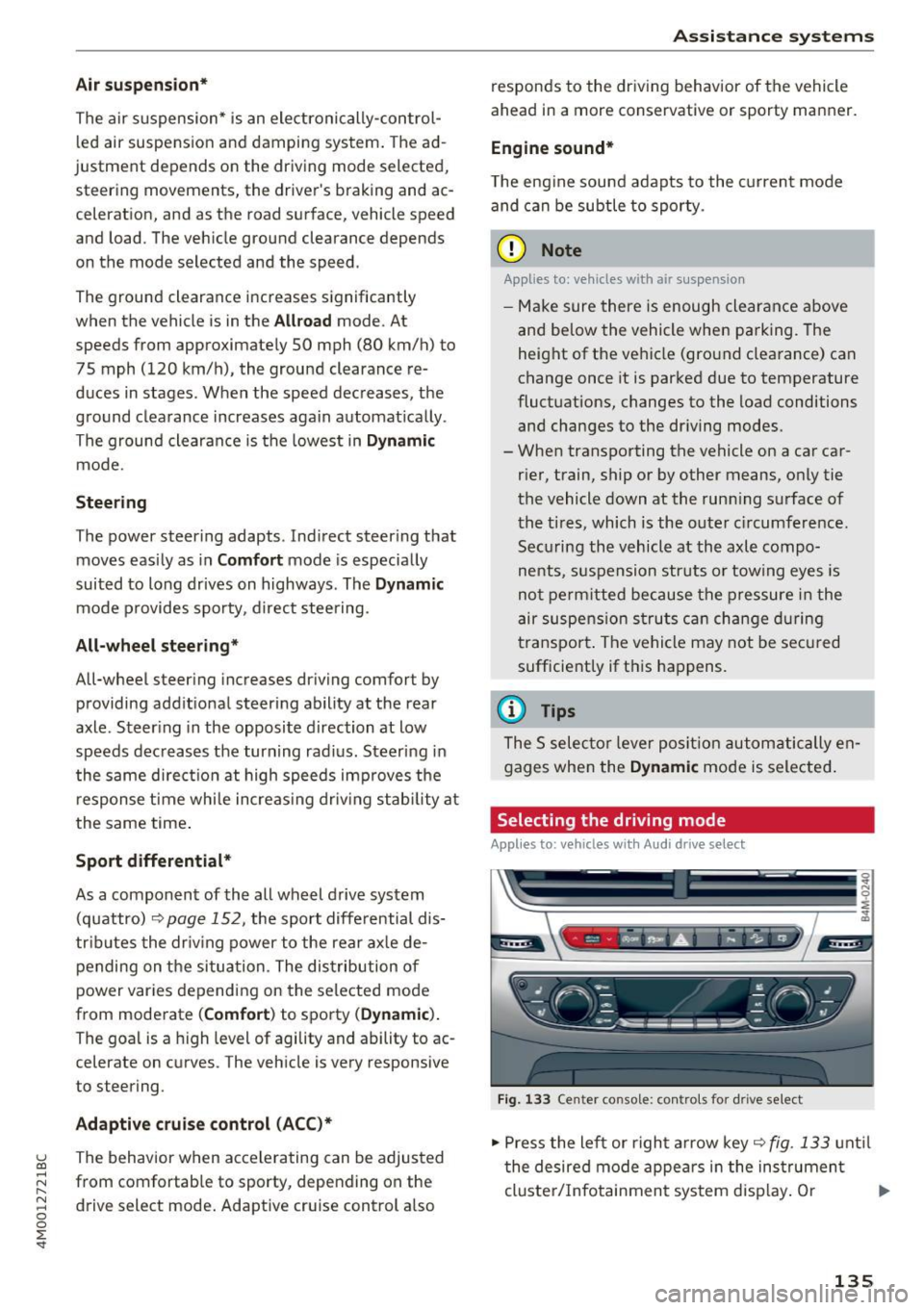
Fig. 133 Center console: co ntro ls for d rive select
.,. Press the left or right arrow key~ fig. 133 until
the desired mode appears in the instrument
cluste r/Infotainment system disp lay. Or
II>-
135
Page 153 of 402
u co ...... N r-... N ...... 0
0
:E: '
style.
Operating noise
Noises may occur when bra king depend ing o n the
speed, b raking force and ou ts ide cond itions su ch
as tempe rature and humidity.
W et conditions or road salt
In ce rtain s ituat ions, for example after dr iving
through water, in heavy ra in or afte r washing
your car, the bra king effect may be reduced due
to moisture or ice on t he b rake ro to rs and br ake
pads . The br akes mus t be "dried" f irs t with a few
careful brake applications .
At highe r speeds and with the windsh ie ld w ipers
turned o n, the br ake p ads press against the br ake
r otors for a short amoun t of time . This action,
which is not felt by the driver, happens at regular intervals and ens ures a better reaction time for
the brakes in wet weather.
The braking effe ct can also be reduced if you are
d riving on salted roads and you do not apply t he
brakes for long periods of time . The layer of salt
on the bra ke rotors and pads must be worn off
f irst when the brakes are app lied.
Cor rosion
L eaving the vehicle par ked for long pe riods of
time, low mi leage and avoiding heavy braking
can cont ribute to corrosion on the brake rotors
and to dirty brake pads.
If you usually avo id heavy b raking or if there is
corrosion present, occasional heavy braking at h igh speeds is recommended to clean the brake
rotors and pads¢
A.
Brake system malfunct ion
If yo u no tic e th at the brake peda l travel has sud
denly
increased, then a brake c ircuit in the dual
circuit brake system may have malfunctioned. Drive to an aut ho rized Aud i dea le r or a uth orized
Aud i Service Facility immediately to have the
problem corrected. On the way there, drive with
reduced speed and keep in mi nd that you w ill
need a longer dista nce to stop and you w ill need
to p ress the b rake pedal harde r.
Intellig ent Technology
Low brake fluid level
When the br ake fluid level is low, malfu nctions in
the brake system may occur . The brake fluid level
is electronically monitored .
Brake booster
The brake booster ampl ifies t he p ress ure you ap
ply to the brake pedal.
A WARNING
- Onl y ap ply the bra kes for the purpose o f
cleaning the brake sys tem when road and
traffic conditions permit. You must not en
danger other roa d users . This increases the
risk of an accident.
-
- Never let the ve hicle roll while the engine is
stopped because this increases the risk of an
accident.
(D Note
- Never let the brakes "rub" by pressing the
peda l lightly when braking is not actually
necessary. This causes the b rakes to over
heat and increases braking distance and
causes wear.
- Before driving downhill a long distance on a
steep hill, decrease your speed and select a
lower gear . This makes use of the engi ne
bra king effec t and relieves the brakes. If
you need to bra ke ad ditio na lly, bra ke in in
t erva ls and not continuously.
(D Tips
- If the brake boos ter is not work ing , you
must press t he b rake peda l w ith much more
force than normal.
- If you retrofit your vehicle with a front s po il
er, wheel covers or sim ila r i tems, make su re
t ha t the air flow to the fro nt wheels is n ot
i nt errup ted. Otherwise t he b rake system
c an become too hot .
151
Page 197 of 402

u co ...... N r-... N ...... 0
0
:E: '
See ¢ page 250.
Licen se sub scr ipt ion
The val idity and expirat ion date of your licenses
are displayed . When the function is switched on
~, the message
Warning befor e subscription
e xpire s
will display to warn you that your license
is about to expire.
Refre sh
The content of the selected Audi connect Info
tainment service o r the entire Audi connect (Info
tainment) list is updated.
Wi-Fi hotspot
A ppl ies to: ve hicles with Wi -F i h otspot
You can use the MMI as a Wi-Fi hotspot to con
nect up to eight Wi-Fi devices to the Internet.
While driving, restricted use of unsecured, light,
small wireless devices is only possible from the
rear of the vehicle.
Requirement: the ignition must be switched on.
.,. Se lect :
I MENU I button >Telep ho ne> right con-
trol button
> Wi -Fi settin gs.
The follow ing settings can be selected:
Wi-F i
The MMI Wi-Fi hotspot is deactivated at the fac
tory. Switch the Wi-Fi hotspot to
Hot spo t before
establishing a connection between your vehicle
and your Wi -F i dev ice.
- On: the MMI Wi-Fi hotspot is active and visib le
to other devices . You can connect your Wi-Fi
device to the MMI and use the Internet connec
tion if necessary .
-Off: the MMI Wi-Fi hotspot is deactivated. An
Internet connection for Wi-Fi devices is not
poss ible.
A WARNING
- To reduce the risk of an accident, use the
Audi connect Infotainment serv ices w ith a
Wi -Fi hotspot on ly in the rea r seat when the
-
Audi c onn ect ( Inf ota inm ent )
vehicle is in motion, or only when the vehi
cle is stat ionary.
- It is only safe to use tablets, laptops, mo
bile devices and other similar devices when
the vehicle is stationary because, like all
loose objects, they could be thrown around
the inside of the vehicle in a crash and cause
serio us injuries . Store these types of devices
securely while driving.
- Do not use any wireless dev ices on the front
seats within range of the airbags while dr iv
ing. Also read the warnings in the chapte r
¢ page 2 77, Front airbags.
-As the driver, do not allow usage of the W i
F i hotspot to distract you from driv ing, as
this cou ld increase the r isk of an accident.
(D Note
- Under some conditions, certain mobile devi
ces and ope rating systems may automati
cally sw itch from your vehicle's Wi-Fi hot
spot to the device's mobi le da ta connection.
In that event, standard text and data usage
rates would apply whi le the device's mobile
data connection is in use . Please refer to
documentation provided by your mobile de
vice's manufacture and your data carrier for
details , related terms and privacy state
ment.
- You are responsib le for all precautions tak
en for data protect ion, anti-virus protection
and protection against loss of data on mo
bile devices that are used to access the In
ternet through the Wi-Fi hotspot.
(D Tips
- In vehicles w ithout Audi connect (Infota in
ment)*, the use of the Wi-Fi hotspot is only
possible fo r the W i- Fi aud io player*. A data
c onnect io n to the Inte rnet cannot be es tab
lished.
- For add itiona l information about the Audi
connect Info tainment services, visit
www .audiusa.com /myaudi .
195
Page 258 of 402
Driving sa fe ty
Driving safety
Basics
Safe driving habits
Please remember -safe ty first!
The individua l safety features of your vehicle can
work together as a system to help protect you
and your passengers in a wide range of accidents.
These features cannot work as a system if they
are not always correctly adjusted and correctly
used .
This chapter contains important informat ion,
tips, instruct ions and warn ings that you need to
read and observe for your own safety, the safety
of your passengers and others . We have summar
ized here what you need to know about safety
be lts , a ir bags, child restra ints as well as child
safety. Yo ur sa fe ty is for us
priority number 1 . Al
ways observe the information and wa rnings in
this section - for your own safety as well as that
of your passengers.
The informa tion in this section applies to all
model ve rsions of your vehicle . Some of the fea
tures described in th is sections may be standard
equipment on some models, or may be optional
equ ipment on others. If you are not sure, ask
your author ized Audi dealer.
A WARNING
- Always make sure that you follow the in
structio ns and heed the WARNINGS in th is
manual. It is in your inte rest and i n the in
te res t of your passengers .
- Always keep all of the Owner 's L ite rature
ma nuals in yo ur Audi when you lend o r sell
yo ur vehicle so tha t t his importa nt info rm a
t ion w ill always be avail able to the dr iver
and passenge rs.
- Alw ays keep t he Owner 's Lite ratu re hand y
so that you can find i t easi ly if yo u have
questions .
256
· Important things to do before driving
Safety is everybody 's job! Vehicle and occupant
safety always depends on the informed and care
ful driver .
For your safety and the safety of your passen
gers,
before d riv ing always:
.. Make sure that a ll lights and signals are operat
ing correctly .
.. Make sure tha t the tire pressure is correct .
.. Make sure that all windows are clean and afford
good vis ibility to the outs ide .
.. Sec ure all luggage and othe r items ca refully
¢ page 261.
.. Mak e sure tha t noth ing ca n interfere with the
pedals .
.. Adjust front seat, head restraint and mirrors
correctly for your height.
.. Instruct passengers to adjust the head re
st raints according to their he ight.
.. Make sure to use the right child restraint cor
rectly to protect children
~ page 295 , Child
safety .
.. Sit proper ly i n yo ur seat a nd make sure t hat
your passengers do the same¢
page 59, Front
seats .
.. Fasten yo ur sa fety belt and wear i t properly . Al
so instruct yo ur passenge rs to fasten their safe
ty be lts prope rly ¢
page 265 .
What impairs driving safety?
Safe driving is directly related to the condition of
the vehicle, the driver as well as the driver's abili
ty to concentrate on the road without being dis
tracted.
The driver is responsible for the safety of the vehicle and a ll of its occupants. If your ability to
drive is impa ired, safety risks for everybody in the
vehicle increase and you a lso become a hazard to
everyone else on the road ¢
,&.. Therefore:
.. Do not let yourse lf be distracted by passenge rs
or by using a cellular telephone .
.. NEVER drive when your driving ability is im
pa ired (by med ications, alcohol, drugs, etc .) .
.. Observe all traffic laws, r ules of the road and
speed lim its and plain common sense . .,.
Page 259 of 402
u (0 ...... N r--. N ...... 0
0
:E
weather conditions .
.. Take frequent breaks on long trips. Do not drive
for more than two hours at a stretch.
.. Do NOT drive when you are tired, under pres
sure or when you are stressed .
A WARNING
Impaired driving safety increases the risk of
ser ious personal inj ury and death whenever a
vehicle is being used .
Correct passenger
seating positions
Proper seating position for the driver
The proper driver seating position is important
for safe, relaxed driving .
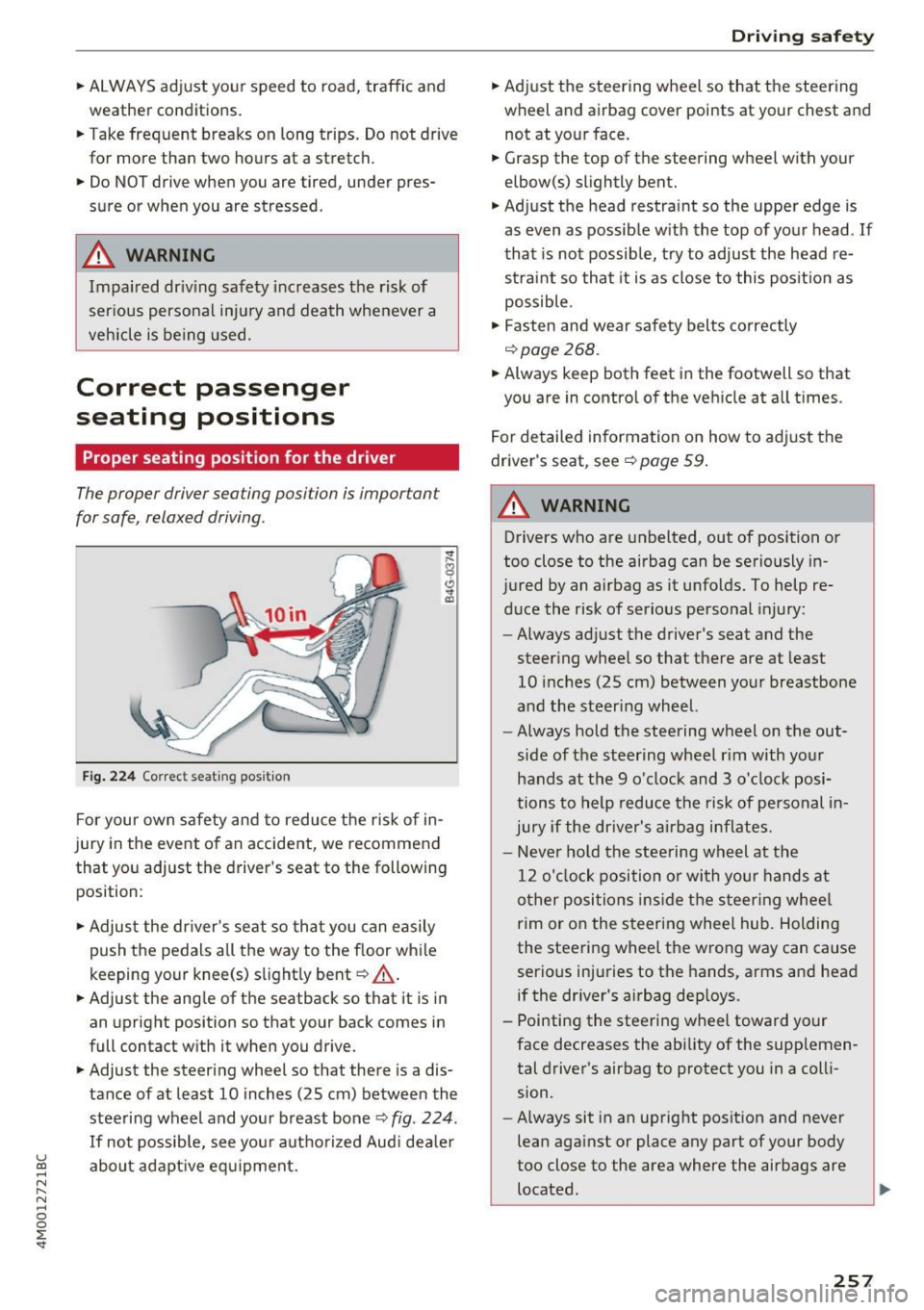
Fig . 2 24 Co rrec t seating position
F or your own safety and to reduce the risk of in
jury in the event of an accident,
we recommend
that you adjust the driver 's seat to the following
position:
.. Adjust the dr iver's seat so that you can easily
push the pedals all the way to the f loor wh ile
keeping your knee(s) s lightly bent~
_A.
.. Adjust the ang le of the seatback so that it is in
an upright position so that your back comes in
full contact w ith it when you drive.
.. Adjust the steering wheel so that there is a dis
tance of at least 10 inches (25 cm) between the
steering wheel and you r breast bone~
fig. 224 .
If not possib le, see your autho rized Aud i dea le r
abo ut adapt ive eq uipment.
Dr iving safety
.. Adjust the steering wheel so that the steering
wheel and airbag cover points at your chest and
not at your face.
.. Grasp the top of the steering wheel with your
elbow(s) slightly bent .
.,. Adjust the head restra int so the upper edge is
as even as possible w ith the top of your head . If
that is not possible, t ry to adjust the head re
straint so that it is as close to this posit ion as
possible .
.. Fasten and wear safety belts correctly
~page 268 .
.. Always keep both feet in the footwell so that
you are in control of the veh icle at a ll times.
For detailed information on how to adj ust the
driver's seat, see
~page 59.
A WARNING
-
Drivers who are unbelted, out of position or
too close to the airbag can be seriously in
jured by an airbag as it unfolds. To help re d uce the risk of serious personal injury:
- Always ad just the driver's seat and the
steer ing wheel so that there are at least
10 inc hes (25 cm) between you r breastbone
and the steering wheel.
- Always hold the steering wheel on the out
side of the steering wheel r im with your
hands at the 9 o'clock and 3 o'clock posi
tions to help reduce the risk of personal in
jury if the driver's airbag inflates.
- Never ho ld the stee ring wheel at the
12 o'clock position o r with yo ur hands at
o ther posi tions ins ide the s teer ing whee l
rim or on the steering wheel hub. Holding
the steering wheel the wrong way can cause
serio us injuries to the hands, arms and head
if the dr iver's airbag dep loys .
- Pointing the steering wheel toward your
face decreases the ability of the supplemen tal driver's airbag to protect you in a colli
sion.
- Always sit in an upright position and never
lean aga inst or place any part of your body
too close to the area where the airbags are located .
.,
257
Page 275 of 402
u co ...... N r-... N ...... 0
0
:E: '
Important information
Importance of wearing safety belts and
sitting properly
Airbags are only supplemental restraints. For
airbags to do their job, occupants must always
properly wear their safety belts and be in a prop
er seating position.
For your safety and the safety of your passen
gers, before driving off, always :
.,. Adjust the driver's seat and steering wheel
properly
9 page 257,
.,. Adjust the front passenger's seat properly
¢page 258,
.,. Wear safety belts properly ¢ page 268,
.,. Always properly use the proper child restraint
to protect children ¢
page 295.
In a collision, airbags must inflate within the
blink of an eye and with considerable force. The
supplemental airbags can cause injuries if the
driver or the front seat passenger is not seated
properly. Therefore in order to help the airbag to
do its job, it is important, both as a driver and as
a passenger to sit properly at all times.
By keeping room between your body and the
steering wheel and the front of the passenger
compartment, the airbag can inflate fully and
completely and provide supplemental protection in certain frontal collisions
¢ page 257, Correct
passenger seating positions .
For details on the
operation of the seat adjustment controls
¢page 59.
It's especially important that children are proper
ly restrained
¢page 295.
There is a lot that the driver and the passengers
can and must do to help the individual safety fea
tures installed in your Audi work together as a
system.
Proper seating position is important so that the
front airbag on the driver side can do its job. If
you have a physical impairment or condition that prevents you from sitting properly on the driver
seat with the safety belt properly fastened and
Airbag system
reaching the pedals, or if you have concerns with
regard to the function or operation of the Ad
vanced Airbag System, please contact your au
thori zed Audi dealer or qualified workshop, or
call Audi Customer Relations at 1-800-822-2834
for possible modifications to your vehicle.
When the airbag system deploys, a gas generator
will fill the airbags, break open the padded cov ers, and inflate between the steering wheel and
the driver and between the instrument panel and
the front passenger. The airbags will deflate im
mediately after deployment so that the front oc
cupants can see through the windshield again
without interruption.
All of this takes place in the blink of an eye, so
fast that many people don't even realize that the airbags have deployed. The airbags also inflate
with a great deal of force and nothing should be
in their way when they deploy. Front airbags in
combination with properly worn safety belts slow
down and limit the occupant's forward move
ment . Together they help to prevent the driver
and front seat passenger from hitting parts of
the inside of the vehicle while reducing the forces
acting on the occupant during the crash . In this
way they help to reduce the risk of injury to the
head and upper body in the crash. Airbags do not
protect the arms or the lower parts of the body.
Both front airbags will not inflate in all frontal
collisions . The triggering of the airbag system de
pends on the vehicle deceleration rate caused by
the collision and registered by the electronic con
trol unit . If this rate is below the reference value
programmed into the control unit, the airbags
will not be triggered, even though the car may be badly damaged as a result of the collision. Vehi
cle damage, repair costs or even the lack of vehi
cle damage is not necessarily an indication of
whether an airbag should inflate or not.
Since the circumstances will vary considerably
between one collision and another, it is not possi
ble to define a range of vehicle speeds that will
cover every possible kind and angle of impact
that will always trigger the airbags . Important
factors include, for example, the nature (hard or
soft) of the object which the car hits, the angle of
impact, vehicle speed , etc. The front airbags will
II>
273
Page 277 of 402
u co ...... N r-... N ...... 0
0
:E: '
¢page 295.
Even though yo ur vehicle is equipped with an Ad
vanced Airbag System, make certain that all chil
dren, especially those 12 years and younger, al
ways ride in the back seat properly restrained for
their age and size. The airbag on the passenger
side makes the front seat a potentially dangerous place for a child to ride. The front seat is not the
safest place for a child in a forward-facing child
safety seat .
It can be a very dangerous place for
a n infant or a child in a rearward-fac ing seat.
The Advanced Airbag System in your veh icle has
been certified to comply with the requirements
of United States Federal Motor Vehicle Safety
Standa rd (FMVSS) 208, as well as Canada Motor
Veh icle Safety Standa rd (CMVSS) 208 as applica
b le a t the time your veh icle was m an ufact ured.
Accord ing to requirements, the front Advanced
Airbag System on the passenger side has been
certified for "suppression" for infants of about 12 month old and younger and for "low risk de
ployment" for children aged 3 to 6 years old (as
defined in the standard) .
The
PASSENGER AIR BAG OFF ~ ; light in the
headliner tells you when the front Advanced Air
bag on the passenger side has been turned off by
the electronic control unit.
Each time yo u turn on the ignition, the
PASSEN
GER AIR BAG OFF ~; ON
@ light will come on
for a few seconds and:
- PASSENGER AIR BAG OFF~; will come on if
the front passenger seat is not occupied
- PASSENGER AIR BAG OFF~; will come on if
the e lectrica l capacitance measured by the ca
pacitive passenger detection system for the
front passenger seat equa ls the comb ined ca
pacitance of an infant up to about one year of
age and one of the rearward-facing or forward
facing child restra ints listed i n Federa l Moto r
Vehicle Safety Standard ( FMVSS) 208 with
wh ich the Advanced Airbag System i n your veh i
cl e was certified . Fo r a listing of the child re
straints that were used to ce rtify you r vehicle 's
compliance with the Safety Standard
¢ page 297 .
Airb ag sys tem
-PAS SENGER AIR BAG OFF~; will come on if
there is a small chi ld or child restraint on the
front passenger seat
- PASSENGER AIR BAG ON@ will come on if the
front passenger seat is occupied by an ad ult as
registered by the capacit ive passenger detec
tion system
¢ page 285, Monitoring the Ad
vanced Airbag System .
The PASSENGER AIR BAG OFF~; light comes on
when e lectrical capacitance registered on the
front passenger seat is equal to or less than the
combined capacitance of a typical 1 year-old in
fant and one of the rearward-facing or forward
facing child restrai nts listed in Federal Motor Ve
hicle Safety Standard ( FMVSS) 208 with wh ich
the Advan ced Airbag System in yo ur vehicle was
ce rtified.
If the total electr ical capacitance reg istered on
t h e front passenger seat is mo re than that of a
typ ical 1 year -old ch ild but less than the weight
of a sm all adult, the front air bag on the passen
ger side can deploy (the
PASSENGER AIR BAG
OFF ~;
light does not come on) .
If the
PASSENGER AIR BAG OFF~; light does
not come on, the front airbag on the p assenger
s ide has not been turned off by the electronic
contro l unit and can deploy if the contro l unit
senses an impact that meets the conditions stor
ed in its memory.
For example , the airbag may deploy if :
-a small c hild that is heav ier than a typ ica l 1
year -o ld child is on the front passenger se at
(regardless o f whethe r the child is in one o f the
child sa fe ty seats listed
¢ page 29 7), o r
- a child who has outgrown c hild rest raints is on
t he front passenge r seat .
If the front passenge r airbag is t urned off, the
PASSENGER AIR BAG OFF~; light comes on i n
t h e headliner a nd stays o n.
If the front passenger a irbag deploys, the Feder
al Standard requi res the airbag to meet the "low
r isk " dep loymen t criteria to redu ce the r isk of in
j u ry through interaction w it h t he airbag. "Low
risk" deployment oc curs in those crashes that
take place at lowe r decelerations as defined in
Ill>
275
Page 280 of 402
Airbag system
-Never hold the steering wheel at the 12
o'clock position or with your hands any
where inside the steering wheel or on the
steering wheel hub. Holding the steering
wheel the wrong way increases the risk of
severe injury to the arms, hands, and head if
the driver airbag deploys.
,& WARNING
Objects between you and the airbag will in
crease the risk of injury in a crash by interfer
ing with the way the airbag unfolds and/or by
being pushed into you as the airbag inflates.
- Always make sure nothing is in the front air-
bag deployment zone that could be struck
by the airbag when it inflates.
-
- Objects in the zone of a deploying airbag
can become projectiles when the airbag de
ploys and cause serious personal injury.
- Never hold things in your hands or on your
lap when the vehicle is in use.
- Never place accessories or other objects
(such as cup holders, telephone brackets,
note pads, navigation systems, or things
that are large, heavy, or bulky) on the doors;
never attach then to the doors or the wind
shield; never place them over or near or at
tach them to the area marked ,,AIRBAG" on
the steering wheel, instrument panel or the
seat backrests; never place them between
these areas and you or any other person in
the vehicle.
- Never attach objects to the windshield
above the passenger front airbag, such as
accessory GPS navigation units or music
players. Such objects could cause serious in
jury in a collision, especially when the air bags inflate.
- Never recline the front passenger seat to transport objects. Items can also move into
the deployment area of the side airbags or
the front airbag during breaking or in a sud
den maneuver. Objects near the airbags can
fly dangerously through the passenger com partment and cause injury, particularly
when the seat is reclined and the airbags in
flate.
278
,& WARNING
, -
A person on the front passenger seat, espe
cially infants and small children, will receive
serious injuries and can even be killed by be ing too close to the airbag when it inflates .
- Although the Advanced Airbag System in your vehicle is designed to turn off the front passenger airbag if an infant or a small child
is on the front passenger seat, nobody can
absolutely guarantee that deployment un
der these special conditions is impossible in
all conceivable situations that may happen
during the useful life of your vehicle.
- The Advanced Airbag System can deploy in accordance with the ,.low risk" option for 3-
and 6-year-old children under the U.S. Fed
eral Standard if a child with electrical capac
itance greater than the combined capaci
tance of a typical one-year old infant re
strained in one of the forward facing or rear
ward-facing child seats with which your ve hicle was certified is on the front passenger
seat and the other conditions for airbag de
ployment are met.
- Accident statistics have shown that children
are generally safer in the rear seat area than
in the front seating position.
- For their own safety, all children, especially
12 years and younger, should always ride in
the back properly restrained for their age
and size.
Advanced front airbag system
Your vehicle is equipped with a front Advanced
Airbag System in compliance with United States
Federal Motor Vehicle Safety Standard (FMVSS)
208, as well as Canada Motor Vehicle Safety
Standard (CMVSS) 208 as applicable at the time
your vehicle was manufactured .
-
The front Advanced Airbag System supplements
the safety belts to provide additional protection
for the driver's and front passenger's heads and upper bodies in frontal crashes. The airbags in
flate only in frontal impacts when the vehicle de-
celeration is high enough.
ll>