wheel AUDI Q7 2018 Owner´s Manual
[x] Cancel search | Manufacturer: AUDI, Model Year: 2018, Model line: Q7, Model: AUDI Q7 2018Pages: 398, PDF Size: 185.58 MB
Page 362 of 398
Emergency assistance
placing the Automatic Transmission in P
(Park) will
not prevent the vehicle from
moving.
- Before you change a wheel, be sure the
ground is level and firm. If necessary, use a
sturdy board under the jack*.
-Always store the vehicle tool kit, the jack* and the replaced tire in the luggage compartment <=>
page 257.
@ Tips
-Obey all laws.
- Before changing the wheel, you must acti- vate the jacking mode*, so that the automatic controls for the air suspension* do
not make it more difficult to lift the vehicle
with the jack*<=>
page 360 .
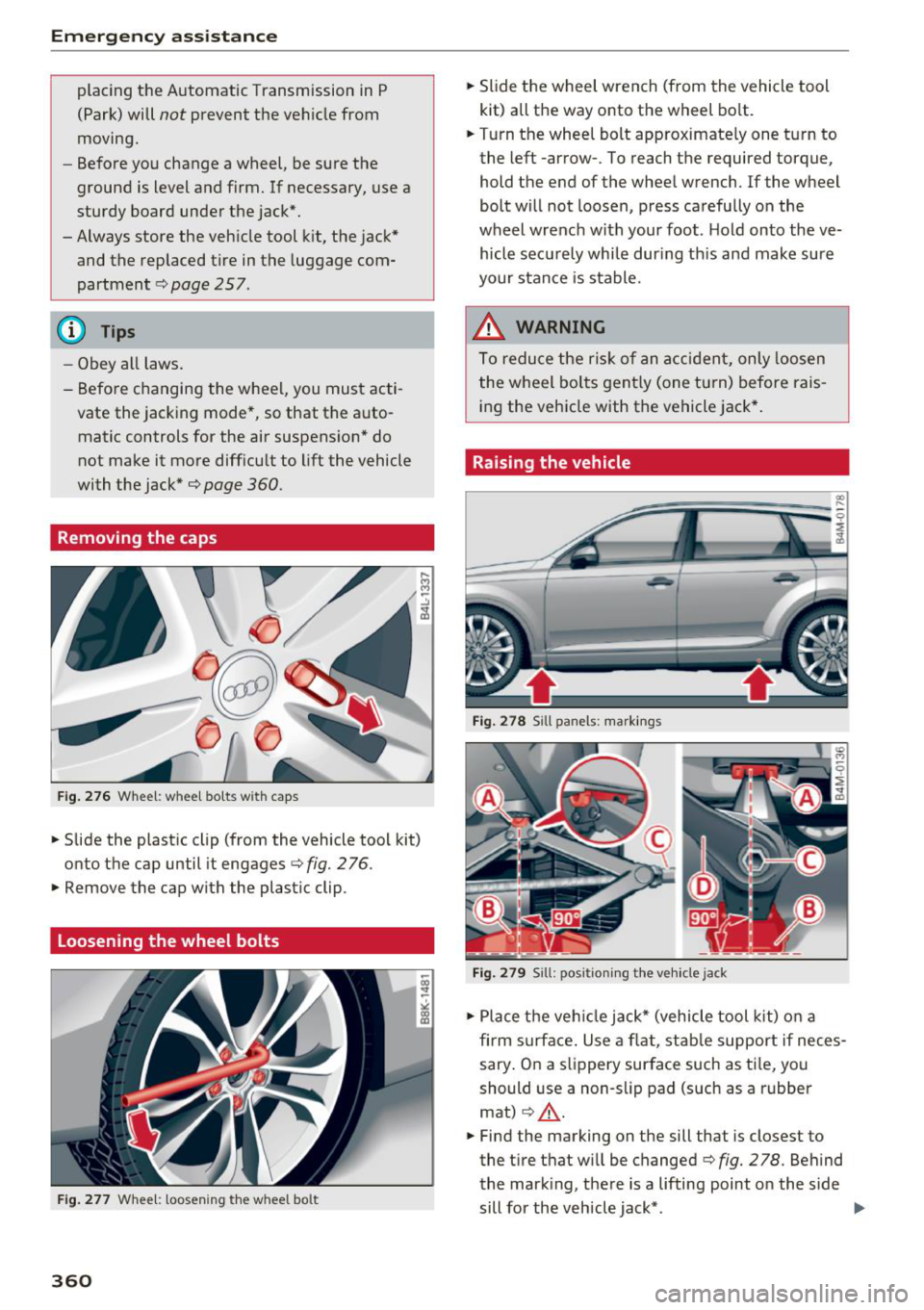
Removing the caps
Fig .. 276 Wheel: wheel bo lts wi th caps
.,. Slide the plastic clip (from the vehicle tool kit)
onto the cap until it engages
<=> fig. 276 .
.,. Remove the cap with the plastic clip .
Loosening the wheel bolts
Fig. 277 Whee l: loosen ing the w heel bo lt
360
.,. Slide the wheel wrench (from the vehicle tool
kit) all the way onto the wheel bolt .
.,. Turn the wheel bolt approximately one turn to
the left -arrow- . To reach the required torque,
hold the end of the wheel wrench. lfthe wheel
bolt will not loosen, press carefully on the
wheel wrench with your foot . H old onto the ve
hicle securely whi le during this and make sure
your stance is stable.
_&. WARNING
To reduce the risk of an accident, only loosen
the wheel bolts gently (one turn) before rais
ing the vehicle with the vehicle jack*.
Raising the vehicle
Fig. 278 S ill panels: markings
Fig. 279 Sill: positi on ing the vehicle jack
.,. Place the veh icle jack* (vehicle tool kit) on a
firm s urface. Use a flat, stable support if neces
sary . On a slippery surface such as ti le, you
should use a non-slip pad (such as a rubber
mat)
c> .&_ .
.,. Find the marking on the sill that is closest to
the tire that wi ll be changed<=>
fig. 278. Behind
the mark ing, there is a lifting point o n the side
sill for the vehicle jack* . ..,.
Page 363 of 398

a co ...... N r--. N ...... 0
0
:E '
cle tool kit), turn the v ehicle jack* under the
li ft ing po int on the side sill unti l it is high
enough that the arm@c:>
fig. 2 79 is under the
designated plastic moun t .
.. Align the vehicle jack* so the arm @engages in
t h e des ignated l ift ing po int in the door s ill and
the base @ lies f lat on the ground . The base @
must be d irectly under the lifting poi nt @ .
.. To lift the vehicle , pl ace the ratchet @(from
the vehicle too l
kit) with the correct side on the
hex socket wrench ©-
.. Move the ratchet @clockwise back and forth
unt il the wheel lifts up slightly from the
ground.
A WARNING
- Make sure the vehicle jack* is stable. There
is a r isk of injury when the ground is slick or
soft, because the vehicle jack* could slide or
sink.
- Only ra ise your vehicle with the vehicle jack*
provided by the factory .
If you use a vehicle
jack des igned for another veh icle, your vehi
cl e can slide and ca use i nju ry .
- Posi tion the vehicle ja ck* only at the desig
na ted mounting points on the side s ill and
align the jack. O therwise, the ve hicl e jack *
cou ld slip and ca use an inj ury i f it does not
have sufficie nt hold on the vehicle.
- Vehicles wi th air suspension*: changes in
tempe rat ure or load can affect the height of
the stopped vehicle.
- To reduce the risk of an accident, never start
the engine when the vehicle is raised .
- T o reduce the risk of injury, support the ve
hicle securely with suitab le stands if work is
to be performed underneath the vehicle.
- To help prevent injury to yoursel f and your
passengers:
- Do not ra ise the vehicle unt il you are sure
the jack* is securely engaged.
- Passengers must not remain in the vehicle
when it is jacked up.
- Make sure that passengers wait in a safe
p lace away from the vehicle and well away
from the road and traff ic .
Em ergen cy as sis tanc e
-Make sure jack position is correct, adjust
as necessary and then continue to raise
the jack*.
- If work has to be done under the vehicle,
ensure that it is safely supported on suita
ble stands -risk of injury!
- Never start the eng ine when the vehicle is
on the jack* -risk of accident!
(D Note
Do not lift the ve hicle by the s ill. Pos ition the
vehicle jack* only at the designated mount ing
points on the side sill. Otherw ise, your veh icle
will be damaged.
(!) Tips
The vehicle jack mode* switches off automati
cally at speeds above 6 mph (10 km/h).
Removing and installing a wheel
F ig . 28 0 Whee l: in terna l he x socke t to tu rn th e whee l
bo lt s
F ig . 2 81 W hee l: ali gnm en t p in in the top ho le
Removing a wheel
.. Remove the top wheel bolt completely using
the hex socket in the screwdriver handle (in the
IJJI>
361
Page 364 of 398

Emergency assistance
vehicle tool kit) ¢ fig. 280 and place it on a
clean surface.
• Then install the alignment pin (from the vehicle
tool kit) by hand into the empty wheel bolt hole
¢fig. 2a11>.
• Remove the rest of the wheel bolts .
• Remove the wheel ¢@ . The al ignment pi n re-
mains in the hole while doing this .
Install a wheel
Read the direct ions on c> page 362 when instal
ling unid irectional tires.
• Slide the wheel on over the alignment pin¢@ .
• Install the wheel bolts and tighten gently using
the hex socket.
• Remove the alignment pin and also tighten the
remaining wheel bolt.
• Carefully lower the vehicle using the vehicle
jack* .
• Tighte n the wheel bolts in a diagona l pattern
u sin g the wheel wrench.
The whee l bolts must be clean and loosen/tight
en easi ly. Check the contact su rfaces for the
wheel and hub . Contaminants on these surfaces
m ust be removed before installing the wheel.
A WARNING
Never use the hex socket in the screwdriver
hand le or the hex socket wrench with the
ratchet to loosen or tighten the wheel bolts.
You will not attain the required tightening
specification, which wi ll increase the risk of an
accident .
@ Note
When removing or installing the whee l, the
r im could hit the brake rotor and damage the
rotor. Work carefu lly and have a second per
son help you.
-
1
> A pp lies to vehicles with cer amic br ake rot ors*: use a sec
on d alignment pin * (fro m th e ve hicle t ool kit) for th e low
e st hole ac co rding t o the steps de scribed for the first
al ig nm ent pin.
362
(D Tips
-When mounting tires with unidirectional
tread design
make sure the tread pattern is
pointed the right way
c> page 362.
-Th e wheel bolts should be clean and easy to
turn. Check for dirt and corrosion on the
mating surfaces of both the wheel and the
hub. Remove all dirt from these surfaces be
fore remounting the wheel.
Unidirectional tires
A un idirectional tire profi le is identified by arrows
that point in the running direct ion on the tire
s idewa ll. You must always adhere to the speci
fied running direction. This is necessary ensure
t h e tire's optimum performance in regard to ad
hesion, running noise, friction and hydroplaning .
To benefit fully from the advantages of the uni
directional tire design, you should rep lace fau lty
tires as soon as possible and restore the correct
running direction on all of the tires.
Finishing
• Reinstall the caps on the wheel bolts if neces
sary.
• Store the veh icle tool k it in its designated
place .
• Store the replaced tire securely in the luggage
compa rtment
¢page 257.
• Check the tire pressure on the insta lled wheel
as soon as possible.
• Cor rect the tire pressure and store it in the In
fotainment system ¢
page 349.
• The wheel bolt tightening specification must be
120 ft lbs (160 Nm). Check it as soon as possi
ble with a torque wrench. Drive carefully until
then .
• Have the faulty wheel replaced as quickly as
possible .
Page 365 of 398

Cl a:, ...... N
" N ,-1 0
0
::r '
-If you notice t hat the wheel bolts are cor
r oded and diffic ult to turn w hile chan gin g a
tire, they should be rep laced befo re yo u
chec k th e ti ghtening torque.
- D rive a t reduced speed until you have the
ti ghtening torques c hecked.
Notes on wheel changing
P lease read the i nfo rmation r=> page 33 7 if you
a re go ing to use a replaceme nt tire which i s dif
fe rent from the tires on you r ve hicl e.
Afte r you change a t ire:
- Check the tire pressure on the replacement
tire immediately after installation.
- Have the wheel bolt tightening torque
checked with a torque wrench as soon as pos
sible by your authorized Audi dealer or quali
fied workshop.
- With steel and alloy wheel rims , the wheel
bolts a re correctly tightened at a torque of
120 ft lbs (160 Nm) .
- If you notice that the wheel bolts are corroded
and difficult to turn while changing a tire,
they should be replaced before you check the
tightening torque.
- Replace the flat tire with a new one and have
it installed on your vehicle as soon as possi
ble. Remount the wheel cover.
Until then, drive with extra care and at reduced
speeds.
A WARNING
- If you ar e going to equip your ve hicle w it h
t ir es o r rims w hich differ fr om thos e which
w ere factory ins talled , th en b e sur e to read
t h e info rm at ion
<=> page 337 .
-Always ma ke sur e the damaged wh eel or
e ven a flat tir e an d th e jack* and tool kit ar e
p ro pe rly se cured i n the luggage com part
me nt a nd are n ot lo ose in the p assenger
c omp artmen t.
- I n an a ccide nt or sud den mane uve r they
co uld fly forwar d, injuring anyone in t he ve
hicle .
-
Emergency assistance
-Always s tore damaged wheel, jac k* and
too ls sec urely in the lug gage com partment .
Oth erwise, in an acc ident or sud den maneu
v e r th ey could fly forward, causing in jury to
pass engers in t he v ehicle .
363
Page 374 of 398
Emergency situations
,.. Or: pull sharply on the trim in the direction of
the arrow to remove
¢fig. 291.
,.. Tighten the towing loop in the threaded open
ing until it stops and then tighten it with a
wheel wrench.
,.. After using, place the towing loop back in the
vehicle tool kit.
,& WARNING
If the towing loop is not tightened until it
stops when insta lling, the threads may be
pulled out when towing the vehicle and tha t
could cause an accident .
(D Note
The trim is attached to the bumper with sev
eral hooks. To redu ce the r isk of damage, do
not use any force when removing and instal
ling.
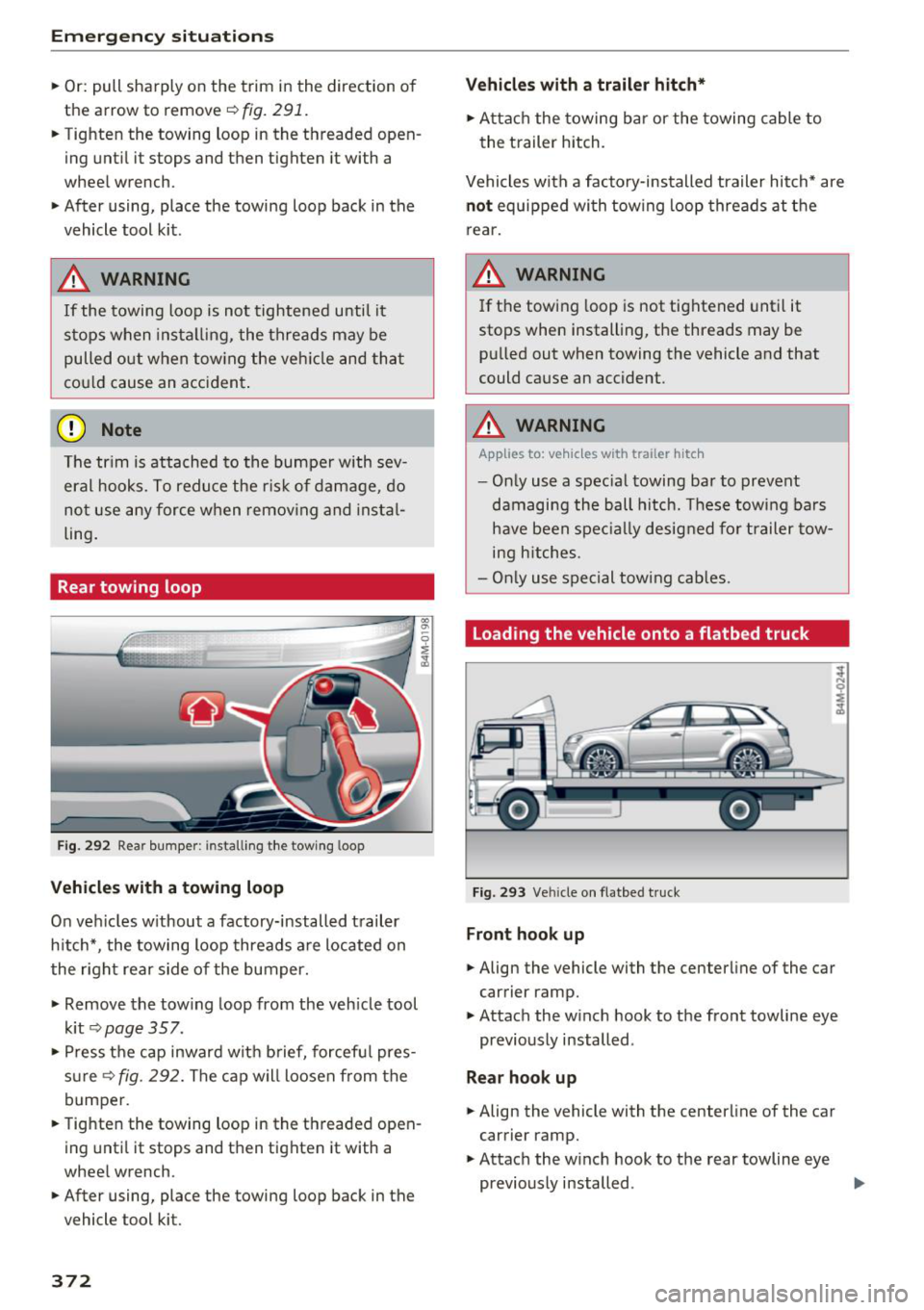
Rear towing loop
Fig. 292 Rear bumper: installing the tow ing loop
Vehicles with a towing loop
On veh icles w ithout a factory-installed trailer
h itch*, the towing loop threads are located on
the right rear side of the bumper.
-
,.. Remove the tow ing loop from the veh icle tool
kit
¢page 357.
• Press the cap inward with b rief, forcefu l pres
s u re~
fig. 292. The cap will loosen from the
bumper.
.. Tighten the towing loop in the threaded open
ing until it stops and then tighten it with a
wheel wrench.
,.. After using, place the towing loop back in the
vehicle tool kit.
372
Vehicles with a trailer hitch*
"' Attach the towing bar or the towing cable to
the trailer hitch.
Vehicles with a factory-installed trailer hitch* are
not equipped with towing loop threads at the
r ear.
,& WARNING
If the towing loop is not tightened until it
stops when installing, the threads may be
pulled out when towing the vehicle and that
could cause an accident.
A WARNING
Applies to: vehicles with trailer hitch
-Only use a special towing bar to prevent
damaging the ball hitch. These towing bars
have been specially designed for trailer tow
ing h itches.
- Only use special towing cables.
Loading the vehicle onto a flatbed truck
Fig. 293 Ve hicle on flatbed truck
Front hook up
.. Align the vehicle with the centerline of the car
carrier ramp.
• Attach the winch hook to the front towline eye
previously installed .
Rear hook up
,.. Align the vehicle with the centerline of the car
carrier ramp.
• Attach the w inch hook to the rear towline eye
previously installed . ..,
Page 380 of 398
Consum er Info rmation
today's automobi les, have steadi ly red uced the
scope of maintenance and repairs which can be
carried out by veh icle owners.
Al so , sa fet y and
en vironmental
concerns place very strict limits
on the nature of repairs and adjustments to en
g ine and transmission parts w hich an owner can
perform .
Maintenance, adjustments and repairs usually re
qu ire special tools, testing devices and other
equ ipment available to specially trained work
shop personnel in order to assure proper per
forma nce, re liab ility and safety of the ve hicle and
its many systems .
Improper maintenance, adjustments and repairs
can impair the operation and reliab il ity of your
ve hicle and eve n void your vehicle warra nty .
Therefo re, proof of se rvicing in accordance w ith
the m aintenance schedule may be a condition fo r
up hold ing a possible wa rranty claim made wi thin
the warranty pe riod.
Above all, ope rational safety can be adversely af
fected, c re ating unnecessa ry risks fo r you and
your passengers.
I f in doubt about any servicing, have it done by
your author ized Audi dealer or any other prope rly
eq uipped and qualified workshop . We strongly
urge yo u to g ive your author ized Audi dealer the
opportunity to perform a ll scheduled mainte
nance and necessary repairs. Your dealer has the
facilities, origina l parts and tra ined specialists to
keep your veh icle running properly.
Performing limit ed maint enanc e yourself
The fo llowing pages describe a limited number of
procedures whic h can be performed on your ve hi
cle with ordinary tools, should the need arise and
tra ined personnel be unava ilable. Before per
forming any of these procedures, always thor
ough ly read all of the app licab le text and carefu l
ly follow the instructions g iven . Always rigorously
observe the
W ARNINGS prov ided .
Befo re yo u check an ything in the engine com
partment , alway s read and h eed all WARNINGS
c> .&. and c> .&. in Working in the engine compart
ment on page 319 .
378
A WARNING
-Ser ious personal injury may occur as a result
of improperly performed maintenance, ad
justments or repairs .
- Always be extreme ly careful when work ing
on the vehicle . Always follow commonly ac
cepted safety practices and general com mon sense. Never r is k personal in jury.
- Do not attempt any of the maintenance,
checks or repairs described on the following pages if you are not fu lly fam il iar with these
or other procedu res with respect to the ve
hicle, or are uncertain how to proceed.
- Do not do any work wi thout the prope r tools
and eq uipmen t. H ave the necessary wo rk
done by your authorized Audi dealer or an
other properly equipped and qualified work
shop.
- The engine compartment of any motor vehi
cle is a potentially hazardous area . Never
reach into the area around or touch the radi
ator fan. It is temperature controlled and
can switch on suddenly - even when the en
gine is off and the ignition key has been re
moved. The rad iator fan switches on auto
mat ically when the coolant reaches a certain
temperature and will con tinue to run until
the coolant temperat ure drops.
- Always remove the igni tion key before any
one gets under the vehicle.
- Always support your vehicle with safety
stands if it is necessary to work underneath
the vehicle. The jack* s upplied w ith the vehi
cle is no t ad equate for th is pu rpose and
could collapse causing se rious personal in
jury .
- If you must work underneath the vehicle
with the wheels on the ground, always make
sure the vehicle is on level ground, that the
wheels a re always sec urely blocked and that
the engine cannot be started.
- Always make sure the transmission se lector
lever (automatic t ransm iss ion) is in P (Park
position) and the park b rake is applied .
Page 383 of 398
Cl a:, ...... N
" N ...... 0
0
::r '
A/C MAX (button) .................. .
A/C (button)
. .. ................ ... .
67, 71
67, 70
ABS
.. .. .. .. .. ............... .. .. .. . 142
Accessories 60,379
Active lane assist
Cleaning the camera area . . . . . . . . . . . . . 352
also refer to Audi active lane assist . . . . . 117
Adaptive air suspension
refer to Air suspension ........ .. .. .. .
Adaptive cruise control ................ .
C leaning the sensor ................. .
Messages .... ................ ..... .
Predictive control
............. .. .. .. .
Ad Blue .. .. .. .. ............. .. .. .. .. . 128
102
352 110
100
314
Messages .... ................ ..... . 314
Additional accessories . . . . . . . . . . . . . . . . . 3 79
Adjusting air distribution (automatic climate
control) . . . . . . . . . . . . . . . . . . . . . . . . . . . 68, 71
Adjusting the additional display . . . . . . . . . . 14
Adjusting the rear seats . . . . . . . . . . . . . . . . . 55
Adjusting the sound . . . . . . . . . . . . . . . . . . . 249
Adjusting the temperature (automatic climate
control) . . . . . . . . . . . . . . . . . . . . . . . . . . . 68 71
,
Adjusting the volume . . . . . . . . . . . . . . . . . . . 15
Advanced key
refer to Convenience key . . . . . . . . . . . . . . . 77
Airbag . . . . . . . . . . . . . . . . . . . . . . . . . . . . . . 269
Airbag system . . . . . . . . . . . . . . . . . . . . 269, 287
Advanced Airbag System components . . . 276
Care . . . . . . . . . . . . . . . . . . . . . . . . . . . . . . 284
Children · · · · · · · · · · · · · · ...... .. .. .. . 293
Ch ild restraints
............ .. .. .. .. .
Components (front airbags) ...... .. .. .
Danger of fitting a child safety seat on the
front passenger seat ................ .
Disposal ..... ................ ..... .
Front airbags ................ .. .. .. .
How do the front airbags work? . .. .. .. .
How many airbags does my vehicle have?
How the Advanced Airbag System compo -
nents work together ........... ... .. .
Indicator light ............... .. .. .. .
Monitoring . .. ............. .. .. .. .. .
PASSENGER AIR BAG light ....... .. .. .
Repairs .... .. ................ ..... . 293
276
270
284
274
279
276
278
281
281
281
284
Index
Safety instructions . . . . . . . . . . . . . . . . . . . 283
When must the system be inspected? . . . 281
Air suspension . . . . . . . . . . . . . . . . . . . . . . . 128
Alarm system
refer to Anti-theft alarm system . . . . . . . . . 35
Alignment pin (changing the wheel) . . . . . . 357
All-weather lights . . . . . . . . . . . . . . . . . . . . . . 43
All-wheel steering . . . . . . . . . . . . . . . . 128, 146
All season tires
All wheel drive
refer to quattro
AM I 34S
146
refer to Audi music interface . . . . . . . 231, 232
Android Auto
refer to Audi smartphone interface
Anti-freeze 243
Windshield washer system . . . . . . . . . . . . 328
Anti-lock braking system
refer to ABS . . . . . . . . . . . . . . . . . . . . . . . . 142
Anti-Slip Regulation
refer to ASR . . . . . . . . . . . . . . . . . . . . . . . . 142
Anti-theft alarm system . . . . . . . . . . . . . . . . . 35
Apple CarPlay
refer to Audi smartphone interface . . . . . 243
Ashtray . . . . . . . . . . . . . . . . . . . . . . . . . . . . . . 60
ASR · · ... .. .. .. .. .. ............. .. .. 142
Audi active lane assist . . . . . . . . . . . . . . . . . 117
Messages
119
Audi adaptive cruise control
Distance display, distance warning . . . . . . 110
Traffic jam assist . . . . . . . . . . . . . . . . . . . . 109
Audi connect emergency call and service . . 201
Online roadside assistance . . . . . . . . . . . . 202
Audi connect vehicle control . . . . . . . . . . . . 197
Parking location . . . . . . . . . . . . . . . . . . . . . 198
Remote locking and unlock ing . . . . . . . . . 198
Vehicle status report . . . . . . . . . . . . . . . . . 198
Audi connect (Infotainment) ........ 187, 194
Data protection . . . . . . . . . . . . . . . . . . . . . 195
Services overview
. .. ... .. ..... ... .. ..
Start ing .. .. .. .. .. ............. .. . .
Audi drive select .
.. .. ............... ..
Audi Entertainment mobile 188
188
128
233
Audi music interface . . . . . . . . . . . . . . . . . . . 231
Audi music stream
refer to Wi-Fi . . . . . . . . . . . . . . . . . . . . . . . 229
381
Page 386 of 398
Index
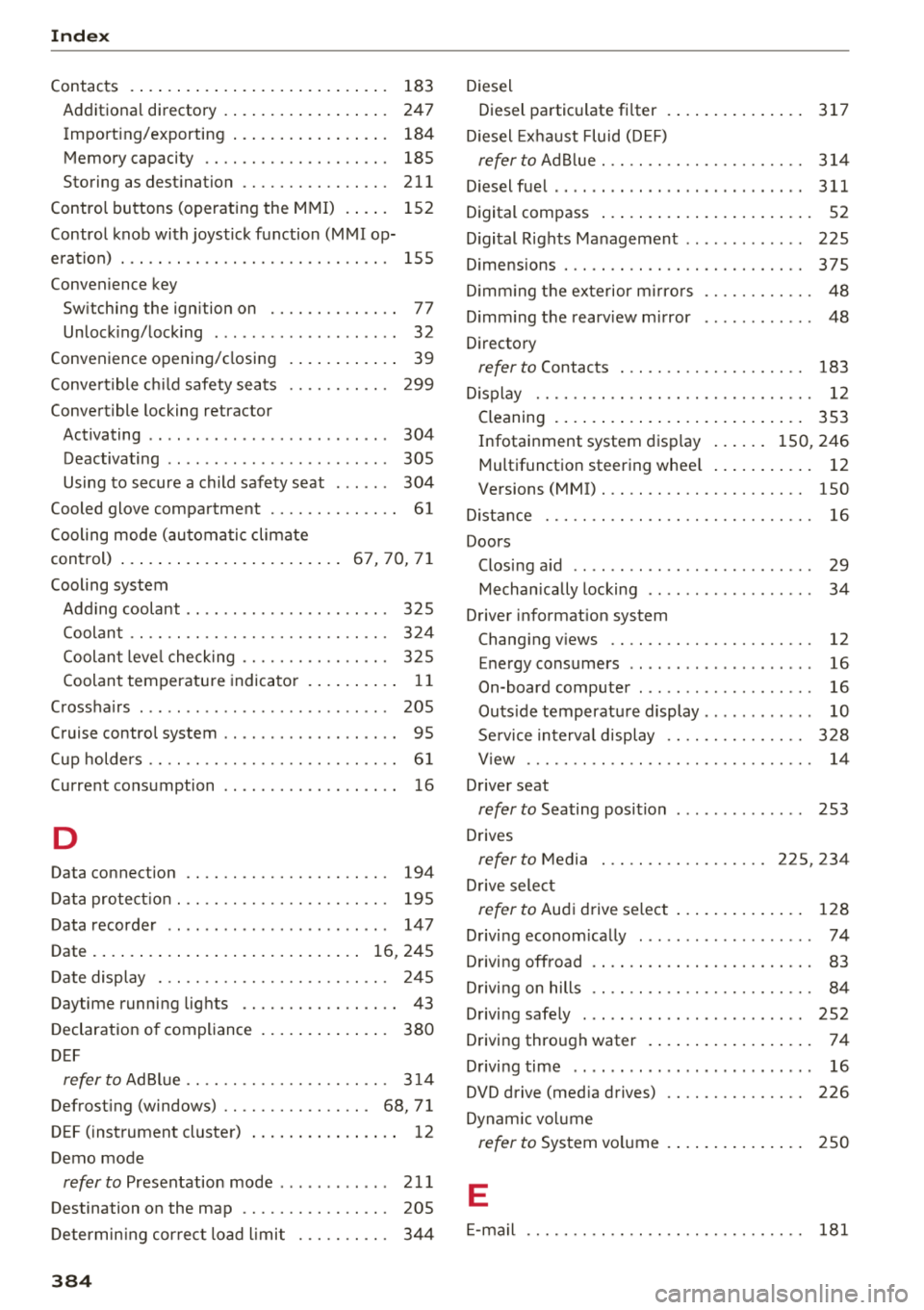
Contacts . . . . . . . . . . . . . . . . . . . . . . . . . . . . 183
Additional directory . . . . . . . . . . . . . . . . . . 247
Importing/exporting . . . . . . . . . . . . . . . . . 184
Memory capacity . . . . . . . . . . . . . . . . . . . . 185
Storing as destination . . . . . . . . . . . . . . . . 211
Control buttons (operating the MMI) . . . . . 152
Control knob with joystick function (MMI op
eration) . . . . . . . . . . . . . . . . . . . . . . . . . . . . . 155
Convenience key Switching the ignition on . . . . . . . . . . . . . . 77
Unlocking/locking . . . . . . . . . . . . . . . . . . . . 32
Convenience opening/closing . . . . . . . . . . . . 39
Convertible child safety seats . . . . . . . . . . . 299
Convertible locking retractor
Activating . . . . . . . . . . . . . . . . . . . . . . . . . . 304
Deactivating . . . . . . . . . . . . . . . . . . . . . . . . 305
Using to secure a child safety seat . . . . . . 304
Cooled glove compartment . . . . . . . . . . . . . . 61
Cooling mode (automatic climate
control) ........................ 67, 70, 71
Cooling system Adding coolant . . . . . . . . . . . . . . . . . . . . . . 325
Coolant . . . . . . . . . . . . . . . . . . . . . . . . . . . . 324
Coolant level checking . . . . . . . . . . . . . . . . 325
Coolant temperature indicator . . . . . . . . . . 11
Crosshairs . . . . . . . . . . . . . . . . . . . . . . . . . . . 205
Cruise control system . . . . . . . . . . . . . . . . . . . 95
Cup holders . . . . . . . . . . . . . . . . . . . . . . . . . . . 61
Current consumption 16
D
Data connection . . . . . . . . . . . . . . . . . . . . . . 194
Data protection . . . . . . . . . . . . . . . . . . . . . . . 195
Data recorder . . . . . . . . . . . . . . . . . . . . . . . . 14 7
Date . . . . . . . . . . . . . . . . . . . . . . . . . . . . . 16, 245
Date display . . . . . . . . . . . . . . . . . . . . . . . . . 245
Daytime running lights . . . . . . . . . . . . . . . . . 43
Declaration of compliance . . . . . . . . . . . . . . 380
DEF
refer to Ad Blue . . . . . . . . . . . . . . . . . . . . . . 314
Defrosting (windows) . . . . . . . . . . . . . . . . 68, 71
DEF (instrument cluster) . . . . . . . . . . . . . . . . 12
Demo mode
refer to Presentation mode . . . . . . . . . . . . 21 1
Destination on the map . . . . . . . . . . . . . . . . 205
Determining correct load limit 344
384
Diesel
Diesel particulate filter
Diesel Exhaust Fluid (DEF) 317
refertoAdBlue ... .. .. ............. .. 314
Diesel fuel . . . . . . . . . . . . . . . . . . . . . . . . . . . 311
Digital compass . . . . . . . . . . . . . . . . . . . . . . . 52
Digital Rights Management . . . . . . . . . . . . . 225
Dimensions . . . . . . . . . . . . . . . . . . . . . . . . . . 375
Dimming the exterior mirrors . . . . . . . . . . . . 48
Dimming the rearview mirror . . . . . . . . . . . . 48
Directory
refer to Contacts . . . . . . . . . . . . . . . . . . . . 183
Display . . . . . . . . . . . . . . . . . . . . . . . . . . . . . . 12
Cleaning . . . . . . . . . . . . . . . . . . . . . . . . . . . 353
Infotainment system display . . . . . . 150, 246
Multifunction steering wheel . . . . . . . . . . . 12
Versions (MMI) . . . . . . . . . . . . . . . . . . . . . . 150
Distance . . . . . . . . . . . . . . . . . . . . . . . . . . . . . 16
Doors Closing aid . . . . . . . . . . . . . . . . . . . . . . . . . . 29
Mechanically locking . . . . . . . . . . . . . . . . . . 34
Driver information system
Changing views . . . . . . . . . . . . . . . . . . . . . . 12
Energy consumers . . . . . . . . . . . . . . . . . . . . 16
On-board computer . . . . . . . . . . . . . . . . . . . 16
Outside temperature display . . . . . . . . . . . . 10
Service interval display . . . . . . . . . . . . . . . 328
V iew . . . . . . . . . . . . . . . . . . . . . . . . . . . . . . . 14
Driver seat
refer to Seating position 253
Drives
refer to Media . . . . . . . . . . . . . . . . . . 225, 234
Drive select
refer to Audi drive select . . . . . . . . . . . . . . 128
Driving economically . . . . . . . . . . . . . . . . . . . 74
Driving offroad . . . . . . . . . . . . . . . . . . . . . . . . 83
Driving on hills . . . . . . . . . . . . . . . . . . . . . . . . 84
Driving safely . . . . . . . . . . . . . . . . . . . . . . . . 252
Driving through water . . . . . . . . . . . . . . . . . . 74
Driving time . . . . . . . . . . . . . . . . . . . . . . . . . . 16
DVD drive (media drives) . . . . . . . . . . . . . . . 226
Dynamic volume
refer to System volume . . . . . . . . . . . . . . . 250
E
E-mail
181
Page 388 of 398
Index
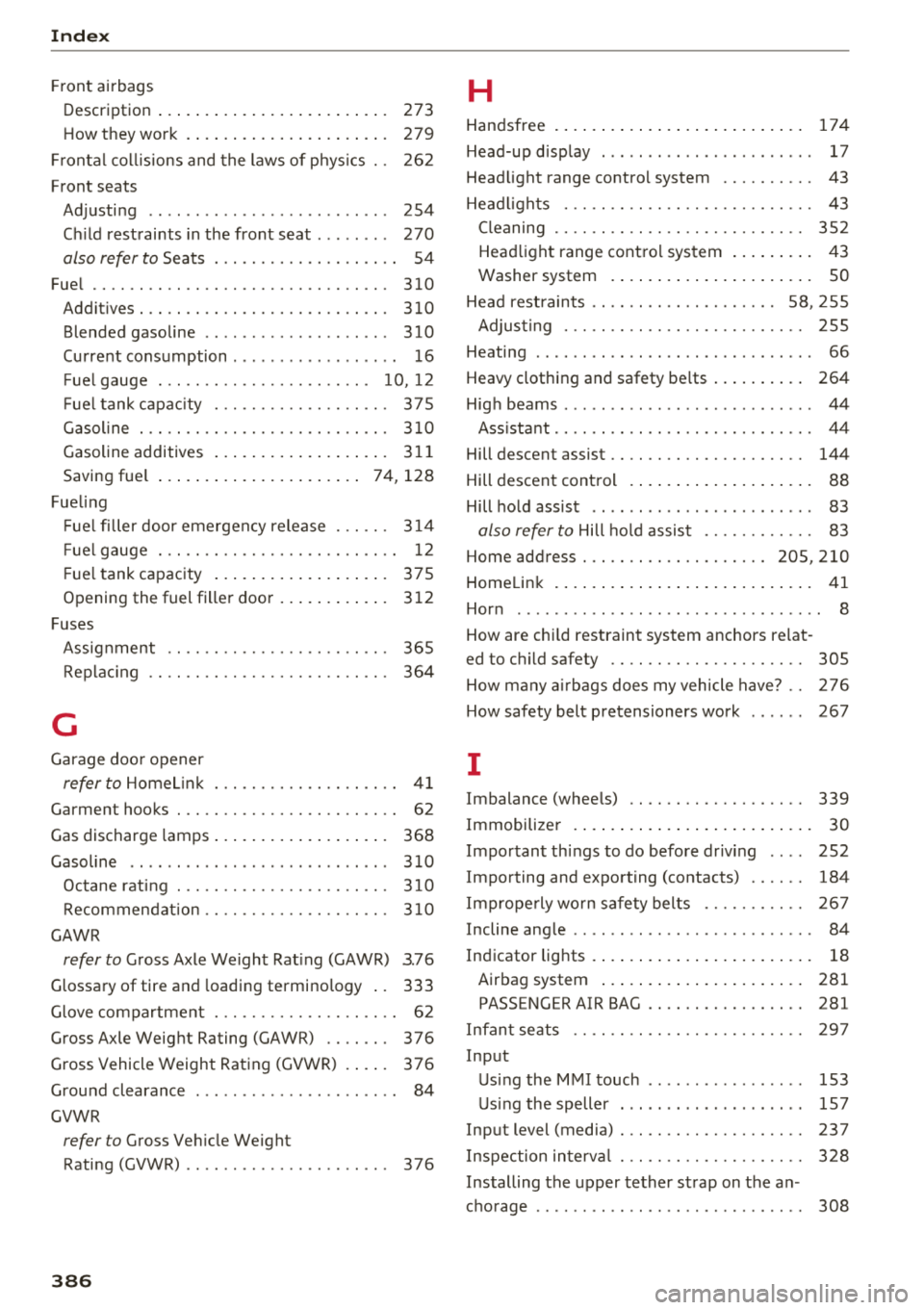
F ront airbags
Description . . . . . . . . . . . . . . . . . . . . . . . . .
273
How they work ..... .. ..... ... .. .. ... 279
Frontal co llisions and the laws of p hys ics . . 262
Front seats
Adjusting . . . . . . . . . . . . . . . . . . . . . . . . . .
254
C hi ld rest raints in the front seat . . . . . . . . 270
also refer to
Seats . . . . . . . . . . . . . . . . . . . . 54
Fue l .. .... .. .. .. ............. .... .. . 310
Addit ives . . . . . . . . . . . . . . . . . . . . . . . . . . . 310
Blended gasoline . . . . . . . . . . . . . . . . . . . . 310
Current cons umption . . . . . . . . . . . . . . . . . . 1 6
Fue l gauge . . . . . . . . . . . . . . . . . . . . . . . 10, 12
Fue l tank capa city . . . . . . . . . . . . . . . . . . . 375
Gasoline . .. .. .. ............. .... .. . 3 10
Gasoline additives . . . . . . . . . . . . . . . . . . . 3 11
Saving fue l . . . . . . . . . . . . . . . . . . . . . . 7 4, 128
Fue ling
F ue l fi ller door emergency release . . . . . .
3 14
Fue l gauge . . . . . . . . . . . . . . . . . . . . . . . . . . 12
F ue l tank capac ity . . . . . . . . . . . . . . . . . . . 375
Opening the fuel filler door . . . . . . . . . . . . 3 12
Fuses
Assig nment . . . . . . . . . . . . . . . . . . . . . . . .
365
Replac ing . . . . . . . . . . . . . . . . . . . . . . . . . . 364
G
Garage doo r opener
refer to Home link . . . . . . . . . . . . . . . . . . . . 4 1
Garment hooks . . . . . . . . . . . . . . . . . . . . . . . . 62
Gas discharge lamps . . . . . . . . . . . . . . . . . . . 368
Gasoline 3 10
Octane rat ing . . . . . . . . . . . . . . . . . . . . . . . 3 10
Recommendat ion . . . . . . . . . . . . . . . . . . . . 3 10
GAWR
refer to Gross Axle We ight Rat ing (GAWR) 3.76
Glossary of tire and loading termino logy .. 333
Glove compartment . . . . . . . . . . . . . . . . . . . . 6 2
Gross Axle Weig ht Rating (GAWR) . . . . . . . 376
Gross Vehicle Weight Rating (GVWR) . . . . . 37 6
Ground clearance . . . . . . . . . . . . . . . . . . . . . . 84
GVWR
refer to Gross Ve hicle We ight
Rating (GVWR) . . . . . . . . . . . . . . . . . . . . . .
376
386
H
Handsfree . ... .. ...... ... .. ..... ... .. 174
Head-up d isp lay . . . . . . . . . . . . . . . . . . . . . . . 17
Head light range contro l system . . . . . . . . . . 43
Hea dlights . . . . . . . . . . . . . . . . . . . . . . . . . . . 43
Cleaning . . . . . . . . . . . . . . . . . . . . . . . . . . . 3 52
Head light range cont ro l system . . . . . . . . . 43
Washer system . . . . . . . . . . . . . . . . . . . . . . SO
Head rest raints . . . . . . . . . . . . . . . . . . . .
58, 255
Adjus ting . . . . . . . . . . . . . . . . . . . . . . . . . . 2 55
Heating . . . . . . . . . . . . . . . . . . . . . . . . . . . . . . 66
Heavy clothing and safety be lts . . . . . . . . . . 264
Hig h beams . . . . . . . . . . . . . . . . . . . . . . . . . . . 44
Ass ista nt . . . . . . . . . . . . . . . . . . . . . . . . . . . . 4 4
Hill descent assist . . . . . . . . . . . . . . . . . . . . . 144
Hill descent control . . . . . . . . . . . . . . . . . . . . 88
Hill ho ld assist . . . . . . . . . . . . . . . . . . . . . . . . 83
also refer to
Hill hold assist . . . . . . . . . . . . 83
Home address ... .. .. .. ........... 205,210
Homelink . . . . . . . . . . . . . . . . . . . . . . . . . . . . 41
Hor n . . . . . . . . . . . . . . . . . . . . . . . . . . . . . . . . . 8
How are chi ld restraint system anchors relat -
ed to c hil d safety . . . . . . . . . . . . . . . . . . . . . 305
How many airbags does my vehicle have? . .
2 76
How safety belt pretensioners work . . . . . . 267
I
Imbalance (wheels) 339
I mmobilize r . . . . . . . . . . . . . . . . . . . . . . . . . . 30
Impo rtant th ings to do before dr iv ing . . . . 252
Importing and exporting (contacts) . . . . . . 184
Imprope rly wo rn safety belts . . . . . . . . . . . 2 67
Incline ang le . . . . . . . . . . . . . . . . . . . . . . . . . . 84
Indicator lights . . . . . . . . . . . . . . . . . . . . . . . . 18
Airbag system . . . . . . . . . . . . . . . . . . . . . . 281
PASS ENGER AIR BAG . . . . . . . . . . . . . . . . . 281
Infan t seats . . . . . . . . . . . . . . . . . . . . . . . . . 2 9 7
Inp ut
U sin g the MMI touch . . . . . . . . . . . . . . . . .
153
U sing the speller . . . . . . . . . . . . . . . . . . . . 157
Input level (media) . . . . . . . . . . . . . . . . . . . . 237
Inspection in terv al . . . . . . . . . . . . . . . . . . . . 3 28
Installing the upper tether strap on the an -
cho rage . . . . . . . . . . . . . . . . . . . . . . . . . . . . .
308
Page 390 of 398
Index
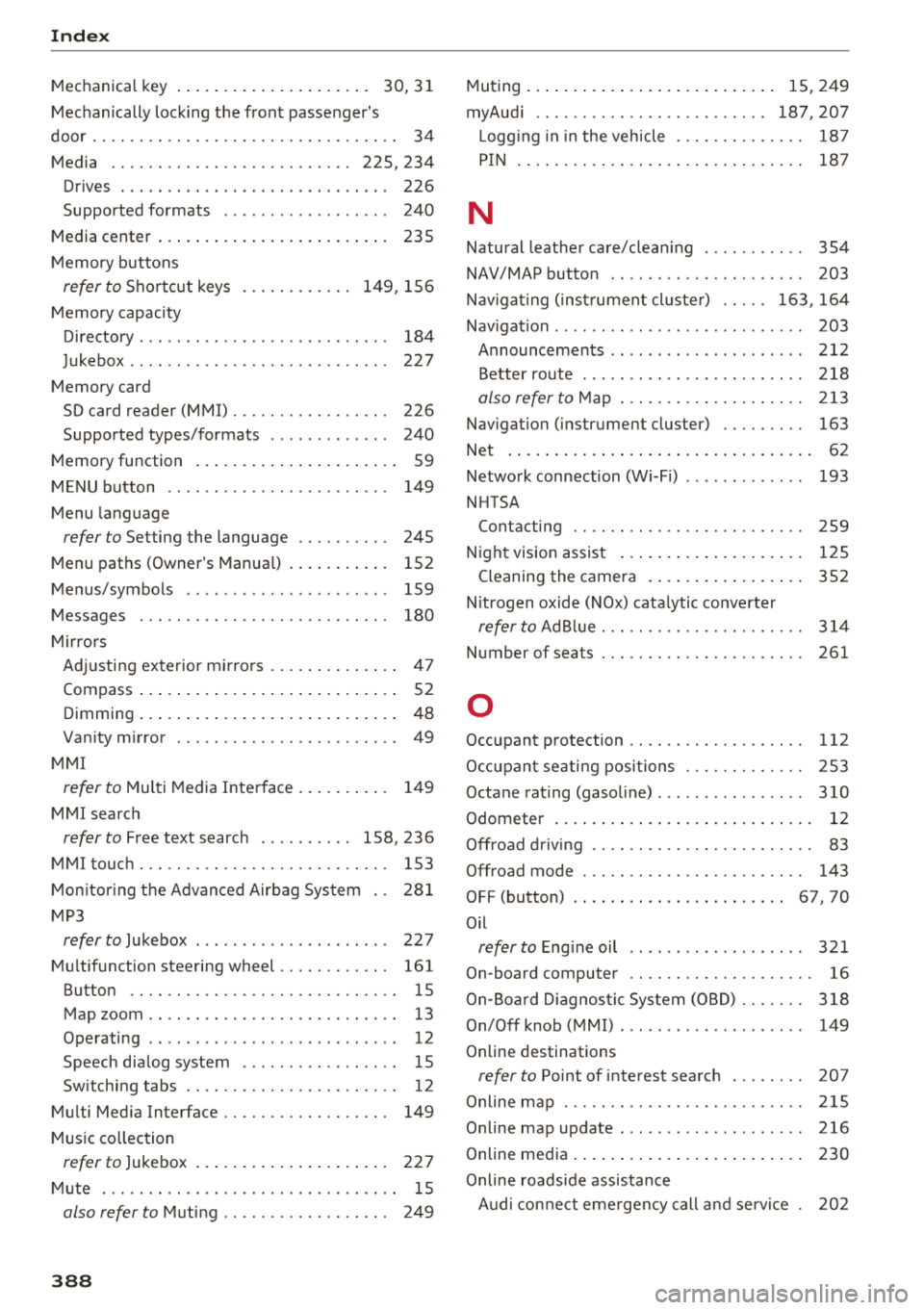
Mechanical key . . . . . . . . . . . . . . . . . . . . . 30, 31
Mechanically locking the front passenger's
door.. .... .. .. .. ............. .... .. ..
34
Media · · · · · . . . . . . . . . . . . . . . . . . . . . 225, 234
Drives . . . . . . . . . . . . . . . . . . . . . . . . . . . . . 226
Supported formats . . . . . . . . . . . . . . . . . . 240
Media center ..................... .... 235
Memory buttons
refer to Shortcut keys . . . . . . . . . . . . 149, 156
Memory capacity
Directory . . . . . . . . . . . . . . . . . . . . . . . . . . .
184
Jukebox . . . . . . . . . . . . . . . . . . . . . . . . . . . . 227
Memory card
SD card reader (MMI) . . . . . . . . . . . . . . . . .
226
Supported types/formats . . . . . . . . . . . . . 240
Memory function . . . . . . . . . . . . . . . . . . . . . . 59
MENU button .. .. ............. .... .. .
Menu language
refer to Setting the language ... .... .. .
Menu paths (Owner's Manua l) ....... ... .
Menus/symbols
Messages
Mirrors
149
245 152
159
180
Adjusting exterior mirrors . . . . . . . . . . . . . . 47
Compass ....... ................ ..... 52
D . . 1mming ....... ................ ..... 48
Vanity mirror . . . . . . . . . . . . . . . . . . . . . . . . 49
MMI
refer to Multi Media Interface . . . . . . . . . . 149
MMI search
refer to Free text search . . . . . . . . . . 158 , 236
MMI touch . . . . . . . . . . . . . . . . . . . . . . . . . . . 153
Monitoring the Advanced Airbag System 281
MP3
refer to Jukebox 227
Multifunction steering wheel . . . . . . . . . . . . 161
Button · · · · · · .. ............. .... .. .. 15
Map zoom .. .. .. ... .. ..... ... .. .. .. .. 13
Operating . . . . . . . . . . . . . . . . . . . . . . . . . . . 12
Speech dialog system . . . . . . . . . . . . . . . . . 15
Switching tabs .. ............. .... .. . .
Multi Media Interface
........... .... .. .
Music collection
12
149
refer to Jukebox . . . . . . . . . . . . . . . . . . . . . 227
Mute . . . . . . . . . . . . . . . . . . . . . . . . . . . . . . . . 15
also refer to Muting . . . . . . . . . . . . . . . . . . 249
388
Muting . . . . . . . . . . . . . . . . . . . . . . . . . . . 15, 249
myAudi .......... .. .. ........... 187,207
Logg ing in in the vehicle . . . . . . . . . . . . . . 187
PIN · · · ... .. .. .. .. .. ............. .. 187
N
Natural leather care/cleaning .......... .
NAV /MAP button
. . .. .. ............. ..
354
203
Nav igating (instrument cluster) . . . . . 163, 164
Navigation . . . . . . . . . . . . . . . . . . . . . . . . . . . 203
Announcements . . . . . . . . . . . . . . . . . . . . . 212
Better route . . . . . . . . . . . . . . . . . . . . . . . . 218
also refer to Map ... .. ............. .. 213
Navigation (instrument cluster) . . . . . . . . . 163
Net · · · · ............................. 62
Network connection (Wi-Fi) . . . . . . . . . . . . . 193
NHTSA
Contacting
259
Night vision assist . . . . . . . . . . . . . . . . . . . . 125
Cleaning the camera . . . . . . . . . . . . . . . . . 352
Nitrogen oxide (NOx) catalytic converter
refer to Ad Blue. .. .. .. ............. .. 314
Number of seats . . . . . . . . . . . . . . . . . . . . . . 261
0
Occupant protection . . . . . . . . . . . . . . . . . . . 112
Occupant seating positions . . . . . . . . . . . . . 253
Octane rating (gasoline) ................ 310
Odometer · · · ·........................ 12
Offroad driving . . . . . . . . . . . . . . . . . . . . . . . . 83
Offroad mode . . . . . . . . . . . . . . . . . . . . . . . . 143
OFF (button) . . . . . . . . . . . . . . . . . . . . . . . 67, 70
Oil
refer to Engine oil 321
On-board computer . . . . . . . . . . . . . . . . . . . . 16
On-Board Diagnostic System (OBD) . . . . . . . 318
On/Off knob (MMI) . . . . . . . . . . . . . . . . . . . . 149
Online destinations
refer to Point of interest search . . . . . . . . 207
Online map . . . . . . . . . . . . . . . . . . . . . . . . . . 215
Online map update ... .. ............... 216
Online media ... ..... .. ............... 230
Online roadside assistance
Audi connect emergency call and service .
202