tow AUDI Q7 2018 Owner´s Manual
[x] Cancel search | Manufacturer: AUDI, Model Year: 2018, Model line: Q7, Model: AUDI Q7 2018Pages: 398, PDF Size: 185.58 MB
Page 4 of 398
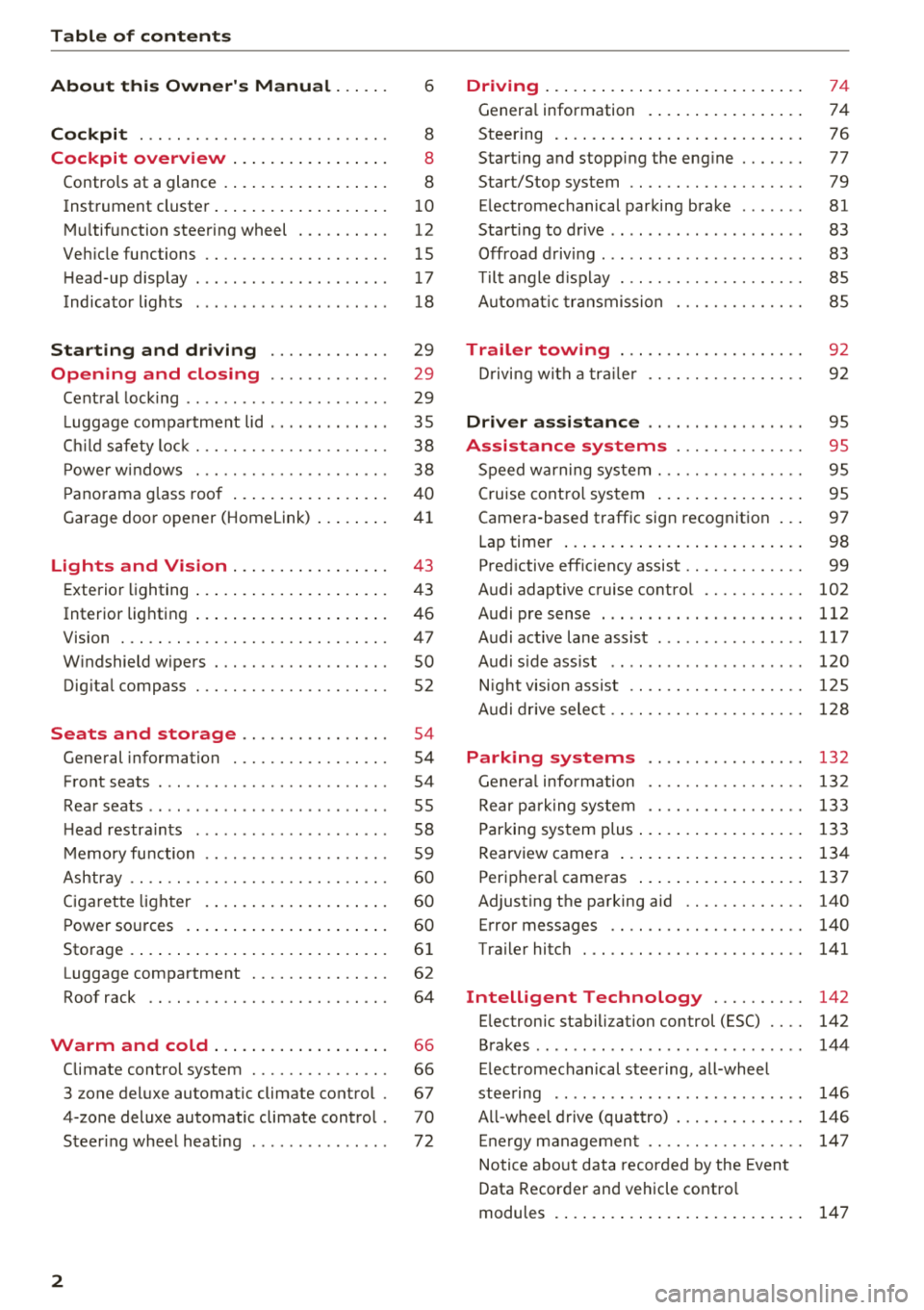
Table of contents
About this Owner's Manual. . . . . .
6
Cockpit . . . . . . . . . . . . . . . . . . . . . . . . . . . 8
Cockpit overview . . . . . . . . . . . . . . . . . 8
Controls at a glance . . . . . . . . . . . . . . . . . . 8
Instrument cluster . . . . . . . . . . . . . . . . . . . 1 0
M ultif unction steering wheel . . . . . . . . . . 12
Veh icle functions . . . . . . . . . . . . . . . . . . . . 15
H ead-up display . . . . . . . . . . . . . . . . . . . . . 17
Indicator l ights . . . . . . . . . . . . . . . . . . . . . 18
Starting and driving . . . . . . . . . . . . . 29
Opening and closing . . . . . . . . . . . . . 29
Cent ral lock ing . . . . . . . . . . . . . . . . . . . . . . 29
L uggage compartment lid . . . . . . . . . . . . . 35
C hil d safety loc k . . . . . . . . . . . . . . . . . . . . . 38
P owe r w indows . . . . . . . . . . . . . . . . . . . . . 38
P ano rama g lass roo f . . . . . . . . . . . . . . . . . 4 0
Garage door opener (Homelink) . . . . . . . . 41
Lights and Vision . . . . . . . . . . . . . . . . . 43
E xterio r lighting . . . . . . . . . . . . . . . . . . . . . 4 3
Interior lighting . . . . . . . . . . . . . . . . . . . . . 46
V1s1on . . . . . . . . . . . . . . . . . . . . . . . . . . . . . 47
W indshield wipers . . . . . . . . . . . . . . . . . . . 50
Dig ita l compass . . . . . . . . . . . . . . . . . . . . . 52
Seats and storage ............. .. .
General information .......... .... .. . 54
54
Front seats . . . . . . . . . . . . . . . . . . . . . . . . . 54
Rea r seats . . . . . . . . . . . . . . . . . . . . . . . . . . 55
H ead restra ints . . . . . . . . . . . . . . . . . . . . . 58
M emory fu nction . . . . . . . . . . . . . . . . . . . . 59
Ashtray . . . . . . . . . . . . . . . . . . . . . . . . . . . . 60
Ciga ret te lighte r . . . . . . . . . . . . . . . . . . . . 60
P ower so urces . . . . . . . . . . . . . . . . . . . . . . 60
Storage . . . . . . . . . . . . . . . . . . . . . . . . . . . . 61
Luggage compartment . . . . . . . . . . . . . . . 62
Roof rack . . . . . . . . . . . . . . . . . . . . . . . . . . 64
Warm and cold . . . . . . . . . . . . . . . . . . . 66
Climate control system . . . . . . . . . . . . . . . 66
3 zone deluxe automatic clim ate control . 67
4-zone deluxe automatic climate control . 70
Steer ing whee l heating . . . . . . . . . . . . . . . 72
2
Driving ... .. .. .... .. ... .. ..... ... . .
Genera l information . .... .. ..... ... . .
Steering . ... .. .... .. ... .. ..... ... . .
Start ing and stopping the eng ine ..... . .
Start/Stop system .. .. ............. . .
E lectromechanical parking brake ...... .
Start ing to drive .. .. .. .............. .
Offroad d riving ... .. .. .............. .
T ilt angle d isp lay . .. .. ............. . .
A utomat ic tra nsmission
Trailer towing ... .. ............. . .
D rivi ng with a tra ile r 74
74
7
6
77
79
81
83
83
85
85
9 2
92
Driver assi stance . . . . . . . . . . . . . . . . . 9S
Assistance systems . . . . . . . . . . . . . . 95
Speed warning system . . . . . . . . . . . . . . . . 95
Cruise cont ro l sys tem . . . . . . . . . . . . . . . . 95
Camera -based traffic sign recognition . . . 97
Lap timer . . . . . . . . . . . . . . . . . . . . . . . . . . 98
Pred ictive eff ic iency assist . . . . . . . . . . . . . 99
Audi adaptive c ruise contro l . . . . . . . . . . . 102
Audi pre sense . . . . . . . . . . . . . . . . . . . . . . 112
Audi active lane assist . . . . . . . . . . . . . . . . 117
Audi s ide ass ist . . . . . . . . . . . . . . . . . . . . . 120
N ight vision assist . . . . . . . . . . . . . . . . . . . 1 25
A udi drive selec t . . . . . . . . . . . . . . . . . . . . . 128
Parking systems 132
Genera l infor mation . . . . . . . . . . . . . . . . . 132
Rear p arking system . . . . . . . . . . . . . . . . . 133
Parking sys tem plus . . . . . . . . . . . . . . . . . . 133
Rearview camera . . . . . . . . . . . . . . . . . . . . 134
Periphera l cameras . . . . . . . . . . . . . . . . . . 137
Adjusting the parking aid . . . . . . . . . . . . . 140
Error messages . . . . . . . . . . . . . . . . . . . . . 140
Trailer hitch . . . . . . . . . . . . . . . . . . . . . . . . 141
Intelligent Technology . . . . . . . . . . 142
E lec tronic stabili zation con trol (ESC) . . . . 142
Brakes . . . . . . . . . . . . . . . . . . . . . . . . . . . . . 144
E lectromechanical steering, all-whee l
stee ring . . . . . . . . . . . . . . . . . . . . . . . . . . . 146
A ll-wheel d rive (quattro) . . . . . . . . . . . . . . 146
E ne rgy managemen t . . . . . . . . . . . . . . . . . 14 7
Notice abo ut data recorded by the Event
Data Recorder and vehicle contro l
modules . . . . . . . . . . . . . . . . . . . . . . . . . . . 147
Page 6 of 398
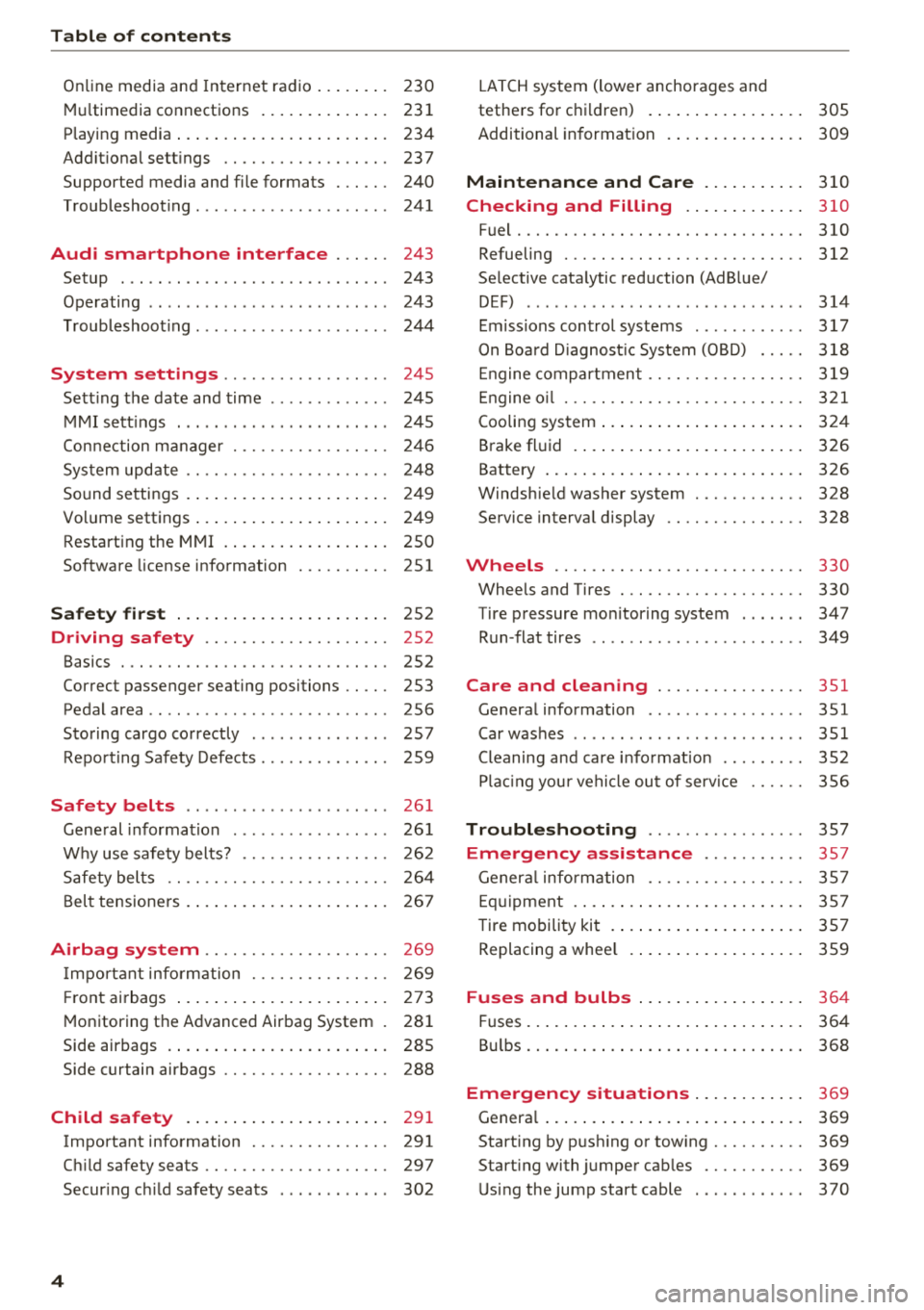
Table of contents
On line media and In ternet radio . . . . . . . . 230
Mul timedia connections .... ... .. .. ... 231
P lay ing media . . . . . . . . . . . . . . . . . . . . . . . 234
Addit ional se ttings ........... .... .. . 237
Supported media and fi le formats . . . . . . 240
Troubleshoot ing . . . . . . . . . . . . . . . . . . . . . 241
Audi smartphone interface . . . . . . 243
Setup . .. .. .. .. ... .. ..... ... .. .. .. . 243
Operating . . . . . . . . . . . . . . . . . . . . . . . . . . 243
T roubleshoot ing . . . . . . . . . . . . . . . . . . . . . 24 4
System settings . . . . . . . . . . . . . . . . . . 245
Sett ing t he date and time . . . . . . . . . . . . . 245
M MI sett ings . . . . . . . . . . . . . . . . . . . . . . . 245
Con nection ma nager . . . . . . . . . . . . . . . . . 246
Sys tem update . . . . . . . . . . . . . . . . . . . . . . 248
So und setti ngs . . . . . . . . . . . . . . . . . . . . . . 24 9
Volume settings . . . . . . . . . . . . . . . . . . . . . 249
Restarting the M MI . . . . . . . . . . . . . . . . . . 250
Software license information 251
Safety first . . . . . . . . . . . . . . . . . . . . . . . 252
Driving safety . . . . . . . . . . . . . . . . . . . . 252
Basics . . . . . . . . . . . . . . . . . . . . . . . . . . . . . 252
Correct passenger seating positions . . . . . 253
Pedal area . . . . . . . . . . . . . . . . . . . . . . . . . . 256
Storing cargo co rrectly . . . . . . . . . . . . . . . 257
Repo rt ing Safety Defects . . . . . . . . . . . . . . 259
Safety belts . . . . . . . . . . . . . . . . . . . . . . 26 1
Gene ral information . . . . . . . . . . . . . . . . . 26 1
W hy use safety belts? . . . . . . . . . . . . . . . . 262
Safety bel ts . . . . . . . . . . . . . . . . . . . . . . . . 264
B el t tensione rs . . . . . . . . . . . . . . . . . . . . . . 267
Airbag system . . . . . . . . . . . . . . . . . . . . 269
I mpo rtant info rm ation . . . . . . . . . . . . . . . 269
Fr ont airbags . . . . . . . . . . . . . . . . . . . . . . . 273
M onitoring the Advanced Airbag System . 28 1
Side airbags . . . . . . . . . . . . . . . . . . . . . . . . 285
Side curtain airbags . . . . . . . . . . . . . . . . . . 288
Child safety . . . . . . . . . . . . . . . . . . . . . . 29 1
Important information . . . . . . . . . . . . . . . 291
Ch ild safety seats . . . . . . . . . . . . . . . . . . . . 297
Secur ing ch ild safety seats . . . . . . . . . . . . 302
4
LATCH sys tem (lower anchorages and
tethers for c hild ren) . . . . . . . . . . . . . . . . . 305
Additional in format ion . . . . . . . . . . . . . . . 309
Maintenance and Care . . . . . . . . . . . 310
Checking and Filling . . . . . . . . . . . . . 310
Fuel...... .. .. .. .. .. ............. .. 310
Refueling . . . . . . . . . . . . . . . . . . . . . . . . . . 312
Se lective catalytic reduction (AdBlue/
DEF) . . . . . . . . . . . . . . . . . . . . . . . . . . . . . . 314
Emiss ions control systems . . . . . . . . . . . . 317
On Boa rd D iagnost ic System (OBD) . . . . . 318
En gine compartment .. ............. .. 319
En gine o il . . . . . . . . . . . . . . . . . . . . . . . . . . 32 1
Cooli ng system . . . . . . . . . . . . . . . . . . . . . . 3 24
Brake fluid . . . . . . . . . . . . . . . . . . . . . . . . . 326
Battery . . . . . . . . . . . . . . . . . . . . . . . . . . . . 326
Windshie ld washer system . . . . . . . . . . . . 328
Service interva l display
328
Wheels .... .. .. .. .. ............. .. 330
Wheels and Tires . . . . . . . . . . . . . . . . . . . . 330
Tire pressure mo nitor ing system . . . . . . . 347
Run -flat tires . . . . . . . . . . . . . . . . . . . . . . . 349
Care and cleaning . . . . . . . . . . . . . . . . 351
General information . . . . . . . . . . . . . . . . . 351
Car washes . . . . . . . . . . . . . . . . . . . . . . . . . 351
Cleaning and care info rmation . . . . . . . . . 352
P lac ing you r vehicle ou t of serv ice 356
Troubleshooting . . . . . . . . . . . . . . . . . 357
Emergency assistance . . . . . . . . . . . 3 57
Gener al info rmation . . . . . . . . . . . . . . . . . 357
Eq uipment . . . . . . . . . . . . . . . . . . . . . . . . . 3 57
T ire mobility kit . . . . . . . . . . . . . . . . . . . . . 3 57
Replacing a whee l . . . . . . . . . . . . . . . . . . . 359
Fuses and bulbs . . . . . . . . . . . . . . . . . . 3 64
Fuses.. ... .. .. .... .. ... .. ..... ... .. 364
Bu lbs. . . . . . . . . . . . . . . . . . . . . . . . . . . . . . 368
Emergency situations . . . . . . . . . . . . 3 69
Genera l . . . . . . . . . . . . . . . . . . . . . . . . . . . . 369
Start ing by push ing or tow ing . . . . . . . . . . 369
Start ing with jumper cables . . . . . . . . . . . 369
Usingthejumpstartcable . ...... ... .. 370
Page 7 of 398
Cl a:, ...... N
" N ...... 0
0
::r '
Raising the vehicle .......... .. .. .... . 373
Accessories and Technical Data . 375
Technical data . . . . . . . . . . . . . . . . . . . . 375
Ve hicl e specifications . . . . . . . . . . . . . . . . 375
Notes about technica l data ..... .. .. .. . 375
Dimensions. .. ............... .. .. .. . 375
Capac it ies . . . . . . . . . . . . . . . . . . . . . . . . . . 375
Weights . . . . . . . . . . . . . . . . . . . . . . . . . . . 376
Consumer Information . . . . . . . . . . 377
Warranty coverages . . . . . . . . . . . . . . . . . . 377
Operating your veh icle outs ide the U .S .A .
or Canada . . . . . . . . . . . . . . . . . . . . . . . . . . 377
Aud i Service Repair Manuals and
Literature . . . . . . . . . . . . . . . . . . . . . . . . . . 377
M aintenance. .... .......... .. .. .... . 377
Accessories and technical changes . . . . . . 379
Declaration of compliance for
telecommunicat ions equ ipment and
e lectronic systems
380
Index ... .. .. ............... .. .. .. . 381
Table of contents
5
Page 18 of 398
Cockpit overview
On-board computer
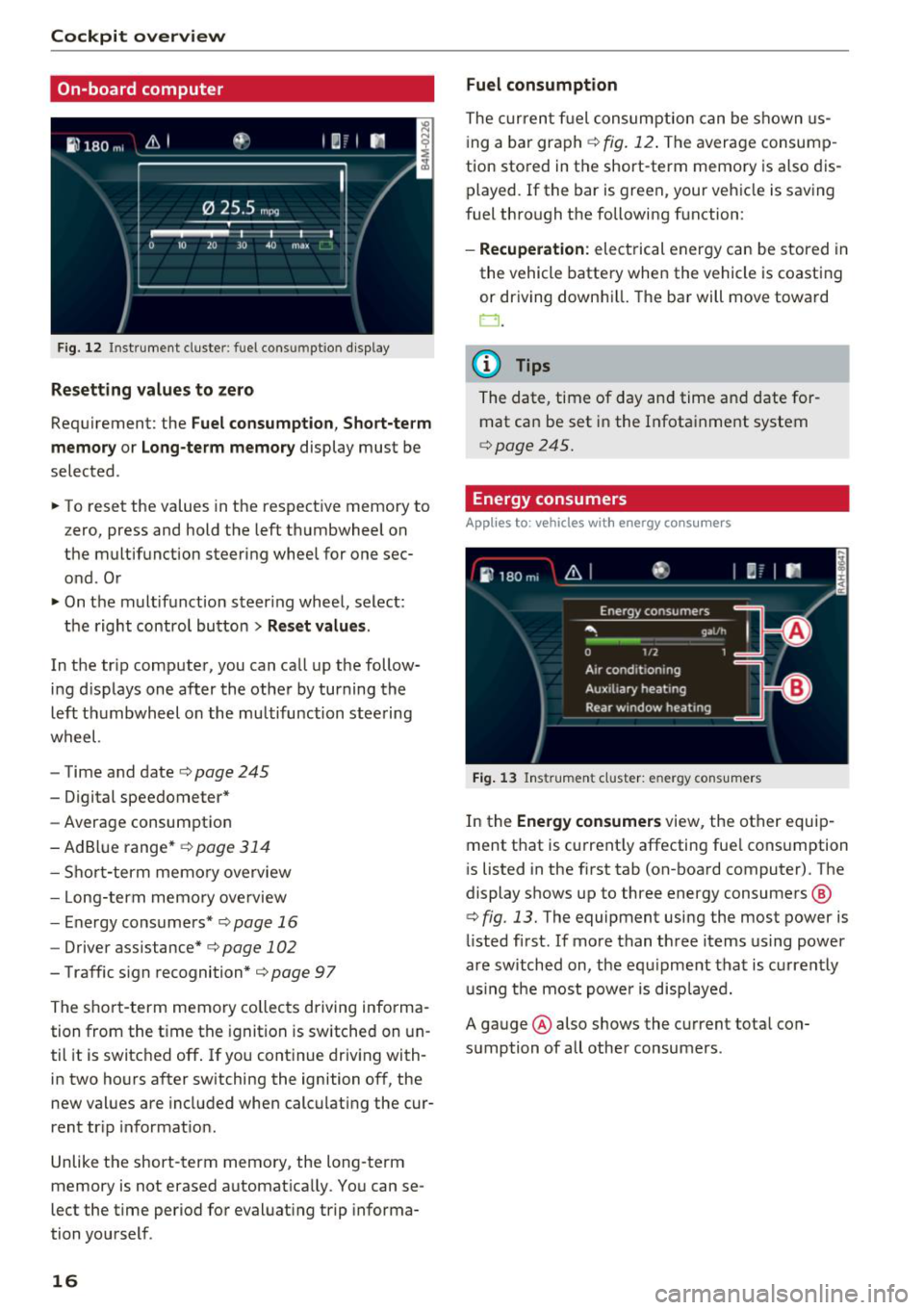
F ig. 12 Instrument cluste r: fuel cons umptio n display
Resetting values to zero
Requirement: the Fuel consumption , Short-term
memory or Long-term memory
display must be
selected .
.. To reset the values in the respect ive memory to
z ero, press and hold the left thumbwheel on
the multifunction steering wheel for one sec
ond . Or
.. On the multifunction steer ing whee l, select :
the right control button
> Reset values.
In the tr ip computer, you can call up the follow
ing d isplays one after the other by turning the
left thumbwheel on the multifunction steering
wheel.
- Time and date¢
page 245
- Digital speedometer*
-Average consumption
-AdBl ue range*
¢ page 314
-Short-term memory overview
- Long-term memo ry ove rview
- Energy consumers*
¢page 16
-Driver assistance* c::> page 102
- Traffic s ign recognition* ¢ page 97
The short -term memory collects driving informa
tion from the t ime the ignition is sw itched on un
til it is switched off . If you continue driving with
in two hours after switching the ignition off, the
new values are included when calculating the cur
rent tr ip informat io n.
Unlike the short-t erm memory, the long -term
memory is not erased automat ica lly . You can se
lect the time period for evaluating trip informa
tion you rself .
16
Fuel consumption
The current fuel consumption can be shown us
i ng a bar graph ¢
fig. 12. The average consump
tion stored in the short-term memory is also dis
played. If the bar is green, your vehicle is saving
fuel through the following function:
- Recuperation : electrical energy can be stored i n
the vehicle battery when the vehicle is coasting
or driving down hill. The bar will move toward
0.
@ Tips
The date, time of day and time and date for
mat can be set in the Infota inment system
¢page 245.
Energy consumers
App lies to : vehicles wit h energy co nsum ers
Fig. 13 Ins trumen t cluster: en ergy cons umers
In the Energy consumers view, the other equip
ment that is current ly affecting fue l consumption
i s listed in the first tab (on-board computer). The
display shows up to three energy consumers @
¢ fig. 13. The equipment using the most power is
li sted first . If mo re than three items using power
are switched on, the equipment that is currently
u sin g the most power is displayed.
A gauge @ also shows the current total con
sumption of all othe r consumers .
Page 26 of 398

Cockpit overv ie w
Stop the engine and do not continue driving.
Check the engine oil leve l¢
page 322.
- If the engi ne oil leve l is too low, add engine o il
r:!> page 322. On ly cont inue driv ing once the in
dicator light turns
off.
- If the engi ne oil level is cor rect and t he i nd ica
tor lig ht st ill tur ns on, tur n the eng ine
off a nd
do no t continue driving. See an authorized Audi
dealer or authori zed A udi Se rvice Fac ility for as
sistance .
(D Tips
The oil pressu re warning is not an o il level in
dicator. Always check the o il level reg ularly .
'1'.::r,. Engine oil level (MIN)
Applies to: vehicles with oil level warning
• Please add oil immediately .
Add engine oil immed iate ly r:!> page 322.
Ill Plea se add ma x. x qt (l) oil. You can contin
u e dri ving
Add the maximum amoun t of oil indicated in the
d isplay as soon as possible ¢
page 322 .
@-Steering lock
• Steering: malfunction! Please stop vehicle
There is a malfunction in the electronic steering
lock . You cannot turn the ignition on .
Do
not tow your vehicle because it cannot be
steered. See an authorized Audi dealer or author
ized Audi Service Fac ility for assistance.
!\II Steering lock: malfunct ion! Please contact
Service
There is a malfunc tion in the elec tronic stee ring
loc k.
Dr ive to an a uth o rized Aud i dea le r or a uth o rized
Aud i Serv ice Fac ility immediately to have the
malfun ct io n corre cte d.
24
A WARNING
Do not tow your vehicle when there is a mal
function in the electron ic steer ing lock -thi s
i ncreases the risk of an acc ident.
-e Engine start system
• Engin e start sy st e m: malfunction! Plea se
contact Service
Do not sw itch the ignition off because you may
not be able to switch it on again .
Drive to an authorized Audi dealer or authorized
Audi Service Facility immediate ly to have the
malfunction corrected .
=:3 Engine start system: malfunct ion! Please
conta ct Ser vice
-
There is a ma lf u nction in the engine star ting sys
tem.
D rive to an author ized A udi dealer or au tho riz ed
A udi Se rvice Fac ility immed iate ly to have the
malfunction correc ted.
~ Hood
• Warning! Hood i s not locked . Stop vehicle
and che ck the lock
If the indicato r light turns on and the message
appears, the hood locking mechanism is not en
gaged correctly .
Stop immediately and close t he hood
¢ page 32 0.
0 /Q Air suspension
Applies to: vehicles with air suspension
• Air suspension: malfunction. Safel y stop ve
hicle. Steering and ground clearance limited
D ue to a sys tem m alfu nct ion, yo ur vehicle's
ground clearance is very low at the front or rear
axle* (in vehicles with all-wheel steering) . Be
ca use of this, the w heels no long er have enoug h
clearance to steer correctly.
See an author ized Audi dealer or au thori zed A udi
Service Facility for assistance.
...
Page 48 of 398
Lights and Vision
The emergency flashers also work when the igni
t ion is turn ed off .
(D Tips
You s hou ld sw itch the emergency flashers on
if:
- you are the last car in a traff ic jam so that
a ll other vehicles approaching from behind
can see your vehicle
- your ve hicle has bro ke n down or you are
having an eme rgency
- you r vehicle i s being towed or if yo u are tow
ing another vehicle
Interior lighting
Front interior lighting
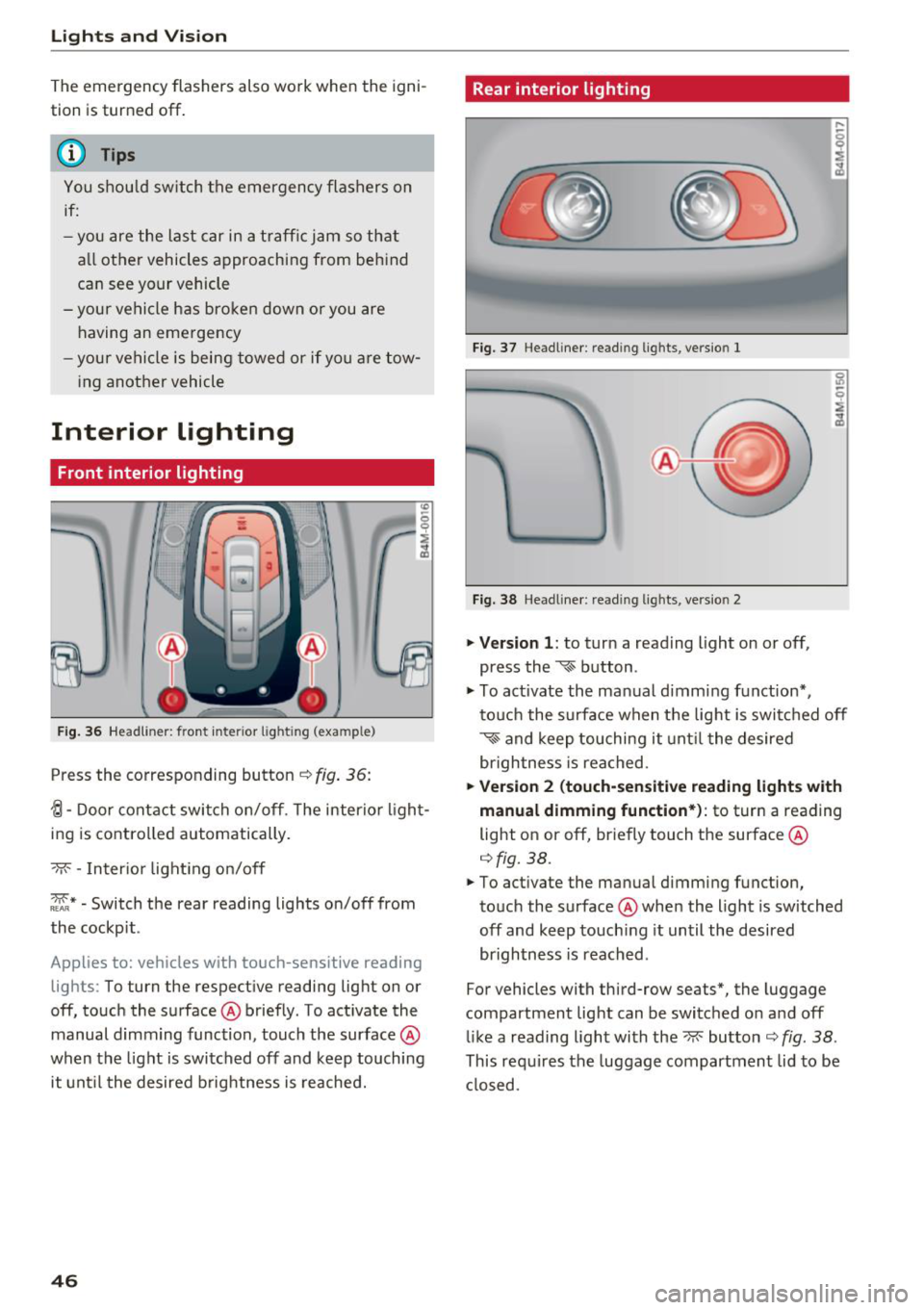
F ig. 36 Headlin er: fr ont in te ri or l ig htin g (exa mple)
Press the co rresponding button ¢ fig. 36:
{l-Door contac t swi tch on/off . T he interior ligh t
ing is controlled automatically.
- M- -In ter ior light ing o n/off
~ * -Switch the rear reading lights on/off from
the cockpit .
App lies to: ve hicles w ith to uch-se nsiti ve reading
lig hts: To turn the respect ive reading light on or
off, touch the surface @ briefly . To act ivate the
manual d imm ing function , touch the surface @
when the light is switched off and keep touching
it unt il t he desired b rightness is reached.
46
Rear interior lighting
Fi g. 3 7 Headline r: re ad in g light s, ve rs io n l
Fi g. 38 Headline r: re ad in g l igh ts , vers io n 2
.. Version 1 : to turn a read ing l ight on or off,
press the
~ b utton .
.. To ac tivate the ma nual dimming f unct ion* ,
t o uch the s urface when the lig ht is swi tc h ed off
~ and keep touching it unt il t he de sired
brigh tness is reached.
.. Ver sion 2 (touch-sensiti ve reading light s with
manual dimming function* ):
to turn a reading
light on or off, br iefly touch the surface @
¢fig. 38 .
.. To activate the manual dimming function,
to uch the surface @whe n the light is switched
off and keep touch ing it until the desired
brightness is reached .
For vehicles with third-row seats*, the luggage
compartment lig ht can be switc hed o n and off
li ke a reading light with the~ button ¢
fig. 38 .
This re quires the luggage compartment lid to be
cl osed.
Page 49 of 398
a co ...... N r--. N ...... 0
0
:E '
Applies to: vehicles with inter ior lighting
.. Se lec t in the Info tainmen t system: !M ENUI but
ton
> Vehi cle> left contro l button > Vehicle
s ettings > Int erior lighting.
The interior lighting turns on when you switch
the head ligh ts on whi le the igni tion is on .
T he storage compartment in the doo r is i llum i
nated when yo u reach your hand in to the storage
compartment .
Version 1
To adjust the b rightness of individua l zones, se
l ect
Front brightness *, Door br ightness or Foot
well brightness .
Turn the control knob to the left
or to the r ight . Press the co ntro l knob to conf irm
the br ightness .
Version 2
Select and confirm one of the displayed profiles
by pressing the con trol knob.
Individual : you can customize the br ightness and
colo r of individual zones. Press the right control
button. P ress the cont rol knob again to confirm
the settings.
Audi drive select: the interior and contour light
ing color changes depending on the driving mode
selected in drive select*¢ page 128.
{!) Tips
The setting is a utomat ica lly stored and as
signed to the remote contro l key that is be ing
used.
Lights and V ision
Instrument illumination
T he brightness of the illumination for the instru
ments, display and head-up display* can be ad
justed .
"' t==~====:::::::::'.=== ===:::::=:::::::===- -!
i
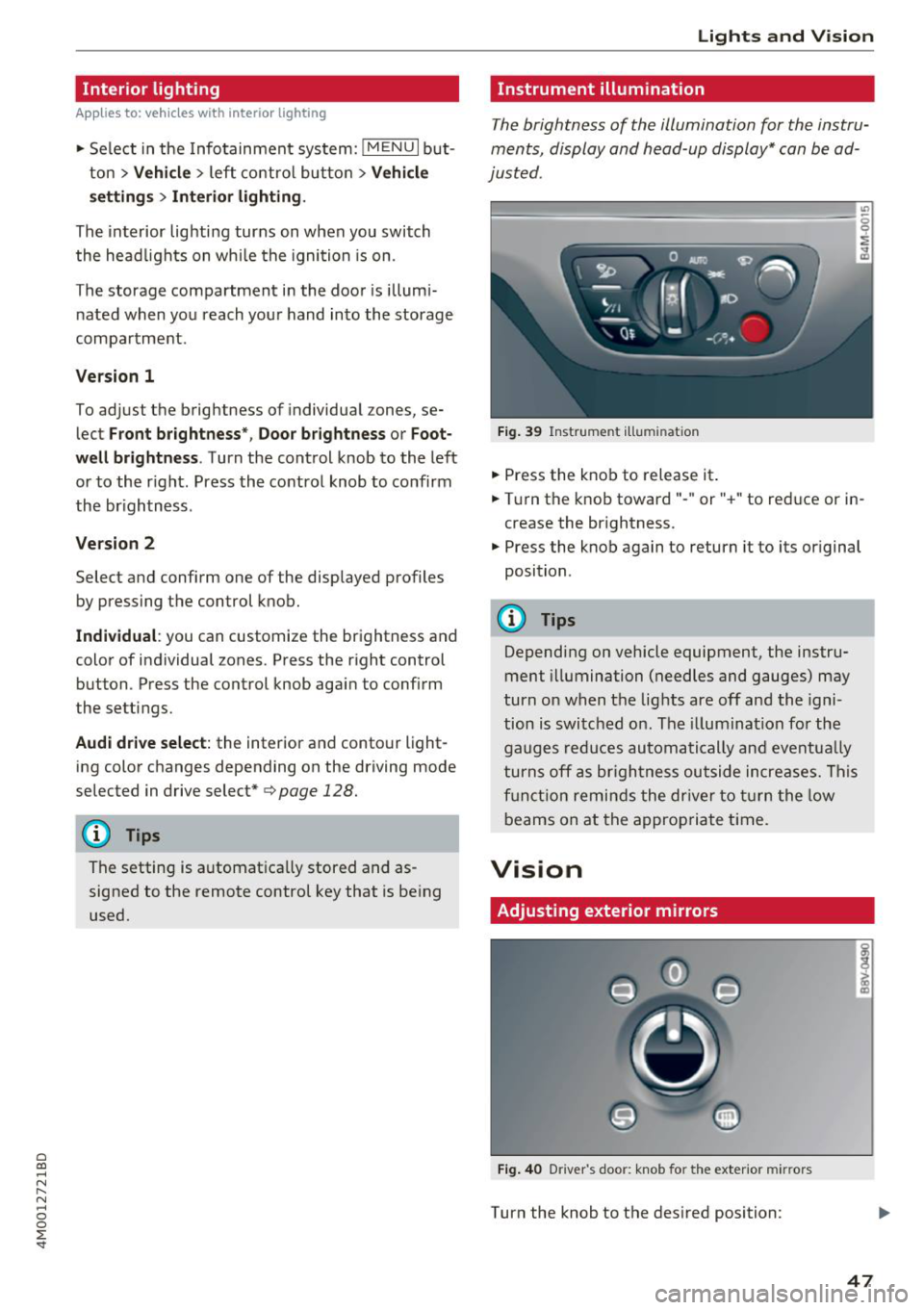
Fig. 39 Instrume nt illumin ation
.. Press the knob to release it .
.. Tur n the knob toward" -" or" +" to reduce or in
crease the br ightness.
.. Press the knob again to return it to its or iginal
position .
(D Tips
Depending on vehicle equipment, the instru
ment illumination (needles and gauges ) may
turn on w hen t he lig hts are off and the igni
tion is swi tched on. The illuminat ion fo r the
gaug es reduc es au toma tically and eventua lly
t urns off as br igh tness ou tside in crea se s. Th is
f u ncti on re mind s the dr iver t o turn the low
beams on at the appropriate ti me.
Vision
Adjusting exterior mirrors
Fig. 4 0 Driver 's doo r: knob fo r the exter io r mir rors
Turn the knob to the des ired position:
i CD
47
Page 51 of 398
a co ...... N r--. N ...... 0
0
:E '
them thoroughly with a large amount of
clean water for at least 15 minutes and then
seek medical attention .
- If electrolyte flu id comes into contact with
the skin, flush the affected area with clean
water for at least 15 minutes and then clean
with soap and water and seek medical at
tention. Clean affected clothing and shoes
thoroughly before wearing again .
- If the fluid was swallowed and the person is
conscious, flush the mouth with water for at
least 15 minutes. Do not induce vomiting
unless this is recommended by medical pro
fessionals. Seek medical attention immedi
ately.
(D Note
If the glass on an automatic dimming mirror
breaks, electrolyte can leak out. This liquid
damages plastic surfaces and paint. Clean
this liquid as quickly as possible, for example
with a wet sponge.
(D Tips
- If the light reaching the rearview mirror is
obstructed, the automatic dimming mirror
will not function correctly,
- The automatic dimming mirrors do not dim
when the interior lighting is turned on or
the reverse gear is selected .
Sun visors
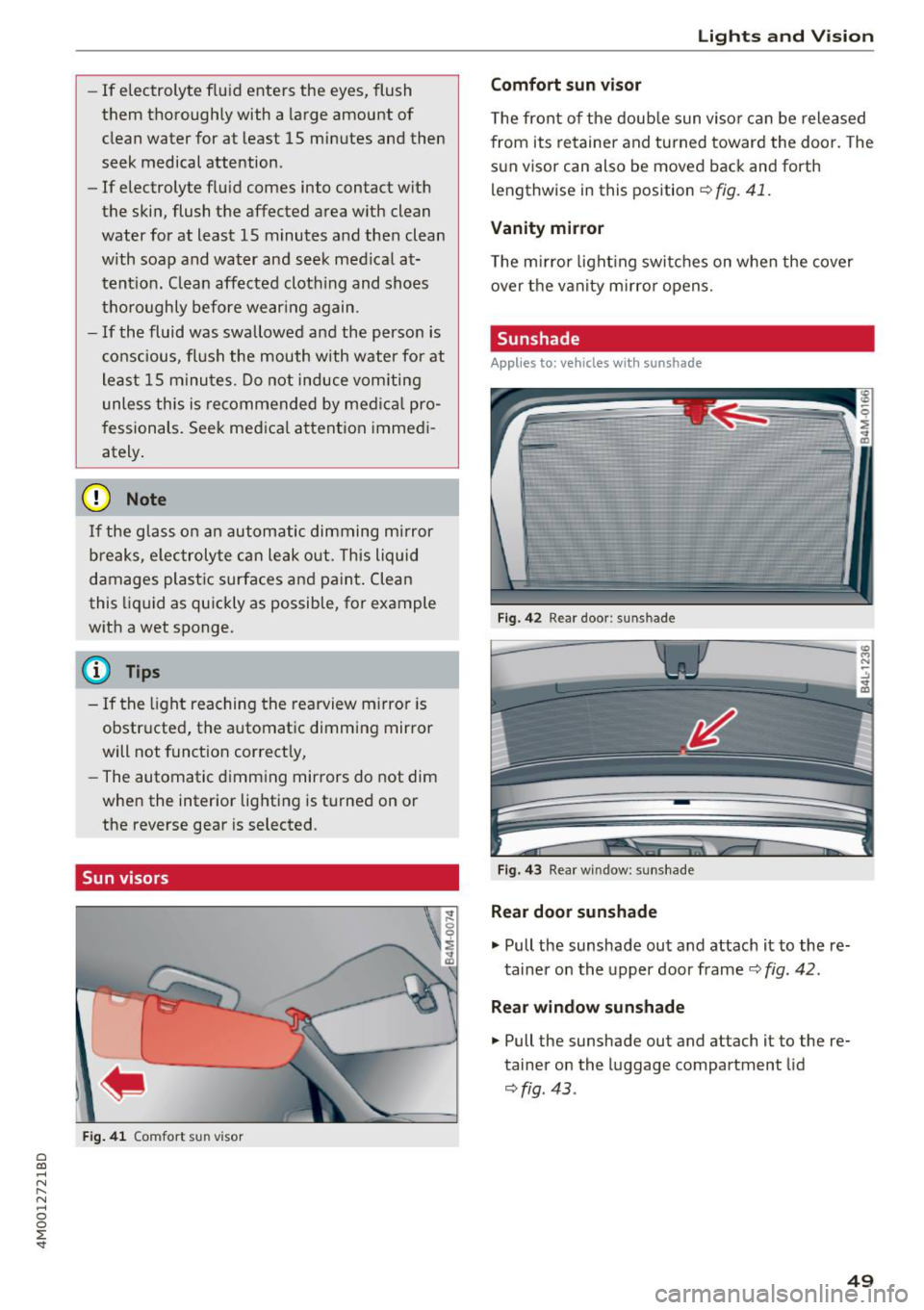
Fig. 41 Comfort s un visor
Lights and Vision
Comfort sun visor
The front of the double sun visor can be released
from its retainer and turned toward the door . The
sun visor can also be moved back and forth
lengthwise in this position
~ fig. 41.
Vanity mirror
The mirror lighting switches on when the cover
over the vanity mirror opens.
Sunshade
Applies to: vehicles with sunshade
Fig. 42 R ear door: sun shade
Fig. 43 Rear w indow : sunshade
Rear door sunshade
.,. Pull the sunshade out and attach it to the re
tainer on the upper door frame
~ fig. 42.
Rear window sunshade
.,. Pull the sunshade out and attach it to the re
tainer on the luggage compartment lid
~fig . 43 .
49
Page 66 of 398
Seats and stor age
Luggage compartment net
App lies to: vehicles with luggage compartment net
The cargo net prevents small objects from slid
ing .
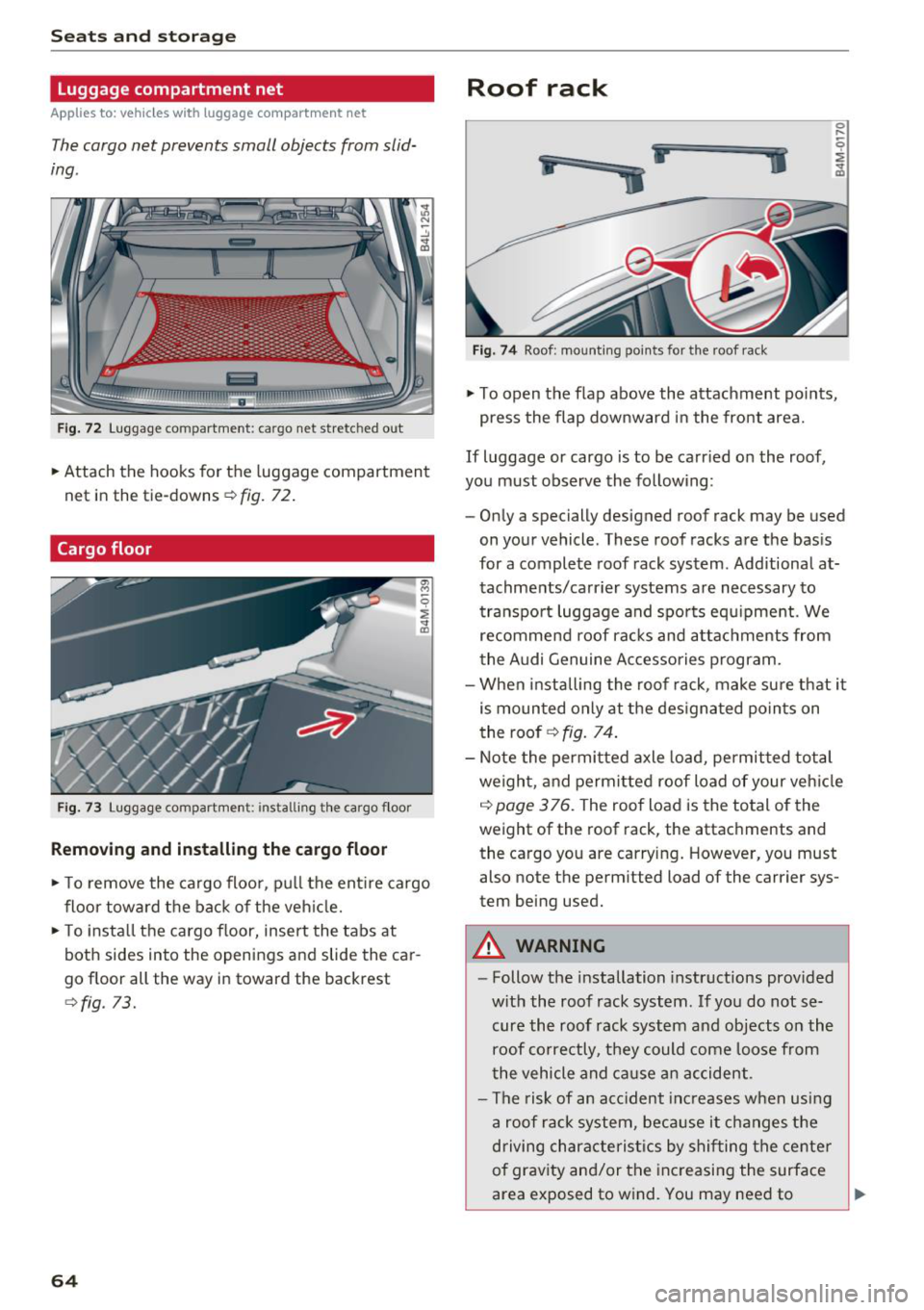
Fig. 72 L uggage compartment: cargo net stretched out
.. Attach the hooks for the luggage compartmen t
net in the tie-downs
r::!> fig. 72 .
Cargo floor
Fig . 73 Luggage compartme nt: insta ll ing th e ca rgo f loor
Removing and installing the cargo floor
.. To remove the ca rgo floor, p ull the ent ire cargo
floor towa rd the back of the veh icle .
.. To insta ll the cargo floor, insert the tabs at
both sides into the openings and slide the car
go floor all the way in toward the backrest
<::!>fig. 73.
64
Roof rack
i
ii
.. j
Fig. 7 4 Roof: mount ing points for the roof rack
.. To open the flap above the attachment po ints,
press the flap downward in the front area.
If Luggage or cargo is to be carr ied on the roof,
you must observe the follow ing:
- Only a specially designed roof rack may be used
on your vehicle . These roof racks a re the bas is
for a complete roof rack system . Additional at
tachme nts/carr ier systems are necessary to
transpo rt luggage and spo rts equ ipment. We
recommend roof rac ks and a ttac hments from
the Audi Genuine Ac cessories program.
- When installing the roof rack, make su re that it
is mounted only at the des ignated po ints on
the roof
r::!> fig. 74.
- Note the permitted axle load, permitted total
weigh t, and permitted roof Load of your veh icle
c::> page 3 76. The roof Load is the total of the
weight of the roof rack, the attachments and
the cargo you are carry ing. However, you must
also note the perm itted Load of the carrier sys
tem being used.
A WARNING
- Follow the installation instructions prov ided
w ith the roof rack system . If yo u do not se
cure the roof rack system and objects on the
roof co rrectly, they could come Loose from
the vehicle and ca use a n accident.
- The risk of an acc ident inc reases w hen usi ng
a roof rack system, bec ause it changes the
driving characte ris tics by shi fting the center
of grav ity and/or the inc reasing the surface
area exposed to w ind. You may need to
~
Page 84 of 398
Drivin g
are available when you start driving r=:> poge 83,
Starting to drive .
Preventing th e automatic parking brake
r e leas e
The vehicle could begin rolling unintentiona lly,
depending on the hill or if towing a trailer .
.,. To preve nt the parking b rake from releasing au
tomat ica lly, pull and hold the© switch and
press the acce lerator pedal. The parking brake
remains set and prevents the vehicle from ro ll
ing backward.
.,. You can release the(®) switch again once you
are sure that you are g iv ing enough dr iv ing
force to the wheels by pressing the accelerator
pedal.
Emer gency br aking fun ction
You can use the emergency braking function in an
emergency situation, or if the standard brake op
eration malfunctions or is disabled.
.,. Pu ll and hold the(®) switch.
.,. As soon as you release the © switch or acceler -
ate, the braking stops .
Pulling and holding the<®> switch while driving
the vehicle activates the emergency braking func
tion . The vehicle is braked at all four wheels by
activating the hydraulic brake system. The brak ing effect is s imilar to heavy braking
r=:> ,&. .
To reduce the risk of activating the emergency
braking by mistake, a warning tone (buzzer)
sounds when the(®) switch is pulled. Emergency
braking stops as soon as the(®) switch is released
or the accelerator pedal is pressed .
Parking
.,. Press the brake peda l to stop the vehicle.
.,. Pu ll the(®) switch to set the parking brake.
.,. Se lect the "P" selector lever pos it ion.
.,. Turn the eng ine off
r=:> ,&. .
.,. Turn the steering wheel when parking on in
clines so that the wheels will roll into the curb
i f the veh icle sta rts mov ing .
82
A WARNING
-Do not press the accelerator pedal inadver
tently if a gear is selected when the vehicle
is stationary and the eng ine is runni ng . Oth
erwise, the vehicle will start to move imme
d iate ly and this could result in an accident.
- Eme rgency brak ing shou ld only be used in
a n emergency, when the no rma l bra ke pedal
h as fa iled or the bra ke peda l is obstr ucted.
Dur ing eme rgency brak ing, you r vehicle w ill
brake s imilar to heavy b raking. ESC and the
associated components (ABS, ASR, EDL)
cannot overcome the laws of physics.
Around curves and when road or weather
conditions are bad, a full brake applicat ion
can cause the veh icle to skid or the rear end
to swerve, wh ich increases the risk of an ac
cident .
- If the power supply fails, you cannot set the parking brake if it is released . In this case,
pa rk the veh icle on leve l ground and secure
it by p lac ing the sele ctor l eve r in the "P " po
si tion. See an au thor ized A udi dealer o r au
thorized A udi Se rvice Fac ility for assis tance.
- Always set the pa rking brake when leaving
your veh icle, even if for a sho rt period of
time . Otherwise the vehicle could roll away,
increasing the risk of an accident.
- If you leave the vehi cle, sw itch the ignition
off and take the ve hicle key with you . This
applies partic ularly when children remain in
the vehicle. Otherwise, chi ldren co uld start
the engine, release the parking brake or op
erate e lectr ica l equipment such as power
w indows, wh ich increases the r isk of an acci
dent.
- No one, especially ch ildren, should remain
in the vehicle when it is locked . Locked
doors make it more diff icu lt for eme rgency
wo rkers to get into the vehicle, which puts
lives at r is k .
0) Tips
When stopp ing at a traff ic signa l or stopp ing
i n city traffic, you can set the park ing brake
manua lly . The veh icle does not have to be
h eld wi th the b rake pedal. The par king b rake