tow AUDI Q7 2018 Owner´s Manual
[x] Cancel search | Manufacturer: AUDI, Model Year: 2018, Model line: Q7, Model: AUDI Q7 2018Pages: 398, PDF Size: 185.58 MB
Page 88 of 398
Driving
and downshifts at a higher RPM to improve fuel
efficiency.
The transm ission switches to a spo rty mode afte r
a ki ck-down or when the drive r uses a
sp o rty
driving sty le
character ized by quick accelerator
pedal movements, heavy acce leration, frequent
changes in speed and traveling at the maximum
speed.
I f desired, the driver can a lso select the gears
manually ( tiptronic mode)¢ page 89.
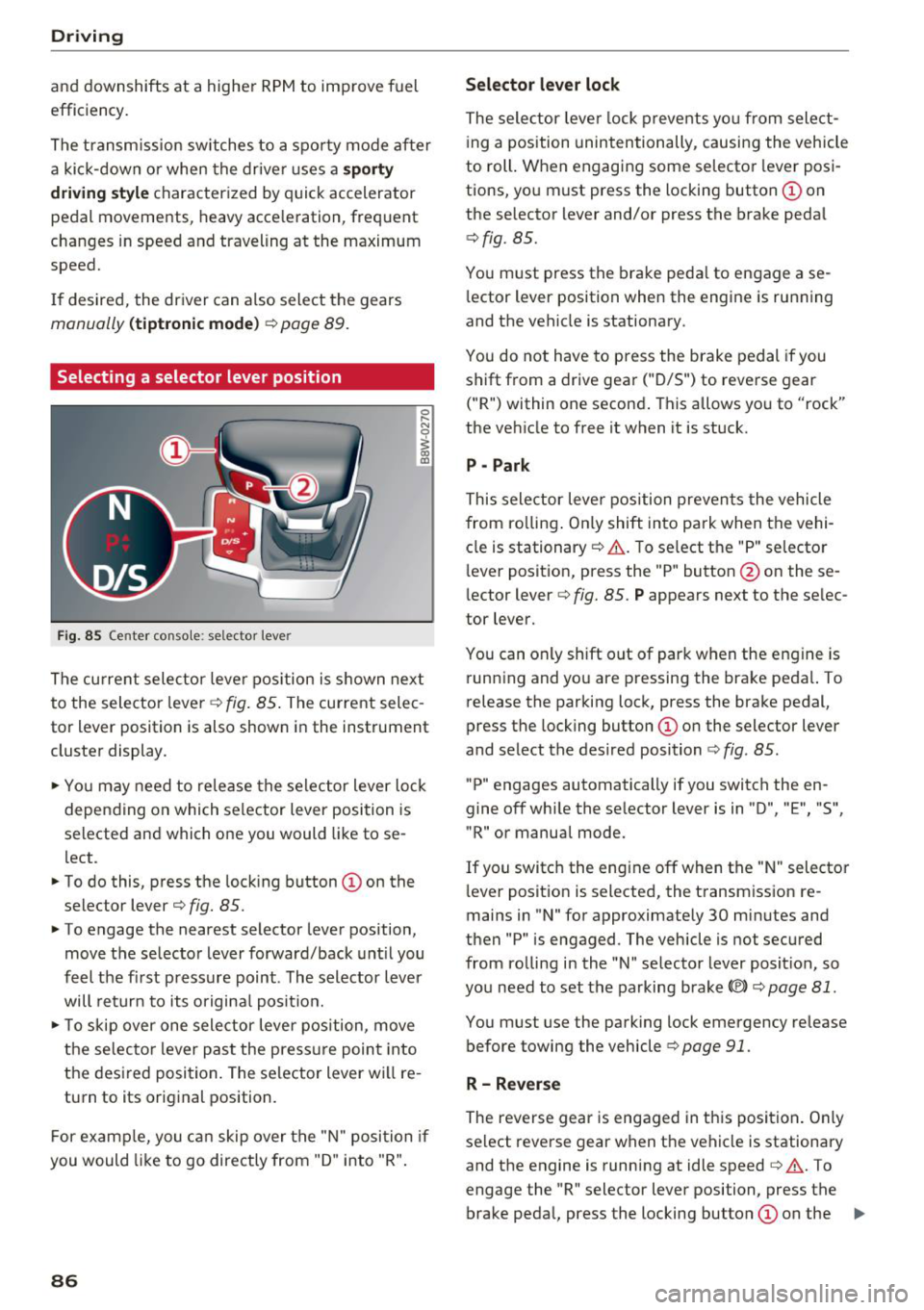
Selecting a selector lever position
Fig. 85 Center conso le : se lec tor lever
The cu rrent selecto r leve r pos ition is s hown nex t
to the selector lever ~
fig. 85 . The current selec
tor lever position is also shown in the instrument
cluste r display .
.. Yo u may need to re lease the selec tor lever lo ck
depen ding on which selector lever position is
selected and which one you would like to se
lect.
.. To do this, press the lock ing button
(I) on the
selector lever¢
fig. 85.
.. To engage the nearest selector lever position,
move the se lector lever forward/back unt il you
feel t he fi rst press ure point. The selector lever
will ret urn to its origina l posit ion.
.. To skip over one sele ctor lever pos ition, move
the selecto r lever past the press ure point into
the des ired posi tion . The se lector lever will re
turn to its original position.
F or examp le, you c an skip over t he "N" position if
you would like to go directly from "D " into "R".
86
Selector lever lock
The selector leve r lock prevents yo u from select
i ng a position unintentionally , causing the vehicle
to roll. When engag ing some selecto r lever pos i
tions, you must press the locking button @on
the selector lever and/or press the brake peda l
¢fig. 85.
You m ust press the brake peda l to engage a se
l ector lever position when the engine is running
and the vehicle is stationary .
You do not have to press the brake pedal if you
shift from a drive gear
(" D/S") to reverse gear
("R") within one second . This allows yo u to "rock"
the veh icle to free it when it is stuck.
P - Park
This selector leve r position preven ts the vehicle
from ro lling . On ly shift into park when the vehi
cle is stationary ¢&. . T o se lect the "P" selecto r
l ever posit ion, press the "P " button @on these
lector lever¢
fig. 85. P appears next to the se lec
tor lever.
You can only shift out of park when the engine is run ning and you are pressing the brake peda l. To
release the parking lock, press the brake pedal,
press the locking button @on the selector lever
and select the des ired position ¢
fig. 85.
"P" engages automatically if you switch the en
gine off whi le the se lector lever is in "D ", "E", "S",
"R" or manual mode.
If you switc h the eng ine off when the " N" selecto r
l ever posit ion is selected, the t ransm iss ion re
mains in "N " for approximately 30 min utes and
then "P" is engaged. The vehicle is not secured
from ro lling in the "N " selector lever posit ion, so
yo u need to set the parking brake®)¢
page 81.
You must use the park ing lock emergency release
before towing the vehicle¢
page 91.
R- Reverse
The reverse gear is engaged in th is posi tion . On ly
select reverse gear when the vehicle is stationary and the engine is running at idle speed¢&. . T o
engage the "R" selector lever position, press the brake peda l, press the locking button
(I) on the ..,.
Page 90 of 398
Drivin g
~ To prevent the vehicle from rolling when you
start driving, set the parking brake when stop
ping on steep hills¢
/A.
~ The parking brake will release automatically
and your vehicle will begin to move when the
doors are closed, the driver's safety belt is fas
tened, and you accelerate as usual.
Stopp ing /p a rki ng
If the selector lever is not in the "P" position
when you open the dr iver's door, the veh icle
could roll.
~ Press and hold the brake pedal¢ /A.
~ Set the parking brake.
~ To select the "P" selector lever pos it ion, press
the "P" button @on the selector lever
¢ page 86, fig . 85 .
Under certain condit ions, such as driving in the
mounta ins or when towing a trailer, it may be
helpful to switch to manual mode temporarily
and sh ift
manually to adapt to the driving condi
tions
¢ page 89.
On hills, set the parking brake first and then s hift
into the "P" position¢
page 81. This prevents too
much stress from being placed on the locking
mechanism .
.8, WARNING
- The veh icle can roll eve n when the engine is
swit ched off.
- Unintended ve hicle movement can lead to
serious injur ies.
- T o reduce the risk of an acc ident, do not
press the acce le rato r pedal whe n cha ng ing
the se lecto r lever posit ion while the ve hicle
is s ta tionary and the eng ine is ru nning.
- T o reduce the risk of an ac cident, never se
lect the "R" or "P" positions while dr iv ing .
- Do not inadvertent ly press the acce le rato r
peda l w hen the veh icle is sta tionary. Othe r
wise the risk of an acc ident in cr eases be
ca use the vehicle will start to move immed i
ate ly, even if the parking brake is set .
88
Hill descent control
The hill descent control system assists the driver
when driving down hills .
Hill descent control activates when the transm is
s ion is in the "D" or "S" pos ition and you press the
brake pedal. The transmission automat ically se
lects a gear that is suitable for the hill. Hill de
sce nt cont rol tr ies to maintain the speed ach
i eved at the t ime of braking, w it hi n phys ical and
tec hnical lim itations . If may still be necessary to
adjust the speed wit h the brake peda l.
Hill descent cont rol sw itches off once the h ill lev
els out or you press the accelerator pedal.
When operating the cru ise control system*
¢
page 95 , hill descent control is also activated
whe n the speed is set.
.8, WARNING
Hill desce nt co ntro l cannot ove rcome physical
lim itat ions, so it may not be ab le to m ainta in
a constant speed under all conditions. A lways
be ready to app ly the brakes.
Page 93 of 398

-The parking lock was released using the emer
gency release
¢ page 91. Or
- The parking lock can no longer be engaged.
Drive to an authorized Audi dealer or author
ized Audi Service Facility immediately to have
the malfunction corrected .
[il Move selector lever to automatic position
There is a malfunction in the tiptronic mode . End
tiptron ic mode by pushing the selector lever to
the left into the "D/S" position.
Parking lock emergency release
The parking lock must be released with the
emergency release when driving through moun tains/maneuvering.
Fig. 88 Drive r's side footwell : releas ing th e parking lock
us ing the eme rgency re lease
The emergency release is located under the floor
mat on the driver 's side .
Releasing the parking lock using the
emergency release
"'To prevent the vehicle from rolling unintent ion
ally, set the parking brake(®)¢
page Bl or
press the brake pedal.
"' There are two slits on the cover. Position the
screwdriver from the vehicle tool kit in one of
the slits on the cover and pry the cover off.
"' Insert the socket wrench (from the vehicle tool
k it) into the opening
c:> fig . 88.
"'T urn the socket wrench all the way clockw ise @
and press it downward @unti l it locks into
place.
~ "'L eave the socket wrench inserted c:> .&_ . ...... N r--.
~ Resetting the parking lock
0
0
~ "'Press the brake pedal and start the engine .
Driving
"' Keep the brake pedal pressed and engage the
following selector lever positions one after the
other: "N" , "D" and back to "N".
"' Turn the engine off again.
"' Grasp the socket wrench with both hands and
pull it up and out carefully to remove
c:>(D .
"'Install the cover .
When the parking lock emergency release is
used, the
[il indicator light and the "N " selector
lever posit ion turn on in the instrument cluster.
The message
Danger of rolling away! P not pos
sible. Please apply parking brake
also appears.
_& WARNING
-Only activate the emergency release while
on a level surface or a slight slope.
- The parking lock may only be released using
the eme rgency release if the parking brake
is set . If it is not functioning, secure the ve
hicle from rolling using the brake pedal or
other suitable means, such as blocking a
front and a rear wheel. An unsecured vehicle
may roll away, which increases the risk of an
accident.
- To reduce the r isk of an accident, you must
not drive when the emergency release is ac
tivated .
@ Note
-Read and follow the important instructions
about tow ing
<=> page 371.
-The risk of damage increases if you do not
remove the socket wrench carefully when
resetting the parking lock.
91
Page 94 of 398

Trail er to wing
Trailer towing
Driving with a trailer
General information
Your veh icle is primari ly intended for transport
ing peop le and luggage. Howeve r, if you dr ive
with a tra iler , follow the techn ica l requirements ,
the operation and driving tips, and the lega l reg
ulations.
Dr iving w ith a trailer affects the vehicle 's fuel
consumpt ion, performance and wear. It a lso re
quires higher concentration from the driver .
A WARNING
Do not transport any people in a trailer due to
the risk of fatal injury .
Technical requirements
Certain requirements must be met when towing
a trailer.
Trailer hitch
Only use a trailer hitch with a removab le ball
h itch mount and ball h itch. The tra ile r hitc h must
be pe rm it t ed for the vehicle, the tra iler and the
permitted tota l weight of the trailer being
pu lled . Above all, it must be secure ly and safe ly
attached to the vehicle trailer.
Never mo unt a t rai ler hitch on the bumper. The
trai ler hitc h must be mounted in a way that does
not impair the function of the bumper. Do not
make any changes to the exhaust system and the
brake system.
Check regu larly if the trai ler hitc h is securely
mounted . A lways follow the instructions given by
the trai ler hitch manufacturer .
Trailer brakes
If t he tra ile r has its own bra ke system, then fol
low the manufacturer specifica tions. Howeve r,
the brake system on the trai ler must never be
connected to the vehicle brake system.
92
Engine cooling system
D riving w ith a tra ile r means a higher load on t he
engine and the cooling sys tem. The coo ling sys
tem must be designed for additiona l load and
contain enoug h coo lant ~@ .
A WARNING -
- Never mount a "weight -distributing" or
"load-balancing" trailer coupler as the trail
er hitch. The ve hicle was not des igned for
these types of tra iler h itches. The tra iler
h itch can malfunction and t he tra ile r can
b reak off from the vehicle.
- If t he tra ile r i s equ ipped w ith elect ronic
brakes, these brakes can not be activated by
a facto ry-installed control system, whi ch in
creases the r isk of an accide nt.
- To red uce the r is k of injury, always remove
the ball hitch mount if no tra ile r is mo unt
ed.
@ Note
L onge r incl ines cannot be dr iven without a
su itab le cooli ng system, especially if the out
s ide temperatu res a re high. ot herwise, this
i nc reases the risk of eng ine da mage.
Operating instructions
Several things must be noted when towing a
trailer.
Towing capacity
The permitted towing capacity must not be ex
ceeded under any circumstances~
page 376.
You can dr ive up larger inclines if you are not us
i ng the maximum towing capacity.
The towing capacities given only apply to e leva
tions up to 3,200 ft (1,000 m) above sea level. As
the e levation increases, the engine power de
creases due to the decreasing air pressures. T his
reduces the hill climb ing ability and towing ca
pac ity . For every additional 3,200
ft (1,000 m),
t h e maximum permitted tow ing weight must be
r educed by app roximately 10% . T he pe rm itted
tow ing weight is t he comb ined we igh t of the
( loaded) vehicle and the (loaded) trailer .
Page 95 of 398
Cl a:, ...... N
" N ...... 0
0
::r '
The maximum permitt ed tongue weight of the
trailer drawbar on the trailer hitch ball head may
not be exceeded .
If the tongue we ight is too low, this affects the
trailer's handling . For driv in g safety, we recom
mend to always utilize the maximum permitted
tongue weight, but not exceed it. You can reach
it, for example , by distributing the cargo in the
trailer correctly.
You can determine the tongue weight, for exam
ple, with a bathroom scale or a public weigh sta
tion .
The permitted tongue weight of your veh icle can
be found in the vehicle documentation or in
¢page 376.
Load distribution
Poor cargo load and distribution can negatively
i mpact ve hicle handl ing.
- Store objects preferably in the vehicle luggage
compartment . The vehicle shou ld always carry
the heaviest possible load and the trailer
shou ld have the lightest possible load.
- Distribute the load in the tra iler so that the
heavy objects are as close to the axle as possi
ble.
- Secure objects from slid ing out of p lace.
- Utilize the maximum permitted tongue weight
if possible .
Tires
Set the tire pressure on your vehicle for a "full
load"; see the t ire pressure sticker¢
page 340.
If necessary, also adjust the tire pressure on the
trailer according to the manufacturer's recom
mendation .
The tire pressure must be increased an addi tional
3 PS I (0 .2 bar) for towing loads over 6,600 lbs
(3,000 kg) .
W inter tires shou ld be mounted on the vehicle
and on the trailer during winter temperatures .
Trailer towing
Outside mirrors
If you cannot see the traffic behind the trailer
with the standard exterior mirrors, then you
must attach additional exterior mirrors. Adjust
them so you have a sufficient visibility behind
you.
Exterior lighting
Follow the legal regu lations rega rding the light
ing equipment on your trailer. Contact an author
ized Audi dea ler or authorized Audi Service Facili
ty for more information.
Before starting to drive , check all lighting eq uip
ment on the hitched trailer.
T he headl ight range cont rol adj usts automat ica l
ly to the light range of the headlights .
Safety chains
Make sure the safety chains are correctly applied
when pulling a trailer . The cha ins should hang
enough so that the trailer can drive around
curves . Howeve r, they must not touch the
ground.
Air suspension
Applies to: vehicles with air suspension
The air suspens ion must be at the standard vehi
cle he ight before you set the tongue weight on
the tra iler and hitch the trailer¢@ ,
¢page 130,
Raising/lowering the vehicle.
For vehicles with a factory-installed trailer hitch,
the a ir suspension trailer mode w ill automatically
switch on if you connect the trailer cable to the
socket.
For vehicles with a retrofitted trailer hitch, you
must sw itch on the a ir suspension trailer mode
manua lly . Select in the Infotainment system:
IMENU I button> Vehicle > left control button>
Vehicle settings > Air suspension: trailer. Switch
it off again after towing a trailer.
You can also sw itch off trailer mode manually
wh ile dr iving, for example, whe n using a bicycle
rack system. ..,.
93
Page 96 of 398
Trail er to wing
If you have to drive th rough diffic ult road condi
tions, you can raise the vehicle again after hitch
ing the trai ler or after adjust ing the tongue
weight .
{QJ Note
Applies to: vehicles with air suspension
-Changes in temperature or load can affect
the he ight of the vehicle.
- Set the a ir suspension to the standard vehi
cle heig ht, otherwise the applicab le tongue
weig ht no longer applies to your vehicle .
(D Tips
-Use chocks when parking on incl ines if the
trailer is loaded.
- We recommend also having the vehicle in spected between the inspection intervals if
you are towing a trai ler frequently.
- Avo id driving wit h a trailer du ring the vehi
cle break-i n period .
Driving with a trailer
Driving with a trailer requires extra caution.
Speed
Adhere to the legal speed l imi ts. Follow t he lega l
regulations specif ic to the country.
As the speed inc reases, the d riving stability of
the t railer dec reases . The refore you sho uld not
exceed t he max imum legal speed limit when
there are unfavorable road, weather and/or wind
conditions. This especially applies when driving
downhill.
You must a lways reduce yo ur speed as soon as
you not ice even the s lightest swinging motion of
the trailer . Never try to "straighten out" the trail
er by accelerating.
The weig ht dis trib ution is very poo r if t he ve hicle
is empty and the trailer is loaded. However if you
must drive under these circumstances, t hen drive
especia lly slowly.
94
Brak es
Brake in a time ly manner. Downs hift be fo re dr iv
i ng down hill so that the engine can assist with
braking ~&, .
When using a t railer w it h over run bra kes, fi rst
brake ge ntly t hen q uickl y. This red uces the r isk o f
jerking while braking if the trailer wheels lock up .
Engine coolant temperatur e
Pay attention specifically to the coolant tempera
ture display when there a re high outs ide temper
at ures , and whe n driving on long i nclines
~ page 11. Shift to a highe r gear in a t imely man
ner .
A WARNING
Constant braking causes the b rakes to over
h eat and substantially reduces bra king per
formance, increases b raking distance o r caus
es complete failure of the brake system.
-
Page 98 of 398
Ass is tanc e system s
the cruise control from braking. This is be
cause pressing the accelerator pedal over
rides the cruise contro l system .
- If a brake system ma lfunction such as over
heating occurs when the cruise control sys
tem is sw itched on, the braking function in
the system may be switched off . The rest of
the cruise control system functions remain act ive as long as
the @;\l)~ij (USA models) /
Bl (Canada models) indicato r light is on.
@ Note
Before driving downhill a long distance on a
steep hill, decrease you r speed and select a
lower gear. This makes use of the eng ine
brak ing effect and re lieves the bra kes.
(D Tips
The b rake l ights turn on w hen the brakes a re
app lied automat ically .
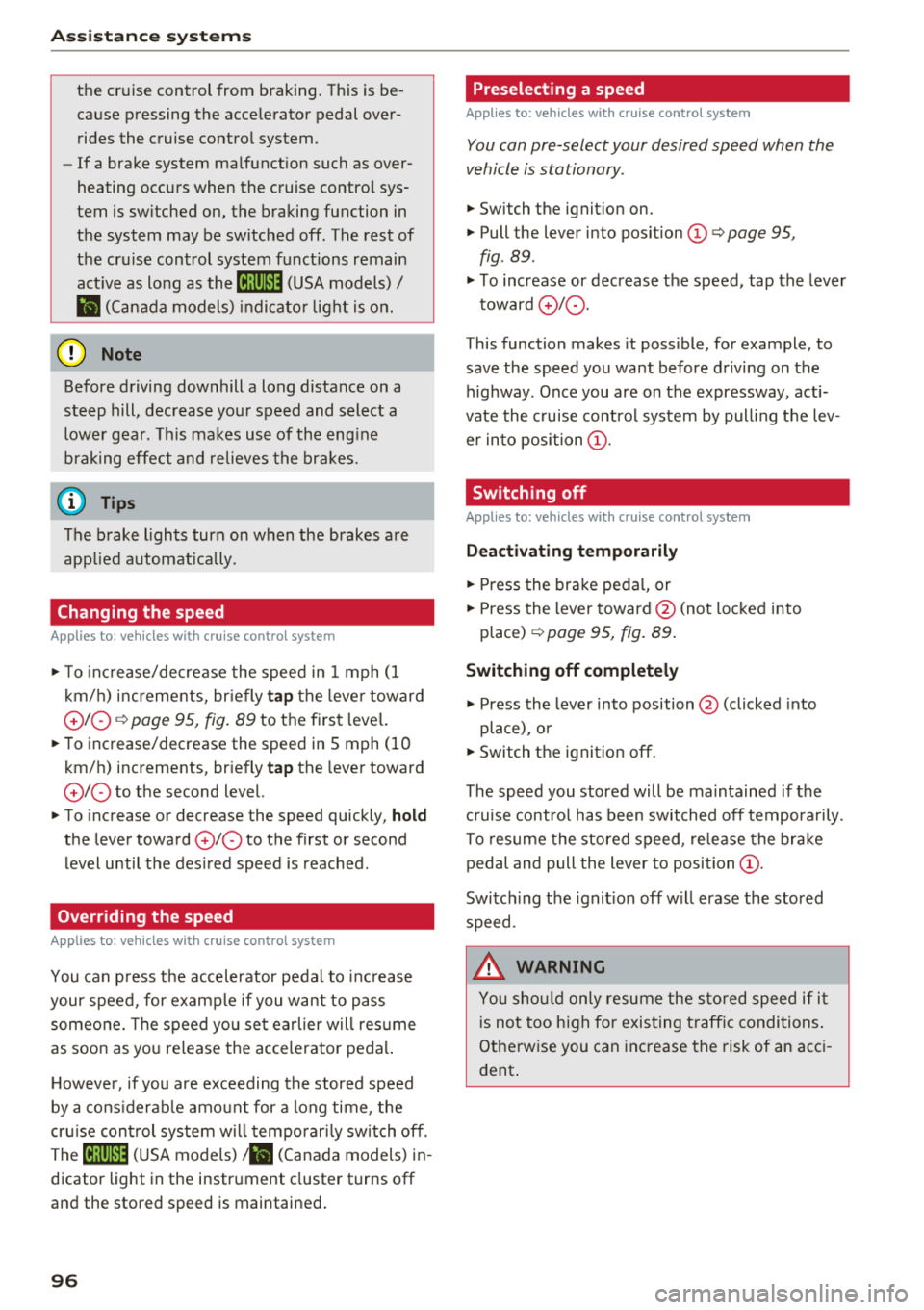
Changing the speed
Applies to: vehicles with cruise control system
.,. To inc rease/decrease the speed in 1 mph (1
k m/h) increments, br ie fly
tap the leve r toward
0 10 ¢ page 95, fig. 89 to the f irst leve l.
.,. To increase/decrease the speed in S mph (10
km/ h) increments, br iefly
tap the leve r toward
0 10 to the second level.
.,. To increase or decre ase the speed quickly, hold
the lever toward
0 10 to the first or second
level until the des ired speed is reached .
Overriding the speed
Applies to: vehicles with cruise control system
You can p ress t he accelerator pedal to inc rease
your speed, for examp le if you want to pass
someo ne. The speed yo u se t earlier w ill res ume
as soon as yo u release the accelerator peda l.
H oweve r, if you are exceeding the stored speed
by a cons ider able amo unt for a long time , the
cr uise con trol sys tem w ill tempo rar ily switch off.
The
[ij;\l)~ij (USA models) tBI (Canada models) in
dicator light in the instrument cluster turns off
and the stored speed is maintained .
96
Preselecting a speed
Applies to: vehicles with cruise control system
You can pre-select your desired speed when the
vehicle is stationary .
.,. Switch the ignit ion on.
.,. Pull the lever into pos ition
(D ¢ page 95,
fig . 89 .
.,. To increase or decrease the speed, tap the leve r
toward
0 10 .
This function makes it possible , for example , to
save the speed you want before driving on the highway . Once you are on the expressway, acti
vate the c ruise control system by pull ing t he lev
e r in to position
(D .
Switching off
Applies to: vehicles with cruise control system
Deactivating temporarily
.,. Press the br ake pedal, or
.,. Press the lever towar d@ (not loc ke d in to
place)
¢ page 95, fig. 89.
Switching off completely
.,. Press the lever into position @(clicked into
place), or
.,. Switch the ignit io n off.
The speed you stored will be ma intained if the
c ruise contro l has been switched off tempora rily .
To resume the stored speed, re lease the bra ke
pedal and pull the lever to posi tion
(D .
Switc hing the ignit ion off w ill erase the stored
speed .
.&_ WARNING
You sho uld only resume the s to red speed if i t
i s no t too h igh fo r exis ting traff ic condi tions .
Ot herwise you can increase the risk of an acci
dent .
Page 107 of 398
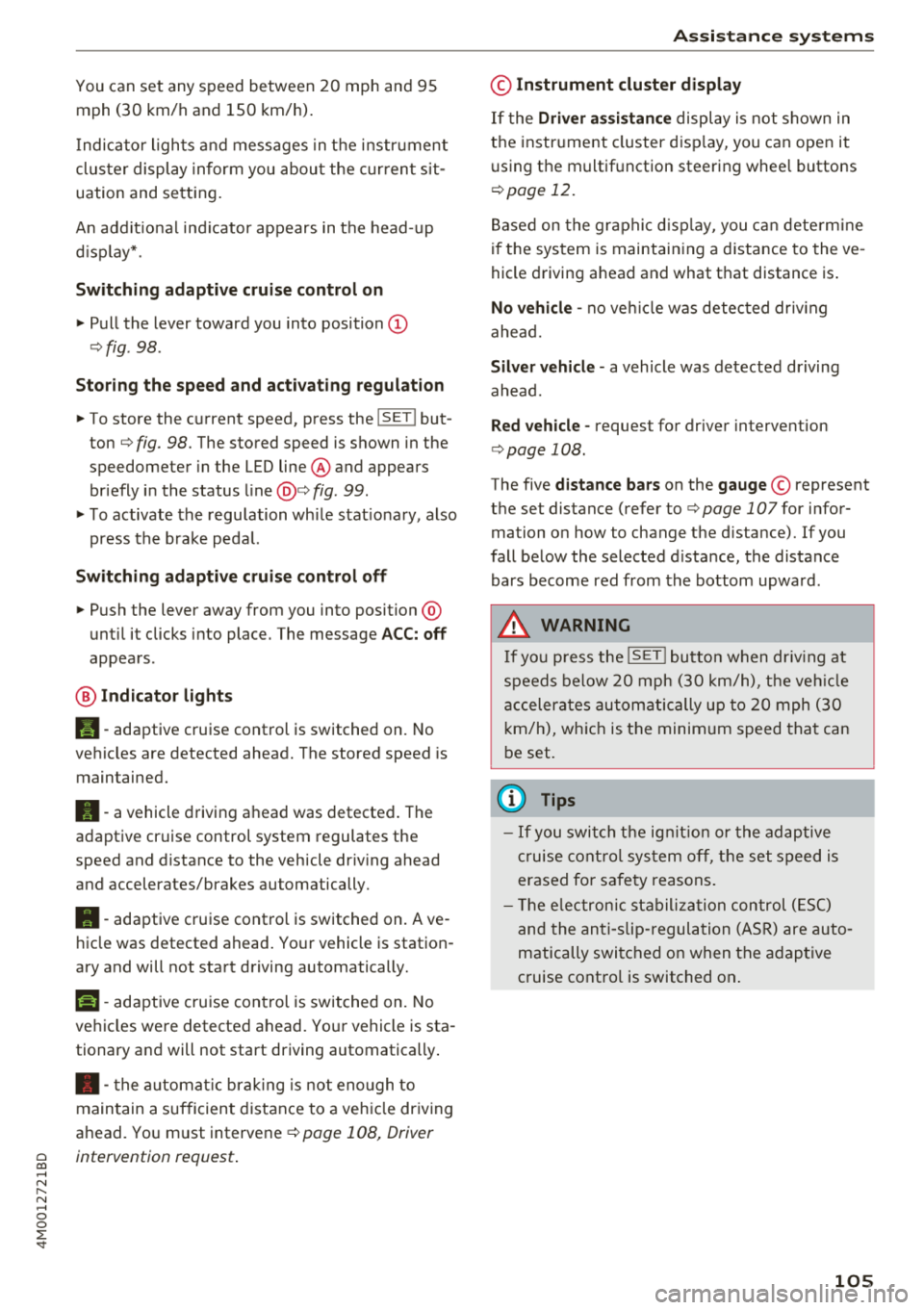
You can set any speed between 20 mph and 95 mph (30 km/h and 150 km/h).
I ndicato r lights and messages in t he i nstr ument
cluste r display inform you abou t the cur ren t sit
uation and setting.
An addit ional ind icator appears in the head- up
d isp lay* .
Switching adaptive cruise control on
"' Pull the lever toward you into position@
¢fig . 98 .
Storing the speed and acti vating regulation
"' To store the c urrent speed, press the !SE TI but
ton ¢
fig. 98 . The stored speed is shown in the
speedometer in the LED line@ and appears
briefly i n the status line@¢
fig . 99.
"'T o activate the regu lation wh ile stat ionary, also
press the b rake peda l.
Switching adapti ve cruise control off
"' Push the lever away from you into position @
unt il i t clicks i nto place . The message
ACC: off
appears .
® Indicator light s
II-adaptive cruise control is switched on. No
ve hicles are detected ahead. The stored speed is
maintained.
•- a vehicle driving ahead was detected . The
adaptiv e cruis e control system regulates the
speed and distance to the vehicle dr iv ing ahead
and accelerates/brakes automatically.
•- adaptive cruise control is switched on. Ave
h icle was detect ed ahead. You r vehicle is station
ary and will not start driving automatically.
ti)-adaptive cru ise con trol is switched on. No
ve hicles were detected ahead. Yo ur vehicle is sta
tionary and will not start driving automatically .
• -the automat ic brak ing is not eno ugh to
main tain a sufficient distance to a veh icle dr iving
ahead. You must intervene
c:!;> page 108, Driver
~ intervention request .
...... N
" N ...... 0
0
::r '
© Instrument cluster display
If the Driver a ssistance displ ay is not shown in
the instr ument cluster d isp lay, you can open it
u sing the m ultif unction steering whee l buttons
¢ page 12.
Based on the gr aphic disp lay, you c an dete rm ine
i f th e system is maintain ing a d istance to the ve
hicle driving a head and what t hat distance is .
No vehicle -no vehicle was detec ted dr iv ing
ahe ad.
Silver vehicle -a vehicle was detected driving
ahead.
Red v ehicle -reques t for driver interve ntion
¢ page 108 .
The five distance bars on the gauge© represent
the set distance (refer to
c:!;> page 107for infor
ma tion o n how to change t he d istance). If you
fall below the selected d ista nce, the distance
bars become red from the bottom upwa rd .
A WARNING
If yo u press the !SET I butto n w hen dr iv ing at
speed s below 20 mph (30 km/h), t he ve hicle
a ccelera tes au tom atic ally u p to 2 0 mph (30
k m/h), w hich is the minim um speed tha t can
b e set.
(D Tips
- If you swi tch t he ig nit io n o r th e adaptive
cr uise cont ro l sys tem o ff, t he set s peed is
erased fo r safe ty reasons .
- Th e elec tron ic st abili za tion con trol ( ESC)
and the an ti- slip -regul ation (ASR) are auto
matically swi tched o n when the adap tive
c ruise cont ro l is switched on .
105
Page 108 of 398
Assistance systems
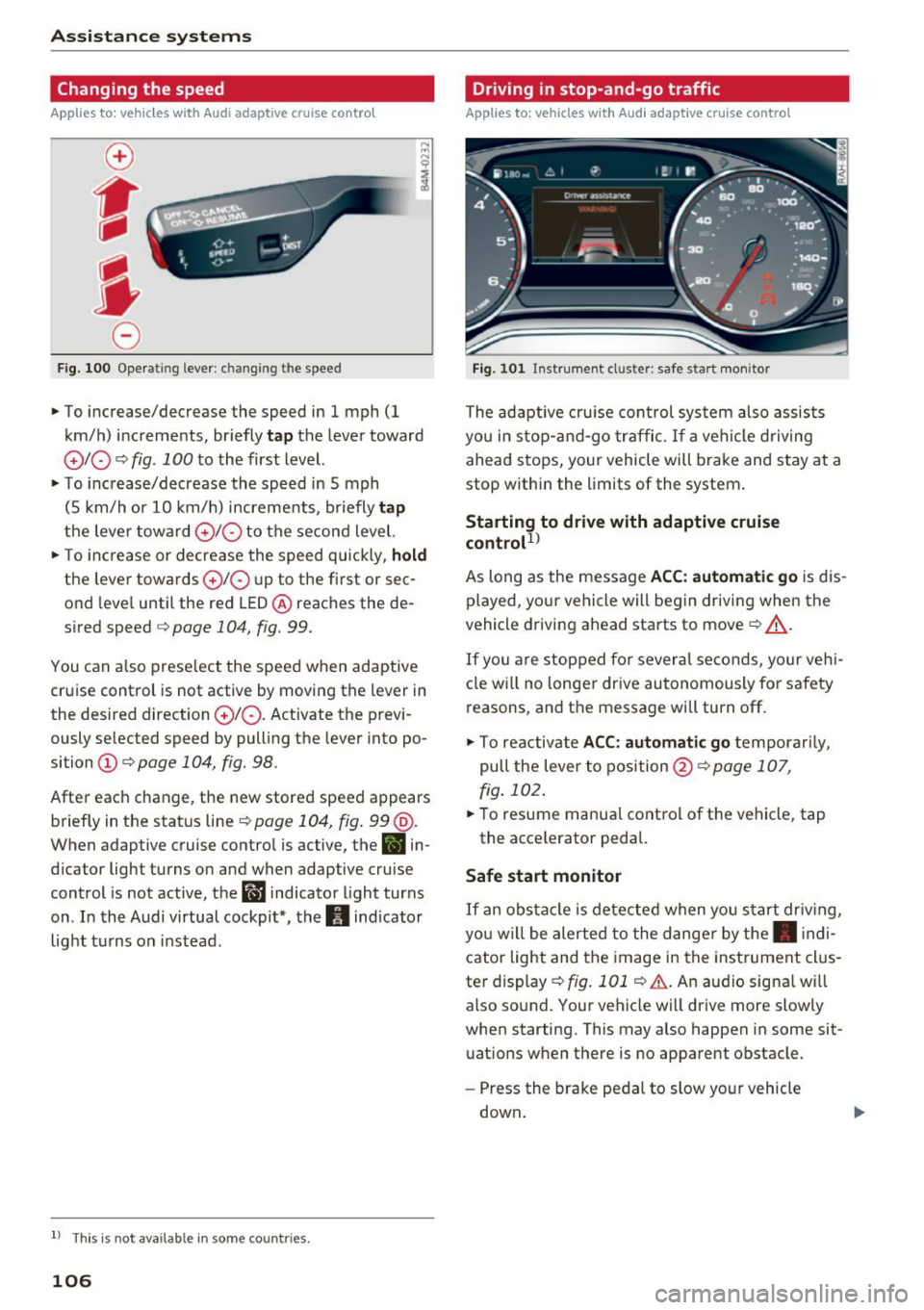
Changing the speed
Applies to: vehicles with Audi adaptive cruise contro l
0
f
'
0
F ig. 100 Oper ating lever : c han ging th e speed
~ To increase/decrease the speed in 1 mph (1
km/h) increments, br iefly
tap the lever toward
010 ¢ fig . 100 to the first level.
~ To increase/decrease the speed in 5 mph
(5 km/h or 10 km/h) increments, briefly
tap
the leve r toward 0 10 to the second level.
~ To increase or decrease the speed quickly, hold
the lever towards 010 up to the first or sec
ond level until the red LED@ reaches the de
s ir ed speed
¢ page 104 , fig. 99.
You can also preselect the speed when adaptive
cruise control is not active by moving the lev er in
the desi red direction
010 . Activate the previ
ously selected speed by pulling the lever into po
si tion
(D ¢ page 104, fig. 98.
After each change, the new stored speed appears
briefly in the status line¢
page 104, fig. 99 @.
When adaptive cruise control is active, the
B in
dicator light turns on and when adaptive cruise
control is not active, the
ll'J indicator light turns
on . In the Audi virtual cockpit*, the
II indicator
light turns on instead.
ll Thi s is no t a vail able in som e coun tries.
106
Driving in stop-and-go traffic
Applies to: vehicles with Audi adaptive cruise control
Fig. 101 In st rumen t cl uster: safe start mo nitor
The adaptive cruise con trol system also assists
you in stop-and-go traffic.
If a vehicle driving
ahead stops, your vehicle will brake and stay at a
stop within the limits of the system.
Starting to drive with adaptive cruise
controt
1>
As long as the message ACC: automatic go is dis
played, your vehicle will begin driving when the
vehicle driving ahead starts to move
c::> A_.
If you are stopped for several seconds, your vehi
cle will no lon ger drive autonomously for safety
reasons, and the message will turn off.
~ To reactivate ACC: automatic go temporari ly,
pull the lever to posit ion@¢
page 107,
fig. 102.
~ To resume manual control of the vehicle, tap
the accele rator pedal.
Safe start monitor
If
an obstacle is detected when you start driv in g,
yo u w ill be alerted to the danger by the. indi
cator light and the image in the instrument clus
te r display
c::> fig. 101 c::> &. . An audio sig na l w ill
also sound. Your vehicle will driv e more slowly
when starting. This may also happen in some sit
uations when there is no apparent obstacle .
- Press the brake pedal to slow your vehicle
down .
Page 109 of 398
a co .... N r--. N .... 0
0
:E '
If the message ACC: autom atic go1
) appears,
your veh icle will start driving even if there is
an obstacle between your vehicle and the ve
hicle driv ing ahead . This increases the risk of
an ac cident.
@ Tips
- For safety reasons, your veh icle w ill only
start to drive automatical ly if:
- t he driver's safety belt is fastened
- all doors and the hood a re cl osed
- your vehicle is not stopped for a long per i-
od.
Interrupting cruise control
Applies to: vehicles with Audi adaptive cruise contro l
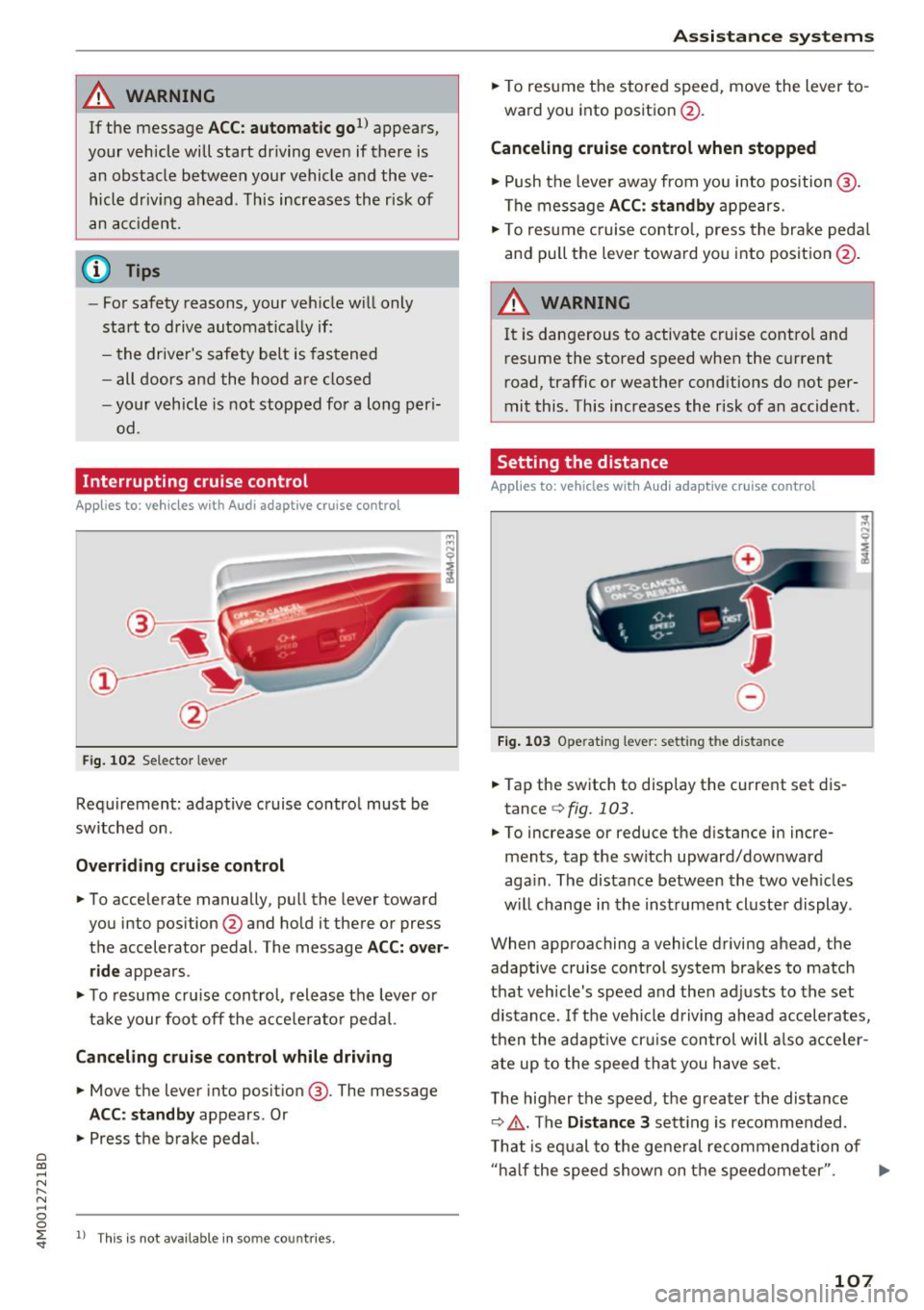
Fig . 102 Selecto r lever
Requirement: adaptive cruise contro l must be
sw itched on .
Overriding crui se control
"' To accelerate manually, pull the lever toward
you into position @and hold it there or press
the accelerator pedal. The message
ACC: over
ride
appears .
... To resume cr uise cont rol, release the leve r or
ta ke your foot off the acce le rato r peda l.
Canceling cruise control while driving
"'Move the lever into position @. The message
ACC: standby appears . Or
"' Press the brake peda l.
l) This is no t available in some countries.
Assi st a nce systems
"' To resume the stored speed, move the lever to
ward you into position @.
Canceling cruise control when stopped
"' Push the lever away from you into position @.
The message
ACC: standby appears .
"' To resume c ruise contro l, press the brake peda l
and pull the lever toward you i nto position @.
A WARNING
It is dangerous to activate cruise contro l an d
resume the stored speed when the current
road, traffic or weather conditions do not per
mit this . This increases the risk of an accident .
Setting the distance
Applies to: vehicles with A udi ada ptive c ruise control
,
0
Fig. 1 03 Opera tin g lever: setting the distance
... Tap the switch to display the current set dis
tance
¢ fig. 103.
"'To increase or reduce the distance in incre
ments, tap the switch upward/downward
aga in . The distance between the two veh icles
w ill change in the inst rument cluste r display .
When approaching a vehicle driving ahead, the
adaptive cruise control system brakes to match
that vehicle's speed a nd then adj usts to the set
distance. If the veh icle d riving ahead accelerates,
t h en the adapt ive cr uise con trol will also acce ler
ate up to the speed th at you h ave set.
T he higher the speed, t he g reater the distance
¢ .&, .The
Distance 3 sett ing is recommended .
T hat is eq ual to the ge ne ral recommendation of
" ha lf the speed shown on t he speedometer ". ..,.
107