red AUDI Q7 2019 Owner´s Manual
[x] Cancel search | Manufacturer: AUDI, Model Year: 2019, Model line: Q7, Model: AUDI Q7 2019Pages: 394, PDF Size: 105.97 MB
Page 227 of 394
4M0012721BG
Radio
Radiotextisavailable fortheselectedstation.
See>page223.
@FMHDRadiotechnology
ThestationisreceivedthroughFMHDRadio
technology.
@Screenview
DisplayCoverartorStationlogo.See
=>page226,Preferredpictureview*.
Displayingthestationlist:
Turnthecontrolknob.Or:pressthe[BACK]but-
ton.
Satie)o—
(3Ginte.od
@=—7aa
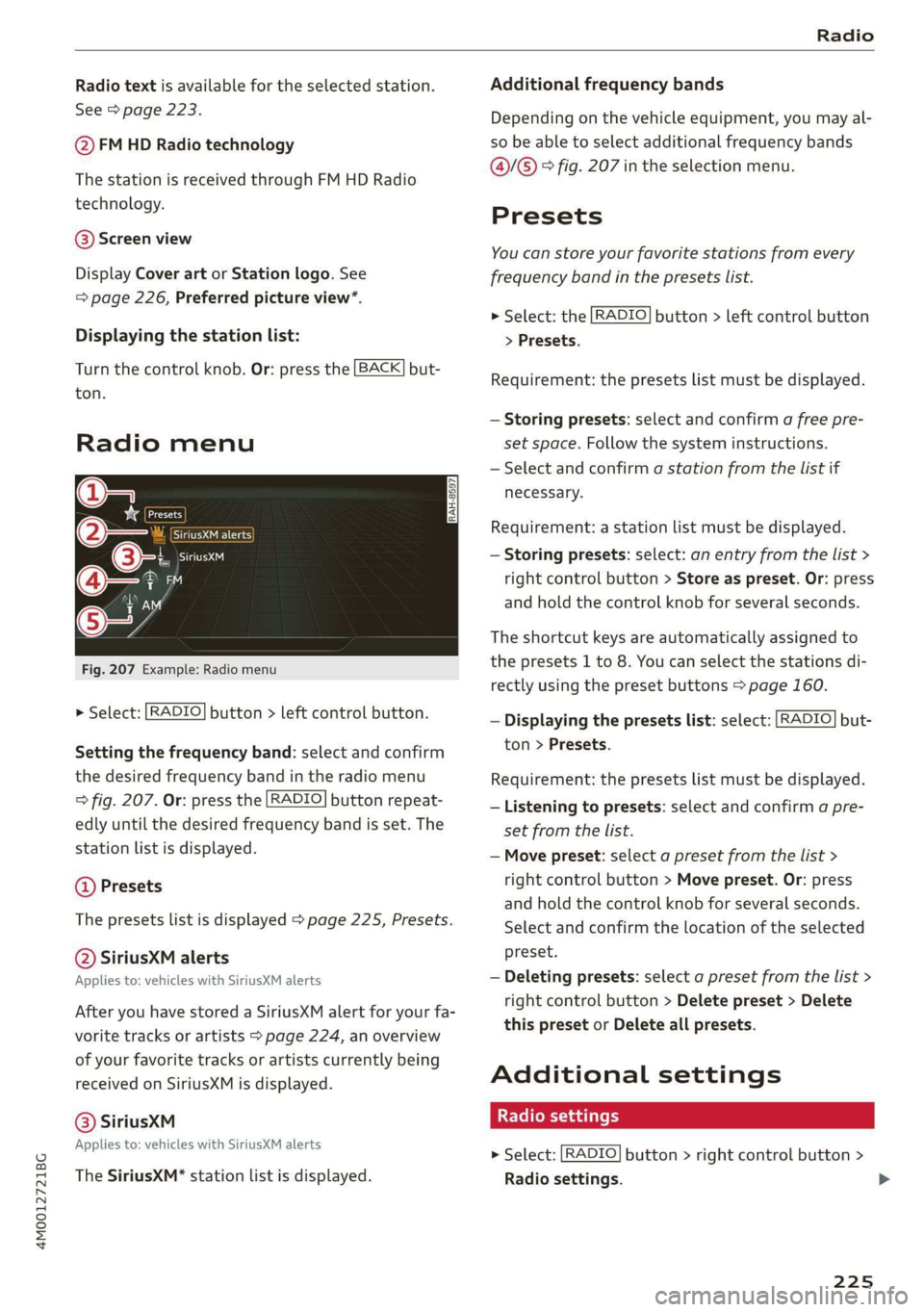
Fig.207Example:Radiomenu
>Select:[RADIO]button>leftcontrolbutton.
Settingthefrequencyband:selectandconfirm
thedesiredfrequencybandintheradiomenu
=>fig.207.Or:pressthe[RADIO]buttonrepeat-
edlyuntilthedesiredfrequencybandisset.The
stationlistisdisplayed.
@Presets
Thepresetslistisdisplayed>page225,Presets.
@SiriusXMalerts
Appliesto:vehicleswithSiriusXMalerts
AfteryouhavestoredaSiriusXMalertforyourfa-
voritetracksorartists>page224, anoverview
ofyourfavoritetracksorartistscurrentlybeing
receivedonSiriusXMisdisplayed.
©®SiriusKM
Appliesto:vehicleswithSiriusXMalerts
TheSiriusXM*stationlistisdisplayed.
Additionalfrequencybands
Depending onthevehicleequipment,youmayal-
sobeabletoselectadditionalfrequencybands
@/@®®fig.207intheselectionmenu.
Presets
Youcanstoreyourfavoritestationsfromevery
frequencybandinthepresetslist.
>Select:the[RADIO]button>leftcontrolbutton
>Presets.
Requirement:thepresetslistmustbedisplayed.
—Storingpresets:selectandconfirm afreepre-
setspace.Followthesysteminstructions.
—Selectandconfirmastationfromthelistif
necessary.
Requirement:astationlistmustbedisplayed.
—Storingpresets:select:anentryfromthelist>
rightcontrolbutton>Storeaspreset.Or:press
andholdthecontrolknobforseveralseconds.
Theshortcutkeysareautomaticallyassignedto
thepresets1to8.Youcanselectthestationsdi-
rectlyusingthepresetbuttons>page160.
—Displayingthepresetslist:select:[RADIO]but-
ton>Presets.
Requirement:thepresetslistmustbedisplayed.
—Listeningtopresets:selectandconfirmapre-
setfromthelist.
—Movepreset:selectapresetfromthelist>
rightcontrolbutton>Movepreset.Or:press
andholdthecontrolknobforseveralseconds.
Selectandconfirmthelocationoftheselected
preset.
—Deletingpresets:selectapresetfromthelist>
rightcontrolbutton>Deletepreset>Delete
thispresetorDeleteallpresets.
Additionalsettings
Radiosettings
>Select:[RADIO]button>rightcontrolbutton>
Radiosettings.
225
>
Page 228 of 394
Radio
Thefollowingsettingscan beselected,depend-
ingonthebandthatisselected:
Stationnames(FM)
Variable:scrollingtexttransmittedbytheFM
stationsisshownintheInfotainmentsystemdis-
play.
Fixed:scrollingtexttransmittedby theFMsta-
tionsisnotshownintheInfotainmentsystem
display.Onlythecurrentsectionofthescrolling
textisdisplayed.
FM/AMHDRadio*
YoucanswitchHDRadioreceptiononoroff.
Channelsorting(SiriusXM*)
YoucansetthechannelsortingforSiriusXMsta-
tionlists*by:
—Channelnumber:thechannelsaresortedinas-
cendingorderaccordingtotheirchannelnum-
ber.
—Channelname:thechannelsarelistedinalpha-
beticalorder.
—Firstcategory,thenchannelnumber:thechan-
nelsaresorted bytheircategoryandthenby
theirchannelnumbers.
—Firstcategory,thenchannelname:thechan-
nelsaresorted bytheircategoryandthenby
theirchannelnames.
Categoryfilter(SiriusXM*)
Thestationsshowninthestationlistcanbefil-
teredby yourpersonalpreferencesandbypro-
gramtype.Theprogramcategoriesthatyoucan
selectdependonwhatisofferedbyyourprovid-
er.SelecttheAllcategoriesoptiontodeactivate
allfilteroptionsanddisplayallavailablestations
inthesatellitestationlist.
Troubleshooting
Show"NowPlaying"screen
Whenthefunctionisswitchedon¥andthesta-
tionsorpresetslistisopen, thedisplaywill
switchtothe"NowPlaying"screenviewafterap-
proximatelyfiveseconds>page224.Depending
onavailability,informationaboutthesetstation
(such asstationname,artistandstationlogo)
maybedisplayedinthisview.
Preferredpictureview*
Youcansetyourpreferredscreenviewforthe
"NowPlaying"screen>page224.
—Stationlogo:thestationlogoisdisplayed,de-
pendingonavailability.
—Coverart:thealbumcoverisdisplayedifavaila-
ble.
Gracenoteonlinedatabase*
Requirement:theMMImustbeconnectedtothe
Internet.TheCoverartoptionmustbeselected
=page226,Preferredpictureview*.
Whenthefunctionisswitchedon(¥,thealbum
coverorgenrecoverforthesongthatisplayingis
loadedfromtheGracenoteonlinedatabase,de-
pendingonavailability.
Subscriptionstatus(SiriusXM)*
Thisoptionisavailablewhenyoursubscriptionis
abouttoexpireorhasalreadyexpired.Theexpi-
rationdateforyourlicenseisdisplayed.
CalltoSiriusXM”*:thecontactinformationfor
yoursatelliteradioproviderisdisplayed.Tocall
yoursatelliteradioproviderusingtheMMI,press
CalltoSiriusXM”*.
ProblemSolution
Astationwithpoorreceptionisnolonger
displayedinthestationlistonceyou
switchtoadifferentstation.
Storethestationasapresetinadvance.Accessthepre-
setsusingthepresetslist>page225.
226
Page 229 of 394
4M0012721BG
Media
Media
Introduction
Therearevariousmediadrivesandconnections
availableintheMMI.Forexample,youcanplay
audio/video*filesfromtheJukebox*orconnect
yourmobiledevicetotheAudimusicinterface*
andoperateitthroughtheMMI.
Notes
Mediaandformatrestrictions:theMMI(includ-
ingtheSDcardreaderandtheUSBstoragede-
viceconnection*)wastestedwithavarietyof
productsandmediaavailableinthemarket.
However,theremaybecaseswhereindividualde-
vicesormediaandaudio/video*filesmaynot be
recognized,mayplayonlywithrestrictionsor
maynotplayatall.
DigitalRightsManagement:pleasenotethat
theaudio/video*filesaresubjecttocopyright
protection.
Themediadrivesdonotplayfilesthatarepro-
tectedbyDRMandthatareidentifiedwiththe
symbolfi.
Datasecurity:neverstoreimportantdataonSD
cards,theJukebox*,CDs/DVDsormobiledevices.
AudiAGisnotresponsiblefordamagedorlost
filesandmedia.
Loadingtimes:themorefiles/folders/playlists
thatareonastoragemedium,thelongeritwill
taketo loadtheaudio/video*files.Audirecom-
mendsusingstoragemediathatonlycontainau-
dio/videofiles*.To decreasethetimeittakesto
loadaudio/videofiles*,createsubfolders(forex-
ample,fortheartistoralbum).Theloadingtime
willalsoincreasewhenimportingfiles.
Additionalinformation:whenplaying,audio
filesareautomaticallydisplayedwithanyaddi-
tionalinformationthatisstored(suchasthear-
tist,trackandalbumcover).Ifthisinformationis
notavailableonthestoragemedium,theMMI
willchecktheGracenotemetadatadatabase.
However,insomecases,theadditionalinforma-
tionmaynotbedisplayed.
Restrictedfunctionality:resettheMediaset-
tingstothefactorydefaultsettingsiffunctional-
ityisrestricted>page248.
Iffunctionalityisrestricted,resettheJukebox*
tothefactorydefaultsettings>page248.
Forinformationaboutthepropertiesofsupport-
edmediaandfileformats,see>page241.
CG)Note
Alwaysfollowtheinformationfoundin>@in
Wi-Fisettingsonpage200.
CD/DVDoperation
CD/DVDandformatrestrictions:thefunctionali-
tyofindividualstoragemediamaybelimiteddue
tothevarietyofblankCDs/DVDsavailable and
thevariouscapacities.AudioCDsorvideoDVDs
withcopyprotection,CDs/DVDsthatdonotcon-
formtothestandard,andmultisessionCDsmay
havelimitedplaybackormaynotplayatall.Audi
recommendsfinalizingtherecordingprocess
whencreatingmultisession CDs.Multisession
DVDsarenotsupported.
UsingCDs/DVDs,theCDdrive ortheDVDdrive:
toensurecorrect,high-qualityplaybackandto
preventdamagetothedriveordiscreadinger-
rors,alwaysstoreCDs/DVDsinaprotective
sleeveanddonotexposethemtodirectsunlight.
Donotuse:
—Damaged,dirtyorscratchedCDs/DVDs
—
SingleCDs/DVDswith3in(8cm)diameter
—CD/DVDsthatarenotround
—CDs/DVDswithlabels
—Protectiverings
—CleaningCDs
Thermalprotectionswitch:CD/DVDplayback
maybetemporarilyunavailableifoutsidetem-
peraturesareextremelyhotorcold.Athermal
protectionswitchisinstalledtoprotectthe
CD/DVDandthelaser.
Laserdevices:laserdevicesare dividedintosafe-
tyclasses1to4inaccordancewithDINIEC76
227
>
Page 231 of 394
4M0012721BG
Media
TheCDispulledinagainautomaticallyifitisnot
removedfromtheslotwithin tensecondsof
ejectingit.
TheCDdriveisaccessedandoperatedthrough
theMMI&page235,Playingmedia.
@)Note
—NeverforceaCDintothedrive.TheCDis
pulledinautomatically.
—DonotinsertCDswithlabelsintothedrive.
LabelscancomeloosefromtheCDand
damagethedrive.
i)Tips
CDplaybackcannotbeguaranteedwithaudio
filesthathaveahighdatarate.
Appliesto:vehicleswithJukebox
AfteryouhavefilledtheJukeboxwithmusic
and/orvideos,forexamplefromyourSDcard,
youcanplaythesefilesdirectlyfromtheJuke-
box.TheJukeboxmemorycapacityisapproxi-
mately10GB.
>Pressthe[MEDIA]button.Presstheleftcontrol
buttonuntilthesourcesoverview>page235is
displayed.SelectandconfirmJukebox.
AddingfilestotheJukebox
—Pressthe[MEDIA]button.Presstheleftcontrol
buttonuntilthesourcesoverview>page235is
displayed.Selectoneofthefollowingsources
tocopytotheJukebox:SDcard*,CD-ROM*,
DVD-ROM*,USBstoragedevice*.
Requirement:themediacenter(forexample,
tracks,albums)mustbeopen.
—Selectinganentry: selectanentryfromthe
mediacenter.Select:rightcontrolbutton>
CopytoJukebox>ThisentryorEntirelist.
Requirement:theplaylistmustbe open.See
=>page238.
—Selectingatrack:selectthetrackthatiscur-
rentlyplaying.Select:rightcontrolbutton>
NotinthePlaybackview.
Copytojukebox>ThistrackorEntirealbumor
Thisartist.
Requirement:avideofilemustbeplaying.
—Select:rightcontrolbutton>CopytoJukebox.
Thecopyingprocessbegins.Thestatusofthe
copyingprocessisshownintheMMI.
—Hidingtheimportingprocess:selectandcon-
firm
Continuecopyinginbackground.Theim-
portingprocessishidden.
—Cancelingtheimportingprocess:selectand
confirmCancelcopying.Or:removethesource
thatisbeingimported.Filesalreadycopiedre-
main.
Requirement:thecopyingprocessmustbeactive
inthebackground.
—Showingthecopyingprocess:select:right
controlbutton>Copyinginprogress.
Whenimporting,theaudiofilesareautomatical-
lysortedintothemediacentercategoriesbased
onthestoredadditionalinformation>page236.
Thecopiedvideofilesarestoredinthemedia
centerundertheVideoscategory.
PlayingtheJukebox
Requirement:theJukeboxmustcontainaudio/
videofiles>page229,AddingfilestotheJuke-
box.
TheJukeboxisaccessedandoperatedthrough
theMMI@)&page235,fig.212.
DisplayingJukeboxmemorycapacity
Select:rightcontrolbutton>Jukeboxmemory
capacity.InformationabouttheJukeboxmemory
capacityandthenumberofstoredtracksisdis-
played.
DeletingtracksfromtheJukebox!)
Requirement:theJukeboxmustcontainaudio/
videofiles.
—Deletinganentry: selectanentryfromthe
Jukeboxmediacenter.Select:rightcontrolbut-
ton>Deletefromjukebox>ThisentryorEn-
tirelist.>
229
Page 232 of 394
Media
—Thestatusofthedeletingprocessisshownin
theMMI.Jukeboxplaybackstopsduringthede-
letingprocessandstartsagainautomatically
oncethedeletioniscomplete.
@)Note
Donotimportaudio/videofileswhentheen-
gineisturnedoffbecausethiswilldrainthe
vehiclebattery.
@)Tips
—TracksfromaudioCDscannotbeimported
totheJukeboxforlegalreasons.
—Filesthathavealreadybeenimportedare
automaticallyrecognizedandcannotbe
copiedtotheJukeboxagain.
—Itisnotpossible toplay audio/video*files
intheCD/DVD*drivewhileimportingthem.
— TheJukeboxdoesnotprovidean export
functionduetolegalreasons.
—Filesortrackswithoutadditionalstoredin-
formationarelistedasUnknown.Audirec-
ommendsaddingadditionalinformation
(such asID3tags)toaudiofiles.
—ResettheJukeboxtothefactorydefaultset-
tingswhensellingyourvehicle>page248.
Bluetoothaudioplayer
Appliesto:vehicleswithBluetoothaudioplayer
WiththeBluetoothaudioplayer,youcanplay
musicwirelesslyfrom yourBluetooth-capable
device(suchasacellphone)throughtheMMI.
Requirement:thevehiclemustbestationaryand
theignitionmustbe switchedon.TheBluetooth
settingswillopenonyourmobiledeviceduring
theconnectionsetup.TheBluetoothfunctionand
visibilityoftheMMI>page250andmobilede-
vicemustbe switchedon.TheBluetoothaudio
player>page250mustbeswitchedoninthe
MMI.
—ConnectingaBluetoothdevice:pressthe
MEDIA]button.Presstheleftcontrolbutton
untilthesourcesoverviewisdisplayed.Select
andconfirmBluetoothaudioplayer@)
>page235,fig.213.
230
—Ifnecessary,selectandconfirmNotconnected
>ConnectBluetoothaudioplayer.TheBlue-
toothdevicesearchstarts.Followtheinstruc-
tionsintheMMI.
—SelectandconfirmthedesiredBluetoothdevice
fromthelist.TheMMIgeneratesaPINforthe
connection.
—SelectandconfirmYes.
—EnterthePINforconnectingonyourBluetooth
device.Or:ifthePINisalreadydisplayedon
yourBluetoothdevice,confirmitintheBlue-
toothdeviceandintheMMI.Thetimeallowed
forenteringthePINislimitedtoapproximately
30seconds.
Themediaisstartedandoperatedthroughthe
mobiledeviceortheMMI,dependingonthede-
vicebeingused.
(i)Tips
—Checkforanyconnectionrequestsonyour
Bluetoothdevice.
—MultipleBluetoothaudioplayerscan be
connectedtotheMMI,butonlyonemobile
devicecanbeactive.
—BluetoothprotocolsAVRCP(1.0/1.3/1.4)
andA2DParesupported.
—NotethevolumesettingonyourBluetooth
device.Audirecommendssettingyourmo-
biledevicetothemaximumvolumewhen
usingitasaBluetoothaudioplayer.
— Thesupportedmediafunctions(suchas
shuffle)dependontheBluetoothdevicebe-
ingused.
—Formoreinformationonsupporteddevices,
visitwww.audiusa.com/bluetoothorcon-
tactanauthorizedAudidealerorauthorized
AudiServiceFacility.
Page 233 of 394
4M0012721BG
Media
Wi-Fiaudioplayer
Appliesto:vehicleswithWi-Fiaudioplayer
UsingtheWi-Fiaudioplayermediasourceonthe
MMI, youcanconnectandoperateyourWi-Fi-ca-
pablemediaplayer(suchasasmartphone)to
wirelesslyplaymusicfromyourmediaplayerli-
brary.Themediaplayerisconnectedthroughthe
vehicle'sWi-Fihotspot.AUPnPServerapporan
integratedUPnP/DLNAserveronyourmedia
playerisrequiredtoaccessyourmediaplayerli-
brary.
Requirement:theWi-Fifunctiononyourmedia
playermustbe switchedon.ThemyAudiappora
UPnPserverappmustbeinstalledonyourmedia
player.Or:youmustbeusingamediaplayerwith
anintegratedUPnP/DLNAserver.
—Connectingamediaplayer:pressthe[MEDIA
button.Presstheleftcontrolbuttonuntilthe
sourcesoverview>page235isdisplayed.Se-
lectandconfirm Wi-Fiaudioplayer(7)
>page235,fig.213.
—Ifnecessary,selectandconfirmWi-Fiturned
off>TurnonWi-FitoactivateWi-Fiinthe
MMI.SelectWi-Fisettings,ifnecessary.Select
thesamesettingsonthewirelessmediaplayer
thatareusedfortheWi-Fihotspot.
—StartingtheWi-Fiaudioplayer:Startthe
myAudiapporanUPnPserverapp,orallow
mediasharingonyourdevice.
Operatingthemediaplayer:themediaplayeris
operatedthroughtheMMI.
—Presstheleftcontrolbuttonrepeatedlyuntil
theFoldersmenuitemappears.Selectandcon-
firmFolders.
—Playingmusicfromthemediaplayer:select
andconfirmMediacenter.
Webradio:see>page232.
objects,theycouldbethrownaroundthein-
sideofthevehicleinacrashandcauseseri-
ousinjuries.Storethesetypesofdevicesse-
curelywhiledriving.
—Donotuseanywirelessdevicesonthefront
seatswithinrangeoftheairbagswhiledriv-
ing.Also readandfollowthewarningsin
=page272,Frontairbags.
ZAWARNING
—Asthedriver,donotallowusageoftheWi-
Fihotspottodistractyoufromdriving,as
thiscouldincreasetheriskofanaccident.
—Itisonlysafe tousetablets,laptops,mobile
devicesandothersimilardeviceswhenthe
vehicleisstationarybecause,likeallloose
C)Note
Alwaysfollowtheinformationfoundin>@in
Wi-Fisettingsonpage200.
G)Tips
—Alwaysreadthechapter>page193,Audi
connect.
—PleasenotethataWi-Ficonnectiondoes
notautomaticallymakeitpossible touse
the
Internet.Foradditionalinformation,
see>page193.
—Toavoidinterruptionsduringplayback,de-
activatethepowersavingfunctiononthe
mediaplayer orconnectittoacharger.
—Theloadingtimesfortheaudiodatadepend
onthemediaplayerusedandthenumberof
filesthatitcontains.
—Amaximumof2,000entriesperdirectory
aredisplayedintheMMI.
—Songsdownloadedforofflineuseusingmu-
sicstreamingservicesarestoredonyour
mobiledevice(suchasasmartphone)and
maybeDRMprotected.TheWi-Fiaudio
playerwillnotplayDRMprotectedfiles.
—ContactanauthorizedAudidealeror au-
thorizedAudiServiceFacilityforadditional
informationontheWi-Fiaudioplayer.
231
Page 237 of 394
4M0012721BG
Media
—iPod oriPhonemalfunctionsalsoaffectthe
operationoftheMMI.ResetyouriPodor
iPhoneifthishappens.
—AudirecommendsupdatingtheiPod or
iPhonesoftwaretothelatestversion.For
importantinformationonoperatingyour
iPod oriPhone,refertotheuserguidefor
thedevice.
— TheUSBadapteronthe Audimusicinter-
facewillsupportiPodtouchoriPhonedevi-
cesfromthe5thgenerationornewerwith
thelightningconnector.
—Formoreinformationaboutthe Audimusic
interfaceandsupporteddevices,checkthe
Audidatabaseformobiledevicesatwww.
audiusa.com/mp3orcontactanauthorized
AudidealerorauthorizedAudiServiceFa-
cility.
Tet1keLhd)
Appliesto:vehicleswithRearSeatEntertainmentpreparation
TheRear SeatEntertainmentpreparationin-
cludescablesandamountforAudiEntertain-
mentmobileinthedriver'sandfrontpassenger's
seatbackrests.
ThesuitableAudiEntertainmentmobileRear
SeatEntertainmentpackageisavailablethrough
AudiGenuineAccessories.
UsingAudiGenuineAccessoriesisrecommended.
Audihasverifiedtheirreliability,safety,andsuit-
ability.
Wecannotevaluateorendorseotherproductsin
thisway,evenifthe productisapprovedbyacer-
tifiedtestingagencyorgovernmentagency.
@)Note
Onlyusedevicesthatareapprovedforthe
Rear SeatEntertainmentpreparation.Unap-
provedequipmentcan causedamagetothe
vehicleelectricalsystem.
@)Tips
—Contact anauthorizedAudidealeror au-
thorizedAudiServiceFacilityforadditional
informationonAudiEntertainmentmo-
bile.
—Alwaysreadthechapter>page370.
— TheRear SeatEntertainmentpreparationis
notintendedtochargeexternalelectronic
devices.
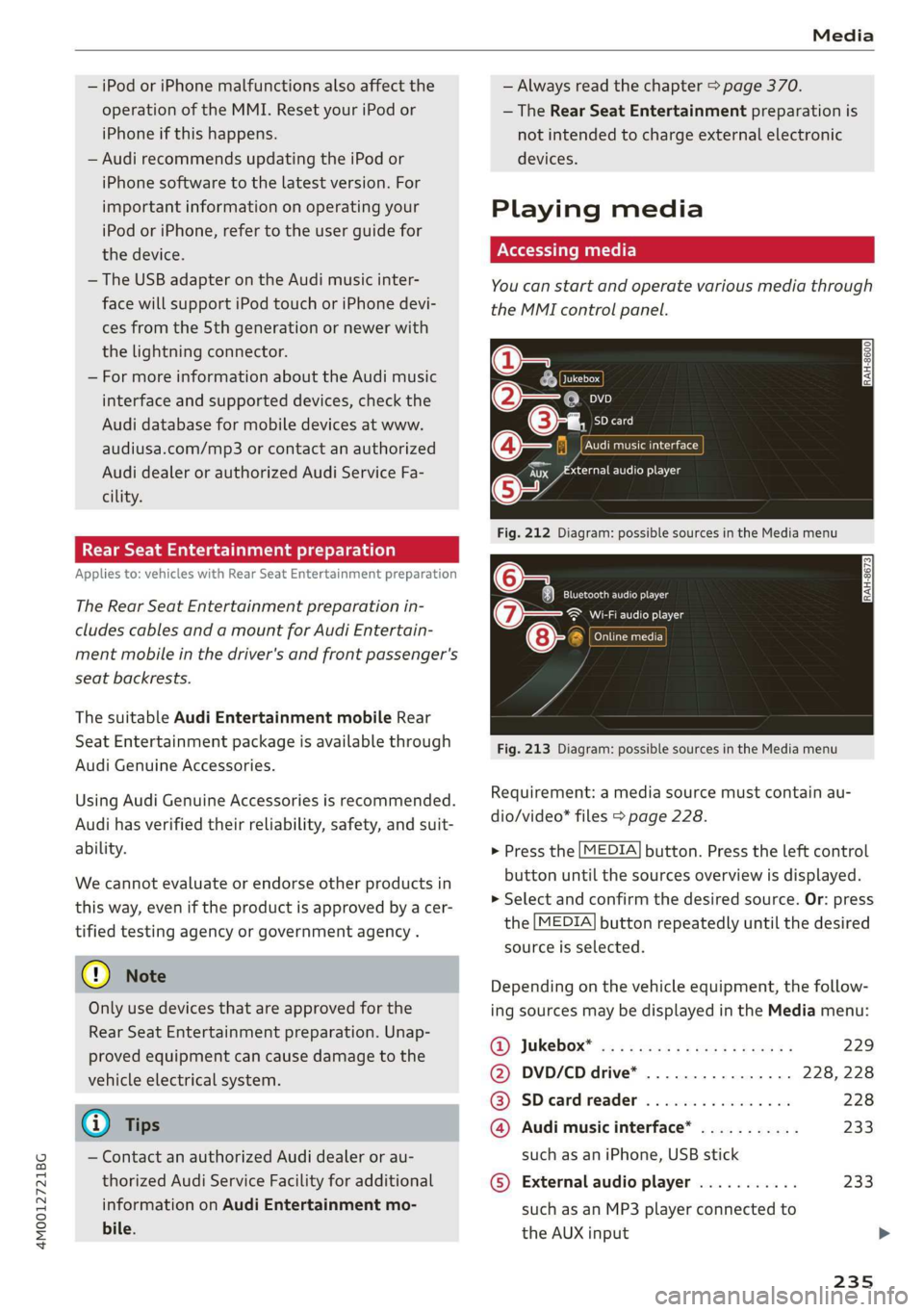
Playingmedia
Youcanstartandoperatevariousmediathrough
theMMIcontrolpanel.
@-=
eyes
a
SDcard
:iiaudioplayer
Fig.212Diagram:possiblesourcesintheMediamenu
6Teaelec)ie
(7owe@}Wi-Fiaudioplayer
ens
”
Fig.213Diagram:possiblesourcesintheMediamenu
CATTaacor}
Requirement:amediasourcemustcontainau-
dio/video*files>page228.
>Pressthe[MEDIA]button.Presstheleftcontrol
buttonuntilthesourcesoverviewisdisplayed.
>Selectandconfirmthedesiredsource.Or:press
the[MEDIA]buttonrepeatedlyuntilthedesired
sourceisselected.
Dependingonthevehicleequipment,thefollow-
ingsourcesmaybedisplayedintheMediamenu:
@)Jukebox*®osi5easssewesiyawns229
@DVD/CDdrive*. . .228,228
@®SDcardreader228
@Audimusicinterface*...........233
suchasaniPhone,USBstick
©Externalaudioplayer...........233
suchasanMP3playerconnectedto
theAUXinput
Page 238 of 394
Media
©Bluetoothaudioplayer*........230
@Wi-Fiaudioplayer*............231
Onlinemedia*andInternetradio”.232
—Playingaudio/videofiles:selectasourceinthe
Mediamenu>category(suchasartists>al-
bum>track).
—Movingonelevelupinthefolderstructure:
pressthe[BACK]button.Or:selectandconfirm
Folderup.
—Selectingthepreviousornexttrack/chapter*
D:presstheOn/OffknobontheMMIcontrol
panelbrieflytotheleftKdorrightDI.
—Fast-forwardingandrewindingaudio/video*
files:pressandholdtheOn/Offknobonthe
MMIcontrolpaneltotheleftKdorrightPbfor
alongertime.
—Pausingorresumingplayback:pressthe
On/Offknob ontheMMIcontrolpanelbriefly.
@Tips
—Youcanscrollthroughlonglistsquicklyby
turningthecontrolknobquickly.Thescroll-
ingspeeddependsonthenumberoflisten-
tries.
—Forsafetyreasons,thevideoimageisonly
displayedwhenthevehicleisstationary.On-
lythesoundfromthevideoplayswhiledriv-
ing.
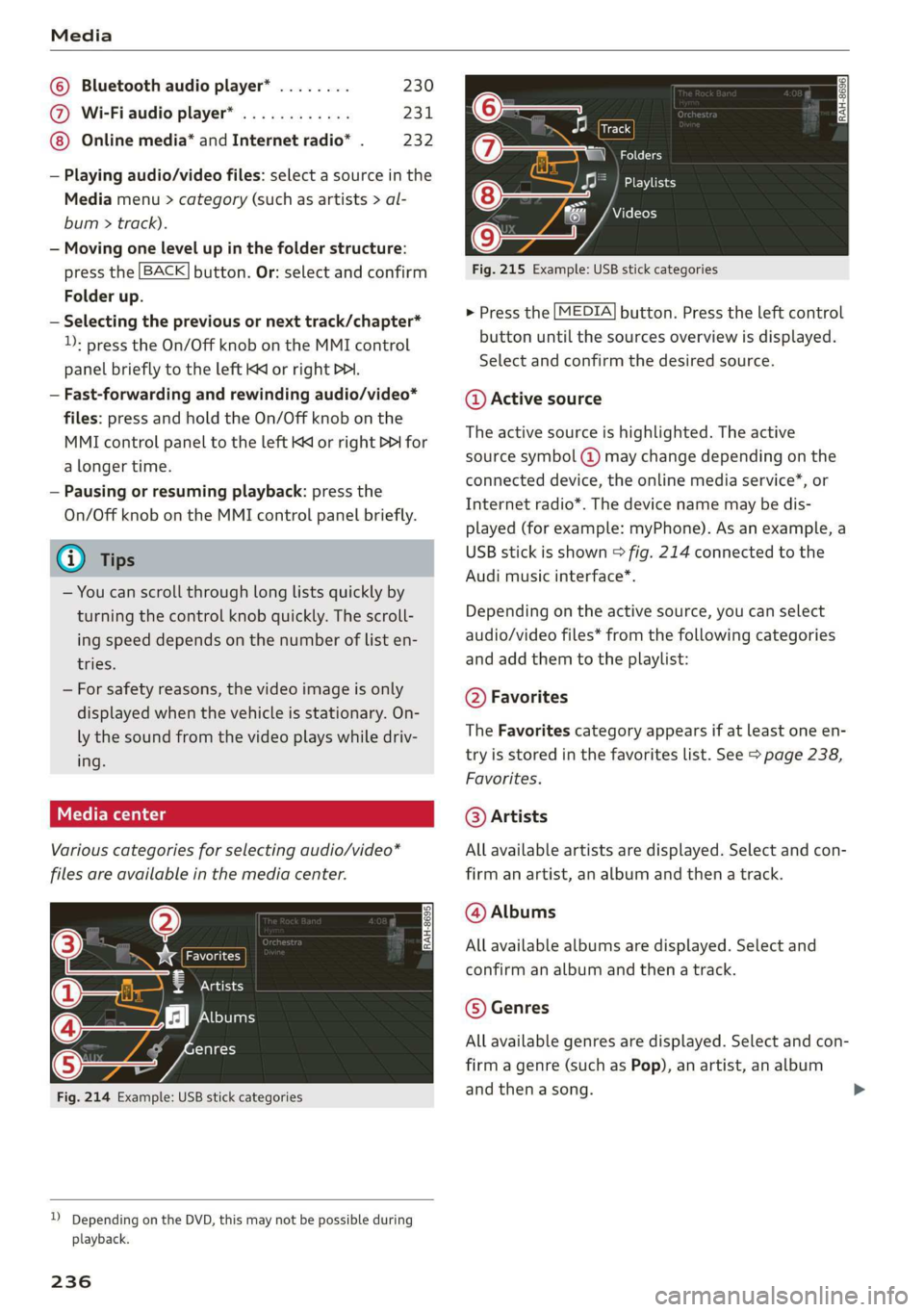
Variouscategoriesfor selectingaudio/video*
filesareavailableinthemediacenter.
ae
@—8atecy
(4)j2][bums
FfClee
(5ee
Fig.214Example:USBstickcategories
))DependingontheDVD,thismaynotbepossibleduring
playback.
236
Track
Folders
Oa
Seaaeytse
Videos
Fig.215Example:USBstickcategories
>Pressthe[MEDIA]button.Presstheleftcontrol
buttonuntilthesourcesoverviewisdisplayed.
Selectandconfirmthedesiredsource.
@Activesource
Theactivesourceishighlighted.Theactive
sourcesymbol@)maychangedependingonthe
connecteddevice,theonlinemediaservice*,or
Internetradio*.Thedevicenamemaybedis-
played(forexample:myPhone).Asanexample,a
USBstickisshown>fig.214connectedtothe
Audimusicinterface*.
Dependingonthe activesource,youcanselect
audio/videofiles*fromthefollowingcategories
andaddthemtotheplaylist:
@Favorites
TheFavoritescategoryappearsifatleastoneen-
tryisstoredinthefavoriteslist.See>page238,
Favorites.
@Artists
Allavailableartistsaredisplayed.Selectandcon-
firmanartist,analbumandthenatrack.
@Albums
Allavailablealbumsaredisplayed.Selectand
confirm analbumandthenatrack.
©Genres
Allavailablegenresaredisplayed.Selectandcon-
firmagenre(such asPop),anartist,analbum
andthenasong.
Page 239 of 394
4M0012721BG
Media
©Tracks
Allavailabletracksaredisplayed.Selectandcon-
firm
atrack.
@Folders
Thefolderstructureortrack/chapterlistisdis-
played.Selectafolder,ifnecessary. Selectand
confirmatrack.
Playlists
Allavailableplaylistsfromthe sourceandthe
smartplaylistsaredisplayed.Selectandconfirm
aplaylistandthenatrack.
Smartplaylists:
—Lastplayedtracks:thelasttracksplayedinthe
selectedsourcearedisplayed.
— Mostplayed:themostplayedsongsinthese-
lectedsourcearedisplayed.
—5starsto1star:tracksfromtheselected
sourcearedisplayedaccordingtotheirrating.
—Unrated:allfilesfromtheselectedsource
withoutratinginformation(forexample,inthe
ID3tag)aredisplayed.
©Videos*
Allavailablevideofilesaredisplayed.Selectand
confirmavideofile.
()Note
Appliesto:vehicleswithAudiconnectInfotainmentand
useoftheradiocategorywithiPod/iPhone
Alwaysfollow theinformationfoundin>@in
Wi-Fisettingsonpage200.
@Tips
—Onlythecategoriessupportedbythemedi-
umareavailable.Forexample,CD/DVD-
ROMtrackscannotbeselectedwithcatego-
riessuchasArtists,AlbumsorGenres.
WithaniPod/iPhone(source:Audimusicin-
terface>page233),the Podcasts,Audio
booksandComposerscategoriesarealso
available.
—For safetyreasons,thevideoimageisonly
displayedwhenthevehicleisstationary.On-
lythesoundfromthevideoplayswhiledriv-
ing.
—Whensynchronizingaportabledevicewith
"Cloud“services,playlistsmaydisplayincor-
rectly
intheMMI.Usethemediacenterin
thedevice.
—WithaniPod/iPhone(mediasource:Audi
musicinterface>page233),thePodcasts,
Audio booksandComposerscategoriesare
alsoavailable.
Gi)Tips
Appliesto:iPod/iPhoneonAudimusicinterface
— AnInternetconnectionisrequiredtouse
theadditionalRadiocategory,anonline
mediaservice.Alsoseethe chapter
=>page200,Wi-Fisettings.Alsoreadthe
informationontheAudimusicinterfaceand
thesupporteddevices>page233.
—DependingontheInternetconnectionand
networktraffic,the connectionmaydiscon-
nectedwhenonlinemediasourcesareplay-
ing.
—Theuseofonlinemediaservicesdependson
theserviceavailabilityofthethirdparty
provider.
—AudiAGsimplymakestheaccesstoonline
mediaservicespossiblethroughtheMMI
anddoesnottakeanyresponsibilityforthe
contentsoftheonlinemediaservices.
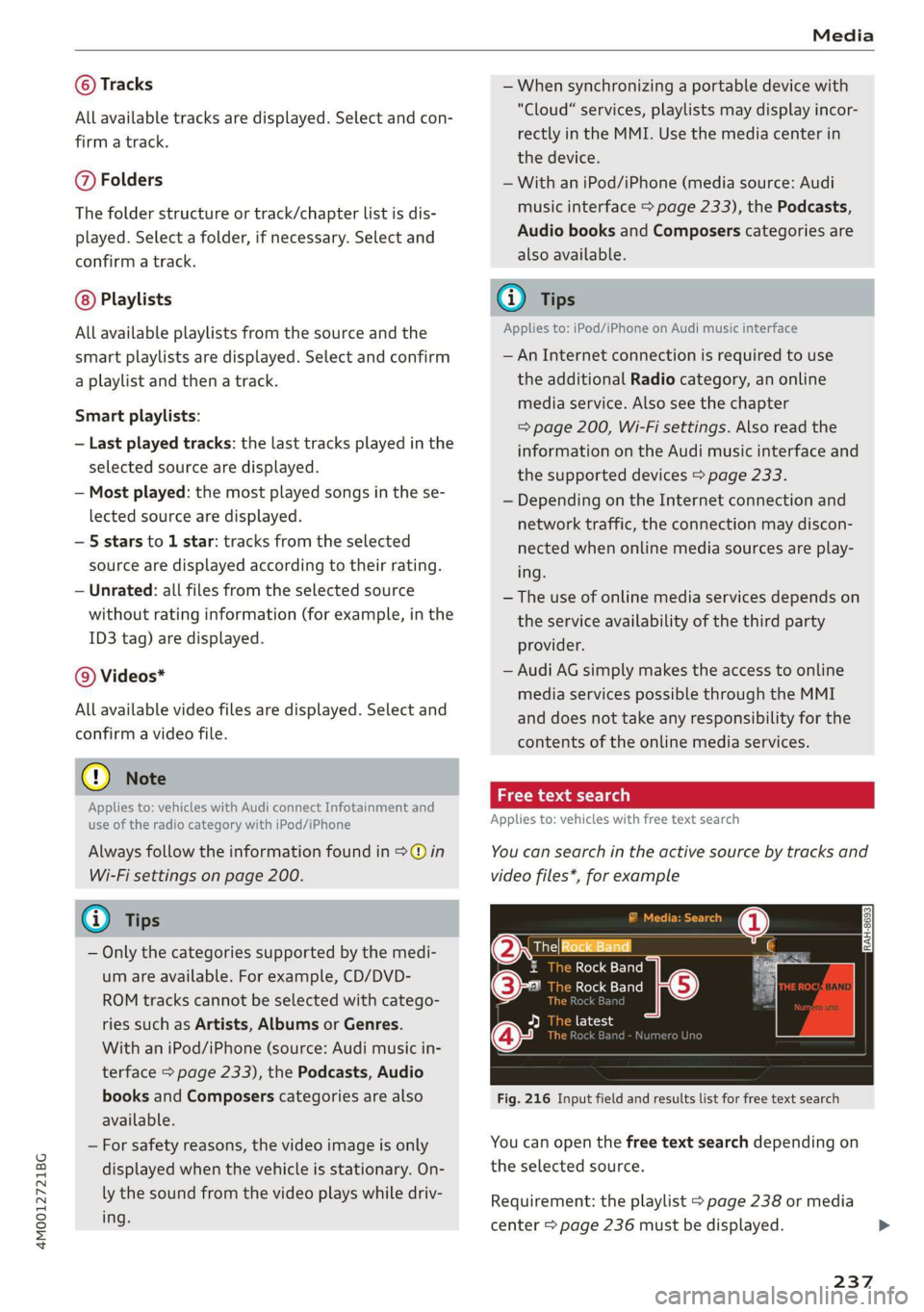
aceasta)
Appliesto:vehicleswithfreetextsearch
Youcansearchintheactivesourcebytracksand
videofiles*,forexample
RockBand
(2eeBand
©-RockBand5
@*rs7
Fig.216Inputfieldandresultslistforfreetextsearch
Youcanopenthefreetextsearchdependingon
theselectedsource.
Requirement:theplaylist>page238ormedia
center>page236mustbedisplayed.
237
Page 240 of 394
Media
Openingfreetextsearch
>Keepturningthecontrolknobtotheleftuntil
thefreetextsearchinputfield@>fig.216
appears.Or:pushthecontrolknobup.
Usingthefreetextsearch:see>page162,Free
textsearch.
Entriesthatcontaintheenteredsearchtermare
listedintheresultslist©9fig.216.Youcan
searchforartists(2)>fig.216,albums@)or
tracks@)aswellasgenresandvideos.
@Tips
—Onlyfilesintheactivesourcewillbe
searched.
—IfyouopenfreetextsearchintheFolders
category(7)>page236,fig.215orthe
Composers,PodcastsandAudiobookscat-
egories,itwillonlysearchthroughthefiles
inthatfolder.
ete
ThebigB
JMaen
old)
kBa
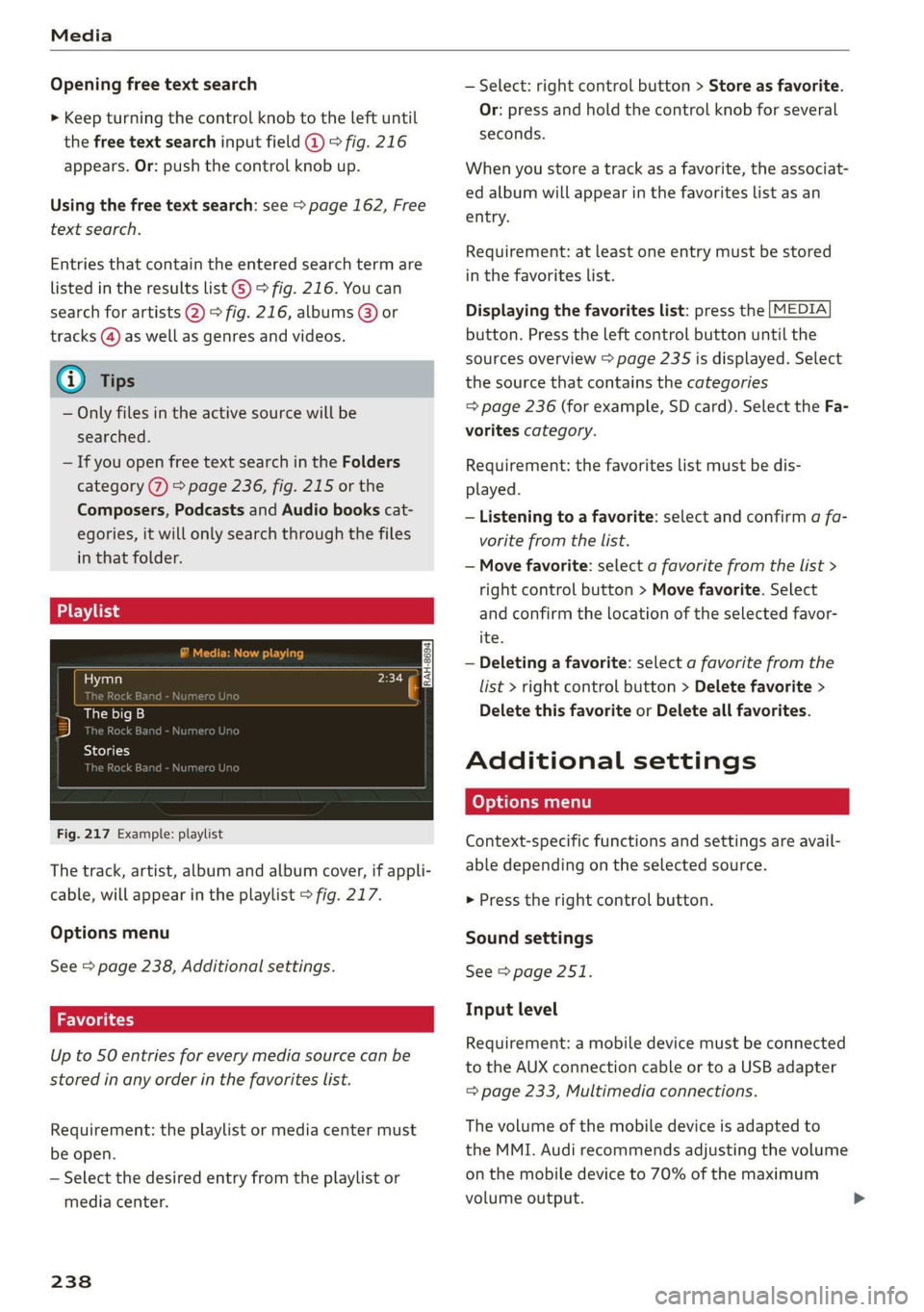
Fig.217Example: playlist
Thetrack,artist,albumandalbumcover,ifappli-
cable,willappearintheplaylist>fig.217.
Optionsmenu
See>page238,Additionalsettings.
Upto50entriesforeverymediasourcecanbe
storedinanyorderinthefavoriteslist.
Requirement:theplaylistormediacentermust
beopen.
—Selectthedesiredentryfromtheplaylistor
mediacenter.
238
—Select:rightcontrolbutton>Storeasfavorite.
Or:
pressandholdthecontrolknobforseveral
seconds.
Whenyoustoreatrackasafavorite,theassociat-
edalbumwillappearinthefavoriteslistasan
entry.
Requirement:atleastoneentrymustbestored
inthefavoriteslist.
Displayingthefavoriteslist:pressthe[MEDIA
button.Presstheleftcontrolbuttonuntilthe
sourcesoverview>page235isdisplayed.Select
the sourcethat containsthecategories
=>page236(forexample,SDcard).SelecttheFa-
voritescategory.
Requirement:thefavoriteslistmustbedis-
played.
—Listeningtoafavorite:selectandconfirm afa-
voritefromthelist.
—Movefavorite:selectafavoritefromthelist>
rightcontrolbutton>Movefavorite.Select
andconfirmthelocationoftheselectedfavor-
ite.
—Deletingafavorite:selectafavoritefromthe
list>rightcontrolbutton>Deletefavorite>
DeletethisfavoriteorDeleteallfavorites.
Additionalsettings
Context-specificfunctionsandsettingsareavail-
abledependingontheselectedsource.
>Presstherightcontrolbutton.
Soundsettings
See>page251.
Inputlevel
Requirement:amobiledevicemustbeconnected
totheAUXconnectioncableor toaUSBadapter
=page233,Multimediaconnections.
Thevolumeofthemobiledeviceisadaptedto
theMMI.Audirecommendsadjustingthevolume
onthemobiledeviceto70%ofthemaximum
volumeoutput.