brake light AUDI R8 2007 User Guide
[x] Cancel search | Manufacturer: AUDI, Model Year: 2007, Model line: R8, Model: AUDI R8 2007Pages: 210, PDF Size: 8.1 MB
Page 84 of 210
Driving 82Starting the engine
Turn the key to this position to start the engine. While the engine is
being started the headlights are switched back to side lights and
other major electrical equipment is switched off. After the engine
has started the ignition key returns to position by itself.
The ignition key has to be turned back to position before re-
starting the engine. The starter inhibitor in the ignition lock
prevents the starter motor from engaging when the engine is
running, as this could cause damage.
WARNING
•
Wait for the vehicle to come to a standstill before removing the
ignition key from the lock. Otherwise the steering lock could
engage suddenly, which could cause an accident.
•
Always take the key with you when leaving the vehicle – even
if you only intend to be gone for a short time. This is especially
important if children are left in the car. They might otherwise be
able to start the engine or use power-operated equipment such as
the electric windows - this could lead to injuries.Note
If the battery has been disconnected and then reconnected it will be
necessary to leave the key in position for about 5 seconds before
starting the engine.Starting the engineThe engine can only be started with an original Audi key.On vehicles with R tronic, the engine can be started in
neutral (N) or in any gear (1 - 6 or R).
– Apply the handbrake firmly ⇒.– Push the clutch pedal all the way down (vehicles with
manual gearbox).
– Press and hold the brake pedal.
– Turn the ignition key to position ⇒page 81, fig. 72
without pressing the accelerator.
– Release the ignition key as soon as the engine starts; the
starter motor must not be allowed to run on with the
engine. Neutral gear (N) will be engaged on vehicles with
Rtronic.
When starting from cold the engine may be a little noisy for the first
few seconds until oil pressure has built up in the hydraulic tappets.
This is quite normal, and no cause for concern.
If the engine fails to start straight-away, switch off the starter after
about 10 seconds and try again after about half a minute.
WARNING
•
Never run the engine in confined spaces. The exhaust gases are
toxic.
•
If the engine is running and a gear is engaged, you will need to
hold the car with the footbrake.Caution
Avoid high engine speeds, full throttle and extreme load conditions
until the engine has reached its normal operating temperature,
otherwise this can damage the engine.
For the sake of the environment
Do not warm up the engine when the vehicle is stationary. You
should drive off immediately whenever possible. This will help avoid
unnecessary exhaust emissions.
A3
A2A1
A2
A3
document_0900452a816e6cc9.book Seite 82 Mittwoch, 21. Februar 2007 1:32 13
Page 85 of 210
Driving83
Controls
Safety
Driving tips
General maintenance
Self-help
Technical data
Switching off the engineOn vehicles with R tronic, the engine can be switched off in
neutral (N) or in any gear (1 - 6 or R).
– Turn the ignition key to position ⇒page 81, fig. 72.
WARNING
•
Never switch off the engine until the vehicle is stationary.
•
The brake servo and the power steering system work only
when the engine is running. You need more strength to steer and
brake the vehicle when the engine is switched off. This would
mean a greater risk of accidents and serious injury, because you
cannot steer and brake in the normal manner.Caution
•
If the engine has been working hard for a long time, there is a risk
of heat building up in the engine compartment after the engine has
been switched off; this could cause engine damage. For this reason,
you should leave the engine idling for a few minutes or drive at a
moderate speed to let the engine cool down before switching it off
⇒page 139.
•
Because the engine can get very hot after working hard, do not
park the vehicle on surfaces which could catch fire (e.g. on grass or
at the forest edge).Note
After the engine is stopped the radiator fan may run on for up to
10 minutes, even if the ignition is switched off. The fan may also
start running again after some time if the coolant temperature rises
due to a build-up of heat, or if the engine is hot and the engine
compartment is heated up further by direct sunlight.
HandbrakeHandbrake
The handbrake should be applied firmly to prevent the
vehicle from accidentally rolling away.Applying the handbrake
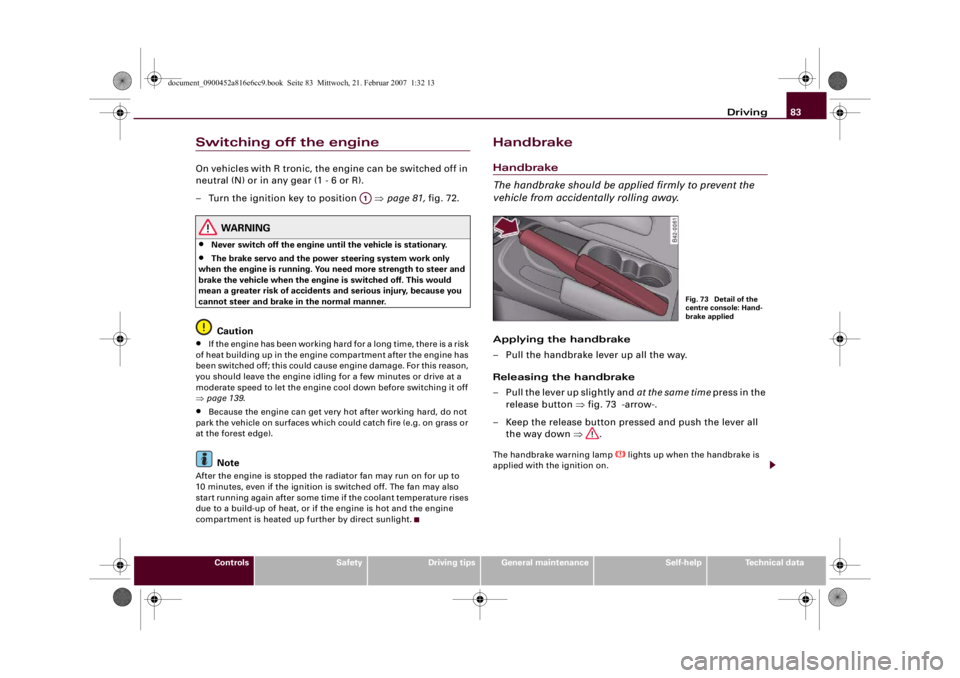
– Pull the handbrake lever up all the way.
Releasing the handbrake
– Pull the lever up slightly and at the same time press in the
release button ⇒fig. 73 -arrow-.
– Keep the release button pressed and push the lever all
the way down ⇒.The handbrake warning lamp
lights up when the handbrake is
applied with the ignition on.
A1
Fig. 73 Detail of the
centre console: Hand-
brake applied
document_0900452a816e6cc9.book Seite 83 Mittwoch, 21. Februar 2007 1:32 13
Page 88 of 210
Driving 86Parking
If the parking manoeuvre involves shunting backwards and
forwards, the warning sound will be switched off temporarily while
you change gear. The warning beeps will start again as soon as the
vehicle comes closer to an obstacle.
Possible faults
If you hear a long beep when you engage reverse gear (or when you
activate the system using the switch) and the diode in the switch
starts flashing, there is a fault in the system. The long warning beep
is given just once to indicate the fault. If you try activating the
parking aid again, the warning beep will not sound and fault is only
indicated by the flashing diode. This also applies if you switch the
ignition off and then on again: the long warning beep will only
sound the first time you try activating the parking aid. Have the fault
rectified.
If there is a fault in the system there will be no confirming beep
when you activate the parking aid.
To ensure that the acoustic parking aid works properly, the sensors
must be kept clean and free of ice.
WARNING
•
The sensors have blind spots in which obstacles are not regis-
tered. It is particularly important to ensure that there are no small
children or animals near the vehicle when reversing, as the
sensors may not always be able to detect them.
•
The parking aid cannot replace the full concentration of the
driver. The driver is always responsible for safety during parking
and other manoeuvres.Caution
Please note that low obstacles detected by the system may no
longer be registered by the sensors as the car moves closer, so the
system will not give any further warning. Certain kinds of obstacles (such as wire fences, chains, thin painted posts or trailer draw bars,
etc) may not always be detected by the system, so take care not to
damage the vehicle in such cases.
Note
Your vehicle has low ground clearance. To help you prevent damage
to the vehicle, warning beeps will sound when you approach a steep
slope (e.g. in a car park or garage).Cruise control systemApplies to vehicles: with cruise control systemIntroduction
The cruise control system allows you to maintain a
constant speed.The cruise control system allows you to maintain any desired
constant cruising speed at speeds above about 30 km/h. Of course,
this is subject to power output and braking ability of the engine.
This helps to reduce fatigue, especially on long journeys.
The indicator lamp
in the instrument cluster lights up when the
cruise control system is operating.
The cruise control system is automatically deactivated immediately
by
•
pressing the brake pedal.
•
pressing the clutch pedal.
WARNING
For safety reasons the cruise control system should not be used in
dense traffic or poor road conditions (such as slippery surfaces,
heavy rain, loose grit or gravel) – this could cause an accident.
document_0900452a816e6cc9.book Seite 86 Mittwoch, 21. Februar 2007 1:32 13
Page 92 of 210
Automatic gearbox 90Automatic gearboxApplies to vehicles: with R tronicDescriptionR tronic is an automatic sequential-shift gearbox using shift-by-wire
technology to operate the clutch and change the gears.
The gears are engaged manually (the principle is similar to a manual
gearbox) but they can also be shifted automatically. The engine can
be started and stopped in any gear ⇒page 82.
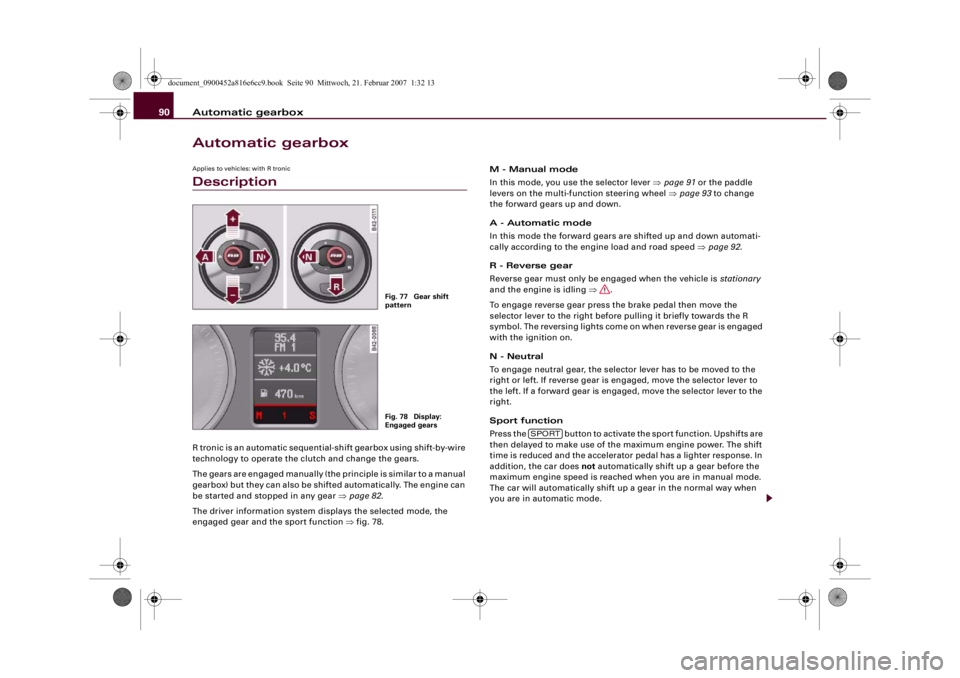
The driver information system displays the selected mode, the
engaged gear and the sport function ⇒fig. 78.M - Manual mode
In this mode, you use the selector lever ⇒page 91 or the paddle
levers on the multi-function steering wheel ⇒page 93 to change
the forward gears up and down.
A - Automatic mode
In this mode the forward gears are shifted up and down automati-
cally according to the engine load and road speed ⇒page 92.
R - Reverse gear
Reverse gear must only be engaged when the vehicle is stationary
and the engine is idling ⇒.
To engage reverse gear press the brake pedal then move the
selector lever to the right before pulling it briefly towards the R
symbol. The reversing lights come on when reverse gear is engaged
with the ignition on.
N - Neutral
To engage neutral gear, the selector lever has to be moved to the
right or left. If reverse gear is engaged, move the selector lever to
the left. If a forward gear is engaged, move the selector lever to the
right.
Sport function
Press the button to activate the sport function. Upshifts are
then delayed to make use of the maximum engine power. The shift
time is reduced and the accelerator pedal has a lighter response. In
addition, the car does not automatically shift up a gear before the
maximum engine speed is reached when you are in manual mode.
The car will automatically shift up a gear in the normal way when
you are in automatic mode.
Fig. 77 Gear shift
patternFig. 78 Display:
Engaged gears
SPORT
document_0900452a816e6cc9.book Seite 90 Mittwoch, 21. Februar 2007 1:32 13
Page 93 of 210
Automatic gearbox91
Controls
Safety
Driving tips
General maintenance
Self-help
Technical data
WARNING
•
The accelerator pedal must on no account be pressed inadvert-
ently when a gear is engaged with the vehicle stationary. If this
were to happen, the vehicle would start to move immediately, and
even a firmly applied handbrake might not restrain it (accident
risk).
•
To avoid accidents, apply the handbrake firmly and select
neutral gear (N) before opening the engine lid and working on the
vehicle with the engine running. Please observe the important
safety warnings ⇒page 155, “Working on components in the
engine compartment”.Note
If you accidentally shift to N when driving, you can engage a gear in
the normal way using the selector lever or paddle levers.Applies to vehicles: with R tronicManual modeR tronic allows the driver to change gears manually.Driving away from a standstill
– Press and hold the brake pedal.
– Move the selector lever to the left.
– Briefly push the selector lever forwards .
– Release the brake and press the accelerator ⇒.
Changing gear
– Briefly push the selector lever forwards to change up
a gear.– Briefly pull the selector lever back to change down a
gear.
Stopping briefly
– Apply the foot brake to hold the vehicle when stationary
(for instance at traffic lights).
– Do not press the accelerator while waiting. Neutral gear
(N) will be engaged automatically and a warning tone will
sound after a certain period if the vehicle is at a standstill
and you do not press the brake pedal or accelerator.
Parking
– Press and hold the brake pedal ⇒.
– Apply the handbrake firmly.
– Engage a gear.
– Switch off the ignition.
Stopping on a slope
–Always apply the footbrake to hold the vehicle and
prevent it “rolling back” down the slope ⇒. Do not try
to stop the vehicle “rolling back” by increasing the
engine speed when a gear is engaged.
– Apply the handbrake firmly.
Driving away on a slope
– Once you have engaged a gear, release the footbrake,
press the accelerator and gradually release the hand-
brake.
When accelerating in 1st, 2nd, 3rd, 4th or 5th gear, the R tronic
gearbox automatically shifts up into the next gear shortly before the
A+A+
A-
document_0900452a816e6cc9.book Seite 91 Mittwoch, 21. Februar 2007 1:32 13
Page 95 of 210
Automatic gearbox93
Controls
Safety
Driving tips
General maintenance
Self-help
Technical data
Applies to vehicles: with R tronicLaunch control programmeThe launch control programme enables maximum accel-
eration.– Press the ESP switch once while the engine is running.
The ESP warning lamp
will light up in the driver infor-
mation system display.
– Press and hold the brake pedal with your left foot.
– Engage a gear.
– Press the button.
– Press the accelerator all the way down with your right
foot until the engine reaches a constant rpm speed.
– Take your left foot off the brake ⇒.
WARNING
•
Always adapt your driving style to the traffic conditions.
•
Only use the launch control programme when road and traffic
conditions permit, and make sure your manner of driving and
accelerating the vehicle does not inconvenience or endanger other
road users.
•
Please note that, when the ESP is switched off, the driven
wheels may start to spin, causing the vehicle to lose grip, in partic-
ular on slippery or wet roads - danger of skidding!
•
When acceleration has been completed, the ESP should be
reactivated by pressing the ESP switch.
Note
Accelerating with the launch control programme places a heavy
load on all parts of the vehicle. This can result in increased wear and
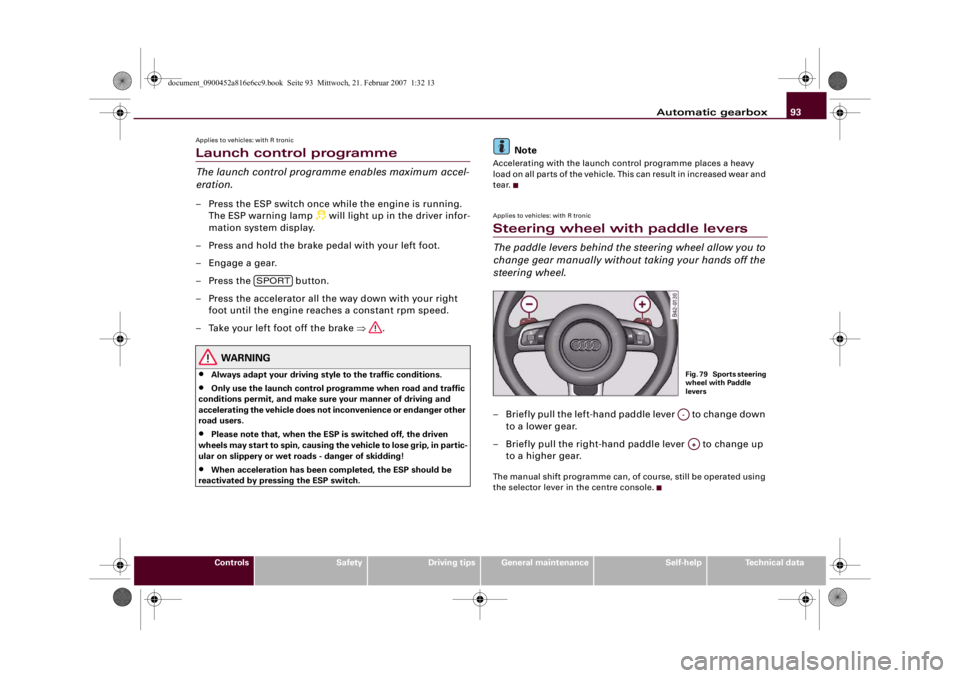
tear.Applies to vehicles: with R tronicSteering wheel with paddle leversThe paddle levers behind the steering wheel allow you to
change gear manually without taking your hands off the
steering wheel.– Briefly pull the left-hand paddle lever to change down
to a lower gear.
– Briefly pull the right-hand paddle lever to change up
to a higher gear.The manual shift programme can, of course, still be operated using
the selector lever in the centre console.
SPORT
Fig. 79 Sports steering
wheel with Paddle
leversA-A+
document_0900452a816e6cc9.book Seite 93 Mittwoch, 21. Februar 2007 1:32 13
Page 106 of 210
Safe driving 104Correct sitting positionsCorrect sitting position for driver
The correct driving position is important for safe and
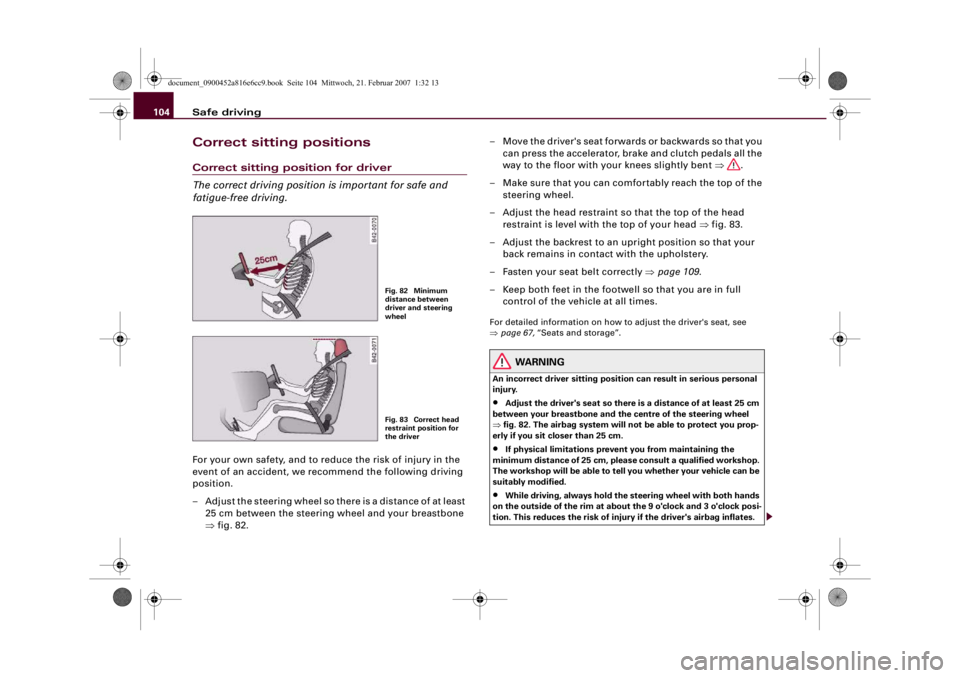
fatigue-free driving.For your own safety, and to reduce the risk of injury in the
event of an accident, we recommend the following driving
position.
– Adjust the steering wheel so there is a distance of at least
25 cm between the steering wheel and your breastbone
⇒fig. 82.– Move the driver's seat forwards or backwards so that you
can press the accelerator, brake and clutch pedals all the
way to the floor with your knees slightly bent ⇒.
– Make sure that you can comfortably reach the top of the
steering wheel.
– Adjust the head restraint so that the top of the head
restraint is level with the top of your head ⇒fig. 83.
– Adjust the backrest to an upright position so that your
back remains in contact with the upholstery.
– Fasten your seat belt correctly ⇒page 109.
– Keep both feet in the footwell so that you are in full
control of the vehicle at all times.
For detailed information on how to adjust the driver's seat, see
⇒page 67, “Seats and storage”.
WARNING
An incorrect driver sitting position can result in serious personal
injury.•
Adjust the driver's seat so there is a distance of at least 25 cm
between your breastbone and the centre of the steering wheel
⇒fig. 82. The airbag system will not be able to protect you prop-
erly if you sit closer than 25 cm.
•
If physical limitations prevent you from maintaining the
minimum distance of 25 cm, please consult a qualified workshop.
The workshop will be able to tell you whether your vehicle can be
suitably modified.
•
While driving, always hold the steering wheel with both hands
on the outside of the rim at about the 9 o'clock and 3 o'clock posi-
tion. This reduces the risk of injury if the driver's airbag inflates.
Fig. 82 Minimum
distance between
driver and steering
wheelFig. 83 Correct head
restraint position for
the driver
document_0900452a816e6cc9.book Seite 104 Mittwoch, 21. Februar 2007 1:32 13
Page 134 of 210
Intelligent technology 132Intelligent technologyElectronic stabilisation program (ESP)The Electronic Stabilisation Program increases the car's
stability.Description
The anti-lock brake system (ABS), the electronic differential lock
(EDL) and the traction control system (ASR) are all integrated into
the electronic stabilisation program (ESP). The ESP is designed to
enhance the control over the vehicle in critical handling situations,
such as when accelerating and cornering. It reduces the tendency to
skid at all speeds under all road conditions and improves the
stability and roadholding of the vehicle. ESP helps the car to start
moving, accelerate and climb a gradient in slippery conditions
where this may otherwise be difficult or even impossible. The ESP is
switched on automatically when the engine is started. It should
normally be left switched on at all times for optimum car stability.
Driving situations
If the car is oversteering (rear wheels losing grip first) the ESP
mainly brakes the outside front wheel; if the car is understeering
(front wheels losing grip first), the ESP brakes the inside rear wheel
and possibly also other wheels. This automatic brake application is
accompanied by characteristic noises.If, when braking, one of the wheels is turning too slowly in relation
to the road speed and is close to locking up, the system will reduce
the pressure in the brake line to this wheel. The driver is made aware
of this control process by a pulsating of the brake pedal and accom-
panying noise. In this situation it is important to keep the brake
pedal fully depressed so the ABS can regulate the brake application
- do not “pump” the brake pedal. However, the ABS will not neces-
sarily guarantee shorter stopping distances in all conditions. For
instance, on loose gravel or fresh snow on top of an icy surface the
stopping distance with ABS may even be slightly longer.
Whenever it detects a significant difference in the speed of the driven
wheels of one axle (for example, if the road is slippery on one side)
the electronic differential lock (EDL) applies the brake to slow down
the spinning wheel so that more of the power is directed to the
other wheels. This function is active up to about 100 km/h. The brake
system will make noises while it is working.
If one wheel has less grip and starts spinning (for instance, if one of
the driven wheels is on ice), press the accelerator hard until the car
starts moving.
If the wheels start to spin, the traction control system (ASR) auto-
matically reduces the engine torque to match the amount of grip
available.
Activating the sport mode
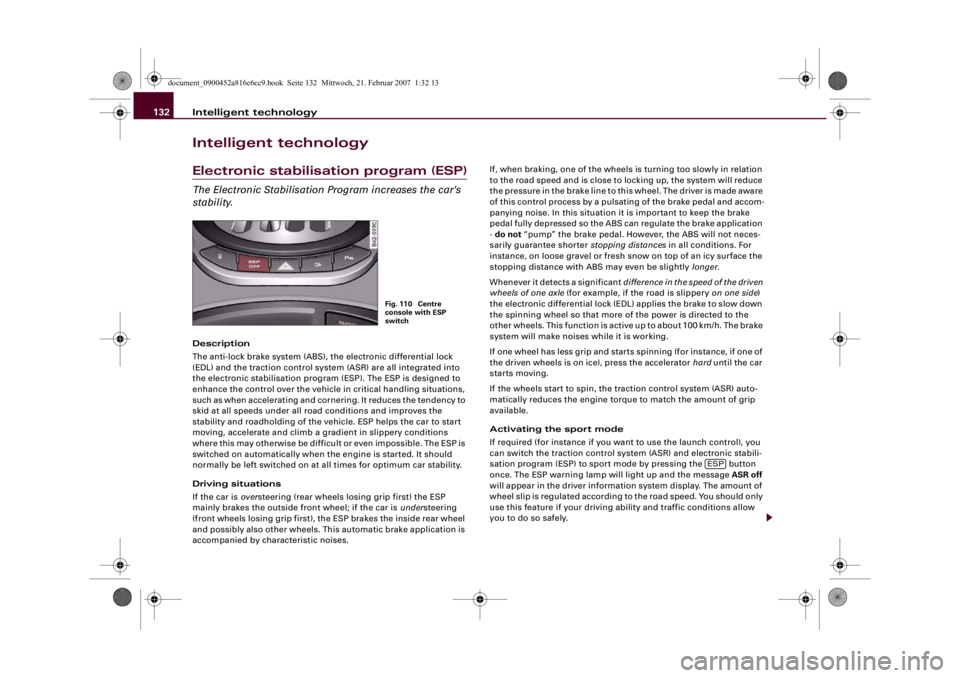
If required (for instance if you want to use the launch control), you
can switch the traction control system (ASR) and electronic stabili-
sation program (ESP) to sport mode by pressing the button
once. The ESP warning lamp will light up and the message ASR off
will appear in the driver information system display. The amount of
wheel slip is regulated according to the road speed. You should only
use this feature if your driving ability and traffic conditions allow
you to do so safely.
Fig. 110 Centre
console with ESP
switch
ESP
document_0900452a816e6cc9.book Seite 132 Mittwoch, 21. Februar 2007 1:32 13
Page 135 of 210
Intelligent technology133
Controls
Safety
Driving tips
General maintenance
Self-help
Technical data Switching off the ESP and traction control system
(ASR)
To switch off the ASR and ESP in certain situations (e.g. when
driving with snow chains, in deep snow, or on a loose surface, or
when rocking the car backwards and forwards to free it from mud)
press the button for longer than 3 seconds. The ESP warning
lamp will light up and the message ESP switched off will appear in
the driver information system display. You should only use this
feature if your driving ability and traffic conditions allow you to do
so safely.
Switching on the ESP/traction control system (ASR)
To activate the ASR/ESP, press the button again.
Overheating of the brakes
To prevent the disc brake of a braked wheel from overheating, the
EDL cuts out automatically on the wheel in question if subjected to
excessive loads. The car remains operational and will behave in the
same way as a car without EDL.
The EDL will switch on again automatically when the brake has
cooled down.
WARNING
•
The grip provided by the ESP, ABS, EDL and ASR systems is still
subject to the physical limits of adhesion. Always bear this in
mind, especially on wet or slippery roads. If you notice the
systems cutting in, you should reduce your speed immediately to
suit the road and traffic conditions. Do not let the extra safety
features tempt you into taking any risks when driving – this can
cause accidents.
•
Please remember that the accident risk always increases if you
drive too fast, especially in corners or on a slippery road, or if you
follow too close behind the vehicle in front of you. Please bear in
mind that even ESP, ABS, EDL and ASR cannot compensate for the
increased accident risk.
•
When accelerating on a uniformly slippery surface (for instance
all four wheels on ice or snow), press the accelerator gradually and
carefully. The driven wheels may otherwise start to spin (in spite
of the EDL), which would impair the car's stability and could lead
to an accident.
•
Please note that, when the traction control system (ASR) or
ASR/ESP is switched off, the driven wheels may start to spin,
causing the vehicle to lose grip, in particular on slippery or wet
roads - danger of skidding!Note
•
In the event of a malfunction in the rear spoiler system or in the
Audi magnetic ride, it may not be possible to switch off the traction
control system (ASR) or ASR/ESP, or the ASR/ESP may be reactivated
automatically from the deactivated status.
•
If a malfunction should occur in the EDL, this is indicated by a
warning lamp ⇒page 19.
•
Some racing circuits (e.g. with banked curves) can affect the
behaviour of the ESP.
ESP
ESP
WARNING (continued)
document_0900452a816e6cc9.book Seite 133 Mittwoch, 21. Februar 2007 1:32 13
Page 136 of 210
Intelligent technology 134Rear spoilerThe automatic rear spoiler increases the car's stability.The rear spoiler can be extended or retracted manually or automat-
ically.
Automatic mode (normal operation)•
Automatic extension: The rear spoiler is automatically extended
at road speeds above approximately 100 km/h.
•
Automatic retraction: The rear spoiler is automatically retracted
at road speeds below approximately 35 km/h.
Manual mode
•
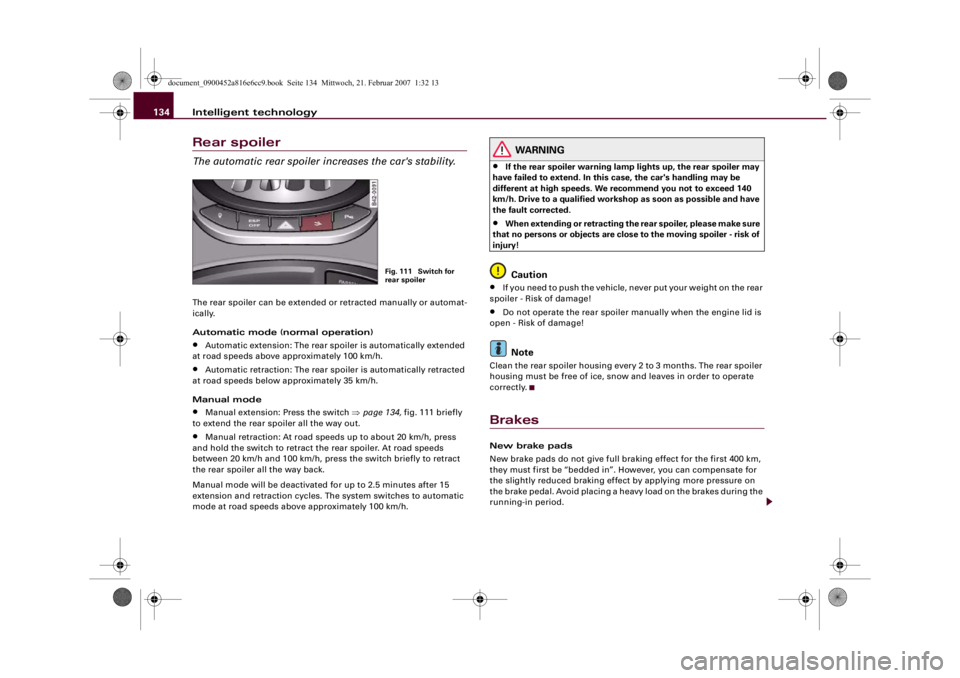
Manual extension: Press the switch ⇒page 134, fig. 111 briefly
to extend the rear spoiler all the way out.
•
Manual retraction: At road speeds up to about 20 km/h, press
and hold the switch to retract the rear spoiler. At road speeds
between 20 km/h and 100 km/h, press the switch briefly to retract
the rear spoiler all the way back.
Manual mode will be deactivated for up to 2.5 minutes after 15
extension and retraction cycles. The system switches to automatic
mode at road speeds above approximately 100 km/h.
WARNING
•
If the rear spoiler warning lamp lights up, the rear spoiler may
have failed to extend. In this case, the car's handling may be
different at high speeds. We recommend you not to exceed 140
km/h. Drive to a qualified workshop as soon as possible and have
the fault corrected.
•
When extending or retracting the rear spoiler, please make sure
that no persons or objects are close to the moving spoiler - risk of
injury!Caution
•
If you need to push the vehicle, never put your weight on the rear
spoiler - Risk of damage!
•
Do not operate the rear spoiler manually when the engine lid is
open - Risk of damage!Note
Clean the rear spoiler housing every 2 to 3 months. The rear spoiler
housing must be free of ice, snow and leaves in order to operate
correctly.BrakesNew brake pads
New brake pads do not give full braking effect for the first 400 km,
they must first be “bedded in”. However, you can compensate for
the slightly reduced braking effect by applying more pressure on
the brake pedal. Avoid placing a heavy load on the brakes during the
running-in period.
Fig. 111 Switch for
rear spoiler
document_0900452a816e6cc9.book Seite 134 Mittwoch, 21. Februar 2007 1:32 13