ignition AUDI R8 2007 User Guide
[x] Cancel search | Manufacturer: AUDI, Model Year: 2007, Model line: R8, Model: AUDI R8 2007Pages: 210, PDF Size: 8.1 MB
Page 22 of 210
Driver information system 20Driver information systemIntroductionThe driver information system in the instrument cluster
shows you the status of various on-board systems at a
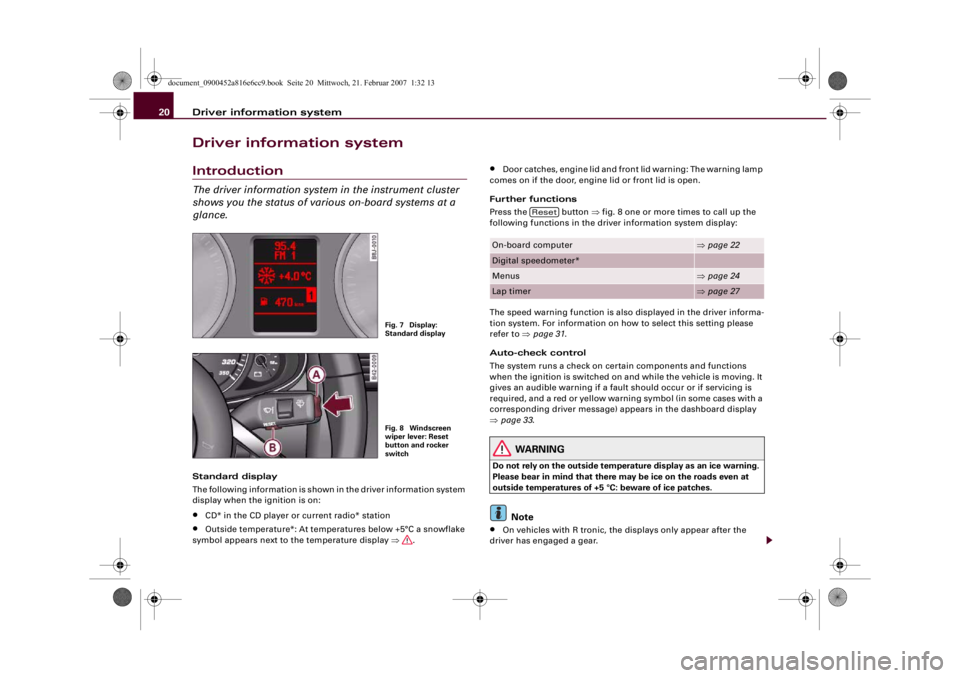
glance.Standard display
The following information is shown in the driver information system
display when the ignition is on:•
CD* in the CD player or current radio* station
•
Outside temperature*: At temperatures below +5°C a snowflake
symbol appears next to the temperature display ⇒.
•
Door catches, engine lid and front lid warning: The warning lamp
comes on if the door, engine lid or front lid is open.
Further functions
Press the button ⇒fig. 8 one or more times to call up the
following functions in the driver information system display:
The speed warning function is also displayed in the driver informa-
tion system. For information on how to select this setting please
refer to ⇒page 31.
Auto-check control
The system runs a check on certain components and functions
when the ignition is switched on and while the vehicle is moving. It
gives an audible warning if a fault should occur or if servicing is
required, and a red or yellow warning symbol (in some cases with a
corresponding driver message) appears in the dashboard display
⇒page 33.
WARNING
Do not rely on the outside temperature display as an ice warning.
Please bear in mind that there may be ice on the roads even at
outside temperatures of +5 °C: beware of ice patches.
Note
•
On vehicles with R tronic, the displays only appear after the
driver has engaged a gear.
Fig. 7 Display:
Standard displayFig. 8 Windscreen
wiper lever: Reset
button and rocker
switch
On-board computer
⇒page 22
Digital speedometer*Menus
⇒page 24
Lap timer
⇒page 27
Reset
document_0900452a816e6cc9.book Seite 20 Mittwoch, 21. Februar 2007 1:32 13
Page 23 of 210
Driver information system21
Controls
Safety
Driving tips
General maintenance
Self-help
Technical data
•
On vehicles equipped with the Audi navigation system* the
displays may vary from the normal lay-out during route guidance.
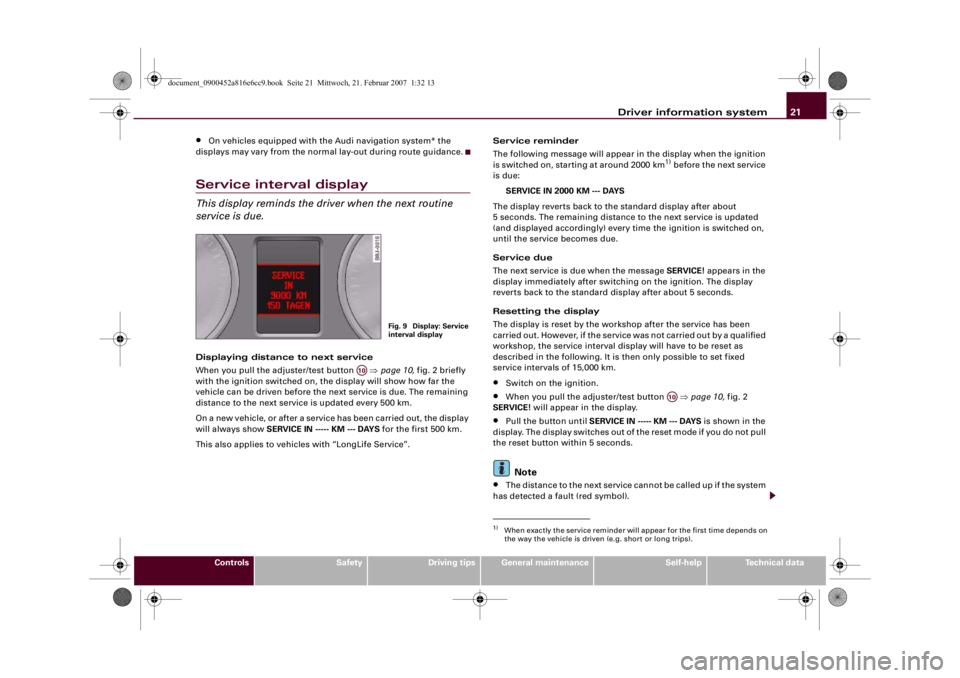
Service interval displayThis display reminds the driver when the next routine
service is due.Displaying distance to next service
When you pull the adjuster/test button ⇒page 10, fig. 2 briefly
with the ignition switched on, the display will show how far the
vehicle can be driven before the next service is due. The remaining
distance to the next service is updated every 500 km.
On a new vehicle, or after a service has been carried out, the display
will always show SERVICE IN ----- KM --- DAYS for the first 500 km.
This also applies to vehicles with “LongLife Service”.Service reminder
The following message will appear in the display when the ignition
is switched on, starting at around 2000 km
1) before the next service
is due:
SERVICE IN 2000 KM --- DAYS
The display reverts back to the standard display after about
5 seconds. The remaining distance to the next service is updated
(and displayed accordingly) every time the ignition is switched on,
until the service becomes due.
Service due
The next service is due when the message SERVICE! appears in the
display immediately after switching on the ignition. The display
reverts back to the standard display after about 5 seconds.
Resetting the display
The display is reset by the workshop after the service has been
carried out. However, if the service was not carried out by a qualified
workshop, the service interval display will have to be reset as
described in the following. It is then only possible to set fixed
service intervals of 15,000 km.
•
Switch on the ignition.
•
When you pull the adjuster/test button ⇒page 10, fig. 2
SERVICE! will appear in the display.
•
Pull the button until SERVICE IN ----- KM --- DAYS is shown in the
display. The display switches out of the reset mode if you do not pull
the reset button within 5 seconds.Note
•
The distance to the next service cannot be called up if the system
has detected a fault (red symbol).
Fig. 9 Display: Service
interval display
A10
1)When exactly the service reminder will appear for the first time depends on
the way the vehicle is driven (e.g. short or long trips).
A10
document_0900452a816e6cc9.book Seite 21 Mittwoch, 21. Februar 2007 1:32 13
Page 24 of 210
Driver information system 22•
Do not reset the service interval display between services - other-
wise the display will be incorrect.
•
The information in the service interval display remains intact if
the battery is disconnected.
•
On vehicles equipped with the driver information system the
service interval display can also be called up using the on-board
computer.
On-board computerIntroduction
The on-board computer provides you with useful informa-
tion during a journey, including average and current fuel
consumption, average speed, fuel range, driving time and
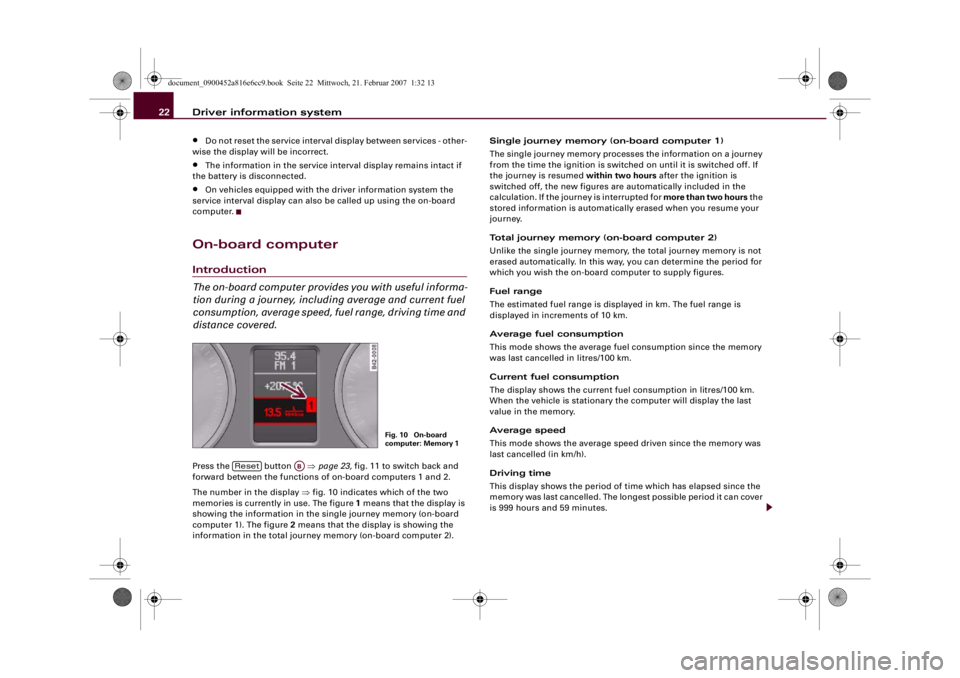
distance covered.Press the button ⇒page 23, fig. 11 to switch back and
forward between the functions of on-board computers 1 and 2.
The number in the display ⇒fig. 10 indicates which of the two
memories is currently in use. The figure 1 means that the display is
showing the information in the single journey memory (on-board
computer 1). The figure 2 means that the display is showing the
information in the total journey memory (on-board computer 2).Single journey memory (on-board computer 1)
The single journey memory processes the information on a journey
from the time the ignition is switched on until it is switched off. If
the journey is resumed within two hours after the ignition is
switched off, the new figures are automatically included in the
calculation. If the journey is interrupted for more than two hours the
stored information is automatically erased when you resume your
journey.
Total journey memory (on-board computer 2)
Unlike the single journey memory, the total journey memory is not
erased automatically. In this way, you can determine the period for
which you wish the on-board computer to supply figures.
Fuel range
The estimated fuel range is displayed in km. The fuel range is
displayed in increments of 10 km.
Average fuel consumption
This mode shows the average fuel consumption since the memory
was last cancelled in litres/100 km.
Current fuel consumption
The display shows the current fuel consumption in litres/100 km.
When the vehicle is stationary the computer will display the last
value in the memory.
Average speed
This mode shows the average speed driven since the memory was
last cancelled (in km/h).
Driving time
This display shows the period of time which has elapsed since the
memory was last cancelled. The longest possible period it can cover
is 999 hours and 59 minutes.
Fig. 10 On-board
computer: Memory 1
Reset
AB
document_0900452a816e6cc9.book Seite 22 Mittwoch, 21. Februar 2007 1:32 13
Page 25 of 210
Driver information system23
Controls
Safety
Driving tips
General maintenance
Self-help
Technical data Distance covered
This display shows the distance you have covered since the memory
was last cancelled. The longest possible distance which can be
recorded is 9999.9 km.
Note
•
The displays for fuel consumption (average and current
consumption), fuel range and speed are shown in metric units.
•
The information in the memory is cancelled if the battery is
disconnected.
Controls
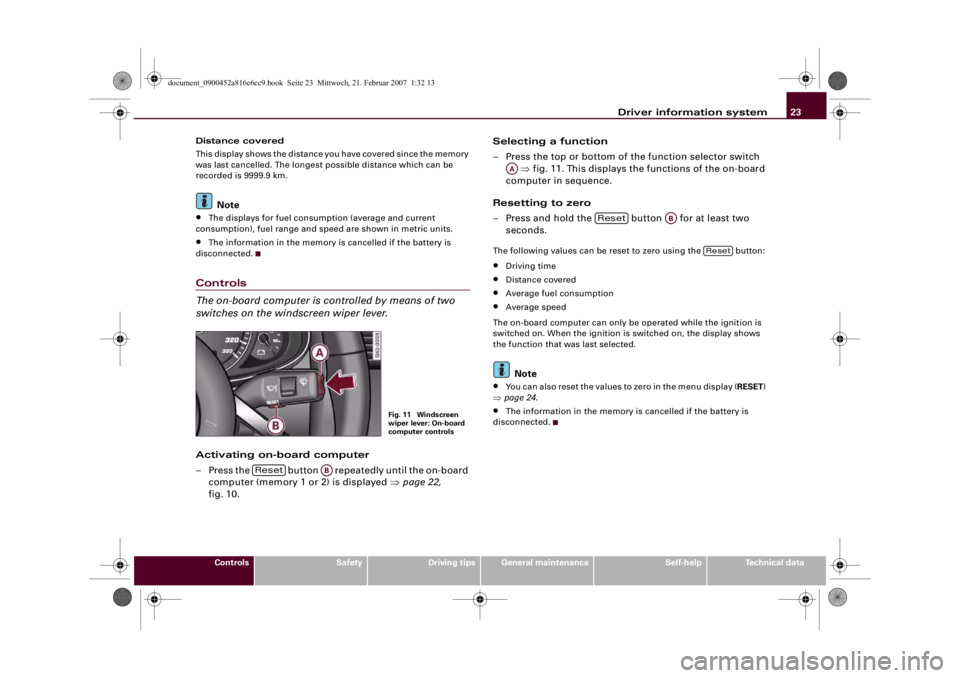
The on-board computer is controlled by means of two
switches on the windscreen wiper lever.Activating on-board computer
– Press the button repeatedly until the on-board
computer (memory 1 or 2) is displayed ⇒page 22,
fig. 10.Selecting a function
– Press the top or bottom of the function selector switch
⇒fig. 11. This displays the functions of the on-board
computer in sequence.
Resetting to zero
– Press and hold the button for at least two
seconds.
The following values can be reset to zero using the button:•
Driving time
•
Distance covered
•
Average fuel consumption
•
Average speed
The on-board computer can only be operated while the ignition is
switched on. When the ignition is switched on, the display shows
the function that was last selected.Note
•
You can also reset the values to zero in the menu display (RESET)
⇒page 24.
•
The information in the memory is cancelled if the battery is
disconnected.
Fig. 11 Windscreen
wiper lever: On-board
computer controls
Reset
AB
AA
Reset
AB
Reset
document_0900452a816e6cc9.book Seite 23 Mittwoch, 21. Februar 2007 1:32 13
Page 26 of 210
Driver information system 24MenusIntroductionSome of the functions in your vehicle can be adjusted, activated and
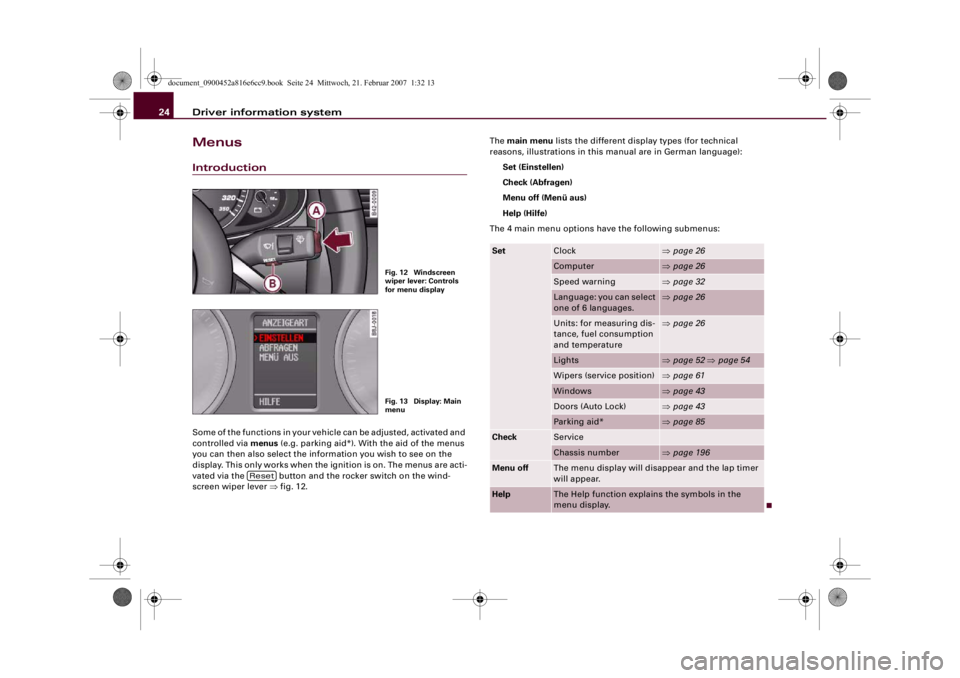
controlled via menus (e.g. parking aid*). With the aid of the menus
you can then also select the information you wish to see on the
display. This only works when the ignition is on. The menus are acti-
vated via the button and the rocker switch on the wind-
screen wiper lever ⇒fig. 12.The main menu lists the different display types (for technical
reasons, illustrations in this manual are in German language):
Set (Einstellen)
Check (Abfragen)
Menu off (Menü aus)
Help (Hilfe)
The 4 main menu options have the following submenus:
Fig. 12 Windscreen
wiper lever: Controls
for menu displayFig. 13 Display: Main
menu
Reset
Set
Clock
⇒page 26
Computer
⇒page 26
Speed warning
⇒page 32
Language: you can select
one of 6 languages.
⇒page 26
Units: for measuring dis-
tance, fuel consumption
and temperature
⇒page 26
Lights
⇒page 52 ⇒page 54
Wipers (service position)
⇒page 61
Windows
⇒page 43
Doors (Auto Lock)
⇒page 43
Parking aid*
⇒page 85
Check
ServiceChassis number
⇒page 196
Menu off
The menu display will disappear and the lap timer
will appear.
Help
The Help function explains the symbols in the
menu display.
document_0900452a816e6cc9.book Seite 24 Mittwoch, 21. Februar 2007 1:32 13
Page 30 of 210
Driver information system 28Calling up the lap timer– With the ignition switched on, keep pressing the
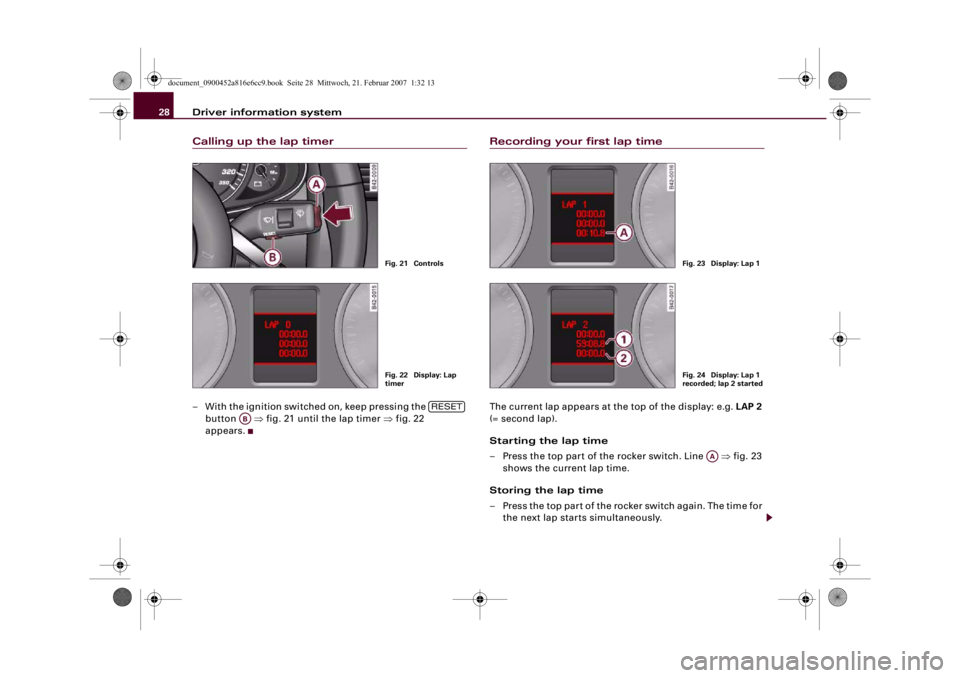
button ⇒fig. 21 until the lap timer ⇒fig. 22
appears.
Recording your first lap timeThe current lap appears at the top of the display: e.g. LAP 2
(= second lap).
Starting the lap time
– Press the top part of the rocker switch. Line ⇒fig. 23
shows the current lap time.
Storing the lap time
– Press the top part of the rocker switch again. The time for
the next lap starts simultaneously.
Fig. 21 ControlsFig. 22 Display: Lap
timer
RESET
AB
Fig. 23 Display: Lap 1Fig. 24 Display: Lap 1
recorded; lap 2 started
AA
document_0900452a816e6cc9.book Seite 28 Mittwoch, 21. Februar 2007 1:32 13
Page 33 of 210
Driver information system31
Controls
Safety
Driving tips
General maintenance
Self-help
Technical data
Resuming the lap time session laterWhen you have evaluated the lap times, you can resume the
session and continue recording lap times later.
– Keep pressing the button until the lap timer
appears ⇒page 30, fig. 27.
– Press the top part of the rocker switch to start recording
a new lap time.
– To record further lap times, repeat the procedure
described earlier ⇒page 29, “Recording further lap
times”. To evaluate the overall results, refer to ⇒page 30,
“Finishing the session and evaluating or resetting lap
times”.Speed warning functionApplies to vehicles: with speed warning functionIntroduction
The speed warning function can help you keep below a
pre-set maximum speed.
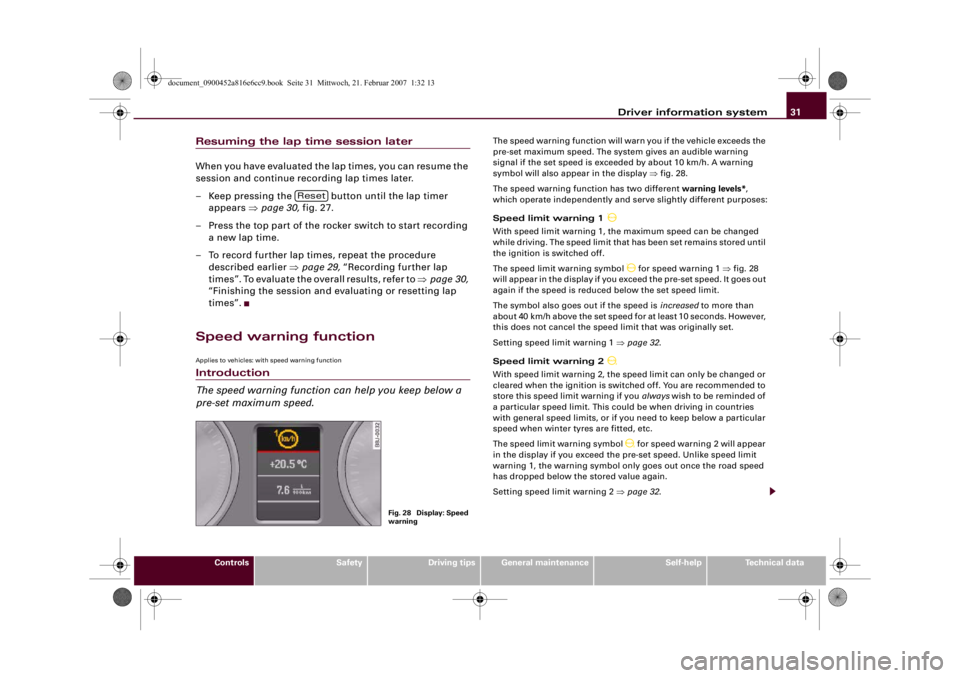
The speed warning function will warn you if the vehicle exceeds the
pre-set maximum speed. The system gives an audible warning
signal if the set speed is exceeded by about 10 km/h. A warning
symbol will also appear in the display ⇒fig. 28.
The speed warning function has two different warning levels*,
which operate independently and serve slightly different purposes:
Speed limit warning 1
With speed limit warning 1, the maximum speed can be changed
while driving. The speed limit that has been set remains stored until
the ignition is switched off.
The speed limit warning symbol
for speed warning 1 ⇒fig. 28
will appear in the display if you exceed the pre-set speed. It goes out
again if the speed is reduced below the set speed limit.
The symbol also goes out if the speed is increased to more than
about 40 km/h above the set speed for at least 10 seconds. However,
this does not cancel the speed limit that was originally set.
Setting speed limit warning 1 ⇒page 32.
Speed limit warning 2
With speed limit warning 2, the speed limit can only be changed or
cleared when the ignition is switched off. You are recommended to
store this speed limit warning if you always wish to be reminded of
a particular speed limit. This could be when driving in countries
with general speed limits, or if you need to keep below a particular
speed when winter tyres are fitted, etc.
The speed limit warning symbol
for speed warning 2 will appear
in the display if you exceed the pre-set speed. Unlike speed limit
warning 1, the warning symbol only goes out once the road speed
has dropped below the stored value again.
Setting speed limit warning 2 ⇒page 32.
Reset
Fig. 28 Display: Speed
warning
document_0900452a816e6cc9.book Seite 31 Mittwoch, 21. Februar 2007 1:32 13
Page 34 of 210
Driver information system 32
NotePlease bear in mind that, even with the speed warning function, it is
still important to keep a check on the car's speed with the speedom-
eter and to observe the statutory speed limits.Applies to vehicles: with speed warning functionSetting speed limit warning 1
Speed limit warning 1 is controlled via the adjuster/test
button.Selecting speed limit
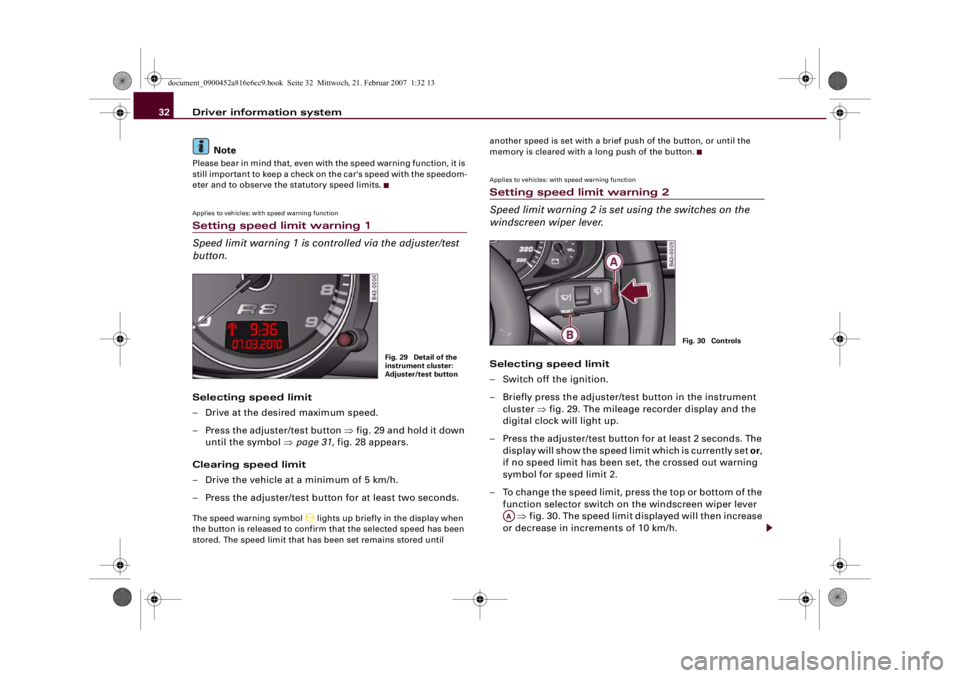
– Drive at the desired maximum speed.
– Press the adjuster/test button ⇒fig. 29 and hold it down
until the symbol ⇒page 31, fig. 28 appears.
Clearing speed limit
– Drive the vehicle at a minimum of 5 km/h.
– Press the adjuster/test button for at least two seconds.The speed warning symbol
lights up briefly in the display when
the button is released to confirm that the selected speed has been
stored. The speed limit that has been set remains stored until another speed is set with a brief push of the button, or until the
memory is cleared with a long push of the button.
Applies to vehicles: with speed warning functionSetting speed limit warning 2
Speed limit warning 2 is set using the switches on the
windscreen wiper lever.Selecting speed limit
– Switch off the ignition.
– Briefly press the adjuster/test button in the instrument
cluster ⇒fig. 29. The mileage recorder display and the
digital clock will light up.
– Press the adjuster/test button for at least 2 seconds. The
display will show the speed limit which is currently set or,
if no speed limit has been set, the crossed out warning
symbol for speed limit 2.
– To change the speed limit, press the top or bottom of the
function selector switch on the windscreen wiper lever
⇒fig. 30. The speed limit displayed will then increase
or decrease in increments of 10 km/h.
Fig. 29 Detail of the
instrument cluster:
Adjuster/test button
Fig. 30 Controls
AA
document_0900452a816e6cc9.book Seite 32 Mittwoch, 21. Februar 2007 1:32 13
Page 35 of 210
Driver information system33
Controls
Safety
Driving tips
General maintenance
Self-help
Technical data
Clearing speed limit
– Switch off the ignition.
– Briefly press the adjuster/test button in the instrument
cluster ⇒page 32, fig. 29. The mileage recorder display
and the digital clock will light up.
– Press the adjuster/test button for at least 2 seconds. The
display will show the speed limit which is currently set.
– Now press and hold the button on the wind-
screen wiper lever ⇒page 32, fig. 30 until the
crossed-out warning symbol for speed limit 2 appears on
the display.The display lighting for the mileage recorder and digital clock goes
off again a few seconds after the button is released.
Note
This speed limit function can also be operated via the on-board
computer ⇒page 25, “Selecting options from the menu”.Notes and symbolsRed symbols
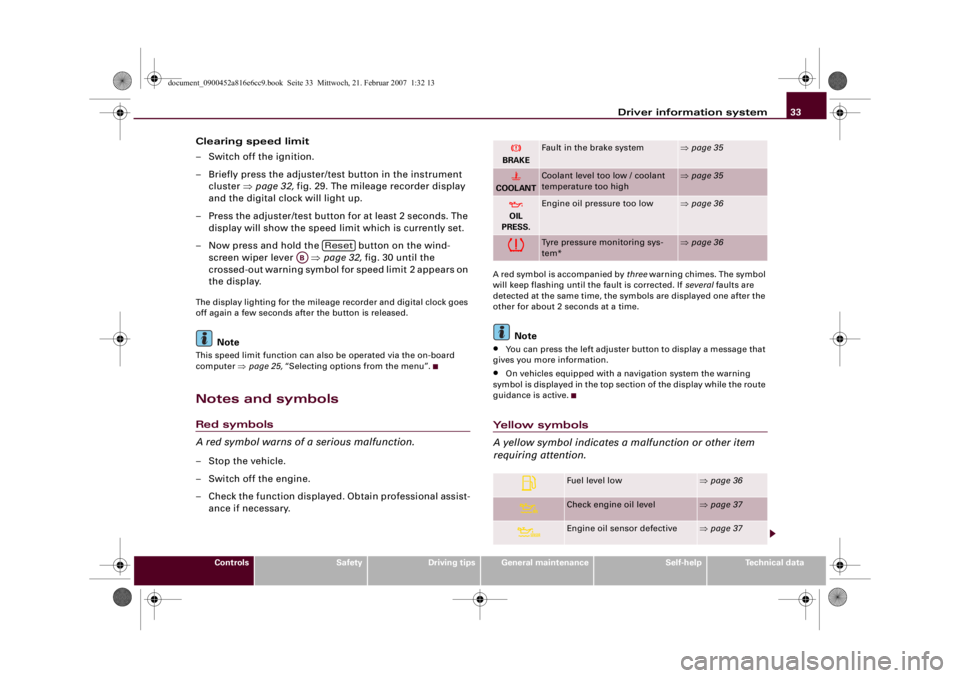
A red symbol warns of a serious malfunction.–Stop the vehicle.
– Switch off the engine.
– Check the function displayed. Obtain professional assist-
ance if necessary.
A red symbol is accompanied by three warning chimes. The symbol
will keep flashing until the fault is corrected. If several faults are
detected at the same time, the symbols are displayed one after the
other for about 2 seconds at a time.
Note
•
You can press the left adjuster button to display a message that
gives you more information.
•
On vehicles equipped with a navigation system the warning
symbol is displayed in the top section of the display while the route
guidance is active.
Yellow symbols
A yellow symbol indicates a malfunction or other item
requiring attention.
Reset
AB
BRAKE
Fault in the brake system
⇒page 35
COOLANT
Coolant level too low / coolant
temperature too high
⇒page 35
OIL
PRESS.
Engine oil pressure too low
⇒page 36
Tyre pressure monitoring sys-
tem*
⇒page 36
Fuel level low
⇒page 36
Check engine oil level
⇒page 37
Engine oil sensor defective
⇒page 37
document_0900452a816e6cc9.book Seite 33 Mittwoch, 21. Februar 2007 1:32 13
Page 42 of 210
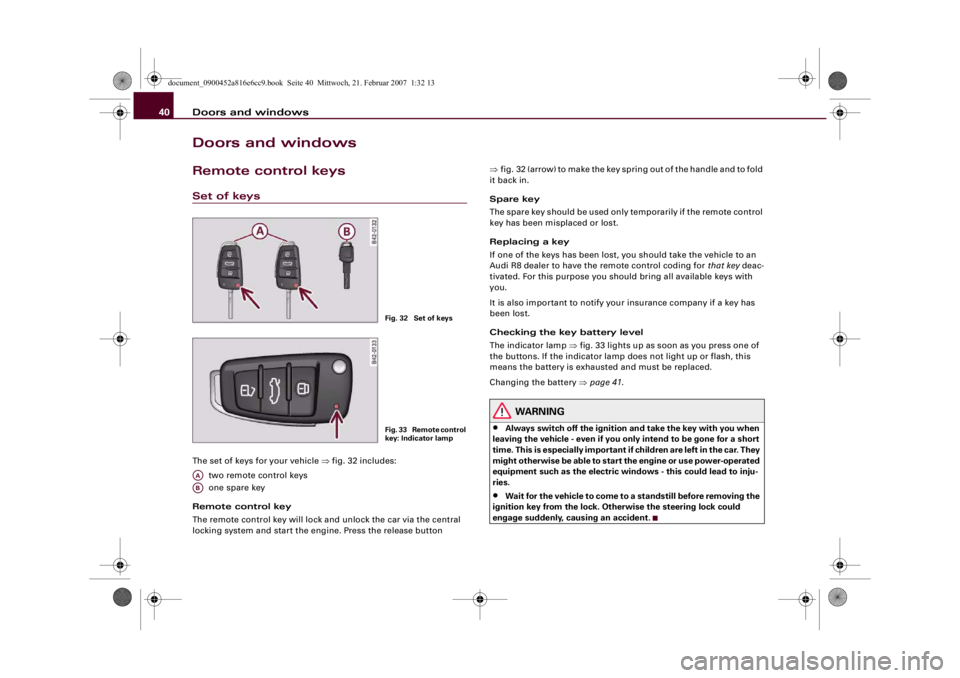
Doors and windows 40Doors and windowsRemote control keysSet of keysThe set of keys for your vehicle ⇒fig. 32 includes:
two remote control keys
one spare key
Remote control key
The remote control key will lock and unlock the car via the central
locking system and start the engine. Press the release button ⇒fig. 32 (arrow) to make the key spring out of the handle and to fold
it back in.
Spare key
The spare key should be used only temporarily if the remote control
key has been misplaced or lost.
Replacing a key
If one of the keys has been lost, you should take the vehicle to an
Audi R8 dealer to have the remote control coding for that key deac-
tivated. For this purpose you should bring all available keys with
you.
It is also important to notify your insurance company if a key has
been lost.
Checking the key battery level
The indicator lamp ⇒fig. 33 lights up as soon as you press one of
the buttons. If the indicator lamp does not light up or flash, this
means the battery is exhausted and must be replaced.
Changing the battery ⇒page 41.
WARNING
•
Always switch off the ignition and take the key with you when
leaving the vehicle - even if you only intend to be gone for a short
time. This is especially important if children are left in the car. They
might otherwise be able to start the engine or use power-operated
equipment such as the electric windows - this could lead to inju-
ries.
•
Wait for the vehicle to come to a standstill before removing the
ignition key from the lock. Otherwise the steering lock could
engage suddenly, causing an accident.
Fig. 32 Set of keysF i g . 3 3 R e m o t e c o n t r o l
key: Indicator lamp
AAAB
document_0900452a816e6cc9.book Seite 40 Mittwoch, 21. Februar 2007 1:32 13