ignition AUDI R8 2007 Owner's Manual
[x] Cancel search | Manufacturer: AUDI, Model Year: 2007, Model line: R8, Model: AUDI R8 2007Pages: 210, PDF Size: 8.1 MB
Page 43 of 210
Doors and windows41
Controls
Safety
Driving tips
General maintenance
Self-help
Technical data
Remote control key
The remote control will lock and unlock the vehicle
without having to insert the key in the lock.The remote control transmitter and the battery are integrated in the
handle of the key. The receiver is in the interior of the vehicle. The
maximum range of the remote control depends on various factors.
The range is reduced when the battery starts to lose power.
If the receiver has been repaired or replaced, or if a replacement key
is used, the system will need re-programming by a qualified work-
shop. This is necessary so that the receiver can recognise your
remote control key.
The remote control keys (which are radio-operated) conform with all
relevant requirements for Germany and have been approved by the
Federal Approvals Office for Telecommunications of the Federal
Republic of Germany. All components are marked in accordance
with the current legal requirements. This certification forms the
basis for approval for use in other countries.
Personalised remote control key
When you switch off the ignition or lock the vehicle, the settings of
various convenience features are automatically stored and assigned
individually to the remote control key that is currently in use. The
settings stored for the remote control key are then recalled auto-
matically the next time the vehicle is unlocked, the door is opened
or the ignition is switched on.
Note
•
The remote control key is automatically deactivated when the
ignition is switched on.
•
The function of the remote control key may be impaired by inter-
ference from other nearby radio signals (for example from a mobile
telephone or TV transmitter) if these are in the same frequency
range.
Synchronisation
If the remote control fails to unlock the vehicle, it will be
necessary to re-synchronise the system.– Press the unlock button
on the remote control.
– Use the key to manually unlock the driver's door within
30 seconds.
– Press the unlock
or the lock button
.
Replacing the battery for the remote control key
Each remote control key contains a battery which is
located in the cover of the key.We recommend having the battery changed by a qualified
workshop if required. However, if you decide to change the
used battery yourself:
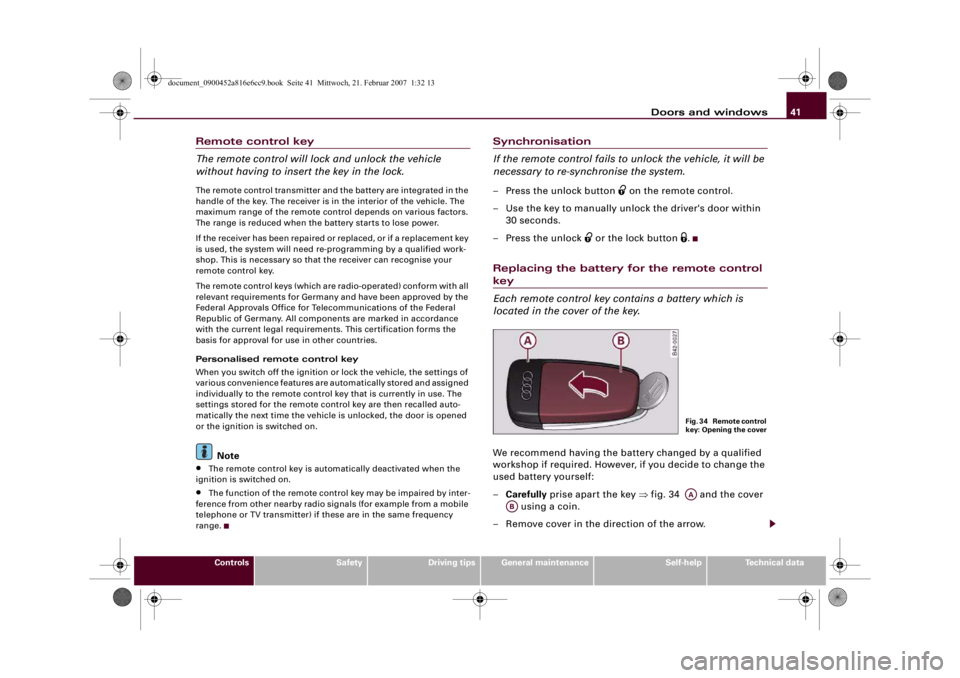
–Carefully prise apart the key ⇒fig. 34 and the cover
using a coin.
– Remove cover in the direction of the arrow.
F i g . 3 4 R e m o t e c o n t r o l
key: Opening the coverAA
AB
document_0900452a816e6cc9.book Seite 41 Mittwoch, 21. Februar 2007 1:32 13
Page 44 of 210
Doors and windows 42
– Take the used battery out of the cover.
– Insert the new battery. Make sure that the “+” symbol on
the battery is facing downwards. The correct polarity is
indicated on the cover.
– After inserting the battery, align the cover and key and
press the two parts together.
For the sake of the environmentUsed batteries must be disposed of appropriately and must not be
discarded with ordinary household waste.
Note
The new battery must be of the same type as the original one.Electronic immobiliser
The immobiliser is designed to prevent unauthorised
persons from driving the vehicle.An electronic chip inside the key automatically deactivates the
immobiliser when the ignition is switched on. When the ignition is
switched off after coming to a stop the electronic immobiliser is
activated automatically.
If an uncoded key is used, SAFE will appear continuously in the
mileage recorder display.
Note
•
The engine can only be started using an original Audi key with
the correct code.
•
It may not be possible to start the engine with the key if there is
another ignition key from a different make of vehicle on the same
key ring.
Central locking systemDescription
The central locking system allows both doors to be locked
and unlocked simultaneously.The central locking system on your vehicle locks and unlocks both
doors simultaneously.
The remote control key locks and unlocks the vehicle by means of a
radio signal ⇒page 43.
Locking and unlocking the vehicle using the key
In addition to the other functions, you can lock and unlock the
vehicle in the normal way by turning the key in the driver's door lock.
However, please note that when you unlock the vehicle with the key,
this only unlocks the mechanical lock on the doors set in the menu
display ⇒page 24. In order to switch off the anti-theft alarm, you
must insert the key in the ignition lock and switch on the ignition
within 15 seconds after opening the driver's door. The alarm will be
set off if the ignition is not switched on within 15 seconds.
When you lock the vehicle, this automatically locks both of the doors
and activates the anti-theft alarm.
Windows
The windows can be opened or closed together via the central
locking system ⇒page 43.
Deadlock mechanism
The central locking system is combined with a deadlock mecha-
nism. Once the vehicle has been locked from the outside, the door
handles on the inside are deactivated. This makes it more difficult
to break into the vehicle.
However, it is also possible to lock the vehicle without activating the
deadlock mechanism.
document_0900452a816e6cc9.book Seite 42 Mittwoch, 21. Februar 2007 1:32 13
Page 45 of 210
Doors and windows43
Controls
Safety
Driving tips
General maintenance
Self-help
Technical data Driver's door lock: Turn the key in the driver's door to the “lock” posi-
tion twice within 2 seconds.
Automatic locking function (Auto Lock)
The Auto Lock function locks all the doors and the luggage lid when
the vehicle exceeds a speed of about 15 km/h.
The vehicle is unlocked again automatically when the ignition key is
removed. Alternatively, the vehicle can also be unlocked via the
central locking switch
or by pulling one of the inside door
handles. If desired, you can deactivate the Auto Lock feature in the
menu display ⇒page 24 or have it deactivated by a qualified work-
shop.
Turn signals
All the turn signals will flash as confirmation when the vehicle is
locked or unlocked. The turn signals flash twice when the vehicle is
unlocked and once when the vehicle is locked, provided that the
luggage lid and all the doors are closed. In addition, the interior
lights will automatically light up when the vehicle is unlocked and
go out when the vehicle is locked, provided that the switches are in
the courtesy light position.
WARNING
Do not leave anyone (especially children) in the car if it is locked
from the outside and the deadlock mechanism is activated: the
doors and windows cannot then be opened from the inside.
Locked doors could delay assistance in an emergency, potentially
putting lives at risk.
Note
•
If the central locking system should fail to work, you can still lock
and unlock the driver's door with the key. The passenger's door can
be locked manually ⇒page 46.
•
The deadlock mechanism and the anti-theft alarm cannot be acti-
vated if the central locking is not functioning.
•
Never leave any valuable items in the vehicle unattended. Even a
locked vehicle is not a safe.
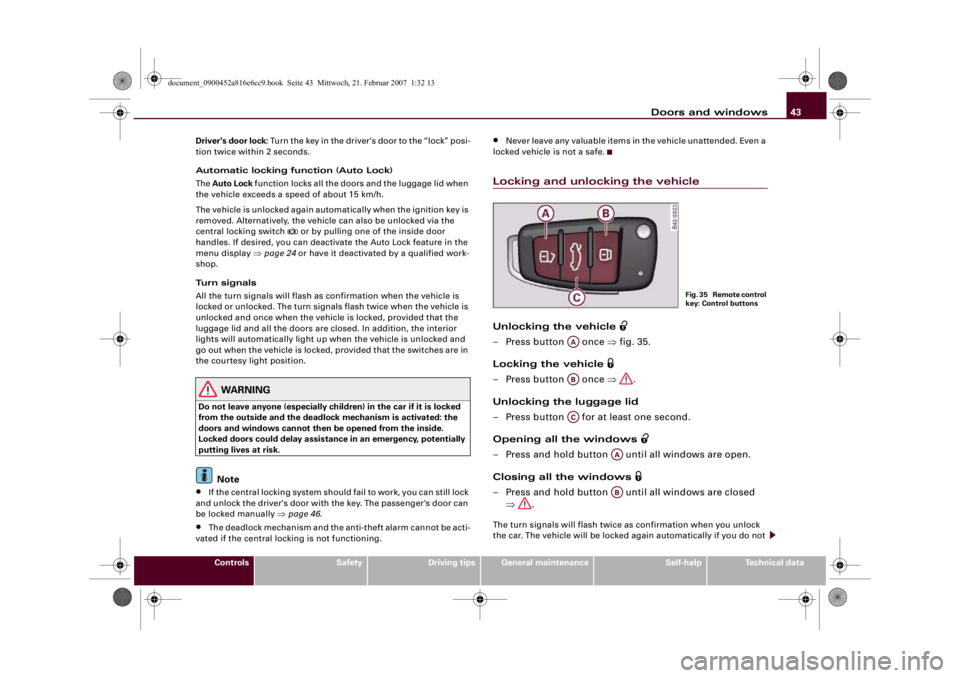
Locking and unlocking the vehicleUnlocking the vehicle
– Press button once ⇒fig. 35.
Locking the vehicle
– Press button once ⇒.
Unlocking the luggage lid
– Press button for at least one second.
Opening all the windows
– Press and hold button until all windows are open.
Closing all the windows
– Press and hold button until all windows are closed
⇒.The turn signals will flash twice as confirmation when you unlock
the car. The vehicle will be locked again automatically if you do not
F i g . 3 5 R e m o t e c o n t r o l
key: Control buttons
AAABAC
AAAB
document_0900452a816e6cc9.book Seite 43 Mittwoch, 21. Februar 2007 1:32 13
Page 46 of 210
Doors and windows 44open one of the doors or the luggage lid within 30 seconds after
unlocking the car. This function prevents the vehicle from remaining
unlocked if the unlocking button is pressed by mistake.
On vehicles with the security central locking feature, you can unlock
just the driver's door by pressing button once, or the whole
vehicle by pressing the button twice.
The turn signals flash once when the vehicle is locked to confirm
that the doors and luggage lid are properly locked.
WARNING
•
Do not leave anyone (especially childr e n ) i n t h e c a r i f i t i s l o c k e d
from the outside and the deadlock mechanism is activated: the
doors and windows cannot then be opened from the inside.
Locked doors could delay assistance in an emergency, potentially
putting lives at risk.
•
Take care when closing the windows. Careless use of the
windows can cause injuries.
•
For safety reasons, you should only use the remote control
open and close functions within about 2 metres of the vehicle. To
avoid injuries, always keep an eye on the windows when pressing
the button to close them. The windows stop moving as soon as
the button is released.Note
•
The remote control should only be used when the doors and the
front lid are closed.
•
The remote control should not be used when the vehicle is out of
sight.
•
The anti-theft alarm can be accidentally activated and the vehicle
locked if you press the locking button
on the remote control inside
the vehicle before inserting the key in the ignition. If this should
happen by mistake, press the unlocking button
.
•
The convenience open/close function for the windows only
works when the “Convenience open” function is activated in the
menu display ⇒page 24.
Locking and unlocking the vehicle using the key
If the central locking system should fail to operate, the
vehicle can still be locked and unlocked by turning the key
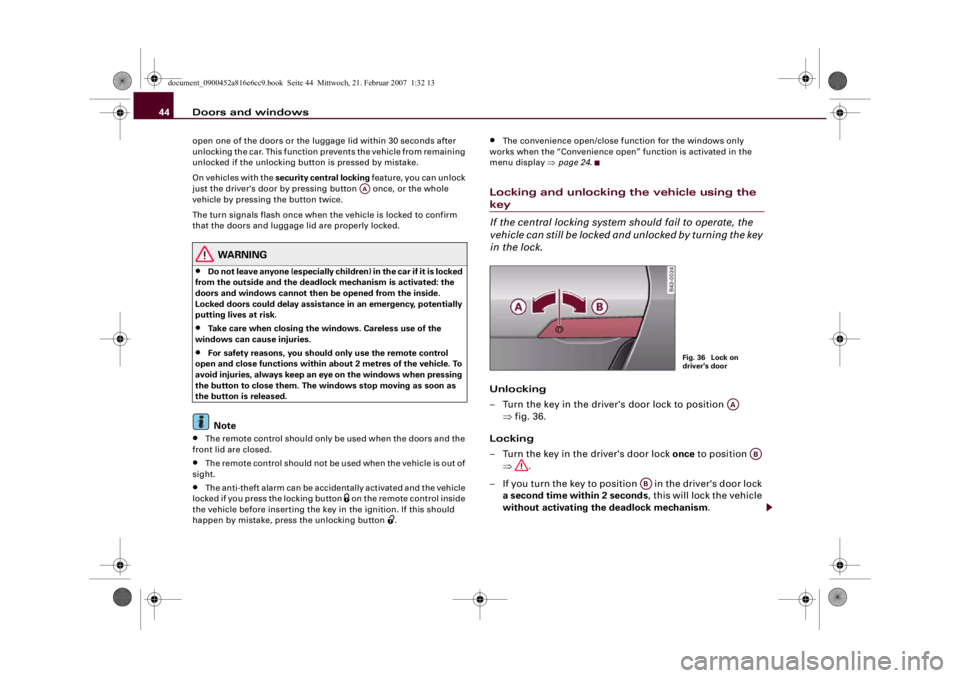
in the lock.Unlocking
– Turn the key in the driver's door lock to position
⇒fig. 36.
Locking
– Turn the key in the driver's door lock once to position
⇒.
– If you turn the key to position in the driver's door lock
a second time within 2 seconds, this will lock the vehicle
without activating the deadlock mechanism.
AA
Fig. 36 Lock on
driver's door
AA
AB
AB
document_0900452a816e6cc9.book Seite 44 Mittwoch, 21. Februar 2007 1:32 13
Page 47 of 210
Doors and windows45
Controls
Safety
Driving tips
General maintenance
Self-help
Technical data
WARNING
Do not leave anyone (especially children) in the car if it is locked
from the outside and the deadlock mechanism is activated: the
doors and windows cannot then be opened from the inside.
Locked doors could delay assistance in an emergency, potentially
putting lives at risk.
Note
•
The deadlock mechanism and the anti-theft alarm cannot be acti-
vated if the central locking is not functioning.
•
However, please note that when you unlock the vehicle with the
key, this only unlocks the mechanical lock on the doors set in the
menu display ⇒page 24.
•
Both doors are automatically locked when you lock the vehicle.
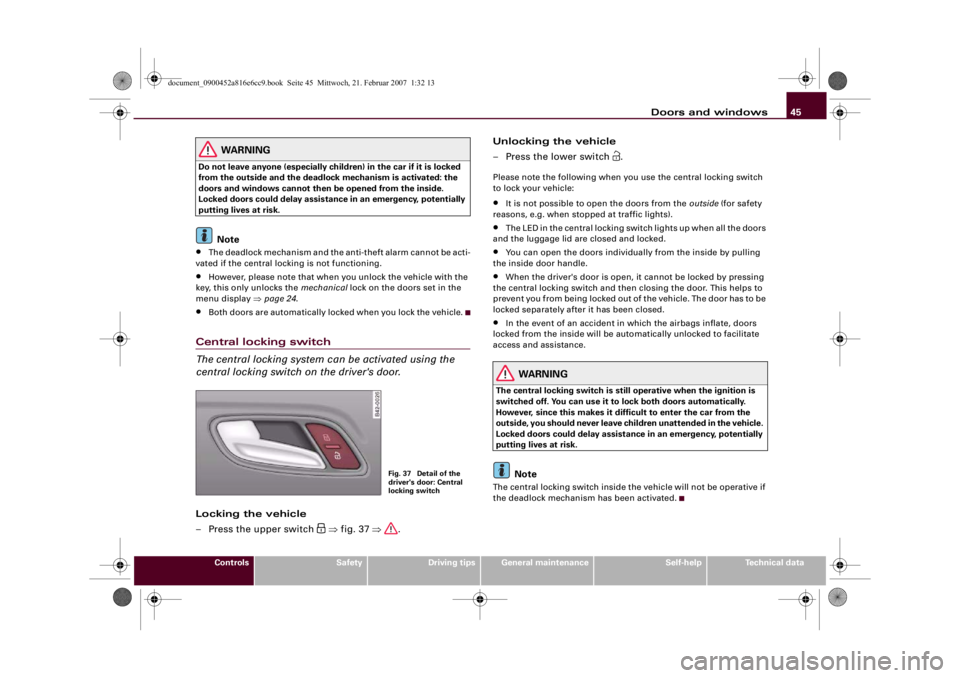
Central locking switch
The central locking system can be activated using the
central locking switch on the driver's door.Locking the vehicle
– Press the upper switch
⇒fig. 37 ⇒.Unlocking the vehicle
– Press the lower switch
.
Please note the following when you use the central locking switch
to lock your vehicle:•
It is not possible to open the doors from the outside (for safety
reasons, e.g. when stopped at traffic lights).
•
The LED in the central locking switch lights up when all the doors
and the luggage lid are closed and locked.
•
You can open the doors individually from the inside by pulling
the inside door handle.
•
When the driver's door is open, it cannot be locked by pressing
the central locking switch and then closing the door. This helps to
prevent you from being locked out of the vehicle. The door has to be
locked separately after it has been closed.
•
In the event of an accident in which the airbags inflate, doors
locked from the inside will be automatically unlocked to facilitate
access and assistance.
WARNING
The central locking switch is still operative when the ignition is
switched off. You can use it to lock both doors automatically.
However, since this makes it difficult to enter the car from the
outside, you should never leave children unattended in the vehicle.
Locked doors could delay assistance in an emergency, potentially
putting lives at risk.
Note
The central locking switch inside the vehicle will not be operative if
the deadlock mechanism has been activated.
Fig. 37 Detail of the
driver's door: Central
locking switch
document_0900452a816e6cc9.book Seite 45 Mittwoch, 21. Februar 2007 1:32 13
Page 50 of 210
Doors and windows 48Manual release of the luggage lid
The luggage lid can be released manually if it will not
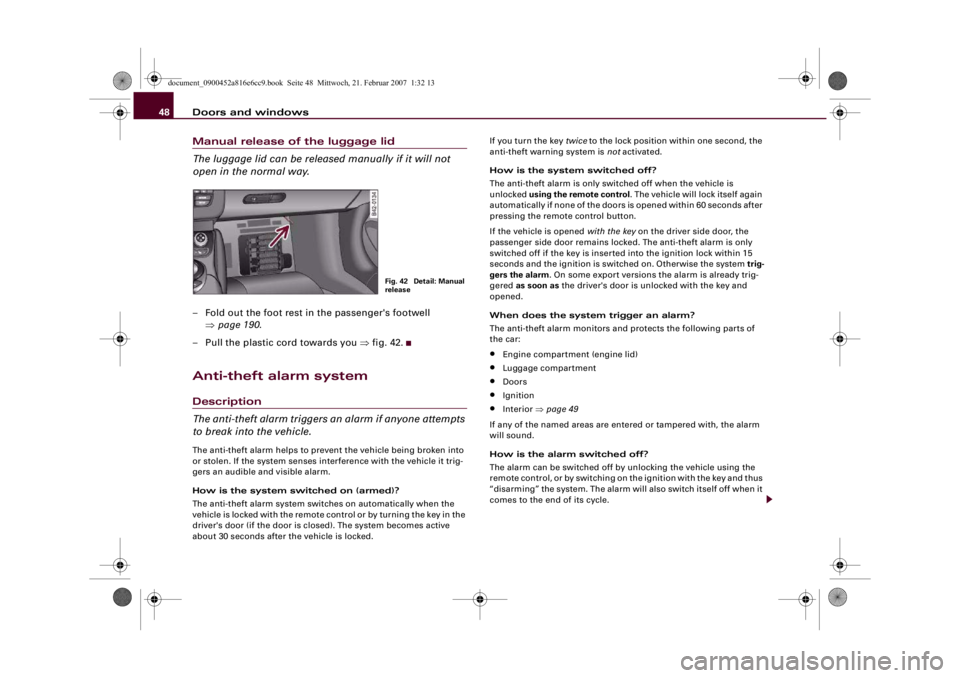
open in the normal way.– Fold out the foot rest in the passenger's footwell
⇒page 190.
– Pull the plastic cord towards you ⇒fig. 42.Anti-theft alarm systemDescription
The anti-theft alarm triggers an alarm if anyone attempts
to break into the vehicle.The anti-theft alarm helps to prevent the vehicle being broken into
or stolen. If the system senses interference with the vehicle it trig-
gers an audible and visible alarm.
How is the system switched on (armed)?
The anti-theft alarm system switches on automatically when the
vehicle is locked with the remote control or by turning the key in the
driver's door (if the door is closed). The system becomes active
about 30 seconds after the vehicle is locked.If you turn the key twice to the lock position within one second, the
anti-theft warning system is not activated.
How is the system switched off?
The anti-theft alarm is only switched off when the vehicle is
unlocked using the remote control. The vehicle will lock itself again
automatically if none of the doors is opened within 60 seconds after
pressing the remote control button.
If the vehicle is opened with the key on the driver side door, the
passenger side door remains locked. The anti-theft alarm is only
switched off if the key is inserted into the ignition lock within 15
seconds and the ignition is switched on. Otherwise the system trig-
gers the alarm. On some export versions the alarm is already trig-
gered as soon as the driver's door is unlocked with the key and
opened.
When does the system trigger an alarm?
The anti-theft alarm monitors and protects the following parts of
the car:
•
Engine compartment (engine lid)
•
Luggage compartment
•
Doors
•
Ignition
•
Interior ⇒page 49
If any of the named areas are entered or tampered with, the alarm
will sound.
How is the alarm switched off?
The alarm can be switched off by unlocking the vehicle using the
remote control, or by switching on the ignition with the key and thus
“disarming” the system. The alarm will also switch itself off when it
comes to the end of its cycle.
Fig. 42 Detail: Manual
release
document_0900452a816e6cc9.book Seite 48 Mittwoch, 21. Februar 2007 1:32 13
Page 54 of 210
Lights and vision 52Lights and visionLightsSwitching lights on and off
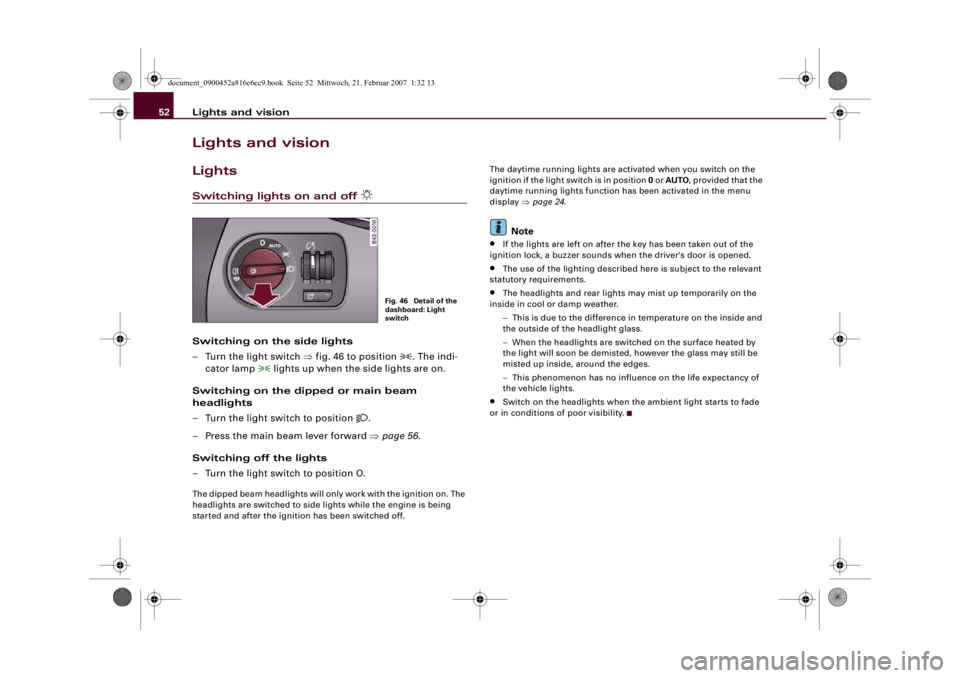
Switching on the side lights
– Turn the light switch ⇒fig. 46 to position
. The indi-
cator lamp
lights up when the side lights are on.
Switching on the dipped or main beam
headlights
– Turn the light switch to position
.
– Press the main beam lever forward ⇒page 56.
Switching off the lights
– Turn the light switch to position O.
The dipped beam headlights will only work with the ignition on. The
headlights are switched to side lights while the engine is being
started and after the ignition has been switched off.The daytime running lights are activated when you switch on the
ignition if the light switch is in position 0 or AUTO, provided that the
daytime running lights function has been activated in the menu
display ⇒page 24.
Note
•
If the lights are left on after the key has been taken out of the
ignition lock, a buzzer sounds when the driver's door is opened.
•
The use of the lighting described here is subject to the relevant
statutory requirements.
•
The headlights and rear lights may mist up temporarily on the
inside in cool or damp weather.
−This is due to the difference in temperature on the inside and
the outside of the headlight glass.
−When the headlights are switched on the surface heated by
the light will soon be demisted, however the glass may still be
misted up inside, around the edges.
−This phenomenon has no influence on the life expectancy of
the vehicle lights.
•
Switch on the headlights when the ambient light starts to fade
or in conditions of poor visibility.
Fig. 46 Detail of the
dashboard: Light
switch
document_0900452a816e6cc9.book Seite 52 Mittwoch, 21. Februar 2007 1:32 13
Page 56 of 210
Lights and vision 54
Note•
When the automatic headlights have been activated, the dipped-
beam headlights will go out when the ignition is switched off, and
the side lights will go out when the key is taken out.
•
Do not attach any stickers to the windscreen in front of the
sensor, as this would interfere with the operation of the automatic
headlights and the automatic anti-dazzle function for the mirrors.
Rear fog light
The light switch can also be used to turn on the rear fog
light.–Do not turn the light switch
⇒page 52, fig. 46 to the
symbol
.
– First turn the light switch
⇒page 52, fig. 46 to posi-
tion
.
– Then pull out the light switch to switch on the rear fog
light.
The symbol
next to the switch will light up when the rear fog light
is on.
Caution
To avoid dazzling the traffic behind you, the rear fog light should
only be used in accordance with statutory regulations.
Applies to vehicles: with coming home/leaving home functionComing home/leaving home function
After dark the area around the car is lit up with the aid of
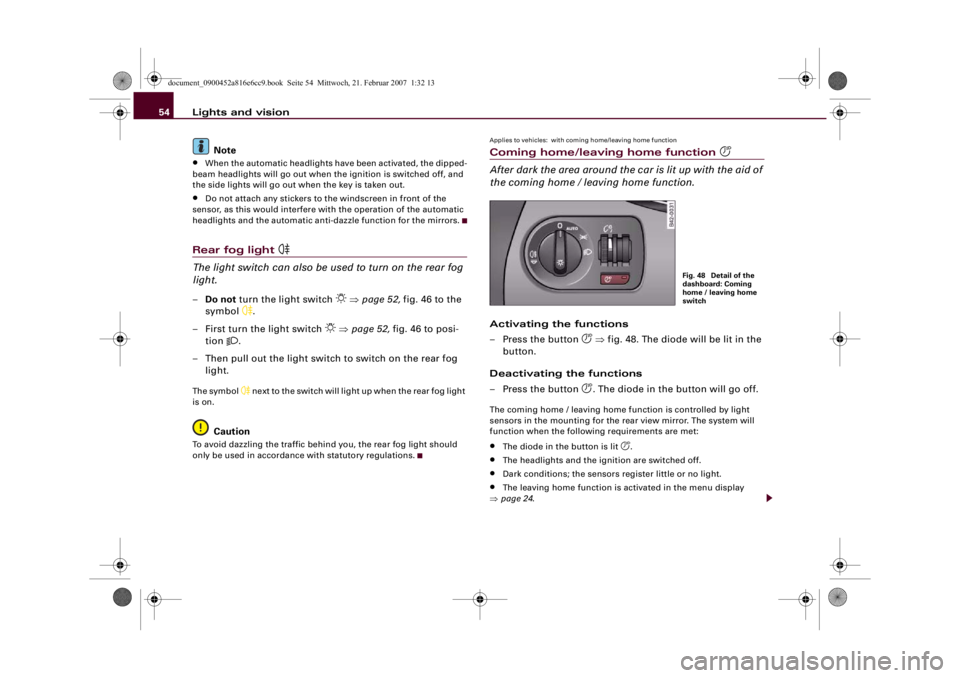
the coming home / leaving home function.Activating the functions
– Press the button
⇒fig. 48. The diode will be lit in the
button.
Deactivating the functions
– Press the button . The diode in the button will go off.
The coming home / leaving home function is controlled by light
sensors in the mounting for the rear view mirror. The system will
function when the following requirements are met:•
The diode in the button is lit
.
•
The headlights and the ignition are switched off.
•
Dark conditions; the sensors register little or no light.
•
The leaving home function is activated in the menu display
⇒page 24.
Fig. 48 Detail of the
dashboard: Coming
home / leaving home
switch
document_0900452a816e6cc9.book Seite 54 Mittwoch, 21. Februar 2007 1:32 13
Page 57 of 210
Lights and vision55
Controls
Safety
Driving tips
General maintenance
Self-help
Technical data Coming home function
When the system is activated and it is dark, the coming home func-
tion will illuminate the vehicle and its surroundings by switching on
the dipped headlights, rear lights, engine compartment lighting*
and number plate lights when the driver's door is opened.
The dipped headlights will stay on for about four minutes as long as
one of the doors or the luggage lid is open.
The dipped headlights stay on for about 30 seconds to light up the
area in front of the car after all the doors and the luggage lid have
been closed.
If required, you can set the time interval to between 0 and 60
seconds in the driver information system (Lights menu) ⇒page 24.
Leaving home function
The dipped headlights and the engine compartment lighting* are
switched on when the vehicle is unlocked with the
button on the
remote control key if the leaving home function is activated in the
menu display ⇒page 24.
The dipped headlights and the engine compartment lighting*
switch off when the driver's door is opened. If the driver's door is not
opened, the dipped headlights and the engine compartment
lighting* will be switched off when the car automatically locks again
⇒page 41.
Note
•
If you always wish to use the coming home / leaving home func-
tion, you can leave it switched on permanently. As the system is
controlled via a light sensor, it will only work in dark conditions.
•
Permanent use of the coming home / leaving home function, in
particular on short journeys, will increase the load on the battery. To
make sure the battery is always sufficiently charged, occasionally
drive longer distances.
•
Observe all relevant statutory requirements when using the
lighting systems described here.
Instrument lighting
The brightness of the instrument lighting, displays and
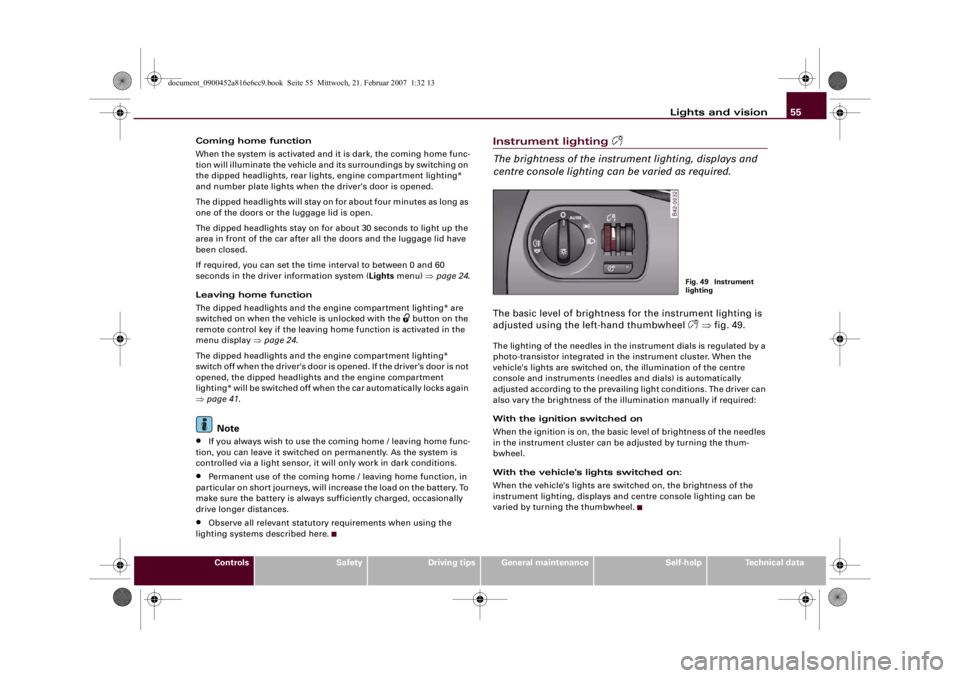
centre console lighting can be varied as required.The basic level of brightness for the instrument lighting is
adjusted using the left-hand thumbwheel
⇒fig. 49.
The lighting of the needles in the instrument dials is regulated by a
photo-transistor integrated in the instrument cluster. When the
vehicle's lights are switched on, the illumination of the centre
console and instruments (needles and dials) is automatically
adjusted according to the prevailing light conditions. The driver can
also vary the brightness of the illumination manually if required:
With the ignition switched on
When the ignition is on, the basic level of brightness of the needles
in the instrument cluster can be adjusted by turning the thum-
bwheel.
With the vehicle's lights switched on:
When the vehicle's lights are switched on, the brightness of the
instrument lighting, displays and centre console lighting can be
varied by turning the thumbwheel.
Fig. 49 Instrument
lighting
document_0900452a816e6cc9.book Seite 55 Mittwoch, 21. Februar 2007 1:32 13
Page 58 of 210
Lights and vision 56Hazard warning lights
The hazard warning lights are used to make other road
users aware of your vehicle in hazardous situations.– Press the switch
to switch the hazard warning lights
on or off ⇒fig. 50.
All four turn signals flash simultaneously when the hazard warning
lights are switched on. The two turn signal indicator lamps
and
the indicator lamp in the switch
will flash at the same time. The
hazard warning lights also work when the ignition is switched off.
In an accident in which the airbags are activated, the hazard
warning lights are switched on automatically.
Note
You should switch on the hazard warning lights to warn other road
users, for instance:•
When reaching the tail end of a traffic jam
•
If your vehicle breaks down or there is an emergency
•
If your vehicle is being towed away, or if you are towing another
vehicle.
Tu r n s i g n a l
and main beam lever
The turn signal and main beam lever also operates the
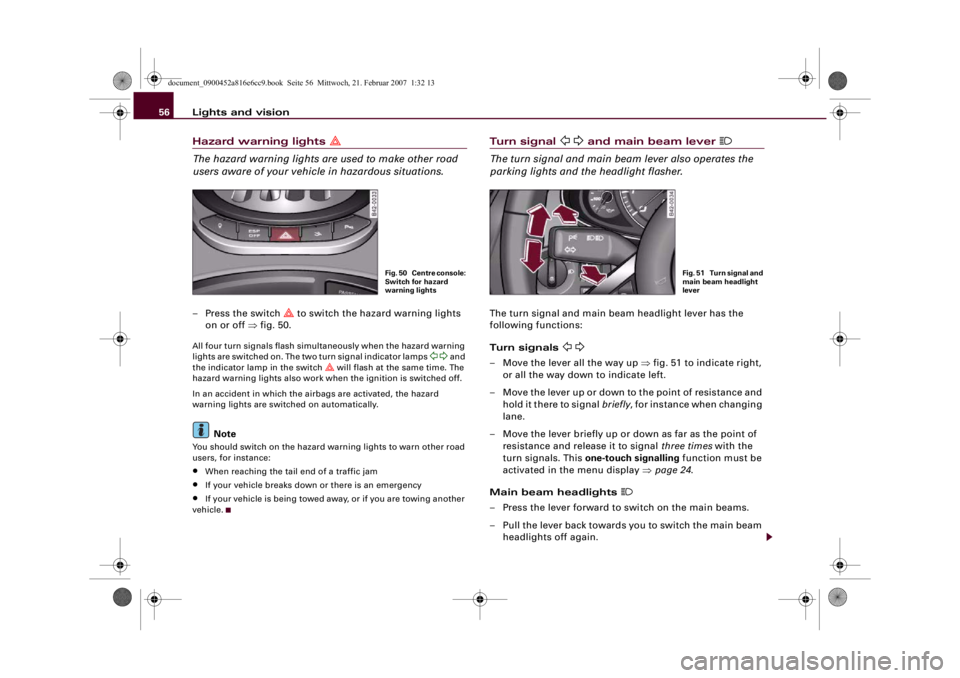
parking lights and the headlight flasher.The turn signal and main beam headlight lever has the
following functions:
Turn signals
– Move the lever all the way up ⇒fig. 51 to indicate right,
or all the way down to indicate left.
– Move the lever up or down to the point of resistance and
hold it there to signal briefly, for instance when changing
lane.
– Move the lever briefly up or down as far as the point of
resistance and release it to signal three times with the
turn signals. This one-touch signalling function must be
activated in the menu display ⇒page 24.
Main beam headlights
– Press the lever forward to switch on the main beams.
– Pull the lever back towards you to switch the main beam
headlights off again.
Fig. 50 Centre console:
Switch for hazard
warning lights
Fig. 51 Turn signal and
main beam headlight
lever
document_0900452a816e6cc9.book Seite 56 Mittwoch, 21. Februar 2007 1:32 13