engine AUDI R8 2007 Service Manual
[x] Cancel search | Manufacturer: AUDI, Model Year: 2007, Model line: R8, Model: AUDI R8 2007Pages: 210, PDF Size: 8.1 MB
Page 93 of 210
Automatic gearbox91
Controls
Safety
Driving tips
General maintenance
Self-help
Technical data
WARNING
•
The accelerator pedal must on no account be pressed inadvert-
ently when a gear is engaged with the vehicle stationary. If this
were to happen, the vehicle would start to move immediately, and
even a firmly applied handbrake might not restrain it (accident
risk).
•
To avoid accidents, apply the handbrake firmly and select
neutral gear (N) before opening the engine lid and working on the
vehicle with the engine running. Please observe the important
safety warnings ⇒page 155, “Working on components in the
engine compartment”.Note
If you accidentally shift to N when driving, you can engage a gear in
the normal way using the selector lever or paddle levers.Applies to vehicles: with R tronicManual modeR tronic allows the driver to change gears manually.Driving away from a standstill
– Press and hold the brake pedal.
– Move the selector lever to the left.
– Briefly push the selector lever forwards .
– Release the brake and press the accelerator ⇒.
Changing gear
– Briefly push the selector lever forwards to change up
a gear.– Briefly pull the selector lever back to change down a
gear.
Stopping briefly
– Apply the foot brake to hold the vehicle when stationary
(for instance at traffic lights).
– Do not press the accelerator while waiting. Neutral gear
(N) will be engaged automatically and a warning tone will
sound after a certain period if the vehicle is at a standstill
and you do not press the brake pedal or accelerator.
Parking
– Press and hold the brake pedal ⇒.
– Apply the handbrake firmly.
– Engage a gear.
– Switch off the ignition.
Stopping on a slope
–Always apply the footbrake to hold the vehicle and
prevent it “rolling back” down the slope ⇒. Do not try
to stop the vehicle “rolling back” by increasing the
engine speed when a gear is engaged.
– Apply the handbrake firmly.
Driving away on a slope
– Once you have engaged a gear, release the footbrake,
press the accelerator and gradually release the hand-
brake.
When accelerating in 1st, 2nd, 3rd, 4th or 5th gear, the R tronic
gearbox automatically shifts up into the next gear shortly before the
A+A+
A-
document_0900452a816e6cc9.book Seite 91 Mittwoch, 21. Februar 2007 1:32 13
Page 94 of 210
Automatic gearbox 92maximum engine speed is reached, unless you have activated the
sport function ⇒page 90.
If you select a lower gear, the R tronic gearbox will not shift down
until there is no risk of overrevving the engine.
You can change over to automatic mode at any time ⇒page 92.
WARNING
•
The driver should never get out of the vehicle when the engine
is running and a gear is engaged. If you have to leave your vehicle
while the engine is running, you must apply the parking brake and
engage neutral gear (N).
•
If the engine is running and a gear is engaged, you will need to
hold the car with the footbrake.
•
Do not press the accelerator while selecting a gear with the
vehicle stationary and the engine running, as this could cause an
accident.
•
To avoid rolling back on gradients always hold the vehicle with
the footbrake if you have to stop. Never attempt to hold the vehicle
with the clutch when stopping on a gradient. The clutch is disen-
gaged automatically if it is overloaded and becomes too hot - acci-
dent risk! Before the clutch is disengaged, the vehicle will jolt and
the driver information system will display a warning that the
clutch is overloaded.
•
Before you drive down a steep gradient, reduce the speed and
use the R tronic to select a lower gear.
•
Never allow the brake to drag and do not use the brake pedal
too often or for long periods. Constant braking will cause the
brakes to overheat and will considerably reduce the effectiveness
of the brakes. It will increase the braking distance and could cause
the brake system to fail.
Applies to vehicles: with R tronicAutomatic modeThe gearbox changes the forward gears up and down
automatically.Driving away from a standstill
– Press and hold the brake pedal.
– Briefly push the selector lever towards position A.
– Release the brake and press the accelerator ⇒ in
“Manual mode” on page 91.In some situations (such as when driving on mountain roads) it can
be advantageous to switch temporarily to the manual shift
programme ⇒page 91, so that the gear ratios can be selected
manually to suit the driving conditions.Applies to vehicles: with R tronicKick-down featureWhen the accelerator pedal is pressed right down past the point of
resistance at full throttle, the R tronic gearbox will shift down to a
lower gear, depending on road speed and engine speed. The upshift
to the next higher gear is delayed until the engine reaches
maximum rpm. This does not apply if you have activated the sport
function.
WARNING
Please note that if the road surface is slippery or wet, the kick-
down feature could cause the driving wheels to spin, which could
result in skidding.
document_0900452a816e6cc9.book Seite 92 Mittwoch, 21. Februar 2007 1:32 13
Page 95 of 210
Automatic gearbox93
Controls
Safety
Driving tips
General maintenance
Self-help
Technical data
Applies to vehicles: with R tronicLaunch control programmeThe launch control programme enables maximum accel-
eration.– Press the ESP switch once while the engine is running.
The ESP warning lamp
will light up in the driver infor-
mation system display.
– Press and hold the brake pedal with your left foot.
– Engage a gear.
– Press the button.
– Press the accelerator all the way down with your right
foot until the engine reaches a constant rpm speed.
– Take your left foot off the brake ⇒.
WARNING
•
Always adapt your driving style to the traffic conditions.
•
Only use the launch control programme when road and traffic
conditions permit, and make sure your manner of driving and
accelerating the vehicle does not inconvenience or endanger other
road users.
•
Please note that, when the ESP is switched off, the driven
wheels may start to spin, causing the vehicle to lose grip, in partic-
ular on slippery or wet roads - danger of skidding!
•
When acceleration has been completed, the ESP should be
reactivated by pressing the ESP switch.
Note
Accelerating with the launch control programme places a heavy
load on all parts of the vehicle. This can result in increased wear and
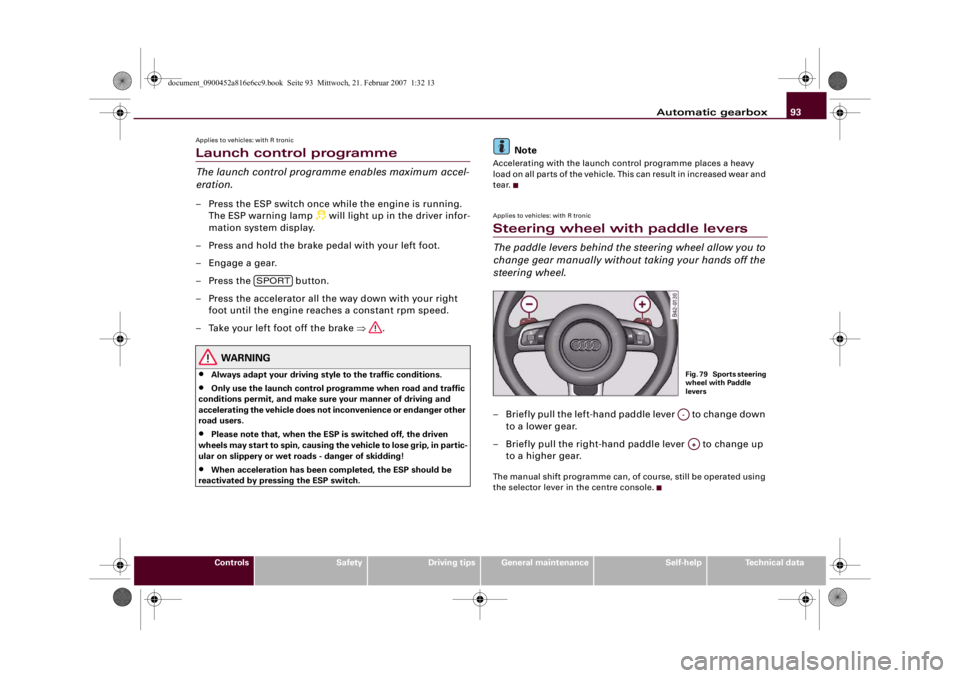
tear.Applies to vehicles: with R tronicSteering wheel with paddle leversThe paddle levers behind the steering wheel allow you to
change gear manually without taking your hands off the
steering wheel.– Briefly pull the left-hand paddle lever to change down
to a lower gear.
– Briefly pull the right-hand paddle lever to change up
to a higher gear.The manual shift programme can, of course, still be operated using
the selector lever in the centre console.
SPORT
Fig. 79 Sports steering
wheel with Paddle
leversA-A+
document_0900452a816e6cc9.book Seite 93 Mittwoch, 21. Februar 2007 1:32 13
Page 96 of 210
Automatic gearbox 94Applies to vehicles: with R tronicBackup programmeA back-up system is in place if a fault should occur in the
control system.The R tronic gearbox switches to the back-up programme if a fault
should occur in the control system. If this happens, a red bar will
light up or flash in the driver information system display.
A permanently lit bar indicates that you can continue driving the
vehicle.
A flashing bar indicates a serious system fault:•
The programme will only move into certain gears.
•
The engine may stall.
•
The engine cannot be started again after it is switched off.
•
The vehicle may be damaged if you continue driving.Caution
If the R tronic gearbox should ever switch to the back-up
programme you should take the vehicle to a workshop as soon as
possible.
document_0900452a816e6cc9.book Seite 94 Mittwoch, 21. Februar 2007 1:32 13
Page 98 of 210
HomeLink 96
At the operating unit
1. Switch on the ignition (do not start the engine).
2. Press and hold down the two outer buttons of the
HomeLink® operating unit ⇒page 95, fig. 80 until the
indicator diode ⇒page 95, fig. 80 begins to flash after
about 20 seconds. This means that all previously stored
data has been deleted.
3. Press the particular HomeLink button which you would
like to program.
4. Wait until the diode ⇒page 95, fig. 80 begins to flash.
The HomeLink module now remains in training mode for
5 minutes.
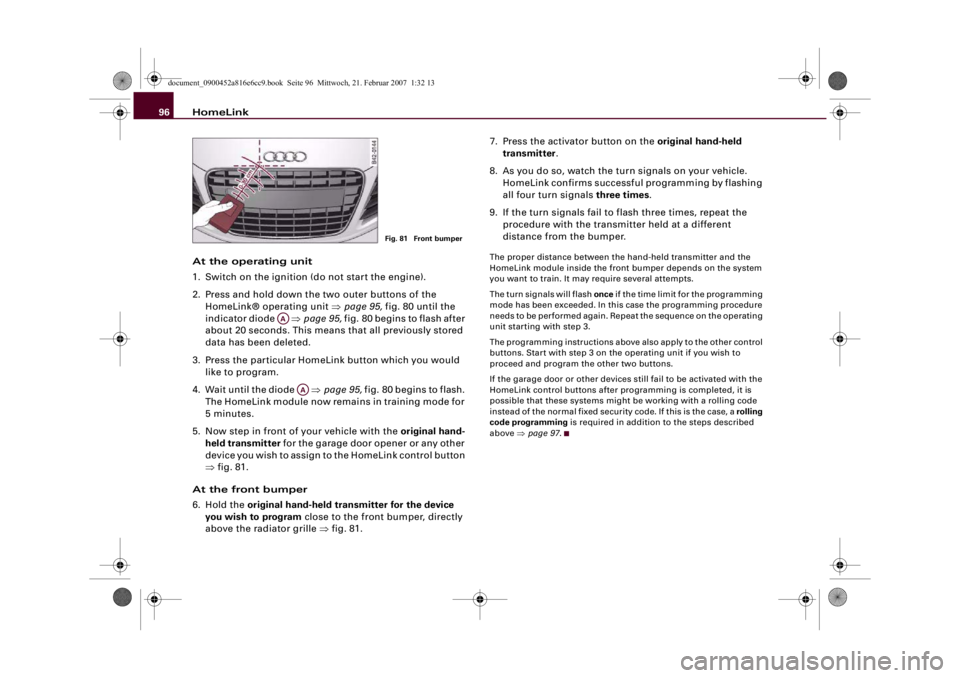
5. Now step in front of your vehicle with the original hand-
held transmitter for the garage door opener or any other
device you wish to assign to the HomeLink control button
⇒fig. 81.
At the front bumper
6. Hold the original hand-held transmitter for the device
you wish to program close to the front bumper, directly
above the radiator grille ⇒fig. 81.7. Press the activator button on the original hand-held
transmitter.
8. As you do so, watch the turn signals on your vehicle.
HomeLink confirms successful programming by flashing
all four turn signals three times.
9. If the turn signals fail to flash three times, repeat the
procedure with the transmitter held at a different
distance from the bumper.
The proper distance between the hand-held transmitter and the
HomeLink module inside the front bumper depends on the system
you want to train. It may require several attempts.
The turn signals will flash once if the time limit for the programming
mode has been exceeded. In this case the programming procedure
needs to be performed again. Repeat the sequence on the operating
unit starting with step 3.
The programming instructions above also apply to the other control
buttons. Start with step 3 on the operating unit if you wish to
proceed and program the other two buttons.
If the garage door or other devices still fail to be activated with the
HomeLink control buttons after programming is completed, it is
possible that these systems might be working with a rolling code
instead of the normal fixed security code. If this is the case, a rolling
code programming is required in addition to the steps described
above ⇒page 97.
Fig. 81 Front bumper
AA
AA
document_0900452a816e6cc9.book Seite 96 Mittwoch, 21. Februar 2007 1:32 13
Page 99 of 210
HomeLink97
Controls
Safety
Driving tips
General maintenance
Self-help
Technical data
Applies to vehicles: with HomeLinkRolling code programming
Some devices require rolling code programming of the
HomeLink universal transmitter.Identifying a rolling code
– Press the already programmed HomeLink button again
and hold it down.
–Watch HomeLink diode ⇒page 95, fig. 80. If the diode
starts flashing rapidly and turns into a constant light
after about 2 seconds, this indicates that the device you
wish to operate (e.g. a garage door opener) is equipped
with a rolling code.
– Program the rolling code as follows:
Activating the garage door opener drive unit
– Locate the programming button on the garage door
drive. The exact location and colour of the button may
vary depending on the type of garage door opener.
– Press the programming button on the door drive unit
(this will normally cause a “programming mode indicator
lamp” on the unit to light up). You now have about 30
seconds to start and complete programming of the
HomeLink control button on the operating unit.
Programming of the operating unit above the
interior mirror
– Press and release the already programmed HomeLink
button.
– Press the HomeLink button again to complete rolling
code programming.
After programming at the operating unit, the garage door opener
should recognise the HomeLink signal and respond when the
HomeLink button is pressed. Now the other control buttons can be
programmed as required.
Note
•
Having a second person assist you makes programming of the
rolling code easier and faster. For some makes of garage door
openers the HomeLink button may have to be pressed a third time
to complete the training sequence.
•
If you encounter problems programming the rolling code you
may find helpful information in the operating instructions of the
garage door opener or other device you wish to operate.
Applies to vehicles: with HomeLinkOperating HomeLink
The programmed devices are activated by means of the
HomeLink control buttons above the interior mirror.– Switch on the ignition (do not start the engine).
– Press the programmed HomeLink button ⇒page 95,
fig. 80. The device assigned to that button (e.g. garage
door) will be activated.The HomeLink indicator diode ⇒page 95, fig. 80 will light up when
you press the button.Applies to vehicles: with HomeLinkErasing the HomeLink® button programming
You can erase the complete HomeLink programming by
pressing the two outer buttons.– Switch on the ignition (do not start the engine).
AA
document_0900452a816e6cc9.book Seite 97 Mittwoch, 21. Februar 2007 1:32 13
Page 134 of 210
Intelligent technology 132Intelligent technologyElectronic stabilisation program (ESP)The Electronic Stabilisation Program increases the car's
stability.Description
The anti-lock brake system (ABS), the electronic differential lock
(EDL) and the traction control system (ASR) are all integrated into
the electronic stabilisation program (ESP). The ESP is designed to
enhance the control over the vehicle in critical handling situations,
such as when accelerating and cornering. It reduces the tendency to
skid at all speeds under all road conditions and improves the
stability and roadholding of the vehicle. ESP helps the car to start
moving, accelerate and climb a gradient in slippery conditions
where this may otherwise be difficult or even impossible. The ESP is
switched on automatically when the engine is started. It should
normally be left switched on at all times for optimum car stability.
Driving situations
If the car is oversteering (rear wheels losing grip first) the ESP
mainly brakes the outside front wheel; if the car is understeering
(front wheels losing grip first), the ESP brakes the inside rear wheel
and possibly also other wheels. This automatic brake application is
accompanied by characteristic noises.If, when braking, one of the wheels is turning too slowly in relation
to the road speed and is close to locking up, the system will reduce
the pressure in the brake line to this wheel. The driver is made aware
of this control process by a pulsating of the brake pedal and accom-
panying noise. In this situation it is important to keep the brake
pedal fully depressed so the ABS can regulate the brake application
- do not “pump” the brake pedal. However, the ABS will not neces-
sarily guarantee shorter stopping distances in all conditions. For
instance, on loose gravel or fresh snow on top of an icy surface the
stopping distance with ABS may even be slightly longer.
Whenever it detects a significant difference in the speed of the driven
wheels of one axle (for example, if the road is slippery on one side)
the electronic differential lock (EDL) applies the brake to slow down
the spinning wheel so that more of the power is directed to the
other wheels. This function is active up to about 100 km/h. The brake
system will make noises while it is working.
If one wheel has less grip and starts spinning (for instance, if one of
the driven wheels is on ice), press the accelerator hard until the car
starts moving.
If the wheels start to spin, the traction control system (ASR) auto-
matically reduces the engine torque to match the amount of grip
available.
Activating the sport mode
If required (for instance if you want to use the launch control), you
can switch the traction control system (ASR) and electronic stabili-
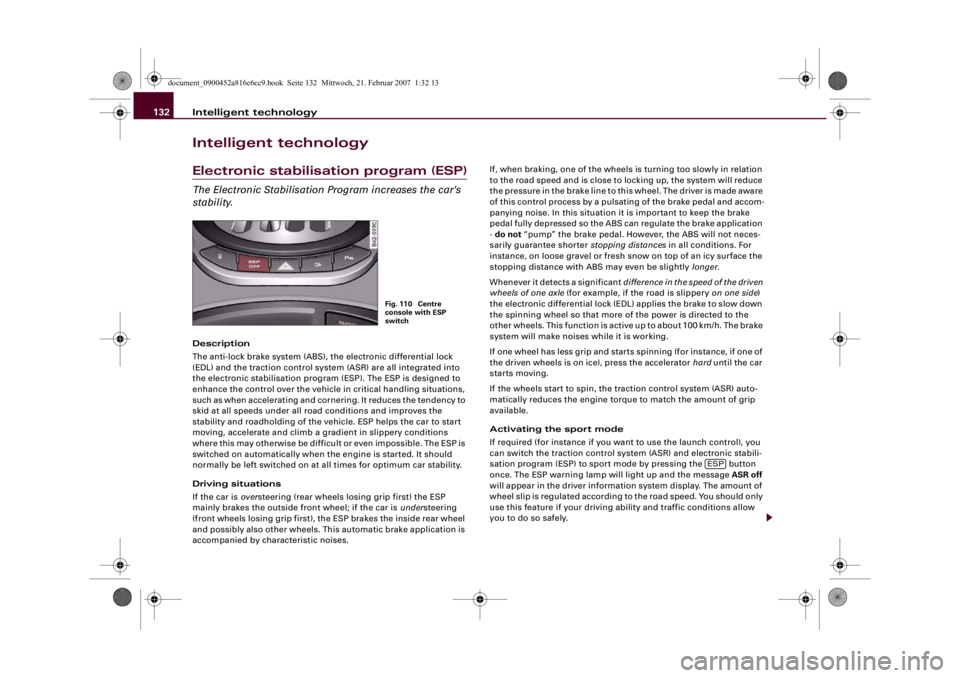
sation program (ESP) to sport mode by pressing the button
once. The ESP warning lamp will light up and the message ASR off
will appear in the driver information system display. The amount of
wheel slip is regulated according to the road speed. You should only
use this feature if your driving ability and traffic conditions allow
you to do so safely.
Fig. 110 Centre
console with ESP
switch
ESP
document_0900452a816e6cc9.book Seite 132 Mittwoch, 21. Februar 2007 1:32 13
Page 136 of 210
Intelligent technology 134Rear spoilerThe automatic rear spoiler increases the car's stability.The rear spoiler can be extended or retracted manually or automat-
ically.
Automatic mode (normal operation)•
Automatic extension: The rear spoiler is automatically extended
at road speeds above approximately 100 km/h.
•
Automatic retraction: The rear spoiler is automatically retracted
at road speeds below approximately 35 km/h.
Manual mode
•
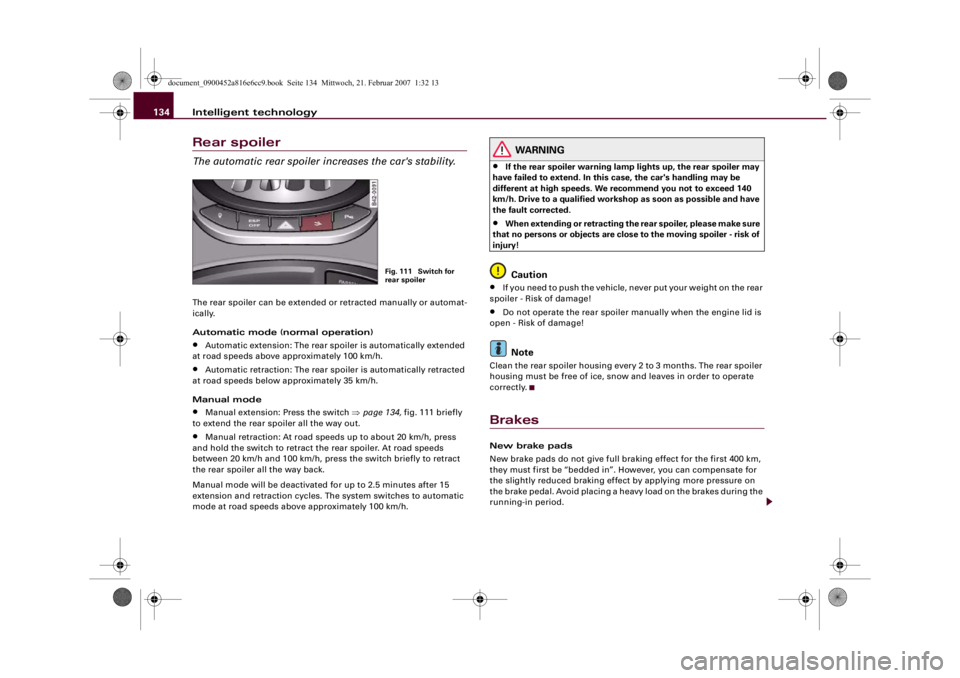
Manual extension: Press the switch ⇒page 134, fig. 111 briefly
to extend the rear spoiler all the way out.
•
Manual retraction: At road speeds up to about 20 km/h, press
and hold the switch to retract the rear spoiler. At road speeds
between 20 km/h and 100 km/h, press the switch briefly to retract
the rear spoiler all the way back.
Manual mode will be deactivated for up to 2.5 minutes after 15
extension and retraction cycles. The system switches to automatic
mode at road speeds above approximately 100 km/h.
WARNING
•
If the rear spoiler warning lamp lights up, the rear spoiler may
have failed to extend. In this case, the car's handling may be
different at high speeds. We recommend you not to exceed 140
km/h. Drive to a qualified workshop as soon as possible and have
the fault corrected.
•
When extending or retracting the rear spoiler, please make sure
that no persons or objects are close to the moving spoiler - risk of
injury!Caution
•
If you need to push the vehicle, never put your weight on the rear
spoiler - Risk of damage!
•
Do not operate the rear spoiler manually when the engine lid is
open - Risk of damage!Note
Clean the rear spoiler housing every 2 to 3 months. The rear spoiler
housing must be free of ice, snow and leaves in order to operate
correctly.BrakesNew brake pads
New brake pads do not give full braking effect for the first 400 km,
they must first be “bedded in”. However, you can compensate for
the slightly reduced braking effect by applying more pressure on
the brake pedal. Avoid placing a heavy load on the brakes during the
running-in period.
Fig. 111 Switch for
rear spoiler
document_0900452a816e6cc9.book Seite 134 Mittwoch, 21. Februar 2007 1:32 13
Page 137 of 210
Intelligent technology135
Controls
Safety
Driving tips
General maintenance
Self-help
Technical data We ar
The rate of wear on the brake pads depends a great deal on how you
drive and the conditions in which the vehicle is operated. Negative
factors are, for instance, city traffic, frequent short trips or hard
driving with abrupt starts and stops.
Wet roads; road salt
When you are driving at a speed higher than 70 km/h and have the
windscreen wipers switched on (at or above intermittent setting 4)
the brake pads are very briefly brought into contact with the brake
discs. This automatic process which goes unnoticed by the driver is
carried out at regular intervals and is intended to improve braking
response in wet conditions.
In certain conditions, such as in heavy rain, or after washing the car
or driving through water, the full braking effect can be delayed by
moisture (or in winter by ice) on the discs and brake pads. The
brakes should be “dried” by pressing the pedal to restore full
braking effect.
The effectiveness of the brakes can also be temporarily reduced if
the car is driven for some distance without using the brakes when
there is a lot of salt on the road in winter. The layer of salt that accu-
mulates on the discs and pads can be removed with a few cautious
brake applications.
Corrosion
There may be a tendency for dirt to build up on the brake pads and
corrosion to form on the discs if the car is used infrequently, or if
you only drive low mileages without using the brakes very much.
If the brakes are not used frequently, or if corrosion has formed on
the discs, it is advisable to clean off the pads and discs by braking
firmly a few times from a moderately high speed ⇒.
Faults in the brake system
If the brake pedal travel should ever increase suddenly, this may
mean that one of the two brake circuits has failed. Drive immedi-
ately to the nearest qualified workshop and have the fault rectified. On the way to the dealer, be prepared to use more pressure on the
brake pedal and allow for longer stopping distances.
Low brake fluid level
Malfunctions can occur in the brake system if the brake fluid level is
too low. The brake fluid level is monitored electronically.
Brake servo
The brake servo amplifies the pressure you apply to the brake pedal.
It only works when the engine is running.
WARNING
•
When applying the brakes to clean off deposits on the pads and
discs, select a clear, dry road. Be sure not to inconvenience or
endanger other road users; do not risk an accident.
•
Never let the car coast with the engine switched off (this can
cause accidents).Caution
•
Never let the brakes “drag” by leaving your foot on the pedal
when you do not really intend to brake. This overheats the brakes,
resulting in longer stopping distances and greater wear.
•
Before driving down a long, steep gradient, it is advisable to
reduce speed and select a lower gear. In this way you will make use
of the engine braking effect and relieve the load on the brakes. If you
still have to use the brakes, it is better to brake firmly at intervals
than to apply the brakes continuously.Note
•
If the brake servo is out of action due to a malfunction, or if the
car has to be towed, you will have to press the brake pedal consid-
erably harder to make up for the lack of servo assistance.
•
If you wish to equip the car with accessories such as a front
spoiler or wheel covers, it is important that the flow of air to the
document_0900452a816e6cc9.book Seite 135 Mittwoch, 21. Februar 2007 1:32 13
Page 138 of 210
Intelligent technology 136front wheels is not obstructed, otherwise the brakes can overheat. Power steeringThe power steering assists the driver when turning the
steering wheel (with the engine running).The power steering assists the driver by reducing the force needed
to turn the steering wheel.
The power steering does not function when the engine is switched
off. In this case the steering wheel is very hard to turn.
If the steering is held at its turning limit when the car is stationary,
this will place an excessive load on the power steering system. In
this case, the power steering system will make noises. It will also
reduce the idling speed of the engine.
Caution
Do not keep the steering in the full-lock position for longer than
15 seconds when the engine is running – this could cause damage
to the power steering system.
Note
•
If the power steering should fail at any time or the engine is
switched off (for instance when being towed), the car can still be
steered. However, more effort will be required to turn the steering
wheel.
•
If the system is leaking or malfunctioning, please take the car to
a qualified workshop as soon as possible.
•
The power steering requires a special hydraulic fluid. The
container for the fluid is located in the engine compartment. The
correct fluid level in the reservoir is important for the power
steering to function properly. The hydraulic fluid level is checked at
the Inspection Service.
Four-wheel drive (quattro®)On quattro models the engine power is distributed to all
four wheelsGeneral notes
On four-wheel drive vehicles, the engine power is distributed to all
four wheels. The distribution of power is controlled automatically
according to your driving style and the road conditions. Also refer
to ⇒page 132.
Winter tyres
Thanks to its four-wheel drive, your car will have plenty of traction
in winter conditions, even with the standard tyres. Nevertheless, we
still recommend that winter tyres should be fitted on all four wheels
when winter road conditions are expected, mainly because this will
give a better braking response.
Snow chains
On roads where snow chains are mandatory, this also applies to cars
with four-wheel drive ⇒page 171, “Snow chains”.
Replacing tyres
The dimensions of the wheels and tyres used on four-wheel drive
vehicles must comply with the manufacturer's specifications
⇒page 168, “Replacing wheels and tyres”.
WARNING
•
Even with four-wheel drive, you should always adjust your
speed to suit the conditions. Do not let the extra safety provided
tempt you into taking any risks when driving – this can cause acci-
dents.
•
The braking ability of your car is limited by the grip of the tyres.
In this respect, your car is no different from a car without four-
wheel drive. So do not be tempted to drive too fast on icy or slip-
document_0900452a816e6cc9.book Seite 136 Mittwoch, 21. Februar 2007 1:32 13