instrument cluster AUDI R8 COUPE 2020 User Guide
[x] Cancel search | Manufacturer: AUDI, Model Year: 2020, Model line: R8 COUPE, Model: AUDI R8 COUPE 2020Pages: 308, PDF Size: 82.41 MB
Page 20 of 308

Instrument cluster
ZA WARNING
Have the safety systems inspected immedi-
ately. Otherwise, there is a risk that the sys-
tems may not activate during a collision,
which increases the risk of serious injury or
death.
PRT ava fle
The A indicator light stays on until the driver's
and front passenger's* safety belts are fastened.
Above a certain speed, there will also be a warn-
ing tone.
G) Tips
For additional information on safety belts,
see > page 180.
@- Steering lock
|e—<| Steering: malfunction! Please stop vehicle
There is a malfunction in the electronic steering
lock. You cannot turn the ignition on.
Do not tow your vehicle because it cannot be
steered. See an authorized Audi dealer or author-
ized Audi Service Facility for assistance.
@—<| Steering lock: malfunction! Please contact
Service
There is a malfunction in the electronic steering
lock.
Drive immediately to an authorized Audi dealer
or authorized Audi Service Facility to have the
malfunction repaired.
ZA\ WARNING
To reduce the risk of an accident, do not tow
your vehicle when there is a malfunction in
the electronic steering lock.
oem eee
BS Engine start system: malfunction! Please
contact Service
Do not switch the ignition off because you may
not be able to switch it on again.
18
Drive to an authorized Audi dealer or authorized
Audi Service Facility immediately to have the
malfunction corrected.
S&S Engine start system: malfunction! Please
contact Service
There is a malfunction in the engine start system.
Drive immediately to an authorized Audi dealer
or authorized Audi Service Facility to have the
malfunction repaired.
*\ Engine stop while driving
If the S indicator light turns on, there may bea
malfunction in the engine or fuel supply.
More force is needed to steer and brake the mov-
ing vehicle when the engine is stopped. If the ve-
hicle is rolling, try to bring it to a stop off to the
side from moving traffic. See an authorized Audi
dealer or authorized Audi Service Facility for as-
sistance.
ZA\ WARNING
If the engine stops while driving, you will
need to use more force to brake the vehicle.
This increases the risk of an accident. There
will still be power steering if the ignition is
switched on while the vehicle is rolling and
there is sufficient battery charge. Otherwise,
you must use greater force when steering.
33/2 Electronic Stabilization Control (ESC)
If the B&B indicator light blinks while driving, the
ESC or ASR (Anti-Slip Regulation) is actively regu-
lating.
If the BB indicator light turns on, the system has
switched the ESC off. In this case, you can switch
the ignition off and then on to switch the ESC on
again. The indicator light turns off when the sys-
tem is fully functional.
If the B indicator light turns on, ESC was
switched off using the 2%] button > page 87.
Stabilization control (ESC/ABS): malfunction!
See owner's manual
Page 21 of 308
4S1012721BA
Instrument cluster
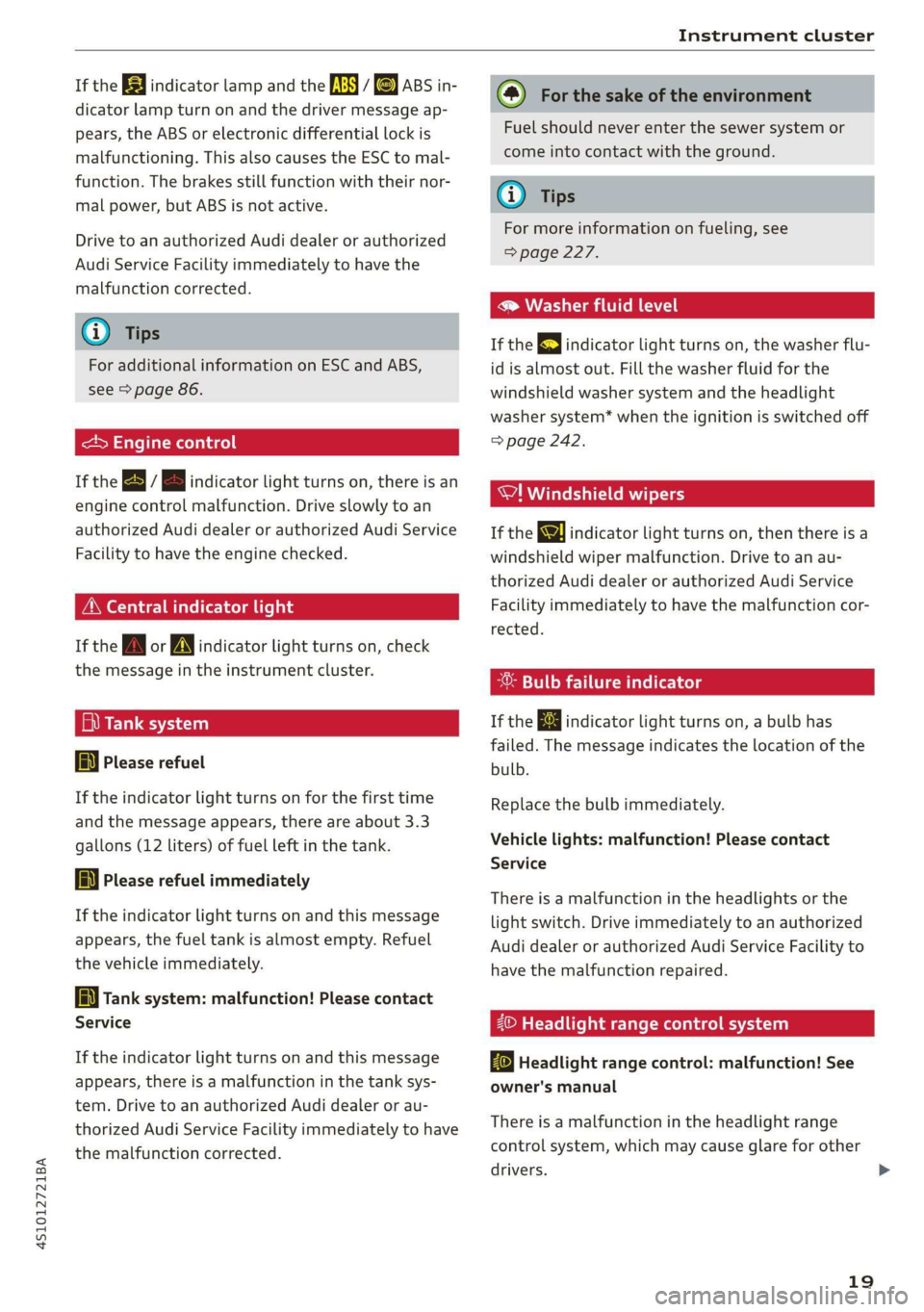
If the BB indicator lamp and the fs i &) ABS in-
dicator lamp turn on and the driver message ap-
pears, the ABS or electronic differential lock is
malfunctioning. This also causes the ESC to mal-
function. The brakes still function with their nor-
mal power, but ABS is not active.
Drive to an authorized Audi dealer or authorized
Audi Service Facility immediately to have the
malfunction corrected.
@) Tips
For additional information on ESC and ABS,
see > page 86.
<5 Engine control
If the B / B indicator light turns on, there is an
engine control malfunction. Drive slowly to an
authorized Audi dealer or authorized Audi Service
Facility to have the engine checked.
ON eae
If the A or N indicator light turns on, check
the message in the instrument cluster.
fi) Tank system
a Please refuel
If the indicator light turns on for the first time
and the message appears, there are about 3.3
gallons (12 liters) of fuel left in the tank.
AN} Please refuel immediately
If the indicator light turns on and this message
appears, the fuel tank is almost empty. Refuel
the vehicle immediately.
[i Tank system: malfunction! Please contact
Service
If the indicator light turns on and this message
appears, there is a malfunction in the tank sys-
tem. Drive to an authorized Audi dealer or au-
thorized Audi Service Facility immediately to have
the malfunction corrected.
(@) For the sake of the environment
Fuel should never enter the sewer system or
come into contact with the ground.
@) Tips
For more information on fueling, see
=> page 227.
® Washer fluid level
If the gE indicator light turns on, the washer flu-
id is almost out. Fill the washer fluid for the
windshield washer system and the headlight
washer system* when the ignition is switched off
=> page 242.
WI! Windshield wipers
If the ke indicator light turns on, then there is a
windshield wiper malfunction. Drive to an au-
thorized Audi dealer or authorized Audi Service
Facility immediately to have the malfunction cor-
rected.
-®: Bulb failure indicator
If the ka indicator light turns on, a bulb has
failed. The message indicates the location of the
bulb.
Replace the bulb immediately.
Vehicle lights: malfunction! Please contact
Service
There is a malfunction in the headlights or the
light switch. Drive immediately to an authorized
Audi dealer or authorized Audi Service Facility to
have the malfunction repaired.
2© Headlight range control system
By Headlight range control: malfunction! See
owner's manual
There is a malfunction in the headlight range
control system, which may cause glare for other
drivers. >
19
Page 22 of 308
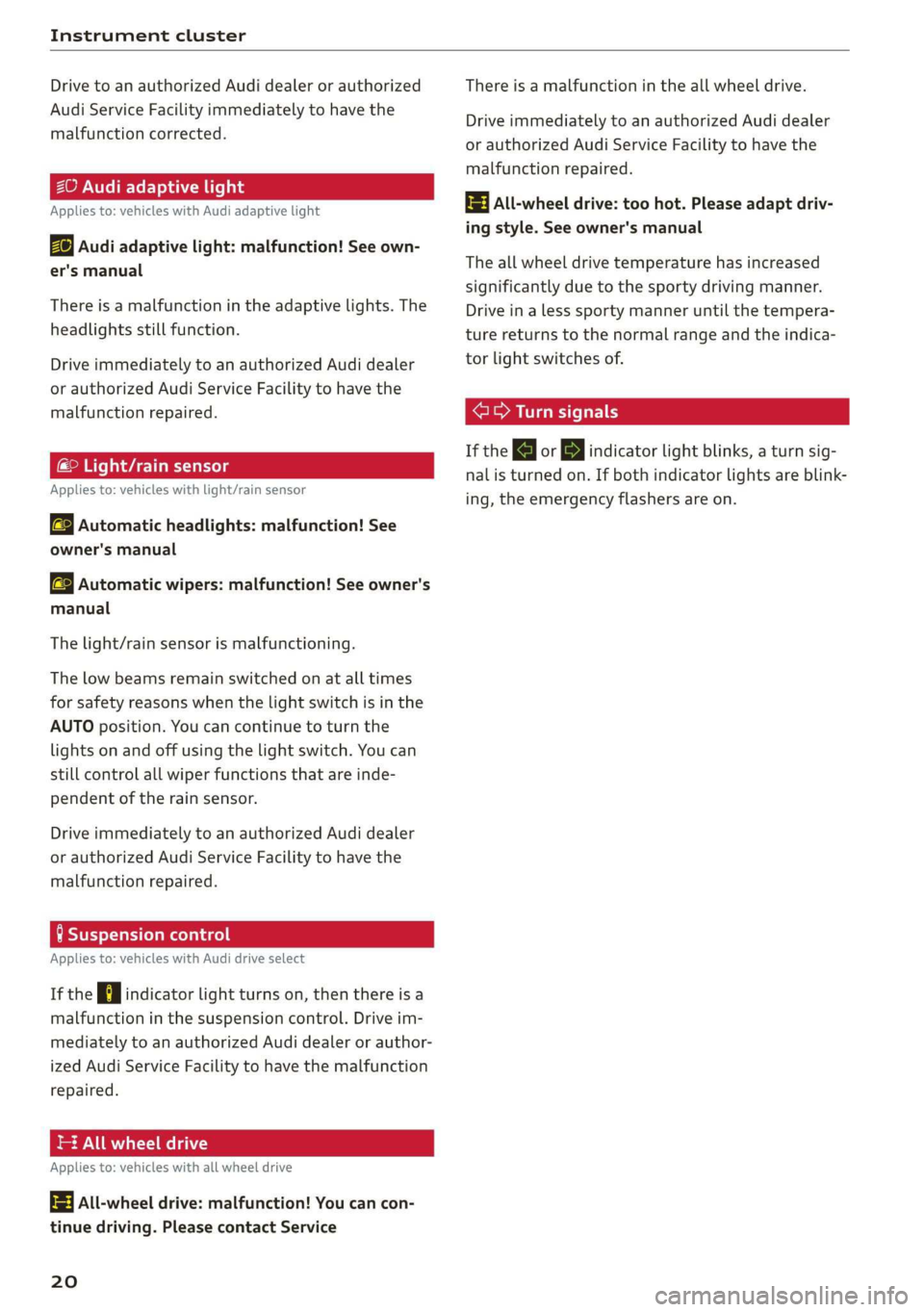
Instrument cluster
Drive to an authorized Audi dealer or authorized
Audi Service Facility immediately to have the
malfunction corrected.
ZO Audi adaptive light
Applies to: vehicles with Audi adaptive light
By Audi adaptive light: malfunction! See own-
er's manual
There is a malfunction in the adaptive lights. The
headlights still function.
Drive immediately to an authorized Audi dealer
or authorized Audi Service Facility to have the
malfunction repaired.
maT Are els
Applies to: vehicles with light/rain sensor
SB Automatic headlights: malfunction! See
owner's manual
a Automatic wipers: malfunction! See owner's
manual
The light/rain sensor is malfunctioning.
The low beams remain switched on at all times
for safety reasons when the light switch is in the
AUTO position. You can continue to turn the
lights on and off using the light switch. You can
still control all wiper functions that are inde-
pendent of the rain sensor.
Drive immediately to an authorized Audi dealer
or authorized Audi Service Facility to have the
malfunction repaired.
tea melted
Applies to: vehicles with Audi drive select
If the Hi indicator light turns on, then there is a
malfunction in the suspension control. Drive im-
mediately to an authorized Audi dealer or author-
ized Audi Service Facility to have the malfunction
repaired.
= All wheel drive
Applies to: vehicles with all wheel drive
3] All-wheel drive: malfunction! You can con-
tinue driving. Please contact Service
20
There is a malfunction in the all wheel drive.
Drive immediately to an authorized Audi dealer
or authorized Audi Service Facility to have the
malfunction repaired.
t3} All-wheel drive: too hot. Please adapt driv-
ing style. See owner's manual
The all wheel drive temperature has increased
significantly due to the sporty driving manner.
Drive in a less sporty manner until the tempera-
ture returns to the normal range and the indica-
tor light switches of.
ere a eer c
If the |<] or B indicator light blinks, a turn sig-
nal is turned on. If both indicator lights are blink-
ing, the emergency flashers are on.
Page 34 of 308
Power top
Power top
Automatic power top
ere eleurl lela)
Applies to: vehicles with power top
The power top opens and closes automatically.
When open, the power top is stored completely
in the power top compartment. The power top
can be opened or closed at speeds up to 30 mph
(50 km/h). The power top will not open when the
temperature is below 5 °F (-15 °C).
Under normal conditions, the power top is wind-
and waterproof. In rare cases, small droplets of
water may form under extreme weather condi-
tions such as torrential or prolonged rain. That is
normal and no cause for concern.
Follow the care instructions to keep the power
top free of leaks and to maintain its appearance
= page 265, Care and cleaning. Also observe the
following:
— Open and stow the power top only when it is
clean and dry. Stowing the power top when it is
damp can create imprints in it, and if it is left
that way for long periods of time, mildew and
other damage can form. To prevent scratching
or damaging the power top, do not use any
sharp-edged objects to remove ice and snow.
The rear window may be cleared with a stand-
ard ice scraper.
— Do not leave the power top open for several
weeks or the creases in it may become discol-
ored.
— Do not open the power top when the tempera-
ture is below 32 °F (0 °C). The fabric in the
power top loses elasticity in sub-zero tempera-
tures.
32
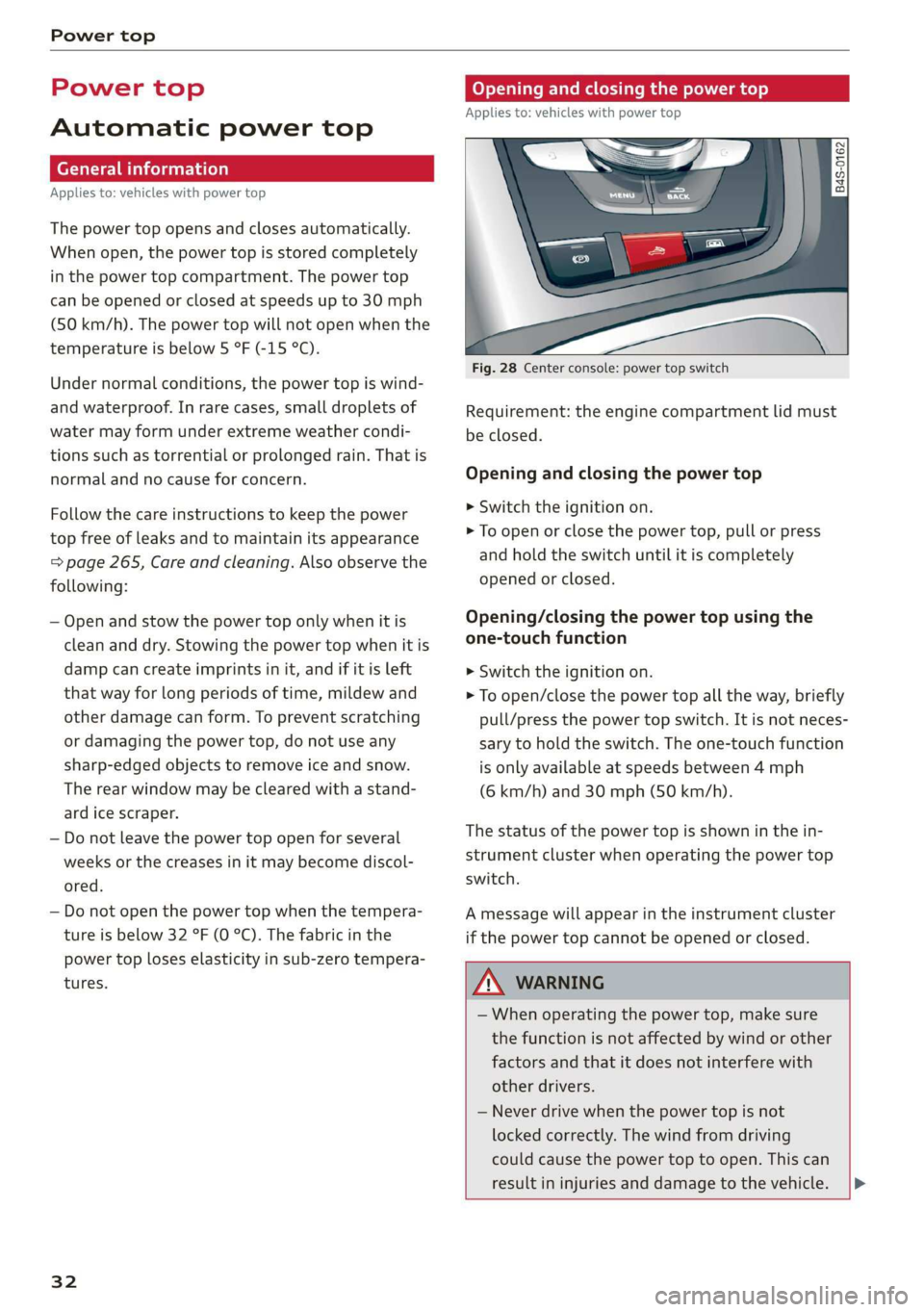
Opening and closing the power top
Applies to: vehicles with power top
Fig. 28 Center console: power top switch
Requirement: the engine compartment lid must
be closed.
Opening and closing the power top
> Switch the ignition on.
> To open or close the power top, pull or press
and hold the switch until it is completely
opened or closed.
Opening/closing the power top using the
one-touch function
> Switch the ignition on.
> To open/close the power top all the way, briefly
pull/press the power top switch. It is not neces-
sary to hold the switch. The one-touch function
is only available at speeds between 4 mph
(6 km/h) and 30 mph (50 km/h).
The status of the power top is shown in the in-
strument cluster when operating the power top
switch.
A message will appear in the instrument cluster
if the power top cannot be opened or closed.
ZA\ WARNING
— When operating the power top, make sure
the function is not affected by wind or other
factors and that it does not interfere with
other drivers.
— Never drive when the power top is not
locked correctly. The wind from driving
could cause the power top to open. This can
result in injuries and damage to the vehicle. |P>
Page 35 of 308
4S1012721BA
Power top
— Make sure no one will be injured by the pow-
er top supports and other moving compo-
nents when opening and closing the top.
— Visibility to the rear is limited when operat-
ing the power top. Avoid operating the top
while driving in reverse.
e Note
— To prevent damage to the power top:
— do not store any objects in the power top
storage compartment.
— make sure there is enough space above
the vehicle when opening or closing the
power top.
@ Tips
—To prevent the vehicle battery from draining
unnecessarily, do not open or close the pow-
er top repeatedly when the engine is switch-
ed off.
—A message will appear in the instrument
cluster if there is a malfunction in the power
top > page 34.
—If there is a malfunction, the power top can
also be operated manually as a temporary
solution > page 35, Power top emergency
operation. An authorized Audi dealer or au-
thorized Audi Service Facility should diag-
nose and correct the cause of the malfunc-
tion immediately.
— If the vehicle is parked with the power top
open, the vehicle interior is not protected
from
damaging weather or unauthorized ac-
cess. Lock any items you leave behind in the
luggage compartment. Close the power top
before leaving the vehicle.
— The side windows automatically lower
slightly when opening or closing the power
top.
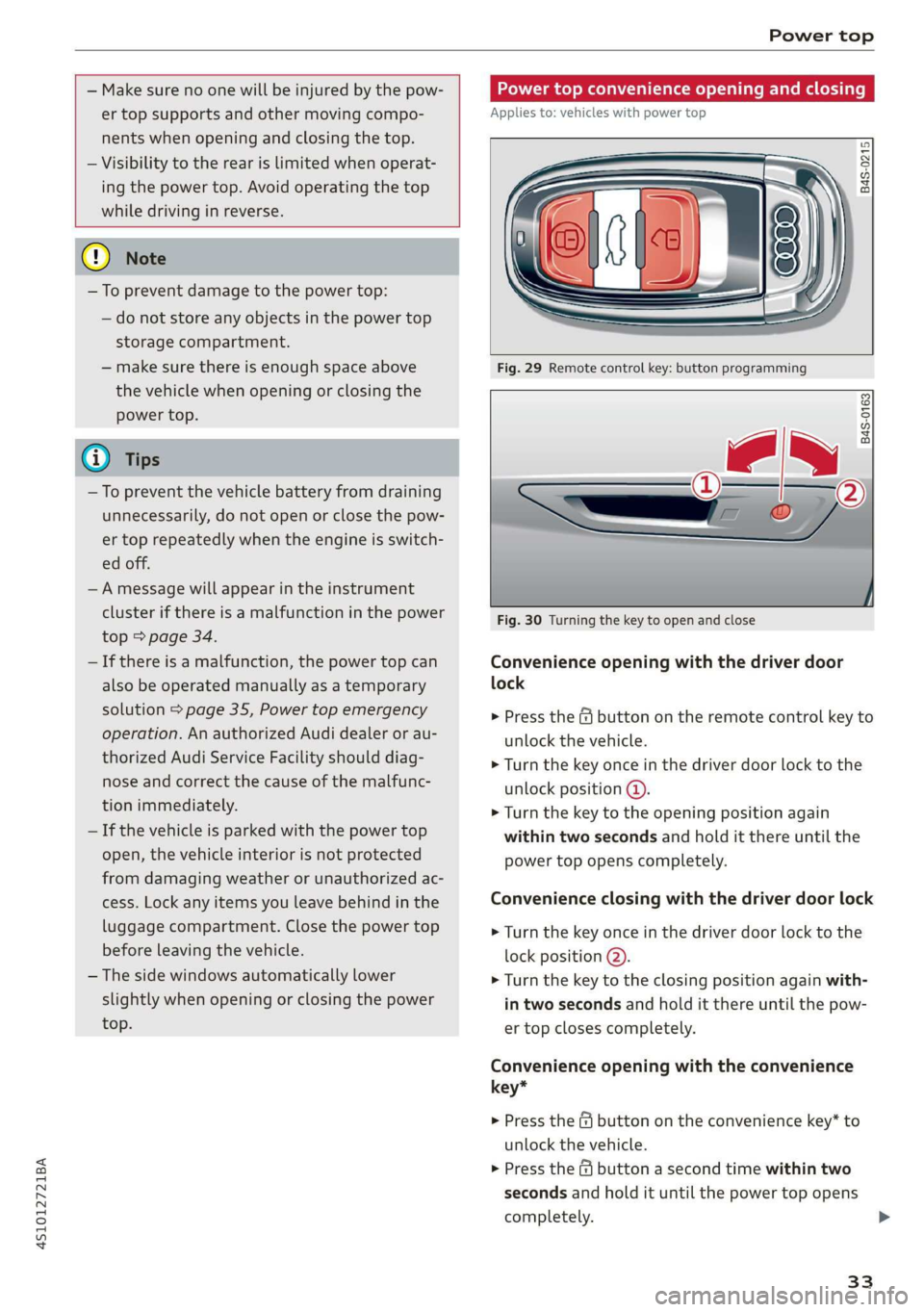
Power top convenience opening and closing
Applies to: vehicles with power top
B4S-0215
Fig. 29 Remote control key: button programming
B4S-0163
Fig. 30 Turning the key to open and close
Convenience opening with the driver door
lock
> Press the G@ button on the remote control key to
unlock the vehicle.
> Turn the key once in the driver door lock to the
unlock position @).
> Turn the key to the opening position again
within two seconds and hold it there until the
power top opens completely.
Convenience closing with the driver door lock
> Turn the key once in the driver door lock to the
lock position @).
> Turn the key to the closing position again with-
in two seconds and hold it there until the pow-
er top closes completely.
Convenience opening with the convenience
key*
> Press the &@ button on the convenience key” to
unlock the vehicle.
> Press the @ button a second time within two
seconds and hold it until the power top opens
completely. >
33
Page 44 of 308

Lights and Vision
The following symbol in the instrument cluster
indicates when the laser lights in the high beam
headlights are activated: *2Q.
ZA WARNING
Every repair procedure on the headlights must
be performed by an authorized Audi dealer or
authorized Audi Service Facility that will per-
form work according to Audi factory specifica-
tions. Incorrect repairs could result in eye in-
jury, impair the function and may void the ve-
hicle's operating license. Opening the laser
module is not permitted and could cause per-
manent damage to the eyes.
— Laser radiation emitted from the headlamp
was classified according to IEC
60825-1:2007
— The accessible emission is below the limit
for laser class 2*.
— Maximum radiant power: 5 W (continuous
wave), wavelength: A= 400 nm - 700 nm
— Lighting functions of the headlamp were
evaluated according to IEC 62471
— The radiation emitted from the headlamp is
classified as Risk Group 2**
— Hazardous laser radiation exposure could
occur
if any covers or housings are removed
from the headlight assembly.
@) Note
Your vehicle is equipped with maintenance-
free headlights. However, if there is a mal-
function of the headlight, please contact an
authorized Audi dealer or authorized Audi
Service Facility.
— The headlight assembly should not be serv-
iced and no maintenance should be per-
formed.
— The entire unit must be replaced in the
event that the headlamp assembly is not
working properly.
@ Tips
The LED high beam is controlled by the high
beam assistant. The laser high beams switch
on approximately one second after activating
42
the LED high beams if the following require-
ments are met
— The low beam headlight must be switched
to the AUTO light switch position.
— The laser high beam is switched on starting
at speeds of 44 mph (70 km/h).
— The laser beam is switched back off when
the speed decreases below 30 mph
(50 km/h) or when the headlight assistant
switches the LED headlights off.
Turn signal and high beam lever
©
> /
©
Fig. 51 Turn signal and high beam lever
The lever operates the turn signals, the high
beams and the headlight flasher.
Turn signals 15>
The turn signal activates when you move the lev-
er into a turn signal position when the ignition is
switched on. The respective |<} or B indicator
light flashes.
@- Right turn signal
@- Left turn signal
The turn signal blinks three times if you tap the
lever (convenience turn signal).
High beams ZO and headlight flasher
Move the lever to the corresponding position:
@®- High beams on
@- High beams off or headlight flasher
The
=| indicator light in the instrument cluster
will turn on.
Page 47 of 308
4S1012721BA
Lights and Vision
Interior lighting
Interior lighting
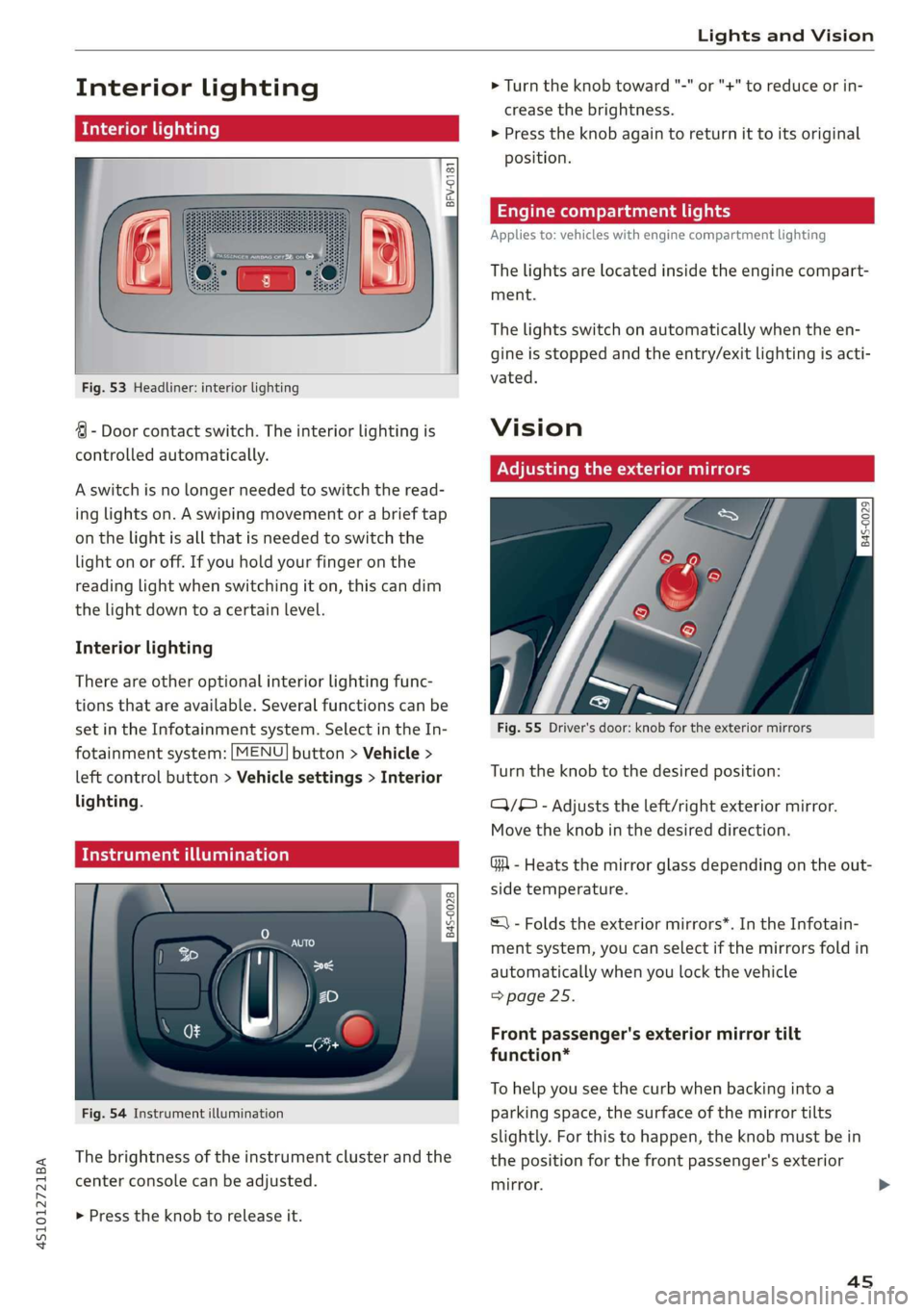
Fig. 53 Headliner: interior lighting
4 - Door contact switch. The interior lighting is
controlled automatically.
A switch is no longer needed to switch the read-
ing lights on. A swiping movement or a brief tap
on the light is all that is needed to switch the
light on or off. If you hold your finger on the
reading light when switching it on, this can dim
the light down to a certain level.
Interior lighting
There are other optional interior lighting func-
tions that are available. Several functions can be
set in the Infotainment system. Select in the In-
fotainment system: [MENU] button > Vehicle >
left control button > Vehicle settings > Interior
lighting.
Tide uae art ceya
© S
Ss Ss
od = a
Fig. 54 Instrument illumination
The brightness of the instrument cluster and the
center console can be adjusted.
> Press the knob to release it.
> Turn the knob toward "-" or "+" to reduce or in-
crease the brightness.
> Press the knob again to return it to its original
position.
Engine compartment lights
Applies to: vehicles with engine compartment lighting
The lights are located inside the engine compart-
ment.
The lights switch on automatically when the en-
gine is stopped and the entry/exit lighting is acti-
vated.
Vision
Adjusting the exterior mirrors
Fig. 55 Driver's door: knob for the exterior mirrors
Turn the knob to the desired position:
QQ/B - Adjusts the left/right exterior mirror.
Move the knob in the desired direction.
GA - Heats the mirror glass depending on the out-
side temperature.
©) - Folds the exterior mirrors*. In the Infotain-
ment system, you can select if the mirrors fold in
automatically when you lock the vehicle
=> page 25.
Front passenger's exterior mirror tilt
function*
To help you see the curb when backing into a
parking space, the surface of the mirror tilts
slightly. For this to happen, the knob must be in
the position for the front passenger's exterior
mirror.
45
Page 65 of 308
4S1012721BA
Driving
The Start/Stop system is automatically activated
once
the ignition is switched on.
Basic requirements for Start/Stop mode
— The driver's door must be closed.
— The driver's seat belt much be fastened.
— The engine compartment lid must be closed.
— The vehicle must have driven faster than 2 mph
(4 km/h) since the last time it stopped.
Z\ WARNING
— Never turn off the engine before the vehicle
has come to a complete stop. Switching it
off before the vehicle has stopped may im-
pair the function of the brake booster and
power steering. You would then need to use
more force to steer and brake the vehicle.
The fact that you cannot steer and brake as
usual may increase the risk of accidents and
serious
injuries.
— If you leave the vehicle, switch the ignition
off and take the vehicle key with you. This
applies particularly when children remain in
the vehicle. Otherwise the children could
start the engine or operate electrical equip-
ment such as power windows.
—To reduce the risk of injuries, make sure that
the Start/Stop system is turned off when
working in the engine compartment
=> page 64.
©) Note
Always switch the Start/Stop system off when
driving through water > page 64.
Stopping/starting the engine
Applies to: vehicles with Start/Stop system
eo Ss
2 db t a
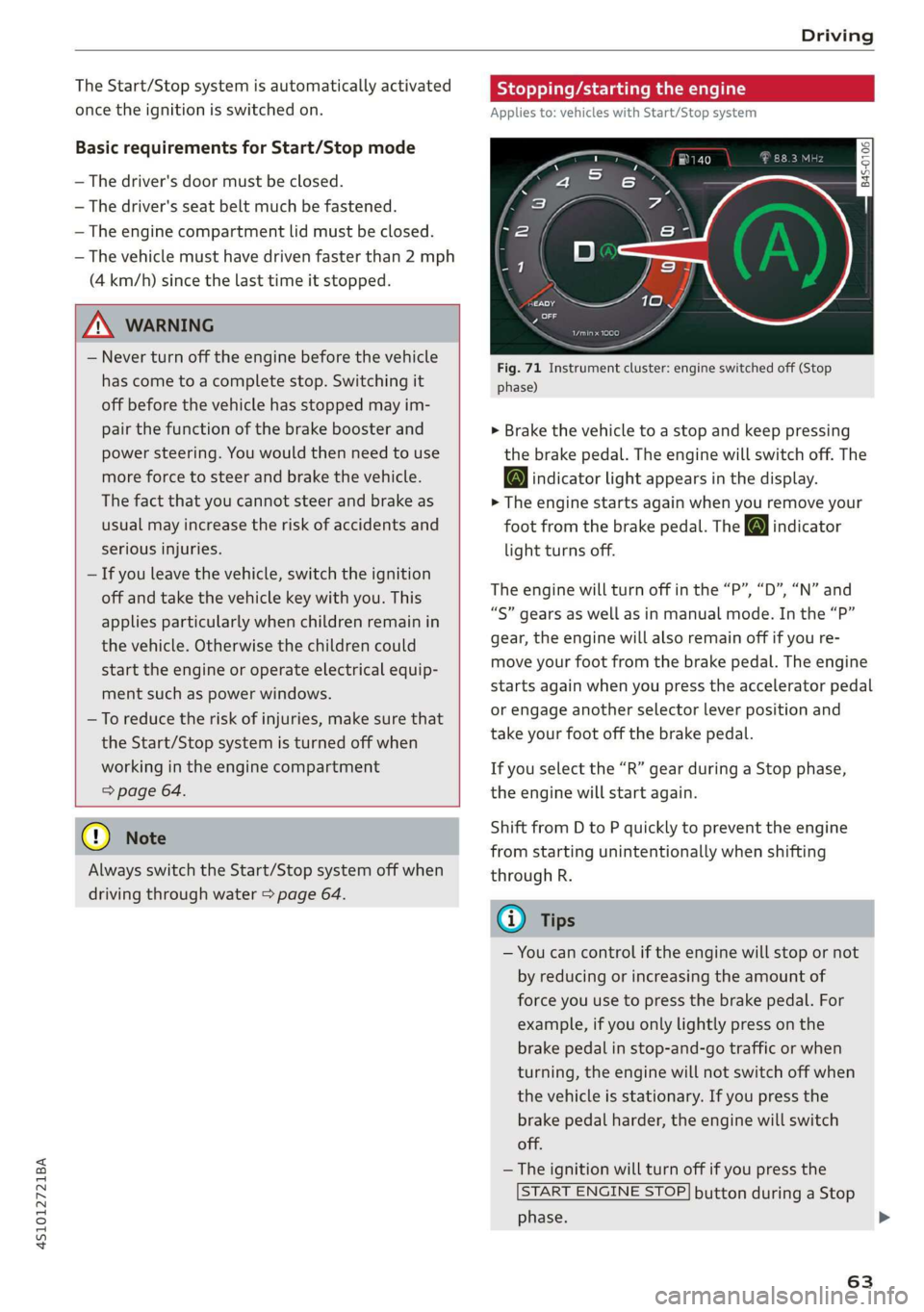
Fig. 71 Instrument cluster: engine switched off (Stop
phase)
> Brake the vehicle to a stop and keep pressing
the brake pedal. The engine will switch off. The
@ indicator light appears in the display.
> The engine starts again when you remove your
foot from the brake pedal. The o indicator
light turns off.
The engine will turn off in the “P”, “D”, “N” and
“S” gears as well as in manual mode. In the “P”
gear, the engine will also remain off if you re-
move your foot from the brake pedal. The engine
starts again when you press the accelerator pedal
or engage another selector lever position and
take your foot off the brake pedal.
If you select the “R” gear during a Stop phase,
the engine will start again.
Shift from D to P quickly to prevent the engine
from starting unintentionally when shifting
through R.
@) Tips
— You can control if the engine will stop or not
by reducing or increasing the amount of
force you use to press the brake pedal. For
example, if you only lightly press on the
brake pedal in stop-and-go traffic or when
turning, the engine will not switch off when
the vehicle is stationary. If you press the
brake pedal harder, the engine will switch
off.
— The ignition will turn off if you press the
START ENGINE STOP] button during a Stop
phase.
63
>
Page 67 of 308
4S1012721BA
Driving
Messages in the instrument cluster display
Applies to: vehicles with Start/Stop system
Start/stop system: deactivated. Please start
engine manually
This message appears when specific conditions
are not met during a Stop phase. The Start/Stop
system will not be able to restart the engine. The
engine must be started with the
START ENGINE STOP] button.
Start/stop system: malfunction! Function
unavailable. Please contact Service
There is a malfunction in the Start/Stop system.
Drive the vehicle to an authorized Audi dealer or
authorized Service Facility as soon as possible to
have the malfunction corrected.
Electromechanical
parking brake
The ©) switch is located under the selector lever
in the center console.
Your vehicle is equipped with an electromechani-
cal parking brake. The parking brake is designed
to prevent the vehicle from rolling unintentional-
ly and replaces the hand brake.
Setting/manually releasing the parking
brake
> Pull the @) switch to set the parking brake. The
LED in the switch turns on. The Zw (USA mod-
els)/[@) (Canada models) indicator light also
turns on in the instrument cluster display.
> To release the parking brake manually, press
the brake or accelerator pedal while the igni-
tion is switched on and press the ©) switch at
the same time. The LED in the button and the
indicator light in the display turn off.
Releasing the parking brake automatically
Requirement: The driver's door must be closed.
> To start driving and release the parking brake
automatically, press the accelerator pedal as
usual.
In addition to releasing the parking brake auto-
matically, other convenience and safety functions
are available when you start driving > page 66,
Starting to drive.
Emergency braking function
You can use the emergency braking function in an
emergency situation, or if the standard brakes
are malfunctioning or the pedal is obstructed.
> Pull and hold the ©) switch.
>» As soon as you release the (©) switch or acceler-
ate, the braking stops.
Pulling and holding the ©) switch while driving
the vehicle activates the emergency braking func-
tion. The hydraulic brake system will brake all
four wheels. The braking effect is similar to heavy
braking > A\.
To reduce the risk of activating the emergency
braking by mistake, a warning tone (buzzer)
sounds when the ©) switch is pulled. Emergency
braking stops as soon as the ©) switch is released
or the accelerator pedal is pressed.
Parking
> Press the brake pedal to stop the vehicle.
> Pull the ©) switch to set the parking brake.
> Select the "P" selector lever position.
> Turn the engine off > /\.
> Turn the steering wheel when parking on in-
clines so that the wheels will roll into the curb
if the vehicle starts moving.
ZA WARNING
— If a gear is engaged while the vehicle is sta-
tionary and the engine is running, do not
press the accelerator pedal inadvertently.
Otherwise, the vehicle will start to move im-
mediately and this could result in an acci-
dent.
— Emergency braking should only be used in
an emergency, when the when the standard
brake pedal is malfunctioning or obstructed.
During emergency braking, your vehicle will
brake similar to heavy braking. ESC and the
associated components (ABS, ASR, EDL) can-
not overcome the laws of physics. In corners
and when road or weather conditions are
bad, a full brake application can cause the
65
Page 69 of 308
4S1012721BA
Driving
— Hill hold assist cannot hold the vehicle in
place on all hills (for example, if the ground
is slippery or icy).
—To reduce the risk of an accident, always
make sure the vehicle is situated safely
while stationary.
Sporty driving
When driving in a sporty style, for example ona
driving track, the wear on all vehicle components
is greatly increased, especially on the engine,
transmission, tires, brakes, and suspension. This
can result in increased wear. Also note the fol-
lowing points:
— Make sure the vehicle is in good condition.
Make sure to check the brake pads, tire tread,
and tire pressure (when tires are warm).
— Beforehand, warm up the engine by driving no
higher than two-thirds of the maximum permit-
ted engine RPM. The engine oil temperature
must be brought to a minimum of 140 °F
(60 °C).
— Before stopping the vehicle, allow the engine
and brakes to cool back down to a regular oper-
ating temperature by driving normally.
If necessary, use the following functions:
— Audi drive select* Dynamic mode > page 78
— Launch Control > page 70
— Limit ESC > page 87
@) Tips
Wear caused by load does not constitute a ve-
hicle fault as defined by the terms of the war-
ranty.
Automatic transmission
Introduction
Your vehicle is equipped with an electronically-
controlled DSG transmission called S tronic. Two
independent clutches transfer the power be-
tween the engine and transmission. It allows the
vehicle to accelerate without a noticeable inter-
ruption in traction.
The transmission shifts up or down automatically
depending on which drive program is selected.
When a moderate driving style is used, the
transmission selects the most economical driving
mode. The transmission upshifts at a lower RPM
and downshifts at a higher RPM to improve fuel
efficiency.
If desired, the driver can also select the gears
manually (tiptronic mode) > page 71.
Selecting a selector lever position
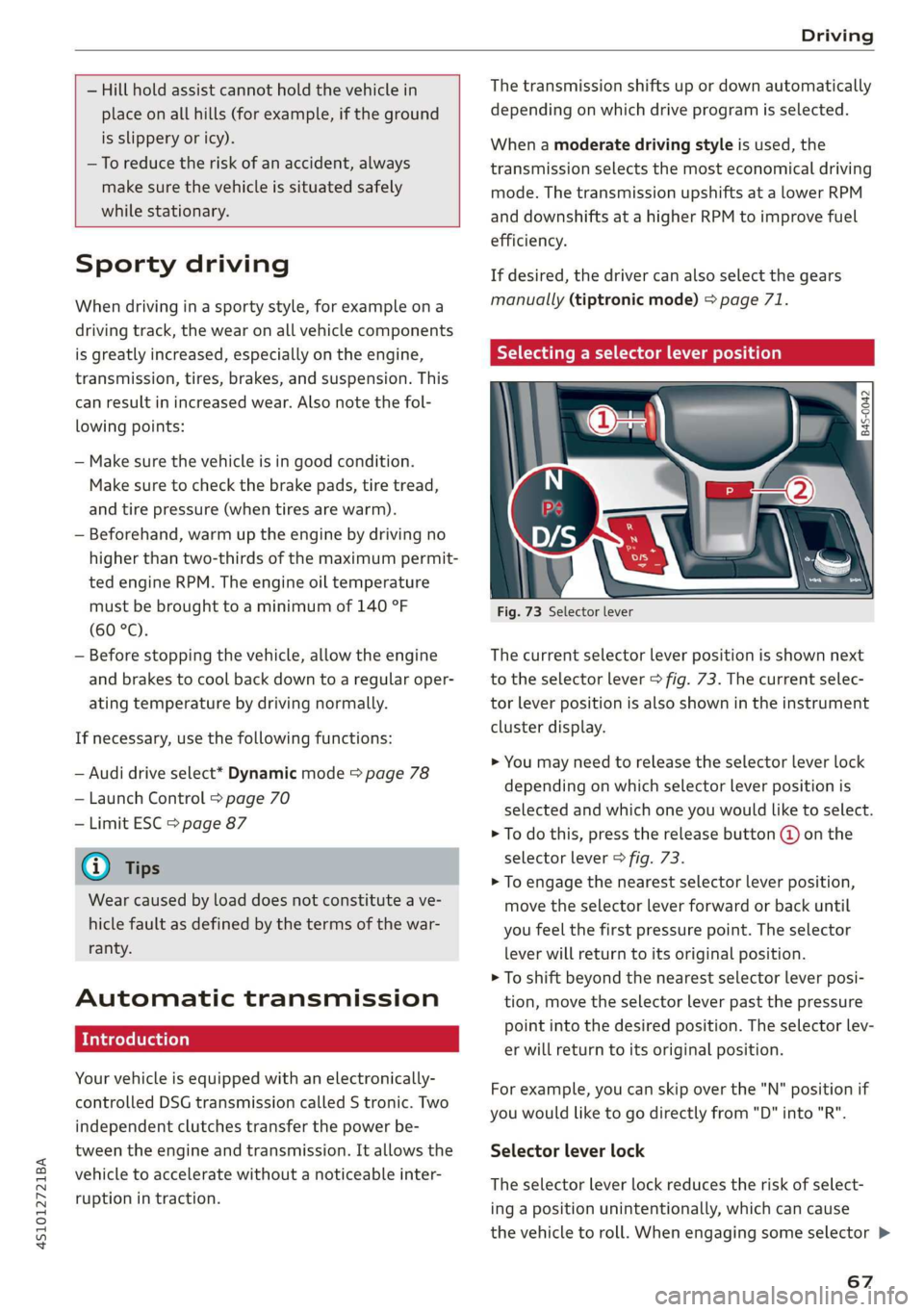
Fig. 73 Selector lever
The current selector lever position is shown next
to the selector lever > fig. 73. The current selec-
tor lever position is also shown in the instrument
cluster display.
> You may need to release the selector lever lock
depending on which selector lever position is
selected and which one you would like to select.
> To do this, press the release button @ on the
selector lever > fig. 73.
> To engage the nearest selector lever position,
move the selector lever forward or back until
you feel the first pressure point. The selector
lever will return to its original position.
> To shift beyond the nearest selector lever posi-
tion, move the selector lever past the pressure
point into the desired position. The selector lev-
er will return to its original position.
For example, you can skip over the "N" position if
you would like to go directly from "D" into "R".
Selector lever lock
The selector lever lock reduces the risk of select-
ing a position unintentionally, which can cause
the vehicle to roll. When engaging some selector >
67