key AUDI R8 SPYDER 2011 User Guide
[x] Cancel search | Manufacturer: AUDI, Model Year: 2011, Model line: R8 SPYDER, Model: AUDI R8 SPYDER 2011Pages: 244, PDF Size: 59.74 MB
Page 47 of 244
-Be careful when closing the windows.
Check to see that no one is in the way, or
serious injury could result!
- Always remove the ignition key whenever
you leave your vehicle .
-If you lock your vehicle from the outside ,
no one, especially children, should re
main in the vehicle .
- Do not stick anything on the windows or
the windshield that may interfere with
the driver's field of vision.
@ Tips
- When the doors are opened, the win
dows are automatically lowered 0.4 in
(10 mm) .
Reactivating the system after battery
disconnection
If the vehicle battery is disconnected and then
reconnected, the automatic closing and open
ing function will not work until it is reactivat
ed. To reactivate this feature, perform the fol
lowing steps:
- Pull and hold the power window switch until
the window is completely closed.
- Release the switch . Pull the switch again for
one second. The automatic closing/opening is now reactivated.
Opening and closing 45
Page 51 of 244
The rear window can be extended comp lete ly
for cleaning. This is ca lled the cleaning posi
tion.
E xte nding the re ar w indow into the wind
defl ector po siti on
~ Pull and hold the rear window switch
9 fig. 47.
~ Release the switch once the rear window has
reached the wind deflector position.
Exte nd ing th e rear w indow into th e
cleaning po sition
~ Pull and hold the rear window switch
9 fig . 47.
~ Release the switch once the rear window has
reached the wind deflector position .
~ Pull and hold the rear window switch again .
~ Pull and hold the convertible top switch
within one second
9 page 46, fig . 43.
R etra cting the re ar w indow
~ Press and hold the rear window sw itch until
the window has been retracted .
Ret racting the re ar wi ndow using the one
touch funct ion
~ Press the rear window switch briefly . There
is no need to hold the switch.
The rear w indow can on ly be operated when
t he ignition is switched on.
The rear window can also be extended or re
tracted when the convertib le top is closed.
.&_ WARNING
- Do not use the rear window to secure car
go or other objects. This could result in
injury .
- Always pay attention and be careful
when extending or retracting the rear
window . It could cause injury by p inch
ing .
@ Tips
-Keeping all of the w indows raised pro
v ides the best wind protection.
Con vertible top 49
- The veh icle must be stationary to br ing
the rear window into the cleaning posi
tion . The rear window will retract once
you begin dr iv ing.
Convertible top
emergency operation
General information
The convertible top can be closed by hand if
there is a malfunction .
First check if overload pro tection is active
~ page 47. If this is the case, the conve rtible
top w ill operate again after a short de lay . O th
erwise the fo llowing steps must be completed
before closing the convertib le top:
~ Ac tiva te the pa rking brake.
~ Open the side w indows, if necessary.
~ Remove the key from the ignition.
Emergency loc king is no t intended for long
te rm use o r long drives . The convertib le top
will not be completely waterproof after using
the emergency locking proced ure because the
seals wi ll not be seated correctly. Only close
the convertible top manually in an emergency .
Please see an au thor ized Audi R8 dea ler to
have the cause of the malfunction corrected .
.&_ WARNING
-The ignition must be sw itched off during
the entire closing p rocedure.
- When positioning the convertible top,
avoid contact with the supports or other
mov ing parts. Othe rwise you could p inch
your hands.
- Never d rive when the convert ible top is
not locked cor re ctly. The wind from d riv
ing could cause the convertible top to
open . This can resu lt in injuries and dam
age to the vehicle.
@ Tips
Have a second person assist whe n closing
the convert ible top. Opening the storage
bay lid and posi tioning the conve rtible top
is easier when a seco nd person is assisting.
Page 53 of 244
Opening the con vertibl e top stor age bay
lid
• From the rear of the vehicle, reach into the
center ventilation slot in the storage bay lid
with both hands and raise the lid approxi
mately 12 in (30 cm).
"' Hold the storage bay lid in this pos ition and
pull it toward you until it stops ¢
fig. 51.
& WARNING
When wo rking in the engine compart
ment:
- Turn the engine off .
- Act ivate the parking brake.
-
- In veh icles with a manual transm ission,
move the sh ifter lever into idle . In vehi-
cles w ith the R tronic transmission, move
the se lector lever into the N position.
- Remove the ignit ion key.
- Let the engine coo l down.
- Keep children away from the engine com-
partment .
(D Note
To prevent damage to the vehicle, only
open the convertible top storage bay lid
when the engine compartment lid is
closed.
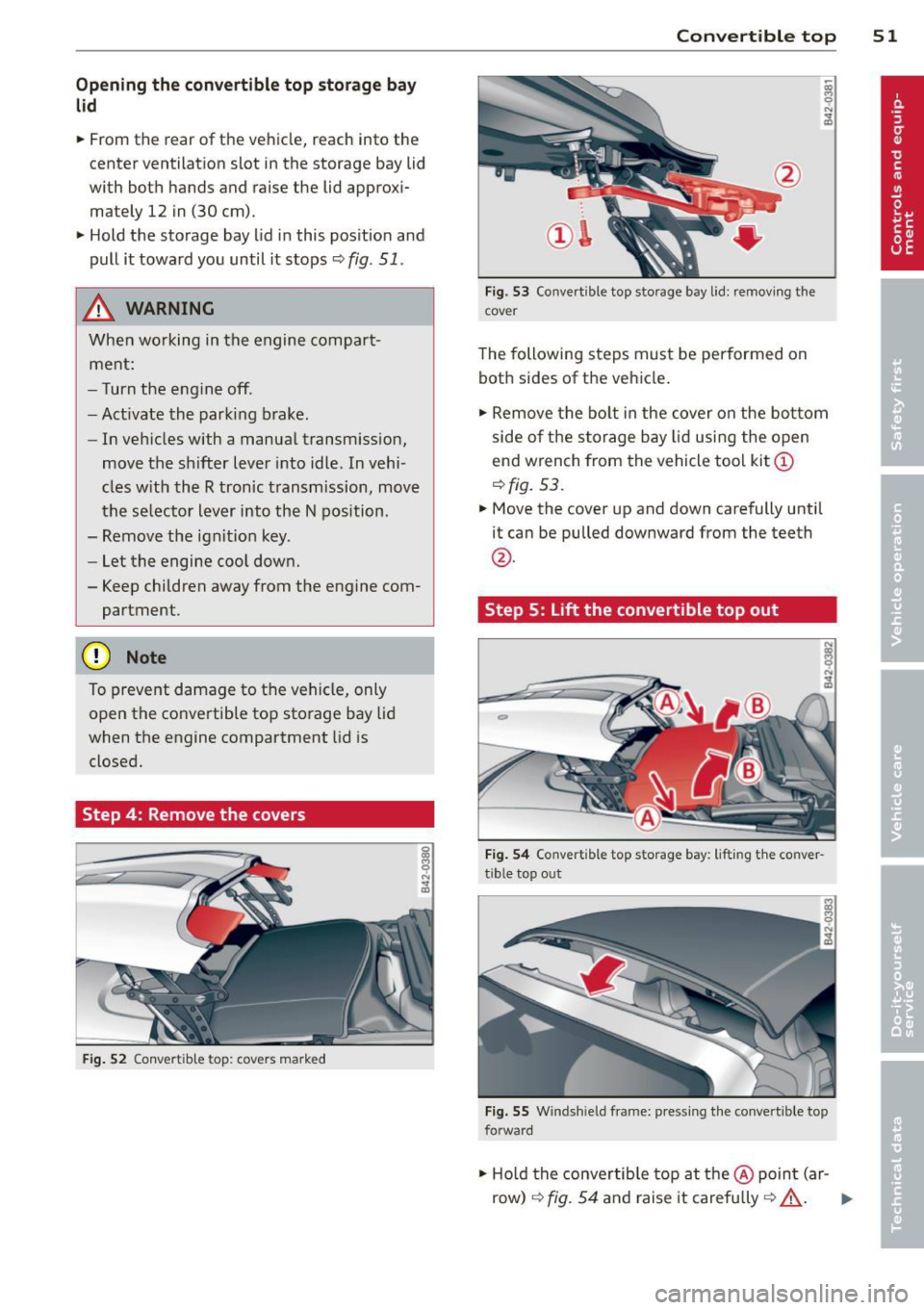
Step 4: Remove the covers
F ig. 52 Convertib le to p: covers marked
Convert ible top 5 1
Fig. 53 Convert ible top storage bay lid: remov ing the
cover
The following steps must be performed on
both sides of the vehicle .
"' Remove the bolt in the cover on the bo ttom
side of the s torage bay lid using the o pen
end wrench from the vehicle too l kit @
¢fig. 53.
"'Move the cover up and down carefully until
it can be pulled downward from the teeth
@ .
Step 5:
Lift the convertible top out
Fi g. 54 Co nve rtible top storage bay: lifting the conver
tible top out
F ig. 55 W indshield frame: pressing the conver tible top
forward
"' Ho ld the convertib le top at the @ poin t (ar -
row)
¢ fig. 54 and raise it carefully ¢_& . II--
Page 57 of 244
Clear vision Lights
Switching the headlights on/off
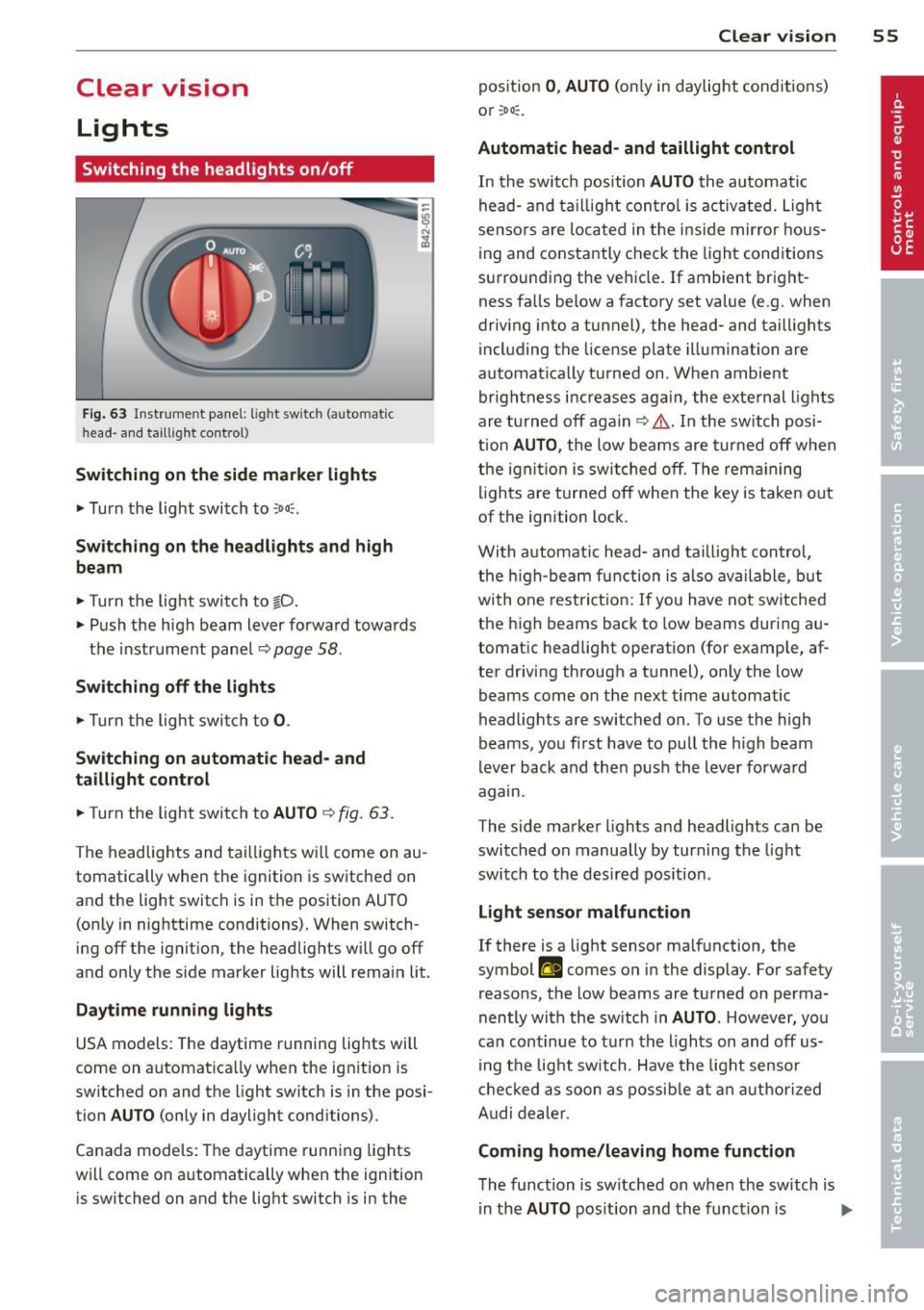
Fig. 63 In str ume nt pa ne l: lig ht sw itc h (auto mat ic
head· a nd ta ill ig ht control)
Switching on the side marke r lights
... Turn the light switch to :oo::.
Switching on the headlights and high
beam
... Turn the light switch to §D.
.,. Push the h igh beam lever forwa rd towa rds
t h e instrument panel~
page 58 .
Sw itching off the lights
.,. Turn the light switch to 0 .
Sw itching on automatic head- and
taillight control
.,. Turn the light switch to AUTO ~ fig. 63 .
The headlig hts and tai lligh ts w ill come on au
tomatically when the ignition is sw itche d on
and the light switch is in the position AU TO
(on ly in nig httime conditions). When switch·
ing off the ignit io n, the headlig hts wi ll go off
and only the side marker lights will remai n lit.
Daytime running lights
USA models: The daytime r unning lig hts will
come on a utomat ica lly when the ig nition is
sw itched on and the light switch is in the posi·
tion
AUTO (only in daylight conditions).
Canada models : Th e daytime runni ng lights
will come on a utomat ically when the ignition
is switched on and the light switch is in the
Clear vi sion 55
position 0 , AUTO (on ly in daylight conditions)
or ;oo :.
Automatic head- and taillight control
In the swi tch position AUTO the au tomati c
he ad- and t aillight con tro l is activ ated. Ligh t
senso rs ar e loca ted in t he i nside mir ro r h ous
ing and co nstantly chec k the light cond itions
su rroundi ng the vehicle. If ambient bright
ness fa lls below a factory set value (e .g. when
dr iv ing into a tunnel), the head- and tail lights
i ncl uding the license plate illuminati on are
automat ica lly t urned on . When ambient
brightness i ncreases aga in, the exte rnal ligh ts
ar e turned off aga in
c> &. . In the switch posi
t ion
AUTO , the low beams are tur ned off when
th e ign ition is swi tched o ff. Th e rem aining
li gh ts are turned off when the key is ta ke n out
of the ignition lock.
W it h a utomat ic head- and taill igh t con trol,
t he h igh-beam fu nction is also ava ilable , bu t
with one rest ric t ion : If you have not sw itche d
the h igh beams back to low beams during a u
tomat ic head light operat ion (for examp le, af
ter driving through a tunnel), on ly the low
beams come on the next time automatic
headlig hts are switched on. To use the high
beams, yo u fi rst have to pull the h igh beam
lever back and then push the lever forwa rd
agam .
The side ma rke r lights a nd headlights ca n be
sw itc hed on manually by turn ing the light
swi tc h to the des ired pos ition .
Light sensor malfunction
If there is a light sensor ma lfunction, the
symbol
II comes on in the display . For safety
reasons, the low beams are tu rned on perma
nently with t he sw itch in
AUTO . However, you
can con tinue to tu rn the lights on and off us
in g t he light switch . Have t he ligh t sensor
c h eck ed as soon a s possib le a t an au thorized
A udi dealer.
Coming home/leaving home function
The function is sw itched on when the sw itch is
i n the
AUTO pos ition and th e funct ion is liJJ,,
Page 58 of 244
56 Clear vision
shown as active in the driver information
system.
The
coming home function illuminates the
area around the vehicle when the ignition is
switched off and the driver's door is opened.
The length of time the lights remain on can be
set in the menu display
(Lights> Exterior
lights> coming home) .
The leaving home function illuminates the
area around the vehicle when unlocking it.
.&_ WARNING
- Never use daytime running lights to see
where you are going. They are not bright enough and will not let you see far
enough ahead for safety, especially at dusk or when it is dark. Be aware of
changes in outside light conditions when
you are driving and respond by switching
on your low beams.
- Automatic head- and taillight control is
only intended to assist the driver. This
feature does not relieve the driver of his
responsibility to check the headlights
and to turn them on manually according
to the current light and visibility condi
tions. For example, fog and rain cannot be detected by the light sensors. Conse
quently, always switch the headlights on
under these weather conditions and
when driving in the dark.
- Crashes can happen when you cannot see
the road ahead and when you cannot be
seen by other motorists.
-Always turn on the headlights so that you can see ahead and so that others can see your car from the back.
(D Tips
- Always observe the specific local regula
tions for your area when to use your
lights .
- Turn on low beams as evening ap
proaches or in conditions of poor visibili
ty.
- Do not attach stickers to the windshield
in front of the sensors as this can disable the automatic head- and
taillight control
and the automatic glare-dimming of the
rearview mirror(s)*.
- If you
remove the ignition from the igni
tion lock while the headlights are still
on, a buzzer will sound as long as the
driver's door is open to remind you to
turn off the lights.
- In the AUTO mode, the low beams are
turned off when the ignition is turned
off. The remaining lights are turned off
when the key is taken out of the ignition .
- In cool or damp weather conditions the
headlights may fog
over temporarily on
the inside.
- The critical factor is the temperature
difference between the interior and the
exterior of the headlight lens.
- With the main beams switched on, the
light-emitting area will be free of con
densation after a short time, however
the edges of the glass may still be fog
ged.
- This physical phenomenon has no ef
fect on the life of your vehicle's light
ing system.
Instrument panel illumination
The illumination of the instruments, displays
and the center console can be adjusted.
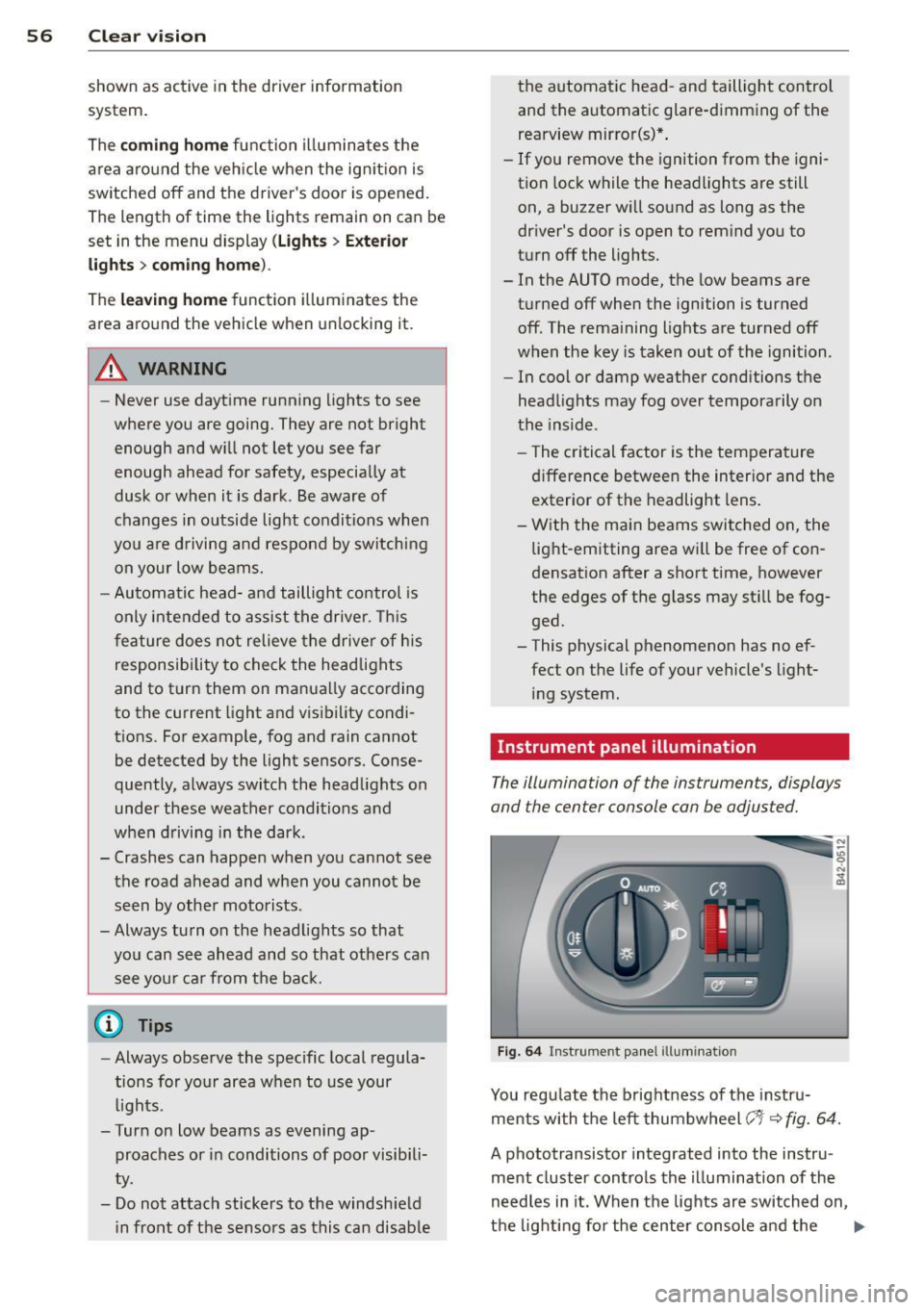
Fig. 64 Instrument panel illumination
You regulate the brightness of the instru
ments with the left thumbwheel
(-'1· ~ fig. 64.
A phototransistor integrated into the instru
ment cluster controls the illumination of the
needles in it. When the lights are switched on,
the lighting for the center console and the
llll>
Page 61 of 244
also turned on when the ignition key is removed. The lights turn off about 30 seconds
after the doors are closed. When the vehicle is
l ocked or when the ignit ion is turned on, the
interior light s are turned off .
When a door is open, the interior lights are
turned off after abo ut 10 m inutes to prevent
battery draining .
The brightness of the lights is controlled a u
tomatically by a dimmer when they are sw itched on and off.
Luggage compartment light
The light is located on the right side of the
luggage compartment .
These lights come on automatically when the
front lid is opened. The lights turn off auto
matically if the lid is left open for more then
10 minutes.
Vision
Sun visors
Using the sun visors makes driving safer.
Fi g. 68 Sun v isor
The vanity mirrors in the sun visors are eq uip
ped with covers. Clear vi
sion 59
Wiper and washer
system
Windshield wiper
The windshield wiper lever controls both the
windshield wipers and the washer system.
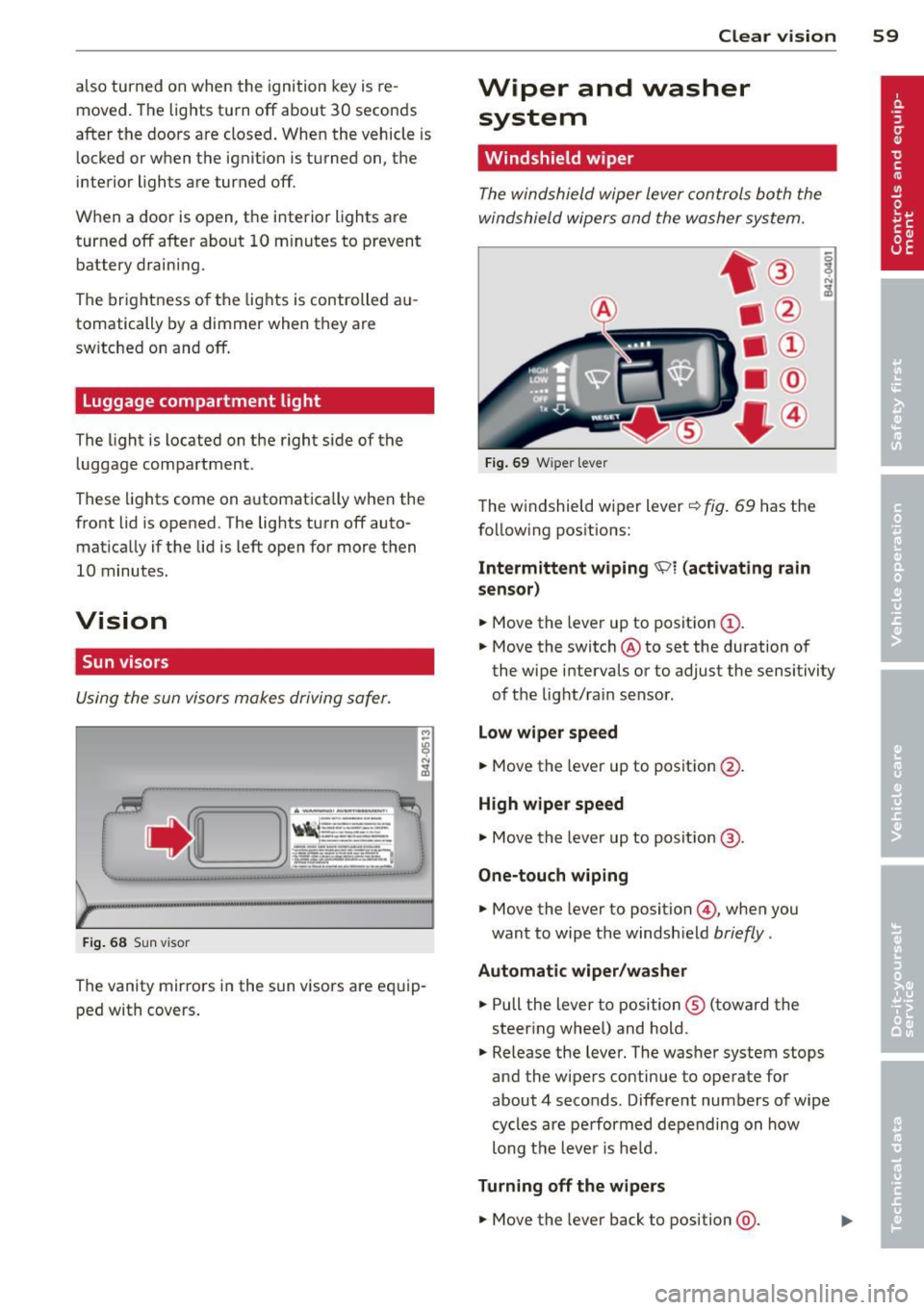
F ig . 69 W ipe r leve r
The windshield wiper lever ¢ fig. 69 has the
follow ing positions:
Intermittent w iping ~l (act ivating r ain
sen sor)
.,. Move the lever up to position (D .
.,. Move the switch @to set the duration of
the wipe intervals or to adjust the sensitivity
of the light/ra in sensor .
Lo w wiper spe ed
.,. Move the lever up to position @.
High wiper speed
.,. Move the leve r up to posit ion @.
One-touch wiping
.,. Move the lever to position ©, when you
want to wipe the windsh ield
briefly .
Automatic wip er/ wa sh er
.,. Pull the lever to position ® (toward the
steering whee l) and hold .
.,. Release the lever. The washer system stops
and the wipers continue to operate for
about 4 seconds . Different numbers of wipe
cycles are performed depending on how
long the lever is he ld.
Turning off the w ipe rs
.,. Move the lever back to position @ .
Page 70 of 244
68 Seats and st o ra ge
_&. WARNING
- Ne ver adj ust t he d river's or front passen
ger seat whi le the vehicle is mov ing . If
you do this while the vehicle is moving,
you will be out of posit ion. Always adjust
the driver's or front passenger seat when
the vehicle is not moving.
- Be careful when adjusting the seat
height. Check to see that no one is in the
way, or serious injury could result!
- Because the seats can be electrically ad
justed with the ignit ion key removed,
never leave children unattended in the
vehicle. Unsupervised use of the e lectr ic
sea t ad justments may cause serious in
Jury.
- To reduce the r isk of injury in the case of
sudden bra king or accide nt, front pas
senge rs must never ride in a moving
ve
hicle wi th the seatback recl ined. Safety
belts and the airbag system offer maxi
mum p rotection on ly when the seatback
is upright and the safety belts are prop
er ly posit ioned on the body . The more
the seatback is recli ned, the greater the
r isk of personal injury from an incorrect
seating pos it ion and improperly posi
t ioned safety be lts!
- Always make su re the front seatbac ks are
in the up right posit ion when dr iv ing .
Head restraints
Adjusting head restraints
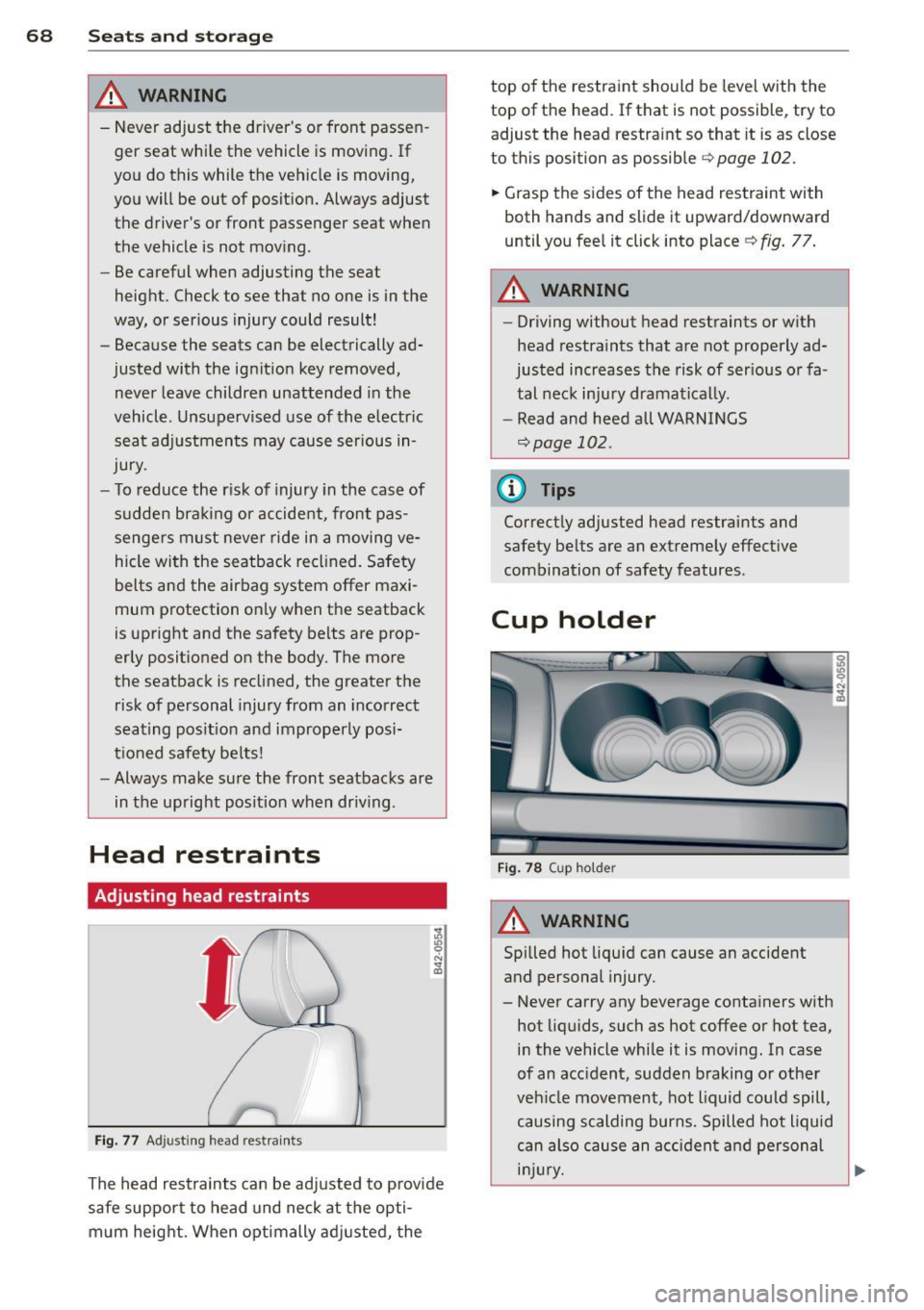
Fig . 77 Ad just ing head rest ra in ts
The head rest raints can be ad justed to p rovide
safe support to head und neck at t he opti
m um heig ht. When optimally ad justed, the top o
f th e restraint should be leve l w ith the
top of the head. If that is not possible, try to adjust the head restraint so that it is as close
to this position as possible
c::> page 102.
.. Grasp the s ides of the head restraint wi th
both hands and slide it upward/downward
until you fee l it click into place ¢
fig. 77 .
A WARNING
--
-Driving without head restraints or with
head restra ints that a re not properly ad
justed increases the risk of ser ious or fa
tal nec k inju ry dramatically.
- Read and heed all WARNI NGS
¢page 102.
(D Tips
Correct ly adjusted head restraints and
safety be lts are an ext reme ly effect ive
combination of safety features.
Cup holder
F ig . 7 8 Cup ho lder
A WARNING
--
Spilled hot liqu id can cause an accident
and personal injury.
- Never carry any beverage conta iners with
hot liq uids, such as hot coffee o r hot tea,
i n the vehicle while it is moving. In case
of an acc ident, sudden braking or other
veh icle movement, hot liquid could spill,
causing scalding burns. Spilled hot liquid
can also cau se an a cciden t and personal
i njur y.
Page 72 of 244
70 Seats and st o ra ge
Storage
"
General
A WARNING
- Always remove objects from the instru-
ment pane l. Any items not put away
cou ld slide around inside the vehicle
whi le driving or when accelerating or
when applying the brakes or when driv
ing around a corner.
- When you are drivi ng make sure that
anything you may have placed in the cen
ter console or othe r storage locations
cannot fa ll out into the footwells. In case
of sudden braking you would not be able
to brake, depress the clutch or acceler ate.
Glove compartment
The glove compartment is illuminated and
can be locked .
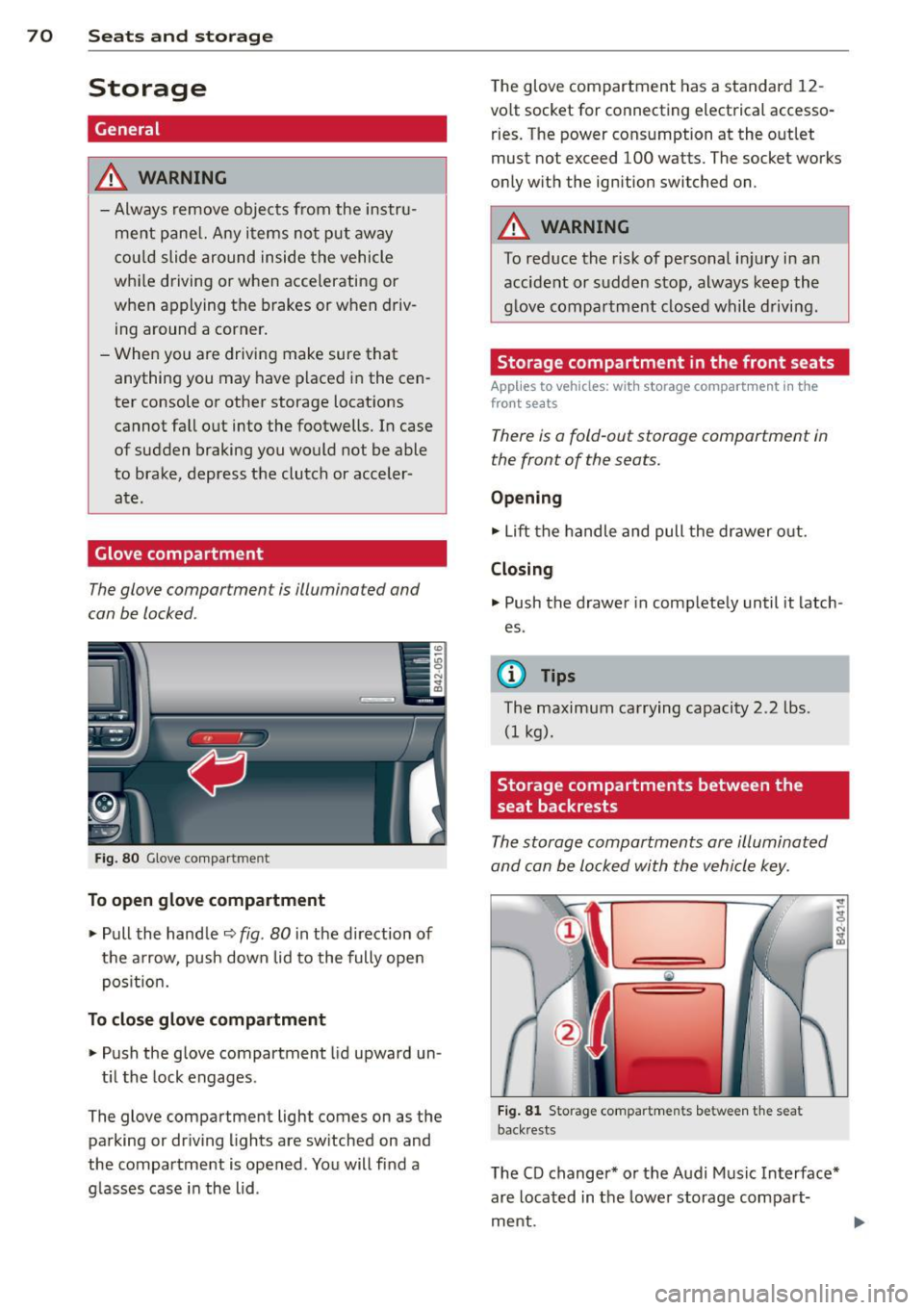
Fig. 8 0 G love co mpa rtm ent
To open glove compartment
.,. Pull the handle ¢ fig . 80 in the direction of
the arrow, push down lid to the fully open
pos it ion.
To close glove compartment
.,. Push the glove compartment lid upward un -
t il t he lock engages .
The glove compartment light comes on as the
parking or driving l ights are sw itched on and
the compartment is opened . You will fi nd a
g lasses case in the lid . The glove compartment has a standard
12
-
volt socket for connecting electrical accesso
ries. The power cons umption at the o utlet
must not exceed 100 watts. The socket works
only w ith the ignition switched on.
A WARNING
--
To reduce the risk of pe rsonal inju ry i n an
accident or sudde n stop, always keep the
g love compartme nt closed while driving .
Storage compartment in the front seats
Applies to veh icles: w ith storage compartment in the
front seats
There is a fold-out storage compartment in
the front of the seats.
Opening
.,. Lift the handle and pull the drawer o ut.
Closing
.,. Push the drawer in complete ly until it latch
es .
© Tips
The maximum carrying capacity 2.2 lbs .
(I kg).
Storage compartments between the
seat backrests
The storage compartments are illuminated
and can be locked with the vehicle key.
Fi g. 81 Storage compartments between t he seat
back rests
The CD changer* or the Audi Music In terface*
are located in the lowe r storage compart
ment.
Page 79 of 244
On the road
Steering
Adjusting the steering wheel column
The steering wheel position can be continu
ously adjusted in height and distance.
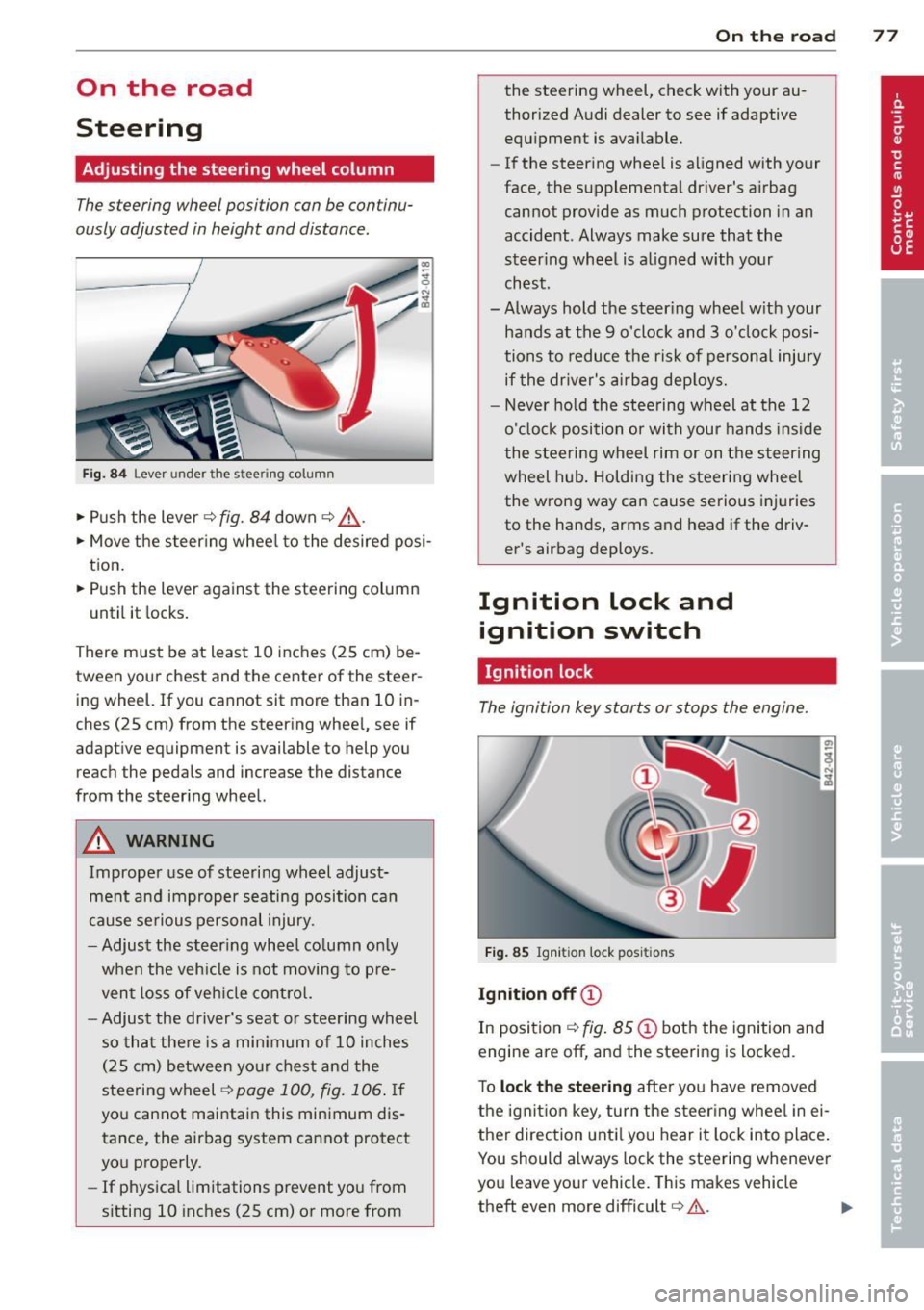
Fig. 84 Lever under the stee ring column
• Push the lever ¢ fig. 84 down ¢ &.
• Move the steer ing whee l to the desired posi
tion.
• Push the lever against the steering column
until it locks.
There must be at least 10 inches (25 cm) be
tween your chest and the center of the steer
ing wheel. If you cannot sit more than 10 in
ches (25 cm) from the steering wheel, see if
adaptive equipment is available to help you
reach the pedals and increase the distance
from the steering wheel.
A WARNING
Improper use of steering wheel adjust
ment and improper seating position can
cause serious personal injury .
- Adjust the steering whee l column only
when the veh icle is not moving to pre
vent loss of veh icle control.
-
-Adjust the driver's seat or steering wheel
so that there is a minimum of 10 inches
(25 cm) between your chest and the
steering wheel
¢ page 100, fig. 106. If
you cannot maintain this minimum dis
tance, the airbag system cannot protect
you properly.
- If physica l limitations prevent you from
sitting 10 inches (25 cm) or more from
On the road 77
the steering wheel, check with your au
thorized Audi dealer to see if adaptive
equipment is available.
- If the steering wheel is aligned with your
face, the supplemental driver's airbag cannot provide as much protection in an
accident . Always make sure that the
steer ing wheel is aligned with your
chest.
- Always hold the steer ing wheel w ith your
hands at the 9 o'clock and 3 o'clock posi
tions to reduce the risk of personal injury
if the driver's airbag deploys.
- Never hold the steering wheel at the 12
o'clock position or with your hands inside
the steering wheel rim or on the steering
wheel hub . Holding the steering wheel
the wrong way can cause serious injuries
to the hands, arms and head if the driv
er's airbag deploys.
Ignition lock and ignition switch
Ignition lock
The ignition key starts or stops the engine.
Fig. 85 Igniti on lock posit ions
Ignition off©
In position ¢ fig. 85@ both the ignition and
engine are
off, and the steering is locked .
To
lock the steering after you have removed
the ignition key, turn the steer ing wheel in ei
ther direction until you hear it lock into place.
You should always lock the steering whenever
you leave your vehicle. This makes vehicle
theft even more difficult
c::> .&. .
Page 80 of 244
78 On the road
Ignition on @
Afte r switching the ignition on, the needles
move a ll the way up and then down .
I f it is difficult to tu rn the key afte r you have
i nserted it into the ignition lock, turn the
steering wheel back and forth. This will take
the load off the steering lock mechan ism and
you will be able to turn the key freely and start the engine .
Starting the engine @
In th is position the engine sta rts. While the
engine is start ing, the power s upply to the
headlights and other e lectr ica l cons umers is
tempo rari ly interrupted to conserve battery
power. After the engine has started, release
the key and it will return to posit ion @.
Before the starter can be operated again the
key must be turned back to position@. The
non-repeat lock prevents you from damaging
the starter when the engine is runn ing .
A WARNING
-Never remove the key from the ign ition
lock whi le the vehicle is moving. The
steeri ng wheel will lock causing loss of
contro l.
- If you have to leave your vehicle - even
for just a m inute - always remove t he ig
nition key and ta ke it with you. This is es
pecially important if you a re going to
leave ch ildren behind in the vehicle. The
children co uld star t t he engine or use
other vehicle controls . Unsupervised use
of vehicle controls (for examp le, power
windows) can cause serious personal in
jur ies.
(D Tips
If the veh icle battery has been discon nect
ed and then reconnected, then you must leave the key in pos ition @for abo ut 5
seconds before you can start t he engine.
-
Starting the engine
The engine can only be started with your orig
inal Audi key.
On vehicles with R tronic *, the engine can be
started in the ne utra l position N and in each
gear (1 - 6 and R).
.. Se t the park ing brake ¢,&. .
.. On ve hicles with ma nual transmission *, fully
depress the cl utch peda l.
.. Press and hold the brake peda l.
.. Turn the ignition key to posit ion @
¢ page 77, fig . 85 - do not depress the gas
pedal when starting the engine .
.. Let go of the key as soo n as the engine
starts - the sta rter must not cont inue to
r u n. On veh icles w it h R t ro nic , sele ct ge ar
posi tion N.
A cold engine may at first be loud afte r it has
been started. This is due to the hydrau lic
valves b uilding up the oil p ress ure. This is no r
mal and no need fo r conce rn .
If th e engine does not start imm ediately, stop
t ry ing after 10 seconds and t hen t ry to res tart
t h e engine abou t 30 seconds later.
A WARNING
-
- Never star t or le t the eng ine run in a con
f ined o r enclosed area . Exha ust fumes
from the en gine contain carbon monox
ide, a co lorless and odorless gas. Carbon
monox ide ca n be fatal if inhaled.
- Never leave the engine id ling unattend
ed. An unattended veh icle w ith a run ning
e ngine poses a danger of personal injury
or theft.
- With the engine r unning and a gear en
gaged, you have to hold the ve hicle w it h
the foot brak e.
(D Note
-Avo id h igh engine speeds, fast accelera
tion or heavy engine loads while the en
gine is still cold. This could damage the
eng ine.