engine speed AUDI RS5 COUPE 2015 User Guide
[x] Cancel search | Manufacturer: AUDI, Model Year: 2015, Model line: RS5 COUPE, Model: AUDI RS5 COUPE 2015Pages: 254, PDF Size: 64.12 MB
Page 81 of 254

M N
0:: loo ,...., \!) ,.,.,
N ,.,., ,....,
• Pull the lever to position CD¢ fig. 81 to switch
the system on.
• Drive at the speed to be contro lled .
• Press button ® to set that speed.
The stored speed and the green symbol
[ij;(i )~i4 (US model)/ Bl (Canadian model) are
shown in the display r::>fig . 82. The disp lay may
vary, depending on the type of display in your ve
h icle .
The speed is kept constant by modify ing engine
power or thro ugh an active brake intervention.
A WARNING
- Always pay attention to the traffic around
yo u when the cruise control is in operation .
You are always responsib le for your speed
and the dista nce between yo ur vehicle and
other vehicles .
- For reasons of safety, cruise cont ro l should
not be us ed in the city, in stop-and-go t raf
fic, on twisting roads and w hen road condi
tio ns are poor (such as i ce, fog, gr avel,
heavy rain and hyd rop laning) - r is k of acci
dent.
- T urn off t he cr uise control temporari ly w hen
en ter ing turn lanes, highway exit lanes or in
constr uction zones .
- P lease note tha t inadvertent ly " rest ing"
yo ur foot on the accelerator peda l causes
the cruise control not to brake. This is be
cause the cruise contro l is overridden by the
dr iver's acceleration .
- If a brake system malfunction such as ove r
heating occurs when the cruise control sys
tem is switched on, the braking function in
the system may be sw itched off. The other
cruise control func tions remain act ive as
lo ng as the indicato r light
[ij;(l)~i4 (US mo d
els)/ . (Canadian mode ls) is on.
(D} Tips
The brake lights illuminate as soon as the
bra kes apply automat ica lly.
Dri ving
Changing speed
• To inc rease/decrease the speed in in cr ements,
t ap t he leve r in the
010 direction¢ page 78,
fig. 81.
• To increase/decrease the speed quic kly, hold
the lever in the
0 10 di rect ion until the de
sired speed is displayed.
You can also press the accelerator pedal down to increase yo ur speed, e.g . if yo u want to pass
someone . The speed you saved ear lie r will re
s u me as soon as you let off of the accelerator
pedal.
If, however , you exceed yo ur saved speed by
6 mph (10 km/h) for longer than 5 minutes, the
cruise control will be turned off temporarily . The
green symbo l in the d isplay turns white. The
saved speed rema ins the same .
Presetting your speed
You can preset your desired speed while the vehi
cle is not moving.
• Switch on the ignition.
• Pull lever into position CD r::> page 78, fig. 81.
• Press the lever in the
0 or O direction to in-
crease or decrease your speed.
• Release the lever to save that speed .
This function makes it possible, for examp le, to
save the speed you want before dr iv ing o n the
highway. Once on the highway, activate the cru ise
control by pu lli ng the lev er toward CD-
Switching off
Temporary deactivation
• Press the brake pedal, or
• Press the leve r into position @ (not clicked into
p lace) ¢page 78, fig. 81, or
• Dr ive fo r longe r th an
5 m inu tes a t mo re t han
6 mph ( 10 km/h) above the store d spee d.
Switching off completely
• Press lever into position @(clicked into place),
or
• Swi tch the ignit ion off.
79
Page 83 of 254
M N
0:: loo ,...., \!) 1.1"1
N 1.1"1 ,....,
Automatic transmission
S tronic
Introduction
The automatic transmission is controlled elec
tronically. The transmission upshifts or down
shifts automatically depending on which drive
program is selected.
When a
moderate driving style is used, the
transmission selects the most economical driving
mode.
It will then change up early and delay the
downshifts to give better fuel economy.
The transmission switches to a sporty mode after
a kick-down or when the driver uses a
sporty driv
ing style
characterized by quick accelerator pedal
movements, heavy acceleration, frequent
changes in speed and traveling at the maximum
speed.
If desired, the driver can also select the gears
manually (tiptronic mode) ~ page 85.
The S tronic is a dual-clutch transmission . Power
is transferred using two clutches that work inde
pendently from one another. They replace the
torque converter used in conventional automatic
transmissions and allow the vehicle to accelerate
without a noticeable interruption in traction.
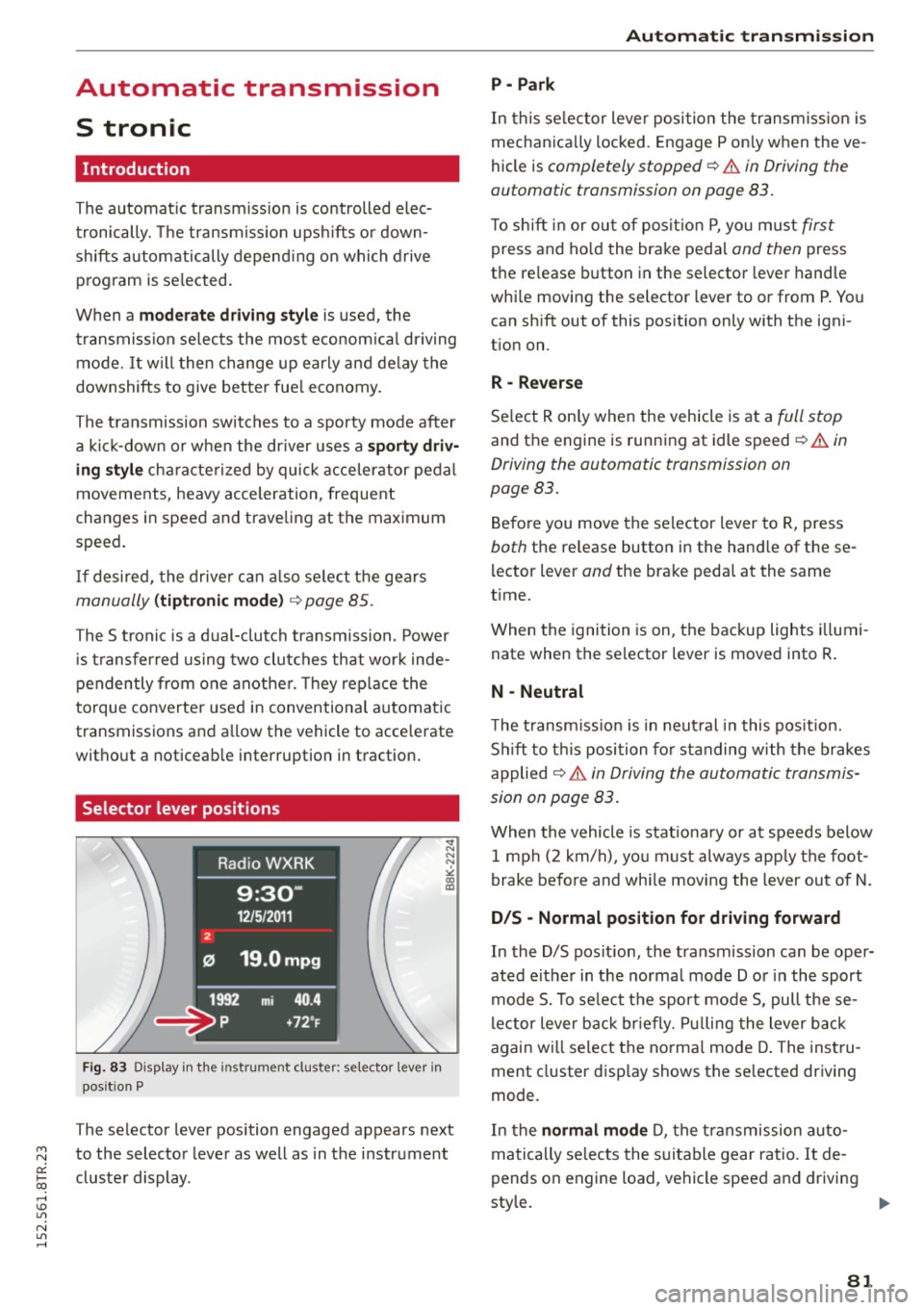
Selector lever positions
Fig. 83 Display in the instru ment cluster: selector lever in
pos it ion P
The selector lever position engaged appears next
to the selector lever as well as in the instrument
cluster display .
Automatic transmission
P - Park
In this selector lever position the transmission is
mechanically locked. Engage P only when the ve
hicle is
completely stopped¢.& in Driving the
automatic transmission on page 83.
To shift in or out of position P, you must first
press and hold the brake pedal and then press
the release button in the selector lever handle
while moving the selector lever to or from P. You
can shift out of this position only with the igni
tion on.
R- Reverse
Select R only when the vehicle is at a full stop
and the engine is running at idle speed¢.& in
Driving the automatic transmission on
page 83.
Before you move the selector lever to R, press
both the release button in the hand le of the se
lector lever
and the brake pedal at the same
time .
When the ignition is on, the backup lights illumi
nate when the selector lever is moved into R.
N - Neutral
The transmission is in neutral in this position.
Shift to this position for standing with the brakes
applied
~ .& in Driving the automatic transmis
sion on page 83.
When the vehicle is stationary or at speeds below
1 mph (2 km/h), you must always apply the foot
brake before and while moving the lever out of N.
D/S - Normal position for driving forward
In the D/S position, the transmission can be oper
ated either in the normal mode Dor in the sport
mode S. To select the sport mode S, pull these
lector lever back briefly. Pulling the lever back
again will select the normal mode D. The instru
ment cluster display shows the selected driving
mode.
In the
normal mode D, the transmission auto
matically selects the suitable gear ratio. It de
pends on engine load , vehicle speed and driving
style.
11o-
81
Page 84 of 254
Automati c tra nsmi ssio n
Select the spo rt m ode S for sporty driving. The
vehicle makes full use of the engine's power.
Shift ing may become not iceable when accelerat
ing.
When the vehicle is stationary or at speeds below 1 mph (2 km/h), you must always apply the foot
brake before and while moving the lever to D/S
out of N.
_&. WARNING
Read and follow all WARNINGS¢.& in Driv
ing the automatic transmission on
page 83 .
(D Note
Coasting downh ill with the transmission in N
and the engine not running will result in dam
age to the automatic transmission and possi
bly the catalytic converter .
(D) Tips
-On vehicles with drive select*, you can ad
just the sporty shift characteristics in the
Dy namic driv ing mode.Swi ll appear in the
i nstrument cluster display instead of D .
- If you accidentally select N while driving, take your foot off the accelerator pedal im
mediately and wait for the engine to slow
down to idle before selecting D/S.
- If there is a power failure, the se lector lever
will not move out of the P pos it ion. The
emergency release can be used if this hap
pens¢page 87.
82
.
Automatic Shift Lock (ASL)
The Automatic Shift Lock safeguards you against
accidentally shifting into a forward or the re
verse gear and causing the vehicle to move unin
tentionally.
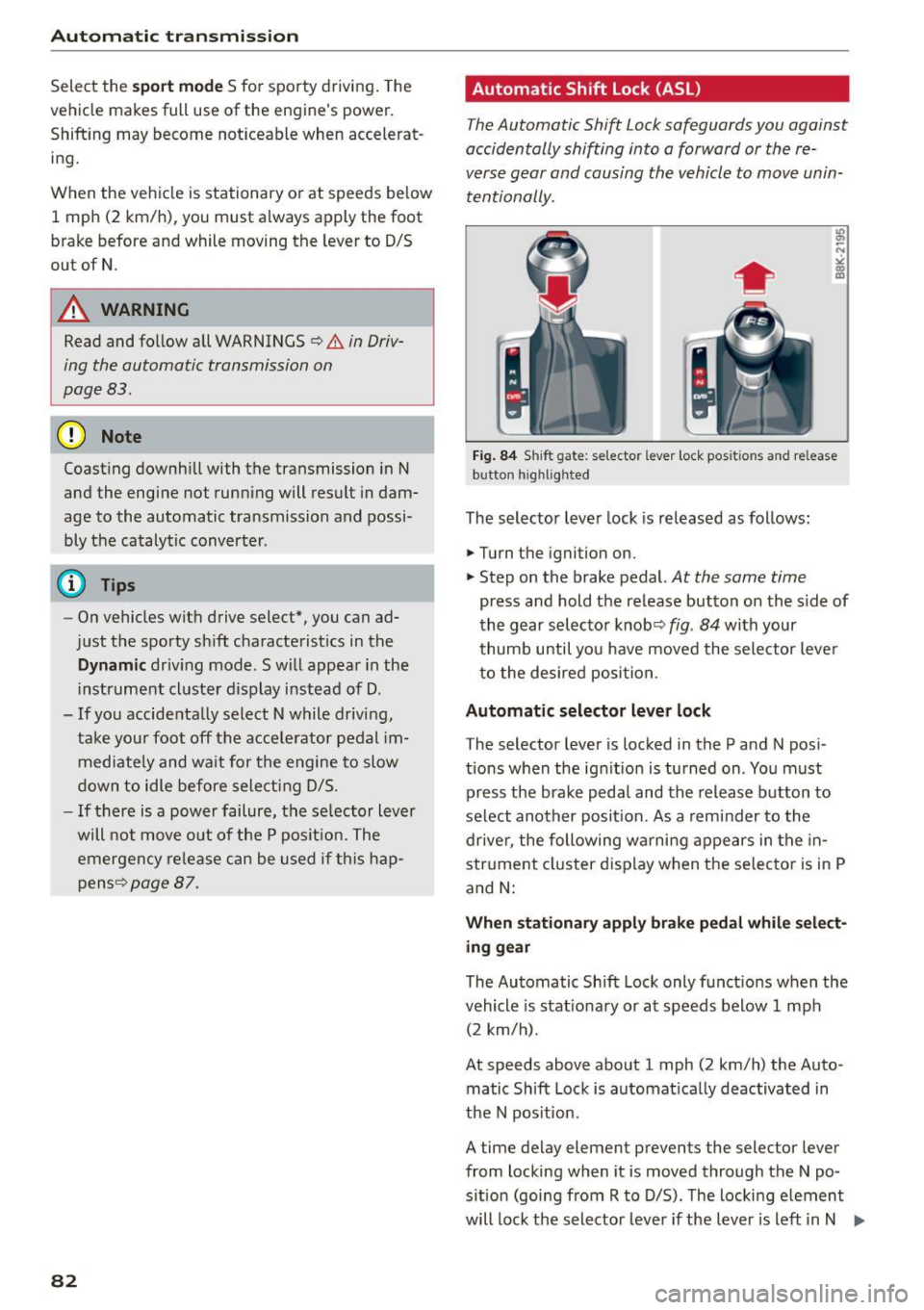
Fig . 84 Sh ift gate : se lecto r lever lock pos itio ns and re lease
button h ig h lighted
The selector lever lock is released as fol lows:
.,. Turn the ignition on .
.,. Step on the brake pedal.
At the same time
press and hold the release button on the s ide of
the gear selector knobq
fig. 84 with your
thumb until you have moved the sele ctor lever
to the desired position.
Automatic selector leve r loc k
The selector lever is locked in the P and N pos i
tions when the ignit ion is turned on . You must
press the brake peda l and the release button to
select another posit ion. As a reminder to the
drive r, the following warni ng appears in the in
str ument cluster display when the se lector is in P
and
N:
When sta ti onar y appl y brak e peda l wh ile select
ing g ear
The Automatic Shift Lock only funct ions when the
vehicle is stat iona ry or at speeds below 1 mph
(2 km/h).
At speeds above about 1 mph (2 km/h) the Auto
matic Shift Lock is automat ica lly deactivated in
the N pos ition.
A time delay element prevents the selector lever
from locking when it is moved through the N po
s ition (going from R to D/S) . The locking e lement
will lock the selector leve r if the lever is left in N .,..
Page 85 of 254
"' N
0:: loo
rl I.O
"'
(Neutral) for more than approximately 2 seconds,
without the brake pedal being pressed.
Release button
The release button on the selector lever prevents
the lever from being accidentally shifted into cer
tain positions. Depending on the direction of the
shift, the selector lever locks at different posi
tions . The positions are highlighted in the i llus
tration ¢
fig. 84.
Ignition key safety interlock
The key cannot be removed from the ignition un
l ess the selecto r lever is in the P park position .
When the ignition key is removed, the selector
lever will be locked in the P position.
Driving the automatic transmission
M N 0 0 .,:.
gi
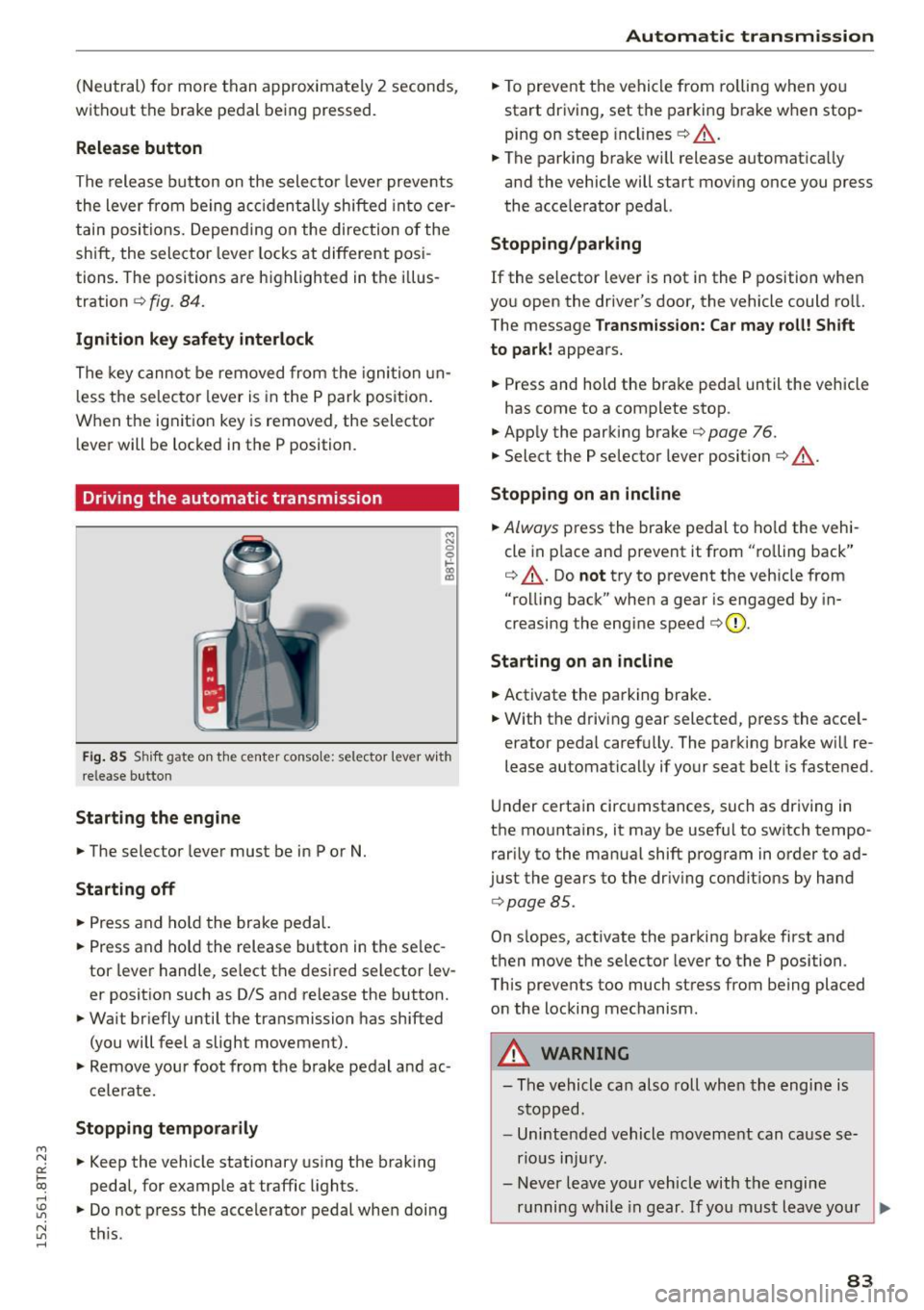
Fig. 85 Shift gate on the center conso le: selector lever with
release butto n
Starting the engine
.,. The selector lever must be in P or N.
Starting off
.,. Press and hold the brake pedal.
.,. Press and ho ld the release button in the se lec
tor lever handle, select the desired selector lev
er position such as D/S and release the button.
.,. Wait briefly until the transmission has shifted
(you will feel a slight movement).
.,. Remove your foot from the brake pedal and ac
celerate.
Stopping temporarily
.,. Keep the vehicle stationary using the braking
pedal, for example at traffic lights.
.,. Do not press the accele rator pedal when doing
~ t hi s. rl
Automatic transmission
.,. To prevent the vehicle from rolling when you
start driving, set the parking brake when stop
ping on steep inclines¢ &_.
.,. The parking brake wi ll release automatica lly
and the vehicle will start moving once you press
the acce lerator pedal.
Stopping /parking
If the selector lever is not in the P position when
you open the driver's door, the vehicle could ro ll.
The message
Transmission: Car may roll! Shift
to park!
appears.
.,. Press and hold the brake peda l until the vehicle
has come to a complete stop.
.. App ly the parking brake¢
page 76.
.,. Select the P selector lever posit ion ¢ &_ .
Stopping on an incline
.,. Always press the brake pedal to hold the vehi
cle in p lace and prevent it from "ro lling back"
¢ &_ . Do
not try to prevent the veh icle from
"rolling back" when a gear is engaged by in
creasing the engine speed ¢(D .
Starting on an incline
.,. Activate the parking brake .
.,. With the driving gear selected, press the acce l
erator pedal carefu lly. The parking brake will re
lease automatically if your seat belt is fastened.
Und er certain circumstances, such as driving in
the mountains, it may be useful to switch tempo rarily to the manual shift program in order to ad
just the gears to the driving conditions by hand
¢page 85 .
On s lopes, activate the parking brake first and
then move the selector lever to the P position.
This prevents too much stress from being placed on the locking mechanism .
_& WARNING
-
-The vehicle can also roll when the engine is
stopped.
- Unintended vehicle movement can cause se
rious injury.
- Never leave your vehicle with the engine
running while in gear. If you must leave your
~
83
Page 86 of 254
Automatic transmission
vehicle when the engine is running, activate
the parking brake and move the selector lev
er to P.
- Power is still transmitted to the wheels
when the engine is running at idle. To pre
vent the vehicle from "creeping", you must
keep your foot on the brake when the engine
is running and the selector lever is in D/S or
R or "tiptronic" mode is selected.
- Do not press the accelerator pedal when
changing the selector lever position while
the vehicle is stationary and the engine is
running.
- Never shift into R or P while driving.
- Before driving down a steep slope, reduce
your speed and shift into a lower gear with
"tiptronic".
- Do not ride the brakes or press the brake
pedal too often or too long when driving
down a hill. Constant braking causes the
brakes to overheat and substantially re
duces braking performance, increases brak
ing distance or causes complete failure of
the brake system.
- To prevent the vehicle from rolling back
when stopping on inclines, always hold it in
place with the brake pedal or parking brake.
- Never hold the vehicle on an incline with a
slipping clutch. The clutch opens automati
cally when it becomes too hot from the
overload. An indicator lamp
5] illuminates
and a driver message appears¢
page 86
when the clutch is overloaded.
- If the engine must remain running, never
have any driving position engaged when
checking under the hood. Make sure these
lector lever has securely engaged and is
locked in P with the parking brake set
¢page 187. Otherwise, any increase in en
gine speed may set the vehicle in motion,
even with the parking brake applied.
(D Note
-When stopping on an incline, do not try to
hold the vehicle in place by pressing the ac
celerator pedal while a driving gear is se
lected. This can cause the transmission to
overheat and can damage it. Activate the
84
parking brake or press the brake pedal to
prevent the vehicle from rolling.
- Allowing the vehicle to roll when the engine
is stopped and the selector lever is in N will
damage the transmission because it is not
lubricated under those circumstances .
(D Tips
For safety reasons, the parking brake is re
leased automatically only when the driver's
safety belt is engaged in the buckle .
Hill descent control
The hill descent control system assists the driver
when driving down declines.
Hill descent control is activated when the selec
tor lever is in D/S and you press the brake pedal.
The transmission automatically selects a gear
that is suitable for the incline. Hill descent con
trol tries to maintain the speed achieved at the
time of braking, within physical and technical
limitation s.
It may still be necessary to adjust the
speed with the brakes .
Hill descent control switches off once the decline
level s out or you press the accelerator pedal.
On vehicles with the cruise control system*
¢
page 78, hill descent control is also activated
when the speed is set.
A WARNING
Hill descent control cannot overcome physical
limitations, so it may not be able to maintain
a constant speed under all conditions. Always
be ready to apply the brakes.
Page 87 of 254

"' N
0:: loo
rl I.O
"' N
"' rl
Manual shift program
Using the manual shift program you can man
ually select gears.
Fig. 86 Center conso le: shift in g th e gea rs manually
Fig. 87 S teerin g wh eel: shift paddl es
Gear selection with selector lever
The tiptronic mode can be selected either with
the vehicle stationary or on the move.
• Push the selector lever to the right from D/S.
An M appears in the instrumen t cluste r display
as soon as the transm ission has shifted.
• To upshift, push the selector lever forward to
the plus position
0 c::> fig. 86.
• To downshift, push the lever to the minus posi-
tion
0 .
Gear selection with shift paddles*
The shift padd les are activated when the selector
lever is in D/S or the tiptronic manual shift pro
gram.
• To upshift , touch the shift paddle on the right
(vc::>fig. 87.
• To downshift, touch the shift paddle on the left
0 -
• If you do not press a shift paddle within a short
time while in the D/S position, the transmission
will return to automatic mode . To keep shifting
Automatic transmission
using the shift padd les, move the selector lever
to the right out of the D/S position.
When accelerating, the transmission does
not
automatically shift to the next gear shortly be
fore the maximum permitted engine RPM is
reached .
If you have selected a lower gear than the current
one, the automatic transmission will shift down
only when the engine wi ll not be over-revved.
With kick-down , the transmission shifts into a
lower gear depending on speed and engine RPM.
@ Tips
Tiptronic is inoperative when the transmission
is in the fail-safe mode.
Kick-down
Kick-down enables maximum acceleration .
When you depress the accelerator peda l beyond
the resistance point, the automatic transmission downsh ifts into a lower gear, depending on vehi
cle speed and engine speed. The upshift into the
next higher gear takes place once the maximum
specified eng ine speed is reached .
& WARNING
Please note that the wheels can spin if kick
down is used on a smooth slippery road -
there is a risk of skidding .
Launch Control Program
The Launch Control Program provides the best
acceleration possible when starting from a stop.
Requirement: The engine must be at ope rat ing
temperature and the steering wheel must not be
turned .
• Press the
I.$ OFF ! button c::> page 170 while the
eng ine is running. The
II indicator l ight illumi
nates in the instr ument cluster and
Stabiliza
tion control (ESC): Sport. Warning! Restricted
stability
appears in the driver information sys -
tem display.
IJJ,,
85
Page 103 of 254
Audi drive select Driving settings
Introduction
App lies to vehicles: with Audi drive select
Drive select provides the possibi lity to experience
d ifferent types of vehicle settings in one vehicle.
F or instance, using the three
Comfort, Auto and
Dynamic modes, the driver can switch from a
sporty to a comfortable driving mode with the
press of a button.
Addit ionally, in vehicles with
MM I*, the vehicle
setup for
Individual* mode can be customized by
you. This makes it possib le to combine settings
such as a sporty engine tuning with comfortab le
steering .
A WARNING
-
Improper use of the Audi drive select can
cause collisions, other acc idents and serious
personal injury.
Description
App lies to vehicles: with Audi drive select
The vehicle setup in each mode depends on the
veh icle's featu res . However, the engine, automat
ic transmission and steering are always involved.
Engine and automatic transmission
Depending on the mode, the engine and the au
tomatic transmission respond quicker or in a
more balanced manner to accelerator pedal
movements. In the sporty dynamic mode, the au
tomatic transmission shifts at higher RPMs . Th e
engine sound is adjusted by opening or clos ing
the exhaust doors for the respective mode.
Steering
The steering adapts in te rms of steering effort
and steering ratios . Indirect steering that moves
eas ily, like the steering in comfort mode, is best
suited to long drives on a highway. In contrast,
~ dynamic mode provides sporty, direct steering.
0::
~ The follow ing applies to vehicles with dynamic ,....,
~ steering*: the steering ratio changes based on ve-
~ hicle speed in order to maintain optimum steer -,....,
Audi drive select
ing effort for the driver at all times. This sets the
steering to be less sensitive at higher speeds in
order to provide improved vehicle control. At re
duced speeds, however, steering is more direct in
order to keep the steering effort as minimal as
possible when the driver is maneuvering the vehi
cle. At low and average speeds, dynamic steer ing
additionally provides more responsive steering
performan ce.
Sport differential*
As a component of the all wheel drive system
(quattro)
<=> page 174, the sport differential* dis
tributes the driving power to the rear axle de
pend ing on the s ituation . The distribution of
power varies depending on the mode selected.
T he goal is a high level of agility and ability to ac
ce lerate on curves. The vehicle is very responsive
to steering .
Audi adaptive cruise control*
The behav ior when accelerating can be adjusted
from comfortable to sporty, depending on the
drive select mode. Adaptive cruise control also
responds to the driving behavior of the vehicle
ahead in a more conservative or sporty manner.
Engine sound*
T he sound of the eng ine is adapted to the select
ed mode and ranges from subtle to sporty.
(D Tips
-In some models, the maximum vehicle
speed can only be reached in the
Auto and
Dynamic modes.
- Selecting the
Dynamic mode results in spor
ty shifting characteristics. The S gear posi
tion engages automatically.
- In vehicles that have dynamic steering*, op
erating noise is heard when starting or stop
ping the engine. This does not indicate a
problem .
101
Page 170 of 254
Smart Technology
Smart Technology Notice about data
recorded by the Event
Data Recorder and
vehicle control modules
Event Data Recorder
This vehicle is equipped with an Event Data Re
corder (EDR) . The main purpose of an EDR is to
record, in certain crash or near crash-like situa
tions, such as an airbag deployment or hitting a
road obstacle, data that will assist in understand
ing how a vehicle 's systems performed . The EDR
is designed to record data related to vehicle dy
namics and safety systems for a short period of
time, typically 30 seconds or less . The EDR in this
veh icle is designed to record such data as:
- How various systems in your vehicle were oper
at ing;
- Whe ther or not the driver and passenger safety
belts were buckled/fastened;
- How far (if at all) the driver was depressing the
accelerator and/or brake pedal; and,
- How fast the vehicle was traveling.
These data can help provide a better understand
ing of the circumstances in which crashes and in
juries occur. NOT E: EDR data are recorded by your
vehicle only if a non-trivial crash situation occurs;
no data are recorded by the EDR under normal
driving conditions and no personal data (e.g .,
name, gender , age, and crash location) are re
corded. However, other part ies, such as law en
forcement, could combine the EDR data with the
type of personally identify ing data routinely ac
qui red during a crash investigation.
To read data recorded by an EDR, special equip
ment is requ ired, and access to the vehicle or the
E DR is needed. In addition to the vehicle manu
facturer, other parties, such as law enforcement,
that have the specia l equipment , can read the in
formation if they have access to the vehicle or the E DR.
Some state laws restrict the retrieval or down
loading of data stored by EDRs installed in a vehi
cle for the express purpose of retrieving data af-
168
ter an accident or crash event without the own
er's consent.
Audi will not access the EDR and/or similar data
o r g ive it to others -
- unless the veh icle owner (or lessee if the veh i
cle has been leased) agrees; or
- upon the official request by the police; or
- upon the order of a court of law or a govern-
ment agency; or
- for the defense of a lawsuit through the judicial
discovery process .
- Audi may also use the data for research about
veh icle operation and safety performance or
provide the data to a third party for research
purposes without identifying the spec ific vehi
cle or information about the ident ity of its own
er or lessee and only after the recorded vehicle
data has been accessed.
Vehicle control modules
Your vehicle is also equipped with a number of
electronic control modules for var ious vehicle
systems, such as engine management, emission
control, airbags, and safety belts .
These electronic control modules record data dur ing norma l vehicle operation that may be
needed by trained technicians for diagnostic and
repair purposes. The recording capabil ity of these
modules is lim ited to data (no sound is recorded).
Only a small amount of data is actua lly recorded
over a very limited period of time, or stored when
a system fau lt is detected by a contro l modu le.
Some of the data stored may relate to vehicle
speed, direction, or braking, as well as restraint
system use and performance in the event of a crash. Stored data can also only be read and
down loaded w ith specia l equipment that is di
rectly connected to the vehicle.
(D Tips
Your vehicle may be equipped with Audi con
nect . Your use of certain Audi connect fea
tures requires wireless serv ices that are p ro
v ided by a third party wireless telecommuni
cations provider . For details regarding how in
formation obtained through Audi connect is
collected, processed, transmitted, used, and ..,..
Page 171 of 254

M N
0:: loo ,...., \!) 1.1"1
N 1.1"1 ,....,
shared, please see your contract with the
wireless telecommunications provider and the
"About Aud i connect" tab in your vehicle's
MMI*:
IMENU I button> Audi connect > About
Audi connect .
Electronic Stabilization
Control (ESC)
Description
ESC helps to improve road holding and vehicle
dynamics to help reduce the probability of skid
ding and loss of vehicle control. It works only
when the engine is running. ESC detects certain
d ifficu lt driving situations, including when the ve
hicle is beginn ing to spin (yaw) out of control and
helps you to get the vehicle back under control by
selectively braking the whee ls, and/or reducing
engine power and prov iding steer ing ass istance
to help hold the vehicle on the driver's intended
course. The indicator light
Bl in the instrument
cluster blinks when ESC is taking action to help
you control the veh icle.
ESC has limitations.
It is important to remember
that ESC cannot overcome the laws of physics. It
will not always be able to help out under all con
ditions you may come up against. For example, ESC may not always be able to help you master
situations where there is a sudden change in the
coefficient of frict ion of the road surface . Whe n
there is a section of dry road that is suddenly cov
ered with water, slush or snow, ESC cannot per
form the same way it wou ld on the dry surface. If
the vehicle hydroplanes (rides on a cushion of wa
ter instead of the road surface), ESC will not be
ab le to he lp you steer the vehicle because contact
with the pavement has been interrupted and the
vehicle cannot be braked or steered . During fast
cornering, particularly on winding roads, ESC
cannot always deal as effectively with difficult
driving situations than at lower speeds. Whe n
tow ing a trailer, ESC is not able to help you regain
con trol as it wou ld if you were no t towing a trail
er .
A lways adjust your speed and dr iving sty le to
road, traffic and weather conditions. ESC cannot
override the vehicle's physical limits, increase the
Smart Technology
available traction, or keep a vehicle on the road i f
road departure is a result of driver inattention.
Instead, ESC improves the possibility of keeping
the vehicle under control and on the road dur ing
extreme maneuvers by using the driver's steering
inputs to help keep the vehicle go ing in the in
tended direction. If you are traveling at a speed
that causes you to run off the road before ESC
can prov ide any assistance, you may not expe ri
ence the benefits of ESC.
ESC is switched on all the time . In certain situa
t ions when you need less traction, you can switch
off ASR by pressing the button
[ru ~ page 170,
fig. 152 or ~page 170, fig . 153. Be sure to
switch ASR on again when you no longer need
less traction.
T he following systems are integrated in the ESC:
Anti-lock braking system (ABS)
ABS prevents the wheels from locking up when braking. The vehicle can still be steered even dur
i ng hard braki ng. Apply steady pressure to the
brake pedal. Do not pump the pedal. A pulsing in
the brake pedal indicates that the system is he lp
ing you to brake the vehicle.
Brake assist system
The brake ass ist system can decrease braking dis
tance . It increases braking power when the driver
presses the brake peda l quickly in emergency sit
u at ions. You must press and hold the brake pedal
until t he situat ion is over. In vehicles with adap
tive cruise control*, the brake assist system is
more sensitive if the distance detected to the ve
hicle ahead is too sma ll.
Anti-slip regulation (ASR)
ASR red uces eng ine power when the drive wheels
begin to spin and adapts the force to the road
conditions. This makes it easier to start, acce le r
ate and drive up hills.
Electronic differential lock (EDL)
T he EDL brakes whee ls that are spinning and
transfers the drive power to the other wheels.
T his function is available up to about 60 mph
(100 km/h).
169
Page 172 of 254
Smart Technology
In extreme cases, EDL automatically switches off
to help keep the brake on the braked wheel from
overheating. EDL will switch on again automati
cally when conditions have returned to normal.
Steering recommendation
The ESC helps to stabilize the vehicle by changing
the steering torque.
I n vehicles with dynamic steering*, ESC also
he lps to stabilize the steering in critical situa
tions .
Selective wheel torque control
Select ive wheel torque control is used when driv
ing on c urves . The front wheel on the inside of
the curve or both whee ls on the inside of the
curve are braked selectively as needed. This al
lows more precise driving in curves . Th e applica
b le system may not activate when driving in wet
or snowy conditions .
A WARNING
- The ESC and its integrated systems cannot
overcome the laws of physics. This is espe
c ially important on slippery or wet roads. If
the systems beg in acting to stabilize your
vehicle, you should immediately change
your speed to match the road and traffic
Switching on/off
conditions . Do not let the increased safety
provided by these systems tempt you to
take risks. Doing so will increase the risk of a
loss of vehicle control, collision and serious
personal injuries.
- Always adapt your speed to road, traffic and
weather conditions. The risk of losing con
trol of the vehicle increases when dr iving
too fast, especially through curves and on
slippery or wet roads, and when driv ing too
close to vehicles up ahead. The ESC and its
integ rated systems cannot always prevent
collisio ns -there is sti ll a risk of accidents!
- Always accelerate with special care on even,
smooth surfaces such as those that are wet
or covered with ice and snow. The drive
wheels can spin even with these assistance
systems that cannot always help to reduce
the risk of loss of vehicle control.
@ Tips
-ABS and ASR only work correctly when all
four wheels are equ ipped w ith identical
t ires. Different tire s izes can lead to a reduc
t ion in engine power.
- You may hear noises when the systems de scribed are working.
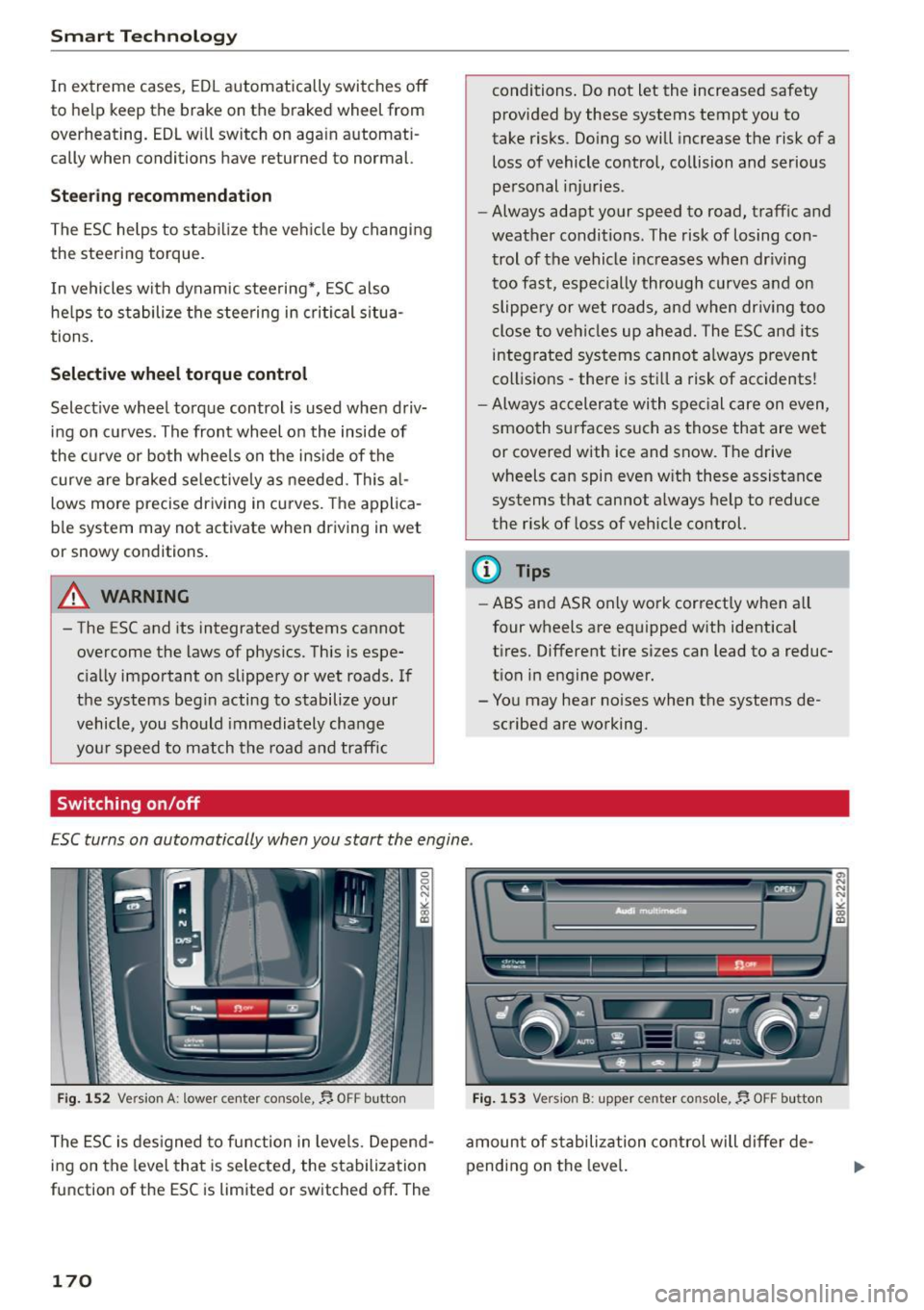
ESC turns on automatically when you start the engine .
Fig. 152 Version A : lower center console,~ OFF button
The ESC is designed to function in levels. Depend
ing on the level that is selected, the stabilization
function of the ESC is limited or switched off. The
170
Fig. 153 Version B: upper center console,~ OFF butto n
amount of sta bilization control will differ de
pending on the level.