warning AUDI RS5 COUPE 2015 Owner's Manual
[x] Cancel search | Manufacturer: AUDI, Model Year: 2015, Model line: RS5 COUPE, Model: AUDI RS5 COUPE 2015Pages: 254, PDF Size: 64.12 MB
Page 32 of 254
Open in g and cl osin g
Opening and closing
Central locking
General description
The power locking system locks or unlocks all
doors and the rear lid simultaneously.
You can lock and unlock the vehicle centrally. You have the following choices:
- Remote master key
r:!> page 33,
-Door handles with convenience key*
r:!> page 3 3,
-Lock cylinder at the dr iver's door q page 35,
or
- Power locking switch inside
q page 34.
Autom atic locking
The automatic locking feature locks all the vehi
cle doors and the rear lid when you drive faster
than 9 mph (15 km/h) .
The car is unlocked again once the ignition key is removed . In addition, the vehicle can be unlocked
if the opening function in the power locking sys
tem sw itch or at one of the door levers is actuat
ed. The Auto Lock function can be turned on and
off in the rad io or MMI*
q page 35.
Addit ionally, in the event of a crash with a irbag
deployment the doors are automatically un locked to allow access to the vehicle .
Selective unlo cking
When you lock the vehicle, the power locking sys
tem w ill lock the doors and the rear lid. When un
lock ing, you can set in the radio or MMI* whether
only the d river 's door or t he entire veh icle should
be unlocked
q page 35.
Ant i-th eft ala rm warn ing sys tem
If the anti-theft alarm warning system detects a
break-in into the vehicle, acoust ic and visual
warn ing s ignals are tr iggered.
The anti-theft warning system is activated auto mat ically when you lock the vehicle. It is deact i
vated when unlocking using the remote key, w ith
the mechanical key, and when you switch on the ignit ion.
3 0
The alarm also tu rns off when the alarm cycle has
expired.
Turn signals
When you u nlock the veh icle, the turn signals
flash twice, when you lock it once. If they do not
flash , one of the doors, the luggage compart
ment lid or the hood is not locked or the ignition
is still switched on.
Unint entionall y lo cking yourself out
In the follow ing cases there safegua rds to pre
vent you locking your remote master key in the
vehicle:
- T he veh icle does not lock w ith the power lock
ing sw itch
q page 34 if the driver 's door is
open.
- On veh icles with convenience key*, if the most
recently used master key is in the luggage com
partment, the rear lid is automatically unlocked
again after it is closed .
Do not lock your veh icle w ith the remote master
key or convenience key* unt il all doors and the
rear lid are closed. In this way you avoid locking
yourself out acc identally.
A WARNING
- When you leave the vehicle, always remove
the ignition key and take it with you. This
w ill prevent passengers (children, for exam
ple) from accidentally being locked in the
vehicle should they accidentally press the
power locking sw itch in the front doors .
- Do not leave ch ildren inside the vehicle un
supervised . In an emergency it would be im
possible to open the doors from the outs ide
w it h out the key.
(D Tips
- In the event of a crash with airbag deploy
ment all locked doors w ill be automatically
unlocked to give access to the veh icle occu
pants from the outside.
- If the power locking system should mal
function, you can lock the driver's door us ing the mechanica l key
q page 35.
Page 33 of 254
"' N
0:: loo
rl I.O
"' N
"' rl
-If the power lock ing system should fail, you
can still open the fuel tank flap in an emer
gency
c::> page 186 .
-You are well advised not to keep valuables
inside an unattended vehicle, v isible or not.
Even a properly locked vehicle cannot pro
vide the secur ity of a safe.
- If the LED in the upper edge of the driver's
door panel comes on for about 30 seconds
after the vehicle is locked, there is a mal
funct io n in the power locking or the anti
theft warning system. Have the malfunction
corrected by an authorized Audi dealersh ip
or qualified repa ir fa cility.
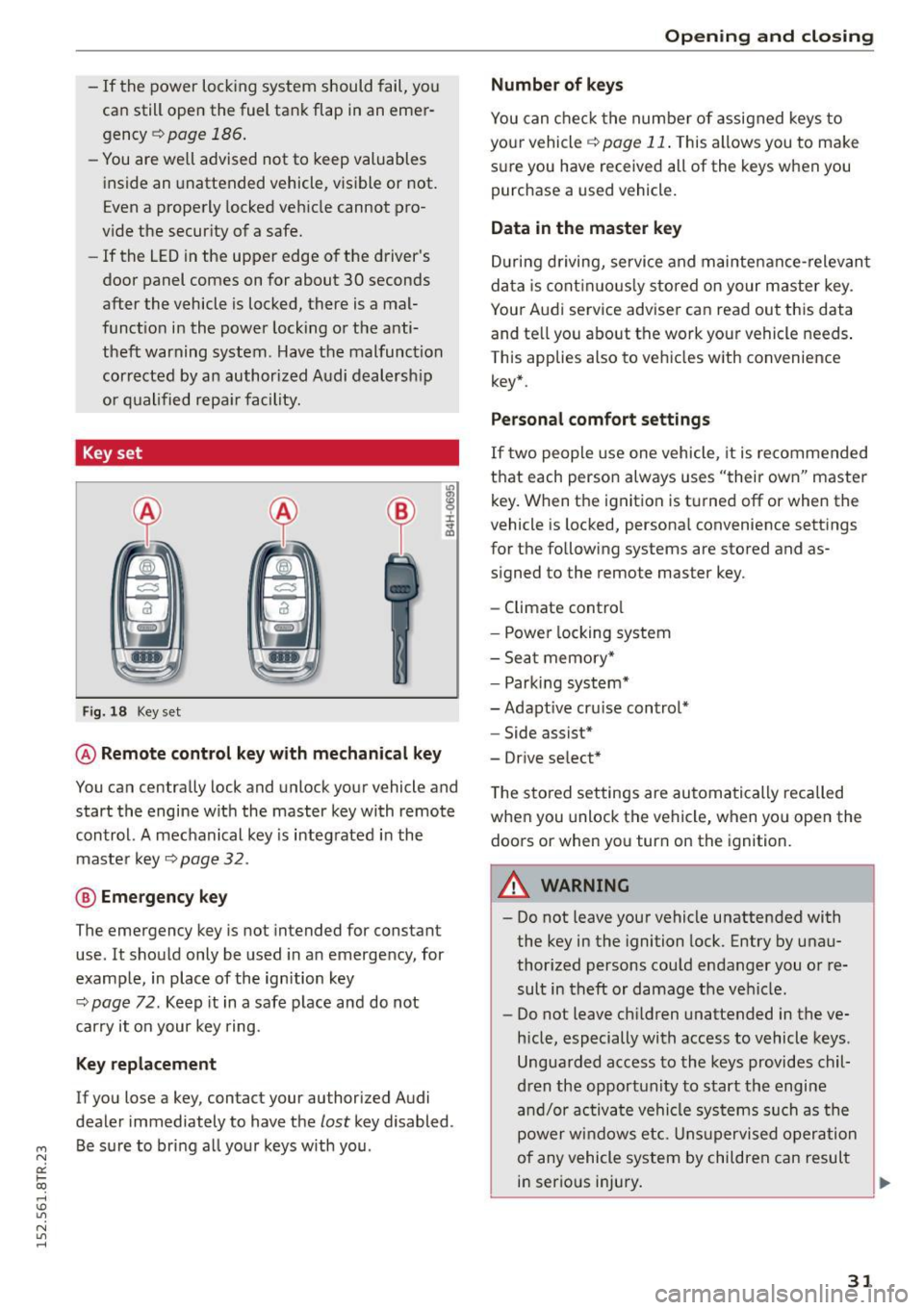
Key set
Fig. 18 Key set
@ Remote cont rol key w ith mechanical key
You can centrally lock and unlock your vehicle and
start the engine wit h the master key with remote
control. A mec hanical key is integ rated in the
master key
c::>page 32 .
@ Emergency key
The emergency key is not intended for constant
use. It should only be used in an emergency, for
example, in place of the ign ition key
c::> page 72. Keep it in a safe place and do not
carry it o n your key ring.
Key replacement
If you lose a key, contact your authorized Audi
dealer immediately to have the
lost key disabled .
Be sure to bring a ll yo ur keys with you .
Opening and clo sing
Number of keys
You can che ck the number of assigned keys to
yo ur vehicle
c::> page 11 . This allows you to make
s ur e you have received all of the keys when you
purchase a used vehicle.
Data in the mast er key
D uring d riving, service and maintenance- relevan t
da ta is cont in uo usly stored on your master key .
Your Aud i service advise r can read out this data
and te ll you about the work your vehicle needs .
This applies also to vehicles w ith convenience
key*.
Personal comfort settings
If t wo people use one vehicle, it is recommended
that each person always uses "their own" master key. When the ignition is t urned
off or when the
vehicle is locked , persona l convenience settings
for the fo llowing systems are stored and as
s igned to the remote master key.
- Climate contro l
- Powe r locking system
- Sea t memory*
- Park ing syst em*
-Adapt ive cru ise control*
- Side assist*
- Dr ive se lect*
T he sto red settings are automa tically recalled
when you unlock the vehicle, when yo u open the
doors or when you turn on the ignition.
A WARNING
- Do not leave your vehicle unattended with
the key in the ignition lock. Entry by unau
thor ized persons could endanger you or re
sult in theft or damage the veh icle.
- Do not leave ch ildren unattended in the ve
h icle, especially with access to vehicle keys .
Ungua rded access to the keys provides chil
d ren the opportunity to start the engine
a nd /or ac tivate vehicle sys tems su ch as the
power wi ndows etc. Uns upervised oper ation
of any vehicle system by chil dren can result
in serious injury.
-
31
Page 35 of 254
"' N
0:: loo
rl I.O
"' N
"' rl
Emergency unlocking of the ignition key
In the event of malfunctions in the electrical sys
tem, it may happen that you cannot remove the
ignition key.
.,. Remove the mechanical key ,=;,page 32.
.,. Lock the veh icle using the mechan ical key
,=;, page 35 .
.,. Have the electrical system inspected by an au
t h o rized Aud i dea lership.
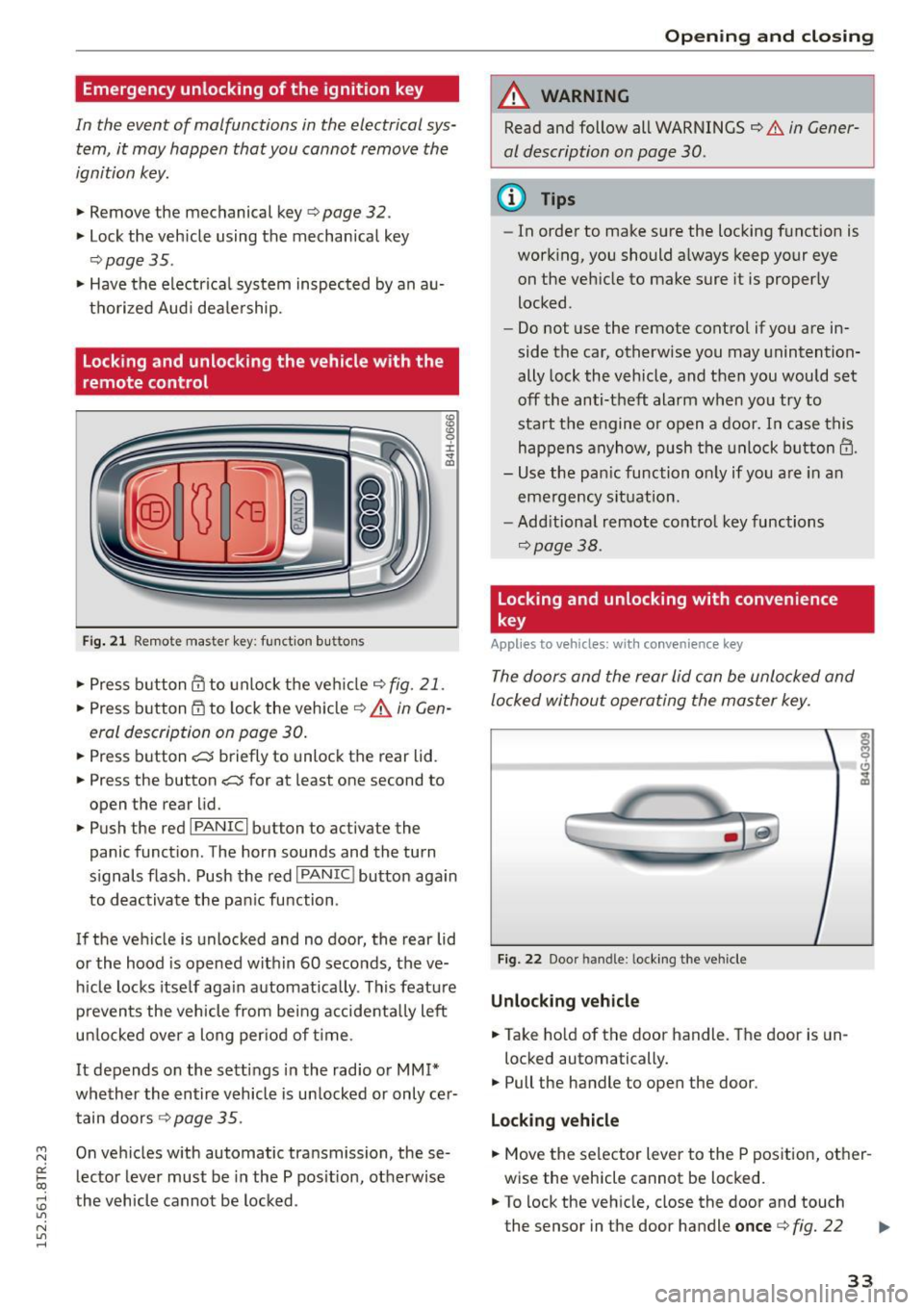
Locking and unlocking the vehicle with the
remote control
Fig . 2 1 Remote master key: funct ion butto ns
:g ID 0 :i: .,. a,
.,. Press button@ to unlock the veh icle c;, fig. 21 .
.,. Press button @to lock the veh icle c;, A in Gen
eral description on page 30 .
.,. Press button e:5 briefly to unlock the rear lid .
.,. Press the button
e:5 for at least one second to
open the rear lid .
.,. Push the red
I PANIC I button to activate the
panic funct ion . The horn sounds and the turn
s ignals flash . Push the red
I PANIC ! button aga in
to deactivate the pan ic function .
If the vehicle is unlocked and no door, the rear lid
or the hood is opened w ithin 60 seconds, the ve
h icle locks itself aga in automatically . This feature
p reven ts the vehicle from be ing accidenta lly left
un locked over a long per iod of time.
It depends on the setti ngs in the radio o r
MM!*
whether the entire vehicle is un locked or only ce r
tain doors
c;, page 35 .
On ve hicles w ith automatic transmission, these
lecto r lever must be in the P pos it ion, otherwise
the vehicl e cannot be locked .
Opening and clo sing
A WARNING
-Read and follow all WARNINGS c;, .&. in Gener-
al description on page 30 .
@ Tips
-In orde r to make sure the locking f unction is
work ing, you should a lways keep your eye
on the vehicle to make sure it is properly
locked.
- Do not use the remote control if you are in
side the car, otherwise you may unintention
ally lock the vehicle, and then you would set
off the anti-theft alarm when you try to
sta rt t he engine o r open a door. In case this
happens anyhow, pu sh th e unlock button@ .
- Use the pan ic function o nly if yo u are in a n
e m erge ncy si tuat ion.
- Add itiona l remote co ntrol key functions
c;, page 38.
Locking and unlocking with convenience
key
Applies to v ehicles: w ith c onve nienc e key
The doors and the rear lid can be unlocked and
locked without operating the master key .
Fig. 22 Door handle : lock ing the vehicle
Unlocking vehicle
.,. Take hold of the door handle . The door is un-
locked automatically.
.,. Pull the handle to open the door .
Locking vehicle
.,. Move the selector lever to the P position, ot her
wise the vehicle cannot be locked.
.,. To lock the veh icle, close the door and touch
the sensor in the door handle
once c> fig. 22
33
Page 36 of 254
Open ing a nd clos ing
¢ .&. in General description on page 30. Do not
reach inside the door handle.
The vehicle can be locked and unlocked at any door. The remote control key cannot be more
than 1.5 m away from the door hand le . It makes
no difference whether the master key is in your
jacket pocket or in your brief case .
I f you grip the door handle while locking, this can
adversely affect the locking function.
It is not possible to re-open the door for a brief
period directly after closi ng it . This allows you to
ensure that the doors are properly locked.
It depends on the sett ings i n the radio or MM !*
whether the entire vehicle is unlocked or one of
the doors ¢
page 35.
A WARNING
Read and follow all WARNINGS ¢.& in Gener
al description on page 30.
(D Tips
I f your vehicle has been stand ing fo r an ex
tended period, please note the fol low ing :
- The proxim ity sensors are deactivated after
a few days to save power. You then have to p ull on the door handle once to unlock the
vehicle and a second time to open t he vehi
cle.
- To prevent the battery from being dis
charged and to preserve your vehicle's abili
ty to start for as long as possible, the ener
gy management system gradually switches
off unnecessary convenience functions.
It is
possib le that you will not be able to unlock
your vehicle using these convenience func
tions .
- For Declaration of Compliance to United
States FCC and Industry Canada regulations
¢ page 239.
34
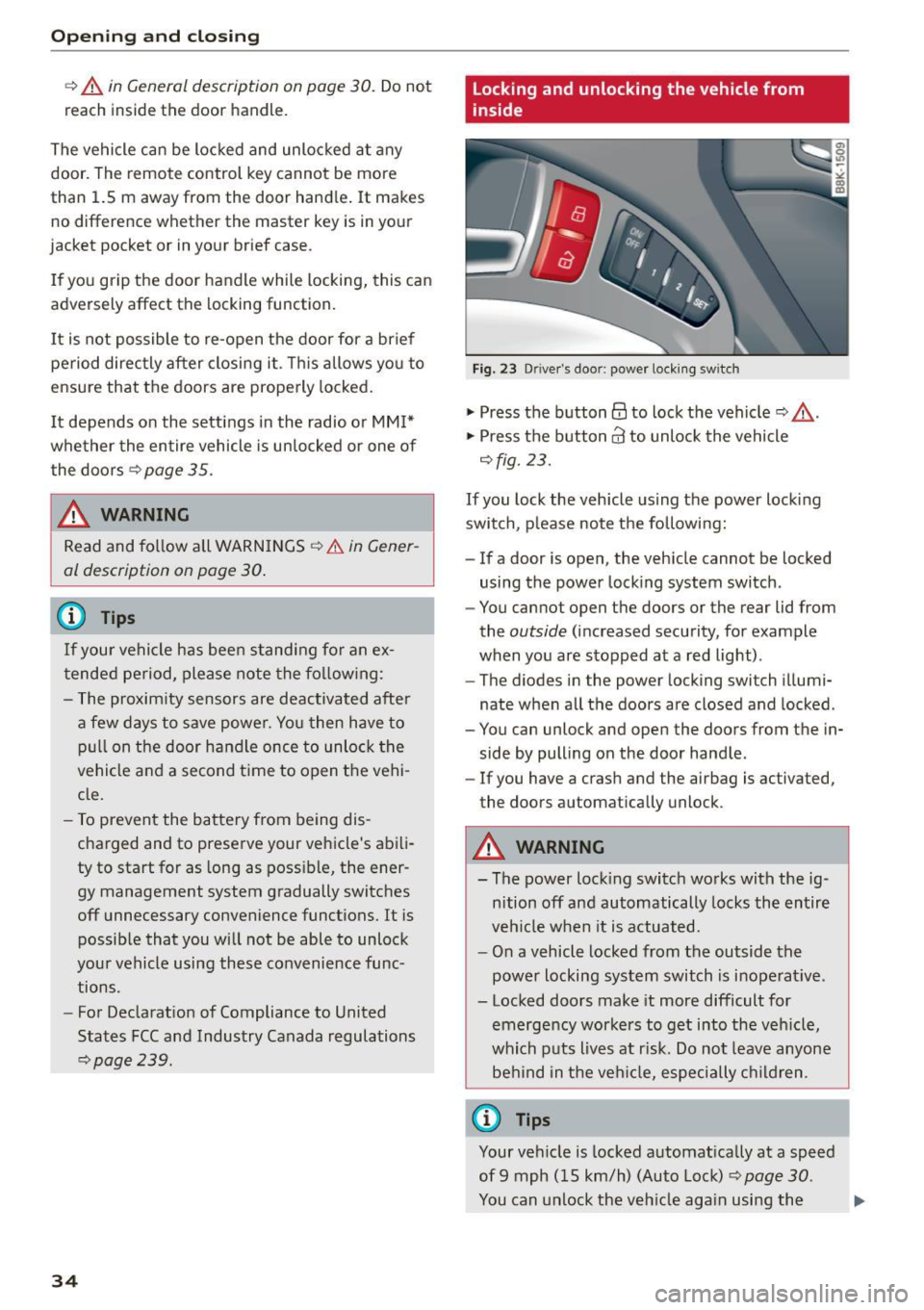
Locking and unlocking the vehicle from
inside
Fig. 23 Driver's doo r: power lock ing sw itch
.,. Press the button@ to lock the vehicle¢_&. .
.,. Press the button@ to unlock the vehicle
¢fig. 23 .
If you lock the veh icle using the power locking
switch , please note the following:
- If a door is open, the veh icle cannot be locked
using the power lock ing system switch.
- You cannot open the doors or the rear lid from
the
outside (increased security, for example
when you are stopped at a red light) .
- The d iodes in the power locking switch illumi
nate when all the doors are closed and locked .
- You can unlock and open the doors from the in
side by pulling on the doo r handle .
-If you have a crash and the airbag is activated,
the doors automatically unlock .
A WARNING
- The power locking switch works with the ig
nition off and automatically locks the entire
vehicle when it is actuated.
- On a vehicle locked from the outside the
power locking system switch is inoperat ive .
- Locked doors make it more difficult for
emergency workers to get into the veh icle,
which puts lives at r isk. Do not leave anyone
be hind in the veh icle, especially children .
('O Tips
Your vehicle is locked automatically at a speed
of 9 mph (15 km/h) (Auto Lock) ¢
page 30.
You can unlock the veh icle aga in using the ..,.
Page 38 of 254
Opening and closing
Once the front passenger's door has been closed,
you cannot open it again from the outside. The
door can be opened from the inside by pulling
the door handle.
A WARNING
Read and follow all WARNINGS¢.& in Gener
al description on page 30.
(D Tips
After the ignition is switched on, the power
locking system switch and the unlocking but
ton for the rear lid~ in the door are ena
bled.
Electronic immobilizer
The immobili zer prevents your vehicle from being
started by unauthorized persons .
Inside the key there is a computer chip . This chip
automatically activates/deactivates the electron ic immobilizer .
Applies to vehicles with ignition lock:
The electronic immobilizer deactivates automati
cally when you insert the remote control key into
the ignition lock.
It activates again automatically
when you remove the remote control key from
the ignition lock.
Applies to vehicles with convenience key:
If the remote control key is located inside the ve
hicle and you press the
! S TAR T ENGINE ST OPI
button, the electronic immobilizer deactivates
automatically . If you swi tch the ignition off and
remove the remote control key from the vehicle,
the electronic immobilizer activates again auto
mat ically.
A WARNING
Always take the key with you when you leave
the vehicle. The key can disarm the electronic
eng ine immobilizer and permit an unauthor
ized person to start the engine and enable op
eration of the vehicle systems such as power
window or power sunroof leading to serious personal injury.
36
@ Tips
- Th e vehicle cannot be started if an unau
thorized key is used. The vehicle may not
start if another radio device such as a key
for another vehicle or a transponder is locat ed on the key ring.
- For Declaration of Compliance to United
States FCC and Industry Canada regulations
¢ page 239 .
Luggage compartment
lid
Opening/closing rear lid
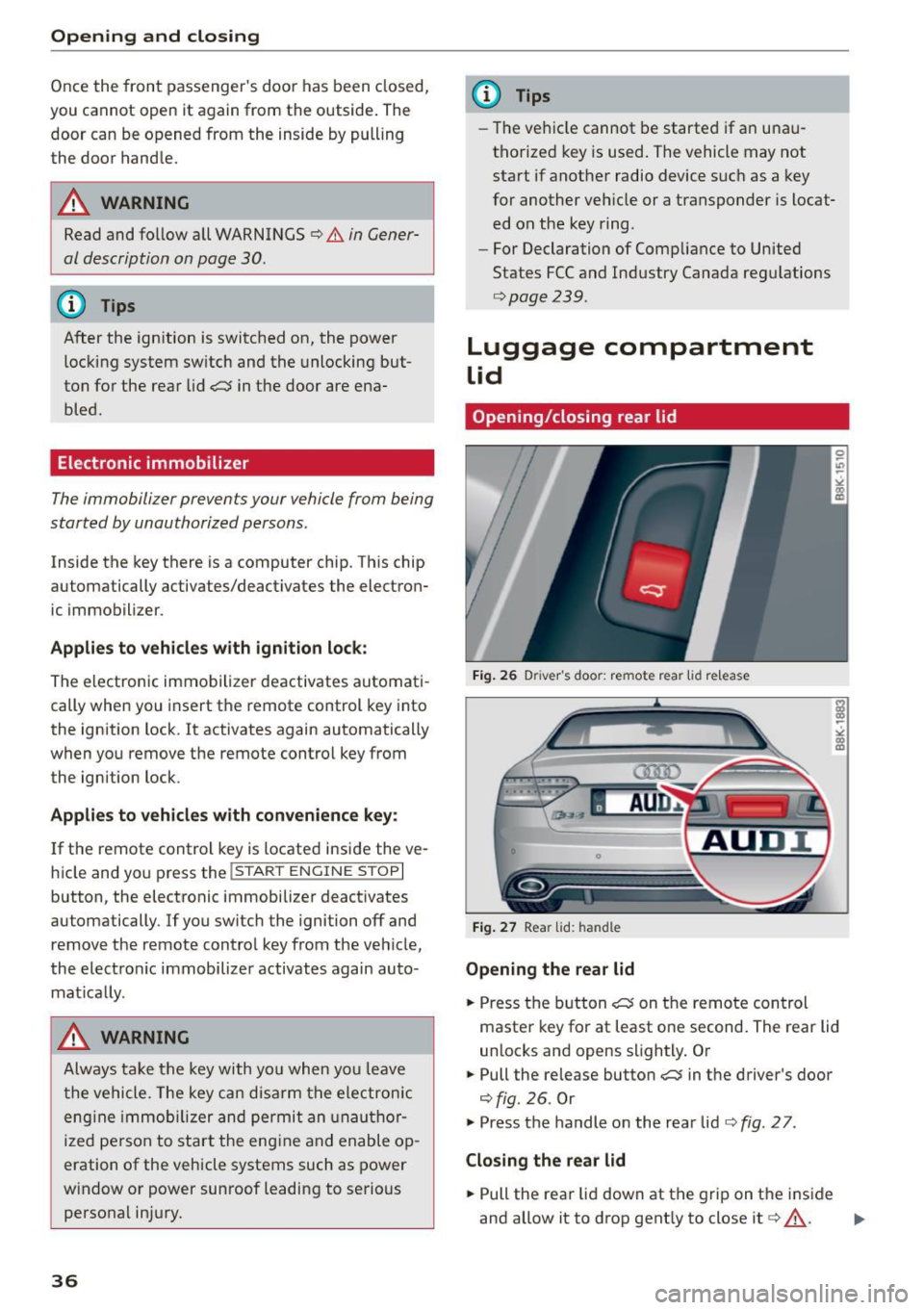
Fig. 26 Driver 's doo r: remote rear lid r elease
Fig. 27 Rear lid: handle
Opening the rear lid
.. Press the button ~ on the remote control
master key for at least one second. The rear lid
unlocks and opens slightly. Or
.. Pull the release button~ in the driver's door
¢fig. 26. Or
.,. Press the handle on the rear lid¢
fig. 27 .
Closing the rear lid
.. Pull the rear lid down at the grip on the inside
and allow it to drop gently to close it¢ .&_ . .,.
Page 39 of 254
"' N
0:: loo
rl I.O
"' N
"' rl
,&_ WARNING
-After closing the rear lid, a lways pull up on
it to make sure that it is properly closed.
Otherwise it could open suddenly when the
vehicle is mov ing .
- To he lp prevent poisonous exhaust gas from
being drawn into the vehicle, a lways keep
the rear lid closed wh ile driving. Never
transport objects larger than those wh ich fit
completely into the luggage a rea, because
then the rear lid cannot be fully closed .
- Never leave your vehicle unattended espe
cially w ith the rear lid left open. A child
cou ld craw l into the car through the luggage
compartment and pull the lid sh ut, becom
ing t rapped a nd unable to get ou t. To red uce
t he risk of personal inj ury, neve r let children
play in or around your vehicle. Always keep
the rear lid as well as the vehicle doors
closed when not in use.
- Always ensure that no one is w it hi n range of
tile rear lid when it is moving , in particular
close to the hinges - fingers or hands can be
pinched.
(D Tips
When the vehicle is locked, the rear lid can be
opened separately by pressing the button
c::5
on the master key. When yo u close the rear lid
aga in , it locks automatica lly .
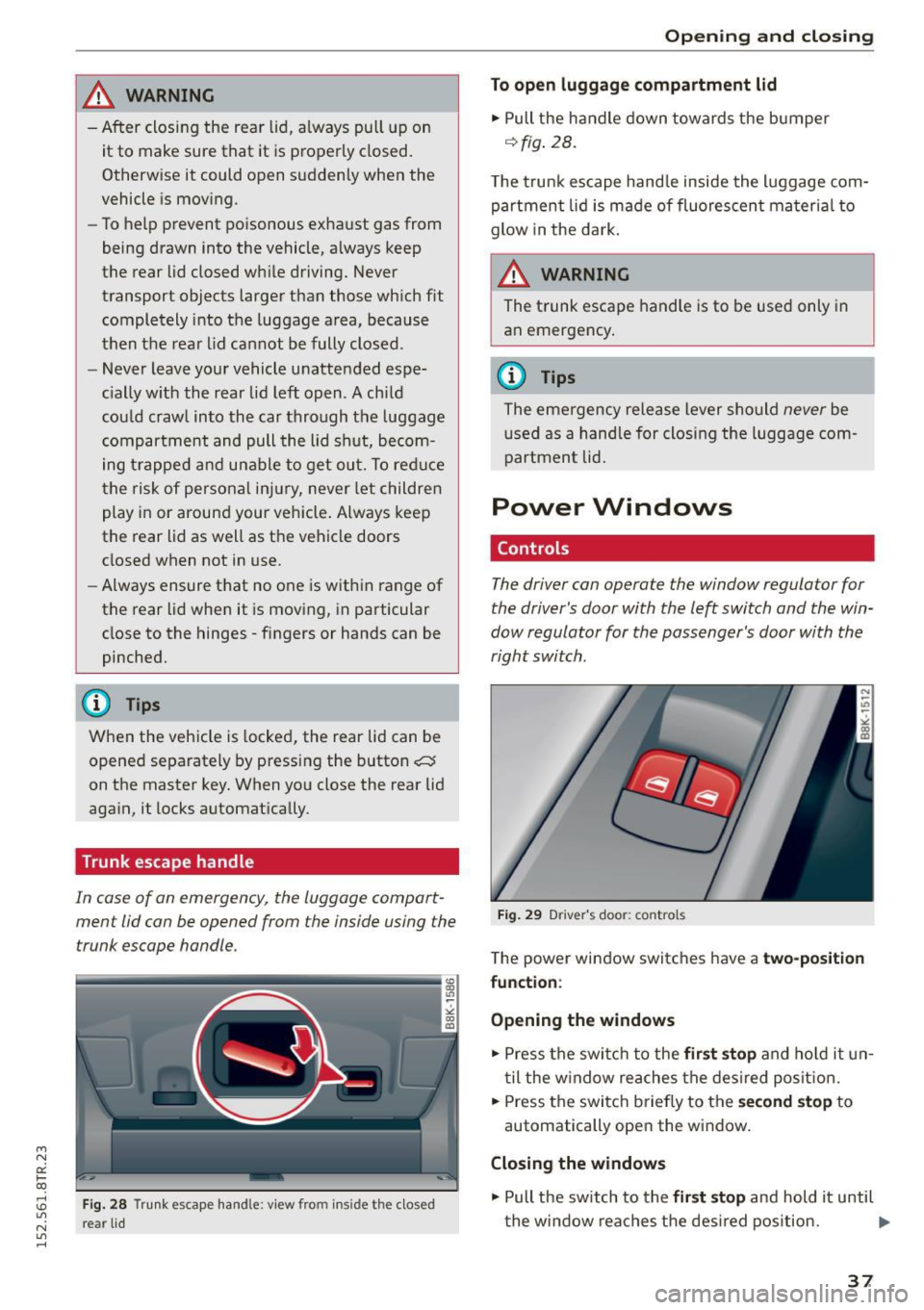
Trunk escape handle
In cas e of an emerg ency, th e luggag e compart
men t lid can be opened f rom the inside using the
trunk escape handle .
Fig. 2 8 Trunk e scape hand le: vi ew fro m in sid e th e clo se d
r e ar lid
Open ing and clo sing
To open luggage compartment lid
.,. Pull the handle down towards the bumper
q fig . 28.
T he trunk escape hand le inside the l uggage com
partment lid is made of fluorescen t ma teria l to
glow in the da rk .
.&_ WARNING
The t runk escape handle is to be used only in
an emergency .
(1) Tips
The emergency release lever sho uld never be
u se d as a handle for closing the luggage com
partment lid .
Power Windows
Controls
The driver can operate the window regulator for
the driver's door with the left switch and the win
dow regulator for the passenger's door with the
right switch .
Fig. 29 Drive r's doo r: co ntro ls
T he power window switches have a two-pos it ion
fun ction :
Opening the windows
.,. Press the swi tc h t o the first stop and ho ld it un
t il the w indow reaches the desired posit ion .
.,. Press the switc h briefly to the
s e cond stop to
automatically open the window.
Closing the windows
.,. Pull the sw itch to the fir st stop and hold it until
the window reaches the des ired pos ition. .,.
37
Page 40 of 254
Open in g and cl osin g
"' Pull the switch briefly to the se con d sto p to au
tomatically close the window.
A WARNING
- When you leave your vehicle -even if only
briefly -always remove the ignition key. This
applies part icularly when children remain in
the vehicle. Otherwise the children could start the engine or operate electr ical equip
ment (e.g. power w indows). The power win
dows are functional until the driver's door o r
passenger's door has been opened.
- Pay close atten tion when closing the w in
dows to prevent pinch ing of hands or limbs.
- When locking the vehicle from outs ide, the
vehicle must be unoccupied since the win dows can no longer be opened in an emer
gency.
(I) Tips
- When you open the doo rs, the windows au
tomatically lower about 10 mm.
- After the ignition has been switched off, the
windows can st ill be opened or closed for
about 10 m inutes. The window regulators
are not switched until the dr iver's or pas
senger's door is opened .
Convenience opening/closing
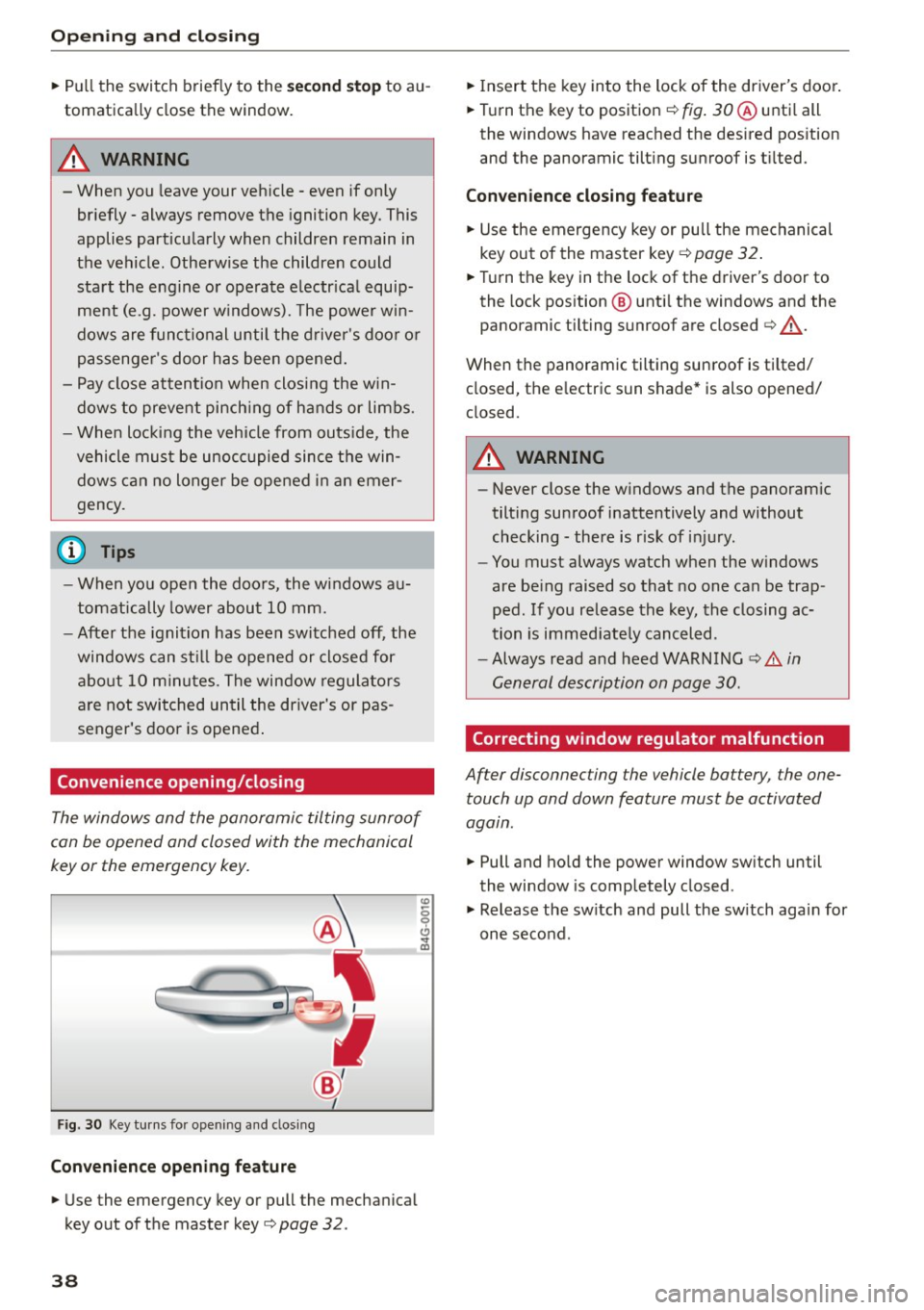
The windows and the panoramic tilting sunroof
can be opened and closed with the mechanical
key or the emergency key.
F ig. 30 Key turns fo r opening a nd clos ing
Conveni ence opening fe ature
"' Use the emergency key or pull the mechanical
key out of the master key
c> page 32 .
38
"'Insert the key into the lock of the driver's door .
"' Turn the key to position ¢
fig. 30 ® unti l all
the windows have reached the des ired pos ition
and the panoramic tilting sunroof is t ilted.
Con veni ence clo sing f eatur e
"'Use the emergency key or pull the mechanical
key out of the master key ¢
page 32.
"'Turn the key in the lock of the driver's door to
the lock position @ unti l the windows and the
panoramic tilting sunroof are closed
c> ,& .
When the panoramic tilting sunroof is tilted/
closed, the electric sun shade* is also opened/
closed.
A WARNING
- Never close the windows and the panoram ic
tilting sunroof inattentively and without
checking -there is risk of injury .
- You must always watch when the w indows
are be ing raised so that no one can be trap
ped. If you release the key, the closing ac
tion is immed iate ly canceled .
- Always read and heed WARN ING
c> A in
General description on page 30.
Correcting window regulator malfunction
After disconnecting the vehicle battery , the one
touch up and down feature must be activated
agatn.
"' Pull and ho ld the power window sw itch until
the window is completely closed .
"' Release the sw itch and pull the sw itch again for
one second .
Page 41 of 254
"' N
0:: loo
rl I.O
"' N
"' rl
Panorama roof
Operation
~,,,,,
G:;::r:) , •• ~. -r.=7' -.: ~
8(fj) G
o .. o
)
Fig. 31 Sect io n o f headliner : switc h for sunroo f
.,. To tilt the sunroof, press the switch briefly.
.,. To close the sunroof, pull the switch briefly .
.,. To set an intermediate pos ition, press/pull the
switch until the roof reaches the desired posi
t ion.
After the ignit ion is switched off , you can still op
erate the sunroof for about 10 m inutes . As soon
as the driver's or passenger's door is opened, the
switch is inoperative .
Sun blind
The sun blind can be opened and closed manually
in any position .
A WARNING
Pay careful attention when closing the sun
roof - otherwise ser ious injury could result!
For this reason, a lways remove the ign it ion
key when leaving the vehicle.
@ Note
Always close your sunroof whe n leaving your
ve hicle. Sudden rai n can ca use damage to the
interio r equipment of your vehicle, part icular
ly the elec tronic equipment.
(0 Tips
- Information on conven ience opening/clos
i ng
¢page 38.
-
Opening and clo sing
Emergency closing of the panoramic tilting
sunroof
If the s unroof detects an object in its path when
it is closing, it will open aga in a utomatically . In
th is case, you can close the roof with the power
emergency closing function .
.,. Within five seconds after the sunroo f opens au
tomatically , pu ll the switch until the roof
closes.
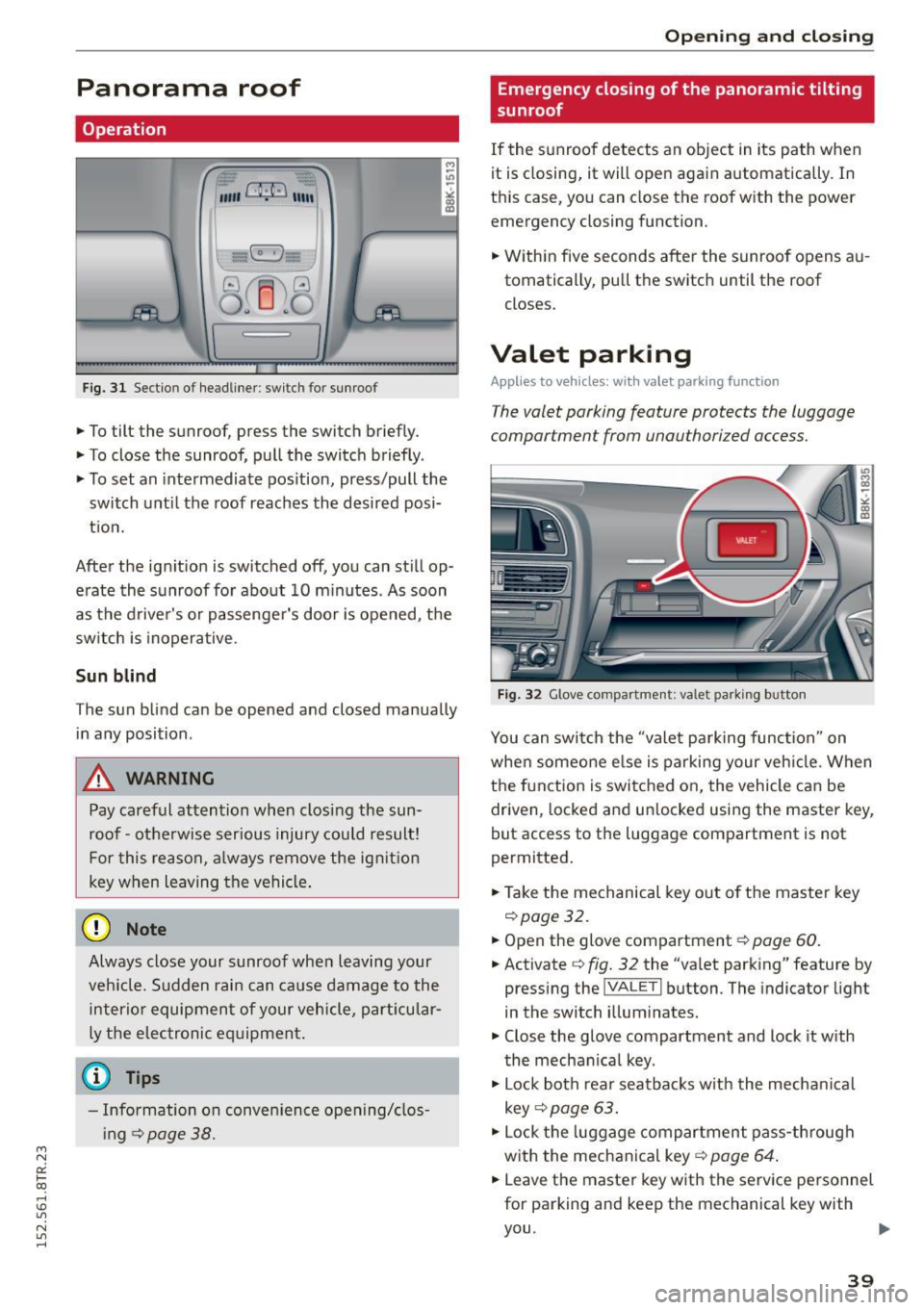
Valet parking
Appl ies to veh icles: w it h valet pa rking function
The valet parking feature protects the luggage
compartmen t from unauthorized access .
Fig . 32 G love co mpartme nt: valet parking b utton
You can switch the "valet parking function" on
whe n someone e lse is parking your veh icle . When
the f unction is switched o n, the vehicle can be
driven, locked and un locked usi ng the master key,
but access to the luggage compartment is not
perm itted.
.,. Take the mechanical key o ut of the maste r key
¢ page 32.
.,. Open the glove compartment¢ page 60.
.,. Activate ¢ fig. 32 the "va let pa rk ing" feature by
pressing the
jVA LETI but ton . The indicator light
in the switch illum inate s.
.,. Close the glove compartment and lock it w ith
the mechan ica l key .
.,. Lock both rear seatbacks w ith the mecha nical
key ¢
page 63.
.,. Lock the luggage compartment pass -through
with the mechanica l key ¢
page 64 .
.,. Leave the master key w ith the serv ice personnel
for parking and keep the mechanical key with
you .
39
Page 42 of 254
Opening and closing
The fo llowing buttons are deactivated when the
valet parking function is switched on:
-las l but ton in the dr iver's door
- la, l button on the master key
- Handle in the rear lid
When the valet parking feature is activated, the
message
Valet parking activated appears in the
instrument cluster display when you switch the
ignit ion on .
Garage door opener
(Homelink)
Description
Applies to vehicles: with garage door opener (Homelink)
F ig. 33 Garage door opener: examples of using with differ
ent systems
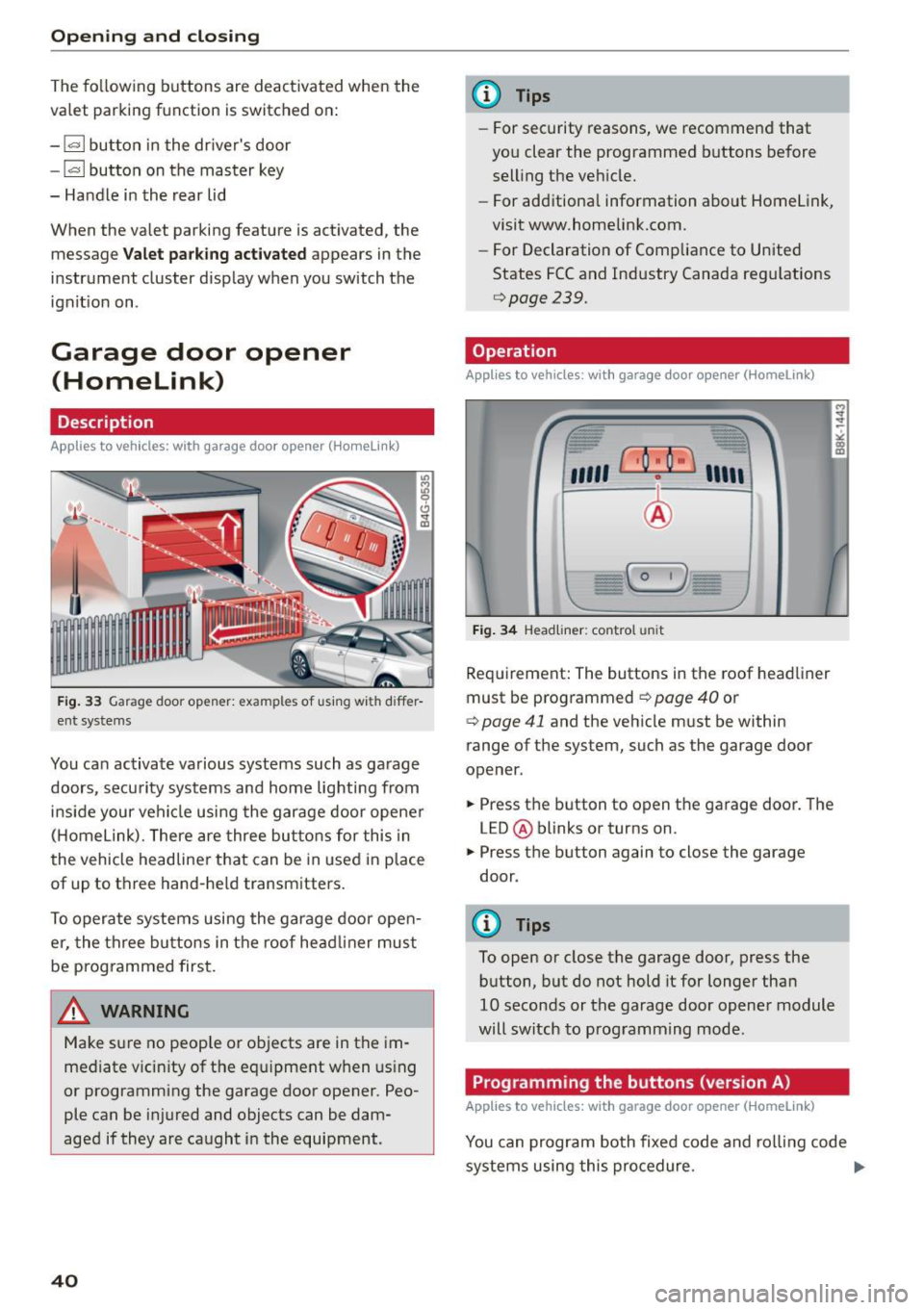
You can activate various systems such as garage
doors, security systems and home lighting from
inside your vehicle using the garage door opener
(Homelink). There are three buttons for this in
the vehicle headliner that can be in used in place
of up to three hand-held transmitters.
To operate systems using the garage door open
er, the three buttons in the roof head liner must
be programmed first.
A WARNING
Make sure no people or objects are in the im
mediate v icin ity of the equipment when using
or programming the garage door opener. Peo
ple can be injured and objects can be dam
aged if they are caught in the equipment.
40
@ Tips
- For security reasons, we recommend that
you clear the programmed buttons before
selling the vehicle.
- For additional information about Homelink,
visit www.homelink.com.
- For Declaration of Comp liance to United
States FCC and Industry Canada regulations
9page239.
Operation
Appl ies to vehicles: with garage door opener (Homelink)
fr --= <• --- "' -
"'
"' ~
"' co m
''''' r · o : o ·) ,,,,;
-
I
~ I I
:'I
I
I - C 0 1)
)
Fig. 34 Headliner: co ntrol un it
Requirement: The buttons in the roof headliner
must be programmed
9 page 40 or
¢ page 41 and the vehicle must be within
range of the system, such as the garage door
opener.
.. Press the button to open the garage door. The
LED @ blinks or turns on.
.. Press the button again to close the garage
door .
@ Tips
To open or close the garage door, press the
button, but do not hold it for longer than
10 seconds or the garage door opener module
will switch to programming mode.
Programming the buttons (version A)
Applies to vehicles: with garage door opener (Homelink)
'
You can program both fixed code and rolling code
systems using this procedure. ..,_
Page 45 of 254
Lights and Vision
Exterior Lighting
Switching the lights on and off
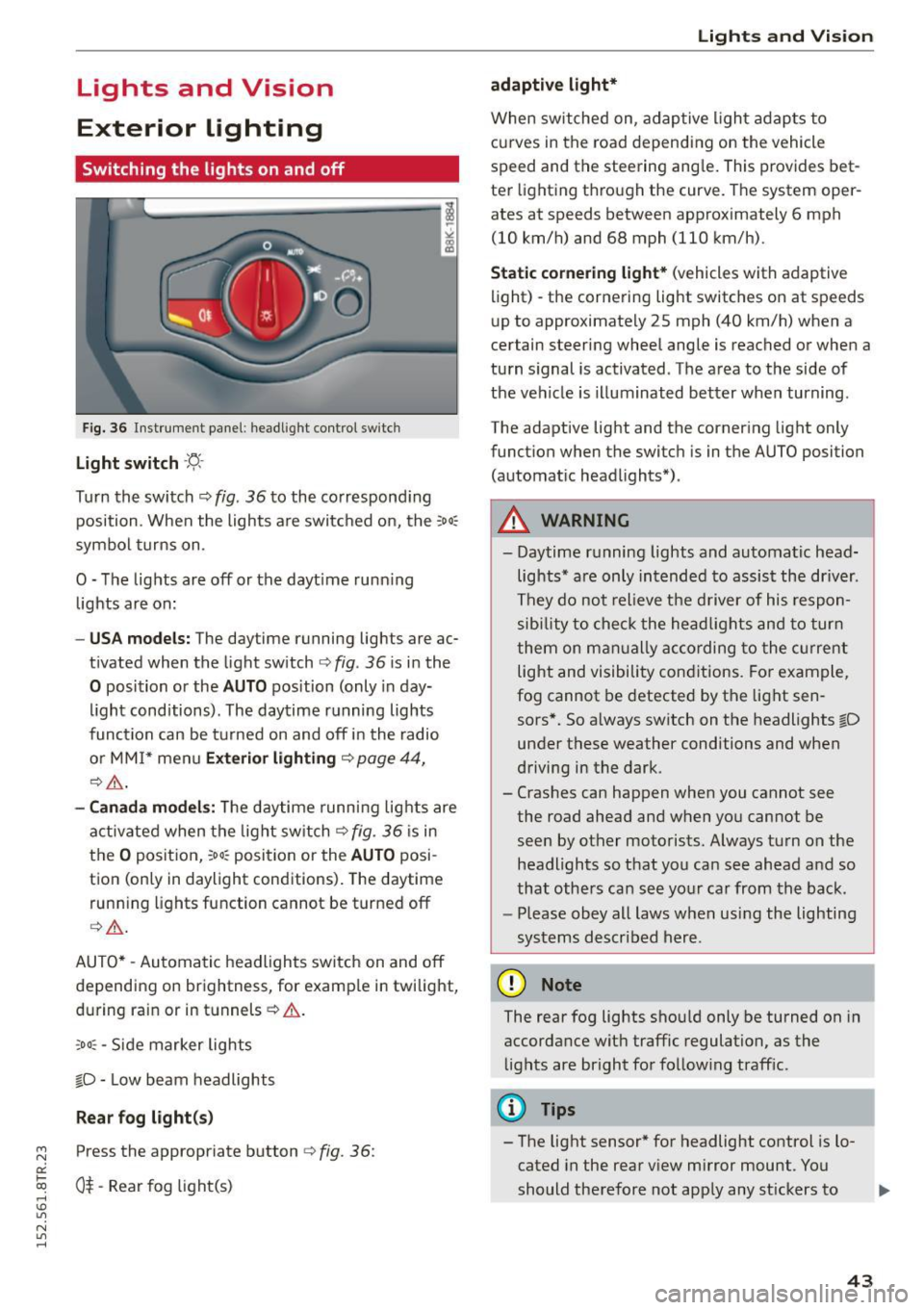
Fig. 36 In str ument pa ne l: h eadligh t contro l sw itc h
Light switch -'f!,-
Turn th e switch ¢ fig. 36 to the co rrespond ing
position . When the lights a re switc hed on, the :
00
:
symbo l turns on .
O -The lights are off or the dayt ime runn ing
lights are on:
- USA models: The day time running lights are ac
t ivated when the light sw itch ¢
fig. 36 is i n the
O position or the AUTO position (only in day
li ght conditions). The daytime r unning lights
func tion can be turned on and off i n the radio
o r MM I* men u
Exteri or lighting ¢ page 44,
¢ ,& .
-Canada model s: Th e daytime runn ing lig hts are
a ctiv ated when the light sw itch
Q fig . 36 is in
t h e
O position, :oo: position or the AUTO posi
tion (only in daylight conditions) . The daytime
run ning lights function cannot be turned off
Q _&. .
AUTO* -Aut omatic headlights switch on and off
de pending on brightness, for examp le in twilight,
during ra in or in tunnels ¢& .
,o o: -Side marker lights
fD -Low beam headlights
Rear fog light (s)
~ Press the appropriate button ¢ fig. 36:
0::
txi 0$-Rear fog light(s) rl I.O
"' N
"' rl
Lights and Vis ion
adaptive light*
When switched on, adap tive ligh t ad apts to
c u rves in the road depend ing on the vehicle
speed and the steering ang le . This provides bet
te r li ght ing t hrough the curve. The system oper
ates at speeds between approximately 6 mph
(10 km/h) and 68 mph (110 km/h).
Static cornering light* (vehicles with adaptive
light) -the corne ring light switches on at speeds
u p to approximate ly 25 mph (40 km/h) when a
certain steering wheel angle is reached or when a
tu rn s ignal is activated. The a rea to the side of
the ve hicle is illuminated bet ter when turning .
The adaptive light and the corner ing light only
funct ion when the switc h is in t he AUTO position
(automat ic head lights*) .
A WARNING
--Daytime r unning lights and automatic head·
lights * are only in tended to assis t the driver .
Th ey do not relieve the d river of his respon
s ibi lity t o check the he ad lig hts and to tur n
t hem on m anually according to the cur ren t
light and visibility con ditions . Fo r ex am ple,
fog cannot be detected by t he lig ht sen
sors*. So a lways switch on the headlights
fD
un der these weather conditions and when
d riving in the dark .
- Cras hes can happen when you cannot see
the road ahead an d when yo u cannot be
seen by other motorists. Always tu rn on the
headlights so that you can see ahead a nd so
that othe rs can see yo ur ca r from the ba ck.
- Please obey all laws when usi ng the lighting
sys tems described her e.
(D Note
The rear fog lights sho uld only be turned on in
accordance wit h traffic regulation, as the
li g hts are bright fo r fo llow ing traff ic.
(D Tips
- The light sensor * for headlight control is l o
cated in the rear v iew mirror mount . You
should therefore not app ly any st ickers to .,.
43