warning AUDI RS5 COUPE 2015 User Guide
[x] Cancel search | Manufacturer: AUDI, Model Year: 2015, Model line: RS5 COUPE, Model: AUDI RS5 COUPE 2015Pages: 254, PDF Size: 64.12 MB
Page 20 of 254
Instruments and indicator lights
A WARNING
Your vehicle must not be towed in the event
of a malfunct ion in the electron ic steer ing col
umn lock because it cannot be stee red due to
the locked steering .
If it is towed w ith the
steering locked, there is the risk of an a cci
dent .
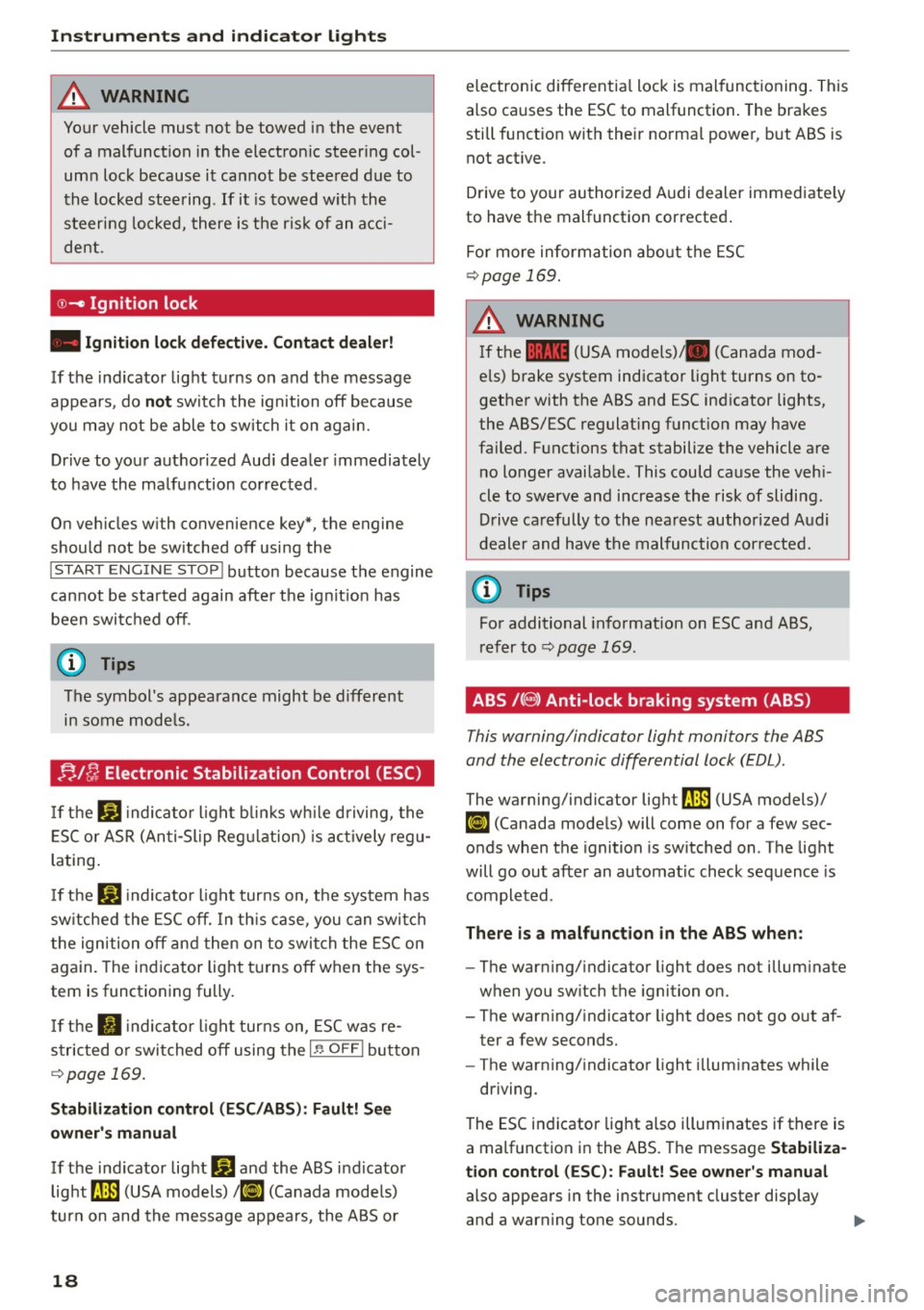
©-Ignition lock
• Ignition lock defective. Conta ct dealer!
If the indicator lig ht t urns on and the message
appears, do
not sw itc h the ignition off because
you may not be able to switch it on again.
Dr ive to your authorized Aud i dea ler immediately
to have the ma lfunction co rrected .
O n ve hicles w ith convenience key*, the engine
should not be sw itched off using the
I STAR T ENGIN E ST OP I button because the engine
cannot be sta rted again afte r the ig nit ion has
been swi tc h ed off .
@ Tips
The symbol's appearance might be different
in some mode ls .
!;. !~ Electronic Stabilization Control (ESC)
If the Ji) indica to r li ght blink s while driving, the
E SC or ASR (An ti- Slip Reg ulation) is ac tively regu
lating.
If t h e DJ indicato r light tur ns on, the system has
sw itche d the ESC off. In th is ca se , you can swi tch
t he ign ition off and then on to swi tch the ESC on
again. The indicator light t urns off when the sys
tem is function ing fully.
If the II indica to r li ght tur ns on, ESC was re
s tric ted or swi tched off using the
I~ O FFI bu tton
c::> page 169.
Stabilization control (ESC /ABS ): Fau lt! S ee
owner 's manual
If the ind icator lig ht Q] and the ABS i ndicator
light ~ (USA models)
111] (Canada mode ls)
tur n on and the message ap pea rs, the ABS or
18
electronic differentia l lock is mal functioning. This
a lso causes the ESC to malfunction . The brakes
still f unct ion wit h their norma l powe r, b ut ABS is
not act ive.
Drive to your authori zed A udi dealer immediate ly
to have the malfunction corrected .
Fo r more information abo ut the ESC
c::> page 169.
A WARNING
If the 11111 (USA models) . (Canada mod
e ls) b rake system indicator light turns on to
gether with the ABS and ESC ind icator lights,
the ABS/ESC regulat ing funct ion may have
failed. F unctions that stabilize the vehicle are
no longer availab le. This could cause the vehi
cle to swerve and increase the risk of slidi ng.
D riv e ca refully to the nea rest authorized A udi
d eale r and have the m alfunc tion corre cte d.
@ Tips
Fo r additional informat ion on ESC and ABS,
ref er to c::> page l 69 .
ABS /(8 ) Anti-lock braking system (ABS)
This warning/indicator light monitors the ABS
and the electronic differential lock (EDL).
The warning/indicator light ~ (USA models)/
Ii] (Canada mode ls) will come on for a few sec
onds when the ignition is sw itched on . T he light
will go out after an automatic check sequence is
completed .
There is a malfunction in the ABS when:
-The war ning/ indicator light does not illum inate
when you sw itch the ignition on.
- The warning/ indicato r light does not go o ut af
ter a few seconds.
- The warning/ indicato r light illum inates while
driving.
The ESC in dicator lig ht also illuminates if there is
a malfunction in the ABS. The message
Stabiliza
tion control (ESC ): Fault! See owner's manual
also appears in the instrument cluster display
and a warn ing tone sounds.
Page 21 of 254
M N
0:: l-oo ,...., \!) ..,.,
The brake system will still re spond e ven with
out the a ssistance of the ABS system. See your
authorized Audi dealer a s soon as possible to re
store full braking performance.
For more infor
mat ion regarding the ABS
c::;, page 169 .
Malfunction in the brake system
If the b rake wa rning light c::;, page 15 and the ABS
warning i lluminate together there may be a mal
function in the ABS, and there may also be a ma l
function in the brake system itse lf
c::;, ,& . The ABS
will not work and you will notice a change in
braking r esponse and p erformance.
In the event of a malfunct ion in the brake sys
tem
the warn ing/indicator light 1111 (USA mod
e ls)/ . (Canada models) in the instrument cl us
ter flashes
c::;, page 15.
M alfuncti on in the elect ronic diffe rential
lock (EDL)
The EDL works together with the ABS. The ABS
war ning light will come on if there is a malfunc
tion in the EDL system
c::;, page 169 . See your au
thor ized Audi deal er as soon as possible .
.8, WARNING
-If the 9 (USA models) ,11J (Canada mod
els) w arning light doe s not go ou t, or if it
comes on w hile driving, the AB S sys tem is
not working properly . The ve hicle can then
be stopped on ly with the sta ndard brakes
(without ABS). You w ill not have the protec
t ion ABS p rov ides . Contact your authorized
Audi dealer as soon as poss ible.
- USA models: If the
1111 warning light and
the
rJln wa rning light come on together, the
rear wheels could lock up first under hard
braking. Rear wheel lock -up can cause loss
of vehicle cont rol and a n accident . Have yo ur
vehicle repaired imme dia tely by your au
th oriz e d Au di dea le r or qua lified w ork s h o p.
D rive s lowly and avo id sud den, ha rd brake
applica tions .
- Canada m odels:
If the bra ke warn ing lig ht
• and t he AB S warnin g lig ht
rlJ come on
N
~ 1 ) - : USA mod els onl y
Instruments and indicator lights
together, t he rear w heels could lock up fi rst
under hard bra king. Rear wheel lock-up can
cause loss of vehicle contro l and an acci
dent . Have your ve hicle repa ired immediate
ly by your author ized Audi dealer or qua li
fied workshop . Dr ive s low ly and avoid s ud
de n, ha rd bra ke ap plications.
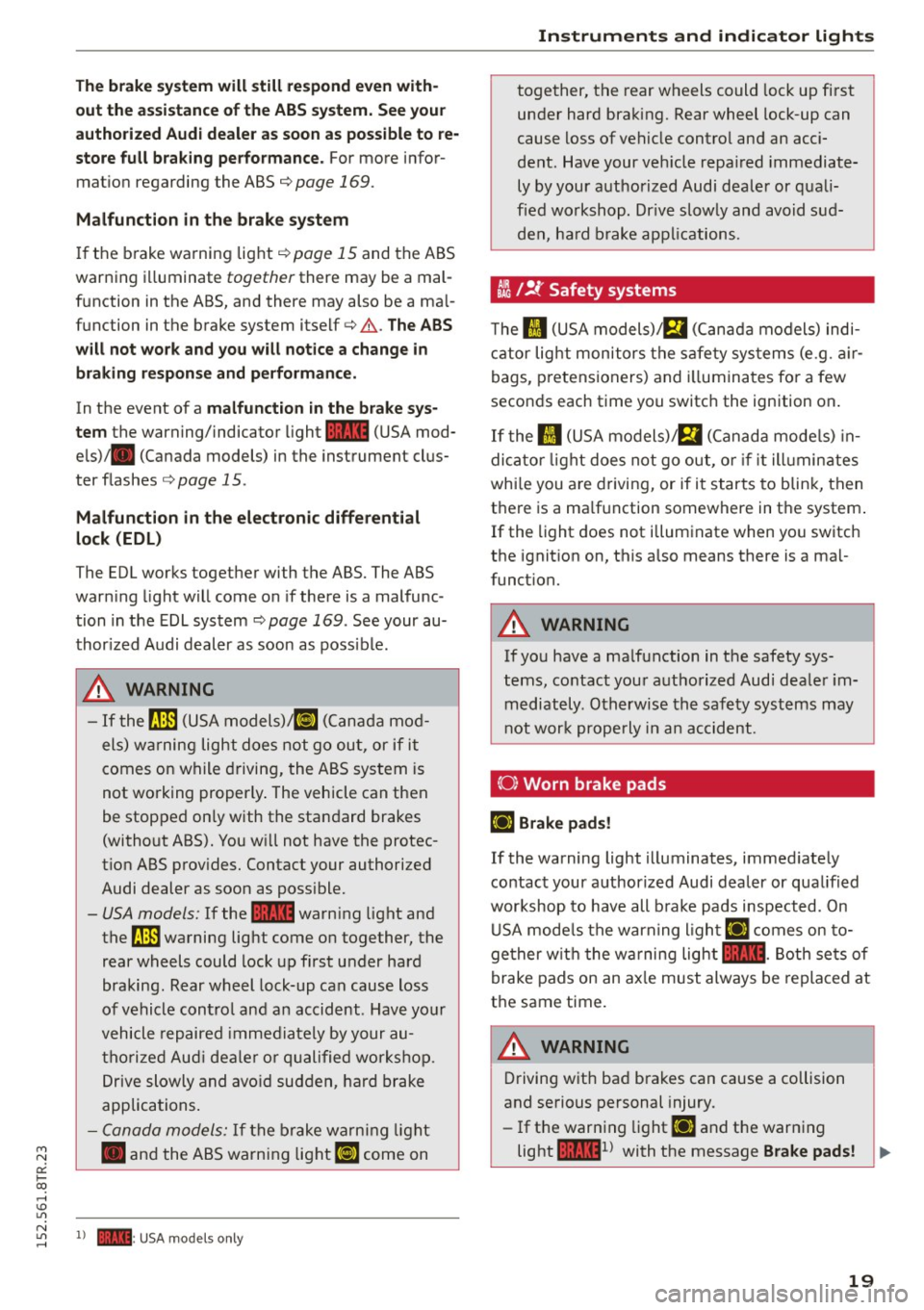
tli I !f Safety systems
T he II (USA models) ;fll (Canada models) indi
c a tor lig ht monitors the s afety sys tems (e .g . air
bags, p retensioners) and illumina tes fo r a few
secon ds each time you switc h the ignition on .
If the II (USA models)/ m (Canada mode ls) in
dica tor light does not go ou t, o r if i t illumin ates
whi le you a re d riving, or if i t starts to blin k, then
t h ere is a ma lf u nction somewhere in the system .
If the light does not illum inate when yo u switch
the ignit ion on, this a lso means there is a ma l
funct ion.
.8, WARNING ,---~
If yo u have a ma lfunction in t he safety sys
tems, co ntact you r auth orized Audi dea le r i m
mediately . Otherwise th e sa fet y syst ems may
n ot wor k properly in a n acc ident.
(0) Worn brake pads
EiJ Brake pads!
If the warning light illuminates, immed iate ly
contact your author ized Audi dea ler or qua lified
wor kshop to have all b rake pads inspected . On
U SA mode ls the warning ligh t
EiJ comes on to
ge ther w it h t he wa rning light
1111 -Both se ts of
brake pads on an ax le must always be replaced at
t h e same time.
.8, WARNING
-Driving w it h ba d brakes can cause a collision
and se rious pers onal injury.
- If the warn ing light
EiJ and the warn ing
light
llll1l wi th the message Brake pads! ..,
19
Page 22 of 254
Instruments and indicator lights
co mes on in the i nstrument cl uster display,
immediately contac t your author ized Audi
dealer or qualified workshop to have all
brake pads checked o r replaced if necessary.
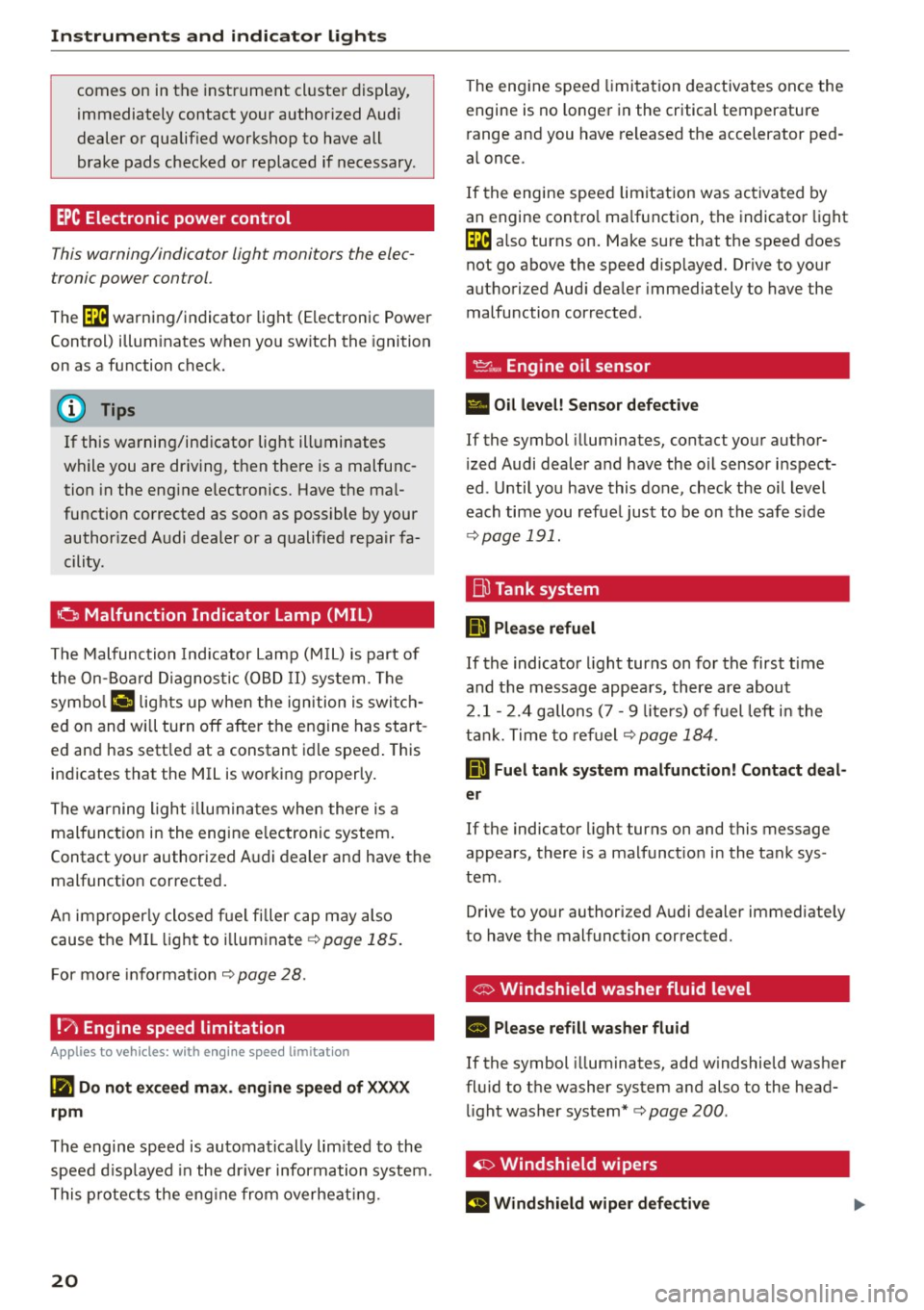
EPC Electronic power control
This warning/indicator light monitors the elec
tronic power control .
The (m warning/indicator light (Electronic Power
Control) i llum inates when yo u switch the ignition
on as a function check.
(D Tips
If this warning/indicator light ill uminates
while you are dr iv ing, then the re is a malfunc
tion in the eng ine electronics. Have the mal
fu nction corrected as soon as possible by your
author ized A udi dealer or a qualified repair fa
cility.
o Malfunction Indicator Lamp (MIL)
The Malfu nction Indicator Lamp (M IL) is part of
the On-Board Diagno stic (OB D II) system . The
symbo l
('4 lights up whe n the ign ition is switch
ed on and will turn off afte r th e engine has star t
ed an d has sett le d at a constant idle speed . This
indicates that the MIL is working proper ly.
The warning ligh t illumina tes when there is a
malfunct ion in the engine e lectronic system .
Contact your authorized A udi dealer and have the
malfunctio n corrected .
An improperly close d fu e l fi ller cap may also
cause the MIL li ght to il lum inate ¢
page 185 .
For mo re info rmat io n ¢page 28.
!?) Engine speed limitation
Applies to vehicles: with engine speed limitation
(Iii Do not ex ceed max. engine speed of XXXX
rpm
The engine speed is automatically lim ited to the
speed d isp layed in the dr iver information system.
T his protect s the eng ine from overheat ing.
20
The eng ine speed limita tion deactivates once the
engine is no longe r in the critical temperature
r ange and you have re leased t he accelerator ped
a l once .
I f the engine speed limitation was activated by
an engine contro l ma lf u nction, the indicato r light
(m also turns on. Make sure that the speed does
not g o above the speed disp layed. Dr ive to your
authorized Aud i dea ler immediately to have the
malfunction cor rected .
~~, Engine oil sensor
• Oil level! S ensor defective
If the symbol illuminates, contact yo ur author
i zed Audi dealer and have the oil sensor inspect
ed . Until you have this done, check the oil level
each time you refue l just to be on the safe s ide
¢ page 191.
ffi Tank system
IIJ Please refuel
If the indicato r light turns on for the first t ime
and t he m essage appea rs, there are about
2 .1- 2. 4 gallons (7 -9 liters) of fuel left i n the
t ank . T ime to re fuel
¢page 184.
D Fuel tank syst em malfunction! Contact deal
er
If the indicator light turns on and this message
appears , there is a malfunct io n in the tank sys
tem .
Drive to your authorized A udi dealer immediate ly
to have the malfunct ion corrected.
' G> Windshield washer fluid level
II Please refill washer fluid
If the symbol illuminates, add w indshield washer
fl uid to t he washer system and also to the head
li ght washer system*¢
page 200 .
~ Windshield wipers
El Windshield wiper defective
Page 23 of 254
M N
0:: loo ,...., \!) ..,.,
N ..,., ,....,
There is a malfunction with the windshield wip
ers. Drive to your authorized Audi dealer immediately
to have the malfunction corrected.
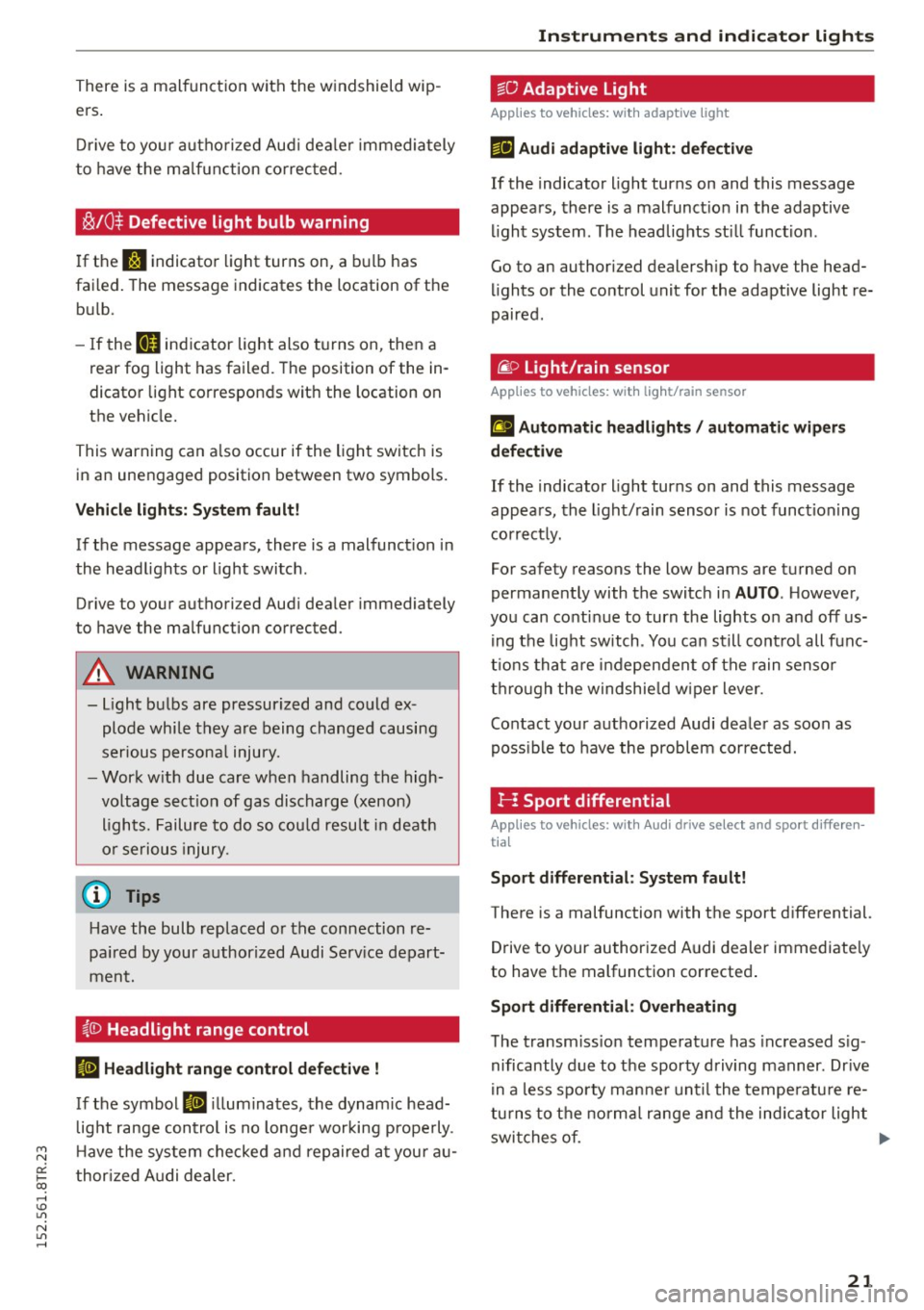
~/0$ Defective light bulb warning
If the r.:i indicator light turns on, a bulb has
failed. The message indicates the location of the
bulb .
- If the
II indicator light also turns on, then a
rear fog light has failed. The position of the in
dicator light corresponds w ith the location on
the vehicle.
This warning can also occur if the light switch is
in an unengaged position between two symbols.
Vehicle lights: System fault!
If the message appears, there is a malfunction in
the headlights or light switch .
Drive to your authori zed Audi dealer immediately
to have the mal function corrected .
A WARNING
-light bulbs are pressurized and could ex
plode while they are being changed causing
serious personal injury. -
- Work with due care when handling the high
voltage section of gas discharge (xenon) lights. Failure to do so could result in death
or serious injury.
{D Tips
Have the bulb replaced or the connection re
paired by your authorized Audi Service depart
ment.
~(D Headlight range cont rol
II Headlight range control defective !
If the symbol II illuminates, the dynamic head
light range control is no longer working properly .
Have the system checked and repaired at your au
thorized Audi dealer.
Instruments and indicator lights
io Adaptive Light
Applies to vehicles: with adaptive light
Efl Audi adaptive light: defective
If the indicator light turns on and this message
appears, there is a malfunction in the adaptive
light system . The headlights still function .
Go to an authorized dealership to have the head
lights or the control unit for the adaptive light re
paired.
@) Light/rain sensor
Applies to vehicles: with light/ra in sensor
fl Automatic headlights / automatic wipers
defective
If the indicator light turns on and this message
appears, the light/rain sensor is not functioning
correctly.
For safety reasons the low beams are turned on
permanently with the switch in
AUTO. However ,
you can continue to turn the lights on and off us
ing the light switch . You can still control all func
tions that are independent of the rain sensor
through the windshield wiper lever.
Contact your authorized Audi dealer as soon as
possible to have the problem corrected.
I-: Sport differential
Applies to vehicles: with Audi drive select and sport differen
tia l
Sport differential: System fault!
There is a malfunction with the sport differential.
Drive to your authorized Audi dealer immediately
to have the malfunction corrected.
Sport differential: Overheating
The transmission temperature has increased sig
nificantly due to the sporty driving manner . Drive
in a less sporty manner until the temperature re
turns to the normal range and the indicator light
switches of. .,.
21
Page 24 of 254
Instruments and indicator lights
A WARNING
Contact your authorized Audi dealer or quali
fied workshop if the sport differentia l is faulty
or malfunctioning. The repa ir must be per
form ed by trained personnel using the co rrect
oil in orde r to ensure safe ty.
~ Ignition lock
Ill Ignition l ock defective
There is a malfunct ion in the electron ic ign ition
lock . Please go to an author ized Audi dealer or
other qua lified wor kshop to have the malfunction
repaired.
¢¢ Turn signals
Whenever you use the left N or the rig ht B
turn signal, the indicator light blinks. When yo u
use the emergency flashers, both indicator lights
f lash.
If one of the turn s ignal ligh t bu lbs burn ou t, the
turn signal wi ll blink twic e as fast as normal.
Ca refully drive to your authorized Audi dealer im
mediately to have the malfunct ion corrected.
22
Page 25 of 254
"' N
0:: loo
rl I.O
"' N
"' rl
Driver information
system
Introduction
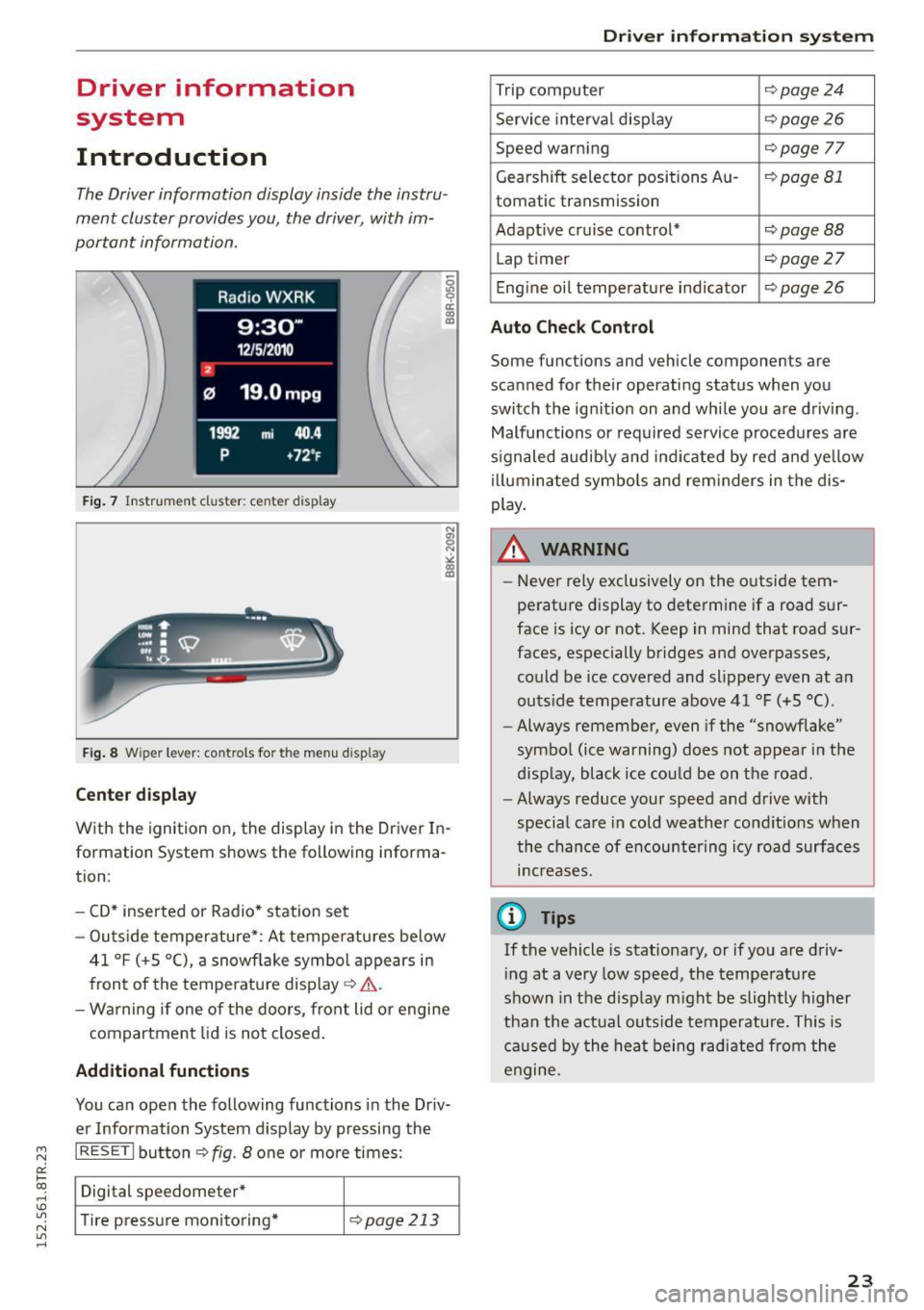
The Driver information display inside the instru
ment cluster provides you, the driver, with im
portant information.
Fig. 7 Instrument cluster: ce nter display
Fig . 8 Wipe r lever: controls fo r the men u display
Cent er dis play
With the ignition on, the display in the Driver In
formation System shows the following informa
tion :
- CD* inserted or Radio * station set
- Outs ide temperature* : At temperatures below
41 °F (+S °C), a snowflake symbol appears in
front of the temperature display¢&. .
- Wa rning if one of the doors, front lid o r engine
compartment lid is not closed.
Additional function s
You can open the following functions in the Driv
er Information System display by pressing the
I RESET I button ¢ fig. 8 one or more times:
Digital speedometer*
T ire pressure monitoring*
¢page213
Dr iver inform atio n sy stem
Trip computer Q page24
Service interval disp lay ¢page26
Speed warning Qpage 77
Gearshift selector positions Au-¢page 81
tomatic transmission
Adapt ive cruise control*
¢ page BB
Lap timer ¢page 27
Eng ine oil temperature indicator ¢ page 26
Auto Che ck Control
Some functions and vehicle components are
scanned for their operati ng status when you
switch the ign ition on and whi le you a re driving.
Malfunctions or required service procedures are
s ignaled audib ly and ind icated by red and yellow
illuminated symbols and rem inders in the dis
play.
A WARNING
-
- Never rely exclusively on the o utside tem
perature display to determine if a road sur
face is icy or not. Keep in mind that road sur
faces, especially bridges and overpasses, could be ice covered and slippery even at an
outs ide temperature above 41 °F (+5 °C).
- Always remember, even i f the "snowflake"
symbo l (ice warning) does not appea r in the
display, black ice could be on the road.
- Always reduce your speed and drive with
specia l care in cold weather cond itions when
the chance of encountering icy road surfaces
increases.
(D Tips
If the vehicle is stationary, or if you are driv
i ng at a very low speed, the temperature
shown in the disp lay m ight be slightly higher
than the act ual outs ide temperatu re. This is
caused by the heat being radiated from the
engine.
23
Page 28 of 254
Driver information system
Service interval display
The service interval display reminds you when
your next service is due.
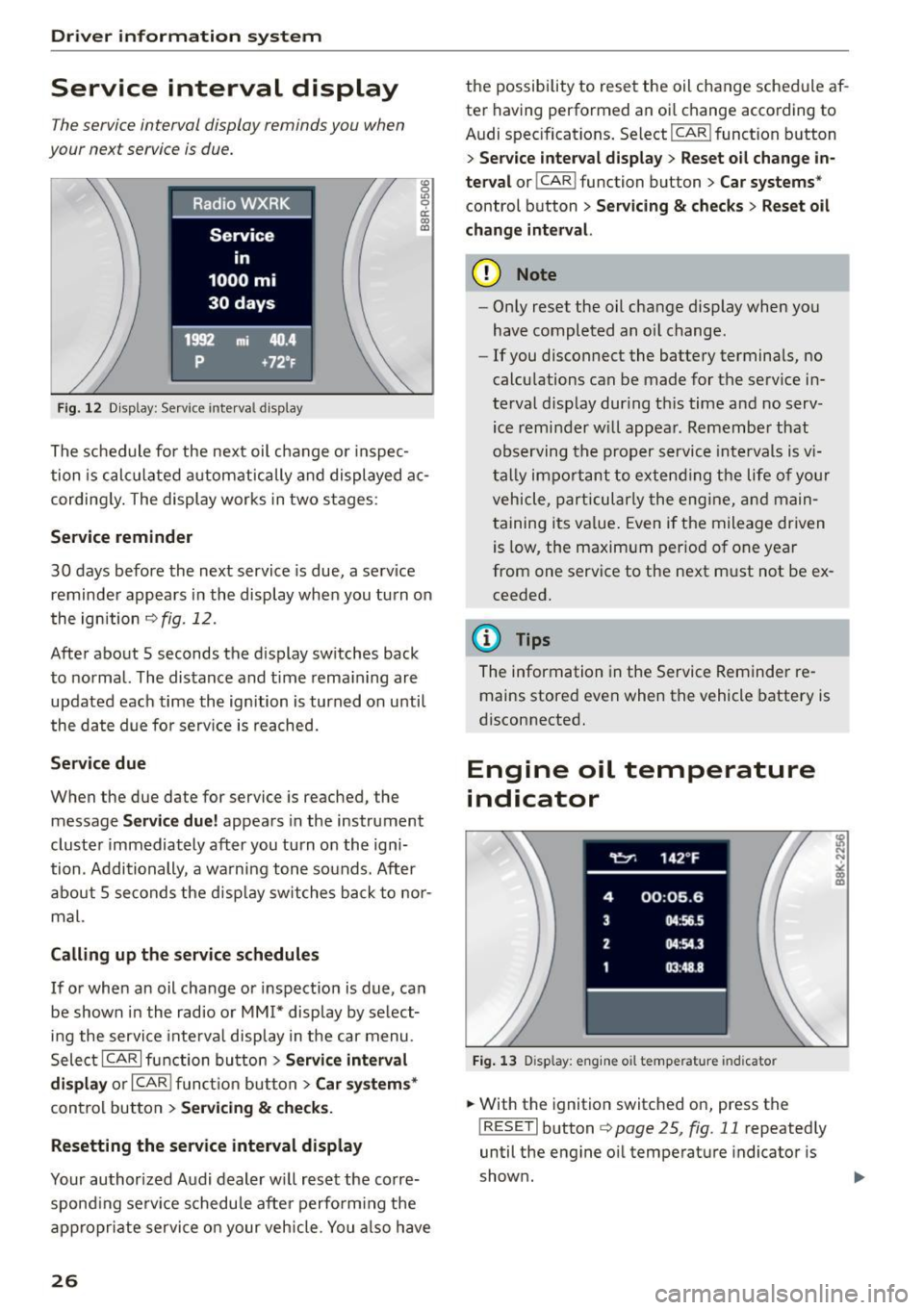
Fig. 12 Display: Service interva l display
"' 0 Ill 0 a: CX) (D
The schedule for the next oil change or inspec
tion is calculated automatically and displayed ac
cording ly. The display works in two stages :
Service reminder
30 days before the next service is due, a serv ice
reminder appears in the display when you turn on
the ignition
c> fig . 12.
After about 5 seconds the display switches back
to normal. The distance and time remaining are
updated each time the ignition is turned on unti l
the date due for serv ice is reached.
Service due
When the due date for service is reached, the
message
Service due! appears in the instrument
cluster immediately after you turn on the igni
tion . Additionally , a warning tone sounds. After
about 5 seconds the disp lay switches back to nor
mal.
Calling up the service schedules
If or when an oil change or inspection is due, can
be shown in the radio or
MM!* display by select
ing the service inte rval display in the car menu.
Select ICARI function button>
Service interval
display
or I CAR ! function button > Car systems*
control button > Servicing & checks.
Resetting the service interval display
Your authorized Audi dealer will reset the corre
spond ing serv ice schedule after perform ing the
appropriate service on your vehicle. You also have
26
the possibility to reset the oil change schedule af
ter having performed an oi l change according to
Audi specifications. Select
I CAR ! function button
> Service interval display> Reset oil change in
terval
o r! CAR i function button > Car systems *
control button > Servicing & checks > Reset oil
change interval.
(D Note
-Only reset the oil change display when you
have completed an oil change .
- If you disconnect the battery terminals, no
calculations can be made for the serv ice in
terval display during th is time and no serv
ice reminder will appear. Remember that
observing the proper service intervals is v i
tally impo rtant to extending the life of you r
vehicle, particularly the engine, and main
taining its value. Even if the mileage driven
is low, the maximum period of one year
from one service to the next must not be ex
ceeded.
(D Tips
The information in the Service Reminder re
mains stored
even when the vehicle battery is
disconnected.
Engine oil temperature
indicator
Fig. 13 Disp lay: eng ine o il temperature indicato r
.. With the ignition switched on, press the
! RESET! button
c> page 25, fig. 11 repeatedly
until the engine oil temperature indicator is
shown.
Page 29 of 254
"' N
0:: loo
rl I.O
"' N
"' rl
If the engine oil temperature is be low 140 ° F
(60 °C) , th <>
Ii symbol followed by three hy
phens"- --" and the °C un it is shown.
At an engine oil temperature above 140 °F
(60 °C) the engine has reached its operating tem
perature. The engine oil temperature may be
higher if there is heavy engine load and high tem
peratures outside. This is not a cause for concern
as long as the.
¢page 16 or the 1\1 ¢page 17
warn ing light in the display does not flash.
Lap timer
Introduction
You can record and evaluate lap times with the
lap timer in the display
¢page 27, fig. 15. The
time is measured in minutes, seconds and 1/10
seconds. The hou rs are also shown when the lap
time exceeds 60 minutes. The maximum individ
ual measurement is 99 hours. A maximum of 99 laps may be recorded.
A WARNING
Please devote your full a ttention to driving.
As the driver, you have comp lete responsib ili
ty for safety in traffic. Only use the functions
in such a way that you always ma inta in com
plete control over your vehicle in all traffic sit
uations .
(D Tips
When the lap timer stopwatch is running, you
can ca ll up the trip computer information
w ith the
! RESE T I button .
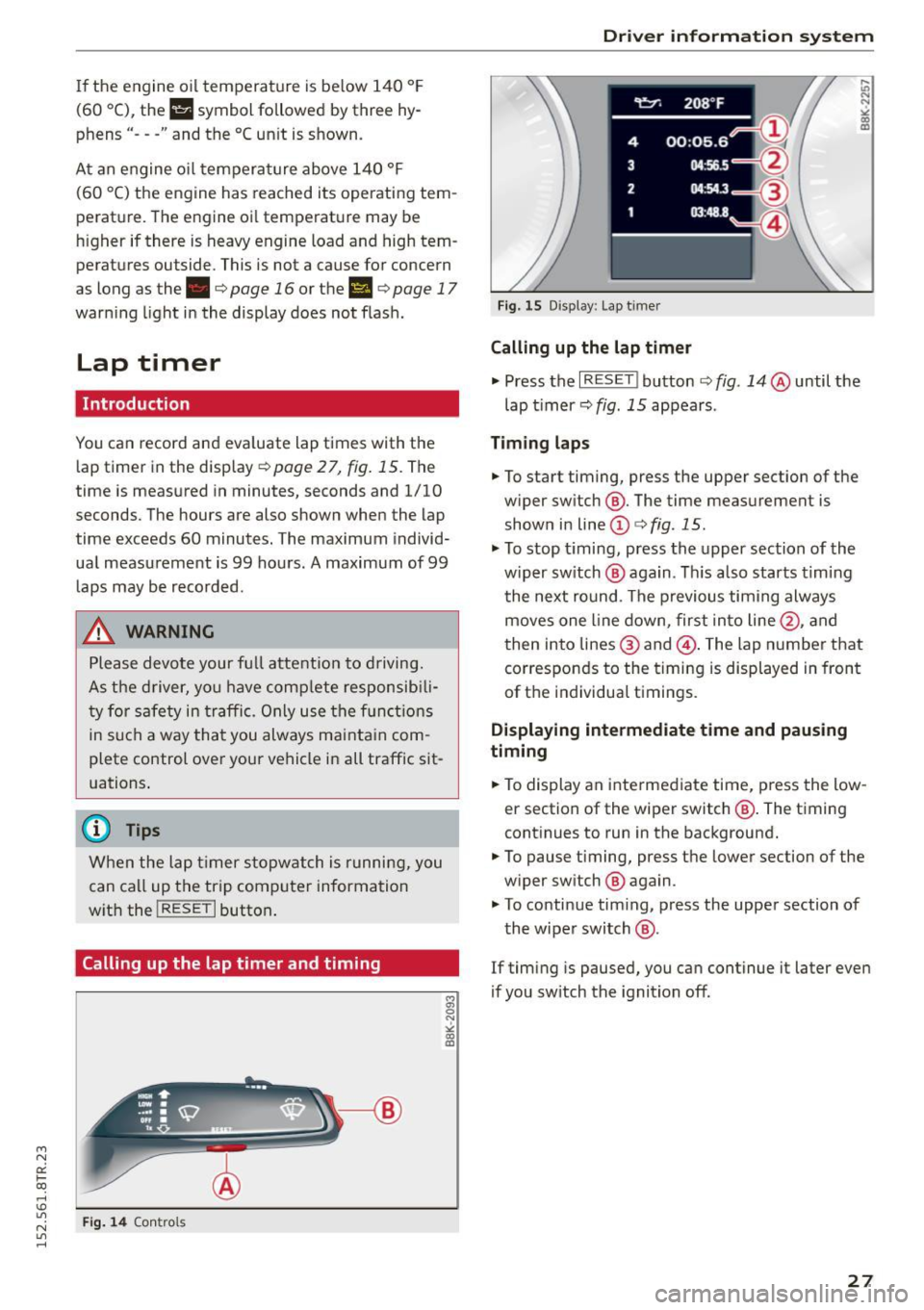
Calling up the lap timer and timing
Fig. 14 Contro ls
Dri ver information system
Fig. 15 Disp lay : Lap t imer
Calling up the lap timer
.,. Press the I RESET ! button ¢ fig. 14 @until the
lap timer ¢
fig. 15 appears .
Timing laps
.,. To start timing, press the upper section of the
w iper sw itch @. The time measurement is
shown in line
(D ¢ fig . 15.
.,. To stop timing, press the upper section of the
w iper sw itch @ aga in. This also starts timing
the next round. The previous timing always
moves one line down, first into line@, and
then into lines @ and @. The lap number that
corresponds to the timing is displayed in front
of the individual t imings.
Displaying intermediate time and pausing
timing
.,. To display an intermediate time, press the low
er section of the wiper switch @. The timing
continues to run in the background .
.,. To pause timing, press the lower section of the
w iper sw itch @ again .
.,. To continue tim ing, press the upper section of
the wiper switch @.
If timing is paused, you can continue it later even
if you sw itch the ignition off .
27
Page 30 of 254
Driver information system
Evaluating times and continuing or
resetting timing
You can evaluate the fastest, slowest and aver
age Lap times.
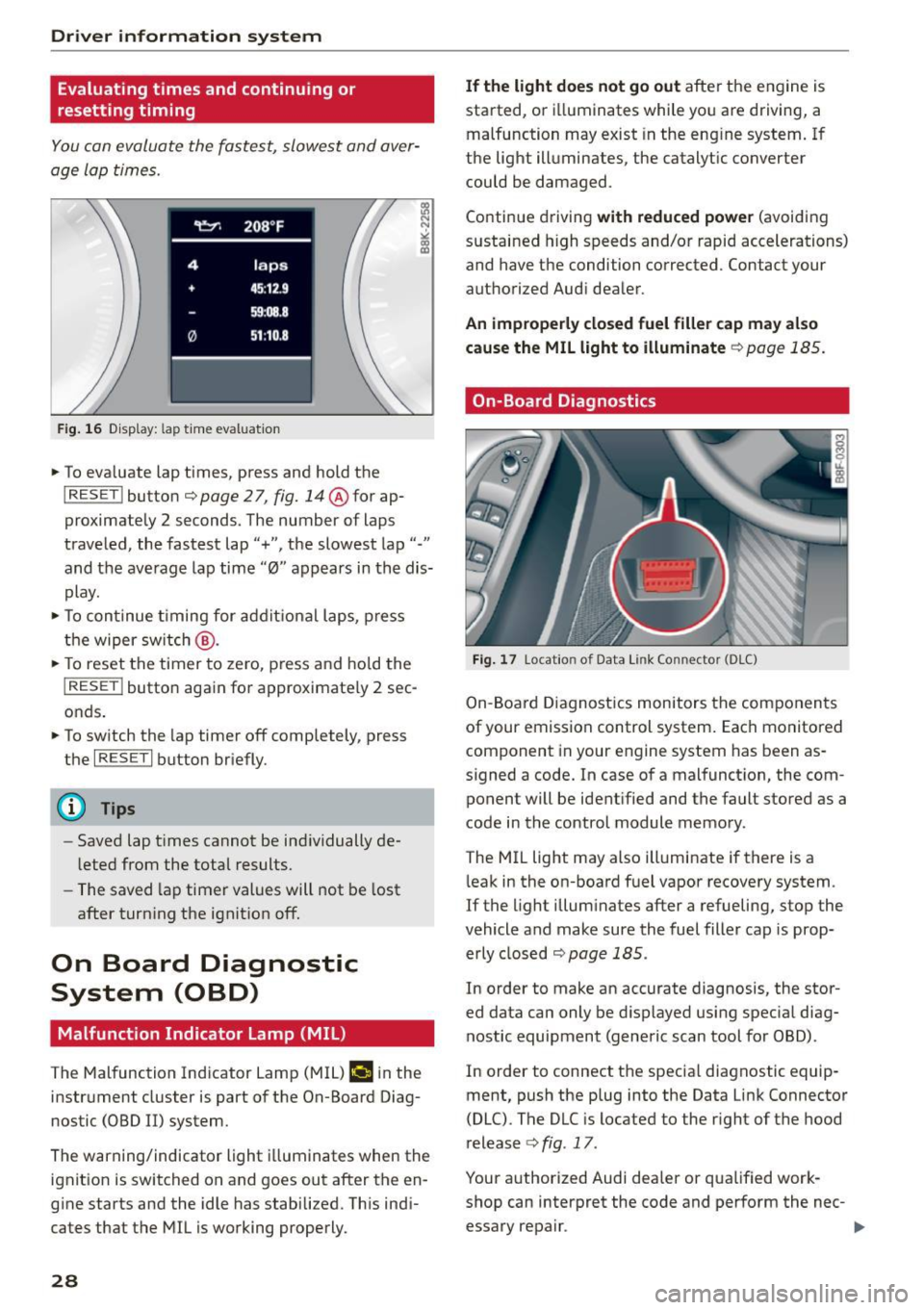
Fig . 16 D isplay: lap t ime evaluat ion
... To eva luate lap times, press and hold the
I RESET ! button c::;, page 2 7, fig. 14@for ap
proximately 2 seconds. The number of laps
traveled, the fastest lap"+", the slowest lap"-"
and the average lap time "0" appears in the dis
play .
... To continue timing for addit ional laps, press
the wiper sw itch @.
... To reset the timer to zero, press and hold the
I RESE T! button again for approximate ly 2 sec
onds .
... To switch the lap timer off completely, press
the
I RESE T I button briefly.
(D Tips
-Saved lap t imes cannot be ind ividually de
l eted from the total results.
- The saved lap timer values will not be lost
after turn ing the ignit ion off.
On Board Diagnostic
System (OBD)
Malfunction Indicator Lamp (MIL)
The Malfunction Indicator Lamp (MIL) ¢.ij in the
instrument cluster is part of the On-Board Diag
nostic (OBD II) system.
The warning/indicator light illuminates when the
ignit ion is switched on and goes out after the en
g ine starts and the idle has stabilized. Th is ind i
cates that the MIL is working properly.
28
If the light does not go out after the engine is
started, or i lluminates while you are driving, a
malfunction may exist in the eng ine system. If
the light illuminates, the catalytic converter
could be damaged .
Continue driving
with reduced power (avoiding
sustained high speeds and/or rapid accelerations)
and have the condition corrected. Contact your
authorized Audi dealer.
An improperly closed fuel filler cap may also
cause the MIL light to illuminate
c::;, page 185.
On-Board Diagnostics
Fig. 17 Locatio n of Data Link Co nnector (O LC)
On-Board Diagnostics monitors the components
of your emission control system. Each monitored component in your engine system has been as
signed a code. In case of a malfunction, the com ponent will be identified and the fault stored as a
code in the control module memory.
The MIL light may also illuminate if there is a
leak in the on-board fuel vapor recovery system.
If the l ight illuminates after a refueling, stop the
vehicle and make sure the fuel filler cap is prop
erly closed
c::;, page 185.
In order to make an accurate diagnosis, the stor
ed data can only be displayed using special diag
nostic equipment (generic scan tool for OBD).
In order to connect the specia l diagnostic equip
ment, push the plug into the Data Link Connector
(DLC). The DLC is located to the right of the hood
release
c::;, fig . 17 .
Your authorized Audi dealer or qua lified work
shop can interpret the code and perform the nec- essary repair . .,,_
Page 31 of 254
M N
0:: loo ,...., \!) ..,.,
N ..,., ,....,
A WARNING
Do not use the diagnostic connector for per
sonal use . Incorrect usage can cause malfunc
tions, wh ich can increase the risk of a colli
sion!
Dri ver information s ystem
29