warning light AUDI RS5 COUPE 2015 Owner's Manual
[x] Cancel search | Manufacturer: AUDI, Model Year: 2015, Model line: RS5 COUPE, Model: AUDI RS5 COUPE 2015Pages: 254, PDF Size: 64.12 MB
Page 41 of 254
"' N
0:: loo
rl I.O
"' N
"' rl
Panorama roof
Operation
~,,,,,
G:;::r:) , •• ~. -r.=7' -.: ~
8(fj) G
o .. o
)
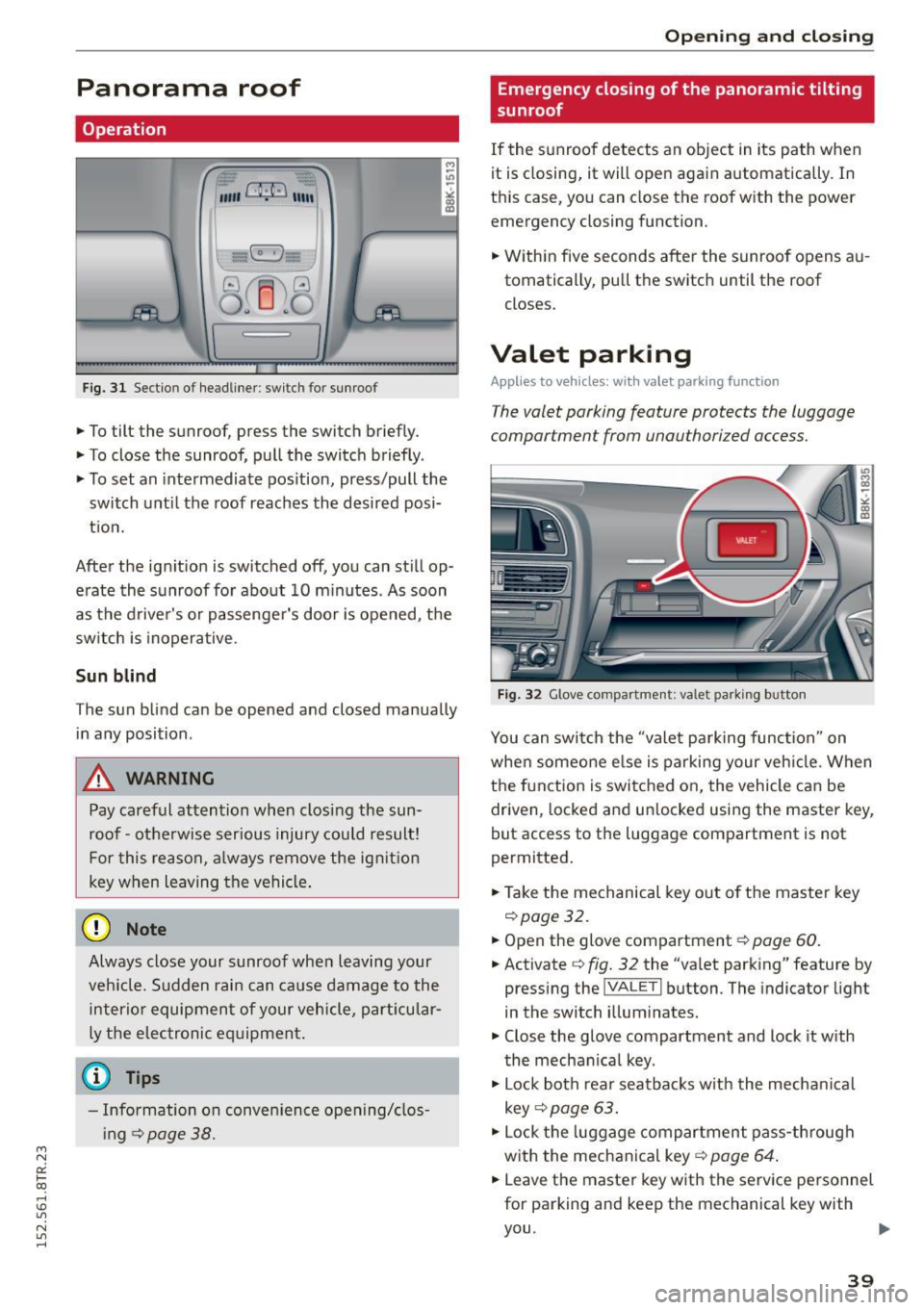
Fig. 31 Sect io n o f headliner : switc h for sunroo f
.,. To tilt the sunroof, press the switch briefly.
.,. To close the sunroof, pull the switch briefly .
.,. To set an intermediate pos ition, press/pull the
switch until the roof reaches the desired posi
t ion.
After the ignit ion is switched off , you can still op
erate the sunroof for about 10 m inutes . As soon
as the driver's or passenger's door is opened, the
switch is inoperative .
Sun blind
The sun blind can be opened and closed manually
in any position .
A WARNING
Pay careful attention when closing the sun
roof - otherwise ser ious injury could result!
For this reason, a lways remove the ign it ion
key when leaving the vehicle.
@ Note
Always close your sunroof whe n leaving your
ve hicle. Sudden rai n can ca use damage to the
interio r equipment of your vehicle, part icular
ly the elec tronic equipment.
(0 Tips
- Information on conven ience opening/clos
i ng
¢page 38.
-
Opening and clo sing
Emergency closing of the panoramic tilting
sunroof
If the s unroof detects an object in its path when
it is closing, it will open aga in a utomatically . In
th is case, you can close the roof with the power
emergency closing function .
.,. Within five seconds after the sunroo f opens au
tomatically , pu ll the switch until the roof
closes.
Valet parking
Appl ies to veh icles: w it h valet pa rking function
The valet parking feature protects the luggage
compartmen t from unauthorized access .
Fig . 32 G love co mpartme nt: valet parking b utton
You can switch the "valet parking function" on
whe n someone e lse is parking your veh icle . When
the f unction is switched o n, the vehicle can be
driven, locked and un locked usi ng the master key,
but access to the luggage compartment is not
perm itted.
.,. Take the mechanical key o ut of the maste r key
¢ page 32.
.,. Open the glove compartment¢ page 60.
.,. Activate ¢ fig. 32 the "va let pa rk ing" feature by
pressing the
jVA LETI but ton . The indicator light
in the switch illum inate s.
.,. Close the glove compartment and lock it w ith
the mechan ica l key .
.,. Lock both rear seatbacks w ith the mecha nical
key ¢
page 63.
.,. Lock the luggage compartment pass -through
with the mechanica l key ¢
page 64 .
.,. Leave the master key w ith the serv ice personnel
for parking and keep the mechanical key with
you .
39
Page 42 of 254
Opening and closing
The fo llowing buttons are deactivated when the
valet parking function is switched on:
-las l but ton in the dr iver's door
- la, l button on the master key
- Handle in the rear lid
When the valet parking feature is activated, the
message
Valet parking activated appears in the
instrument cluster display when you switch the
ignit ion on .
Garage door opener
(Homelink)
Description
Applies to vehicles: with garage door opener (Homelink)
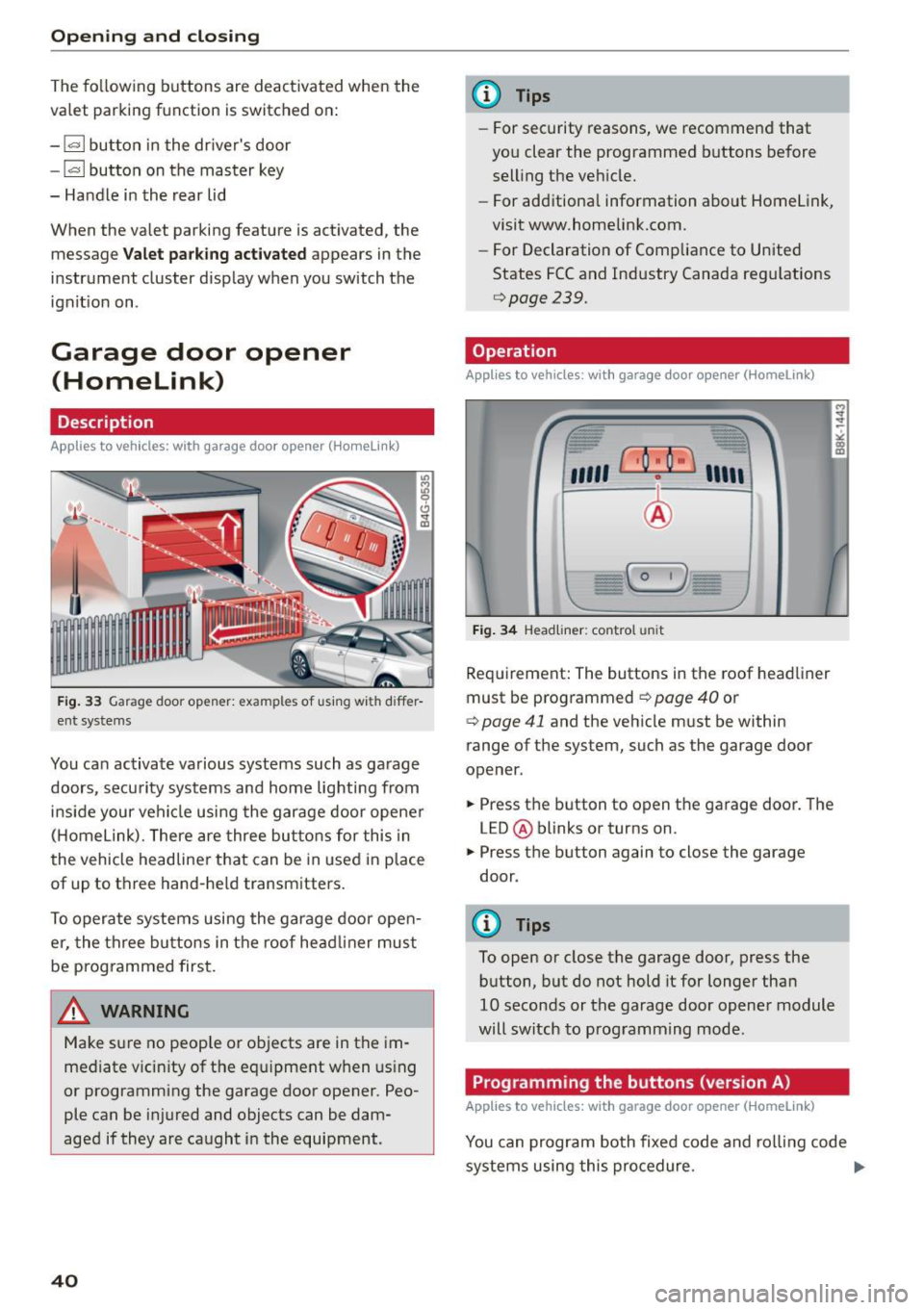
F ig. 33 Garage door opener: examples of using with differ
ent systems
You can activate various systems such as garage
doors, security systems and home lighting from
inside your vehicle using the garage door opener
(Homelink). There are three buttons for this in
the vehicle headliner that can be in used in place
of up to three hand-held transmitters.
To operate systems using the garage door open
er, the three buttons in the roof head liner must
be programmed first.
A WARNING
Make sure no people or objects are in the im
mediate v icin ity of the equipment when using
or programming the garage door opener. Peo
ple can be injured and objects can be dam
aged if they are caught in the equipment.
40
@ Tips
- For security reasons, we recommend that
you clear the programmed buttons before
selling the vehicle.
- For additional information about Homelink,
visit www.homelink.com.
- For Declaration of Comp liance to United
States FCC and Industry Canada regulations
9page239.
Operation
Appl ies to vehicles: with garage door opener (Homelink)
fr --= <• --- "' -
"'
"' ~
"' co m
''''' r · o : o ·) ,,,,;
-
I
~ I I
:'I
I
I - C 0 1)
)
Fig. 34 Headliner: co ntrol un it
Requirement: The buttons in the roof headliner
must be programmed
9 page 40 or
¢ page 41 and the vehicle must be within
range of the system, such as the garage door
opener.
.. Press the button to open the garage door. The
LED @ blinks or turns on.
.. Press the button again to close the garage
door .
@ Tips
To open or close the garage door, press the
button, but do not hold it for longer than
10 seconds or the garage door opener module
will switch to programming mode.
Programming the buttons (version A)
Applies to vehicles: with garage door opener (Homelink)
'
You can program both fixed code and rolling code
systems using this procedure. ..,_
Page 45 of 254
Lights and Vision
Exterior Lighting
Switching the lights on and off
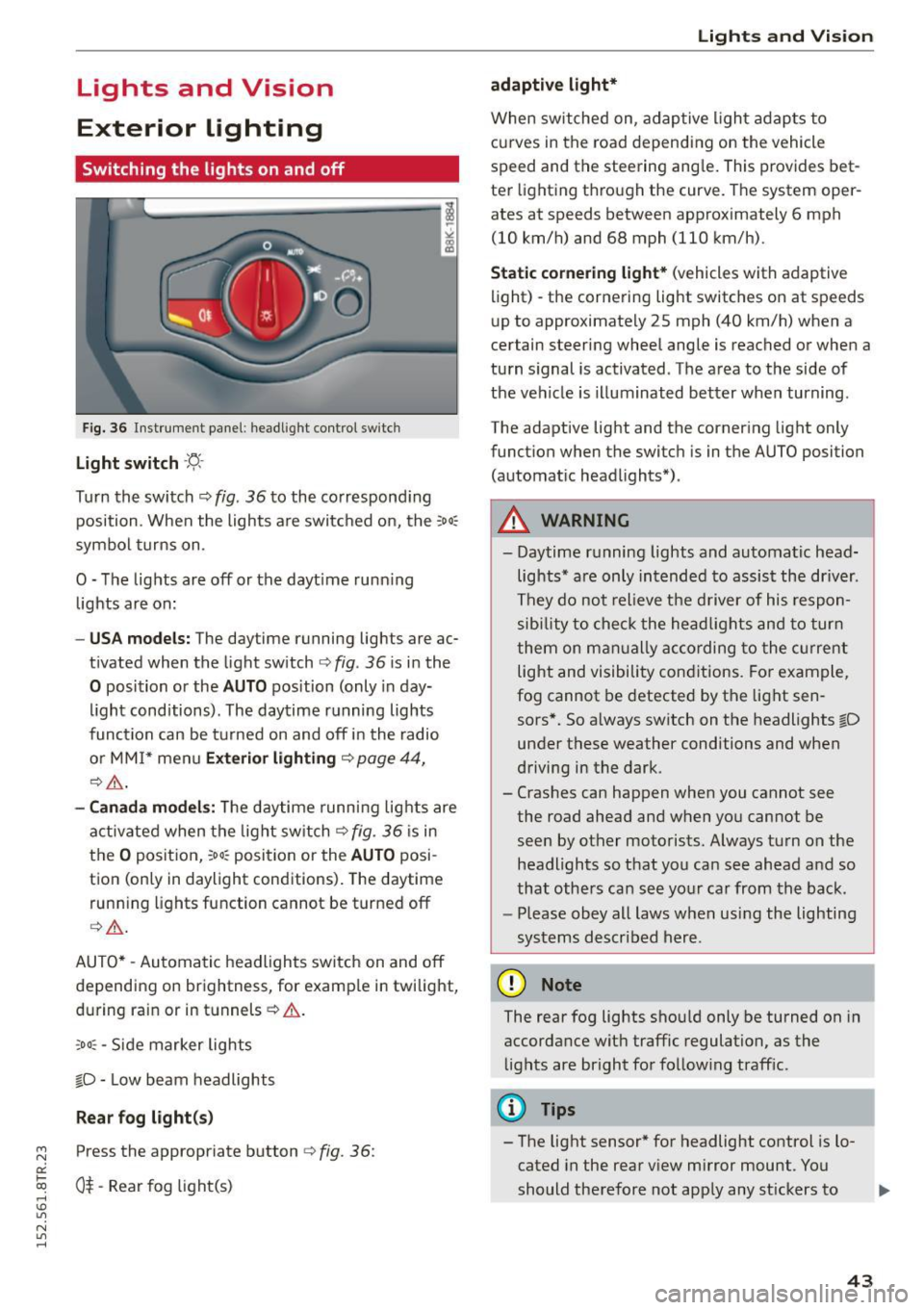
Fig. 36 In str ument pa ne l: h eadligh t contro l sw itc h
Light switch -'f!,-
Turn th e switch ¢ fig. 36 to the co rrespond ing
position . When the lights a re switc hed on, the :
00
:
symbo l turns on .
O -The lights are off or the dayt ime runn ing
lights are on:
- USA models: The day time running lights are ac
t ivated when the light sw itch ¢
fig. 36 is i n the
O position or the AUTO position (only in day
li ght conditions). The daytime r unning lights
func tion can be turned on and off i n the radio
o r MM I* men u
Exteri or lighting ¢ page 44,
¢ ,& .
-Canada model s: Th e daytime runn ing lig hts are
a ctiv ated when the light sw itch
Q fig . 36 is in
t h e
O position, :oo: position or the AUTO posi
tion (only in daylight conditions) . The daytime
run ning lights function cannot be turned off
Q _&. .
AUTO* -Aut omatic headlights switch on and off
de pending on brightness, for examp le in twilight,
during ra in or in tunnels ¢& .
,o o: -Side marker lights
fD -Low beam headlights
Rear fog light (s)
~ Press the appropriate button ¢ fig. 36:
0::
txi 0$-Rear fog light(s) rl I.O
"' N
"' rl
Lights and Vis ion
adaptive light*
When switched on, adap tive ligh t ad apts to
c u rves in the road depend ing on the vehicle
speed and the steering ang le . This provides bet
te r li ght ing t hrough the curve. The system oper
ates at speeds between approximately 6 mph
(10 km/h) and 68 mph (110 km/h).
Static cornering light* (vehicles with adaptive
light) -the corne ring light switches on at speeds
u p to approximate ly 25 mph (40 km/h) when a
certain steering wheel angle is reached or when a
tu rn s ignal is activated. The a rea to the side of
the ve hicle is illuminated bet ter when turning .
The adaptive light and the corner ing light only
funct ion when the switc h is in t he AUTO position
(automat ic head lights*) .
A WARNING
--Daytime r unning lights and automatic head·
lights * are only in tended to assis t the driver .
Th ey do not relieve the d river of his respon
s ibi lity t o check the he ad lig hts and to tur n
t hem on m anually according to the cur ren t
light and visibility con ditions . Fo r ex am ple,
fog cannot be detected by t he lig ht sen
sors*. So a lways switch on the headlights
fD
un der these weather conditions and when
d riving in the dark .
- Cras hes can happen when you cannot see
the road ahead an d when yo u cannot be
seen by other motorists. Always tu rn on the
headlights so that you can see ahead a nd so
that othe rs can see yo ur ca r from the ba ck.
- Please obey all laws when usi ng the lighting
sys tems described her e.
(D Note
The rear fog lights sho uld only be turned on in
accordance wit h traffic regulation, as the
li g hts are bright fo r fo llow ing traff ic.
(D Tips
- The light sensor * for headlight control is l o
cated in the rear v iew mirror mount . You
should therefore not app ly any st ickers to .,.
43
Page 46 of 254
Lights and Vi sion
the windshield in this area in order to pre
vent malf unctions or failures.
- Some exterior lighting functions can be ad
ju sted
r::!> page 44.
-When yo u remove you r key fr om the igni tion
while the vehicle 's lights are turned on, a
b uzzer sounds as long as t he driver's door is
open .
- In cool or damp weather, the ins ide of the
headlights, tur n sig nals and tail lights can
fog over due to the temperat ure difference
between the inside and outside. They w ill
clear s hortly after switching them on. T his
does not affect t he se rvice life of the light
i ng .
- In the event of a light sensor malfunct ion,
the driver is not ified in the i nstr ument clus
ter dis play
r::!> page 21.
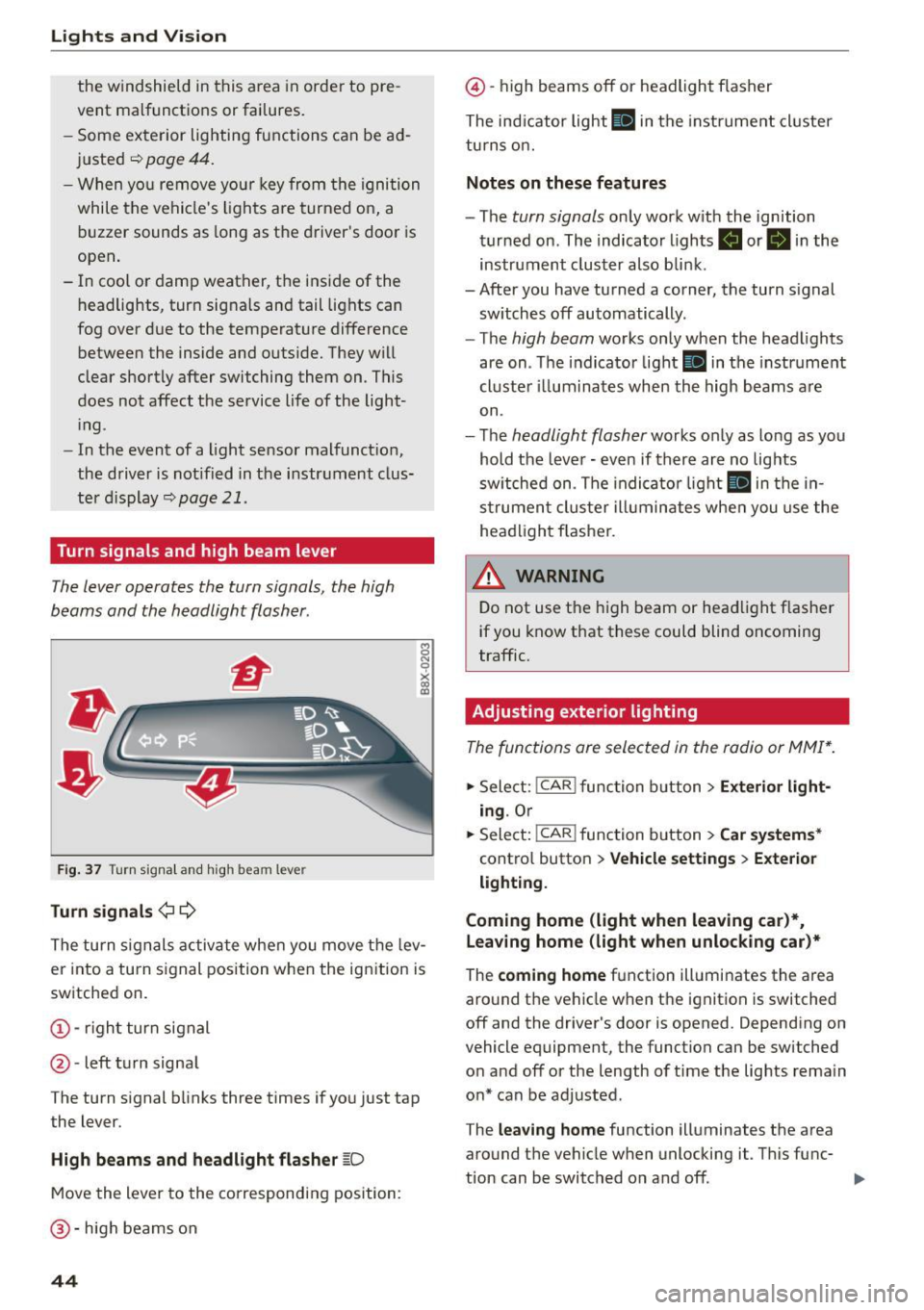
Turn signals and high beam lever
The Lever operates the turn signals , the high
beams and the headlight flasher .
Fig. 37 Tu rn signa l an d hi gh beam lever
Turn signals ¢¢
8 N 0
~ lD
The turn s ignals activa te whe n you move t he lev
er into a turn s ignal position when the ignition is
switched on.
@ -righ t turn signal
@ -left turn signa l
The turn s ignal blinks three times if yo u just tap
the lever.
High beams and headlight flasher ~D
M ove the lever to the correspondin g position:
@-hig h beams on
44
@ -high beams off or headlight f lasher
The ind icator light
II in t he instru ment cl uster
tu rn s on.
Notes on these features
- The turn signals only wor k w ith the ignition
tur ned on . The indicato r lights
B or II in the
instrument cluster also blin k.
-After you have tu rned a corner, the turn signal
sw itches off automatically.
- The
high beam works only when the head lights
are on . Th e indicator light
II in the instr ume nt
cl uste r ill umi nates when the high beams a re
on.
- T he
headlight flasher works o nly as lo ng as yo u
hold the leve r -even if there a re no lig hts
sw itched on . T he indi cato r light
II in the in
s t rume nt clus te r i llumin ates whe n you use the
head light fl asher.
&_ WARNING
D o not use t he h igh beam or hea dlight flashe r
i f you know that these could blind oncoming
traffic.
Adjusting exterior lighting
The func tions ore selected in the radio or MMI* .
.,. Sele ct: I CAR I func tion b utton > Exterior light
ing .
Or
.,. Sele ct : -1 C- A- R~i f unc tion b utton > Car systems *
contro l button > Vehicle setting s > Exterior
lighting.
Coming home (light when leaving car )*,
leaving home (light when unlocking car)*
The coming home f u nction ill umi nates the area
aro und t he veh icle when t he ignit ion is switched
off and the driver's door is opened. Depend ing on
vehicle equipment, the function can be switched
o n and off or the length o f time the lights remain
o n* can be adjusted .
The
leaving home function illuminates t he area
aro und th e vehicle when unlocki ng it. T his func-
t ion can be switched on and off. ..,.
Page 49 of 254
"' N
0:: loo
rl I.O
"' N
"' rl
Q/P -Adjusting the left/right exterior mirror.
Move the knob in the desired direction.
®-Heat ing the mirror g lass depending on the
ou tside temperature* .
8 -Folding exterior mirrors*. In the Infotain
ment system, you can select if the mirrors fold in
automatically when you lock the veh icle
¢page 35.
F ront p assen ger's ext erior mirror tilt
fun ction *
To help you see the cu rb when backing into a
parking space, the surface of the mi rror tilts
slightly. For this to happen, the knob must be in
the position for the front passenger 's outside
mirror .
You can adj ust the ti lted mirror surface by turn
ing the knob in the desired direction . When you
move out of reverse and into another gear, the
new mirror position is stored and assigned to the
key you are using.
The mirror goes back into its origina l position
once you drive forward faster than 9 mph
(15 km/h) or turn the ignition
off.
A WARNING
Curved mirror surfaces (convex or spherical*)
increase your field of view. Remember that
vehicles or other objects will appear smaller
and farther away than when seen in a flat mir
ror .
If you use this mirro r to estimate distan
ces of following veh icles when changing
lanes, you cou ld es timate incorrectly and
cause an accident .
(D Note
-If the mirror hous ing was moved by force
(fo r example, by running into an object
when maneuvering the vehicle), the m irror
must be folded all the way in using the pow
er folding function. The mirror housing
must not be moved back into place by hand
because this would impair the function of
the mirror mechanism.
- If you wash the vehicle in an automatic car
wash, you must fold the exterior mirrors in
Li ghts a nd Visio n
to reduce the risk of damage to the mirrors.
Never fold power fo lding exterior mirrors*
by hand . On ly fold them in and out us ing
the power controls.
@ Tips
- If the power adjusting function malfunc
tions, the glass in both mirrors can be ad
justed by pressing on the edge of it by hand.
- The exterior mirror settings are stored with
the memory function*¢
page 57.
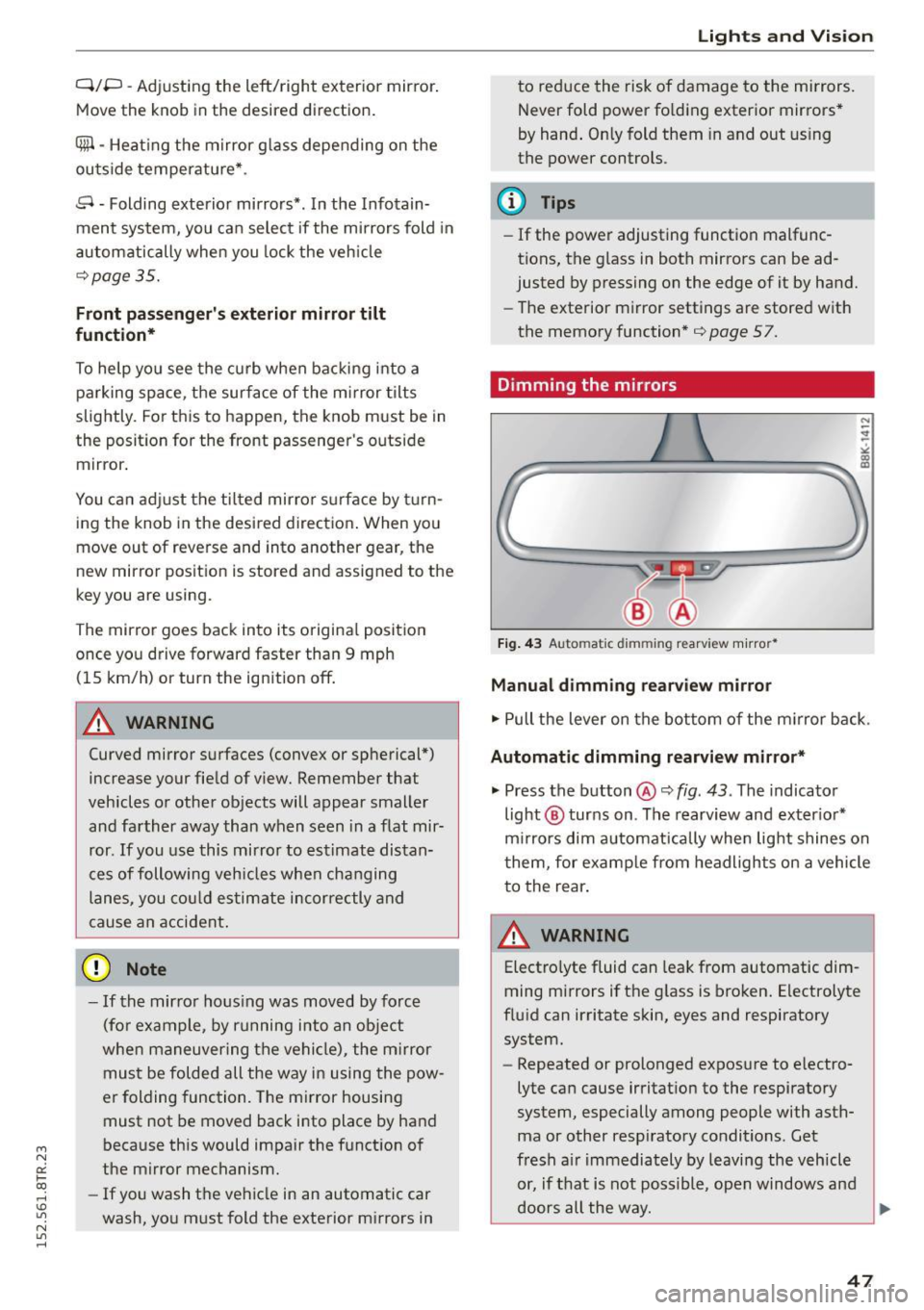
Dimming the mirrors
N
Fig. 43 Auto matic dimming rearview m irro r*
Manu al dim ming re arvi ew mirror
.. Pull the lever on the bot tom of the m irror back.
Automatic dimming r earvi ew mirror *
.. Press the button@¢ fig. 43 . The indicator
light @ turns on . The rearview and exter ior*
m irrors dim automatically when light shines on
them, for examp le from headlights on a vehicle
to the rear .
A WARNING
Electrolyte fluid can leak from automatic dim
ming mirrors if the g lass is broken. Electrolyte
flu id can irritate skin, eyes and respiratory
system.
- Repeated or prolonged exposure to e lectro
lyte can cause irritat ion to the respiratory
system, especially among people with asth
ma or other resp iratory conditions. Get
fresh a ir immediately by leaving the vehicle
or, if t hat is not possible, open windows and
doors all the way.
91>
47
Page 51 of 254
"' N
0:: loo
rl I.O
"' N
"' rl
You can adjust the settings for the rear sun shade
so the shade retracts automatically when you select the reverse gear. To do this, select the
I CAR !
function button
>W indows > Rear blind > auto
matic > on
or! CAR I function button > Car sys
tems *
control button > Vehicle settings > Auto
matic rear blind
> On . The current setting is au
tomatically stored and assigned to the remote
key . Th e sun shade is extended again as soon as
the vehicle is traveling forward at a speed greater
than
9 mph (15 km/h) if the ignition has not
been switched off in the meantime .
WARNING
When lowering or raising the sunshade, make
sure there is nothing in its way and that it has
a free path to travel. This could cause person
al injury.
@ Tips
- Pressing the button rn several times con
secutive ly can trigger the overload protec·
tion. The sun shade can only be extended/
retracted again after a brief waiting period.
- The rear window sun shade only funct ions
when the vehicle interior is warmer than
14°F (-10°C).
Windshield wipers
Switching the windshield wipers on
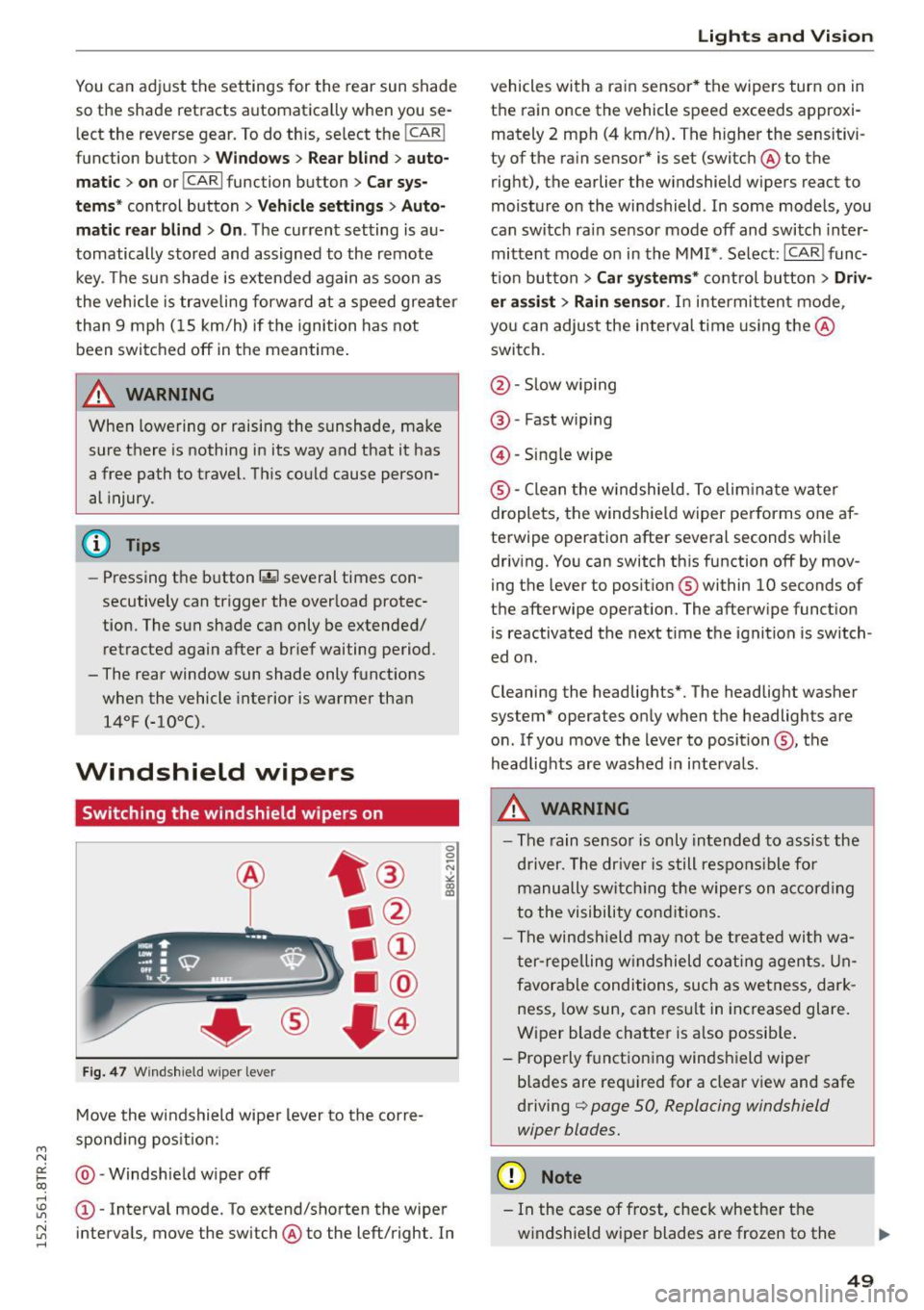
Fig. 47 Windshie ld wiper lever
Move the windshield wiper lever to the corre
sponding position:
@ -Windshield w iper off
0 0 -N
"' IX) a:,
(D -Interval mode. To extend/shorten the wiper
intervals , move the switch @to the left/right. In
Lights and Vision
vehicles with a ra in sensor* the wipers turn on in
the rain once the vehicle speed exceeds approxi
mately 2 mph (4 km/h). The higher the sensitivi
ty of the rain sensor* is set (switch @to the
right), the earlier the windshield wipers react to
moisture on the windshield . In some models, you
can switch ra in sensor mode off and switch inter
mittent mode on in the MMI* . Select : !CAR I func
tion button
> Car systems* control button > Driv
er assist> Rain sensor.
In intermittent mode ,
you can adjust the interval time using the@
switch.
@ -Slow wiping
@ -Fast wiping
@-Single wipe
® -Clean the w indshie ld. To eliminate water
droplets, the windshield wiper performs one af
terwipe operation after several seconds whi le
driv ing. You can switch this function off by mov
ing the lever to position ® within
10 seconds of
the afterwipe operation. The afterwipe function is reactivated the next time the ignition is switch
ed on .
Cleaning the headlights*. The headlight washer
system* operates only when the headlights are
on . If you move the lever to position @, the
headlights are washed in intervals.
A WARNING
--The rain sensor is only intended to assist the
driver. The driver is still respons ible for
manually switch ing the wipers on according
to the visibility conditions.
- The windshield may not be treated with wa
ter-repelling windshield coating agents. Un
favorable conditions, such as wetness, dark
ness, low sun, can result in increased glare.
Wiper blade chatter is also possib le .
- Properly functioning windshield wiper
blades are required for a clear view and safe
driving
c::> page 50, Replacing windshield
wiper blades.
(D Note
- In the case of frost, check whether the
windshield wiper blades are frozen to the
49
Page 54 of 254

Lights and Vi sion
Adjusting the magnetic zone
Applies to vehicles: with digital compass
The magnetic zone must be adjusted correctly
for the compass to read accurately .
~
LIU ®
Fig . SO No rth A meri ca: magne tic deflection zo ne bo unda
ri es
"' Press a nd ho ld the button @~ fig. 50 until the
number of the magne tic zone ap pears in the
rearview mirror .
"' Press the butto n @ repeated ly to select the
correct magnetic zone . The selection mode
turns off after a few seconds.
Calibrating the compass
Applies to vehicles: w ith d ig ital compass
You must recalibrate the compass if it does not
display the correct direction.
"'Press and ho ld the bu tton @unt il a C appea rs
in the rearview mirror.
"' Drive in a circle at about 6 mph (10 km/h) until
a direct ion is displayed in the rearv iew m irror .
A WARNING
-To avoid endanger ing yo urself and othe r
dr ivers, calibrate the compass i n an area
whe re the re is no traffic.
52
- The digital compass is to be used as a direc
tional a id on ly. Even though you may want
to look at it wh ile you are dr iv ing, you must
still pay attent io n to traffic, road a nd weath
er cond itions as well as other poss ible haz
ar ds.
Page 55 of 254
M N
0:: loo ,...., \!) 1.1'1
N 1.1'1 ,....,
Seats and storage
General information
Why is your seat adjustment so important?
The safety belts and the airbag system can only
provide maximum protection if the front seats are correctly adjusted.
There are various ways of adjusting the front
seats to provide safe and comfortable support
for the driver and the front passenger. Adjust
your seat properly so that:
- you can easily and quickly reach all the switches
and controls in the instrument panel
- your body is properly supported thus reducing
physical stress and fatigue
- the safety belts and a irbag system can offer
maximum protection ¢
page 128.
In the following sections, you will see exactly
how you can best adjust your seats.
There are special regulations and instructions for installing a child safety seat on the front pas
senger's seat. Always follow the information re
garding child safety provided in¢
page 150,
Child safety.
A WARNING -
Refer to¢ page 111, Driving safety for im
portant information, t ips, suggestions and
warnings that you should read and follow for
your own safety and the safety of your pas senge rs.
A WARNING
Incorrect seating position of the dr iver and all
other passengers can resu lt in serious person
al injury.
- Always keep your feet on the floor when the
vehicle is in motion -never put your feet on
top of the instrument pane l, out of the win
dow or on top of the seat cushion. This ap
plies especially to the passengers . If your
seating pos it ion is incorrect, you increase
the risk of injury in the case of sudden brak
ing or an accident. If the airbag inflates and
Seat s and stor age
the seating position is incorrect, this cou ld
result in personal injury or even death.
- It is important for both the driver and front
passenger to keep a distance of at least
10 inches (25 cm) between themselves and
the steering wheel and/or instrument panel.
If you're sitting any closer than this, the air
bag system cannot protect you properly. In
addition, the front seats and head restraints must be adjusted to your body height so
that they can give you max imum protect ion.
- Always try to keep as much distance as pos
sible between yourself and the steer ing
wheel or instrument pane l.
- Do not adjust the driver's o r front passeng
er 's seat while the veh icle is moving. Your
seat may move unexpectedly, causing sud
den loss of vehicle control and persona l in
jury.
If you adjust your seat whi le the vehicle
is moving, you are out of position.
Driver's seat
The correct seat position is important for safe
and relaxed driving.
We recommend that you adjust the dr iver's seat
in the following manner:
"' Adjust the seat in fore and aft direction so that
you can eas ily push the pedals to the floor
while keeping your knees slightly bent¢.&,
in
Why is your seat adjustment so important? on
page 53.
"' Adjust the seatback so that when you sit with
your back against the seatback, you can still
grasp the top of the steering wheel.
"' App lies to veh icles w ith adjustable head re
straints: Adjust the head restraint so the upper
edge is as even as possible with the top of your
head.
If that is not possible, try to adjust the
head restra int so that it is as close to th is posi
t ion as possible ¢
page 56.
A WARNING
Never place any objects in the driver's foot
well. An object could get into the pedal area
and interfere with pedal funct ion. In case of
-
53
Page 60 of 254
Seats and storage
Memory button s
Applies to vehicles: with seat memory
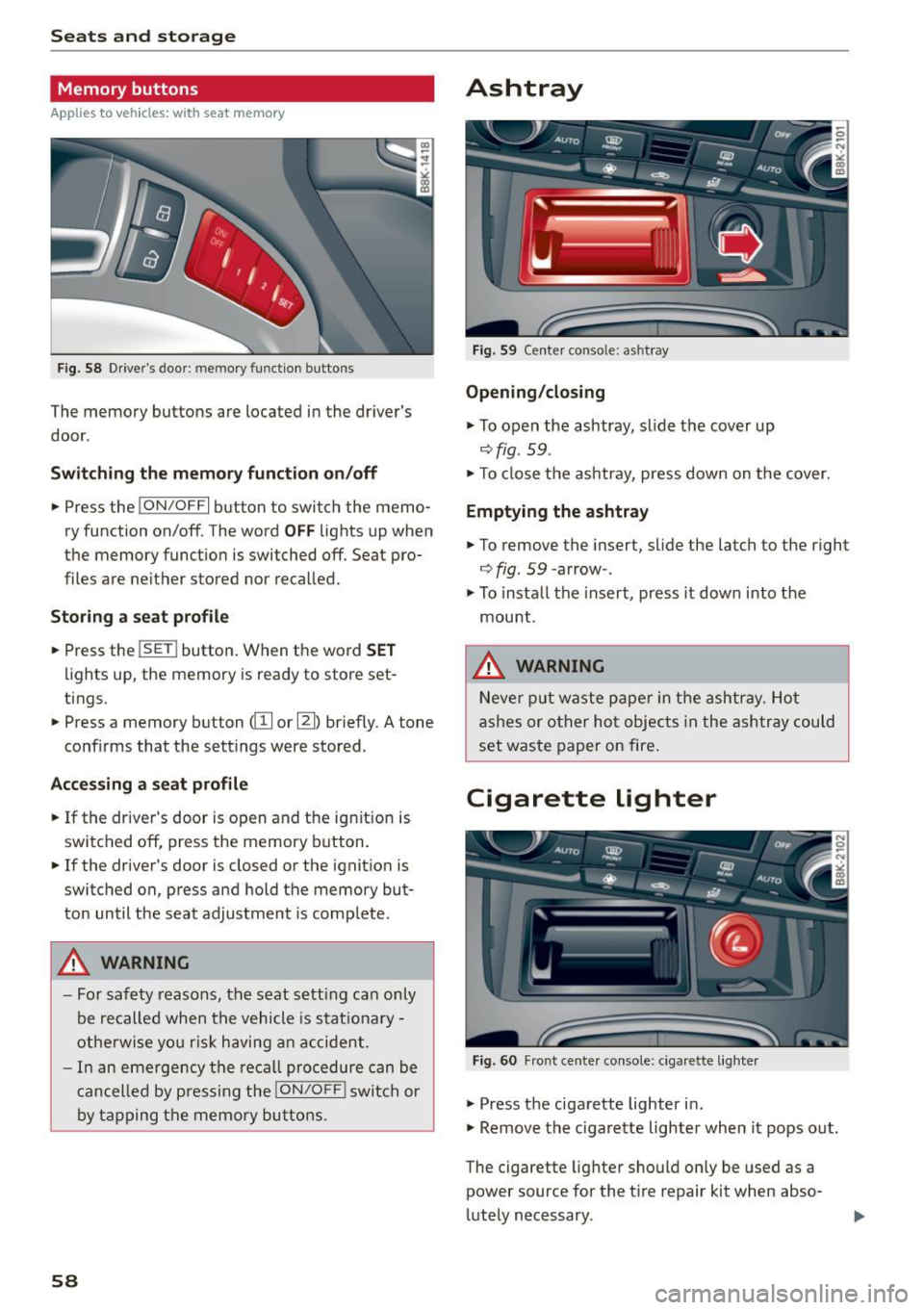
Fig. 58 Drive r's door : me mory function buttons
The memo ry buttons are located in the driver's
door .
Switching the memory function on/off
• Press the !ON/O FF I button to switch the memo
ry function on/off. The word
OFF lights up when
the memo ry function is switched off . Seat pro
files are neither stored nor recalled.
Storing a seat profile
• Press the !SE T! button. When the word SET
lights up, the memory is ready to store set
tings.
• Press a memory button
([I I or ~) briefly . A tone
confirms that the sett ings were stored.
Accessing a seat profile
• If the driver's door is open and the ig nit ion is
switch ed off, press the memory button.
• If the driver's door is closed or the ignition is
switched on, press and hold the memory but
ton until the seat adjustment is comp lete .
.&_ WARNING
- For safety reasons, the seat sett ing can only
be recalled when the vehicle is stat ionary -
otherwise you risk having an accident .
- In an emergency the recall procedure can be
cancelled by pressing the
!ON/OFF I switch or
by tapping the memory buttons.
58
Ashtray
Fig. 59 Center console: as htray
Opening/closing
• To open the ashtray, slide the cover up
Qfig . 59 .
• To close the ashtray, press down on the cover.
Emptying the ashtray
• To remove the insert, slide the latch to the right
Qfig. 59 -arrow -.
• To install the insert, press it down into the
mount .
.&_ WARNING
-
Never put waste paper in the ashtray. Hot
ashes or other hot objects in the ashtray could
set was te paper on fire .
Cigarette lighter
Fig. 60 Front center console: cig arette lighter
• Press the cigarette lighter in .
• Remove the cigarette lighter when it pops out.
The cigarette lighter should only be used as a
power source for the t ire repair kit when abso
lutely necessary .
Page 61 of 254
"' N
0:: loo
rl I.O
"' N
"' rl
_& WARNING
The cigarette lighter only works when the ignition is switched on. Incorrect usage can lead
to serious injuries or burns . For this reason,
children should never be left unattended in
the vehicle because this increases the risk of
injury .
Storing
General overview
_& WARNING
-Always remove objects from the instrument
panel. Any items not put away could slide
around inside the vehicle while driving or
when accelerating or when applying the
brakes or when driving around a corner .
- When you are driving make sure that any
thing you may have placed in the center con
sole or other storage locations cannot fall
out into the footwells. In case of sudden
braking you would not be able to brake or
accelerate.
-Any pieces of clothing that you have hung up must not interfere with the driver's view.
The coat hooks are designed only for light
weight clothing . Never hang any clothing
with hard, pointed or heavy objects in the pockets on the coat hooks. During sudden
braking or in an accident - especially if the
airbag is deployed - these objects could in
jure any passengers inside the vehicle.
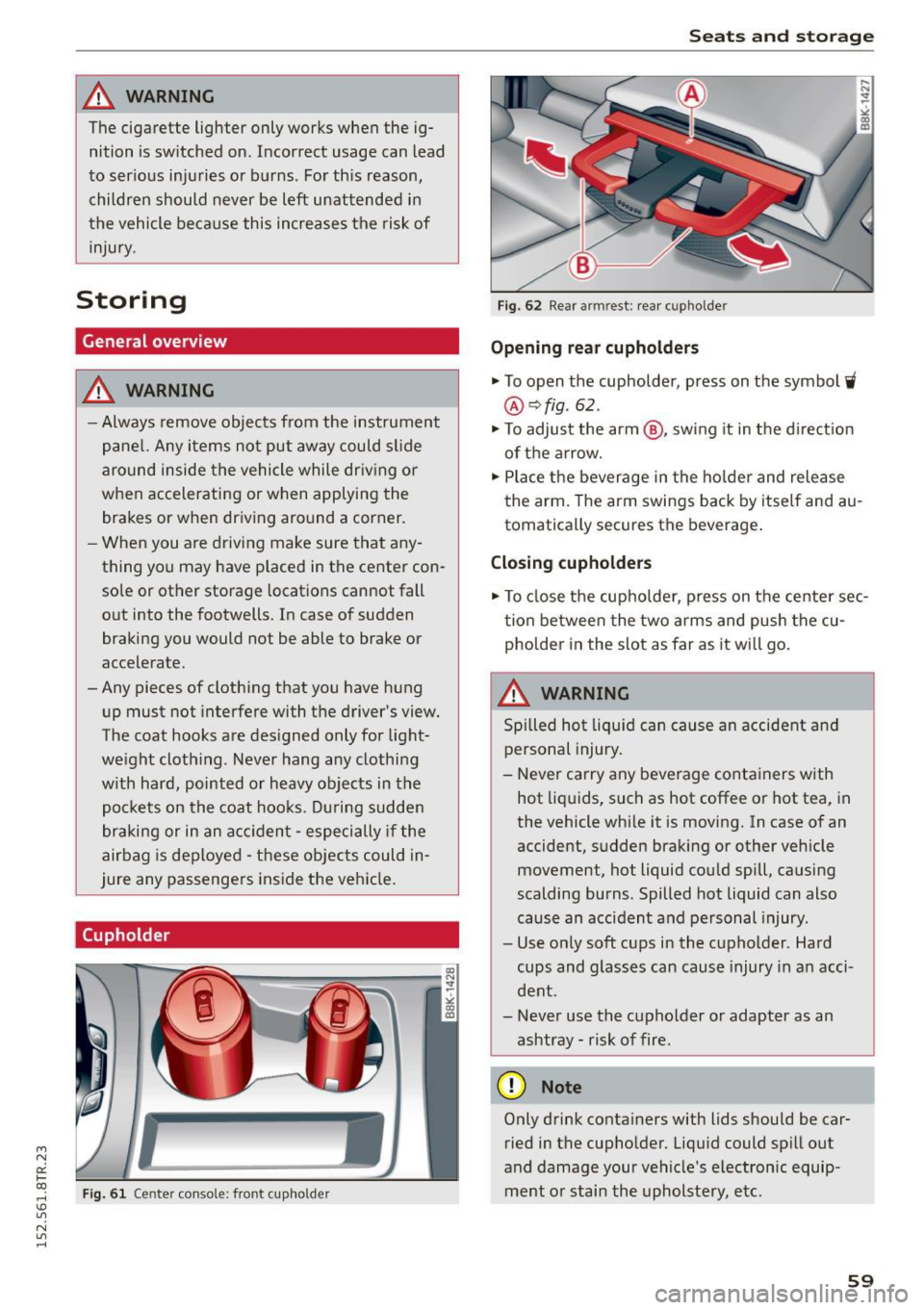
Cupholder
Fig. 61 Cen te r con sole: fron t cupho ld er
Seats and storage
Fig. 62 Rear armrest: rear cup hol der
Opening rear cupholders
.,. To open the cupholder, press on the symbol W
@ ¢fig . 62 .
.,. To adjust the arm @, swing it in the direction
of the arrow.
.,. Place the beverage in the holder and release
the arm. The arm swings back by itself and au
tomatically secures th e be verage .
Closing cupholders
.,. To close the cupholder , press on the center sec
tion between the two arms and push the cu
pholder in the slot as far as it wi ll go.
A WARNING
Spilled hot liquid can cause an accident and
personal injury.
- Never carry any beverage containers with
hot liquids, such as hot coffee or hot tea, in
the vehicle while it is moving. In case of an
accident, sudden braking or other vehicle movement, hot Liquid could spill, causing
scalding burns. Spilled hot Liquid can also
cause an accident and personal injury.
- Use only soft cups in the cupholder . Hard
cups and glasses can cause injury in an acci
dent .
- Never use the cupholder or adapter as an
ashtray- risk of fire .
(D Note
Only drink containers with lids should be car
ried in the cupholder . Liquid could spill out
and damage your vehicle's electronic equip
ment or stain the upholstery, etc.
-
59