parking brake AUDI RS5 COUPE 2015 Owners Manual
[x] Cancel search | Manufacturer: AUDI, Model Year: 2015, Model line: RS5 COUPE, Model: AUDI RS5 COUPE 2015Pages: 254, PDF Size: 64.12 MB
Page 4 of 254
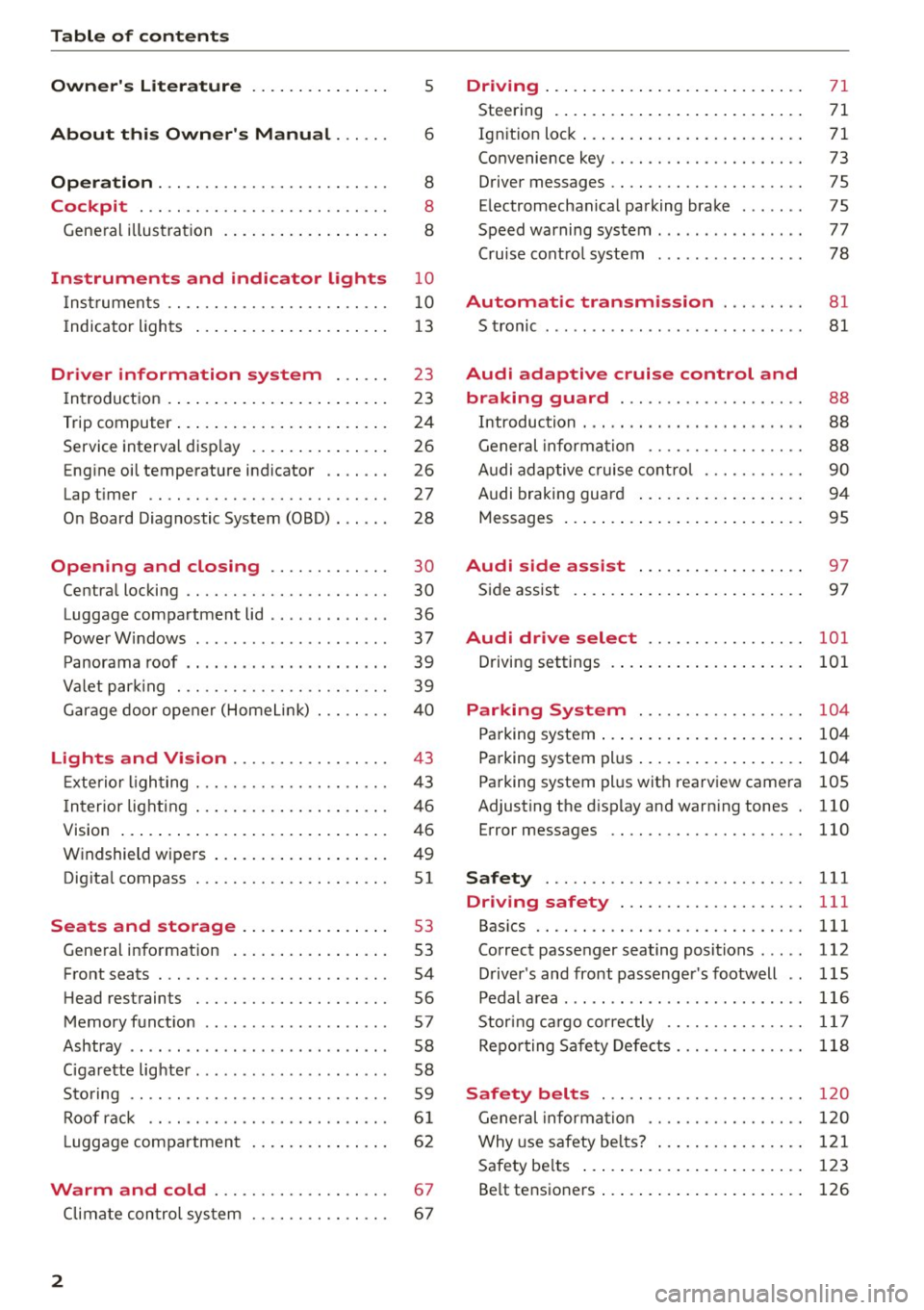
Table of contents
Owner's Literature
About this Owner's Manual ... .. .
Operation ....... ........... .. .. .. .
Cockpi t ... .. ...... ......... .. .. .. .
Gene ral illus tra tion . ..... ... .. .. .. .. .
5
6
8
8
8
Instrument s and indicator lights 10
Instruments . . . . . . . . . . . . . . . . . . . . . . . . 10
Indicator ligh ts . . . . . . . . . . . . . . . . . . . . . 1 3
Driver information sy stem . . . . . . 23
In trodu ct ion . . . . . . . . . . . . . . . . . . . . . . . . 23
Trip computer . . . . . . . . . . . . . . . . . . . . . . . 24
Service interva l disp lay . . . . . . . . . . . . . . . 26
E ng ine oil temperature indicator . . . . . . . 26
Lap t imer . . . . . . . . . . . . . . . . . . . . . . . . . .
27
O n Board Diag nostic System (080) . . . . . . 28
Open ing and closing . . . . . . . . . . . . . 30
Centra l locking . . . . . . . . . . . . . . . . . . . . . . 30
Luggage compartment lid . . . . . . . . . . . . .
36
Powe rW indows . . . . . . . . . . . . . . . . . . . . . 37
P anorama roof . . . . . . . . . . . . . . . . . . . . . . 39
Va let par king . . . . . . . . . . . . . . . . . . . . . . . 39
G arage door ope ner (Home Link) . . . . . . . .
40
Light s and Vi sion . . . . . . . . . . . . . . . . . 43
E xte rio r li ghting . . . . . . . . . . . . . . . . . . . . . 43
I n terior light ing . . . . . . . . . . . . . . . . . . . . . 46
V1s1on ... . ... ... .. .. ..... ... .. .. .. .
W indshield wipers .. ..... ... .. .. .. .. . 46
49
Dig ita l compass . . . . . . . . . . . . . . . . . . . . .
51
Seat s and storage . . . . . . . . . . . . . . . . 53
Gene ral i nfo rmation . . . . . . . . . . . . . . . . . 53
Front seats . . . . . . . . . . . . . . . . . . . . . . . . . 54
H ead restrain ts . . . . . . . . . . . . . . . . . . . . . 56
Memory funct ion . . . . . . . . . . . . . . . . . . . . 57
Ashtray . . . . . . . . . . . . . . . . . . . . . . . . . . . . 58
Ciga rette lig hte r. . . . . . . . . . . . . . . . . . . . . 58
S to ring . . . . . . . . . . . . . . . . . . . . . . . . . . . . 59
Roof rac k . . . . . . . . . . . . . . . . . . . . . . . . . .
6 1
Luggage compartmen t . . . . . . . . . . . . . . . 6 2
Warm and cold . . . . . . . . . . . . . . . . . . . 67
Climate con tro l sys tem . . . . . . . . . . . . . . . 6 7
2
Driving . . . . . . . . . . . . . . . . . . . . . . . . . . . . 71
Steering . . . . . . . . . . . . . . . . . . . . . . . . . . . 71
Ign it ion loc k . . . . . . . . . . . . . . . . . . . . . . . . 71
Convenience key . . . . . . . . . . . . . . . . . . . . . 73
Driver messages . . . . . . . . . . . . . . . . . . . . . 75
E lectromechan ical pa rking brake . . . . . . . 75
Speed warning system . . . . . . . . . . . . . . . .
77
Cru ise cont ro l system . . . . . . . . . . . . . . . . 78
Automatic transmission . . . . . . . . . 81
S tronic . . . . . . . . . . . . . . . . . . . . . . . . . . . . 81
Audi adaptive crui se control and
braking guard . . . . . . . . . . . . . . . . . . . .
88
Introduction . . . . . . . . . . . . . . . . . . . . . . . . 88
General informa tion . . . . . . . . . . . . . . . . . 88
Audi ad aptive cruise cont ro l . . . . . . . . . . . 90
Audi braking guar d . . . . . . . . . . . . . . . . . . 94
Messages . . . . . . . . . . . . . . . . . . . . . . . . . . 95
Audi side as sist . . . . . . . . . . . . . . . . . . 97
Si de assis t . . . . . . . . . . . . . . . . . . . . . . . . . 97
Audi drive select . . . . . . . . . . . . . . . . . 101
Driving settings . . . . . . . . . . . . . . . . . . . . . 101
Parking Sy stem . . . . . . . . . . . . . . . . . . 104
Pa rking system . . . . . . . . . . . . . . . . . . . . . . 104
Pa rking system pl us . . . . . . . . . . . . . . . . . . 104
Parking system pl us w it h rea rv iew camera 105
Adjusting the d isp lay and warn ing tones . 110
Error messages 110
Safety . . . . . . . . . . . . . . . . . . . . . . . . . . . . 111
Driving safety . . . . . . . . . . . . . . . . . . . . 111
Bas ics . . . . . . . . . . . . . . . . . . . . . . . . . . . . . 111
Correc t passe nger seating posi tions . . . . . 112
D river 's and front passenger 's footwell . . 115
Pedal area . .. .. .. .. .. .... ...... ..... 116
Stor ing ca rgo co rrectly . . . . . . . . . . . . . . . 11 7
Re po rt ing Sa fe ty Defe cts . . . . . . . . . . . . . . 118
Safety belts . . . . . . . . . . . . . . . . . . . . . . 120
General informa tion . . . . . . . . . . . . . . . . . 1 20
Why use safety bel ts? . . . . . . . . . . . . . . . . 121
Safety be lts . . . . . . . . . . . . . . . . . . . . . . . . 123
Be lt tens ioners . . . . . . . . . . . . . . . . . . . . . . 126
Page 11 of 254
M N
0:: loo ,...., \!) ..,.,
N ..,., ,....,
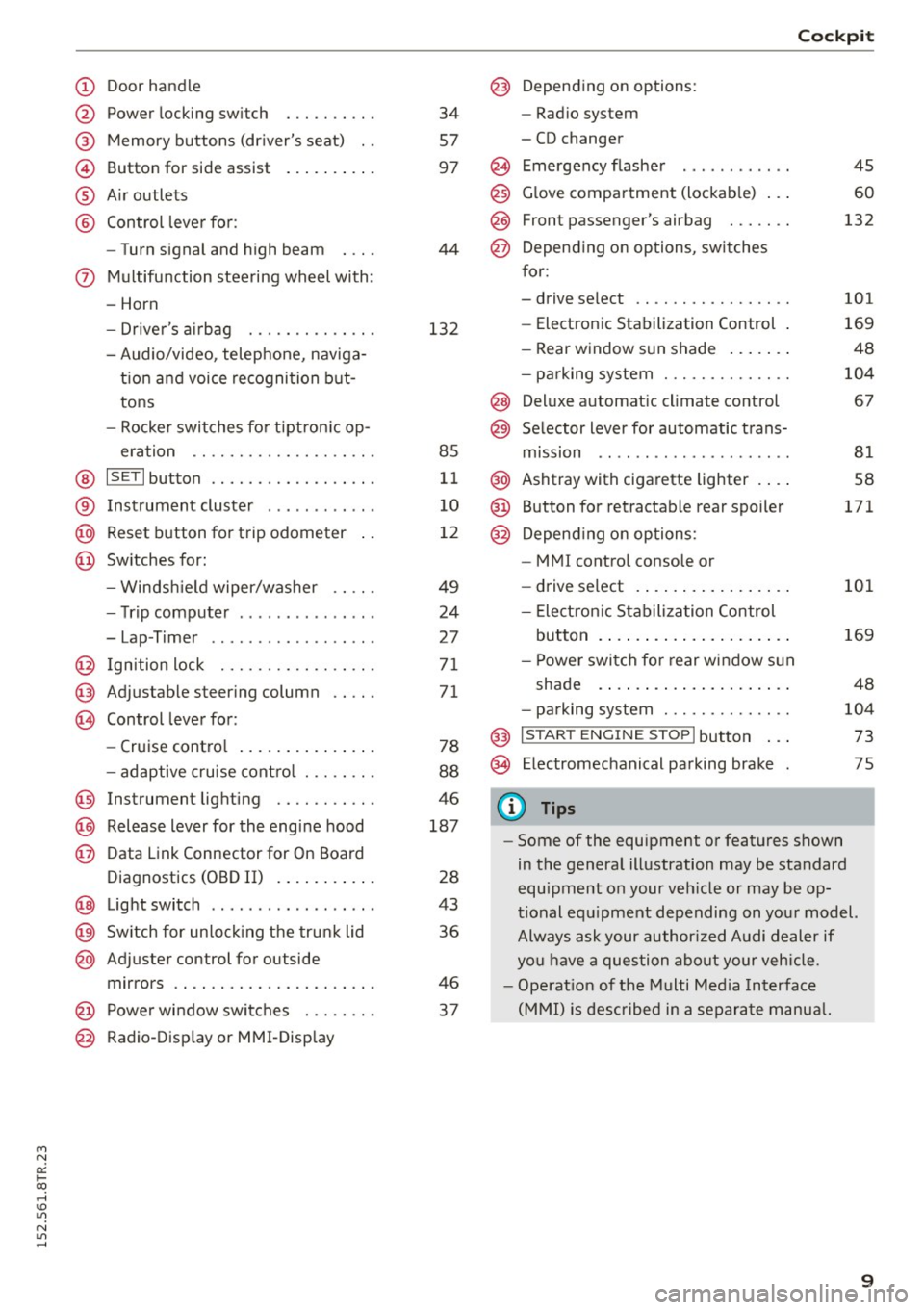
(!) Door handle
@
®
©
®
®
Power locking swi tch
Memory buttons (driver's seat) . .
Button for side assist
A ir outlets
Control lever for :
- Turn signal and high beam
0 Multifunction steering wheel with :
- Horn
- Driver 's airbag ....... .. .. .. .
- Audio/video , telephone, naviga -
t ion and voice recognition but
tons
- Rocker switches for tiptron ic op-
eration ...... .... ... .... .. .
@ ISETI button .... ..... .. .... .. .
® Instrument cluster ........... .
@ Reset button for trip odometer
@ Switches for:
- Windsh ield wiper/washer
- Trip computer .............. .
- Lap -Timer ............ ... .. .
@ Ignition lock ... .... ... .... .. .
@ Adju stable steering column
@ Control lever for:
- Cruise control .............. .
- adaptive cruise control ... .. .. .
@ Instrument lighting .... .. .. .. .
@ Release lever for the engine hood
@ Data Link Connector for On Board
Diagnostics (OBD II) ....... ... .
@ Light switch ................. .
@) Switch for unlock ing the trunk lid
@ Adjuster control for outside
mirrors .. .. .. ........... .. .. .
@ Power window switches . .. .. .. .
@ Radio-Display or MMI-Display 34
57
97
44
132
85
11
10
12
49
24
2 7
71
71
78
88
46
187
28
43
36
46
37
Cockpit
@) Depending on options:
- Radio system
- CD changer
@ Emergency flasher
@
@
@ Glove compartment (lockable) ...
F ront p assenger's airbag . .. .. . .
Depend ing on options, switches
for:
- drive select .. .... ... .... .. . .
- Electronic Stabilization Control .
- Rear window sun shade ...... .
- parking system ...... ..... .. .
@ Deluxe automat ic climate control
@ Selector lever for automatic trans-
mission .. .. .. ..... ......... .
@ Ashtray with cigarette lighter ... .
@ Button for retractable rear spoiler
@ Depend ing on options:
- MM I control console or
- drive select . ............... .
- Electron ic Stabilization Control
45
60
132
101
169
48
104
67
81
58
171
101
button . . . . . . . . . . . . . . . . . . . . . 169
- Power switch for rear window sun
shade . . . . . . . . . . . . . . . . . . . . . 48
- parking system . . . . . . . . . . . . . . 104
@ I S TAR T ENG INE ST OPI button . . . 73
@ Electromechanical parking brake 75
(D Tips
- Some of the equipment or features shown
in the general illustration may be standard
equipment on your vehicle or may be op
tional equipment depending on your model.
Always ask your author ized Audi dealer if
you have a question about your vehicle.
- Operat ion of the Multi Media Interface
(MMI) is described in a separate manual.
9
Page 15 of 254
M N
0:: loo ,...., \!) 1.1"1
N 1.1"1 ,....,
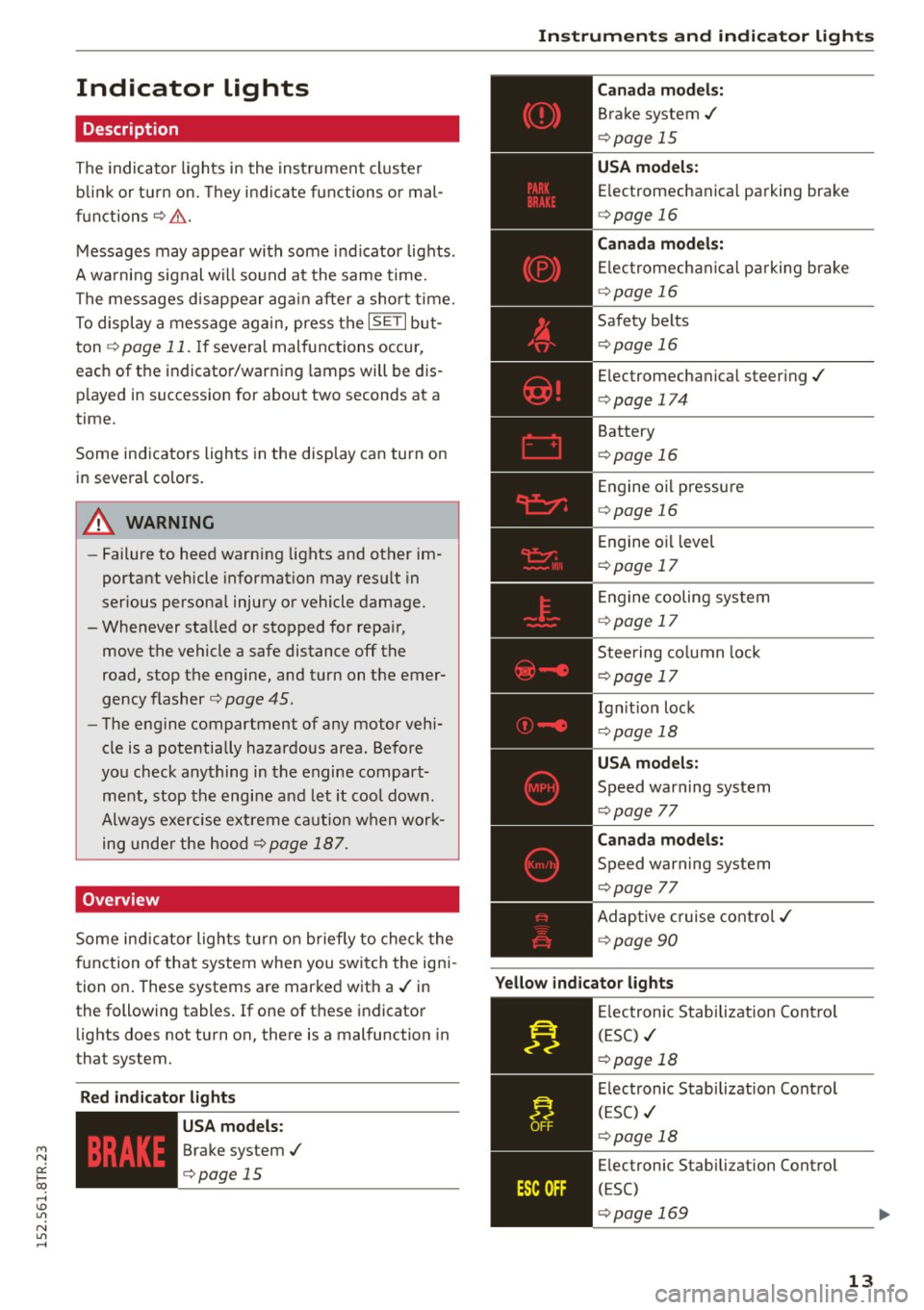
Indicator lights
Description
The indicator lights in the instrument cluster
blink or turn on. They indicate functions or mal
functions¢ &.
Messages may appear with some indicator lights .
A warning signal will sound at the same time.
The messages disappear again after a short time.
To display a message again, press the
I SE TI but
ton ¢
page 11. If several malfunctions occur,
each of the indicator/warning lamps will be dis
p layed in succession for about two seconds at a
time.
Some indicators lights in the display can turn on
in several colors.
8_ WARNING
- Failure to heed warning lights and other im
portant vehicle information may resu lt in
serious personal injury or vehicle damage.
- Whenever sta lled or stopped for repa ir,
move the vehicle a safe distance off the
road, stop the engine, and turn on the emer
gency flasher¢
page 45.
- The engine compartment of any motor vehi
cle is a potentially hazardous area. Before
you check anything in the engine compart
ment, stop the engine and let it cool down.
Always exercise extreme caution when work
ing under the hood¢
page 187.
Overview
Some indicator lights turn on briefly to check the
function of that system when you switch the igni
tion on . These systems are marked with a./ in
the following tables .
If one of these indicator
lights does not turn on, there is a malfunction in
that system.
Red indicator light s
--------------
US A models:
Brake system./
¢page 15 Instruments
and indicator lights
Canada models:
Brake system./
¢page 15
USA models:
Electromechanical parking brake
¢ page 16
Canada models:
Electromechanical parking brake
¢ page 16
Safety belts
¢page 16
Electromechanical steering./
¢page 174
Battery
¢page 16
Engine oil pressure
¢page 16
Engine oil level
¢page 17
Engine cooling system
¢page 17
Steering column lock
¢page 17
Ign it ion lock
¢ page 18
USA models:
Speed warning system
¢page 77
Canad a models:
Speed warning system
¢page 77
Adaptive cruise control./
¢page 90
Yellow indicator lights
--------------
Electronic Stabilization Contro l
(ESC) ./
¢page 18
Electronic Stabilization Contro l
(ESC) ./
¢page 18
Electronic Stabilization Control
(ESC)
¢page 169
13
Page 16 of 254
Instruments and indicator lights
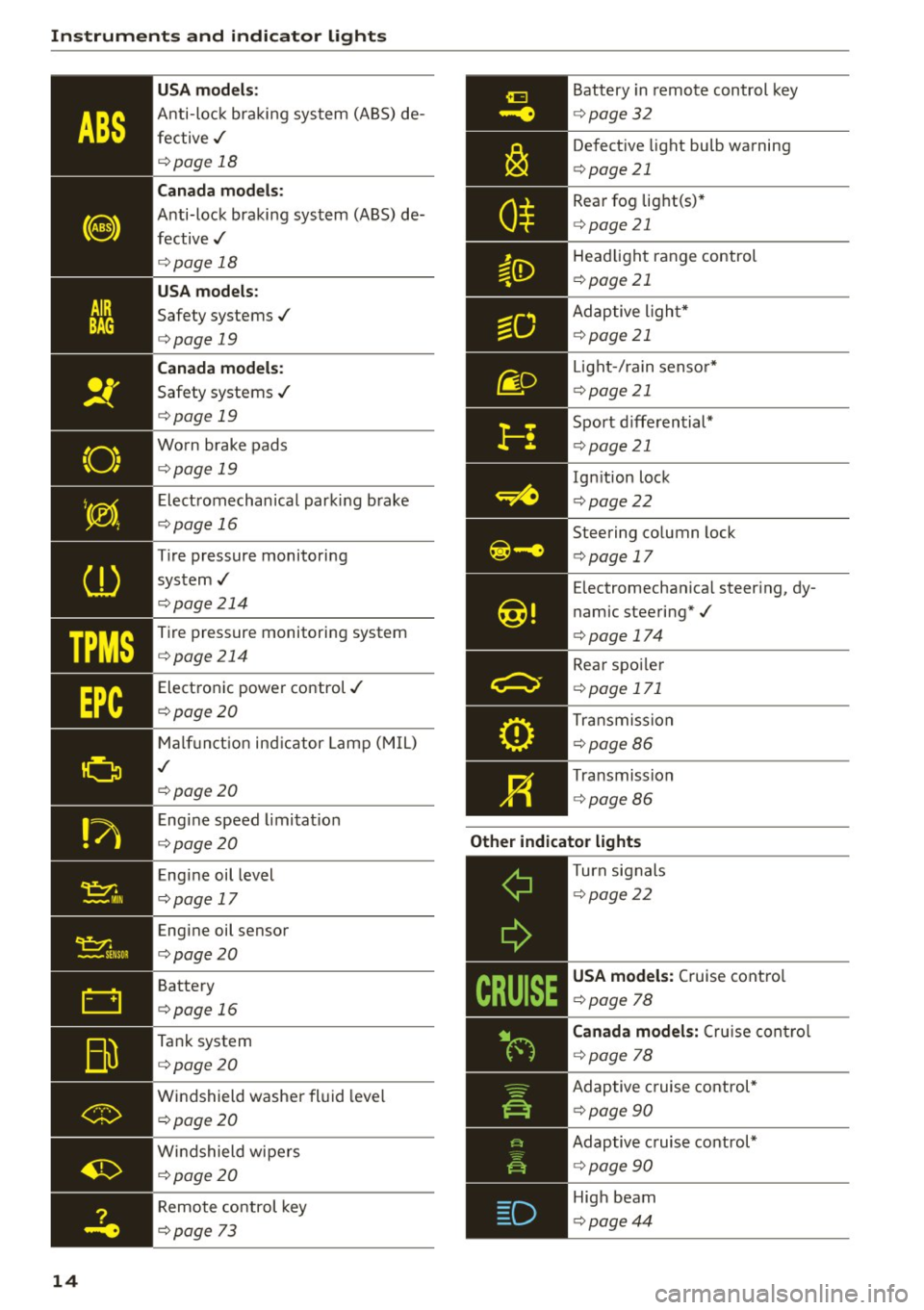
"O~ I I ~ .,
TPMS
14 USA m
odel s:
Anti-loc k braking system (ABS) de
fective,/
¢ page 18
Canada mod els :
Anti-lock braking system (ABS) de
fective,/
¢ page 18
USA models :
Safety systems,/
¢page 19
Canada model s:
Safety systems ./
¢page 19
Worn brake pads
¢ page 19
Electromechanical parking b rake
¢page 16
Tire pressure monitoring
system,/
¢ page214
Tire pressure monitoring system
¢page214
Electronic power control./
¢page20
Malf unct ion ind icator Lamp (MIL)
,I
c::>page 20
Engine speed limitat ion
c::> page20
Engine oil level
c::> page 17
Engine oil sensor
c::>page20
Battery
c::>page 16
Tank system
c::>page20
Windshield washe r fl uid leve l
¢page20
Wi ndshield wipers
¢page20
Remote control key
c>page 73
Battery in remote control key
¢ page32
Defect ive light bulb warning
¢ page 21
Rear fog lig ht(s)*
<=> page 21
Headlight range control
¢page 21
Adaptive l ight*
c> page 21
Light -/ rain senso r*
c> page 21
Sport d iffe rential*
c> page 21
Ignition lock
c>page22
Steering co lumn lock
c> page 17
Electromechanica l steer ing, dy
namic steering*,/
c>page 174
Rear spo ile r
c> page 171
Transmission
c>page86
Transmission
c>page 86
Other indicator light s
--------------Turn signals
c>page22
USA models: Cruise contro l
c>page 78
Canad a model s: C ru ise contro l
c>page 78
Adaptive c ruise cont rol*
c> page 90
Adaptive c ruise control*
c> page 90
High beam
c>page44
Page 17 of 254
M N
0:: loo ,...., \!) 1.1'1
N 1.1'1 ,....,
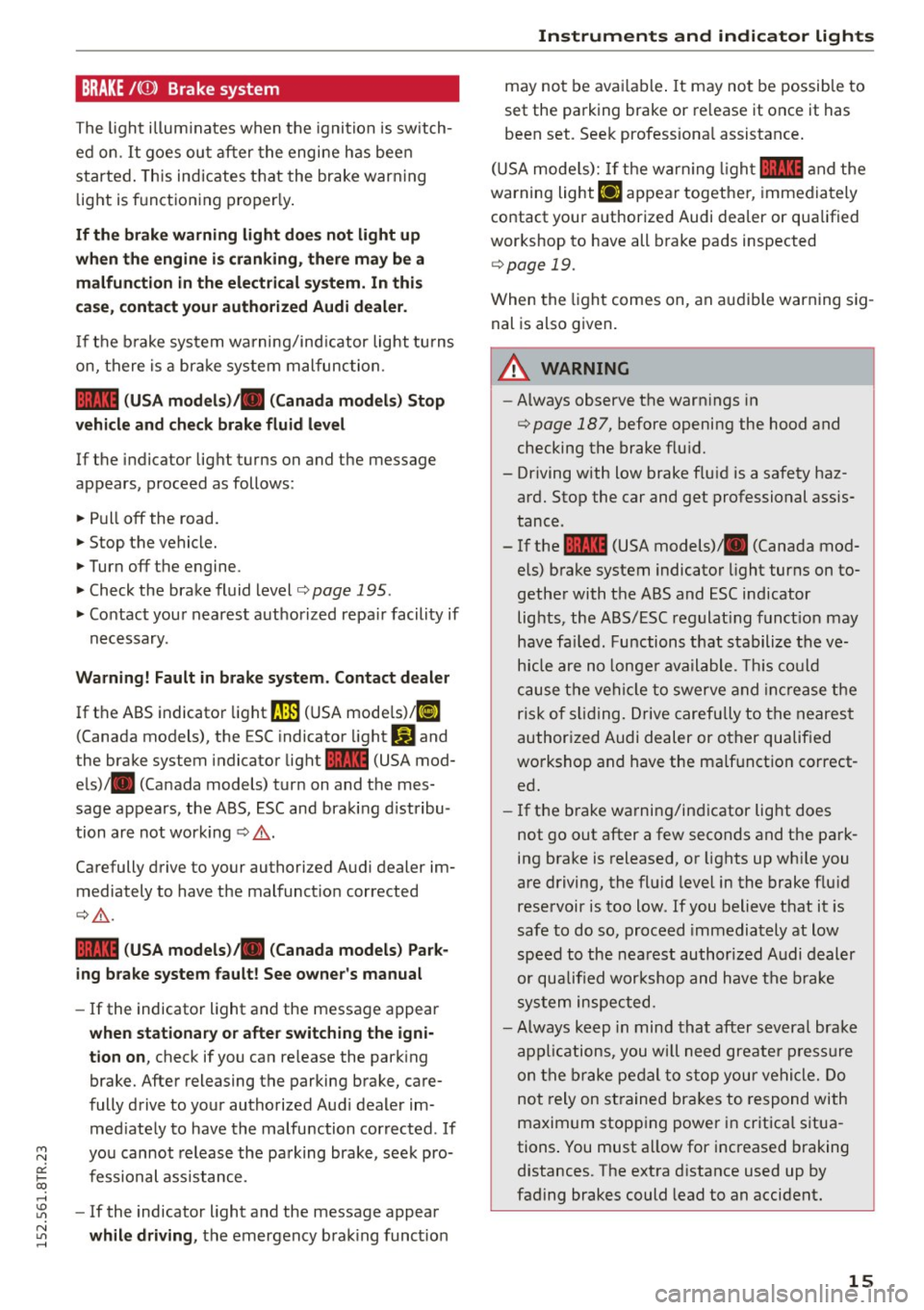
BRAKE /((f) ) Brake system
The ligh t illu min ates when t he igni tion is switch
ed on.
It goes ou t after the engine h as bee n
started . This indicates t hat the brake war ning
light is f unctioning p ro p er ly .
If the brake warning light doe s not light up
when the engine is cranking, there may be a malfunction in the electrical system . In this
case , contact your authorized Audi dealer.
If the b rake system wa rning/ind icator light tu rns
on, there is a br ak e system malfunc tion.
1111 (USA mod els )/ . (Canada models) Stop
vehicle and check brake fluid level
If the indicator light turns on and the message
appears, proceed as follows:
~ P ull off the road.
~ Stop the vehicle.
~ Turnoff the engine.
~ Check the brake fluid level c::> page 195.
~ Contact you r nearest author ized repa ir facility if
n ecessary .
Warning! Fault in brake system. Contact dealer
If the ABS indicator light ~ (U SA mode ls)l [i]
(Canada models), the ESC indicato r light
J.i) and
the brake system indicator light
1111 (USA mod
e ls)/ . (Canada models) turn on and the mes
sage appears, the ABS, ESC and braking d istribu
tion are not wor king
c::> .&. .
Carefully drive to your authorized Audi dealer im
mediately to have the malfunct io n corrected
c::> .&. .
1111 (USA models )ta (Canada models ) Park
ing brake system fault ! See owner's manual
- If the indicator light and the message appear
when stationary or after switching the ign i·
tion on ,
check if you can re lease the park ing
brake. After releasing the parking brake, care
fully drive to your authorized Aud i dealer im
med iate ly to have the malfunction corrected . If
yo u cannot release the pa rking brake, see k pro
fessional ass ista nce.
- If the indicator light and the message appear
while driving , the emergency b ra ki ng funct io n
Instruments and indicator lights
may no t be ava ilable . It may not be possible to
set the parking brake or re lease it once it has
been set. Seek professiona l assistance .
( U SA mode ls):
If the war ning ligh t 1111 and the
warning light
Ill appear togethe r, immedia tely
contact your authorized Audi dealer or qua lified
wor kshop to have all b rake pads inspected
c::> page 19.
When the light comes on, an au dible warning sig
nal is also given.
A WARNING
-- Always observe the warn ings in
c::> page 187, before opening the h ood and
checking the brake flu id.
- Driving with low brake fluid is a safety haz
ard. Stop the car and get professional ass is
tance.
- If the 1111 (USA models) . (Canada mod
e ls) brake system indicator light turns on to
gether with t he ABS and ESC ind icator
lig hts, the ABS/ESC regulat ing funct ion may
have fa iled. Functions that stabilize the ve
h icl e are no longe r available. This co uld
c a use t he ve hicle to swerve and increas e t he
ris k of s liding. Drive carefu lly to the neares t
author ized Audi dealer or other qualified
wo rkshop and have the malf unct ion co rrect
ed.
- If the b rake wa rning/in dicator light does
not go out after a few seconds and the pa rk
ing brake is released, or lights up wh ile you
are driving, the fl uid level in the brake f lu id
rese rvoir is too low. If y ou believe t hat it is
safe to do so, proceed immediately at low
speed to the nea rest authorized A udi dealer
or qualified workshop and have t he b rake
sy stem inspec ted.
- Always keep in min d that after s evera l brak e
a pplicat ions, you wi ll n eed gre ate r pr essure
o n th e br ake pe dal t o s to p you r ve hicle . Do
no t rely on st rained bra kes to respond with
maxim um stop ping power i n cr itica l s itua
tions . You must a llow for increased braking
d istances. The extra d istance used up by
fading brakes could lead to an accident .
15
Page 18 of 254
Instruments and indicator lights
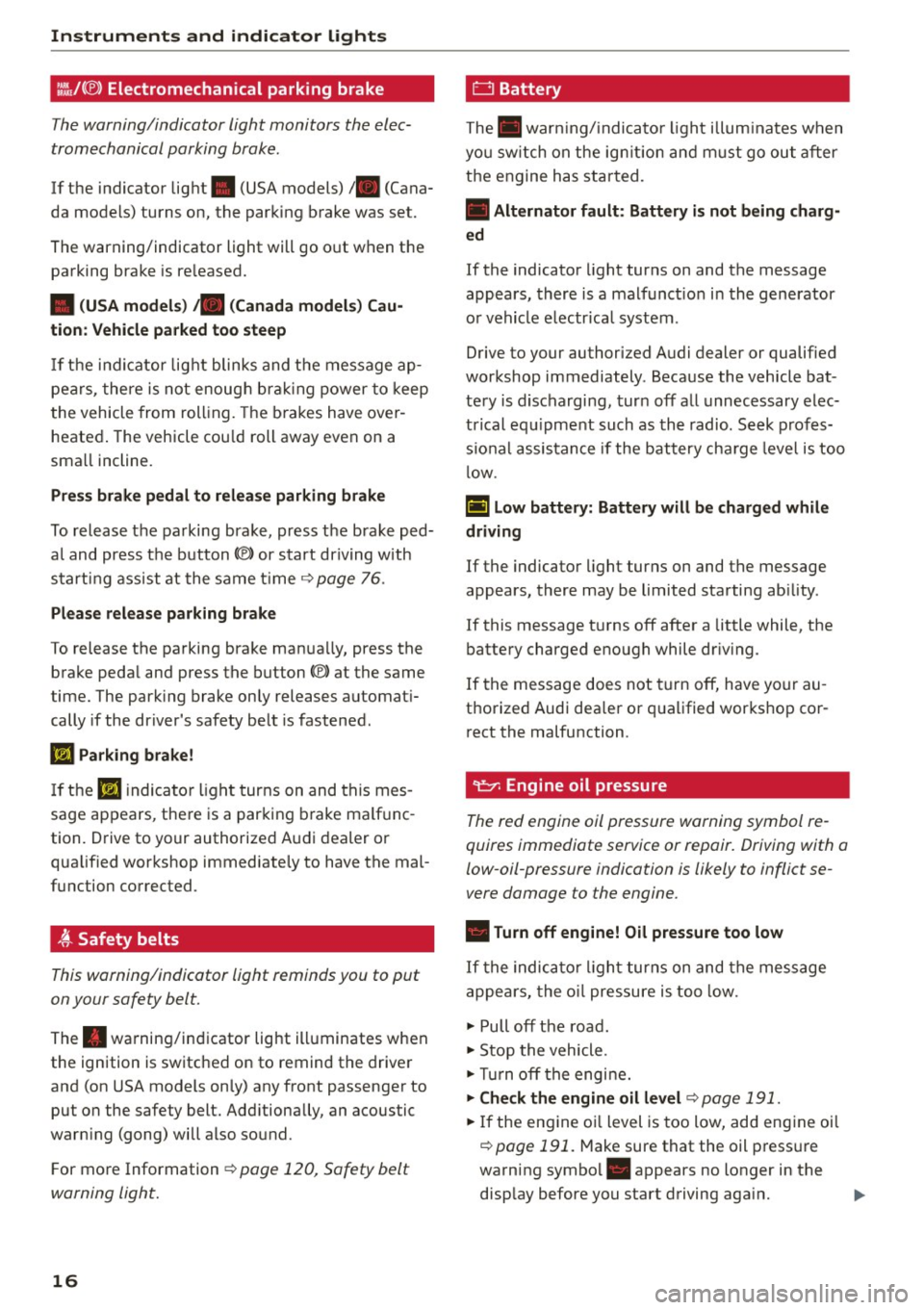
l:.'J,/(® ) Electromechanical parking brake
Th e w arning/indicator light monitors th e elec
tromechanical parking brake.
If the indicator light . (USA models)/ . (Cana
da models) turns on, the parking brake was set.
The warning/indicator light will go o ut when the
parking brake is re leased.
• (USA models) ;a (Canada model s) Ca u
tion : Vehicle parked too steep
If th e i nd ic ator lig ht blinks and t he message ap
pe ars, there is not enoug h brak ing power to keep
t he vehicle from roll ing. The b ra kes have over
heated . The vehicle cou ld roll away even on a
sma ll incline.
Press brake p edal to relea se parking brake
To release the parking brake, press t he brake ped
a l and press the button(®) or start driving with
start ing assist at the same time ~
page 76.
Ple ase release park ing brake
To release the parking brake man ua lly, press the
brake peda l and press the button(®) at the same
time. The park ing brake only releases automat i
cally if the driver's safety be lt is fastened.
l'iJ Parking brake!
If th e II indicator ligh t turns on and thi s mes
sage ap pears , the re is a parking b rake ma lf u nc
tion. D rive to your authorized A udi dealer o r
qualified wor kshop immediate ly to have the mal
function corrected .
t Safety belts
This warning/indicator light reminds you to put
on your safety belt.
The . warning/in dicator light ill uminates when
the ignition is switched on to remind the drive r
and (on USA models on ly) any front passenger to
put on the safety belt. Add itionally, an acoustic
warn ing (gong) will also sound.
F or mo re Information ~
page 120, Safety belt
warning light.
16
0 Battery
The . war ning/ indica to r li ght illum ina tes w hen
yo u sw itch on the ig nition and m ust go ou t aft er
the engine has star ted.
• Alternator fault : Battery is not being charg·
ed
If the indicato r light turns on and the message
appears, there is a malfunct io n in the gene rator
o r vehicle e lectr ica l system .
Drive to your authorized A udi dealer or qualified
workshop immediately . Beca use the vehicle bat
te ry is d ischarging, tur n off all unnecessary elec
t rical eq uipme nt such as th e radio. Se ek prof es
s io nal assis tance if the battery cha rge leve l is too
l ow .
(•) low battery: Battery will be charged while
driving
If the indicator light turns on and the message
appears , there may be limited starting ab ility .
If this message t urns off after a little while , the
battery charged eno ugh while dr iv ing .
If the message does not turn off, have yo ur au
thorized Audi dea ler or qualified workshop co r
r ect the malfunction .
~ Engine oil pressure
The red engine oil pressure warning symbol re
quires immediate service or repair. Driving with a
low-oil-pressure indication is likely to inflict se
vere damage to the engine .
• Turn off engine! Oil pressure too low
If the indic ator li ght turns on and the message
appe ars, the o il pressure is too low.
~ Pull off the road .
~ Stop the vehicle .
~Tur noff the engi ne.
~ Che ck the engine oil level~ page 191.
~ If the eng ine o il level is too low, add eng ine oil
~ page 191. M ake sure that the oil p ress ure
warning symbol. appears no longer in the
disp lay before you start driving aga in. ..,_
Page 77 of 254
"' N
0:: loo
rl I.O
"' N
"' rl
-For safety reasons, you should always park
your vehicle with the selector lever in P. Oth
erwise, the vehicle could inadvertently roll
away .
- The rad iator fan can continue to run for up
to 10 m inutes even after you have turned
off the engine and removed the ignition key .
The rad iator fan can also turn on aga in if the
engine coolant heats up be cause of intense
s u nlight or heat bui ld-up in the engine com
partment.
- Always ta ke t he key with you wheneve r you
leave your vehicle. Otherwise, the eng ine
cou ld be started or electrical eq uipment
s u ch as the power windows cou ld be operat
ed. This can lead to serious injury.
(D Note
If the e ng ine has been under heavy load for
an extended per iod, heat builds up in the en
gine compartment after the engine is swi tch
ed off -there is a risk of damag ing the engine.
Allow the engine to run at idle for about two
m inutes before switch ing it off.
Driver messages
Ignitio n is on
This message appears and a war ning tone sounds
if you open the driver's door when the ignition is
switched on.
No ke y ide ntifi ed
This message appears when the
I STAR T ENGIN E STOP I button is pressed if t here
i s no master key inside the vehicle o r if the sys
tem does not recogni ze it. For example, the mas
ter key ca nnot be recognized if it is covered by an
object (e .g . alum inum br ie f case) which
screens
the radio signal. Electronic devices such as cell
phones can also interfere w ith the rad io signa l.
Press br ake pedal to sta rt engine
This message appears if you do not press the
b rake peda l to s tart the engine.
Shift to N or P to start engine
Dr ivi ng
This message appears when attempt ing to start
t h e engine if the se lector lever for the automatic
transmission is not in the P or N position. The en
gine can on ly be started w ith the selector in
these positions.
El I s the key in the vehicle?
T his mess age appears if the mas ter key is re
moved from the vehicle wi th the e ngine runn ing .
If the master key is no longer in the ve hicle, you
cannot switch on the ignition after stopping the
engine and you also cannot start the engine
again . Moreover, you cannot lock the vehicle from
t h e outside with the key.
Shift to P otherwise vehicle can roll away . Door s
do not lo ck
if le ve r is not in P.
This message appears for safety reasons along
with a warning signal. It appea rs if the selector
lever for the automatic transmission is not in the
P position when switch ing off the ignition. Move
the selector lever to the P position, otherwise the
vehicle is not secured against rolling away. You
also cannot lock the vehicle us ing the locking
button* on the door handle o r us ing t he remote
key .
Convenience key defe cti ve! Use ign ition lock
This message appears if the engine must be
started or stopped using the ign ition key and not
the
I STAR T ENGINE ST OP ! button.
Electromechanical
parking brake
Operation
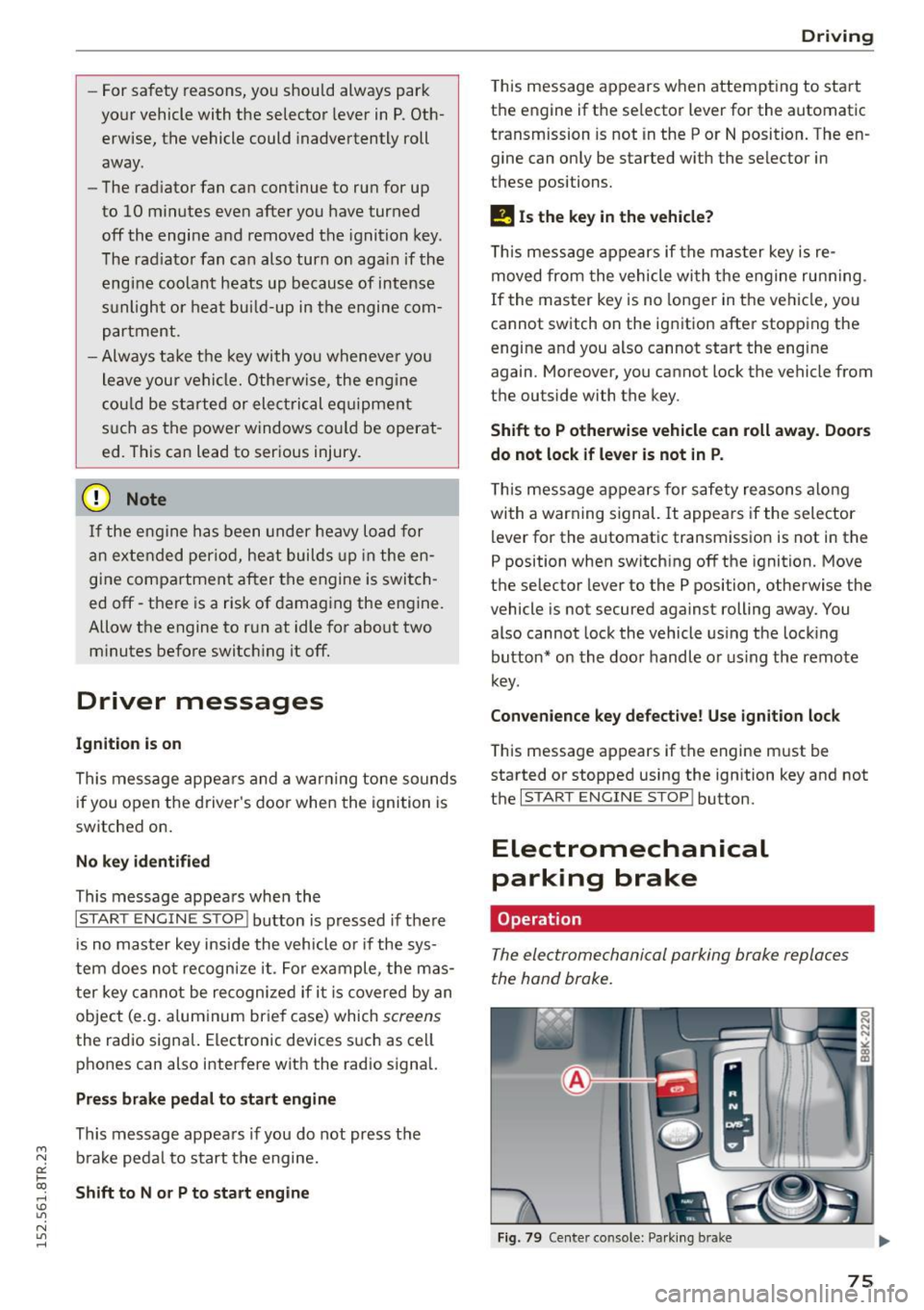
The electromechanical parking broke replaces
the hand broke.
Fig . 79 Center co nso le: Pa rk in g b ra ke
75
Page 78 of 254
Driving
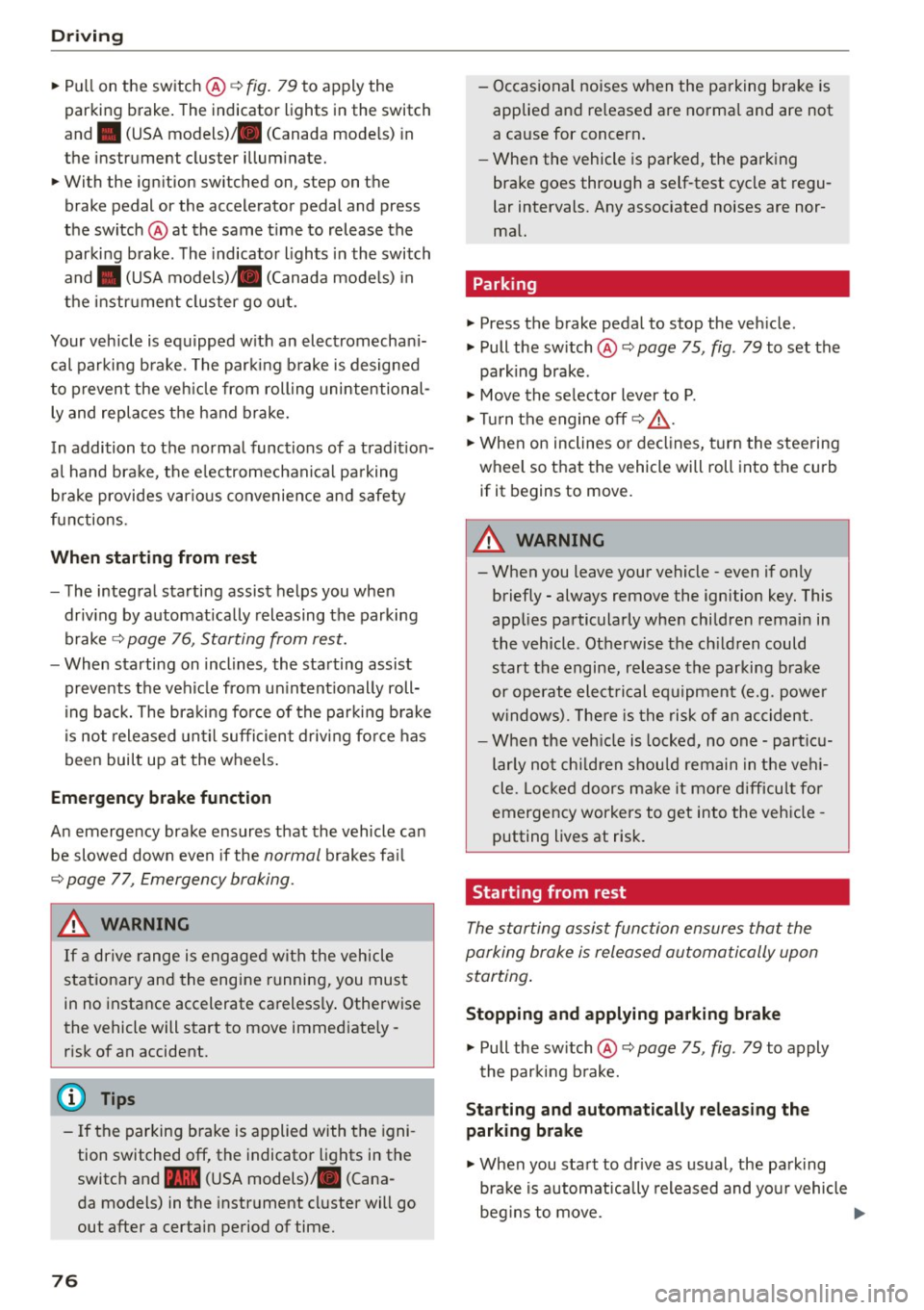
"'Pu ll on the switch @ ¢fig. 79 to apply the
parking brake . The indicator lights in the switch
and . (USA models)/ . (Canada mode ls) in
the inst ru ment cluste r il lum inate.
"' With the ign ition switched on, step on the
brake pedal or the accelerator pedal and press
the switch @ at the same t ime to release the
parking b rake . The indicator lights in the switch
and . (USA models)/ . (Canada mode ls) in
the instr ument cluster go o ut.
Your veh icle is equipped w ith an electromechan i
cal parking b rake. The par king b rake is designed
to p revent the veh icle from rolling unintentional
ly and replaces the hand brake.
In addition to the norma l funct ions of a tradit ion
a l hand bra ke, the e lectromechan ical pa rking
b rake provides var ious convenience and safety
f u nctions.
When start ing f rom rest
- The integral starting assist helps you when
driv ing by automat ically releasing the parking
brake ¢
page 76, Starting from rest.
-When sta rting on inclines , the starting assist
prevents the vehicle from un intent ionally roll
ing back. The bra kin g for ce of the par kin g b rake
is no t released until sufficien t driv ing fo rce has
been built up at the wheels .
Emergency brake function
An emergency brake ensures that the vehicle ca n
be slowed down even if the
normal brakes fa il
¢ page 77, Emergency braking.
A WARNING
If a drive range is eng age d with the vehicle
stationary and the engine running, you mus t
in no instance accelerate careless ly . Otherwise
the vehicle will start to move immed iate ly
r isk of an accident.
(D Tips
- If the parking brake is applied with the igni
tion switched off, the indicator lights in the
switch and -(USA models) . (Cana
da models) in t he instrument cl uster will go
out after a certa in period of time.
76
- Occasional noises when the pa rking brake is
applied an d released a re norma l and are not
a cause for concern .
- Whe n the vehicle is pa rked, the park ing
brake goes through a self-test cycle at regu
lar intervals. Any associated noises are nor
ma l.
Parking
"'Press the brake pedal to stop the veh icle .
"' Pull the sw itch @¢
page 75, fig. 79 to set the
parking brake .
"' Move the se lector lever to P.
"' Tur n the engine off ¢_& .
"' When on inclines or de clines, turn the steering
wheel so that the veh icle will roll into the curb
if it begins to move.
A WARNING
-
- When you leave your vehicle -even if only
briefly - always remove the ignition key. This
applies pa rticularly when children remain in
the vehicle . Otherwise the ch ild ren could
start t he engine, release the parking b rake
or operate elect rical equipment (e.g. power
w indows). There is the risk of an acc ident.
- When the veh icle is locked, no one -part icu
larly no t chi ld ren shou ld remain in the ve hi
cle. Lo cked doors m ake it more d ifficul t for
emergency workers to get into the veh icle -
putting lives at risk.
Starting from rest
The star ting assist function ensures that the
parking brake is released automatically upon
starting .
Stopping and applying parking brake
"' Pull the sw itch @¢ page 75, fig. 79 to apply
the par kin g b rake.
Starting and automatically releasing the
parking brake
"' When you sta rt to dr ive as usual, the park ing
bra ke is automatically released and yo ur vehicle
beg ins to move. .,_
Page 79 of 254
When stopping at a traffic signal or stopp ing in
city traffic on vehicles with an automatic trans miss ion, the park ing brake can be applied . The
vehicle does not have to be held with the foot brake. The parking brak e eliminates the tendency
to creep with a drive range engaged . As soon as
you dr ive off as usual , the parking brake is re
leased automatically and the veh icle starts to
move.
Starting on sl opes
When starting on inclines, the start ing ass ist pre
vents the vehicle from unintentionally rolling back. The braking force of the parking brake is
not released until sufficient driv ing force has
been b uilt up at the whee ls .
@ Tips
For safety reasons, the park ing brake is re
leased automatically only when the dr iver's
safety belt is engaged in the buckle.
Emergency braking
In the event that the conventional brake system
fails or locks.
.,. In an emergency, pull the switch @c::, page 75 ,
fig. 79
and continue to pull it to slow your vehi
cle down with the park ing brake.
.,. As soon as you release t he sw itch @ or acceler-
ate, the braking process stops.
I f you pull the sw itch @and ho ld it above a
speed of about
5 mph (8 k m/ h), the emergen cy
b rak ing func tion is initia ted . The vehicle is braked
at all four wheels by activa ting the hydrau lic
b rake system. The brake pe rformance is s imilar
to making an emergency stop
c::, A .
In o rder no t to activate the emergency bra king by
mista ke, an audible warning tone (b uzzer)
sounds when the sw itch @ is pulled. As soon as
the switch @ is released, or t he accelerator peda l
is depressed, emergency braking stops.
~ &_ WARNING
0::
~ Emergency braking should only be used in an ......
~ emergency, when the normal foot brake has
N
"' ......
Dri ving
failed or the bra ke peda l is obstructed. Us ing
the parking brake to perform emergency brak i ng will slow your vehicle down as if you had
made a full brake application. The laws of
physics cannot be suspended even with ESC
and its assoc iated components (ABS, ASR,
E DS). In corners and when road o r weather
conditions are bad, a f ull bra ke applica tion
can cause the ve hicl e to skid o r th e rear end to
break away -risking an ac cident.
Speed warning system
Overview
The speed warning system helps you to keep your
driving speed below a set speed limit.
T he speed warning system warns if the driver ex
ceeds a previous ly stored maximum speed . A
warning tone will sound as soon as the veh icle
speed exceeds the set speed by about 3 mph
(3 km/h) . At the same t ime, a warning symbol
appears in the display . The symbol's appearance
mig ht be different in some models .
The speed warn ing system has two warning
t hr esholds that funct ion independent ly of each
othe r and t hat have somewhat d ifferent pu rpos
es:
Speed wa rning 1
You can use speed warning 1 to set the maximum
speed wh ile you are driving. Th is sett ing will re
main in effect until you turn off the ign ition, as
suming that you have not changed or reset th e
setting.
The . (USA models)/ . (Canada models)
speed warning symbo l in the warn ing 1 disp lay
appears when you exceed the maximum speed .
It
goes out when the spe ed falls be low the stored
ma ximum speed.
The speed warn ing symbol will also go out if the
speed
exceeds the stored maximum speed by
more than about
25 mph (40 km/h) for at least
10 seco nds. The stored maxim um speed is dele t-
ed.
~
77
Page 85 of 254
"' N
0:: loo
rl I.O
"'
(Neutral) for more than approximately 2 seconds,
without the brake pedal being pressed.
Release button
The release button on the selector lever prevents
the lever from being accidentally shifted into cer
tain positions. Depending on the direction of the
shift, the selector lever locks at different posi
tions . The positions are highlighted in the i llus
tration ¢
fig. 84.
Ignition key safety interlock
The key cannot be removed from the ignition un
l ess the selecto r lever is in the P park position .
When the ignition key is removed, the selector
lever will be locked in the P position.
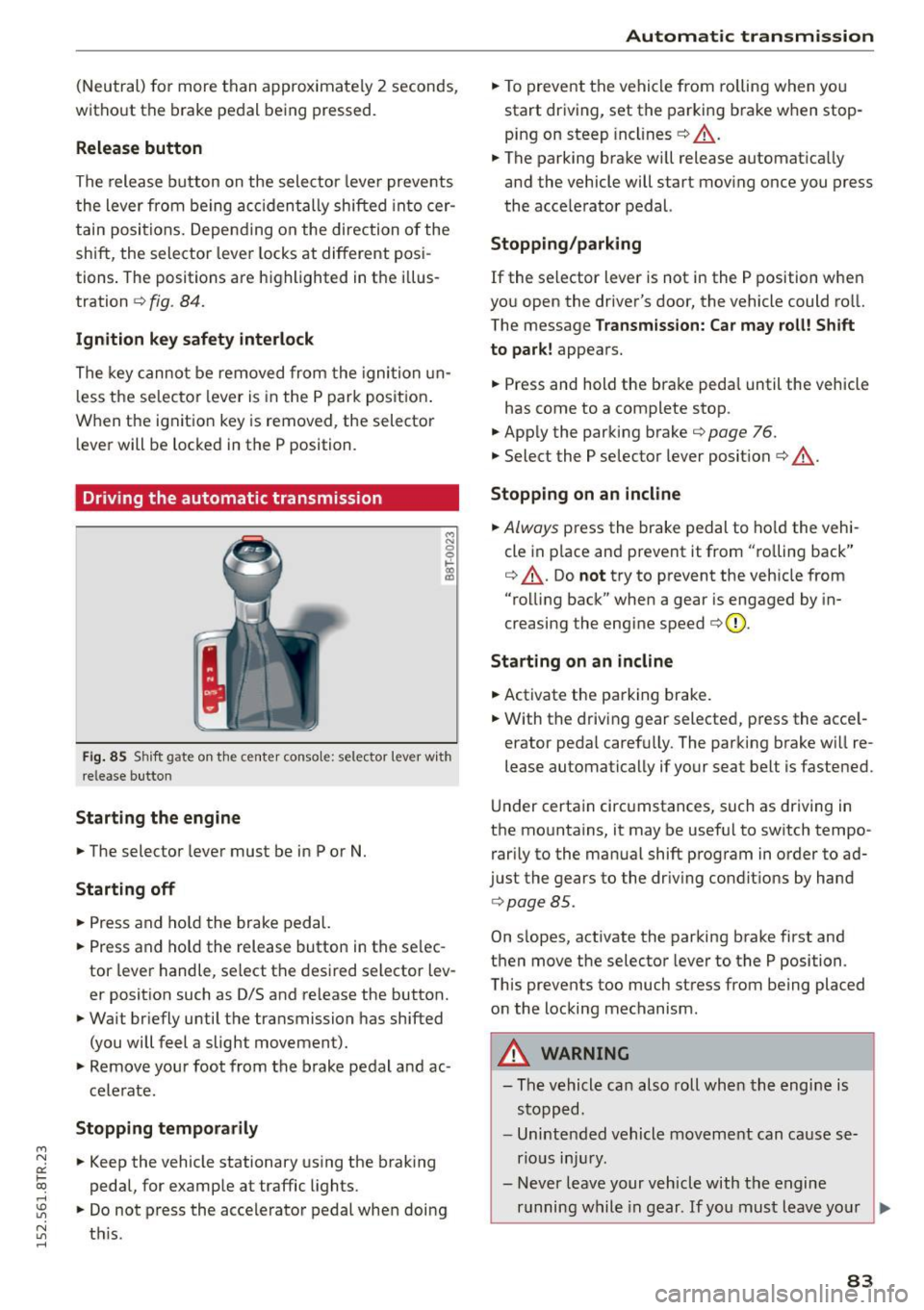
Driving the automatic transmission
M N 0 0 .,:.
gi
Fig. 85 Shift gate on the center conso le: selector lever with
release butto n
Starting the engine
.,. The selector lever must be in P or N.
Starting off
.,. Press and hold the brake pedal.
.,. Press and ho ld the release button in the se lec
tor lever handle, select the desired selector lev
er position such as D/S and release the button.
.,. Wait briefly until the transmission has shifted
(you will feel a slight movement).
.,. Remove your foot from the brake pedal and ac
celerate.
Stopping temporarily
.,. Keep the vehicle stationary using the braking
pedal, for example at traffic lights.
.,. Do not press the accele rator pedal when doing
~ t hi s. rl
Automatic transmission
.,. To prevent the vehicle from rolling when you
start driving, set the parking brake when stop
ping on steep inclines¢ &_.
.,. The parking brake wi ll release automatica lly
and the vehicle will start moving once you press
the acce lerator pedal.
Stopping /parking
If the selector lever is not in the P position when
you open the driver's door, the vehicle could ro ll.
The message
Transmission: Car may roll! Shift
to park!
appears.
.,. Press and hold the brake peda l until the vehicle
has come to a complete stop.
.. App ly the parking brake¢
page 76.
.,. Select the P selector lever posit ion ¢ &_ .
Stopping on an incline
.,. Always press the brake pedal to hold the vehi
cle in p lace and prevent it from "ro lling back"
¢ &_ . Do
not try to prevent the veh icle from
"rolling back" when a gear is engaged by in
creasing the engine speed ¢(D .
Starting on an incline
.,. Activate the parking brake .
.,. With the driving gear selected, press the acce l
erator pedal carefu lly. The parking brake will re
lease automatically if your seat belt is fastened.
Und er certain circumstances, such as driving in
the mountains, it may be useful to switch tempo rarily to the manual shift program in order to ad
just the gears to the driving conditions by hand
¢page 85 .
On s lopes, activate the parking brake first and
then move the selector lever to the P position.
This prevents too much stress from being placed on the locking mechanism .
_& WARNING
-
-The vehicle can also roll when the engine is
stopped.
- Unintended vehicle movement can cause se
rious injury.
- Never leave your vehicle with the engine
running while in gear. If you must leave your
~
83