buttons AUDI RS7 SPORTBACK 2014 User Guide
[x] Cancel search | Manufacturer: AUDI, Model Year: 2014, Model line: RS7 SPORTBACK, Model: AUDI RS7 SPORTBACK 2014Pages: 292, PDF Size: 73.56 MB
Page 110 of 292

108 Automatic Transmission
Manual shift program
Using the manual shift program you can
manually select gears .
,
I f I
I
Fi g. 118 Center co nsole: s hiftin g t he gears ma nua lly
Fi g. 119 Stee ring wheel : Sh ift butto ns•
Gear s election w ith selector l ever
The tiptro nic mode can be selected e ither with
the vehicle stationary or on the move.
,.. Push the selector lever to the right from 0/
S. An M appears in the instrument cluster
display as soon as the transmission has
shifted.
,.. To upsh ift, push the selector lever forward
to the pl us posi tion
0 c::::> fig. 118.
,.. To downshift, push the lever to the minus
position
0 -
Gear selection with paddle levers
The shift buttons are act ivated when these
lector lever is in 0/S or the t iptro nic manual
shift p rogram .
,.. To upsh ift, touch the button on the right
0
c::::> fig . 119.
,.. To downshift, touch the button on the left
0 -
... If you do not press a shift button within a
short time whi le in the 0/S posit ion, the
transmission will return to automatic mode . To keep shifting using the sh
ift buttons,
move the selector lever to the right out of
the 0/S position.
When accelerating, the transmission does
not
automat ica lly shift to the next gear shortly
before the maximum permitted engine RPM is
reached.
If you have se lected a lower gear than the c ur
rent one, the automatic transmissio n will shift
down only when the engine will not be over
revved.
With kick-down , the transmission shifts into a
lower gear depending on speed and engine
RPM.
(D Tips
- Tiptron ic is inoperative when the trans
m ission is in the fa il-safe mode .
Kick-down
Kick-down enables maximum acceleration .
When you depress the accelerator pedal be
yond the resistance point , the au tomatic
t ransmission downsh ifts into a lower gear, de
pending on vehicle speed and engine speed .
T he upsh ift into the next higher gear takes
place once the maximum specified engine
speed is reached .
_& WARNING
-
Please note that the drive wheels can spin
if kick-down is used on a smooth slippery
r oad -there is a risk of skidd ing .
Transmission malfunction
[O] Tran smi ssion: Press br ake pedal and s e
lect ge ar again
Press the brake pedal and select the desired
selector lever position again . You ca n the n
continue d riving .
[O] Transmi ssion o verheating: Please d riv e
conse rvat ively
Page 123 of 292
Homelink
Universal remote
control
General information
Applies to vehicles: with Home link unive rsal remote con
tro l
The Homelink universal remote control can
be programmed with hand-held transmitters
from existing equipment
With Home link, you can control devices such
as the garage door, security systems, house
lights, etc. comfortably from the inside of you
vehicle.
Homelink makes it possible for you to replace
three different remote controls from devices
in your home with one universal remote . This
feature works for most garage door and exte rior door motor signals. Programmi ng the in
d iv idual remote control for your remote con
trol takes place near the center of the radiator
grille. There is a control module attached at
this location .
A one-t ime programming of the sensor must
be performed before you are able to use sys
tems with Homelink.
A WARNING , .,.
- Never use the Homelink transmitter
with any garage door opener that does
have not the safety stop and reverse fea
ture as required by federal safety stand
ards . Th is includes any garage door open
er model manufactured before April 1, 1982.
- A garage door opener which cannot de
tect an object, signaling the door to stop
and reverse does not meet current feder
al safety standards . Us ing a garage door
opener without these features increases
risk of serious injury or death.
- For safety reasons
never release the
parking brake or start the engine while
anyone is standing in front of the vehicle .
- A garage door or an estate gate may sometimes be set in motion when the
H ome link 121
Homelink remote control is being pro
grammed. If the device is repeatedly ac
tivated, this can overstrain motor and
damage its electrical components -an
overheated motor is a fire hazard!
- To avoid possible injuries or property
damage, please always make absolutely
certa in that no persons or objects are lo
cated in the range of motion of any
equipment being ope rated.
(D Tips
- If you would like additional information
on the Home link Universal Transce iver
I
Homel ink compatib le products, or to
purchase other accessories such as the
Homelink Lighting Package, please con
tact Homelink at 1-800-355 -3515 or on
the Internet at www. homelink.com.
- For Declaration of Comp liance to United
States FCC and Ind ustry Canada reg ula
tions~
page 2 76.
- For security reasons, we recommend that
you clear the programmed buttons be
fore selling the vehicle .
Operation
Applies to vehicles: with Homelink
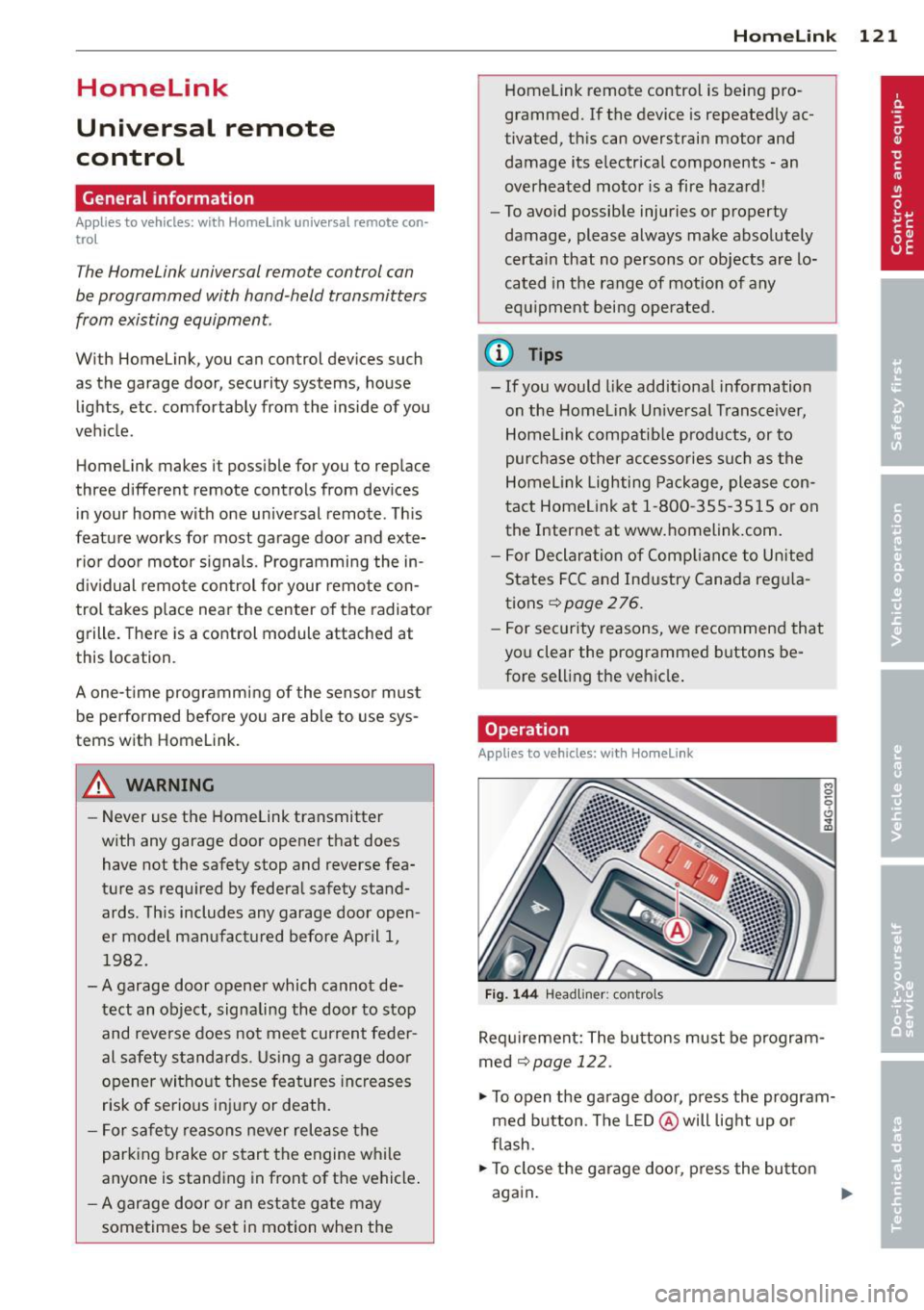
Fig. 144 Headliner : cont rols
Req uirement: The bu ttons must be program
med
~ page 122.
.,. To open the garage door, press the program
med button . The LED @ will light up or
flash.
... To close the garage door , press the button
again .
II>
Page 124 of 292
122 Homelink
@ Tips
To open t he ga rage door, p ress the butto n,
but do not press it for longer ten seco nds
or the Homelink modu le w ill switch to
programming mode.
Programming the transmitter
App lies to vehicles: with Home link
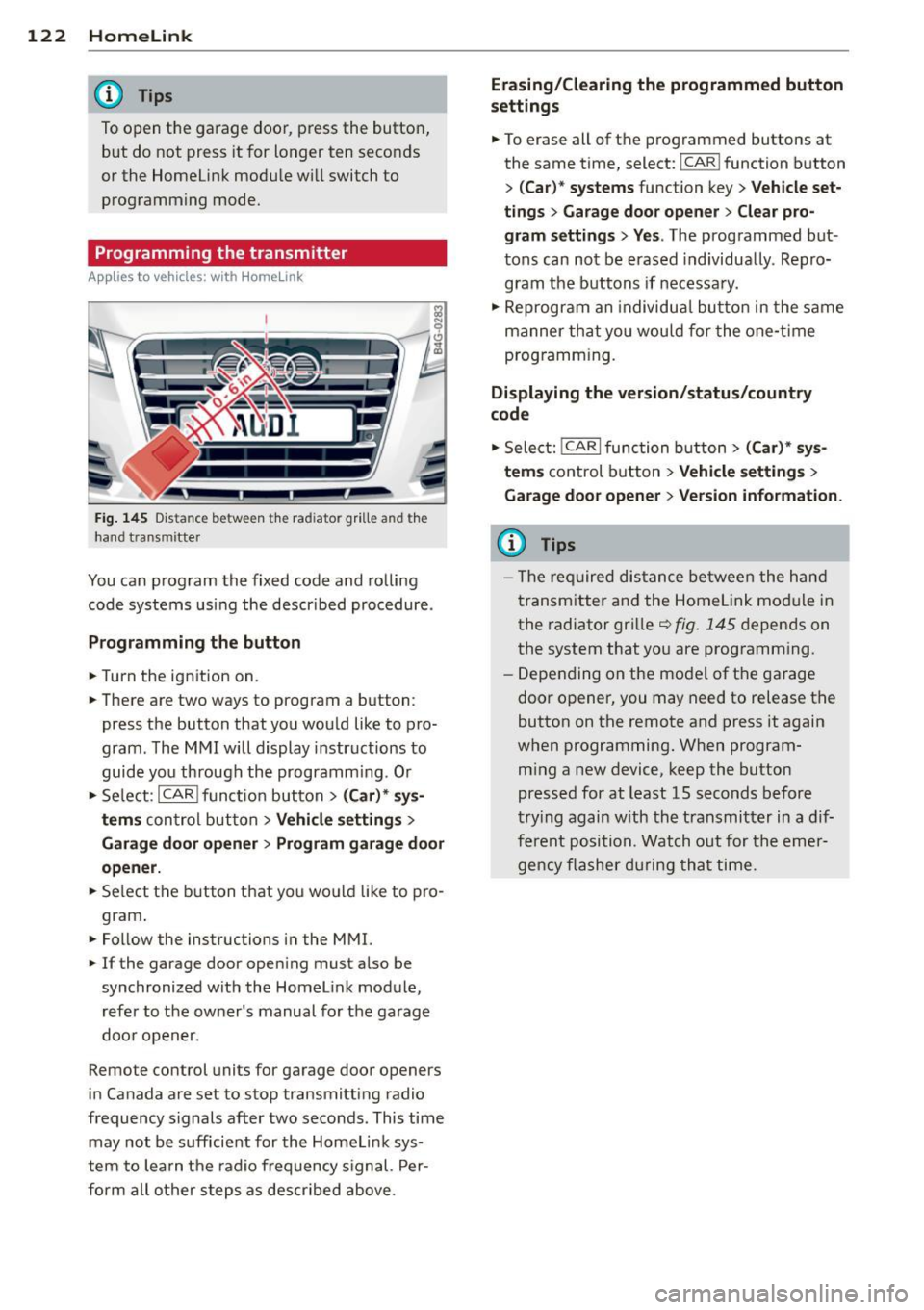
Fig. 145 Dis ta n ce between t he rad iator gr ille and the
hand t ransm itte r
You can prog ram the fixed code and ro lling
code systems us ing the descr ibed procedure .
Programming the button
.. Turn the ign ition on .
.. There are two ways to program a button:
press the button that you wou ld like to pro
gram . The M MI w ill display instructions to
guide yo u through the progr amm ing. Or
.. Se le ct: I CAR I f u ncti on but ton>
(Car) * sys ·
terns
con tro l bu tton > Vehicle settings >
Garage door opener > Program garage door
opener .
.. Se lect t he b utton t hat yo u wo uld like to pro
gram .
.. Fo llow the instructions i n the MMI.
.. If the garage door ope ning must also be
synchronized wit h the Homel ink module,
re fer to the ow ner's manual fo r the ga rage
doo r open er.
Remote control units for garage door openers
in Canada are set to s top transmitting radio
frequency signals after two seconds. This time may not b e sufficient for th e Homel ink sys
tem to lea rn t he radio frequency s ignal. Per
form all o ther step s as descr ibed above.
Erasing/Clearing the programmed button
settings
.. To erase all of t he p rogrammed buttons at
the same time , select: !C A R!function button
>
( Car )* systems function key > Vehicle set
tings
> Garage door opener > Clear pro·
gram settings > Yes .
The prog rammed but
tons can not be erased individua lly. Repro
g ram the b uttons if necessa ry .
.. Reprogr am an individu al bu tton in the same
manner th at you wou ld for the one-t ime
prog ramm in g .
Displaying the version/status/country
code
.. Sele ct: I CAR I func tion button > (Car )* sys
tems
control b utt on > Vehicle settings >
Garage door opener
> Version information.
(D Tips
- T he re qu ired dis tance betwee n the h and
tr ansm itter a nd the Homelink module in
the radiator grill e~
fig . 145 depen ds on
the system that yo u are prog ramm ing .
- Depe nding on the mode l of t he ga ra g e
door o pener, you may need to release t he
button on the rem ote and press it again
when programming . When program·
m ing a new device, keep the button
presse d for at least 15 seconds befor e
tr ying again w ith the t ransmit ter in a dif
fe re nt po sition. Watch out f or th e eme r
ge ncy fl ashe r dur in g tha t time.
Page 288 of 292
28 6 Index
Seat heating/venti lation (automatic cli-
mate control) . . . . . . . . . . . . . . . . . . . . . . . 71
Seating position Dr iver . .. .. ............. .. .. .. .. . 124
Fr ont passenger .......... .. .. .... . 125
How to adjust the front seats . . . . . . . . 125
Incorrect seat position ... .. .. .. .... . 127
Occupants . ... . .. ..... ... .. .. .... . 124
Rear passengers . . . . . . . . . . . . . . . . . . . 126
Seat memo ry ........... .. .. .. .. .. .. 57
Seats Comfort seat side view . . . . . . . . . . . . . . 58
Seat symmetry . . . . . . . . . . . . . . . . . . . . . 58
Seats (number) . ........... .. .. .... . 133
Selective unlock feature ... .. .. .. .. .. . . 35
Selector lever ... .... .... .. .. .. .. .. . 104
Selector lever eme rgency release ..... . 109
Service and disposal Safety belt pretens ioner ... .. .. .... . 140
Service interval d isplay ....... ... .. .... 27
Shift buttons .... . ...... ... .. .. .... . 108
Shifting indicator . . . . . . . . . . . . . . . . . . . . 28
Ship (transporting your ve hicle) . .. ..... 268
Shutting down vehicle . ... .. .. ... ... . 200
Side airbags Descr ipt ion . ... . ...... ... .. .. .. .. . 162
H ow they work ......... .. .. .. .. .. . 163
side assist . . . . . . . . . . . . . . . . . . . . . . . . . . 93
Adjusting the brightness ....... .. .... 95
Sensor range .. .... ...... .. .. .. .. .. 93
Side assist Activating and deactivating . .. .. .. .. . . 95
C leaning the sensors ...... .. .. .. .. . 204
Side curtain airbags ..... ... .. .. .... . 165
Description .... .. ..... ... .. .. .... . 165
How they work ........... .. .. .... . 166
Safety instructions ........ .. .. .. .. . 166
Side marker ligh ts ......... .... .... .. 44
Ski sack ... .. ................ ... ... . 67
also refer to Trunk pass-through .. .. .. 68
Sliding/tilting sunroof Emergency closing ........ .. .. .... .. 43
Opening and clos ing .. .. .. .... .. .. . . 42
Snow chains .... . ...... ... .. .. .... . 244
Socket .. .. .. ................ ... ... . 60 Sources of information abo
ut child re-
straints and their use .... ..... ... .. .. 186
Speedometer . . . . . . . . . . . . . . . . . . . . . . . 26
Speed rating letter code .......... .... 240
Speed warning system . .. ..... ... .. .. . 79
Sport d ifferential .. ..... ........... .. 96
Indicator light ... ..... ........... .. 22
Star button . . . . . . . . . . . . . . . . . . . . . . . . . 24
START ENG INE S TO P bu tton ...... .... . 74
Starting from rest . . . . . . . . . . . . . . . . . . . . 78
Starting the engine . .... ..... ... .. .. . 74
Stee ring
El ectr ically adjustable stee ring wheel . . 73
Manua lly adjustable steering wheel ... . 73
also refer to Electro -mecha nica l powe r
ass ist . ... .... .. .. ... ..... ... .. .. 194
Stee ring wheel
E asy entry fea ture ... .......... .. .. . 7 4
Indicator light . . . . . . . . . . . . . . . . 17,194
Stee ring w heel heating . ..... .... . .. . 72
Stee ring wheel column
Adjusting electri cally . . . . . . . . . . . . . . . . 73
Adjus ting ma nually ............ .. .. . 73
Steering wheel with tiptronic .......... 108
Steps for determin ing correct load limit . 236
Stopping the eng ine .. .. ...... ... .. .. . 75
Storage . . . . . . . . . . . . . . . . . . . . . . . . 60, 64
Sunroof . ... .. .. .. .. ... ..... ... .. .. . 42
Sun shade ...... .. .. ... ....... .... .. 48
Sun visors . ..... .. .. ... ..... ... .. .. . 48
Symbols
refer to War ning/ indica to r li ghts . .. .. . 11
T
Tacho meter . . . . . . . . . . . . . . . . . . . . . 11, 23
Tail lights Cleaning .. .. ... ... ... ..... ... .. .. 204
T echnical data ..... .. ... ..... ... .. .. 270
T echnical modifications .............. 275
Temperature display ............. .... . 23
T empera ture indica tor
Engine oil . . . . . . . . . . . . . . . . . . . . . . . . . 28
T ether anchors . ... ... .. .. ... ..... .. 185
Tether strap .. .. .. ............. .. .. 185