cruise control AUDI RS7 SPORTBACK 2014 Owners Manual
[x] Cancel search | Manufacturer: AUDI, Model Year: 2014, Model line: RS7 SPORTBACK, Model: AUDI RS7 SPORTBACK 2014Pages: 292, PDF Size: 73.56 MB
Page 4 of 292
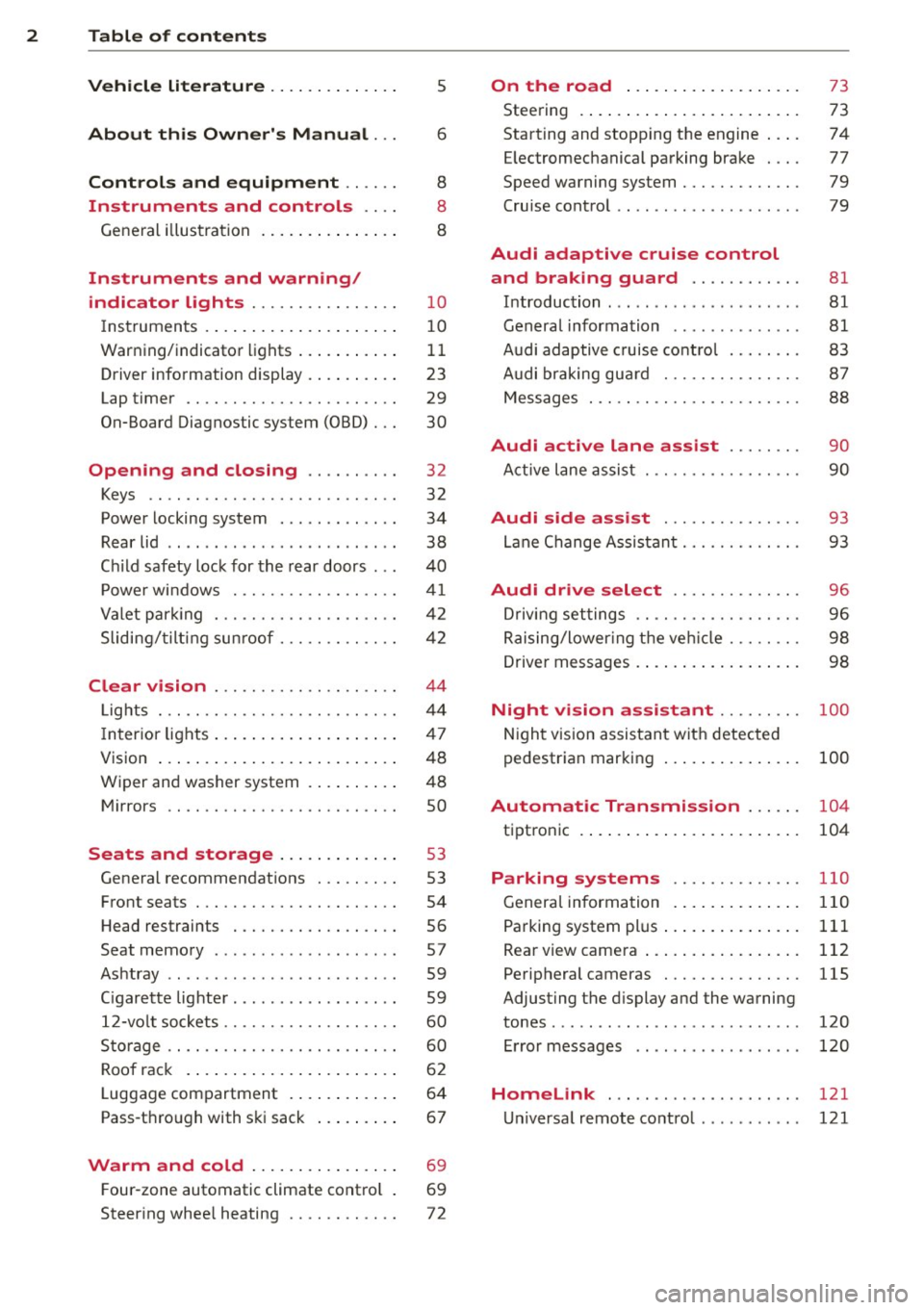
2 Table of content s
Vehicle lite ratu re .. .. .. .. .. ... .
About thi s Owner' s Manual ...
C ontr ols and equi pm ent .. ... .
Instruments and controls .. . .
General illustration ...... ... .. ... .
Instruments and warning/
indicator lights ............... .
Instruments ............ ... .. ... .
Warning/indicator lights .. ... ... .. .
Driver information display ... ... ... .
Lap timer .. ................ ... . .
On-Board Diagnostic system (OBD) .. .
Opening and closing ......... .
Keys .. .. .................. ... . .
Power locking system .......... .. .
Rear lid .... .................. .. .
5
6
8
8
8
10
10
11
23
29
30
32
32
34
38
Child safety lock for the rear doors . . . 40
Power windows ................. .
Valet park ing ................... .
Sliding/ tilting sunroof ............ .
Clear vision ................... .
Lights ... .. ................ ... . .
I nterior lights .... ......... ... ... .
V1s1on ..... ... ............. .... .
Wiper and washer system ...... .. . .
Mirrors .. ............... ....... . 4
1
42
42
44
44
47
48
48
so
Seats and storage . . . . . . . . . . . . . 53
General recommendations ........ .
Front seats .................. ... .
Head restraints ................. .
Seat memory .. .... ...... .. .. .. . .
Ashtray .. .. ................ ... . .
C igarette lighter ................. .
12-vo lt sockets .................. .
Storage .. ............... ...... . .
Roof rack .. ... ............. .... .
Luggage compartment ..... ... ... .
Pass-through with ski sack ....... . . 53
54
56
57
59
59
60
60
62
64
67
Warm and cold . . . . . . . . . . . . . . . . 69
F our-zone automatic climate control . 69
Steering wheel heating . . . . . . . . . . . . 72
On the road ... .......... ... .. .
Steering .. .... .. .. ............. .
Starting and stopping the engine ... .
E lectromechanical parking brake ... .
Speed warning system ............ .
Cruise contro l .. .. ............... .
Audi adaptive cruise control
and braking guard .......... . .
Introduction ... .. ... .... ........ .
General information ............. .
Audi adaptive cruise control ....... .
Audi braking gua rd ............ .. .
Messages . .... .. ............. .. .
73
73
74
77
79
79
81 81
81
83
87
88
Audi active lane assist . . . . . . . . 90
Active lane assist .............. .. .
Audi side assist .............. .
Lane Change Assistant ............ .
90
93
93
Audi drive select . . . . . . . . . . . . . . 96
Driving settings . . . . . . . . . . . . . . . . . . 96
Raising/lower ing the veh icle . . . . . . . . 98
Driver messages . . . . . . . . . . . . . . . . . . 98
Night vision assistant . . . . . . . . . 100
Night vision assistant with detected
pedestrian marking . . . . . . . . . . . . . . . 100
Automatic Transmission . . . . . . 104
tiptronic . . . . . . . . . . . . . . . . . . . . . . . . 104
Parking systems ........... .. .
General information ............. .
Parking system plus ......... ... .. .
Rear view camera ................ .
Peripheral cameras .............. .
Adjusting the display and the warning
tones ........ .... .............. .
Error messages
Homelink .................... .
Universal remote control .......... . 110
110
111
112
115
120
120
121
121
Page 11 of 292
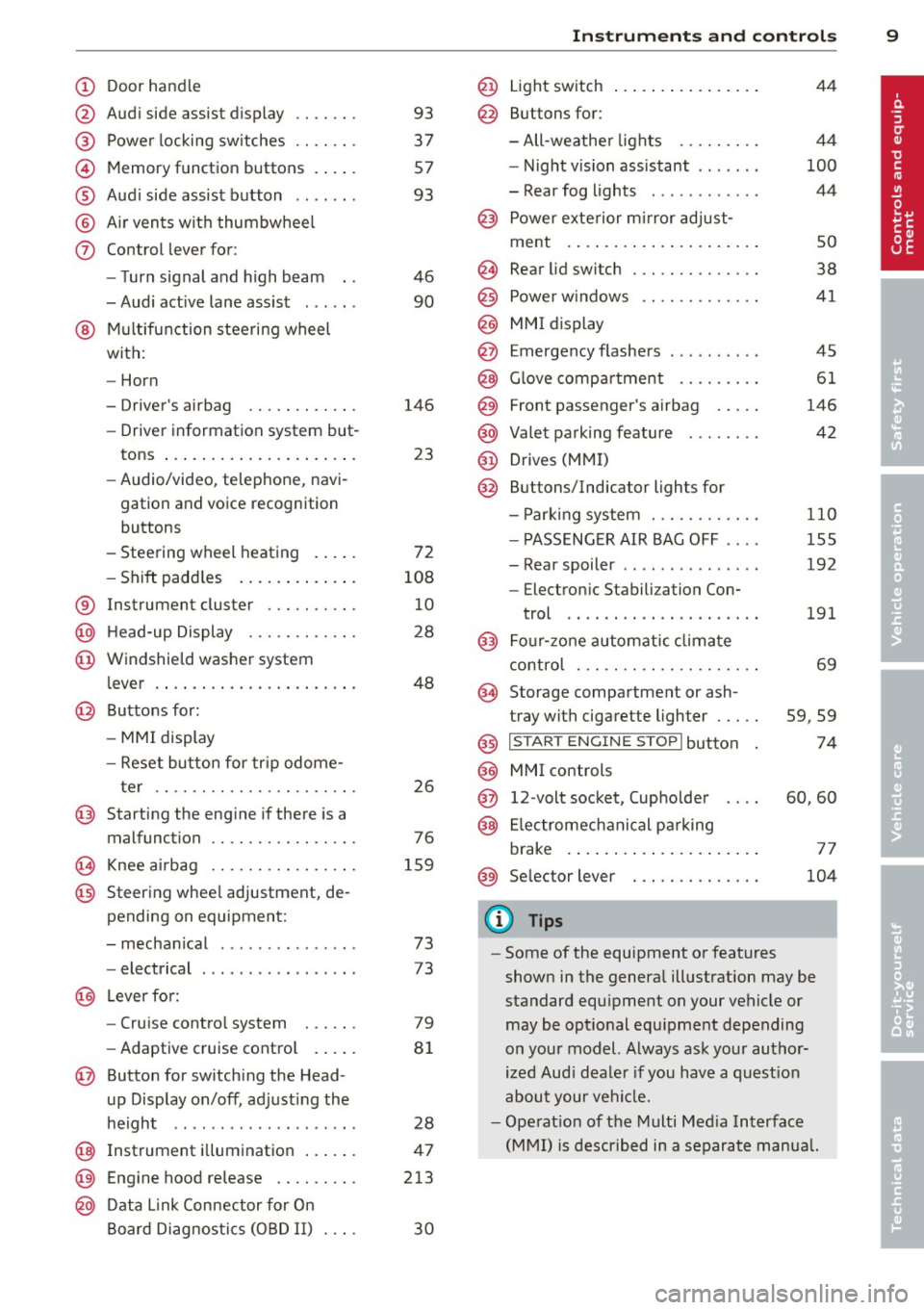
(!) Door handle
@
®
©
®
®
(j)
Audi side assist d isplay
Power locking sw itches
Memory function buttons . ... .
Aud i side assist button .. .. .. .
A ir vents with thumbwheel
Control lever for :
- T urn signal and high beam
- Audi act ive lane assist . .. .. .
@ Mu ltifunction steering wheel
with:
- Horn
- Driver's airbag
- Driver information system but-
tons ... ..... ....... ... .. .
- Audio/video , telephone, navi
gation and voice recognition
buttons
- Steering wheel heating . ... .
- Shift padd les ..... ... .. .. .
® Instrument cluster ..... .. .. .
@ H ead-up Display ....... .. .. .
@ Windsh ield washer system
l ever .... .... ...... ... .. .. .
@ Buttons for :
- MM I display
- Reset button for tr ip odome-
ter .. .. ............. .... .
@ Starting the eng ine if there is a
malfunction
~ Knee airbag ........... .... .
@ Steering whee l adjustment, de
pending on equipment:
- mechanical . ............. .
- electrical
@ Leverfo r:
- Cru ise contro l system
- Adaptive cruise cont ro l .. .. .
@ Button for switch ing the Head
up Display on/off , adjusting the
h eight .. ................ . .
@ Instrument illuminat ion ... .. .
@ Eng ine hood release .... .. .. .
@ D ata Link Connector for On
Board Diag nos tics ( OBD II) . .. .
93
37
57
93
46
90
146 23
72
108 10
28
48
26
76
159
73
73
79
8 1
28
47
213
30
In strument s and control s 9
@ Light switch ..... . .. .. ..... .
@ Buttons for :
- All -weathe r lights
- Night vision assistant . .. ... .
- Rear fog lights . .......... .
@ Power exterior mirror adjust-
ment . ... .... .. . .. .. ..... .
@ Rear lid switc h ............. .
@) Power w indows .... ........ .
@ MMI display
@ Emergency flashers
@ G love compar tment ........ .
@ Front passenger's airbag .... .
@ Valet parking feature ....... .
@ Drives (MMI)
@ Buttons/Indicator ligh ts for
- P arking system ........... .
- PASSENG ER AIR BAG OFF ... .
- Rear spoiler .. .. . .. .... ... .
- E lectron ic Stabili zation Con-
trol .. .. .. .. .. . ... ...... .
@) Four-zone automatic climate
control . .. .. .. .. .. ........ .
@ Storage compartment or ash-
tray with cigarette ligh ter .....
@) I STAR T ENGIN E ST OPI button
@ MMI controls
@ 12-volt socket , (upholde r
@ Elec tromechanical pa rking
brake . ... .. .... . ... ...... .
@ Selector lever
(D Tips
44
4 4
100
44
so
38
41
45
61
146
42
110
155
192
191
69
59,59
74
60,60
77
104
- Some of the equipment or features
shown in the genera l ill ustration may be
standard equ ipment on your vehicle or
may be opt ional equ ipment depending
on you r model. Always ask your autho r
ized Aud i dea le r i f you have a quest ion
about your ve hicl e.
- Ope rat ion of the Multi Med ia Interface
(MMI) is described in a separate manua l.
Page 14 of 292
12 Instrum ent s and w arn ing /indic ato r light s
in serious persona l injury or vehicle
damage.
- Whenever sta lled or stopped for repair,
move the vehicle a safe distance off the
road, stop the engine, and turn on the
emergency flasher
¢ page 45.
- The engine compartment of any motor
vehicle is a potentially hazardous area.
Before you check anything in the engine
compartment, stop the engine and let it
cool down. Always exercise extreme ca u
t ion when wor king under the hood
¢page 213.
(D Tips
Malfunctions or faults w ill be identified e i
ther with a red symbo l (pr iority 1 -Dan
ge r!) o r with a ye llow symbo l (pr iority 2 -
Warn ing).
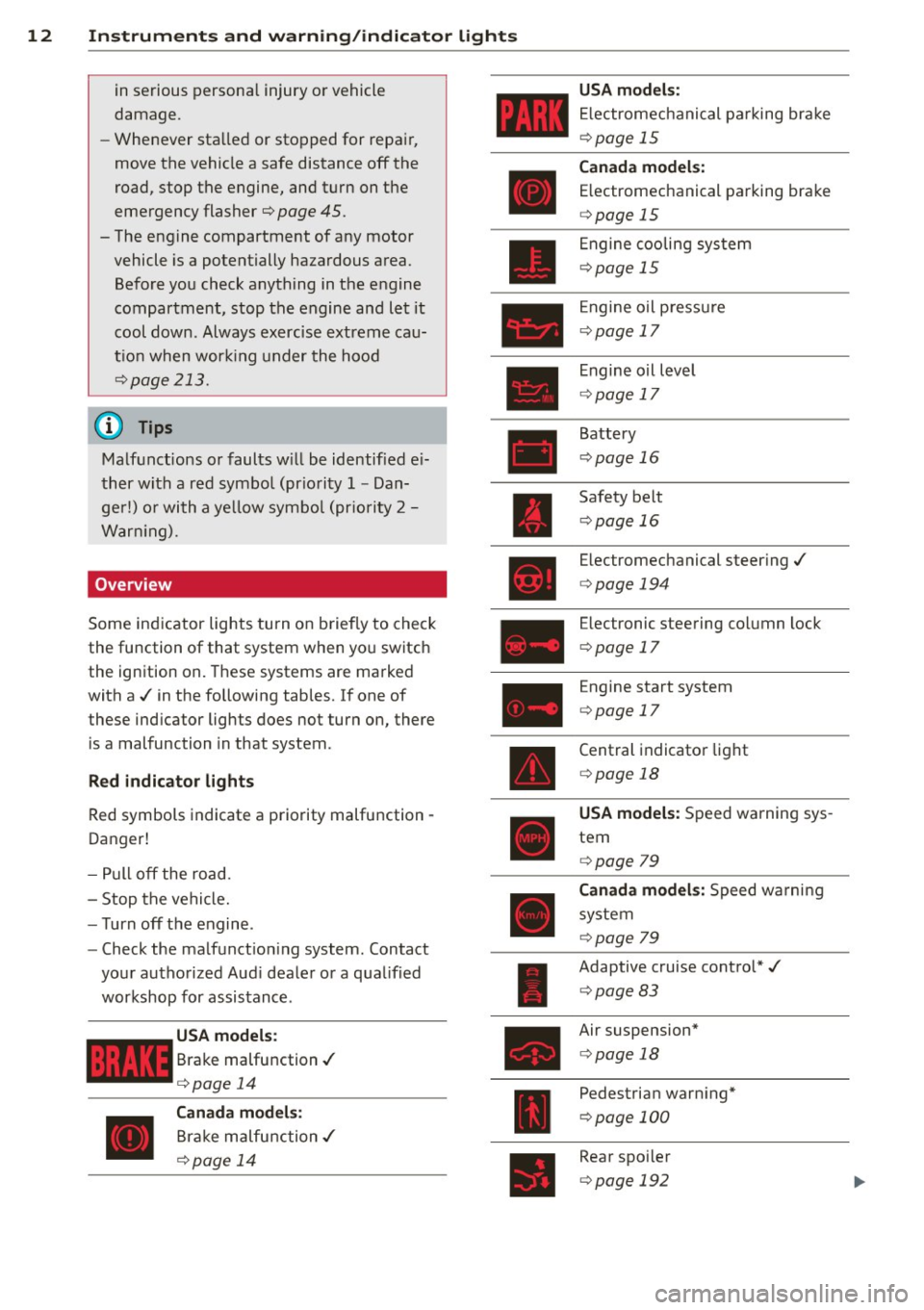
Overview
Some indicator lights turn on briefly to check
the function of that system when yo u switch
the ignition on. These systems are marked
with a ./ in the following tables.
If one of
these ind icator lights does not turn on, there
is a malfunction in that system.
R ed indicato r light s
Red symbols indicate a priority malfunction -
Danger!
- Pull off the road.
- Stop the vehicle.
- Turn off the engine .
- Check the ma lfunct ion ing system . Contact
your authorized Aud i dealer or a q ua lified
workshop for assistance.
USA models :
Brake malfunction./
¢page 14
Canada m odels :
Brake malfunction./
¢ page 14 USA mod
els :
E lectromechanical parking brake
¢page 15
Can ad a model s:
E lectromechanical parking brake
¢ page 15
Engine cooling system
¢page 15
Engine oil p ressu re
¢page 17
Engine o il level
¢ page 17
Battery
¢page 16
Safety belt
¢page 16
Electromechanical steer ing./
¢ page 194
Electronic steering co lumn lock
¢ page 17
Engine start system
¢page 17
Central indicator light
¢ page 18
USA model s: Speed warning sys
tem
¢ page 79
Canada model s: Speed warni ng
system
¢page 79
Adaptive cruise control*./
¢ page 83
Air suspension*
¢page 18
Pedestrian warn ing*
¢ page 100
Rear spo iler
¢ page 192
Page 24 of 292
22 Instruments and warning /indicator lights
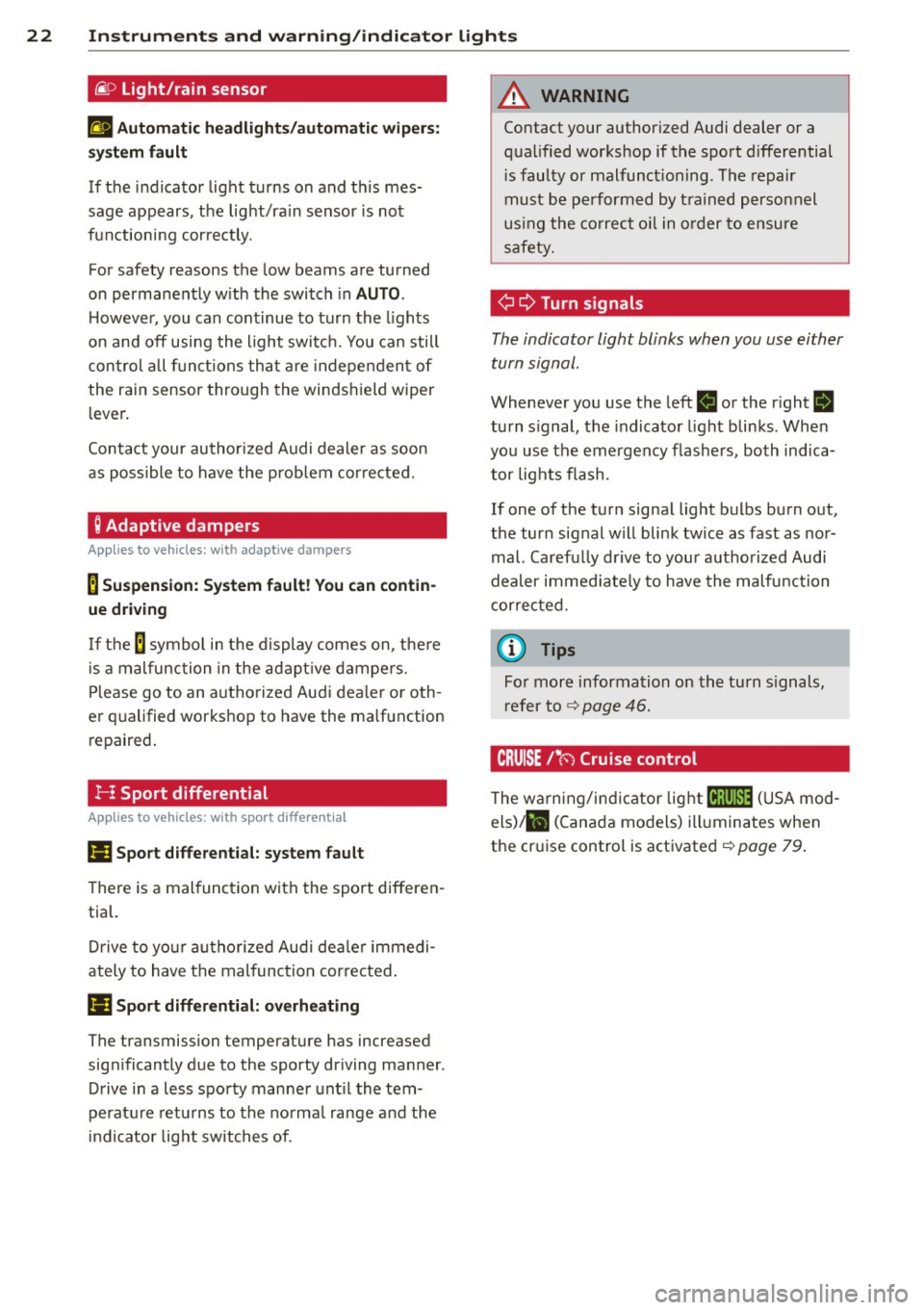
@.D Light/rain sensor
II Automatic headlights/automatic wiper s:
sys tem fault
If the indicator light turns on and th is mes
sage appears, the light/ra in sensor is not
functioning correctly.
For safety reasons the low beams are turned
on permanently w ith the switch in
AUTO .
However, you can continue to turn the lights
on and off using the light switch. You can still
control all functions that are independent of
the rain sensor through the windshield wiper
lever.
Contact your author ized Audi dealer as soon
as possible to have the prob lem corrected.
; Adaptive dampers
Appl ies to vehicles: with adaptive dampers
B Suspension: System fault! You can contin
ue driving
If the B symbo l in the display comes on, the re
i s a malfunction in the adaptive dampers.
Please go to an authorized Audi dea ler or oth
er qualified workshop to have the ma lfunction
repaired.
!- I Sport differential
Applies to vehicles: with sport d ifferent ial
Ill Sport differential: system fault
There is a malfunction with the sport differen
tial.
Drive to your authorized Aud i dealer immedi
ately to have the mal function cor rected .
Ill Sport differential: overheating
The transmission temperature has increased
significantly due to the sporty driving manner .
Drive in a less sporty manner until the tem
pe rature returns to the normal range and the
indicator light switches of.
A WARNING
Contact your author ized Audi dealer or a
qualified workshop if the sport differential
i s faulty or malfunct ioning . The repair
must be performed by trained personnel
using the correct oil in order to ensure
safety.
¢¢ Turn signals
-
The indicator light blinks when you use either
turn signal.
Whenever you use the left II or the right B
turn signal, the indicator light blinks . When
you use the emergency flashers, both indica
tor lights flash .
If one of the turn signal light bulbs burn out,
the turn signal will blink twice as fast as nor
mal. Carefu lly dr ive to your authorized Audi
dealer immediate ly to have the malfunction
corrected.
(D Tips
For more information on the turn signals,
refer to ¢
page 46.
CRUISE /11
(') Cruise control
T he warning/indicator light lij;jl)~i~ (USA mod
els)/ lil (Canada models) illuminates when
the cruise control is activated ¢
page 79.
Page 25 of 292
Instrument s and warning /indicator lights 23
Driver information
display
Overview
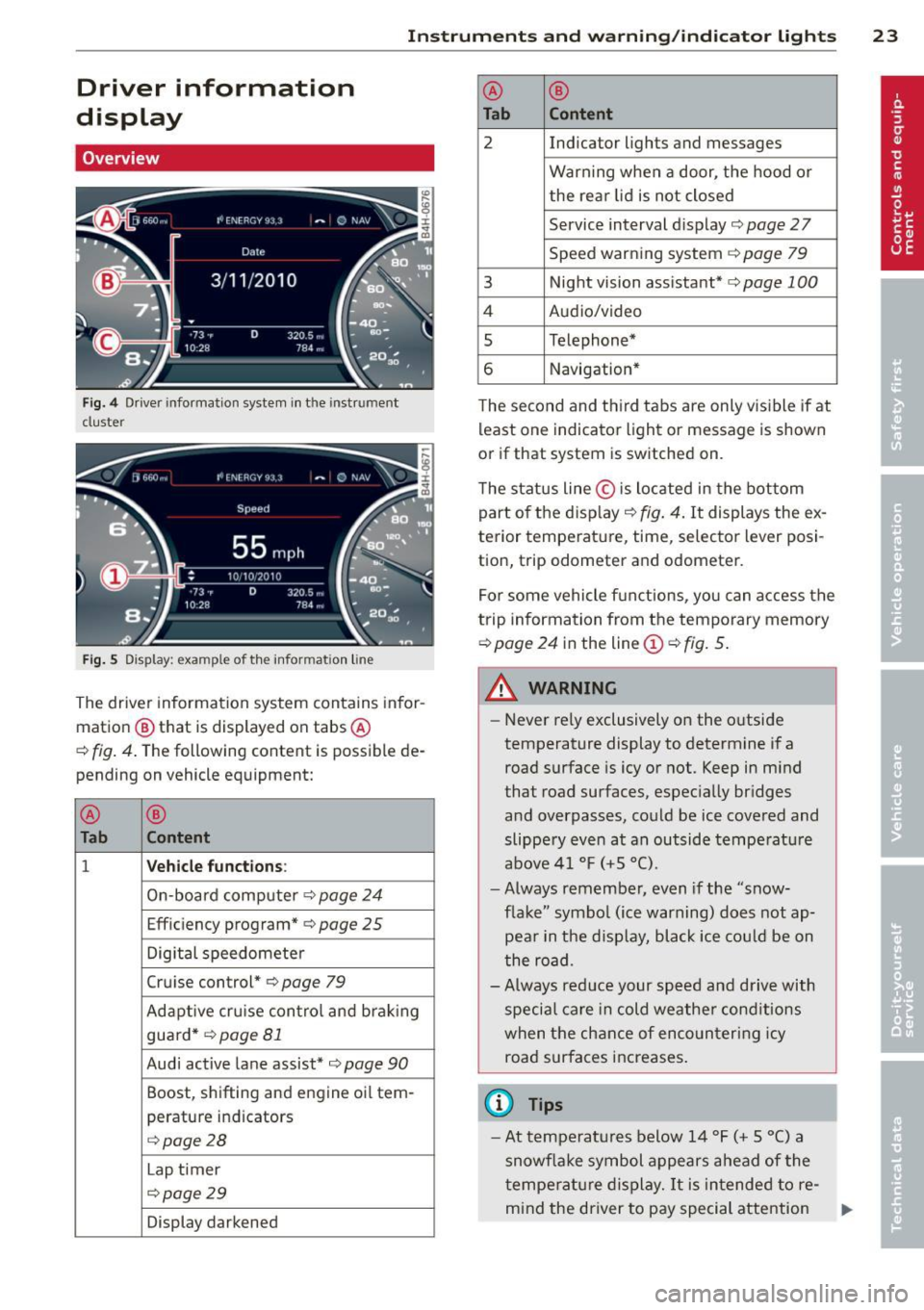
Fig. 4 Driver info rmation system in the instrument
cluster
Fig . 5 Display: example of the informat ion line
The driver information system contains infor
mation
@ that is displayed on tabs ®
c::> fig. 4. The following content is possible de
pending on vehicle equipment:
®
®
Tab Content
1 Vehicle functions :
On-boa rd computer c::> page 24
Effic iency program* c::> page 25
Digital speedometer
Cruise control*
c::> page 79
Adaptive cru ise control and braking
guard *
c::> page 81
Audi active lane assist* c::>page 90
Boost, shifting and engine oil tern-
perature indicators
c::> page 28
Lap t imer
c::> page 29
Display darkened ®
®
Tab Content
2 Indicator lights and messages
Warn
ing when a door, the hood or
the rea r lid is not closed
Service interval dis play
c::> page 2 7
Speed warning system
c::> page 79
3 Night vision assistant* c::> page 100
4 Audio/video
5 Telephone*
6 Navigation*
The second and th ird tabs are only v isible if at
least one indicator light or message is shown
or if that system is sw itched on.
The status line © is located in the bottom
part of the disp lay
c::> fig. 4. It displays the ex
terior temperat ure, time, selector lever posi
tion, trip odometer and odometer.
For some vehicle functions, you can access the
trip information from the temporary memory
c::> page 24 in the line © c::> fig. 5.
A WARNING
-
- Never rely exclusively on the outside
temperature display to determine if a
road surface is icy or not. Keep in mind
that road surfaces, especially bridges
and overpasses, could be ice covered and
slippe ry even at an outside temperature
above 41 °F
(+5 °().
-Always remember, even if the "snow
flake" symbol (ice warning) does not ap
pear in the d isplay, black ice could be on
the road.
-Always reduce your speed and drive with
special care in cold weather cond itions
when the chance of encountering icy
road surfaces increases.
(D Tips
- At temperatures below 14 °F (+ 5 °C) a
snowf lake symbol appears ahead of the
t emperature display.
It is intended to re-
mind the driver to pay special attention .,._
Page 30 of 292
28 Instruments and warning/indicator lights
Head-up Display
Applies to vehicles: with Head-up Display
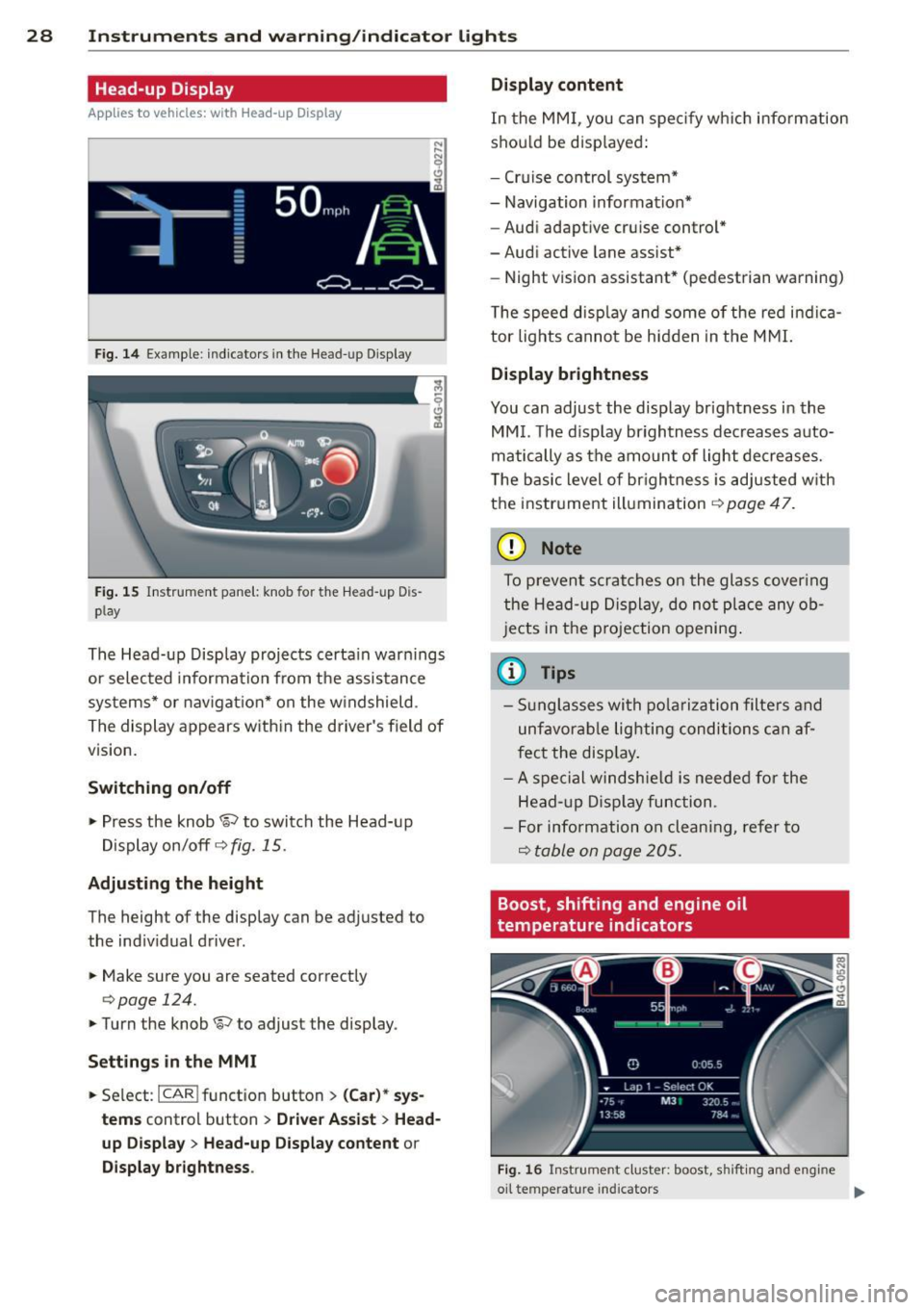
Fig. 14 Example: indicators in the Head-up Disp lay
Fig. 15 Instrument panel: knob fo r the Head -up Dis
p lay
The Head-up Display projects certain warnings
or selected information from the assistance
systems* or navigation* on the windshield .
The display appears with in the driver's field of
vision.
Switching on/off
,.. Press the knob~ to switch the Head-up
Display on/off
c::> fig. 15.
Adjusting the height
The height of the display can be adjusted to
the indiv idual driver .
,.. Make sure you are seated correctly
c:> page 124.
,. Turn the knob ~ to adjust the display .
Settings in the MMI
,.. Se lect : I CAR ! funct ion button > (Car)* sys
tems
control button > Driver Assist > Head
up Display
> Head-up Display content or
Display brightness . Display content
In
the MMI, you can spec ify which information
shou ld be disp layed:
- Cruise control system*
- Navigation information*
- Audi adaptive cruise control*
-Audi active lane assist*
- Night vision assistant* (pedestrian warning)
The speed disp lay and some of the red indica
tor lights cannot be hidden in the MMI.
Display brightness
You can adjust the display brightness in the
MMI. The d isp lay brightness decreases auto
matically as the amount of light decreases.
T he basic level of brigh tness is adjusted with
the instrument illumination
c::> page 47.
(D Note
To prevent scratches on the glass cover ing
the Head-up Display, do not place any ob
jects in the projection opening.
(D Tips
-Sunglasses with polarization filters and
unfavorable lighting conditions can af
fect the disp lay.
- A spe cial windshie ld is needed for the
Head- up Display function .
- For info rmat ion on clean ing, refer to
Q table on page 205.
Boost, shifting and engine oil
temperature indicators
Fig. 16 Instrumen t cluster: boost, shi fti ng and eng ine
oil te mp erat ure in dicators .,..
Page 34 of 292
32 Opening and clo sing
Opening and closing
Keys
Key set
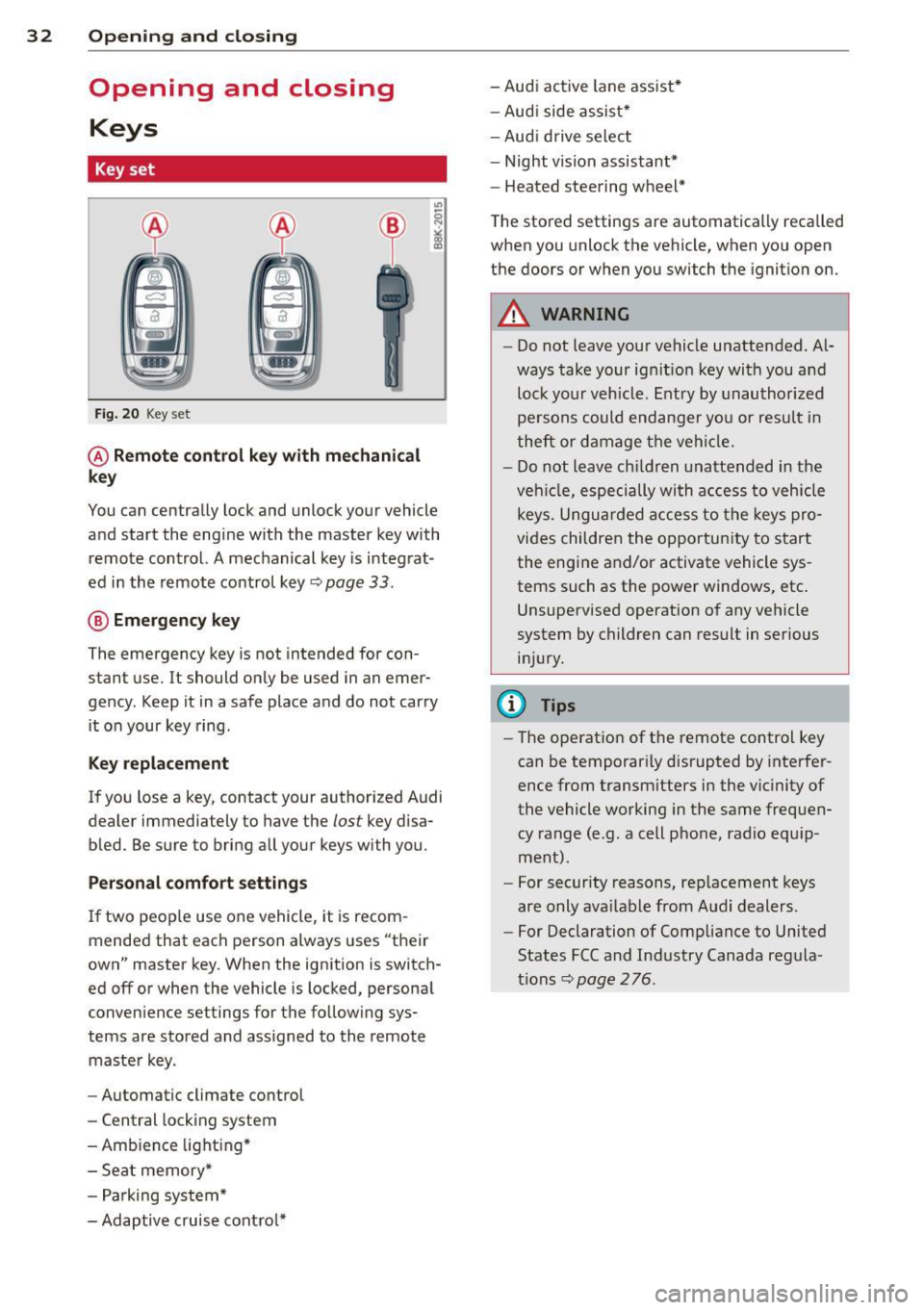
Fig . 20 Key set
@ R emot e con trol k ey w ith m echan ical
ke y
You can centrally lock and unlock your vehicle
and start the engine with the master key with
remote control. A mechanical key is integrat
ed in the remote control key
r:::;, page 33 .
@ Eme rgenc y ke y
The emergency key is not intended for con
stant use.
It should only be used in an emer
gency. Keep it in a safe place and do not carry it on your key ring .
Key replac em ent
If you lose a key, contact your authorized Audi
dealer immediately to have the
lost key disa
bled. Be sure to bring all your keys with you.
P er sonal c omfo rt se ttin gs
If two peop le use one vehicle, it is recom
mended that each person always uses "their
own" master key . When the ignition is switch
ed off or when the vehicle is locked, personal
convenience settings for the follow ing sys
tems are stored and assigned to the remote master key .
- Automatic climate control
- Central locking system
- Amb ience light ing*
- Seat memory*
- Parking system*
- Adaptive cruise control* - Audi active
lane assist *
- Aud i side assist*
- Aud i drive select
- Night vision assistant*
- Heated steering wheel*
The stored settings are automatically recalled
when you unlock the vehicle, when you open
the doors or when you switch the ignition on.
A WARNING
-- Do not leave your vehicle unattended . Al-
ways take your ignit ion key with you and
lock your vehicle . Entry by unauthorized
persons could endanger you or resul t in
theft or damage the vehicle.
- Do not leave children unattended in the veh icle, especially with access to vehicle
keys. Unguarded access to the keys pro
vides children the opportunity to start the engine and/or activate vehicle sys
tems such as the power windows, etc .
Unsupervised operation of any vehicle
system by children can result in serious
injury.
(1) Tips
- The operation of the remote control key
can be temporar ily disrupted by interfer
ence from transm itters in the vic inity of
the vehicle working in the same frequen
cy range (e.g. a cell phone, radio equip
ment).
- For security reasons, rep lacement keys
are only ava ilable from Audi dealers.
- For Declaration of Compliance to United
States FCC and Industry Canada regula
tions
r:::;, page 276.
Page 81 of 292
even with ESC and its associated
components (ABS, ASR, EDL). In corners
and when road or weather conditions are
bad, a full brake application can cause the
vehicle to skid or the rear end to break
away· risking an accident.
Speed warning system
Introduction
The speed warning system helps you to stay
under a specified maximum speed.
The speed warning system wa rns you if you
are exceeding the maximum speed that you
have set. You will hear a warn ing tone when
your speed exceeds the stored value by ap
proximately 3 mph (3 km/h). An indicator
light . (USA models)/ . (Canada models) in
the instrument cluster display also turns on at
the same time. The indicator light ••
turns off when the speed decreases below the
stored maximum speed .
Setting a threshold is recommended if you
would like to be reminded when you reach a certain max imum speed . Situations where you
may want to do so include driving in a country
with a general speed limit or if there is a
specified maximum speed for winter tires.
@ Tips
Even though your vehicle is equipped with
a speed warning system, you should st ill
watch the speedometer to make sure you
are not driving faster than the speed limit.
Setting the threshold
You can set, change and delete the threshold
in the MMI.
.. Se lect : I CARI function button > (Car)* sys
tems
control button > Driver assist > Speed
warning .
You can set any threshold between 20 mph
(30 km/h) and lS0 mph (240 km/h) . Settings
can each be adjusted in inc rements of 6 mph
(10 km/h).
On the road 79
Cruise control
Switching on
Applies to veh icles: w ith cruise control
The cruise control system makes it possible to
drive at a constant speed starting at 20 mph (30km/h) .
0
f
®t
0
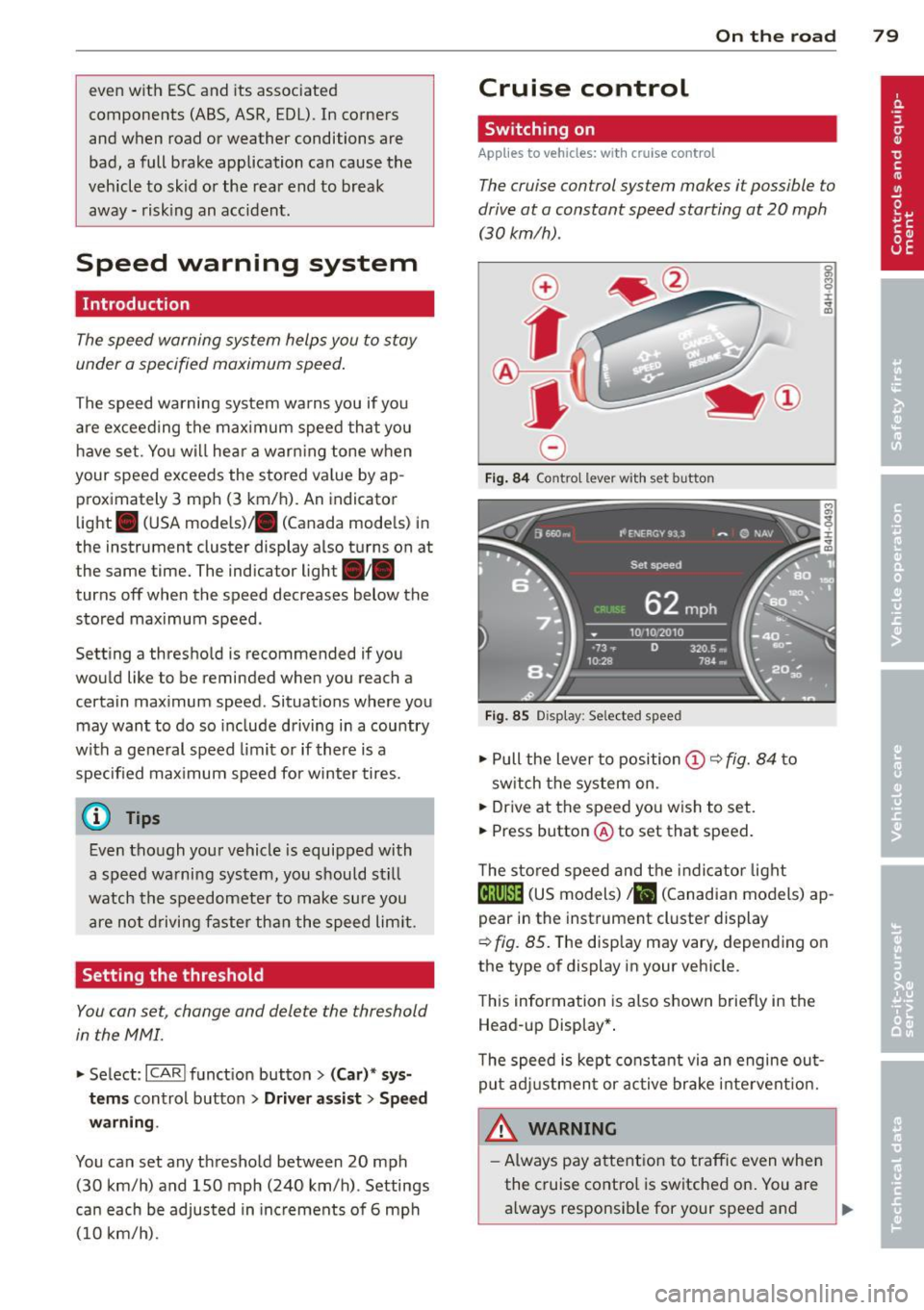
Fig. 84 Contro l lever w ith set b utto n
Fig. 85 Display: Se lected speed
.. Pull the lever to position@¢ fig. 84 to
sw itch the system on .
.. Drive at the speed you wish to set.
.. Press button @ to set that speed.
T he stored speed and the indicator light
@;\1)~14 (US models) Iii (Canadian models) ap
pear in the instrument cluster display
¢
fig. 85. The disp lay may vary, depending on
the type of display in your veh icle.
This information is also shown briefly in the
Head -up Display*.
T he speed is kept constant via an engine out
put adjustment or active brake intervent ion.
A WARNING .c
- Always pay attention to traffic even when
the cruise control is switched on. You are always responsib le for your speed and ...
Page 82 of 292
80 On the road
th e dista nce between yo ur vehicle and
other vehicles .
- For safet y rea son s, the cruise control
should not be used in the city, i n stop
and-go traff ic, on twist ing roads and
when road conditions are poor (such as ice, fog, gravel, heavy rain and hydro
planing) -risk of accident .
- Turn off the cruise control temporar ily
when ente ring turn lanes, highway exit
lanes or in construct ion zones.
- Please note that inadvertent ly "rest ing"
yo ur foot on the accelerator pedal causes
the cruise control not to brake. This is
because t he cr uise con trol is overridden
by the d river 's a cce le rat ion.
- If a bra ke system malfunction such as
overheat ing occurs when the cru ise con
t ro l system is sw itched on, the braking
f unction in the system may be switched
off. The other cruise control f unctions re
ma in active as long as the indicator light
[~ jrn~14 (US models) !El (Canad ian mod
els) is on.
The brake lights illuminate as soon as the brakes decelerate a utomat ica lly.
Changing speed
Applies to vehicles: with cru ise control
.,. To increase/decrease the speed in incre
me nts, tap the lever in t he
0 10 d irection
¢ page 79, fig . 84
.,. To increase/dec rease the speed qu ickly, hold
the leve r in the
010 direction until the de
s ir ed speed is d isplayed.
You can a lso p ress the accelerato r pedal down
to inc rease your speed, e .g . if you want to
pass someone. The speed yo u saved earlier
will resume as soon as you release the acceler
ator peda l.
I f, however, you exceed your saved speed by
6 mp h (1 0 km/h) fo r longe r th an 5 m inutes,
the cruise cont ro l w ill tu rn off tempora rily.
The green symbo l
@;\1)~14 (US models) !El
(Canadian mode ls) in the display will go out
but the saved speed remains the same .
Presetting your speed
Applies to vehicles: with cruise control
You can preset your desired speed while the
vehicle is not moving .
.,. Swi tch on the ign ition.
.,. Pull lever in to posi tion @¢
page 79,
fig. 84.
.,. Press the lever in the 0 or 0 direction to
increase or decrease your speed .
.,. Release the lever to save that speed.
This function makes it possib le, for examp le,
to save the speed you want before driving on
the highway. Once on the h ighway, act ivate
the cru ise control by pulling the lever toward
@ .
Switching the system off
Applies to vehicles: with cruise control
Temporary deactivation
.,. Press the brake pedal, or
.,. Press the lever into position @(not cl icked
into place)
~ page 79, fig . 84, or
.,. Dr ive fo r longer t han 5 m inutes at mo re
t han 5 mph (10 km/h) above the stored
spee d.
Switching off completely
.,. Press lever into position @ (clicked into
p lace), or
.,. Switch the ignit ion off .
The system retains t he saved speed if you de
activate the c ruise control temporar ily . To re
s u me the saved speed, re lease the brake ped
al a nd pull the leve r to pos it ion @.
Switch ing the ignition off erases the saved
speed .
A WARNING
-You sho ul d only ret urn to the saved speed
if it is no t too fast for the cur ren t traffi c
condi tions -ris k of an a cci dent!
Page 83 of 292
Audi adapt ive crui se c ontrol an d bra kin g guard 81
Audi adaptive cruise
control and braking
guard
Introduction
App lies to vehicles: with Audi adaptive cruise control
The adaptive cruise control system assists the
driver by regu lating vehicle speed and helping
to maintain a set distance to the vehicle
ahead, within the limits of the system . If the
system detects a moving vehicle up ahead,
adaptive cruise control can brake and then ac
celerate your vehicle. Th is he lps to make driv
ing more comfortable both on long highway
stretches and in stop-and-go traffic.
The braking guard system can warn you about
an impending collision and initiate braking
maneuvers¢
page 87.
Adaptive cruise control and braking guard
have technical limitations that you must
know, so please read this section carefully, un
derstand how the system works and use them
properly at all times.
General information
General information
Applies to vehicles: with Audi adaptive cruise control
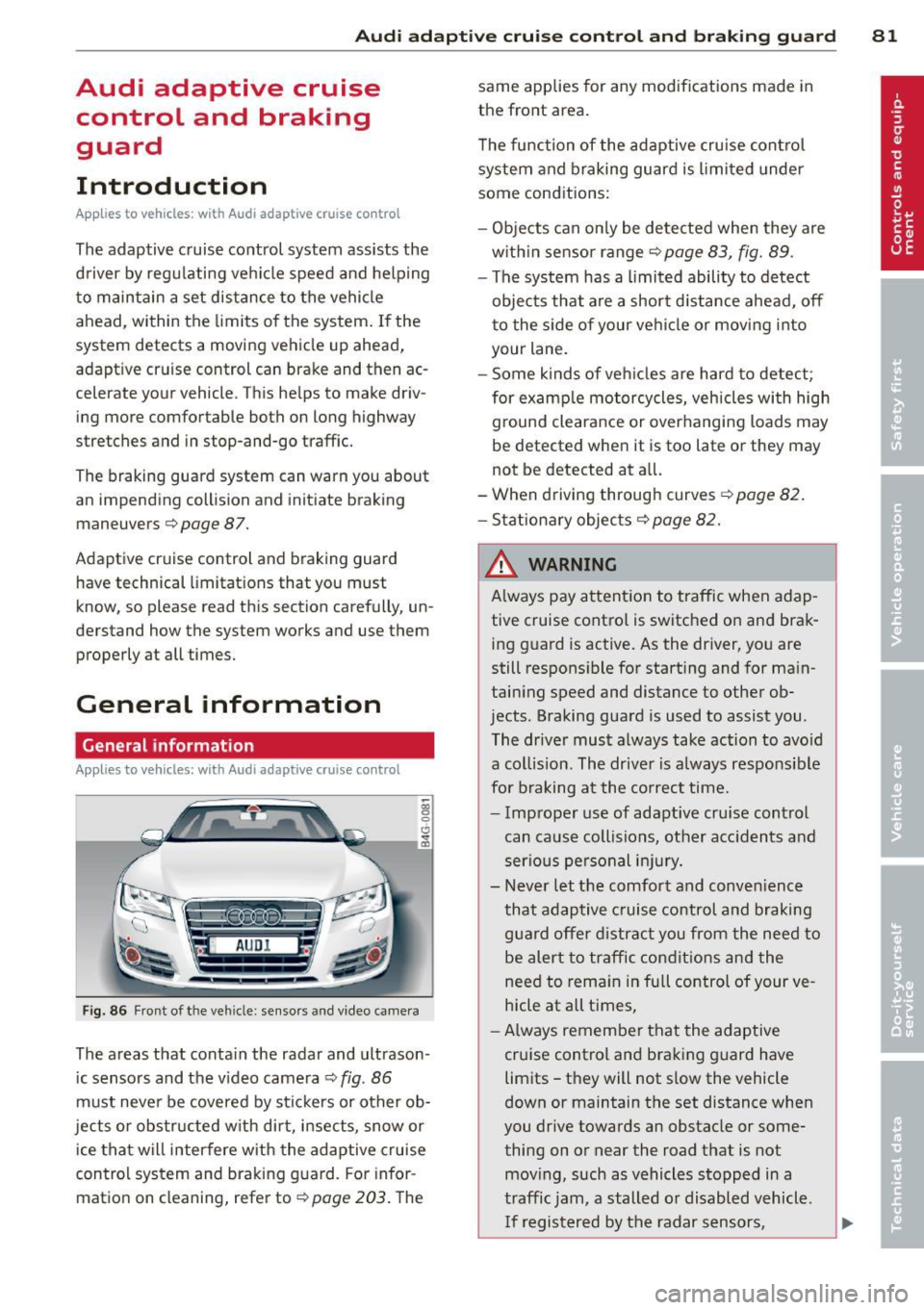
Fig. 86 Front of the vehicle: sensors and video came ra
The areas that contain the radar and ultrason
ic sensors and the v ideo camera ¢
fig. 86
must neve r be covered by stickers or other ob
jects or obstructed with dirt, insects, snow or
ice that will interfere with the adaptive cruise
control system and braking guard. For infor
mation on cleaning, refer to¢
page 203. The same applies for any modifications made in
the front area.
T he function of the adaptive cru ise contro l
system and braking guard is limited under
some conditions:
- Objects can on ly be detected when they are
w ith in sensor range
¢page 83, fig. 89 .
-The system has a limited ability to detect
objects that are a shor t distance ahead,
off
t o the side of your vehicle or moving into
your lane.
- Some kinds of ve hicles are hard to detect;
for examp le motorcycles, vehicles with high
ground clearance or overhanging loads may
be detected when it is too late or they may
not be detected at all.
- When driving through curves
¢page 82 .
- Stationary objects¢ page 82.
& WARNING
Always pay attent ion to traffic when adap
tive cruise control is switched on and brak ing g uard is active. As the driver, you are
still respons ible for starting and for ma in
taining speed and distance to other ob
jects . Braking guard is used to assist you .
The driver must always take action to avo id
a collision. The driver is always responsible
for braking at the co rrect time.
- Improper use of adaptive cru ise control
can cause collisions, other acc idents and
serious pe rsonal in jury.
- Never let the comfort and conven ience
that adaptive cruise control and braking
guard offer d istract you from the need to
be alert to traffic condit ions and the
need to rema in in full control of your ve
hicle at all times,
- Always remember that the adaptive
cruise control and braking guard have
limits -they will not s low the vehicle
down or maintain the set distance when
you drive towards an obstacle or some
thing on or near the road that is not
mov ing, such as vehicles stopped in a
traffic jam, a stalled or disabled vehicle .
I f registered by the radar sensors,