fuel AUDI RS7 SPORTBACK 2014 Owners Manual
[x] Cancel search | Manufacturer: AUDI, Model Year: 2014, Model line: RS7 SPORTBACK, Model: AUDI RS7 SPORTBACK 2014Pages: 292, PDF Size: 73.56 MB
Page 5 of 292
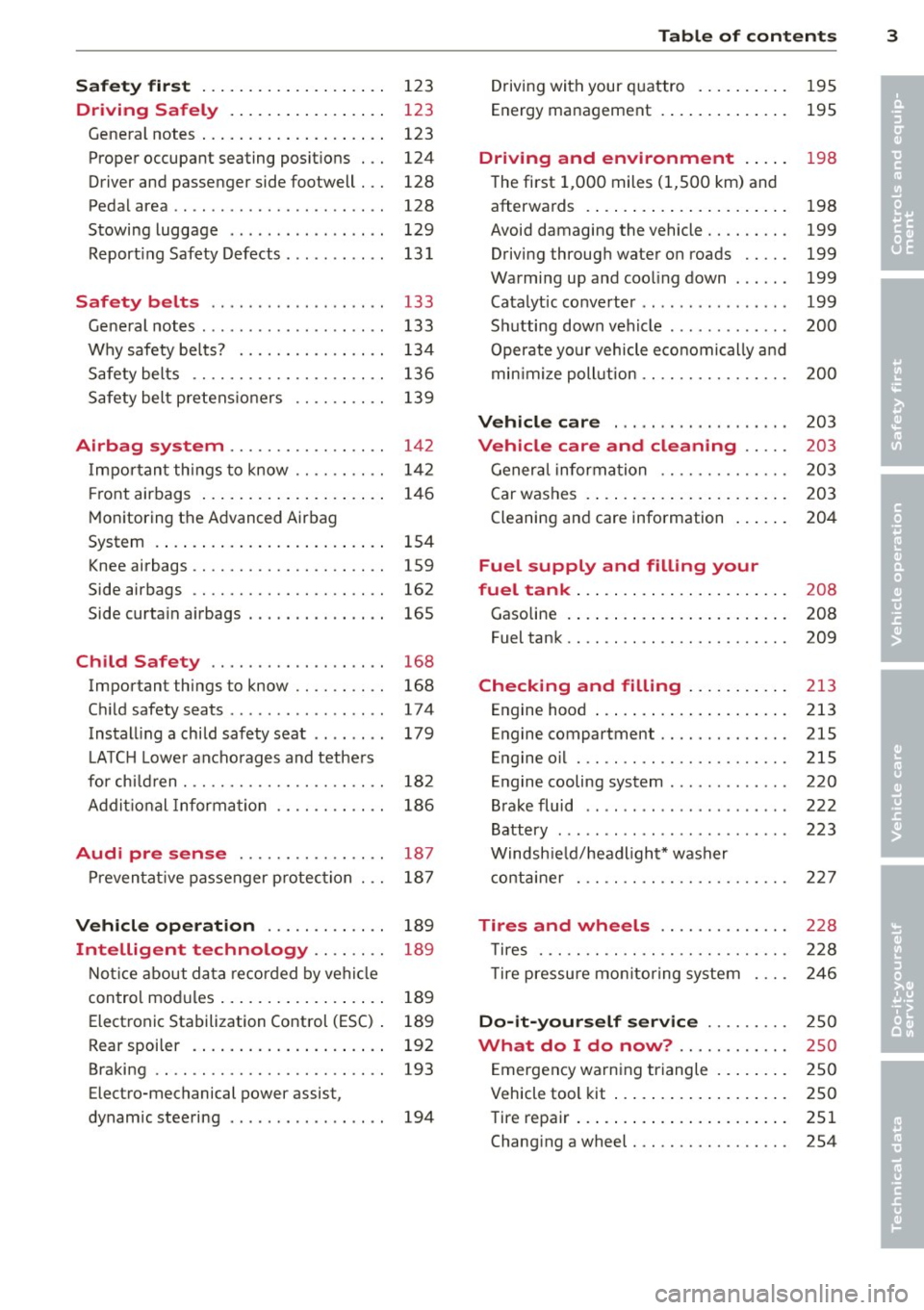
Safet y fir st . . . . . . . . . . . . . . . . . . . . 123
Driving Safely . . . . . . . . . . . . . . . . . 123
General notes . . . . . . . . . . . . . . . . . . . . 123
Proper occupant seating posit ions . . . 124
Driver and passenger side footwell . . . 128
Pedal area . . . . . . . . . . . . . . . . . . . . . . . 128
Stowing luggage . . . . . . . . . . . . . . . . . 129
R eport ing Safety Defects . . . . . . . . . . . 13 1
Safety belts . . . . . . . . . . . . . . . . . . . 133
General notes . . . . . . . . . . . . . . . . . . . . 133
Why safety bel ts? . . . . . . . . . . . . . . . . 134
Safety belts . . . . . . . . . . . . . . . . . . . . . 136
Safety belt p re tens ioners . . . . . . . . . . 139
Airbag system . . . . . . . . . . . . . . . . . 142
I mpor tant th ings to know . . . . . . . . . . 1 42
Fr ont airbags . . . . . . . . . . . . . . . . . . . . 146
M onitoring the Advanced Airbag
System . . . . . . . . . . . . . . . . . . . . . . . . . 154
Knee airbags . . . . . . . . . . . . . . . . . . . . . 159
Side airbags . . . . . . . . . . . . . . . . . . . . . 162
Side curta in a irbags . . . . . . . . . . . . . . . 165
Ch ild Safety . . . . . . . . . . . . . . . . . . . 168
Important things to know .. .. .. .. . .
C hi ld safety seats ............ .... .
Install ing a chi ld safety seat .. .. ... .
L A TC H L ower ancho rages and tethe rs
fo r ch ild ren . ............. .... .. . .
Addit io nal Informa tion
Audi pre sense .......... .. .. . .
Pr even ta ti ve passe nger p rotec tion
Vehicle operation ....... .. .. . .
Intelligent technology .. .. .. . .
N ot ice about da ta re corded by vehi cle
con trol mo dules ... .... ... .. .. .. . .
Electronic Stabilization Control (ESC) .
Rear spoiler . ... ...... ... .. .. .. . .
Braking .. .. ................. .. . .
Electro-mechanical power assist,
dynamic steering .............. .. . 168
174
179
18 2
186
187
18 7
189
189
189
189
192
193
194
Table of contents 3
Driving with your q uattro . . . . . . . . . . 195
Energy management . . . . . . . . . . . . . . 195
Driving and environment . . . . . 198
The first 1,000 miles (1,500 km) and
afterwards . . . . . . . . . . . . . . . . . . . . . . 198
Avoid damaging the vehicle . . . . . . . . . 199
Driving throug h water on roads . . . . . 199
Warmi ng up and coo ling down . . . . . . 199
Catalytic co nverter . . . . . . . . . . . . . . . . 199
Sh utting down vehicle . . . . . . . . . . . . . 200
Operate your vehicle economically a nd
min imi ze poll ution . . . . . . . . . . . . . . . . 200
Vehicle care . . . . . . . . . . . . . . . . . . . 203
Vehicle care and cleaning . . . . . 203
Gener al informa tion . . . . . . . . . . . . . . 203
Car washes . . . . . . . . . . . . . . . . . . . . . . 203
Cleaning and care information . . . . . . 204
Fuel supply and filling your
fuel tank . . . . . . . . . . . . . . . . . . . . . . .
208
Gasoline . . . . . . . . . . . . . . . . . . . . . . . . 208
Fuel tank. . . . . . . . . . . . . . . . . . . . . . . . 209
Checking and filling . . . . . . . . . . . 213
Engine hood . . . . . . . . . . . . . . . . . . . . . 213
Engine compartment.............. 215
Engine oil . . . . . . . . . . . . . . . . . . . . . . . 215
Engine cooling system . . . . . . . . . . . . . 220
Brake fluid . . . . . . . . . . . . . . . . . . . . . . 222
Battery . . . . . . . . . . . . . . . . . . . . . . . . . 223
Windsh ie ld/headlight* washer
c ont ainer . . . . . . . . . . . . . . . . . . . . . . . 227
Tires and wheels . . . . . . . . . . . . . . 228
T ires . . . . . . . . . . . . . . . . . . . . . . . . . . . 228
T ire pressure mo nitor ing system 246
Do-it -yourself service . . . . . . . . . 2 50
What do I do now? ............ 250
E mergency warn ing triangle . . . . . . . . 250
Vehicle tool kit . . . . . . . . . . . . . . . . . . . 250
Tire repa ir . . . . . . . . . . . . . . . . . . . . . . . 251
Changi ng a wheel . . . . . . . . . . . . . . . . . 254
•
•
Page 12 of 292
10 Instruments and warning/indicator lights
Instruments and warning/indicator Lights
Instruments
Instrument cluster and controls
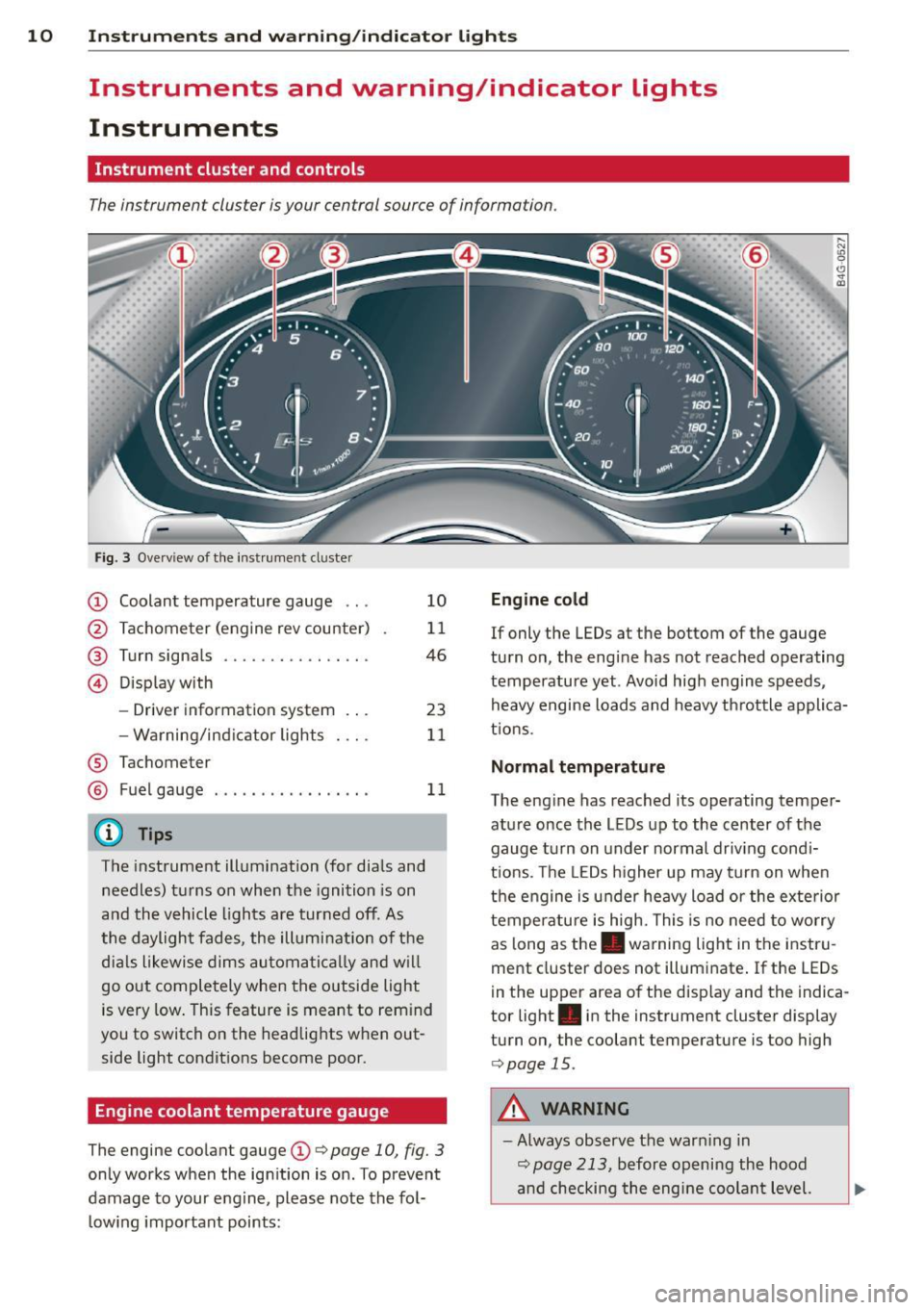
The instrument cluster is your central source of information.
Fig. 3 Overv iew of the inst rument cluster
CD Coolant temperature gauge ...
@ Tachometer (engine rev counter)
@ Turn signals ........... .. .. .
© Display with
- Driver information system .. .
- Warning/ind icator lights
® Tachometer 10
11
46
23
11
@ Fuel
gauge . . . . . . . . . . . . . . . . . 11
@ Tips
The instrument illumination (for dials and
needles) turns on when the ignition is on
and the vehicle lights are turned off . As
the daylight fades, the illumination of the
dia ls likewise dims automatically and will
go out completely when the outside light
is very low. This feature is meant to rem ind
you to switch on the headlights when out
side light conditions become poor.
Engine coolant temperature gauge
The engine coolant gauge CD c:> page 10, fig. 3
only works when the ignition is on . To prevent
damage to your engine, please note the fol
l owing important points:
Engine cold
,.._ N
9 (!)
" a,
If only the LEDs at the bottom of the gauge
turn on, the engine has not reached operating
temperature yet. Avoid high engine speeds, heavy engine loads and heavy th rottle applica
t ions.
Normal temperature
The engine has reached its operating temper
ature once the LEDs up to the center of the
gauge turn on unde r normal driv ing cond i
t ions . Th e LEDs higher up may turn on when
the engine is under heavy load or the exterior
temperature is high. This is no need to worry
as long as the . warning light in the instru
ment cluste r does not illum inate . If the LEDs
i n the upper area of the disp lay and the indica
tor light . in the instrument cluster display
turn on, the coolant temperature is too high
c:>page 15.
A WARNING
-Always observe the warn ing in
c:> page 213, before opening the hood
and checking the engine coolant level.
Page 13 of 292
Instrument s and warnin g/indic ator ligh ts 11
- Never open the engine hood if you see or
hear steam, or if you see engine coolant
dr ipping from the engine compartment.
You could burn yourself . Let the engine
cool off first until you can no longer see
or hear steam or coo lant escaping.
Q) Note
- Mount ing additional lights or accessories
i n front of the a ir inlets reduces the cool
i ng effect of the rad iator . At h igh outside
temperatures or high eng ine load, the
engine could overheat.
- The front spo ile r has been designed to
proper ly distribute the cooling air wh en
t h e veh icle i s moving.
If the spoiler is
damaged, this cou ld red uce the cooling
effect and the engine co uld then over
heat . Ask yo ur authorized Audi dea ler fo r
ass istance.
Tachometer (engine rev counter)
The tachometer indicates the engine RPM
(revolutions per minutes).
If engine R PM drops be low 1 ,500, you should
downshift to the next lower gea r. T he red area
at the end of the sca le indicates maximum
pe rmissib le engine RPM after the break- in pe
riod. Before reach ing this area, move these
lector lever to position 0/5 (Drive) or ease
your foot off the accelerator peda l.
(D Note
The tachometer needle should only br iefly
be in the red zone: you cou ld damage your
eng ine! The beginn ing of the red zone var
ies depending on the operati ng tempera
ture of the eng ine .
@ For the sake of the environment
Upshift ing early saves fuel and reduces en
gine noise.
@ Tips
The engine speed is limited when the en
g ine is co ld - the full engine output is not ava
ilable . When the engine is at operating
temperature, the red area in the tachome
ter moves to a higher RPM range.
Fuel gauge
The fuel gauge only works when the ignition is
on. If the fue l level drops below 2 .6 gallons
(10 lite rs), the bottom LED turns red and the
indicato r light ~ turns on
¢ page 21 . The
bottom L ED blinks red whe n the fuel level is
very low.
The possible range based on the current fuel level is shown in tab@~
page 23, fig. 4.
(D Note
Neve r run the ta nk completely dry. A n ir
r egular supply of f uel can cause engine
misfiring and fuel could enter the exha ust
system. The catalytic co nve rter could t hen
ove rheat and be damaged .
Warning/indicator
Lights
Description
The ind icator lights in the instrument cluster
blink or tur n on. They indica te f unct ions or
malfunctions
¢ & .
Messages may appea r with some indicato r
li ghts. A warning signal will sound at t he
same t ime . The indica to r li ghts and messages
i n the center of the displays may be rep lace d
by other disp lays. To show them again, select
the tab for ind icator lights and messages us
ing the multif unction steering whee l
¢ page 23. If there are several malfunc
tions, you can display them one at a time us i ng the thumbwheel.
Some indicators lights in the d isp lay can turn
on in severa l co lors.
A WARNING
- Failure to heed warning lights and other
important vehicle informat ion may resu lt
IJI,,
Page 19 of 292
Instruments and warning/indicator lights 17
9::;r: Engine oil pressure malfunction
The red engine oil pressure warning symbol
requires immediate service or repair . Driving
with a Low-oil-pressure indication is Likely to
inflict severe damage to the engine.
• Switch off engine and check oil level
If the indicator light t urns on and the mes
sage appears, the oil press ure is too low.
~ P ull off the road.
~ St op t he vehi cle.
~ Turnoff the engine.
~ Check the engine oil level¢ page 218.
~ If the engi ne oil leve l is too low, add engine
o il ¢
page 218. M ake sure that the oil p res
s ur e warn ing symbol . appea rs no longe r
in t he di sp lay befo re you start drivi ng aga in.
~ If the engi ne oil leve l is corr ect a nd the indi
cat or lig ht st ill turn s on, tur n t he eng ine
off
and do not contin ue d riving . Seek profe ssio
na l assistance .
(D Tips
- The engine oil pressure symbol. is
not an indicator for a low engine oil lev
el. Do not rely on it. Instead, check the
oil level
in your engine at regular inter
vals, preferably each time you refuel,
and always before going on a long trip.
- The yellow oil level warning indication
El requires oil refill or workshop serv
ice without delay . Do not wait until the
red oil pressure warning. starts to
flash before you respond to the low oil
level warning m. By then, your engine
may already have suffered serious dam
age .
~ . Engine oil level
• WARNING: Please add oil immediately
If th e i ndi cator lig ht and the drive r mess age
a ppear, add eng ine oi l immedi ately
¢page 215.
11!1 Add oil, max. x qt (l). You may continue
driving
W hen the symbol and the driver message ap
pear, add the amount of oil a ppearing in the
display at the next op portunity
¢ page 215.
@-Steering column lock
• Do not dr ive vehicle: Steering defect ive
If the indicator light turns on and the mes
sage appears, t here is an e lectronic steering
column lock malfunct ion. You cannot switch
the ignit io n on.
Do
not tow yo ur vehicle because it cannot be
stee red. See k professiona l assistance .
1!11 Steering lock: sy stem fault. Please con
tact dealer
If th e i ndica to r li ght turns on and th e m es
sage a ppea rs, th ere i s an elec tro nic s tee ring
c olumn lo ck malfun ction.
D rive to your author ized A udi dealer imm ed i
ate ly to have th e ma lfunction corr ected .
&_ WARNING
-
Yo ur ve hicle m ust n ot be towed in the
even t of a ma lf unc tion in th e electro nic
s teerin g col umn lo ck be ca use it c annot be
steere d due to the loc ked stee ring. If i t is
towe d wit h the steering locke d, there is
the r is k of an accident.
© -Engine start system
• Engine start system fault . Please con
tact dealer
If the indicator light turns on and the mes
sage appears, do
not switch the ign ition off
because you may not be ab le to sw itch it on
again.
D rive to your authorized A udi dealer immedi
ate ly to have the malfunction corrected.
1111 Engine start system fault. Please con
tact deale r
If the indica to r li ght turns on and the me s
sage appe ars, there i s a malf unc tion in the en-
gine sta rt sys tem . .,,..
Page 22 of 292
20 Instruments and warning /indicator lights
accident. Have your vehicle repaired im
mediately by your authorized Audi dealer
or a qualified workshop. Drive slowly and
avoid sudden, hard brake applications .
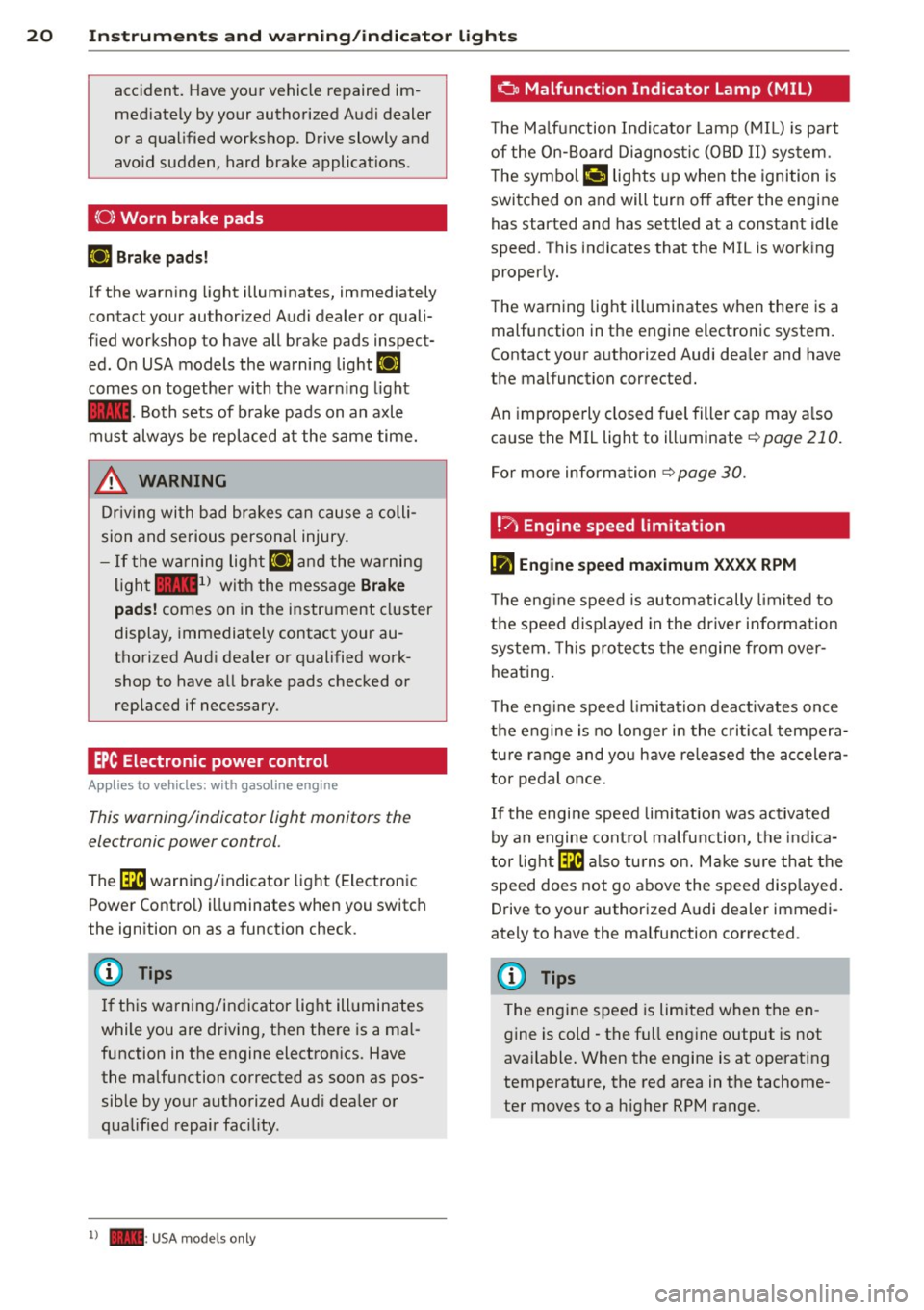
(0) Worn brake pads
EIJ Brake pads!
If the warn ing light illuminates, immediately
contact your authorized Audi dealer or quali
fied workshop to have all brake pads inspect
ed. On USA models the warning light
EIJ
comes on together with the warn ing light
1111-Both sets of brake pads on an axle
must always be replaced at the same time.
A WARNING
Driv ing with bad brakes can cause a colli
sion and serious personal injury.
-If the warning light EIJ and the warning
light
11111> with the message Brake
pads!
comes on in the instrument cluster
display, immediately contact your au
thorized Audi dealer or qualified work
shop to have all brake pads checked or replaced if necessary.
EPC Electronic power control
App lies to vehicles: with gaso line engine
This warning/indicator light monitors the
electronic power control .
The ~ warning/indicator light (Electronic
Power Control) illuminates when you switch
the ignition on as a function check .
(D Tips
If this warning/indicator light illuminates
while you are driving, then there is a mal
function in the engine electronics. Have
the malfunction corrected as soon as pos sible by your authorized Aud i dealer or
qualified repair facility.
l) - : USA models only
-
o Malfunction Indicator Lamp (MIL)
T he Ma lfunction Indicator Lamp (MIL) is pa rt
of the On-Board Diagnostic (OBD II) system.
The symbo l
¢.j lights up when the ignition is
switched on and will turn off after the engine
has started and has settled at a constant idle
speed. This indicates that the MIL is work ing
properly.
The warning light illuminates when there is a
malfunction in the engine electronic system.
Contact your authorized Audi dea ler and have
the malfunction corrected.
An improperly closed fuel filler cap may a lso
cause the MIL light to illuminate
¢ page 210.
For more information
¢ page 30.
!?) Engine speed limitation
lfl Engine speed maximum XXXX RPM
The eng ine speed is automatically limited to
the speed displayed in the driver information
system. This protects the engine from over
heating.
T he eng ine speed limitation deactivates once
the engine is no longer in the critical tempera
ture range and you have re leased the accelera
tor pedal once.
If the engine speed limitation was activated
by an engine control malfunction, the indica
tor light ~ also turns on. Make s ure that the
speed does not go above the speed displayed.
Drive to your authorized Audi dealer immedi
ately to have the malfunction corrected.
@ Tips
The engine speed is limited when the en
gine is cold - the full engine output is not
available . When the engine is at operating
temperature, the red area in the tachome
ter moves to a h igher RPM range.
Page 23 of 292
Instruments and warning/indicator lights 21
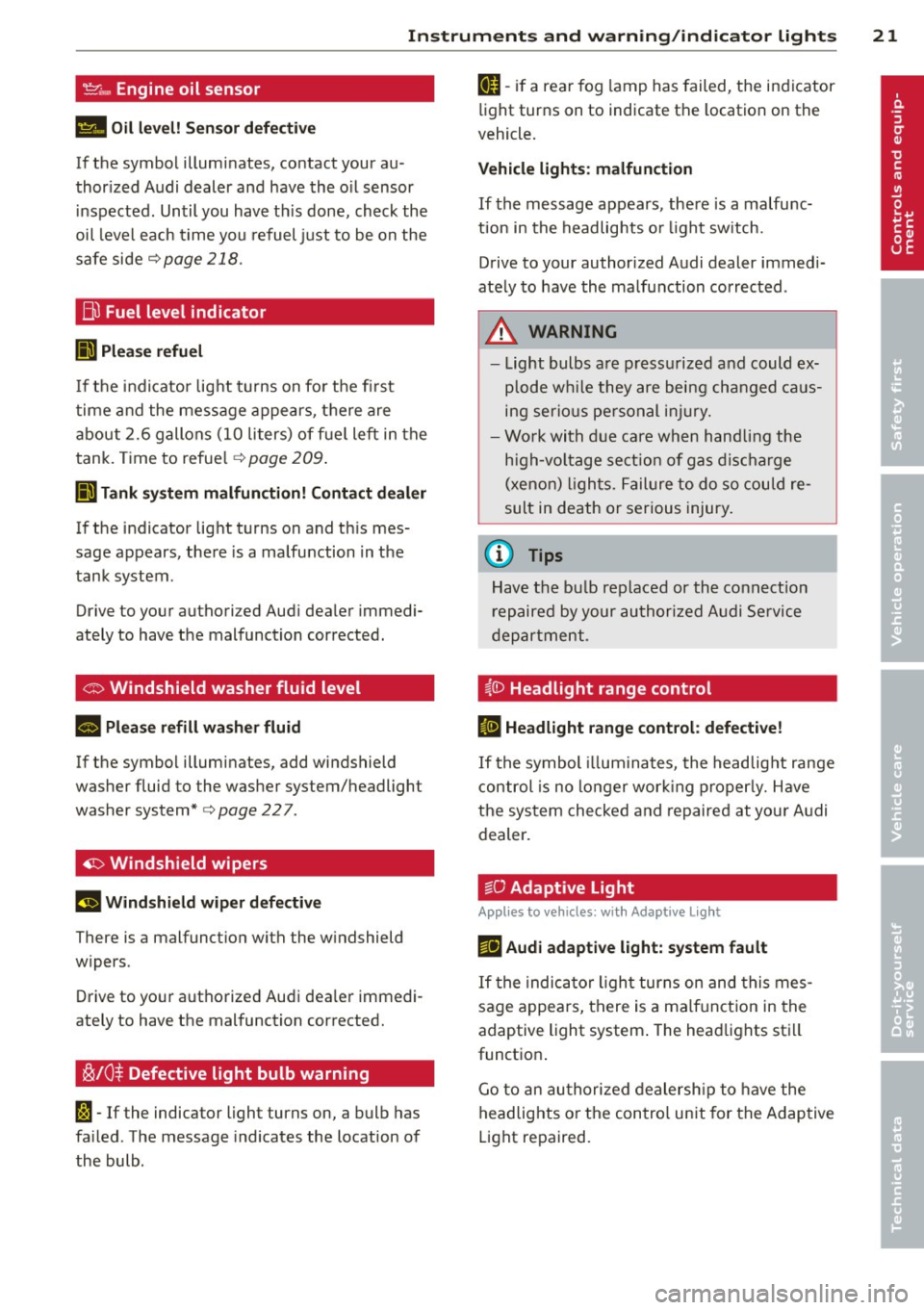
't'::1".., Engine oil sensor
II Oil level! Sensor defective
If the symbol illuminates, contact your au
thor ized Audi dealer and have the oil sensor
in spected. Until you have th is done, check the
oil level each time you refuel just to be on the
safe side
¢ page 218.
Bil Fuel level indicator
lilJ Please refuel
If the indicator light turns on for the first
time and the message appears, there are
about 2.6 gallons (10 liters) of fuel left in the
tank. Time to refue l
r=;,page 209.
II) Tank system malfunction! Contact dealer
If the indicator light turns on and th is mes
sage appears, there is a malfunction in the
tank system .
Drive to your authori zed Aud i dea ler immedi
ately to have the malfunction corrected.
<;;> Windshield washer flu id level
II Please refill washer fluid
If the symbol illuminates, add windshield
washer fluid to the washer system/headlight
washer system*
r=;, page 22 7 .
'1:> Windshield wipers
E•$ vVindshield wiper defective
There is a malfunct ion with the w indshield
wipers .
Drive to your authorized Audi dea ler immedi
ately to have the malfunction corrected.
~ /0$ Defective light bulb warning
1;1 -If the indicator light turns on, a bulb has
fa iled . The message indicates the location of
the bulb.
an-if a rear fog lamp has failed, the indicator
light turns on to indicate the location on the
vehicle.
Vehicle lights : malfunction
If the message appears, there is a malfunc
tion in the headlights or li ght sw itch.
Drive to your authorized Audi dealer immedi
ately to have the malfunction corrected .
A WARNING
-Light bulbs are press urized and could ex
p lo de while they are being changed caus
ing serious personal injury.
- Work with due care when handling the
high-voltage section of gas discharge
(xenon) lights. Failure to do so could re
sult in death or serious injury.
(D Tips
Have the bu lb replaced or the connection
repaired by your authorized Audi Service
department .
~(D Headlight range control
IS Headlight range control: defective!
If the symbol illum inates, the headlig ht range
control is no long er work ing properly. Have
the system checked and repaired at your Audi
dealer.
:gD Adaptive Light
Applies to vehicles: with Adaptive Light
mil Audi adaptive light: system fault
If the indicator light turns on and this mes
sage appears, there is a malfunction in the
adaptive light system . The headlights sti ll
function .
Go to an authorized dealership to have the
headlights or the control unit for the Adaptive
Light repaired.
Page 27 of 292
Instrument s and warning /indicator lights 25
- Long-term memory overview
The short-term memo ry co llects driving infor
mat ion from the time the ignition is switched
on un til it is switched off. If you continue dr iv
ing within two hours after switching the igni
tion off, the new values are included when cal
culating the current trip information.
Unlike the short-te rm memory, the long-term
memory is not erased automatically. You can
select the time period for evaluating trip in
formation yourself.
F or some veh icle functions, you can access the
trip information from the temporary memory
in the line
(D r=;, page 23, fig. 5.
The cu rrent fuel consumpt ion can be dis
p layed using a bar
r=;, page 26, fig. 10. The
average consumption (mpg) stored in the
short-term memory is also displayed. Electri
cal energy can be stored in the battery when
the vehicle is coasting or driving downhill (re
cuperation) . The bar will move toward
t:3 .
Efficiency prog ram
The efficiency program can help you to use
less fuel.
It evaluates driving information in
reference to fuel consumption and shows oth
er equipment influencing consumption as well
as shift recommendations.
r=;, page 25. Fuel
economy messages
r=;, page 25 provide tips
for efficient driving . The effic iency program
uses distance and consumption data from tr ip
computer
1.
To display the efficiency program, call up Ve
hicle functions and select the menu option
Efficiency program . If the data are deleted in
the efficiency program, those values are also
reset in trip computer .
(j) Tips
-All stored va lues will be lost if the veh i
cle battery is disconnected.
- Fuel consumptions (average and cur
rent), range and speed are displayed in
metric units on Canadian models.
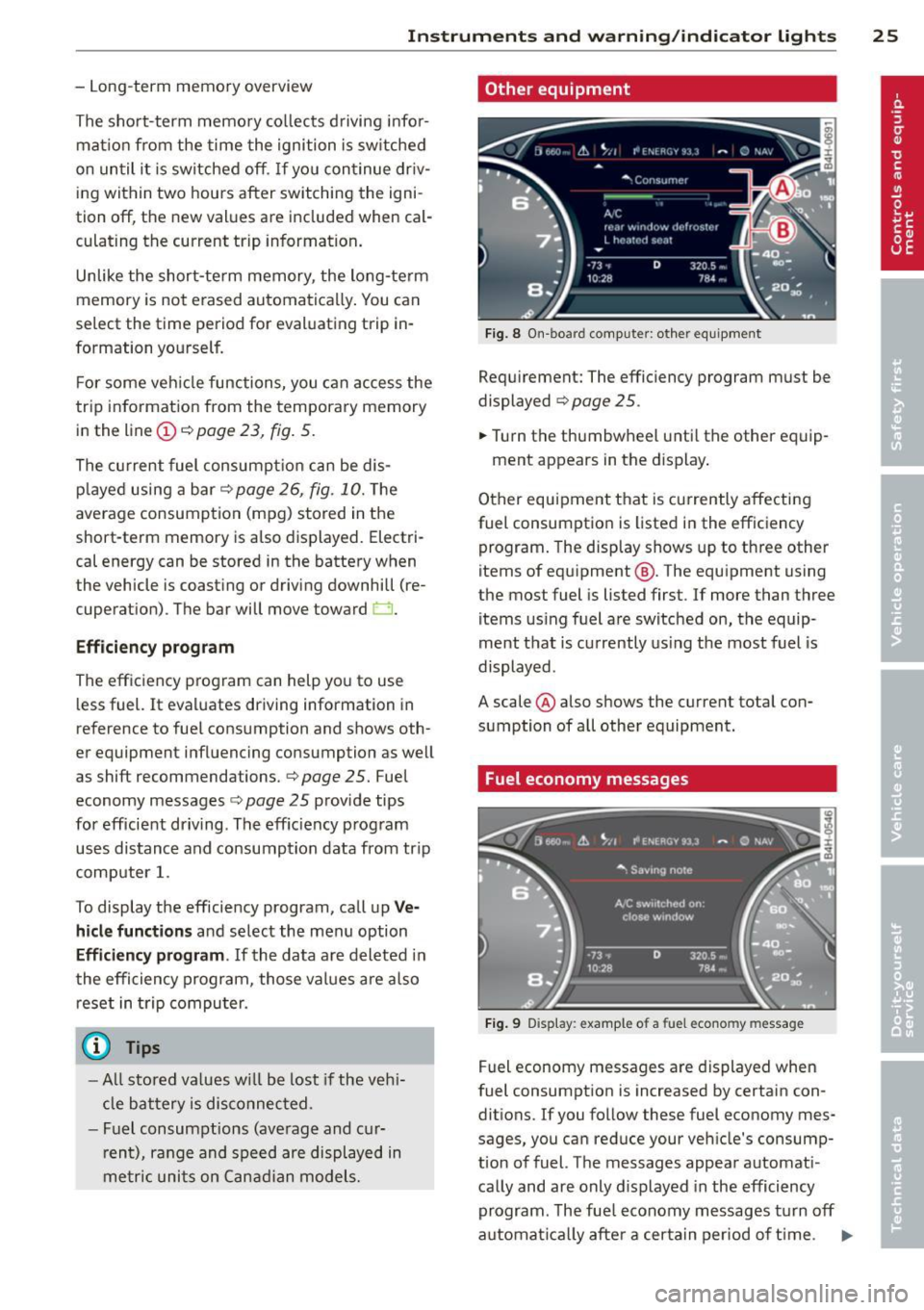
Other equipment
Fig . 8 On -board computer : other equipment
Requirement: The efficiency program must be
displayed
r=;, page 25 .
.,. Turn the thumbwheel unti l the other equip-
ment appears in the display .
Other equipment that is currently affecting
fuel consumption is listed in the efficiency
program. The display shows up to three other
items of equipment @. The equipment using
the most fuel is listed first. If more than three
items using fuel are switched on, the equip
ment that is currently using the most fuel is
displayed .
A scale @also shows the current total con
sumption of all other equipment.
Fuel economy messages
Fig. 9 Disp lay: example of a fuel econo my m essa ge
Fuel economy messages are displayed when
fuel consumption is increased by certain con
ditions. If you follow these fuel economy mes
sages, you can reduce your vehicle's consump
t ion of fuel. The messages appear automat i
cally and are only displayed in the efficiency
program . The fue l economy messages turn off
automat ical ly after a certa in period of time . .,.
Page 28 of 292
26 Instruments and warning /indicator lights
• To turn an economy message off immediate
l y after it appears, press any b utton on the
mult ifunction steer ing whee l.
(D Tips
-Once you have t urne d a fue l eco nomy
message off , it will only appear again af
ter you t urn the ignition on aga in.
- The fuel eco nomy messages are not dis
played in every instance, but rathe r in in
terva ls over a per iod of time.
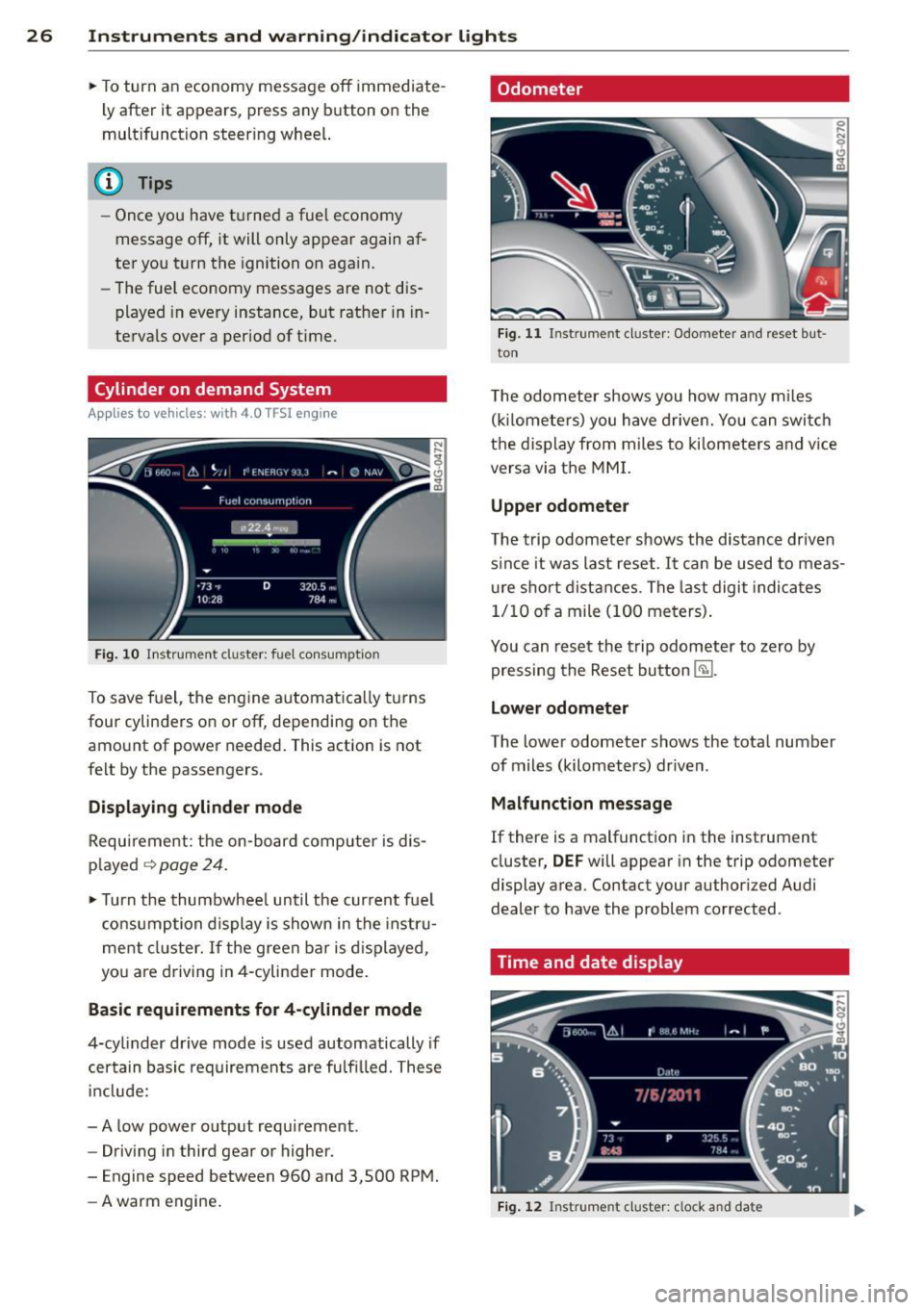
Cylinder on demand System
App lies to vehicles: with 4.0 TFSI engine
Fig. 10 In strument cluster : fu el con sumpt io n
To save f uel, the eng ine automat ica lly t urns
four cylinders on or off, depending on the
amo unt of power needed . This action is not
fe lt by the passengers.
Displaying cylinder mode
Requ irement : th e on-bo ard computer is dis
p layed
q page 24 .
• Turn the thumbwhee l until the current fue l
co nsu mp tion d isplay is shown in the in st ru
ment cluster. I f the green bar i s di splayed ,
yo u are driving in 4-cylinder mo de.
Basic requirements for 4 -cylinder mode
4-cy linder d rive mode is used automatically if
certain basi c req uiremen ts are fu lfi lled . T hese
i n cl ude:
-A low powe r outp ut requi rement .
- Driving i n third gear or higher.
- Engine speed between 960 and 3,500 RP M.
- A warm engine .
Odometer
Fig. 11 Inst ru m ent clus ter : Odo meter an d reset b ut
t o n
T he odometer shows you how ma ny m iles
( kil ome te rs ) you have drive n. You can swi tch
t h e d is pl ay from miles to ki lomete rs and v ice
versa via t he MMI.
Upper odometer
The trip odometer shows the distanc e driven
s in ce it was last reset .
It can be u sed to meas
u re s ho rt dist ances . T he last digit indica tes
1/10 o f a mile (10 0 me ters) .
You can res et the trip odometer to zero by
pressing the Reset bu tton
@J .
Lower odometer
The lower odomete r shows the tota l number
of miles (kilometers) dr iven .
Malfunct ion message
If there is a malfunct ion in the instrument
cluster ,
DEF will appear in the trip odometer
display area . Contact your author ized Audi
dealer to have the problem corrected .
Time and date display
Fig. 12 Instrume nt cluster: clock a nd da te
Page 32 of 292
30 Instruments and warning/indicator lights
If timing is paused, you can continue it late r
even if you sw itch the ignition off .
Evaluating times and continuing or
resetting timing
You can evaluate the fastest, slowest and
average lap times.
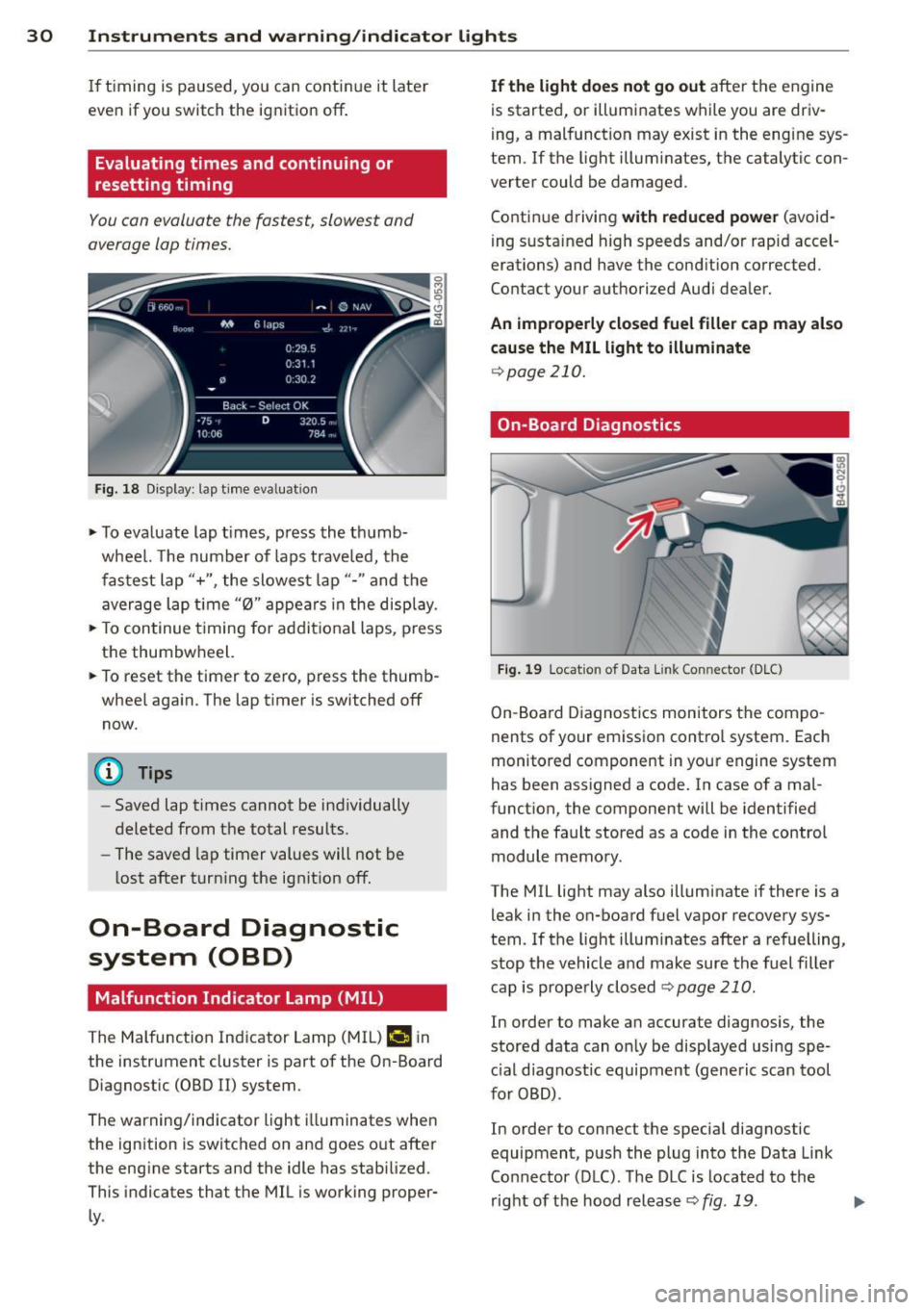
Fig. 18 Dis play : lap time eva luat ion
.,. To evaluate lap times, press the thumb
wheel. The number of laps traveled, the
fastest lap"+", the slowest lap"- " and the
average lap t ime "0" appears in the display .
.,. To continue t iming for addit ional laps , press
the thumbwheel.
.,. To reset the timer to zero, press the thumb
wheel again. The lap timer is switched off now.
@ Tips
- Saved lap times cannot be individually
deleted from the total results.
- The saved lap timer values will not be
lost after turning the ignit ion off.
On-Board Diagnostic
system (OBD)
Malfunction Indicator Lamp (MIL)
The Malfunction Indicator Lamp (MIL) ¢4 in
the instrument cluster is part of the On-Board Diagnostic (OBD
II) system.
The warning/indicator light illuminates when
the ignition is switched on and goes out after
the engine starts and the idle has stabilized .
This indicates that the MIL is working proper
ly .
If the light does not go out after the engine
is started, or illuminates while you are driv
ing, a malfunction may exist in the eng ine sys
tem . If the light illuminates, the catalytic con
verter could be damaged .
Continue driving
with reduced power (avoid
ing sustained high speeds and/or rapid accel
erations) and have the condition corrected.
Contact your authorized Audi dealer.
An improperly closed fuel filler cap may also
cause the MIL light to illuminate
¢page 210.
On-Board Diagnostics
Fig. 19 Locat io n of Data Link Co nnector (D LC)
On-Board Diagnostics monitors the compo
nents of your emission control system . Each
monitored component in your engine system
has been assigned a code. In case of a mal
function, the component will be identified
and the fault stored as a code in the control
module memory.
The MIL light may also illuminate if there is a leak in the on-board fuel vapor recovery sys
tem. If the light illuminates after a refuelling,
stop the vehicle and make sure the fuel filler
cap is properly closed
Q page 210 .
In order to make an accurate diagnosis, the
stored data can only be displayed using spe
c ial d iagnostic equipment (generic scan tool
for OBD) .
In order to connect the special diagnostic
equipment, push the plug into the Data Link
Connector (DLC). The DLC is located to the
right of the hood release
Q fig . 19 . liJJ,
Page 37 of 292
-Do not leave children inside the vehicle
unsupervised. In an emergency it would
be impossible to open the doors from
the outside without the key.
- Applies to vehicles with power side door
closer*:
- When closing a door, make sure noth
ing can interfere w ith the door. This
could cause serious personal injury.
- You can stop the door from clos ing at
any time by pulling on the inside or
outside door handle.
(D Tips
- In the event of a crash with airbag de
ployment all locked doors will be auto
ma tically unlocked to give access to the
vehicle occupants from the outside.
- If the power locking system should mal
function, you can lock the driver's door
using the mechanical key¢
page 38.
-If the power locking system should fail,
you can still open the fuel tank flap in an
emergency¢
page 211.
-You are we ll advised not to keep valua
bles inside an unattended vehicle, visib le
or not . Even a properly locked vehicle
cannot provide the security of a safe.
- If the LED in the upper edge of the driv
er's door pane l comes on for abo ut 30
seconds after the vehicle is locked, there i s a malfunction in the power locking or
the anti-theft warning system. Have the malfunction corrected by an author ized
Audi dealership or qua lified repair facili
ty.
Setting power locking
The driver can determine the functions for
power locking in the MMI.
.,. Select: ICARI funct ion button > (Car)* sys
tems
control button > Vehicle settings >
(Central locking)* .
Lock when driving -
If you selec t On , the vehi
cle locks automatically when driving. All of
the doors and rear lid lock .
Opening and closing 35
Central locking
Unlock doors -
You can decide if All doors or
on ly the
Driver shou ld unlock. The rear lid al
so unlocks when
All is selected . If you select
Driver in a vehicle with a convenience key*,
only the door whose hand le you pull will un
lock.
If you se lect
Driver , all the doors and rear lid
will unlock if you press the
CD button on the re
mote control master key twice .
Lock exterior trunk handle -If you select On ,
the rear lid handle is lock ed. In this case the
rear lid can be opened with the b utton
c:s on
the master key or with the
c:s button in the
driver's door. In vehicles with a convenience
key*, you can still open the rear lid using the
handle if an authorized master key is near the
proxim ity sensor .
Fold mirrors * -If you select On , the exterior
rearview mirrors fold in automat ically when
you press the
cfJ button on the remote control
master key or touch the sensor* in the handle.
Tone when locking -When you select On , a
confirmation tone sounds when you lock the
vehicle .
Locking and unlocking the vehicle with
the remote control
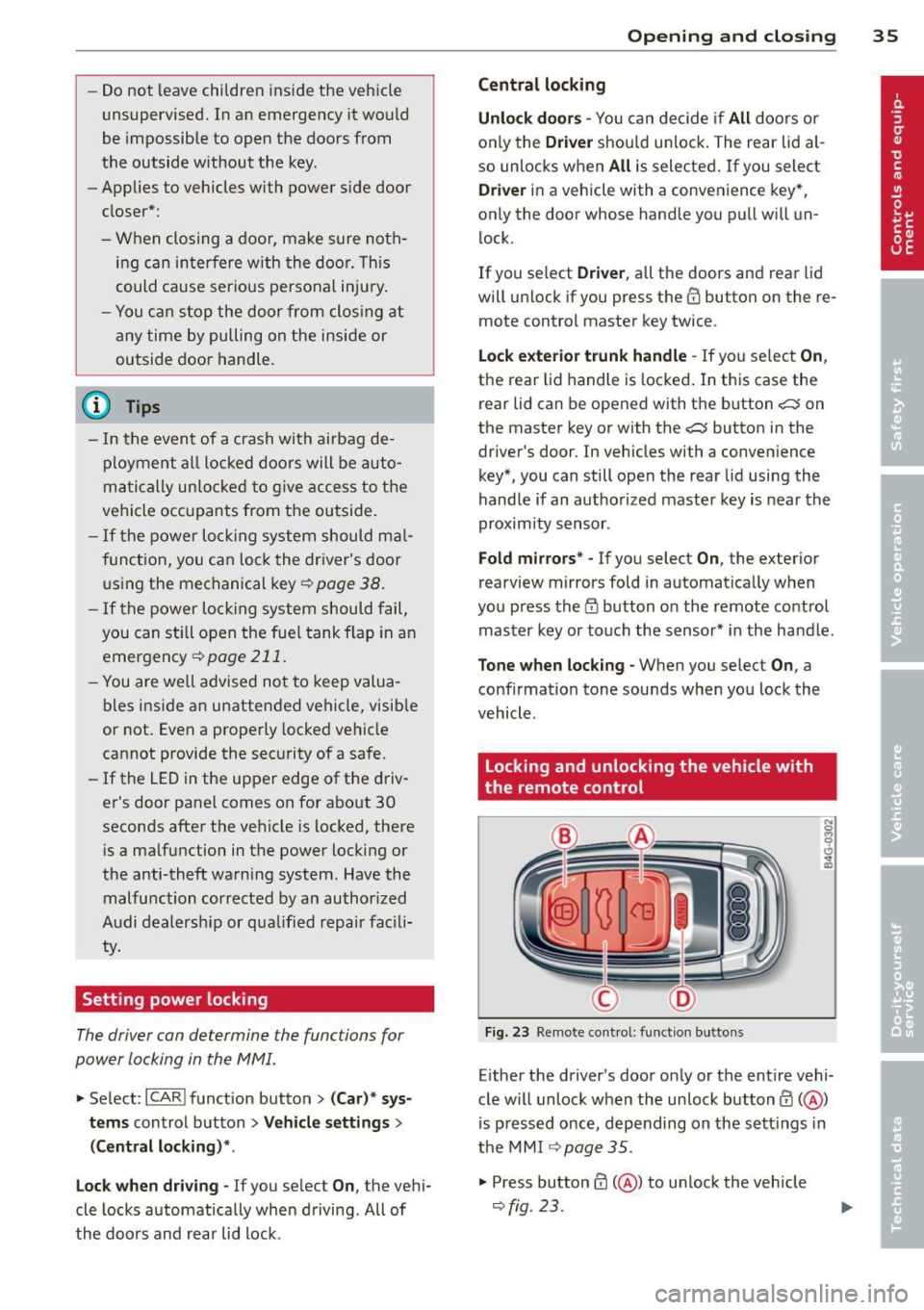
Fig. 23 Remote cont rol: fun ction butto ns
Eithe r the driver's door only or the entire vehi
cle w ill unlock when the unlock button
0 (@ )
is pressed once, depending on the sett ings in
the MMI
¢ page 35 .
.,. Press button ffi (@ ) to un lock the vehicle
¢fig. 23.