tow AUDI RS7 SPORTBACK 2014 Owners Manual
[x] Cancel search | Manufacturer: AUDI, Model Year: 2014, Model line: RS7 SPORTBACK, Model: AUDI RS7 SPORTBACK 2014Pages: 292, PDF Size: 73.56 MB
Page 5 of 292
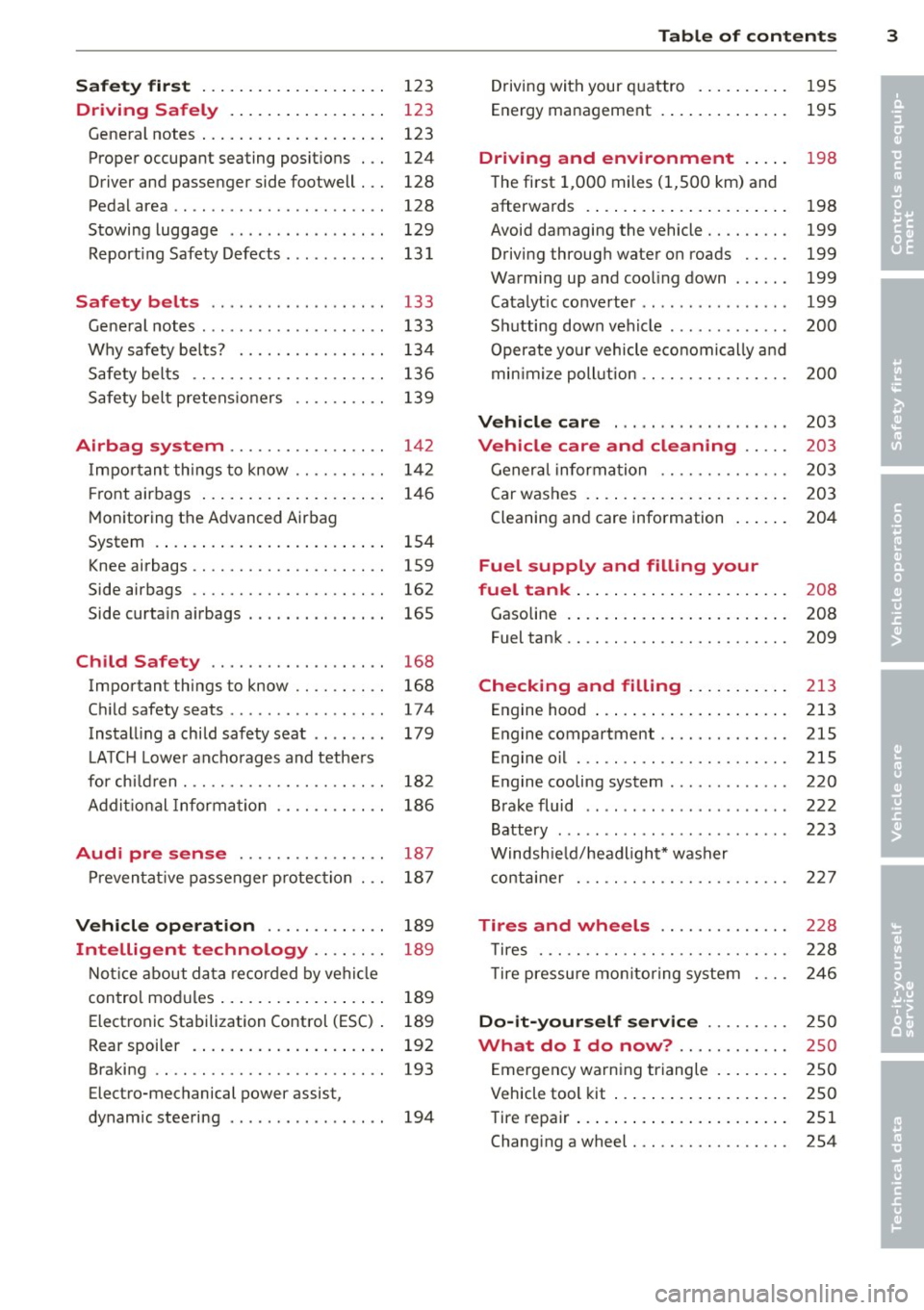
Safet y fir st . . . . . . . . . . . . . . . . . . . . 123
Driving Safely . . . . . . . . . . . . . . . . . 123
General notes . . . . . . . . . . . . . . . . . . . . 123
Proper occupant seating posit ions . . . 124
Driver and passenger side footwell . . . 128
Pedal area . . . . . . . . . . . . . . . . . . . . . . . 128
Stowing luggage . . . . . . . . . . . . . . . . . 129
R eport ing Safety Defects . . . . . . . . . . . 13 1
Safety belts . . . . . . . . . . . . . . . . . . . 133
General notes . . . . . . . . . . . . . . . . . . . . 133
Why safety bel ts? . . . . . . . . . . . . . . . . 134
Safety belts . . . . . . . . . . . . . . . . . . . . . 136
Safety belt p re tens ioners . . . . . . . . . . 139
Airbag system . . . . . . . . . . . . . . . . . 142
I mpor tant th ings to know . . . . . . . . . . 1 42
Fr ont airbags . . . . . . . . . . . . . . . . . . . . 146
M onitoring the Advanced Airbag
System . . . . . . . . . . . . . . . . . . . . . . . . . 154
Knee airbags . . . . . . . . . . . . . . . . . . . . . 159
Side airbags . . . . . . . . . . . . . . . . . . . . . 162
Side curta in a irbags . . . . . . . . . . . . . . . 165
Ch ild Safety . . . . . . . . . . . . . . . . . . . 168
Important things to know .. .. .. .. . .
C hi ld safety seats ............ .... .
Install ing a chi ld safety seat .. .. ... .
L A TC H L ower ancho rages and tethe rs
fo r ch ild ren . ............. .... .. . .
Addit io nal Informa tion
Audi pre sense .......... .. .. . .
Pr even ta ti ve passe nger p rotec tion
Vehicle operation ....... .. .. . .
Intelligent technology .. .. .. . .
N ot ice about da ta re corded by vehi cle
con trol mo dules ... .... ... .. .. .. . .
Electronic Stabilization Control (ESC) .
Rear spoiler . ... ...... ... .. .. .. . .
Braking .. .. ................. .. . .
Electro-mechanical power assist,
dynamic steering .............. .. . 168
174
179
18 2
186
187
18 7
189
189
189
189
192
193
194
Table of contents 3
Driving with your q uattro . . . . . . . . . . 195
Energy management . . . . . . . . . . . . . . 195
Driving and environment . . . . . 198
The first 1,000 miles (1,500 km) and
afterwards . . . . . . . . . . . . . . . . . . . . . . 198
Avoid damaging the vehicle . . . . . . . . . 199
Driving throug h water on roads . . . . . 199
Warmi ng up and coo ling down . . . . . . 199
Catalytic co nverter . . . . . . . . . . . . . . . . 199
Sh utting down vehicle . . . . . . . . . . . . . 200
Operate your vehicle economically a nd
min imi ze poll ution . . . . . . . . . . . . . . . . 200
Vehicle care . . . . . . . . . . . . . . . . . . . 203
Vehicle care and cleaning . . . . . 203
Gener al informa tion . . . . . . . . . . . . . . 203
Car washes . . . . . . . . . . . . . . . . . . . . . . 203
Cleaning and care information . . . . . . 204
Fuel supply and filling your
fuel tank . . . . . . . . . . . . . . . . . . . . . . .
208
Gasoline . . . . . . . . . . . . . . . . . . . . . . . . 208
Fuel tank. . . . . . . . . . . . . . . . . . . . . . . . 209
Checking and filling . . . . . . . . . . . 213
Engine hood . . . . . . . . . . . . . . . . . . . . . 213
Engine compartment.............. 215
Engine oil . . . . . . . . . . . . . . . . . . . . . . . 215
Engine cooling system . . . . . . . . . . . . . 220
Brake fluid . . . . . . . . . . . . . . . . . . . . . . 222
Battery . . . . . . . . . . . . . . . . . . . . . . . . . 223
Windsh ie ld/headlight* washer
c ont ainer . . . . . . . . . . . . . . . . . . . . . . . 227
Tires and wheels . . . . . . . . . . . . . . 228
T ires . . . . . . . . . . . . . . . . . . . . . . . . . . . 228
T ire pressure mo nitor ing system 246
Do-it -yourself service . . . . . . . . . 2 50
What do I do now? ............ 250
E mergency warn ing triangle . . . . . . . . 250
Vehicle tool kit . . . . . . . . . . . . . . . . . . . 250
Tire repa ir . . . . . . . . . . . . . . . . . . . . . . . 251
Changi ng a wheel . . . . . . . . . . . . . . . . . 254
•
•
Page 6 of 292
4 Table of contents
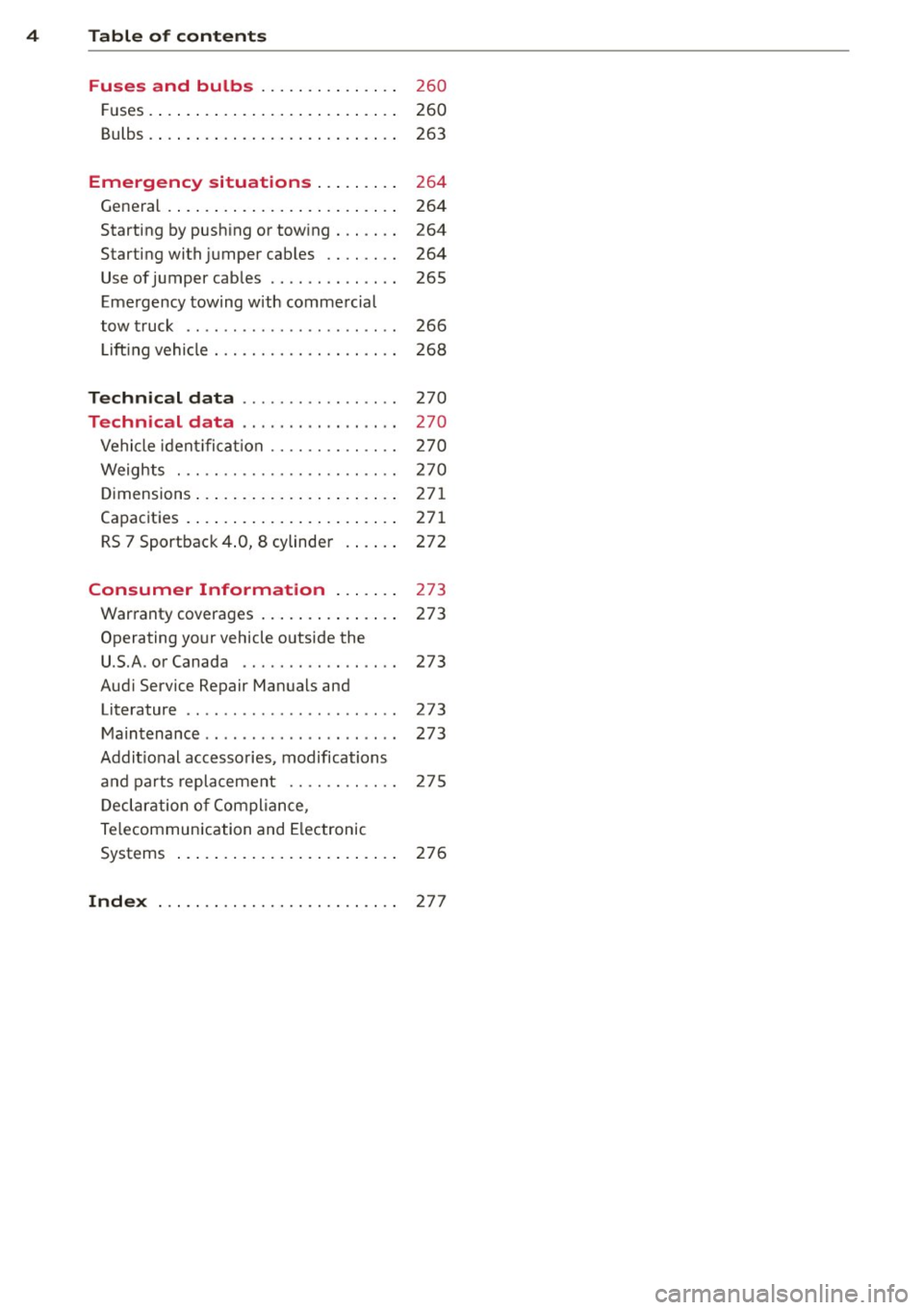
Fuses and bulbs . . . . . . . . . . . . . . .
260
F uses. ..... ... . ...... ... .. .. .... 260
Bulbs. . . . . . . . . . . . . . . . . . . . . . . . . . . 263
Emergency situations . . . . . . . . . 264
General . . . . . . . . . . . . . . . . . . . . . . . . . 264
Starting by push ing or tow ing . . . . . . . 264
Starting with jumper cables . . . . . . . . 264
Use of jumper cab les . . . . . . . . . . . . . . 265
Eme rgency towing with commercial
tow truck . . . . . . . . . . . . . . . . . . . . . . . 266
Lift ing vehicle . . . . . . . . . . . . . . . . . . . . 268
Technical data . . . . . . . . . . . . . . . . . 270
Technical data . . . . . . . . . . . . . . . . . 270
Vehicle ident ifica tion . . . . . . . . . . . . . . 2 70
Weights . . . . . . . . . . . . . . . . . . . . . . . . 270
D imensions .... .. ..... ... .. .. ... . 271
Capacities . . . . . . . . . . . . . . . . . . . . . . . 271
RS 7 Sportback 4 .0, 8 cylinder . . . . . . 272
Consumer Information . . . . . . . 273
Warranty coverages . . . . . . . . . . . . . . . 273
Operating your vehicle o utside the
U.S.A . or Canada . . . . . . . . . . . . . . . . . 273
Audi Service Repair Manuals and Literature . . . . . . . . . . . . . . . . . . . . . . . 273
Maintenance .............. ... .. .. 273
Addit ional accessories, modifications
and parts replacement . . . . . . . . . . . . 275
D eclar ation o f Compliance,
Te lecommunication and Electronic
Systems . . . . . . . . . . . . . . . . . . . . . . . . 276
Inde x . . . . . . . . . . . . . . . . . . . . . . . . . . 27 7
Page 19 of 292
Instruments and warning/indicator lights 17
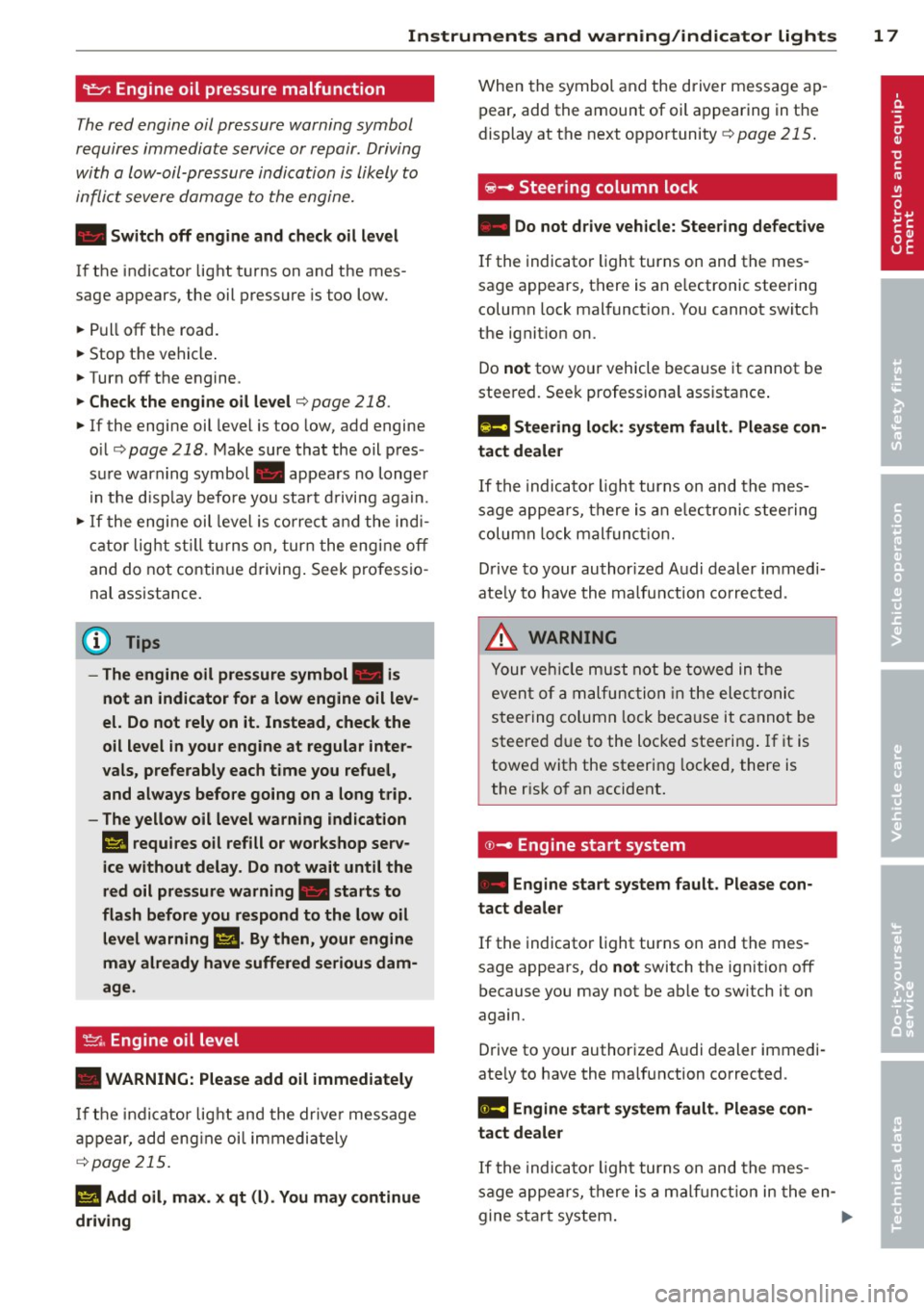
9::;r: Engine oil pressure malfunction
The red engine oil pressure warning symbol
requires immediate service or repair . Driving
with a Low-oil-pressure indication is Likely to
inflict severe damage to the engine.
• Switch off engine and check oil level
If the indicator light t urns on and the mes
sage appears, the oil press ure is too low.
~ P ull off the road.
~ St op t he vehi cle.
~ Turnoff the engine.
~ Check the engine oil level¢ page 218.
~ If the engi ne oil leve l is too low, add engine
o il ¢
page 218. M ake sure that the oil p res
s ur e warn ing symbol . appea rs no longe r
in t he di sp lay befo re you start drivi ng aga in.
~ If the engi ne oil leve l is corr ect a nd the indi
cat or lig ht st ill turn s on, tur n t he eng ine
off
and do not contin ue d riving . Seek profe ssio
na l assistance .
(D Tips
- The engine oil pressure symbol. is
not an indicator for a low engine oil lev
el. Do not rely on it. Instead, check the
oil level
in your engine at regular inter
vals, preferably each time you refuel,
and always before going on a long trip.
- The yellow oil level warning indication
El requires oil refill or workshop serv
ice without delay . Do not wait until the
red oil pressure warning. starts to
flash before you respond to the low oil
level warning m. By then, your engine
may already have suffered serious dam
age .
~ . Engine oil level
• WARNING: Please add oil immediately
If th e i ndi cator lig ht and the drive r mess age
a ppear, add eng ine oi l immedi ately
¢page 215.
11!1 Add oil, max. x qt (l). You may continue
driving
W hen the symbol and the driver message ap
pear, add the amount of oil a ppearing in the
display at the next op portunity
¢ page 215.
@-Steering column lock
• Do not dr ive vehicle: Steering defect ive
If the indicator light turns on and the mes
sage appears, t here is an e lectronic steering
column lock malfunct ion. You cannot switch
the ignit io n on.
Do
not tow yo ur vehicle because it cannot be
stee red. See k professiona l assistance .
1!11 Steering lock: sy stem fault. Please con
tact dealer
If th e i ndica to r li ght turns on and th e m es
sage a ppea rs, th ere i s an elec tro nic s tee ring
c olumn lo ck malfun ction.
D rive to your author ized A udi dealer imm ed i
ate ly to have th e ma lfunction corr ected .
&_ WARNING
-
Yo ur ve hicle m ust n ot be towed in the
even t of a ma lf unc tion in th e electro nic
s teerin g col umn lo ck be ca use it c annot be
steere d due to the loc ked stee ring. If i t is
towe d wit h the steering locke d, there is
the r is k of an accident.
© -Engine start system
• Engine start system fault . Please con
tact dealer
If the indicator light turns on and the mes
sage appears, do
not switch the ign ition off
because you may not be ab le to sw itch it on
again.
D rive to your authorized A udi dealer immedi
ate ly to have the malfunction corrected.
1111 Engine start system fault. Please con
tact deale r
If the indica to r li ght turns on and the me s
sage appe ars, there i s a malf unc tion in the en-
gine sta rt sys tem . .,,..
Page 27 of 292
Instrument s and warning /indicator lights 25
- Long-term memory overview
The short-term memo ry co llects driving infor
mat ion from the time the ignition is switched
on un til it is switched off. If you continue dr iv
ing within two hours after switching the igni
tion off, the new values are included when cal
culating the current trip information.
Unlike the short-te rm memory, the long-term
memory is not erased automatically. You can
select the time period for evaluating trip in
formation yourself.
F or some veh icle functions, you can access the
trip information from the temporary memory
in the line
(D r=;, page 23, fig. 5.
The cu rrent fuel consumpt ion can be dis
p layed using a bar
r=;, page 26, fig. 10. The
average consumption (mpg) stored in the
short-term memory is also displayed. Electri
cal energy can be stored in the battery when
the vehicle is coasting or driving downhill (re
cuperation) . The bar will move toward
t:3 .
Efficiency prog ram
The efficiency program can help you to use
less fuel.
It evaluates driving information in
reference to fuel consumption and shows oth
er equipment influencing consumption as well
as shift recommendations.
r=;, page 25. Fuel
economy messages
r=;, page 25 provide tips
for efficient driving . The effic iency program
uses distance and consumption data from tr ip
computer
1.
To display the efficiency program, call up Ve
hicle functions and select the menu option
Efficiency program . If the data are deleted in
the efficiency program, those values are also
reset in trip computer .
(j) Tips
-All stored va lues will be lost if the veh i
cle battery is disconnected.
- Fuel consumptions (average and cur
rent), range and speed are displayed in
metric units on Canadian models.
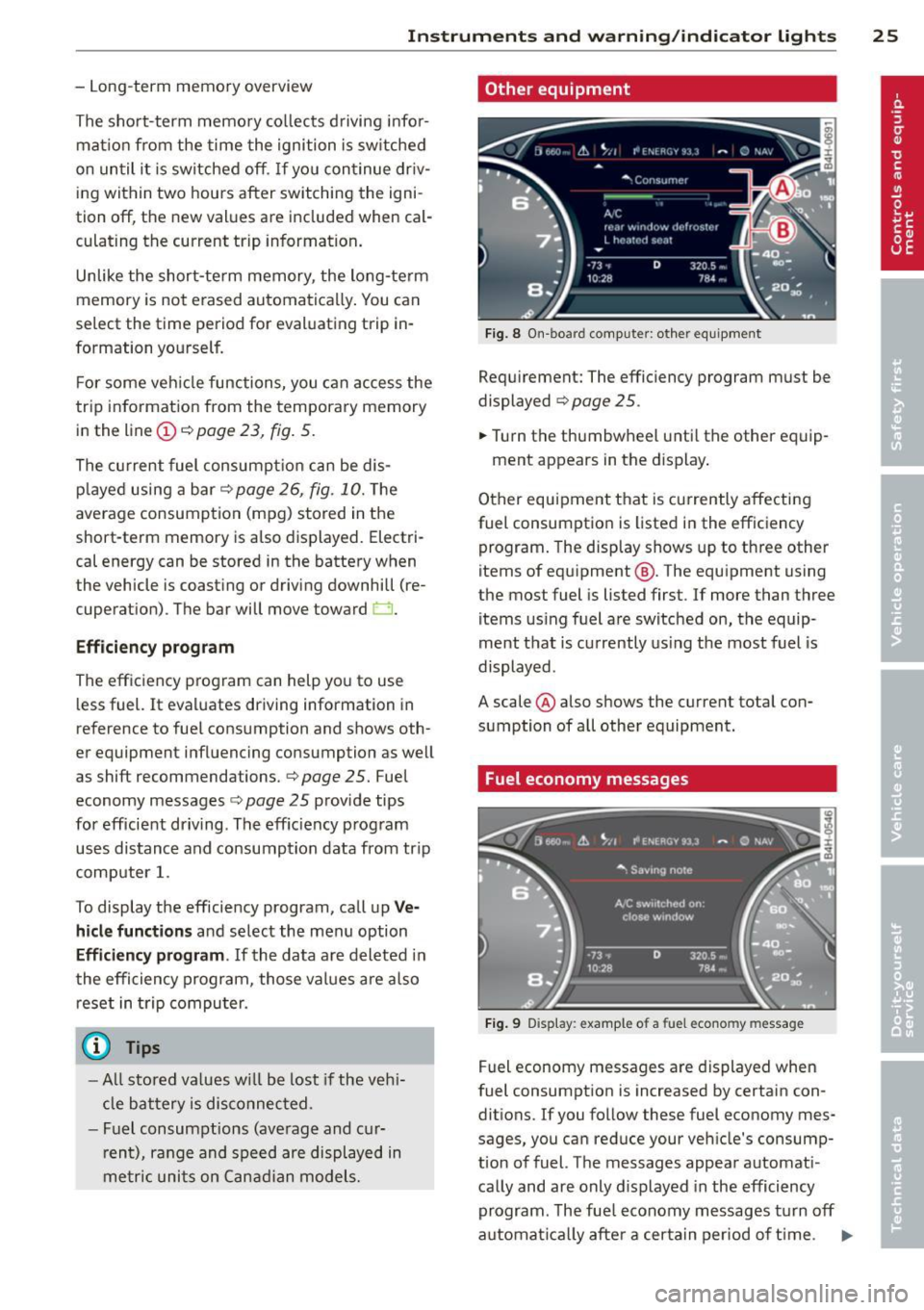
Other equipment
Fig . 8 On -board computer : other equipment
Requirement: The efficiency program must be
displayed
r=;, page 25 .
.,. Turn the thumbwheel unti l the other equip-
ment appears in the display .
Other equipment that is currently affecting
fuel consumption is listed in the efficiency
program. The display shows up to three other
items of equipment @. The equipment using
the most fuel is listed first. If more than three
items using fuel are switched on, the equip
ment that is currently using the most fuel is
displayed .
A scale @also shows the current total con
sumption of all other equipment.
Fuel economy messages
Fig. 9 Disp lay: example of a fuel econo my m essa ge
Fuel economy messages are displayed when
fuel consumption is increased by certain con
ditions. If you follow these fuel economy mes
sages, you can reduce your vehicle's consump
t ion of fuel. The messages appear automat i
cally and are only displayed in the efficiency
program . The fue l economy messages turn off
automat ical ly after a certa in period of time . .,.
Page 47 of 292
visibility conditions. For example, fog cannot be detected by the light sensors.
So always switch on the headlights 1§.D under these weather conditions and
when driving in the dark.
- Crashes can happen when you cannot see
the road ahead and when you cannot be
seen by other motorists . Always turn on
the headlights so that you can see ahead
and so that others can see your car from
the back.
- Please observe legal regulations when
using the light ing systems descr ibed .
(D Note
The rear fog lights should only be turned
on in accordance with traffic regulation, as
the lights are bright for following traffic.
@ Tips
- The light sensor* for automatic head light range control* is located in the rear
view mirror mount. You should therefore not apply any stickers to the windshield
in this area in order to prevent malfunc
tions or failures.
- In the event of a light sensor malfunc
tion, the driver is notified in the instru
ment cluster display
¢ page 22 .
-You will hear a warning tone if you open
the driver door when the exterior lights
are switched on .
- In cool or damp weather, the inside of
the headlights, turn signals and tail
lights can fog over due to the tempera
ture difference between the inside and
outside. They will clear shortly after
switching them on. This does not affect
the service life of the lighting .
Clear vision 45
Emergency flasher
The emergency flasher makes other motorists
aware that you or your vehicle are in an emer
gency situation .
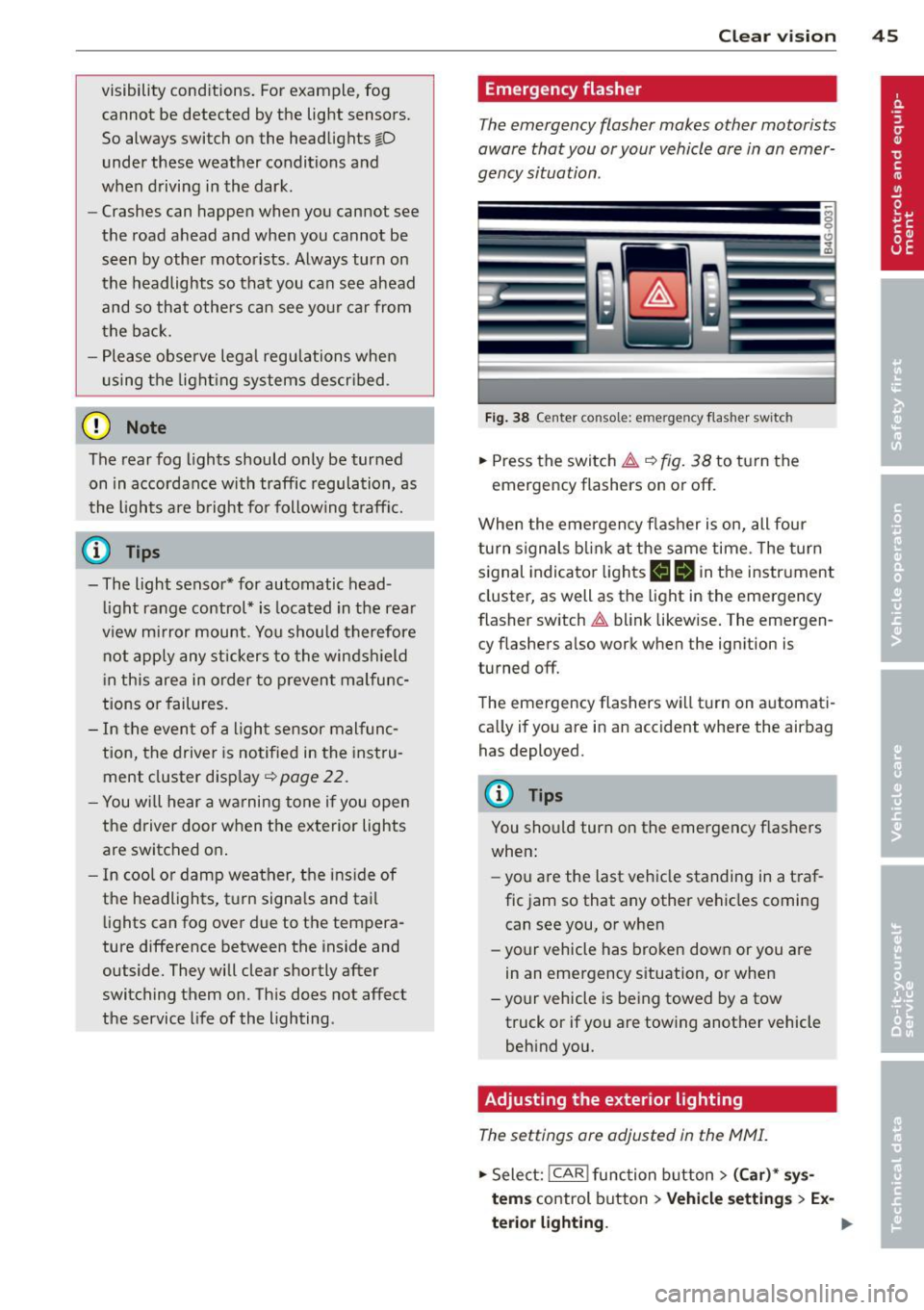
Fig. 38 Ce nt er co nsol e: em erge ncy flash er sw itc h
.,. Press the switch & ¢ fig. 38 to turn the
emergency flashers on or off.
When the emergency flasher is on, all four
turn signals blink at the same time . The turn
signal indicator lights
II Nin the instrument
cluster, as well as the light in the emergency
flasher switch
& blink likewise. The emergen
cy flashers also work when the ignition is
turned off.
The emergency flashers will turn on automati
cally if you are in an accident where the airbag has deployed.
@ Tips
You should turn on the emergency flashers
when:
- you a re the last vehicle standing in a traf
fic jam so that any other vehicles coming
can see you, or when
- your vehicle has broken down or you are
in an emergency situation, or when
- your vehicle is being towed by a tow
truck or if you are towing another vehicle
behind you.
Adjusting the exterior lighting
The settings are adjusted in the MMI .
.,. Select: !CAR ! function button> (Car)* sys
tem s
control button > Vehicle settings > Ex-
terior lighting. ..,.
Page 48 of 292
46 Clear vision
Automatic headlights
You can adjust the following settings in the
Automatic headlights menu:
Headlights a ctivation time -You can adjust if
the head lights switch on
Early , Med. or Late
according to the sensitivity of the light sensor.
Audi adaptive light* -You can switch adaptive
light
On and Off.
Daytime running lights
USA models :
You can switc h the dayt ime run
ning lights
on and off .
Canada models:
The function cannot be
turned off . It is activated automatica lly each
time the ign ition is switched on. This menu
item is shown "greyed out".
Coming home, Leaving home
The coming home function illuminates the
area outside the vehicle when yo u switch the
ignition off and open the driver's door. To turn
the function on, select
Lights when leaving
car > On .
The leaving home function illuminates the
area outside the vehicle when you un lock the
vehicle. To turn the funct ion on, select
Lights
when unlocking car > On .
The coming home and leaving home functions
only operate when it is dark and the light
switch is in the
AUTO pos ition.
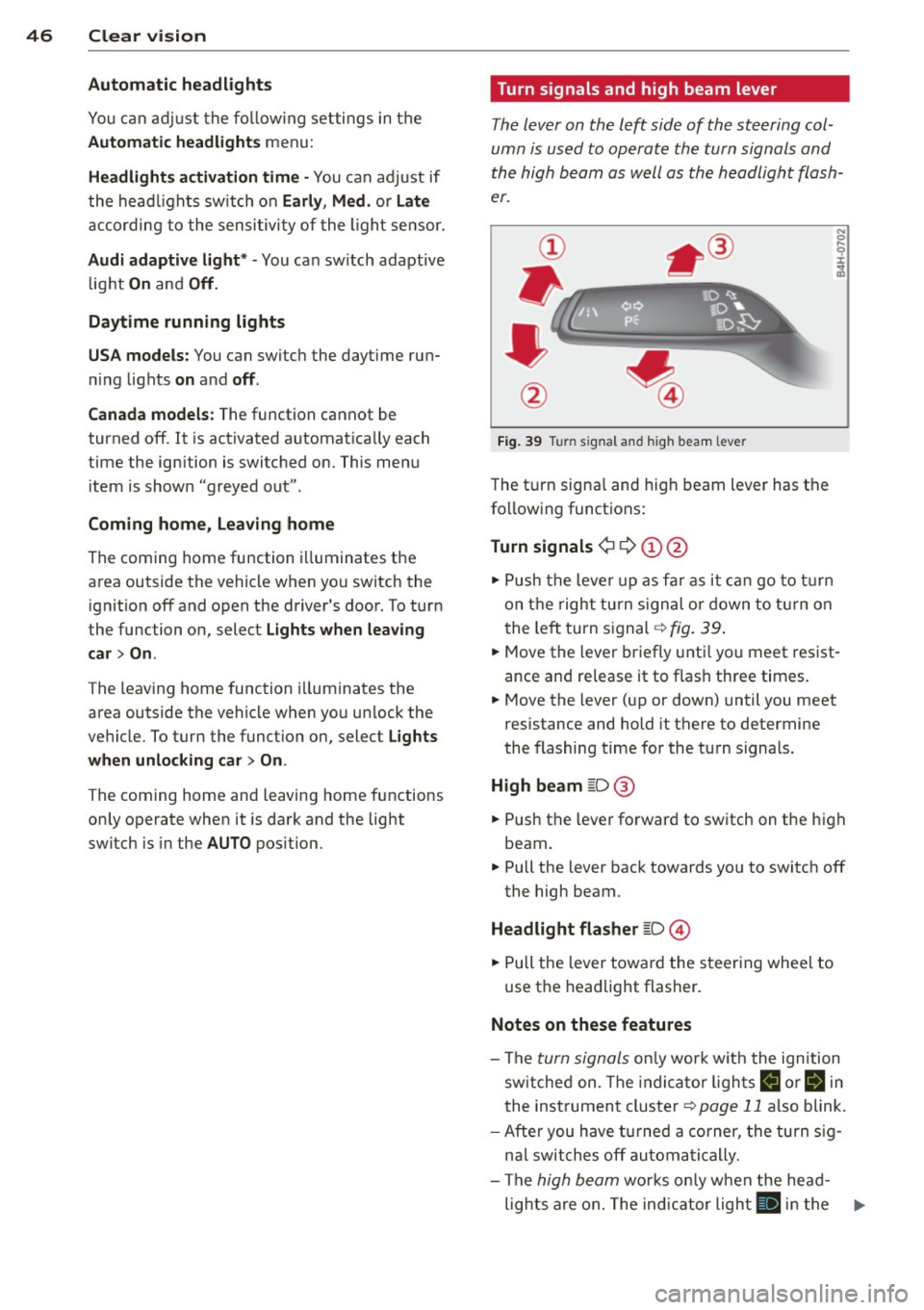
Turn signals and high beam lever
The lever on the left side of the steering col
umn is used to operate the turn signals and
the high beam as well as the headlight flash
er.
Fig. 39 Turn signal and high beam lever
The turn signa l and hig h beam lever has the
following functions:
Turn signals ¢ 9 (D@
.. Push the lever up as far as it can go to turn
on the right turn signal or down to turn on
t he left turn signal ¢
fig. 39.
N 0 ... 'i' :r
~
.. Move the lever briefly until you meet res ist
ance and re lease it to flash three times.
.. Move the lever (up or down) until you meet
resistance and hold it there to determine
the flashing time for the turn signals.
High beam [D @
.. Push the lever forward to switch on the high
beam.
.. Pull the lever back towards yo u to switch off
the high beam.
Headlight flasher [D ©
.. Pull the lever toward the steering whee l to
use the headlight flasher.
Notes on these features
-The turn signals only work w ith the ignition
switched on. The indicato r lights
B or ii in
the instrument cluster¢
page 11 also blink.
- After you have turned a corner, the turn sig-
nal switches off automatically.
- The
high beam works only when the head-
lights are on. The indicator light
II in the ...
Page 49 of 292
instrument cluster illuminates when the
high beams are on.
- The
headlight flasher works only as long as
yo u hold the lever -even if there are no
l ights turned on . The indicator light
El in
the instrument cluster illuminates when you
use the headlight flasher.
A WARNING
Do not use the hig h beam or headlight
flasher if you know that these could blind
oncoming traffic .
Interior lights
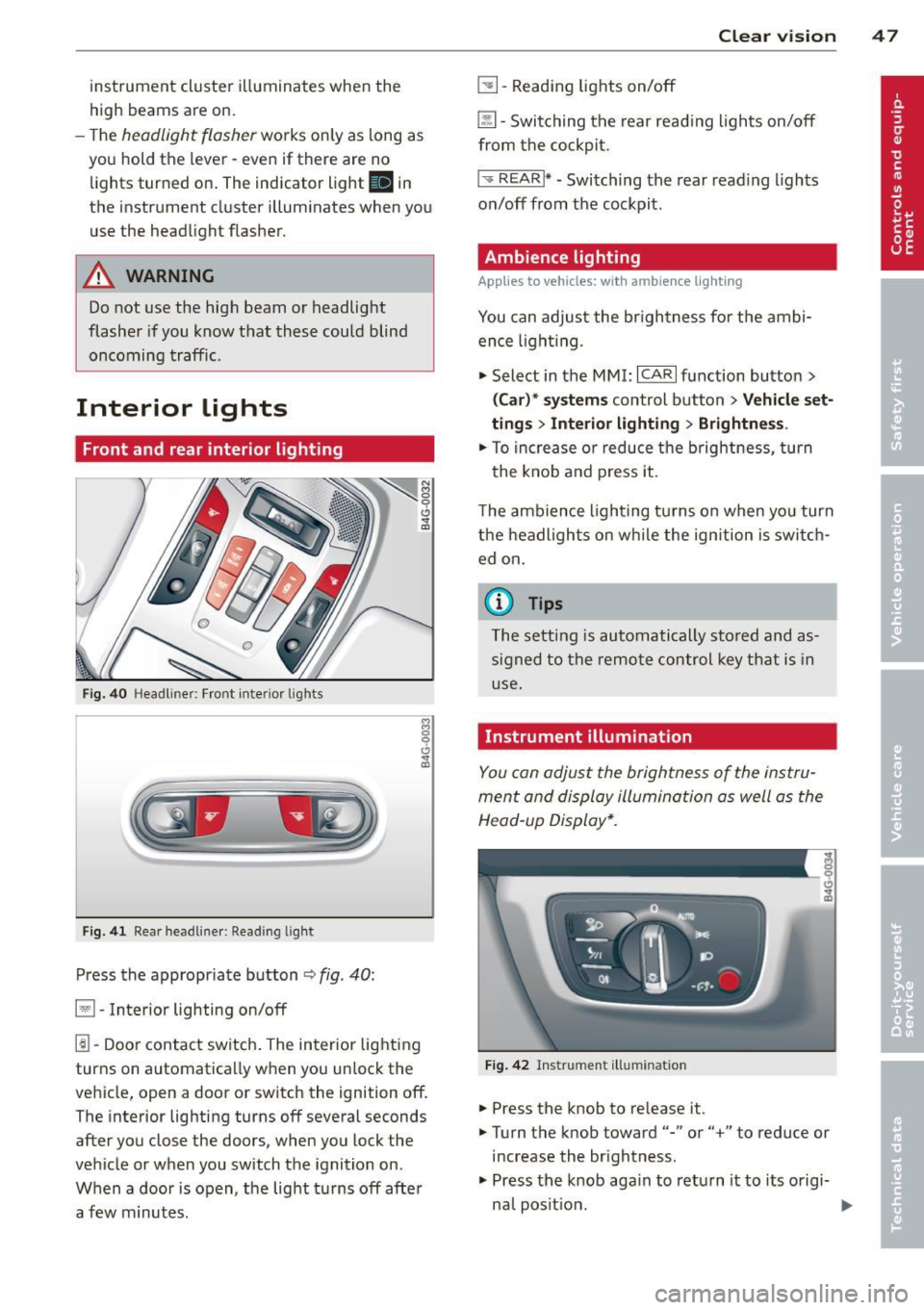
Front and rear interior lighting
Fig. 40 Headl iner: Front interior l ights
F ig . 41 Rear headl iner: Read ing light
Press the appropriate button ¢ fig. 40:
§1 -Interior lighting on/off
1!1-Door contact switch . The interior lighting
turns on automatica lly when you unlock the
vehicle, open a door or switch the ignition off. The interior lighting turns off several seconds
after you close the doors, when you lock the
vehicle or when you switch the ignition on.
When a door is open, the light tu rns off afte r
a few minutes .
Clear vision 4 7
~ -Reading lights on/off
@ill-Switching the rear reading lights on/off
from the cockpit.
I ',; REARI* -Switching the rear read ing lights
on/off from the cockpit.
Ambience lighting
Applies to veh icles: w ith amb ience lighting
You can adjust the br ightness fo r the ambi
ence light ing.
.,. Select in the MMI:
ICARI function button >
(Car)* systems control button > Vehicle set
ting s
> Interior lighting > Brightnes s.
.,. To increase o r reduce the b rightness , turn
the knob and press it .
The ambience lighting turns on when yo u turn
the headlights on while the ign ition is swi tch
ed on.
(0 Tips
The setting is automatically stored and as
signed to the remote control key that is in
use.
Instrument illumination
You can adjust the brightness of the instru
ment and display illumination as well as the
Head-up Display*.
Fig. 42 Instrument illumina tion
.,. Press the knob to re lease it .
.,. Turn the knob toward"-" or"+" to reduce or
increase the br ightness.
.,. Press the knob aga in to return it to its origi-
na l posit ion .
~
Page 50 of 292
48 Clear vis ion
@ Tips
The instrument illumination (for dia ls and
needles) lights on when the ign it ion is
sw itched on and the vehicle lights are
turned off. As the daylight fades, the illu m ination of the dials likewise d ims auto
mat ica lly and will go out comp lete ly when
the o utside light is ve ry low . This feat ure is
meant to remind you to switch on the
headlight s when o utsi de lig ht condi tions
become poor.
Vision
Sun visors
~ .. ~ .. :? -
-· a5 ---
~- ·
-=
=.;.-- · ,._ .. _ ··- · ·-·--·----
Fi g. 43 Sun v isor
( ]
The sun visors for the driver and passenger
can be released from their brackets and
tu rned toward the doo rs
c::> fig. 43 (D .
The mirror light switches on when the cover
over the vanity mirror @opens.
Sun shade
Appl ies to vehicles: with su n shade
The sun shade is located on the luggage com
partment shelf.
Fig. 44 Sun s hade i n lowe red pos it io n
When the sun shade is in the lowered posi
tion, it is secured in the retainer @.
,. To r aise ® the s un shade , remove i t from
t he re tainer.
,&_ WARNING
= -D o not use the sun shade to secure cargo .
The luggage compartment cover is not a
surface for storing objects . Objects p laced
on the cover could endanger all ve hicle oc
cup-ants during sudden braking maneuvers
or in a c rash .
Wiper and washer
system
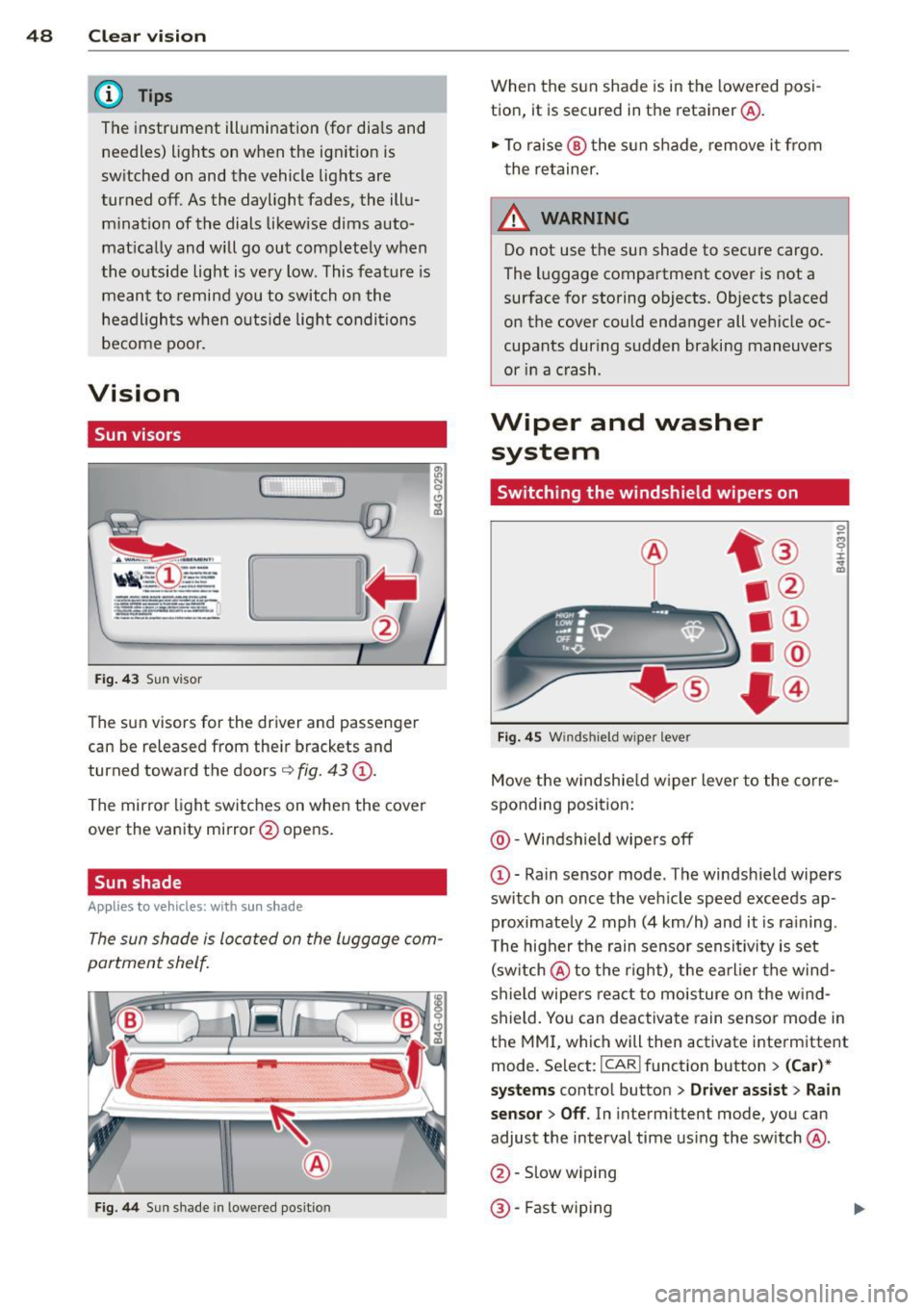
Switching the windshield wipers on
Fi g. 4 5 W inds hield w iper leve r
Move the windshie ld w iper lever to the corre
sponding position:
@ -Windshield wipe rs off
(D -Rain sensor mode . The windsh ield wipers
swi tch on once the veh icle speed e xceeds ap
proximate ly 2 mph (4 km/h) and it is ra ining .
T he higher t he rain sensor sensi tivity is set
( s w itch @to the right), the earl ier the wind
s h ield wipe rs rea ct to moisture on the w in d
shield. Yo u can deac tiva te rain sensor mode in
t h e MMI, which will then activate interm ittent
mode. Select :
I CARI funct ion button> (Car )*
systems
contro l button > Driver ass ist > Rain
sensor > Off .
In interm ittent mode, yo u can
adjust the interval time us ing the sw itch @.
@ -Slow wiping
@ -Fast w ip ing
Page 66 of 292
64 Seats and storage
-Items on the roof rack must always be
sec urely mo unted.
- The use of a roof rack can negative ly af
fect the way a vehicle handles. Cargo
that is large, heavy, bulky, long or flat
will have a greater negative inf lue nce on
the vehicle's aerodynamics, center of gravity and overall handling . Always
dr ive slowly, avo id sudden braking and
maneuvers when tra nsporting cargo on
the roof of you r vehicle.
- Never exceed the maximum perm iss ible
load carryi ng capacity of the roof of yo ur
vehicle, the perm issib le axle weights and
the permiss ible total weight of your veh i
cle
¢ page 270, Weights .
@ For the sake of the environment
As a res ult of the increased w ind resist
ance crea ted by a roof rack, your ve hicle is
using fue l unnecessarily . So remove the
roof rack after using it .
Luggage compartment
Loading luggage compartment
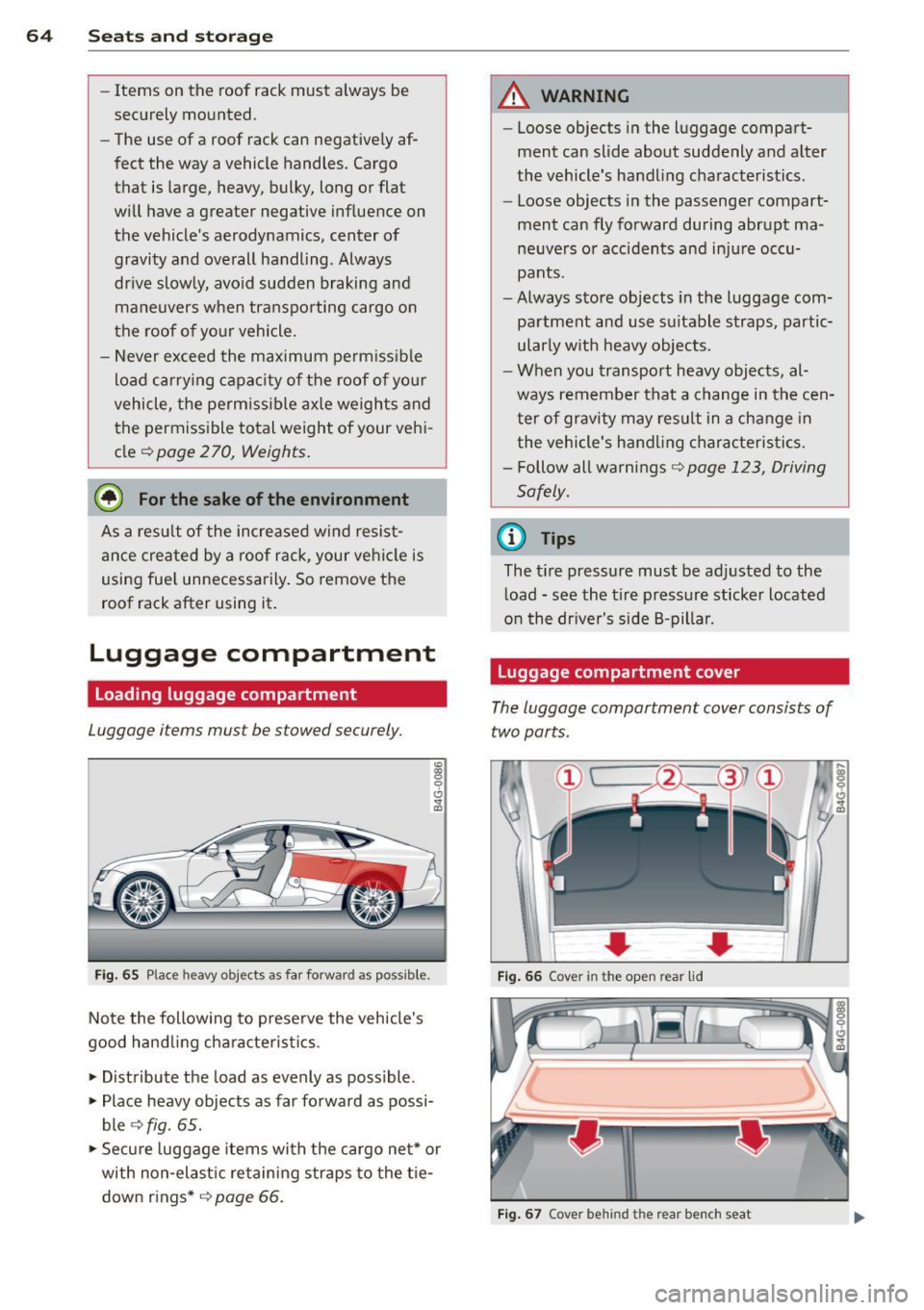
Luggage items must be stowed securely.
Fig . 65 Place heavy obj ects as far forwar d as po ssible .
Note the following to prese rve the vehicle's
good hand ling cha ra c te ris tic s .
.. Distribute the load as evenly as possible .
.. Place heavy objects as far fo rward as possi
ble
¢ fig . 65 .
.. Secure luggage items wi th the cargo ne t* or
with non -elast ic retain ing s traps to the t ie
down r ings*
¢ page 66.
A WARNING """-iiiiiiiii
- Loose objects i n the l uggage compa rt-
ment can slide about suddenly and a lter
the vehicle's ha nd ling characteristics .
- Loose objects i n the passenge r compart
ment can fly forward during abrupt ma
ne uvers or accidents and inju re occu
pants .
- Always sto re objects in the luggage com
partment and use s uitable straps, partic
ularly w it h heavy objects.
- When you t ransport heavy objects, al
ways remember that a change in the cen
ter of gravity m ay result in a change in
the vehicle's hand ling c harac teristi cs.
- Follow all warnings ¢
page 123, Driving
Safely.
(D Tips
The t ire pressure mus t be adj usted to the
l oad -see the t ire p ressure sticker located
o n the dr iver's side 8-pilla r.
Luggage compartment cover
The luggage compartm ent cover consists of
two parts .
• • Fig. 66 Cover in th e open rear lid
F ig . 67 Cover be hind th e r ear bench seat
Page 68 of 292
66 Seats and st o rage
Belts showing damage to webbing, bind
ings, buckles, or retractors must be re
placed.
(D Note
- If you move the front seat back when the
rear seat backrest is fo lded forward, you
could damage the head restraints on the
rear seat.
- Slide the belt guide on the outside safety
belt all the way up before folding the
backrest back forward. Make sure the
seat belt is not p inched or damaged
when the rear seat backrest if folded
back. Other objects shou ld be removed
from the rear seat bench to protect the
seatbac k from d amage.
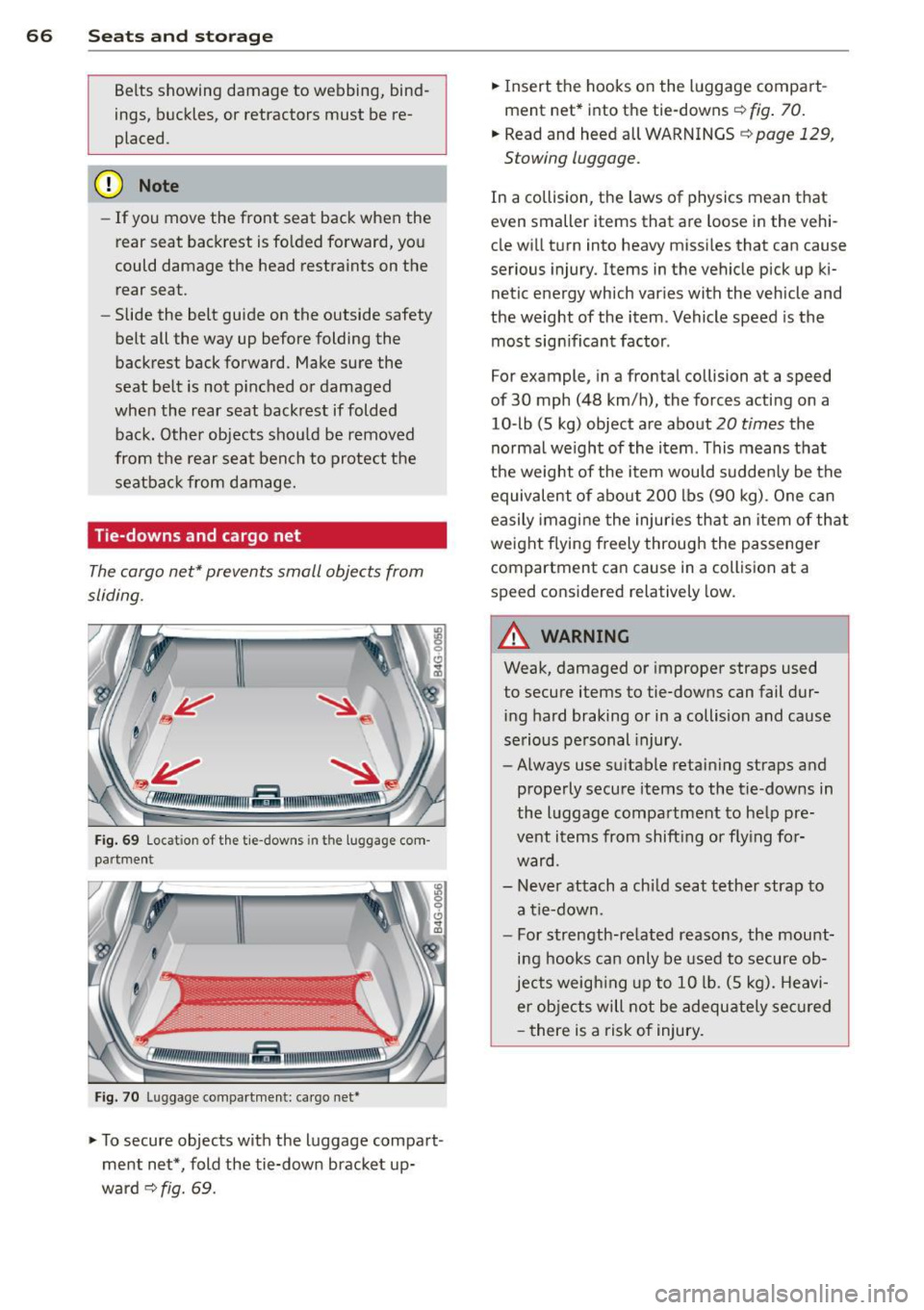
Tie -downs and cargo net
The cargo net" prevents small objects from
sliding.
Fig . 69 Locat ion of the tie -downs in the luggage com
partment
Fig. 7 0 Luggage compartme nt: ca rgo net*
... To secure objects with the luggage compart
ment net*, fold the tie-down bracket up
ward
c:::> fig. 69.
... Insert the hooks on the luggage compart
ment net* into the tie-downs
c:::> fig. 70.
... Read and heed all WARNINGS c:::> page 129,
Stowing luggage.
In a collision, the laws of physics mean that
even smaller items that are loose in the vehi
cle will turn into heavy missi les that can cause
serious injury. Items in the vehicle pick up ki
netic energy which varies with the vehicle and
the weight of the item . Vehicle speed is the
most sign ificant factor .
For example, in a frontal collision at a speed
of 30 mph (48 km/h), the forces acting on a
10-lb (5 kg) object are about
20 times the
normal we ight of the item . This means that
the weight of the item would sudden ly be the
equivalent of abo ut 200 lbs (90 kg). One can
easily imagine the injuries that an item of that
weight flying freely through the passenge r
compartment ca n cause in a collision at a
speed considered relatively low.
A WARNING
-
Weak, damaged or improper straps used
to secure items to tie-downs can fail dur
ing hard braking or in a collision and cause
serious personal injury.
- Always use suitable retaining straps and
properly secure items to the tie-downs in
the l uggage compartment to help pre
vent items from shift ing or fly ing for
ward.
- Never attach a chi ld seat tether strap to
a tie-down.
- For strength-related reasons, the mou nt
ing hooks can only be used to secure ob
jects weigh ing up to 10 lb. (5 kg). Heavi
er objects will not be adequ ately sec ured
- there is a risk of injury.