buttons AUDI RS7 SPORTBACK 2015 User Guide
[x] Cancel search | Manufacturer: AUDI, Model Year: 2015, Model line: RS7 SPORTBACK, Model: AUDI RS7 SPORTBACK 2015Pages: 302, PDF Size: 74.76 MB
Page 86 of 302
84 Audi adaptive cruise control and braking guard
tachometer ® and is also shown briefly in
the dis play@¢
fig. 93 .
• You must also press the brake pedal when
the vehicle is stopped.
Switching adaptive cruise control off
• Push the lever away from you in to position
@ until it clicks into place. The message
ACC off appears.
@ Indicator lights
fl-Adaptive cru ise con trol is switched on.
No vehicles are detected up ahead. The stored
speed is ma intained.
• - A moving veh icle is detected up ahead.
The adaptive cruise control system regulates
the speed and distance to the moving vehicle
ahead and acce lerates/brakes automat ica lly.
$ -Adaptive cruise control is switched on. A
moving vehicle up ahead was detected. You r
vehicle remains stopped.
• -When automatic brak ing is not able to
keep enough distance to a previously detected
moving vehicle up ahead, you must take con
trol and brake ¢
page 86, Prompt for driver
intervention.
© Display
If adaptive cruise control is not shown in the
d isplay, you can call it up with the multifunc
tion steering wheel buttons¢
page 22.
Based on the symbols in the display, you can
determ ine if the system is maintaining a dis
tance to the vehicle ahead and what that dis
tance is.
No vehicle -No vehicle ahead was detected .
White vehicle -A vehicle ahead was detected.
Red vehicle -Prompt for the driver to take ac
tion
c:::> page 86.
Both arrows on the scale © indicate the dis
tance to the vehicle ahead. No arrow appears
when the vehicle is on an open road and there
is no object ahead . If an object is detected
ahead, the arrow moves on the scale . T
he green zone on the scale shows the stored
distance . For information on changing the
stored distance, refer to ¢
page 85. If the
distance se lected is too close or may soon be
come too close, the arrows move into the red
zone on the sca le .
_&. WARNING
Improper use of the adaptive cruise con
trol can cause collisions, other accidents
and serious personal injur ies.
- Pressing the
ISET ! button when driv ing at
speeds be low 20 mph (30 km/h), will au
tomatically accelerate the vehicle to 20
mph (30 km/h), which is the minimum
speed that can be set.
© Tips
-If you switch the ignit ion or the adaptive
cruise control off, the set speed is erased
from the system memory.
- Th e electronic stabilizat ion contro l (ESC)
and the anti-s lip-regulat ion (ASR) are a u
tomatically turned on when the adaptive
cruise control is turned on. Both systems
cannot be turned off if the adaptive
cruise contro l is turned on.
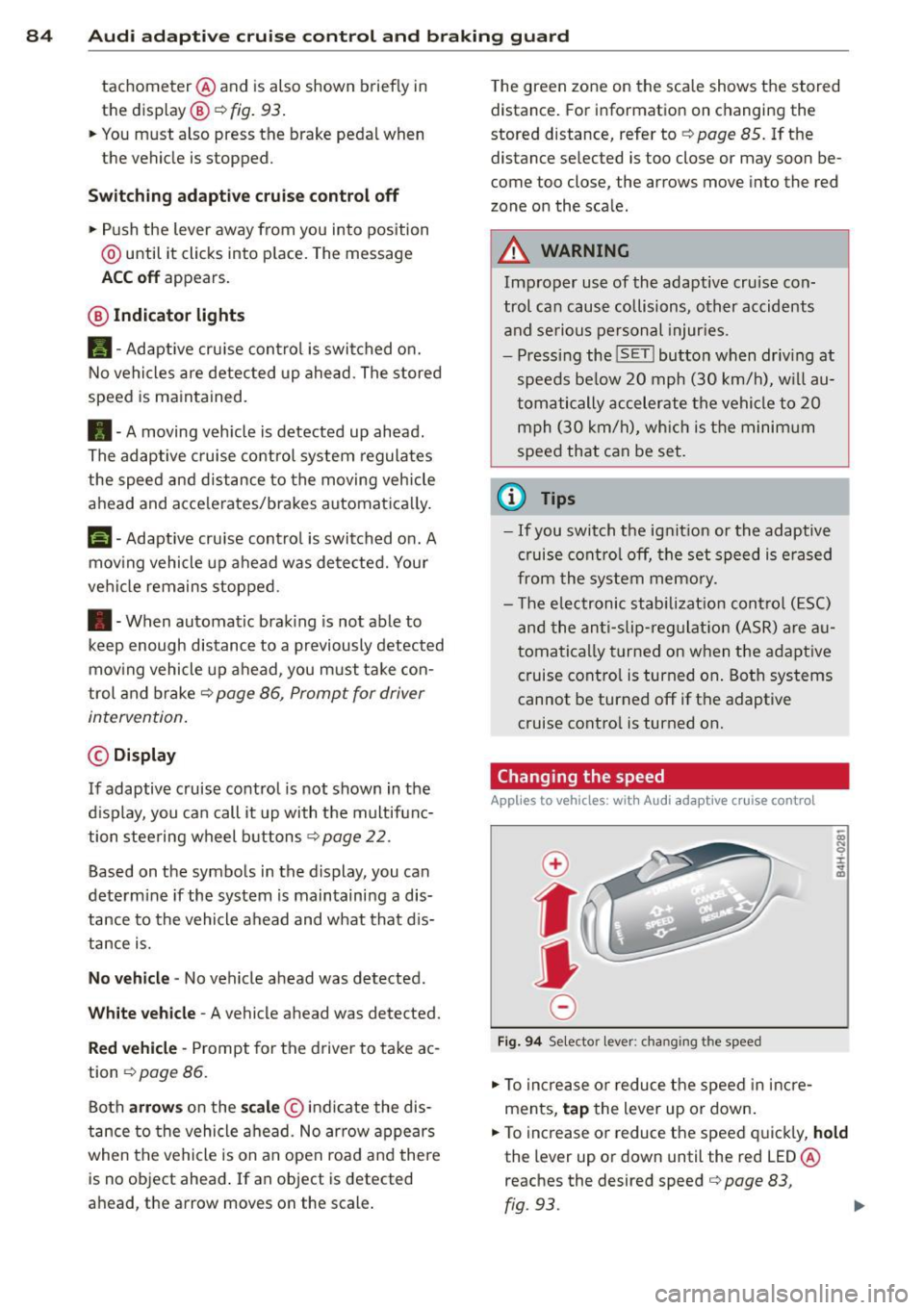
Changing the speed
Applies to veh icles: w ith Audi adaptive cruise control
0
f
jJ
0
Fig. 94 Se lecto r lever: chang ing t he speed
• To increase or reduce the speed in incre
ments,
tap the lever up or down.
• To increase or reduce the speed quickly,
hold
the lever up or down until the red LED ®
reaches the desired speed
c:::> page 83,
rg . 93. ~
Page 93 of 302
"' N
a:: I.J "". rl I.O
"' rl
"' rl
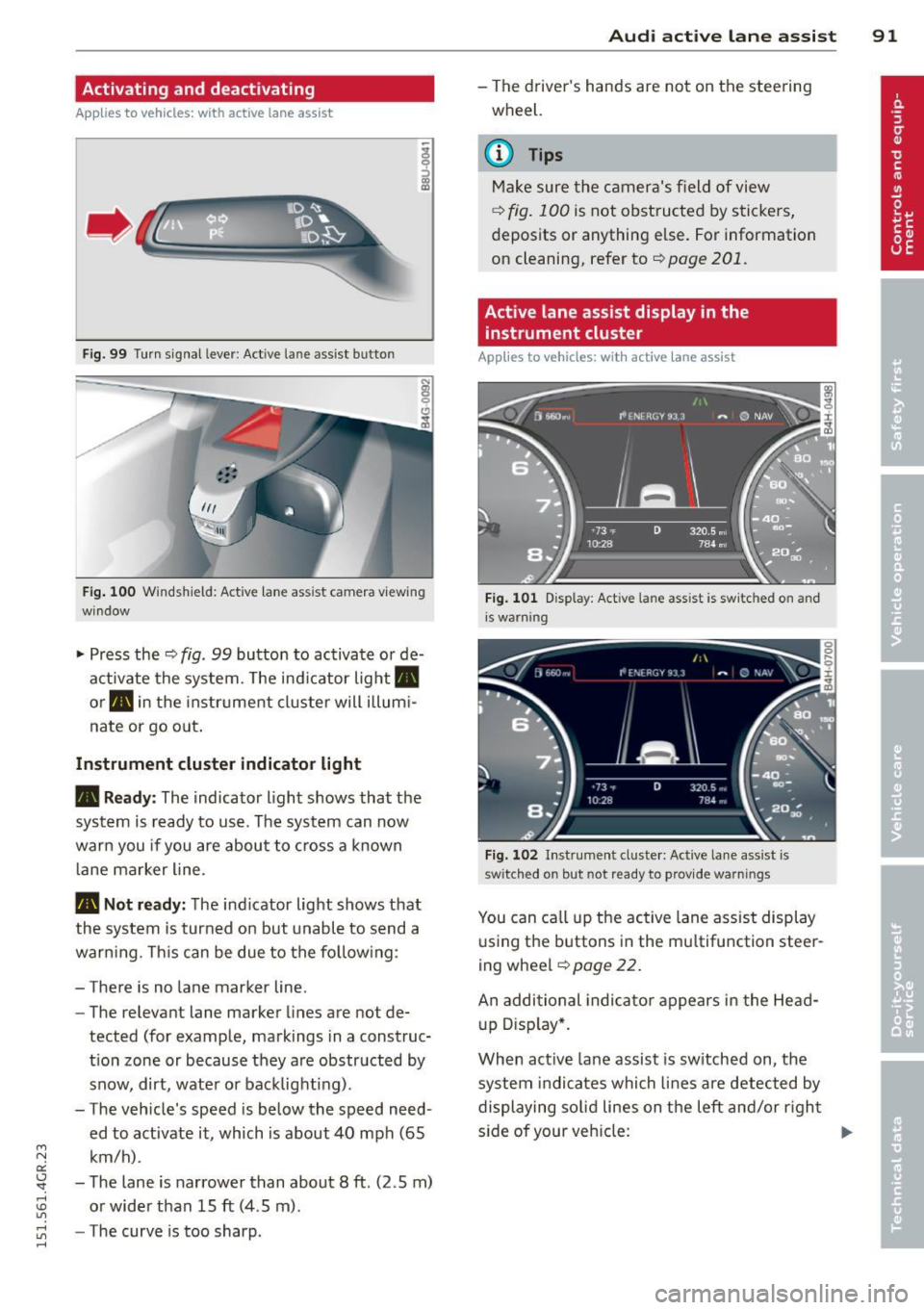
Activating and deactivating
A pp lies to vehicles: with active lane assist
•
Fig. 99 Turn signal lever: Act ive lan e ass ist butto n
Fig. 100 Windshield: Active lane assist camera v iew ing
window
.. Press the ¢ fig. 99 button to activate or de
activate the system. The ind icator light .
or. in the ins trument cluster will illum i
nate or go out.
Instrument cluster indicator light
• Ready:
The indicator light shows that the
system is ready to use . The system can now
warn you if you are about to cross a known
lan e marker line.
• Not ready: The indicator light shows that
the system is turned on but unable to send a
warning. This can be due to the following:
- There is no lane marker line.
- The relevant lane marker lines are not de-
tected (for example, markings in a construc
t ion zone or because they are obstructed by
snow, dirt, water or backlighting).
- The veh icle 's speed is below the speed need
ed to activate it , which is about 40 mph (65
km/h) .
- The lane is narrower than about 8
ft. (2 .5 m)
or wider than 15
ft (4 .5 m).
- The curve is too sharp .
Audi active lane assist 91
-The driver's hands are not on the steering
wheel.
a) Tips
Make sure the camera's field of view
¢ fig. 100 is not obstructed by stickers,
deposits or anything e lse. For information
on cleaning, refer to¢
page 201.
Active lane assist display in the
instrument cluster
App lies to vehicles: wit h act ive lane assist
Fig. 101 D isp lay: Activ e lane ass ist is sw it c h ed on a nd
i s wa rnin g
Fig. 102 Instrumen t cluste r: Act ive la ne a ssist is
switch ed on but not re ady to prov id e wa rnin gs
You can call up the active lane ass ist display
u sing the buttons in the mu ltifunction steer
ing wheel ¢
page 22.
An additional indicator appears in the Head
up Display*.
When active lane assist is sw itched on, the
system i ndi cates which lines are detected by
displaying solid lines on the left and/or right
s id e of your veh icle:
Ill>
Page 101 of 302
"' N
a:: I.J "". rl I.O
"' rl
"' rl
Night vision assistant
Night vision assistant
with detected pedestrian marking
Description
App lies to vehicles: with night v isio n assistant
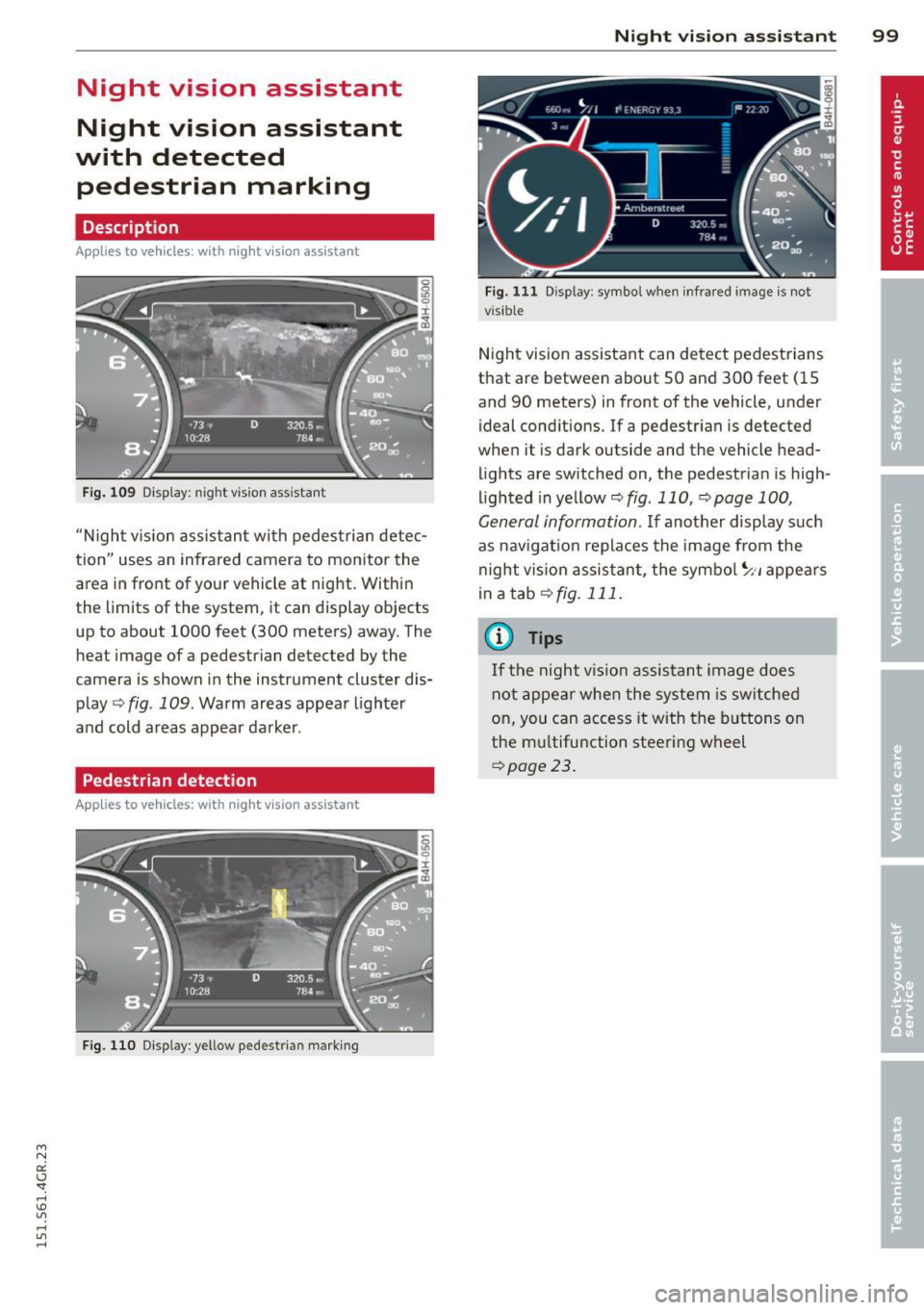
Fig . 109 Display: nig ht v is ion assistant
"N ight v is ion assistant with pedestrian detec
tion" uses an infrared camera to monitor the
area in front of your vehicle at night. Within
the limits of the system , it can display objects
up to about 1000 feet (300 meters) away. The
heat image of a pedestrian detected by the
camera is shown in the instrument cluster dis
play
Q fig . 109 . Warm areas appear lighter
and cold areas appear darker .
Pedestrian detection
Applies to vehicles: with n ig ht v ision ass istant
Fig. 110 Display : yellow pedestrian marking
Night vision assistant 99
Fig. 1 11 Disp lay: symbo l w hen infrare d image is not
visi ble
Night vision assistant can detect pedestrians
that are between about 50 and 300 feet (15
and 90 meters) in front of the vehicle, under
ideal conditions .
If a pedestrian is detected
when it is dark outside and the vehicle head
lights are switched on, the pedestrian is high
lighted in yellow
Q fig . 110, Q page 100,
General information.
If another display such
as navigation replaces the image from the
night vision assistant, the symbo l~,, appears
in a tab
Q fig. 111.
(D Tips
If the night vision assistant image does
not appear when the system is sw itched
on, you can access it with the buttons on
the multifunction steering wheel
Q page23 .