display AUDI RS7 SPORTBACK 2015 Workshop Manual
[x] Cancel search | Manufacturer: AUDI, Model Year: 2015, Model line: RS7 SPORTBACK, Model: AUDI RS7 SPORTBACK 2015Pages: 302, PDF Size: 74.76 MB
Page 119 of 302
"' N
a:: I.J "". rl I.O
"' rl
"' rl
orientation line* borders an object r:::;, .&. in
General information on page 115.
Rear
Applies to vehicles: with parking system plus and rear
mode
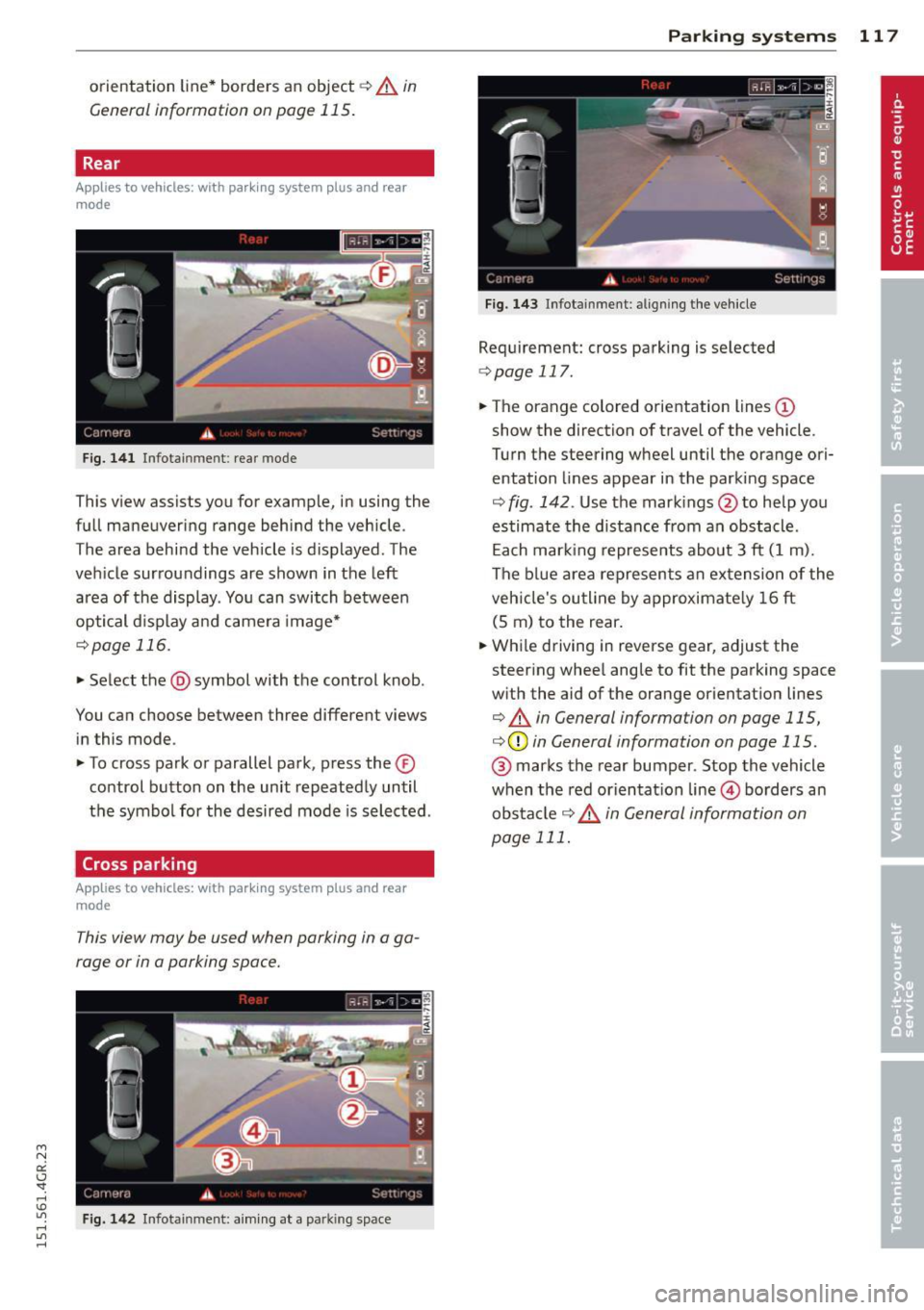
F ig. 1 41 In fot ainm en t: rear mode
This v iew assi sts you for example, in using the
full maneuvering range behind the vehicle .
T he area behind the vehicle is d isplayed . The
vehicle surroundings are shown in the left area of the display . You can switch between
optical d isplay a nd camera image*
¢ page 116.
• Select the @symbol with the control knob .
You can choose between three different views in this mode .
• To cross park or parallel park, press the ®
co ntrol button on the unit repeated ly until
the symbol for the desired mode is selected .
Cross parking
Applies to vehicles: with parking system plus and rear
mode
This view may be used when parking in a ga
rage or in a parking space.
Fig. 142 In fota inmen t: a im ing a t a pa rkin g space
P arking systems 11 7
Fig . 14 3 Infota inmen t: alig ning the ve hicle
Requirement: cross parking is selected
¢ page 117.
• The orange colored orientation lines (D
show the direction of travel of the vehicle.
Turn the steering wheel until the orange ori entation lines appear in the parking space
r:::;, fig . 142 . Use the mark ings @to help you
estimate the distance from an obstacle .
Each mar king represents abou t 3 ft (1 m).
The b lue area represents an extension of the
veh icle's ou tline by approximate ly 16 ft
(5 m) to the rear.
• Whi le driving in reverse gear, adjust the
steer ing whee l angle to fit the parking space
w ith the aid of the orange or ientation lines
¢ .&. in General information on page 115,
r:::;,(D in General information on page 115.
@ marks the rear bumper . Stop the vehicle
when the red orientat ion line © borders an
obs ta cl e
¢ .&. in General information on
page 111.
Page 120 of 302
118 Parking systems
Parallel parking
App lies to vehicles: with park ing system p lus and rear
mode
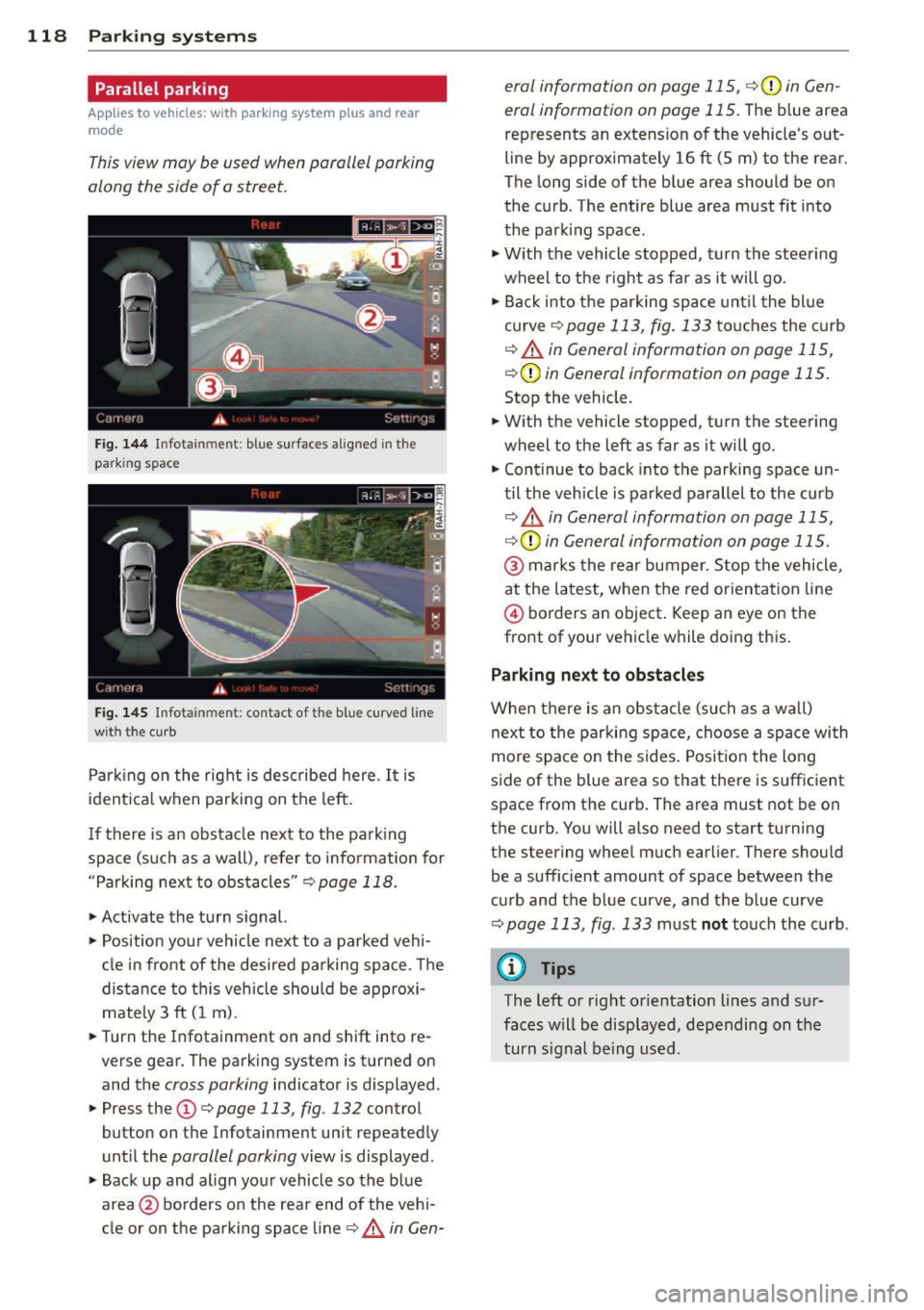
This view may be used when parallel parking
along the side of a street.
F ig. 1 44 Infot ainmen t: blue surfaces aligned in th e
park ing space
Fig. 1 45 Infota inment: co ntact of the blue curved line
wit h the c urb
Park ing on the right is described here . It is
ident ica l when parking on the left.
I f there is an obstacle next to the park ing
space (such as a wall), refer to information for
"Parking next to obstacles"
c:.? page 118.
~ Activate the turn s ignal.
~ Pos ition your vehicle next to a parked vehi
cl e in front of the desired parking space . T he
distance to th is veh icle sho uld be approxi
mately 3 ft ( 1 m).
~ Turn the Infotainment on and shift into re
verse gear. The parking system is turned on
and the
cross parking indicator is displayed .
~ Press the (D c> page 113, fig. 132 control
button on the Infotainment un it repeatedly
unt il the
parallel parking view is displayed .
~ Backup and align yo ur vehicle so the b lue
area @borders on the rea r end of the vehi
cl e or on the parking space line
c> .&. in Gen - era/ information on page 115,
c>(Din Gen
eral information on page 115.
T he b lue area
represents an extension of the vehicle 's o ut
line by approximately 16 ft (5 m) to the rear.
The long side of the blue area should be on
the curb . The entire blue area must fit into
the park ing space .
~ With the vehicle stopped, turn the steering
wheel to the right as fa r as it will go.
~ Back i nto the parking space unt il t he blue
curve
c> page 113, fig. 133 touches the curb
¢.&. in General information on page 115,
¢ (Din General information on page 115 .
Stop the vehicle.
~ With the vehicle stopped, turn the steering
wheel to the left as far as it w ill go.
~ Continue to back into the parking space un
til the veh icle is parked parallel to the curb
¢ .&. in General information on page 115,
¢ (Din General information on page 115.
@ marks the rear bumper. Stop the vehicle,
at the latest, when the red orientat ion line
@ borders an object . Keep an eye on the
front of your vehicle while doing this.
Parking next to obstacles
When there is an obstacle (su ch as a wa ll)
next to the parking space, choose a spa ce wi th
more space o n the sides . Posit ion the long
side of the blue area so that there is sufficient
space from the curb. The area must not be on
the curb. You will a lso need to start turning
the steering wheel much earlier . There should
be a sufficient amount of space between the
cu rb and the blue curve, and the blue curve
c> page 113, fig . 133 must not touch the curb.
© Tips
The left or right orientation lines and sur
faces will be displayed, depending on the
turn s ignal being used.
Page 121 of 302
M N
0:: <.J 'SI: ,...., \!) 1.1'1 ,...., 1.1'1 ,....,
Setting the mode
Applies to vehicles: with parking system with peripheral
cameras
.,. Select : I CARI function button > (Car)* sys
tems
control button > Driver assist > Park
ing aid
> Change to front /rear > Auto or
Manual.
Auto -
This view behind the vehicle (Rear
mode) is displayed automatically when you
shift into reverse. This view in front of the ve
hicle
( Front mode) is d isp layed automatically
when yo u sh ift i nto the forward gea rs.
Manual -This view beh ind the vehicle ( Rear
mode) is a lways d isp layed when you turn on
the system .
Adjusting the display
and the warning tones
Appl ies to vehicles: with parking system plus/r ear view
camera/peripheral cameras
The display and warning tones can be adjust
ed in the Infotainment.
.,. Select : I C ARI function button > (Car)* sys
tems
control button > Driver assist > Park
ing aid.
Display
On * -
optical d isplay is shown for the parking
system plus, rear view camera image is shown
for parking system plus with rear view cam
e ra* .
Off -when the park ing system is sw itched on,
only audible signa ls are given .
Warning tones
Front volume -
Volume for the front area
Rear volume -Volume for the rear area
Front frequency -Frequency for the front area
Rear frequency -Frequency for the rear area
Music volume while parking -When the park
ing system is turned on , the volume of the au
dio/video source is lowered.
Parking systems 119
The newly adjusted va lue is briefly heard from
the signal generator.
(0 Tips
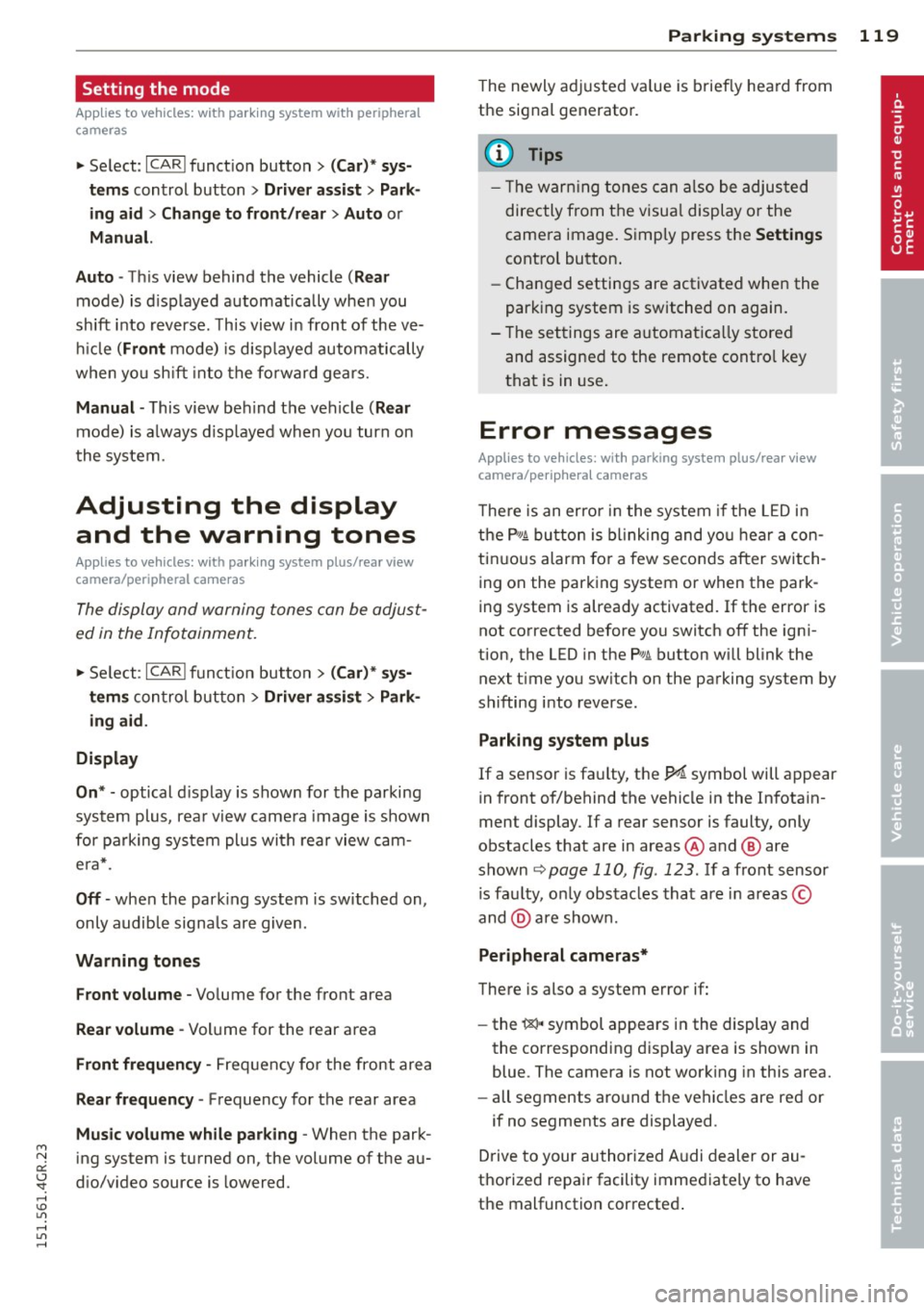
- Th e warn ing tones can also be adjusted
directly from the visua l display o r the
camera image. Simply press the
Settings
control button.
- Changed settings are activated when the
parking system is switched on again.
- The settings are automatica lly stored
and assigned to the remote contro l key
that is in use.
Error messages
Applies to vehicles: with parking system plus/ rear view
camera/periphera l cameras
T he re is an er ror in the system if the LED in
the
p, q! button is blinking and you hear a con
tinuous alarm for a few seconds after switch
ing on the parking system or when the park
ing system is already activated . If the error is
not corrected before you switch off the igni
tion, the LED in the P, #~ button will blink the
next t ime you switch on the parking system by
shifting into reverse.
Parking system plus
If a sensor is faulty, the~ symbol will appear
in front of/behind the vehicle in the Infotain
ment display . If a rear sensor is faulty, only
obstacles that are in areas @ and @ are
shown
~ page 110, fig . 123. If a front sensor
is fau lty, on ly obstacles that are in areas ©
and @are shown.
Peripheral cameras*
There is also a system error if:
- the
'C&l " symbol appears in the display and
the corresponding display area is shown in
blue. The camera is not work ing in this area.
- all segments aro und the vehicles are red or
if no segments are displayed.
Drive to your authorized Audi dealer or au
thorized repair facility immediately to have
the malfunction corrected .
Page 144 of 302
142 Airbag sys te m
If the front passenger airbag is turned off, the
PASSENGER AIR BAG OFF light comes on in
the instrument cluster and stays on.
I f the front passenger airbag deploys, the
F ederal Standard requires the airbag to meet
the " low risk" deployment criteria to reduce
the r isk of injury through interaction with the
a irbag. "Low risk" deployment occurs in those
crashes that take place at lower decelerations
as defined in the electronic control un it
c::> page 152, PASSENGER AIR BAG OFF light.
A lways remember, a chi ld seat or infant carri
er installed on the front seat may be struck
and knocked out of position by the rap idly in
flating passenger's a irbag in a frontal colli
sion . The airbag could greatly reduce the ef
fectiveness of the ch ild restraint and even se
rio usly inju re the child during inflat ion.
For this reason, and because the back seat is
the safest place for chi ldren - when properly
restra ined accord ing to their age and size - we
strongly recommend that children always sit in the back seat
c::> page 165, Child Safety.
_& WARNING
-
A child in a rearward -facing child seat in
stalled on the front passenger seat will be
seriously injured and can be killed if the
front airbag inflates - even with an Ad
vanced Airbag System.
- The inflating a irbag will hit the child seat
or infant carrier with great force and w ill
smash the ch ild seat and child against
the backrest, center armrest, door or roof.
- Always install rear-facing child seats on the rear seat.
- If you must install a rearward facing
child seat on the front passenge r seat
because of exceptiona l circumstances
and the
PASSENGER AIR BAG OFF light
does not come on and stay on, immedi
ately install the rear-f acing chi ld seat in a
rear seating position and have the ai rbag
system inspected by your Aud i dealer. -
Forwa rd- facing child seats installed on
the front passenger's seat may interfere
with the dep loyment of the a irbag and
cause serious persona l injury to the
child.
_& WARNING
-If, i n except ional circumstances, you must
i nsta ll a forward-facing child restraint on
the front passenge r's sea t:
- Always make sure the forward-facing
seat has been designe d and certified by
its manufacture r fo r u se on a fron t seat
with a passenger fron t and s ide a irbag.
- Never p ut the fo rward -facing child re
s tra int up against or very near the instru
men t panel.
- Always move the passenge r seat into it s
rearmost pos ition in the seat's fore and
aft ad justment range, as fa r away from
the airbag as possible before installing
the forward-facing ch ild restra int . The
backrest must be ad justed to an upright
position.
-Make sure that the PASSENGER AIR BAG
OFF
li ght comes on and stays on all the
time whenever the ignition is switched on .
_& WARNING
-To reduce the risk of serious injury, make
sure that the
PASSENGER AIR BAG OFF
light w ill be displayed whenever a child re
straint is installed on the front passenger
seat and the ignition is sw itche d on .
- If the
PASSENGER AIR BAG OFF light
does not s tay on, perform the checks de
scribed
c::> page 151, Monitoring the Ad
vanced Airbag System.
- Ta ke the chi ld restraint off the front pas
senger sea t and install it prope rly at one
of the rear seat positions i f the
PASSEN
GER AIR BAG OFF
light does not stay on.
- Have the airbag system inspected by
your Aud i dea le r i mmediately.
Page 194 of 302
192 Intelligent technology
overheat, premature wear and increased
stopp ing distance.
- Under certain climatic and operating
condit ions such as passing through wa
ter, driving in heavy ra in or after wash ing
the vehicle, the effect iveness of the
brakes can be reduced. In winter, ice ca n
accumulate on the brake pads, linings ,
discs and d rums . Carefully apply brakes
for a test . B rakes wi ll dry a nd ice coat
ings will be cleaned off after a few c are
f ul brake app lications .
- Dr iv ing fo r an ex tende d pe riod of time on
salt-covere d roads w ithout us ing yo ur
brakes can also affect braking efficiency.
Clean off accumulated salt coating from
bra ke discs and pads w ith a few caref ul
brake applicat ions.
- If you damage the front spoiler, or if you
install a different spoiler, be sure the air
flow to the front brakes is not obstruct ed. Otherwise the brake system could
over heat reducing the effectiveness of
the ent ire brake system .
- Failure of one brake c ircuit will impair
the braking capability res ulting in an in
creased stopp ing distance. Avoid driv ing
the vehicle and have it towed to t he near
est Aud i dea le r o r q ualified w ork sho p.
- Never let the vehicle ro ll to a stop w ith
the e ngine shu t off.
- If the brake booster is not working, the
brake pedal must be p ressed conside ra
bly harder to make up for the la ck of
booster assistance.
Electromechanical
power assist, dynamic
steering
The electromechanical power assist helps the
driver when steering .
Power stee ring adapts electronically based on
the vehicle speed .
Indicator lights and messages
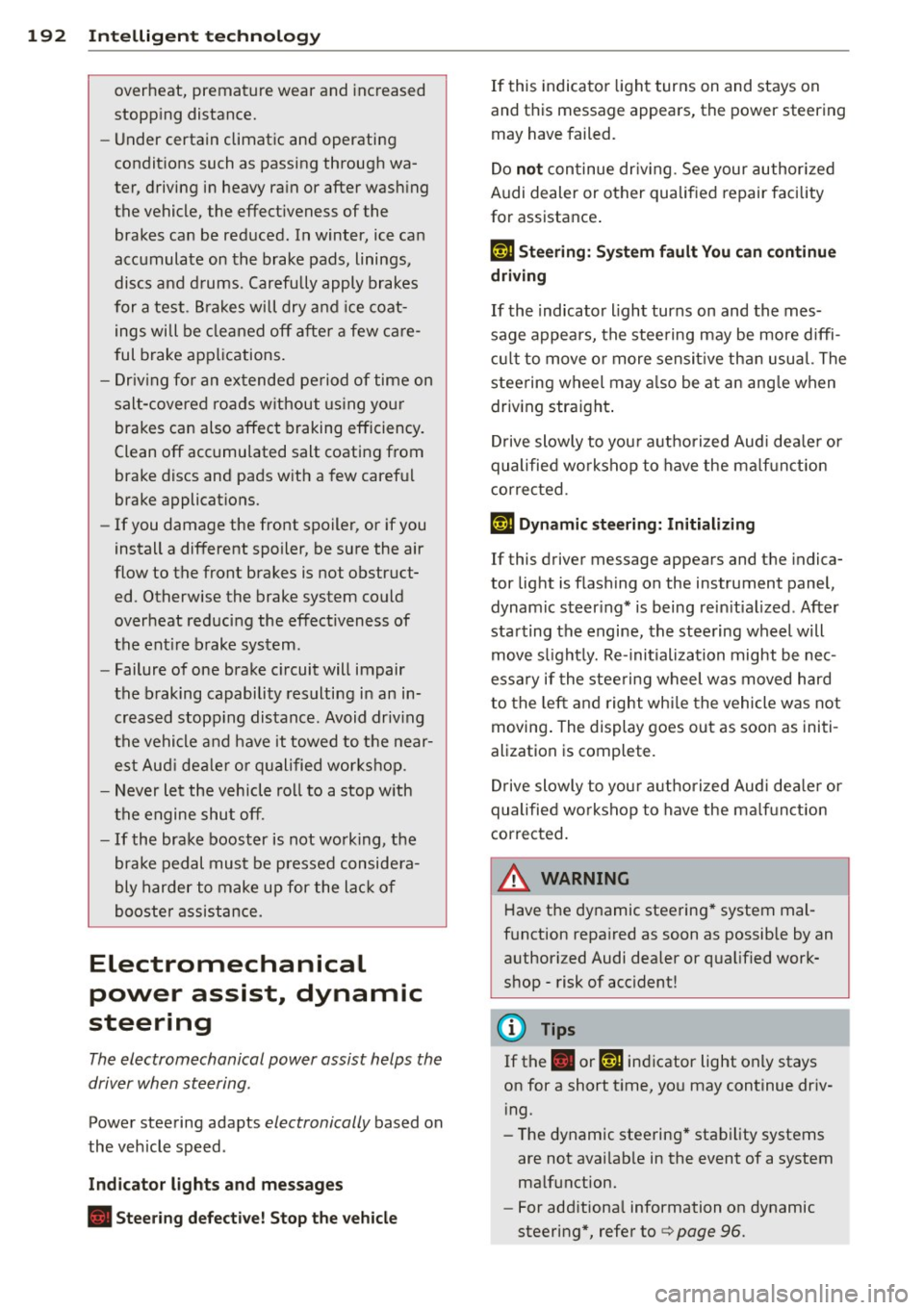
• Steer ing defective! Stop the vehicle
If this indicato r light turns on and stays on
and this message appears, the power steering
may have failed.
Do
not con tinue dr iv ing . See your author ized
Audi dealer or other qualified repair facility
for assistance .
l;r-ij Steering: System fault You can continue
driving
If the indicato r light turns on and the mes
sage appea rs, the stee ring may be more diffi
cul t to move o r more sensi tive th an usua l. The
steering wheel may a lso be at an ang le when
driving straight .
Drive slowly to you r authorized Aud i dea le r o r
qualified wo rks hop to have the ma lf u nct ion
corre cted.
l;r,ij Dynamic steering: Initializing
If this driver message appears and t he indica
tor light is f lashing on the instrument panel,
dynam ic steer ing* is being rei nitia lized. Afte r
sta rting the engine, the stee ring wheel will
move s ligh tly. Re- ini tiali zation mig ht be ne c
e ssa ry if the stee ring wheel was moved h ard
to the left an d right wh ile the vehicle was not
moving . The display goes out as soon as initi
alization is complete.
D rive slowly to you r aut horized Audi de aler or
qualified wo rkshop to have the ma lf u nct ion
corrected.
A WARNING
Have t he dynamic stee ring * system mal
f u nction repa ired as soon as possib le by an
a uthorized Audi dealer or qua lified wor k
shop - risk of accident !
(D Tips
If the . or@ indicator light on ly stays
on for a short time, yo u may continue driv
i ng.
- The dynamic steering * sta bility systems
are not avai lab le in the event of a system
ma lf u nction.
- For add itiona l information on dynamic
steering *, refer t o
c> page 96.
Page 205 of 302
M N
0:: <.J 'SI: ,...., \!) Ll'I ,...., Ll'I ,....,
Vehicle care and cleaning 203
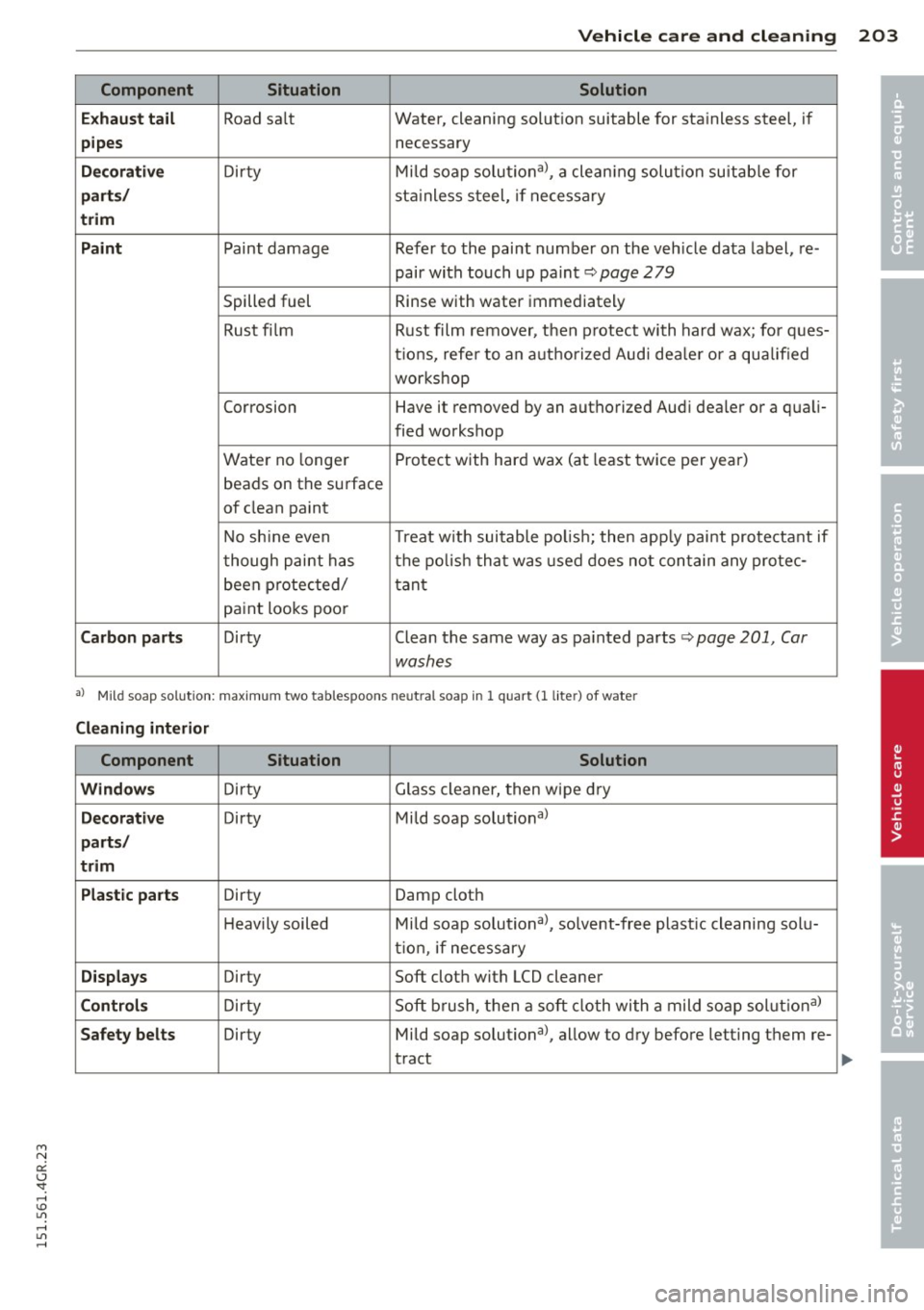
Component Situation Solution
Exhaust tail
Road sa lt Water,
cleaning solut ion suitable for sta inless steel, if
pipes necessary
Decorative Dir ty Mild soap solutional, a cleaning solution suitable for
parts/ stainless steel, if necessary
trim
Paint
Paint damage Refer to the paint number on the vehicle data labe l, re-
pair with touch up paint
c::> page 279
Spilled fuel Rinse
with water immediately
Rust film Rust film1 remover, then protect with hard wax; for ques-
tions, refer to an authorized Audi dealer or a qualified
workshop
Corrosion Have it removed by an authorized Audi dealer o r a quali-
fied workshop
Water no longe r Protect with hard
wax (at least twice per year)
beads on the surface
of clean paint
No shine even Treat with suitable polish; then apply paint protectant if
though paint has the polish that was used do es not contain any protec-
been protected/ tant paint looks poor
Carbon parts Dirty Clean the same way as painted parts c::> page 201, Car
washes
al M ild soap sol utio n: max im um two tablespoons neutral soap in 1 quart (l lite r) of water
Cleaning interior
Component Situation Solution
Windows
D irty Glass cleaner, then wipe dry
Decorative Dirty Mild soap solut ional
parts/
trim
Plastic parts
Dirty Damp cloth
Heavi ly soiled Mild soap solutional, solvent-free plastic cleaning solu-
tion, if necessary
Displays Dirty Soft cloth with LCD cleaner
Controls Dir ty Soft
brus.h, then a soft cloth with a mild soap solution al
Safety belts Dirty Mild soap solutional, allow to dry before letting them re-
tract
•
•
Page 207 of 302
M N
0:: <.J 'SI: ,...., \!) 1.1'1 ,...., 1.1'1 ,....,
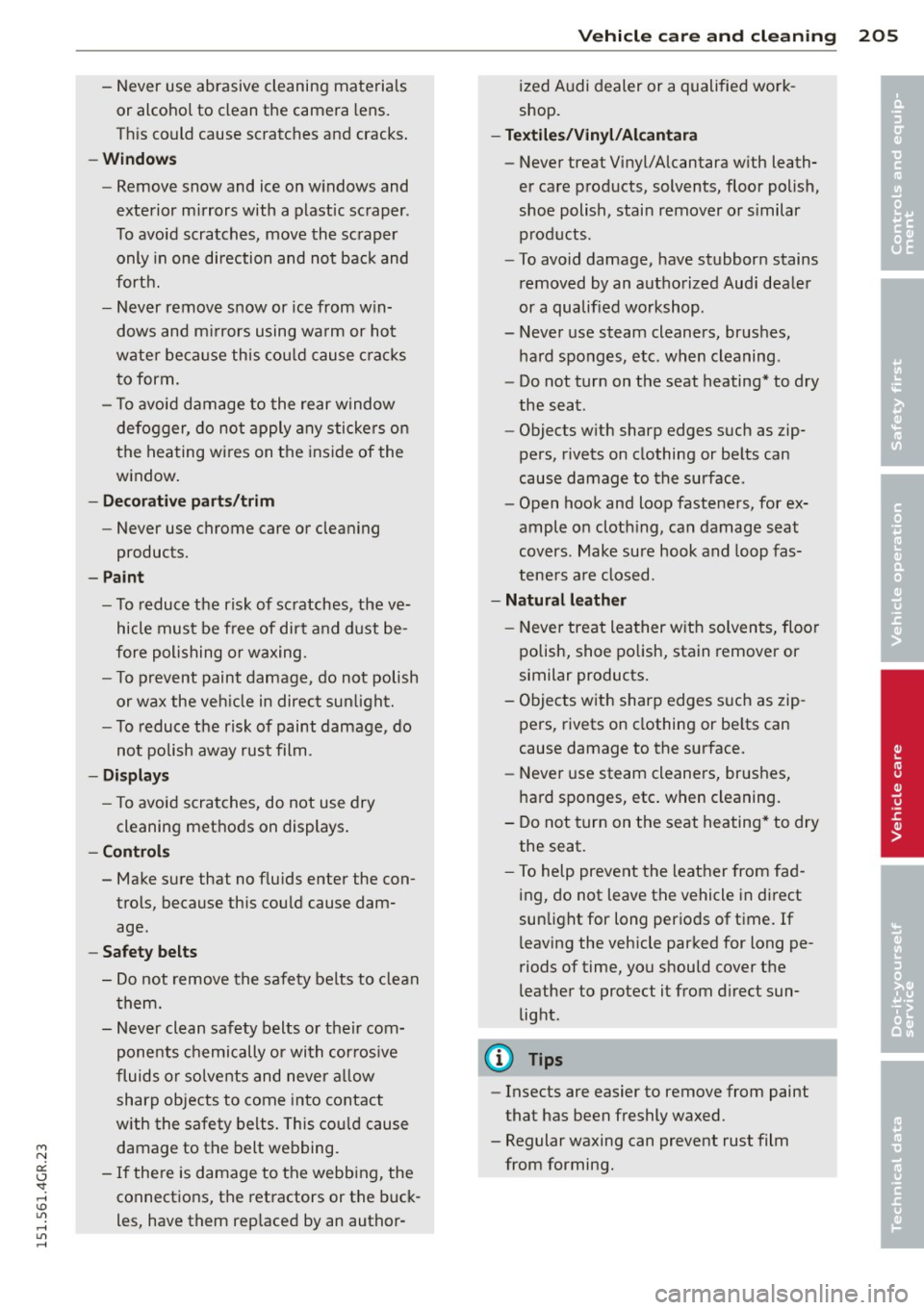
-Never use abrasive cleaning materials
or alcohol to clean the camera lens.
T his could cause scratches and cracks .
-Window s
-Remove snow and ice on w indows and
exterior mirrors with a plastic scraper .
To avoid scratches, move the scraper only in one direction and not back and
forth.
- Never remove snow or ice from w in
dows and m irrors using wa rm or hot
wate r because this cou ld cause crac ks
to form.
- To avoid damage to the rear window
defogger, do not apply any stickers on
the heating wires on the inside of the
w indow .
-Dec or ati ve p arts /trim
-Never use chrome care or cleaning
products.
-Paint
-To reduce the risk of scratches, the ve-
hicle must be free of dirt and dust be
fore polishing or waxing.
- To prevent paint damage , do not polish
or wax the veh icle in direct sunlight.
- To reduce the risk of paint damage, do
no t polish away rust film .
-Di splay s
-To avoid scratches, do not use dry
cleaning methods on displays .
-Controls
- Make sure that no flu ids enter the con-
trols, because this cou ld cause dam
age .
-Safet y belts
- Do not remove the safety belts to clean
t hem.
- Never clean safety belts or their com
ponents chemically or with cor ros ive
fluids or solvents and never a llow
sharp objects to come into contact
with the safety belts . This cou ld cause
damage to the belt webbing.
- If the re is damage to the webb ing, the
connections, the retractors or the buck
les, have them rep laced by an author-
V ehicl e ca re a nd cl eanin g 205
ized A udi dealer or a qualified work
shop.
- Te xtile s/Vin yl/ Alcant ara
- Never treat Vinyl/Alcantara w ith leath-
er care products, solvents, floor polish,
shoe polish, stain remover or s imilar
p rod ucts.
- To avoid damage, have stubborn stains
removed by an authorized Aud i deale r
or a qualif ied workshop.
- Never use steam cleaners, brushes,
hard sponges, etc. when cleaning .
- Do not turn on the seat heating * to dry
the seat .
- Objects with sharp edges such as zip
pers, rivets on clothing or be lts can
cause damage to the surface .
- Open hook and loop fasteners, for ex
ample on cloth ing, can damage seat
covers . Make sure hook and loop fas
tene rs a re closed .
-Natural leather
- Neve r treat leather w ith solven ts, floo r
polish, shoe polish, stain remover or
similar products.
- Objects with sharp edges such as zip
pers, rivets on clothing or be lts can
cause damage to the surface.
- Never use steam cleaners, brushes,
hard sponges, etc . when cleaning.
- Do not turn on the seat heating* to dry
the seat.
- To help prevent the leather from fad
ing, do not leave the vehicle in di rect
sunlight for long periods of time . If
leaving the vehicle parked for long pe
riods of time, you should cover the
leather to protect it from d irect sun
light .
(D Tips
-Insects are easier to remove from paint
that has been freshly waxed.
- Regular waxing can prevent rust film
from forming.
•
•
Page 216 of 302
214 Check ing and filling
Using the proper engine o il is important for
the functionality and service life of the en
g ine . Your engine was factory-filled with a
hi gh-quality oil which can usua lly be used
throughout the enti re year.
0 Note
Y our Limited New Vehicle Warranty does
not cover damage or ma lf u nctions due to
fa ilure to follow recommended mainte
nance and use requ irements as set forth in
the Audi Owner's Manual and Warranty
&
Ma intenance boo klet.
- Use only a high quality eng ine oi l that ex
pressly complies w ith the Audi o il quality
sta ndard spec ified for your veh icle's en
gine . U sing any other oil can cause seri
ous eng ine damage.
- Do not mix any l ubr ica nts o r othe r addi
tives into the eng ine o il. Doing so c an
ca use eng ine dam age.
I f you need to add oi l and there is no ne
availab le tha t mee ts the Audi o il qua lity
s tandar d your engine requires, yo u may
ad d a tota l of no more than 0 .5 quart/liter
of a high-quality "synthetic"oil that meets
the following specifications.
- ACEA A3 or API S M with a viscosity grade
of SAE 0W-30, SAE SW-30 or
SAE SW -40.
- Fo r more information abo ut engine oi l
that has been app roved for your vehicle,
please contact either your a uthori zed
Audi dealer or Audi Customer Relations
at 1 (800) 822 -2834 or visit our web site
at www.audiusa .com or
www .aud icanada .ca .
Engine oil consumption
The engine in your vehicle depends on an ade
quate amount of oil to lubricate and cool all
of its moving parts.
In order to provide effective lubrication and
cooling of i nternal engine components, a ll in
ternal comb ustion eng ines consume a certa in amount of oil. Oil consumpt
ion varies from
engine to engine and may change significant ly
over the life of the engine . Typically, engines
with a spec ified break-in period (see
<=> page 196) consume more oil during the
break -in pe riod than they consume after o il
co nsump tion has stabilized.
Under normal cond itions, the rate of oil con
sumption depends on the q ua lity and viscos ity
of the oil, the RPM (revolut ions per minute) at
wh ich the engine is operated, t he ambie nt
temperature and road conditions . Fur ther fac
tors a re the amount of oil dilut ion from wa ter
condensation or f ue l resid ue and the oxid a
t ion level of the o il. As any engine is subjec t to
wear as m ileage builds up, t he oil consump
tion may increase over time until replacement of wo rn components may become necessary.
W it h a ll these variab les coming into play, no
standard rate of oil consumption can be es
tablished or specified. There is no alte rnative
to regu lar and frequent check ing of the o il lev
el, see
Note .
If
the yellow engine oil level warning symbo l
in the instrument cluster
I!!! lights up, you
shou ld check the oil leve l as soon as possib le
<=> page 215. Top off the oil at your earliest
convenience
<=> page 215.
A WARNING
-Before you chec k anythi ng in the engine
com partment, always read a nd heed all
WAR NIN GS¢
& in Working in th e engine
compar tment on page 211.
{(D Note
Driving w it h an insufficient o il level is like
ly to cause severe damage to the engine .
(D Tips
- The oil pressure warn ing display. is
not an indicator of the oil level. Do not
rely on it . Instead, check the oil lev el in
your engine at regular intervals , pref
erably each time you refuel, and alway s
before going on a long trip. .,.
Page 217 of 302
"' N
a:: I.J "". rl I.O
"' rl
"' rl
-If you have the impression your engine
consumes excessive amounts of oi l, we
recommend that yo u consult your Audi
dealer to have the cause of your concern
properly diagnosed. Keep in mind that
the accurate measurement of oil con
sumption requires great care and may
take some time . Your Audi dealer has in
str uctions abou t how to measure oil con
sump tion accurately.
Checking the engine oil level
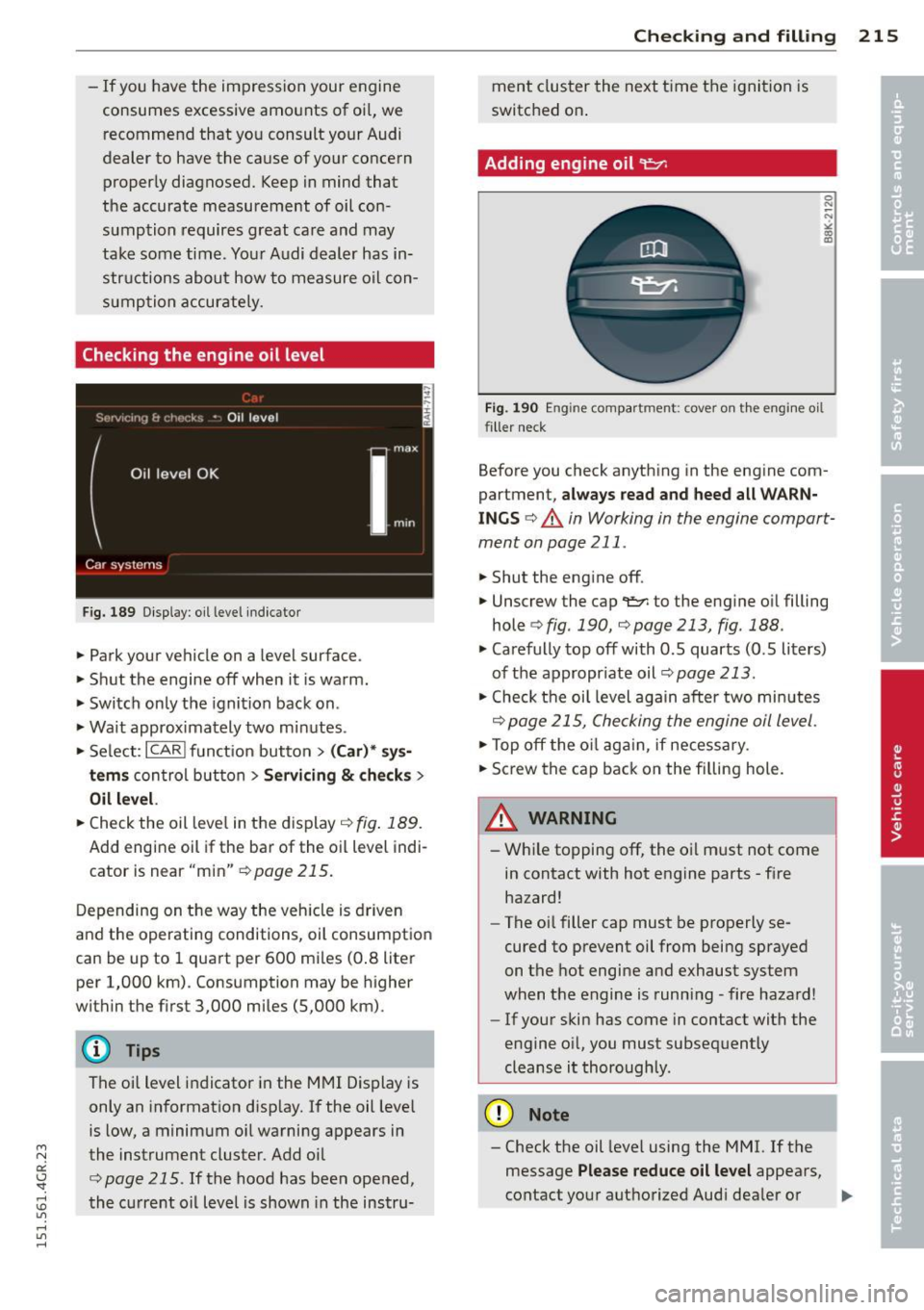
F ig. 189 Di splay : oil lev el indicato r
.,. Park your vehicle on a level surface .
.,. Shut the engine off when it is warm.
.,. Switch only the ignition back on .
.,. Wa it approximately two minutes .
.,. Se lect :
I C ARI funct ion button > ( Car )* sys
tems
con trol button > Ser vici ng & ch ecks >
Oil level.
.,. Check the oil leve l in the display ¢ fig. 189.
Add engine oil if the bar of the oil level indi
cator is near "min"
r:!;> page 215.
Depending on t he way the veh icle is driven
and the operating conditions, oil consumption
can be up to 1 qua rt per 600 mi les (0 .8 liter
per 1,000 km) . Consumption may be higher
within the firs t 3,000 miles (5,000 km) .
@ Tips
The oil level indicator in the MMI Display is
only an in formation disp lay.
If the oil leve l
is low, a minimum o il warning appears in
the instrument cluster. Add oi l
¢page 215. If the hood has been opened,
the c urre nt oil level is shown in the instru- Checkin
g and fillin g 215
ment cluster the next t ime the igni tion is
switched on .
Adding engine oil~
Fig. 19 0 En gin e co mpa rtm ent: cov er on th e engi ne oi l
filler neck
Before you check anyth ing in the engine com
partmen t,
always read and heed all WARN
INGS¢ A in Working in the engine compart
ment on page 211 .
.,. Shut the eng ine off .
.,. Unscrew the cap
¢ fig . 190, ¢page 213, fig.188 .
.,. Carefully top off with 0.5 quarts (0.5 liters)
of the appropr iate oil¢
page 213 .
.,. Check the oi l level again after two mi nutes
¢ page 215, Che cking the engine oil level .
.,. Top off the o il aga in, if necess ary .
.,. Screw the cap back on the fi lling hole.
A WARNING
- Wh ile topping off, the o il m ust not come
in contact with hot engine parts - f ire
hazard!
- The oi l filler cap must be properly se
cured to prevent oil from being sprayed
o n the hot engine and exhaust system
when the engine is runni ng -fire hazard!
- If your s kin has come in contact with the
e ngine o il, you must subsequently
cleanse it thoroughly .
(D Note
-Check the oil level using the MMI. If the
message
Please reduce oil level appears,
contact you r aut hori zed Aud i dea ler or
Ill>-
Page 258 of 302
256 Tire s and wheel s
Description
The tire pressure monitoring system monitors
th e pressure in the four tir es when driving .
The system uses sensors that measure the
temperature and pressure in the tires. Theda
ta is sent from these sensors to the control
module by rad io frequency .
The tire pressure monitoring system shows
the current pressures and temperatures
of the
tires in the Infotainment system
c:> page 256 .
It also compares the current tire pressures
with the sto red press ures and gives a warn ing
in the dr iver information system if the t ire
p ressu re is different from what is sto red
<=:> page 257.
The system does not detect if the sto red ti re
p ressu res matc h the recommended tire pres
sures . Yo u must resave the tire p ress ures
<=:> page 257:
- every time the tire pressures change, for ex
amp le when the load in the veh icle changes,
- after replac ing a tire, or
- i f wheels with new wheel sensors are used .
.,&. WARNING
- The tire pressure mo nitor ing system as
sists t he d rive r in monito ring t ire pres
s ur es. The dr iver is responsible fo r having
the tires in flated t o the co rrec t press ure.
- Do not change t he tire pressu re when the
t empe rat ure of the ti re is high. This
cou ld resul t in ser io us damage to the ti re
and even cause t he tire to burst, increas
ing th e risk of an accident.
- A tire with low pressure flexes more . This
heats the tire up too much. This could
cause the tread to separate and even
cause the tire to burst, increasing the
risk
of a n accident.
- The tire pressure mon itor ing system
does not warn about damage or defects
in the tire construct ion that could ca use
the tire to b urst, for examp le . Inspect
yo ur t ires regularly .
{® For the sake of the environment
Low tire pressure increases fuel consump
tion and tire wear .
(D Tips
- If tires are replaced, the senso rs/valves
do not need to be removed o r replaced.
Just replace the va lve stem and, if neces
sary, the valve and the whee l electronics .
If you have questions, see your a uthor
ized Aud i dea ler o r a qualified workshop .
- Us ing the tire mob ility kit can results in
an incorrect display or a ma lfunction in
t he tire pressure monito ring system .
Have the sensors replaced by an a uthor
ized Aud i dea le r o r a qua lified workshop.
Display tire pressures/temperatures
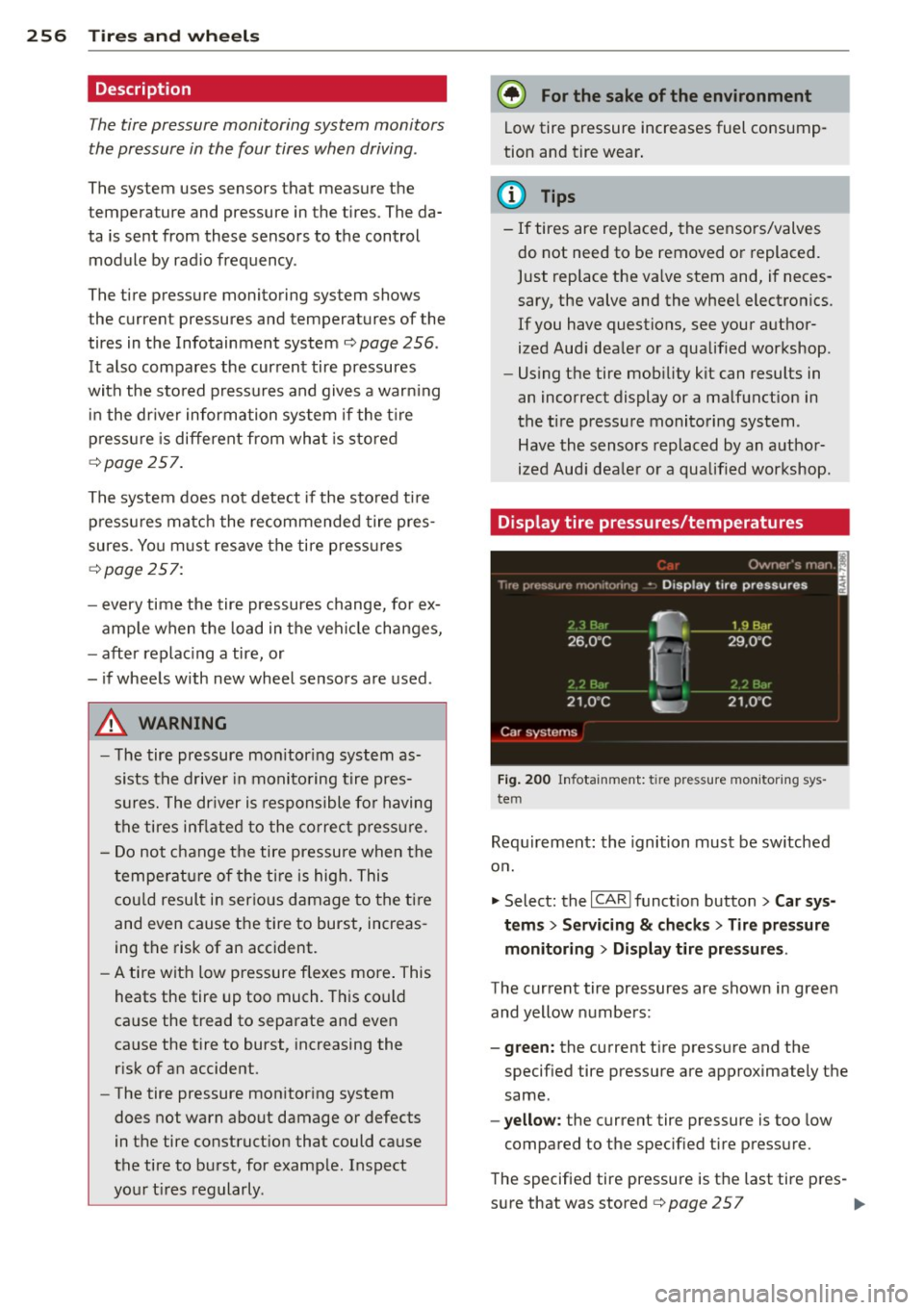
Fi g. 2 00 In fotainme nt: t ire press ure moni tor ing sys
tem
Requ irement : the ignition must be sw itched
o n .
.,. Select: the
I CAR I funct io n button > Car sy s
tem s
> Servicing & ch eck s > Tire pressure
monitoring
> Disp lay tire pr essures .
The current tire pressures are shown in green
and yellow numbers:
- green: the current tire press ure and the
specified tire pressure are approximately the
same .
-yellow : the current tire pressure is too low
compared to the specified tire pressu re.
The specified tire pressure is th e last tire pres -
s u re that was stored
c:> page 2 5 7 ..,