display AUDI RS7 SPORTBACK 2015 User Guide
[x] Cancel search | Manufacturer: AUDI, Model Year: 2015, Model line: RS7 SPORTBACK, Model: AUDI RS7 SPORTBACK 2015Pages: 302, PDF Size: 74.76 MB
Page 28 of 302
26 Instruments and warning/indicator lights
Lower odometer
The lower odometer shows the total number
of miles (kilometers) driven.
Malfunction message
If there is a malfunction in the instrument
cluster,
DEF will appear in the trip odometer
display area. Contact your authorized Audi
dealer to have the problem corrected.
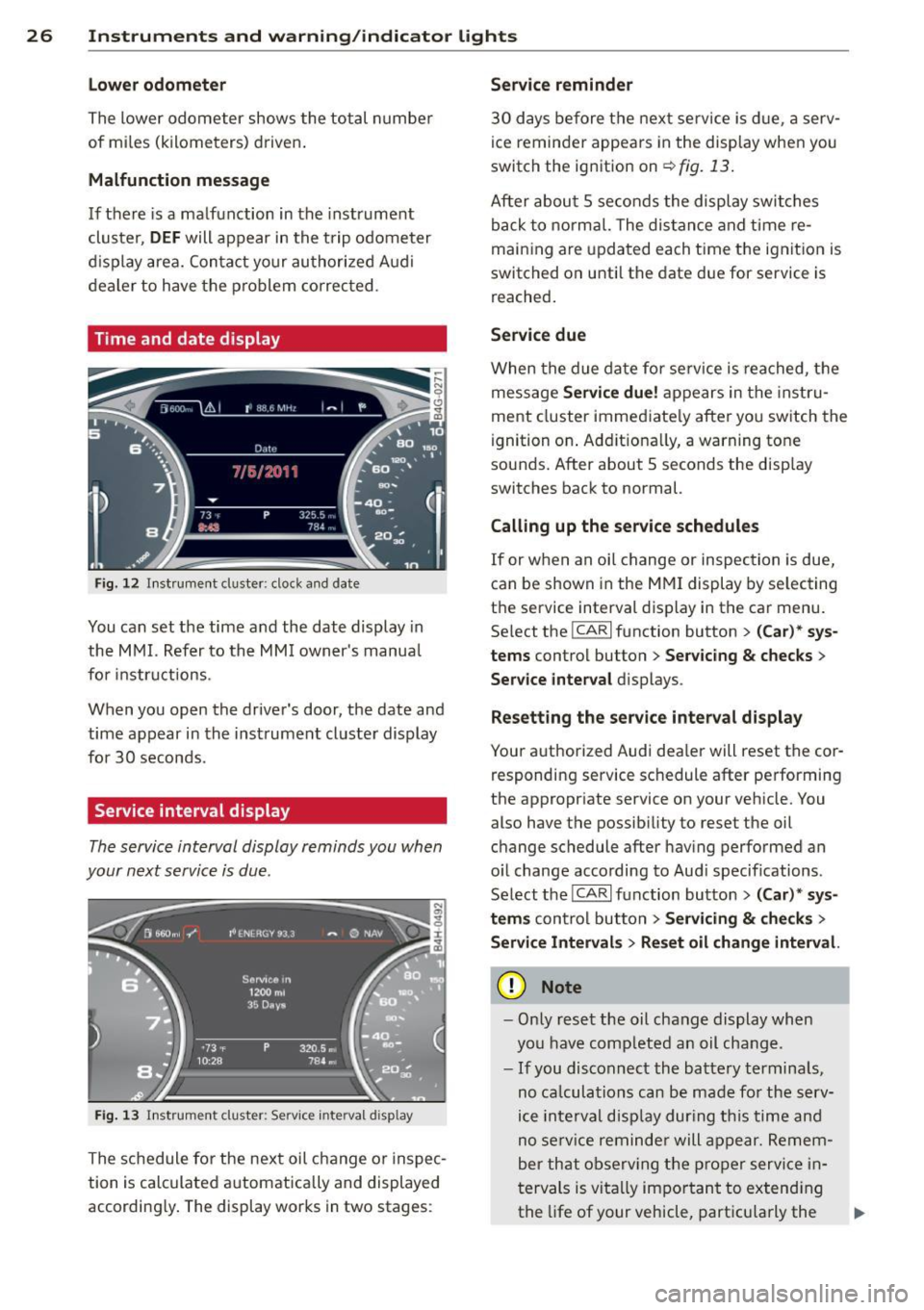
Time and date display
Fig. 12 Instrument cluster : cloc k and date
You can set the time and the date display in
the MMI. Refer to the MMI owner's manual
for instructions .
When you open the driver's door, the date and
time appear in the instrument cluster display
for 30 seconds.
Service interval display
The service interval display reminds you when
your next service is due.
Fig. 13 In strum ent cluste r: Serv ic e inte rval d isp lay
The schedule for the next oil change or inspec
tion is calculated automatically and displayed
accordingly. The display works in two stages :
Service reminder
30 days before the next service is due, a serv
ice reminder appears in the display when you
switch the ignition on
¢ fig. 13.
After about 5 seconds the display switches
back to normal. The distance and time re
maining are updated each time the ignition is
switched on until the date due for service is
reached.
Service due
When the due date for service is reached, the
message
Service due! appears in the instru
ment cluster immediately after you switch the
ignition on. Additionally, a warning tone
sounds. After about 5 seconds the display
switches back to normal.
Calling up the service schedules
If or when an oil change or inspection is due,
can be shown in the MMI display by selecting
the service interval display in the car menu.
Select the
ICARI function button > (Car)* sys
tems control button > Servicing & checks >
Service interval displays .
Resetting the service interval display
Your authorized Audi dealer w ill reset the cor
responding service schedule after performing
the appropriate service on your vehicle. You
also have the possibility to reset the oil
change schedule after having performed an
oil change according to Audi specifications .
Select the
ICARI function button > (Car)* sys
tems control button > Servicing & checks >
Service Intervals> Reset oil change interval.
Q) Note
-Only reset the oil change display when
you have completed an oil change.
- If you disconnect the battery terminals,
no calculations can be made for the serv
ice interval display during this time and
no service reminder will appear. Remem
ber that observing the proper service in
tervals is vitally important to extending
the life of your vehicle, particularly the
ll>-
Page 29 of 302
Instruments and warning/indicator lights 2 7
engine, and maintaining its value. Even if
the mileage driven is low, the maximum
period of one year from one service to
the next must not be exceeded.
(D Tips
The information in the Service Remi nder
remains stored even when the vehicle bat
tery is disconnected.
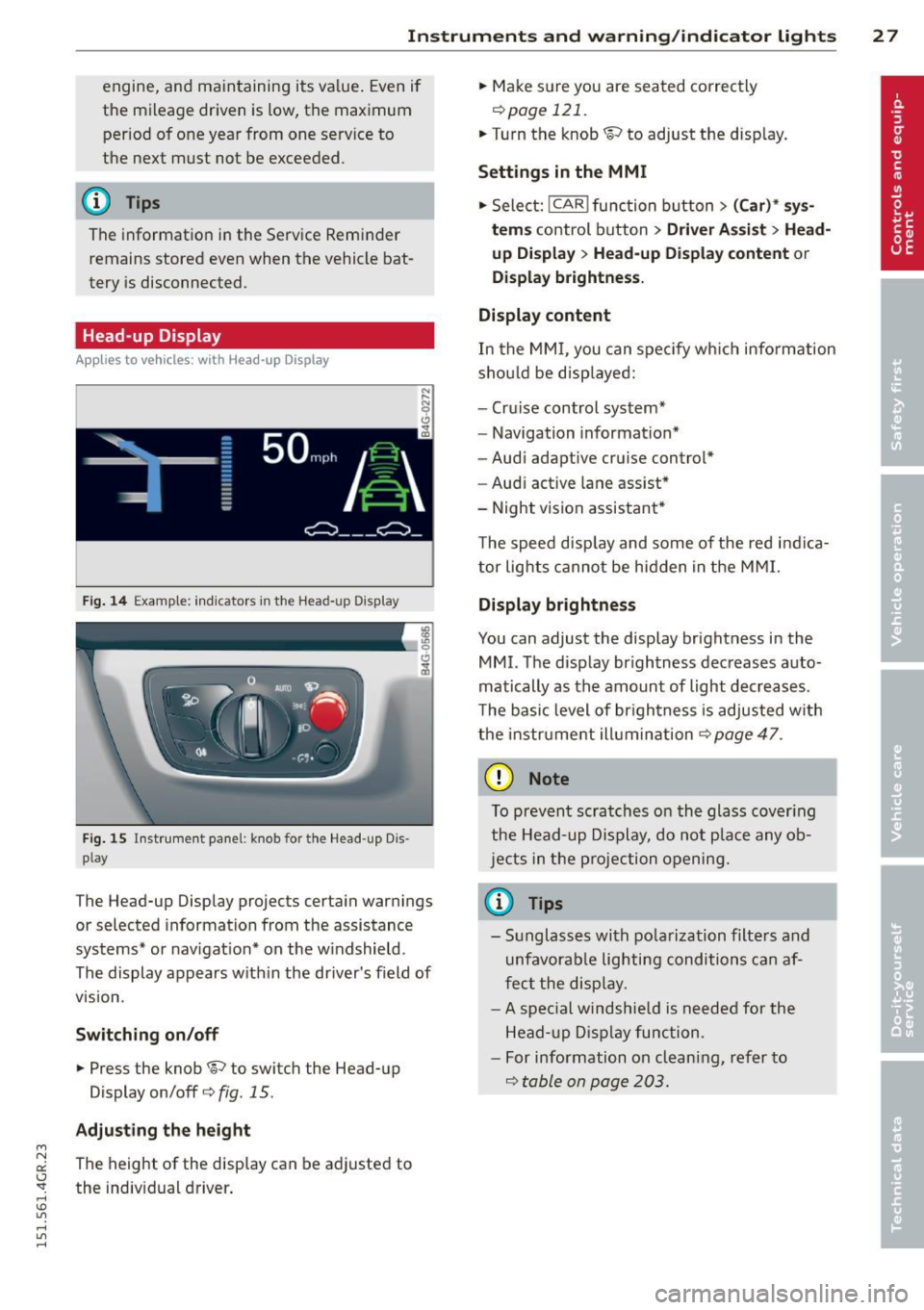
Head-up Display
Applies to vehicles: with Head-up Display
Fig. 14 Example: indicators in the Head-up Display
Fig. 15 Instrument panel: knob for the Head-up Dis ·
play
The Head-up Display projects certain warnings
or selected information from the assistance
systems* or navigation* on the windshield.
The display appears within the driver's field of
v1s1on.
Switching on/off
.,. Press the knob~ to switch the Head-up
Display on/off¢
fig. 15.
Adjusting the height
"' N a:: The height of the display can be adjusted to I.J "". the individual driver. rl I.O
"' rl
"' rl
.,. Make sure you are seated correctly
¢page 121 .
.,. Turn the knob ~ to adjust the display.
Settings in the MMI
.,. Select: !CAR ! function button> (Car)* sys
tems
control button > Driver Assist > Head
up Display
> Head-up Display content or
Display brightness.
Display content
In the MMI, you can specify which information
should be displayed:
- Cruise control system*
- Navigation information*
- Audi adaptive cruise control*
- Audi active lane assist*
- Night vision assistant*
The speed display and some of the red indica
tor lights cannot be hidden in the MMI.
Display brightness
You can adjust the display brightness in the
MMI. The display brightness decreases auto
matically as the amount of light decreases.
The basic level of brightness is adjusted with
the instrument illumination¢
page 47.
(D Note
To prevent scratches on the glass covering
the Head-up Display, do not place any ob
jects in the projection opening.
(D Tips
-Sunglasses with polarization filters and
unfavorable lighting conditions can af
fect the display.
- A special windshield is needed for the
Head-up Display function.
- For information on cleaning, refer to
¢ table on page 203.
Page 30 of 302
28 Instruments and warning/indicator lights
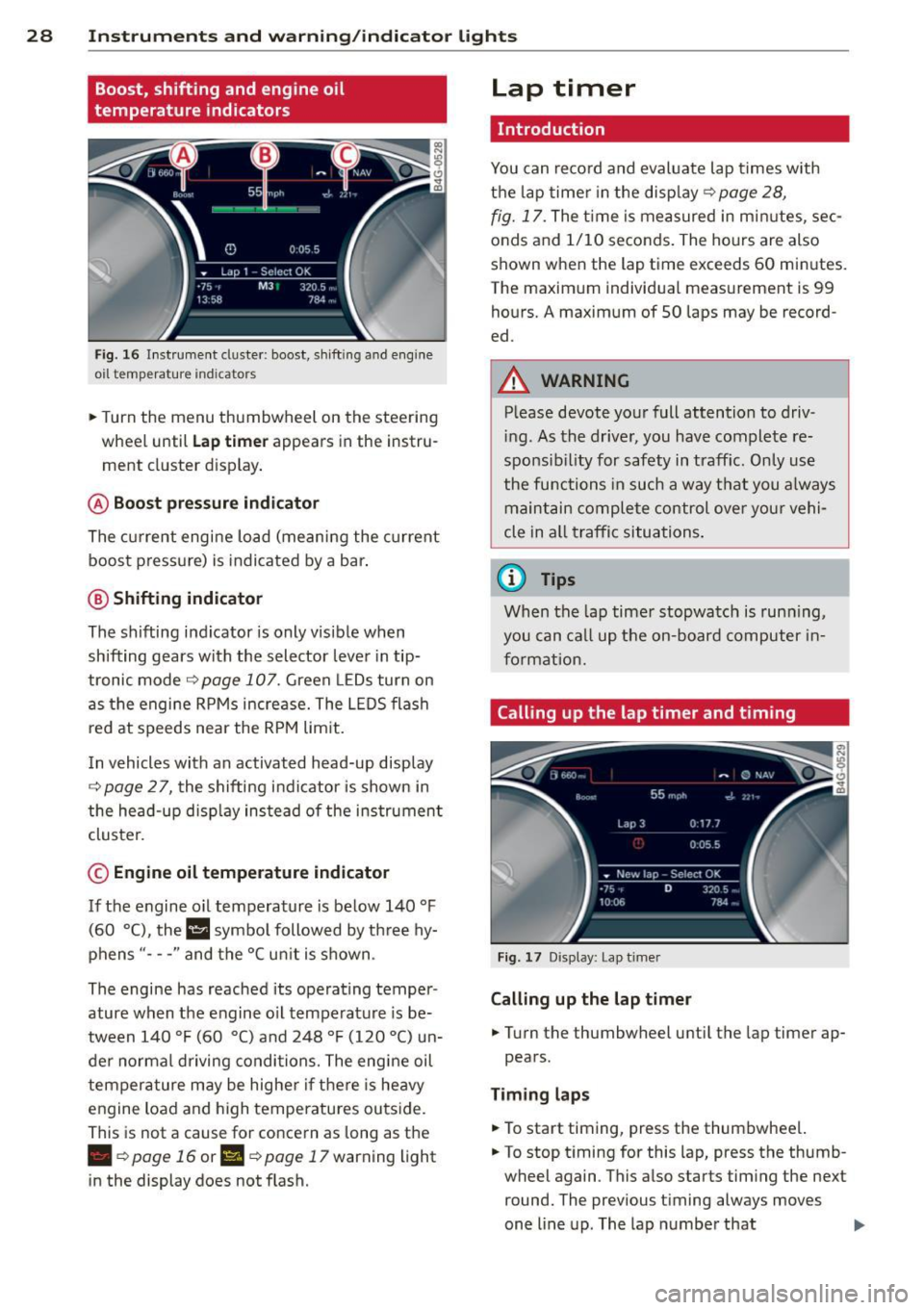
Boost, shifting and engine oil
temperature indicators
Fig. 16 Instrument duster : boost, shift ing a nd engine
o il t emp erature indicato rs
• Turn the menu thumbwheel on the steering
wheel until
Lap timer appears in the instru
ment cluster display .
@ Boost pressure indicator
The current engine load (meaning the current
boost pressure) is indicated by a bar .
@ Shifting indicator
The shifting indicator is only visible when
shifting gears with the selector lever in tip
tronic mode¢
page 107. Green LEDs turn on
as the engine RPMs increase. The L EDS flash
red at speeds near the RPM lim it.
I n vehicles with an activated head-up display
¢ page 2 7, the shifting indicator is shown in
the head-up disp lay instead of the instrument
cluster.
© Engine oil temperature indicator
If the engine oil temperature is below 140 °F
(60 °(), the l!I symbo l followed by three hy
phens "- - -" and the °C un it is shown .
The engine has reached its operating temper
ature when the engine o il temperature is be
tween 140
°F (60 °() and 248 °F (120 °() un
der normal d riving conditions. The engine oil
temperature may be higher if there is heavy
engine load and high temperatures outside.
This is not a cause for concern as long as the
• ¢page 16 or II ¢page 17 warning light
in the display does not flash.
Lap timer
Introduction
You can record and evaluate lap times with
the lap timer in the disp lay ¢
page 28,
fig. 17. The time is measured in minutes, sec
onds and 1/10 seconds. The hours are also
shown when the lap time exceeds 60 minutes .
The maximum individual measurement is 99
hours.
A maximum of SO laps may be record
ed.
A WARNING
-Please devote your full attention to driv -
in g. As the driver, you have complete re
sponsib ility for safety in traff ic. Only use
the functions in such a way t hat you a lways
maintain complete control over your vehi
cle in all traffic situations .
(i) Tips
When the lap timer stopwatch is running,
you can call up the on-board computer in
formation.
Calling up the lap timer and timing
Fig . 17 D isplay: Lap t imer
Calling up the lap timer
• Turn the thumbwheel until the lap timer ap-
pears.
Timing laps
• To start timing, press the thumbwheel.
• To stop timing for this lap, press the thumb
wheel again . This also starts timing the next
round. The previous timing always moves
one line up . The lap number that
II>
Page 31 of 302
"' N
a:: I.J "". rl I.O
"' rl
"' rl
Instrument s and warning /indicator lights 29
corresponds to the timing is displayed in
front of the ind ividual timings .
Displaying intermediate time and pausing
timing
.. To disp lay an intermediate time, press the
t h umbwheel. The timing cont in ues to run in
t h e background .
.. To pa use tim ing, press the thumbwhee l.
.. To continue t iming, press the thumbwheel
again.
If t iming is paused, you can continue it later
even if you switch the ignit ion
off.
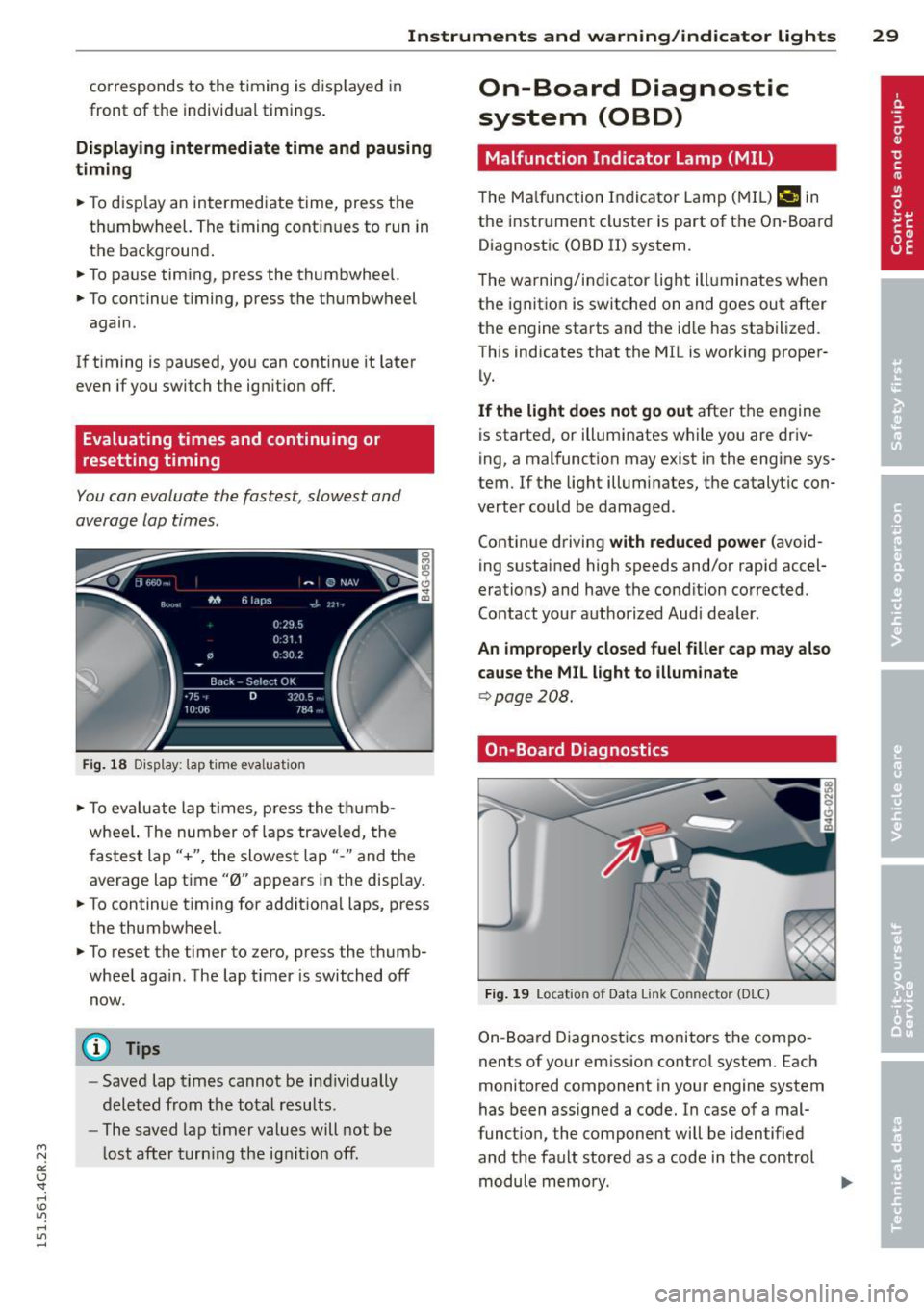
Evaluating times and continuing or
resetting timing
You can evaluate the fastest, slowest and
average lap times.
F ig. 1 8 Dis pl ay: lap t ime eva luat ion
.. To ev aluate lap t imes, press the t humb
whee l. The number of laps traveled, the
f astest lap"+", the slowes t lap" -" and the
average lap time "0" appears in the disp lay .
.. To continue t iming for addit iona l laps, press
t h e thumbwheel.
.,. To reset the timer to ze ro , press the thumb
whee l aga in . The lap t imer is switched
off
now.
(D Tips
- Saved lap t imes cannot be ind iv idually
dele ted from t he tota l resu lts .
- The saved lap timer values will not be
l ost after turn ing the ig nitio n
off.
On-Board Diagnostic
system (OBD)
Malfunction Indicator Lamp (MIL )
The Ma lfunction Indicator Lamp ( MIL) ¢'4 in
the instr ument cluster is part of the On-Board
Diagnostic (OBD II) system .
T he wa rni ng/indicator light ill uminates when
the ignit io n is switched on and goes out after
the engine sta rts and the id le has stab ilized.
This indicates that the M IL is working proper
ly .
If the light does not go out afte r th e engine
is started, or illuminates while you are dr iv
ing, a mal function may exist in the engine sys
tem .
If the light illum inates, the catalyt ic con
verter could be damaged .
Contin ue driving
with reduced power (avoid
ing s ustained high speeds and/or rapid accel
erations) and have the cond ition corrected.
Contact your aut horized Audi dea ler.
An improperly closed fuel filler cap may also
cause the MIL light to illuminate
¢ page 208.
On-Board Diagnostics
Fig. 19 Locat io n of Data Li nk Co nnector (D LC)
On-Board Diagnostics monitors the compo
nents of your emission contro l system. Each
monitored component in your engine system
has been ass igned a code. In case of a mal
funct ion , the component will be identified
and the fault stored as a code in the control module memo ry.
Page 32 of 302
30 Instruments and warning /indicator lights
The MIL light may a lso illuminate if there is a
leak in the on-board fue l vapor recovery sys
tem .
If the light illuminates after a refuell ing,
stop the vehicle and make sure the fuel filler
cap is properly closed¢
page 208.
In order to make an accurate diagnosis, the
stored data can only be displayed using spe
cial diagnostic equipment (generic scan tool
for OBD) .
In order to connect the special diagnostic
equipment, push the p lug into the Data L ink
Connector (DLC). The DLC is located to the
rig ht of the hood release ¢
fig. 19.
Your authorized Audi dealer or a qualified
service station can interpret the code and per
form the necessary repair .
A WARNING
Do not use the diagnostic connector for
personal use . Incorrect usage can cause
malfunctions, which can increase the risk
of a coll ision!
-
Page 43 of 302
"' N
a:: I.J "". rl I.O
"' rl
"' rl
door is opened . The window will Lower
again when you close the door .
- After the ignition has been switched off,
the windows can still be opened or
closed for about 10 minutes . The power
windows are not switched off until the
driver's door or passenger's door has
been opened.
What to do after a malfunction
The one -touch open and close function must
be reactivated if the battery has been discon
nected .
.. Pull and hold the power window switch until
the window is fully closed.
.. Release the switch and then pull it again for
at least one second .
Valet parking
The valet parking feature protects the lug
gage compartment from unauthorized access from the outside.
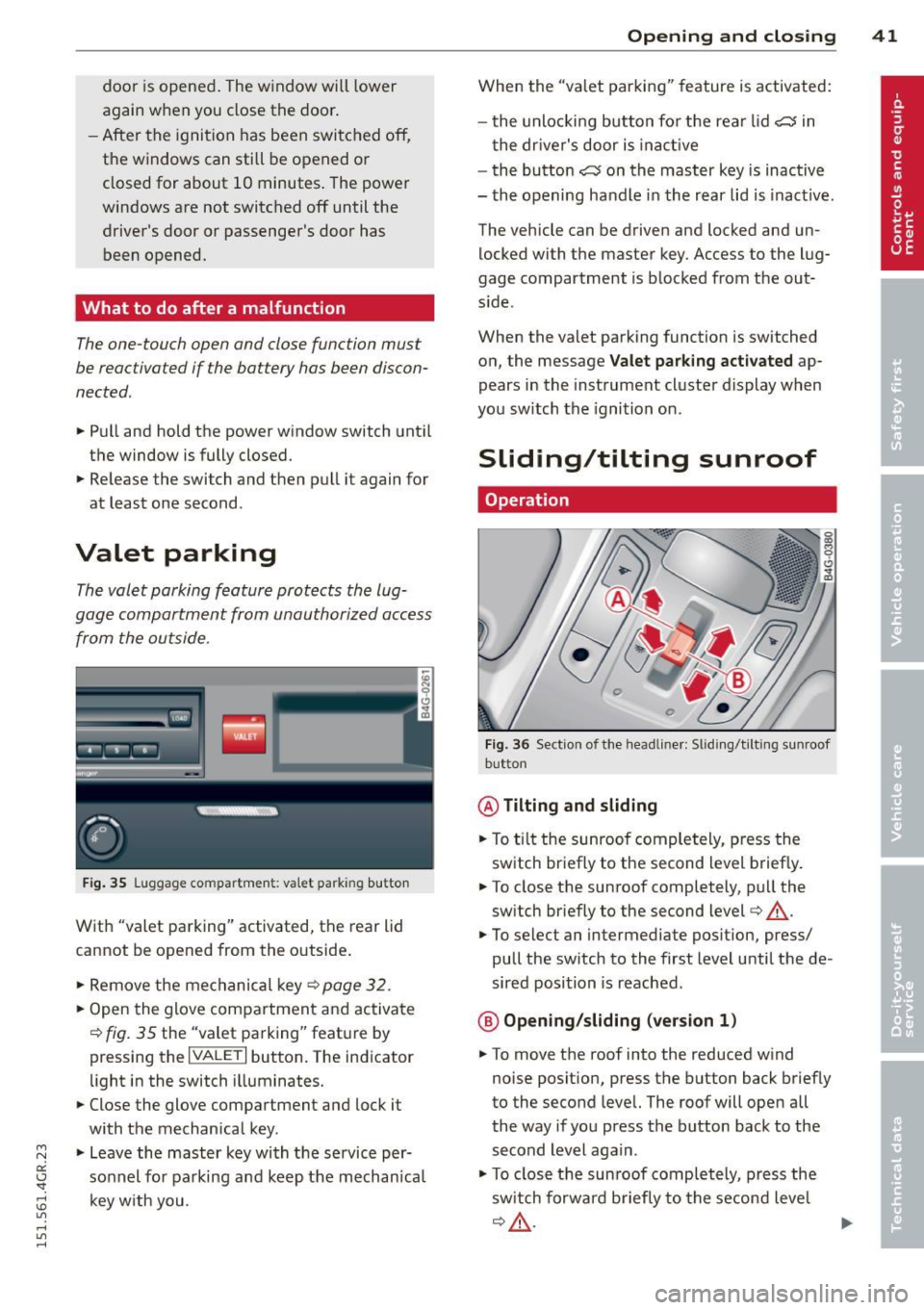
Fig. 35 Luggage compartment: valet parking button
With "valet parking" activated, the rear lid
cannot be opened from the outside .
.. Remove the mechanical key ¢
page 32 .
.. Open the glove compartment and activate
¢
fig. 35 the "valet parking" feature by
pressing the
I VALET I button. The indicator
light in the switch illuminates.
.. Close the glove compartment and lock it
with the mechanical key.
.. Leave the master key with the service per
sonnel for parking and keep the mechanica l
key with you .
Opening and closing 41
When the "valet parking" feature is activated:
- the unlocking button for the rear lid
c:s in
the driver's door is inact ive
- the button
c:s on the master key is inactive
- the opening handle in the rear lid is inact ive.
The vehicle can be driven and locked and un
locked with the master key. Access to the lug
gage compartment is blocked from the out
s ide .
When the valet parking function is switched
on, the message
Valet parking activated ap
pears in the instrument cluster display when
you switch the ignition on .
Sliding/tilting sunroof
Operation
Fig. 36 Sect ion of the headliner: Sliding/t ilting sunroof
button
@ Tilting and sliding
.. To ti lt the sunroof completely, press the
switch briefly to the second level briefly.
.. To close the sunroof completely, pull the
sw itch briefly to the second level¢_&..
.. To select an intermediate position, press/
pull the switch to the first level until the de
sired position is reached .
@ Opening/sliding (version 1)
.. To move the roof into the reduced wind
noise position, press the button back briefly
to the second level. The roof will open all
the way if you press the button back to the
second Level again.
.. To close the sunroof completely, press the
sw itch forwa rd b riefly to the second level
~A -~
Page 45 of 302
"' N
a:: I.J "". rl I.O
"' ,....,
"' rl
-For Declaration of Compliance to United
States FCC and Industry Canada regula
tions ¢
page 285.
Programming the buttons
Applies to vehicles: with garage door opener (Homeli nk)
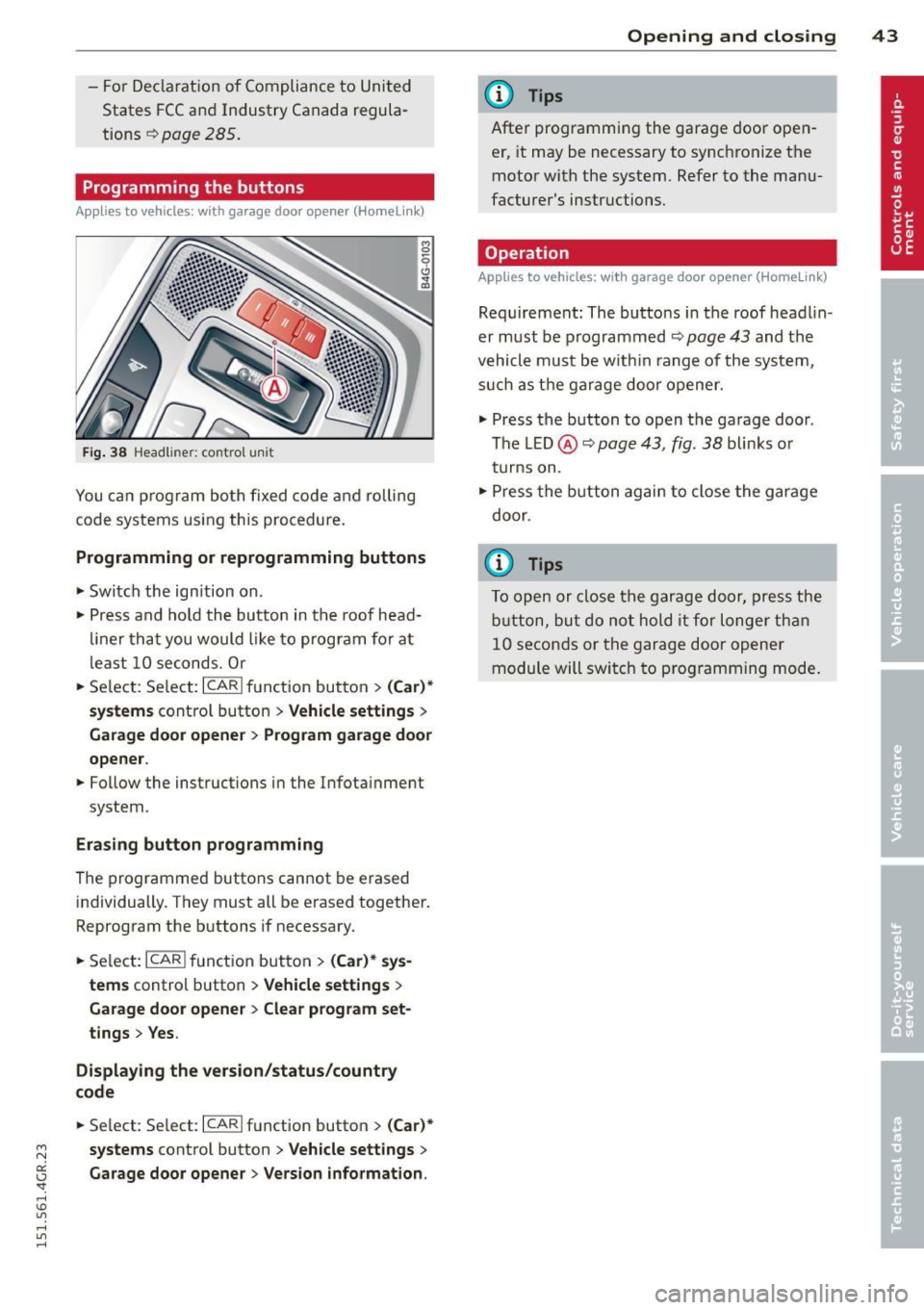
Fig. 38 Headlin er: co ntrol uni t
You can program both fixed code and rolling
code systems using this procedure.
Programming or reprogramming buttons
• Switch the ignition on .
• Press and hold the button in the roof head
liner that you would like to program for at
least 10 seconds. Or
• Select : Select: ICARlfunction button>
(Car)*
systems
control button > Vehicle settings >
Garage door opener > Program garage door
opener.
• Follow the instructions in the Infotainment
system .
Erasing button programming
The programmed buttons cannot be erased
individually . They must all be erased together.
Reprogram the buttons if necessary.
• Select: I CARI function button >
(Car)* sys
tems
control button > Vehicle settings >
Garage door opener> Clear program set·
tings> Yes.
Displaying the version/status/country
code
• Select : Select: ICARI function button> (Car)*
systems
control button > Vehicle settings >
Garage door opener> Version information.
Opening and closing 43
@ Tips
After programming the garage door open
er, it may be necessary to synchronize the
motor with the system. Refer to the manu
facturer's instructions.
Operation
Applies to vehicles: with garage door opener (Homelink)
Requirement: The buttons in the roof headlin
er must be programmed ¢
page 43 and the
vehicle must be within range of the system,
such as the garage door opener.
• Press the button to open the garage door .
The LED@~
page 43, fig. 38 blinks or
turns on .
• Press the button again to close the garage
door .
{t) Tips
To open or close the garage door, press the
button, but do not hold it for longer than
10 seconds or the garage door opener
module will switch to programming mode.
Page 47 of 302
"' N
a:: I.J "". rl I.O
"' rl
"' rl
visibility conditions. For example, fog cannot be detected by the light sensors.
So always switch on the headlights 1§.D under these weather conditions and
when driving in the dark.
- Crashes can happen when you cannot see
the road ahead and when you cannot be
seen by other motorists . Always turn on
the headlights so that you can see ahead
and so that others can see your car from
the back.
- Please observe legal regulations when
using the light ing systems descr ibed .
(D Note
The rear fog lights should only be turned
on in accordance with traffic regulation, as
the lights are bright for following traffic.
@ Tips
- The light sensor* for automatic head light range control* is located in the rear
view mirror mount. You should therefore not apply any stickers to the windshield
in this area in order to prevent malfunc
tions or failures.
- In the event of a light sensor malfunc
tion, the driver is notified in the instru
ment cluster display ¢
page 21.
-You will hear a warning tone if you open
the driver door when the exterior lights
are switched on .
- In cool or damp weather, the inside of
the headlights, turn signals and tail
lights can fog over due to the tempera
ture difference between the inside and
outside. They will clear shortly after
switching them on. This does not affect
the service life of the lighting .
Clear vision 45
Emergency flasher
The emergency flasher makes other motorists
aware that you or your vehicle are in an emer
gency situation .
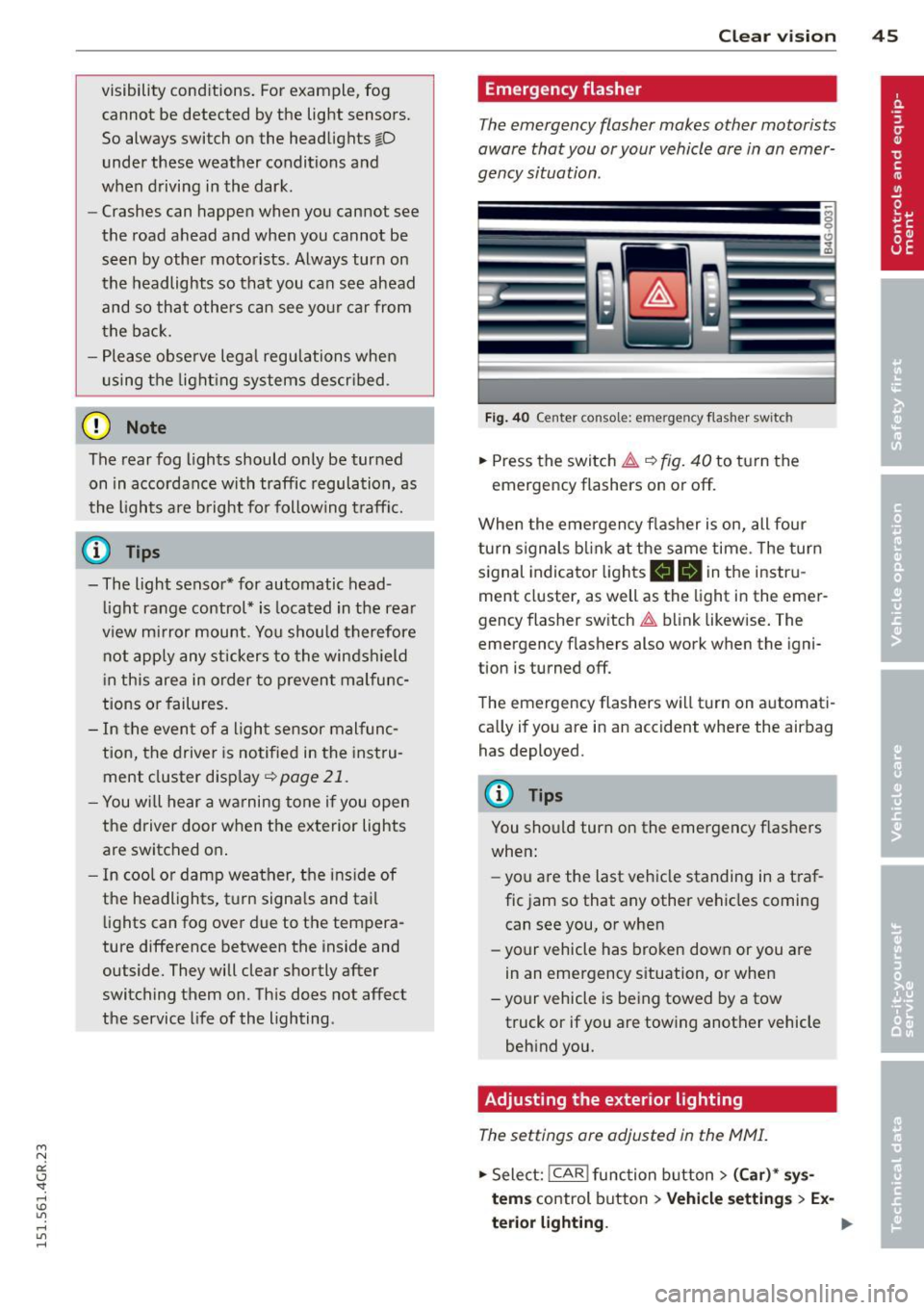
Fig. 40 Ce nt er co nsol e: em erge ncy flash er sw itc h
.,. Press the switch &..¢ fig. 40 to turn the
emergency flashers on or off.
When the emergency flasher is on, all four
turn signals blink at the same time . The turn
signal indicator lights
B DI in the instru
ment cluster, as well as the light in the emer
gency flasher switch &.. blink likewise. The
emergency flashers also work when the igni
tion is turned off.
The emergency flashers will turn on automati
cally if you are in an accident where the airbag has deployed.
@ Tips
You should turn on the emergency flashers
when:
- you a re the last vehicle standing in a traf
fic jam so that any other vehicles coming
can see you, or when
- your vehicle has broken down or you are
in an emergency situation, or when
- your vehicle is being towed by a tow
truck or if you are towing another vehicle
behind you.
Adjusting the exterior lighting
The settings are adjusted in the MMI.
.,. Select: !CAR ! function button> (Car)* sys
tem s
control button > Vehicle settings > Ex-
terior lighting. ..,.
Page 49 of 302
"' N
a:: I.J "". rl I.O
"' rl
"' rl
instrument cluster illuminates when the
high beams are on.
- The
headlight flasher works only as long as
yo u hold the lever -even if there are no
l ights turned on . The indicator light
II in
the instrument cluster illuminates when you
use the headlight flasher.
A WARNING
Do not use the high beam or headlight
flasher if you know that these could blind
oncoming traffic.
Interior lights
Front and rear interior lighting
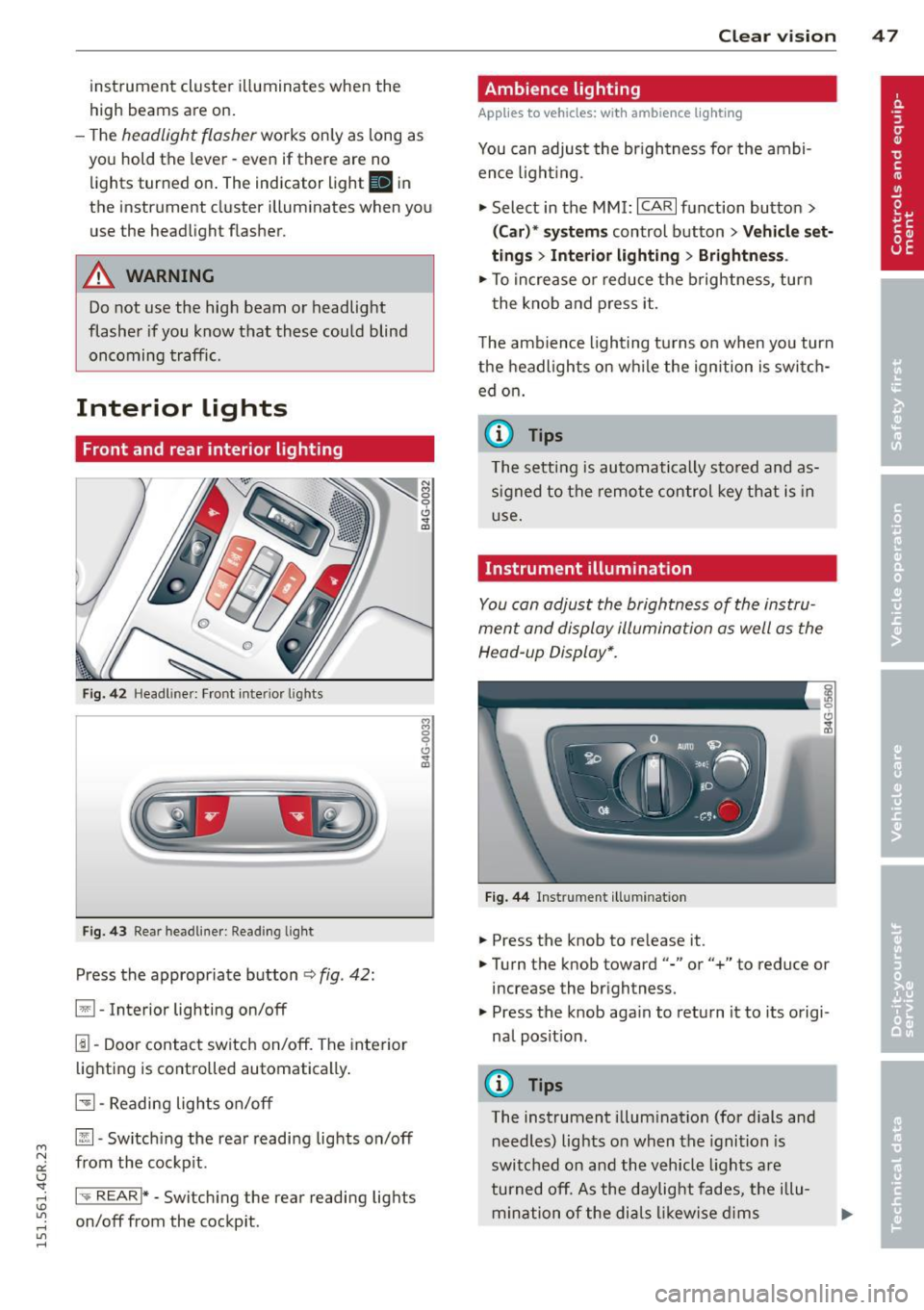
Fig. 42 Headl iner: Front inter ior l ights
F ig. 43 Rear headl iner: Reading lig ht
Press the appropriate button ¢ fig. 42:
§1 -Interior lighting on/off
1!1-Door contact switch on/off. The inte rior
lighting is controlled automatically .
51-Reading lights on/off
~- Switch ing the rear reading lights on/off
from the cockp it.
1-.. REAR !* -Switch ing the rear reading lights
on/off from the cockp it.
Clear vi sion 4 7
Ambience lighting
Applies to veh icles : w ith amb ience lig hting
You can adjust the brightness for the ambi
ence ligh ting.
.,. Select in the MMI: ICARlfunction button>
(Car)* systems control button > Vehicle set
tings
> Interior lighting > Brightne ss.
.,. To increase or reduce the brightness, turn
t he knob and press it.
The ambience lighting turns on when yo u turn
the headlights on while the ign ition is switch
ed on.
(D Tips
The setting is automatically stored and as
signed to the remote control key that is in
u se.
Instrument illumination
You can adjust the brightness of the instru
ment and display illumination as well as the
Head -up Display*.
Fig. 44 Instrument illumination
.. Press the knob to release it .
.. Turn the knob toward"-" or"+" to reduce or
increase the brightness.
.,. Press the knob aga in to return it to its origi
nal posit ion .
(D Tips
The instrument illumination (for dials and
needles) lights on when the ignition is
switched on and the vehicle lights are
turned off. As the daylight fades, the illu
mination of the dials likewise dims
Page 57 of 302
"' N
a:: I.J "". rl I.O
"' rl
"' rl
Multifunction button
Applies to vehicles: with memory function
You con adjust the massage function, Lumbar
support, side bolsters and seating surface us ing the multifunction button .
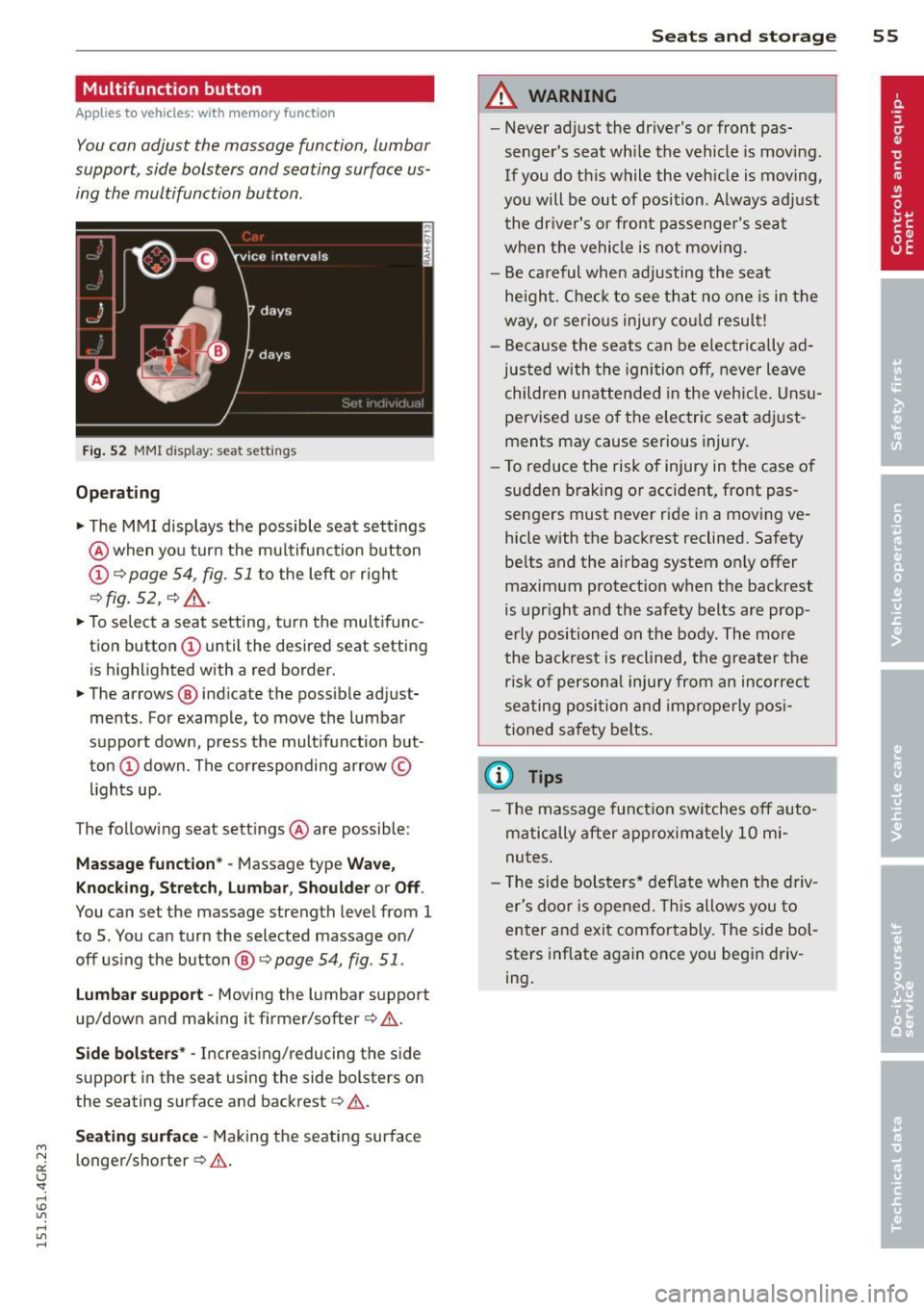
Fig. 52 MMI disp lay : sea t sett ings
Operating
.. The MMI displays the possible seat settings
@ when you turn the multifunction button
(D c:> page 54, fig. 51 to the left or right
~fig . 52 , c:> ,& .
.. To select a seat setting, turn the multifunc
tion button
(D until the desired seat setting
is highlighted with a red border.
• The arrows @ indicate the possible adjust
ments. For example, to move the lumbar
support down, press the multifunction but
ton
(D down . The corresponding arrow ©
lights up.
T he follow ing seat settings @ are possible:
Massage function* -Massage type Wave,
Knocking, Stretch, Lumbar, Shoulder or Off .
You can set the massage strength level from 1
to 5. You can turn the selected massage on/
off using the button @~
page 54, fig . 51 .
Lumbar support -Moving the lumbar support
up/down and making it firmer/softer
c:> .&. .
Side bolsters * -Increasing/reducing the side
support in the seat using the side bolsters on
the seating surface and backrest
c:> A .
Seating surface -Making the seating surface
l onger/shorter
c:> .&. .
Seats and storage 55
A WARNING
-Never adjust the driver's or front pas
senger's seat while the vehicle is moving.
If you do this while the veh icle is moving,
you will be out of position . A lways adjust
the driver's or front passenger's seat
when the vehicle is not moving.
- Be careful when adjusting the seat
he ight. Check to see that no one is in the
way, or serious injury could result!
- Because the seats can be electrically ad
justed with the ignit ion off, never leave
children unattended in the vehicle. Unsu
pervised use o f the electric seat adjust
ments may cause serious injury.
- To reduce the risk of injury in the case of
sudden braking or accident, front pas
sengers must never ride in a moving ve
hicle with the backrest reclined. Safety
belts and the airbag system on ly offer
maximum protection when the backrest
is upright and the safety belts are prop
erly positioned on the body . The more
the backrest is reclined, the greater the
ris k of persona l inju ry from an incorrect
seating position and improperly posi
tioned safety belts.
(D Tips
- The massage function switches off auto
matically after approximately 10 mi
nutes.
- Th e side bolsters* deflate when the driv
er's doo r is opened. This allows you to
enter and exit comfortably. The side bol
sters inflate again once you begin driv
ing.