lock AUDI RS7 SPORTBACK 2016 Owner's Guide
[x] Cancel search | Manufacturer: AUDI, Model Year: 2016, Model line: RS7 SPORTBACK, Model: AUDI RS7 SPORTBACK 2016Pages: 282, PDF Size: 70.78 MB
Page 73 of 282
Driving
Steering
Manually adjustable steering wheel
A pplies to: ve hicles with man ually adjustable steering whee l
The height and reach of the steering wheel can
be adjusted .
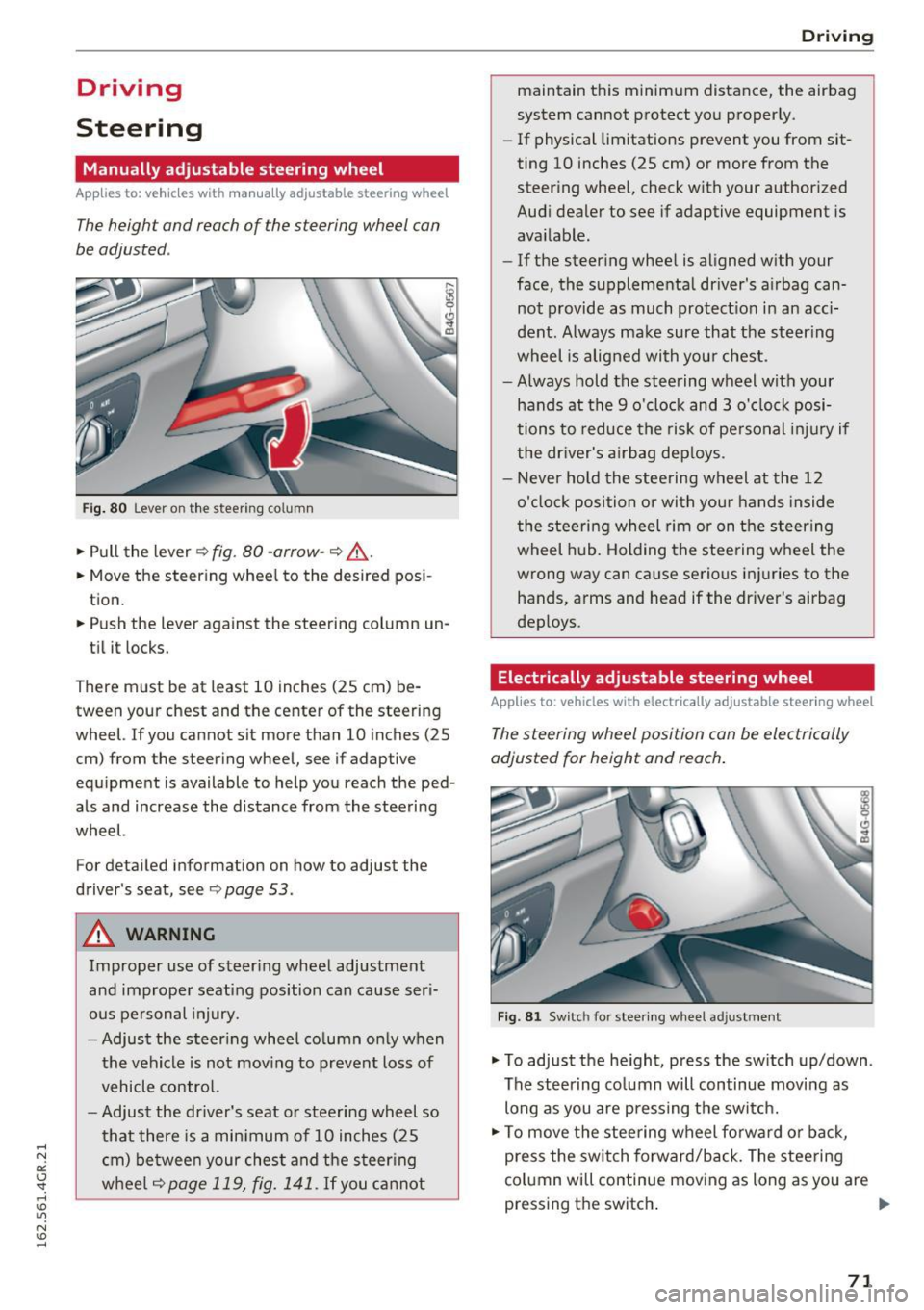
Fig. 80 Lever on the steer ing co lumn
.,. Pull the lever 9 fig . 80 -arrow -9 ,&..
.. Move the steer ing wheel to the desired pos i
tion.
.. Push the lever against the steering column un -
ti l it locks.
There must be at least 10 inches (25 cm) be tween your chest and the center of the steering
wheel. If you cannot sit more than 10 inches (25
cm) from the steering wheel, see if adaptive
equ ipment is available to help you reach the ped
als and increase the distance from the steering
wheel.
For detailed information on how to adjust the
driver's seat, see
9page 53.
A WARNING
Improper use of steer ing whee l adjustment
and improper seating position can cause ser i
ous pe rsonal injury.
- Adjust the s teer ing whee l co lumn only when
the vehicle is not mov ing to prevent loss of
vehicle contro l.
- Adjust the driver's seat or steering wheel so
that there is a min imum of 10 inches (25
c m) be twee n your ches t and the steer ing
w heel
9page 119, fig. 141. If you ca nnot
D rivi ng
maintain this minimum distance, the airbag
system cannot protect yo u proper ly.
- If physical limitations prevent you from sit
ting 10 inches (25 cm) or more from the
steer ing whee l, check with your author ized
Audi dealer to see if adaptive equipment is
available.
- If the steer ing whee l is aligned w ith your
face, the supplementa l driver's a irbag can
not provide as much protect io n in an acci
dent. Always make sure that the steer ing
wheel is aligned with you r chest.
- Always hold the steering wheel with your
hands at the 9 o'clock and 3 o'clock posi
tions to reduce the risk of pe rsonal inju ry if
the dr iver's a irbag dep loys .
- Never ho ld the stee ring wheel at the 12
o'clock position or with you r hands inside
the stee rin g wheel rim or on t he steer ing
wheel hub. Holding the stee ring w heel the
wrong way can cause serious inj uries to the
hands, arms and head if the driver's airbag
deploys .
Electrically adjustable steering wheel
Applies to : vehicles wit h electrically adjustable stee ring wheel
The steering wheel position can be electrically
adjusted for height and reach .
Fig . 81 Sw itc h for stee ring wheel adju stment
.,. To adjust the he ight, press the sw itch up/down .
The steering co lumn will continue moving as
long as you are press ing the sw itch.
.,. To move the stee ring wheel fo rwa rd or back,
press the switch forward/back. The stee ring
column will continue mov ing as long as you are
pressing the switch . ""
71
Page 74 of 282
Driving
There must be at least 10 inches (25 cm) be
tween your chest and the center of the steering
wheel. If you cannot sit more than 10 inches (25
cm) from the steer ing wheel, see if adaptive
equipment is available to help you reach the ped
als and increase the distance from the steering
wheel.
For detai led information on how to adjust the
driver's seat, see
¢ page 53.
In vehicles with the memory function*, the steer
ing column sett ings are stored together with the
seat position.
A WARNING
Improper use of steer ing whee l adjustment
and improper seating position can cause ser i
ous pe rsonal injury.
- Adjust the steering wheel column only when
the vehicle is not moving to prevent loss of
vehicle control.
- Adjust the driver's seat or steering wheel so
that there is a minimum of 10 inches (25
cm) between your chest and the steer ing
wheel
r::.> page 119, fig. 141. If you cannot
mainta in this min imum distance, the airbag
system cannot protect you properly.
- If phys ica l limitations prevent you from sit
t ing 10 inches (25 cm) or more from the
steering wheel , check with your authorized
Audi dealer to see if adaptive equ ipment is
available.
- If the steering wheel is aligned with your
face, the supp lemental driver's airbag can
not provide as m uch protection in an acci
dent. Always make sure that the steering
wheel is aligned w ith your chest.
- Always hold the steer ing whee l with your
hands at the 9 o'clock and 3 o'clock posi
tions to reduce the risk of personal injury if
the driver's airbag deploys .
- Never hold the steer ing wheel at the 12
o'clock posit ion or w ith your hands inside
the steering wheel rim or on the steering
wheel hub . Holding the steer ing whee l the
wrong way can cause ser ious injuries to the
hands, arms and head if the driver's airbag
deploys.
72
-
Easy seat entry
Applies to: vehicles with power steering wheel adjustment
Easy seat entry makes it easier to enter and exit
the vehicle by adjusting the steering column au
tomatically .
.,. In the Infotainment system, select the ICARI
function button > ( Car )* Systems control but
ton
> Vehicle settings > Seats > Driver's seat>
Easy seat entry > On .
When easy seat entry is switched on, the steer ing
column goes back up into the park position when
the ignit ion is switched off . After enter ing the ve
hicle, the steering col umn returns to t he sto red
pos ition once the ign it ion is swi tched on.
Starting and stopping
the engine
Starting the engine
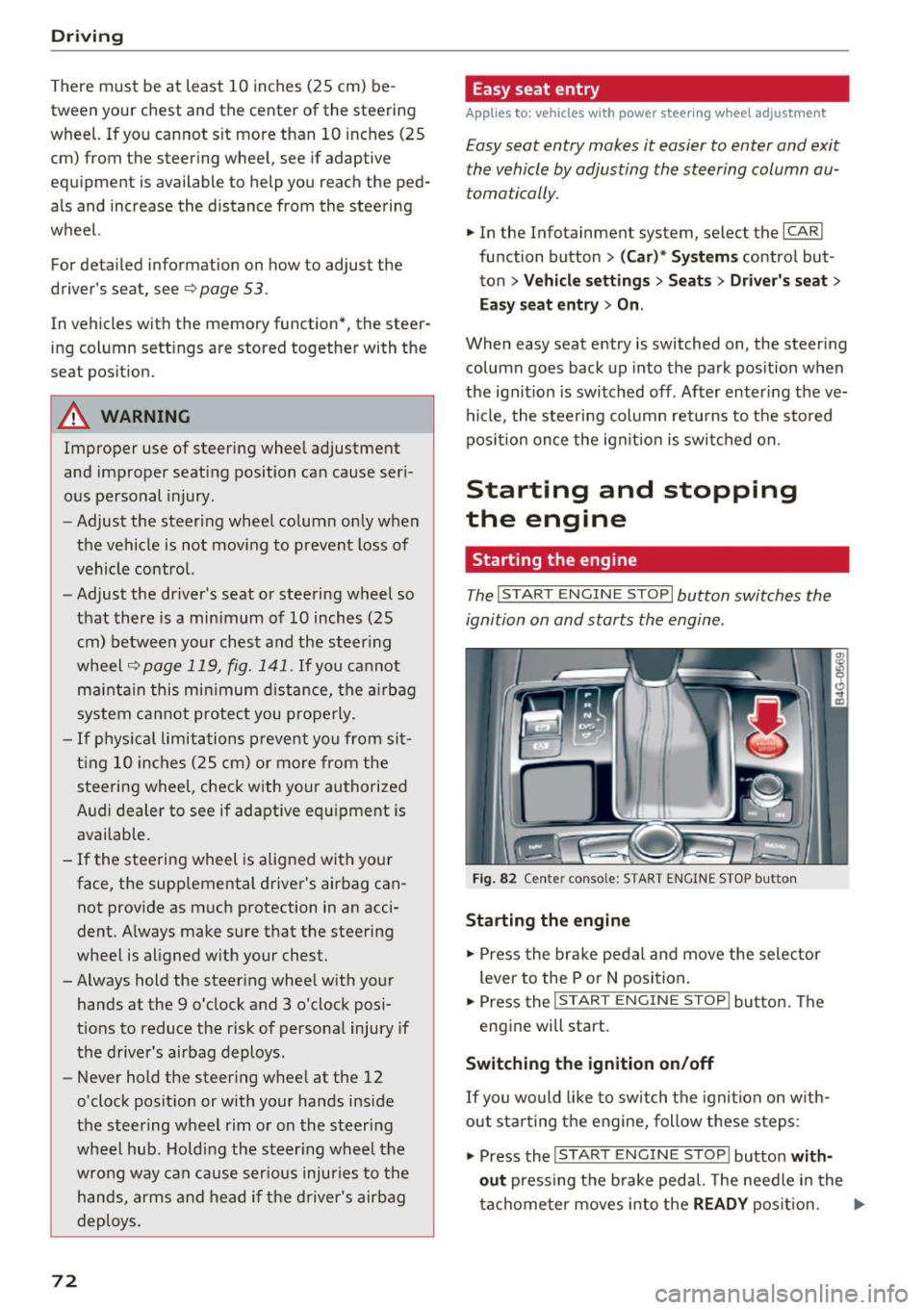
The I START ENGINE STOP I button switches the
ignition on and starts the engine .
Fig. 82 Cente r conso le: S TART ENGINE STOP b utt on
Starting the engine
.,. Press the brake pedal and move the selector
lever to the P or
N position.
... Press the
!STAR T ENGINE ST OP ! button. The
engine will start.
Switching the ignition on/off
If you would like to switch the ignition on w ith
out sta rting the engine, follow these steps:
.,. Press the
I START ENGINE STOP ! button with
out
pressing the brake pedal. The needle in the
tachometer moves into the
READY position. II>-
Page 75 of 282
~ To switch the ignition off, press the button
again. The needle in the tachometer moves into
the
OFF position .
Equipment that uses a lot of electricity is switch
ed off temporar ily when you start the engine .
I f the engine does not start immediately, the
starting p rocedure is automat ica lly stopped a fter
a short time . Repeat the starting p rocedure.
A WARNING
- Never allow the engine to run in confined
spaces, because this increases the risk of as
phyxiation.
- Never turn off the engine before the vehicle
has come to a comp lete stop.
- The brake booster and power steering only
work when the engine is running . If the en
gine is off, you have to use more force when
brak ing or steering . Because you cannot
brake and steer as you usually would, this
could lead to acc idents and serious injuries .
(D Note
Avoid high engine speed, full throttle, and
heavy engine load as long as the engine has
not reached operating temperature yet. You
could damage the engine .
@ For the sake of the environment
Do not let the engine run while parked to
warm up. Begin driving immediately . This re
duces unnecessary emissions.
@ Tips
- Some noise after starting the engine is nor
mal and is no cause for concern .
- If you leave the vehicle with the ignition
switched on, the ignition will switch off af
ter a certain amount of time . Make sure that
electr ical equ ipment such as the exter ior
li ghts are switched off.
Stopping the engine
~ Bring your vehicle to a complete stop.
~ Move the se lector lever to the P or N pos ition.
-
D riving
~ Press the !S T ART ENGINE STOP ! button
¢page 72, fig. 82 .
Steering lock
The steering locks when you turn the engine off
using the
!S TART ENGINE STOPI button and
open the driver's door. The locked steering helps
prevent vehicle theft.
Emergency off
If necessary, the eng ine can be switched off w ith
the selecto r lever in the R or D/S posit io n . The
engine stops if you press and hold the
!STAR T ENGINE ST OP ! button at speeds below
6 mph (10 km/h) and press the brake pedal.
A WARNING
-Never turn off the engine until the vehicle
has come to a complete stop.
- The brake booster and power steering only
work when the engine is running.
If the en
gine is off, you have to use more force when
steering or braking. Because you cannot
steer and brake as you usually would, this
could lead to crashes and serious injuries.
- For safety reasons, you should always park
your veh icle w ith the selector lever in P.
Otherw ise, the vehicle could inadvertently
ro ll away.
- After the eng ine has been switched off, the
radiator fan can continue to run for up to 10
minutes -even with the ignition switched
off. It can also switch on again after some
time if the coolant temperature rises as the
result of a heat buildup or if the engine is
hot and the engine compartment is addi
tionally heated by the sun's rays.
(D Note
Do not stop the engine immediately after
hard or extended driving. Keep the engine
running for approximately two minutes to
prevent excessive heat build-up.
Messages
Turn off ignition before leaving car
.
73
Page 76 of 282
Driving
This message appea rs and a warning tone sounds
if you open the driver's door when the ignition is
sw itched on.
Pr es s brake pedal to start engine
This message appears if you do not press the
brake pedal whe n starting the eng ine.
fll I s key in the veh icle?
This indicator light turns on and th is message ap
pears if the ignition key was removed from the
ve hicle when the engine was running . If the igni
tion key is no longer in the veh icle, you can not
sw itch on the ig nit ion or start t he eng ine once
you stop i t. You also cannot loc k the vehicle from
the o utside.
Shift to P , otherwise vehicle can roll away .
Doors do not lock if lever i s not
in P.
This message appears for safety reasons if the
transmission is not in the P position when you
sw itch the ignition off . Move the selector lever to
the P pos ition. Otherwise the veh icle is not pro
tected from rolling and it ca nnot be locked .
II Key is not recogn ized. Hold back of key
against marked area. Se e owner's manual
If the indicator light t urns on and th is message
appears, there is a malfunction
c:;, page 74.
Starting the engine when there is a
malfunction
It may not be possible to s tart the engine under
certain circumstances, for example if the battery
in the vehicle key is drained, if interference is af
fected the key or if there is a system malfunc tion.
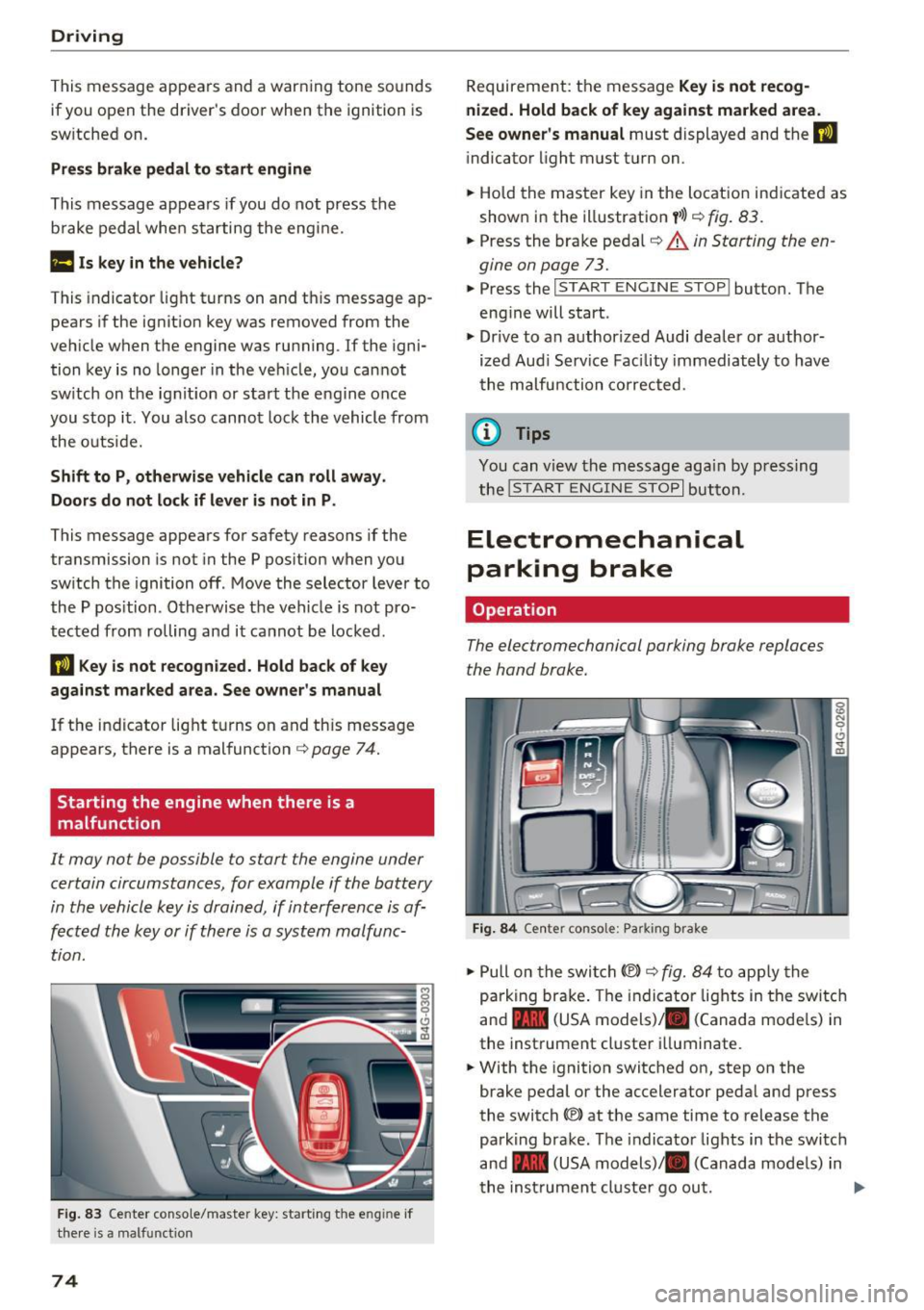
F ig. 83 Center conso le/ ma ster key: sta rt in g t he e ng in e if
t h e re is a ma lfunction
74
Requirement : the messa ge Key i s not recog
nized. Hold back of key against marked area .
See owner's manual
must displayed and the II
indicator light must tu rn on .
.,. Ho ld the m aster key in the locat ion ind icated as
shown in the illustration
f >l) c:;, fig . 83.
.,. Press the brake pe dal c:;, &. in Starting the en
gine on page 73 .
.,. Press the ~ I S _T _A _ R_ T_ E_N _G _I _N _E _ S_ T_ O_ P~ I button. The
eng ine will start .
.,. Dr ive to an author ized Audi dealer or author
ized Aud i Serv ice Facility immediately to have
t he malfu nction corrected.
@ Tips
You can v iew the message aga in by pressing
the
! S TA RT ENGI NE S TOP I button.
Electromechanical
parking brake
Operation
The elec tromechanical parking broke replaces
the hand broke.
Fig. 84 Ce nte r conso le: Pa rk ing brake
.,. Pull on the swi tch@) c:;, fig. 84 to app ly the
parking br ake. T he indicator lights in the switc h
and - (USA models)/ . (Canada mode ls) in
the inst rument cluste r ill uminate .
.,. With the ignition switched on, step on the
brake pedal or the accelerator pedal and press
the switch ®lat the same time to release the
park ing brake. The indicator lights in the switc h
and - (USA models)/ . (Canada mode ls) in
t he inst rument cl uste r go ou t.
Page 77 of 282
Your vehicle is equipped with an electromechani
cal parking brake. The parking brake is designed
to prevent the vehicle from rolling unintentional
ly and replaces the hand brake.
I n addition to the norma l functions of a tradi
tional hand brake, the electromechanica l parking
brake provides various convenience and safety
functions.
When starting from rest
- The integ ral starting assist helps you w hen
driving by automatically releasing the parking
brake
r=:> page 75, Starting from o stop .
-When starting on inclines, the starting assist
prevents the vehicle from unintentiona lly roll
ing back . The braking force of the parking brake
is not released until sufficient driving force has
been built up at the wheels.
Emergency brake function
An emergency brake ensures that the vehicle can
be slowed down even if the
normal brakes fai l
r=:> page 76, Emergency broking function.
A WARNING
-
Do not press the accelerator pedal inadver
tently if the vehicle is stat ionary but the en
gine is running and a gear is selected. Other
w ise the vehicle will start to move immediate
ly and could result in a crash.
(D Tips
- If the parking brake is applied with the igni
tion switched off, the indicator lights in the
switch and -(USA models)/ . (Cana-
da models) in the instrument cluster will go
out after a certain period of time.
- Occasiona l noises when the park ing brake is
applied and released a re normal and are not
a cause for concern.
- When the vehicle is parked, the park ing
brake goes th rough a se lf-test cycle at regu
lar int ervals. Any associated noises are nor
mal.
Parking
• Press the brake pedal to stop the vehicle.
D riving
• Pull the switch~ to set the parking brake .
• Place the selector lever in P .
• Turn the engine off
r=:> .&, .
• Turn the steering wheel when parking on in
clines so that the wheels w ill roll into the curb
if the vehicle starts moving .
A WARNING
=
-Always take the vehicle key with you when
leaving the vehicle, even for a sho rt period
of time. This applies particularly when chil
d ren remain in the vehicle. Otherwise chil
dren cou ld start the engine, release the
parking brake or operate e lectrical equip
ment such as power windows, which in
creases the risk of an accident.
- No one should remain in the vehicle when it
is locked, especially chi ldren. Locked doors
make it more d ifficult for emergency work
ers to get into the vehicle, wh ich puts lives
at risk.
Starting from a stop
The start assist function ensures that the park
ing broke is released automatically upon start
ing.
Stopping and setting the parking brake
• Pull the switch~ to set the parking brake .
Starting and automatically releasing the
parking brake
• When you press the acce lerator peda l, the
parking brake is automatica lly re leased and
your veh icle begins to move .
T he parking brake can be set if you must stop the
vehicle at a stop light or in traffic. The vehicle does not have to be held with the brake pedal.
The parking brake elim inates the tendency to
creep when a selector lever posit ion is engaged.
The parking brake releases automatically and the
vehicle begins to move as soon as you press the
accelerator pedal as usual.
Starting on hills
When starting on incl ines, the hill start assist
prevents the vehicle from unintentionally rolling
Ill>
75
Page 78 of 282
Driving
back. The braking force of the parking brake is
only released if sufficient drive power has been built up at the wheels.
(D Tips
For safety reasons, the parking brake is only
released automatically when the driver's safe
ty belt is buckled.
Emergency braking function
This is used if the conventional brake system
fails or locks up.
... To brake your vehicle in an emergency , pull the
~ switch and hold it pulled .
... As soon as you release the~ switch or acceler-
ate, the braking stops.
If you pull the switch(®) and hold it above a
speed of about 5 mph (8 km/h), the emergency
braking function is initiated. The vehicle is braked
at all four wheels by activating the hydraulic brake system. The brake performance is similar
to making an emergency stop¢.&..
In order not to activate the emergency braking by
mistake, an audible warning tone (buzzer)
sounds when the~ switch is pulled. As soon as
the ~ switch is released, or the accelerator pedal
is depressed, emergency braking stops .
A WARNING
Emergency braking should only be used in an
emergency, when the normal brake pedal has
failed or the brake pedal is obstructed. Using
the parking brake for emergency braking will
slow your vehicle down as if you had made a
full braking maneuver. ESC and the associat
ed components (ABS, ASR, EDL) cannot over
come the laws of physics. In corners and
when road or weather conditions are bad, a
full brake application can cause the vehicle to
skid or the rear end to break away, which in
creases the risk of an accident.
76
Speed warning system
' Introduction
The speed warning system helps you to stay un
der a specified maximum speed .
The speed warning system warns you if you are
exceeding the maximum speed that you have set.
You will hear a warning tone when your speed ex ceeds the stored value by approximately 3 mph
(3 km/h) . An indicator light. (USA models)/.
(Canada models) in the instrument cluster dis
play also turns on at the same time. The indicator
light./. turns off when the speed decreases
below the stored maximum speed.
Setting a threshold is recommended if you would
like to be reminded when you reach a certain
maximum speed. Situations where you may want
to do so include driving in a country with a gener
al speed limit or if there is a specified maximum
speed for winter tires.
(D Tips
Even though your vehicle is equipped with a
speed warning system, you should still watch
the speedometer to make sure you are not
driving faster than the speed limit.
' Setting the threshold
You can set, change and delete the warning
threshold in the Infotainment system.
... Select: the I CARI function button > (Car)* Sys
tems
control button > Driver assistance >
Speed warning .
You can set any threshold between 20 mph
(30 km/h) and 150 mph (240 km/h). Settings
can each be adjusted in increments of 5 mph (10
km/h).
Page 96 of 282
Audi side assist
(D Tips
-Si de assist is not active w hile you are mak
i ng t he a dju stment .
- You r settings are automatic ally store d an d
assi gned to t he remote co ntrol key being
u sed.
Driver messages
A ppl ies to : ve hicles w ith Audi side assis t
If side ass ist switches off by itself, the LED in the
button turns off a nd a message will appear in the
i n str ument cluster d isp lay :
Audi side assist not available: sensor blocked
The rada r senso rs ' vision is affected. Do not cove r
the area in front of the sensors with b ike wheels,
stickers, dirt o r other objects. Clean the area in
fron t of the senso rs, if necessary
c:> page 92,
fig . 104.
Audi side assist: currently unavailable
Side assist cannot be switched on tempo rar ily be
cause there is a malfunction (for example, the battery charge level may be t oo low).
Audi side assist: System fault!
T he system cannot guarantee that it w ill detect
ve hicl es co rrectly and it is switc hed off. The sen
sors have been disp lace d or are fa ulty. Have the
system checked by an a uthorized Audi dealer or
author ized Audi Se rvice Facility soon.
94
Page 103 of 282
Automatic transmission tiptronic
Introduction
The automat ic transmission is controlled e lec
tron ically. The transmission upshifts or down
shifts automatically depending on wh ich drive
p rogram is selected.
When a
moderate driving style is used , the
transmission selects the most economical driving
mode.
It will then change up early and delay the
downshifts to give bette r fu el economy .
The transm iss ion switches to a sporty mode after
a kick-down or when the driver uses a
sporty
driving style
character ized by quick accelerator
pedal movements, heavy acceleration, frequent
changes in speed and traveling at the maximum
speed.
If desired, the dr iver can also select the gears
manually (tiptronic mode) ¢page 105.
In the tiptron ic transmission, power is transfer
red by a torque converte r.
Selector lever positions
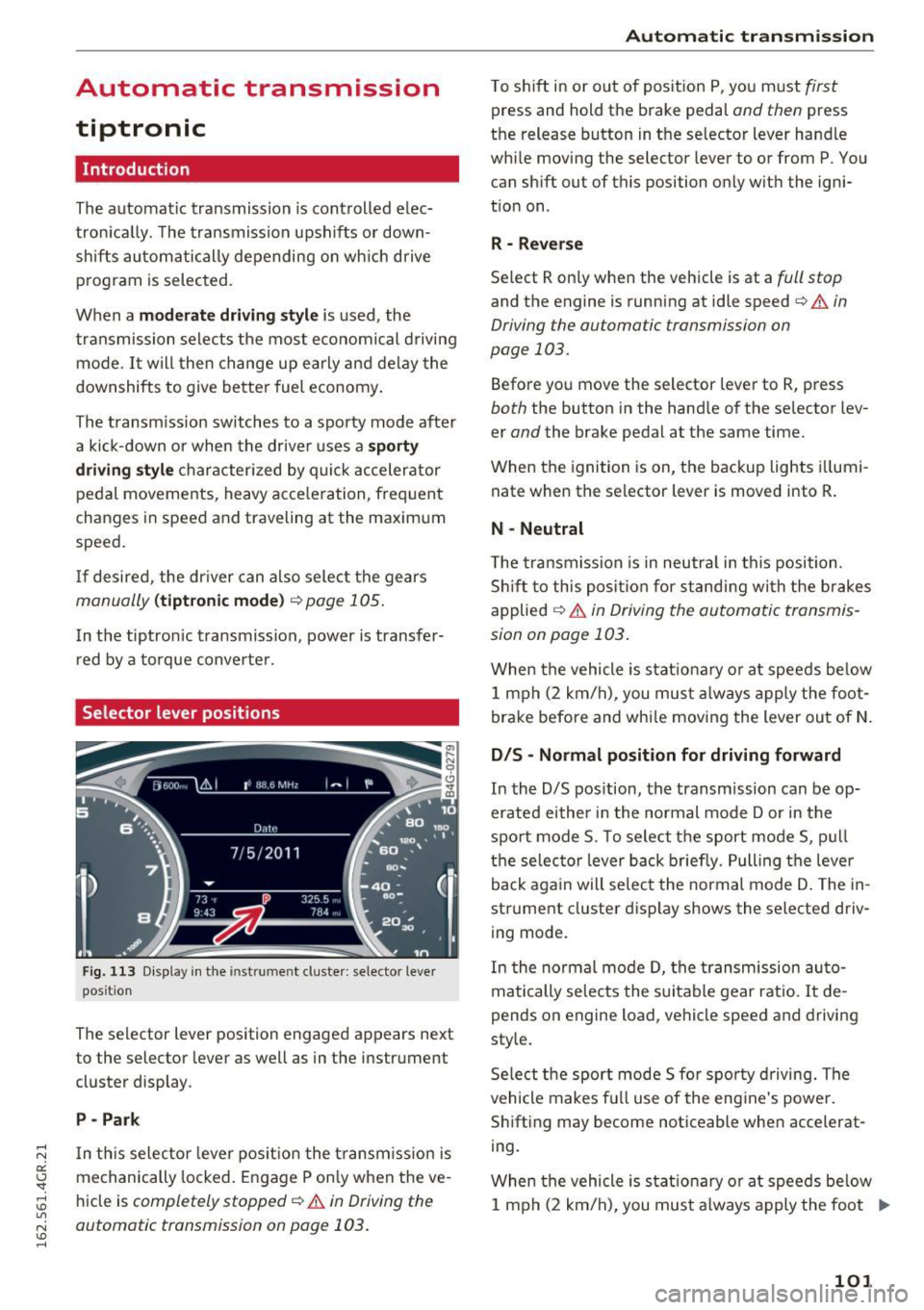
Fig. 113 Display in the instrument cluster : selector lever
position
The selector lever position engaged appears next
to the selector lever as well as in the instrument
cluster display .
P -Park
In th is selector lever pos ition the transm iss ion is
mechanically locked . Engage P only when the ve
hicle is
completely stopped¢.&. in Driving the
automatic transmission on page 103.
Automatic transmission
T o shift in or out of position P, you must first
press and hold the brake pedal and then press
the release button in the selector lever handle
while moving the selector lever to or from P . You
can shift out of this position only with the igni
tion on .
R - Reverse
Select R only when the vehicle is at a full stop
and the engine is running at idle speed¢ & in
Driving the automatic transmission on
page 103.
Before you move the selector lever to R, press
both the button in the hand le of the selector lev
er
and the brake pedal at the same time.
When the ignition is on, the backup lights illumi
nate when the selector lever is moved into R .
N -Neutral
The transmission is in neutra l in this position .
Shift to this position for standing with the brakes
applied
¢ & in Driving the automatic transmis
sion on page 103 .
When the vehicle is stat ionary or at speeds be low
1 mph (2 km/h) , you must always apply the foot
brake before and whi le moving the lever out of N.
DIS -Normal position for driving forward
In the D/S position, the transmission can be op
erated either in the normal mode Dor in the
sport mode S. To select the sport mode S, pull
the selec tor lever back briefly. Pulling the leve r
back again will select the normal mode D . The in
strument cluster display shows the selected driv
ing mode.
In the normal mode D, the transmission auto
matically selects the suitable gear ratio. It de
pends on engine load, vehicle speed and drivin g
style.
Select the sport mode S fo r spo rty driving. The
vehicle makes full use of the engine 's powe r.
Shifting may become noticeable when accelerat
ing.
When the vehicle is stat ionary or at speeds below
1 mph (2 km/h), you must always apply the foot ..,.
101
Page 104 of 282
Automatic transmission
brake before and while moving the lever to D/S
out of N.
A WARNING
Read and follow all WARNINGS r=':> & in Driv
ing the automatic transmission on
page 103.
(D Note
Coasting downhill with the transmission in N
and the engine not running will result in dam
age to the automatic transmission and possi
bly the catalytic converter.
{!) Tips
- Audi drive select: you can adjust the sporty
shift characteristics in the
Dynamic driv ing
mode .Swill appear in the instrument clus
ter display instead of D .
- If you accidentally select
N while driving,
take your foot off the accelerator pedal im
mediately and wa it for the engine to slow
down to idle before selecting D/S .
- If there is a power failure, the selector lever
will not move out of the P posit ion . The
emergency release can be used if this hap
pens
r=':> poge 106.
Automatic Shift Lock (ASL)
.
The Automatic Shift Lock safeguards you against
occidentally shifting into o forward or the re
verse gear and causing the vehicle to move unin
tentionally.
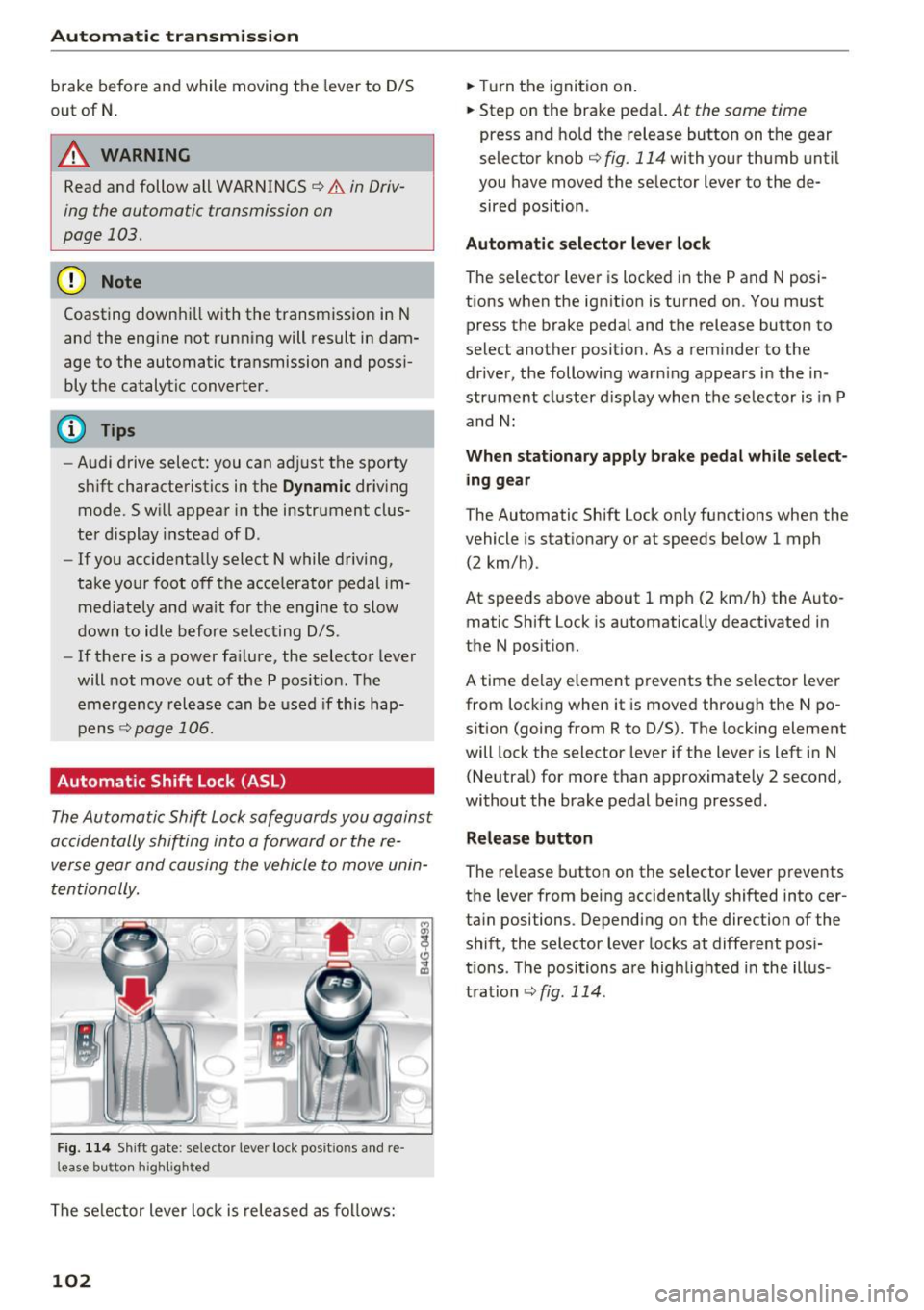
F ig. 114 Shift gate : selecto r lever lock posit io ns and re
l ease bu tton high light ed
The selector lever lock is released as follows:
102
.,. Turn the ignition on .
.,. Step on the brake pedal.
At the some t ime
press and hold the release button on the gear
selector knob
c::> fig. 114 with your thumb until
you have moved the selector lever to the de sired position .
Automatic selector lever lock
The sel ector lever is locked in the P and N posi
tions when the ignition is turned on . You must
press the br ake pedal and the release button to
select another position. As a reminder to the driver, the following warn ing appears in the in
strument cluster display when the selector is in P
and N:
When stationary apply brake pedal while select
ing gear
The Automatic Shift Lock only functions when the
vehicle is sta tionary or at speeds below 1 mph
(2 km/h) .
At speeds above about 1 mph (2 km/h) the Auto
matic Shift Lock is automatically deactivated in
the N position.
A t ime delay element prevents the selector lever
from locking when it is moved through the N po
sition (going from R to D/S). The locking element
will lock the selector lever if the lever is left in N
(Neutral) for more than approximately 2 second,
without the brake pedal being pressed .
Release button
The release button on the selector lever prevents
the lever from being accidentally shifted into cer
tain positions . Depending on the direction of the
shift, the selector lever locks at different posi
tions . The positions are highlighted in the illus
tration
<=:> fig . 114.
Page 105 of 282
Driving the automatic transmission
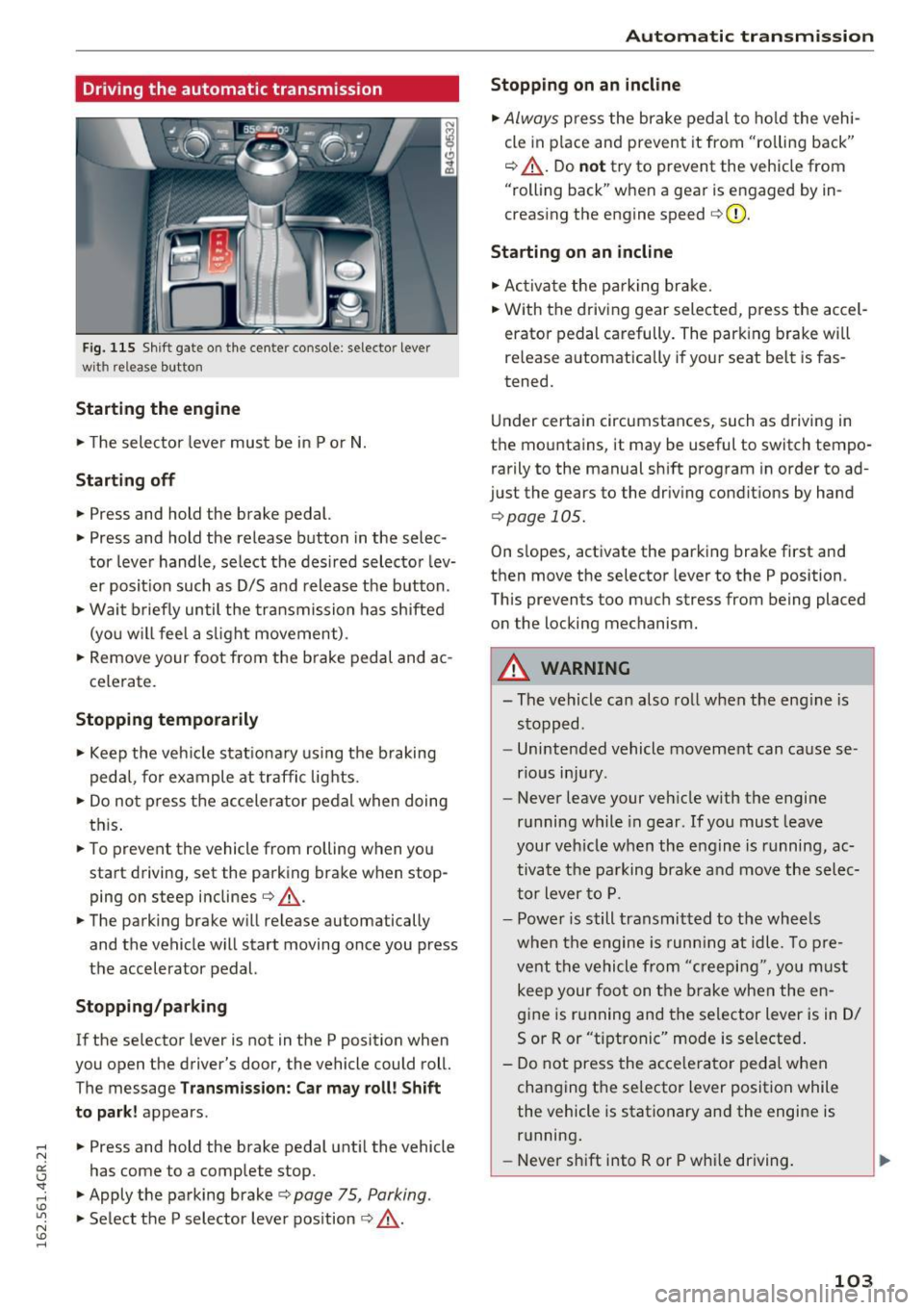
Fig. 115 Shif t gate o n the cente r conso le : selecto r lever
wi th release button
Starting the engine
.. The selector lever must be in P or N.
Starting off
.. Press and hold the brake pedal.
.. Press and hold the release button in the selec
tor lever handle, select the desired selector lev
er posit ion such as D/S and release the button .
• Wait briefly until the transmission has shifted
(you w ill feel a slight movement) .
.. Remove your foot from the b rake pedal and ac
celerate.
Stopping temporarily
.. Keep the vehicle stationary using the braking
pedal, for example at traffic lights.
.. Do not press the accelerator pedal when doing
this .
.. To prevent the vehicle from rolling when you
start driving, set the parking brake wh en stop
ping on steep inclines¢,& .
.. The parking brake will release au tomatically
and the vehicle will start moving once you press
the accelerator pedal.
Stopping/ parking
If the selector lever is not in the P position when
you open the drive r's door, the vehicle could roll.
The message
Transmission: Car may roll! Shift
to park!
appears .
.. Press and hold the brake pedal until the vehicle
has come to a complete stop .
.. Apply the parking brake¢
page 75 , Parking .
.. Select the P selector lever position ¢ ,& .
Automatic transmission
Stopping on an incline
.. Always press the brake pedal to hold the vehi
cle in pla ce and prevent it from "ro lling back"
¢ ,& . Do
not try to prevent the vehicle from
"rolling back" when a gear is engaged by in
creasing the engine speed ¢CI) .
Starting on an incline
.. Activate the parkin g brake .
.. With the driving gear selected, press the accel
erator pedal carefully. The parking brake will
releas e automatically if your seat belt is fas
tened.
Under certain circumstances, such as driving in
the mountains, it may be useful to switch tempo
rarily to the manual shift program in order to ad
ju st the gears to the driving conditions by hand
¢ page 105 .
On slopes, activate the parking brake first and
then move the selector lever to the P position .
This prevent s too much stress from being placed
on the locking mechanism.
A WARNING
=
- The vehicle can also roll when the eng ine is
stopped .
- Unintended vehicle movement can cause se
rious injury .
- Never leave your veh icle w ith the engine
running while in gear . If you must leave
your veh icle when the engine is running, ac
tivate the parking brake and move the selec
tor lever to P.
- Power is still transmitted to the wheels
when the engine is runn ing at idle. To pre
vent the vehicle from "creeping", yo u must
keep your foot on the brake when the en
gine is running and the selector lever is in D/
5 or R or "tiptronic" mode is selected .
- Do not press the accelerator pedal when
changing the se lector lever position while
the vehicle is stationary and the engine is running .
- Never shift into R or P whi le driving.
103