lights AUDI S3 2009 User Guide
[x] Cancel search | Manufacturer: AUDI, Model Year: 2009, Model line: S3, Model: AUDI S3 2009Pages: 324, PDF Size: 76.02 MB
Page 19 of 324

qualified workshop=> &. With the eng ine not running (e .g . when
t he car is being towed), there is also no power assis t availa ble.
& WARNING
If there is a malfunction , the indi cator light for the electro -mechan
ical power assist illuminates . Seek profess ion al assistance . •
Controls and equip
ment
Instruments and warning /indi cator lights
I • •
Page 26 of 324
Driver informati on displ ay
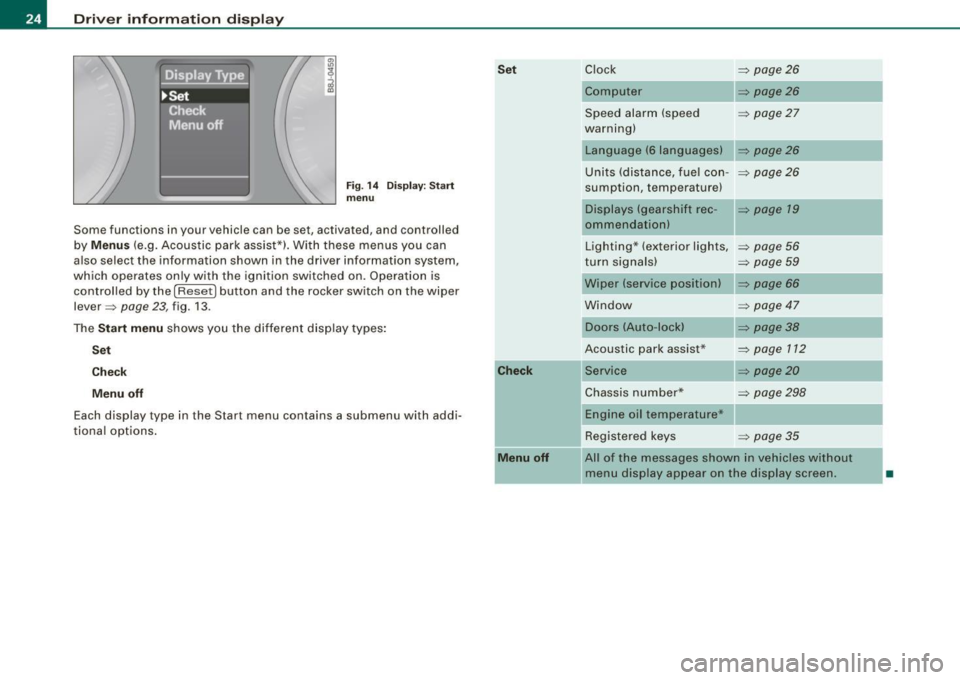
Fig. 1 4 Display : Start
menu
Some functions in your vehicle can be set, activated, and controlled
by
M enu s (e.g. Acoustic park assist*). With these menus you can
also select the information shown in the driver information system,
which operates only with the ignition switched on. Operation is
control led by the
I Reset) button and the rocker switch on the wiper
lever =>
page 23, fig. 13 .
The
S ta rt m enu shows you the different disp lay types :
Set
C he ck
M enu off
Each display type in the Start menu contains a submenu with addi
tiona l options .
Set
C he ck
M enu off
Clock => page 26
Computer => page26
Speed alarm (speed => page27
warning)
Language (6 languages)
Units (distance, fuel con-
=> page26
sumption, temperature)
Displays (gearshift rec -=> page 19
ommendationl
Lighting* (exterior lights, => page 56
turn signals) => page 59
Wiper (service position) => page 66
Window => page 47
Doors (Auto-lock)
Acoustic park assist*
Service
=> page38
=> page 112
=> page20
Chassis number* => page 298
Engine oil temperature*
Registered keys
=> page 35
All of the messages shown in vehicles without
menu display appear on the display screen.
•
Page 31 of 324
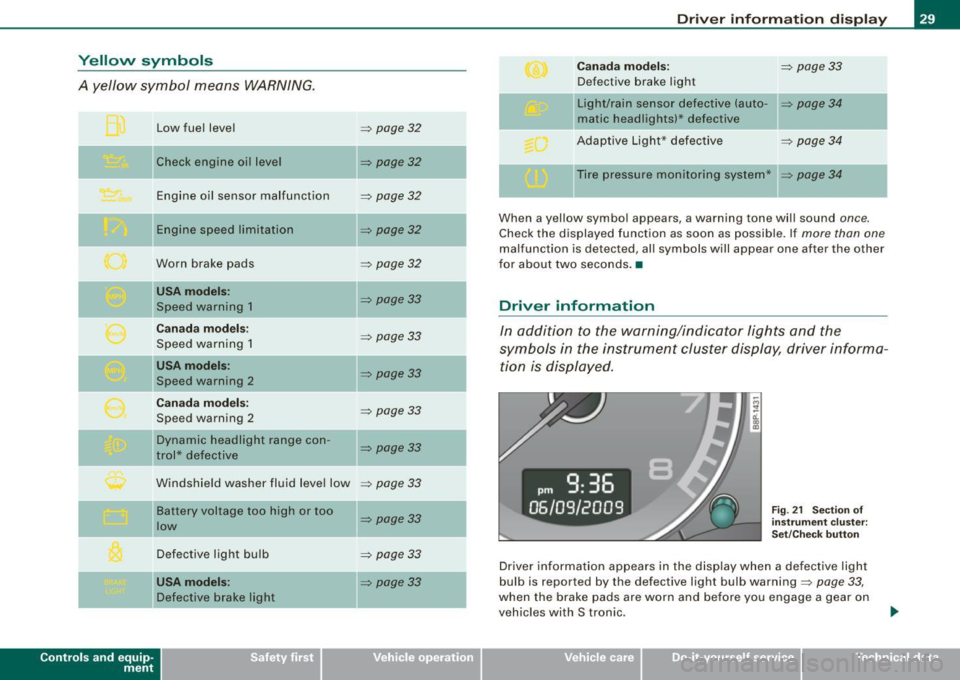
Yellow symbols
A yellow symbol means WARNING.
Contro ls and eq uip
ment
Low fuel level
Check engine oil level Engine oil sensor malfunction
E ng ine spee d limitation
Worn brake pads
USA mode ls:
Speed warning 1
Can ada m od els:
Speed warning 1
USA mod els:
Speed wa rning 2
C ana da m odels:
Speed warning 2
Dynamic headlight range con-
trol* defective
Windshield washer fluid leve l low
Ba ttery voltage too high or too
low
Defective light bulb
USA m odel s:
Defective brake light
=> page 32
=> page32
-
=> page32
=> page32
=> page32
=> page33
=> page33
=> page33
=> page33
=> page33
=> page33
=> page33
=> page 33
=> page33
-
-
Dri ver inf orm atio n di spl ay
Ca nad a m ode ls: => page33
Defective brake light
Light/rain sensor defect ive (auto-
=> page 34
matic headlights)* defective
Adapt ive Light* defective
=> page 34
Ti re pressure monitoring system* => page 34
When a yellow symbol appears, a warning tone will sound once .
Check the displayed function as soon as possible. If more than one
malfunction is detected, all symbols will appear one after the other
for about two seconds. •
Driver information
In addition to the warning/indicator lights and the
symbols in the instrument cluster display, driver informa tion is displayed.
Fi g. 2 1 Section of
in stru ment cl uster:
Set/C hec k b utto n
Driver information appears in the display when a defective light
bulb is reported by the defective light bulb warning=>
page 33,
when the brake pads are worn and before you engage a gear on
vehicles with S tronic.
Vehicle care I I irechnical data
Page 33 of 324
-Turn off the engine.
- Check coolant level => page
233 .
-Add coolant if necessary => page 234 .
-Continue driving only after the engine coolant
warning/indicator light goes out.
- Contact your authorized Audi dealer for assistance if
necessary.
If the engine coolant level is correct, then the radiator fan may be
the cause of the malfunction.
If the generator warning/indicator light should also illuminate
=> page 14, then the fan belt may be damaged .
& WARNING
• If your vehicle should break down for mechanical or other
reasons, park at a safe distance from moving traffic, turn off the
engine and turn on the hazard warning lights
=> page 58, "Emer
gency flasher
A".
• Never open the hood if you see or hear steam or coolant
escaping from the engine compartment -you risk being scalded.
Wait until you can no longer see or hear steam or coolant
escaping.
• The engine compartment of any vehicle is a dangerous area.
Before you perform any work in the engine compartment, turn off
the engine and allow it to cool . Follow the warning stickers
=> page 217, "Engine compartment" .
0 Note
Do not continue driving if the -IL symbol illuminates. There is a
malfunction in the engine cooling system -you could damage your
engine. •
Controls and equip
ment
Driver information display
Engine oil pressure malfunction 'l=;:f.
The red engine oil pressure warning symbol requires
immediate service or repair.
If the 'l=::7-: symbol appears in the display and flashes, the oil
pressure is too low. In addition to the symbol, the following
message also appears in the display:
Switch off engine and check oil level
-Pull off the road and stop the vehicle.
Shut the engine down.
Check the engine oil level=> page
229.
Contact your authorized Audi dealer for assistance if
necessary.
Engine oil level too low
If the engine oil level is too low, top off oil to the proper level
=> page 230.
Engine oil level OK
If the ~ symbol star ts flashing again even though the engine oil
level checks OK on the dipstick,
do not start driving again and do not
let the engine run at idle .
Instead, contact your authorized Audi
dealer for assistance.
[ i] Tips
• The engine oil pressure symbol ~ is not an indicator for a low
engine oil level. Do not rely on it. Instead, check the oil level in your
engine at regular intervals, preferably each time you refuel, and
always before going on a long trip.
• The yellow oil level warning indication requires oil refill or
workshop service without delay. Do not wait until the red oil pres
sure warning symbol
~ starts to flash before you respond to the ...
I • •
Page 36 of 324
Driver inf ormati on displ ay
trical components should be checked, repaired or replaced, as
necessary:
• Brake light bulbs
• All wiring connections
• Brake light switch
Contact your authorized Audi dealer for assistance if necessary.
[ i ] Tip s
The brake light switch is only inspected as part of the functional
check after the engine is started .•
A pplies to v ehicles : with automat ic headlights
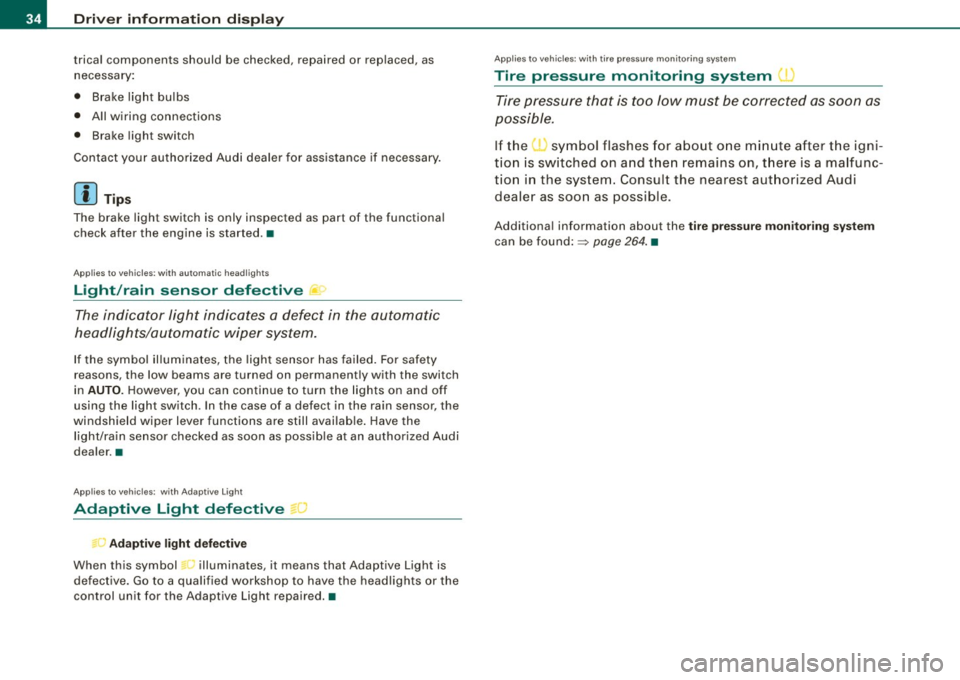
Light /rain sensor defective .,
The indicator light indicates a defect in the automatic
headlights/automatic wiper system.
If the symbol illuminates, the light sensor has failed . For safety
reasons , the low beams are turned on permanently with the switch
in
AUTO . However, you can continue to turn the lights on and off
using the light switch . In the case of a defect in the rain sensor, the
windshield wiper lever functions are still availab le . H ave the
light/ra in sensor checked as soon as possib le at an authorized Audi
dea ler. •
Ap plies to vehicles: with Adapt ive Light
Adaptive Light defective -)
D Adaptiv e lig ht de fectiv e
When this symbol illuminates, it means that Adaptive Light is
defective. Go to a qua lified workshop to have the headligh ts or the
control unit for the Adaptive Light repaired. •
Applies to vehic les: wit h tire pressure monito ring sy stem
Tire pressure monitoring system J.)
Tire pressure that is too low must be corrected as soon as
possible .
If the I symbol flashes for about one min ute after the igni
tion is switched on and then remains on, t here is a malfunc
tion in the system. Consu lt the nearest authorized Audi
dealer as soon as possible .
Additional information about the tir e p ress ure m onit or in g sy stem
can be found:=> page 264. •
Page 40 of 324
Openin g a nd clo sin g
• Remote control feature => page 36.
• Anti-theft alarm system=> page 45.
All the doors and the rear lid are locked by the central locking
system when you lock the vehicle.
U nlock ing th e vehic le
You can un lock the vehicle from outside either by using the remote
control
or by inserting and turning the key in the driver's door lock.
When you
unl ock your vehic le:
• The anti-theft alarm system is deactivated briefly .
• The vehicle interior lights i lluminate for approxima tely 30
seconds.
• All turn signal ligh ts will flash twice when the car is un locked .
• After unlocking the vehicle, you have 30 seconds to open a door
or the rear lid. After 30 seconds, the vehic le automatica lly locks and
the anti-theft alarm system activates again .
The rear lid can be locked or unlocked either by using the remote
control
o r by inserting and turning the key in the driver's door lock.
Un locking the vehicle with the remote control
c::::::5 wil l only unlock
the rear lid , to open it, the lid handle needs to be pressed.
Lo ckin g the vehicle
You can lock the vehicle from outside either by using the remote
control
or by inserting and turning the key in the drivers's door lock.
When you
lo ck the vehicle :
• All doors and the rear lid are locked .
• All turn signal lights will flash once when the car is locked.
• The anti -theft alarm system is activated . T he horn of the anti
theft alarm system will sound and the anti-theft alarm system readi ness l ight, located in the center of the instrument pane l below the
windshie ld on the right s ide of the air vent, will start to b link.
• The vehicle interior ligh ts turn off .
Automatic locking *
The automatic locking fea ture locks all the vehicle doors and the
rear lid when you drive faster than 9 mph (15 km/h).
You can unlock the vehicle from the inside by:
• removing the key from the ignition switch (the vehicle wi ll auto
matically un lock itself) or
• pressing the unlock part of the power lock switch
oc:"D or
• pulling the inside handle for that door (once - the front door is
unlocked and opened at the same time, twice to open the rear door).
If you wish, you can have an authorized Audi dealer convert your
powe r door lock sys te m to automatic locking.
& WARNING
• When you lock your vehicle from out side , nobody -esp ecia lly
c h ildr en - s hould r em ain in sid e the vehi cle . R emember , when you
lock the vehicle from the out side the window s ca nnot be opened
fr om t he in side .
• When you leave the vehicle , alway s remo ve the ignition key and
t a ke it with you . Thi s w ill pre vent p assengers (children , for
ex ampl e) from a ccidentall y being lock ed in the vehicle should they
a cc ident ally pre ss t he powe r lock ing switc h on t he center consol e.
• Do not leave children in side the vehicle un supe rvi se d. In an
emerg ency it w ould be impos sible t o ope n th e door s from the
out side without the key.
[ i ] T ips
• In the event of a crash with airbag deployment all locked doors
wi ll be automatical ly un locked to give access to the vehic le occu
pants from the outs ide .
• If the power locking system shou ld fai l, you can stil l open the
fue l tank flap in an emergency=>
page 223. ~
Page 41 of 324

• You are well advised not to keep valuables inside an unattended
vehic le, visible or no t. Even a properly locked vehicle cannot provide
the security of a safe! •
Unlocking and locking the vehicle with the
remote control
How the remote control works.
Fig. 2 6 Remo te
c on tro l: fu ncti on
bu ttons
To unlock the v ehi cle doors and rear lid CD
- Press button @ once to un lock driver' door.
- Press b utton @twice to unlock all doors and the rea r lid .
To lo ck th e vehicl e doors and rear lid
rn
- Press butto n @ => ,& in "General description" o n
page 37.
-Watch that a ll turn signal lights flash once.
To op en r ear lid only
e::5
- Press button @ for approx imately one seco nd.
Con tro ls and eq uip
ment
Op ening and clo sing
PANIC Button
- Push the red butto n@ to ac tivate the panic function . T he
horn sounds and the t urn signa ls flash.
- P ush the button @again to deact ivate the panic func-
t ion.
The remote controls allows you to :
• lock or unlock the vehicle
• selectively un lock the rear lid.
The turn signals will f lash briefly whenever yo u lock or unlock the
vehicle. A lso, the interior light will come on or go off whenever you
open or close the driver's door .
The transmitter and battery are located in the head o f the remote
control. The receiver is located inside the vehicle. The maximum
effective range depends on several things . Remember, if the battery
is weak, th e effective range decreases.
The remote -c o ntro l key c ontains a fold -out key tha t you can use to
manually lock or unlock the vehicle and to start the engine.
If you need to replace the remote control, or if you need to have it
repai red , you mus t see your authorized Audi dealer . Only the n can
you use the key again .
& WARNING
Read and follo w all WARNINGS => & in "General de scr iption " on
page
3 7.
[ i ] Tip s
• The remote control key is automatically deactivated when the
ign ition is switched on.
• The operation of the remote control key can be temporarily
disrupted by interference from transmitters in the vicinity of the ..,
Vehicle care I I irechnical data
Page 42 of 324
Opening and closing
vehicle working in the same frequency range (e.g. a cell phone,
radio equipment).
• In order to make sure the locking function is working, you should
a lways keep your eye on the vehicle to make sure it is properly
locked .
• Do not use the remote control if you are inside the car, otherwise
you may unintentionally lock the vehicle, and then you would set off
the anti-theft alarm when you try open a door. In case this happens
anyhow, push the unlock button@.
• Use the panic function only if you are in an emergency
situation. •
Resetting the remote control
The remote control must be reset if the vehicle does not
unlock.
- Press the unlock button III on the remote control.
- Manually unlock the driver's door lock with the mechan-
ical key within 30 seconds .
- Press either the lock-
m or the unlock III button to
complete the reset sequence .•
Doors, power locks
Operating the locks with the fold-out key
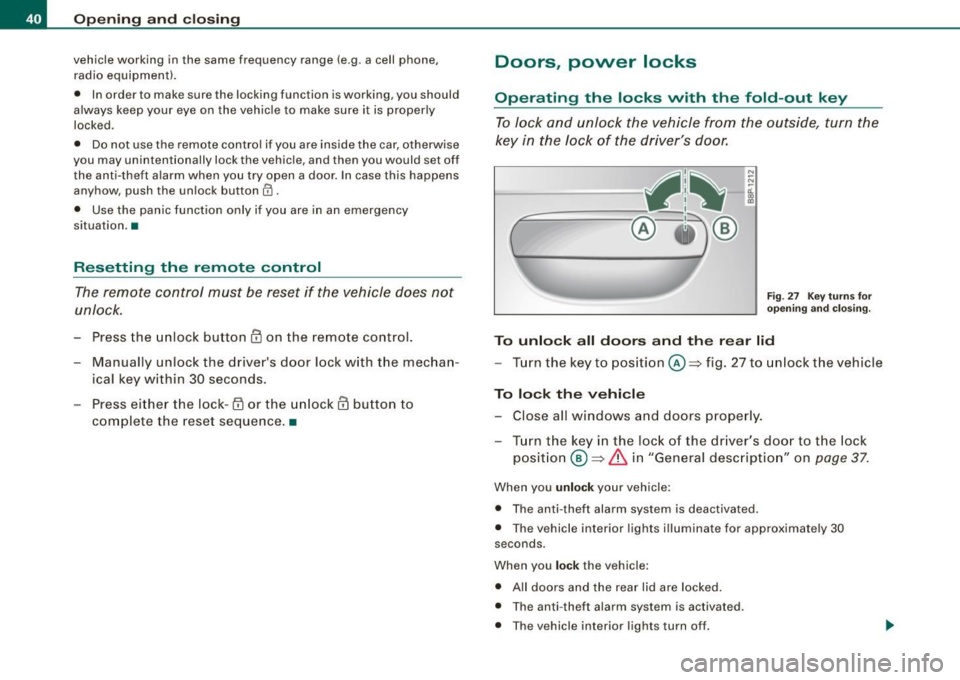
To lock and unlock the vehicle from the outside, turn the
key in the lock of the driver 's door.
N
-N
-ci. gi
Fig. 27 Key turn s for
ope ning and closing.
To unlock all doors and the rear lid
-Turn the key to position©=> fig. 27 to unlock the vehicle
To lock the vehicle
-Close all windows and doors properly.
- Turn the key in the lock of the driver's door to the lock
position @~
& in "General description" on page 37.
When you unlock your vehicle :
• The anti-theft alarm system is deactivated .
• The vehicle interior lights illuminate for approximate ly 30
seconds .
When you
lock the vehicle :
• All doors and the rear lid are locked.
• The anti -theft alarm system is activated .
• The vehicle interior lights turn off.
Page 54 of 324
Clear vision
Clear vision
Lights
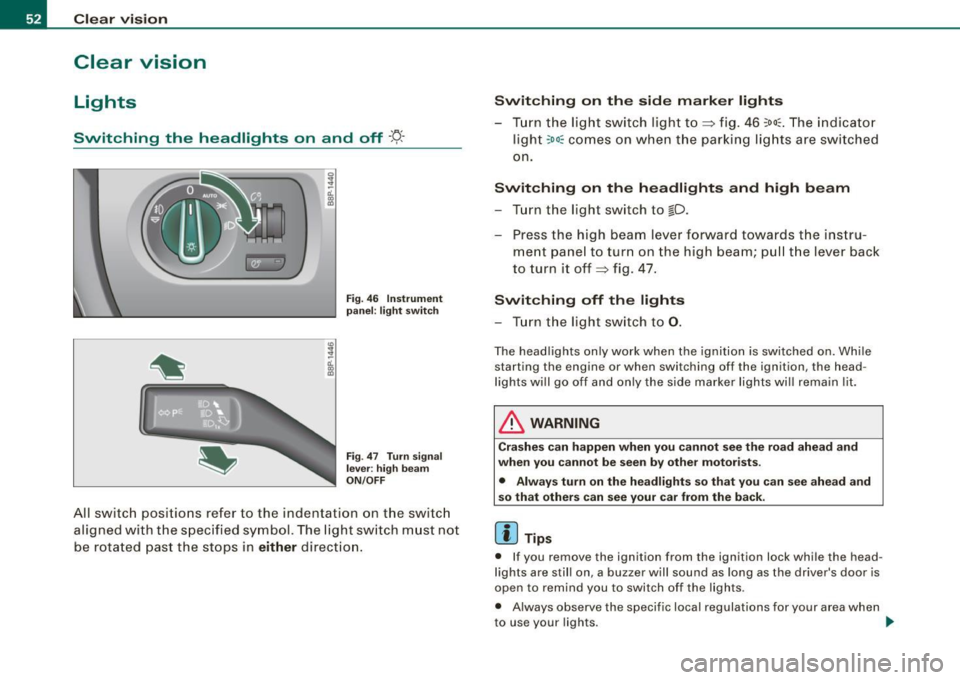
Switching the headlights on and off ·t/.·
3
-ti. ID
pa nel: li ght switch
F ig .
47 T urn sign al
l e v er: high b eam
ON /OFF
All sw itch positions refer to the indentation on the sw itc h
aligned with the spec ified symbol. The light switch must not
be rotated past the stops in
either direction .
Switching on the side mark er lights
- Tur n the light switch light to~ fig . 46 ~oo~ . The indicator
ligh t
~oo~ comes on when the parking lig hts are switched
on .
Switching on th e he adl ights and high be am
- Turn the light switch to lD.
- Press the high beam lever forward towards t he instru-
ment panel to turn on the high beam; pul l th e lever back
to turn it off~ fig. 47.
Switching off th e lights
- Tu rn the light switch to 0.
The head lights on ly work when the ignition is switched on. Whi le
starting the engine or when switching off the ignition , the head
l ights wi ll go off and only the side marker lights wi ll remain lit.
& WARNING
Cr as hes c an happen when you cannot see the r oad ahe ad and
whe n you cannot be s een by other motor ists.
• Alwa ys tu rn on the headligh ts so th at you ca n see ahe ad an d
s o that others can see your car from the back .
[ i ] Tips
• If you remove the ignition from the ignition lock while the head
lights are still on, a buzzer will sound as long as the driver 's door is
open to remind you to switch off the lights .
• Always observe the specif ic local regulations for your area when
to use your lights .
~
Page 55 of 324
• In cool or damp weather conditions the headlights may fog over
temporarily on the inside.
- The critical factor is the temperature difference between the
interior and the exterior of the headlight lens.
- With the main beams switched on, the light -emitting area will
be free of condensation after a short time, however the edges of
the glass may still be fogged .
- The rear lights and turn signals may also be affected.
- This physical phenomenon has no effect on the life of your
vehicle's lighting system .•
A pplies to vehic les : wit h ligh t sens or p ack age
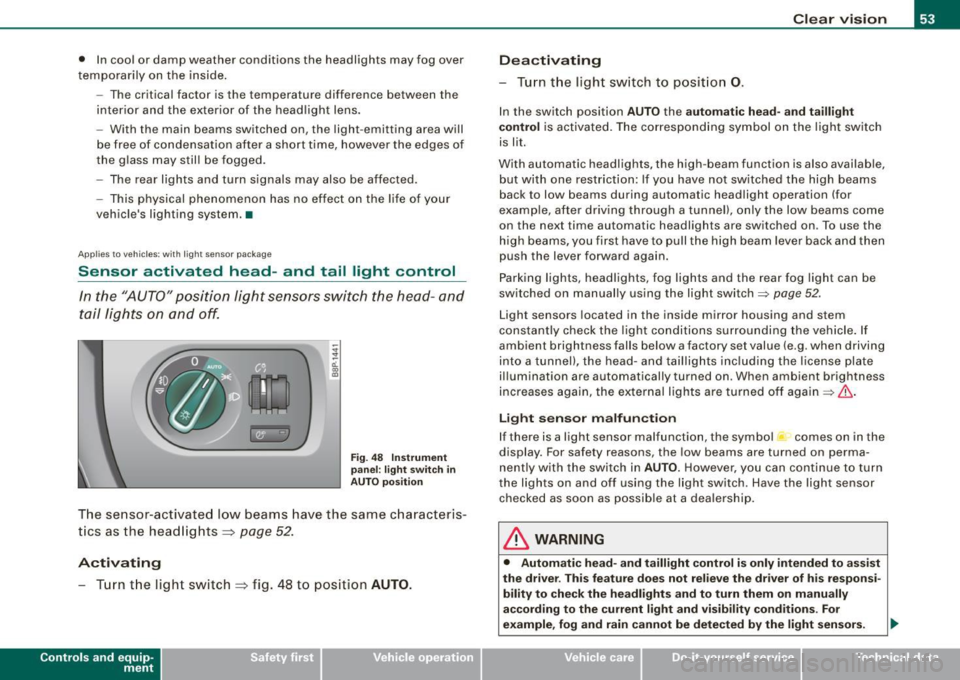
Sensor activated head- and tail light control
In the "AUTO" position light sensors switch the head- and
tail lights on and off.
Fig. 48 Instrument
panel : light switch in
AUTO position
The sensor-activated low beams have the same characteris
tics as the headlights ~
page 52.
Activating
-Tur n t he light switch ~ fig . 48 to position AUTO.
Con tro ls and eq uip
ment
Clear vision
Deactivating
- Turn the light switch to position 0.
In the switch position AUTO the automatic head-and taillight
control
is activated. The corresponding symbol on the light switch
is lit.
With automatic headlights, the high -beam function is also available,
but with one restriction: If you have not switched the high beams
back to low beams during automatic headlight operation (for
examp le, after driving through a tunnel), only the low beams come
on the next time automatic headlights are switched on . To use the
high beams, you first have to pull the high beam lever back and then
push the lever forward again .
Parking lights, headlights, fog lights and the rear fog light can be
switched on manually using the light switch=>
page 52 .
Light sensors located in the inside mirror housing and stem
constantly check the light conditions surrounding the vehicle. If
ambient brightness falls below a factory set value (e .g . when driving
into a tunnel), the head-and taillights including the license plate
illumination are automatically turned on . When ambient br ightness
increases again, the external lights are turned off again=>
If:::..
Light sensor malfunction
If there is a light sensor malfunction, the symbol comes on in the
display. For safety reasons, the low beams are turned on perma
nently with the switch in
AUTO. However, you can continue to turn
the ligh ts on and off using the light switch . Have the light sensor
checked as soon as possible at a dealership.
& WARNING
• Automatic head -and taillight control is only intended to assist
the drive r. This feature does not relieve the driver of his responsi
bility to check the headlights and to turn them on manually
according to the current light and visibility conditions. For
example, fog and rain cannot be detected by the light sensors. .,
Vehicle care I I irechnical data