brake AUDI S3 2011 User Guide
[x] Cancel search | Manufacturer: AUDI, Model Year: 2011, Model line: S3, Model: AUDI S3 2011Pages: 320, PDF Size: 75.79 MB
Page 37 of 320
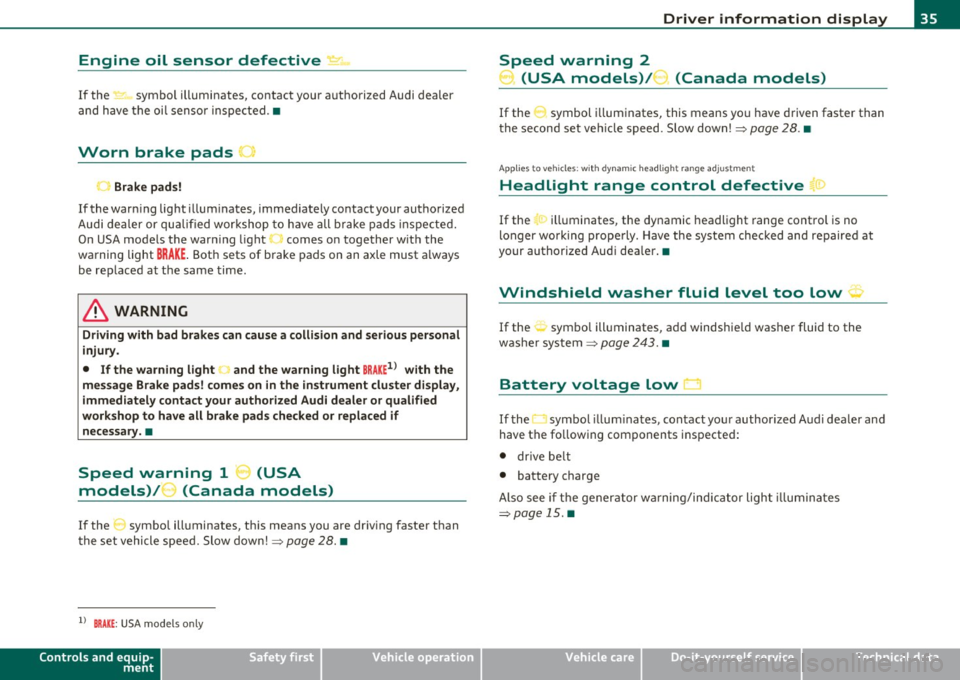
Engine oil sensor defective,:., 1ioo
If the ~ symbol illuminates, contact your authorized Audi dealer
and have the oi l senso r inspected. •
Worn brake pads ,
Brake pads!
If the warn ing lig ht i llum inates, immediately contact your authorized
Audi dea ler or qu alified wor kshop to have all b rake pads insp ected.
On USA mode ls the warn ing light ,,, comes on together w it h the
warning light
BRAKE . Both sets of brake pads on an axle must a lways
be rep laced at the same time .
& WARNING
Driving with bad brakes can c ause a collision and serious personal
injury .
• If the warning light land the warning light
BRAKE1> with the
me ssage Brake pads! comes on in the in strument cluster di splay,
immediately contact your author ized Aud i dealer or qualified
workshop to have all brake pad s checked or replaced if
necessary. •
....
Speed warning 1 _, (USA
models)/ ...... (Canada models)
If the :J symbo l ill uminates, this means you are driving faster than
t he set vehicle speed. Slow down!~
page 28. •
ll BRAKE : USA mode ls on ly
Controls and equip
ment Safety first
Driver information display
Speed warning 2
) (USA models)/ (Canada models)
If the symbol i llum inates, this means you have d riven faster than
t he second set ve hicle speed . S low dow n!~
page 28. •
App lies to vehicles : wit h dyn am ic head ligh t ra ng e ad justmen t
Headlight range control defective r!>
If the > illuminates, the dynamic headlight range cont rol is no
longer work ing prope rly. Have the system checked and repaired at
your authorized Aud i dea ler. •
Windshield washer fluid level too low ~
If the -., symbo l ill uminates, add windshie ld washer fluid to the
was he r system ~
page 24 3. •
Battery voltage low
If the O symbol illum ina tes, contact yo ur authorized A udi dea ler and
have the fo llowing components inspected:
• drive be lt
• battery charge
Also see i f th e gener ator w arning/ind ic a tor ligh t illumina te s
~page 15 .•
Vehicle care Technical data
Page 38 of 320
Driver information display
Defective light bulb warning
The defective light bulb warning tells you when a vehicle
light bul b has become defective .
If a defective bu lb has been detected by the system or a light bulb
burns ou t, the symbo l w ith a message appea rs in the display to te ll
you which bulb is burnt out and where it is located. For example:
Rear left turn signal
After 5 seconds, the message d isappears . If you want to recall the
message into t he disp lay, press the CHECK button ::::,
page 8, fig. 2
® ·
There are three reasons w hy the defective bulb message would
appea r in the d ispl ay :
• The light bulb has burnt out::::,
page 285 .
• Th e fuse is "b lown" ::::, page 281, "R ep laci ng fuses".
• The wire connect io n to the light bulb is defective.
Have the bu lb rep lace d or the connec tion repa ired by your au thor ize d
Audi Service department.
& WARNING
• Light bulbs are pressurized and could e xplode while they are
being changed cau sing seriou s personal injur y.
• Work with due care when handling the high-voltage section of
ga s di scharge (xenon ) lamp s. Failing to do so could re sult in death
or se rious injury !•
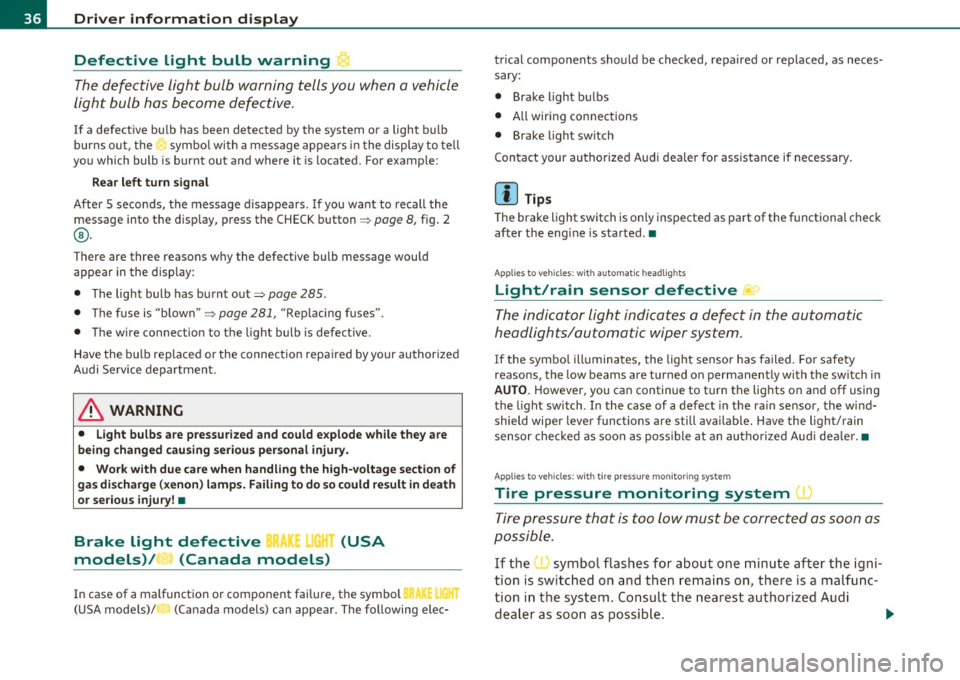
Brake light defective B • urn (USA
models)/ (Canada models)
In case of a malfunct ion or component fai lure, the symbol
(USA models)/ (Ca nada models) can appea r. The following elec· trical components should be checked
, repaired or rep laced, as neces
sary:
• Brake ligh t bul bs
• All wiri ng connec tions
• Brake light switch
C on tact your au thorized A udi deale r for assistance if necessary .
(I) Tips
The brake light switch is on ly inspected as part of the functional check
after the engine is sta rted .•
A pplies to veh icles: w ith au toma tic head ligh ts
Light/rain sensor defective
The indicator light indicates a defec t in the automatic
headlights/automatic wi per system.
If the symbo l ill umina tes, the ligh t se nso r has failed. Fo r safety
reasons, the low beams are turned on permanen tly with the sw itch in
AUTO . However, you can continue to t urn the lights on and off using
the light sw itch . In the case of a defec t in the ra in se nsor, the wi nd
shield wiper lever functions are still avai lab le . Have the light/rain
s ensor che cked as soon a s poss ible at an a uth oriz e d Au di dea le r.•
A pp lies t o veh icles : wit h tire p ressure mon itoring system
Tire pressure monitoring system )
Tire press ure that is too lo w m ust be correc ted as soon a s
possible.
If the symbo l flashes for about one min ute after the igni
tion is sw itc hed on and then re m ain s on, t here is a malfu nc
tion i n the syste m. Co nsu lt the neares t au thori zed Aud i
d ealer a s so on as possib le.
~
Page 76 of 320
Seats and storage
-Adjust the head restraint so the upper edge is as even as
possible with the top of your head. If that is not possible,
try to adjust the head restraint so that it is as close to this
position as possible=:>
page 77.
& WARNING
Never place any objects in the driver's footwell. An object could
get into the pedal area and interfere with pedal function. In case
of sudden braking or an accident, you would not be able to brake
or accelerate! •
Front passenger's seat
Always move the front passenger seat into the rearmost
position.
To avoid contact with the airbag while it is deploying, do not
sit any closer to the instrument panel than necessary and
always wear the three-point safety belt provided adjusted
correctly. We recommend that you adjust the passenger's
seat in the following manner:
- Move the front passenger seat into the rearmost position
of the fore and aft adjustment range=:>
& in "Why is your
seat adjustment so important?" on
page 73.
- Bring the backrest up to an (almost) upright position. Do
not ride with the seat reclined.
- Adjust the head restraint so the upper edge is as even as
possible with the top of your head. If that is not possible,
try to adjust the head restraint so that it is as close to this
position as possible=:>
page 77.
- Place you r feet on the floor in front of the passenger's
seat .•
Adjusting front seats manually
Applies to veh icles: w ith manual seat ad justment
Adjustment controls
Various controls on the manual seats provide a wide
range for individual adjustments.
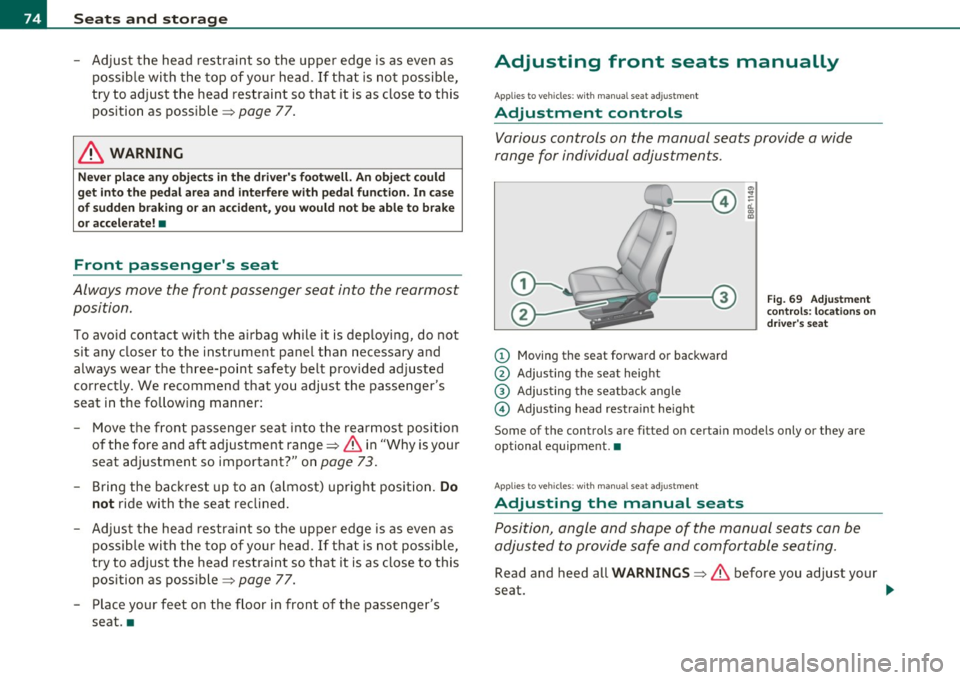
(D Moving the seat forward or backward
@ Adjusting the seat height
® Adjusting the seatback angle
© Adjusting head restraint height
Fig. 69 Adjustment
controls: locations on
driver's seat
Some of the controls are fitted on certain models only or they are
optional equipment. •
Applies to veh icles: with manual seat ad justment
Adjusting the manual seats
Position, angle and shape of the manual seats can be
adjusted to provide safe and comfortable seating.
Read and heed all WARNINGS =:> & before you adjust your
seat .
~
Page 93 of 320
- Plug in appliance to be used.
The outlet may be used for 12-volt app liances w ith maxim um
cons umption of up to 100 watts, such as a flash light, small vacuum
cl eaner, e tc.
Before you purchase any accessor ies, always read and fo llow the
info rm ation in::::,
page 301, "Add it io na l acc essories and p arts
re placemen t".
& WARNING
The outlet plus any appliances plugged into it remain functional
even if the ignition is switched off or the ignition key is removed. Never leave children inside the vehicle without supervision .
0 Note
To avoid damaging the socket, only use plugs that fit properly.
(I) Tips
When the engine is off and accessor ies are st ill plugged in and are on,
the ve hicle battery can sti ll be drained .•
Storage
General overview
There are numerous pl aces to st ore items in your vehi cle .
Storage in t he center armrest
Storage in the rear armrest
::::, page 79
Glove com partment (Ai r ven tila tion in t he ::::, page 92
glove compartment*, CD changer*)
Controls and equip ·
ment Safety first
Seats and storage
Center console ::::,
page 92
Compartments in the door tr ims ::::, page 93
Storage in the footwell ::::, page 93
Compartments in luggage compartment ::::, page 94
Coat hooks
Some of the storage locations are only fo und o n specific vehicle
mode ls o r are op tio nal equ ipme nt.
& WARNING
• Always remove objects from the instrument panel. Any items
not put away could slide around inside the vehicle while dri ving or
when accelerating or when applying the brakes or when dri ving
around a corner.
• When you are driv ing make sure that anything you may have
placed in the center console or other stor age locations cannot fall
out into the footwells. In c ase of sudden braking you would not be
able to b rake, depres s the clutch or accelerate .
• Any pieces of clothing that you have hung up must not inter
fere with the driver's view. The co at hooks are designed onl y for
lightweight clothing . Never hang any clothing with hard, pointed
or hea vy objects in the pockets on the coat hooks. During sudden
braking or in an accident· especially if the airbag is deployed ·
the se objects could injure any passengers inside the vehicle. •
Vehicle care Technical data
Page 94 of 320

Seats and storage
Glove compartment
The glove compartment is illuminated and can be locked.
To open glove compartment
Fig. 94 Glove
compartment
- Pull the handle => fig. 94 in the direction of the arrow push
down lid to the fully open position.
To close glove compartment
-Push the glove compartment lid upward until the lock
engages.
The light will illuminate when the parking/headlights are turned on
and the glove compartment is open.
In the glove compartment lid, you will fi nd a place to store a pen and
a pad of paper.
& WARNING
To reduce the risk of personal injury in an accident or sudden stop,
always keep the glove compartment closed while driving. •
Applies to veh icles: with storage compartment in cente r con sole
Storage compartment for small objects Ca
Fig. 95 Center console
storage compartment
- To open the compartment, press th e cover Ce=> fig. 95.
- To close the compartment, push the drawer all the way in
until it clicks in place.
An additional storage compartment3> for relatively small objects is
located in the cente r console next to the brake lever. •
3
l Not available on vehicles wi th Aud i Naviga tion System .
Page 110 of 320
ffl..__O_ n_ t_ h_e _ ro_ a_d _______________________________________________ _
& WARNING
Never start or let the engine run in a confined or enclosed area.
Exhau st fume s from the engine contain carbon monoxide, a color
less and odorless gas. Carbon monoxid e can be fatal if inhal ed.
• Never leave the engine idling unattended . An unattended
vehicle with a runn ing engine poses a danger of personal injury or
theft .
0 Note
• Avoid high engine speeds, fast acceleratio n or heavy engine loads
w hile the engine is still cold. This cou ld damage the eng ine .
• Th e engine c annot be sta rted by p ush ing or tow ing the veh icle .
~ For the sake of the environment
To avoid unnecessary engine wear and to reduce e xhaust emissions,
do not let your vehicle stand and warm up . Be ready to dr ive off imme
diately after starting your vehicle. Maintain moderate speed unti l the
eng ine is comp letely warm . Remember, the engine performs best at
operat ing temperature. •
Stopping the engine
-Turn the ignition key to position @~poge 106, fi g. 107 .
& WARNING
• Nev er turn off the engine until the vehicle has come to a
c omplete stop.
• The brake booster and servotronic only work when the eng ine
i s running . With the ignition turned off , you have to apply more
force when steering or bra king. Since you cannot st eer and stop
normally , thi s can lead to accident s and serious injuries.
& WARNING (contin u ed )
• The radiator fan can continue to run for up to 10 minute s even
a fter you have turned off the engine and removed the ignition key.
The radi ator fan can also tur n on agai n if the engine coolant heats
up be cause of intense sunlight or heat build-up in the engine
compartment.
0 Note
Do not stop the engine immed iately after hard or extended driving.
Keep t he engine run ning for approximate ly two minutes to prevent
excessive hea t build-up. •
Parking brake
Parking brake
When the parking brake is set, it prevents the vehicle
from rolling a way unintentionally .
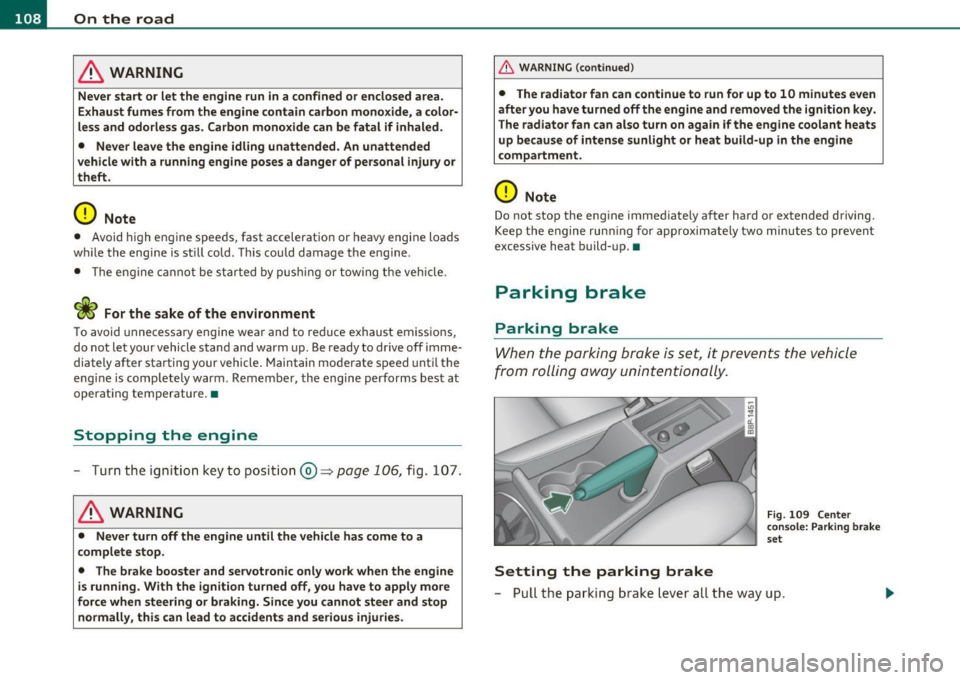
Setting the parking brake
Fig. 109 Cente r
c o ns ole : Pa rk ing brak e
s et
- Pull t he park ing b rak e l eve r all the way up .
Page 111 of 320
_________________________________________________ O_ n_t_ h _ e_ ro_ a_d __ _
Releasing the parking brake
- Pull th e parking brak e leve r u p sligh tly and pr ess the
r ele ase b utt on at t he sam e tim e:::::;,
page 108, fig. 10 9
-a rrow-.
- Keep the release button pressed and lower the par kin g
brake:::::;, &,.
If you should drive off w ith the park ing brake still set, a warning tone
wi ll sou nd and t he following will appear in t he ins trumen t cluster to
remind you to release the parking brake:
Parking brake set
Th e p arking br ake wa rning comes on on ly af ter you have d riven for
longer than 3 seconds and faster than 5 mph (5 km/h).
T he pa rk in g bra ke wa rning ligh t Brake (U SA)/
(CD) (C DN) i lluminates
w hen the park ing b rake is set and you sw itch on the ign ition.
& WARNING
Always release the parking brake completely. A partially engaged
brake will overheat the rear brakes , reduce their effectiveness and
cause excessive wear. This could lead to brake failu re and an acci
dent.
0 Note
O nly a fter the vehicle has co me to comp lete stop, sho uld you firmly
se t the par king brake and either move the gearshift lever into 1st .
gear (manual t ransm iss ion) or
move the se lector leve r into "P" (Auto
matic transm ission). •
Controls and equip
ment Safety first
Parking
To p
reven t a parked ve hic le fr om rolli ng away, th ere a re
a fe w thing s yo u s hould do.
Wh en you par k yo ur vehic le, do t he foll owing:
- Stop the veh ic le usi ng the brake pedal.
- Set t he parking bra ke firmly .
- Mov e th e s ele ctor lev er i nto the
P p osi tio n (automatic
transmission)
or mo ve the g ears hift leve r i nto 1st . gear
(manual transmission) :::::;, &,.
- Swit ch o ff t he eng ine and rem ove the igniti on key fr om
t he ign ition l ock .
What else you should do when parking your vehicle
on an incline or decline
T u rn t he st eer ing whee l so tha t if the vehicle s hould start to roll, it
will roll into t he curb.
If you are par king on a
decline (the front of your ve hicl e facing down
hill), turn the fron t w heels to t he rig ht so t hat they point
toward the
curb.
If you are pa rking o n an incline (t he fon t of yo ur vehi cle facing uphill),
turn the front wheels to the left so that they point
away from the
curb.
Move the se lector lev er into the P p os it ion (automatic transmission)
or move the gearsh ift lever i nto 1st . gear (manual transmis sion ).
& WARNING
This is how you can reduce the risk of injury when leaving your
vehicle.
• Never park the vehicle where it can come in contact with dry
grass, spilled fuel or any other flammable materials.
Vehicle care Technical data
Page 112 of 320
ffl..__O_ n_ t_h _e_ r_o _ a_ d _________________________________________________ _
& WARN ING (con tinu ed)
• Never allow anyone - e speciall y small children - to remain in
the vehicle when it is locked . Locked doors make it more d ifficult
for rescuers to acces s the passenger compa rtment in the e vent of
an emergency. Danger to life!
• Never leave children unsupervi sed in the vehicle . Children
could release the parking brake or mo ve the gearshift leve r out of
gear . The vehicle could start to roll away and cause an accident.
• No matter what the season is, the temperature in a park ed
vehicle can reach dangerous levels. •
Applie s to vehicles : w it h h ill h old ass is t
Starting on hills
H ill hold assist makes it easier to s tart on hill s.
T he system is activated whe n the brake peda l is depressed for a few
s econd s.
After releasing the b rake pedal, the bra ke power is held fo r a
brief
moment to prevent the vehicle from rolling back when star ting. At
t his time , you can eas ily begin to move your veh icle .
& WARNING
• If you did not beg in moving immediately after releasing the
brake pedal , under certain circumstances , the vehicle would begin
to roll backward. Depre ss the brake pedal immediately or engage
the hand brake.
• Should the engine st all , depress the brake pedal immed iately
or engage the hand brake.
• In order to prevent the veh icle from rolling back unintention
ally when starting in stop-and-go traffi c, keep the brake pedal
depressed for a few seconds before d riving off.
[I] Tips
You can find out if your vehicle is equipped with "H ill hold as sist " at
an authorized Audi dea lersh ip. •
Cruise control
Switch ing the sy stem on
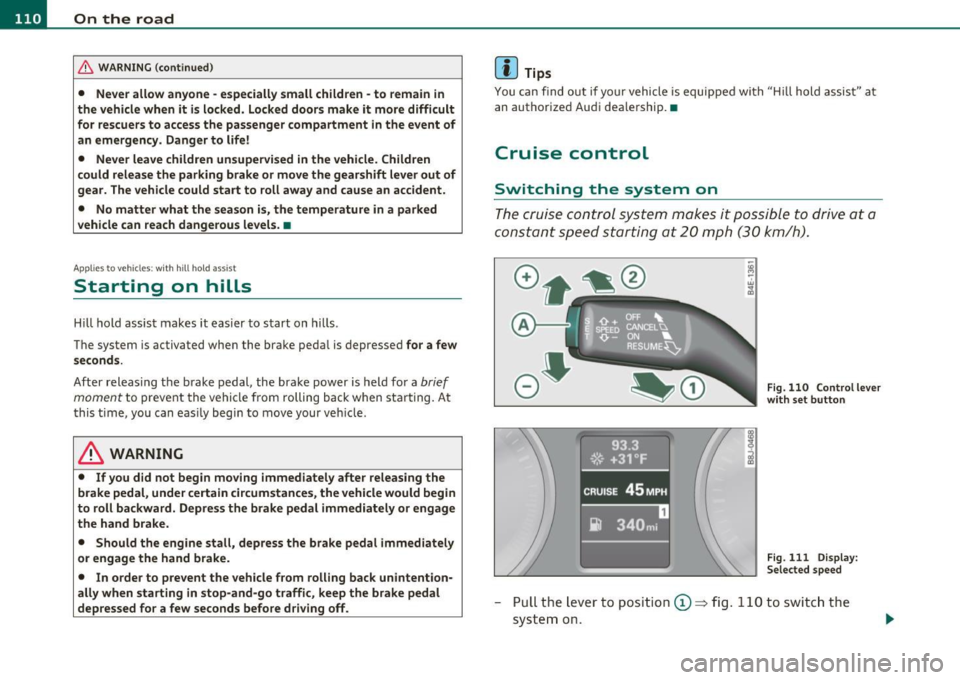
The crui se c ontrol system m akes it possible to drive a t a
constant s peed start ing a t 20 mph (3 0 km/h).
Fig . 110 Controllev er
w ith set butt on
Fig. 111 Di splay:
Se lec ted spee d
- Pull the lev er to posi tio n (D => fig . 110 to sw itch t he
system on.
Page 113 of 320
________________________________________________ ..::O :::.:.,: n:...t~ h :...!.::: e:...!.. ro~ a:_::d!..,_ __
- Drive at the sp eed yo u wish to set.
- Press button © to set that speed .
The disp lay=> page 110, fig . 111 w ill show the set speed. T he d is p lay
may vary depending on the type of display in your veh icle. The ind i
cator light
CRUISE (US mode l) I 0" (Canadian model) w ill also light up
in the instr ument cluster .
& WARNING
• Alway s pay attention to traffi c even wh en the cruise control i s
switch ed on. You are always responsible for your speed and the
distance between your vehicle and other vehicle s.
• For safety reasons , the cruise control should not be used in the
city, in stop-and-go traffi c, on twi sting road s and when road
conditions are poor (such as ice , fog, gravel, heavy rain and hydro
planing ) · risk of accident .
• Turn off the cruise control temporarily when entering turn
lanes, highway exit lane s or in con struction zone s.
• Please note that inadvertently "resting" your foot on the accel ·
erator pedal cau ses the crui se control not to brake . This i s becau se
the cruise control is ove rridden by the driver 's accele rat ion .
[ i ] Tips
• Vehicles with manual transmission : You can atta in the set speed
only if the curren tly engaged gear allows i t and the eng ine is no t
stressed . Shift ing to a higher or lowe r gear promptly w ill allow the
eng ine to run smooth ly .
• The cru ise contro l cannot ma inta in a constant speed when driving
downhil l. The vehi cle will accelerate under its own weigh t. Downshift
to a lower gear or use the brakes to slow down .•
Controls and equip
ment Safety first
Changing speed
- Press lev
er i n t he 0 or O directio n=:::;, page 110, fig. 110
to inc rease or d ecr eas e yo ur sp eed.
- Release the lever to save t hat speed .
Change speed in increments o f 1 mph (1 km/h) by lightly pressing the
lever. If you keep the leve r presse d down, yo u will alte r your s peed in
S mph (10 km/h) increments .
You can also press t he accelerator pedal down to increase your s peed,
e .g . if you want to p ass someone. The speed you save d earlier wi ll
resume as soon as yo u re lease the accelerator pedal.
If, however, you exceed yo ur saved speed by 5 mph (1 0 km/h) fo r
longer than S m inutes, the cruise contro l will turn off temporarily .
Th e symbo l will go out b ut the save d speed will be retaine d.•
Presetting your speed
You can preset your d esir ed sp eed whil e the vehicle is not
moving.
- Turn on the ignition.
- Pull leve r into positio n
CD~ page 110, fig . 110.
- Press the lever in the
0 or O di rec tion to increase or
d ecr eas e y our sp eed.
- Release the lever to save t hat spe ed .
Thi s fu nction makes it possible, for example, to save the speed yo u
w ant befo re drivi ng on the highway . Once on t he highw ay, act ivate
the cruise contro l by pu lling the leve r toward
(D . •
Vehicle care Technical data
Page 114 of 320
IIIIL--_O=-:.. n.:.....: t;,:.h .:...:e~ r...::o =-- a=-.:. d;__ ________________________________________________ _
Switching the system off
Temporary deactivation
- Press the brake pedal, or
- Keep the clutch pedal pressed down
longer, or
Press the lever into position
0 (not clicked into place)
=:> page 110, fig. 110, or
- Drive for longer than 5 minutes at more than 5 mph
(10 km/h) above the stored speed.
Switching off completely
- Press lever into position@ (clicked into place), or
- Switch the ignition off.
The system retains the saved speed if you deac tivate the cruise
control temporarily. To resume the saved speed, release the brake or
clutch pedal and pull the lever to position
(D.
Switching the ignition off erases the saved speed.
& WARNING
You should only return to the saved speed if it is not too fast for
the current traffic conditions -risk of an accident! •
Appli es to veh icles : wi th m agne tic rid e
Audi magnetic ride
Damping can be adjusted to the driver's preference and it
adapts automatically to the current driving situation .
l !. a J
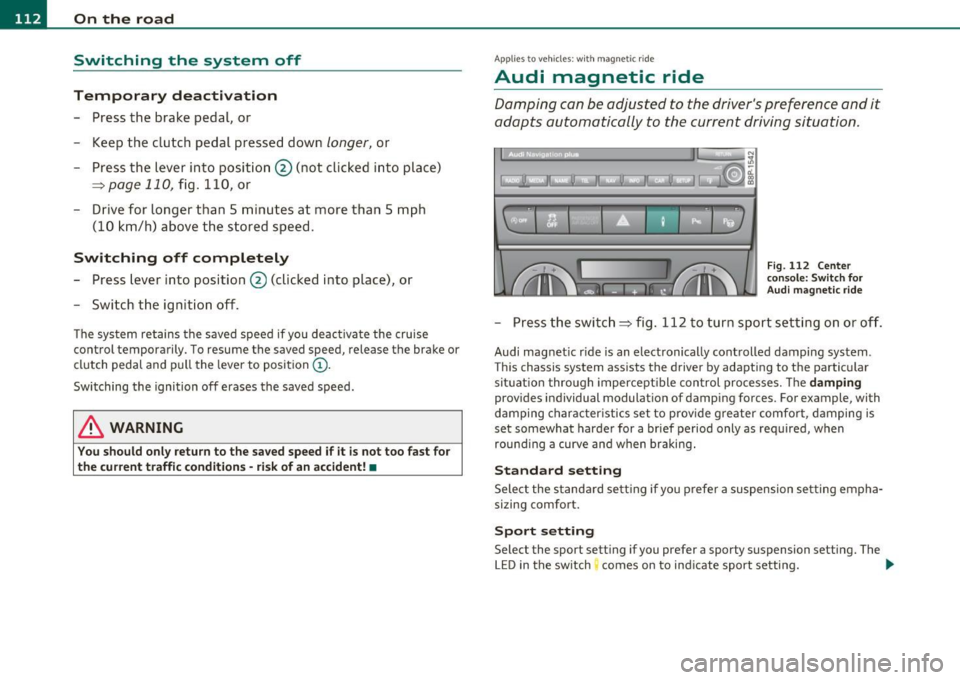
Fig. 112 Center
console: Switch for
Audi magnetic ride
-Press the switch=:> fig . 112 to turn sport setting on or off .
Audi magnet ic r ide is an electronically controlled damping system .
Thi s chassis system assists the drive r by adapting to the particular
sit uat ion through impercept ible control processes. The
damping
prov ides individual modulation of damping forces . For example, with
damping characteristics set to provide greater comfort , damping is
set somewhat harder for a brief period only as required, when
rounding a curve and when braking.
Standard setting
Select the standard setting if you prefer a suspension setting empha
si zi ng comfort.
Sport setting
Select the spor t set ting if you pre fer a spor ty suspension set ting. The
LED in the switch comes on to ind icate sport setting. ..,.