fuel AUDI S3 2011 User Guide
[x] Cancel search | Manufacturer: AUDI, Model Year: 2011, Model line: S3, Model: AUDI S3 2011Pages: 320, PDF Size: 75.79 MB
Page 28 of 320
Driver information displ ay
Applie s to veh icles : wi th tr ip co mpute r wi th effic ie ncy pr ogra m
Other equipment
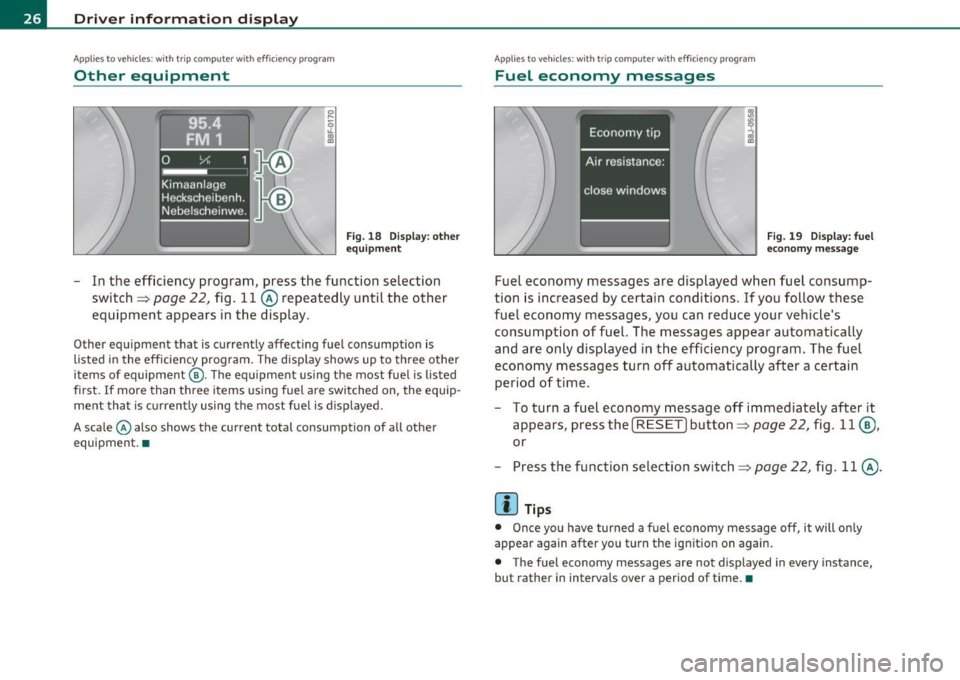
Fig. 18 Dis play: o th er
equip ment
- In the efficiency program, press the function selection
switch~
page 22, fig. 11 @ repeatedly until the other
equipment appears in the display.
Other equipment that is currently affecting fuel consumption is
listed in the efficiency program . The disp lay shows up to three other
items of equipment @. The equipment us ing the most fuel is listed
first.
If more than three items using fuel a re switched on, the equip
ment that is currently using the most fuel is displayed .
A scale © also shows the current total consumption of all other
equipment .•
A ppli es to vehicles : wit h trip co mpute r w ith effi ciency pro gra m
Fuel economy messages
Fig . 1 9 D is p lay: fuel
economy messa ge
Fuel economy messages are displayed when fuel consump
tion is increased by certain conditions . If you follow these
fuel economy messages, you can reduce your vehicle's consumption of fuel. The messages appear automatica lly
and are only displayed in the efficiency program. The fuel
economy messages turn off automatically after a certain period of time .
- To turn a fuel economy message off immediately after it
appears, press the [
RESET] button~ page 22, fig. 11 @ ,
or
- Press the function selection switch~
page 22, fig. 11 @.
(I) Tips
• Once you have turned a fuel economy message off, it will only
appear again after you turn the ignition on again.
• The fuel economy messages are not displayed in every instance,
but rather in intervals over a period of time. •
Page 32 of 320
Driver info rmation d isplay
- Briefly press the button in the instrument cluster
=>
page 29, fig . 22. The odometer and the digital clock are
now i lluminated .
- Press the button for at least 2 seconds . The currently
stored maximum speed appears in the display.
- Press the reset button in the wiper lever@=>
page 29,
fig. 23 until the crossed out speed warning symbol for
warning th reshold 2 appears in the display.
A few seconds after the ad justment is completed, the illuminat io n for
the odometer and the digital clock will go out.
[ i J Tips
This warning thresho ld can also be contro lled through the trip
computer~
page 24, "Navigat ing the menu" .•
Warnings and symbols
Red symbols
A red symbol means DANGER
- P ull of the road and stop the vehicle .
- Turn off the engine.
- Check the malfunctioning syst em. Contact you r au tho-
rized Audi dealer or a qualified workshop for assistance.
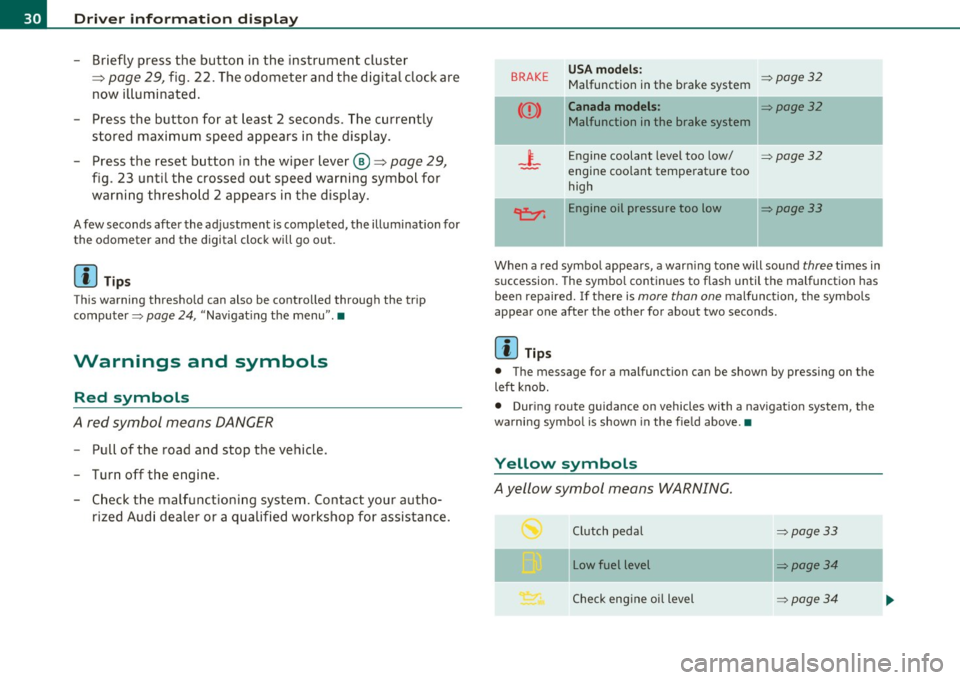
BRAKE USA models : ~page32 Malfunction in the brake system
Canada models : ~page32
Malfunction in the brake system
_i_ Engine coolant level too low/ ~page32
-engine coolant temperat ure too
high
~ Engine oil pressure too low ~page33
When a red symbo l appears , a warn ing tone will sound three t imes in
succession. The symbo l continues to flash until the malfunction has
bee n repaired. If there is
more than one malfunction , the symbols
appear one after the other for about two seconds.
[ i J Tips
• The message for a malfunction can be shown by pressing on the
left knob.
• During route guidance on vehicles with a navigat ion system, the
wa rni ng symbo l is shown in the fie ld above. •
Yellow symbols
Ayellow symbol means WARNING.
Clutch pedal ~page33
- -
Low fuel level ~page34
Check eng ine oi l level ~ page34
Page 35 of 320
If the generator warning/indicator light shou ld also illuminate
=> page 15, t hen t he fan belt m ay be damaged .
& WARNING
• If your vehicle should break down for mechanical or other
reasons , pa rk at a safe distance from mo ving traffic, turn off the
engine and turn on the hazard warning lights=>
page 59, "Emer
gency flasher
A. ".
• Never open the hood if you see or hear steam or coolant
escaping from the engine compartment -you risk being scalded.
Wait until you can no longer see or hear steam or coolant
escaping .
• The engin e compartment of any vehicle i s a dangerou s ar ea .
Before you p erform any work in the engine compartment , turn off
the engine and allow it to cool. Follow the warning sti ckers
=> page 218 , "Engine compartment ".
0 Note
Do not continue driving if the -¥- symbol illuminates . There is a
ma lf u nction in the engine coo ling sys tem -yo u could damage your
eng ine. •
Engine oil pressure malfunction ~
The red engine oil pressure warning symbol requires
immediate se rv ice o r repair.
If the 9=r. symbo l app ears in the d is pl ay a nd flash es, th e oil
p ressure is to o lo w . In add ition to the sym bol, the f ollow ing
messag e al so a pp ea rs in the dis play :
Switch off engine and check oil level
- P ull off the road a nd stop t he ve hicle.
Controls and equip
ment Safety first
Driver information display
-
Shut the eng ine down .
- Check t he eng ine oi l level=>
page 231 .
-Contact your authorized Aud i dea le r for assis tance i f
necessary .
Engine o il level too low
If the eng ine oi l leve l is too low , top off oil to t he p roper level
=>page 232.
Engine oil level OK
If the 't'!::;r. symbol starts flashing again even thoug h the engine oil
level checks O K on t he d ipstick,
do not start driving again and do not
let the engine run at idle .
Instead, contact you r authorized Audi
dealer fo r assis tance.
[ i ] Tips
• The engine oil pressure symbol 'I=:?: is not an indic ato r for a low
engine oil level. Do not rely on it . Instead , check the oil level in your
engine at regular intervals , preferably each t ime you refuel, and
always before going on a long tr ip .
• The yellow oil level warning indication requires oil refill or
workshop service without de lay . Do not wait until the red oil pre s
s ure warning symbol~ starts to flash before you respond to the
low oil level warning _, . By then, your engine may already have
s uffered serious damage. •
Applies to vehicles: with manual trans miss ion
-;y Clutch pedal
T he indica tor lig ht illuminates if you do no t press t he cl utch pedal
when starting the engine . For safety reasons, the engine will only
sta rt when the clut ch pedal is pressed. •
Vehicle care Technical data
Page 36 of 320
Driver information display
Fuel supply too low I
When the symbol illuminates, this means there are about 2.6
gallons (10 liters) of fuel left in the fuel tank. Time to refuel!
=;, page 221.
If the symbol lights up, even when there is ample fue l in the tank, and
the text
Tank system malfunction! Please contact workshop appears
in the display, there is a fault in the system. Contact a qualified work
shop to have the fault rectified .•
App lies to veh icles: w ith eng ine speed limitat ion
Engine speed limitation ~
Engine speed maximum XXXX RPM
The symbol illuminates when there is an engine control malfunc
tion. The indicator light
C in the instrument cluster also illuminates.
Th e eng ine speed is limited to the speed displayed in the driver infor
mation system. Keep in mind that the engine speed will not exceed
the value disp layed in the driver information system, for example
when downshifting .
Please go to an authorized Audi dealer or other qualified workshop to
have the malfunction repai red. •
App lies to vehicles: with diesel eng ine and diesel particulate filter
Diesel particulate filter clogged
Particulate filter ! See owner's manual
If the indicato r light in the instrum ent cluster comes on, the
diesel particulate filter has become blocked with soot as the result of
constant short -distance driving. When the symbol illuminates,
you can alter your driving style to assist the filter self-cleaning
process. Drive for approximately 15 minutes in 4th or 5th gear (auto
matic transm ission w ith the selector lever in the 5 posit ion) at a min
imum speed of 37 mph (60 km/h) and an engine speed of approx
imate ly 2,000 RPM. The temperature increase that will result from
this can burn off the soot in the f ilter. The symbol will switch off when
the cleaning is successful. After a successfu l cleaning, there is no
need to bring the car to an authorized dealer or qualified workshop
because this is part of normal vehicle operation.
If the symbol does not switch off, see your authorized dealer or
other qualified workshop to have the problem corrected.
As long as the indicator light remains on (diese l particulate filter
plugged), you can expect increased fuel consumption and poss ibly
also a loss of engine performance.
For more information on the diesel particulate filter, refer to
=;, page 199.
& WARNING
Always adapt your speed to the current weather, road and traffic
conditions . You should never disobey traffic laws in order to
follow driving recommendations. •
Checking the engine oil level ~-
'LF. Please add max. 1 qt of engine oil!
If the ..:,; symbo l comes on, add 1 quart (1 liter) of oil at the next
opportun ity=-;,
page 232. •
Checking the engine oil level~
When the _ symbol illuminates, check the engine oil level as soon as
possible ~
page 231. Top off the oil at your earliest opportunity
=;, page 232. •
Page 43 of 320
All the doors and the rear lid are locked by the central locking system
when you lock the vehicle.
The unlock ing and locking mode* can be changed in the driver infor
mation system~
page 22.
Unlocking the vehicle
You can unlock the vehicle from outside either by using the remote
control
or by inserting and turning the key in the driver's door lock .
When you
unlock your vehicle:
• Th e anti-theft alarm system is deactivated briefly.
• The vehicle interior lights illuminate for approximately 30
seconds .
• All turn signa l lights will flash twice when the car is unlocked .
• After unlocking the vehicle, you have 30 seconds to open a door or
the rear lid. Afte r 30 seconds, the vehicle automatica lly locks and the
anti-theft alarm system activates again.
The rear lid can be locked or unlocked either by using the remote
control or by inserting and turning the key in the dr iver's door lock.
Unlocking the vehicle with the remote control~ will only
unlock the
rear lid, to
open it, the lid handle needs to be pressed.
Locking the vehicle
You can lock the vehicle from outside either by using the remote
control
or by inserting and turning the key in the drivers's door lock.
When you
lock the vehicle:
• All doors and the rear lid are locked.
• All turn signal lights will flash once when the car is locked.
• Th e anti-theft alarm system is activated. The horn of the anti
theft alarm system will sound and the anti-theft alarm system readi
ness light, located in the center of the instrument panel below the
windshield on the right side of the air vent, will start to blink.
• Th e vehicle interior lights turn off.
Controls and equip
ment Safety first
Opening and closing
Automat
ic locking*
The automatic locking feature locks all the vehicle doors and the rear
lid when you drive faster than 9 mph (15 km/h).
You can unlock the vehicle from the inside by:
• removing the key from the ignition switch (the vehicle wi ll auto
matically unlock itself) or
• pressing the unlock part of the power lock switch
ll::D or
• pulling the inside handle for that door (once - the front door is
unlocked and opened at the same time, twice to open the rear door).
If you wish, you can have an authorized Audi dealer convert your
power door lock system to automatic locking.
& WARNING
• When you lock your vehicle from outside, nobody· especially
children - should remain inside the vehicle. Remember, when you
lock the vehicle from the outside the windows cannot be opened
from the inside .
• When you leave the vehicle, always remove the ignition key
and take it with you. This will prevent passengers (children, for
example) from accidentally being locked in the vehicle should
they accidentally press the power locking switch on the center
console.
• Do not leave children inside the vehicle unsupervised. In an
emergency it would be impossible to open the doors from the
outside without the key.
[ i ] Tips
• In the event of a crash with airbag deployment all locked doors
will be automatically unlocked to give access to the vehicle occupants
from the outside .
• If the power locking system sho uld fail, you can still open the fuel
tank flap in an emergency~
page 224 . .,_
Vehicle care Technical data
Page 88 of 320
Seats and storage
& WARNING (continued)
• Make certain that the safety strap lies in the middle between
the bindings of the ski equipment (refer also to printed message
on the ski sack).
[ i J Tips
• Place skis with the tips pointing forward , snowboards and ski
poles with tip to the
rear in the ski sac k.
• If there are several pairs of skis in the ski sack, make certain that
the bindings are at the same level.
• Be sure not to fo ld up o r store the sack when it is still damp. •
Roof rack* installation
First things first
A roof rack can be used to carry additional luggage on the
roof There are two different roof rack systems.
Separate roof racks are needed for vehicles without roof rails.
Vehicles with standard roof rails* need additional cross bars
to carry cargo. Both types of additional equipment are avail
able at your authorized Audi dealer.
- Always read and follow th e instructions provided by the
roof rack manufacturer when the roof rack system must
be installed.
If a roof rack or similar luggage carrying equipment is to be installed,
please note the following:
Vehicles without roof rails
• Your vehicle has aerodynamic rain gutters molded into the roof.
Th at is why only roof racks specially designed for the roof can be used. We recommend using roof racks from the Audi orig
inal accessories
program.
• These roof racks are the basis for a complete roof rack system. For
safety reasons, some additional attachments are necessary to trans
port luggage, bicycles, surf boards, skis and small boats safely. All
these components are available at your author ized Audi dealer.
Vehicle with roof rails
• The vehicle is equ ipped with integrated roof railings, which can be
covered into roof rack by installing cross bars. Only install cross bars
specifically designed for this vehicle.
• These bars are the basis for a complete roof rack system. Addi
tional attachments are necessary to safely transport luggage, bicy
cles, surf boards, skis or small boats.
• All necessary hardware for these systems is available from your
authorized Audi dealer.
When should the roof rack be removed?
• Before going through an automatic car wash (it is best to ask the
car wash operator)
• When not in use (reduce fuel consumption, reduce wind noise and
guard against theft)
& WARNING
• Use of an unapproved roof rack or incorrect mounting of an
approved roof rack can cause the roof rack or the items carried on
it to fall off the roof onto the road .
• Objects falling from the roof of a vehicle can cause a crash and
personal injury.
• Only mount the system between the markings shown in
=> page 87, fig . 88 or=> page 88, fig . 89.
• The roof rack system must be installed exactly according to the
in structions provided . .,_
Page 99 of 320
Controls
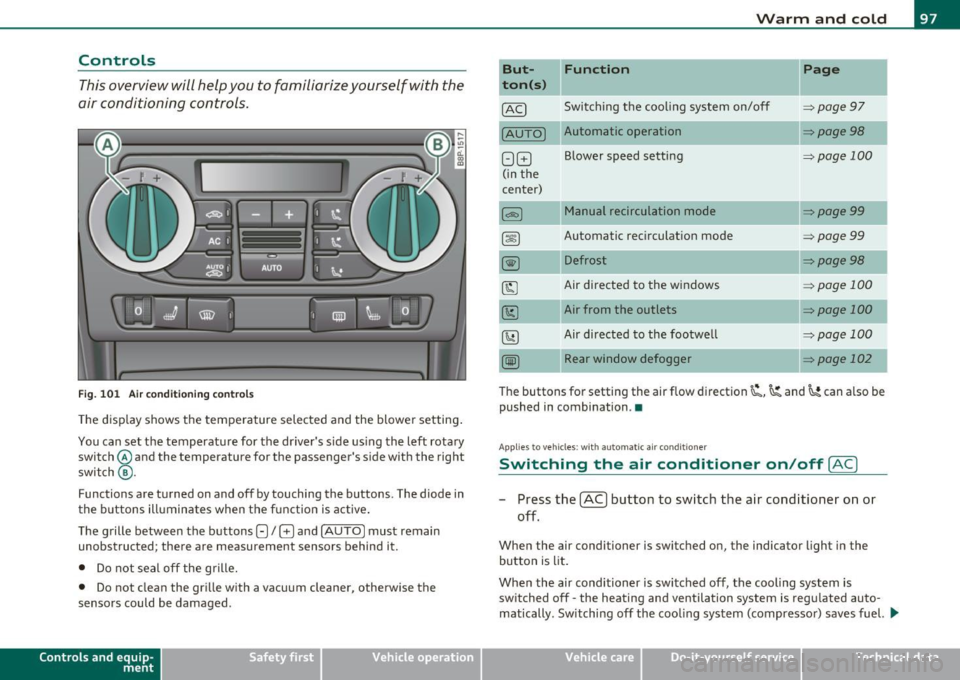
This overview will help you to familiarize yourself with the
air conditioning controls.
F ig . 1 01 Air co nditi onin g co ntro ls
Th e d isp lay shows the temperature selected a nd the blowe r setting .
You can set the temperatu re for the driver's side us ing the left rota ry
switch @and the tempe rature for the passenger's s ide with the right
switch @.
Functions are turned on and off by touching the buttons . The diode in
t he b uttons illumina tes when the f unction is active .
The grille between the buttons
G / G and !AUTO I must remain
unobstructed ; there are measurement sensors beh ind it.
• Do not seal off the grille.
• Do not clean the gr ille with a vacuum cleaner, otherwise the
senso rs could be damaged .
Contro ls a nd e quip
m en t Vehicle
OP-eration
Warm and cold
But- Function
ton(s )
@ Switching t he cooling system on/off
!AUTO] Automatic operation
G G B lower speed setting
( in the
center)
Manual recirculation mode
Automatic rec irculat ion mode
Defrost
Air directed to the w indows
Air from the outlets
Air directed to the footwe ll
Rear window defogger
Page
=;, page 97
:> page 98
=;,page 100
=;, page99
=> page 99
=>page 98
=> page 100
=> page 100
=> page 100
=> page 102
The buttons for setting the air f low direction~,~ and~ can also be
pushed in combination .•
A pp lies to ve hicl es: wit h auto matic a ir cond it ioner
Switching the air conditioner on /off [AC]
- P ress the [AC] button to switch the air cond itioner on or
off.
When the air condi tioner is switched on, the indicator light in the
bu tton is l it .
Whe n the air conditioner is swi tched off, the cooling system is
switched off -the heating and ventilation system is regu lated auto
matically. Sw itching off the coo ling syst em (compressor) saves fuel. .,
Vehicle care Do-it-yourselt service iTechnical data
Page 103 of 320

_________________________________________________ W_ a_ r_m _ a_ n_d_ c_ o_ ld _ ___._
Air directed to th e footw ells ~
All the air is directed to outlets ® and to the outlets under the front
seats. •
Air outlets
,
'''
Fig. 102 Instrument panel: air outlet locations and airflow directions
The air outlets (D and @on top of the instrument panel are
fixed. Outlets ® and © can be adjusted.
Adjusting air outlets ® and ©
-Turn the vertical thumbwheel beside the outlet to
increase, reduce or shut down the airflow from that
outlet.
- Move the small tab in the center of the outlet louver side
ways and up or down to adjust the level and direction of
airflow .
Contro ls a nd e quip
m en t Vehicle
OP-eration
The supply of a ir to the outlets is controlled either automat ically or
manually depend ing on the operation mode selected. The airflow
from all outlets can be heated, unheated or cooled .
The heater outlets for the rear footwells are located under the front
seats. When you select outlets@, air is also directed to the rear foot
wells.
[I) Tips
• When defrosting/defogging the windows, air flows from outlets
(D ,@ and @. To defrost or defog the windows as rapidly as poss ible,
air outlets ® should be opened
fully with the adjuster wheels.
• When the air conditioner is working, cooled air w ill flow primarily
from outlets @,® and @. To assure adequate cooling, outlets ®
and © should never be completely closed.•
Using the climate controls economically
Using the climate controls prudently can help save fuel .
When you use the air conditioner, engine power is reduced
and fuel consumption increases. To save fuel, you should use
the air conditioner only when necessary. Also please note the
following points:
- If you want to save fuel, switch off the air conditioner .
- If you are going to drive with the windows open, switch off
the air conditioner.
of polluta nts emitted into the air. •
Vehicle care Do-it-yourselt service iTechnical data
Page 104 of 320

ffl..__w __ a _r _m __ a_n _ d_ c_ o_ ld ________________________________________________ _
Key coded settings
When the ignition is switched on, the air conditioner
settings are automatically assigned to the key being used .
The air conditioner settings selected are automatically stored and
assigned to the key being used . When the vehicle is started, the air
conditioner automatically selects the settings assigned to that key.
Th is way every driver will maintain his/her own personal settings and
does not have to reset them manually.
[ i J Tips
If a different driver uses your key and changes the a ir conditioner
sett ings, the latest adjustments wi ll erase and replace the settings
you have stored. •
Rear window defogger [ffi)
The rear window defogger clears the rear window of
condensation.
F ig. 103 Swi tch for
rea r w in dow defogg er
wit h air -conditioni ng
- Press the [ml switch to switch the rear window defogger on
and off.
The defogger works only with the eng ine running . When the defogger
is switched on, an indicator ligh t in the switch comes on .
The rear window defogger switches off automatically after about 20 min utes.
elec tricity, you save fuel. •
Applies to veh icles: wit h diesel eng ine
Additional heater
- Switch the
Additional heater to AU TO .
Vehicles w ith d iesel eng ines are equipped with an additional heater
to warm the interior of the vehicle more quickly . T he additional
heater sw itches itself on and off automatically when the outside
temperature is be low 50 °F (10 °C) and the engine is running,
depending on the coolant temperature, i nterior temperature a nd the
selected temperature. •
Page 105 of 320

_________________________________________________ W_ a_ r_m _ a_ n_d_ c_ o_ ld _ ___.lfll
Applies to vehicles : wi th electr ically heate d front se ats
Electrically heated front seats
With the ignition on, the seat cushion and backrest of the
front seats can be heated.
Fig. 10 4 Center
console: thumbw heels
f o r fr ont se at heating
Use the thumbwheels in the center console=> fig. 104 to
turn on and adjust front seat heating. An infinite range of
positions are possible .
- Roll the thumbwheel
© (driver's seat) or@ (front
passenger's seat) from position (0 ) upward in order to
activate the heating elements.
- Select the desired temperature setting from positions 1
through 6.
When the heating element is activated, the numbers on the thumb
wheel w ill illuminate .
0 Note
To prevent possible damage to the heating elements, do not kneel on
the seats or apply a heavy load to relatively small areas of the seat. •
Contro ls a nd e quip
m en t Vehicle
OP-eration
App lies to vehicles : with eng ine preheater
Engine preheater
Use of the engine preheater is recommended when the
ambient temperature is below -5 °F (-20 °C) .
Fig. 10 5 I n the le ft
fro nt b umper: engine
prehea ter connection
soc ket
T he engine preheater slow ly warms the engine coolant using a
heating element when the vehicle is parked. The included cable
4>
must be connected to a 120 Volt Ground Fault Circuit (GFI) protected
outlet that is protected from water (in your garage, for instance).
When the coo lant is preheated, the engine reaches its operating
temperature more qu ickly and will use less fuel and produce fewer
polluting emissions during the warm-up phase.
Preheat ing the engine can take up to 3 hours depending on the
temperature outside.
Conn ect ing th e engin e pr ehe ate r
• Only use the cable provided.
• All cables and connectors that are used must not be damaged
=> & .
• Open the cover=> fig. 105
G) .
• Plug the connecting cable into the socket@=>& .
4
) The cable is delivered with veh icles in Canada as standard equipment. The ca
ble can be obtained from an authorized Audi deale r for vehicles in the USA.
Vehicle care Do-it-yourselt service iTechnical data