ignition AUDI S3 2015 User Guide
[x] Cancel search | Manufacturer: AUDI, Model Year: 2015, Model line: S3, Model: AUDI S3 2015Pages: 310, PDF Size: 76.15 MB
Page 30 of 310
28 Driver information system
On-board computer display
The on-boa rd compute r display monitors the
different memory levels:
- Sho rt-term memo ry (on-board computer 1)
- Long-term memory (on-board computer
2)
-Efficiency program
The fo llow ing information can be displayed in
on-boa rd computer
1 and 2 one after the oth
er.
- Date
- Estimated range based on current fuel leve l
- T rave l time
- Average consumption
- Average speed
- Distance
- Current fuel consumption
- Engine oil temperature indicator*
On-board computer D (short-term
memory)
The sho rt-term memory co llects driving infor
mation from the time the ignit ion is switched
on until it is switched off. If you continue dr iv
ing
within two hours after switching the igni
tion off, the new values are included when cal
culating the current trip information. If stop ped for more the two hours, the short term
memory is automatically erased once you be
g in driving .
On-board computer fJ (long-term
memory)
Unlike the short-term memory, the long-term
memory is not erased automatically. You can
select the time period for evaluating trip in
formation yourself.
Efficiency program~
The efficiency program can help you to use
less fuel ~
page 29 .
(D Tips
-The on-board computer is controlled by
the left button f ields on the mult ifunc
t ion steering wheel. -
For information on using the other but
ton f ields, such as the audio, telephone*
and navigation* funct ions, see the MMI
owner's manual.
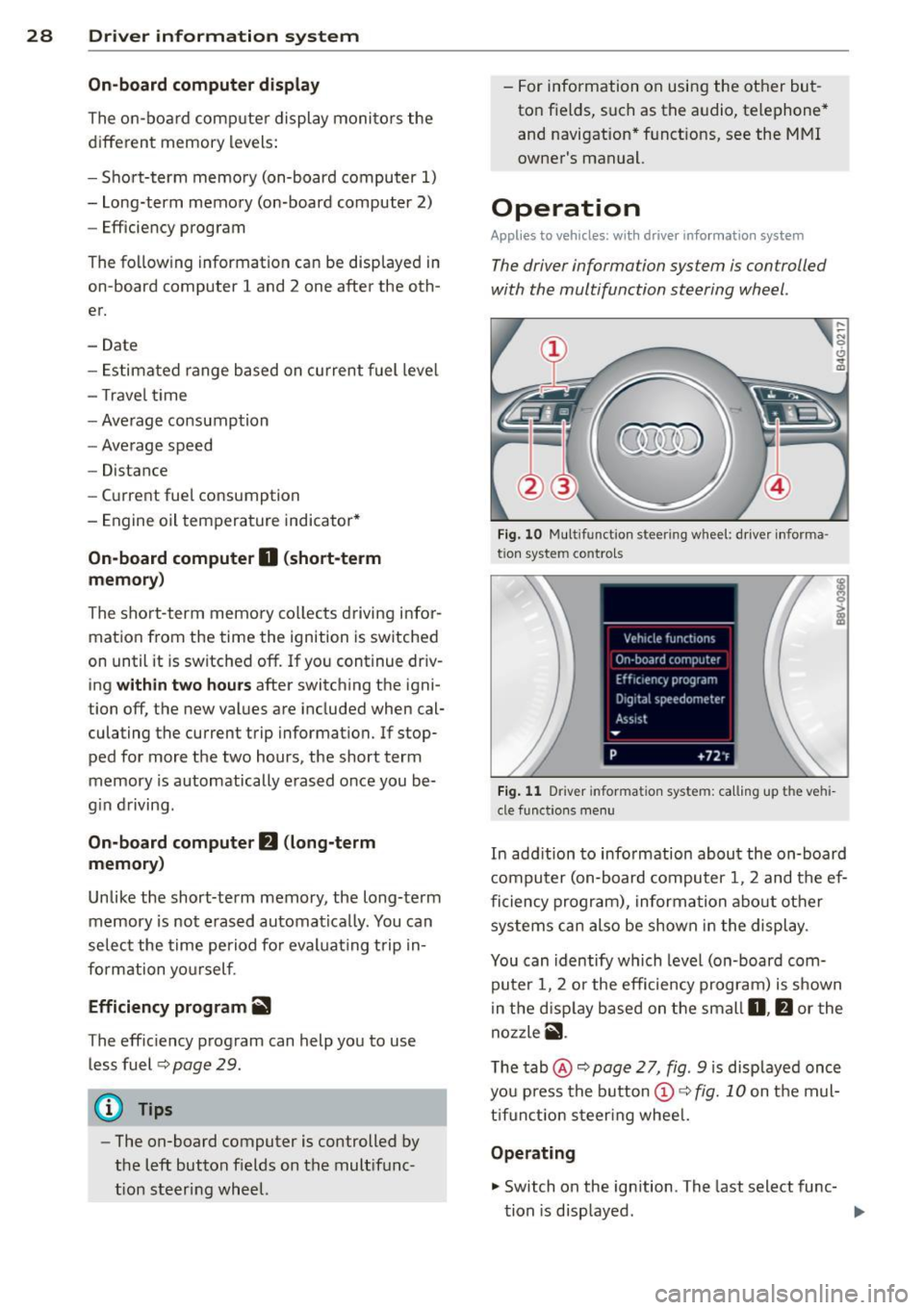
Operation
Appl ies to vehicles: wit h driver informatio n system
The driver information system is con trolled
with the multifunction steering wheel .
Fig. 10 Multi funct ion s teer ing w heel : driver informa ·
tio n syste m controls
Fig. 11 D river informa tion syste m: call ing up t he ve hi
cle func tion s men u
In add ition to info rmation about the on-board
computer (on-board computer 1 , 2 and the ef
ficiency program), information about other
systems can also be shown in the display .
You can identify which level (on-board com
puter 1, 2 or the efficiency program) is shown
in the d isp lay based on the small
0, fJ or the
nozzle
ii .
The tab@~ page 2 7, fig. 9 is displayed once
you press the button
(D ~ fig. 10 on the mul
tifunction steering wheel.
Operating
.,. Switch on the ignition . T he last select func-
tion is displayed . ..,_
Page 32 of 310
30 Driver in formation sy ste m
other equipment inf luencing consumpt ion
c::> page 30 . Fuel economy messages
c::> page 30 provide tips for efficient driving .
The effic iency program receives data about
the dis tance and fuel consumption from the
on-board computer
1. If the data in the effi
ciency program is de leted
c::> page 29, the val
ues in the on-board computer 1 are also reset .
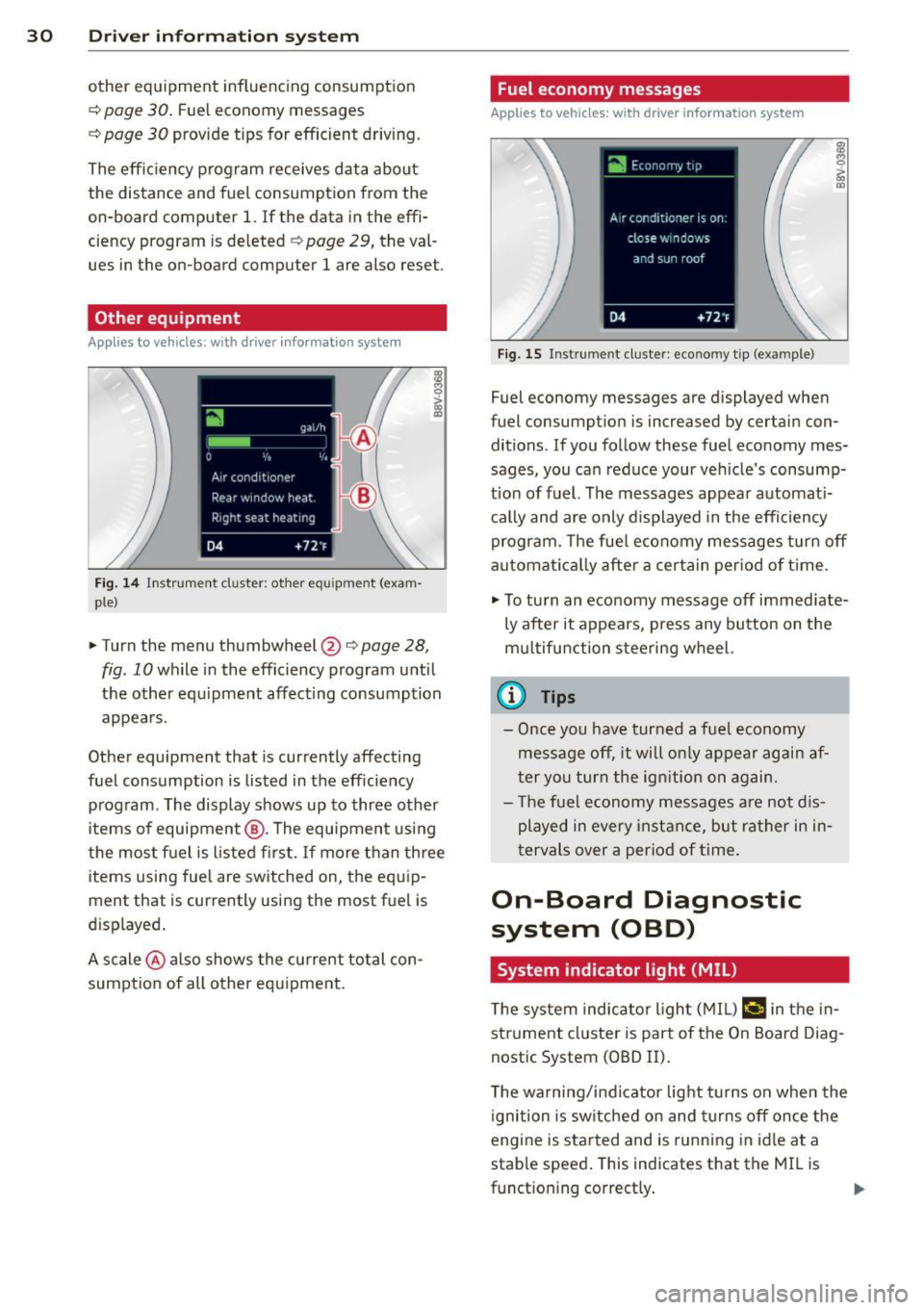
Other equipment
Applies to vehicles: with driver informatio n system
Fig. 14 Instrument cluster : other equ ipment (exam·
ple}
.,. Turn the menu thumbwheel@r:::> page 28,
fig. 10 while in the efficiency program until
the other eq uipment affect ing consumption
appea rs.
Other equipment that is currently affecting
fuel consumption is listed in the efficiency
program. The display shows up to three other
items of equipment @. The equipment us ing
the most f uel is listed fi rs t . If more than th ree
items using fue l are switched on, the equ ip
ment that is currently using the most fuel is
d isplayed.
A scale @ also shows the cu rrent total con
sumpt ion of all other equ ipment.
Fuel economy messages
Applies to vehicles: wit h drive r info rmation system
Fig. 15 Inst rume nt clus ter: economy tip (exa mple)
Fuel economy messages are displayed when
fuel consumpt ion is increased by certain con
ditions. If you follow these fuel economy mes
sages, you can reduce your ve hicle's consump
tio n of fuel. The messages appea r automat i
c a lly and are only d isplayed in the efficiency
program. The fue l economy messages turn off
automa tica lly after a certain per iod of t ime.
.,. To tu rn an eco nomy message off immed iate
ly after it appears, press any button on the
mu ltifu nction steering wheel.
(D Tips
- Once yo u have turned a fuel economy
message off, it wi ll o nly appear again af
ter yo u turn the ign ition on again.
- T he fue l economy messages are not d is
played in every in sta nce, but ra ther i n in ·
tervals over a period of time.
On-Board Diagnostic
system (OBD)
System indicator light {MIL)
T he system indicator l ight ( MIL) ¢4 in the in
strument cl uster is part of the On Board Diag
nostic System (OBD II) .
T he warn ing/ind icator light turns on when the
ignition is sw itche d on and tu rns off once the
engine is sta rted and is runn ing in idle at a
stab le speed . This indicates that the MI L is
funct ioning correct ly .
Page 37 of 310
M N
0 > co ,...., \!) ..,.,
M ..,., ,....,
Opening and closing
Central locking
Key set
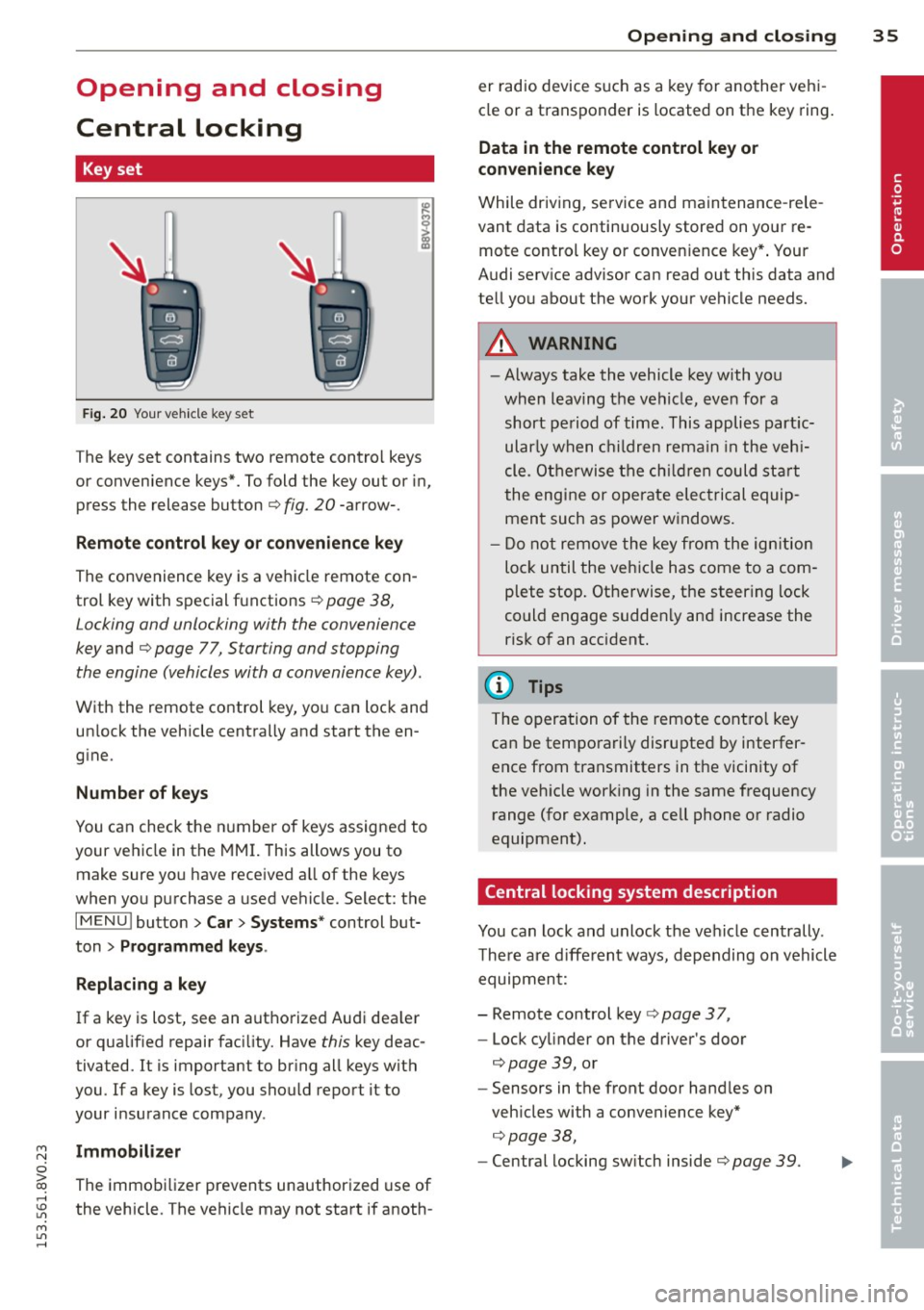
Fig . 20 Your vehicle key set
The key set contains two remote contro l keys
or convenience keys*. To fold the key out or in,
press the release button
q fig. 20 -arrow-.
Remote control key or convenience key
The convenience key is a vehicle remote con
trol key with special functions
q page 38,
Locking and unlocking with the convenience
key and q page 77, Star ting and stopping
the engine (vehicles with a convenience key).
With the remote control key, you can lock and
un lock the vehicle centrally and start the en
g ine.
Number of keys
You can check the number of keys assigned to
your vehicle in the
MMI. T his allows you to
make sure you have received a ll of the keys
when you purchase a used vehicle. Select: the
I MENU I button > Car> Systems* control but
ton
> Programmed keys.
Replacing a key
If a key is lost, see an authorized Audi dea ler
or qualified repair facility. Have
this key deac
tivated. It is important to br ing all keys with
you.
If a key is lost, you should report it to
your insurance company .
Immobilizer
The immobilizer prevents unauthorized use of
the vehicle . The vehicle may not start if anoth -
Opening and closing 35
er radio device such as a key for another veh i
cle or a transponder is located on the key ring.
Data in the remote control key or
convenience key
While driving , service and maintenance -rele
vant data is continuously stored on your re
mote control key or convenience key*. Your
Audi serv ice advisor can read out this data and
tell you about the work your vehicle needs.
_& WARNING
- Always take the vehicle key with you
when leaving the vehicle, even for a
short period of time. This applies partic
ularly when children remain in the vehi
cle . Otherwise the children could start
the engine or operate electrical equip
ment such as power windows.
- Do not remove the key from the ignition
lock until the vehicle has come to a com
plete stop. Otherwise, the steering lock
could engage sudden ly and increase the
risk of an accident.
{i) Tips
The operation of the remote control key
can be temporarily disrupted by interfer
ence from transmitters in the vicinity of
the veh icle working in the same frequency
range (for example, a cell phone or radio
equipment).
Central locking system description
You can lock and unlock the vehicle centrally .
There are different ways, depending on vehicle
equipment:
- Remote control key
q page 3 7,
- Lock cylinder on the driver's door
qpage 39, or
- Sensors in the front door handles on
veh icles with a convenience key*
q page 38,
-Central locking sw itch inside q page 39. •
Page 38 of 310
36 Opening and closing
Selective unlocking
The doors and rear lid lock when they close.
You can set in the MMI whether
only the driv
er's door or the entire vehicle should unlock
when unlocking ¢
page 40.
Automatic locking (Auto Lock)
The Auto Lock funct ion locks all doors and the
l uggage compartment lid once the speed has
exceeded approximately 9 mph (15 km/h) .
The car is un locked again once the ignition key
is removed. In addition, the vehicle can be un
l ocked if the opening function in the power
locking system switch is used or one of the
door handles is pulled. The Auto Lock function
can be turned on or off* in the MMI
c::>page40.
In the event of a crash with airbag dep loy
ment, the doors automatically unlock to allow
access to the vehicle.
Anti -theft alarm system*
If the anti-theft alarm system detects a vehi
cle break-in, audio and visual warning signa ls
are triggered .
The anti-theft alarm system turns on auto mat ically when you lock the vehicle.
It deacti
vates when un locking using the remote con
trol key or by touching the sensor on the door
handle (convenience key) .
To switch the alarm off, press them button on
the remote control key or convenience key or
switch the ignition on . The alarm also stops
automatically after a certain amount of time.
Turn signals
The turn signals flash twice when you unlock
the vehicle and once when yo u lock the vehi
cle.
If they do not flash, one of the doors, the lug
gage compartment lid or the hood is not
lock ed or the ignition is still sw itched on (the
latter applies to vehicles with a convenience
key) .
Unintentionally locking yourself out
The following situations prevent you from
locking your remote control key in the vehicle:
- The vehicle does not lock w ith the cent ral
lock ing switc h if the driver's door is open
c::> page 3 9.
- On veh icles with a convenience key* , the lug
gage compartment lid unlocks again after
clos ing if the most recent ly used key is in
the luggage compartment.
Do not lock your veh icle w ith the remote con
trol key or convenience key* until all doors and
the luggage compartment lid are closed. This
helps to prevent from locking yourself out ac
cidentally .
(D Tips
-Do not leave va luab les unattended in the
vehicle. A locked vehicle is not a safe!
- If the LED in the upper edge of the driv
er's door turns on for about 30 seconds
after the vehicle is locked, there is a mal
function in the power locking or the anti
theft alarm system* . Have the problem
corrected by an authorized Audi dea ler or
authorized Audi Service Facility.
Page 42 of 310
![AUDI S3 2015 User Guide 40 Openin g and clo sing
&_ WARNING
- The power locking switch works with the
ignition off and automatically locks the
entire vehicle when the
[ij] button is
pressed.
- The central lo](/img/6/57541/w960_57541-41.png "AUDI S3 2015 User Guide 40 Openin g and clo sing
&_ WARNING
- The power locking switch works with the
ignition off and automatically locks the
entire vehicle when the
[ij] button is
pressed.
- The central lo")
40 Openin g and clo sing
&_ WARNING
- The power locking switch works with the
ignition off and automatically locks the
entire vehicle when the
[ij] button is
pressed.
- The central locking sw itch is inoperative
when the veh icle is locked from the out
side .
- Locked doors make it more difficult for
emergency workers to get into the vehi cle, which p uts lives at risk . Do not leave
anyone beh ind in the vehicle, especially
children .
(D Tips
Your vehicle will lock automatically at a
speed of 9 mph (15 km/h)
Q page 35 . You
can unloc k the vehicle again us ing the cen
tral locking opening function.
Setting central locking
Applies to vehicles: with d river informat ion system
Various sett ings can be adjusted in the M MI:
Adjusting door unlockin g
You can determ ine which doo rs shou ld unloc k
when opening the vehicle .
.,. Select : the
I MENU ! button >Car > Syst ems *
control button > Vehicl e setting s > Central
locking > Door unl ocking .
Selecting All and pressing the l:ru button on
the remote control key unlocks the entire ve
h icle.
If you select
D river and then press the [ru but
ton on the remote control key, only the driv
e r's door will unlock . In vehicles with a con
venience key, only the front doo r whose han
d le you pu ll w ill unloc k.
If you press the
[ru button twice, the enti re ve hicl e w ill unloc k.
If yo u press the
[ru button, the entire vehicle
will always lock.
l ) Thi s fun ction is not a vailable in a ll coun tri es.
Adjusting Auto Lock
.,. Select: the I MENU I button > Ca r > Sys tems*
contro l button > Vehicle setting s > Lock
when d riv ing.
If you se lect On , the e nti re ve hicle w ill lock
a utomat ic all y when the speed reaches 9 mph
(15 km/h).
If the opening function is tr iggered by the
powe r lock ing system or a door hand le, the
vehicle unlocks again .
Folding* the exterior mirrors
.,. Select: the I MENU I button> Car > Sy stems *
contro l button > Vehicle setting s > Central
locking > Fold mirror s.
For mo re informa
tion , refer to
Q page 52, Adjusting the ex
terior mirrors.
If you se lect On , the outside mirro rs will fo ld
i n a utomat ica lly when you press t he
[ru button
o n the remote cont ro l key
Q page 52.
Tone when locking
.,. Select: the I MENU I button> Car > Systems *
control button > Vehicle setting s> Cent ral
loc king > Tone when l ocking .
When checked off./, a tone will sound when
you lock the vehicle .
If you press the [ru button twice, the entire ve
hicle will lock. There is a lock ing tone at the
same t ime
l) _
Electronic immobilizer
The immobili zer prevents unauthori zed use of
your vehicle .
A microchip in the key automatically deacti
vates the electron ic immobili zer when the key
is located in the vehicle . If you remove the key
from the vehicle, the electro nic immobilize r
activates again automatically .
Ill>
Page 45 of 310
....,
N
0 > co
rl I.O
"' ....,
"' rl
.. To turn off, turn the ignition key opposite
the direction of the arrow .
When the child safety locks are activated, the
inside door handles do not work and the doors
can only be opened from the outside.
The ch ild safety lock only f unctions on the
door in whi ch it was act ivated.
Power windows
Controls
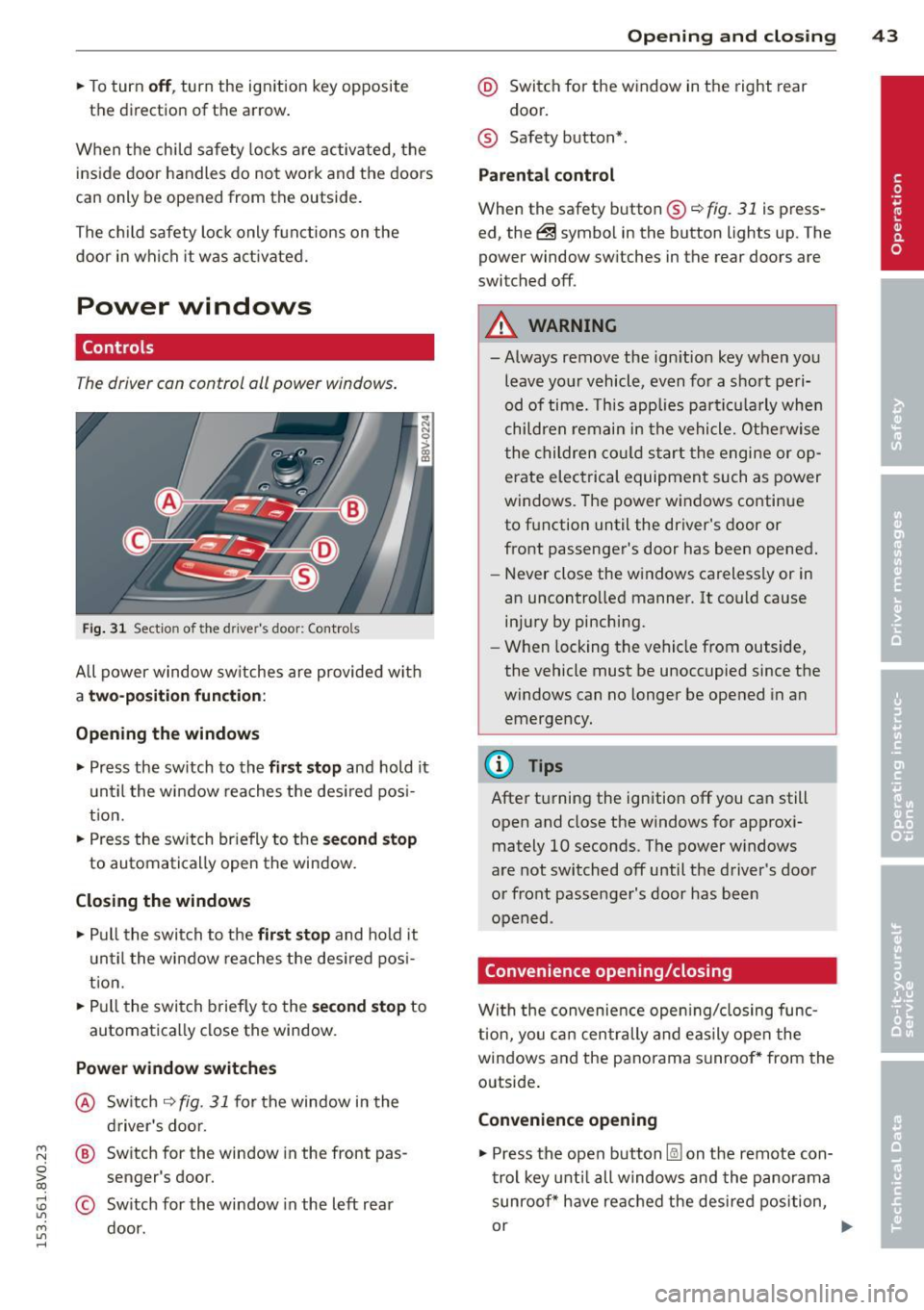
T he driver can control oil power windows .
Fig. 31 Sectio n of the drive r's d oor: Control s
All power window sw itches are provided with
a two-position function :
Opening the windows
.. Press the sw itch to the fir st stop and hold it
until the window reaches the desired pos i
tion.
.. Press the sw itch br iefly to the
second stop
to automatically open the window.
Closing the windows
.. Pull the switch to the first stop and hold it
until the window reaches the des ired posi
t ion .
.. Pull the switch briefly to the
second stop to
automatically close the window.
Power window switches
@ Switch ~ fig. 31 for the window in the
driver's door.
@ Switch for the window in the front pas
senger 's door.
© Sw itch for the window in the left rear
door.
Opening and closing 43
@ Switch for the window in the right rear
door.
® Safety button* .
Parental control
When the safety button®~ fig. 31 is press
ed, the@symbol in the button lights up. The
power window sw itches in the rear doors are
switched off.
A WARNING
-Always remove the ign ition key when you
leave your vehicle, even for a short peri
od of time. This applies particula rly when
children remain in the vehicle. Otherwise
the children could sta rt the engine or op
erate electrical equipment such as power
windows. The power windows continue
to function until the driver's door or
front passenger's door has been opened.
- Never close the windows carelessly or in
an uncontrolled manner. It could cause injury by pinching.
- When locking the vehicle from outside,
the vehicle must be unoccupied since the
windows can no longer be opened in an
emergency.
(D Tips
After turning the ignition off you can still
open and close the windows for approxi
mately 10 seconds. The power windows
are not switched off until the driver's door
or front passenger's door has been
opened .
Convenience opening/closing
With the convenience opening/closing func
t ion, you can centrally and easily open the
windows and the panorama sunroof* from the
outside.
Convenience opening
.. Press the open button l@J on the remote con
trol key until all windows and the panorama
sunroof* have reached the desired position,
or .,,.
Page 47 of 310
M N
0 > co ,...., \!) 1.1'1
M 1.1'1 ,....,
pull the button down briefly to the second
level ~
A_.
~ To se lect an intermediate position, press/
pull the switch forward/back in the first lev
el until the des ired pos it ion is reached.
A wind deflector integrated in the panorama
sunroof adapts automatica lly to the sunroof
position . Th is reduces w ind noise to a mini
mum in all panorama sunroof positions .
You can still operate the panorama sunroof
for about 10 minutes after the ignition is
switched off. The sw itch is deact ivated once
the dr iver 's or front passenger 's door is
opened .
Sun blind
The sun shade can be opened and closed man
ually, depending on the position of the panor
ama sunroof. The sun shade can be opened partially .
A WARNING
Be careful when closing the panoramic
sunroof -otherwise serious injury could re
sult! Always take the ignition key with you
w hen leav ing the veh icle.
0 Note
Always close your panoramic sun roof when
leaving your veh icle . Sudden rain can cause
damage to the in terior equ ipment of you r
veh icle, part icu larly the electronic equ ip
ment .
(D Tips
-Fo r information about convenience
opening/closi ng, refer to~
page 43.
- The panorama sunroof can only be
opened when the temperature is warmer
than -4°F
(-20 °().
Panorama sunroof emergency closing
Appl ies to vehicles: wit h pa noram ic sunroof
If the panorama sunroof detects resistance or
a n object in its path while closing, the sunroof
will open aga in automatically. If the sunroof
Opening and clo sin g 45
fails to close after removing the object and af
ter trying to close a second time, you can per
form an emergency closing .
~ Within five seconds after the sunroo f opens
automatically, pu ll the switch until the roof
closes .
If you let go of the switch early, the pano rama
s u nroof will open aga in.
•
Page 48 of 310
46 Lights and Vi sion
Lights and Vision
Exterior lighting
Switching lights on and off
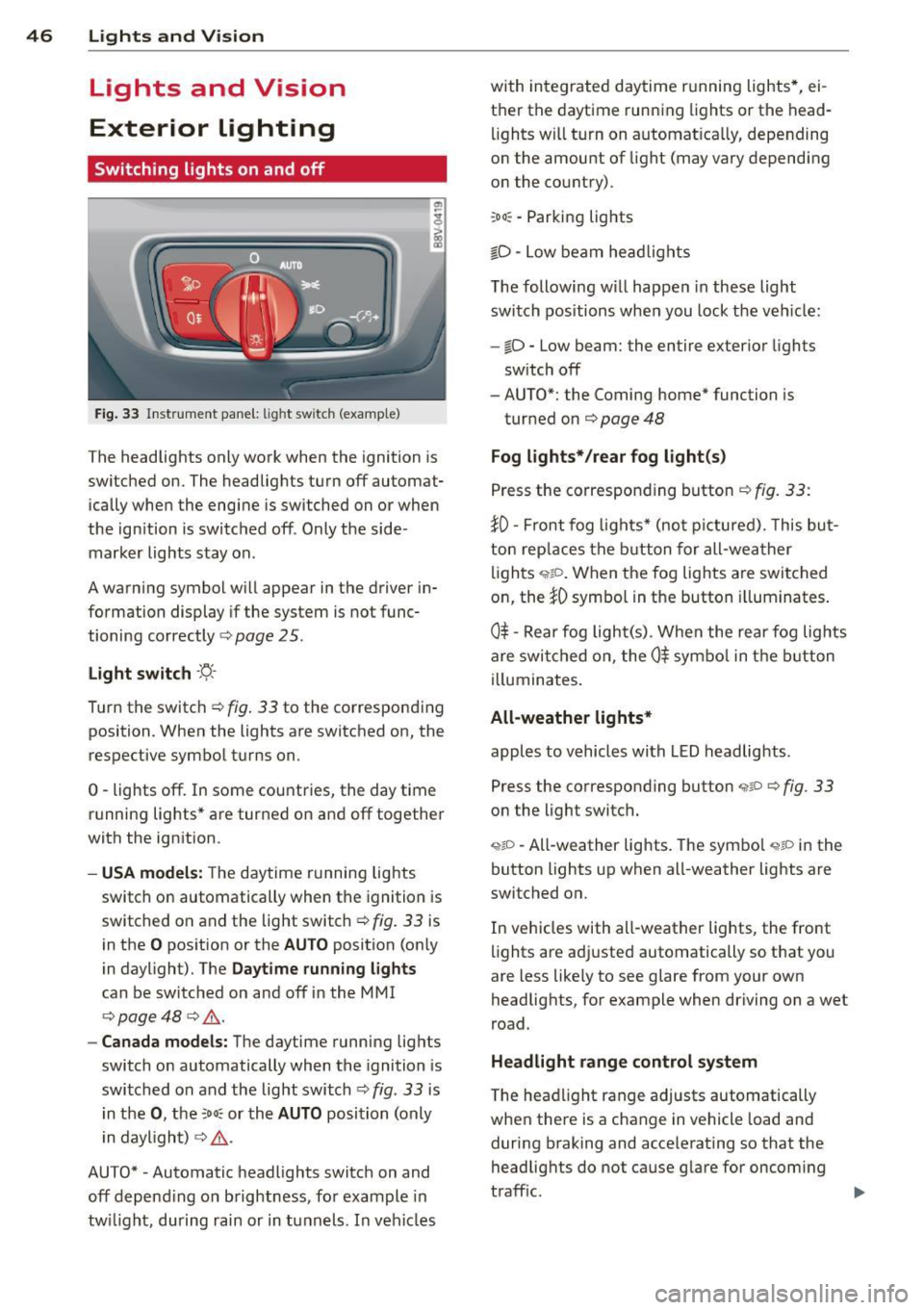
Fig . 33 Instr ument pane l: lig ht sw itc h (example)
The headlights only work when the ignition is
switched on. The headlig hts turn
off automat
ically when the engine is switched on or when
the ign ition is switc hed off . Only the side·
marker lights stay on .
A warning symbol w ill appear in the driver in
formation display if the system is no t func
tioning correctly
c:> page 25 .
Light switch ·'ti-·
T u rn the switch c:> fig . 33 to the corresponding
position . When the lights are switched on, the
respective symbol t urns on.
0 -lights off. In some countries, the day time
running lights* are turned on and
off together
with the ign ition.
- USA models: The daytime r unnin g lights
switch on automatically when the ignition is
switched on and the light switch
c:> fig. 33 is
in the
O pos ition or the AUTO position (on ly
in daylight). The
Daytime running lights
can be switched on and off in the MMI
c:> page 48 c:> ,& .
-Canada models: The daytime running lig hts
switch on automatically when the ignition is
switched on and the light switch
c:> fig . 33 is
i n t he
0 , the :oo : or th e AUTO position (only
i n daylight)
c:> ,& .
AUTO* -Automatic headlights switch on and
off depend ing on b rightness, fo r example in
tw ilight, during rain or in tunnels . In veh icles with in
tegrated daytime r unning lights*, ei
t h e r the daytime running lights or the head
lights wi ll tu rn on automat ica lly, depending
on the amount of light (may vary depending
o n the country).
:oo : -Parking lights
iD · Low beam he ad lights
T he following w il l happen in these light
switch pos itions whe n you lock the ve hicle:
-iD -Low beam: the entire exterior lights
sw itch
off
- AUTO*: the Coming home* function is
turned on
c:> page 48
Fog lights* /rear fog light(s)
P ress the correspon ding button c:> fig. 33 :
}0-Front fog lig ht s* (no t picture d). Thi s bu t
ton rep laces the button for all-wea ther
li gh ts ,;,rto . When the fog lights are swi tched
on, the
iD symbo l in the button illuminates .
0$ -Re ar fog ligh t(s) . When the rea r fog lig hts
are swi tched on, the
0$ sym bo l in t he bu tton
i ll uminates .
All-weather lights*
apples to vehicles with LED headlig hts.
Press the corresponding button
,;;iP c:> fig. 33
on the light switch .
<,t;O -All-weather lights . The sym bo l <,tP in the
button lights up when all-weather lights are
switched on.
In veh icles with all-weather lights, the front
li ghts are ad justed automatically so that you
are less like ly to see glare from your own
headlights, for example when driving on a wet
r oad.
Headlight range control system
T he hea dlight range adjusts automatically
when there is a change in vehicle load and
during b raking and accele rating so that the
headlig hts do not cause g lare for oncom ing
t raff ic.
Page 49 of 310
....,
N
0 > co
rl I.O
"' ....,
"' rl
Aud i adapti ve lig ht*
The adaptive light on ly functions when the
light switch is in the AUTO position. You can
deactivate adaptive light in the MMI
c:> page
48.
When switched on, adapt ive light adjusts to
curves depending on the vehicle speed and
steering whee l ang le. This provides better
l ighting through the curve . The system op er
ates in a speed range from approximately
6 mph (10 km/h) to 68 mph (110 km/h).
St atic corner ing li ght * (vehicles with adaptive
l ight) -th e corne ring light switches on auto
matically when the steering whee l is tu rned at
a cert ain angle a t speeds up to approximately
44 mph (70 km/h) and when the turn signal is
activated at speeds up to approximately
25 mph (40 km /h). The area to the s ide of the
ve hicle is il luminated better when turning .
Spee d d epen de nt ligh t dist rib uti on* -The
speed dependent light distribution adapts the
light in towns and on highways or express
ways . Inte rsect io ns can also be illuminated on
veh icles w ith a navigation system* .
Highway light function*
(Vehicles with adaptive light or L ED head
lights) -This function adapts the light ing for
h ighway driving based on vehicle speed .
A WARNING
-Automatic headligh ts* are only intended
to assist the dr iver. They do not re lieve
the driver of responsibility to check the headlights and to turn them on manua lly
according to the current light and visib ili
ty conditions. For example, fog cannot be detected by the light sensors. So al
ways switch on the low beam under
these weather conditions and when driv ing in the dark
io .
-Acc idents could occur if you cannot see
the road ahead of you well and if othe rs
on the road cannot see you. Always
swit ch you r headlights on so that you can Ligh
ts and Visi on 4 7
see the road ahead of you and ot hers can
see your vehicle from behind.
- Please observe legal regulations when
using the lighting systems described.
(D Note
The rear fog lights shou ld only be turned
on in accordance with traffic regu lations,
to prevent glare for traffic behind your ve
hicle.
(D Tips
- The light sensor for the automatic head
lights * is in the rearview mirror mount.
Therefore, do not place any stickers in
this area on the windshield .
- Some functions of the exterior lighting
can be adjusted
c:> page 48.
-If you turn off the ignition while the ex
terior lights are on and open the door,
you will hear a warning tone.
- The tail lights do not switch on when the
daytime running lights switch on.
- In cool or damp weather, the inside of
the headlights, turn signals and tail
lights can fog over due to the tempera
ture difference between the inside and
outside . They w ill clear shortly after
switching them on . This does not affect
the se rvice life of the lighting.
- A message w ill appear in the instrument
cluster if there is a malfunction in the
light senso r
c:> page 25.
Emergency flasher
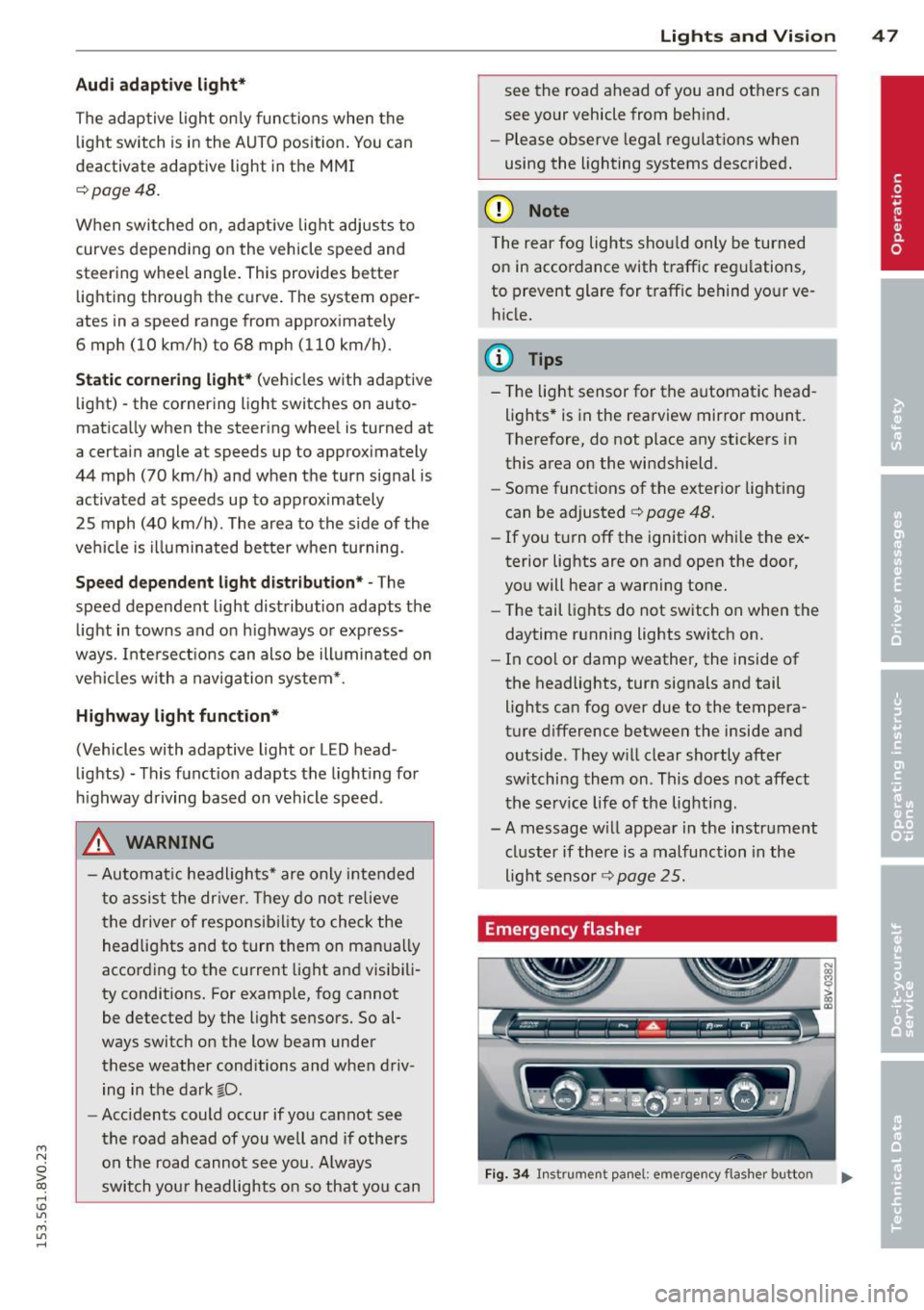
Fig. 34 In str umen t pa nel: em erg ency fla sher button
Page 51 of 310
....,
N
0 > co
rl I.O
"' ....,
"' rl
Daytime running lights*
USA models:
The day time running lights can
be switched on or off using the MMI. Select
on or off .
Canada models :
This function can be switched
off. They activate automatically each time the
ignition is switched on. This menu item is
shown with a "gray background".
Travel mode*
The headlight beam is asymmetrical. This pro
v id es s tronger illum inati on on the side of the
road on which you are driving. In vehicles with
Xenon headlights* with turning light* or LED
headlights* ,
you must adjust the headlights
when you are driving in a country where the
traffic direction is opposite from your own
country. Otherwise, oncom ing traff ic w ill be
blinded by the glare from the headlights. An
adjustment is not needed in vehicles with Xe
non head lights without turning lights .
To prevent glare:
- Trave l mode must be activated in vehicles
with Xenon headlights* and turning light * or
LED headlights*. Select: the
I MENU I button
> Car > Systems * control button > Vehicle
settings
> Exterior lighting > Light for driv
ing on left,
for example.
After you have adjusted the headlights, the
following message will appear:
la Headlight converter active for driving on
left. Range reduced!
(D Tips
When travel mode is activated, a display in
the driver information system indicates
this each time you switch the ignit ion on .
Lights and Vision 49
Interior Lighting
Front and rear interior lighting front
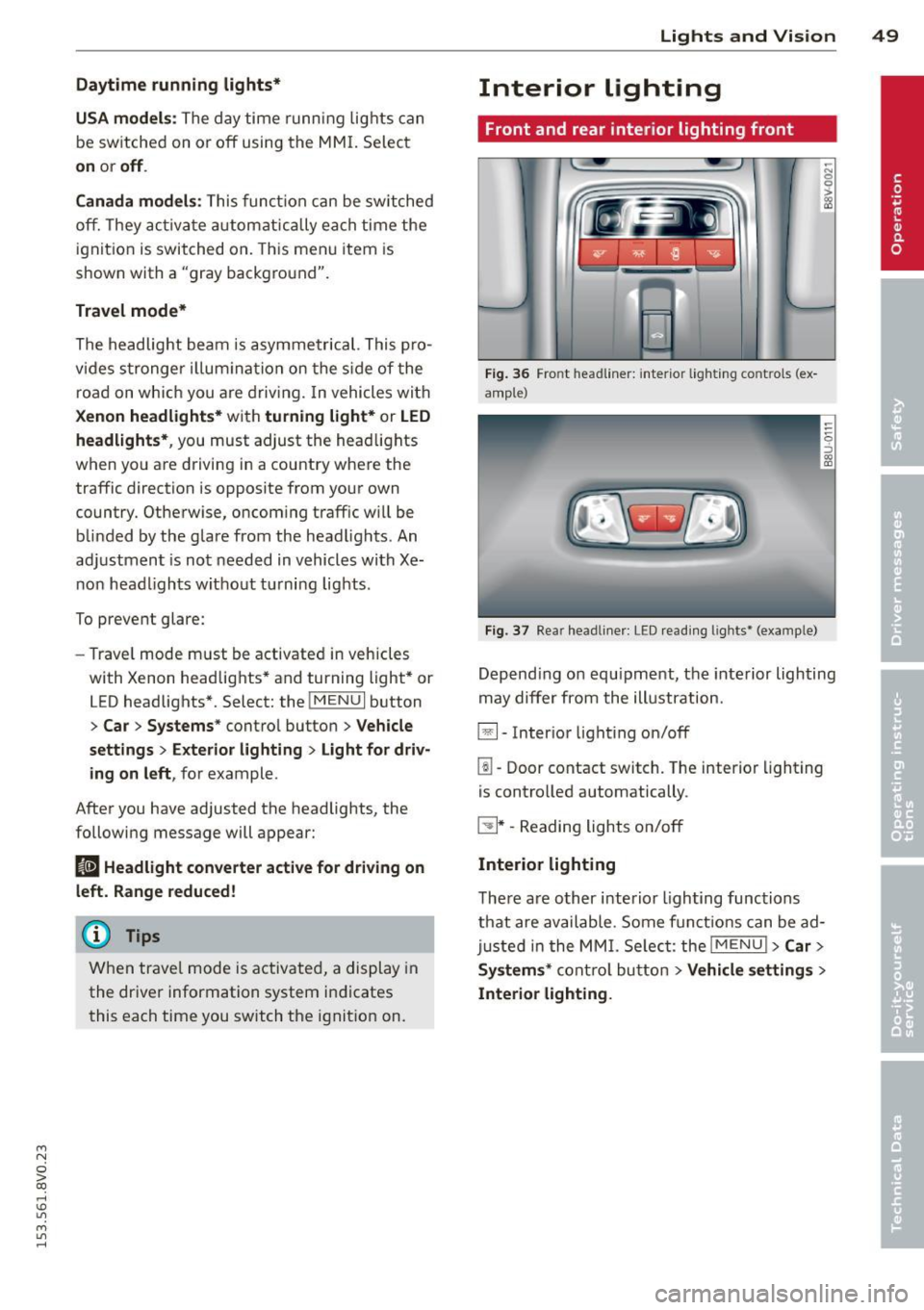
Fig. 36 Front headline r: inter ior light ing co ntrols (ex
ample)
Fig . 37 Rear headline r: LE D read ing lights• (examp le)
-N 0
0
> gg
Depend ing o n equipment, the interior lighting
may differ from the illustration.
~- Inter ior lighting on/off
[!I-Door contact switch. The interior lighting
is controlled automatically .
~ * -Reading lights on/off
Interior lighting
There are other interior lighting functions
that are available . Some functions can be ad
just ed in the MMI. Select: the
!ME NUI >Car >
Systems*
control button > Vehicle settings >
Interior lighting.