service AUDI S3 2016 User Guide
[x] Cancel search | Manufacturer: AUDI, Model Year: 2016, Model line: S3, Model: AUDI S3 2016Pages: 328, PDF Size: 81.78 MB
Page 23 of 328
,....,
N
0 > co ,....,
thor ized Audi dealer or authorized A udi Se rvice
Faci lity repa ir t he malfunction.
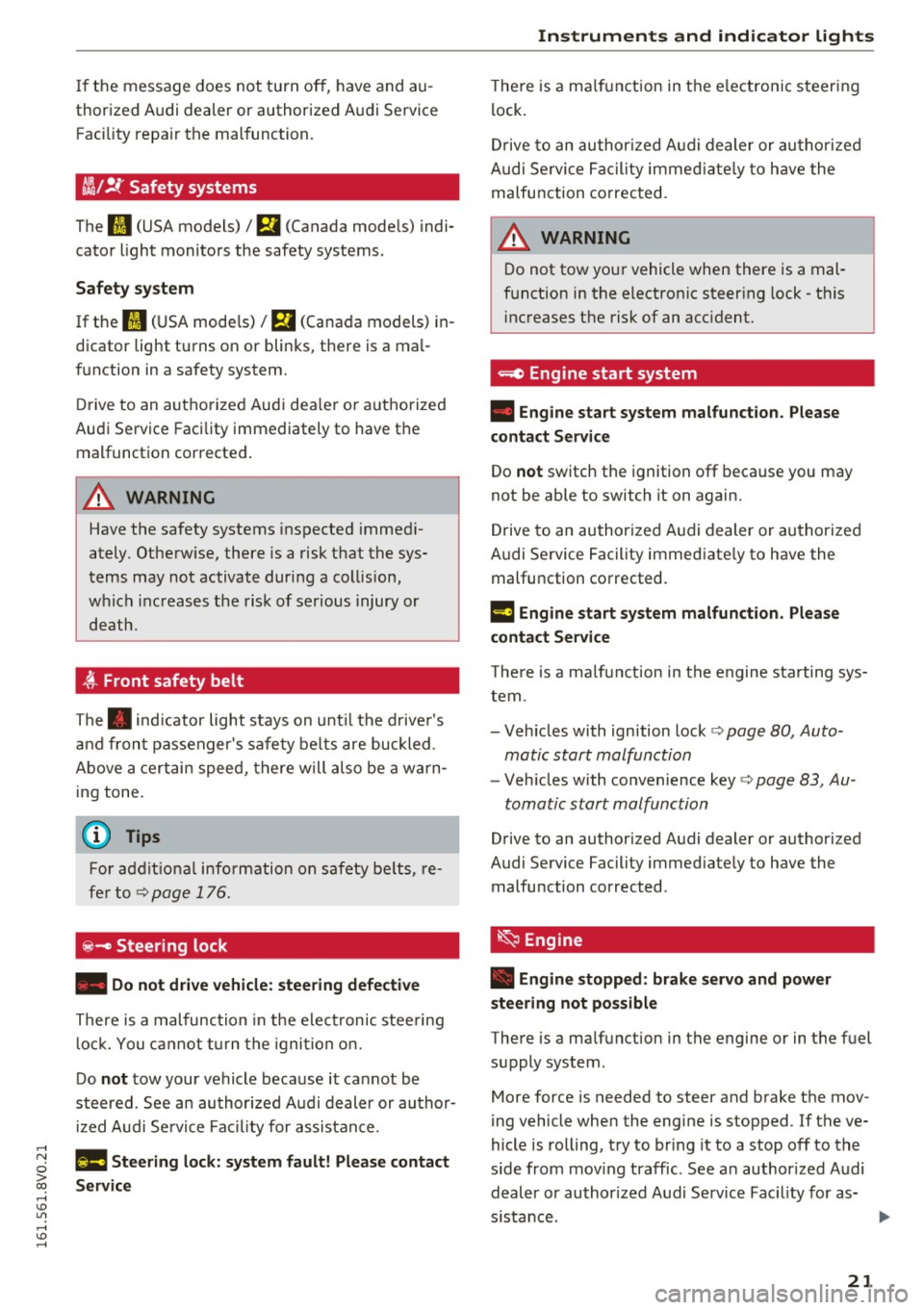
ii !f Safety systems
The II (USA models)/ m (Canada mode ls) indi
cato r light monito rs the safety systems.
Safety system
If the fl (U SA mode ls)/ El (Canada models) i n
d icator light tu rns on or blin ks, t he re is a ma l
f u nction in a safety system.
Dr ive to an autho rize d Aud i dea le r o r a uth orized
Au di Service Facility immediately to have t he
malfunct ion corrected .
&_ WARNING
Have the safety systems ins pecte d imme di
ately. Othe rw ise, there is a risk that the sys
tems may not activat e duri ng a collision ,
w hich i ncreases the ris k of serious injury or
d eath.
-
4'-Front safety belt
The . indic a tor light stays o n until th e dr ive r's
a nd fr ont passenger 's safe ty be lt s are buckled.
Above a cert ain sp eed, t here w ill als o be a w ar n
ing tone.
(1) Tips
For add itio na l i nfo rma tion o n safety be lts, re
f e r t o<>
pa ge 1 76.
~- Steering lock
• Do not drive vehicle: steering defective
Th ere is a m alfunc tion in the elec tronic s tee ring
lock. You can not turn t he igni tion o n.
Do
not tow your vehicle b eca use it ca nnot be
st eered . Se e an au thor ized A udi dealer or au tho r
iz ed A udi Se rvi ce Fa cilit y for assis ta nc e.
1!\11 Steering lock: system fault! Please contact
Service
Instruments and ind icator lights
T he re is a ma lf u n ct ion in the e lectron ic s teeri ng
l ock .
Dr ive to an a uth oriz ed A udi dealer or au tho riz ed
A udi Se rvice Faci lity immed iately to h ave the
malfu nction corrected.
A WARNING
D o not tow you r vehicle when there is a mal
f u nction in t he electron ic s teer ing lock - t his
i nc reases the risk of an acc ident.
=e Engine start system
• Engine start system malfunction. Please
contact Service
Do not switch the ignition off beca use you may
not be able to switch it on again.
Dr ive to an authorized A udi dealer or au tho rize d
Au di Service Fac ility immed iate ly to have the
malfu nction corrected.
l3 Engine start system malfunction. Please
contact Service
-
T he re i s a m alfu n cti on in the e ngine sta rting sys
tem.
- Veh icles with ignition lock
c::> page 80, Auto
matic start malfunction
- Veh icles wit h co nvenience key c::> page 83, Au -
tomatic start malfunction
Drive to an authorized A udi dealer or authorized
Audi Se rvice Fac ility immed iate ly to have the
malfu nction corrected .
~ Engine
• Engine stopped : brake servo and power
steering not possible
The re is a ma lfunction in the engine or in the fuel
s u pply system .
More force is needed to steer and b rake the mov
i ng vehicle when the engi ne is stopped. If the ve
hicle is rolling, t ry to br ing it to a stop off to t he
s ide from mov ing traffic . See an author ized A udi
deal er or author ized A udi S ervice Fac ility for as-
s istance. .,..
21
Page 24 of 328
Instruments and indicator lights
A WARNING
-
If the engine stops while dr iving, yo u w ill
need to use more fo rce to brake the vehicle .
T his increases the r is k of an accide nt. T here
w ill sti ll be power steering if the ignit ion is
switched on while the vehicle is rolling and
there is s ufficient batte ry charge. Othe rwise ,
yo u must use greate r fo rce whe n st eer ing .
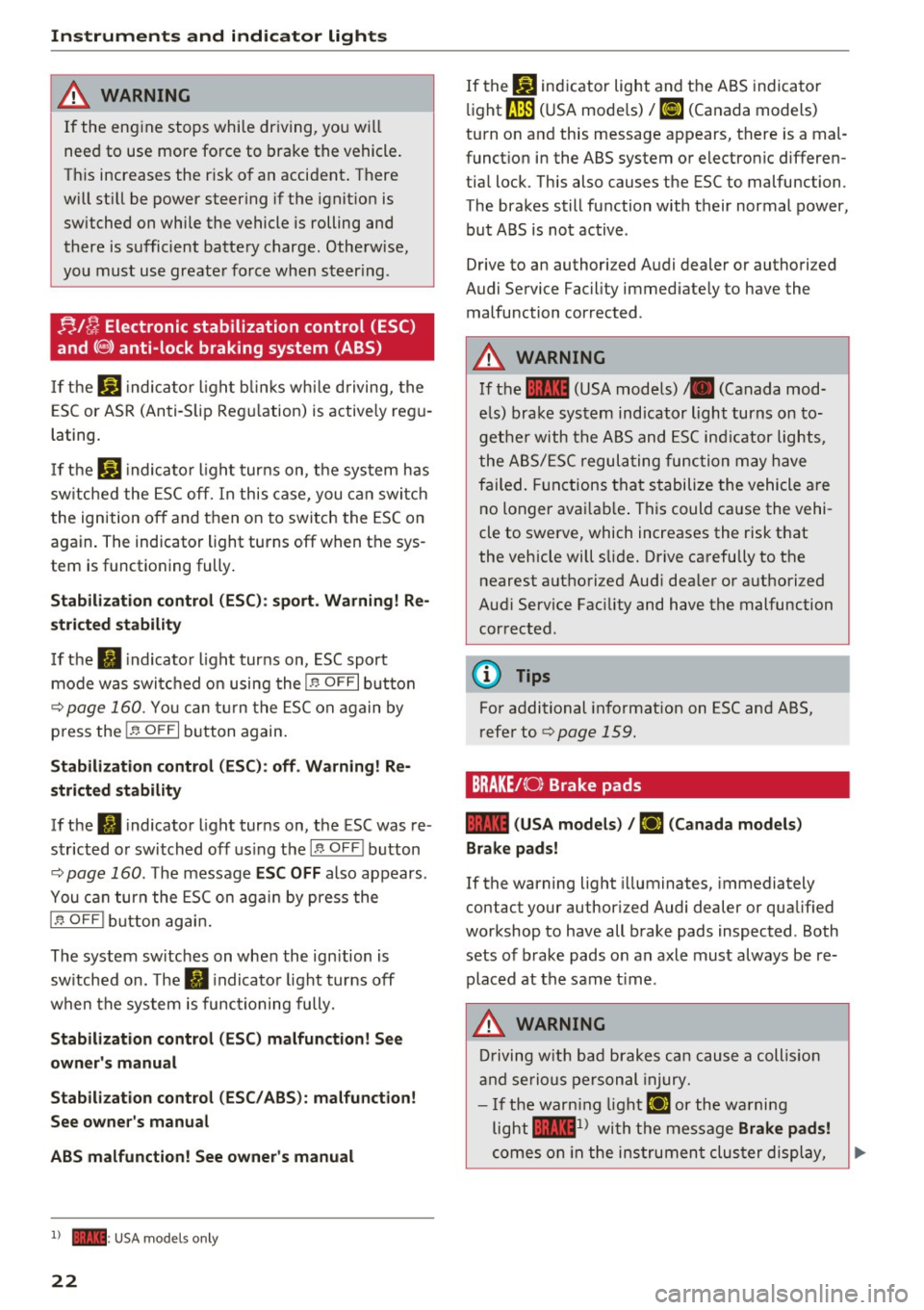
;;,./ fj Electronic stabilization control (ESC)
and( §) anti-lock braking system (ABS)
If th e bl indica to r light blink s while dr iving, the
E S C or ASR (An ti- Sli p Reg ulation) is a ctive ly re gu
lating .
I f th e
G1 indica to r li ght tur ns on, t he sys tem h as
s w itche d the ES C off. In this case, you ca n swi tch
t he ignition o ff and then on to switch the ESC on
again. The indicator light turns off when th e sys
tem is functioning fully .
Stabilization control (ESC) : sport. Warning! Re
stricted stability
I f the II indicato r light turns on, ESC spor t
mo de was switc hed on using the
1.$ OFF I button
r=;,
page 160 . You ca n tur n th e ESC on again by
p ress the
1-~ O FF I button again.
Stabilization control (ESC): off . Warning! Re
stricted stability
If t he Iii indicator ligh t tur ns on, the ESC was re
s tricted o r switched off using the
I !> OFF! button
r=;,
page 160 . The message ESC OFF also appears .
You can turn the ES C on aga in by press the
I.$ OFF I butto n ag ain .
The system switches on whe n the ign ition is
sw itched on . T he
II indicato r ligh t turns off
when the system is func tioning fully.
Stabilization control (ESC ) malfunction! See
owner 's manual
Stabilization control (ESC / ABS): malfunction!
See owner's manual
ABS malfunction! See owner's manual
l) - : U SA m ode ls onl y
22
If the bl ind icator light and the A BS indicato r
li ght
rJE (U SA mode ls)/ ti] (Canada models)
turn o n an d this message appears, there is a mal
funct io n in the ABS system o r elec tronic differen
tia l lock. This al so causes the ESC to malfunc tion .
T he bra kes still fu nction with their normal power,
but A BS is no t active .
D rive to an authori zed A udi dealer or authori zed
Aud i Service Fac ility immedi ate ly to have the
malfunction cor rected .
A WARNING
If the ... (USA models) tll (Canada mod
el s) bra ke system indicator light turns on to
ge ther with the A BS and ESC indi ca tor ligh ts,
t he ABS/ ES C regula ting fu nction m ay have
failed . Functions t hat s tabilize the vehicle a re
no longer ava ila bl e. T his could cause the vehi
cle to swerve , which inc reases the risk that
the vehicle will sli de. Drive ca refully to t he
nearest aut horiz ed Aud i dea le r or a uthori zed
Audi Service Fac ility and have the malfunction
cor rected .
0) Tips
For additional in format ion on ESC and ABS ,
r efe r to r=;,
page 159 .
BRAKEt< O) Brake pads
... (USA models )
t El (Canada models )
Brake pads!
If the warning light illuminates, immediately
contact your autho riz ed Audi deale r or qua lified
workshop to have all b rake pads inspected . Both
sets of brake pads on an axle must always be re
placed at the same t ime .
A WARNING
Drivi ng w it h ba d brakes ca n cause a coll is ion
an d se rious person al in jury.
- I f the war ning lig ht
El or the wa rni ng
light ...
ll wi th th e mes sage Brake pads!
co m es on in th e ins trumen t clus ter di spl ay, ..,.
Page 25 of 328
,....,
N
0 > co ,....,
dealer or qualified workshop to have all
brake pads checked or replaced if necessary.
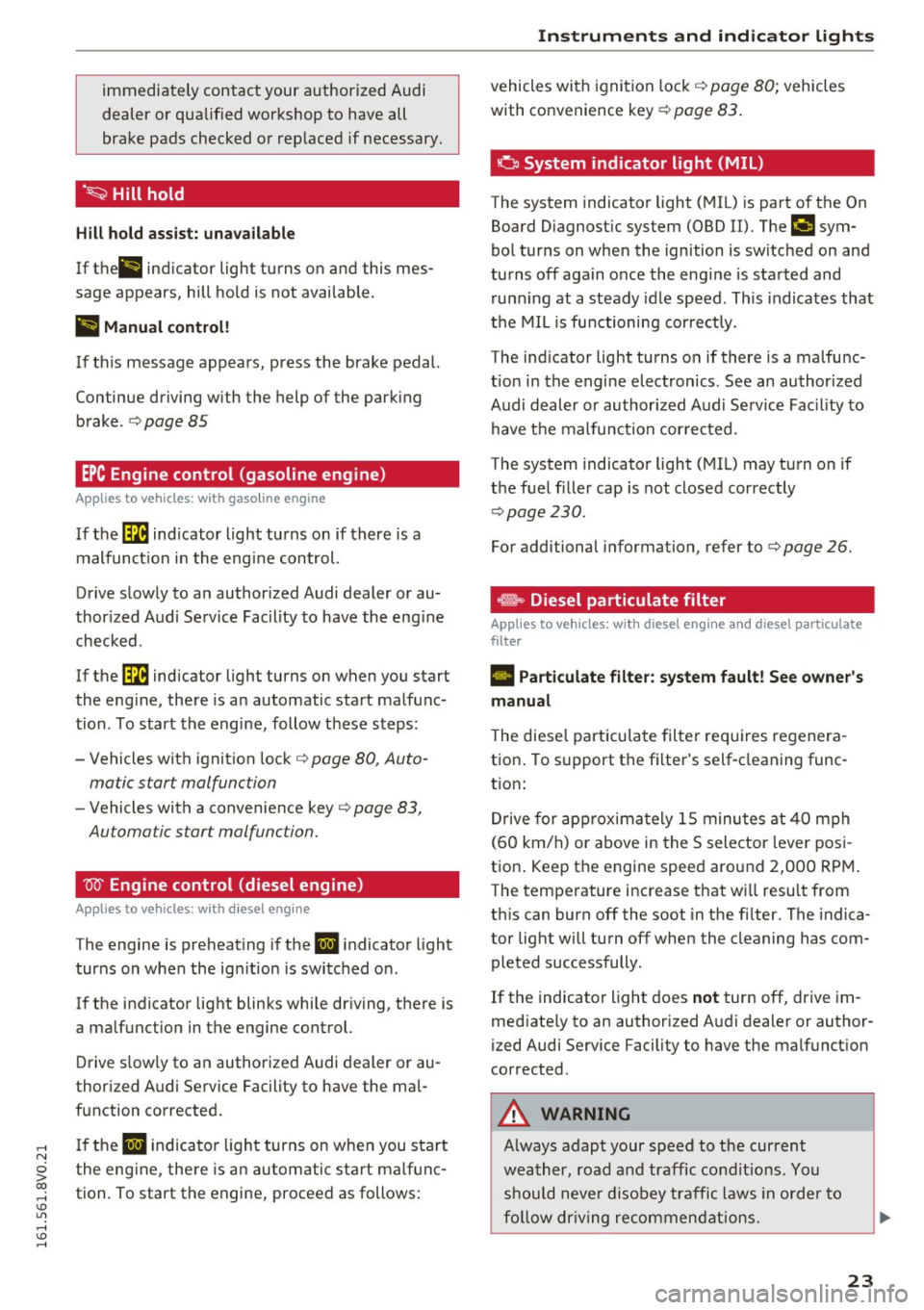
·~ Hill hold
Hill hold assist: unavailable
If thell indicator light turns on and this mes
sage appears, hill hold is not available.
II Manual control!
If th is message appea rs, press the brake pedal.
Continue driving w ith the help of the park ing
brake . ¢
page 85
EPC Engine control (gasoline engine)
Applies to vehicles: with gaso line engine
I f the 13:B indicator light turns on if there is a
malfunction in the engine control.
Drive slowly to an author ized Audi dealer or au
thor ized Audi Service Facility to have the eng ine
checked .
If the
13:B indicator light turns on when you start
the eng ine, there is an automatic start malfunc
tion . To start the engine, follow these steps :
- Vehicles with ignition lock¢
page 80, Auto-
matic start malfunction
- Vehicles with a convenience key¢ page 83,
Automatic start malfunction.
W Engine control (diesel engine)
Applies to vehicles: with diesel engine
The engine is preheating if the II indicator light
turns on when the ign ition is switched on.
If the indicator light blinks whi le driving, there is
a ma lfunction in the engine control.
Drive slow ly to an authorized Audi dealer or au
thorized Audi Service Facility to have the ma l
function corrected.
If the
II indicator light turns on when you start
the engine, there is an automatic start ma lf u nc
tion. To start the engine, proceed as follows :
Instruments and indicator lights
vehicles with ignition lock ¢ page 80; vehicles
with convenience key
¢ page 83.
o System indicator light (MIL)
The system indicator light (MIL) is part of the On
Board D iagnost ic system (OBD II). Tht>
¢.,, c;ym
bol turns on when the ignition is switched on and
turns off again once the engine is started and
running at a steady idle speed . This indicates that
the MIL is functioning correct ly.
The ind icator light turns on if there is a malfunc
t ion in the engine electronics. See an author ized
Audi dealer or authorized Audi Service Fac il ity to
have t he malfunction corrected .
The system indicator light (MIL) may turn on if
the fuel filler cap is not closed correctly
¢ page 230.
For additional information, refer to¢ page 26.
.m,, Diesel particulate filter
Applies to vehicles: with diese l eng ine and diese l particulate
filter
II Particulate filter: system fault! See owner's
manual
T he diese l particu late filter requires regenera
tion . To support the filter's self-cleaning func
t ion:
Drive for approximately 15 minutes at
40 mph
(60 km/h) or above in the S selector lever posi
tion . Keep the engine speed around
2,000 RPM .
The temperature increase that will result from
th is can burn off the soot in the fi lter. The indica
tor light will turn off when the cleaning has com pleted successfully .
If the indicator light does
not turn off, drive im
med iate ly to an authorized Audi dealer or author
ized Audi Service Facility to have the malfunct ion
corrected .
A WARNING
Always adapt your speed to the current
weather, road and traffic condit ions. You
should neve r disobey traffic laws in order to
fo llow driving recommendations.
23
Page 26 of 328
Instruments and indicator lights
(D Tips
For additional information on the diesel par
ticulate filter, refer to¢
page 233.
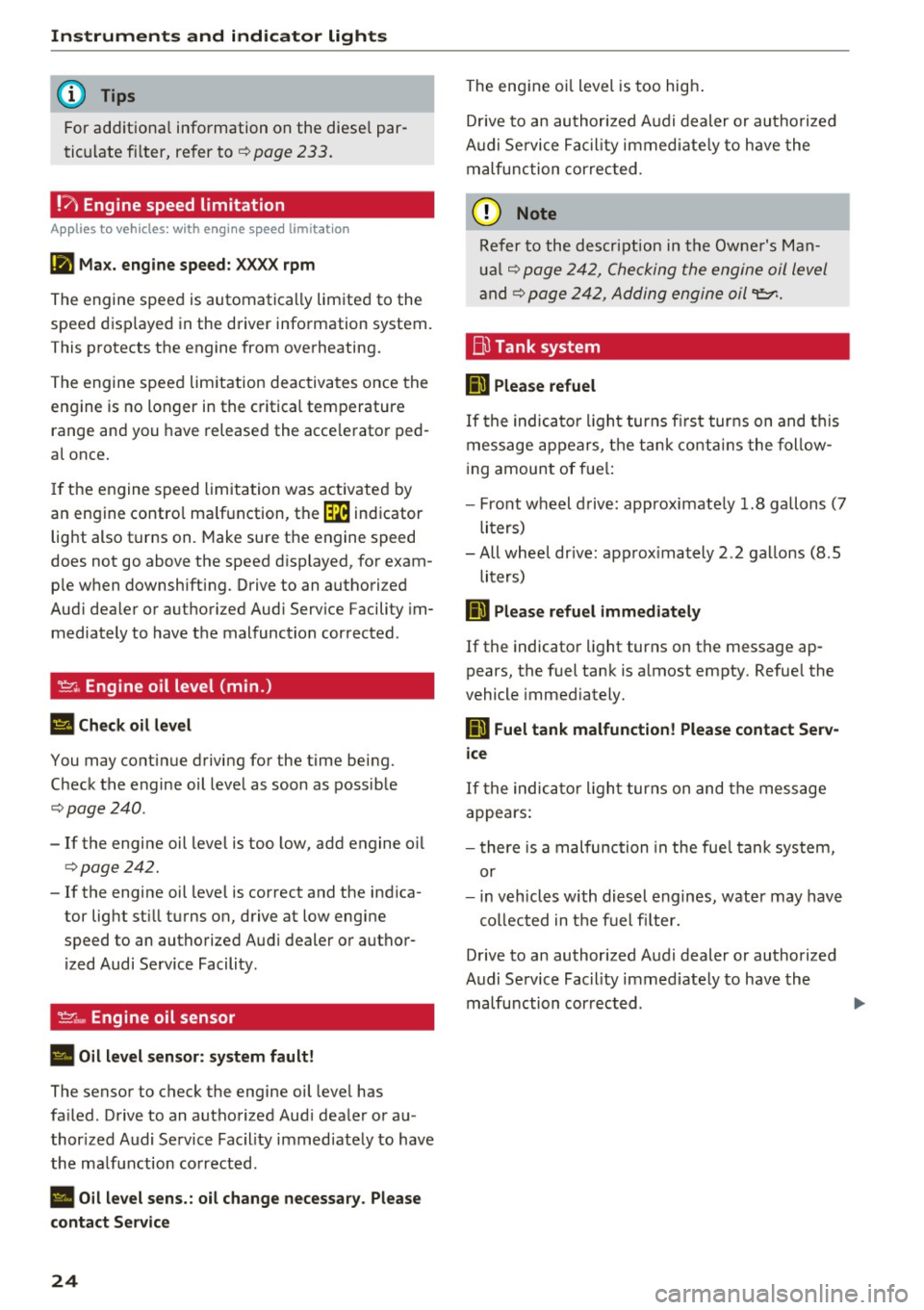
!?) Engine speed limitation
A pp lies to ve hicles : w ith e ngin e spee d limit ation
[II Max. engine speed: XXXX rpm
The engine speed is automatically limited to the
speed displayed in the driver information system.
This protects the engine from overheating.
The engine speed limitation deactivates once the
engine is no longer in the critical temperature
range and you have released the accelerator ped
al once.
If the engine speed limitation was activated by
an engine control malfunction, the
[m indicator
light also turns on. Make sure the engine speed
does not go above the speed displayed, for exam
ple when downshifting. Drive to an authorized
Audi dealer or authorized Audi Service Facility im
mediately to have the malfunction corrected.
~ Engine oil level (min .)
II Check oil level
You may continue driving for the time being.
Check the engine oil level as soon as possible
¢page 240.
-If the engine oil level is too low, add engine oil
qpage242.
- If the engine oil level is correct and the indica
tor light still turns on, drive at low engine
speed to an authorized Audi dealer or author
ized Audi Service Facility.
'1::7' .., Engine oil sensor
• Oil level sensor: system fault!
The sensor to check the engine oil level has
failed. Drive to an authorized Audi dealer or au
thorized Audi Service Facility immediately to have
the malfunction corrected.
Ill Oil level sens.: oil change necessary. Please
contact Service
24
The engine oil level is too high.
Drive to an authorized Audi dealer or authorized
Audi Service Facility immediately to have the
malfunction corrected .
(D Note
Refer to the description in the Owner's Man
ual
q page 242, Checking the engine oil level
and ¢ page 242, Adding engine oil
ID Please refuel
If the indicator light turns first turns on and this
message appears, the tank contains the follow
ing amount of fuel:
- Front wheel drive: approximately 1.8 gallons (7
liters)
-All wheel drive: approximately
2.2 gallons (8.5
liters)
fiD Please refuel immediately
If the indicator light turns on the message ap
pears, the fuel tank is almost empty. Refuel the
vehicle immediately.
ID Fuel tank malfunction! Please contact Serv
ice
If the indicator light turns on and the message
appears:
- there is a malfunction in the fuel tank system,
or
- in vehicles with diesel engines, water may have
collected in the fuel filter.
Drive to an authorized Audi dealer or authorized
Audi Service Facility immediately to have the
malfunction corrected.
Page 27 of 328
(D Note
Applies to veh icles w ith a diesel engine: if the
diese l fuel quality is poo r, it may be necessa ry
to have the water drained from the water sep
arator
1 ) in the fuel filter more often t han
specif ied in the ma intenance schedule. This
can help red uce eng ine malfu nctions .
@I For the sake of the environment
Fuel should never enter the sewe r system or
come into contact w ith the ground.
@ Tips
More informat ion on ref ueling is ava ilable on
page
c:> page 230.
~ Washer fluid level
m Please add washer fluid
F ill the washer fluid for the w indshield washer
system and the headlight washer system* when
the ignition is switc hed off
c:> page 251 .
O Windshield wipers
m Windshield wiper: system fault!
There is a malfunction with the windshie ld w ip
ers.
D rive to an autho rize d Aud i dea le r or a uth orized
Aud i Service Faci lity immediately to have the
malfunct ion corrected.
~ Defective light bulb warning
App lies to vehicles: with driver information system
If th e S:I indicato r light turns on, a b ulb has
fa iled . The message ind icates the loca tion of th e
bu lb.
Replace the bulb immediately.
Vehicle lights: system fault!
There is a malfunction in the he adlights or the
,...., ligh t swit ch . D rive to an a utho riz ed Audi d ealer o r
N
0 > co ,....,
Instruments and ind icator lights
a uthori ze d Aud i Serv ice Facility immedia tely to
have t he malfunction cor rected.
A WARNING
-- Light bulbs a re under pressure an d can e x-
p lode when b ulbs are replaced, w hich in
creases the risk of injury.
- W ith gas -discharge lamps * (xenon head
lights), the h igh-vo ltage component must
be ha ndled approp riately. Ot he rwise, there
is a risk of fatal injury.
-
i,0 Dynamic Headlight range control system
Applies to vehicles: with Xenon lights
11 Headlight range control: system fault!
The re is a ma lf u nction in the dynam ic head light
r ange control system, which may cause g la re for
other drivers.
D rive to an authorized A udi dealer or authorized
Audi Se rvice Facility immed iate ly to have the
malfunction corrected.
~O Audi adaptive light
Applies to vehicles: with Audi adaptive light
IIJ Audi adaptive light: system fault!
The re is a ma lf u nction in the adaptive lights. The
headlights st ill function.
Drive to an authorized A udi dealer or autho rized
Audi Se rvice Facility immed iate ly to have the
malfunction corrected.
@P Light/rain sensor
Applies to vehicles: wit h light/ra in sensor
El Automatic headlights: system fault!
El Automatic wipers : system fault!
T he light/ rain sensor i s m alfunctioning.
T he low beams remai n sw itched on a t all times
fo r sa fe ty reasons when the ligh t swi tch is in t he
AUTO p os ition. Yo u can cont in u e to tu rn t he
li gh ts on and off using t he lig ht sw itch . You can ..,.
25
Page 28 of 328
Instrumen ts and ind icator ligh ts
still control all wiper functions that are
independent of the rain sensor.
Drive to an a uthorized Aud i dea ler or authorized
Aud i Serv ice Facility immediately to have the
malfunction corrected .
; Adaptive dampers
Applies to vehicles: with Audi drive select
R Suspen sion : sys tem f ault!
There is an adaptive damper ma lf u nction.
Drive to an authorized Aud i dealer or authorized
Aud i Serv ice Facility immediately to have the
malfunct io n corrected.
¢¢ Turn signals
I f the . or
DI indicator ligh t bl inks, a turn s ig
na l is turned on. If both i ndicator lights are blink
i n g, the emergency flashers are on .
I n an indicato r light blinks twice as fast as usua l
then a blinker bulb has failed. Care fully drive to
an author ized Audi dealer or authorized Audi
Serv ice Facility immediately to have the malfunc
tion corrected.
(D Tips
For more information on the turn signals, re
fe r to~
page 48.
On-Board Diagnostic
system (OBD)
System indicator light (MIL)
The system indicator light (M IL)
¢4 in the instru
ment cluster is part of the On Board Diagnostic
System (080 II).
The warning/indicator light turns on when the ig nition is switched on and turns off once the en
gine is started and is running in id le at a stable
speed. This indicates that the MIL is functioning
correctly.
If the light doe s not turn off after starting th e
engine or turns on whi le driving, this may indi
cate there is a malfunct ion in the engine. If the
26
indicator tu rns on, the cata lytic conve rter may be
damaged.
D rive with reduced engine performan ce (avoid
high speeds for extended per iods of t ime and/o r
fast acceleration) and have the ma lfunction cor
rected. See an authorized Audi dealer or author
i zed Audi Service Facility .
The ind icator may turn on if the e lectro nic speed
li miter is faulty . For add itiona l information, refer
to
c::> page 130, Electronic speed limiter.
The MIL may a lso turn on if the fuel filler cap is
not clo sed corre ctly
c::> page 230.
On-Board Diagnostics
F ig. 7 Locat ion of Data Link Connector (DLC)
On-Board Diagnostics mon itors the components
of your emission con trol system. Each monitored
component in your engine system has been as
s igned a code . In case o f a malfunction, the com
ponent will be identified and the fault stored as a
code in the contro l module memory.
The M IL light m ay also illum inate if there is a
l eak in the on -boa rd fuel vapor recovery sys tem .
If the light illuminates after a refuelling, stop
the veh icle and make sure the fuel filler cap is
properly closed
c::> page 230.
In orde r to make an accu rate diagnosis, the s to r
ed data can only be d isplayed using special d iag
nostic equipment (generic scan tool for 080) .
In orde r to co nnect the special d iagnost ic equ ip
ment, push the plug into the Data Link Connector
(DLC). The DLC is located to the r ight of the hood
release
c::> fig. 7. II>
Page 29 of 328
,....,
N
0 > co ,....,
station can interpret the code and perform the
necessary repair.
A WARNING
Do not use the diagnostic connector for per
sonal use. Incorrect usage can cause malfunc tions, which can increase the risk of a colli
sion!
-
Instruments and indicator lights
27
Page 30 of 328
Driver information system
Driver information
system
Overview
A pp lies to veh icles: w ith driver information system
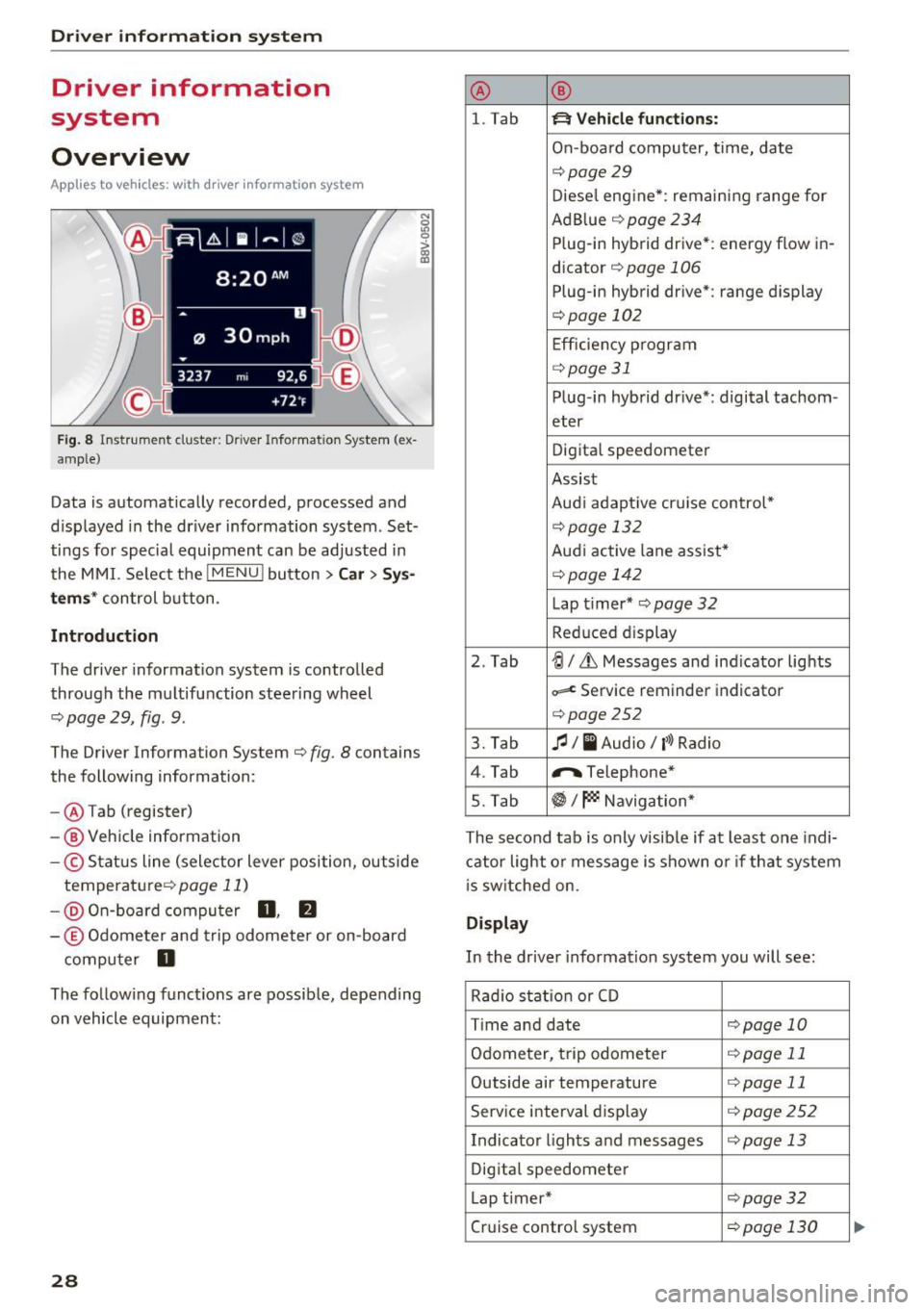
F ig. 8 In strum ent cluster: Drive r Info rmation System (ex
amp le)
Data is automatically recorded, processed and
d isplayed in the driver information system . Set
tings for special equipment can be adjusted in
the MMI. Se lect the
I MENU ! button >Car > Sys
tems* control button .
Introduction
The driver inform ation system is controlled
through the multifunction steering wheel
<=.> page 29, fig . 9.
The Driver Information System <=.> fig. 8 contains
the following information:
- @ Tab (register)
- @ Vehicle information
-© Status line (selector lever position, outside
temperature <=.>
page 11)
-@ On-board computer 0, fJ
-© Odometer and trip odometer or on-board
computer
D
N
0
LO 0
> OJ a,
The follow ing functions are possible, depending
on vehicle equipment:
28
@ ®
l. Tab ~ Vehicle functions:
On-board computer, time, date
<=.>page 29
Diesel engine*: remaining range for
Ad Blue <=.>
page 234
Plug-in hybrid drive*: energy flow in-
dicator
<=.> page 106
Plug-in hybrid drive*: range display
<=.>page 102
Efficiency program
<=.>page 31
Plug-in hybrid drive*: digital tachom -
eter
Digital speedometer
Assist
Aud i adapt ive cruise control*
<=.> page 13 2
Audi active lane assist*
<=.> page 142
Lap t i mer* <=.> page 32
Reduc ed display
2. Tab
~I&, Messages and ind icator lights
~ Service reminder indicator
<=.>page252
3. Tab fl I I Audio/ l'>l Radio
4. Tab "'Telephone*
5. Tab
~I~ Navigation*
The second tab is only visib le if at least one indi
cator light or message is shown or if that system
is switched on.
Display
In the driver information system you will see :
Rad io stat ion or CD
T ime and date
<=.>page 10
Odometer, trip odometer <=.>page 11
Outside air temperature <=.>page 11
Service interval display <=.>page 252
Indicator lights and messages <=.>page 13
Digital speedometer
Lap timer*
<=.>page 32
Cruise control system <=.>page 130
Page 37 of 328
,....,
N
0 > co ,....,
Central locking
Key set
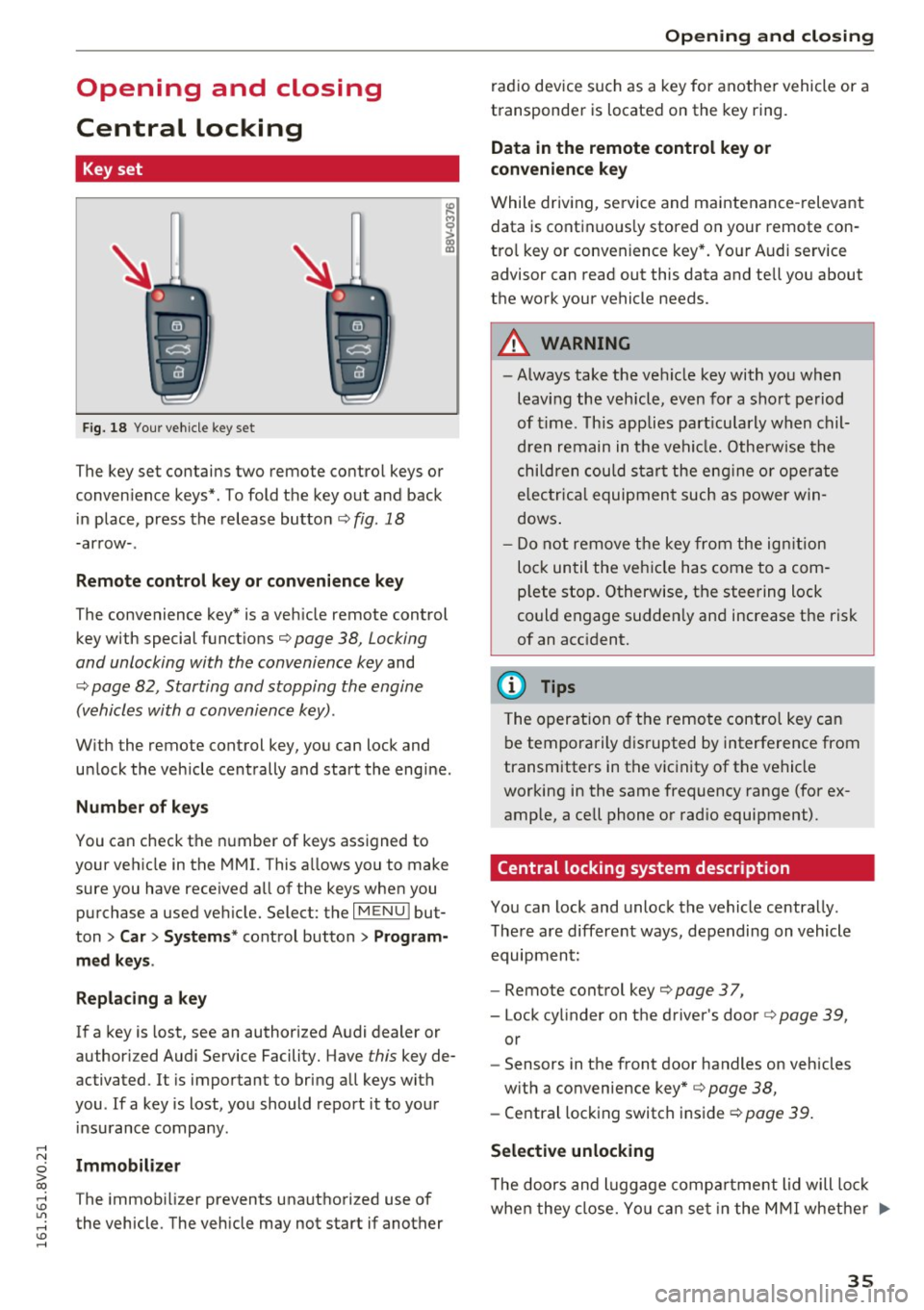
Fig. 18 Your vehicle key set
The key set contains two remote control keys or
conven ience keys*. To fold the key out and back
in place, press the release button¢
fig. 18
-arrow-.
Remote control key or convenience key
The convenience key* is a vehicle remote control
key with special functions¢
page 38, Locking
and unlocking with the convenience key
and
¢ page 82, Starting and stopping the engine
(vehicles with a convenience key).
With the remote control key, you can lock and
unlock the vehicle centrally and start the engine.
Number of keys
You can check the number of keys assigned to
your vehicle in the MMI. This a llows you to make
sure you have received all of the keys when you purchase a used vehicle. Select: the
I MENU I but
ton
> Car> Systems* control button > Program
med keys .
Replacing a key
If a key is lost, see an authorized Audi dealer or
authorized Audi Service Facility. Have
this key de
activated.
It is important to bring all keys with
you . If a key is lost, you should report it to your
insurance company.
Immobilizer
The immobilizer prevents unauthorized use of
the vehicle. The vehicle may not start if another
Opening and closing
radio device such as a key for another vehicle or a
transponder is located on the key ring.
Data in the remote control key or
convenience key
While driving, service and maintenance-relevant
data is continuous ly stored on your remote con
tro l key or conven ience key*. Your Audi service
advisor can read out this data and tell you about
the work your vehicle needs.
A WARNING
-- Always take the vehicle key with you when
leaving the vehicle, even for a short period
of time. This applies particularly when chil
dren remain in the vehicle. Otherwise the
children could start the engine or operate
electrica l equipment such as power win
dows .
- Do not remove the key from the ignition
lock until the vehicle has come to a com
p lete stop. Otherwise, the steering lock
could engage sudden ly and increase the risk
of an accident.
(D Tips
The operation o f the remote control key can
be temporarily disrupted by interference from
transmitters in the vicinity of the vehicle
working in the same frequency range (for ex
ample, a cell phone or radio equipment).
Central locking system description
You can lock and unlock the vehicle centrally.
There are different ways, depending on vehicle
equipment:
- Remote control key
c:> page 3 7,
- Lock cylinder on the driver's door c:>page 39,
or
- Sensors in the front door handles on vehicles
with a convenience key*
c:> page 38,
- Central locking switch inside c:> page 39.
Selective unlocking
•
The doors and luggage compa rtment lid will lock
when they close. You can set in the MMI whether ..,.
35
Page 38 of 328
Opening and clo sin g
only the driver 's door or the entire vehicle should
un lock when unlocking
r::!;> page 39 .
Automatic locking (Auto Lock )
The Auto Lock function locks all doors and the
luggage compartment lid once the speed has
ex
ceeded approx imately 9 mph (15 km/h).
The car is unlocked again once the ign ition key is
removed. In addition, the vehicle can be u nlocked
if the opening function in the power locki ng sys
tem sw itch is used or one of the door handles is
pulled .
I n the event of a crash with a irbag deployment ,
the doors automat ica lly unlock to allow access to
the vehicle.
Ant i-theft alarm s yst em *
If t he ant i-theft alarm system detects a veh icle
break-in, audio and v isual warning signals are
tr iggered .
The ant i- theft alarm system turns on automati
cally when you lock the vehicle .
It deactivates
when unlocking using the remote control key or
by touc hing the sensor on the door handle (con
ven ience key).
To sw itch the ala rm off, press the@ button o n
the remote control key or convenience key or
sw itch the ignition on. The a la rm also stops auto
mat ica lly after a certain amount of time.
Tu rn sign als
The turn s ignals flash tw ice when you unlock the
vehicle and flash once when you lock the vehicle .
If they do not f lash, one of the doors, the lug
gage compartment lid or the hood is not locked
or the ignition is still sw itched on (the latter ap
plies to veh icles with a convenience key) .
Unintentionally loc king your se lf out
The fo llowing conditions prevent you from lock
ing your remote control key in the vehicle :
- The vehicle does not lock with the central lock
ing switch if the driver 's door is op en
r::!;> page 39.
-On vehicles with a convenience key* , the lug
gage compartment lid un locks again after clos-
36
ing if the most recent ly used key is in the lug
gage compartment.
To avo id accidentally locking yourself out, do not
l ock your vehicle with the remote control key or
convenience key* until all doors and the luggage
compartment lid ar e closed.
{!) Tips
- Do not leave va luables unattended in the ve
hicle. A locked vehicle is not a safe!
- If the LED in the upper e dge of the drive r's
door turns on for about 30 seconds after
the vehicle is locked, there is a malfunction in the power locking or the anti-theft a larm
system *. Have the problem corrected by an
authorized Audi dealer or authorized Audi
Service Facility.
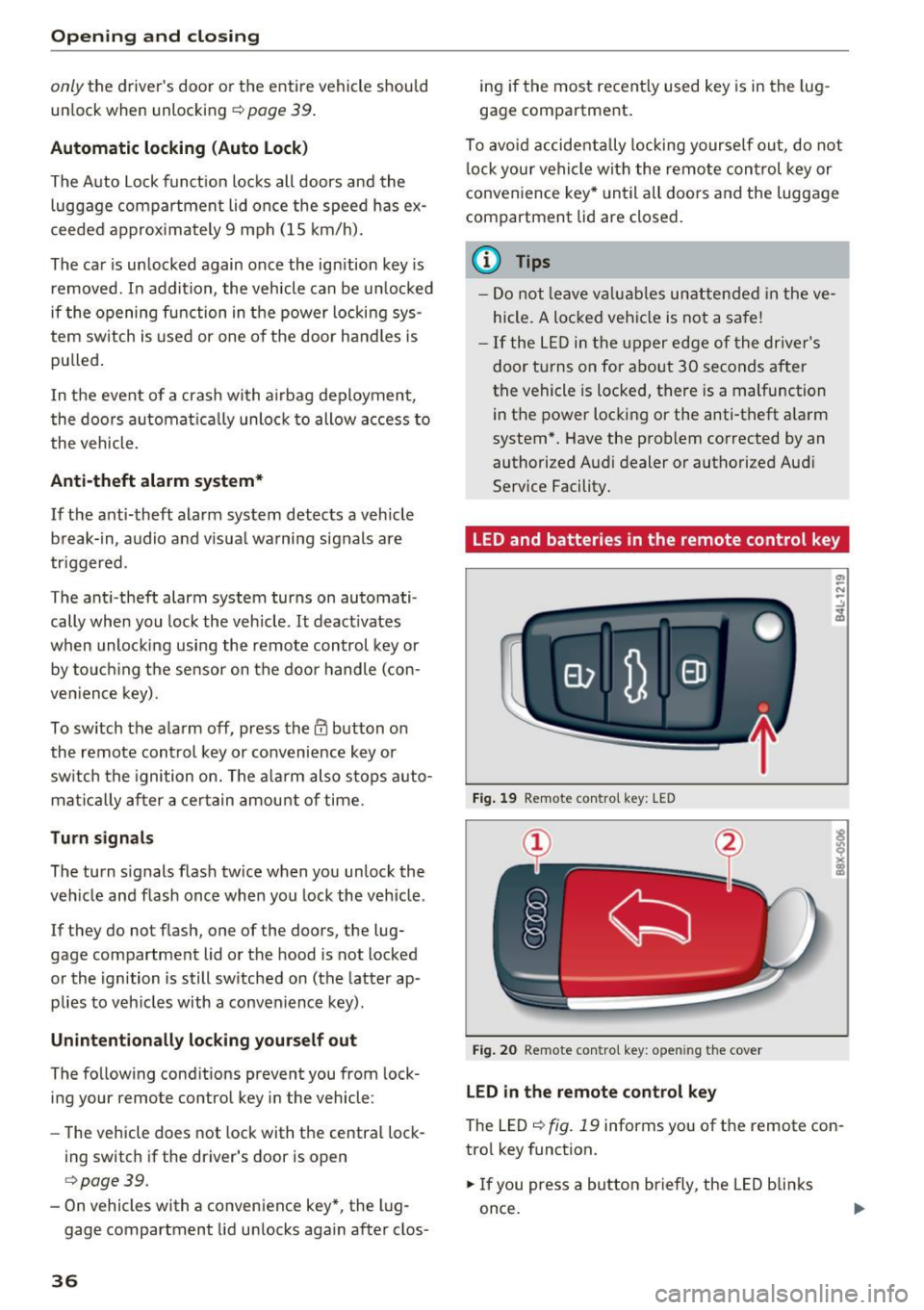
LED and batteries in the remote control key
Fig . 19 Remote con tro l key: LED
Fig . 20 Remote contro l key: o penin g the cover
LED in th e re mot e co nt rol k ey
The LED r=> fig. 19 informs you of the remote con
trol key function.
.. If you press a button briefly , the LED blinks
once.