steering AUDI S3 SEDAN 2015 User Guide
[x] Cancel search | Manufacturer: AUDI, Model Year: 2015, Model line: S3 SEDAN, Model: AUDI S3 SEDAN 2015Pages: 282, PDF Size: 71.14 MB
Page 34 of 282
Driver information system
® Current time measurement
@ Menu:
- Lap 1 (start)
- New lap (start another lap)
- Split time (time with in section of the
route)
- Pause (interrupts measurement)
- Statistics (evaluation of lap times)
- Rese t (all values are deleted)
Evaluating or resetting recorded times
Applies to vehicles: with lap timer (S models)
You can evaluate the fastest, slowest and aver
age lap times.
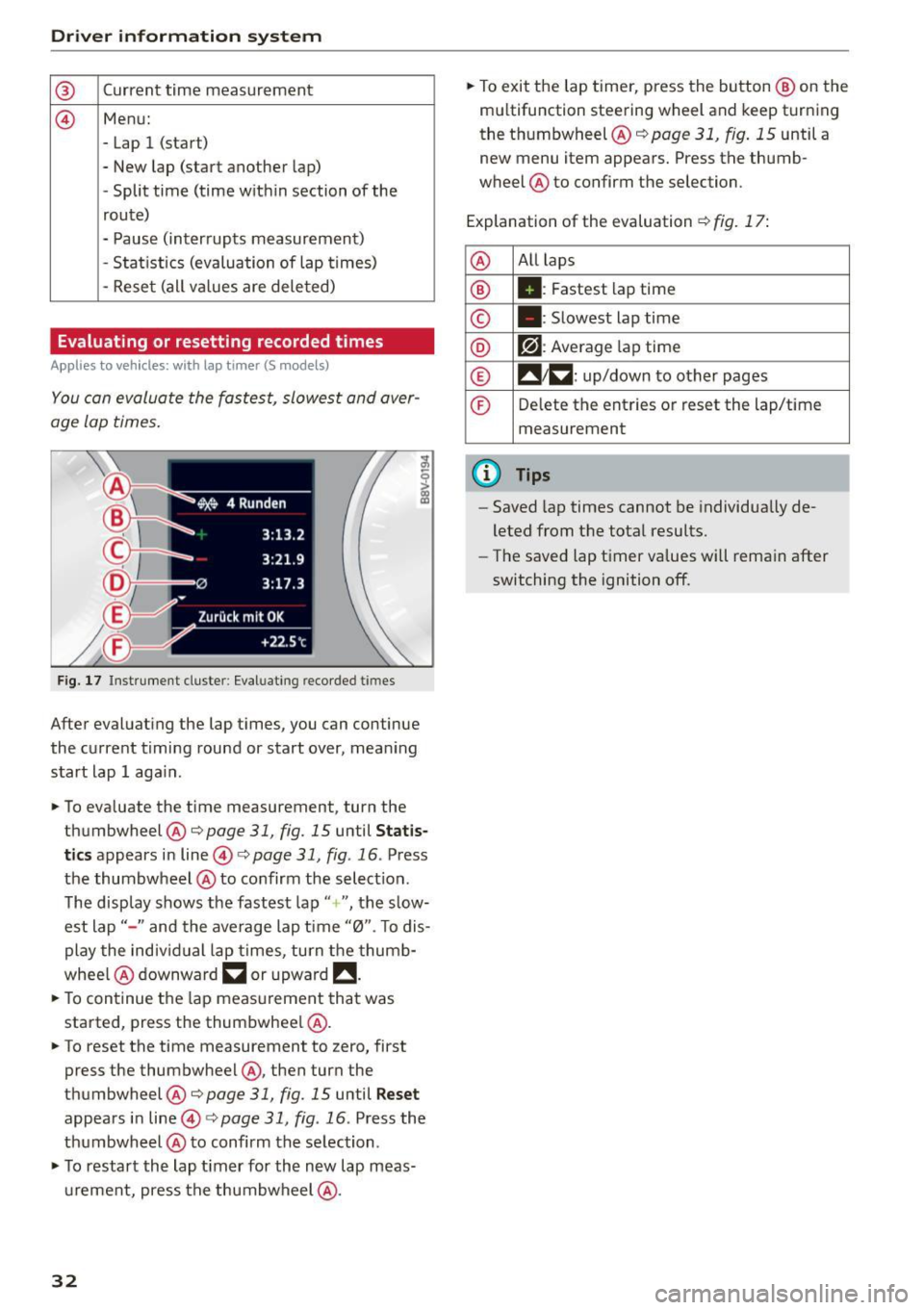
Fig. 17 Instrument cluste r: Eval uat ing reco rded t imes
After evaluating the lap times, you can continue
the current timing round or start over, meaning
start lap 1 aga in.
• To eva luate the time measurement, turn the
thumbwheel @c::>
page 31, fig. 15 until Statis
tics
appears in line@c::> page 31, fig . 16 . Press
the thumbwheel @to confirm the select ion.
The disp lay shows the fastest lap"+ ", the s low
est lap" -" and the average lap time "0". T o dis
play the individual lap times, turn the thumb
whee l@ downward
~ or upward !!.
• To continue the lap measurement that was
started, press the thumbwheel @.
• To reset the time measurement to zero, first
press the thumbwheel @, then turn the
thumbwheel @c::>page
31, fig. 15 until Reset
appears in line@i=>page31 , fig .16 . Press the
thumbwheel @to confirm the se lection .
• To restart the lap timer for the new lap meas
urement, press the thumbwheel @.
32
• To exit the lap timer, press the button @ on the
mu ltifunction steering wheel and keep turning
the thumbwheel @c::>
page 31, fig. 15 until a
new menu item appears. Press the thumb
wheel @to confirm the selection.
Explanation of the evaluation c::>
fig. 17:
@ All
laps
® II: Fastest lap time
© . : Slowest lap time
® r?l : Average lap time
® !! 1~ : up/down to other pages
© Delete the entries or reset the lap/time
measurement
@ Tips
- Saved lap times cannot be individua lly de
leted from the total results.
- The saved lap timer values will remain after
switching the ignition off.
Page 35 of 282
M N
0 > co ,...., \!) 1.1"1
1.1"1
1.1"1
,....,
Opening and closing
Central locking
Key set
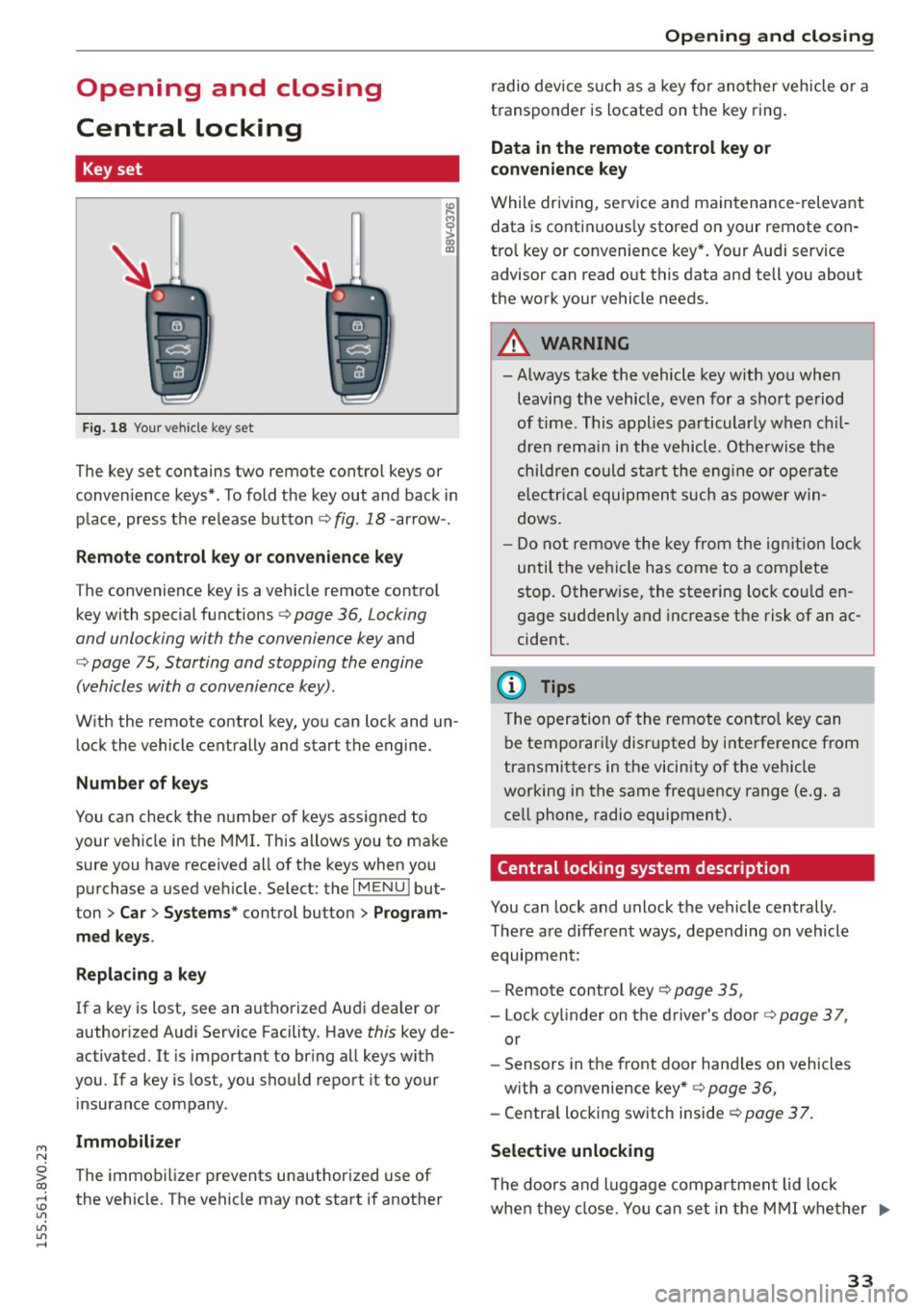
Fig. 18 Your vehicle key set
The key set contains two remote control keys or
conven ience keys*. To fold the key out and back in
place, press the release button¢ fig . 18 -arrow- .
Remote control key or convenience key
The convenience key is a vehicle remote contro l
key with special functions¢ page 36, Locking
and unlocking with the convenience key and
¢ page 75, Starting and stopping the engine
(vehicles with a convenience key) .
With the remote control key, you can lock and un
lock the vehicle centrally and start the engine.
Number of keys
You can check the number of keys assigned to
your vehicle in the MMI. This allows you to make
sure you have received all of the keys when you
purchase a used vehicle. Select: the
I MENU I but
ton
> Car> Systems * control button > Program
med keys.
Replacing a key
If a key is lost, see an authorized Audi dealer or
author ized Audi Service Facility. Have this key de
activated. It is important to bring all keys with
you .
If a key is lost, you should report it to your
insurance company.
Immobilizer
The immobilizer prevents unauthorized use of
the vehicle. The vehicle may not start if another
Opening and closing
radio device such as a key for another vehicle or a
transponder is located on the key ring.
Data in the remote control key or
convenience key
While driving, service and maintenance -relevant
data is continuous ly stored on your remote con
trol key or convenience key*. Your Audi service
advisor can read out this data and tell you about
the work your vehicle needs.
A WARNING
-- Always take the vehicle key with you when
leaving the vehicle, even for a short period
of time. This applies particularly when chil
dren remain in the vehicle. Otherwise the
children could star t the engine or operate
electrica l equipment such as power win
dows.
- Do not remove the key from the ignition lock
until the vehicle has come to a complete
stop. Otherw ise, the steering lock could en
gage suddenly and increase the risk of an ac
cident.
(D Tips
The operation of the remote control key can
be temporari ly disrupted by interference from
transmitters in the vicinity of the vehicle
working in the same frequency range (e .g. a
cell phone, radio equipment).
Central locking system description
You can lock and unlock the vehicle centrally.
There are d ifferent ways, depending on vehicle
equipment:
- Remote control key ¢page 35,
- Lock cylinder on the driver's door ¢page 37,
or
- Sensors in the front door hand les on vehicles
with a convenience key* ¢ page 36,
- Central locking switch inside <=:>page 37.
Selective unlocking
T he doors and luggage compa rtment lid lock
when they close. You can set in the MMI whether .,..
33
Page 46 of 282
Light and Vision
When switched on, adaptive light adjusts to
curves depending on the vehicle speed and steer·
ing wheel angle . This provides better lighting
through the curve. The system operates in a
speed range from approximately 6 mph (10 km/
h) to 68 mph (110 km/h).
Static cornering light* (vehicles with adaptive
light)· the cornering light switches on automati
cally when the steering wheel is turned at acer
tain ang le at speeds up to approximately 44 mph
(70 km/h) and whe n the turn signal is activated
at speeds up to approximately 25 mph (40 km/
h). The area to the side of the vehicle is illuminat
ed better when tu rning.
Speed depend ent light distribution* -The speed
dependent light distribution adapts the light in
towns and on highways or expressways. In tersec
tions can also be illum inated on veh icles with a
navigat ion system*.
Highway light function*
(Vehicles with adaptive light or LED headlights) -
This function adapts the light ing for highway
driving based on vehicle speed .
..&, WARNING
-Automatic headlights* are only int ended to
assist the driver. They do not relieve the
driver of his responsibility to check the
headlights and to turn them on manually
according to the current light and visibi lity
condit ions. For example, fog cannot be de·
tected by the light sensors . So always switch
on the low beam under these weather con
ditions and when driving in the dark
io.
- Accidents could occur if you can not see the
road ahead of you well and if others on the
road cannot see you . Always switch your
head lightsonsothatyoucanseetheroad
ahead of you and others can see your vehicle
from behind.
- Please observe legal regulations when using
the lighting systems described .
44
(D Note
The rear fog lights shou ld only be turned on in
accordance with traffic regulation, as the lights are bright for following traffic.
@ Tips
-The light sensor for the automatic head
lights * is in the rearview mirror mount.
Therefore, do not place any stickers in this
area on the windshield.
- Some functions of the exterior lighting can
be adjusted
c> page 45.
- If you turn off the ignition whi le the exterior
lights are on and open the door, you will
hear a warning tone.
- In some market-specific versions, the tail
lights do not turn on when switching on the
daytime running lights.
- In cool or damp weather, the inside of the headlights, turn signals and taillights can
fog over due to the temperature difference
between the inside and outside . They will
clear shortly after switching them on. This
does not affect the serv ice life of the light
ing .
- A message will appear in the instrument
cluster if there is a malfunction in the light
sensor
c> page 24.
Emergency flasher
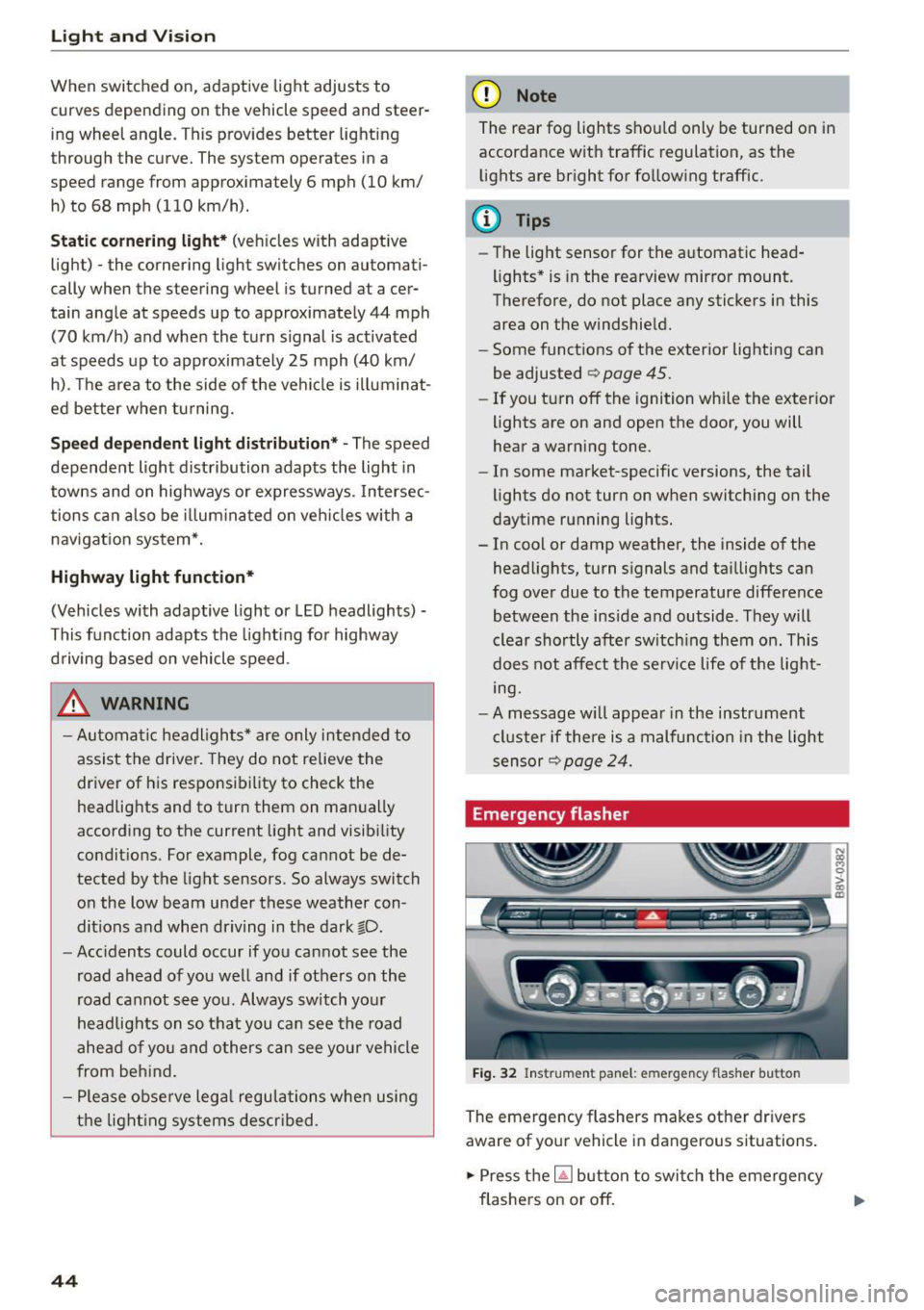
Fig. 32 Ins trumen t panel : em ergenc y flasher bu tton
The emergency flashers makes other dr ivers
aware of your vehicle in dangerous s ituations .
.. Press the~ button to switch the emergency
flashers on or off.
Page 55 of 282
M N
0 > co ...... \!) 1.1'1
1.1'1
1.1'1
......
Seats and storage
General information
Important information
A WARNING
Refer to the chapter Driving Safely
c::> page 130, Driving safety for important in
formation, tips, suggestions and warnings
that you should read and follow for your own
safety and the safety of your passengers.
Why is your seat adjustment so important?
The safety belts and the airbag system con only
provide maximum protection if the front seats
ore correctly adjusted.
There are various ways of adjusting the front
seats to provide safe and comfortable support
for the driver and the front passenger. Adjust
your seat properly so that:
- you can easily and quickly reach all the switches
and controls in the instrument panel
-your body is properly supported thus reducing
physical stress and fatigue
- the safety belts and airbag system can offer
maximum protection
c::> page 148.
In the following sections, you will see exactly
how you can best adjust your seats.
There are special regulations and instructions for
installing a child seat on the front passenger's
seat . Always follow the information regarding
child safety provided in
c::> page 172, Child safe
ty.
A WARNING
Incorrect seating position of the driver and all
other passengers can result in serious person
al injury.
- Always keep your feet on the floor when the
vehicle is in motion -never put your feet on
top of the instrument panel, out of the win
dow or on top of the seat cushion. This ap
plies especially to the passengers. If your
seating position is incorrect, you increase
Seats and storage
the risk of injury in the case of sudden brak
ing or an accident.
If the airbag inflates and
the seating position is incorrect, this could result in personal injury or even death.
- It is important for both the driver and front
passenger to keep a distance of at least
10 inches (25 cm) between themselves and
the steering wheel and/or instrument panel.
If you're sitting any closer than this, the air
bag system cannot protect you properly. In
addition, the front seats and head restraints
must be adjusted to your body height so
that they can give you maximum protection.
- Always try to keep as much distance as pos
sible between yourself and the steering
wheel or instrument panel.
- Do not adjust the driver's or front passeng
er's seat while the vehicle is moving. Your
seat may move unexpectedly, causing sud
den loss of vehicle control and personal in
jury. If you adjust your seat while the vehicle is moving, you are out of position .
Driver's seat
The correct seat position is important for safe
and relaxed driving.
We recommend that you adjust the driver's seat
in the following manner:
.,. Adjust the seat in fore and aft direction so that
you can easily push the pedals to the floor
while keeping your knees slightly bent
c::, A in
Why is your seat adjustment so important? on
page
53.
.,. Adjust the backrest so that when you sit with
your back against the backrest, you can still grasp the top of the steering wheel.
.,. For adjustable head restraints: adjust the head
restraint so the upper edge is as even as possi
ble with the top of your head.
If that is not pos
sible, try to adjust the head restraint so that it
is as close to this position as possible
c::> page 56. Move the head restraint so that it
is as close to the back of the head as possible. ..,.
53
Page 74 of 282
Driving
You must drive your vehicle about 3,000 miles (5,000 kilometers) before you can properly as
sess oil consumption.
This also applies to fuel consumption and engine
output.
@ Note
- Have your vehicle maintained properly and
in accordance w ith the service recommenda
tions in your Warranty
& Maintenance book
let. Lack of proper maintenance as well as
improper use of the vehicle will impair the
function of the emission control system and
could lead to damage.
- Do not alter or remove any component of the Emission Control System unless approved by the manufacturer.
- Do not alter or remove any device, such as heat shields, switches, ignition wires,
valves, which are designed to protect your
vehicle's Emission Control System and other important vehicle components.
Fewer short trips
Fuel consumption will always be relatively high
on short trips.
.,. Try to avoid driving short distances with a cold
engine.
The eng ine and catalytic converter have to reach
their optimal
operating temperature to reduce
fuel consumption and noxious emissions effec
tively .
Just after starting, a cold engine in a mid-size car only achieves a fuel economy of 6-8 miles per
gallon (30-40 l/100 km). After about a half a mile, fuel economy climbs to 12 mpg (20
l/
100 km) . After about 2.5 miles (4 km), the en
gine is at its proper operating temperature and
fuel economy has reached a normal level. So you
can see that you should avoid short trips whenev
er possible.
The
outside temperature is also critical in this re
gard. Your car consumes more fuel in the winter
than in the summer.
72
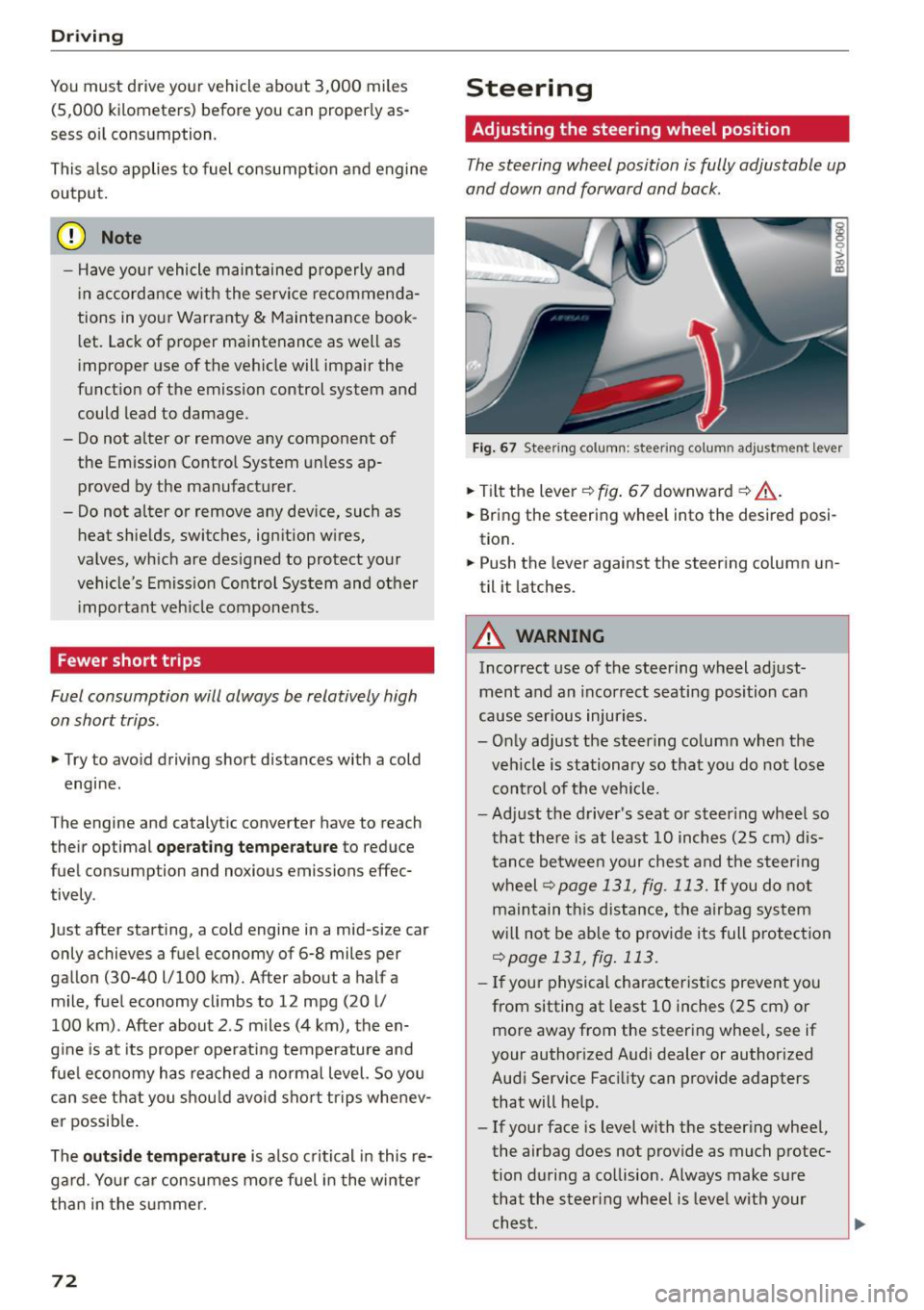
Steering
Adjusting the steering wheel position
The steering wheel position is fully adjustable up
and down and forward and back .
Fig. 67 Ste ering co lumn : steer ing colu mn adjus tmen t l eve r
.,. Tilt the lever ¢ fig. 67 downward ¢.&, .
.,. Bring the steering wheel into the desired posi
tion.
.,. Push the lever against the steering column un
til it latches .
A WARNING
Incorrect use of the steering wheel adjust
ment and an incorrect seating position can
cause serious injuries.
- Only adjust the steering column when the
vehicle is stationary so that you do not lose
control of the vehicle.
-
-Adjust the driver's seat or steer ing wheel so
that there is at least 10 inches (25 cm) dis
tance between your chest and the steering
wheel ¢
page 131, fig. 113. If you do not
maintain this distance, the airbag system
will not be able to provide its full protection
¢page 131, fig. 113.
-If your physical characteristics prevent you
from sitting at least 10 inches (25 cm) or
more away from the steering wheel, see if
your authorized Audi dealer or authorized
Audi Service Facility can provide adapters that will help.
- If your face is level with the steering wheel,
the airbag does not provide as much protec
tion during a collision . Always make sure
that the steering wheel is level with your
chest .
Page 75 of 282
....,
N
-Always hold the steering wheel with your
hands in the 9 o'clock and 3 o'clock posi
tions to reduce the risk of injury if the airbag
deploys .
- Never hold the steer ing wheel in the 12
o'clock position or w ith both hands on the
rim or the center of the steering wheel.
Holding the stee ring wheel incorrectly sig
nificantly increases the risk of injury to the
hands, arms and head if the airbag deploys.
Starting and stopping
the engine (vehicles with an ignition lock)
Starting the engine with the key
Applies to vehicles: with mechanical ignit ion lock
The ignition is switched on and the engine start
ed with the key in the ignition .
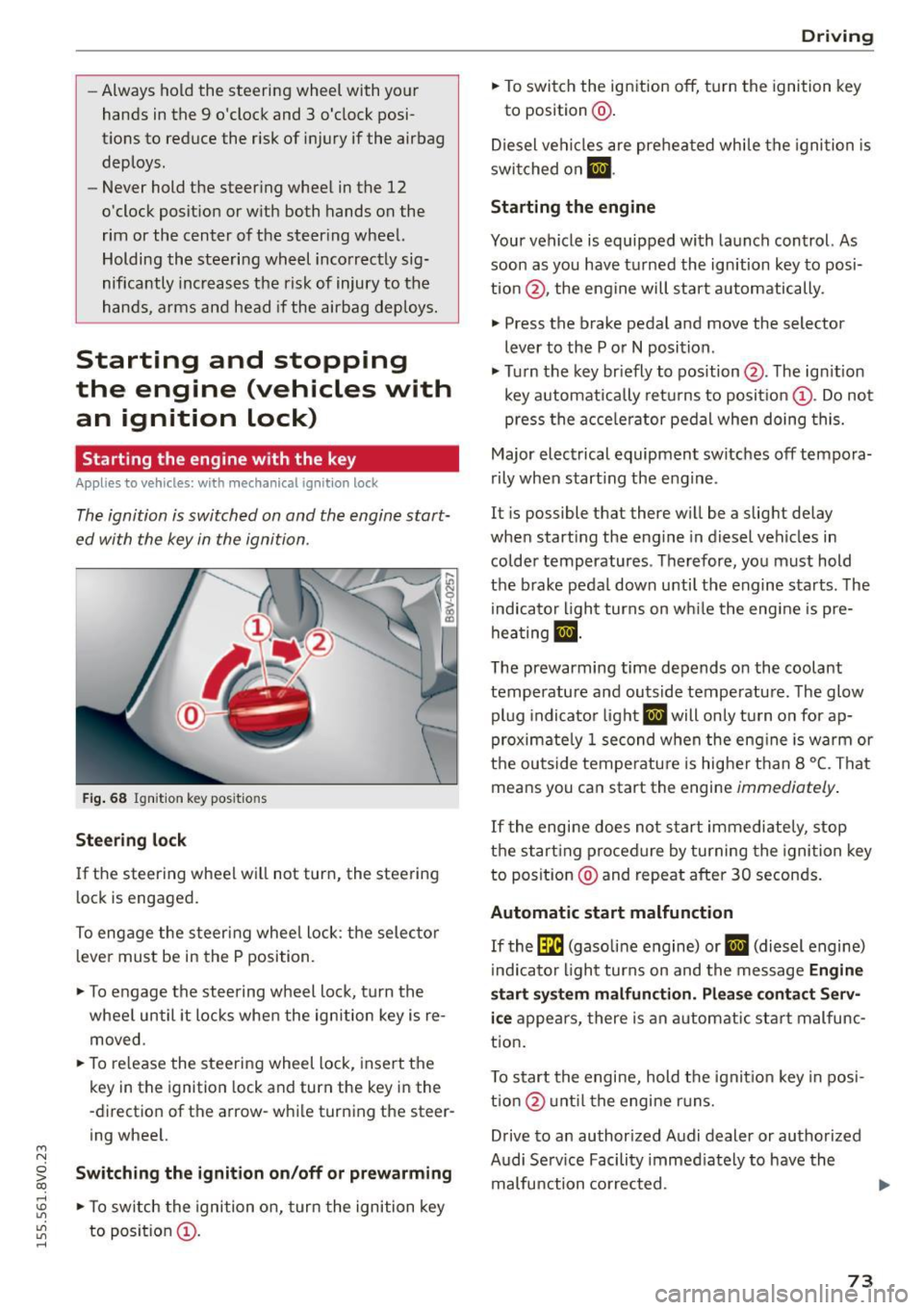
Fig . 68 Ignit io n key pos it io n s
Stee ring l ock
If the steering wheel wil l not turn, the steering
lock is engaged.
To engage the steering wheel lock : the selector
l ever must be in the P position.
.,. To engage the steering w heel lock, turn the
whee l until it locks whe n the ignition key is re
moved.
.,. To re lease the steering wheel lock , insert the
key in the ignition lock and turn the key in the
-direction of the arrow-while turning the steer
ing wheel.
~ Swit ching the ignition on /off or prew arming co
rl I.O
"'
"'
"'
rl
.,. To sw itch the ignition on, turn the ignition key
to position @.
Dr ivi ng
.,. To switch the ignition off, turn the ignition key
to posit ion @.
Diesel vehicles are preheated while the ignition is
swi tched on
m .
Starting the engine
Your vehicle is equipped with launch control. As
soon as you have turned the ign ition key to posi
tion @, the engine will start automatically.
.,. Press the brake pedal and move the selector
lever to the P or
N position .
.,. Turn the key br iefly to position @. The ign ition
key automatically retu rns to position @. Do not
press the a cce le rator pedal when doing this.
Major electrical equipment switches off tempora
rily when start ing the engine .
It is possible that there w ill be a slight delay
when starting the eng ine in diesel vehicles in
colder temperatures . T herefore, you must hold
the brake pedal down unti l the engine starts . The
indicator light turns on wh ile the engine is pre
hea ting
lJ .
The prewarming time depends on the coolant
temperature and outside temperatu re. The glow
pl ug indicato r light
IJ will only turn on for ap
proximate ly 1 second when the eng ine is warm or
the outside tempe rature is higher than 8
°C. That
means you can start the engine
immediately .
If the engine does no t st art immediately, stop
the start ing procedure by turning the ignition key
to position @and repeat after 30 seconds.
Automatic start malfunction
If the (m (gasoline engine) or IJ (diesel engine)
i ndicato r light turns on and the message
Engine
start sy ste m malfunction . Plea se c ontact S erv
i c e
appea rs, there is an automatic sta rt malfunc
t ion .
T o start the engine, hold the ignit io n key in posi
tio n@ unt il the engine r uns.
Drive to an authorized Audi dealer or authorized
Audi Se rv ice Facility immed iately to have the
malfunction corrected. ..,.
73
Page 76 of 282
Driving
& WARNING
-Never allow the engine to run in confined
spaces, because this increases the risk of as
phyxiation.
- Never
remove the ignition key from the igni
tion look while the vehicle is moving . Other
wise the steering lock will engage and you
will not be able to steer the vehicle.
- Please note that the brake booster and pow
er steering only work when the engine is
running . When the engine off, you must use
more force to steer or brake the vehicle. Be
cause the usual steering and braking capa
bility is not available, the risk of accidents or
injuries increases.
- Always take the vehicle key with you when
leaving the vehicle,
even for a short period
of time. This applies particularly when chil
dren remain in the vehicle. Otherwise the
children could start the engine or operate
electrical equipment such as power win
dows .
CT'.) Note
- Avoid high engine speed, full throttle, and
heavy engine load as long as the engine has
not reached operating temperature yet . You
could damage the engine .
- The engine cannot be started by pushing or
towing .
@ For the sake of the environment
Do not let the engine run while parked to
warm up. Begin driving immediately. This re
duces unnecessary emissions.
(D Tips
- If it is difficult to turn the key to position
(D, turn the steering wheel back and forth
slightly to release the steering wheel lock.
- After starting a cold engine, there may be a
brief period of increased noise because the
oil pressure must first build up in the hy
draulic
valve adjusters . This is normal and
not a cause for concern.
- If the battery is disconnected and recon
nected, you have to hold the ignition key in
74
position (D for five seconds for the engine
to start.
- After switching the ignition off, you can only
remove the key when the selector lever is in
the "P" (Park) position. After that, the selec
tor lever is locked.
Stopping the engine with the key
App lies to vehicles : with mechanical ignition loc k
Stopping the engine
.. Bring the vehicle to a full stop .
.. Turn the key to posi tion @.
Releasing the steering lock
Requirement: The selector lever must be in the P
position.
.,. Remove the ignition key in position@
q page 75, fig. 69 q ,&..
.. Turn the steering wheel until you hear the
steering wheel lock.
The locked steering helps prevent vehicle theft.
A WARNING
-
-Never turn off the engine before the vehicle
has come to a complete stop. The full func
tion of the brake booster and the power
steering is not guaranteed. You must use
more force to turn or brake if. Because you
cannot steer and brake as you usually
would, this could lead to accidents and seri
ous injuries.
- Never
remove the ignition key from the igni
tion look while the vehicle is moving . Other
wise, the steering lock could suddenly en
gage and you would not be able to steer the
vehicle.
- Please note that the brake booster and pow
er steering only work when the engine is
running. When the engine off, you must use
more force to steer or brake the vehicle. Be
cause the usual steering and braking capa bility is not available, the risk of accidents or
injuries increases.
- Always take the vehicle key with you when
leaving the vehicle,
even for a short period
of time . This applies particularly when
Page 77 of 282
....,
N
0 > co
children remain in the vehicle. Otherwise
the children could start the engine or operate electrical equipment such as power win
dows .
- For safety reasons, always park the vehicle
with the selector lever in the P position.
Otherwise, there is the risk that the vehicle
could roll.
- After the engine has been switched off, the
radiator fan can continue to run for up to 10
minutes -even with the ignition switched
off.
It can also switch on again after some
time if the coolant temperature rises as a
result of heat build up or if the engine com
partment is heated by sunlight and the en
gine is hot.
(D Note
- If the engine has been under heavy load for
an extended period of time, heat builds up
in the engine compartment after the engine
is switched off -there is a risk of damaging
the engine . For this reason, let the engine
run for at idle for approximately two mi
nutes before shutting it off.
Starting and stopping
the engine (vehicles with
a convenience key)
Engine with the
button Starting
Applies to vehicles : wit h convenience key
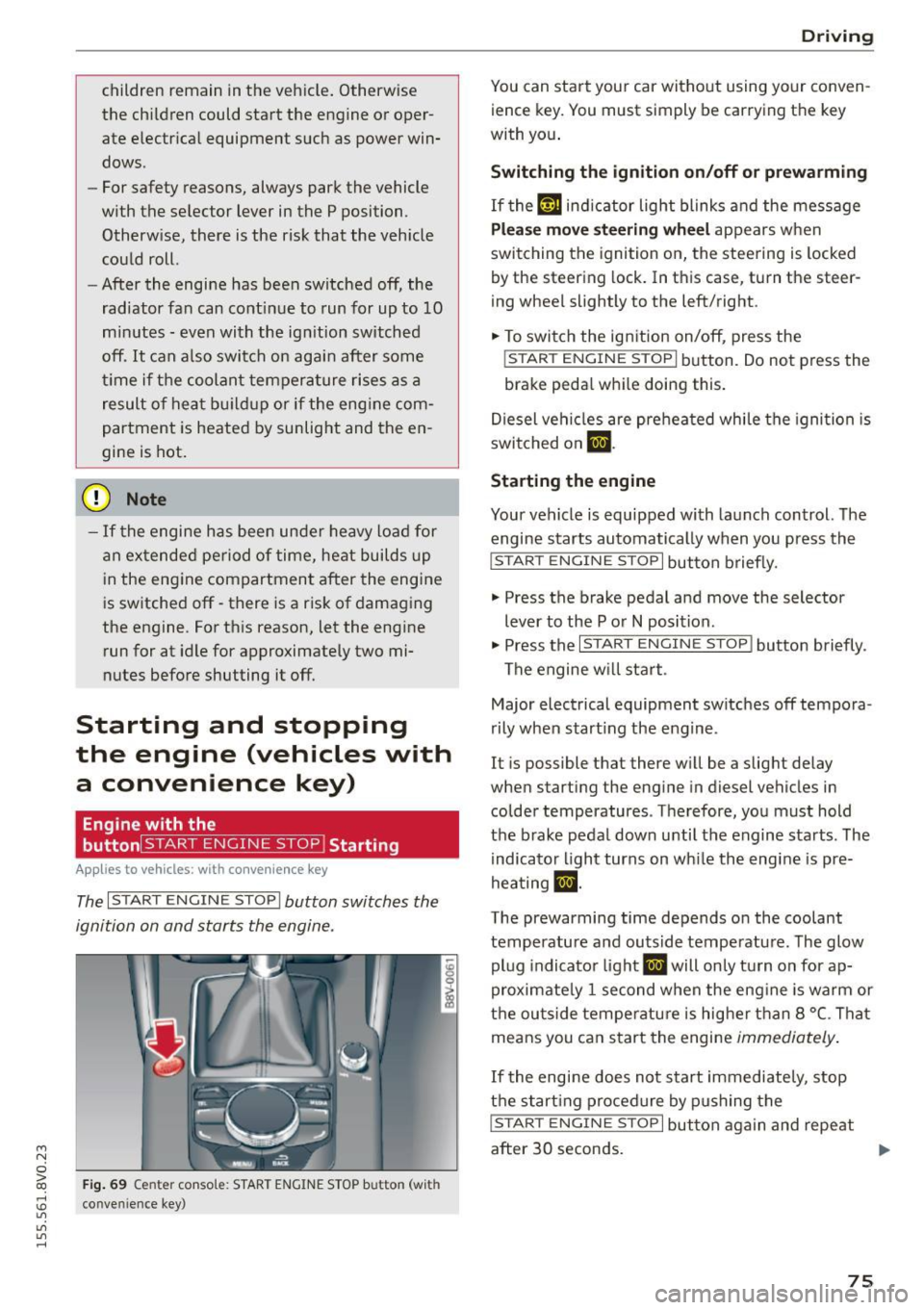
The I S TART ENGINE STOP I button switches the
ignition on and starts the engine.
Fig. 69 Ce nter conso le : STAR T ENGINE STOP button (wit h
:0 conve nience key)
"'
"'
"'
......
Driving
You can start your car without using your conven
ience key. You must simply be carrying the key
with you .
Switching the ignition on/off or prewarming
If thP ,Y,n indicator light blinks and the message
Plea se move steering wheel appears when
switching the ignition on, the steer ing is locked
by the steering lock. In this case, turn the steer
ing wheel slightly to the left/right .
.,. To switch the ign ition on/off , press the
!S TART ENGINE ST OP I button. Do not press the
bra ke pedal whi le doing this.
Diesel vehicles are preheated while the ignition is
switched on
m .
Starting the engine
Your vehicle is equipped with launch control. The
engine starts automatically when you press the
I STAR T ENGINE ST OP I button brief ly.
.,. Press the brake pedal and move the selector
lever to the P or N position .
.,. Press the
I STAR T ENGINE ST OP ! button briefly .
The engine w ill start .
Major electrical equipment switches off tempora
rily when start ing the engine.
It is possible that there will be a slight delay
when starting the engine in diesel vehicles in
colder temperatures . Therefore, you must hold
the brake pedal down until the engine starts . The
indicator light turns on while the engine is pre
heating
m .
The prewarming time depends on the coolant
temperature and outside temperature . The glow
plug indicator light
El will only turn on for ap
proximate ly 1 second when the eng ine is warm or
the outside temperature is higher than 8
°C. That
means you can start the engine
immediately .
If the engine does not start immediately, stop
the start ing procedure by pushing the
I STAR T ENGINE ST OP I button again and repeat
after 30 seconds. .,.
75
Page 78 of 282
Driving
Autom ati c s tar t m alfun cti on
If the lll3 (gasoline engine) or II (diese l eng ine)
indicator light turns on when you start the en
gine, there is an automatic start ma lfunction.
To start the engine, press and ho ld the
I START ENGINE STOP! button un til the engine
runs .
Drive to an autho rized Audi dea ler or authorized
Aud i Service Fac ility immediately to have the
mal funct ion corrected.
_& WARNING
- Never allow the engine to run in confined
spaces -danger of asphyxiation.
- Always take the vehicle key with you when
leaving the vehicle, even for a short period
of time . This applies partic ularly when chil
dren remain in the vehicle. Otherw ise the
children could start the engine or operate
electrical equ ipment such as power win
dows.
- Please note that the brake booster and pow
er steering only work when the engine is
running . When the eng ine off, you must use
more force to steer or brake the ve hicle. Be
cause the usual stee ring and bra king capa
bility is not availab le, the risk of accidents o r
injur ies inc reases.
(D Note
- Avoid high eng ine speed, full thrott le, and
heavy engine load as long as the eng ine has
not reached operating temperature yet. You
could damage the engine.
- The engi ne cannot be sta rted by pushing or
tow ing.
@ For the sake of the environment
Do not let the engine run while par ked to
warm up. Beg in d riving immed iately. This re
duces unnecessary emissions.
l ) Th is fun ctio n is not availabl e in all cou ntri es .
76
-
(D Tips
-After starting a cold engine, there may be a
br ief per iod of increased noise because the
oil pressure must first build up in the hy
draulic valve adjusters. This is normal and
not a cause for concern .
- If the . indicator light blinks in the instru
ment cluster before switching the ignition
off, the ignition will not switch on again.
¢page 126
-If you leave your vehicle w ith the ignition
switched on, the ign ition w ill switch off af
ter a certain amou nt of time . Make sure that
elect rical equipment such as the exterio r
lights a re switched off.
Turning the engine off using the
button
Applies to vehicles: with convenience key
... Bring the vehicle to a full stop.
... Move the se lector lever into the P position.
... Press the
I STAR T ENGINE STOP ! button
¢page 75, fig. 69.
Ste ering lo ck1l
The steering locks when yo u turn the engine off
using the
I STAR T ENGINE ST OP !* button, move
the selector lever into the P position and open
the driver's door.
The locked steering he lps prevent ve hicle theft.
Eme rgency off
If it is absolutely necessa ry, the engine can also
be turned off while driving at speeds lower than
6 mph (10 km/h). To switch the engine off, press
the
I START ENGINE STOP! button twice in a row
briefly or press and hold for longer than two sec
onds.
_& WARNING
- Never turn off the engine before the vehicle
has come to a complete stop. The full func
tion of the brake booster and the powe r
steer ing is not guaranteed. You must use
Page 79 of 282
....,
N
0 > co
rl I.O
"'
"'
"'
rl
more force to turn or brake if necessary. Be
cause you cannot steer and brake as you
usually would, this could lead to crashes
and serious injuries.
- Please note that the brake booster and pow
er steering only work when the engine is
running. When the engine off, you must use
more force to steer or brake the veh icle. Be
cause the usual steering and braking capa
bility is not avai lable, the risk of accidents or
injuries inc reases.
- Always take t he vehi cle key with you when
leaving the vehicle, even for a short period
of time. This applies partic ularly when chil
dren remain in the vehicle . Otherwise the
children could start the engine or operate
electrical equipment such as power win
dows.
- For safety reasons, always park the vehicle
with the selector lever in the P position.
Otherw ise, there is the risk that the veh icle
could roll.
- After the engine has been switched off, the radiator fan can continue to run for up to 10
minutes -even with the ignition switched
off.
It can also switch on again after some
t ime if the coolant temperature rises as the
result of heat bu ildup or if the eng ine com
partment is heated by the s un's rays and the
engine is hot .
(D Note
If the eng ine has been under heavy load for
an extended per iod of t ime, heat bu ilds up in
the eng ine comp artment after the engine is
sw itched off -there is a r isk of damaging the
engine. For this reason, let the engine run for
at idle for approximate ly two minutes before
shutting it off.
Dr iving
Starting the engine if there is a
malfunction
Applies to vehicles: with convenience key
It may not be possible to start the engine under
certain circumstances, for example if the battery
in the vehicle key is drained, if interference is af
fected the key or if there is a system malfunc
tion.
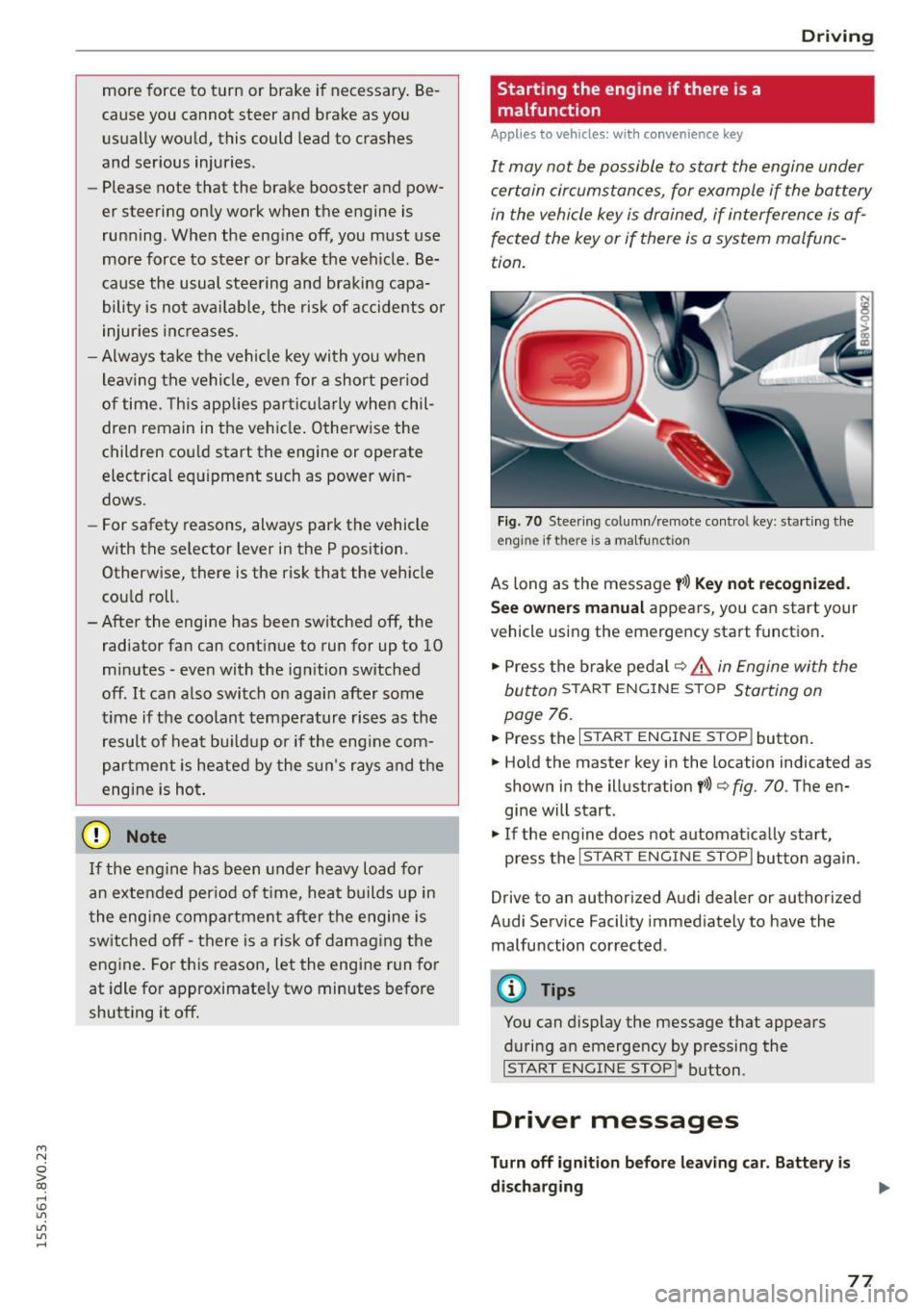
F ig. 70 Steer ing colum n/remote co ntrol key: start ing the
engine if there is a ma lfunction
As long as the message y >l) K ey not r ecognized .
Se e owne rs manual
appears, you can start your
vehicle using the emergency start function .
"' Press the brake pedal
c:::> .&. in Engine with the
button
START ENGINE STOP Starting on
page
76.
"' Press the ~ I s=T~A~R~T~E~N~G~IN~E~s=T~O~P~ I button.
"' Ho ld the master key in the location indicated as
shown in the illustration
y >>) c:::> fig. 70. The en
gine will start .
"' If the engine does not automat ically start,
press the
I START ENGINE STOP I button again.
Drive to an authorized Audi dealer or authorized
Audi Serv ice Facility immediately to have the
malfunction corrected.
@ Tips
You can display the message that appears
during an emergency by pressing the
I S TART ENGINE STOP!* button.
Driver messages
Turn off ignition befor e leavi ng car. Batt ery is
di schar ging
77