battery warning AUDI S3 SEDAN 2017 Owners Manual
[x] Cancel search | Manufacturer: AUDI, Model Year: 2017, Model line: S3 SEDAN, Model: AUDI S3 SEDAN 2017Pages: 400, PDF Size: 67.32 MB
Page 4 of 400
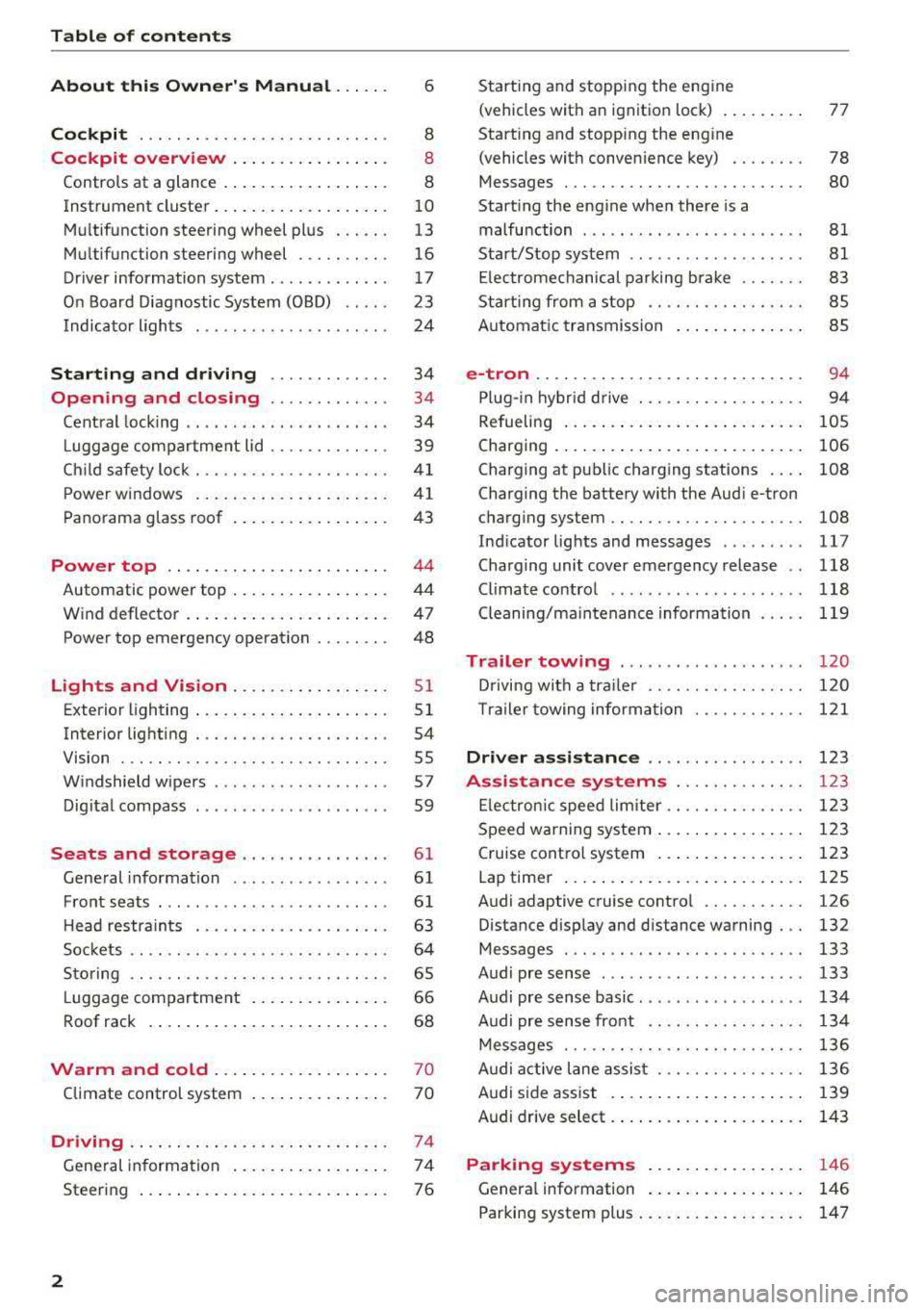
Table of content s
About this Owne r's Manual . .. .. .
6
Cockpi t ... .. ............... .... .. . 8
Cockpit overview . . . . . . . . . . . . . . . . . 8
Controls at a glance . . . . . . . . . . . . . . . . . . 8
Instrument cluster . . . . . . . . . . . . . . . . . . . 10
Mu ltifunction steering wheel plus . . . . . . 13
Mu ltifunction steering wheel . . . . . . . . . . 16
Driver information system . . . . . . . . . . . . . 17
On Board Diagnostic System (OBD) . . . . . 23
Indicato r lights . . . . . . . . . . . . . . . . . . . . . 24
Start ing and dr iving . . . . . . . . . . . . . 34
Opening and closing . . . . . . . . . . . . . 34
Central lock ing . . . . . . . . . . . . . . . . . . . . . . 34
L uggage compartment lid . . . . . . . . . . . . . 39
Ch ild safety lock . . . . . . . . . . . . . . . . . . . . . 41
Power w indows . . . . . . . . . . . . . . . . . . . . . 41
Panorama glass roof . . . . . . . . . . . . . . . . . 43
Power top . . . . . . . . . . . . . . . . . . . . . . . . 44
Automatic power top . . . . . . . . . . . . . . . . . 4 4
Wind deflector . . . . . . . . . . . . . . . . . . . . . . 47
Power top emergency operation . . . . . . . . 48
Lights and Vision .. ..... ... .. .. .. .
Exterior lighting ... .. ...... ... .. .. .. .
Interior lighting ... ........... .... .. .
V1s1on ... .. .. ... ............ .... .. .
W indshield wipers ............... ... .
Dig ital compass ........... ...... ... . 51
5 1
54
55
57
59
Seats and storage . . . . . . . . . . . . . . . . 61
General information . . . . . . . . . . . . . . . . . 61
Front seats . . . . . . . . . . . . . . . . . . . . . . . . . 61
H ead restra ints . . . . . . . . . . . . . . . . . . . . . 63
So ckets . . . . . . . . . . . . . . . . . . . . . . . . . . . . 64
S to ring . . . . . . . . . . . . . . . . . . . . . . . . . . . . 65
L uggage compar tment . . . . . . . . . . . . . . . 66
R oof rack . . . . . . . . . . . . . . . . . . . . . . . . . . 68
Warm and cold . . . . . . . . . . . . . . . . . . . 70
Climate control system . . . . . . . . . . . . . . . 70
Driving . . . . . . . . . . . . . . . . . . . . . . . . . . . . 74
General in formation . . . . . . . . . . . . . . . . . 74
Steering . . . . . . . . . . . . . . . . . . . . . . . . . . . 76
2
Starting and stopping the eng ine
(vehicles with an ignition lock) . . . . . . . . . 77
Start ing and stopping the eng ine
(vehicles with conven ience key) . . . . . . . . 78
Messages . . . . . . . . . . . . . . . . . . . . . . . . . . 80
Start ing the engine whe n there is a
malfunction . . . . . . . . . . . . . . . . . . . . . . . . 81
Start/Stop system . . . . . . . . . . . . . . . . . . . 81
El ectromechanical parking brake . . . . . . . 83
Start ing from a stop . . . . . . . . . . . . . . . . . 8S
Automa tic transmission . . . . . . . . . . . . . . 8S
e-tron ...... .. .. .. .. .. ........... .. 94
P lu g- in hybrid drive . . . . . . . . . . . . . . . . . . 94
Re fueling . . . . . . . . . . . . . . . . . . . . . . . . . . lOS
Charging . . . . . . . . . . . . . . . . . . . . . . . . . . . 106
Charging at pub lic charging stations . . . . 108
Charging the battery with the Aud i e-tron
charg ing system . . . . . . . . . . . . . . . . . . . . . 108
Ind icator lights and messages ......... 117
Charg ing unit cover emergency release . . 118
Climate contro l . . . . . . . . . . . . . . . . . . . . . 118
Cleaning/ma intenance information 119
Trailer towing . . . . . . . . . . . . . . . . . . . . 120
D rivi ng with a tra ile r .. ... ........... .
T ra ile r t owing information .......... . .
D . . nver assi
stance .. ... ... .... ... . .
Assis tance systems ............ . .
El ectron ic speed limite r ............. . .
Speed warning system ... .. .. .... ... . . 120
1 2 1
123
123
1 23
123
Cruise control system . . . . . . . . . . . . . . . . 123
Lap timer . . . . . . . . . . . . . . . . . . . . . . . . . . 125
Audi adaptive cruise contro l . . . . . . . . . . . 126
Distance disp lay and distance warning . . . 132
Messages . . . . . . . . . . . . . . . . . . . . . . . . . . 133
Audi pre sense . . . . . . . . . . . . . . . . . . . . . . 133
Audi pre sense basic . . . . . . . . . . . . . . . . . . 134
Audi pre sense front . . . . . . . . . . . . . . . . . 134
Messages . . . . . . . . . . . . . . . . . . . . . . . . . . 136
Audi active lane assist . . . . . . . . . . . . . . . . 136
Audi s ide ass ist . . . . . . . . . . . . . . . . . . . . . 139
Audi drive select . . . . . . . . . . . . . . . . . . . . . 143
Parking systems . . . . . . . . . . . . . . . . . 146
Genera l information . . . . . . . . . . . . . . . . . 146
Parking system plus . . . . . . . . . . . . . . . . . . 147
Page 27 of 400
CXl CXl .... N ,.__
N .... 0 N > 00
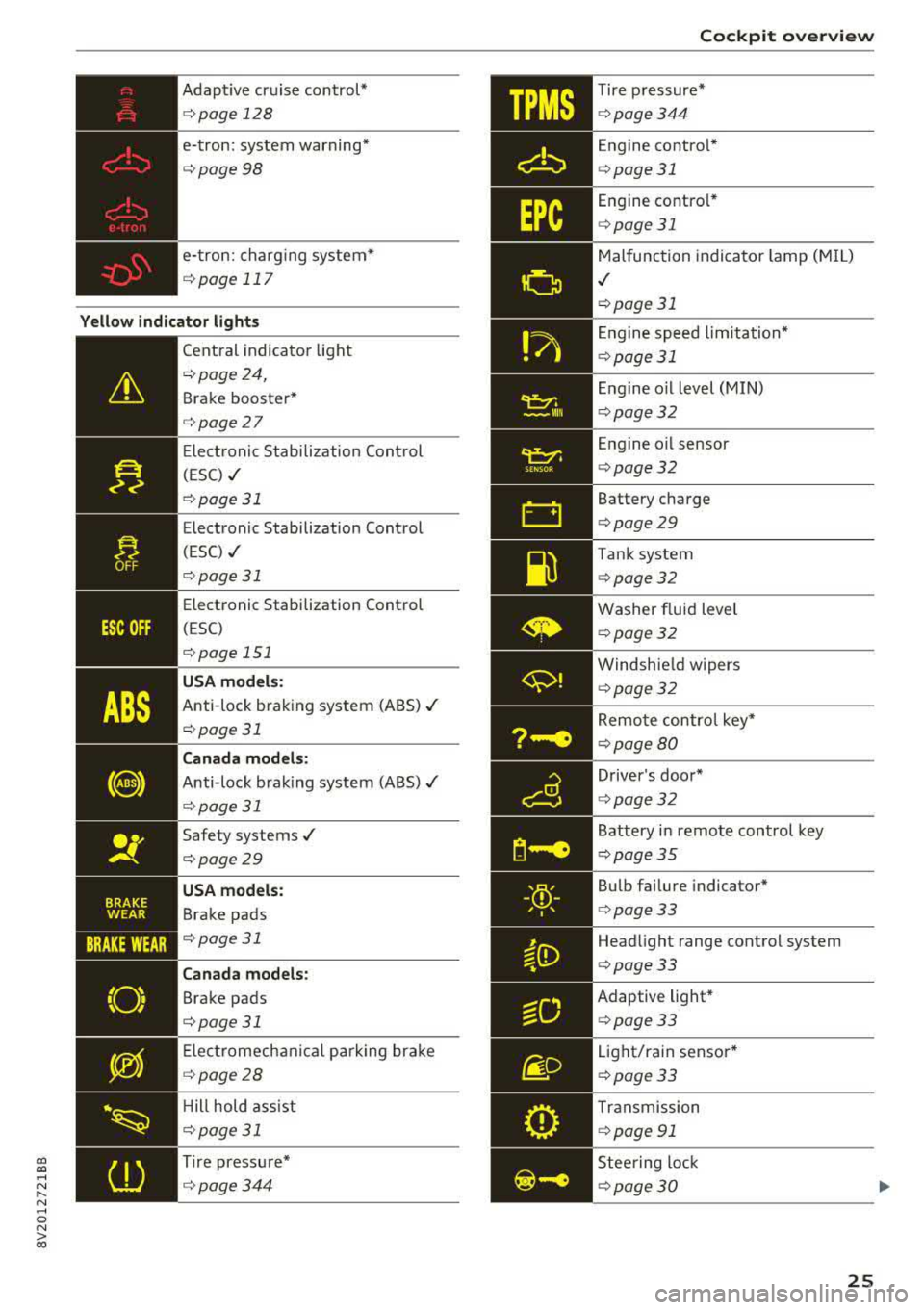
Adaptive cr uise control*
¢ page 128
e-tron: system warning *
¢page98
e- tron: charg ing system*
¢ page 117
Yellow indicator lights
--------------
Cent ral indicato r light
¢page 24,
Brake booster*
¢page27
Ele ct ronic Stabi lization Con trol
( E SC)
./
¢ page 31
Electronic Stabilization Control
(ESC)
./
¢ pag e 31
Elect ronic Stabilization Control
(ESC)
opage 151
USA models:
Anti-loc k bra king system (ABS) ./
¢page 31
Canada models :
Anti-lock bra king system (A BS)./
¢ page 31
Safety systems ./
¢page29
USA models:
Brake pads
. , ¢page31
Canada models :
Brake pads
¢page31
Ele ctr omech anical pa rk ing bra ke
¢ page28
Hill hold ass ist
¢ page 31
Tire press ure*
¢ page344
Cockpit o verview
Tire p ressure*
¢ page 344
Engine contro l*
¢ page 31
Engine co ntro l*
¢ page 31
Malfunc tion indica to r l amp (M IL)
./
¢ page 31
En gine speed limitation*
¢page 31
En gine o il level (MIN)
¢ page 32
En gine o il sensor
¢ page 32
Battery charge
¢page 29
Tank system
¢page 32
Washer f lu id level
¢ page 32
Windsh ie ld w ipers
¢ page 32
Remo te contro l key*
¢ page 80
D river 's doo r*
¢ page 32
Battery i n remote control key
¢ page35
Bu lb fa ilure indicator*
¢ page 33
Head light range control system
¢ page 33
Adaptive light *
¢page 33
Lig ht/rain senso r*
¢page 33
Transmission
¢ page 91
Stee ring lock
¢ page 30
25
Page 31 of 400
A WARNING 1=
- Never open the hood if you can see or hear
steam or coolant escap ing from the engine
compartment. This increases the risk of
burns . Wa it until you no longer see or hea r
steam o r coolant escap ing .
- The e ngine compartment in any veh icle can
be a dangerous area. Stop the eng ine and
allow it to cool before wo rking in the engine
c ompar tment. A lways fo llow the informa
t ion found in
r=:> page 316, Working in the
engine comportment .
(D Note
Do not co nti nu e d riving if t he . ind icator
light t urns o n as this increases the risk of en
gine damage .
~ Engine oil pressure
• Switch off engine! Oil pre ssure too low
Stop the eng ine and do not continue driving.
Check the engine oil leve l r=:> page 321.
-If the engine oil level is too low, add engine o il
r=:> page 319. Only cont inue dr iv ing o nce the in
dicato r light turn s off.
- If the engine oil level is correct and the indica
tor light st ill tur ns on, turn the eng ine off and
do not con tinue driving. See an a utho rized Aud i
dealer or author ized A udi Service Facility for as
sistance .
(D Tips
The oil pressure w arning is not an o il level in
dicator. Always check the oil level regu la rly.
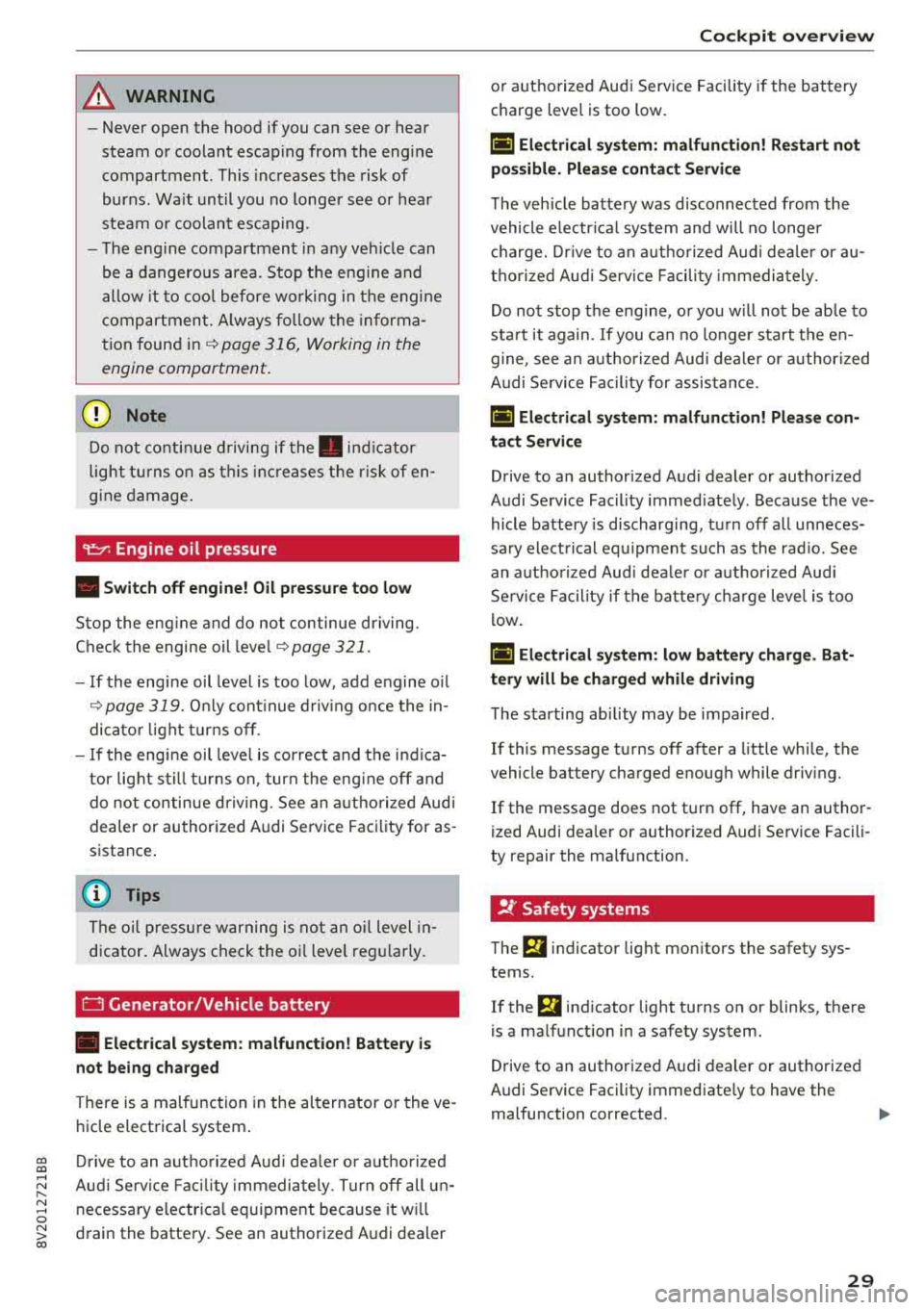
0 Generator/Vehicle battery
• Ele ctrical system: malfunction! B atter y is
not being charged
There is a malfunction in the alternator or the ve
h icle electrical system .
cc Drive to an authorized Aud i dea le r or a uthorized CXl
~ Aud i Service Fac ility immediately . Tur n off all u n-
~ necessary electr ica l equipment because it w ill 0
~ drain the battery. See an authorized Audi dealer 00
Cockpit o ve rv iew
or authorized Audi Service Facility if the battery
charge level is too low.
(•] Electri cal sy stem: malfun ction! Re start not
po ssible. Plea se cont act Servi ce
T he vehicle battery was disconnected from the
vehicle e lectr ica l system and will no longer
c h arge. Dr ive to an a uthorized Aud i dea ler or au
thorized Audi Serv ice Facili ty immedia tely.
Do not stop t he eng ine, o r you w ill not be ab le to
sta rt it again.
If you can no longer start the en
gine, see an a uth o rized Aud i dea ler or authori zed
A udi Service Facility for assis tance .
(•j Electrical system: malfunction! Plea se con
tac t Service
Drive to an authorized Audi dealer or authorized
Audi Se rvice Facility immed iately. Because the ve
hicle battery is discharging, tu rn off a ll unneces
sa ry elect rical eq uipment such as the rad io. See
an a uth orized Aud i dea le r or a uth orized Aud i
Service Facility if the batte ry charge leve l is too
l ow .
(•] Electrical system: low battery charge . Bat
tery will be charged while driving
T he starting ab ility may be impa ired .
If this message t urns off after a little whi le, the
vehicle battery charged enough while driving.
If the message does not turn off, have an author
ized Audi dea ler or authorized Audi Service Facili
ty repair the malfunction .
!f Safety systems
The fll indicator light monitors the safety sys
tems .
If the
fll ind icator light turns on or blinks, there
is a ma lfunction in a safety system .
Drive to an authorized A udi dealer or authorized
Audi Se rvice Facility immediate ly to have the
malfunction corrected.
.,,.
29
Page 32 of 400
Cockpit over view
A WARNING
Have the safety systems i nspected immed i
ately . Otherw ise, there is a risk that the sys
tems may not activate during a collision,
wh ich increases the risk of serious injury or
death.
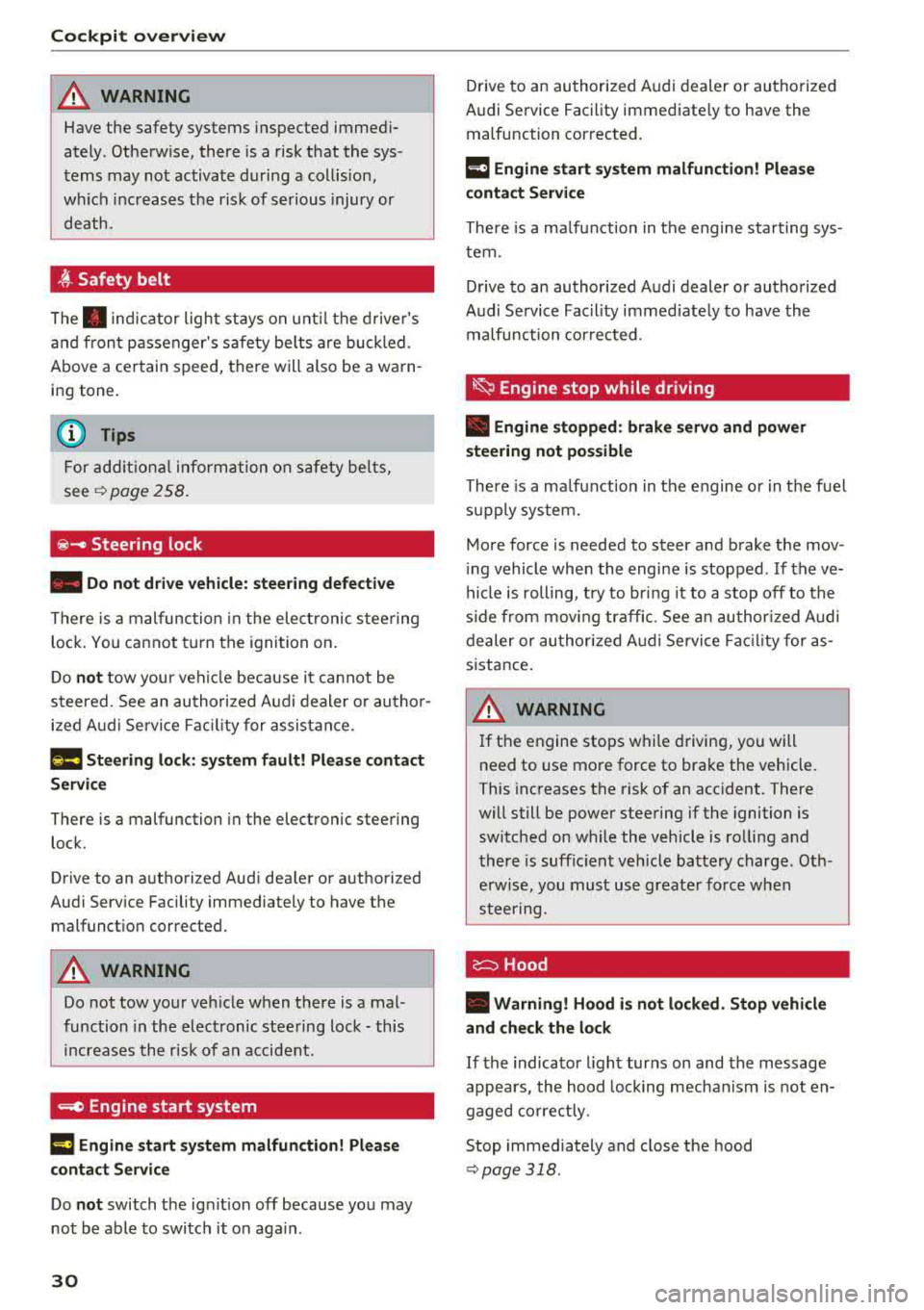
~ Safety belt
The . indicator light stays on unti l the d rive r's
and fron t passenger's safety be lts are buckled .
Above a certain speed, there will also be a wa rn
ing tone.
(D Tips
For add it iona l information on safety be lts ,
see
~ page 258.
@ -Steering lock
• Do not d rive vehicle: steering defecti ve
There is a malfunc tion in the elect ronic stee ring
loc k. You ca nnot t urn the ignition on .
D o
not tow your veh icle because it cannot be
steered . See an authorized A udi dealer or au tho r
i z ed A udi Servi ce Fa cili ty for assistance.
1;11 Steering lock: sy stem fault! Pleas e contact
Servic e
There is a malfunction in the elec tronic steering
lock .
Drive to an a uthor ized Audi dea ler or authori zed
Aud i Serv ice Fa cili ty immediately to have the
malfunct io n corrected.
A WARNING
Do not tow your veh icle when there is a mal
function in the electronic stee ring lock
-this
increases the risk of an accident.
....e Engine start system
M ·I t-:ngin e start system ma lfun ction! Plea se
c ontact Servic e
Do not switch the ignit ion off because you may
not be able to switc h it o n aga in .
30
Drive to an au thorized A udi dealer or authori zed
Audi Se rvice Facility immediate ly to have the
malfunction corrected.
IIJ Engine s tart system malfunction! Plea se
contact Service
There is a ma lf u nction in the engine sta rting sys
tem.
Drive to an authorized Audi dealer or authorized
Audi Se rvice Facility immed iate ly to have the
malfunction corrected .
~ Engine stop while driving
• Engine stopped: brake servo and power
steering not po ssible
There is a ma lfunction in the engine or in t he fuel
s u pp ly system.
More force is needed to steer and brake the mov
i ng vehicle whe n the engi ne is stopped . If the ve
hicle is rolling, t ry to bring it to a stop off to the
s ide from moving traffic. See an author ized Audi
dealer or authori zed A udi Service Fac ility for as
s istance .
A WARNING -
If the engine stops while driving, you will
need to use more force to brake the vehicle.
This increases the risk of an acc ident . There
will still be powe r steering if the ignition is
switched on while the vehicle is ro lling and
there is suff ic ient veh icle battery charge . Oth
e rw ise, you must use greate r force when
steering .
c:::::::> Hood
• Warning! Hood i s no t lo cked. Stop vehicle
and che ck the lo ck
If the indicator light turns on and the message
appears , the hood lock ing mechan ism is not en
gaged co rrectly .
Stop immediately and close the hood
~ page 318 .
Page 38 of 400
Opening and closing
@ Tips
The replacement battery must meet the same
specifications as the orig inal battery in the re
mote control key.
Synchronizing the remote control key
The remote control key must be synchronized if
the vehicle does not lock/unlock with the remote
control.
• Press the remote control key button [@].
• Insert the key in the driver's door lock within 30
seconds¢
page 38 .
• Press the !ill button or~ button.
Unlocking /locking with remote control
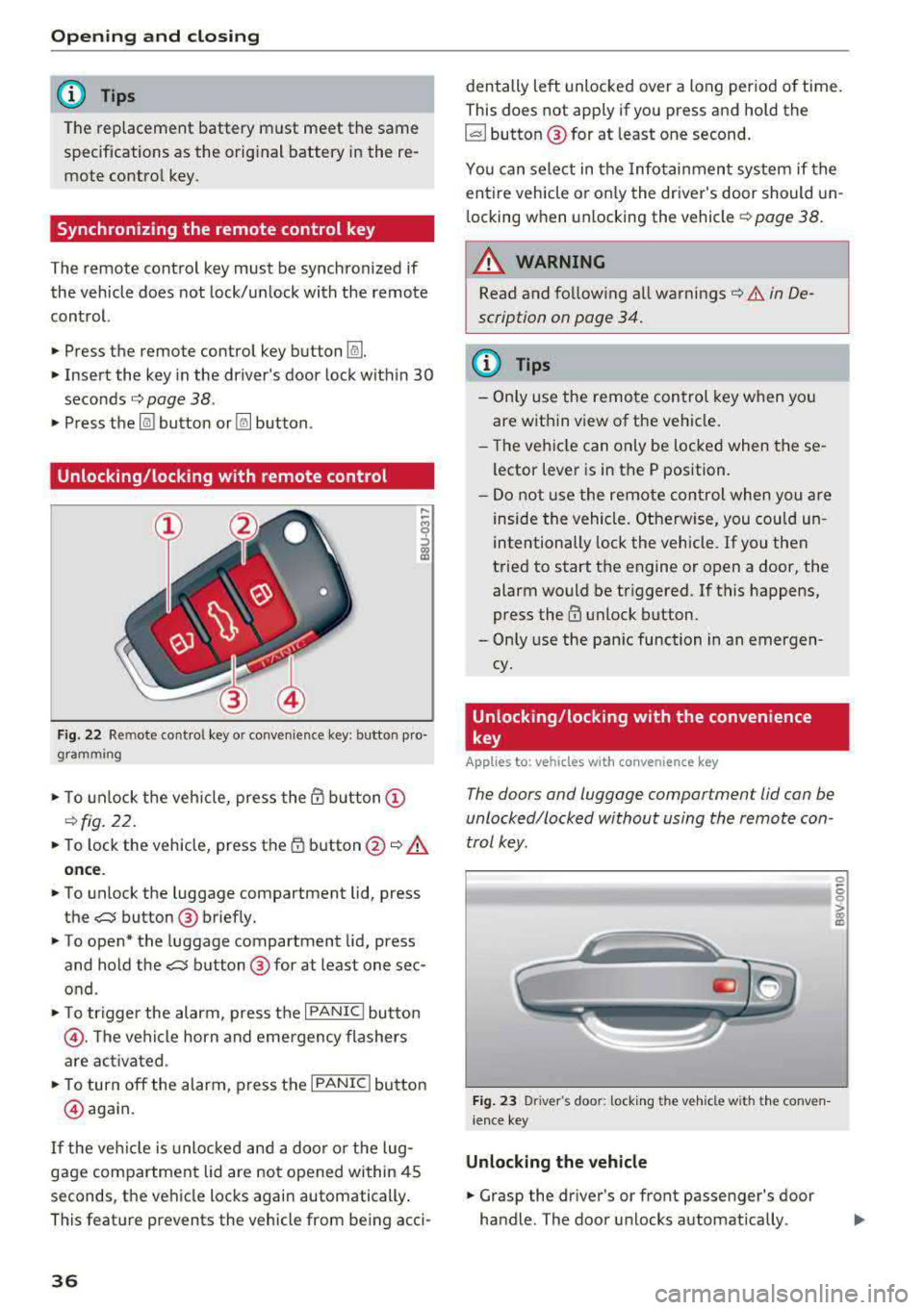
Fig . 22 Remote contro l key or conven ience key: button pro
gramming
• To unlock the vehicle, press the @ button @
¢fig. 22.
• To lock the vehicle, press the 1D button @~.&.
once .
• To unlock the luggage compartment lid, press
the
,c::j button @ briefly.
• To open* the luggage compartment lid, press
and hold the
,c::j button @ for at least one sec
ond .
• To tr igger the alarm, press the I PANIC I button
@ . The vehicle horn and emergency flashers
are activated .
• To turn off the alarm, press the I PANIC ! button
@ aga in.
If the vehicl e is unlocked and a door o r the lug
gage compartment lid are not opened within 45
seconds, the vehicle locks again automatically .
This feat ure prevents the vehicle from being acci-
36
den tally left unlocked over a long period of time.
This does not apply if you press and hold the
~button ® for at least one second.
You can select in the Infotainmen t system if the
entire vehicle or on ly the driver's door should un
l ocking when unlocking the vehicle ¢
page 38.
A WARNING
Read and fo llowing all warnings¢ .& in De
scription on page 34.
(D Tips
-Only use the remote control key when you
are within view of the veh icle.
-Th e vehicle can only be locked when the se
lector lever is in the P position.
- Do not use the remote control when you are
inside the vehicle. Otherwise, you could un
intentionally lock the vehicle. If you then
tried to start the engine or open a door, the
alarm would be triggered. If this happens,
press
the@ unlock button.
-Only use the panic function in an emergen
cy.
Unlocking /locking with the convenience
key
App lies to: vehicles wit h co nvenience key
The doors and luggage compartment lid can be
unlocked/locked without using the remote con
trol key.
Fig. 23 Driver's door: lock ing t he ve hicle w ith th e conve n
i ence key
Unlocking the vehicle
• Grasp the driver's or front passenger's door
handle. The door unlocks automatically .
-
0
6
I
Page 39 of 400
a, a, ..... N
" N .... 0 N > 00
"'Pull on the door handle to open the door.
Locking the vehicle
"'Place the selector lever in the P position (auto
matic transmissions), or e lse the vehicle will
not be able to lock.
"'To lock the vehicle, close the door and touch
the sensor on the door handle
once ¢ fig. 23,
¢_& .Do not hold the door hand le while doing
this.
Unlocking and locking the vehicle can only be
done at the front doors . The remote contro l key
cannot be more than approx imately 5 ft ( 1.5 m)
away from the door handle. It makes no differ
ence whether the remote control key is in you r
jacket pocket, purse or br iefcase .
If you hold the door handle while locking, this
can impair the locking function .
The door cannot be opened for a br ief period di
rect ly after locking it. This allows you the oppor
tunity to check that the driver's door is locked .
The settings in the Infotainment system deter
mine if the enti re vehicle or only one of the doors
is unlocked when unlocking the vehicle
¢page 38.
A WARNING
Read and following all warnings ¢ A in De
scription on page 34.
(!j) Tips
If your vehicle is left stand ing for a long peri
od of time, note the following:
-The proximity sensor switches off after a
few days to save energy. You then have to pull once on the door handle to unlock the
vehicle and a second time to open it.
-The energy management system gradually turns off unnecessary convenience functions
to prevent the vehicle battery from draining
and to maintain the vehicle's ab ility to start
for as long as possib le . You may not be able
to unlock your vehicle using the convenience
key.
-
Open ing and closing
Central locking switch
Fig. 24 Drive r's doo r: centra l lock ing switc h
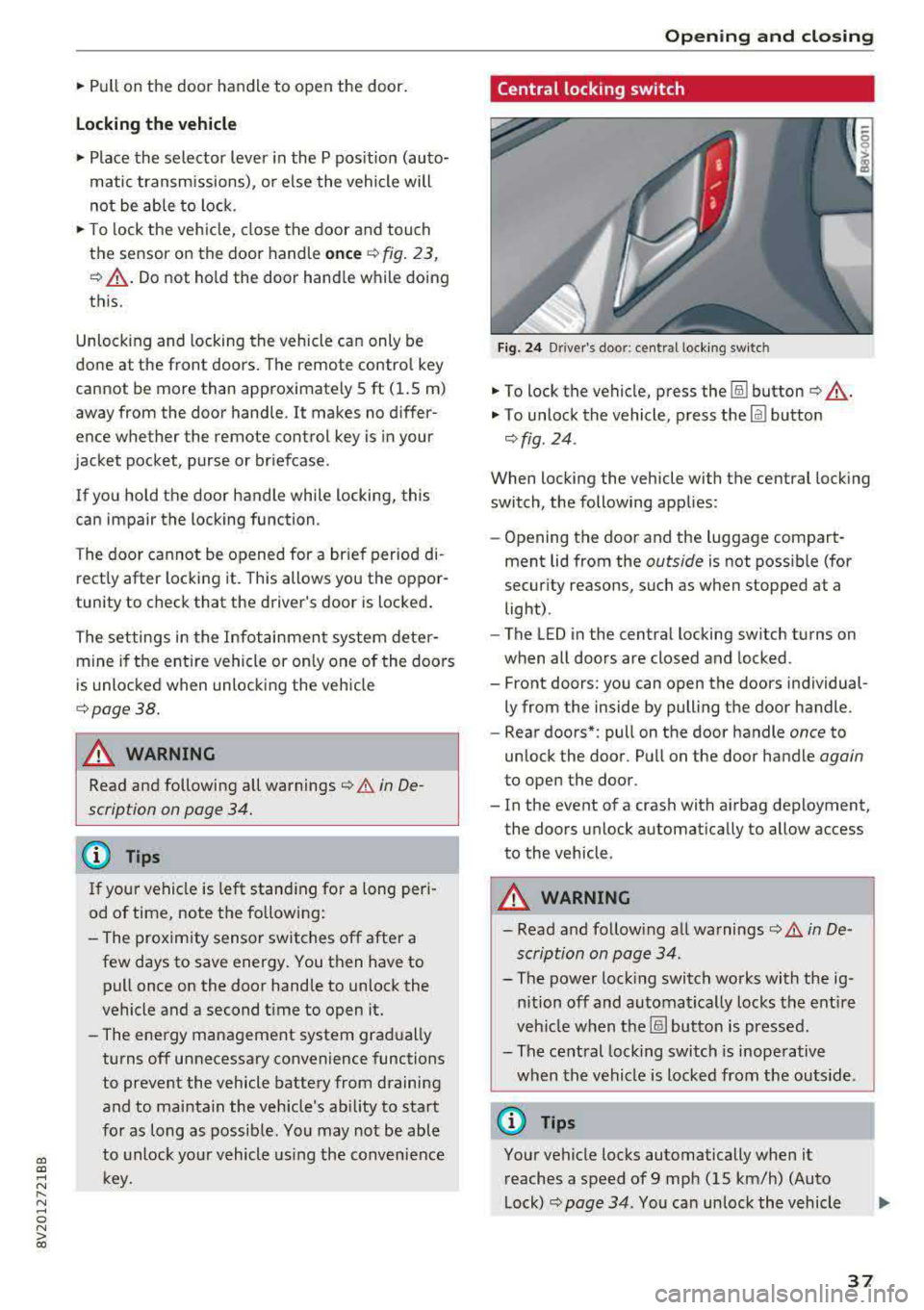
"'To lock the vehicle, press the !ill button ¢_& .
"'To unlock the vehicle, press the Im button
¢ fig . 24.
When locking the vehicle with the central locking
switch, the following applies:
-Opening the door and the luggage compart
ment lid from the
outside is not possible (for
security reasons, such as when stopped at a
light) .
- The L ED in the central locking sw itch turns on
when all doors are closed and locked.
- Front doors: you can open the doors individual ly from the inside by pulling the door handle.
- Rear doors*: pull on the door handle
once to
unlock the door . Pull on the door handle
again
to open the door .
- In the event of a crash with airbag deployment, the doors unlock automatically to allow access
to the vehicle.
A WARNING
-- Read and following all warnings¢ A in De-
scription on page 34 .
- The power locking switch works with the ig
nition off and automatical ly locks the entire
veh icle when the[§] button is pressed.
- The central locking switch is inoperative
when the vehicle is locked from the outs ide.
@ Tips
Your vehicle locks automatically when it
reaches a speed of 9 mph (15 km/h) (Auto
Lock) ¢
page 34. You can unlock the vehicle
37
Page 47 of 400
a, a, ..... N
" N ..... 0 N > 00
-When operating the power top, visibility to
the rear is limited. Avoid operating the top
while driving in reverse.
(D Note
- To prevent damage to the power top:
- do not store any objects in the power top
storage compartment .
- make sure there is enough space above
the vehicle when opening or closing the
power top.
- To reduce the risk of damage, make sure
there are no sensit ive objects in the power
top storage compartment's range of mo
tion.
(D Tips
- To prevent the vehicle battery from draining unnecessarily, do not open or close the pow
er top repeatedly when the engine is switch
ed off.
- A message will appear in the instrument
cluster if there is a malfunction in the powe r
top
¢ page 46 .
-The powe r top can also be operated manual
l y temporari ly if there is a malfunc tion
¢ page 48, Power top emergen cy opera
tion .
An authorized A udi dealer or author
ized Audi Service Facility should diagnose
and correct the cause of the ma lfunction as
soon as possible.
- If the vehicle is parked with the power top
open, the vehicle interior is not protected
from damaging weather or unauthorized ac
cess. lock any items you leave behind in the
luggage compartment. Close the power top
before leaving the vehicle .
- The side windows automat ically lower
slight ly when opening or closing the power
top.
P owe r top
Power top convenience opening/closing
Applies to: vehicles with power top
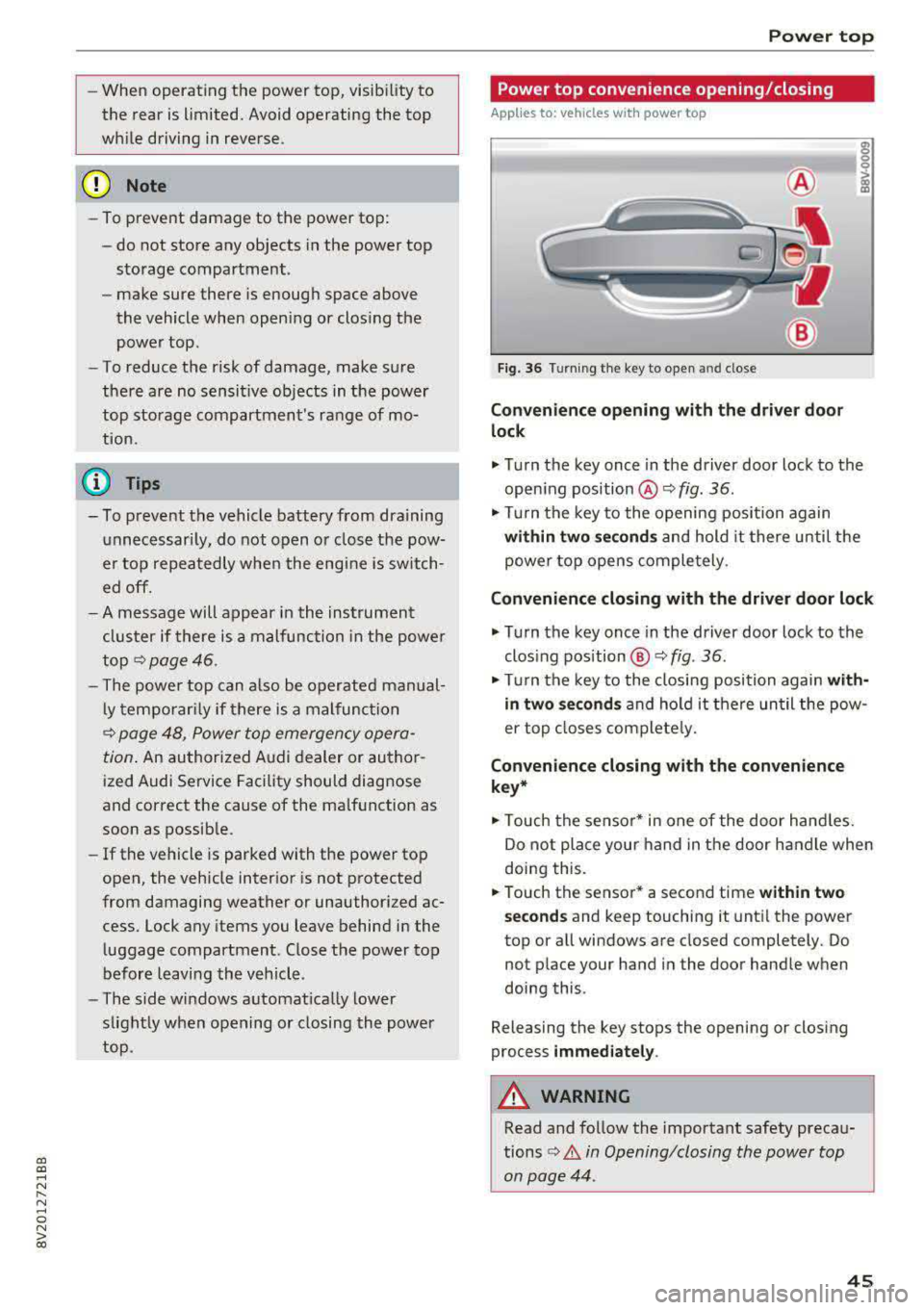
Fig. 36 Turning the key to open and close
Conven ie nce opening with the dri ver do or
lock
.,. Tu rn the key once in the driver door lock to the
open ing position @¢
fig. 36.
.,. Tur n the key to the opening position again
within tw o second s and hold it there until the
power top opens comple tely.
C onvenienc e closing with the driver door lock
.,. Turn the key once in the driver door lock to the
clos ing position @¢
fig. 36.
"Tu rn the key to the closing position again wit h
in two se co nd s
and hold it there until the pow
er top closes completely.
Con ven ienc e closing with the con venienc e
k ey *
.,. Touch the sensor* in one of the door hand les.
Do not place your hand in the door handle when
doing this.
.. Touch the sensor* a second time w ithin tw o
s ec ond s
and keep touching it until the power
top or all windows are closed completely. Do not place your hand in the door handle when
doing this .
Releasing the key stops the opening or closing
process
i mmed iatel y.
A WARNING
-
Read and follow the important safety precau-
tions
¢ A in Opening/closing the power top
on page 44 .
45
Page 53 of 400
a, a, ..... N
" N ..... 0 N > 00
Lights and Vision
Exterior Lighting
Switching lights on and off
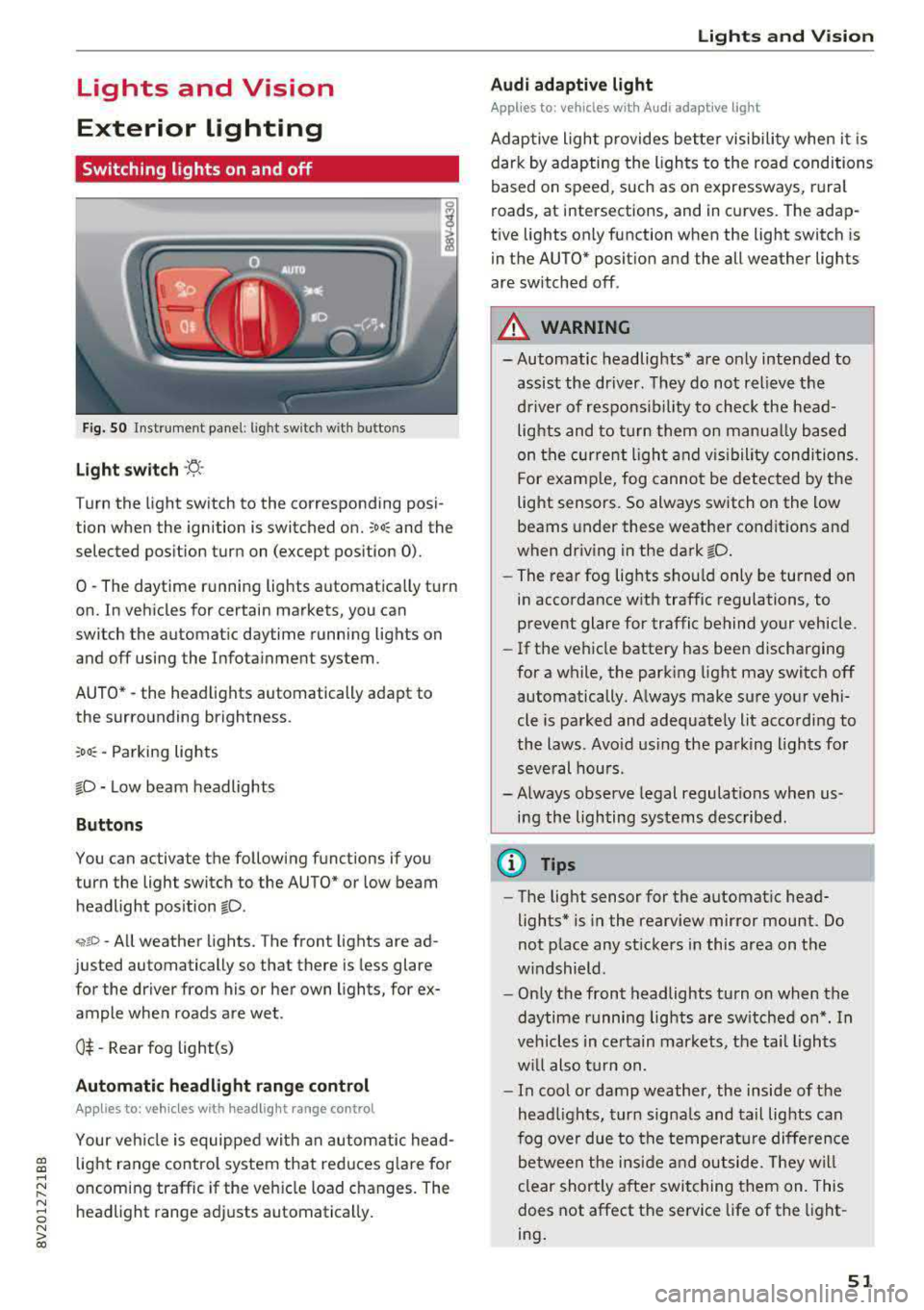
Fig . 50 Instrument panel: l ig ht switc h w ith buttons
Light switch ·'t! ·
Turn the light sw itch to the corresponding posi
tion when the ignition is switched on.
;oo: and the
selected pos ition turn on (except pos ition 0).
0
-The daytime r unning lights automat ica lly t urn
on. In vehicles for certain markets, you can
switch the automatic daytime running lights on
and
off using the Infota inment system.
AUTO*
-the head lights automatically adapt to
the surro unding brightness.
:oo~ -Parking lights
fD -Low beam headlights
Button s
You can activate the following functions if you
turn the light switch to the AUTO* or low beam
headlight pos ition
fD .
~ro -All weather lights. The front lights are ad
justed automatically so that there is less glare
for the driver from his or her own lights, for ex
ample whe n roads are wet .
0$ -Rear fog light(s)
Automatic headlight range control
Applies to: vehicles with headlight range control
Your vehicle is equipped with an autom atic head
light range control system that red uces g lare for
oncoming traffic if the veh icle load changes. The
headlight range adj usts automatically .
Lights and V ision
Audi adaptive light
Appl ies to: veh icles w ith Audi adaptive light
Adaptive light provides bette r visibili ty when i t is
dark by adapting the ligh ts to the road condi tions
based on speed, such as on e xpressways, rura l
roads, at intersections, and in curves. The adap
t ive lights only function when the light switch is
in the AUTO* posit ion and the all weather lights
are switched off .
A WARNING
-
- Automatic headlights * are on ly intended to
assis t the dr iver. They do not relieve t he
d river of respons ibi lity to check the head
lights and to turn them on manua lly based
on the cur re nt ligh t and v isibility condition s.
For e xamp le, fog cannot be detected by the
light senso rs . So always switch on the low
beams under these weather con dit ions an d
when dr iv ing in the dark
fD.
- The rear fog lights sho uld only be turned on
in accordance wit h traffic regulations , to
prevent glare for traffic behind your vehicle.
- If the ve hicle battery has bee n discharging
for a wh ile, the park ing light may switch
off
automatically. A lways make su re your vehi
cle is parked and adequate ly lit acco rdi ng to
the laws . Avo id us ing the parking ligh ts for
seve ral hou rs .
- Always observe legal regulations when us
i n g the lighting systems described.
@ Tips
- The lig ht sensor for the automat ic head
lights* is in the rearview mirror mount. Do
not p lace any st ickers in this area on t he
w indshield .
- Only the front headlights turn on when the
daytime running lig hts are sw itched on *. In
veh icles in ce rtain markets, the tai l lights
w ill also tu rn on.
- In cool or damp weathe r, the inside of the
head lights, t urn sign als and tail lights can
fog ove r due to t he tempera ture diffe rence
b etween the ins ide an d ou tside. They wi ll
clear shortly a fter swi tching them on. This
does not affect the service life of the light
ing .
51
Page 66 of 400
Sea ts and stor age
Mov ing the head rest raints
.. T o move the head res traint up, ho ld it at the
sides with both hands and slide it upward unt il
you fee l it click into place .
.. To move the head restraint down, press the
button @¢ fig. 72 and slide the head restra int
downward.
R emov ing th e head rest raints
To remove the head restraints, the backrest must
be folded forward partially .
.. Remove the screwd river from the vehicle tool
k it
¢page 353 .
.. Release the backrest ¢ page 67 .
.. Press the button @ c::> fig. 72 and slide the head
restra int up as far as it can go .
.. Place the screwdriver in position @ in the
opening, press the button @ and pull the head
restra int out of the backrest at the same time
¢ &_ .
• Fold the backrest down until it latches secure ly
¢ &_ in Increasing the cargo area on
page
67.
Installing the head restraints
To install the head restraints, the backrest must
be folded forward partially .
.. Release the backrest c::> page 67.
.. Slide the posts on the head restraint down into
the gu ides unti l the posts click into place . You
should not be able to pull the head restra int
out of the backrest .
• Fold the backrest down un til it latches secure ly
¢ &_ in Increasing the cargo area on
page
67 .
_& WARNING
-Always read and fo llow the applicable warn
ings
c::> page 2 50, Proper adjustment of
head restraints.
- Only remove the rear seat head restraints
when necessary in order to install a child
safety seat
c::> page 292, Child safety. In
sta ll the head restra int aga in immediately
once the child safety seat is removed. Dr iv
ing with the head restra ints removed o r not
64
in the upright position increases the risk of
serio us injury .
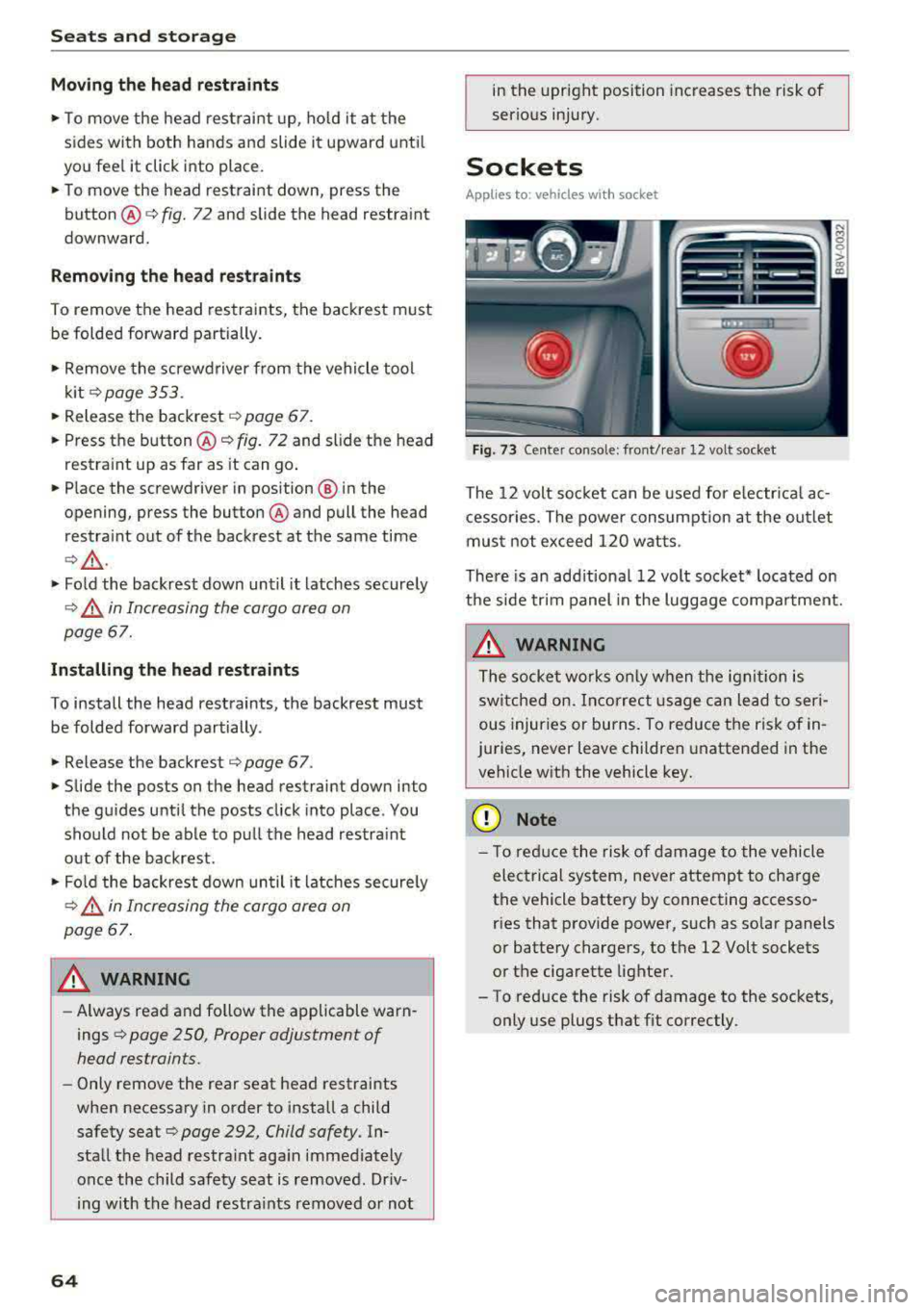
Sockets
Applies to: vehicles with socket
-,:~
I '
Fig. 73 Center console: front/rea r 12 volt socket
The 12 volt soc ket can be used for e lectr ica l ac
cessor ies. The power consum ption at the out let
mus t not exceed 120 w atts.
There is an add itiona l 12 volt socket * located on
the side trim panel in the luggage compa rtment.
_& WARNING
T he socke t works only w hen t he igni tion is
switche d on. Incorrec t usage c an lead to seri
ous injur ies or burns. To reduce the ri sk of in
juries, never leave children unattended in the vehicle wit h the vehicle key .
{[) Note
-
- T o red uce the risk of dam age to t he vehicle
electrical system, never attemp t to cha rge
the vehicle battery by connecting accesso ries that p rovide power, such as solar panels
or battery chargers, to the 12 Volt sockets
o r the ciga rette lighter.
- To reduce the risk of damage to the sockets, only use plugs t hat fit correctly.
Page 82 of 400
Driving
(D Tips
For up to 10 minutes after stopping the en
gine, the rad iator fan may tu rn on again auto
matically or it may continue to run (even if
the is ignit ion sw itched off) due to the follow
ing reasons :
- The coolant temperat ure is increasing due
to trapped heat.
- If the engine is warm and the engine com partment also heats up from strong sun
li ght .
Messages
Engine runn ing. Warn ing! Turn off ignition be
fore leaving vehicle
This message appea rs and a warn ing tone sounds
if you open the driver's door when the engine is
running.
Pressing start/ stop button again will switch off
engine.
T his message appe ars when you press t he
I START ENGI NE STOP I* button wh ile driving
~ page 79, Emergency off function .
Engine start system: malfun ction! Please con
tact Servi ce
The engine automatic start system has a mal
f un ction. D rive to a n author ized A udi dealer or
author ized Audi Se rvice Fa cility imme diate ly to
h a ve t he m alfu nction co rrected. To st art the en
g ine, turn the key to
pos it ion @ ¢ page 77 or
p ress and ho ld the
I S TAR T ENGINE ST OP I button
until the engine is runn ing .
II Key not recognized. See owner's manual
This message appea rs if the re is no co nvenience
key inside the vehicle or if the system does no t
re cog nize the key. The conve nien ce key may not
be recogn ized, for ex ample, if it is cove red by a n
objec t that
disrupts the s ignal (s uch as a b rief
case), o r if the key batte ry is weak . Elect ronic de
vices s uch as cell phones can also interfere w it h
the s ignal.
T o sti ll be able to sta rt or s top the engi ne, refer
to
~ page 81 .
80
II Remote control key : hold back of key
against the designated area. See owner 's man
ual
I f the indic ator li ght turns on and this message
a ppears, there is a ma lfunction ¢
page 81.
Ill Key not in vehicle?
Ill Remote control key: key not recognized . Is
the key still in the vehicle?
The Ill indicator lig ht t urns on and th is message
appears if the convenience key was removed from
the ve hicle when the e ngine was ru nning . If the
convenience key is no longe r in the veh icle, yo u
cannot sw itch the igni tion on or sta rt the eng ine
o nc e you stop it. You also canno t lo ck t he vehicle
from the o utside.
Please press brake pedal
This message appears if yo u do not step on the
bra ke peda l to start the engine on a ve hicle w ith
an a utomat ic t ra nsmission .
Please select N or P
This mess age appears w hen s tart ing o r stopping
t h e engine i f th e se lec to r l ever is not in the
N or P
pos ition . The engine will not sta rt/sto p.
Turn off ignition before leaving vehicle . Battery
is dis charging
This message appears and a warning tone sounds
i f you open the d rive r's doo r w hen the ig nition is
swi tched on . Sw itch t he igni tion off s o that the
vehicle battery will no t dis charge.
Shift to P, otherwise vehicle can roll away .
Doors do not lock if lever is not in P
This message appears for safety reasons if t he
selector lever for the automatic transmission is not in the
P posi tion afte r th e ignition is switched
off. Move the sele ctor leve r to t he
P posit ion.
Otherwise t he veh icle i s not protec ted fro m roll
i ng and i t cannot be locke d.