auto AUDI S3 SEDAN 2018 User Guide
[x] Cancel search | Manufacturer: AUDI, Model Year: 2018, Model line: S3 SEDAN, Model: AUDI S3 SEDAN 2018Pages: 404, PDF Size: 62.3 MB
Page 36 of 404
Opening and clo sin g
Unlocking/locking with the convenience
key
Applies to: vehicles with convenience key
The doors and luggage compartment lid can be
unlocked/locked without using the remote con trol key.
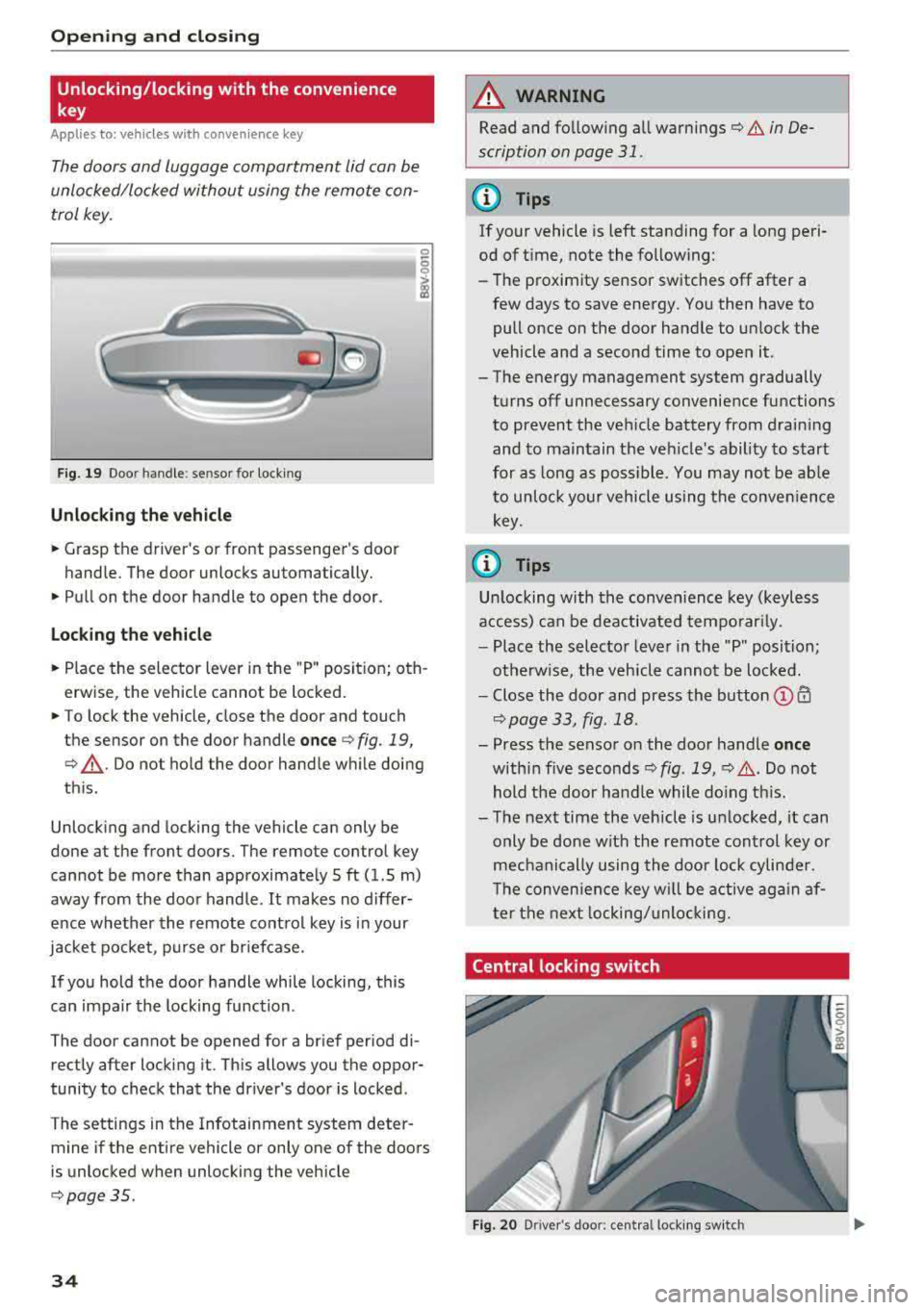
F ig. 19 Doo r handle : se nsor for locking
Unlocking the veh icle
.. Grasp the driver 's or front passenger's door
handle. The door unlocks automatically.
.. Pull on the door handle to open the door.
Loc king th e vehi cle
.. Place the selector lever in the "P " posit ion; oth
erwise, the vehicle cannot be locked .
.. To lock the vehicle, close the door and touch
the sensor on the door handle
o nce ¢ fig. 19,
¢ ,A .Do not hold the door handle while doing
th is.
Unlock ing and locking the vehicle can only be
done at the front doors. The remote control key
cannot be more than approximate ly 5 ft (1.5 m)
away from the door handle.
It makes no differ
ence whether the remote control key is in your
jacket pocket , purse or briefcase.
If you hold the door handle while locking, this
can impair the locking function .
The door cannot be opened for a brief period di rectly after locking it. This allows you the oppor
tunity to check that the driver's door is locked .
The settings in the Infotainment system deter mine if the entire vehicle or only one of the doors
is unlocked when unlocking the vehicle
¢ page 35 .
34
A WARNING
,-
Read and fo llowing all warnings¢ & in De-
scription on page
31.
(D Tips
If your vehicle is left standing for a long peri
od of t ime, note the following:
-The proximity sensor switches off after a
few days to save energy . You then have to
pull once on the door handle to un lock the
vehicle and a second time to open it.
-The energy management system gradually
turns off unnecessary convenience functions
to prevent the veh icle battery from draining
and to maintain the vehicle's ability to start
for as long as poss ible. You may not be ab le
to unlock your vehicle using the conven ience
key .
(0 Tips
Un locking with the conven ience key (keyless
access) can be deactivated temporar ily.
-Place the selector lever in the "P" position;
otherwise, the vehicle cannot be loc ked.
-Close the door and press the button © CD
¢page 33, fig .18.
-Press the sensor on the door handle onc e
within five seconds ¢ fig. 19, ¢,& .Do not
hold the door handle while do ing th is.
-The next time the vehicle is unlocked, it can
only be done with the remote control key or
mechanically using the doo r lock cylinder .
T he conven ience key w ill be active aga in af
ter the next locking/unlocking.
Central locking switch
Fig. 20 D river 's doo r: cen tral lo ck in g sw it c h
Page 37 of 404
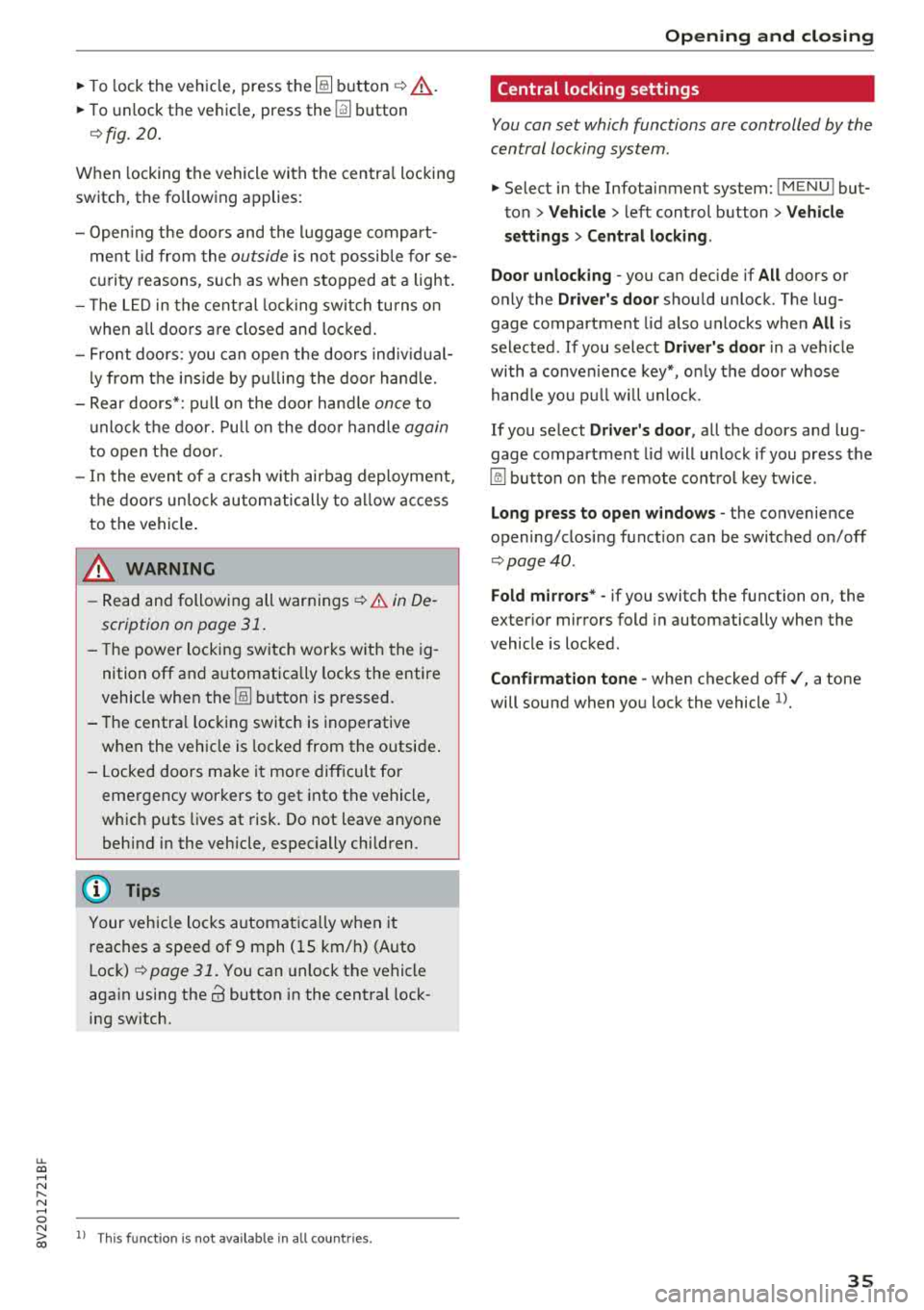
~ To lock the vehicle, press the ~ button ¢.&_ .
~ To unlock the vehicle, press the Iii button
¢ fig. 20.
When locking the vehicle with the centra l locking
switch, the fo llowing applies :
- Open ing the doors and the l uggage compart
ment lid from the
outside i s not possib le for se
curity reasons , such as when stopped at a light.
- T he L ED in the cent ral lock ing switch turns o n
when a ll doo rs a re closed and locked.
- Front doo rs: you can open the doors indiv idual
ly from the ins ide by p ulling the doo r hand le.
- Rear doors*: pu ll on the door hand le
once to
u nlock the door. Pull on the doo r hand le
again
to open t he door.
- In the event of a crash w ith airbag dep loyment,
the doors un lock automatically to a llow access
to the vehicle .
A WARNING
-Read and following all warnings ¢.& in De
scription on page 31 .
- The powe r locking sw itch works w ith the ig
nition off and a utomatically locks the entire
vehicle when
the [@] button is p ressed.
- T he centra l locking switc h is inoperative
when the vehicle is locked from the o utside .
- L ocked doors make it mo re difficult for
emergency worke rs to get into the vehicle,
which puts lives at risk. Do not leave anyone
behind in the vehicle, especially children.
(D Tips
Your veh icle locks automat ica lly w hen it
reaches a speed of 9 mph (15 km/h) (Auto
Lock)
¢ page 31. You can unloc k the vehicle
aga in using the
63 button in the centra l lock
ing sw itch.
u. 00 .-< N l' N .-< 0 N > ll Th is fun ctio n is not a vail abl e in a ll co untries. 00
Open ing and cl osing
Central locking settings
You con set which functions ore controlled by the
central locking system .
~ Select in the Infotainment system: I MENU! but
ton
> Vehicle > lef t control button > V ehicle
setting s> Central lo cking .
Door unloc king
-you can decide if All doors or
o n ly the
Dr iver's door shou ld unlock. The lug
gage compartment lid also unlocks when
All is
selected . If you select
Driver' s door in a veh icle
with a conve nience key*, on ly the doo r whose
hand le you p ull will u nlock .
If you se lect
Driver 's door , all the doors and lug
gage compartment l id w ill unlock if you press the
~ button on the remote co ntrol key twice .
Long press to open windo ws -the convenience
opening/closing function can be switched on/off
¢ page 40 .
Fold mirror s* -if you switch the function on, the
ex ter ior mirrors fold in automatically when the
vehicle is locked .
Confirmation tone -when checked off./, a tone
will sound when yo u lock the vehicle
l).
35
Page 38 of 404
Opening and closing
Mechanically unlocking/locking the doors
If the central locking foils, you must unlock/lock the doors separately .
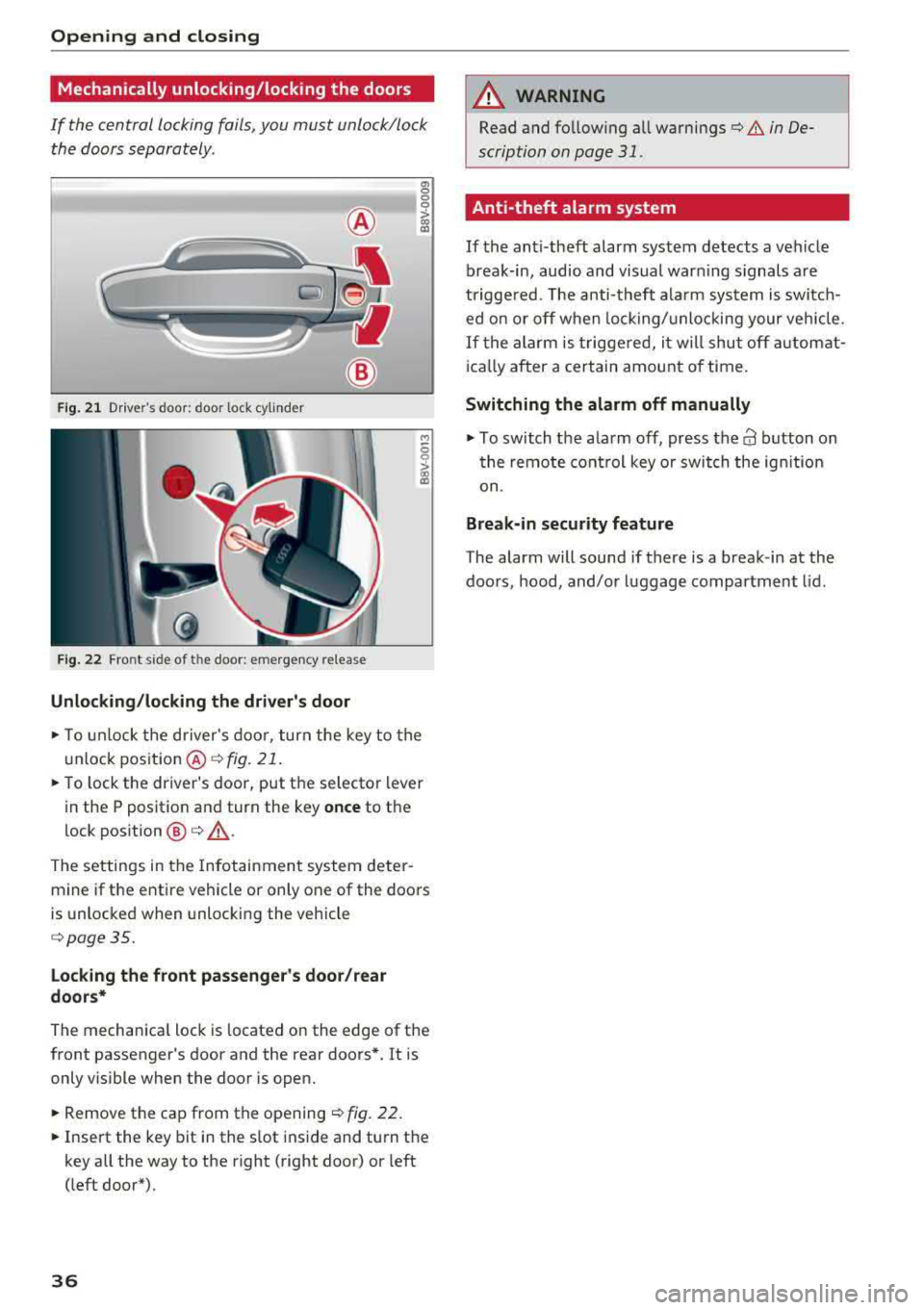
Fig. 21 Driver's door : door lock cylinder
Fig . 22 Fro nt s ide of t he doo r: emerg en cy release
Unlocking/locking the driver's door
a, 0
0
0
> (X) a,
M
5
i
~ To unlock the driver's door, turn the key to the
u nlock position @
¢fig . 21.
~ To lock the driver's door, put the se lector lever
in the P position and turn the key
once to the
lock position
@ ¢ ,&..
The settings in the Infotainment system deter
mine if the entire vehicle or only one of the doors
is unlocked when unlocking the vehicle
¢page 35.
Locking the front passenger's door/rear
doors*
The mechanica l lock is located on the edge of the
front passenger's door and the rear doors*. It is only visible when the door is open.
~ Remove the cap from the opening ¢ fig. 22.
~ Insert the key bit in the slot inside and turn the
key all the way to the right (right door) or left
(left door*).
36
A WARNING
, -
Read and fo llowing all warnings¢ & in De-
scription on page
31.
Anti-theft alarm system
If the anti-theft alarm system detects a vehicle
break-in, audio and visual warning s ignals a re
triggered. The anti-theft alarm system is switch
ed on or off when locking/unlocking your vehicle.
If the alarm is triggered, it will shut off automat
ically after a certain amount of time.
Switching the alarm off manually
~ To switch the a larm off, press the 63 button on
the remote control key or switch the ignition
on .
Break-in security feature
The alarm will sound if there is a break-in at the
doors , hood, and/or luggage compartment lid.
Page 39 of 404
LL co .... N
" N .... 0 N > co
Luggage compartment
lid
Opening/closing the luggage compartment
lid
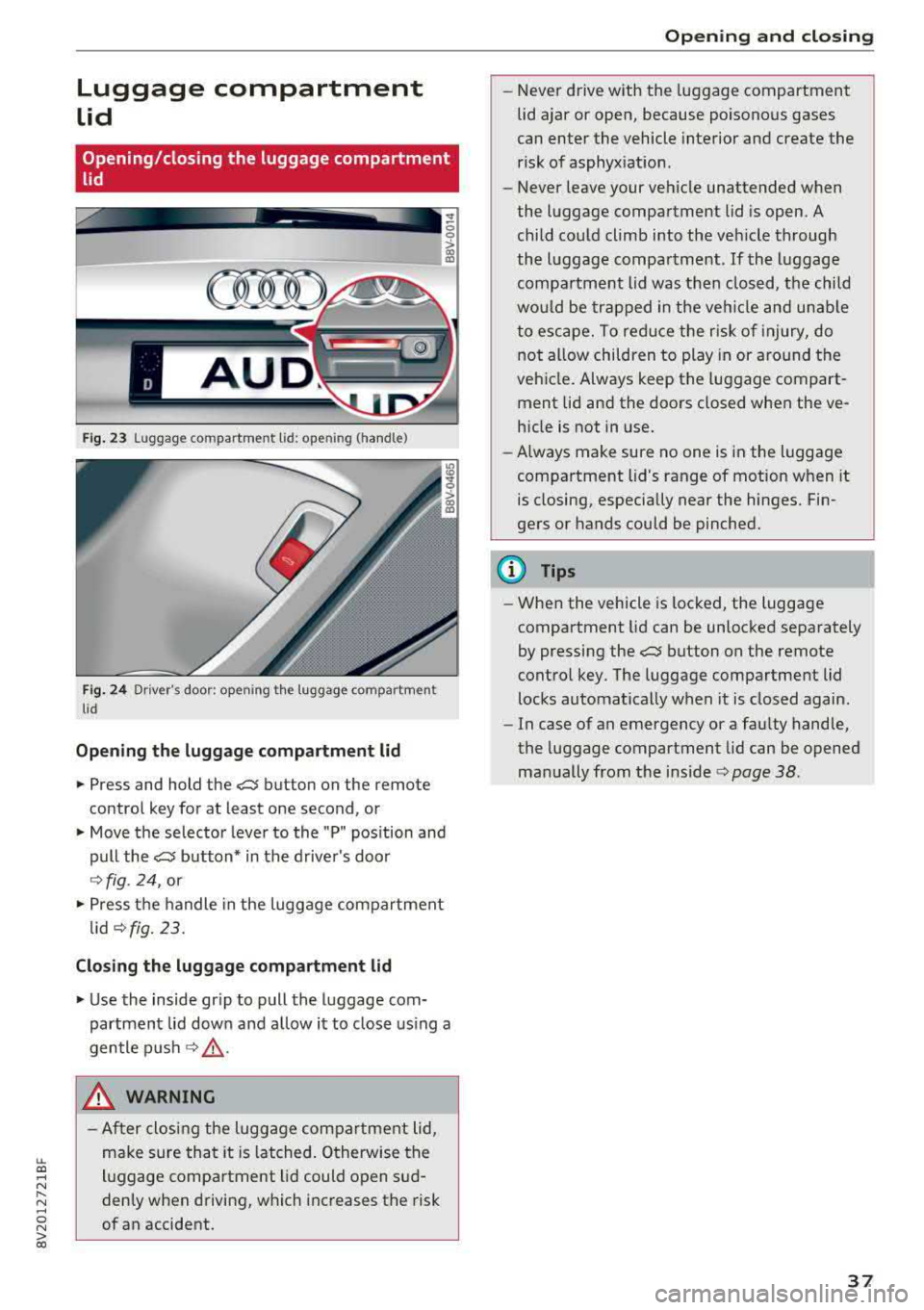
F ig . 23 Luggage compartment lid : ope ning (handle)
Fig . 24 Driver 's door : opening th e luggage compartment
lid
Opening the luggage comp artment lid
.,. Press and hold the?:$ button on the remote
control key for at least one second, or
.,. Move the selector lever to the "P" position and
pull the?:$ button* in the driver's door
¢ fig. 24, or
.,. Press the handle in the luggage compartment
lid
¢fig. 23.
Closing the luggage compartment lid
.,. Use the inside gr ip to pull the luggage com
partment lid down and allow it to close using a
gentle push
¢ &_ .
_& WARNING
-After closing the luggage compartment lid,
make sure that it is latched. Otherwise the
luggage compartment lid could open sud
denly when driving, which increases the risk
of an accident.
Opening and closing
-Never drive with the luggage compartment
lid ajar or open, because poisonous gases
can enter the vehicle interior and create the
risk of asphyxiation.
- Never leave your vehicle unattended when
the luggage compartment lid is open. A
child could climb into the vehicle through
the luggage compartment .
If the luggage
compartment lid was then closed, the child
would be trapped in the vehicle and unable
to escape. To reduce the r isk of injury, do
not allow children to play in or around the
vehicle. Always keep the luggage compart
ment lid and the doors closed when the ve hicle is not in use.
- Always make sure no one is in the luggage
compartment lid's range of motion when it
is closing, especially near the hinges. Fin
gers or hands could be pinched.
@ Tips
- When the vehicle is locked, the luggage
compartment lid can be unlocked separately
by pressing the?:$ button on the remote
control key. The luggage compartment lid
locks automatically when it is closed again.
- In case of an emergency or a faulty handle,
the luggage compartment lid can be opened
manually from the inside
c::> page 38 .
37
Page 43 of 404
u. 00 .-< N l' N .-< 0 N > 00
The button has two stages. In the second stage,
the roof automatically runs to the end position
(open/closed) when the button is operated brief
ly . The operat ion w ill stop if the button is press
ed/pulled again.
@ Tilt ing /sliding
~ To ti lt the sunroof comp letely, press the switch
briefly to the second level.
~ To close the roof completely, pull the button
down b riefly to the second level or slide the
button forward briefly to the second leve l
<=>& .
~ To select an intermediate pos ition, press/pull
the sw itch in the first level until the des ired po
s it ion is reached.
@ Opening /closing
~ To open the sunroof comp letely, slide the but
ton back to just before the second level.
~ T o close the roof completely, push the button
fo rward briefly to t he second level or p ull th e
bu tton dow n briefly to t he second level
c:> &
~ To se lect an inte rmedi ate pos ition, press/pull
the swi tc h forward/back in the fi rst leve l until
the desired position is reached.
Sunshade
The sunshade can be opened and closed manual
l y, depe nd ing on the posi tion of the panorama
g lass roof . The sunshade can be opened pa rtially.
A WARNING
To red uce the risk of in jury, always pay atten
tion when closi ng the pa norama glass roof.
Always sw itch the ignition off when leaving
the vehicle and a lways ta ke the vehicle with
you.
@ Note
Always close the panorama glass roof when
leaving your ve hicle. Rain can ca use damage
to the inter ior eq uipment of yo ur vehicle, par
ticula rly the e lectronic equipment.
(D Tips
-Fo r information about convenience open
i ng/closing, see
c:> page 40.
Open ing and cl osing
-You can s till operate the panorama glass
roof for about 10 minutes after the ignition
is switc hed off. The switch is deactivated
once the driver's or front passenger's door is
opened.
-The pano rama g lass roof can on ly be
opened when the temperature is warmer
than -4 °F (-20 °().
Panorama glass roof emergency closing
App lies to: vehicles wit h pano rama g lass roof
If the panorama glass roof detects resistance or
an ob ject in its path wh ile clos ing, the roof w ill
open again automa tically. If the sunroof fa ils to
cl ose after removing the ob ject and after try ing
to close a second time, you c an perform an emer
gency closing .
~ Within five seconds af ter the s un roof opens a u
t oma tically, pull t he sw itch u ntil the roof
closes .
If you release the switc h ea rly , the pa norama
glass roof w ill open again.
41
Page 44 of 404
Power top
Power top
Automatic power top
General information
A pp lies to: ve hicles w ith power top
The power top opens and closes automatically .
When open, the power top is stored completely in the power top compartment. The power top
can be opened or closed at speeds up to 30 mph
(SO km/h).
Under normal conditions, the power top is wind
and waterproof. In rare cases, small droplets of
water may form under extreme weather condi
tions such as torrential or prolonged rain. That is
normal and no cause for concern.
Follow the care instructions to keep the power
top free of leaks and to maintain its appearance
c:::> page 354, Care and cleaning. Also observe the
following:
- Open and stow the power top only when it is
clean and dry. Stowing the power top when it is
damp can create imprints in it, and if it is left
that way for long periods of time, mildew and
other damage can form. To prevent scratching
or damaging the power top, do not use any
sharp-edged objects to remove ice and snow.
The rear window may be cleared with a stand
ard ice scraper .
- Do not leave the power top open for several
weeks or the creases in it may become discol
ored .
- Do not open the power top when the tempera
ture is be low 32 °F
(0 °() . The fabric in the
power top loses elasticity in sub-zero tempera
tures.
42
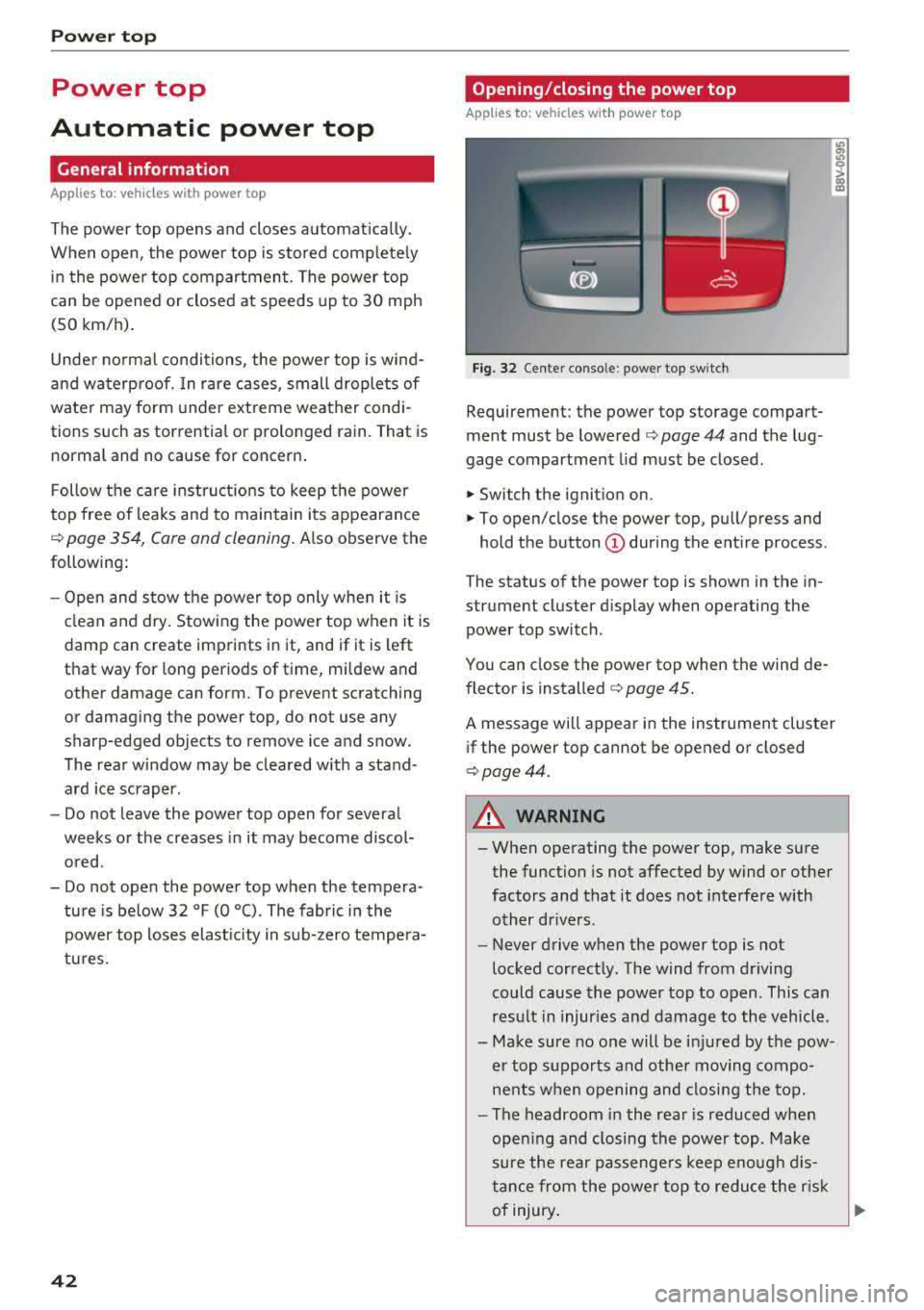
Opening/closing the power top
App lies to : vehicles with power top
Fig. 32 Cente r conso le : power top sw itch
Requirement: the power top storage compart
ment must be lowered
c:::> page 44 and the lug
gage compartment lid must be closed .
.,. Switch the ignition on .
.,. To open/close the power top , pull/press and
hold the button
(D during the entire process .
The status of the power top is shown in the in
strument cluster display when operating the power top switch.
You can close the power top when the wind de
flector is installed
c:::> page 45.
A message will appear in the instrument cluster
if the power top cannot be opened or closed
c:::>page44.
A WARNING
-- When operating the power top, make sure
the function is not affected by wind or other
factors and that it does not interfere with
other drivers .
- Never drive when the power top is not
locked correctly. The wind from driving
could cause the power top to open . This can
result in injuries and damage to the vehicle .
- Make sure no one will be injured by the pow
er top supports and other moving compo
nents when opening and closing the top.
- The headroom in the rear is reduced when
opening and closing the power top . Make
sure the rear passengers keep enough dis
tance from the power top to reduce the risk
of injury .
..,.
Page 45 of 404
LL co .... N
" N .... 0 N > co
-Visibility to the r ear is limited when operat
ing the power top. Avoid operating the top
while driving in reverse .
(D Note
-To prevent damage to the power top:
- do not store any objects in the power top
storage compartment .
- make sure there is enough space above
the vehicle when opening or closing the
power top .
- To reduce the risk of damage, make sure
there are no sensit ive objects in the power
top storage compartment's range of
mo
tion.
(D Tips
- To prevent the vehicle battery from draining unnecessari ly, do not open or close the
pow
er top repeatedly when the engine is switch
ed off.
- A message will appear in the instrument cluster if there is a malfunction in the power
top
¢ page 44 .
-The powe r top can also be operated manual
l y temporari ly if there is a malfunction
¢ page 46, Power top emergency opera
tion .
An authorized A udi dealer or author
ized Audi Service Facility should diagnose
and correct the cause of the ma lfunction as
soon as possible.
- If the vehicle is parked with the power top
open, the vehicle interior is not protected
from damaging weather or unauthorized ac
cess. lock any items you leave behind in the
luggage compartment. Close the power top
before leaving the vehicle .
- The side windows automat ically lower
slight ly when opening or closing the power
top .
Powe r top
Power top convenience opening/closing
Applies to : veh icles w it h power top
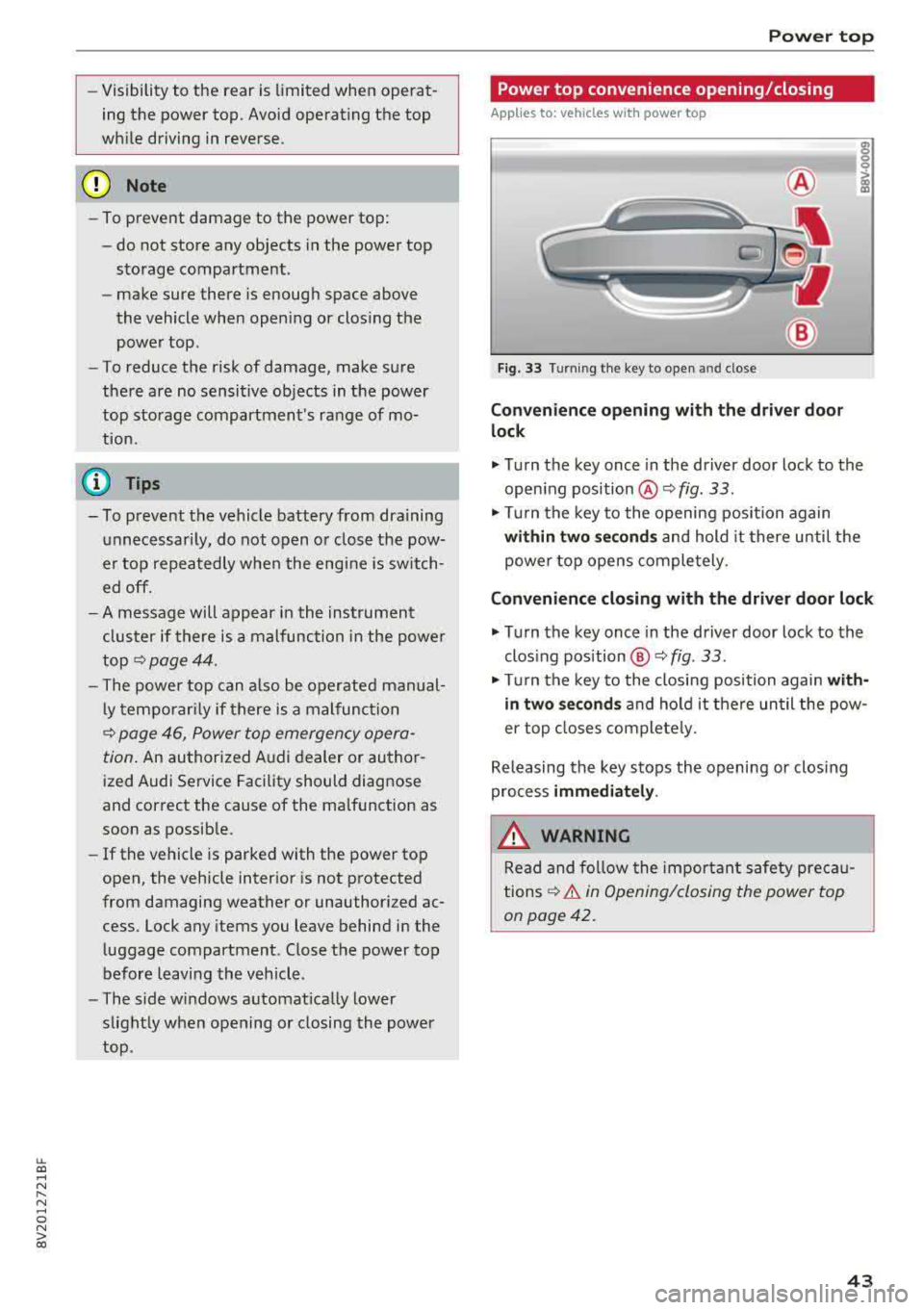
Fig. 33 Turnin g the key to open and close
Conven ien ce opening with the dri ver do or
lock
.,. Turn the key once in the driver door lock to the
open ing position
@ ¢fig . 33 .
.,. Tur n the key to the opening position again
within tw o second s and hold it there until the
power top opens comple tely .
Conven ienc e closing with the driver door lock
.,. Turn the key once in the driver door lock to the
clos ing position @¢
fig. 33.
"Tu rn the key to the closing position again w it h
in two se co nd s and hold it there until the pow
er top closes completely.
Releasing the key stops the opening or clos ing
process
immediat ely .
.&_ WARNING
Read and follow the important safety pre ca u
tions
¢ & in Opening/closing the power top
on page 42.
43
Page 51 of 404
LL co .... N
" N .... 0 N > co
Lights and Vision
Exterior Lighting
Switching lights on and off
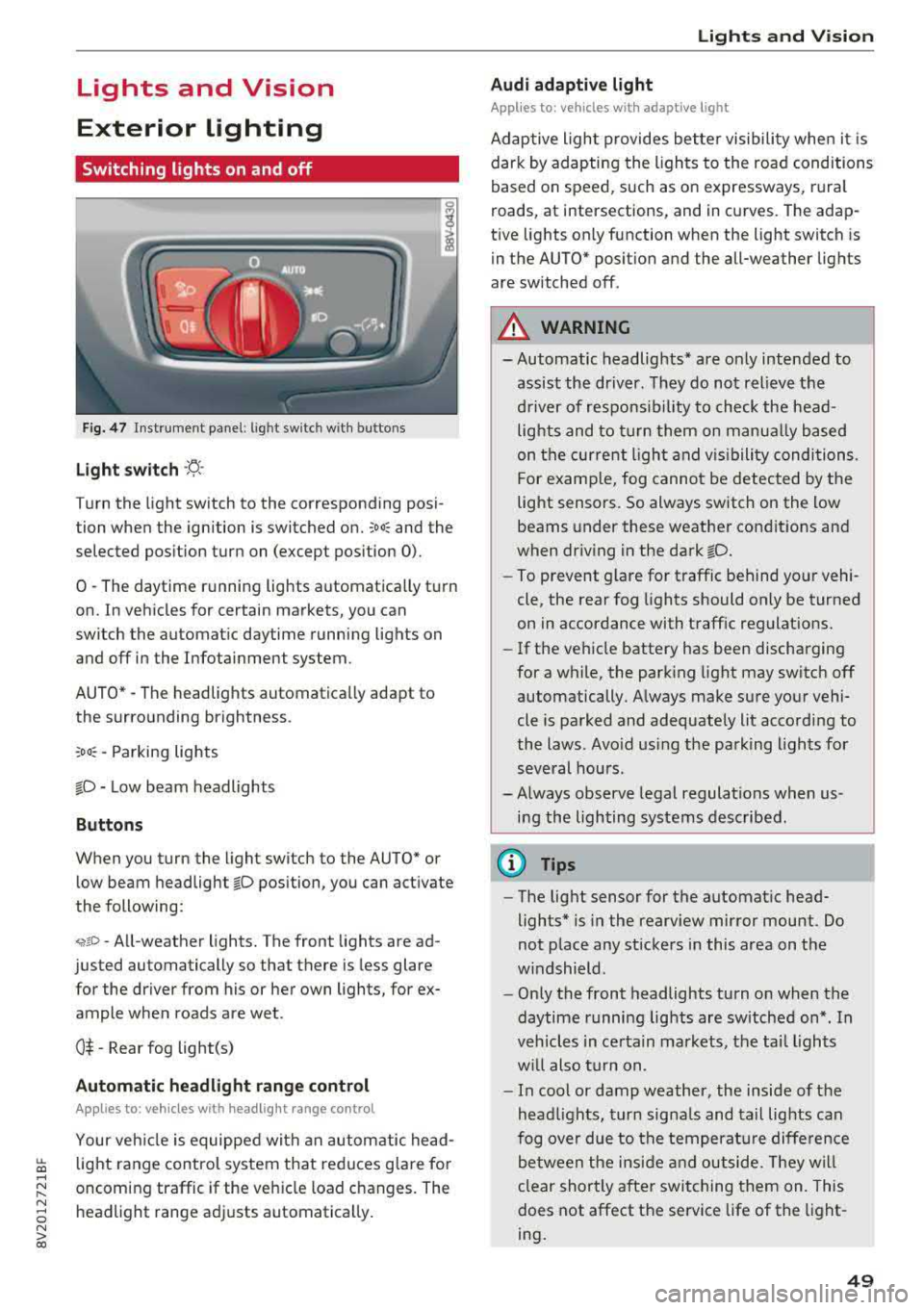
F ig . 4 7 Instrument p anel: l ig ht sw itc h w ith buttons
Li ght switch ·'A ·
Turn the light sw itch to the corresponding posi
tion when the ignition is switched on.
;oo : and the
selected pos ition turn on (except pos ition 0).
0
-The daytime r unning lights automat ica lly t urn
on. In veh icles for certain markets, you can
switch the automat ic daytime running lights on
and off in the Infotainment system.
AUTO *
-The headlights automatica lly adapt to
the surro unding brightness.
:oo : -Parking lights
fD -Low beam headlights
Buttons
When you turn the light switch to the AUTO" or
low beam headlight
fD position, you can activate
the following:
<,if.D -All-weather lights. The front lights are ad
justed automatically so that there is less glare
for the driver from his or her own lights, for
ex
ample whe n roads are wet .
0$ -Rear fog light(s)
Automatic headlight range control
Applies to: ve hicles with headlig ht range control
Your veh icle is equipped with an autom atic head
light range control system that red uces g lare fo r
oncoming traffic if the veh icle load c hanges. The
headlight range ad justs automatica lly .
Lights and V ision
Audi adaptive light
Appl ies to: vehicles wit h adaptive light
Adaptive ligh t provides bet ter visibili ty whe n it i s
dark by adapting the ligh ts to the road conditions
based on speed , such as on e xpressways, rura l
roads, at intersections, and in c urves. The adap
t ive lights only function when the light switch is
i n the AUTO* posit io n and the all-weather lig hts
are switched off.
A WARNING
-
- Automatic headlights * are on ly intended to
assis t the driver. They do not relieve t he
d river of re spo nsibility to check the head
lights and to t urn them on m anua lly b ased
on t he cur re nt ligh t an d visibility condition s.
For e xam ple, fo g canno t be detecte d by the
light senso rs . So always switch on the low
beams under these weather con dit ions an d
when dr iv ing in the dark
fD.
-To prevent glare for traffic behind yo ur vehi ·
cle, the rear fog lights shou ld only be turned
on in accordance with t raff ic regulat ions.
- If the ve hicle battery has been discharging
for a while , the park ing light may switch off
automatically. A lways make su re you r vehi
cle is parked and adequately lit acco rding to
the laws . Avo id us ing the pa rking ligh ts for
sev eral hou rs .
- Always observe legal regula tions when us
ing the lighting sys tems desc ribed.
@ Tips
- The lig ht sensor for the automat ic head
lights* is in the rearview mirror mount . Do
not p lace any st ickers in this area on t he
w indshield .
- Only the front headlights turn on when the
daytime running lig hts are sw itched on *. In
veh icles in ce rtain markets, t he tai l lights
w ill also turn on .
- In cool or damp weather, the inside of the
hea dlights, t urn sign als and tail lights can
fog ove r due to t he tempera ture diffe rence
b etween the insi de an d outside. They will
clear shortly after swit ching them on. This
does not affect the service life of the light
ing .
49
Page 52 of 404
Lights and Vi sion
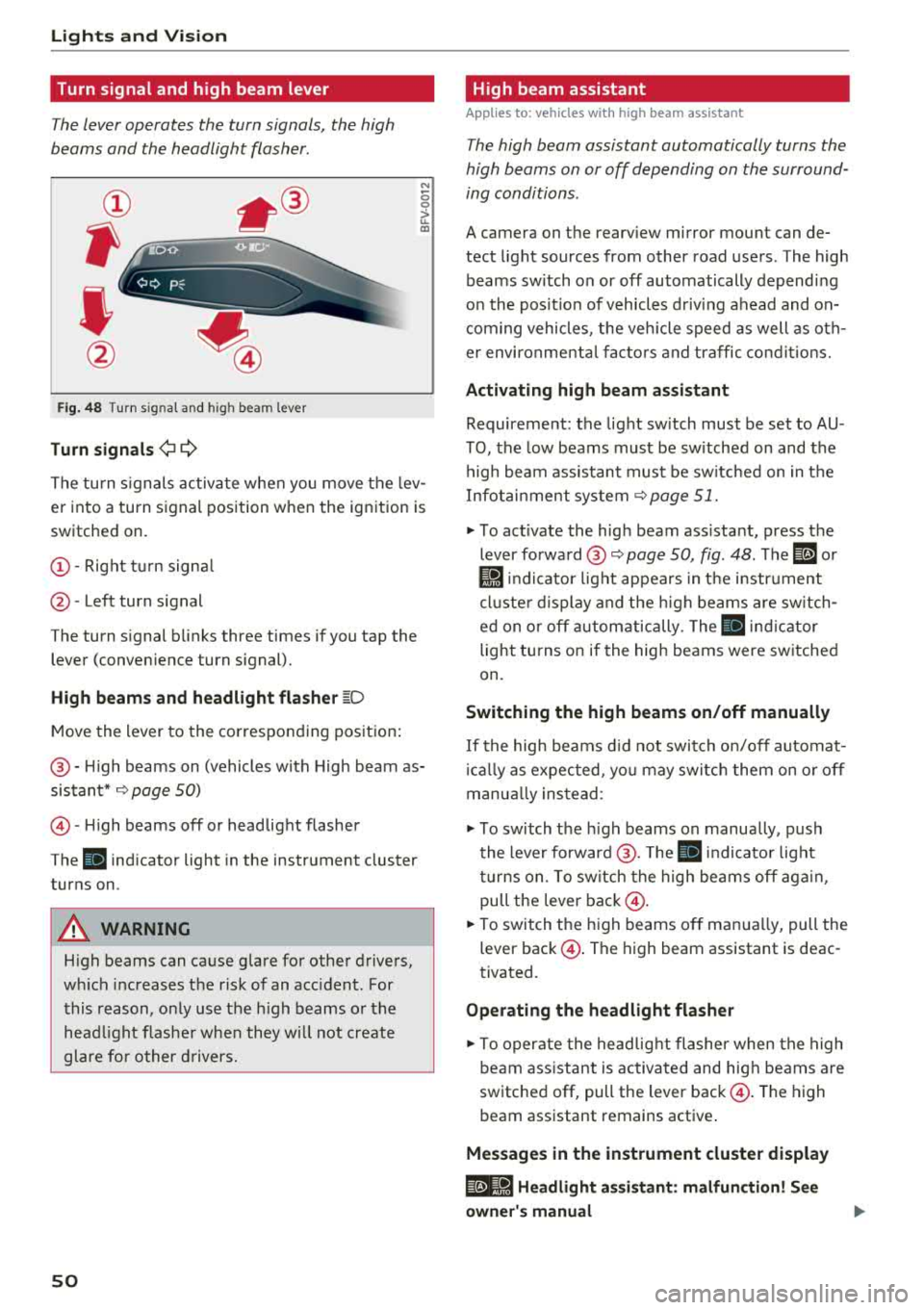
Turn signal and high beam lever
The lever operates the turn signals, the high
beams and the headlight flasher .
®
,
I
@
Fig . 48 Turn s ig nal and hig h bea m le ver
Tu rn signals ¢i Q
N
0 0
> u. a,
The turn s ignals activa te whe n you move the lev
er into a turn signal position w hen the ignition is
switched on.
(D -Right tu rn signa l
@-Left turn signal
The turn signal b links three times if you tap the
lever (conven ience turn signal).
High b eams and h eadlight flash er ~D
M ove the lever to the corresponding position :
@-High beams on (vehicles w ith High beam as
sistant*
9 page 50)
© -High beams off or headlight flasher
The
ii indicator light in the instrument cluster
turns on .
A WARNING
High beams can cause g lare for other drivers,
w hi ch increases the risk of an accident . For
this reason, o nly use the high beams or the
head light flashe r whe n they w ill not create
glare fo r other d rivers.
so
High beam assistant
App lies to : vehicles wit h high bea m ass istant
The high beam assistant automatically turns the
high beams on or off depending on the surround
ing conditions .
A camera on the rearv iew mirror mou nt can de
tect light sources from other road users . The high
beams sw itch on or off automatically depend ing
on the pos it ion of vehicles d riving ahead and on
com ing vehicles , the veh icle speed as well as o th
e r environme nta l fac to rs and traffic co ndit io ns.
Activating high beam assistant
Requirement: the light sw itch must be set to AU
TO, the low beams must be sw itched on and the
high beam assistant must be sw itched on in t he
Infotai nment system
9 page 51.
"" To act ivate the hig h beam ass istant, press the
lever forward @
9 page 50, fig. 48 . The ID or
Ji1 indicator light appears in t he i nstr ument
cl uste r d isplay and the h igh beams are sw itch
ed on o r off autom atically. The
ii ind icator
light tu rns on if the high beams were sw itched
on.
Switching the high beams on /off manually
If the high beams d id not swi tch on/off automat
i ca lly as expected, yo u may switc h them on o r off
manua lly ins tead :
""To switch the h igh beams on manually, push
the lever forward @. T he
ii indicator light
tu rns on. To sw itch the high beams off aga in ,
pull the leve r
back@.
""To switch t he high beams off man ua lly, pull the
lever
back @. The high beam assistant is deac
tivated .
Operating the headlight flasher
""To operate the headlig ht flashe r when the high
beam ass istant is activated and hig h beams a re
switched off, pull the lever
back @. The high
beam assistant remains active .
Messages in the instrument cluster display
@e-8·1 Headlight assistant : malfun ction! See
owner' s manual
Page 53 of 404
LL co .... N
" N .... 0
Drive to an authorized Audi dea le r o r aut horized
Audi Service Facility immediately to have the
malfunct ion corrected. You can still switch the
high beams on or off manually.
11 Hea dlight a ssistant : currently unav ailable.
No camera view
a:a Headlight a ssistant : currently unavailable.
Camera view restricted due to surroundings .
See owner 's manual
The camera view is b locked, fo r example by a
s tic ker o r debris. Ple ase clean t he w indshie ld.
The senso r is located i n the inter ior rearv iew m ir
ro r mount . D o not place any stickers in this a rea
on the windsh ield.
,& WARNING
High bea m assistan t is only i ntended to assist
t he driver. The dr iver is still re sponsib le for
contro lling the headlights and may need to
switch them on and off manually depend ing
on light and visib ility conditions. It may be
necessary to ope rate them manua lly in s itua
tions such as:
- In adverse weather cond itions such as fog,
heavy ra in, b low ing snow or sp raying water .
- On roads where oncoming traffic may be
partially obsc ured, such as expressways .
- If there a re road users w ith poor lighting ,
such as bicyclists.
- In tight c urves and on steep hills .
- In poor ly li t areas.
- W it h stro ng reflec tors, such as si gns.
- If the ar ea of the windsh ield near the s enso r
is fogged ove r, dirty, i cy or covere d w it h a
sti cker.
Adjusting the exterior lighting
The fu nctions are adjusted in t he Infotainment
system.
• Se lect in the Infotainment system: ! M ENU I but
ton
> Vehicle > left contro l butto n > Vehicle
settings
> Exterior lighting .
N > l) This fun ctio n is not a vailab le in all c oun tries. co
Lights and V ision
Automatic headlights*
Yo u ca n adjus t the following se ttings in the Au
tomatic headlights
men u:
Activation time* -yo u can adjust if th e he ad
li gh ts sw itc h on
Early , Medium or Late acc ording
t o th e se nsitivity o f the light sensor .
Headlight assistant *· you can switch the high
beam assis tant* on and off.
Entry/ exit lighting*
You can switch the entry/exit lighting" on and
off . When it is dark, it illum inates the area
aroun d th e vehicle whe n unlock ing the vehicle
and af ter sw itchi ng off th e i gnition and opening
t h e dr iver 's doo r.
The entry/exit lighting only works whe n it is da rk
and the light sw itch is i n the
AUTO * position .
Daytime running lights1l
The daytime running lig hts can be turned on and
off. When daytime running lights a re t urned on,
the lights will stay on continuously whenever the ignition is sw itched on .
Emergency flashers
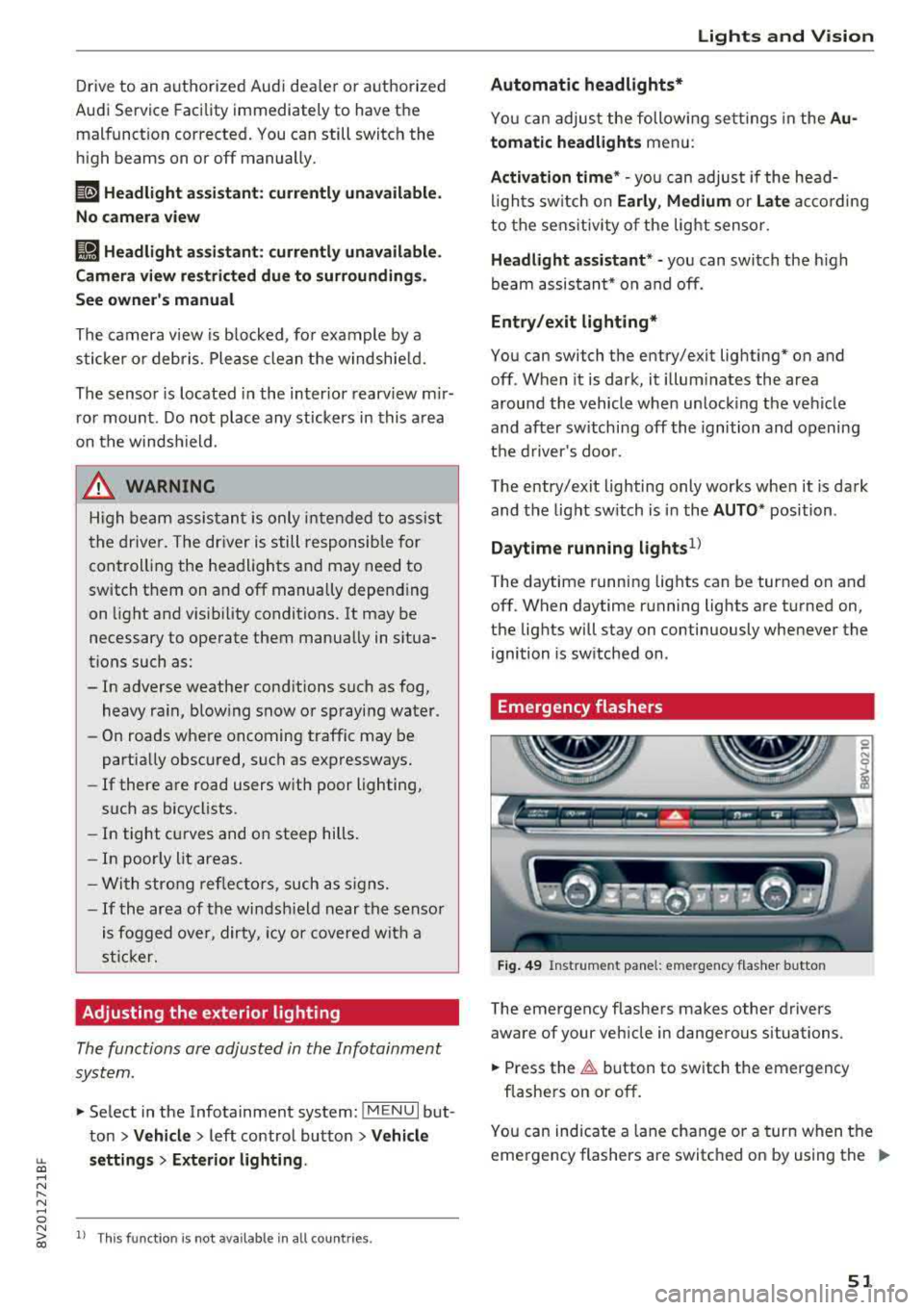
Fig. 49 Instrume nt pa nel: e merge ncy f las her b utto n
The emergency flashe rs makes other drivers
aware of your ve hicle in dange rous situations.
• Press the ~ button to switch the emergency
flashe rs on or off .
0
i
You can ind icate a lane cha nge or a turn when t he
eme rgency flashers a re switc hed on by using the
..,_
51