lock AUDI S4 2008 Service Manual
[x] Cancel search | Manufacturer: AUDI, Model Year: 2008, Model line: S4, Model: AUDI S4 2008Pages: 342, PDF Size: 15.01 MB
Page 120 of 342
Driving
118
Note•
If the key should become stuck in the ignition lock, remove the
top part of the key and use it to lock the vehicle.
•
If you open the driver's door while the ignition is switched on, a
warning buzzer will sound, and the message Ignition is on will
appear in the display. In this case, please switch off the ignition.
Switching off the engine– Stop the vehicle.
– Automatic gearbox: Move the selector lever to position P or N.
– Press in the ignition key to switch off the engine.Emergency Off function
If necessary in an emergency, the engine can be switched off while
the vehicle is still moving. The engine will be switched off if you
press and hold the ignition key.
WARNING
•
Never switch off the engine until the vehicle is stationary.
•
The brake servo and the power steering system work only
when the engine is running. You need more strength to steer and
brake the vehicle when the engine is switched off. This would
mean a greater risk of accidents and serious injury, because you
cannot steer and brake in the normal manner.Caution
If the engine has been working hard for a long time, there is a risk
of heat building up in the engine compartment after the engine has
been switched off; this could cause engine damage. For this reason, you should leave the engine idling for about 2 minutes before
switching it off.
Note
After the engine is stopped the radiator fan may run on for up to
10 minutes, even if the ignition is switched off. The fan may also
start running again after some time
if the coolant temperature rises
due to a build-up of heat, or if the engine is hot and the engine
compartment is heated up further by direct sunlight.Starting and stopping the engine
with the advanced keyApplies to vehicles: with advanced keyStarting the engine with the Start/Stop button
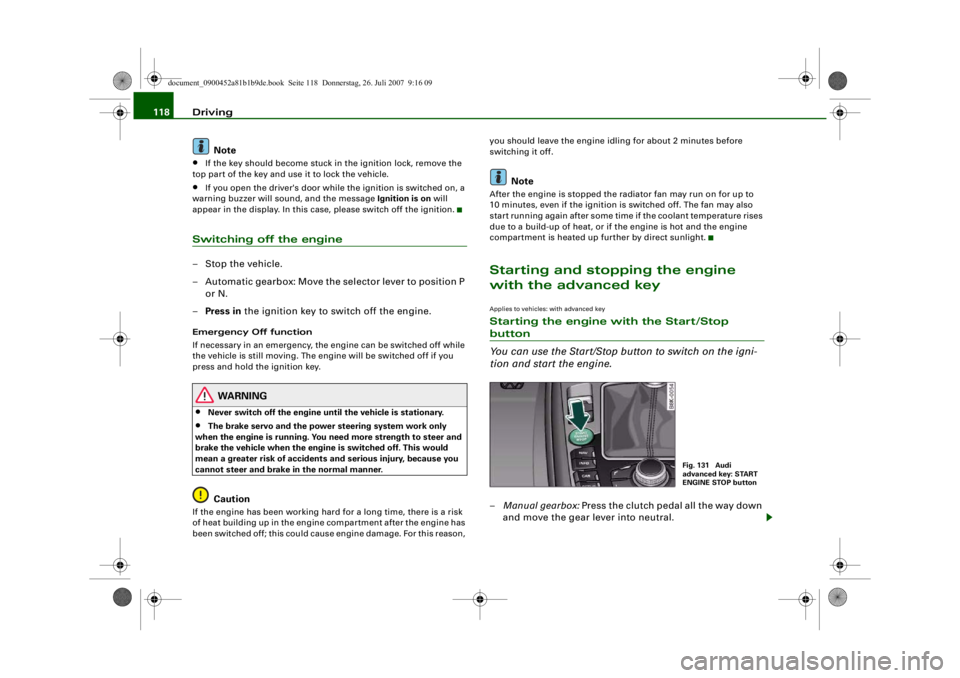
You can use the Start/Stop button to switch on the igni-
tion and start the engine.–Manual gearbox: Press the clutch pedal all the way down
and move the gear lever into neutral.
Fig. 131 Audi
advanced key: START
ENGINE STOP button
document_0900452a81b1b9de.book Seite 118 Donnerstag, 26. Juli 2007 9:16 09
--4 -
-
[I)
T
[I)
•
•
-+ +-
0
Page 121 of 342
Driving119
Controls
Safety
Driving tips
General maintenance
Self-help
Technical data
–Automatic gearbox: Press the brake pedal and move the
selector lever to position P or N ⇒.
– Press the Start/Stop button ⇒page 118, fig. 131 to start
the engine.
– Diesel engines can take a fe w seconds longer than usual
to star t on cold days. Please keep your foot on the clutch
or brake pedal until the engine starts. The glow plug indi-
cator lamp
lights up in the instrument cluster while
the glow plugs are preheating.
If you press the Start/Stop button without pressing the clutch or
brake pedal, the ignition will be switched on (and will be switched
off if you press the button again). Diesel engines are preheated
when the ignition is switched on.
If the engine fails to start straight-away, switch off the starter after
about 10 seconds and try again after about half a minute.
When starting from cold the engine may be a little noisy for the first
few seconds until oil pressure has built up in the hydraulic tappets.
This is quite normal and no cause for concern.
Driver message in the instrument cluster display
No key identified
This message appears when you pre ss the Start/Stop button if there
is no remote control key inside the vehicle or if the system cannot
detect or identify the key. This can happen, for example, if the radio
signal from the key is obstructed by a metal briefcase or similar.
Electronic equipment, such as mobile phones, can also interfere
with the radio signal from the key.
Press brake pedal to start engine
This message appears on automatic vehicles if you press the
Start/Stop button to start the engine without first pressing the
brake pedal. The engine will only start if you press the brake pedal. Press clutch pedal to start engine
This message appears on manual vehicles if you press the
Start/Stop button to start the en
gine without first pressing the
clutch pedal. The engine will only star t if you press the clutch pedal.
Engage N or P to start engine
This message will appear if you try to start the engine when the
selector lever of the automatic gear box is not in P or N. The engine
can only be started if the selector lever is in one of these positions.
Key not in vehicle
This message will appear together with the symbol
if the remote
control key is removed from the vehicle while the engine is running.
This is to remind you not to continue driving without the key (for
example if you change drivers).
If the remote control key is not in the vehicle you will not be able to
switch on the ignition or restar t the engine after it has been
switched off. Without the key, you wi ll also not be able to lock the
vehicle from the outside.
Shift to P, otherwise vehicle can roll away. Doors do not lock if lever
is not in P. or Please move selector lever to position P. Vehicle
cannot be locked.
For safety reasons, this message will appear and a warning buzzer
will sound if the selector lever of the automatic gearbox is not in
position P when you switch off th e ignition with the Start/Stop
button. Put the selector lever in position P; otherwise the vehicle
can roll away. If the lever is not in position P you will not be able to
lock the vehicle using the exterior locking switch on the door handle
or the remote control key.
Advanced key defective ! Use ignition lock
This message appears if the vehicle has to be started with the igni-
tion key instead of the Start/Stop button.
document_0900452a81b1b9de.book Seite 119 Donnerstag, 26. Juli 2007 9:16 09
--4 -
-T
-+ +-
Page 122 of 342
Driving
120Steering lock
The steering is locked if the key is not in the ignition and the driver
door has been opened. The steering lock acts as a theft deterrent.
WARNING
Never run the engine in confin ed spaces. The exhaust gases are
toxic.•
Never switch off the engine until the vehicle is stationary.
•
The brake servo and the power steering system work only
when the engine is running. You need more strength to steer and
brake the vehicle when the engine is switched off. This would
mean a greater risk of accidents and serious injury, because you
cannot steer and brake in the normal manner.Caution
•
Avoid high engine speeds, full throttle and extreme load condi-
tions until the engine has reached its normal operating tempera-
ture, otherwise this can damage the engine.
•
The engine cannot be started by push-starting or towing.
•
If the engine has been working hard for a long time, there is a risk
of heat building up in the engine compartment after the engine has
been switched off; this could cause engine damage. For this reason,
you should leave the engine idling for about 2 minutes before
switching it off.Note
If you open the driver's door while the ignition is switched on, a
warning buzzer will sound, and the message Ignition is on will
appear in the display. In this case, please switch off the ignition.
Switching off the engine with the Start/Stop button–Stop the vehicle.
– Automatic gearbox: Move the selector lever to position P or N.
– Press the Start/Stop button ⇒page 118, fig. 131.Emergency Off function
Should it be necessary in an emergency, the engine can be switched
off when the selector lever is in position R, D or S. To switch off the
engine (max. speed 10 km/h) press and hold the Start/Stop button
and keep your foot on the brake.
WARNING
•
Never switch off the engine until the vehicle is stationary.
•
The brake servo and the power steering system work only
when the engine is running. You need more strength to steer and
brake the vehicle when the engine is switched off. This would
mean a greater risk of accidents and serious injury, because you
cannot steer and brake in the normal manner.Caution
If the engine has been working hard for a long time, there is a risk
of heat building up in the engine compartment after the engine has
been switched off; this could cause engine damage. For this reason,
you should leave the engine idling for about 2 minutes before
switching it off.
Note
After the engine is stopped the radiator fan may run on for up to
10 minutes, even if the ignition is switched off. The fan may also
document_0900452a81b1b9de.book Seite 120 Donnerstag, 26. Juli 2007 9:16 09
--4 -
-T
-+
CD
+-
CD
[I]
•
[I]
Page 124 of 342
Driving
122a fault in the parking brake. Have the fault repaired by a qualified
workshop without delay ⇒page 32 .
Note
•
The parking brake can be applied at any time - even when the
ignition is switched off. However, the ignition must be switched on
before the parking brake can be released.
•
Any slight noise which may be heard when the parking brake is
applied or released is quite normal and no cause for concern.
•
The parking brake runs an automatic test cycle at regular inter-
vals when the vehicle is parked. This may also cause a slight noise,
which is normal.
Parking
Please note the following points to ensure there is no risk
of the car rolling away accidentally after it is parked.Parking t he c ar
– Use the foot brake to stop the vehicle.
– Pull the switch to apply the parking brake.
– Automatic gearbox: Move the selector lever to P.
– Switch off the engine ⇒ .
– Manual gearbox: Engage the first gear.
When parking on slopes
– Turn the steering wheel so that the vehicle would roll into
the kerb if it did start to move accidentally.
WARNING
•
Always take the key with you when leaving the vehicle – even
if you only intend to be gone for a short time. This is especially
important if children are left in the car. They might otherwise be
able to start the engine, releas e the parking brake or use power-
operated equipment such as the elec tric windows - this could lead
to injuries.
•
Do not leave anyone (especially chi ldren) in the vehicle when it
is locked. Locked doors could delay assistance in an emergency,
potentially putting lives at risk.
Driving away from a standstill
The parking brake auto release function releases the
parking brake automatically when you wish to start
moving.Applying the parking brake when stopping
– Pull the switch to apply the parking brake.
Releasing the parking brake when driving away
– Drive off in the normal way: the parking brake will be released automatically and the vehicle will start moving.On vehicles with automatic gearbox, you can apply the parking
brake when stopping at traffic lights, etc. Then you do not have to
hold the car with the footbrake, as the parking brake will stop it
creeping forward while a gear is engaged in the automatic transmis-
sion. When you drive off in the normal way, the parking brake will be
released automatically and the vehicle will start moving.
Driving away on a slope
When driving away on a gradient, the parking brake auto release
function prevents the vehicle from rolling back unintentionally. The
document_0900452a81b1b9de.book Seite 122 Donnerstag, 26. Juli 2007 9:16 09
--4 -
-T
[I)
•
•
-+ +-
Page 139 of 342
adaptive cruise control (ACC)137
Controls
Safety
Driving tips
General maintenance
Self-help
Technical data
•
The control lever has been pushed up / down to increase / reduce
the speed, but the resulting speed would be outside the range of 30
to 200 km/h.
ACC deactivation
The message ACC deactivation sometimes appears on vehicles with
a manual gearbox. If you press the clutch pedal for longer than
about 20 seconds, the adaptive crui se control will be automatically
deactivated and a warning tone will sound.
ACC not available
The text message ACC not available will appear if, for example, the
brakes are overheated. The adaptive cruise control will then tempo-
rarily not be available. This is indicated by a warning tone.
ACC not available!
The text message ACC not available! appears if a malfunction
should occur. The adaptive cruise control will then be switched off.
This is indicated by a warning tone. Have the system checked by a
qualified workshop.
ACC sensor blocked!
The text message ACC sensor blocked! appears if the ACC system
can no longer detect objects reli ably. The adaptive cruise control
will then be switched off. This is indicated by a warning tone.
The ACC sensor is obstructed by dirt or foreign objects (e.g. leaves
or snow). Clean the sensor to restore the function ⇒page 128,
fig. 136.
Engine speed !
On vehicles with manual gearbox, the text message Engine speed !
will appear if the driver does not change gear in time when the
adaptive cruise control accelerates or brakes the vehicle. The adap-
tive cruise control will automatically be deactivated if the engine
speed is not maintained within the permissible range. This is indi-
cated by a warning tone. ESP activation
The text message
ESP activation appears if the Electronic Stabilisa-
tion Programme (ESP) has intervened. In this case, the adaptive
cruise control will automatically be switched off. This is indicated by
a warning tone.
Speed (in km/h)
The target speed (in km/h) will appear in the display whenever it is
stored or changed ⇒page 131, “Setting the speed” and
⇒ page 131, “Setting a new speed”.
Speed range
The text message speed range appears if the current speed is too
low to set or to maintain the target speed.
To set a target speed, the speed of the vehicle must be at least
30 km/h. The cruise control system switches off if the speed falls
below 20 km/h.
If the speed exceeds 200 km/h (OVE RRIDE), the system will remain
active and will reduce the speed to 200 km/h once the driver stops
accelerating.
ACC functionality limited
The text message ACC functionality limited appears if the ACC
system does not detect any objects for an extended period. The
distance to vehicles in front is not being controlled while the
message is displayed. The ACC system is not deactivated, and so
extra care should be taken! The text message ACC functionality
limited can appear for the following reasons:
•
The ACC sensor is dirty. The ACC system is not responding or is
not responding correctly to the vehicles in front!
•
You may be driving on a country road with no traffic and no clear
roadside demarcation (e.g. safety barriers, traffic signs, trees). As
soon as the system detects a vehicle, distance control is resumed
and the text message disappears.
document_0900452a81b1b9de.book Seite 137 Donnerstag, 26. Juli 2007 9:16 09
--4 -
-T
-+ +-
Page 158 of 342
Audi side assist
156Applies to vehicles: with side assistWhen driving through bendsThe side assist cannot detect vehicles in tight bends (with a radius
of less than 200 metres).
When driving through a bend, the side assist may react to a vehicle
that is two lanes away and activate the warning lamp in the exterior
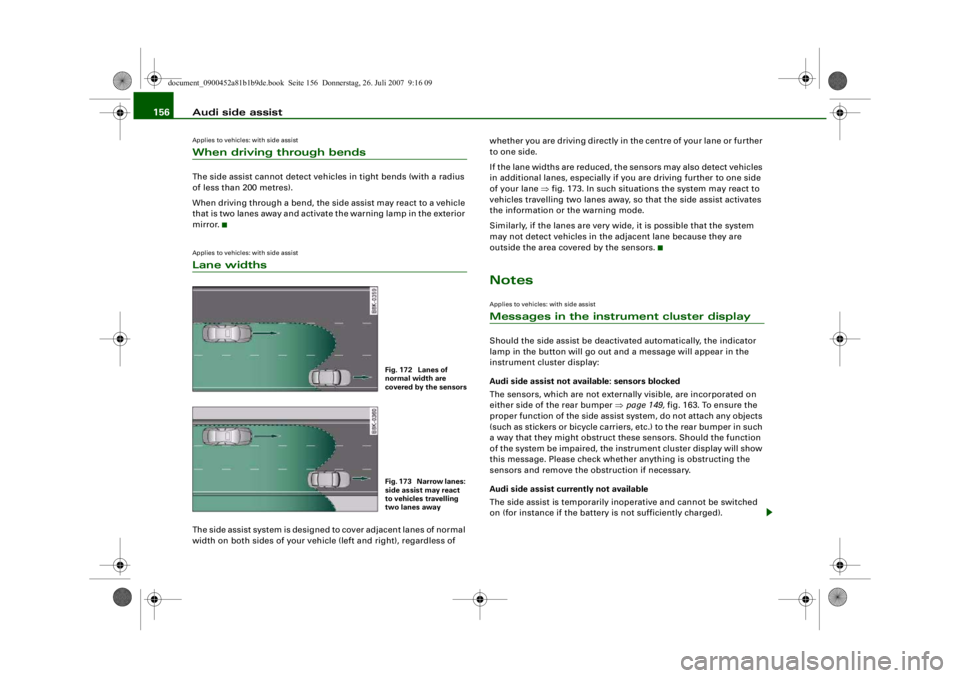
mirror.Applies to vehicles: with side assistLane widthsThe side assist system is designed to cover adjacent lanes of normal
width on both sides of your vehicl e (left and right), regardless of whether you are driving directly in the centre of your lane or further
to one side.
If the lane widths are reduced, the sensors may also detect vehicles
in additional lanes, especially if you are driving further to one side
of your lane
⇒fig. 173. In such situations the system may react to
vehicles travelling two lanes away, so that the side assist activates
the information or the warning mode.
Similarly, if the lanes are very wi de, it is possible that the system
may not detect vehicles in the adjacent lane because they are
outside the area covered by the sensors.
NotesApplies to vehicles: with side assistMessages in the instrument cluster displayShould the side assist be deactivated automatically, the indicator
lamp in the button will go out an d a message will appear in the
instrument cluster display:
Audi side assist not avai lable: sensors blocked
The sensors, which are not external ly visible, are incorporated on
either side of the rear bumper ⇒ page 149, fig. 163. To ensure the
proper function of the side assist system, do not attach any objects
(such as stickers or bicycle carriers, etc.) to the rear bumper in such
a way that they might obstruct th ese sensors. Should the function
of the system be impaired, the instrument cluster display will show
this message. Please check whether anything is obstructing the
sensors and remove the obstruction if necessary.
Audi side assist curr ently not available
The side assist is temporarily inoperative and cannot be switched
on (for instance if the battery is not sufficiently charged).
Fig. 172 Lanes of
normal width are
covered by the sensorsFig. 173 Narrow lanes:
side assist may react
to vehicles travelling
two lanes away
document_0900452a81b1b9de.book Seite 156 Donnerstag, 26. Juli 2007 9:16 09
--4 -
-T
•
•
-+ +-
Page 164 of 342
Automatic gearbox
162Automatic gearboxmultitronic
®, tiptronic (6-speed
gearbox)
Applies to vehicles: with multitronic® or tiptronicIntroductionApplies to vehicles with multitronic
® gearbox
The vehicle is equipped with an electronically controlled continu-
ously variable transmission (multitronic
®). Unlike conventional
automatics, the gear ratios are not shifted in fixed steps but contin-
uously variable. This gives smoother transmission and makes for
better fuel economy.
The gearbox selects the gear ratio and shifts up or down automati-
cally according to the gear change programmes stored in the
control unit ⇒page 166 .
If desired, you can also select the gears manually (tiptronic mode)
⇒ page 166 .
Please note that on ve hicles with a multitronic® gearbox, torque is
transmitted via a multi- plate clutch, and not via a torque converter
as on conventional automatics. This means that the car will not
“creep” as much as conventional automatics when the engine is
idling if you stop temporarily with the selector lever in position D, S
or R.
Applies to vehicles with tiptronic gearbox
The vehicle is equipped with an electronically controlled 6-speed
automatic gearbox. The gearbox changes up and down automati-
cally .
If desired, you can also select the gears manually (tiptronic mode)
⇒ page 166 .
Applies to vehicles: with multitronic® or tiptronicGeneral notes on using multitronic
®
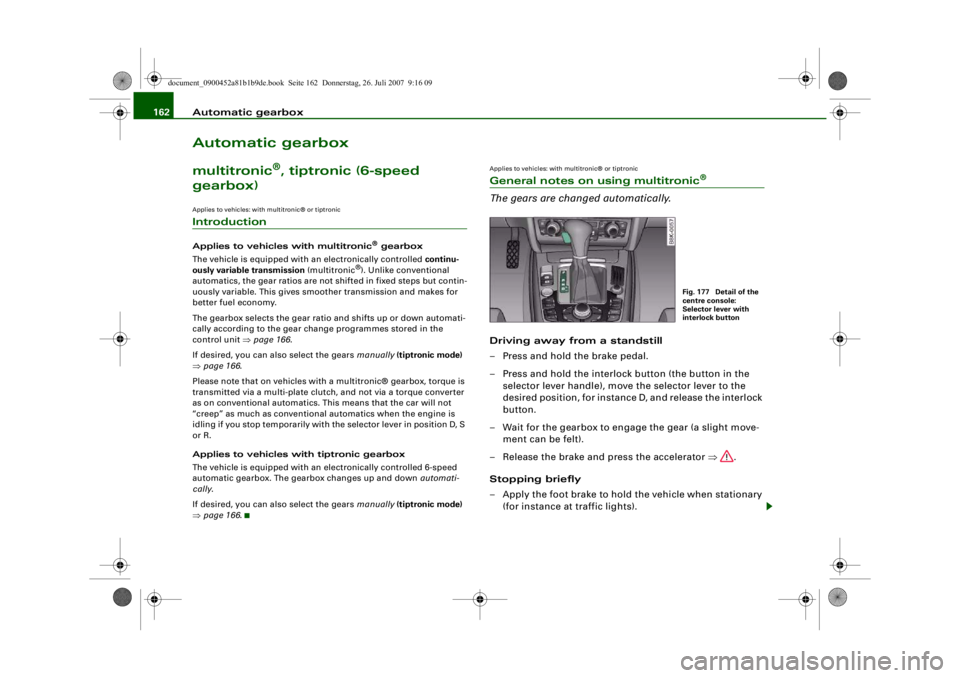
The gears are changed automatically.Driving away from a standstill
– Press and hold the brake pedal.
– Press and hold the interlock button (the button in the
selector lever handle), move the selector lever to the
desired position, for instance D, and release the interlock
button.
– Wait for the gearbox to engage the gear (a slight move- ment can be felt).
– Release the brake and press the accelerator ⇒.
Stopping briefly
– Apply the foot brake to hold the vehicle when stationary (for instance at traffic lights).
Fig. 177 Detail of the
centre console:
Selector lever with
interlock button
document_0900452a81b1b9de.book Seite 162 Donnerstag, 26. Juli 2007 9:16 09
--4 -
-T
-+ +-
•
Page 165 of 342
Automatic gearbox163
Controls
Safety
Driving tips
General maintenance
Self-help
Technical data
– To prevent the vehicle from rolling away, apply the
parking brake before moving off on steep gradients
⇒ .
– As soon as you accelerate as normal, the parking brake will automatically be released and the vehicle will start
moving.
Pa rking the c ar
– Press and hold the brake pedal ⇒.
– Apply the parking brake.
– Press and hold the interlock button, move the selector lever to P and release the interlock button.The engine c an only be started when the selector lever is at P or N.
On level ground it is sufficient to move the selector lever to P. On a
gradient the parking brake should be applied first and the selector
lever should be moved to P. This reduces the load on the locking
mechanism and makes it easier to move the selector lever out of
position P.
Vehicles with multitronic® gearbox: Your vehicle is equipped with
the hill hold assist function which makes it easier to drive away on
a slope. The system is activated when you press and hold the brake
pedal for a few seconds . When you release the brake pedal the
braking force will be maintained for a moment in order to prevent
the vehicle rolling back when you drive away.
WARNING
•
Do not press the accelerator while selecting a gear with the
vehicle stationary and the engine running, as this could cause an
accident.
•
Please note that some power will still be transmitted when you
stop temporarily with the selector lever in position D, S or R. For this reason, to avoid ri
sking an accident, appl y the footbrake firmly
when stopping to prevent the vehicle rolling away.
•
Never move the selector lever to R or P when driving, as this
could cause an accident.
•
Vehicles with multitronic® gearbox: Please note that some
power will still be transmitted when you stop temporarily with the
selector lever in position D, S or R. For this reason, to avoid risking
an accident, apply the footbrake fi rmly when stopping to prevent
the vehicle rolling away.
Applies to vehicles: with multitronic® or tiptronicSelector lever positions
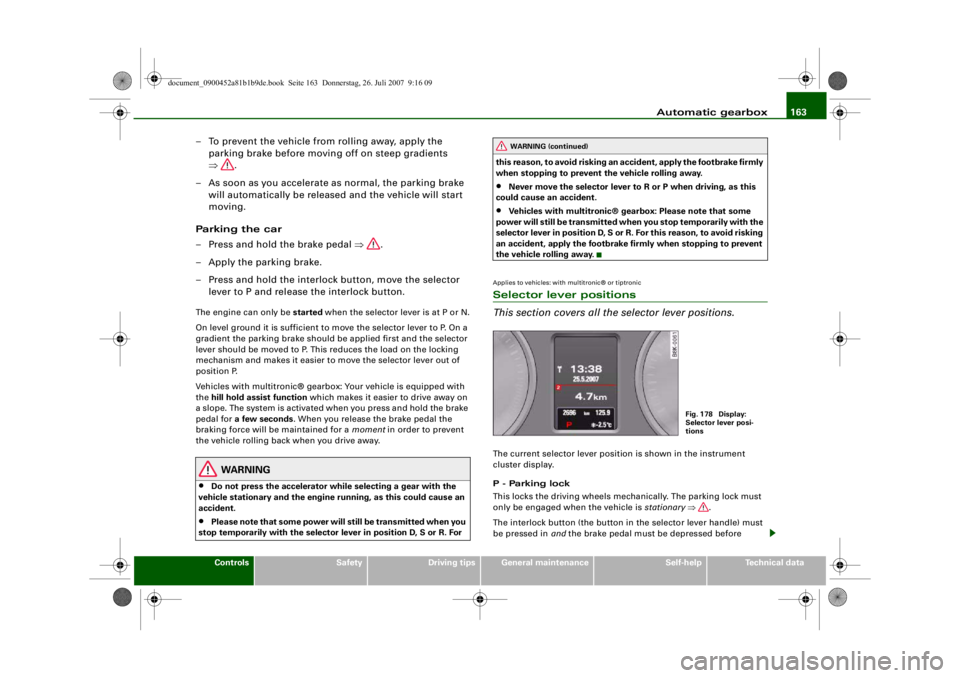
This section covers all the selector lever positions.The current selector lever position is shown in the instrument
cluster display.
P - Parking lock
This locks the driving wheels mechanically. The parking lock must
only be engaged when the vehicle is stationary ⇒.
The interlock button (the button in the selector lever handle) must
be pressed in and the brake pedal must be depressed before
WARNING (continued)
Fig. 178 Display:
Selector lever posi-
tions
document_0900452a81b1b9de.book Seite 163 Donnerstag, 26. Juli 2007 9:16 09
--4 -
-T
•
-+ +-
Page 166 of 342
Automatic gearbox
164moving the selector lever either in or out of position P. The lever can
only be moved out of position P when the ignition is on.
R - Reverse gear
When reverse gear is engaged the gearbox automatically selects the
lowest gear ratio.
Reverse gear must only be engaged when the vehicle is stationary
and the engine is idling ⇒.
To move the selector lever to position R, press in the interlock
button and at the same time press the brake pedal. Depending on
the model, one or two reversing lights will come on in selector lever
position R (when ignition is switched on).
N - Neutral
In this position the gearbox is in neutral ⇒.
D - Drive (forwards)
In this position the gearbox auto matically selects the best gear
ratio. This depends on the engine load, the road speed and the
dynamic gear control program (DCP).
Press the brake pedal when moving the selector lever from N to D if
the vehicle is stationary or at speeds below 5 km/h ⇒.
In some situations (such as on mountain roads or when towing a
trailer or caravan) it can be advantageous to switch temporarily to
tiptronic mode ⇒page 166 , so that the gear ratios can be selected
manually to suit the driving conditions.
S - Sport position
Select this position if you wish to take full advantage of the car's
performance. This setting makes use of the engine's maximum
power output. When accelerating the gear shifts will be noticeable.
Press the brake pedal when moving the selector lever from N to S if
the vehicle is stationary or at speeds below 5 km/h ⇒.
WARNING
•
Never move the selector lever to R or P when driving, as this
could cause an accident.
•
In selector position D or S the vehicle must always be held with
the foot brake when the engine is running. This is because an auto-
matic gearbox still transmits powe r even at idling speed, and the
vehicle tends to “creep”. The throttle must on no account be
opened inadvertently (for instan ce by hand from the engine
compartment) when a ge ar is engaged with the vehicle stationary.
The vehicle could otherwise star t moving immediately (in some
cases even if the parking brake is engaged) and possibly cause an
accident.
•
To avoid accidents, apply th e parking brake and put the
selector lever in position P befor e opening the bonnet and working
on the vehicle with the engine running. Please observe the impor-
tant safety warnings ⇒page 255, “Working on components in the
engine compartment”.Note
You can select the sport program for gear changes on vehicles with
Audi drive select* by activating the DYNAMIC mode. There is no S
position on the selector lever.•
Applies to vehicles with tiptronic gearbox:
•
If the lever is moved accidentally to N when driving, release the
accelerator and let the engine speed drop to idling before selecting
D or S again.
•
For the sake of fuel economy (and the environment), the gearbox
ratios on some models are designed so that maximum speed is only
obtained when the selector lever is at position S.
document_0900452a81b1b9de.book Seite 164 Donnerstag, 26. Juli 2007 9:16 09
--4 -
-T
&
&
-+
[I]
+-
&
•
&
Page 167 of 342
Automatic gearbox165
Controls
Safety
Driving tips
General maintenance
Self-help
Technical data
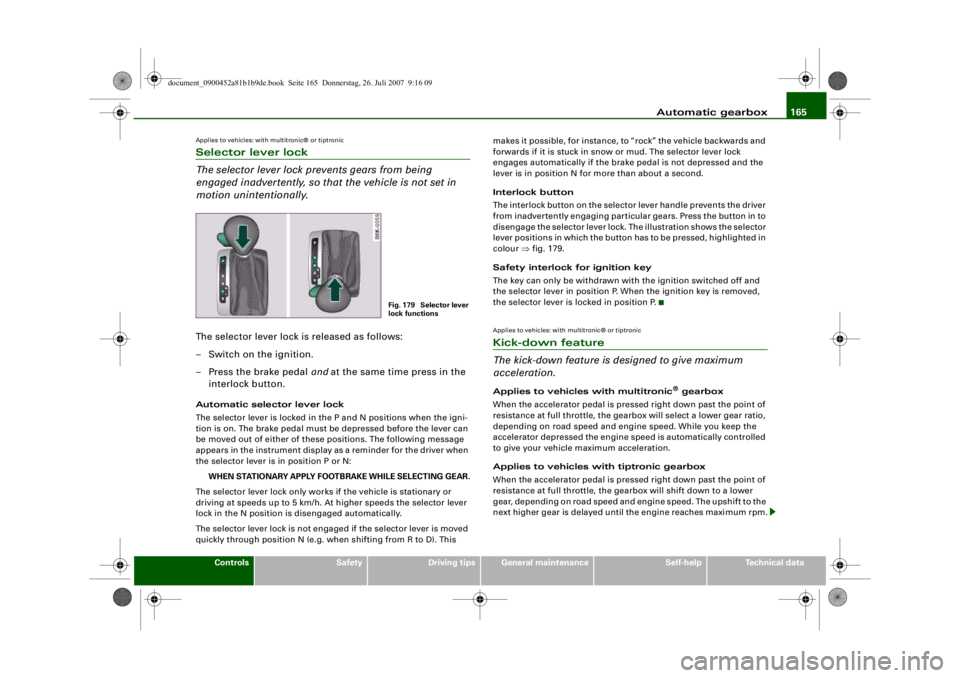
Applies to vehicles: with multitronic® or tiptronicSelector lever lock
The selector lever lock prevents gears from being
engaged inadvertently, so that the vehicle is not set in
motion unintentionally.The selector lever lock is released as follows:
– Switch on the ignition.
– Press the brake pedal and at the same time press in the
interlock button.Automatic selector lever lock
The selector lever is locked in the P and N positions when the igni-
tion is on. The brake pedal must be depressed before the lever can
be moved out of either of these positions. The following message
appears in the instrument display as a reminder for the driver when
the selector lever is in position P or N:
WHEN STATIONARY APPLY FOOTBRAKE WHILE SELECTING GEAR.
The selector lever lock only works if the vehicle is stationary or
driving at speeds up to 5 km/h. At higher speeds the selector lever
lock in the N position is disengaged automatically.
The selector lever lock is not engaged if the selector lever is moved
quickly through position N (e.g. when shifting from R to D). This makes it possible, for instance, to “rock” the vehicle backwards and
forwards if it is stuck in snow or mud. The selector lever lock
engages automatically if the brake pedal is not depressed and the
lever is in position N for more than about a second.
Interlock button
The interlock button on the selector lever handle prevents the driver
from inadvertently engaging particular gears. Press the button in to
disengage the selector lever lock. The illustration shows the selector
lever positions in which the button has to be pressed, highlighted in
colour
⇒fig. 179.
Safety interlock for ignition key
The key can only be withdrawn with the ignition switched off and
the selector lever in position P. When the ignition key is removed,
the selector lever is locked in position P.
Applies to vehicles: with multitronic® or tiptronicKick-down feature
The kick-down feature is designed to give maximum
acceleration.Applies to vehicles with multitronic
® gearbox
When the accelerator pedal is pressed right down past the point of
resistance at full throttle, the gearbox will select a lower gear ratio,
depending on road speed and engine speed. While you keep the
accelerator depressed the engine speed is automatically controlled
to give your vehicle maximum acceleration.
Applies to vehicles with tiptronic gearbox
When the accelerator pedal is pressed right down past the point of
resistance at full throttle, the gearbox will shift down to a lower
gear, depending on road speed and engine speed. The upshift to the
next higher gear is delayed unti l the engine reaches maximum rpm.
Fig. 179 Selector lever
lock functions
document_0900452a81b1b9de.book Seite 165 Donnerstag, 26. Juli 2007 9:16 09
-+
., ., : ""
•
--4 -
-T +-