brake AUDI S4 2014 Owner's Manual
[x] Cancel search | Manufacturer: AUDI, Model Year: 2014, Model line: S4, Model: AUDI S4 2014Pages: 296, PDF Size: 73.56 MB
Page 94 of 296
92 Transmission
vehicle to accelerate without a noticeable in
terruption in traction.
tiptronic transmission
I n the tiptronic transmission, power is trans
ferred by a torque converter.
Selector lever positions
Applies to vehicles: with multitronic/5 tronic/tiptronic
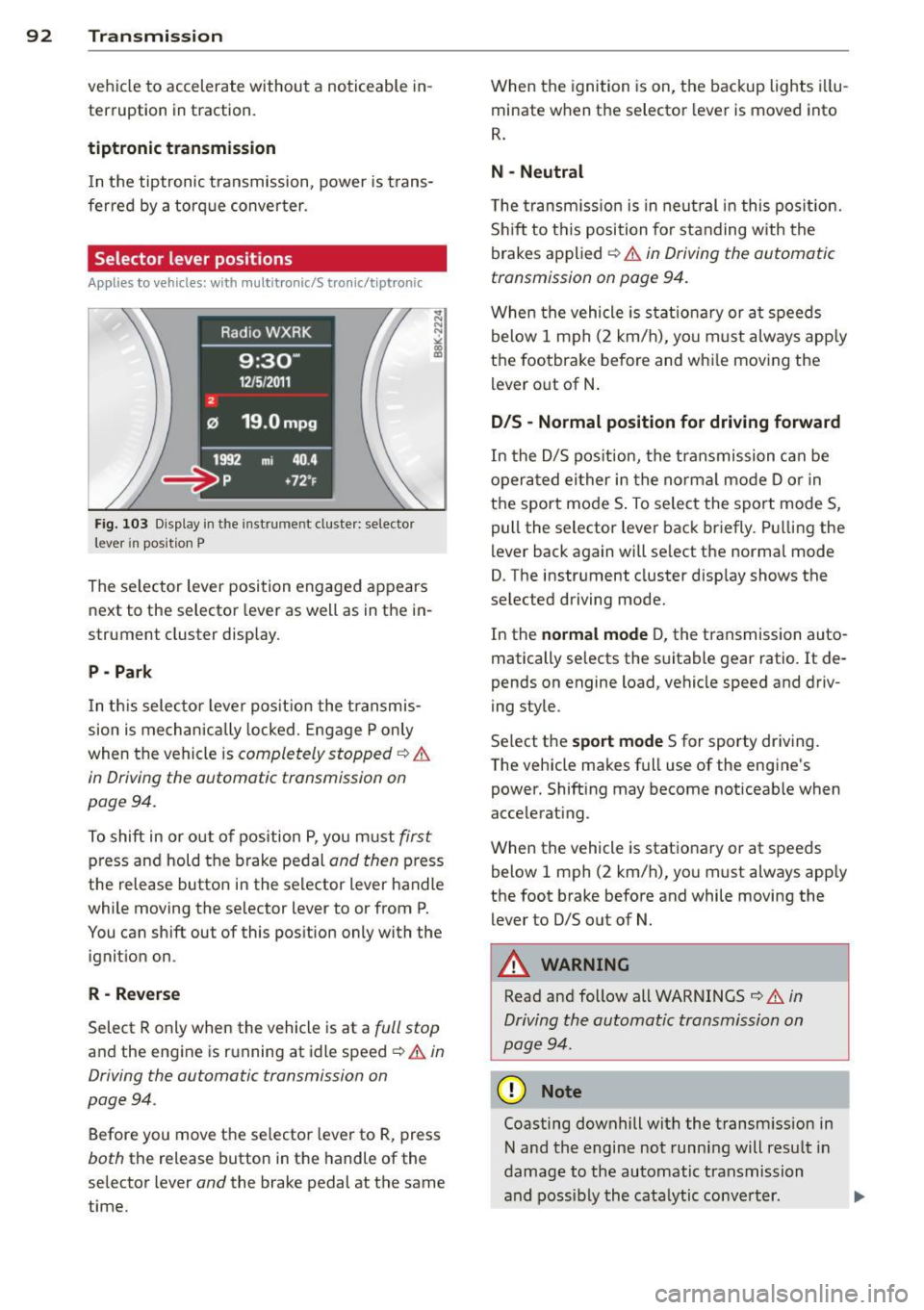
Fig. 103 Display in the in stru me nt duste r: selecto r
lever in position P
The selector lever position engaged appears
next to the selector lever as well as in the in
strument cluster display.
P - Park
In this selector lever position the transmis
sion is mechanically locked. Engage P only
when the vehicle is
completely stopped ¢ &
in Driving the automatic transmission on
pag e 94 .
To shift in or out of pos ition P, you must first
press and hold the brake pedal and then press
the release button in the selector lever handle
wh ile mov ing the se lector lever to or from P.
You can shift out of this position only with the
ignition on .
R-Reverse
Select R only when the vehicle is at a full stop
and the engine is running at idle speed ¢ & in
Driving the automatic transmission on
page 94 .
Before you move the selector lever to R, press
both the release button in the handle of the
selector lever
and the brake pedal at the same
time. When the
ignition is on, the backup lights illu
minate when the selector lever is moved into
R.
N -Neutral
The transmission is in neutral in this position .
Shift to this position for standing with the
brakes applied ¢
& in Driving the automatic
transmission on page 94.
When the vehicle is stat ionary or at speeds
below 1 mph (2 km/h), yo u must always apply
the footbrake before and whi le moving the
lever out of N.
D/S - Normal position for driving forward
In the D/S position, the transmission can be
operated either in the normal mode D or in
the sport mode S . To select the sport mode S,
pull the selector lever back briefly. Pulling the
lever back again will se lect the normal mode
D. The instrument cluster disp lay shows the
selected driving mode.
In the
normal mode D, the transmission auto
matically selects the suitable gear ratio.
It de
pends on engine load, vehicle speed and driv
ing style .
Select the
sport mode S for sporty driving .
T he vehicle makes full use of the engine's
power. Shift ing may become noticeable when
accelerating.
When the vehicle is stationary or at speeds
below 1 mph (2 km/h), you must always app ly
the foot brake before and while moving the lever to D/S out of N.
A WARNING
Read and follow all WARNINGS ¢ & in
Driving the automatic transmission on
page 94 .
(D Note
Coasting downhill with the transm ission in
N and the engine not running will result in
damage to the automatic transmission
and possibly the catalytic conve rter. .,..
Page 95 of 296
@ Tips
-On vehicles with drive select*, you can
adjust the sporty shift characteristics in
the
Dynamic driving mode.Swill appear
in the instrument cluster display instead
ofD.
- If you accidentally select N while driving,
take your foot off the accelerator pedal
immediately and wait for the engine to
slow down to idle before selecting D/S.
- If there is a power failure, the selector
lever will not move out of the P position .
The emergency release can be used if
th is happens ~
page 98.
Automatic Shift Lock (ASL)
Applies to vehicles: with multitronic/5 tronic/tiptron ic
The Automatic Shift Lock safeguards you
against accidentally shifting into a forward or
the reverse gear and causing the vehicle to
move unintentionally.
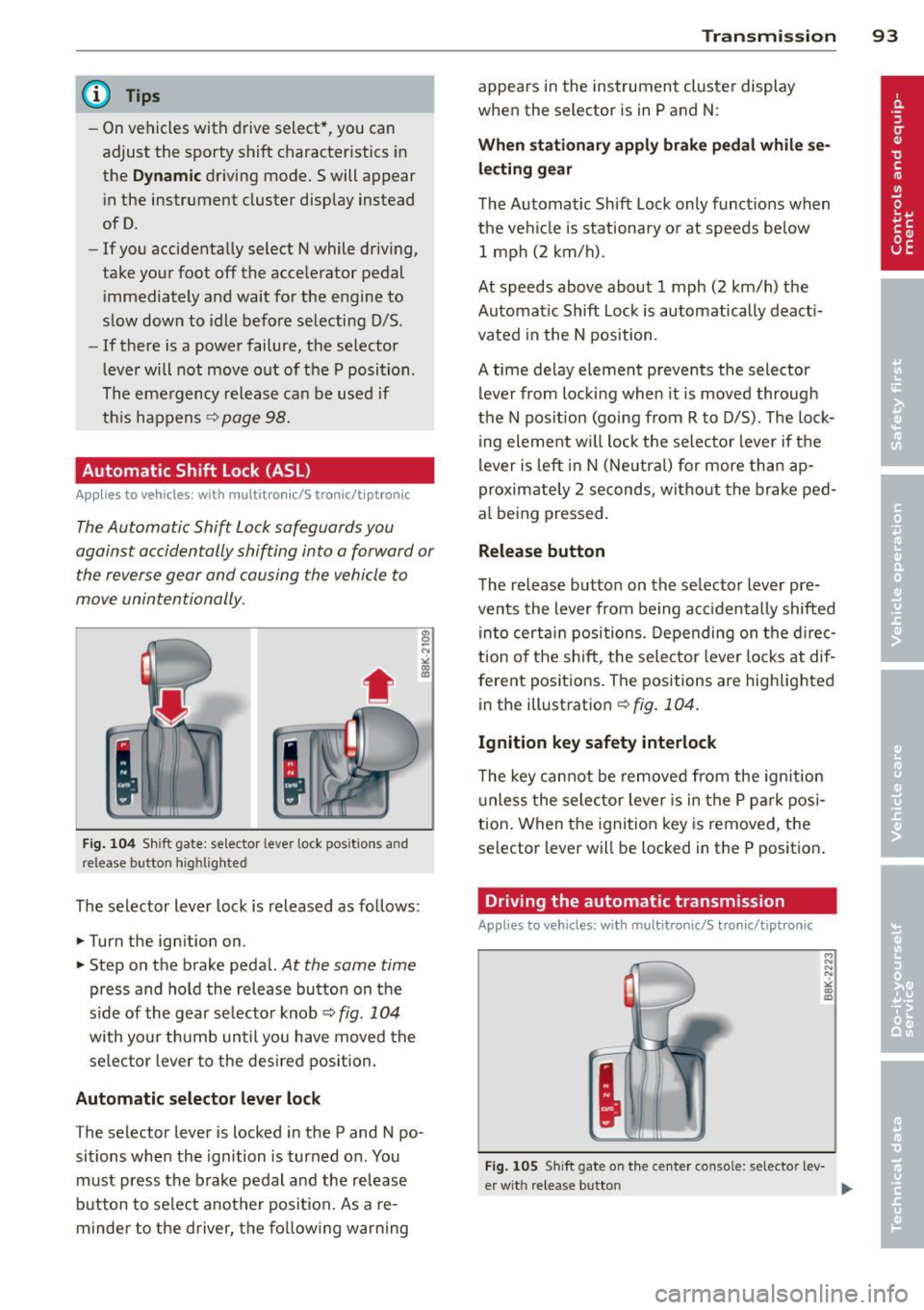
Fig. 104 Shift gate: selector lever lock positions and
release button highlighted
The selector lever lock is released as follows:
... Turn the ign ition on .
... Step on the brake pedal.
At the same time
press and hold the release button on the
side of the gear se lector knob¢
fig. 104
with your thumb until you have moved the
selector lever to the desired position.
Automatic selector lever lock
The selector lever is locked in the P and N po·
sitions when the ignition is turned on. You
must press the brake pedal and the release
button to select another position. As a re·
m inder to the driver, the following warning
Transmission 93
appears in the instrument cluster display
when the selector is in P and N:
When stationary apply brake pedal while se
lecting gear
The Automatic Shift Lock only functions when
the vehicle is stationary or at speeds below 1 mph (2 km/h).
At speeds above about 1 mph (2 km/h) the
Automatic Shift Lock is automatically deacti
vated in the N position .
A time delay element prevents the selector lever from locking when it is moved through
the N position (going from R to D/S). The lock
ing element will lock the selector lever if the
lever is left in N (Neutral) for more than ap
proximately 2 seconds, without the brake ped
al being pressed.
Release button
The release button on the selector lever pre
vents the lever from be ing accidentally shifted
into certain positions. Depending on the direc
tion of the shift, the selector lever locks at dif
ferent positions. The positions are highlighted
in the illustration¢
fig. 104 .
Ignition key safety interlock
The key cannot be removed from the ignition
unless the selector lever is in the P park posi
tion. When the ignition key is removed, the
selector lever will be locked in the P position.
Driving the automatic transmission
Applies to vehicles; with mult itronic/S tronic/tiptronic
Fig. 105 Sh ift gate on the center console: selector lev-
er w it h re lease button ..,_
Page 96 of 296
94 Transmission Starting the engine
.. The selecto r lever must be in P or N.
Starting off
.. Press and hold the brake pedal.
.. Press and hold the release button in these
lector lever handle, se lect t he des ired selec
tor lever position such as D/S and release
the button .
.. Wait briefly unti l the transmission has shift
ed (you will feel a slight movement) .
.. Remove your foot from the brake pedal and
acce lerate.
Stopping temporarily
.. Keep the vehicle stationary usin g the brak
ing peda l, for examp le at traffic lights .
.. Do not press the accelerator pedal when do
ing this .
.. To prevent the veh icle from rolling when you
start driving, set the parking brake when
stopping on steep inclines
c> _& .
.. The parking brake will release automatically
and the vehicle w ill start moving once you
press the accelerator pedal.
Stopping/parking
If the selector lever is not in the P position
when you open the dr iver's door, the vehicle
could roll. The message
Transmission: Car
may roll! Shift to park!
appears.
.. Press and hold the brake pedal until the ve-
hicle has come to a complete stop .
.. Apply the parking brake
c> page 86, Parking .
.. Select the P selector lever position c> _&.
Stopping on an incline
.. Always press the brake pedal to hold the ve
hicle in place and prevent it from "rolling
back"
c> _& . Do not try to prevent the vehi
cle from "roll ing back" when a gear is en
gaged by increasing the eng ine speed
c> (D.
Starting on an incline
.. Activate the parking brake.
.. With the driving gear se lected, press the ac
celerator pedal carefully. The park ing brake will release automatically if your seat
belt is
fastened .
Under certain circumstances, such as driving
in the mountains, it may be usefu l to switch
temporarily to the manual shift program in or
der to adjust the gears to the driving cond i
tions by hand
c> page 96.
On slopes, activate the parking brake first and
then move the selector lever to the P position .
This prevents too much stress from being
placed on the locking mechanism .
Vehicles with multitronic transmission: Your
vehicle is equipped with
hill hold assist allow
ing you to start while on an incline. The sys
tem is activated when the brake pedal is
pressed down and he ld
for a few seconds . The
brake pressure will hold for
a moment after
the brake pedal loosens to prevent the vehicle
from roll ing backwards wh ile starting up .
A WARNING
-The vehicle can also roll when the engine
is stopped.
- Unintended vehicle movement can cause
serious injury.
- Never leave your vehicle with the engine
r un ning while in gear. If you must leave
your veh icle when the engine is running,
activate the parking brake and move the
selecto r lever to P.
- Power is still transmitted to the wheels
when the engine is running at idle. To
prevent the vehicle from "creeping", you
must keep your foot on the brake when
the engine is running and the selector
lever is in
DIS or R or "tiptronic" mode is
selected .
- Do not press the accelerator pedal when changing the selector lever position
while the veh icle is stationary and the
engine is running.
- Never shift into R or P while driving.
- Before driving down a steep s lope, re-
duce your speed and shift into a lower
gear with "tiptronic".
Page 97 of 296
-Do not ride the brakes or press the brake
pedal too often or too long when driving
down a hill. Constant braking causes the
brakes to overheat and substantially re
duces braking performance, increases
braking distance or causes complete fail
ure of the brake system.
- To prevent the vehicle from rolling back
when stopping on inclines, always hold it
in place with the brake pedal or parking
brake.
- Never hold the vehicle on an incline with
a slipping clutch. The clutch opens auto
matically when it becomes too hot from
the overload. An indicator lamp
mJ illu
minates and a driver message appears
¢ page 9 7 when the clutch is overload
ed .
- If the engine must remain running, never
have any driving position engaged when
checking under the hood. Make sure the
selector lever has securely engaged and
is locked in P with the parking brake set
¢ page 214. Otherwise, any increase in
engine speed may set the vehicle in mo
tion, even with the parking brake ap plied .
0 Note
-S tronic- and tiptronic transmission:
When stopping on an incline, do not try
to hold the vehicle in place by pressing
the accelerator pedal while a driving gear
is selected. This can cause the transmis
sion to overheat and can damage it. Acti
vate the parking brake or press the brake
pedal to prevent the vehicle from rolling.
- S tronic- and tiptronic transmission: Al
lowing the vehicle to roll when the en
gine is stopped and the selector lever is in N will damage the transmission be
cause it is not lubricated under those cir
cumstances .
(D Tips
For safety reasons, the parking brake is re
leased automatically only when the driv
er's safety belt is engaged in the buckle.
Transmission 95
Hill descent control
App lies to vehicles : wi th mult itronic/ S tro nic/tiptro nic
The hill descent control system assists the
driver when driving down declines .
Hill descent control is activated when these
lector lever is in D/S and you press the brake
pedal. The transmission automatically selects
a gear that is suitable for the incline. Hill de scent control tries to maintain the speed ach
ieved at the time of braking, within physical
and technical limitations. It may still be nec
essary to adjust the speed with the brakes.
Hill descent control switches off once the de
cline levels out or you press the accelerator
pedal.
On vehicles with the cruise control system*
¢ page 89 , hill descent control is also activat
ed when the speed is set.
.&_ WARNING
-
Hill descent control cannot overcome
physical limitations, so it may not be able
to maintain a constant speed under all
conditions. Always be ready to apply the brakes .
Page 99 of 296
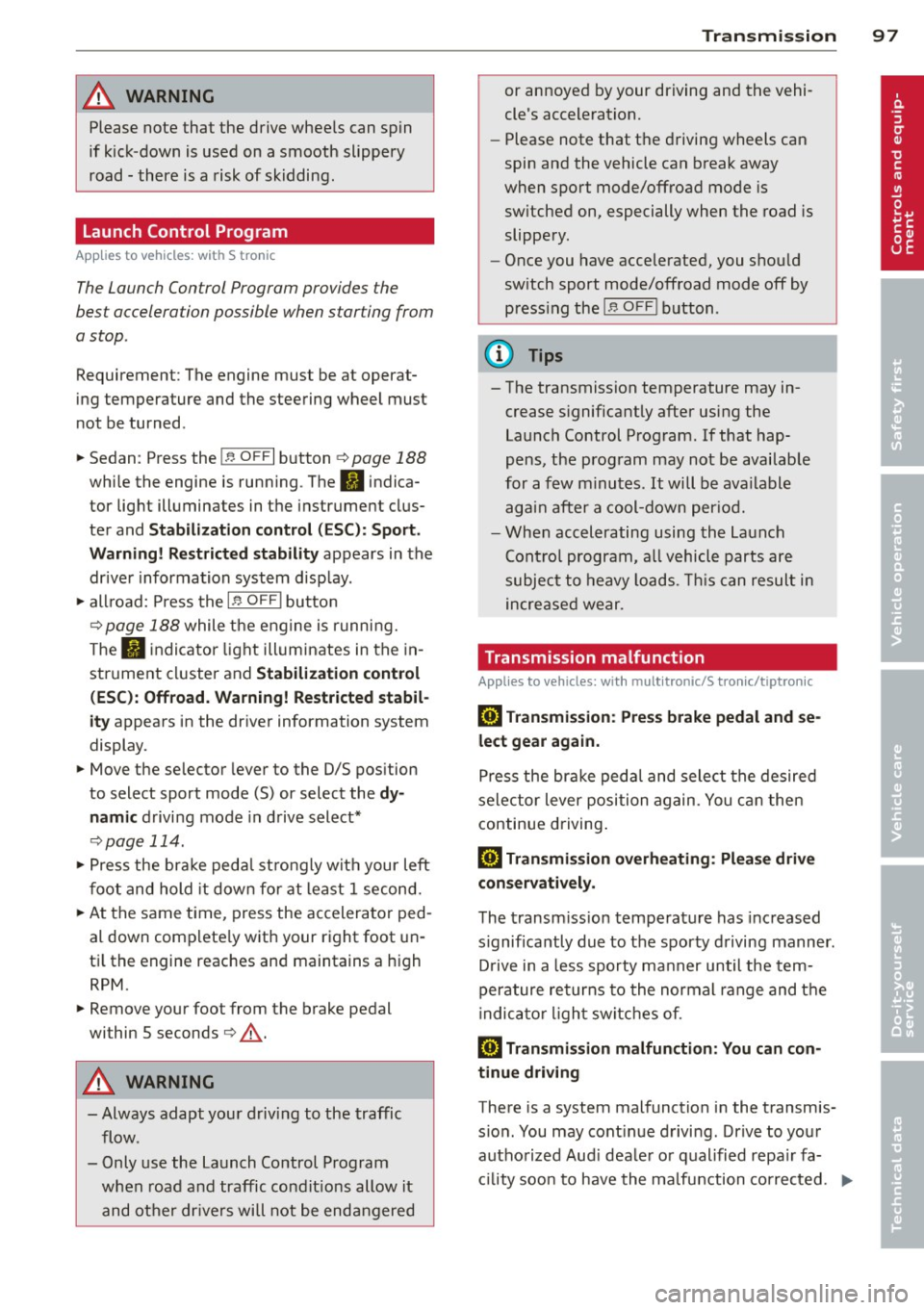
A WARNING 1=
Please note that the drive wheels can spin
if kick-down is used on a smooth slippery
road - there is a risk of skidding.
Launch Control Program
App lies to vehicles: with S tronic
The Launch Control Program provides the
best acceleration possible when starting from
a stop .
Requirement : The engine must be at operat
ing temperature and the steering wheel must
not be turned .
~ Sedan: Press the l.e OFFI button ¢ page 188
while the engine is running . The II indica
tor light illuminates in the instrument clus
ter and
Stabilization cont ro l ( ES C): S port .
Warning! R estrict ed s tabilit y
appears in the
driver information system display.
~ all road: Press the l.e O FF I but to n
¢
page 188 while the engine is running.
T he
II indicator light illuminates in the in
strument cluster and
Stabilization control
( ES C): Off ro ad. W arning! Restri cted stabil
it y
appears in the driver information system
display.
~ Move the selector lever to the D/S pos ition
to select sport mode (S) or select the
dy
namic
driving mode in drive select*
¢ page 114.
~ Press the bra ke peda l st rongly wit h your left
foot and hold it dow n for at least 1 second.
~ At the same time, press the accelerator ped
al down complete ly with your right foot un
ti l the engine reaches and maintains a high
RPM .
~ Remove your foot from the brake pedal
within S seconds¢.& .
A WARNING
-Always adapt your driving to the traffic
flow .
- Only use the Launch Control Program when road and traffic condit ions allow it
and other dr ivers will not be endangered
-
Tran sm iss ion 97
or annoyed by your driving and the vehi
cle's acceleration.
- Please note that the driving wheels can
spin and the vehicle can break away
when sport mode/offroad mode is
sw itched on, especially when the road is
slippery.
- Once you have accelerated, you shou ld
sw itch sport mode/offroad mode off by
press ing the
I~ O FFI button .
(l) Tips
- The transmission temperature may in
crease s ignificantly after using the
Launch Control Program. If that hap-
pens, the program may not be availab le
for a few m inutes .
It will be ava ilable
again after a cool-down per iod.
- When accelerating using the Launch
Cont ro l program, a ll vehicle parts are
subjec t to heavy loads. This can result in
increase d wear.
Transmission malfunction
Applies to vehicles: with multitronic/S tronic/tiptronic
[il Transmission : Pre ss brake pedal and se
lect gear again.
Press the br ake peda l and select the desired
selector lever posi tion again. You ca n then
continue driving .
[il Transmi ssion overh eating : Pl ea se drive
con servatively .
The transm iss ion temperature has increased
s ignificantly due to the sporty d riving manner.
D rive in a less sporty ma nner until the tem
perature re turns to the normal range and the
i ndica tor ligh t switches o f.
[O] Transmission malfunction : You can con
tinu e driving
There is a system malfunction i n the transmis
s io n. You may cont inue d rivi ng . Drive to your
authorized Aud i dea le r or qualified repa ir fa
c ili ty soon to have the ma lfunction corrected. ..,.
Page 101 of 296
Audi adaptive cruise control and braking guard 99
Audi adaptive cruise
control and braking
guard
Introduction
App lies to vehicles: with Audi adaptive cruise control
The adaptive cruise control system assists the
driver by regu lating vehicle speed and helping
to maintain a set distance to the vehicle
ahead, within the limits of the system . If the
system detects a moving vehicle up ahead,
adaptive cruise control can brake and then ac
celerate your vehicle . This he lps to make driv
ing more comfortable on long highway
stretches.
The braking guard system can warn you about
an impending collision and initiate braking
maneuvers
c::;, page 1 OS.
Adaptive cruise control and braking guard
have technical limitations that you must
know, so please read this section carefully, un
derstand how the system works and use them properly at all times.
General information
General information
Applies to vehicles: with Audi adaptive cruise control
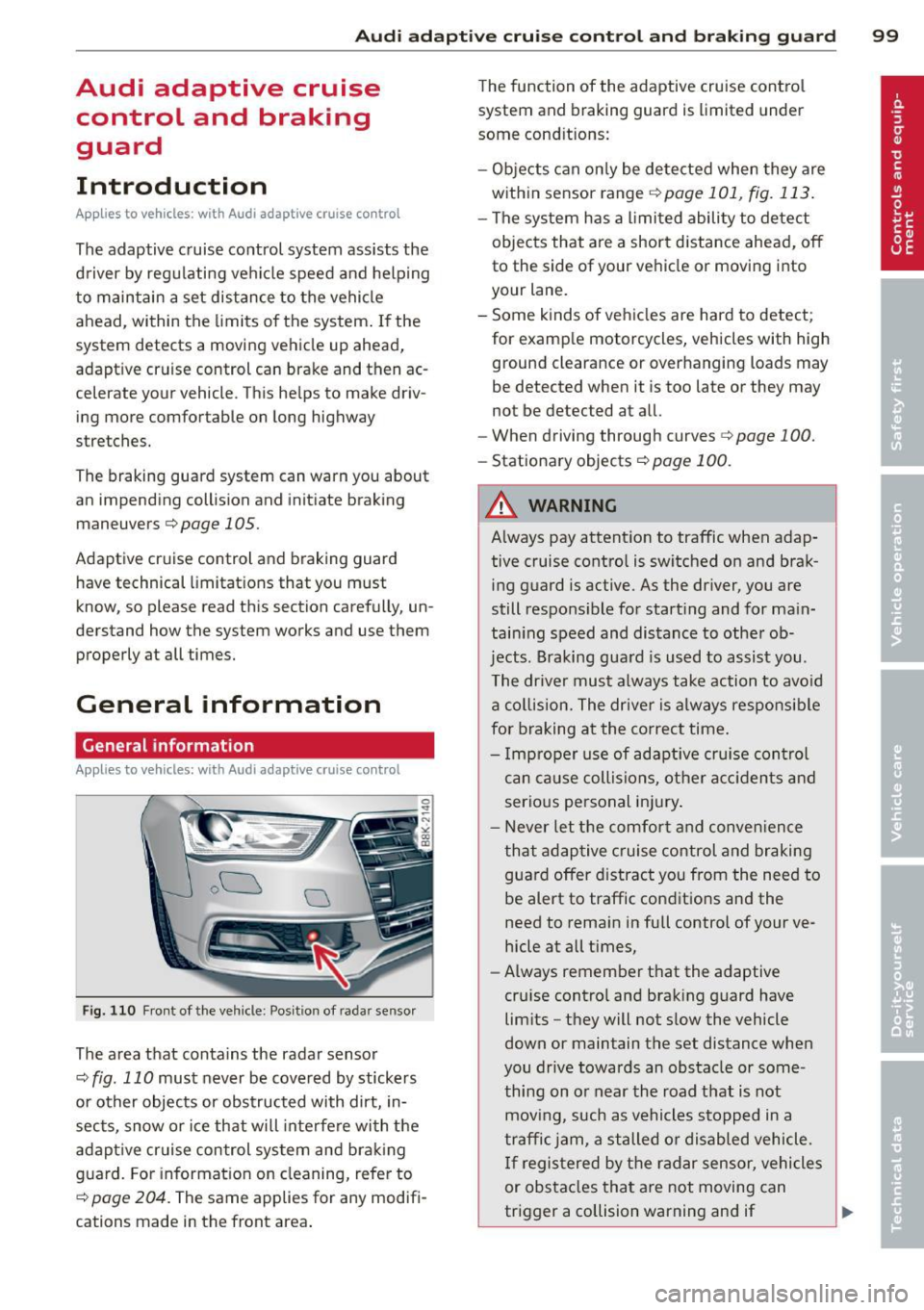
Fig. 110 Front of the vehicle: Position of radar sensor
The area that contains the radar sensor
c::;, fig. 110 must never be covered by stickers
or other objects or obstructed with dirt, in
sects, snow or ice that will interfere with the
adaptive cruise control system and braking
guard. For information on cleaning, refer to
c::;, page 204. The same applies for any modifi
cations made in the front area . The
function of the adaptive cruise control
system and braking guard is limited under
some cond itions:
- Objects can only be detected when they are
within sensor range
.:!>page 101 , fig. 113.
-The system has a limited ability to detect
objects that are a short distance ahead, off
to the side of your vehicle or moving into
your lane.
- Some kinds of vehicles are hard to detect;
for examp le motorcycles, vehicles with high
ground clearance or overhanging loads may
be detected when it is too late or they may
not be detected at all.
- When driving through curves
c::;, page 100.
-Stationary objects c::;, page 100.
A WARNING
-Always pay attention to traffic when adap-
tive cruise control is switched on and brak ing guard is active. As the dr iver, you are
still respons ible for start ing and for main
tain ing speed and distance to other ob
jects. Braking guard is used to assist you.
The driver must always take action to avoid
a collision. The driver is always responsible
for braking at the correct time.
- Improper use of adaptive cruise con trol
can cause collisions, other accidents and
serious personal injury .
- Never let the comfort and convenience
that adaptive cruise control and braking
guard offer d istract you from the need to
be alert to traffic conditions and the
need to remain in fullcontrolofyourve
hicle at all times,
- Always remember that the adaptive
cru ise contro l and braking guard have
limits -they will not slow the vehicle
down or maintain the set distance when
you drive towards an obstacle or some
thing on or near the road that is not
moving, such as vehicles stopped in a
traffic jam, a stalled or disabled vehicle.
If registered by the radar sensor, vehicles
or obstacles that are not moving can
trigger a collision warning and if .,.
Page 102 of 296
100 Audi adaptive cruise control and braking guard
confirmed by the video camera, an acute
collision warning.
- For safety reasons, do not use adaptive
cruise control when driving on roads with
many curves, when the road surface is in
poor condition and/or in bad weather
(such as ice, fog, gravel, heavy rain and
hydroplan ing). Using the system under
these conditions could result in a colli
sion.
- Switch adaptive cruise control off tempo
rar ily when driv ing in turning lanes, on
expressway exits or in construc tion
zones. This prevents the vehicle from ac
celerating to the set speed when in these
situations.
- Th e adaptive cruise control system w ill
not brake by itse lf if you put your foot on
the accelerator pedal. Doing so can over
ride the speed and distance regulation.
- When approaching stationary objects
such as stopped traffic, adaptive cruise
control will not respond and braking
guard w ill have limited function.
- The adaptive cr uise control system and
braking guard do not react to people, an
ima ls, objects crossing the road or on
coming objects .
- The function of the radar sensor can be
affected by reflective objects such as
guard rails, the entrance to a tunnel,
heavy rain or ice.
- Never follow a vehicle so closely that you cannot stop your vehicle safely. The
adaptive cruise control cannot slow or
brake the vehicle safely when you follow
ano ther vehicle too closely . Always re
member that the automatic braking
function cannot bring the vehicle to a sudden or emergency stop under these
conditions.
- To prevent unintended operation, always
switch ACC off when it is not being used.
{[) Note
The sensor can be d isp laced by impacts or
damage to the bumper, whee l housing and
underbody . That could affect the adaptive cruise control system and b
raking guard.
Have your authorized Audi dea ler or au
thorized Audi Service Facility check their
function.
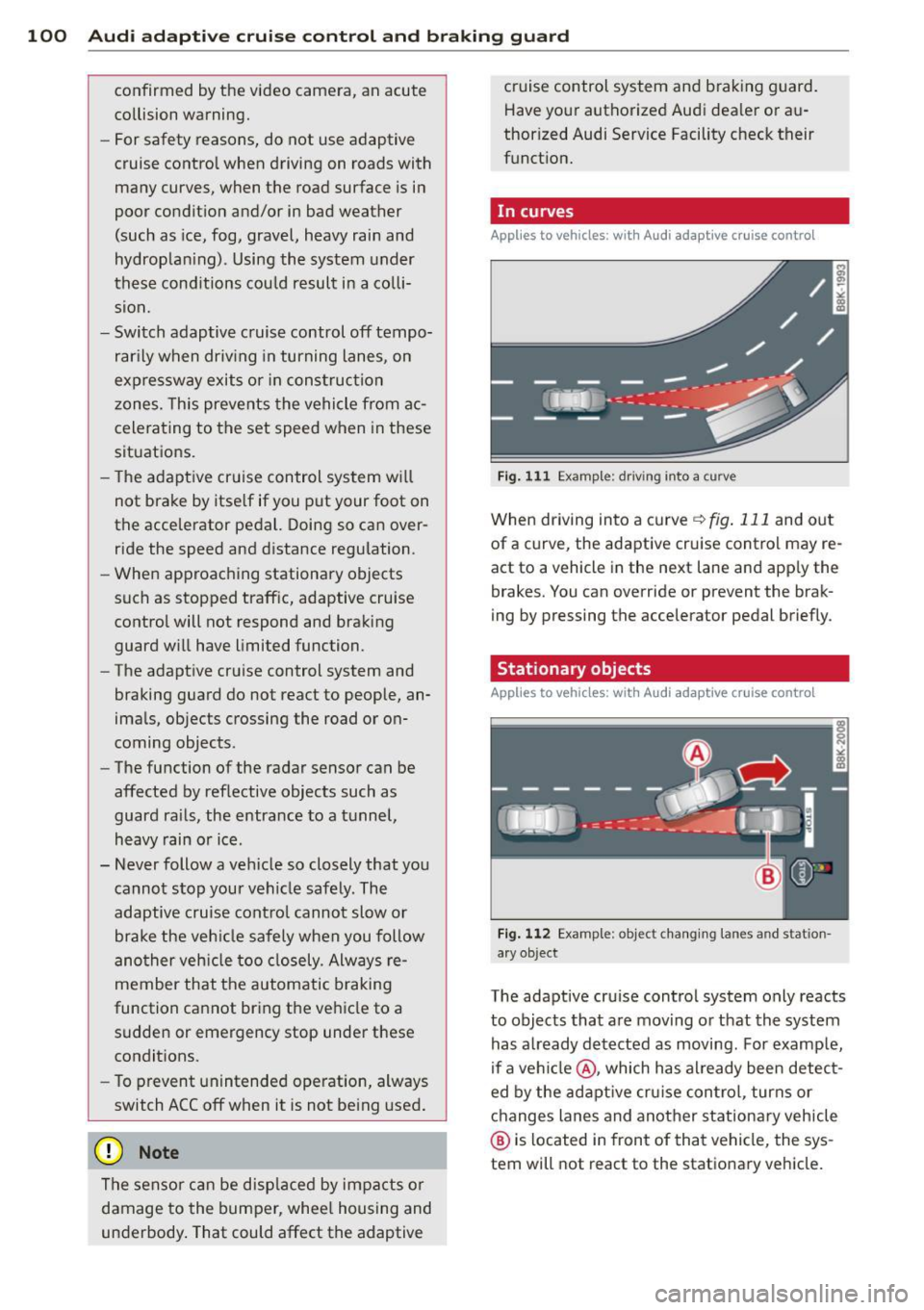
, In curves
Applies to vehicles: wit h Aud i adapt ive cr uise contro l
Fig . 111 Examp le: driv ing into a curve
When driving into a curve <=> fig. 111 and out
of a curve, the adaptive cruise control may re act to a vehicle in the next lane and app ly the
brakes. You can override or prevent the brak
ing by pressing the accelerator pedal briefly.
Stationary objects
Applies to vehicles: with Aud i adaptive crui se contro l
Fig. 112 Examp le: object chang ing lanes a nd station
a ry object
The adaptive cru ise control system only reacts
to objects that are moving or that the system
has a lready detected as moving. For example,
if a vehi cle@ , which has already been detect
ed by the adaptive cruise control, turns or
changes lanes and another stationary vehicle
@ is located in front of that vehicle, the sys
tem will not react to the stationary vehicle.
Page 104 of 296
102 Audi adaptive cruise control and braking guard
Switching on and off
Applies to vehicles: with Audi adaptive cruise control
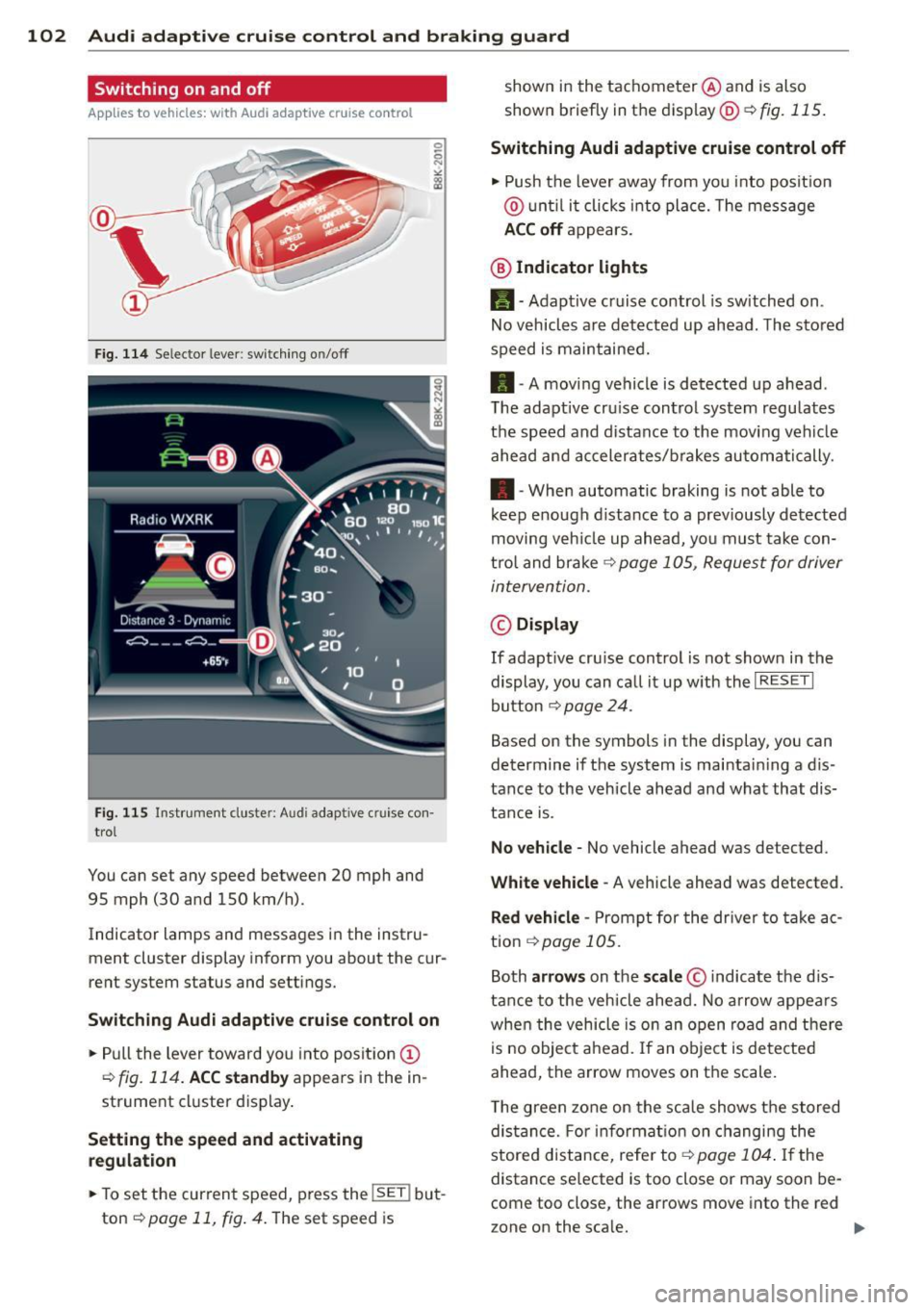
Fig. 114 Se lec tor lever: switching on/off
Fig. 115 Instrument clus te r: A udi adap tive c ru ise co n·
trol
You can set any speed between 20 mph and
95 mph (30 and 150 km/h).
Indicator lamps and messages in the instru·
ment cluster display inform you about the cur·
rent system status and settings.
Switching Audi adaptive cruise control on
• Pull the lever toward you into position (D
¢fig. 114. ACC standby appears in the in ·
strument cluster display.
Setting the speed and activating
regulation
.. To set the current speed , press the !SE T! but·
ton
¢ page 11, fig . 4. The set speed is shown in
the tachometer @and is also
shown briefly in the display@¢
fig. 115.
Switching Audi adaptive cruise control off
• Push the lever away from you into position
@ until it clicks into place. The message
ACC off appears.
@ Indicator lights
11 · Adaptive cruise control is sw itched on.
No vehicles are detected up ahead. The stored
speed is maintained.
• · A moving vehicle is detected up ahead .
T he adaptive cru ise control system regulates
the speed and distance to the moving vehicle
ahead and accelerates/brakes automatically .
• · When automatic braking is not able to
keep enough distance to a previously detected
moving veh icle up ahead, you must take con·
trol and brake
¢ page 105, Request for driver
intervention.
© Display
If adapt ive cru ise control is not shown in the
display, you can call it up w ith the
I RESET I
button ¢ page 24.
Based on the symbols in the display, you can
determine if the system is maintain ing a d is ·
tance to the vehicle ahead and what that dis
tance is.
No vehicle· No vehicle ahead was detected .
White vehicle -A vehicle ahead was detected .
Red vehicle -Prompt for the driver to take ac
tion
,=;, page 105.
Both arrows on the scale © indicate the dis·
tance to the vehicle ahead. No arrow appears
when the vehicle is on an open road and there
is no object ahead. If an object is detected
ahead, the arrow moves on the scale .
T he green zone on the scale shows the stored
distance. For information on changing the
stored distance, refer tor=;,
page 104 . If the
distance se lected is too close or may soon be·
come too close , the arrows move into the red
zone on the sca le. .,.
Page 106 of 296
104 Audi adaptive cruise control and braking guard
Setting the distance
Applies to vehicles: wit h Aud i adapt ive cru ise co ntrol
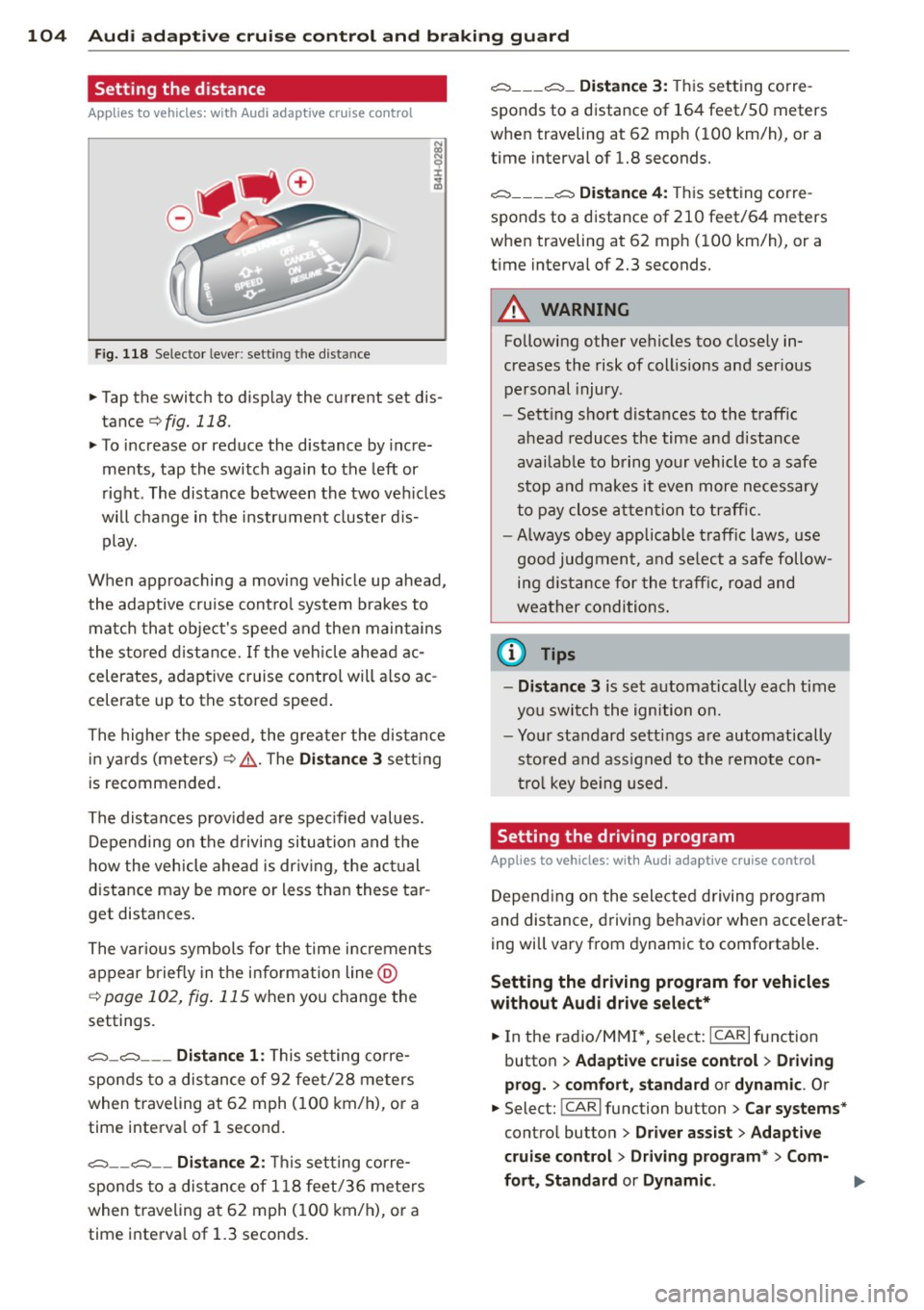
Fig. 118 Selector lever: setting the distance
~ Tap the switch to display the current set dis
tance
¢fig. 118.
~ To increase or reduce the distance by incre
ments, tap the switch again to the left or
right. The distance between the two vehicles
will change in the instrument cluster dis
play.
When approaching a moving vehicle up ahead,
the adaptive cruise control system brakes to match that object's speed and then maintains
the stored distance. If the vehicle ahead ac
celerates, adaptive cruise control will also ac
celerate up to the stored speed.
The higher the speed, the greater the distance
in yards (meters)¢ ,&.. The
Distance 3 setting
is recommended.
The distances provided are specified values.
Depending on the driving situation and the
how the vehicle ahead is driving, the actual
distance may be more or less than these tar
get distances.
The various symbols for the time increments
appear briefly in the information line @
c;, page 102, fig. 115 when you change the
settings.
c::::::,_c::::::, ___ Distance 1: This setting corre-
sponds to a distance of 92 feet/28 meters
when traveling at 62 mph (100 km/h), or a
time interval of 1 second.
c::::::, __ c::::::, __ Distance 2: This setting corre
sponds to a distance of 118 feet/36 meters
when traveling at 62 mph (100 km/h), or a
time interval of 1.3 seconds.
c::::::, ___ c::::::,_ Distance 3: This setting corre-
sponds to a distance of 164 feet/SO meters
when traveling at 62 mph (100 km/h), or a
time interval of 1.8 seconds.
c::::::, ____ c::::::, Distance 4: This setting corre-
sponds to a distance of 210 feet/64 meters
when traveling at 62 mph (100 km/h), or a
time interval of 2.3 seconds.
A WARNING
Following other vehicles too closely in
creases the risk of collisions and serious
personal injury .
- Setting short distances to the traffic
ahead reduces the time and distance
available to bring your vehicle to a safe
stop and makes it even more necessary
to pay close attention to traffic.
-
-Always obey applicable traffic laws, use
good judgment, and select a safe follow
ing distance for the traffic, road and
weather conditions.
0) Tips
- Distance 3 is set automatically each time
you switch the ignition on.
- Your standard settings are automatically
stored and assigned to the remote con
trol key being used.
Setting the driving program
Applies to veh icles: w ith Audi ada ptive c ruise control
Depending on the selected driving program
and distance, driving behavior when accelerat
ing will vary from dynamic to comfortable.
Setting the driving program for vehicles
without Audi drive select*
~ In the radio/MM!*, select: ICARlfunction
button
> Adaptive cruise control > Driving
prog.
> comfort, standard or dynamic. Or
~ Select: !CAR I function button > Car systems*
control button > Driver assist > Adaptive
cruise control> Driving program*
> Com-
fort, Standard
or Dynamic . ll-
Page 107 of 296
Audi adaptive cruise control and braking guard 105
Setting the driving mode for vehicles with
Audi drive select*
Refer to r=;,poge 114 .
(D Tips
Your settings are automatically stored and
assigned to the remote control key being
used.
Request for driver intervention
Applies to vehicles: with Audi adaptive cruise control
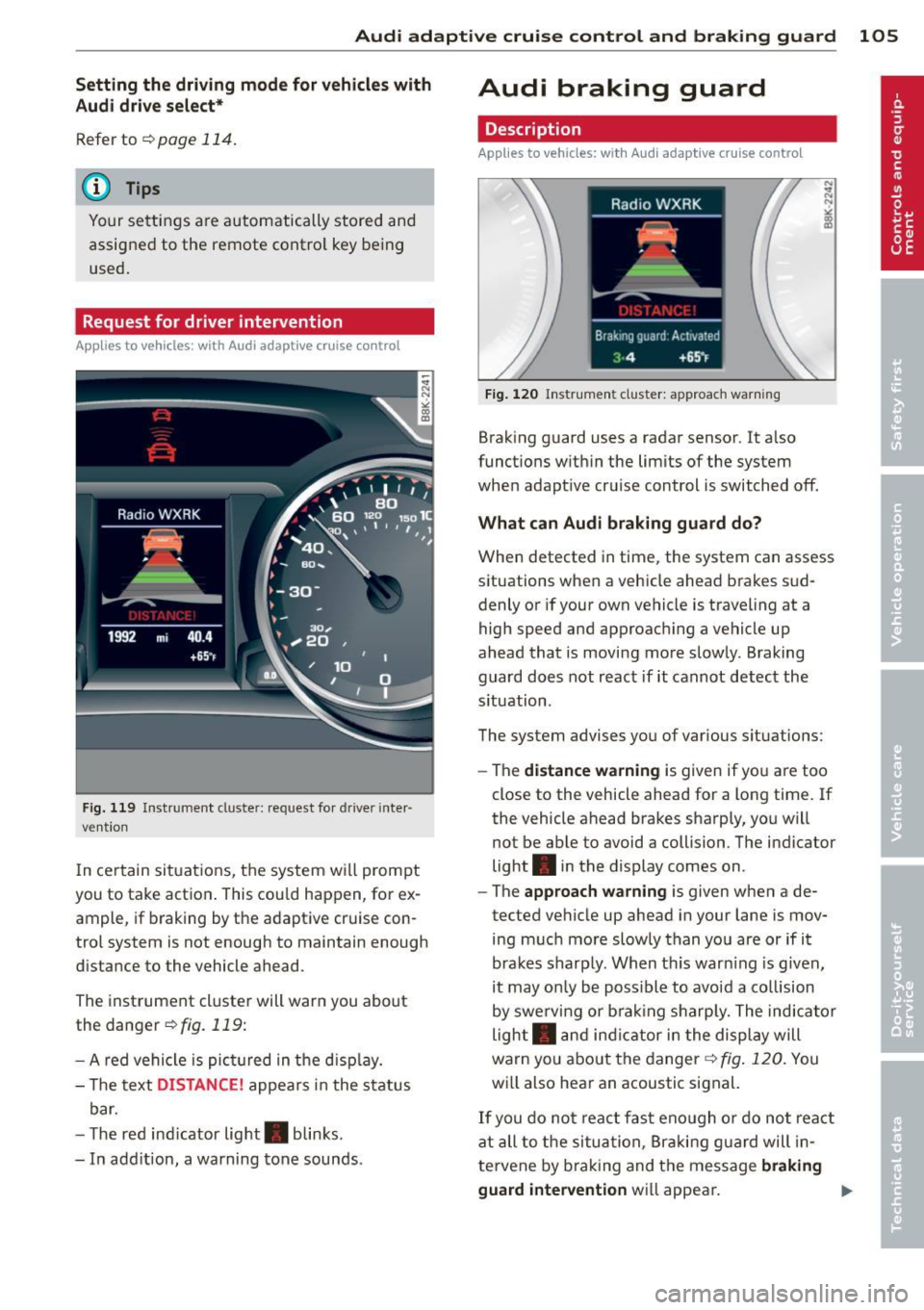
Fig. 119 Instrumen t cl us ter: reques t for drive r inte r·
vention
I n ce rtain situat ions, the system will prompt
you to take action . This cou ld happen, for ex
ample, if braking by the adaptive cruise con
trol system is not enough to maintain enough
distance to the vehicle ahead.
The instrument cluster will warn you about
the danger
r=;,fig. 119:
- A red vehicle is pict ured in the disp lay.
- The text
DISTANCE! appears in the status
bar.
- T he red ind icator light . blinks.
- In add ition, a warning tone sounds.
Audi braking guard
Description
Applies to vehicles: with Audi adaptive cruise control
Fig. 120 Instr ument cluster: approach warning
Braking guard uses a radar sensor. It also
functions within the limits of the system
when adapt ive cruise control is switched off.
What can Audi braking guard do?
When detected in time, the system can assess
situations when a vehicle ahead brakes sud
denly or if your own vehicle is traveling at a
high speed and approaching a vehicle up
ahead that is moving more slowly. Braking
guard does not react if it cannot detect the
s ituation.
The system advises you of various situations:
- The
distance warning is given if you are too
close to the vehicle ahead for a long time. If
the vehicle ahead brakes sharply, you will
not be able to avoid a collision . The indicator
light . in the display comes on .
- The
approach warning is given when a de
tected vehicle up ahead in your lane is mov
ing much more slowly than you are or if it
brakes sharply. When thi s war ning is given,
it may on ly be possible to avoid a co llision
by swerving or brak ing sharp ly. The indicator
light . and indicator in the display will
warn you about the danger¢
fig. 120. You
wi ll also hear an acoustic signal.
If you do not react fast enough or do not react
at all to the situation, Braking guard will in
te rvene by brak ing and the message
braking
guard intervention
wi ll appear.