warning lights AUDI S4 2014 Owner's Manual
[x] Cancel search | Manufacturer: AUDI, Model Year: 2014, Model line: S4, Model: AUDI S4 2014Pages: 296, PDF Size: 73.56 MB
Page 65 of 296
The memory buttons are located in the driv
er's door.
Switching the memory function on/off
• Press the !OFF ! button to switch the memory
function on/off. The word
OFF lights up
when the memory function is switched off.
Seat profiles are neither stored nor recalled.
Storing a seat profile
• Press the !SET ! button. When the word SET
lights up, the memory is ready to store set
t in gs.
• Press a memory button
([II or rn) briefly. A
tone confirms that the settings were stored.
Accessing a seat profile
• If the driver's door is open and the ignition
is switched off, press the memory button.
• If the driver's door is closed or the ignition is
switched on, press and hold the memory
button until the seat adjustment is com
plete .
A WARNING
-For safety reasons, the seat sett ing can
only be recalled when the vehicle is sta
tionary - otherwise you risk having an ac
c ident.
- In an emergency the recall procedure can
be cancelled by press ing the
!OF F! switch
or by tapping the memory buttons.
Ashtray
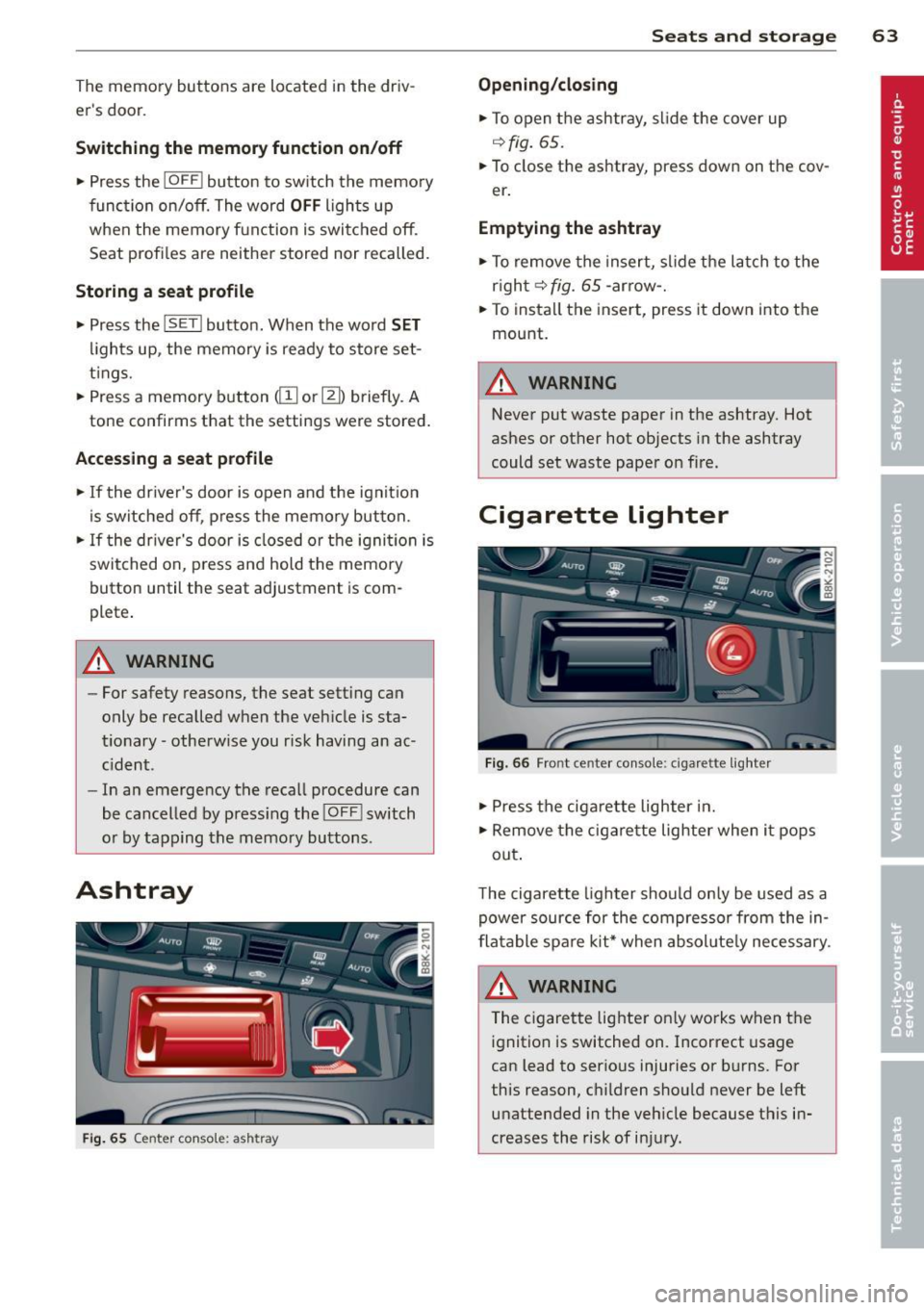
Fig . 65 Center console: ashtray
Seats and storage 63
Opening/closing
• To open the ashtray, slide the cover up
~fig. 65.
• To close the ashtray, press down on the cov
er .
Emptying the ashtray
• To remove the insert, slide the latch to the
right~
fig. 65 -arrow-.
• To instal l the insert, press it down into the
mount.
A WARNING
Never put waste paper in the ashtray. Hot
ashes or other hot objects in the ashtray
could set waste paper on fire.
Cigarette lighter
Fig. 66 Front center console: cigar ette lighter
• Press the cigarette lighter in.
• Remove the cigarette lighter when it pops
out .
T he cigarette lighter should only be used as a
power source for the compressor from the in
flatable spare kit* when absol ute ly necessary.
A WARNING
The cigarette lighter on ly works when the
ignition is switched on. Incorrect usage
can lead to serious injuries or burns. For
this reason, children should never be left unattended in the vehicle because this in
creases the risk of injury.
Page 86 of 296
84 On th e road
in the hy dra ulic valve adjusters. This is
norma l and not a cause for concern.
- If you leave the vehicle with the ignition
switched on, the ignition will switch
off
after a certain period of time . Please
note that e lectrica l equipment such as
exter ior lights w ill switch
off as well
when that happens.
Switching engine off
Applies to vehicles: with conven ience key
" Bring your vehicle to a complete stop.
"Automatic transmiss ion: Move the selector
lever to the P or N pos it ion.
" Press the
!START ENGINE STOPI button
r::!;page83, fig. 97.
Steering lock
The stee ring locks when you turn the engine
off us ing the I STAR T ENGINE STOP I button
and open the dr iver's door. The locked stee r
i ng helps preven t vehicle theft.
Emergency off
If necessary, the eng ine ca n be sw itched off
with the selector leve r in the R or D/S pos i
tions. To do so, step on the brake pedal and
p ress and hold the
I START ENGINE STOP I but
ton vehicle speed must be less than 6 mph (10 km/h).
_& WARNING
- Never turn off the eng ine before the ve
hicle has come to a complete stop . The
full function of the brake booster and the
power steering is not guaranteed. You
must use more force to turn or brake if
necessary . Because you cannot steer and
brake as you usua lly would, this could
lead to crashes and se rious injur ies.
- For safety reasons, you s hould always
par k your vehicle with the se lector lever
in P. Ot herwise, the ve hicle co uld inad
vertent ly roll away.
- T he radiator fan ca n continue to ru n for
up to 10 mi nutes even after yo u have
tu rne d
off the eng ine and remove d the ignition key. The radiator fan can a
lso
turn on again if the engine coo lant heats
up because of intense sunlight or heat
bu ild-up in the engine compartment.
- Always take the key w ith you whenever
you leave your ve hicle. Otherw ise, the
eng ine could be sta rted or electrical
equ ipme nt such as the power windows
could be ope rated. This can lead to seri
ous injury.
(D Note
If the engine has bee n under heavy load
for an extended pe riod, heat bu ilds up in
the engine compartment after the engine
i s sw itched
off -there i s a r is k of damag ing
the engine. A llow the eng ine to run at id le
for about two minutes before switching it
off.
Driver messages
Ignition i s on
This message appears and a warning tone
sounds if you open the d river's door when the
ignition is sw itched on.
No key id entified
This message appears when the
I S TART ENGINE STOPI button is pressed if
there is no master key ins ide the veh icle or if
the system does not recognize it . Fo r exam
ple, the master key cannot be recognized if it
is covered by an object (e.g. al uminum b rief
case) which
screens the radio s ignal. Elec tron
ic dev ices such as cell phones can also inter
fere with the radio s ignal.
Pres s brak e pedal to start engine
This message appears if you do not press the
brake pedal to start the eng ine in a veh icle
with an automat ic transm iss ion.
Press clutch pedal to sta rt engine
T his message appears if yo u do not press the
clutch pedal to start the engine in a vehicle
with a manual transmission. .,.
Page 88 of 296
86 On the road
Emerge ncy b rake function
An emergency brake ensures t hat the vehicle
can be slowed down even if the normal brakes
fail
c::> page 87, Emergency broking.
Indicat or light s
-If the par king b rake is closed w ith the igni
t ion
s witc hed on the . (USA mode ls) /
• (Canada models) indica tor lights come
on in the instrument cluster and the switch .
-If the parking brake is closed w ith the igni
tion
s witc hed off the . (USA mode ls) /
• (Canada models) indicator lights come
on in the instrument cluster and the switch
for about 20 seconds .
A WARNING
If a gear or a drive range (automat ic trans
m ission) is engaged with the vehicle sta
tionary and the engine runn ing, you must
in no instance accelerate o r release the
cl utch * careless ly. Otherw ise the vehicle
w ill sta rt to move immediately- r isk of an
accident .
@ Note
If the . symbol in the display or the.
(USA models) . (Canada models) indica
tor light i n the instrument cluster flashes,
t here is a mal function i n the brake system.
By pressing the
ISETI button, you can bring
up a driver message which explains the malfunct ion in more detai l. If the driver
message
Parking b rake! appears, there is
an operating malfunction in the park ing
brake wh ich you shou ld have repa ired im
mediately by an author ized Audi dealer or
qualified workshop c::>poge 15.
(D Tips
-You can apply the parking brake at any
time -even w ith the ignition switched
off . The ignit ion must be turned on and
the b rake peda l must be pressed in o rder
to release the pa rking brake . - Occasional noises when the parking
brake is applied and released are normal
and are not a cause for concern.
- When the vehicle is parked, the parking
brake goes through a self-test cycle at
regu lar interva ls. Any associated noises
are normal.
Parking
.. Press the brake pedal to stop the veh icle .
.. Pull the sw itch @
c::> page 85, fig . 98 to set
the parking brake .
.,. Automatic transmission: Move the selecto r
lever to P.
.. Turn the engine off
c::> ,&. .
.. Manual transmission: Shift into 1st gear.
.. When on inclines o r declines, turn the steer
ing wheel so that the vehicle will roll into
the curb if it begins to move.
A WARNING ...__
- When you leave your vehicle -even if on
ly br iefly -always remove the ignition
key . Th is app lies pa rticularly whe n chi l
d ren remai n in the vehicle. Otherwise the
children could st art the eng ine , release
the par king brake or operate electrical
equ ipment (e.g. power windows). The re
is the risk of an accident.
- When the veh icle is locked, no one -par
ticularly not children should remain in
the vehicle. Locked doors make it more
d ifficult for emergency workers to get in
to the vehicle -putting lives at risk.
Starting from rest
The starting assist function ensures that the
parking broke is released automatically upon
starting.
Stopping and applying par king brake
.. Pull the switch @¢ page 85, fig. 98 to ap-
ply the parking brake .
Ill>
Page 94 of 296
92 Transmission
vehicle to accelerate without a noticeable in
terruption in traction.
tiptronic transmission
I n the tiptronic transmission, power is trans
ferred by a torque converter.
Selector lever positions
Applies to vehicles: with multitronic/5 tronic/tiptronic
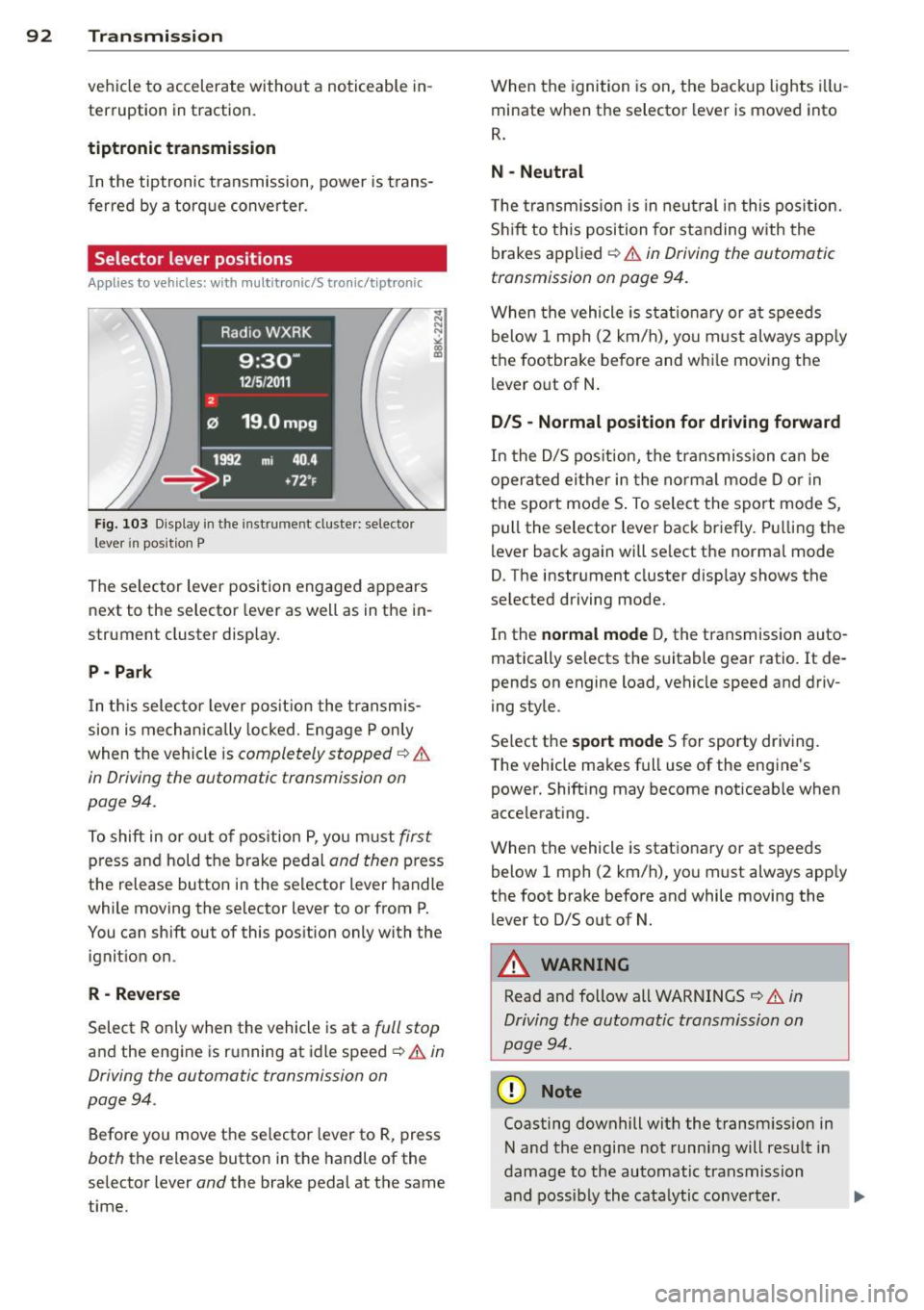
Fig. 103 Display in the in stru me nt duste r: selecto r
lever in position P
The selector lever position engaged appears
next to the selector lever as well as in the in
strument cluster display.
P - Park
In this selector lever position the transmis
sion is mechanically locked. Engage P only
when the vehicle is
completely stopped ¢ &
in Driving the automatic transmission on
pag e 94 .
To shift in or out of pos ition P, you must first
press and hold the brake pedal and then press
the release button in the selector lever handle
wh ile mov ing the se lector lever to or from P.
You can shift out of this position only with the
ignition on .
R-Reverse
Select R only when the vehicle is at a full stop
and the engine is running at idle speed ¢ & in
Driving the automatic transmission on
page 94 .
Before you move the selector lever to R, press
both the release button in the handle of the
selector lever
and the brake pedal at the same
time. When the
ignition is on, the backup lights illu
minate when the selector lever is moved into
R.
N -Neutral
The transmission is in neutral in this position .
Shift to this position for standing with the
brakes applied ¢
& in Driving the automatic
transmission on page 94.
When the vehicle is stat ionary or at speeds
below 1 mph (2 km/h), yo u must always apply
the footbrake before and whi le moving the
lever out of N.
D/S - Normal position for driving forward
In the D/S position, the transmission can be
operated either in the normal mode D or in
the sport mode S . To select the sport mode S,
pull the selector lever back briefly. Pulling the
lever back again will se lect the normal mode
D. The instrument cluster disp lay shows the
selected driving mode.
In the
normal mode D, the transmission auto
matically selects the suitable gear ratio.
It de
pends on engine load, vehicle speed and driv
ing style .
Select the
sport mode S for sporty driving .
T he vehicle makes full use of the engine's
power. Shift ing may become noticeable when
accelerating.
When the vehicle is stationary or at speeds
below 1 mph (2 km/h), you must always app ly
the foot brake before and while moving the lever to D/S out of N.
A WARNING
Read and follow all WARNINGS ¢ & in
Driving the automatic transmission on
page 94 .
(D Note
Coasting downhill with the transm ission in
N and the engine not running will result in
damage to the automatic transmission
and possibly the catalytic conve rter. .,..
Page 96 of 296
94 Transmission Starting the engine
.. The selecto r lever must be in P or N.
Starting off
.. Press and hold the brake pedal.
.. Press and hold the release button in these
lector lever handle, se lect t he des ired selec
tor lever position such as D/S and release
the button .
.. Wait briefly unti l the transmission has shift
ed (you will feel a slight movement) .
.. Remove your foot from the brake pedal and
acce lerate.
Stopping temporarily
.. Keep the vehicle stationary usin g the brak
ing peda l, for examp le at traffic lights .
.. Do not press the accelerator pedal when do
ing this .
.. To prevent the veh icle from rolling when you
start driving, set the parking brake when
stopping on steep inclines
c> _& .
.. The parking brake will release automatically
and the vehicle w ill start moving once you
press the accelerator pedal.
Stopping/parking
If the selector lever is not in the P position
when you open the dr iver's door, the vehicle
could roll. The message
Transmission: Car
may roll! Shift to park!
appears.
.. Press and hold the brake pedal until the ve-
hicle has come to a complete stop .
.. Apply the parking brake
c> page 86, Parking .
.. Select the P selector lever position c> _&.
Stopping on an incline
.. Always press the brake pedal to hold the ve
hicle in place and prevent it from "rolling
back"
c> _& . Do not try to prevent the vehi
cle from "roll ing back" when a gear is en
gaged by increasing the eng ine speed
c> (D.
Starting on an incline
.. Activate the parking brake.
.. With the driving gear se lected, press the ac
celerator pedal carefully. The park ing brake will release automatically if your seat
belt is
fastened .
Under certain circumstances, such as driving
in the mountains, it may be usefu l to switch
temporarily to the manual shift program in or
der to adjust the gears to the driving cond i
tions by hand
c> page 96.
On slopes, activate the parking brake first and
then move the selector lever to the P position .
This prevents too much stress from being
placed on the locking mechanism .
Vehicles with multitronic transmission: Your
vehicle is equipped with
hill hold assist allow
ing you to start while on an incline. The sys
tem is activated when the brake pedal is
pressed down and he ld
for a few seconds . The
brake pressure will hold for
a moment after
the brake pedal loosens to prevent the vehicle
from roll ing backwards wh ile starting up .
A WARNING
-The vehicle can also roll when the engine
is stopped.
- Unintended vehicle movement can cause
serious injury.
- Never leave your vehicle with the engine
r un ning while in gear. If you must leave
your veh icle when the engine is running,
activate the parking brake and move the
selecto r lever to P.
- Power is still transmitted to the wheels
when the engine is running at idle. To
prevent the vehicle from "creeping", you
must keep your foot on the brake when
the engine is running and the selector
lever is in
DIS or R or "tiptronic" mode is
selected .
- Do not press the accelerator pedal when changing the selector lever position
while the veh icle is stationary and the
engine is running.
- Never shift into R or P while driving.
- Before driving down a steep s lope, re-
duce your speed and shift into a lower
gear with "tiptronic".
Page 126 of 296
124 Homelin k
Homelink
Universal remote
control
Description
Appl ies to vehicles: wit h Homeli nk
The HomeLink universal remote control can
be programmed with the remote control for
devices that are already present.
W ith Home Link, you can control devices such
as the garage door, security systems, house lights, etc. comfortably from the inside of you
vehicle.
Homelink makes it possible for you to replace
three d ifferent remote controls from dev ices
in your home with one universal remote. This
feature works for most garage door and exte
rior door motor signals. Programming the in
div idual remote control for your remote con
trol takes place near the center of the radiator
grille. There is a control module attached at
this location .
A one -time programm ing of the sensor must
be performed before you are able to use sys
tems with Home link. If the system does not
activate after performing the one-time pro
gramm ing, check whether the system uses a
rolling code
q page 127 for vehicles without
the MMI*.
& WARNING
-
- Never use the Homelink transmitter
with any garage door opener that does
have not the safety stop and reverse fea
ture as required by federa l safety stand
ards. This includes any garage door open
er model manufactured before April 1,
1982.
- A garage door opener which cannot de
tect an object, signaling the door to stop
and reverse does not meet current feder
al safety standards. Using a garage door
opener without these features increases
risk of serious injury or death. -
For safety reasons never release the
parking brake or start the engine while
anyone is standing in front of the vehicle.
- A garage door or an estate gate may
sometimes be set in motion when the
Homelink remote control is being pro
grammed. If the device is repeatedly ac
tivated, this can overstrain motor and
damage its e lectrica l components - an
overheated mo tor is a fire hazard!
- To avo id possib le injuries or property
damage, please always make abso lutely
certain that no persons or objects are lo
cated in the range of motion of any
equipment being operated.
{D Tips
- If you would li ke more information on
Homel ink, where to purchase the Home
Link compat ible prod ucts, or wou ld like
to purchase the Homelink Home Light
ing Package, please call toll-free:
1-800-355-3515.
- For Declaration of Compliance to United
States FCC and Industry Canada regula
tions
¢ page 2 78.
- For security reasons, we recommend that
you clear the programmed buttons be
fore selling the vehicle.
Operation
Applies to veh icles : w it h Ho meli nk
~ ,.......,,...--, ........... ~
,;,,, r . o : o . ) .~
®
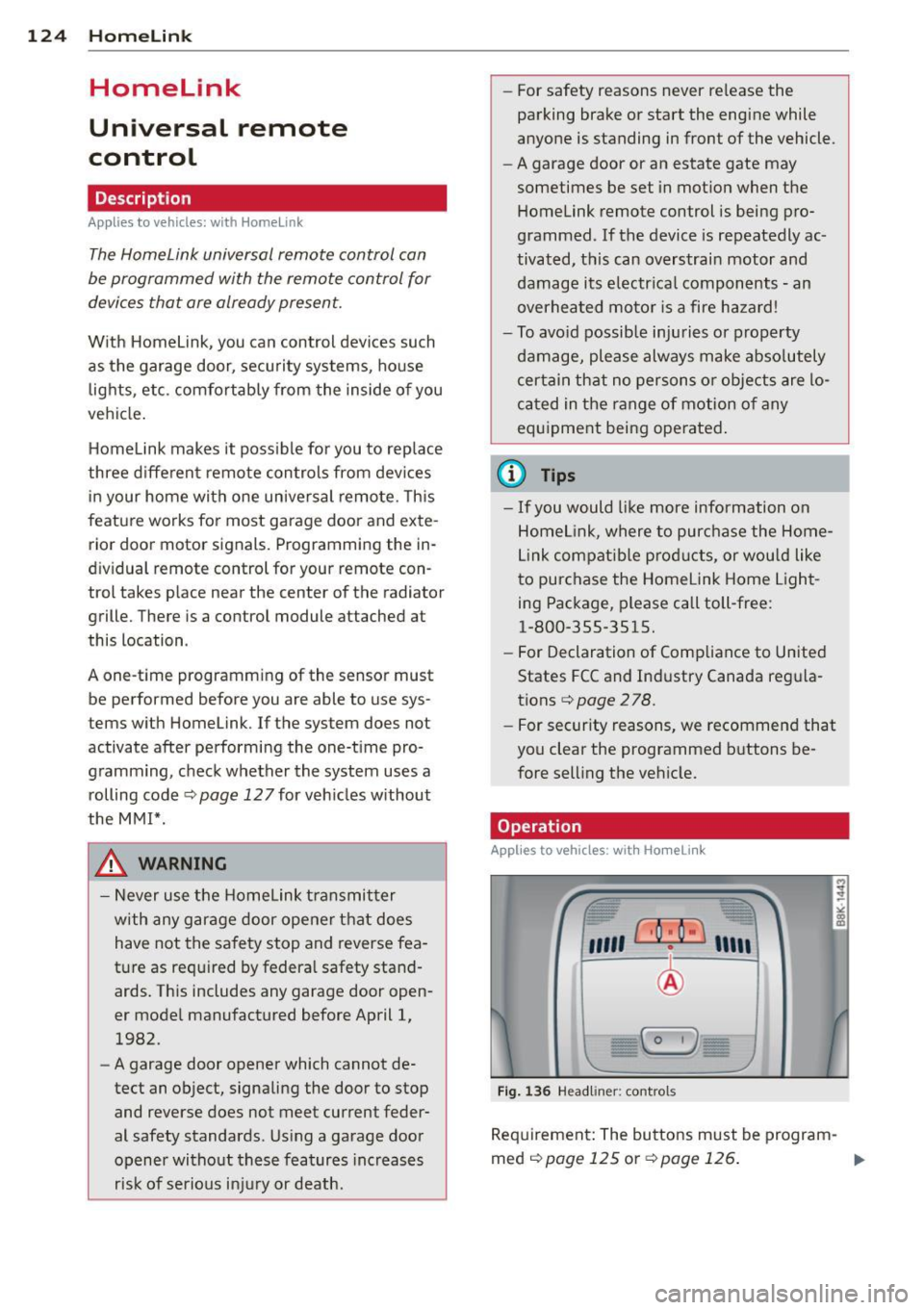
Fig. 136 Headl iner: controls
Requirement : The buttons must be program-
med
¢ page 125 or ¢page 126. II>
Page 130 of 296
128 Driving Safely
Driving Safely
General notes
Safe driving habits
Please remember -safety first!
This chapter contains important information,
tips, instructions and warnings that you need
to read and observe for your own safety, the
safety of your passengers and others . We have
summarized here what you need to know
about safety belts, airbags, child restraints as
well as child safety. Your safety is for us
priori
ty number 1.
Always observe the information
and warnings in this section - for your own
safety as well as that of your passengers.
The information in this section applies to all
model versions of your vehicle . Some of the
features described in this sections may be
standard equipment on some models, or may
be optional equipment on others. If you are
not sure, ask your authorized Audi dealer.
A WARNING
- Always make sure that you follow the in
structions and heed the WARNINGS in
this Manual. It is in your interest and in
the interest of your passengers.
- Always keep the complete Owner's Liter
ature in your Audi when you lend or sell
your vehicle so that this important infor
mation will always be available to the
driver and passengers.
- Always keep the Owner's literature handy
so that you can find it easily if you have
questions.
Safety equipment
The safety features are part of the occupant
restraint system and work together to help
reduce the risk of injury in a wide variety of
accident situations.
Your safety and the safety of your passengers
should not be left to chance. Advances in
technology have made a variety of features
available to help reduce the risk of injury in an accident.
The following is a list of just a few of
the safety features in your Audi:
- sophisticated safety belts for driver and all
passenger seating positions,
- belt force limiters for the front seats,
- belt pretensioners for the seats,
- head restraints for each seating position,
- front airbags,
- side airbags in the front seats,
- side curtain airbags,
- special LATCH anchorages for child re-
straints,
- adjustable steering column.
These individual safety features, can work to gether as a system to help protect you and
your passengers in a wide range of accidents .
These features cannot work as a system if
they are not always correctly adjusted and cor
rectly used.
Safety is everybody's responsibility!
Important things to do before driving
Safety is everybody's job! Vehicle and occu
pant safety always depends on the informed and careful driver.
For your safety and the safety of your passen
gers,
before driving always:
.,. Make sure that all lights and signals are op
erating correctly.
.,. Make sure that the tire pressure is correct .
.,. Make sure that all windows are clean and af
ford good visibility to the outside.
.,. Secure all luggage and other items carefully
qpage 64 .
.,. Make sure that nothing can interfere with
the pedals.
.,. Adjust front seat, head restraint and mirrors
correctly for your height.
.,. Instruct rear seat passengers to adjust the
head restraints according to their height.
.,. Make sure to use the right child restraint
correctly to protect children¢
page 167,
Child Safety. "'
Page 140 of 296
138 Safety belts
Safety belts
General notes
Always wear safety belts!
Wearing safety belts correctly saves lives!
This chapter explains why safety be lts are nec
essary, how they work and how to adjust and
wear them correctly .
.. Read a ll the information that fo llows and
heed all of the instructions and WARNINGS.
A WARNING
Not wearing safety belts or wearing them
improperly increases the risk of ser ious
personal in jury and death .
- Safety belts are the sing le most effective
means avai lab le to reduce the risk of se
r ious injury and dea th in a utomob ile acci
dents. For your protection and that of
yo ur passenge rs, always co rrectly wear
safety belts when the vehicle is moving.
- Pregnant women, injured, or physically
im paired perso ns m ust also use safety
belts. Lik e all veh icle occup ants, they are
more like ly to be ser iously injured if they
do not wea r safety be lts . The best way to
protect a fetus is to protect the mother -
throughout the entire pregnancy.
Number of seats
Your Audi has a total of five seating positions: two in the front and three in the rear. Each
seating position has a safety belt.
A WARNING
Not wea ring safety belts or weari ng them
improp erly increases the risk of ser ious
pe rsonal i njury and deat h.
- Never st rap more than one pe rson, in
cl uding small ch ild ren, into any belt.
It is
e speci ally dange rous to pla ce a safety
belt over a child s itting on yo ur lap.
- N ever le t mo re people ride in the ve hicl e
than there are s afe ty be lts avail able. -
Be s ure everyone riding in the vehicle is
properly restrained w ith a separate safe
ty belt or child restra int.
Safety belt warning light
Your vehicle hos o warning system for the
driver and (on USA models only) front seat
passenger to remind you about the impor
tance of buckling-up .
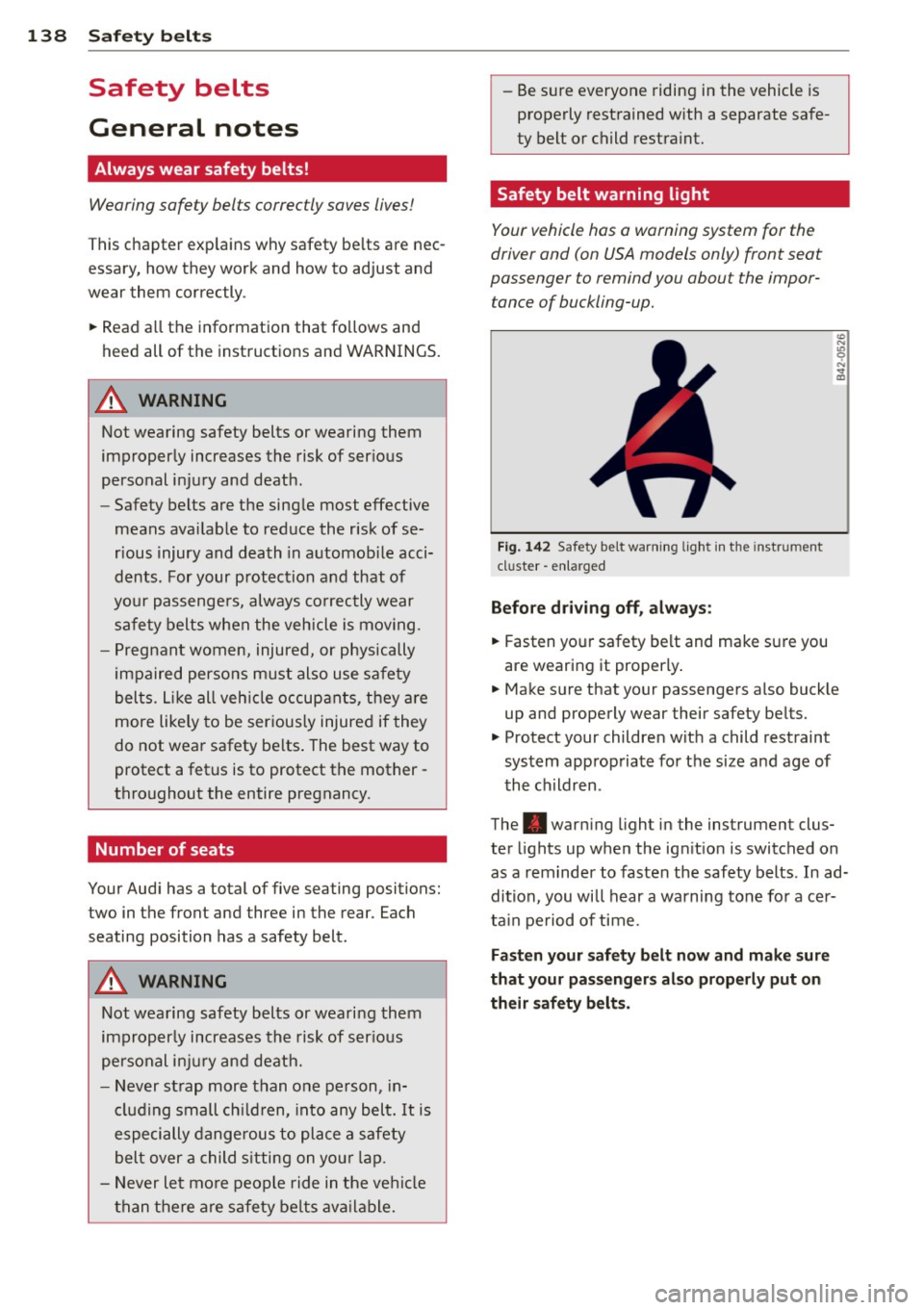
F ig. 142 Safety belt warni ng lig ht in the instrument
cluster -en larged
Before driv ing off, always :
.. Fasten yo ur safety belt and make sure you
are wearing it properly .
.. Make sure that your passengers also buck le
up and properly wear their safety be lts.
.. Protect your children wit h a child restraint
system approp riate fo r the size and age of
t he children.
The . war ning light i n the instrument clus
ter lights up when the ig nition is switched on
as a rem inder to fasten the safety belts. In ad
dition, you will hear a warning tone fo r a cer
ta in pe riod of time.
Fasten your safety belt now and make sure
that your pa ssenger s also prope rly put on
their safety belts.
Page 191 of 296
Intelligent technology 189
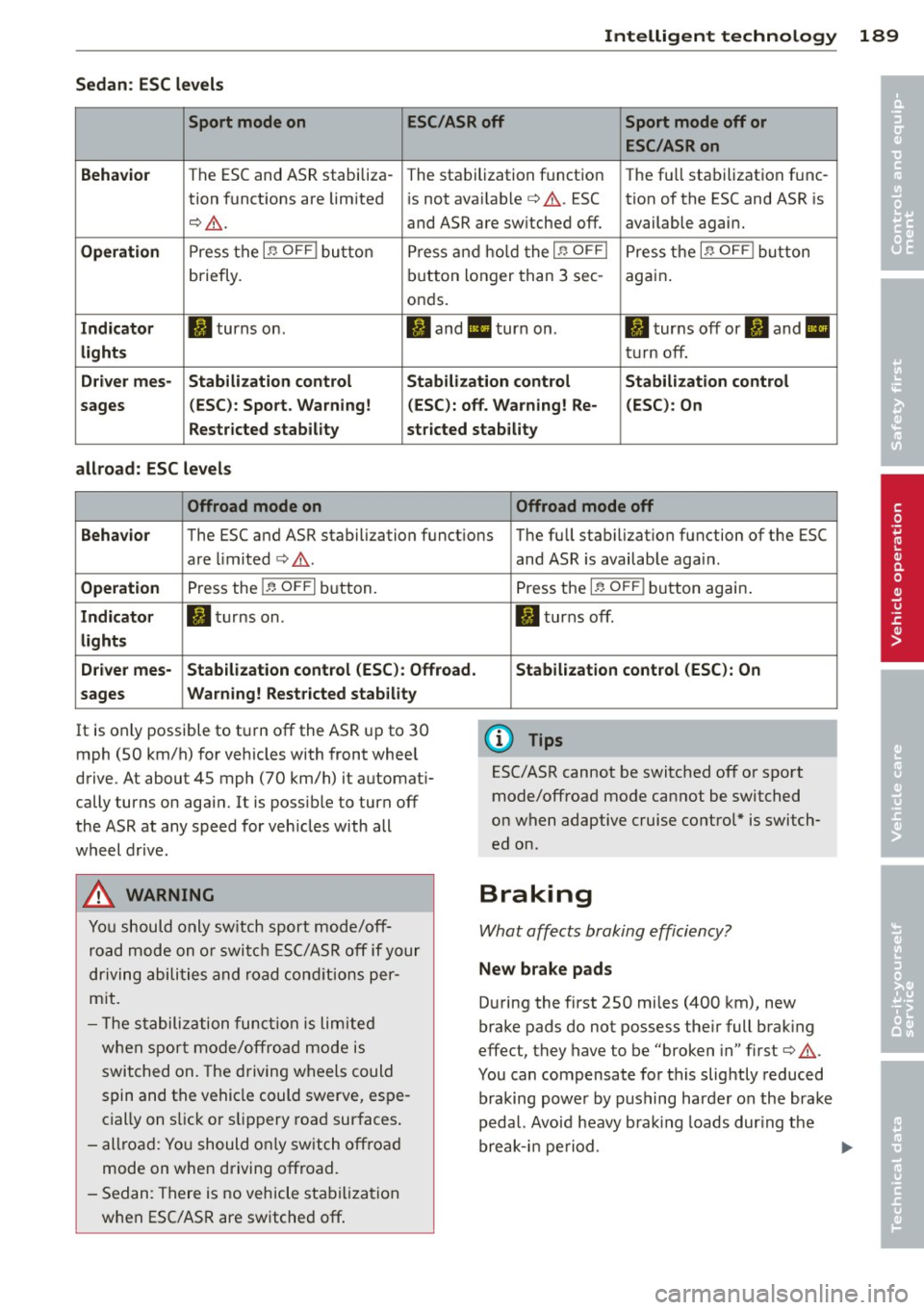
Sedan: ESC levels
Sport mode on ESC/ASR off Sport mode off or
ESC /ASR on
Behavior
The ESC and ASR stabiliza- The stalbilization f unct ion The fu ll sta bilization f unc-
tion funct ions are lim ited is not ava ilable
c:> A . ESC tion of the ESC and ASR is
c:, A . and ASR are sw itched off. available agai n.
Operation Press t he I~ OFF I button Pre ss and h old t he I~ OFFI Press t he i.i, OF FI bu tton
briefly. bu
tton longer than 3 sec -
aga in .
o nd s.
Indicator II turns on. II an d II turn on . II turns off or fl and II
lights tur n off.
Driv er mes· Stabilization control Stabilization control Stabilization control
sages (
ESC) : Sport . Warning! (ESC): off . Warning! Re- (ESC) : On
Restricted stability stricted stability
allroad: ESC level s
Offroad mode on Offroad mode off
Behavior
The ESC and ASR stabilization funct ions T he full stab ilizat ion function of the ESC
are limited
c:> A .
Operation Press the I~ OFFI bu tton.
Indicator II tur ns on.
light s
D river mes- Stabilization control (ESC ): Offroad.
sages Warning! Rest
ricted stability
It is on ly possible to t urn off the AS R up to 30
mph (SO km/h) f or veh icles with front whee l
drive. At about
45 mph (70 km/h) it a utomat i
cally turns on aga in. It is poss ible to turn off
the ASR at any speed for veh icles with all
wheel dr ive .
A WARNING
-
Yo u should o nly sw itch sport mode/off
r oa d m ode on or swi tch E SC/A SR off if your
d rivi ng abili ties a nd ro ad con ditio ns per
m it .
- T he stabili zation fu nction is limited
w he n sp ort m od e/off road mode is
switched on . The driving w heels could
s p in and t he vehicle c ould swerve, es pe
c ia lly on s lick or slipp ery roa d sur faces .
- all road: Yo u should o nly sw itc h off roa d
mode on when driving offroad .
- S edan: There is no vehicle sta biliz atio n
w hen ESC/AS R are switched off . and ASR
is availab le aga in.
Press t he
I~ OFF I button again .
II turns off.
Stabilization control (ESC ): On
(D Tips
ESC/ASR cannot be switched off o r sp o rt
mode/offroad mode ca nnot be switched
on when adaptive cruise control * is switch
ed o n.
Braking
What affects braking effic iency?
New brake pads
D uring the first 250 mi les (4 00 km), new
brake pads do not possess the ir full brak ing
effect, they have t o be "broken in" first
c:> A .
You can compensate for this slightly reduce d
braking powe r by pushing har der on the brake
p edal. Avo id heavy b ra ki ng loa ds dur ing t he
break-i n pe riod.
•
•
Page 193 of 296
th e brakes or hold the pedal down too
long or too ofte n. This cou ld cause the
brakes t o get hot and dimi nish b raking
efficiency .
- Do not "r ide t he b rakes" by resting your
foot on the pedal when you do n ot intend
t o brake . Th is may cause the brakes to
overheat, premature wear and increased
stopp ing distance.
- Under certa in climat ic and operating
condit ions such as passing through wa
ter, driving i n heavy rai n or after wash ing
the vehicle, the effe ct iveness of the
brakes can be re duced. In winter, ice can
acc umulate on the brake pads, linings,
discs and drums. Carefully apply brakes
f or a test. Brakes will dry and ice coat
ings will be cleaned off after a few care
ful brake app lications.
- Driv ing for an extended period of time on
salt-covered roads w ithout using your
brakes can also affect braking efficiency .
Clean off accumulated salt coating from
brake discs and pads w ith a few caref ul
brake applicat io ns.
- If you damage the front spo iler, or if you
install a diff ere nt spoiler, be sure the air
flow to t he front b ra kes is not obstr uct
ed . Otherwise the br ake sys tem co uld
overheat red ucing the effectiveness of
the ent ire brake sys tem.
- F ailure of one br ake circui t will im pair
the brakin g capability res ulting in an in
creased stop ping distance . Avoid driving
the vehicle and have it towed to t he near
est author ized Audi dealer or qualified
workshop.
- Never let the vehicle ro ll to a stop w ith
the engine shut off.
- If the brake booster is not work ing, the
brake pedal must be pressed considera
bly harder to make up for the lack of
booster assistance.
Int ellig ent technolog y 191
Electro-mechanical
power assist, dynamic
steering
The electro-mechanical power assist helps
t he driver when steering.
Power steer ing adap ts electronically based on
t he ve hicl e spee d.
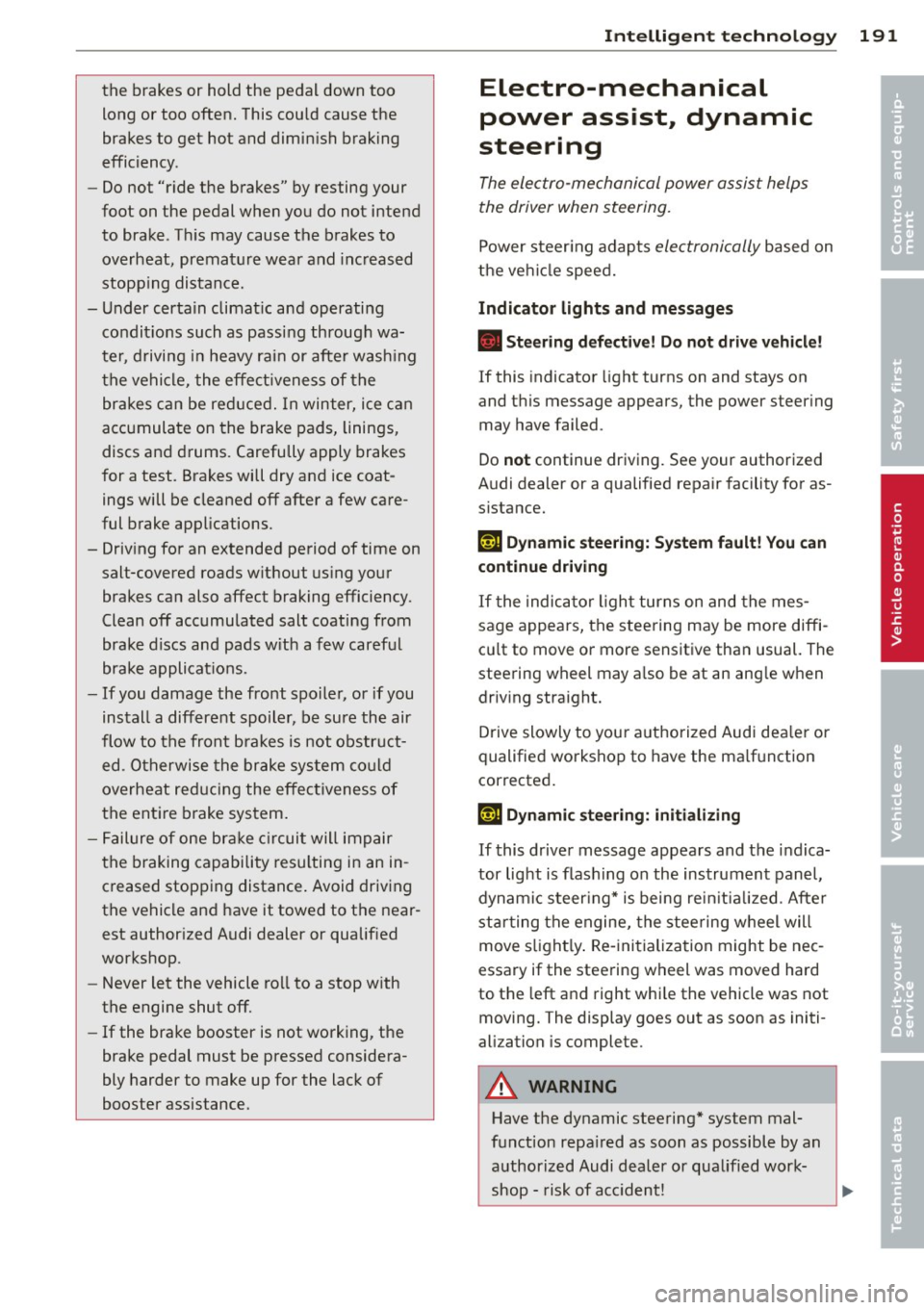
Indicator lights and messages
• Steering defect ive! Do not drive vehicle!
If this indicator light turns on and stays on
and t his message appears, the power steer ing
may have failed.
Do
not continue driving. See your authorized
Audi dealer or a qualified repair facility for as
s istance.
':rij Dynamic steering: Sy stem fault! You can
continue dr iving
If the indic ator ligh t turns on and the mes
sage appears, the steering may be more diffi
cu lt to move o r more sensitive tha n usual. The
steering wheel may a lso be at an ang le when
driv ing straight.
Drive slowly to your a uth orized Audi dea ler or
qualified workshop to have the ma lf u nction
corrected.
(;rij Dynamic ste ering : initializing
If this drive r message appea rs and the indica
tor light is flas hing on the instrument panel,
dynam ic steer ing* i s being rein itia lized. After
sta rting the engine, the stee ring w heel will
move s light ly . Re- initializa tion might be nec
essary if the stee ring wheel was moved hard
to the left and right whi le the vehicle was not
moving. The display goes out as soon as initi
alization is complete .
A WARNING
-Have the dy namic stee ring* system mal
f u nction repa ired as soon as possible by an
authorized Audi dealer or qualified work
shop - risk of acc ident!
-
•
•