ECO mode AUDI S4 2018 Owner's Manual
[x] Cancel search | Manufacturer: AUDI, Model Year: 2018, Model line: S4, Model: AUDI S4 2018Pages: 403, PDF Size: 66.81 MB
Page 104 of 403

Ass is tance sy stems
Assistance systems
Electronic speed Limiter
Your vehicle may be factory equipped with tires
that are rated for a maximum speed of 130 mph (210 km/h). This is less than the maximum speed
of your vehicle. To reduce the risk of sudden tire
failure and loss of control if the vehicle is operat
ed at excessive speeds, your vehicle also has an
electronic speed limiter. The electronic speed
lim iter prevents your vehicle from going faster
than the t ire speed rating. For mo re information
<=>page 334.
If the engine control unit receives faulty vehicle
road speed signals, the Malfunction Indicator
L amp (MIL)
¢..ffi will illumina te. If this occurs,
con tact the nearest au thorized A ud i dealer for
assistance.
_& WARNING
Always observe the posted speed limits and
adjust you r speed to suit prevailing road, traf
fic and weather conditions. Never drive your
vehicle faster than the maximum speed rating
of the tires installed.
Speed warning system
Introduction
Applies to: vehicles with speed warning system
The speed warning system helps you to stay be
low a specified maximum speed that can be set,
changed or deleted in the Infotainment system.
-
The speed warning system warns you if you are
exceeding the maximum speed that you have set .
A wa rning tone will sound as soon as you r speed
ex ceeds the s tored v alue s light ly. Th e indicato r
light also turns on in the instrument cluster dis
p lay
ct] (USA models)/ [SJ (Canada models) and
a message . The indicator light
(CJ / [SJ and the
message turn off if the speed falls back be low
the stored maximum speed.
Se tting a threshold is recommended if you would
like to be reminded when yo u reach a certain
maximum speed. Situations where you may want
to do so include driving in a country with a gener-
102
al speed limit or if there is a spec ified maximum
speed for winter tires.
Setting the warning threshold
Se lect in the Infotainment system: I ME NU I but
ton
> Vehicle > left co ntro l bu tton > Driver as sis
tance
> Speed warning > Manu al.
(D Tips
Regard less of the speed warning sys tem, you
shou ld alw ays mo nitor your speed using the
speedometer a nd make sure yo u are fo llow ing
the lega l speed limit.
Cruise control system
Switching on
Applies to: vehicles with cruise control system
The cruise control system makes it possible to
drive at a constant speed starting at
15 mph
(20kmlh).
0
f
~
0
Fig . 103 Operat ing lever: c ru ise control system
.,. To switch the system on, pu ll the lever into po -
sition@<=> fig. 103 .
.. Drive at the speed to be mai ntained.
.. To store the speed, press the button @.
The stored speed and the
ftji(l)~14 (USA models) I
l'I (Cana da models) indicator light appear in the
instrument cluster display. An additional indica
tor appears in the head-up display *.
The speed is maintained by modifying engine
power or through an active brake intervention.
A WARNING
-Always pay attention to the traffic around
you when the cruise control system is in
-
Page 105 of 403

a co .... N ,....
N .... 0 0
3 co
operation. You are always responsible for
your speed and the distance between your
vehicle and other vehicles.
- For safety reasons, cruise control should not be used in the city, in stop-and-go traffic, on
winding roads and when road conditions are poor (such as ice, fog, gravel, heavy rain and
hydroplaning), because th is increases the
risk of an accident.
- Switch the cruise control off temporar ily
when driving in turn ing lanes, h ighway exits
o r in construction zones.
- Please note that unconsciously "resting"
your foot on the accelerator pedal prevents the cruise control from b raking. This is be
ca use p ressing the acce le ra to r peda l ove r
rides the cruise contro l system.
- If a brake system ma lf u nction such as over
heating occurs when the c ruise contro l sys
tem is switched on, the braking function in
the system may be switched off . The rest of
the cruise control system functions remain
act ive as long as the
@;\l)M~ (USA models) /
Bl (Canada models) indicator light is on.
Before driving downhill a long distance on a
steep hill, decrease your speed and select a
lower gear. Th is makes use of the eng ine
braking effect and relieves the brakes.
(D} Tips
-Applies to: vehicles with manual transmis sion: The set speed can on ly be reached if
the engaged gear permits it so that the en
gine is not over-rewed and will run smooth ly. Therefore, s hift into the higher or lower
gear in a timely manner .
- The brake lights turn on when the brakes are applied automatically.
Changing the speed
Applies to: vehicles with cruise control system
.. To inc rease/decrease the speed in 1 mph ( 1
km/h) increments, br iefly
tap the lever toward
0 10 ¢ page 102, fig. 103 to the first level.
A ss ista nce sys te m s
.. To increase/decrease the speed in 5 mph (10
km/h) increments, briefly
tap the lever toward
0 10 to the second level.
.. To increase or decrease the speed quick ly, hold
the lever toward 0 10 to the first or second
level unt il the desired speed is reached .
Overriding the speed
Applies to : vehicles with cruise control system
You can press the acce lerator pedal to increase
you r speed, fo r example if you want to pass
someone. The speed you set earl ier will resume
as soon as you release the acce lera to r pedal.
However, if you are exceeding the stored speed
by a considerable amount fo r a long time, the
c ruise contro l system will temporarily switch off.
T he
(ij;jl)~i~ (U SA mode ls) !Iii (Canada mode ls) in
dicator light in the inst rument cluste r turns off
and the stored speed is maintained.
Preselecting a speed
Applies to: vehicles with cruise control system
You can pre-select your desired speed when the
vehicle is stationary .
.. Switch the igni tion on.
.. Pull the lever i nto pos it ion (!) ¢page 102,
fig. 103 .
.. To increase or decrease the speed, tap the lever
toward
0 10 .
This function makes it possible, fo r example, to
save the speed you want before driving on the
highway. Once you are on the expressway, acti
vate the cruise contro l system by pull ing the lev
er into
position (!).
Switching off
Applies to : vehicles with cruise control system
Deact iva ting tempor aril y
.. Press the brake pedal, or
.. Press the lever toward @(not locked i nto
place)
¢ page 102, fig. 103 .
103
Page 109 of 403

a co .... N ,....
N .... 0 0
3 co
Resetting lap statistics
"'On the mult ifunction steering whee l, select:
the right contro l button
> Reset statistics .
(D) Tips
The lap statistics list the lap times for the last
30 laps. The fastest and slowest lap time out
of up to 99 measured laps are also displayed .
Predictive efficiency
assist
Descript ion
Applies to: vehicles with predictive efficiency assist
General information
The pred ictive eff ic iency assist helps the driver to
d rive w ith anticipation and therefore helps to
save fuel. The system accesses predictive trip da
ta (including speed limits, inclines and the radius
of curves) from the navigation system*. Informa
tion from the camera-based traff ic sign recogni
tion* is also applied to recognize traffic signs
r;;:;ipage 104.
The messages displayed depend on the naviga
tion data* being up-to-date and the correct iden
tification by the traffic sign recognition*.
When adaptive cruise contro l* is switched off,
the predictive efficiency assist only provides noti
fications without controlled interventions. When
adaptive cruise control* is switched on, the sys
tem responds to upcoming situations automati
cally.
Vehicles with adaptive cruise control*
Refer to predictive control c> page 115.
Indicator in the instrument cluster display
Predictive messages appea r in the instr ument
cluster display to show the driver the appropriate
time to coast when a situation ahead requires
you to drive at a lower speed.
The messages are only shown if the cr uise control
system* or adaptive cruise control* is switched
off .
Assistance systems
An additional indicator appears in the head-up
display* .
Symbol Meaning
Remove your foot from the acceler -
"
ator pedal to slow down, because
there is a situation ahead that re- quires a lower speed.
If you see Driver assistance in the instrument
cluster disp lay, the following symbols will indi
cate which situation the system is currently re
acting to.
Symbol Meaning
MPH
USA models:
Speed limit
km/h
Canada models:
speed limiter
_J!L Intersection
1:1
w
Traffic circle
If there are multiple s ituations, then these situa
tions w ill appear in order in the display.
.&, WARNING ~ -
Pay attention to traffic and the area around
your vehicle when the efficiency assist is
switched on. The driver is always respons ible
for assessing the traffic situation.
(D Tips
- The wording of the message may vary de
pending on the driving mode set in drive se
lect* c> page 133 and the current selector
lever position (automatic transmiss ion*).
No messages are displayed when in the S
selector lever position or in
Dynamic mode.
- When a route is planned using the naviga
tion system*, then the message feed is based on this route. Without route guid
ance, the system uses an assumed route fo r
the message feed.
- There will not be a message for every s itua
tion ahead, for example if there is not
enough distance remaining to react to the
situation.
107
Page 110 of 403

Assistance systems
-No messages are displayed when at speeds
under
20 mph (30 km/h) .
Settings in the Infotainment system
Appl ies to: ve hicles w ith predi ctive e fficiency assis t
~ In the Infotainment system, select: IMENUI
button > Vehicle > left control button > Driver
ass istance
> Eff icie ncy assist .
Predictive messages are shown when this f unc
tion is sw itched on.
(D Tips
No predictive messages are shown on vehicles
w ithout a navigation system .
Audi adaptive cruise
control
Description
A ppl ie s to: ve hicles w ith Audi adaptive cruise co ntro l
Fig. 107 Detect ion range
The adaptive cruise control system is a combina
tion of speed and distance regulation.
It assists
the dr iver by both regulating the speed and
maintaining a distance to the vehicle driving
ahead, within the limits of the system . If the sys
tem detects a vehicle driving ahead, the adaptive
cru ise control can brake and acce lerate your vehi
cle. This increases driving comfort dur ing long
tr ips on highways and in stop-and -go traff ic (au
tomatic transmission*).
What can adaptive cruise control do?
The adaptive cruise contro l system uses video, ra
dar, ultrasound and navigation data. Veh icles
108
driving ahead can be recognized up to 650 feet
(200 m) away.
P red ictive functions offer the driver additional
comfort and contribute to the reduction in fue l
consumption and CO2 emiss ions
r:!> page 115.
On open roads with no traffic , it functions like a
c ruise control system. The stored speed is main
tained . When approaching a vehicle driving
ahead, the adaptive cruise contro l system auto
matically brakes to match that vehicle's speed
and then maintains the set distance . As soon as
the system does not detect a vehicle dr iving
ahead, adaptive cruise control accelerates up to
the stored speed.
App lies to: vehicles wit h auto matic transmissions
In stop-and-go traffic, adaptive cruise control can
brake until the veh icle is stationary and then can
also start driving again automat ically under cer
ta in cond itions
r:!> page 112 .
In traffic jams or s top-and-go traffic, traffic jam
ass ist can ass ist the driver
r:!> page 116.
Which functions can be controlled?
When you switch adapt ive cru ise control on, you
can set the current speed as the "contro l speed"
r:!> page 110, Switching on/off.
When dr iving, you can stop cruise control
c:>page 113 or change the speed c::;,page 112 at
any time .
You can also set the distance to the vehicle driv i ng ahead and set the driving mode of the adap
tive cru ise cont rol
c::;, page 113 .
Page 116 of 403
Ass is tance sy stems
That is equal to the general recommendation of
"half the speed shown on the speedometer" .
The distances provided are specified val ues. De
pending on the d riving si tuat ion and how the ve
hicle ahead is driving, the actual distance may be
mo re or less than these target distances.
If you change the time gaps, the new ly set value
appears br iefly in the instrument clus ter display
II for example, for Di stance 3. T his only occurs
if the
Dr iver a ssistance display is not current ly
shown in the display
r:!:> page 110, fig. 112.
Distance 1 : this setting corresponds to a d istance
of 92 feet (28 meters) when traveling at 62 mp h
(100 km/h), or a time distance of 1 second.
Distan ce 2 : this setting co rresponds to a d istance
of 118 feet (36 meters) when traveling at 62
mph (100 km/h), or a time distance of 1.3 sec
onds.
Distan ce 3 : this setting corresponds to a d istance
of 164 feet (SO meters) when traveling at 62
mph (100 km/h), or a time distance of 1.8 sec
onds.
Distan ce 4 : this setting co rresponds to a d istance
of 219 feet (67 meters) w hen t raveling a t 62
mph (100 km/h), or a time distance of 2 .4 sec
onds.
Distan ce 5 : this setting co rresponds to a d ista nce
of 328 feet (100 me ters) when traveling at 62
mph (100 km/h), or a time distance of 3 .6 sec
onds.
A WARNING
When setting the distance, the driver is re sponsible for adhering to any applicab le legal
regulat ions.
(D Tips
- Depending on the selected driving mode in
drive select* and the set distance , the driv
i ng behavior will vary from dynamic to com
fortable when accelerating
¢ page 134.
- Distance 3 is set automatically each time
you switch the ignit ion on. If you would like
to set another d istance as the default set
ting, you can have the
adaptiv e cruis e con-
114 trot
menu enabled by an authorized Aud
i
dea ler or authorized Audi Service Facility .
- Your settings are a utomat ica lly stored and
assigned to the remote control key being
used.
Setting the driving program
Applies to: vehicles with Aud i adaptive cru ise control
Depend ing on the selected driving program and
distance, driving behavior when accelerating will
vary from dynam ic to comfortable .
Setting the driv ing program on vehicle s
without drive select*
.,. Select in the Infotainment system: IMENU j but
ton
> Veh icle > left control button > Driver as
si stance
> Audi adapti ve crui se control > Dr iv
ing program > Comfort, Standard or Dynamic .
Setting the d riving mode on veh icles w ith
drive sel ect*
See r:!:> page 134.
@ Tips
Your settings are automatically stored and as
signed to the remote control key being used.
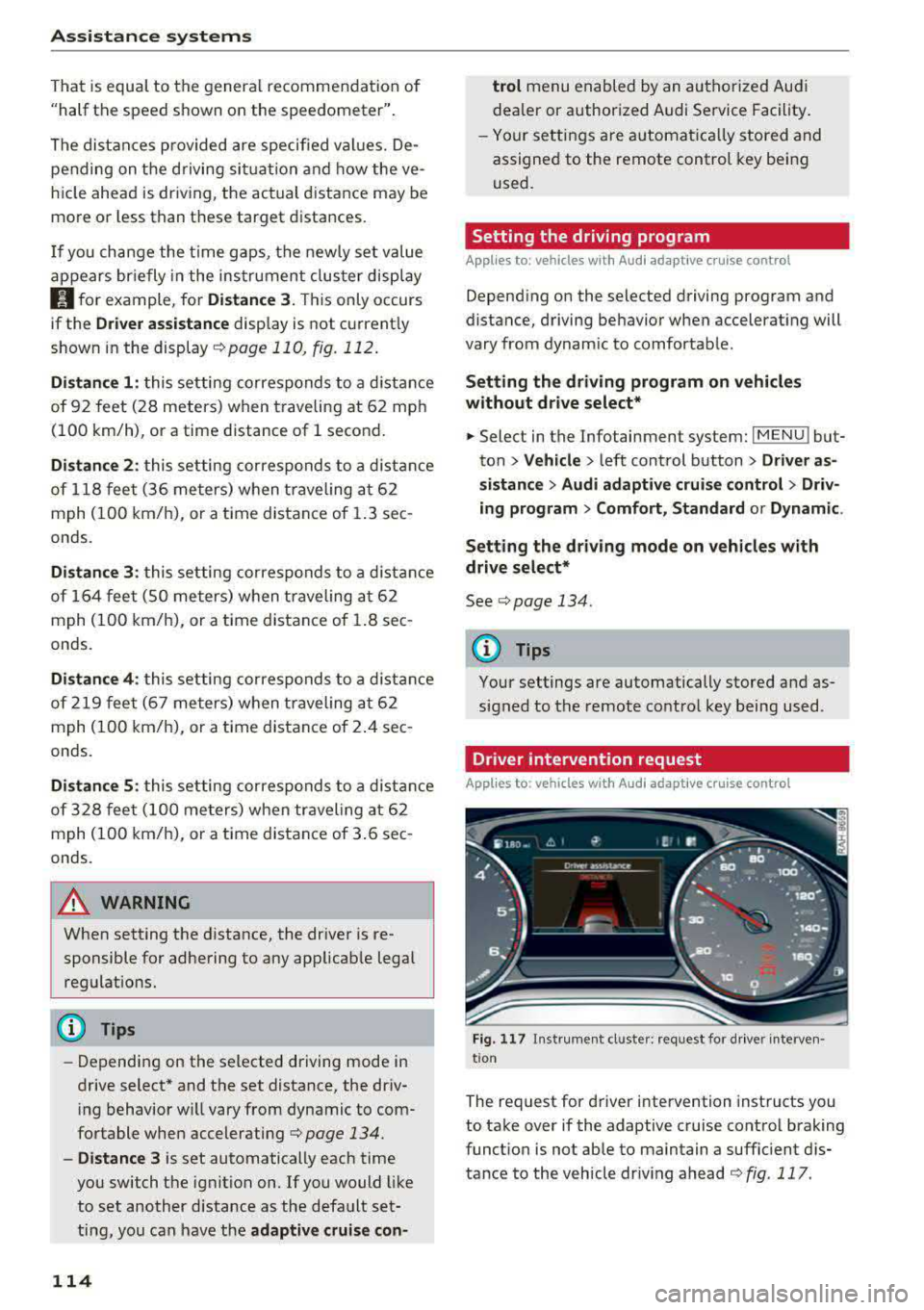
Driver intervention request
App lies to : vehicles with Aud i adapt ive cru ise control
F ig . 117 In strument cl uster: request for d river interven·
t ion
The request for d river intervention instructs you
to take over if the adaptive cruise control braking
funct ion is not able to maintain a suffic ient d is
tance to the vehicle dr iv ing ahead
r:!:> fig. 117 .
Page 117 of 403

Predictive control
(efficiency assist)
Description
A pp lies to: ve hicles with Audi adaptive cruise co ntro l an d pr e·
di ctive efficiency assist
Fig. 118 Instrument cluster: pred ictive control
General information
The predictive control 1l uses the map informa
tion from the navigation system in order to react
proact ively when driv ing. Information from the
camera-based traffic sign recognition* is also ap plied to recognize traffic signs
<:!)page 104.
When coming up to areas with speed limits or
changes in the course of the road (such as curves,
intersections or traffic circles), the system brakes
automatically and then accelerates back up to
the set speed .
When adaptive cruise control is switched off, the
system only provides notifications without con
trolled
interventions ¢ page 107.
The driver can override the predictive control at
any time by pressing the accelerator or brake
pedal. If the system changes the vehicle speed to
adapt to speed limits, you can change the speed
using the
lever ¢ page 112, fig. 113 .
Always switch off the predictive control in
the following situations:
- When increased attention is needed from the
driver .
- In poor weather conditions such as snow or
heavy rain.
0 -When driving on roads in poor condition . al ~ N
" N ~ 0 0
~ ll This is not ava ila ble in some co untrie s. al
Assistance systems
Indicator in the instrument cluster display
When switching on the adaptive cruise contro l
for the first time, the message
ACC: 11D + B ac
tive
in the instrument cluster indicates the avail·
ability of the predictive control.
T he symbol appears when the system
is regulating the speed to match a speed limit . If
this is the case, the system is reg ulating a speed
of 50 mph (80 km/h). The speed is then taken
over by the adaptive cruise control. The speed in
the speedometer LED ring adjusts to the speed to
be maintained
¢ page 110, fig . 112. The ..
¢ fig . 118 symbo l appears when there is an adap
tation to the route ahead .
If you are in the Driver assistance display in the
instrument cluster, then the following symbols
will indicate which occurrence the system is cur
rently responding to:
Symbol Meaning
MPH USA
models:
Speed limit
km/h
Canada models:
speed limiter
Ir
Curve
_l!L
1i1
Intersection
~ ): Traffic c ircle
A WARNING
- Read the warnings on ¢.&. in General infor
mation on page 109
and on¢ .&. in Descrip
tion on page 104 .
- Pay attention to traffic and the area around
your veh icle when predictive control is
switched on. The driver is always responsi
ble for assessing the traffic situation.
- There is an increase in the risk of an acci
dent, because the system does not consider
"right of way" rules and also does not re-
spond
to traffic lights. ._.
115
Page 118 of 403

Ass is tance sy stems
-The system only considers traffic s igns that
give a speed limit.
-The permitted speed can be exceeded if the
adaptation to a speed limit is incorrect. The
driver is responsible for adhering to the per
mitted speed .
-The speed at which a curve is driven through
does not necessarily match your own dr iving
sty le . Brake the vehicle yourself when need
ed to reduce the risk of a n accident.
(D Tips
-If a speed limit is detected, the stored
speed is also adjusted in the speedometer
LED line when the adaptive cruise control is
not act ive.
-The adaptation by the system depends on
the driving mode set in drive select* .
-Switching off pred ictive control , for exam
ple when dr iv ing in low traffic zones, does
not ca use the adaptive cru ise control to
switc h off .
-After switching on the ignit ion, the system
i nit ially adj usts to a speed of 80 mph
(130 km/h) when driving onto highways
without a spee d limit . T he n the system ad
ju sts to the last speed stored by the driver.
- T here is no adapt ation to speed limits when
driv ing through highway inte rchanges an d
when d riving on o r off the ex pres sway.
- T here is no pre dic tive con trol at speed limits
u nder 20 mph (30 km/h).
- If a speed limit is only detected by the cam
e ra and the actual speed is s ignific antly
higher, the n the speed limit will bli nk i n t he
dis play u nti l you have reached the re qui red
speed
¢ page 105 .
-Incorrect v alues from the camera -based
traffic sign recognition* or outdated naviga
tion system map data can lead to incorrect
or implausible contro l.
- When route guidance is switched o n, the
system adapts to the route provided by the
navigation system. Driving without route
g uidance or leaving a route can resu lt in im
plaus ible control.
116
-T he system switches of f when ou tside of a
road system that is recorded in the naviga
t ion system map data .
Setting predictive control
Applies to: vehicles with Audi adapt ive cru ise control and p re
dictive efficiency ass ist
.. Select in the Infotainment system: IMENU ! but
ton
> Vehicle > l eft control button > Driver as
sistance
> Audi adaptive crui se control > Pre·
dictive control.
Set speed limit -
when this function is switched
on, the system adjusts to the sp eed limits. This
can a lso be done with at to lerance, if desired. In
th is scenario, you may fall below or exceed the
set speed in favor of increased efficiency .
Adaptation to route ahead -when this function
is sw itched on, the system adapts to the route
ahead (such as reducing the speed in curves).
Traffic jam assist
Description
Applies to: vehicles with traffic jam assist
Trofficjom assist supports the driver when driv
ing in traffic jams or in heavy traffic.
F ig . 119 Turn s ig na l leve r: tra ffic ja m ass ist button
Fig. 12 0 Instrument cl uste r: traff ic jam ass ist
Page 123 of 403

-Activating the emergency flashers l).
The message Audi pre sense . ¢ page 121,
fig. 122 will warn you abo ut the danger.
Aud i drive select*: the trigger t imes are adjusted
depending on the mode selected.
Audi pre sense front
Description
Applies to: veh icles with Audi adaptive cruise control
Within the limits of the system, pre sense front
can warn you of impending collisions and initiate
the corresponding braking maneuvers or the sup porting measures when avoiding a collision .
If detected in time, the system can rank the dan
gerous situation as critical if a vehicle driving
ahead brakes suddenly, if your own vehicle is ap
proaching a significantly slower vehicle at high
speed or when there is an oncoming vehicle dur
in g a turning maneuver .
If detection is not possible, then pre sense front
does not react .
Warnings
Applies to: ve hicles with Audi adaptive cruise control
Fig. 122 In strument cluste r: approac h warning
General information
The system recognizes various dangerous situa
tions . The
early warning occurs if:
-a vehicle driving ahead brakes suddenly,
-your own vehicle approaches a significantly
a s lower vehicle or stationary vehicle in the direc-co
;::; tion of travel. ,....
N .... 0 0
3 1) This is not availa ble in some co untrie s. co
Assistance systems
When this warning occurs, it may only be possi
ble to avoid a collision by swerving or braking
strongly. The message
Audi pre sense.
¢ fig. 122 and a warning tone will warn you
about the danger .
If you do not react enough or not at all to a dan
gerous situation that was detected by the sys
tem, pre sense front provides assistance by ap plying the brakes .
If a collision is imminent, the system will first
provide an
acute warning by braking sharply. You
will also warned by an indicator in the instrument
cluster
display¢ fig. 122. If you do not react to
the acute warning, pre sense front can brake with i ncreasing fo rce within the limits of the
system
1>. This reduces the vehicle speed in the
event of a collision. At low vehicle speeds, pre
sense front can in itiate a complete deceleration
shortly before a collision with a vehicle driving
ahead
l). If pre sense front determines that you
are not braking strongly enough when a collision
is imminent, it can increase the braking force.
T he following functions trigger in conjunction
with pre sense basic/rear at corresponding vehi
cle speeds:
-Reversible tensioning of the front safety belts.
-Closing the windows and sunroof* .
-Inflating the side bolsters* on the seat back-
rest .
Audi drive select*: depending on the mode se lected, the reversible belt tensioner, the closing
of the w indows and sunroof*, and the inflating of
the side bolsters* on the seat backrest may not be active.
Evasive steering support
Evasive steering support helps you to steer the
vehicle around an obstacle in a critical situation .
If you avo id an obstacle after the acute warning,
then the evasive steer ing support ass ists you by
applying slight stee ring adjustment to correct
.,.
121
Page 125 of 403

a co .... N ,....
N .... 0 0
3 co
(D Note
The radar sensors can be displaced by impacts
or damage to the bumper, wheel housing and
underbody. Pre sense rear can be impaired by
this. Have an authorized Audi dealer or au
thorized Audi Service Facility check their func
tion .
(D Tips
-The pre sense rear functions switch off
when towing a trailer .
- The pre sense rear functions may also
switch off if there is a malfunction in the
side assist* system.
Audi pre sense city
Description
Applies to: vehicles with Audi pre sense city
Within the limits of the system, pre sense city
can warn you of impending collisions with
vehicles and pedestrians and initiate the applica
ble braking maneuver if needed. Pre sense city is
active at speeds of approximately 6 mph (10 km/ h) and higher.
A pedestrian warning can occur at speeds up to
50 mph (85 km/h), and vehicle warnings can oc
cur at speeds up to 155 mph (250 km/h) . A pre
sense city braking maneuver is poss ible at speeds
up to 50 mph (85 km/h).
Warnings
Applies to: vehicles with Audi pre sense city
The system recognizes various dangerous s itua
tions. The
early warning occurs if:
- a vehicle driving ahead brakes suddenly,
- your own vehicle approaches a significantly
slower vehicle or stationary veh icle in the direc
t ion of travel.
- a pedestrian is standing in the lane or is moving
i nto the lane .
When this warning occurs, it may only be possi ble to avoid a collision by swerving or braking
strongly. The message
Audi pre sense .
Assistance systems
¢page 121, fig. 122 and a warning tone will
warn you about the danger.
Additionally, a jerk on the brakes may occur as an
acute warning when there is an imp ending colli
sion . If you do not react to the acute warning, pre
sense city can brake to the point of complete de
celeration within the limits of the system . T his
reduces the vehicle speed in the event of a colli
sion. The message
Audi pre sense . also ap
pears.
The following functions are triggered in conjunc
tion with pre sense basic/rear:
- Reversible tensioning of the front safety belts.
- Closing the windows and sunroof* .
- Inflating the side bolsters* on the seat back-
rest.
Audi drive select*: the function is not act ive de
pending on the mode selected.
A WARNING
- Pre sense city cannot overcome the laws of
physics.
It is a system designed to assist and
it cannot prevent a coll is ion in every circum
stance. The driver must always intervene.
The driver is always responsible for braking
at the correct time. Do not let the increased
safety provided tempt you into taking risks.
This could increase your risk of a collision.
- The system can dep loy incorrectly due to
system-specific limits.
- To reduce the risk of an accident, please
note that the camera does not always detect
every object.
- Pre sense city does not react to anima ls,
crossing or oncoming vehicles, objects such
as bars, railings or railcars, and objects that
are difficult to
detect ¢ A in General infor
mation on page 109 .
-In trailer mode, the braking behavior of the
tra iler can be d ifferent than usual during au
tomatic braking.
A WARNING
-Pre sense city may be restricted or not availa-
ble in the following example situations:
- in heavy fog, ra in, spray or snow
~
123
Page 126 of 403

Assistance systems
-when there are visual obstr uctions, such as
glare, reflections or variations in light
- when it is dark
- if the camera window or the windshie ld is
dirty, iced over, damaged or covered
- when driving on snow, ice or loose ground
- in curves
- if the ESC was restricted or switched off
- when towing a tra iler
- when the driver's seat belt is unfastened
- up to ten seconds after switching on the ig-
nition
(D Note
Impacts or damage to the camera mount on
the windshield can disp lace the sensor . Pre
sense city can be impa ired by this. Have an au
thorized Audi dealer or authorized Aud i Serv
ice Facility check the ir funct ion.
{D) Tips
- You can cancel the system braking interven
tion if you accelerate considerably or swerve
away.
- Keep in mind that pre sense city can brake
unexpectedly. Always secure any cargo or
objects that you are transport ing to reduce
the r isk of damage or injury.
- Specific pre sense city funct ions sw itch off
when the ESC is limited or switched
off
¢ page 147 or the hill descent assist* is
switched on
¢page 148.
-When there is a malfunction in the camera,
the pre sense city funct ions also switch off.
Settings in the
Infotainment system
A pp lies to: ve hicles w ith Audi p re se nse
.,. Select in the Infotainment system: IMENU I but
ton
> Vehicle > left control button > Driver as
sistance
> Audi pre sense.
Turn on/off Audi pre sense
-the pre sense func
tions can be turned on and
off.
124
If the system is switched off, it switches on again
automatica lly once the ignition is switched on
again.
Early warning -the early warning can be switch
ed
off or the pre sense city/front warning point
can be set
( Early /Medium /Late ).
Set the warning time for the early warning to
Early at first . If this causes undesi red early warn
ings to appear, then set the warning time to
Me
dium .
The Late warning time should only be set
i n spec ial circumstances, for example, when driv
i ng with a very dynamic style.
(D Tips
Your settings are automatically stored and as
signed to the remote control key being used.
Messages
Applies to: vehicles wi th Audi pre sense
II Audi pre sense: malfunction! Please contact
Service
This message appears when the pre sense func
tion is affected . For example, th is could be
ca used by a faulty sensor. Drive to an authorized
Audi dealer or authorized Audi Service Facility im mediately to have the malfunction corrected.
II Audi pre sense currently restricted . Restrict
ed sensor vision due to surroundings. See own
er 's manual
This message appears if the radar sensor and
camera view is obstructed, for example by leaves,
snow, heavy spray or dirt. If necessary, clean the
sensors and the area around the camera
¢ page 109, fig . 108 or ¢page 129, fig. 130 .
II Audi pre sense: currently restricted. Towing
mode
For vehicles wi th a trailer hitch installed at the
factory, the pre sense rear functions switch
off
when the electrical connector at the socket is
plugged in. There is no guarantee the functions
will switch
off when using a retrofitted trailer
hitch.
II Audi pre sense: currently restricted