warning AUDI S5 2008 8T / 1.G Service Manual
[x] Cancel search | Manufacturer: AUDI, Model Year: 2008, Model line: S5, Model: AUDI S5 2008 8T / 1.GPages: 294, PDF Size: 12.13 MB
Page 69 of 294
Downloaded from www.Manualslib.com manuals search engine Lights and vision67
Controls
Safety
Driving tips
General maintenance
Self-help
Technical data Memory for exterior mirrors*
On vehicles with memory function for the driver's seat, the setting
of the exterior mirrors is automatically stored together with the seat
position ⇒page 72.
Tilting function for exterior mirror on passenger side*
(only if equipped with memory for exterior mirrors)
When reverse gear is engaged, the mirror surface tilts slightly
downwards, provided the mirror control is switched to the exterior
mirror on the passenger's side (knob in position ⇒page 66,
fig. 68). This provides a better view of the kerb when parking.
The mirror returns to its original position when reverse gear is
disengaged and the vehicle is driven forwards at a speed above
about 15 km/h. The mirror will also return to its original position
when the adjuster knob is turned to the position for the driver's
exterior mirror or when the ignition is switched off.
If the position of the mirror surface is changed while the mirror is
tilted, this new position is automatically stored and assigned to the
remote control key when you disengage reverse gear.
Caution
•
Convex or wide-angle* exterior mirrors give a larger field of
vision. However, they also make objects appear further away than
they actually are. For this reason, you should not rely on these
mirrors for judging the distance of vehicles behind.
•
If one of the mirror housings is knocked out of position (e.g.
when parking), the mirrors must first be fully retracted with the elec-
tric control. Do not readjust the mirror housing by hand, as this will
interfere with the mirror adjuster function.Note
If the electrical adjustment should ever fail to operate, the mirrors
can be adjusted by hand by lightly pressing the edge of the mirror
glass.
Applies to vehicles: with automatic anti-dazzle adjustment for exterior mirrorsAutomatic anti-dazzle adjustment for exterior mirrorsThe exterior mirrors darken together with the automatically
adjusting interior mirror. When the ignition is on, the mirrors will
darken automatically according to the amount of light received (for
example from the headlights of a vehicle behind).
When the interior lights are switched on, or when reverse gear is
engaged, the mirrors revert to their original (i.e. not darkened)
condition.
WARNING
Electrolyte fluid can leak from a broken mirror. This fluid can cause
irritation to the skin, eyes, and respiratory organs. Wash thor-
oughly with clean water should you come into contact with this
fluid. Seek medical assistance if needed.
Caution
Electrolyte fluid leaking from a broken mirror can cause damage to
the paintwork or plastic surfaces. Use a sponge or similar to remove
the fluid as soon as possible.
Note
•
If you switch off the anti-dazzle function for the interior mirror,
this will also deactivate the anti-dazzle function for the exterior
mirrors.
•
The automatic anti-dazzle function will only work properly if the
sun blind* for the rear window is not in use and there are no other
objects preventing light from reaching the interior mirror.
AR
AL
document_0900452a81793dcc.book Seite 67 Mittwoch, 21. März 2007 5:42 17
Page 71 of 294
Downloaded from www.Manualslib.com manuals search engine Lights and vision69
Controls
Safety
Driving tips
General maintenance
Self-help
Technical data
Applies to vehicles: with digital compassCalibrating compass
The compass must be re-calibrated if the display is incor-
rect or inaccurate.– Press and hold button until the letter C appears in the
interior mirror.
– Drive in a circle at a speed of about 10 km/h until a point
of the compass is displayed in the interior mirror.
WARNING
Calibrate your compass at a location where there is no traffic so
that you do not endanger yourself or other road users (accident
risk).
AA
document_0900452a81793dcc.book Seite 69 Mittwoch, 21. März 2007 5:42 17
Page 72 of 294
Downloaded from www.Manualslib.com manuals search engine Seats and storage 70Seats and storageElectric adjustment of front seatsApplies to vehicles: with electric seat adjustmentSeat adjuster controls
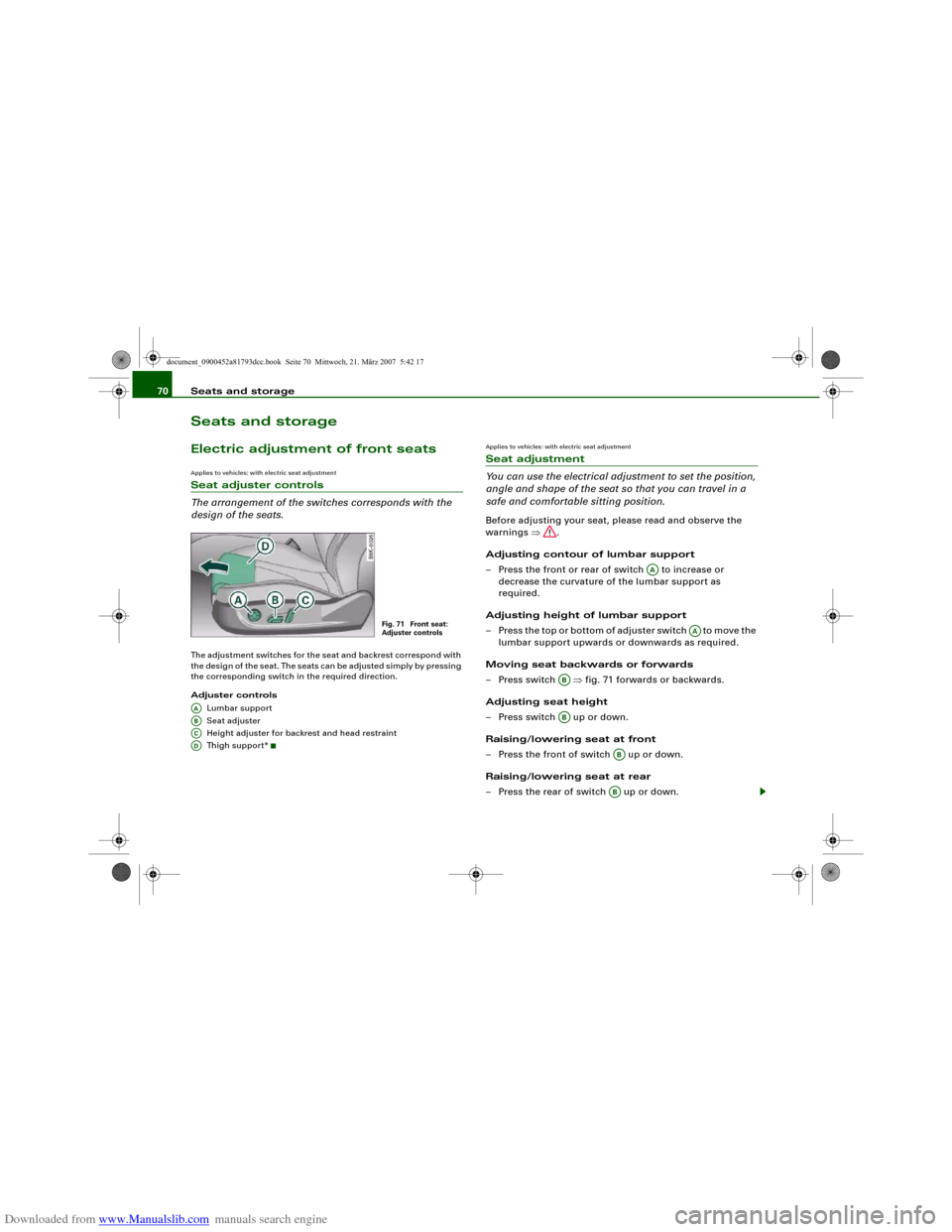
The arrangement of the switches corresponds with the
design of the seats.The adjustment switches for the seat and backrest correspond with
the design of the seat. The seats can be adjusted simply by pressing
the corresponding switch in the required direction.
Adjuster controls
Lumbar support
Seat adjuster
Height adjuster for backrest and head restraint
Thigh suppor t*
Applies to vehicles: with electric seat adjustmentSeat adjustment
You can use the electrical adjustment to set the position,
angle and shape of the seat so that you can travel in a
safe and comfortable sitting position.Before adjusting your seat, please read and observe the
warnings ⇒.
Adjusting contour of lumbar support
– Press the front or rear of switch to increase or
decrease the curvature of the lumbar support as
required.
Adjusting height of lumbar support
– Press the top or bottom of adjuster switch to move the
lumbar support upwards or downwards as required.
Moving seat backwards or forwards
– Press switch ⇒fig. 71 forwards or backwards.
Adjusting seat height
– Press switch up or down.
Raising/lowering seat at front
– Press the front of switch up or down.
Raising/lowering seat at rear
– Press the rear of switch up or down.
Fig. 71 Front seat:
Adjuster controls
AAABACAD
AA
AA
ABAB
ABAB
document_0900452a81793dcc.book Seite 70 Mittwoch, 21. März 2007 5:42 17
Page 73 of 294
Downloaded from www.Manualslib.com manuals search engine Seats and storage71
Controls
Safety
Driving tips
General maintenance
Self-help
Technical data
Adjusting backrest angle
– Press switch forwards or backwards.
Adjusting head restraint height
– Press switch up or down.
Extending or shortening the thigh support*
– Lift the control below the seat cushion. The front seat
cushion will spring forward.
– Slide the seat cushion back to the normal position after
each use.
WARNING
•
Never adjust the driver's seat when the vehicle is moving - this
could lead to an accident.
•
The electrical seat adjustment also works when the ignition is
off and when the key is not in the ignition. To avoid accidental inju-
ries, never leave children unattended in the vehicle.
•
Be careful when adjusting the seat height. Careless or uncon-
trolled use of the height adjustment can cause injuries.
•
Do not drive with the backrests of the front seats reclined too
far as otherwise the seat belt and airbag could fail to restrain the
wearer properly in an accident, possibly leading to injury.
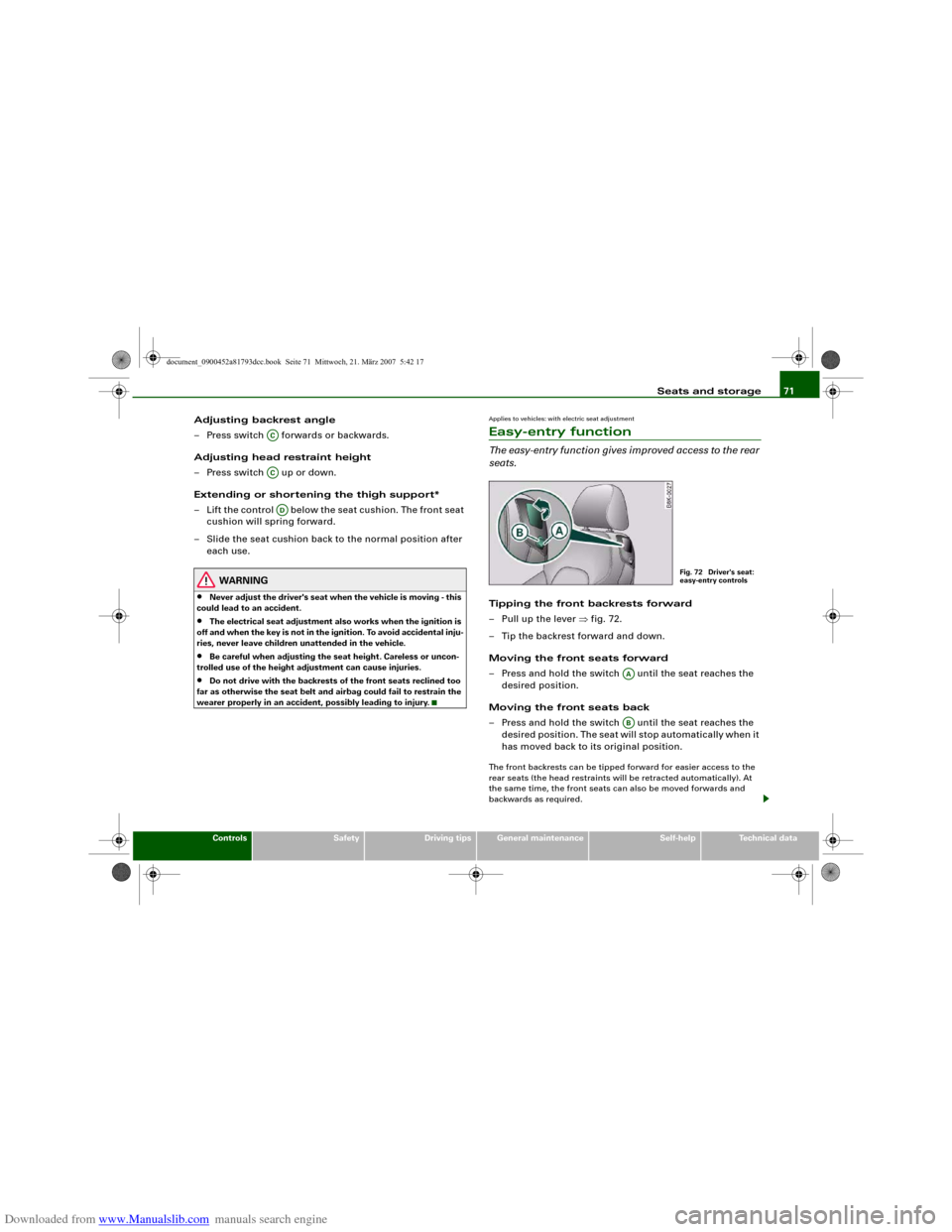
Applies to vehicles: with electric seat adjustmentEasy-entry functionThe easy-entry function gives improved access to the rear
seats.Tipping the front backrests forward
– Pull up the lever ⇒fig. 72.
– Tip the backrest forward and down.
Moving the front seats forward
– Press and hold the switch until the seat reaches the
desired position.
Moving the front seats back
– Press and hold the switch until the seat reaches the
desired position. The seat will stop automatically when it
has moved back to its original position.The front backrests can be tipped forward for easier access to the
rear seats (the head restraints will be retracted automatically). At
the same time, the front seats can also be moved forwards and
backwards as required.
ACACAD
Fig. 72 Driver's seat:
easy-entry controls
AAAB
document_0900452a81793dcc.book Seite 71 Mittwoch, 21. März 2007 5:42 17
Page 75 of 294
Downloaded from www.Manualslib.com manuals search engine Seats and storage73
Controls
Safety
Driving tips
General maintenance
Self-help
Technical data
Recalling settings
– If the driver's door is open, press the desired recall
button briefly.
– If the driver's door is closed, press and hold down the
desired recall button until the programmed settings are
reached.A tone will sound and the diode in the button ⇒page 72,
fig. 73 will light up to confirm that the settings have been stored.
When you lock the vehicle the current settings are automatically
stored and assigned to the remote control key. However, the
settings assigned to the remote control key will not overwrite the
settings stored on recall buttons 1 and 2. The settings stored on the
recall buttons can be called up at any time. When you unlock the
vehicle, the settings assigned to the remote control key are recalled
automatically.
If your vehicle is also driven by other persons using your remote
control key, it is advisable to store your personal settings on one of
the recall buttons. You can then recall your own settings at any time
simply by pressing the corresponding recall button. When you lock
the vehicle these settings are then stored automatically and
assigned once again to the remote control key.
WARNING
•
For safety reasons, never recall seat settings when the vehicle
is moving - this could lead to an accident.
•
In an emergency the recall function can be stopped at any time
by pressing the switch, or by briefly pressing any of the
recall buttons.
Applies to vehicles: with seat memoryActivating memory for remote control key
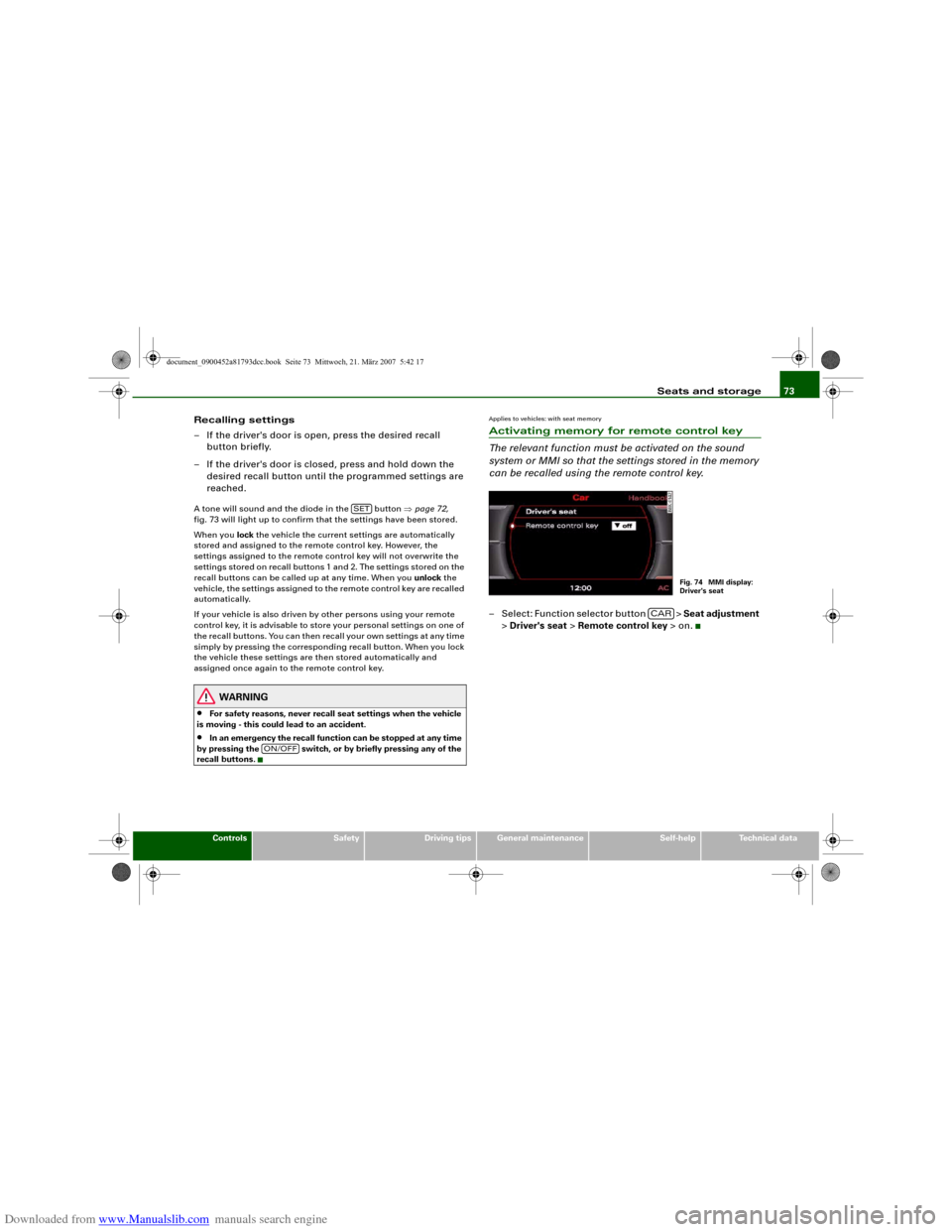
The relevant function must be activated on the sound
system or MMI so that the settings stored in the memory
can be recalled using the remote control key.– Select: Function selector button > Seat adjustment
> Driver's seat > Remote control key > on.
SET
ON/OFF
Fig. 74 MMI display:
Driver's seat
CAR
document_0900452a81793dcc.book Seite 73 Mittwoch, 21. März 2007 5:42 17
Page 78 of 294
Downloaded from www.Manualslib.com manuals search engine Seats and storage 76
To maintain safe handling on the road, please observe the
following points:
– Distribute the weight as evenly as possible.
– Position heavy items as far forward as possible
⇒page 75, fig. 79.
– Secure the load with the luggage net* or with non-elastic
straps secured to the fastening rings* ⇒page 76.
WARNING
•
Unsecured objects in the luggage compartment can suddenly
shift and cause changes in the handling of the vehicle.
•
In an accident or a sudden manoeuvre, loose objects in the
passenger compartment can be flung forward and possibly injure
vehicle occupants.
•
Always store objects in the luggage compartment and secure
with suitable straps. This is especially important for heavy
objects.
•
When you transport heavy objects, always keep in mind that a
change of the centre of gravity can also cause changes in vehicle
handling.
•
Please observe the important safety warnings ⇒page 152,
“Safe driving”.Note
Adjust the tyre pressure to match the vehicle loading - the correct
pressures are specified on the sticker on the end face of the driver's
door.
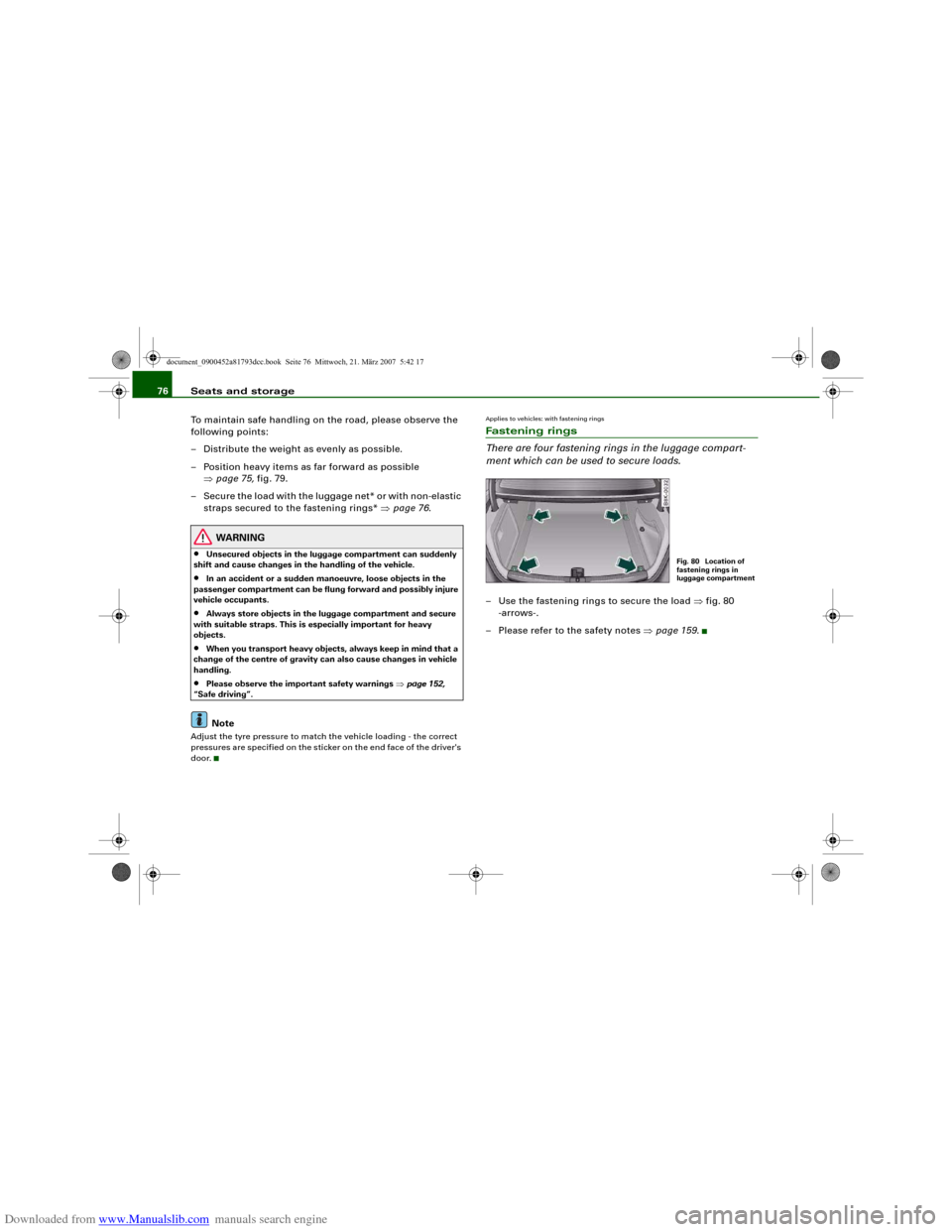
Applies to vehicles: with fastening ringsFastening rings
There are four fastening rings in the luggage compart-
ment which can be used to secure loads.– Use the fastening rings to secure the load ⇒fig. 80
-arrows-.
– Please refer to the safety notes ⇒page 159.
Fig. 80 Location of
fastening rings in
luggage compartment
document_0900452a81793dcc.book Seite 76 Mittwoch, 21. März 2007 5:42 17
Page 79 of 294
Downloaded from www.Manualslib.com manuals search engine Seats and storage77
Controls
Safety
Driving tips
General maintenance
Self-help
Technical data
Applies to vehicles: with stretch netStretch net / retaining net
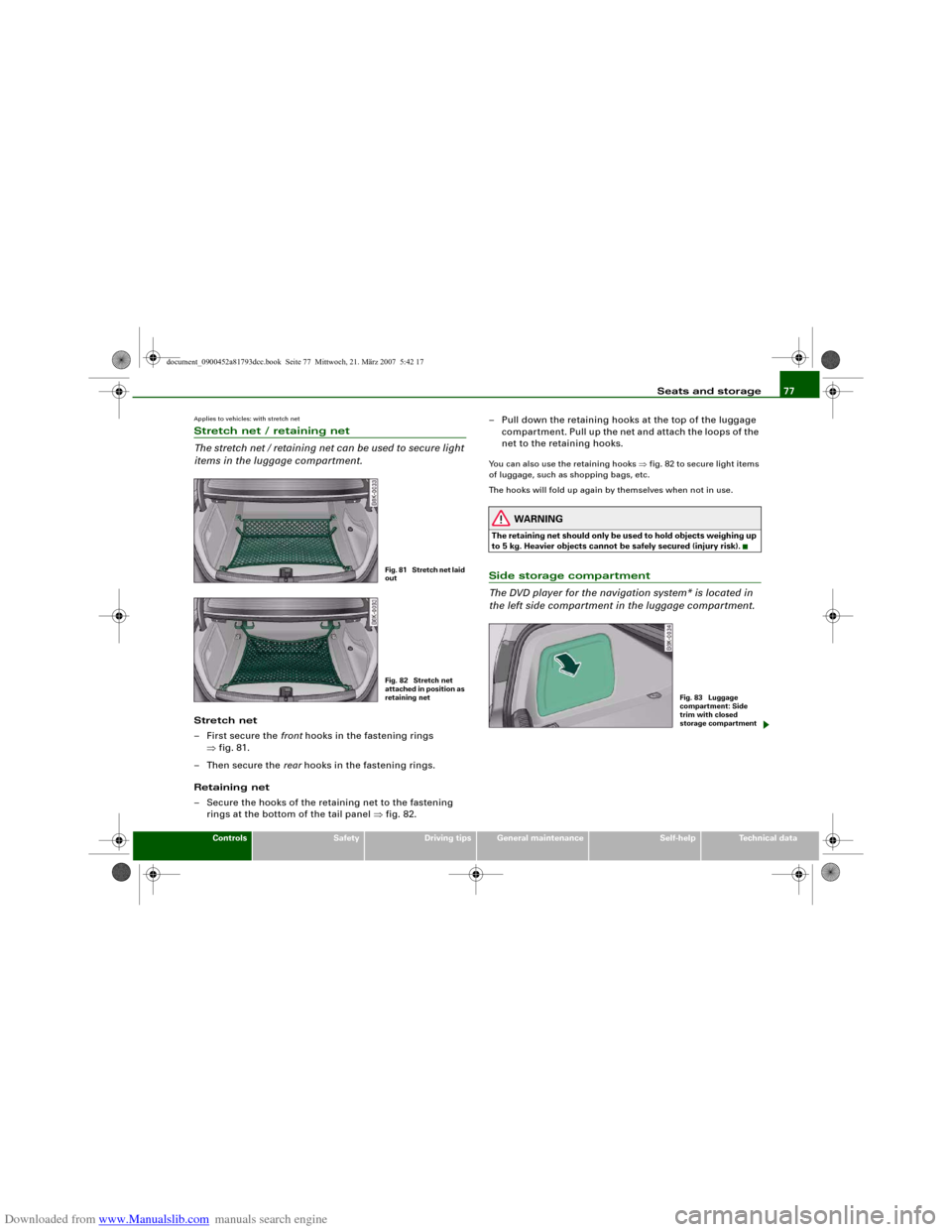
The stretch net / retaining net can be used to secure light
items in the luggage compartment.Stretch net
– First secure the front hooks in the fastening rings
⇒fig. 81.
–Then secure the rear hooks in the fastening rings.
Retaining net
– Secure the hooks of the retaining net to the fastening
rings at the bottom of the tail panel ⇒fig. 82.– Pull down the retaining hooks at the top of the luggage
compartment. Pull up the net and attach the loops of the
net to the retaining hooks.
You can also use the retaining hooks ⇒fig. 82 to secure light items
of luggage, such as shopping bags, etc.
The hooks will fold up again by themselves when not in use.
WARNING
The retaining net should only be used to hold objects weighing up
to 5 kg. Heavier objects cannot be safely secured (injury risk).Side storage compartment
The DVD player for the navigation system* is located in
the left side compartment in the luggage compartment.
Fig. 81 Stretch net laid
outFig. 82 Stretch net
attached in position as
retaining net
Fig. 83 Luggage
compartment: Side
trim with closed
storage compartment
document_0900452a81793dcc.book Seite 77 Mittwoch, 21. März 2007 5:42 17
Page 81 of 294
Downloaded from www.Manualslib.com manuals search engine Seats and storage79
Controls
Safety
Driving tips
General maintenance
Self-help
Technical data
Returning backrest to an upright position
– Push the backrest up again until it engages securely
⇒. The red marking on the safety knob ⇒page 78,
fig. 86 should no longer be visible when the backrest is
properly secured.When the backrest is properly engaged in its upright position, it can
be locked and unlocked with the key. This prevents unauthorised
access to the luggage compartment from inside the vehicle.
The luggage compartment can only be extended from the boot
when the backrest is not locked with the key.
WARNING
The rear backrest must always be securely latched so that objects
stored in the luggage compartment will not fly forward during
sudden braking.
Caution
When returning the backrest to an upright position, make sure that
the seat belts for the rear seats are in their guides so that they
cannot be caught up and damaged in the catches for the backrest.
It is also important to remove any other objects from the rear seats
to avoid damaging the backrest when folding it forwards.
Applies to vehicles: with folding backrestsExtending the luggage compartment from inside the vehicle
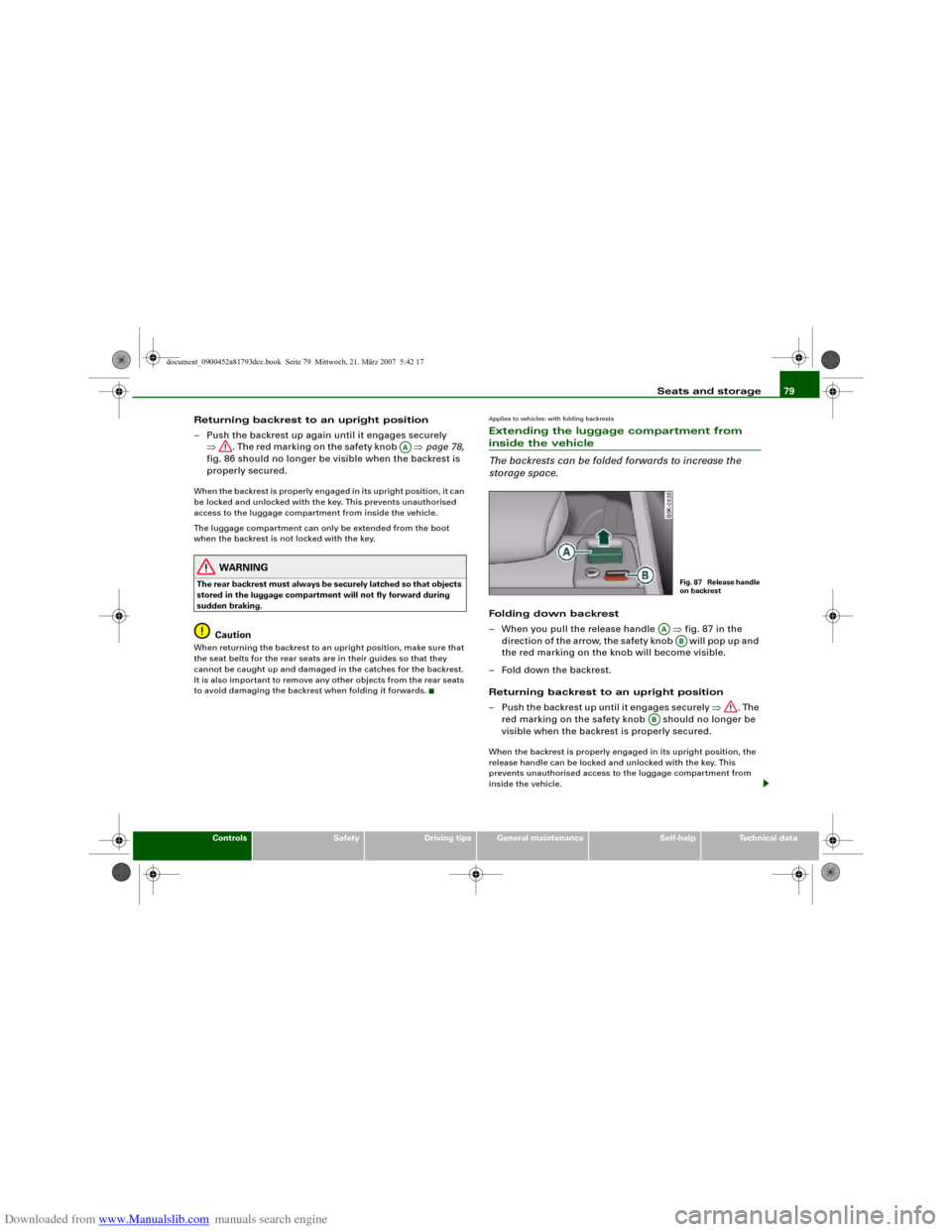
The backrests can be folded forwards to increase the
storage space.Folding down backrest
– When you pull the release handle ⇒fig. 87 in the
direction of the arrow, the safety knob will pop up and
the red marking on the knob will become visible.
– Fold down the backrest.
Returning backrest to an upright position
– Push the backrest up until it engages securely ⇒. The
red marking on the safety knob should no longer be
visible when the backrest is properly secured.When the backrest is properly engaged in its upright position, the
release handle can be locked and unlocked with the key. This
prevents unauthorised access to the luggage compartment from
inside the vehicle.
AA
Fig. 87 Release handle
on backrest
AA
AB
AB
document_0900452a81793dcc.book Seite 79 Mittwoch, 21. März 2007 5:42 17
Page 82 of 294
Downloaded from www.Manualslib.com manuals search engine Seats and storage 80
WARNING
The rear backrest must always be securely latched so that objects
stored in the luggage compartment will not fly forward during
sudden braking.
Caution
When returning the backrest to an upright position, make sure that
the seat belts for the rear seats are in their guides so that they
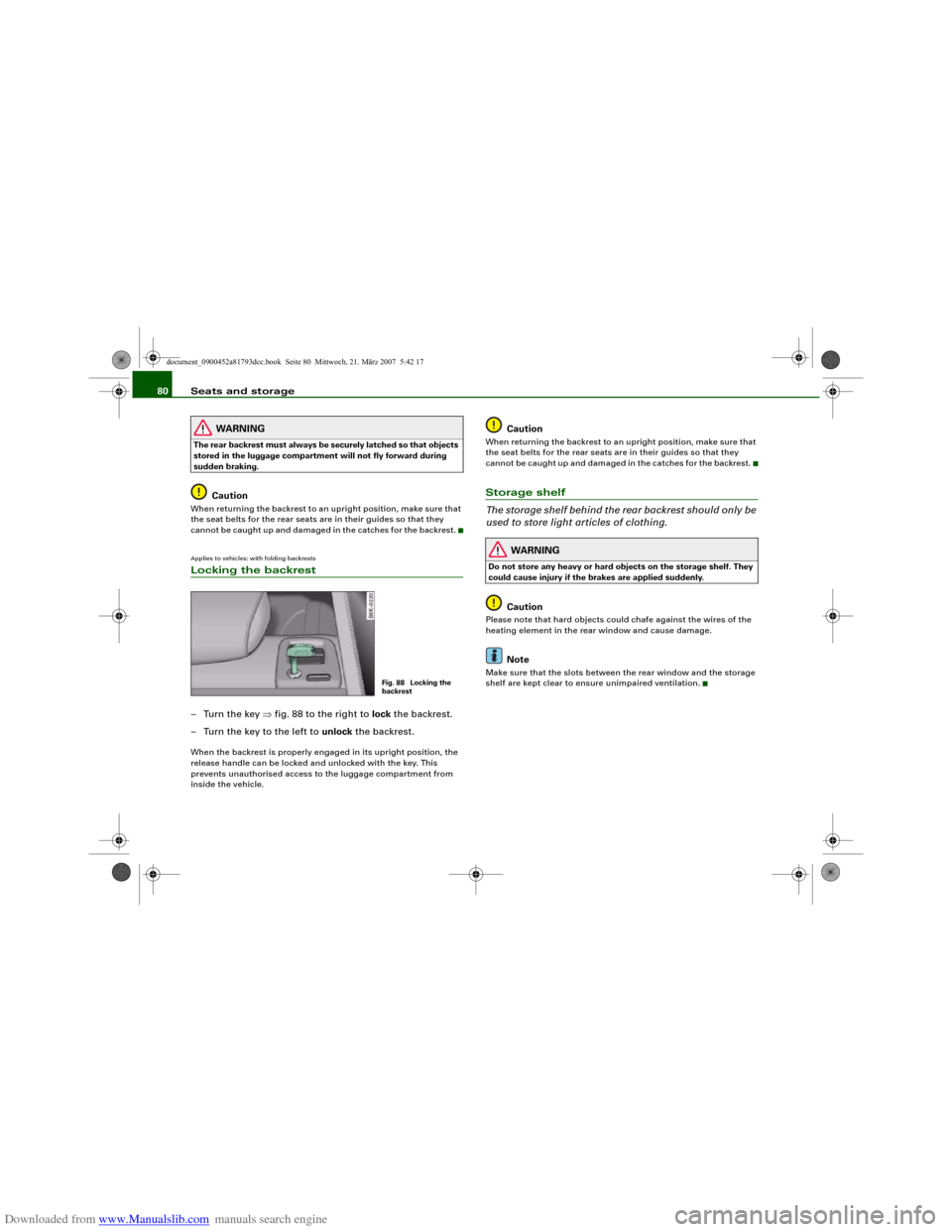
cannot be caught up and damaged in the catches for the backrest.Applies to vehicles: with folding backrestsLocking the backrest–Turn the key ⇒fig. 88 to the right to lock the backrest.
– Turn the key to the left to unlock the backrest.When the backrest is properly engaged in its upright position, the
release handle can be locked and unlocked with the key. This
prevents unauthorised access to the luggage compartment from
inside the vehicle.
Caution
When returning the backrest to an upright position, make sure that
the seat belts for the rear seats are in their guides so that they
cannot be caught up and damaged in the catches for the backrest.Storage shelf
The storage shelf behind the rear backrest should only be
used to store light articles of clothing.
WARNING
Do not store any heavy or hard objects on the storage shelf. They
could cause injury if the brakes are applied suddenly.
Caution
Please note that hard objects could chafe against the wires of the
heating element in the rear window and cause damage.
Note
Make sure that the slots between the rear window and the storage
shelf are kept clear to ensure unimpaired ventilation.
Fig. 88 Locking the
backrest
document_0900452a81793dcc.book Seite 80 Mittwoch, 21. März 2007 5:42 17
Page 83 of 294
Downloaded from www.Manualslib.com manuals search engine Seats and storage81
Controls
Safety
Driving tips
General maintenance
Self-help
Technical data
Applies to vehicles: with load-through hatchLoad-through hatch
You can use the load-through hatch and bag to transport
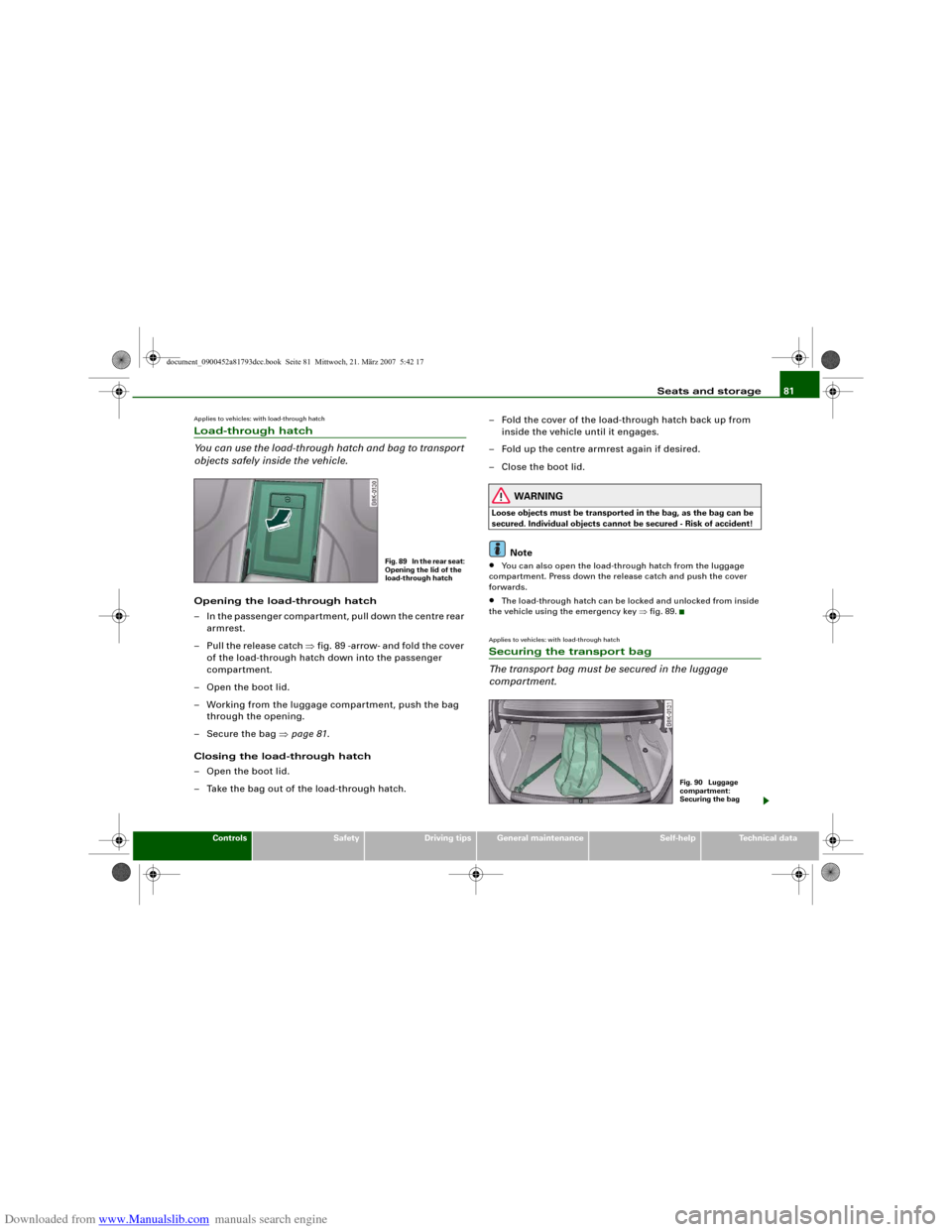
objects safely inside the vehicle.Opening the load-through hatch
– In the passenger compartment, pull down the centre rear
armrest.
– Pull the release catch ⇒fig. 89 -arrow- and fold the cover
of the load-through hatch down into the passenger
compartment.
– Open the boot lid.
– Working from the luggage compartment, push the bag
through the opening.
– Secure the bag ⇒page 81.
Closing the load-through hatch
– Open the boot lid.
– Take the bag out of the load-through hatch.– Fold the cover of the load-through hatch back up from
inside the vehicle until it engages.
– Fold up the centre armrest again if desired.
– Close the boot lid.
WARNING
Loose objects must be transported in the bag, as the bag can be
secured. Individual objects cannot be secured - Risk of accident!
Note
•
You can also open the load-through hatch from the luggage
compartment. Press down the release catch and push the cover
forwards.
•
The load-through hatch can be locked and unlocked from inside
the vehicle using the emergency key ⇒fig. 89.
Applies to vehicles: with load-through hatchSecuring the transport bag
The transport bag must be secured in the luggage
compartment.
Fig. 89 In the rear seat:
Opening the lid of the
load-through hatch
Fig. 90 Luggage
compartment:
Securing the bag
document_0900452a81793dcc.book Seite 81 Mittwoch, 21. März 2007 5:42 17