warning AUDI S5 2008 8T / 1.G Repair Manual
[x] Cancel search | Manufacturer: AUDI, Model Year: 2008, Model line: S5, Model: AUDI S5 2008 8T / 1.GPages: 294, PDF Size: 12.13 MB
Page 102 of 294
Downloaded from www.Manualslib.com manuals search engine Heating and cooling 100Power management
To prevent the battery from becoming discharged and to maintain
the necessary power level, the system will temporarily shut off the
electrical components that are using a lot of power, or reduce the
current they are consuming ⇒page 192. Heating systems in partic-
ular use a large amount of electrical power. If you notice, for
instance, that the rear window heater is not working, it may have
been temporarily switched off by the power management function,
or regulated to a lower heat output. These systems will be available
again as soon as sufficient electrical power is available.
WARNING
For safety reasons it is important that all the windows are kept
free of ice, snow and condensation. These can cause poor visibility
and lead to an accident. Please familiarise yourself with the oper-
ating controls for the air conditioner, including the demist/defrost
functions for the windows.
Caution
•
If you suspect that the air conditioner is damaged, switch it off
to prevent further damage and have the system checked by a quali-
fied workshop.
•
Repairs to the air conditioning system require specialist knowl-
edge and special tools. For this reason, please contact a qualified
workshop if the system is not working properly.Note
•
Keep the air intake slots in front of the windscreen clear of snow,
ice and leaves to ensure unimpaired heating and cooling, and to
prevent the windows misting over.
•
The air from the outlets flows through the passenger compart-
ment and out through the slots at the rear of the vehicle. Do not
cover these slots with clothing or other objects.
•
The air conditioner operates most effectively with the windows
and the tilting panorama roof* closed. However, if the vehicle has
heated up after standing in the sun for some time, the air inside can
be cooled more quickly by opening the windows for a short time.
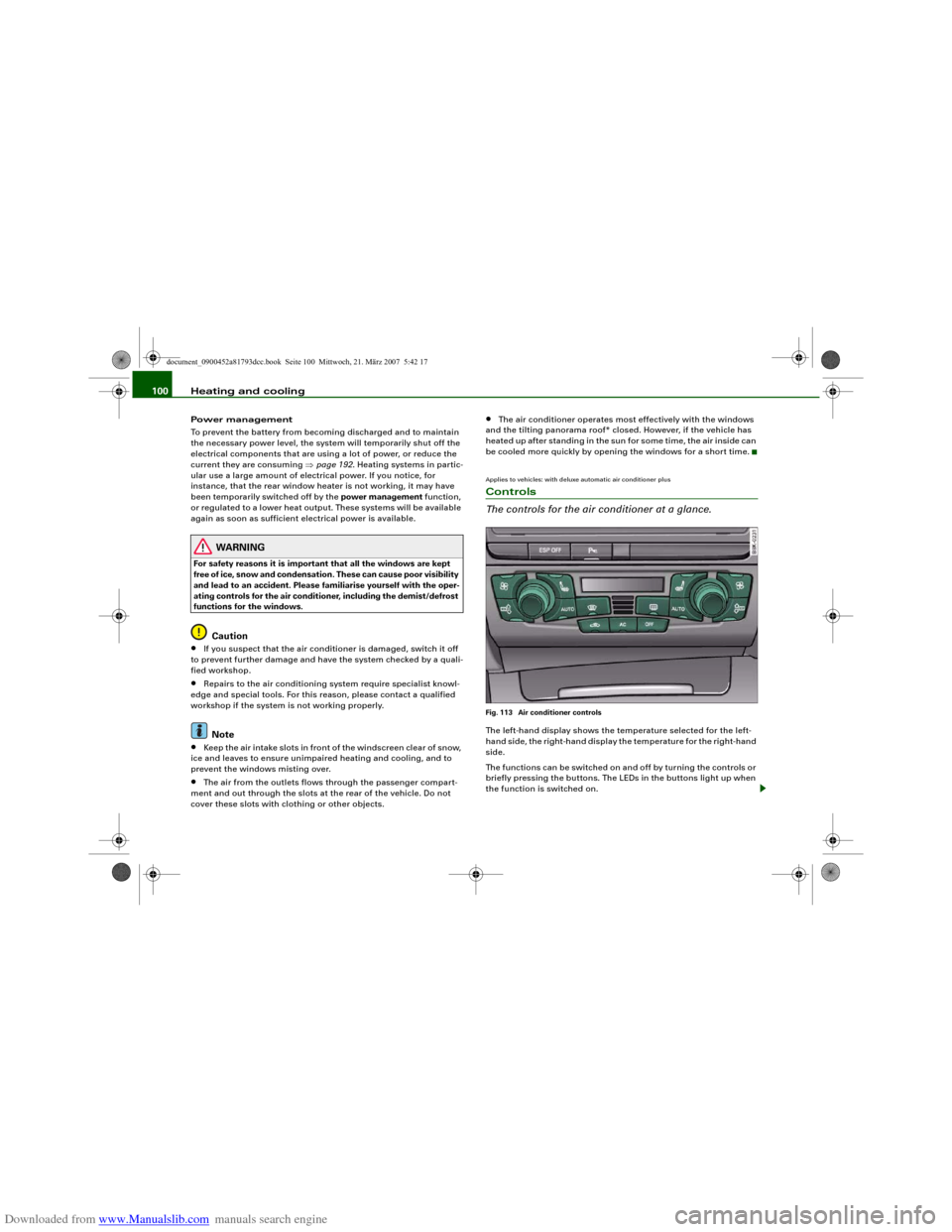
Applies to vehicles: with deluxe automatic air conditioner plusControls
The controls for the air conditioner at a glance.Fig. 113 Air conditioner controlsThe left-hand display shows the temperature selected for the left-
hand side, the right-hand display the temperature for the right-hand
side.
The functions can be switched on and off by turning the controls or
briefly pressing the buttons. The LEDs in the buttons light up when
the function is switched on.
document_0900452a81793dcc.book Seite 100 Mittwoch, 21. März 2007 5:42 17
Page 105 of 294
Downloaded from www.Manualslib.com manuals search engine Heating and cooling103
Controls
Safety
Driving tips
General maintenance
Self-help
Technical data
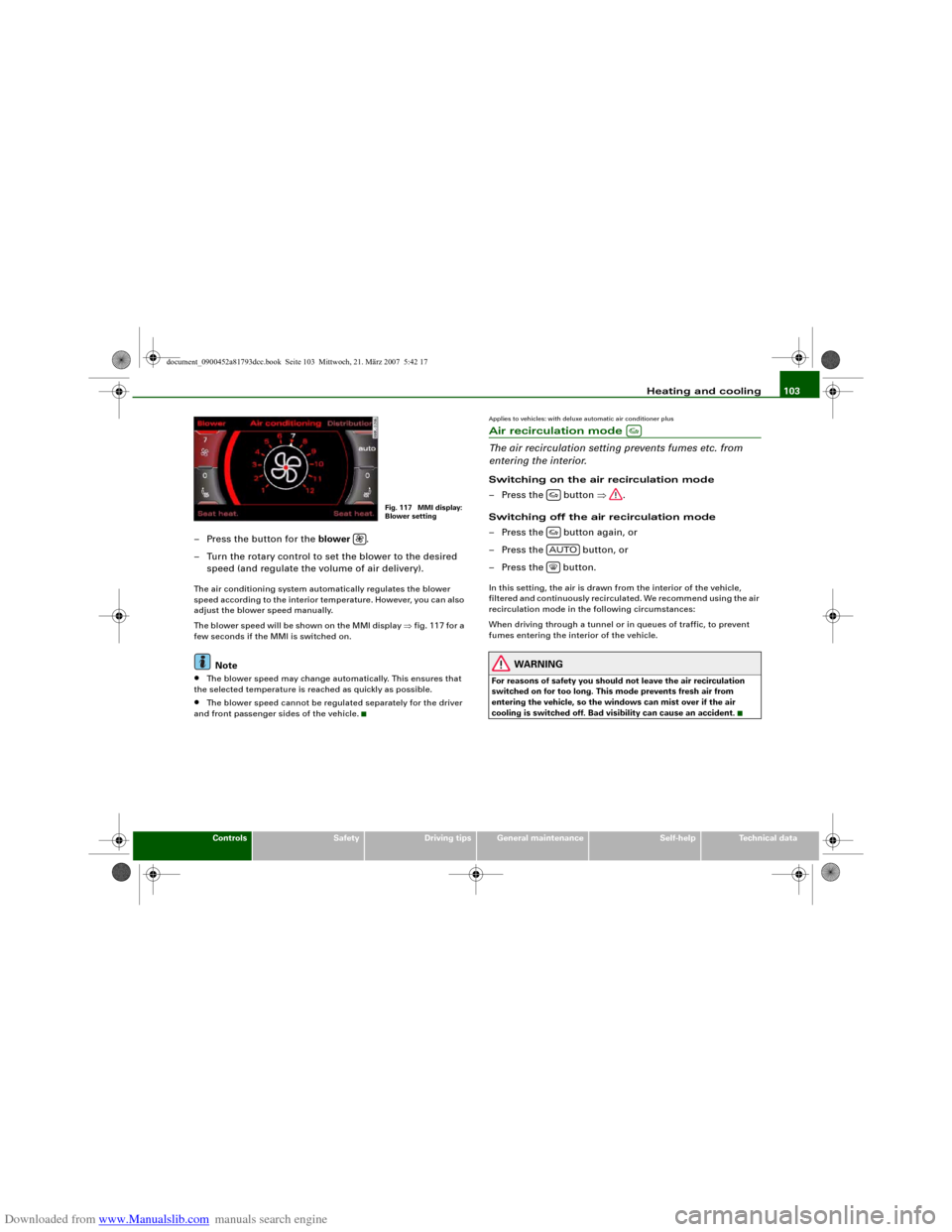
– Press the button for the blower .
– Turn the rotary control to set the blower to the desired
speed (and regulate the volume of air delivery).The air conditioning system automatically regulates the blower
speed according to the interior temperature. However, you can also
adjust the blower speed manually.
The blower speed will be shown on the MMI display ⇒fig. 117 for a
few seconds if the MMI is switched on.
Note
•
The blower speed may change automatically. This ensures that
the selected temperature is reached as quickly as possible.
•
The blower speed cannot be regulated separately for the driver
and front passenger sides of the vehicle.
Applies to vehicles: with deluxe automatic air conditioner plusAir recirculation mode
The air recirculation setting prevents fumes etc. from
entering the interior.Switching on the air recirculation mode
– Press the button ⇒.
Switching off the air recirculation mode
– Press the button again, or
– Press the button, or
– Press the button.In this setting, the air is drawn from the interior of the vehicle,
filtered and continuously recirculated. We recommend using the air
recirculation mode in the following circumstances:
When driving through a tunnel or in queues of traffic, to prevent
fumes entering the interior of the vehicle.
WARNING
For reasons of safety you should not leave the air recirculation
switched on for too long. This mode prevents fresh air from
entering the vehicle, so the windows can mist over if the air
cooling is switched off. Bad visibility can cause an accident.
Fig. 117 MMI display:
Blower setting
AUTO
document_0900452a81793dcc.book Seite 103 Mittwoch, 21. März 2007 5:42 17
Page 110 of 294
Downloaded from www.Manualslib.com manuals search engine Heating and cooling 108The automatic air recirculation can switch itself off in certain condi-
tions. If the outside temperature is less than about +10 °C, the auto-
matic air recirculation will only operate for 30 seconds. If the air
conditioner is switched to the ECON mode, or if the outside temper-
ature is less than about -1 °C, the automatic air recirculation will
only operate for 15 seconds.Applies to vehicles: with deluxe automatic air conditioner plusSynchronisation
The air conditioner settings can be synchronised for all
passengers.When the synchronisation function is on, the driver's settings are
also applied to the front passenger or vice versa. Any subsequent
changes to the air conditioner settings (except for the seat heating*)
are also applied to the other occupant.
You can still change the setting on the “synchronised” side (this will
deactivate the synchronisation function).Auxiliary heating and auxiliary
ventilationApplies to vehicles: with auxiliary heating - under development at the time of printingDescription
The auxiliary heating and ventilation systems heat and
cool the interior independently of the engine.The auxiliary heating
works in conjunction with the air condi-
tioner system, but does not rely on heat from the engine. Instead of
this, the system burns fuel. The system's main function is to warm
up the interior of the vehicle and to defrost the windows in cold
weather.The auxiliary heating system can be used both when the vehicle is
stationary and when driving (to provide extra heat while the engine
is warming up).
The auxiliary ventilation
also operates independently of the
engine. This feature can be used to cool the interior with the blower
when the vehicle is left parked in the sun.
The system will automatically activate either the auxiliary heating or
the auxiliary ventilation mode, depending on the actual tempera-
ture measured inside the car and the temperature you have set with
the air conditioner controls. It is possible to alter the temperature
setting while the auxiliary heating/ventilation is running.
Switching on and off
There are two different ways of switching on the auxiliary
heating/ventilation system.
•
Immediate start: You can switch the auxiliary heating/ventilation
on and off at any time in the MMI Car menu ⇒page 109. You can
also switch the system on and off using the remote control
⇒page 111.
•
Switching on via timer: You can programme various start times
using the timers ⇒page 110. However you must first activate the
timer before the auxiliary heating/ventilation system will switch on
automatically.
The auxiliary heating/ventilation will switch itself off at the end of
the programmed running time. The running time can be set to 15,
30, 45 or 60 minutes ⇒page 111.
WARNING
•
The auxiliary heating must not be allowed to run when the
vehicle is in a confined space because it can give off toxic fumes.
•
To avoid any possible fire risk, never have the auxiliary heating
switched on when refuelling the vehicle.
•
Because of the high temperatures which occur when the auxil-
iary heating is running, make sure when parking the car that the
document_0900452a81793dcc.book Seite 108 Mittwoch, 21. März 2007 5:42 17
Page 111 of 294
Downloaded from www.Manualslib.com manuals search engine Heating and cooling109
Controls
Safety
Driving tips
General maintenance
Self-help
Technical data exhaust outlet under the car is not obstructed in any way and that
the exhaust gases do not come into contact with flammable mate-
rials (fire risk).
Note
•
It is advisable to open the air outlets when using the auxiliary
heating/ventilation.
•
The auxiliary heating/ventilation will not switch on if the fuel in
the tank has reached the reserve zone.
•
The auxiliary heating/ventilation will not switch on if the battery
charge level is low.
•
The symbols
(auxiliary ventilation) or
(auxiliary heating)
flash in the instrument cluster next to the clock display when the
auxiliary heating/ventilation is switched on. Both symbols light
continuously when the timer is activated.
•
At low outside temperatures some visible water vapour may
form in the engine compartment. This is a normal phenomenon,
and no reason for concern.
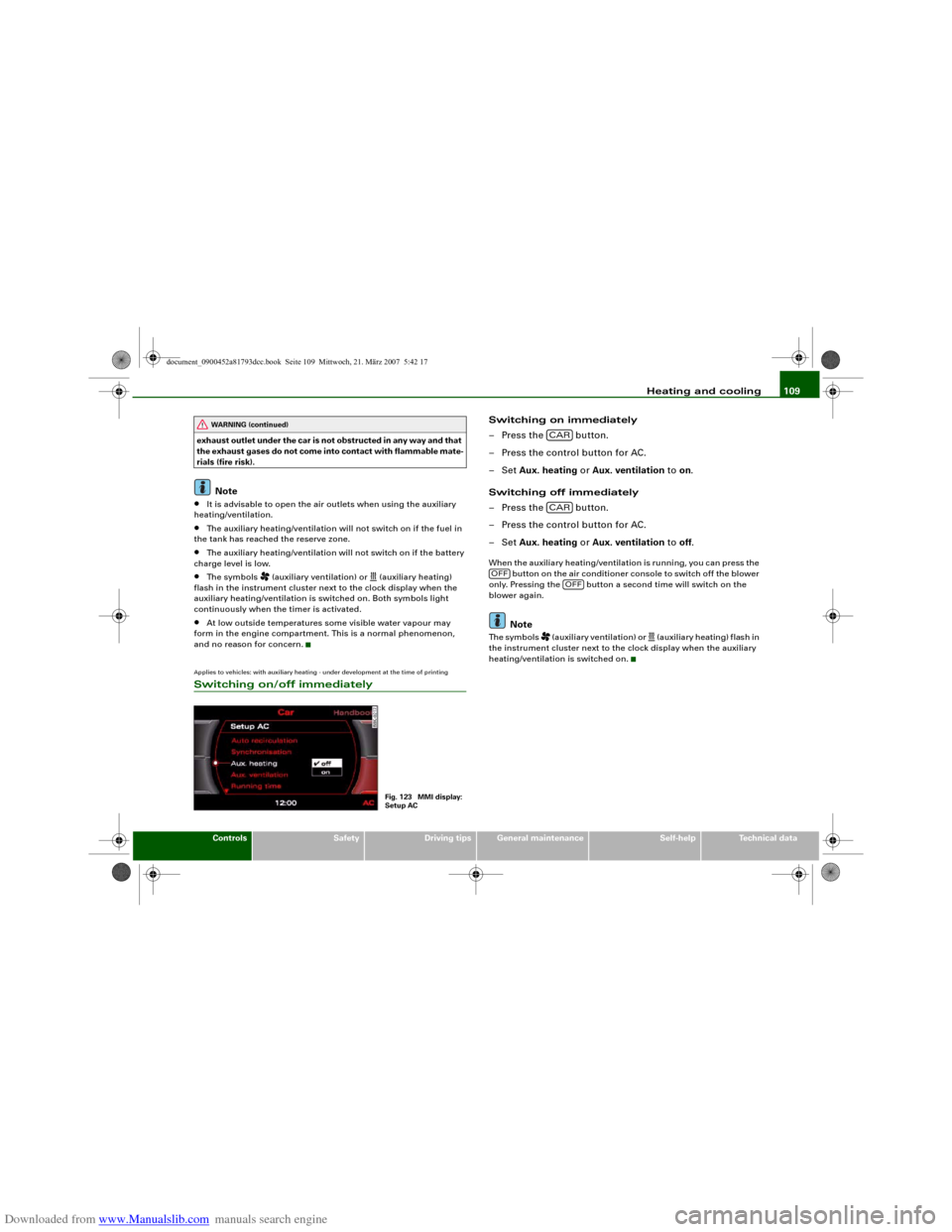
Applies to vehicles: with auxiliary heating - under development at the time of printingSwitching on/off immediately
Switching on immediately
– Press the button.
– Press the control button for AC.
–Set Aux. heating or Aux. ventilation to on.
Switching off immediately
– Press the button.
– Press the control button for AC.
–Set Aux. heating or Aux. ventilation to off.When the auxiliary heating/ventilation is running, you can press the
button on the air conditioner console to switch off the blower
only. Pressing the button a second time will switch on the
blower again.
Note
The symbols
(auxiliary ventilation) or
(auxiliary heating) flash in
the instrument cluster next to the clock display when the auxiliary
heating/ventilation is switched on.
WARNING (continued)
Fig. 123 MMI display:
Setup AC
CARCAR
OFF
OFF
document_0900452a81793dcc.book Seite 109 Mittwoch, 21. März 2007 5:42 17
Page 116 of 294
Downloaded from www.Manualslib.com manuals search engine Driving 114DrivingSteeringApplies to vehicles: with manually adjustable steering columnAdjusting the steering wheel position
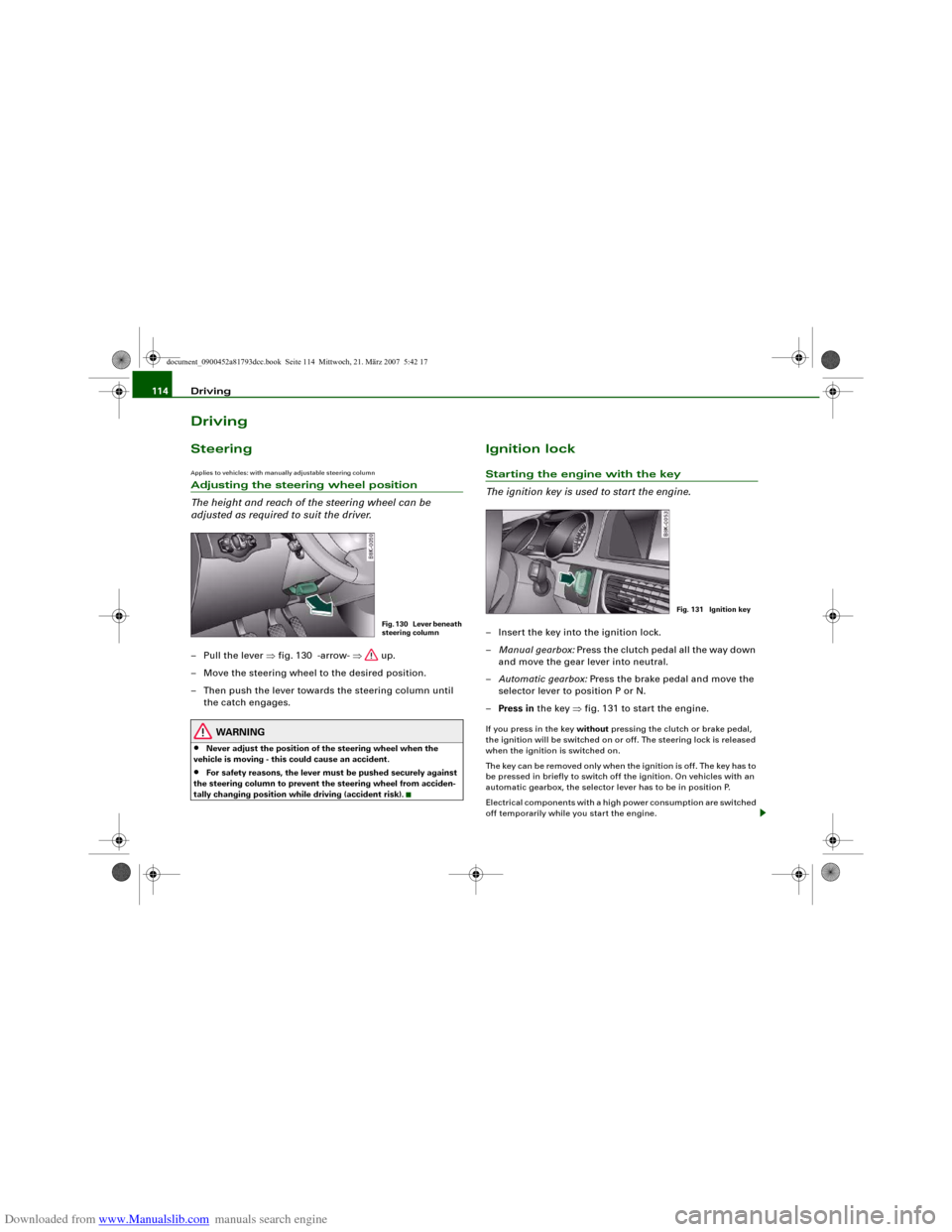
The height and reach of the steering wheel can be
adjusted as required to suit the driver.– Pull the lever ⇒fig. 130 -arrow- ⇒ up.
– Move the steering wheel to the desired position.
– Then push the lever towards the steering column until
the catch engages.
WARNING
•
Never adjust the position of the steering wheel when the
vehicle is moving - this could cause an accident.
•
For safety reasons, the lever must be pushed securely against
the steering column to prevent the steering wheel from acciden-
tally changing position while driving (accident risk).
Ignition lockStarting the engine with the key
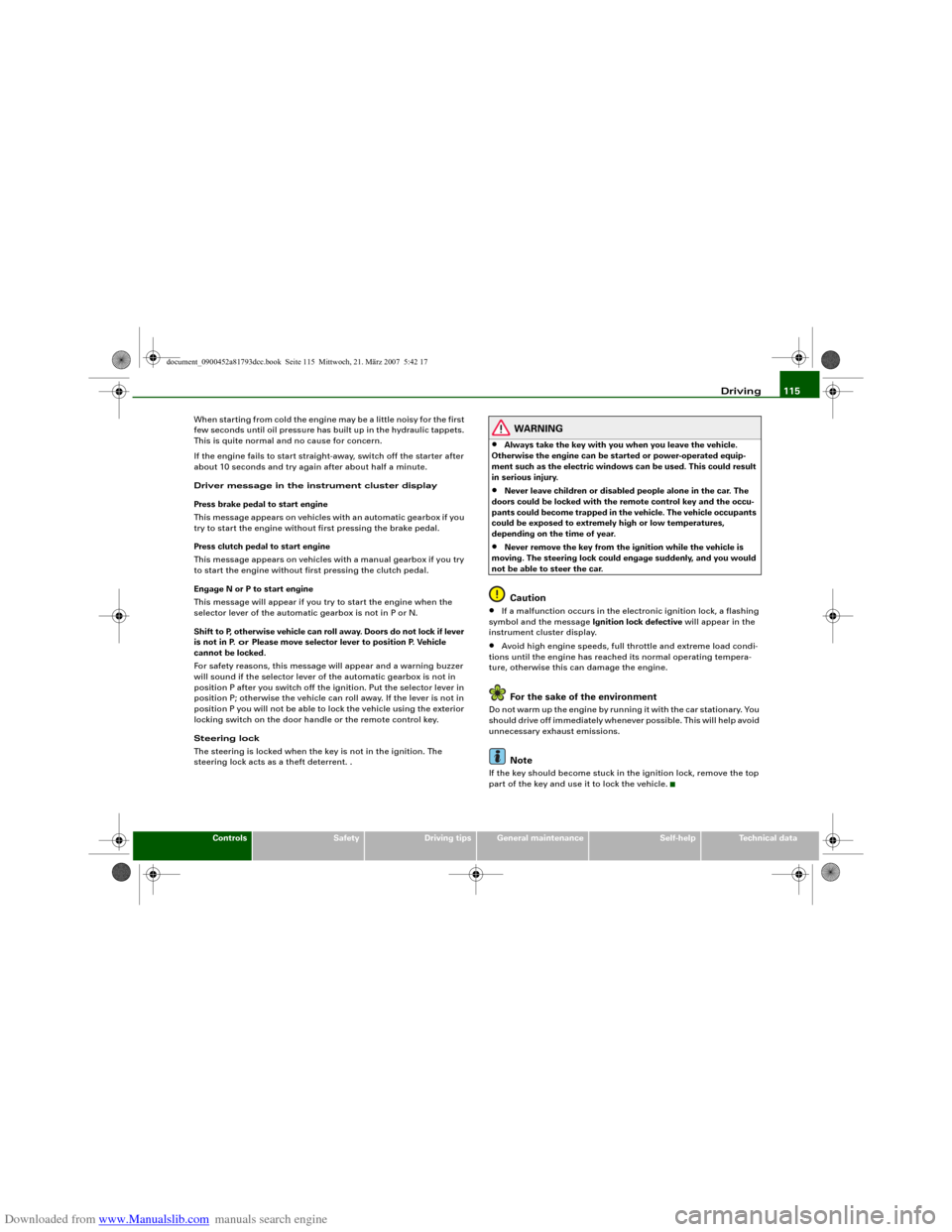
The ignition key is used to start the engine.– Insert the key into the ignition lock.
–Manual gearbox: Press the clutch pedal all the way down
and move the gear lever into neutral.
–Automatic gearbox: Press the brake pedal and move the
selector lever to position P or N.
–Press in the key ⇒fig. 131 to start the engine.If you press in the key without pressing the clutch or brake pedal,
the ignition will be switched on or off. The steering lock is released
when the ignition is switched on.
The key can be removed only when the ignition is off. The key has to
be pressed in briefly to switch off the ignition. On vehicles with an
automatic gearbox, the selector lever has to be in position P.
Electrical components with a high power consumption are switched
off temporarily while you start the engine.
Fig. 130 Lever beneath
steering column
Fig. 131 Ignition key
document_0900452a81793dcc.book Seite 114 Mittwoch, 21. März 2007 5:42 17
Page 117 of 294
Downloaded from www.Manualslib.com manuals search engine Driving115
Controls
Safety
Driving tips
General maintenance
Self-help
Technical data When starting from cold the engine may be a little noisy for the first
few seconds until oil pressure has built up in the hydraulic tappets.
This is quite normal and no cause for concern.
If the engine fails to start straight-away, switch off the starter after
about 10 seconds and try again after about half a minute.
Driver message in the instrument cluster display
Press brake pedal to start engine
This message appears on vehicles with an automatic gearbox if you
try to start the engine without first pressing the brake pedal.
Press clutch pedal to start engine
This message appears on vehicles with a manual gearbox if you try
to start the engine without first pressing the clutch pedal.
Engage N or P to start engine
This message will appear if you try to start the engine when the
selector lever of the automatic gearbox is not in P or N.
Shift to P, otherwise vehicle can roll away. Doors do not lock if lever
is not in P. or Please move selector lever to position P. Vehicle
cannot be locked.
For safety reasons, this message will appear and a warning buzzer
will sound if the selector lever of the automatic gearbox is not in
position P after you switch off the ignition. Put the selector lever in
position P; otherwise the vehicle can roll away. If the lever is not in
position P you will not be able to lock the vehicle using the exterior
locking switch on the door handle or the remote control key.
Steering lock
The steering is locked when the key is not in the ignition. The
steering lock acts as a theft deterrent. .
WARNING
•
Always take the key with you when you leave the vehicle.
Otherwise the engine can be started or power-operated equip-
ment such as the electric windows can be used. This could result
in serious injury.
•
Never leave children or disabled people alone in the car. The
doors could be locked with the remote control key and the occu-
pants could become trapped in the vehicle. The vehicle occupants
could be exposed to extremely high or low temperatures,
depending on the time of year.
•
Never remove the key from the ignition while the vehicle is
moving. The steering lock could engage suddenly, and you would
not be able to steer the car.Caution
•
If a malfunction occurs in the electronic ignition lock, a flashing
symbol and the message Ignition lock defective will appear in the
instrument cluster display.
•
Avoid high engine speeds, full throttle and extreme load condi-
tions until the engine has reached its normal operating tempera-
ture, otherwise this can damage the engine.For the sake of the environment
Do not warm up the engine by running it with the car stationary. You
should drive off immediately whenever possible. This will help avoid
unnecessary exhaust emissions.
Note
If the key should become stuck in the ignition lock, remove the top
part of the key and use it to lock the vehicle.
document_0900452a81793dcc.book Seite 115 Mittwoch, 21. März 2007 5:42 17
Page 118 of 294
Downloaded from www.Manualslib.com manuals search engine Driving 116Switching off the engine– Stop the vehicle.
– Automatic gearbox: Move the selector lever to position P
or N.
–Press in the ignition key to switch off the engine.Emergency Off function
If necessary in an emergency, the engine can be switched off while
the vehicle is still moving. The engine will be switched off if you
press and hold the ignition key.
WARNING
•
Never switch off the engine until the vehicle is stationary.
•
The brake servo and the power steering system work only
when the engine is running. You need more strength to steer and
brake the vehicle when the engine is switched off. This would
mean a greater risk of accidents and serious injury, because you
cannot steer and brake in the normal manner.Caution
If the engine has been working hard for a long time, there is a risk
of heat building up in the engine compartment after the engine has
been switched off; this could cause engine damage. For this reason,
you should leave the engine idling for about 2 minutes before
switching it off.
Note
After the engine is stopped the radiator fan may run on for up to
10 minutes, even if the ignition is switched off. The fan may also
start running again after some time if the coolant temperature rises due to a build-up of heat, or if the engine is hot and the engine
compartment is heated up further by direct sunlight.
Starting and stopping the engine
with the advanced keyApplies to vehicles: with advanced keyStarting the engine with the Start/Stop button
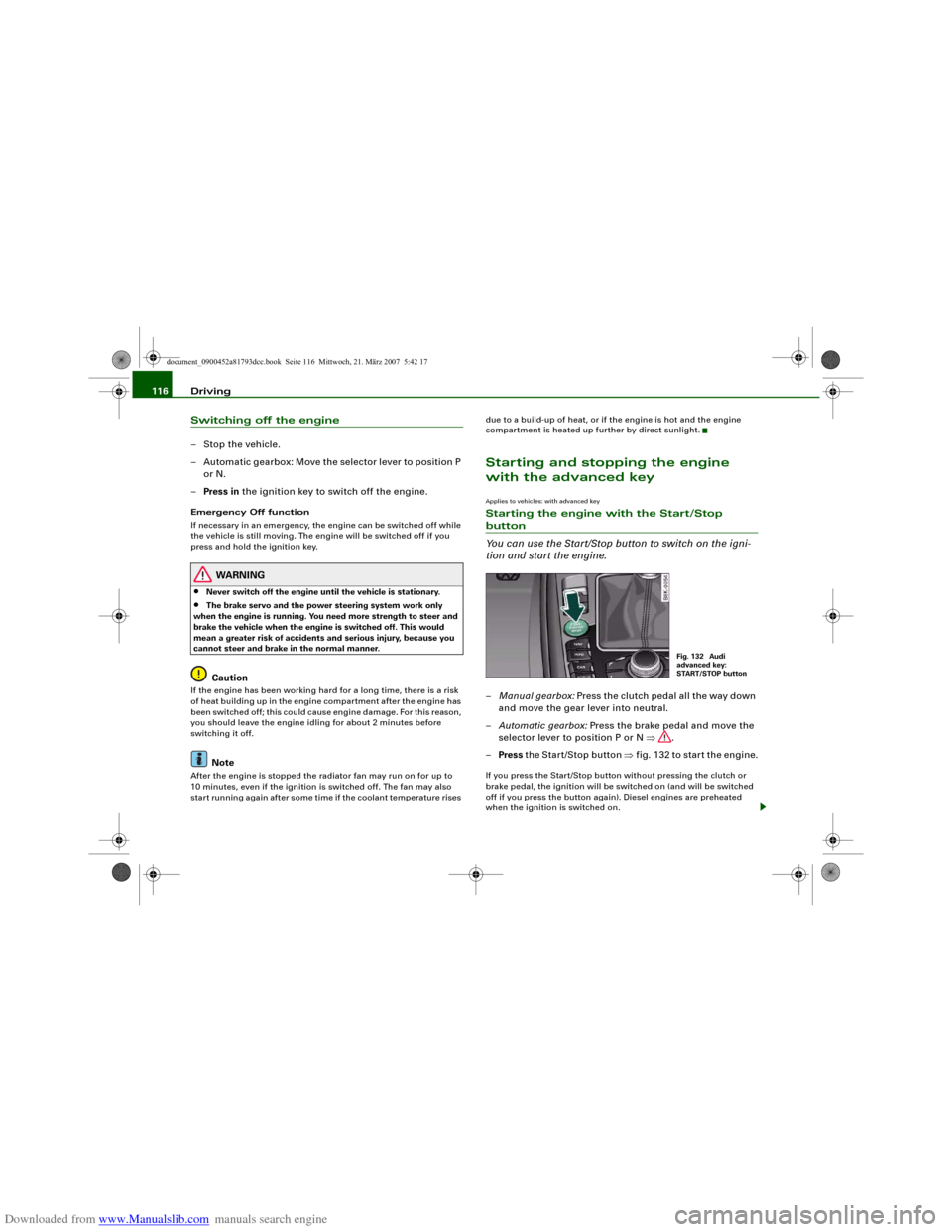
You can use the Start/Stop button to switch on the igni-
tion and start the engine.–Manual gearbox: Press the clutch pedal all the way down
and move the gear lever into neutral.
–Automatic gearbox: Press the brake pedal and move the
selector lever to position P or N ⇒.
–Press the Start/Stop button ⇒fig. 132 to start the engine.If you press the Start/Stop button without pressing the clutch or
brake pedal, the ignition will be switched on (and will be switched
off if you press the button again). Diesel engines are preheated
when the ignition is switched on.
Fig. 132 Audi
advanced key:
START/STOP button
document_0900452a81793dcc.book Seite 116 Mittwoch, 21. März 2007 5:42 17
Page 119 of 294
Downloaded from www.Manualslib.com manuals search engine Driving117
Controls
Safety
Driving tips
General maintenance
Self-help
Technical data If the engine fails to start straight-away, switch off the starter after
about 10 seconds and try again after about half a minute.
When starting from cold the engine may be a little noisy for the first
few seconds until oil pressure has built up in the hydraulic tappets.
This is quite normal and no cause for concern.
Driving away from a standstill
On some vehicles, the engine revs are automatically increased
slightly as soon as you release the clutch. This helps you drive off
more smoothly.
Driver message in the instrument cluster display
No key identified
This message appears when you press the Start/Stop button if there
is no remote control key inside the vehicle or if the system cannot
detect or identify the key. This can happen, for example, if the radio
signal from the key is obstructed by a metal briefcase or similar.
Electronic equipment, such as mobile phones, can also interfere
with the radio signal from the key.
Press brake pedal to start engine
This message appears on automatic vehicles if you press the
Start/Stop button to start the engine without first pressing the
brake pedal. The engine will only start if you press the brake pedal.
Press clutch pedal to start engine
This message appears on manual vehicles if you press the
Start/Stop button to start the engine without first pressing the
clutch pedal. The engine will only start if you press the clutch pedal.
Engage N or P to start engine
This message will appear if you try to start the engine when the
selector lever of the automatic gearbox is not in P or N. The engine
can only be started if the selector lever is in one of these positions. Key not in vehicle
This message will appear together with the symbol
if the remote
control key is removed from the vehicle while the engine is running.
This is to remind you not to continue driving without the key (for
example if you change drivers).
If the remote control key is not in the vehicle you will not be able to
switch on the ignition or restart the engine after it has been
switched off. Without the key, you will also not be able to lock the
vehicle from the outside.
Shift to P, otherwise vehicle can roll away. Doors do not lock if lever
is not in P. or Please move selector lever to position P. Vehicle
cannot be locked.
For safety reasons, this message will appear and a warning buzzer
will sound if the selector lever of the automatic gearbox is not in
position P when you switch off the ignition with the Start/Stop
button. Put the selector lever in position P; otherwise the vehicle
can roll away. If the lever is not in position P you will not be able to
lock the vehicle using the exterior locking switch on the door handle
or the remote control key.
Advanced key defective! Use ignition lock
This message appears if the vehicle has to be started with the igni-
tion key instead of the Start/Stop button.
Steering lock
The steering is locked if the key is not in the ignition and the driver
door has been opened. The steering lock acts as a theft deterrent.
WARNING
Never run the engine in confined spaces. The exhaust gases are
toxic.•
Never switch off the engine until the vehicle is stationary.
•
The brake servo and the power steering system work only
when the engine is running. You need more strength to steer and
document_0900452a81793dcc.book Seite 117 Mittwoch, 21. März 2007 5:42 17
Page 120 of 294
Downloaded from www.Manualslib.com manuals search engine Driving 118brake the vehicle when the engine is switched off. This would
mean a greater risk of accidents and serious injury, because you
cannot steer and brake in the normal manner.
Caution
•
Avoid high engine speeds, full throttle and extreme load condi-
tions until the engine has reached its normal operating tempera-
ture, otherwise this can damage the engine.
•
The engine cannot be started by push-starting or towing.
•
If the engine has been working hard for a long time, there is a risk
of heat building up in the engine compartment after the engine has
been switched off; this could cause engine damage. For this reason,
you should leave the engine idling for about 2 minutes before
switching it off.
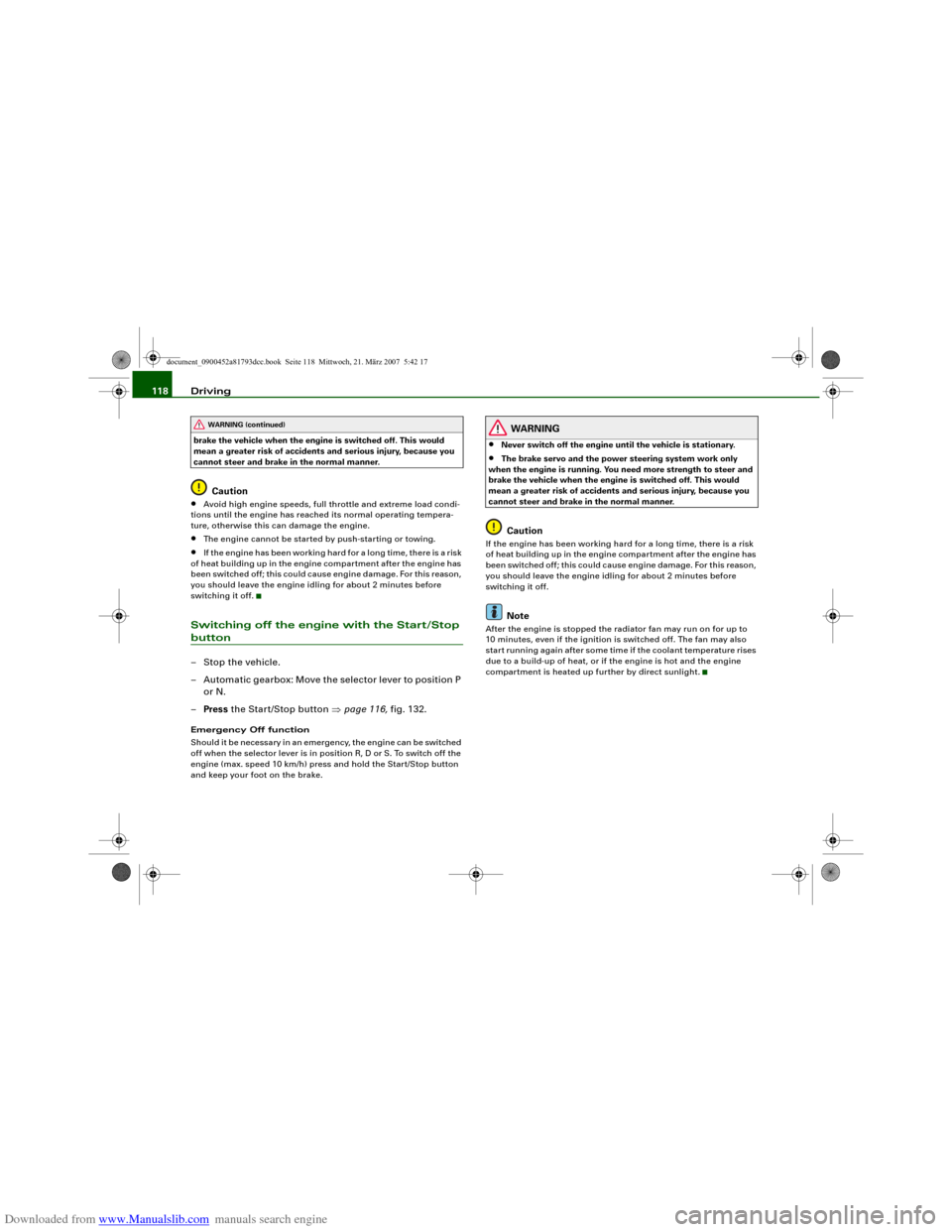
Switching off the engine with the Start/Stop button– Stop the vehicle.
– Automatic gearbox: Move the selector lever to position P
or N.
–Press the Start/Stop button ⇒page 116, fig. 132.Emergency Off function
Should it be necessary in an emergency, the engine can be switched
off when the selector lever is in position R, D or S. To switch off the
engine (max. speed 10 km/h) press and hold the Start/Stop button
and keep your foot on the brake.
WARNING
•
Never switch off the engine until the vehicle is stationary.
•
The brake servo and the power steering system work only
when the engine is running. You need more strength to steer and
brake the vehicle when the engine is switched off. This would
mean a greater risk of accidents and serious injury, because you
cannot steer and brake in the normal manner.Caution
If the engine has been working hard for a long time, there is a risk
of heat building up in the engine compartment after the engine has
been switched off; this could cause engine damage. For this reason,
you should leave the engine idling for about 2 minutes before
switching it off.
Note
After the engine is stopped the radiator fan may run on for up to
10 minutes, even if the ignition is switched off. The fan may also
start running again after some time if the coolant temperature rises
due to a build-up of heat, or if the engine is hot and the engine
compartment is heated up further by direct sunlight.
WARNING (continued)
document_0900452a81793dcc.book Seite 118 Mittwoch, 21. März 2007 5:42 17
Page 121 of 294
Downloaded from www.Manualslib.com manuals search engine Driving119
Controls
Safety
Driving tips
General maintenance
Self-help
Technical data
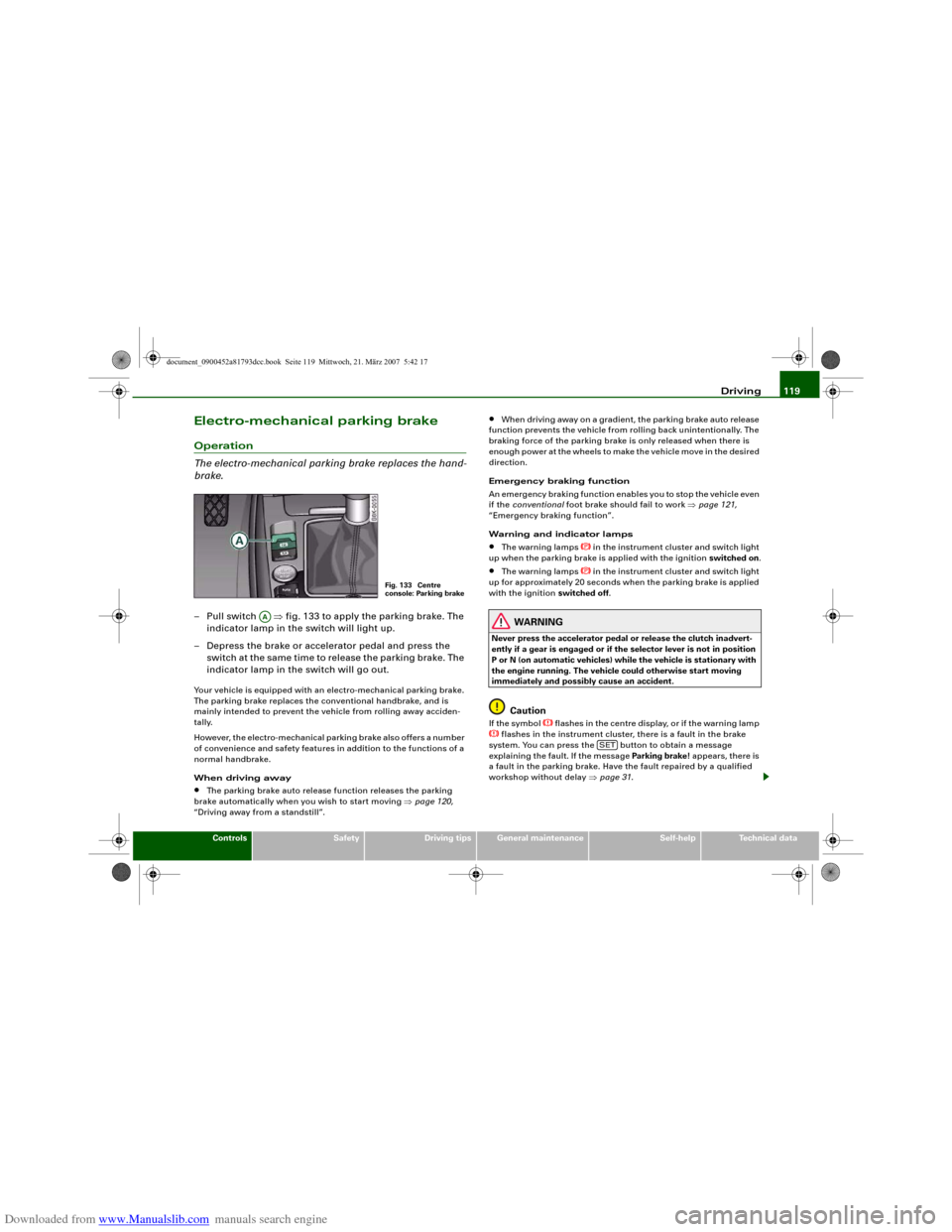
Electro-mechanical parking brakeOperation
The electro-mechanical parking brake replaces the hand-
brake.– Pull switch ⇒fig. 133 to apply the parking brake. The
indicator lamp in the switch will light up.
– Depress the brake or accelerator pedal and press the
switch at the same time to release the parking brake. The
indicator lamp in the switch will go out.Your vehicle is equipped with an electro-mechanical parking brake.
The parking brake replaces the conventional handbrake, and is
mainly intended to prevent the vehicle from rolling away acciden-
tally.
However, the electro-mechanical parking brake also offers a number
of convenience and safety features in addition to the functions of a
normal handbrake.
When driving away•
The parking brake auto release function releases the parking
brake automatically when you wish to start moving ⇒page 120,
“Driving away from a standstill”.
•
When driving away on a gradient, the parking brake auto release
function prevents the vehicle from rolling back unintentionally. The
braking force of the parking brake is only released when there is
enough power at the wheels to make the vehicle move in the desired
direction.
Emergency braking function
An emergency braking function enables you to stop the vehicle even
if the conventional foot brake should fail to work ⇒page 121,
“Emergency braking function”.
Warning and indicator lamps
•
The warning lamps
in the instrument cluster and switch light
up when the parking brake is applied with the ignition switched on.
•
The warning lamps
in the instrument cluster and switch light
up for approximately 20 seconds when the parking brake is applied
with the ignition switched off.
WARNING
Never press the accelerator pedal or release the clutch inadvert-
ently if a gear is engaged or if the selector lever is not in position
P or N (on automatic vehicles) while the vehicle is stationary with
the engine running. The vehicle could otherwise start moving
immediately and possibly cause an accident.
Caution
If the symbol
flashes in the centre display, or if the warning lamp
flashes in the instrument cluster, there is a fault in the brake
system. You can press the button to obtain a message
explaining the fault. If the message Parking brake ! appears, there is
a fault in the parking brake. Have the fault repaired by a qualified
workshop without delay ⇒page 31.
Fig. 133 Centre
console: Parking brake
AA
SET
document_0900452a81793dcc.book Seite 119 Mittwoch, 21. März 2007 5:42 17