instrument cluster AUDI S6 2008 User Guide
[x] Cancel search | Manufacturer: AUDI, Model Year: 2008, Model line: S6, Model: AUDI S6 2008Pages: 390, PDF Size: 88.42 MB
Page 32 of 390
Driver information display
Electronic speed limiter
Your vehicle may be factory equipped with tires that are rated for a maximum speed of 130 mph (210 km/h) . This is less than the
maximum speed of your vehicle. To reduce the risk of sudden tire
failure and loss of control if the vehicle is operated at excessive
speeds, your vehicle also has an electronic speed limiter. The elec
tronic speed limiter prevents your vehic le from going faster than the
tire speed rating . For more information=>
page 325.
If the vehicle approaches the tire speed rating, the engine control
unit wi ll turn off the fuel injectors. You will notice an immediate loss
of engine power and a drop in road speed .
If the engine control unit receives faulty vehicle road speed signals,
the Malfunction Indicator Lamp (MIU will illuminate . If this
occurs, contact the nearest authorized Audi dealer for assistance .
& WARNING
Always observe the posted speed limits and adjust your speed to
suit prevailing road, traffi c and weather conditions. Never drive
your vehicle faster than the maximum speed rating of the tires
installed .•
Auto Check Control
Introduction
The Auto-Check control monitors the function of certain vehicle
features and components . It simply makes sure these features and
components are working properly. The Auto-Check control works as
long as the ignition is on, as well as whenever the vehicle is driven.
If a component is malfunctioning or if the need for an urgent repair
has been detected, this will appear in the instrument c luster display. You will
also hear an audible warning tone. The disp lays are co lor
coded in either red or yel low depending on their level of priority.
A red symbol means Danger , a yellow symbol indicates Warning . In
certain situations, information message for the driver appear in
addition to the red and yellow symbols.
Function test: automatic transmission
The Auto-Check Control will automatically perform a test each time
you switch on the ignition. With the selector lever in
P or N, the
following message appears in the display:
When stationary apply footbrake while selecting gear.
When you a se lect a different gear (for example: R, D , etc.l, the
message will disappear and the Auto-Check function is displayed.
If there is a malfunction, then the malfunction message wi ll appear
about 15 seconds after the you start the vehic le. At the same time
you will hear a warning tone .•
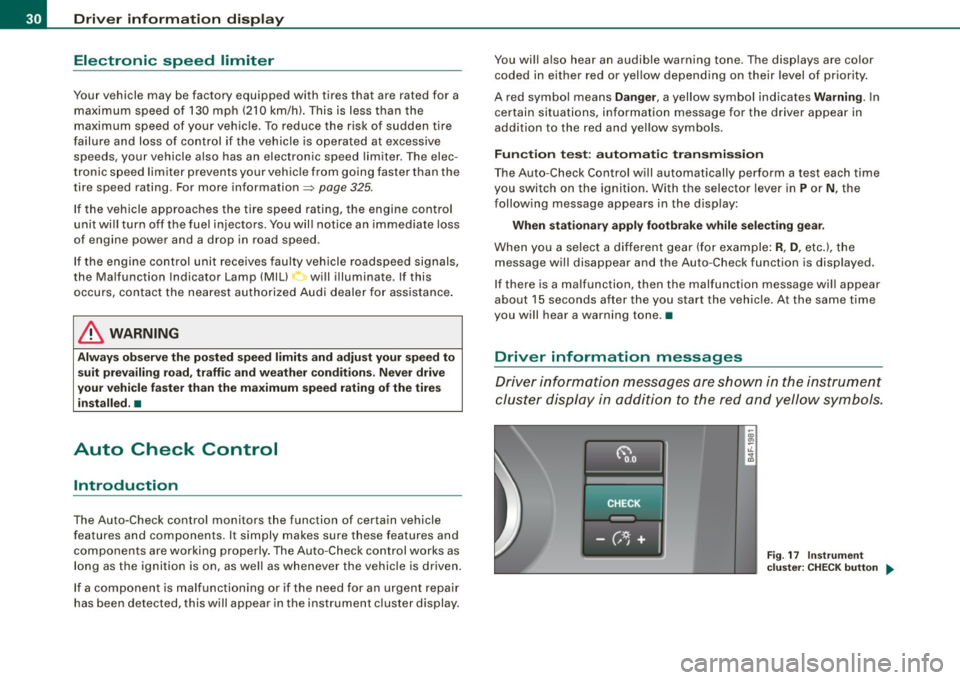
Driver information messages
Driver information messages are shown in the instrument
cluster display in addition to the red and yellow symbols.
Fig. 17 Instrument
cluster: CHECK button ..
Page 34 of 390
Driver information display
BRAKE
USA models: => page32
Brake system malfunction
Canada models: II => page32
Brake system malfunction
-~-
Engine coolant level too => page 33
low/engine coolant temperature
-too high
-
~ Engine oil pressure too low => page 34
i
Faulty steering => page 34
© Faulty ignition switch => page35
-4
[ i] Tips
• If the warning/indicator light BRAKE (USA models)/ ((j)) (Canada
models) in the instrument cluster flashes, there is a brake system
malfunction. By pressing the [
CHECK] button, you can bring up a
driver message which explains the malfunction in more detail.
Please note=> page 32 .
• Speed warnings threshold 1
0 (USA modelsl/ 8 (Canada
models) and threshold 2
e , (USA models)/ 0, (Canada models) are
also shown as red symbols. The warning is always shown as a small
symbol in the upper area of the display=> page 38. •
Brake system malfunction
A malfunction in the broke system must be repaired as
soon as possible.
If the warning/indicator light BRAKE (USA models)/ (©)
(Canada models) in the instrument cluster flashes, there is
a brake system malfunction. By pressing the [CHECK] button, you can bring up a driver message which explains
the malfunction in more detail.
Stop vehicle and check brake fluid level
-Pull off the road.
- Stop the vehicle.
- Turn off the engine.
- Check the brake fluid level
~ page 306.
-Contact your nearest authorized repair facility if neces-
sary.
Warning! Fault in ABS brake system. Contact
workshop
- Drive carefully to the nearest authorized repair facility
and have the malfunction corrected
~ & .
Parking brake! Please contact workshop
-If the warning/indicator light flashes when the vehicle is
stationary or after the ignition is turned on, check to see
if the parking brake can be released. Drive to an autho
rized repair facility as soon as possible and have the
malfunction corrected. If the parking brake cannot be
released, contact your nearest authorized repair facility.
- If the warning/indicator light flashes while you are
driving, it is possible that the traction control or the
emergency brake has malfunctioned. It is possible that
the parking brake cannot be applied. It is also possible
that the parking brake cannot be released after it has
been applied. Drive to an authorized Audi dealer to have
the malfunction corrected. .,.
Page 42 of 390
Driver informati on displ ay
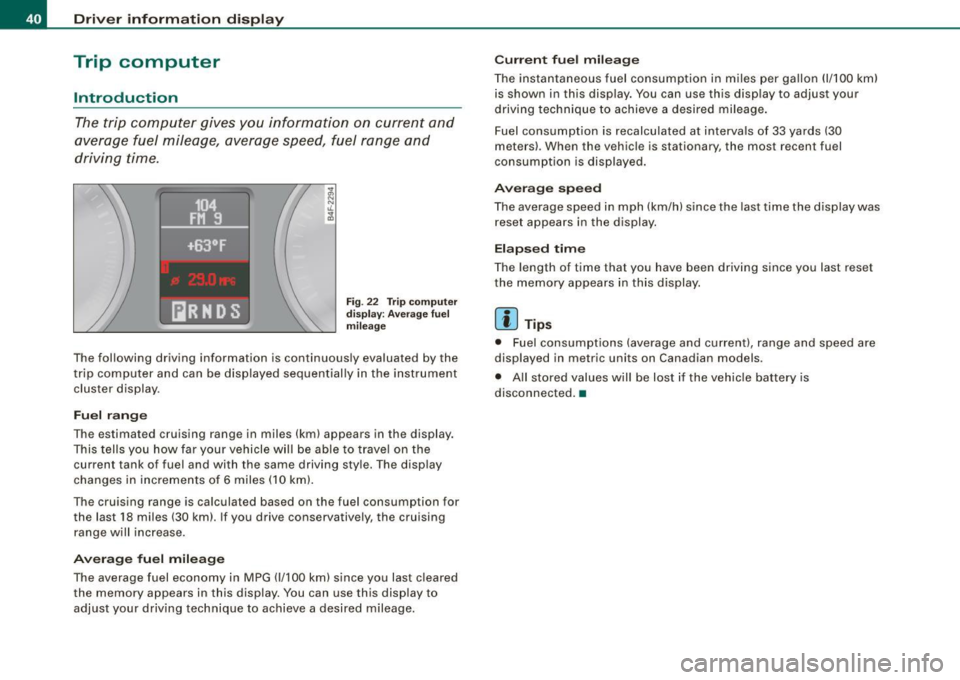
Trip computer
Introduction
The trip computer gives you informati on on current and
average fuel mileage, average speed, fuel range and
driving time.
F ig. 22 T rip compu te r
di spl ay: Ave ra ge f uel
mil eage
The fol lowing driving information is continuously evaluated by the
t rip computer and can be displayed sequential ly in the instrument
cluster display.
Fuel r ang e
The estimated cruising range in miles (km) appears in the display.
This tells you how far your vehicle will be able to trave l on the
current tank of fuel and with the same driving sty le. The display
changes in increments of 6 miles (10 km).
The cruising range is ca lculated based on the fuel consumption for
the last 18 miles (30 km). If you drive conservatively, the cruising
range will increase .
Avera ge fu el mil eage
The average fuel economy in MPG (1/100 km) since you last cleared
the memory appears in this display. You can use this display to
adjust your driving technique to achieve a desired mileage.
C urr en t fu el mi leage
The instantaneous fuel consumption in m iles per gallon (1/ 100 km)
is shown in this disp lay. You can use this display to adjust your
driving technique to achieve a desired mileage .
Fuel consumption is recalculated at interva ls of 33 yards (30
meters) . When the vehicle is stationary, the most recent fuel
consumption is displayed .
Averag e sp eed
The average speed in mph (km/h) since the last time the display was
reset appears in the display.
E la psed time
The length of time that you have been driving since you last reset
the memory appears in this display.
[ i ] Tips
• Fuel consumptions (average and current), range and speed are
displayed in metric units on Canadian models .
• All stored values will be lost if the vehicle battery is
disconnected. •
Page 44 of 390
![AUDI S6 2008 User Guide Driver information display
In addition, all the values in the single -trip or the total -trip memory
can be deleted simultaneously.
[ i ] Tips
All stored values will be lost if the](/img/6/57596/w960_57596-43.png "AUDI S6 2008 User Guide Driver information display
In addition, all the values in the single -trip or the total -trip memory
can be deleted simultaneously.
[ i ] Tips
All stored values will be lost if the")
Driver information display
In addition, all the values in the single -trip or the total -trip memory
can be deleted simultaneously.
[ i ] Tips
All stored values will be lost if the vehicle battery is disconnected. •
MMI settings
Basic settings for the trip computer can be made in the
MM/.
Fig. 25 MMI display :
Trip computer
Setting values to zero
-Press the I CAR I function button.
- Select
Instrument cluster.
-Select Trip computer 1 or Trip computer 2.
-Select Reset to delete all the values in the memory
~ fig. 25.
Displaying and hiding driver information
-Press the I CAR I function button.
- Select
Instrument cluster.
- Selec t Trip computer 1 or Trip computer 2.
-Select, for example, Fuel range On to turn on the display
or
Off to turn the display off.
All values in the single-trip or the total-trip memory can be reset to
zero simu ltaneously in the MMI. In addition you can determine what
driving information from the trip computer shou ld be shown in the
instrument cluster display . If one of the pieces of driver information
is turned
off, that driver in formation will not be shown in the display.
The information will continue to be calculated by the trip computer
and can be turned back
on at any time. •
Tire pressure monitoring system
General notes
As an added safety feature, your vehicle has been equipped with a
tire pressure monitoring system (TPMS) that illuminates a low tire
pressure telltale when one or more of your tires is significantly
under-inflated . The TPMS on ly provides a low tire pressure warning
and does not reinflate your tires .
Accordingly, when the low tire pressure telltale illumin ates, you
should stop and check your tires as soon as possible, and inflate
them to the proper pressure. Driving on a significantly under
inflated tire causes the tire to overheat and can lead to tire failure.
Under -inflation also reduces fuel efficiency and tire tread life, and
may affect the vehicle's handling and stopping ability .
0 Note
• Please note that the TPMS is not a substitute for proper tire
maintenance, and it is the driver's responsibility to maintain correct
tire pressure, even if under-inflation has not reached the level to
trigger illumination of the TPMS low tire pressure telltale. .,,_
Page 45 of 390
• Each tire, including the spare, should be checked monthly when
cold and inflated to the inflation pressure recommended by the
vehicle manufacturer on the vehicle placard or tire inflation pres sure label. (I f your vehicle has tires of a different size than the size
indicated on the vehicle placard or tire inflation pressure label, you
should determine the proper tire inflation pressure for those
tires.) •
TPMS malfunction indicator
Your vehicle has also been equipped with a TPMS malfunction indi
cator to indicate when the system is not operating properly . The
TPMS malfunction indicator is combined with the low t ire pressure
telltale. When the system detects a ma lfunction, the te lltale wi ll
flash for approximately one minute and then remain continuously il luminated . T his sequence will continue upon subsequent vehicle
starts up as long as the malfunction exists.
When the malfunction indicator is illuminated, the system may not be ab le to detect or signa l low tire pressure as intended.
TPMS ma lfunctions may occur for a variety of reasons, including the
installation of replacement or alternate tires or wheels on the
veh ic le that prevent the TPMS from functioning proper ly . Always
check the TPMS malfunction telltale after replacing one or more
tires or whee ls on your ve hicle to ensure t hat the replacement or
a lternate tires and wheels a llow the TPMS to continue to function
proper ly .•
Introduction
The tire pressure monitoring system monitors air pressure
in all four road wheels while the vehicle is moving .
As soon as the tire pressure monitoring system senses a significant
loss of air pressure in one or severa l tires, text messages and yellow
symbo ls appear in the instrument cluster display to a lert the driver .
Controls and equip
ment
Dr ive r informat ion di spl ay
The , J warning light in the instrument cluster comes on when the
t ire is significantly underinflated
~ page 20 .
The warning light I also i lluminates in the case of a system
malfunction.
Be aware that t ire pressure is also dependent on the temperature of
the tire . For every 18 °F (10 °C) increase in tire temperature, tire pres
sure increases by about 1 .5 psi (0 .1 bar). The tire warms up while the
vehicle is moving and tire pressure rises . So you should adjust tire
pressure on ly when they are
cold, when the tempera ture of the tires
is roughly the same as the ambient air temperature.
I n order to keep the tire pressure monitoring system properly cali
brated, tire pressure on all four tires should be checked at regular
intervals, adjusted if necessary and saved in the proper setting
(recommended pressure) ~
page 45.
The tire pressure is shown on the label located either on the driver's
s ide 8 -pi llar (visible when the door is open) or inside the fue l filler
flap .
& WARNING
• Wh en the tire pre ssure mon itor ing system warning light i s lit,
one or more of your tir es i s s ignifi cantly und er-inflated. You should
s to p and che ck your ti re s as s oon as possible , and infl ate them to
the proper pre ssure as indicated on the vehicle's tire pre ssure
l a bel ~
page 317 . Driving on a signifi cantly und er- inflated tire
c au se s the tire to ov erheat and can l ead to tir e fa ilure. Under-infla
tion als o i s lik ely to impair the ve hicle' s handling and st opping
a bility .
• Do not adju st tire pre ssure when t ire tempe rat ure is exces sive.
Thi s could lead to ser iou s tire d amage and ev en cau se the tire to
bur st, w ith the addition al d anger of an ac cid ent . .,,
I • •
Page 46 of 390
![AUDI S6 2008 User Guide Driver inf ormati on displ ay
<£> For th e sak e of th e environm ent
Driving w ith under -inflated tires reduces fuel efficiency and tire
tread life.
[ i ] Tip s
• Each tire, inc](/img/6/57596/w960_57596-45.png "AUDI S6 2008 User Guide Driver inf ormati on displ ay
<£> For th e sak e of th e environm ent
Driving w ith under -inflated tires reduces fuel efficiency and tire
tread life.
[ i ] Tip s
• Each tire, inc")
Driver inf ormati on displ ay
<£> For th e sak e of th e environm ent
Driving w ith under -inflated tires reduces fuel efficiency and tire
tread life.
[ i ] Tip s
• Each tire, incl udin g the sp are, should be checked monthly when
cold and set to the recommended inflation pressure as specified on
the tire pressure label=>
page 317.
• The factory supplied spare whee l is equipped with a sensor for
the tire pressure monitoring system. As long as the spare whee l it
not mounted, the tire pressure of this tire will not be monitored.
• The tire pressure monitoring system he lps the driver to keep an
eye on t ire pressures. But the driver stil l has the responsibility for
maintaining the correct tire pressure.
• Tire pressure must only be adjusted when the temperature of the
tires is about the same as ambient air temperature .
• When tires are replaced, the sensors and valves shou ld not be
detached or exchanged. Only the valve core needs to be rep laced
and, i f necessary, the valve and the wheel electronics replaced.
• If you should put different wheels and tires on your vehicle (e.g.
winter wheels and tires), you must be certain that the wheels and
tires are compatible with the tire p ressure monitoring system.
Otherwise the system w ill register a ma lfunction and a fault
message will be displayed . For more information, contact your Audi
dea ler.
• Adjust the tire pressure and store the pressure in the tire pres
sure monitor ing system to the load you are carry ing. •
Significant loss of air pressure ft)
The yellow symbol appears in the event of a significant
loss of air pressure .
0
"' 8
i
Fig . 26 Disp lay: ye llow
s y mbo l w ith m essage
If the warni ng l ight in the i nstrument cluster comes on
and t hen the ' ) symbol appears in the display~ fig. 26,
press ure in at least one t ire is too low.
Stop driv ing as soo n as possible without endangeri ng
yourself and other drivers o n the road .
- Inspect all tires.
- Change the tire if necessary~
page 338.
The' warning ligh t in the instrument cluster comes on when the
tire is significantly underinflated.
In addition, the tire symbol appears in the display together with
the message
Pl ease check tir e pr ess ure::::> fig. 26 .
After a few seconds, the message disappears again. If you would
like to show the message again, press the [ CH ECK] button. _.,,
Page 48 of 390
Driver inf ormati on displ ay
• The tire pressure monitoring system helps the driver to keep an
eye on tire pressures. But the driver stil l has the responsibility for
maintaining the correct tire pressure .•
Wheel change
If a wheel is changed, the wheels that were exchanged
have to be re-programmed.
- Turn on the ignit ion.
- Pressthe!CARlfunction button.
- Select
Systems in the CAR menu.
- Selec t
Tire pre ssure monitoring .
Select Initialize wheel s.
Programming is necessary:
• after the tires have been rotated on the vehicle, or the spare tire
is used,
• if tires with new wheel sensors are used.
A ll pressure warning and system malfunction indicators in the
display will be canceled.
If a wheel change has been made, it is necessary to complete the
Initi alize w heel s function . After you have selected the function, the
new wheels are programmed and the actual pressures are stored.
This learning phase can take up to 20 minutes driving time.
During the learning process the tire pressure monitoring system is
not avai lable .•
Malfunctions :.r,,11~
A malfunction can h ave various causes.
Fig . 28 Displ ay :
Syste m malfu nc tion
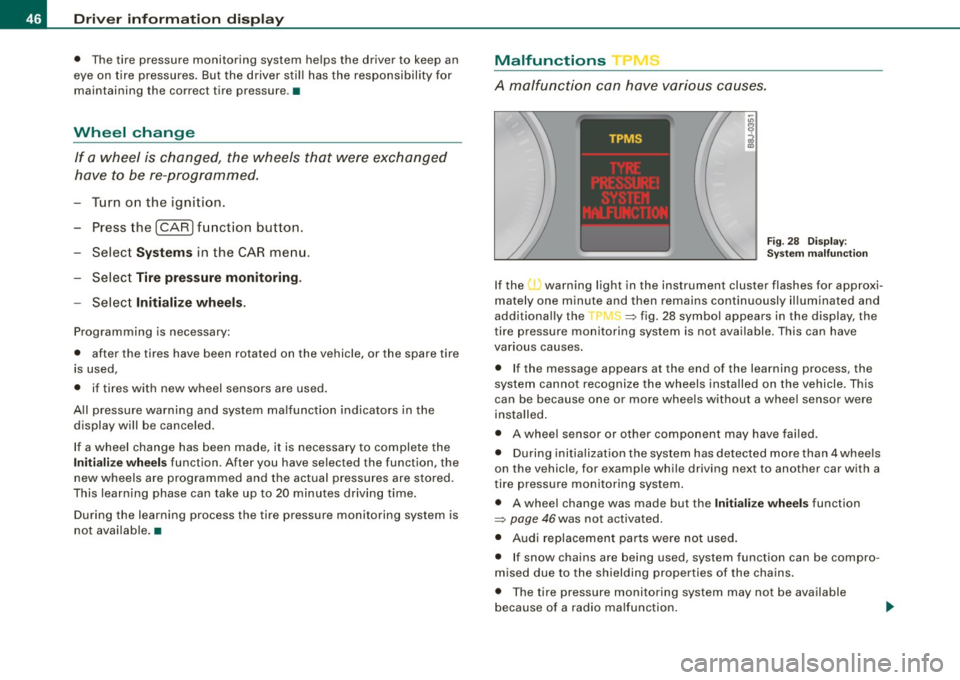
If the warning light in the instrument cluster flashes for approxi
mately one minute and then remains continuously il luminated and
additionally the
JIS => fig . 28 symbol appears in the display , the
tire pressure monitoring system is not available. This can have
various causes.
• If the message appears at the end of the learning process, the
system cannot recognize the wheels installed on the vehicle. This
can be because one or more wheels without a whee l sensor were
insta lled .
• A wheel sensor or other component may have failed .
• During initialization the system has detected more than 4 whee ls
on the vehicle, for examp le while driving next to another car with a
tire pressure monitoring system .
• A wheel change was made but the Initialize wheel s function
=> page 46was not activated.
• Audi replacement parts were not used .
• I f snow chains are being used , system function can be compro
m ised due to the shielding properties of the cha ins .
• T he tire pressure monitoring system may not be available
because of a radio ma lfunction.
Page 52 of 390
Opening and closing
Vehicle within range of the key
If the vehicle is within range of the key, the check light comes on
briefly once when a button is pressed .
Vehicle outside the range of the key
If the vehicle is outside the range of the key, the check light comes
on briefly once and then shows the status of the vehicle door locks:
• If the light is flashing quickly , the vehicle is not locked .
• If the light is flashing slowly, the vehicle is locked .
State of master key battery
If the check light does not come on, the battery is dead and has to
be replaced . In addition, when the battery is dead the symbol
appears in the instrument cluster display as well as the message:
Please replace master key battery
Battery replacement ~ page 50.
[ i J Tips
Please note that the current state of the vehicle door locks can only
be recalled with the master key that was last used to lock the
vehicle . It is possible that a different state is shown for the door
locks on the other master key which is not the same as that of the
vehicle .•
Master key battery replacement
Each master key contains a battery housed under the
cover.
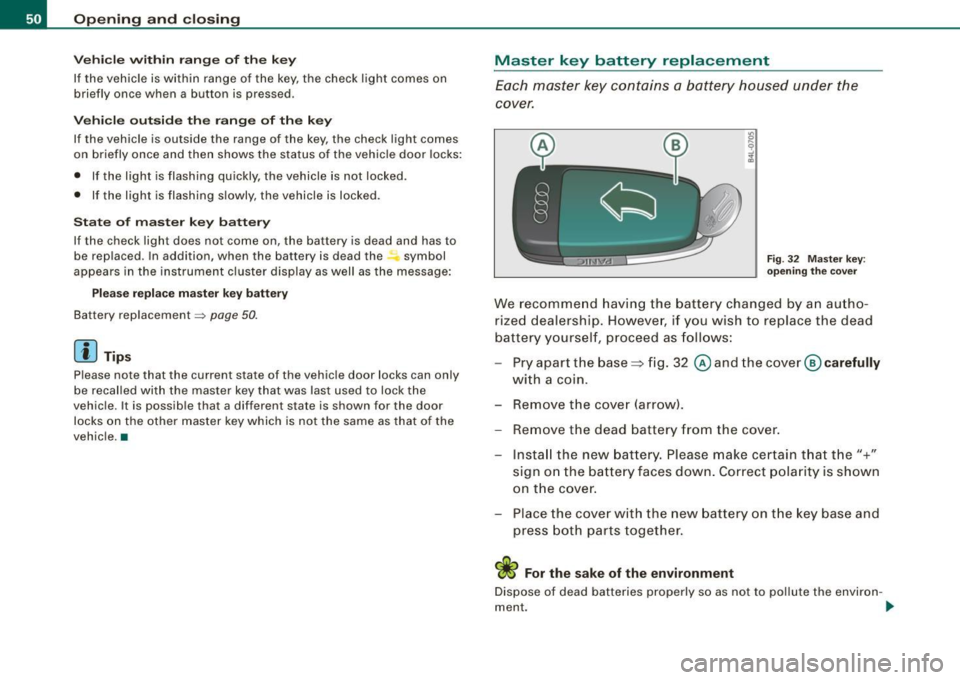
Fig . 32 Master key :
opening the cover
We recommend having the battery changed by an autho
rized dealership. However, if you w ish to replace the dead
battery yourself, proceed as follows:
- Pry apart the base~ fig. 32 @and the
cover @carefully
with a coin.
- Remove the cover (arrow).
- Remove the dead battery from the cover.
- Install the new battery. Please make certain that the"+"
sign on the battery faces down. Correct polarity is shown
on the cover.
- Place the cover with the new battery on the key base and
press both parts together.
ci> For the sake of the environment
Dispose of dead batteries properly so as not to pollute the environ -
ment . _,,,
Page 60 of 390
Opening and closing
Rear lid
Opening and closing rear lid
You can open the r ea r lid from ins ide the v ehicle using a
sw itc h in the dr iver 's door.
Opening the rear lid
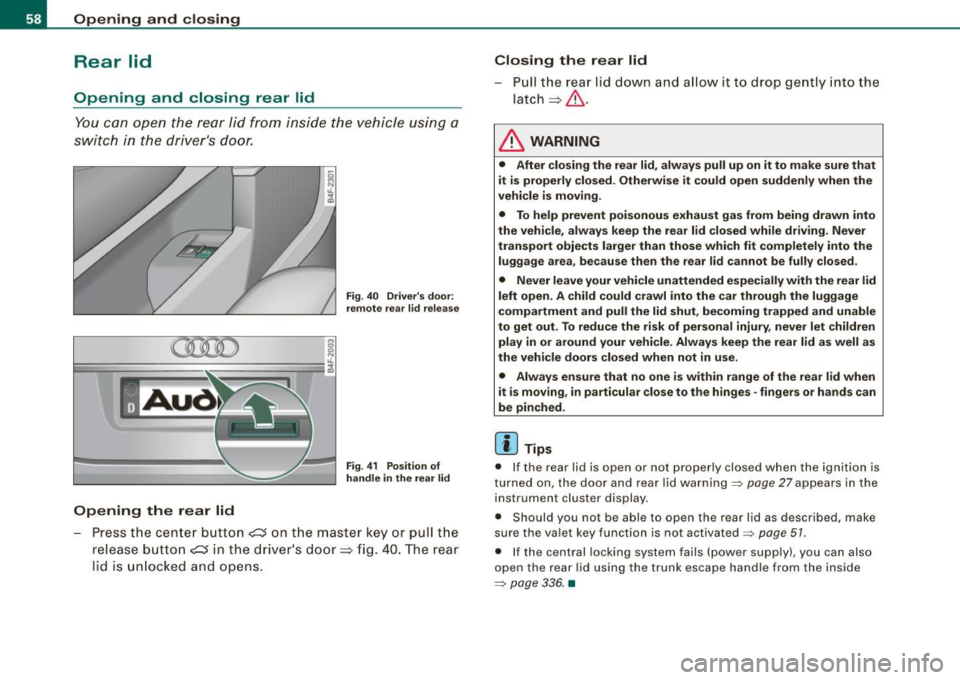
Fig. 40 Driver's door :
remote rea r lid relea se
Fig . 41 Position of
handle in the re ar lid
- Pre ss the ce nte r butto n ~ on t he ma ste r key o r pull the
release butt on
~ in t he d river's door => fig. 40. T he rear
l id is unl ocked a nd opens.
Closing the rear lid
- Pull th e r ear lid dow n a nd a llow i t to drop gently into t he
latch=> &.
& WARNING
• After closing the rear lid , always pull up on it to make sure that
it is properly closed. Otherwise it could open suddenly when the
vehicle is moving.
• To help prevent poisonous exhaust gas from being drawn into
the vehicle, always keep the rear lid closed while driving . Never
transport objects larger than those which fit completely into the
luggage area, because then the rear lid cannot be fully closed.
• Never leave your vehicle unattended especially with the rear lid
left open . A child could crawl into the car through the luggage
compartment and pull the lid shut, becoming trapped and unable
to get out. To reduce the risk of personal injury , never let children
play in or around your vehicle. Always keep the rear lid as well as
the vehicle doors closed when not in use.
• Always ensure that no one is within range of the rear lid when
it is moving , in particular close to the hinges -fingers or hands can
be pinched.
[ i ] Tips
• I f the rear lid is open or not proper ly closed when the ignition is
t urne d on, t he doo r and r ear l id wa rning =>
pag e 27 appea rs in the
instrument cluster display .
• S hould you not be a ble to open t he rear l id as desc ribed, ma ke
s u re the va let key f unction is not activated~
page 51 .
• If the central lock ing syst em fa ils (power supp ly ), you can a lso
o pen the rea r lid usin g th e t runk es cape ha ndle fr om the ins ide
=>
pa ge 33 6. •
Page 73 of 390
brightness increases again, the low beams are turned off again
automatically =>& .
In the
AU TO position the low beams are sw itched off automatically
when the ignition is turned off .
Light Sensor M alfun ction
In the event of a light sensor ma lfunction, the driver is notified in the
instrument cluster display:
Automat ic headl ights /autom ati c wipers defe ctive
Fo r safety reasons the low beams are turned on permanently with
the switch in
AUTO . However, you can continue to turn the lights on
and off using the light sw itch. Have the light sensor checked as so on
as possible at a dealership.
& WARNING
• Never use daytime running lights to see where you are go ing.
They are not bright enough and will not let you see far enough ahead for safet y, es peciall y at du sk or when it i s dark . Al way s
s witch on the low beam s at du sk or when it is dark.
• Autom ati c he adlight s are onl y intended to assist the dr iver .
They do not relieve the driver of his re spon sibility to check the
headlight s and to turn them on manu ally a ccordi ng to the current
light and visibility conditions. For ex ample , fog and rain c annot be
dete cted by the l ight sen so rs . S o al ways switch on the headlight s
und er the se we ather conditions and when dr iving in the dark
~D.
• Cra she s c an happen wh en you cannot see the road ahead and
when you cannot be seen by other motor ists.
- Alway s turn on the hea dl ight s so that you can see ahead and
so that others can see your car from the back.
[ i ) Tips
• With the switch in AUTO front fog lights and rear fog lights
cannot be turned on in addition .
Controls and equip
ment
Cl ea r vision
• The light sensor for headlight control is located in the rear view
mi rror moun t. Do n ot app ly any stickers to the windshie ld in this
area to prevent malfunct ions or failures.
• I f you remove the ign ition from the ign ition lock wh ile the head
lights are still on, a buzzer will sound as long as the driver's door is
open to remind you to tur n off the lights .
• Always observe the specific loca l regulations for your area as to
when t o use your ligh ts .•
Adjusting exterior lighting
The functions are set in the MM/.
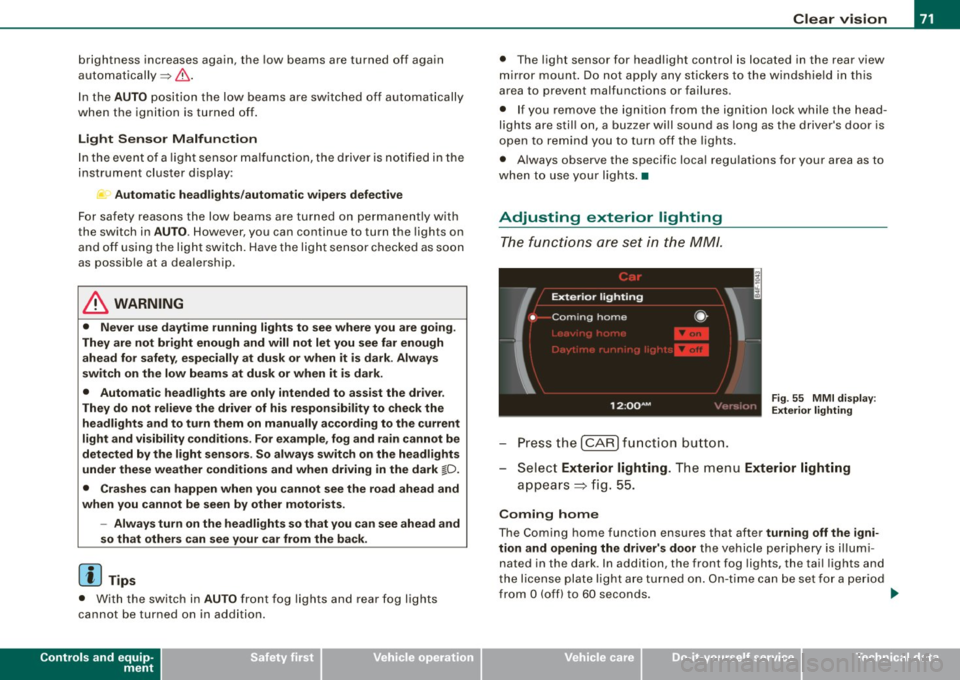
Fig . 55 MMI di splay:
Ex te ri or li ghting
- Press the [ CAR) fu nction button .
Selec t Exte rior lighting . The menu Exterior lighting
a p pears => fig. 55.
Coming home
The Coming home function ensures that after turnin g off the igni
tion and opening the driver' s door
the vehicle periphery is il lumi
nated in the dark . In addition, the front fog lights, the tai l lights and
the license plate l ight are turned on . On-time ca n be set for a pe riod
from
O (off) to 60 seconds. .,_
I • •