turn signal AUDI S6 2008 User Guide
[x] Cancel search | Manufacturer: AUDI, Model Year: 2008, Model line: S6, Model: AUDI S6 2008Pages: 390, PDF Size: 88.42 MB
Page 76 of 390
Clear vision
[ i J Tips
You should turn on the emergency flashers when:
• you are the last vehicle standing in a traffic jam so that any other
vehicles coming can see you, or when
• your vehicle has broken down or you are in an emergency situa
tion, or when
• your vehicle is being towed by a tow truck or if you are towing
another vehicle behind you. •
Turn signal ¢ ¢ and high beam ~D lever
The lever on the left side of the steering column is used to
operate the turn signals and the high beam as well as the
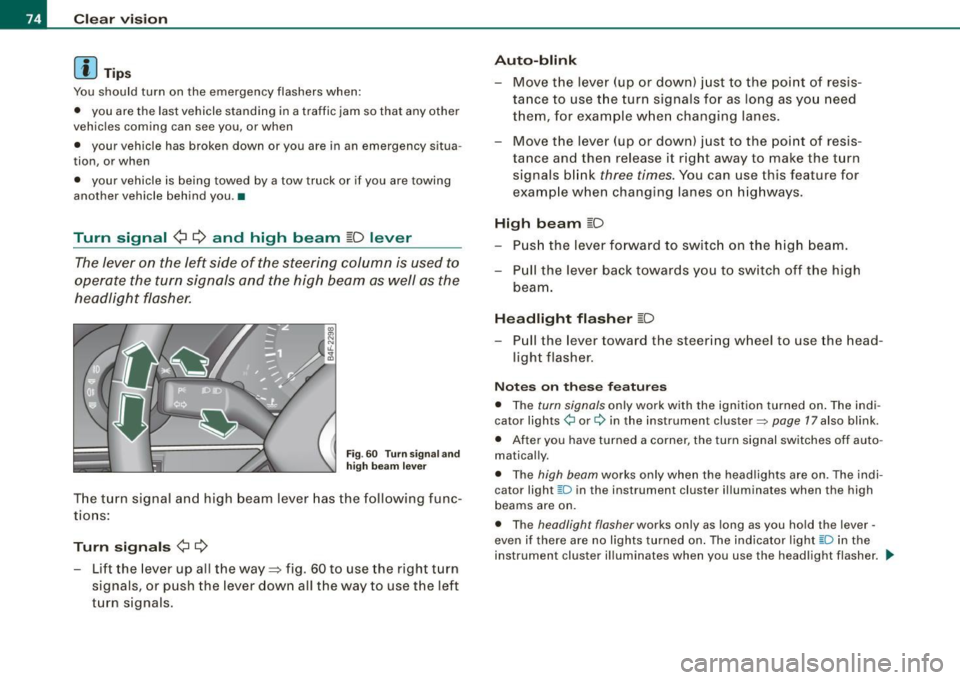
headlight flasher.
Fig . 60 Turn signa l and
high beam lever
The turn signal and high beam lever has the following func
tions :
Turn signals ¢ ¢
- Lift the lever up all the way=:> fig . 60 to use the right turn
signals, or push the lever down all the way to use the left
turn signals.
Auto -blink
- Move the lever (up or down) just to the point of resis
tance to use the turn signals for as long as you need
them, for example when changing lanes .
- Move the lever (up or down) just to the point of resis
tance and then release it right away to make the turn
signals blink
three times . You can use this feature for
example when changing lanes on highways.
High beam ~D
- Push the lever forward to switch on the high beam.
- Pull the lever back towards you to switch off the high
beam .
Headlight flasher ~D
Pull the lever toward the steering wheel to use the head
light flasher.
Notes on these features
• The turn signals only work with the ignition turned on. The indi
cator lights ¢ or¢ in the instrument cluster::::;, page 17 also blink.
• After you have turned a corner, the turn signal switches off auto
matically.
• The high beam works only when the head lights are on . The indi
cator light ~D in the instrument cluster illuminates when the high
beams are on.
• The headligh t flasher works only as long as you hold the lever -
even if there are no lights turned on. The indicator light ~Din the
instrument cluster illuminates when you use the headlight flasher. _.,
Page 81 of 390
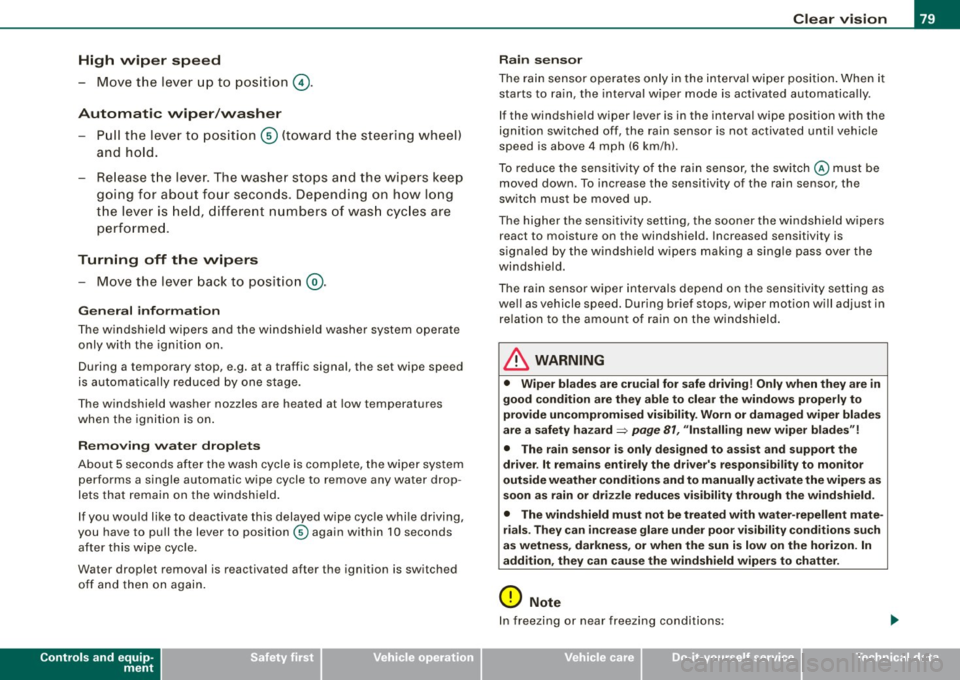
High wiper sp eed
- Move the lever up to pos ition
G) .
Automatic w ip er/ washer
- Pull the lever to pos ition ® (toward the steering wheel)
and hold .
- Re lease t he lever. The washer stops a nd the wipers keep
going f or about four seconds. Depending on how long
the lever is held, d ifferent numbers of was h cyc les are
perform ed .
Turning off the wipers
- Move the lever back to position
® ·
Ge nera l inf ormati on
The w indshield wipers and the windshield washer system operate
only with the ignition on.
During a temporary stop, e.g. at a traffic signal, the set wipe speed
is automatically reduced by one stage.
The windshield washer nozzles are heated at low temperatures
when the ignition is on .
Rem ov ing w ate r dro ple ts
About 5 seconds after the wash cycle is complete, the wiper system
performs a single automatic wipe cycle to remove any water drop
lets that remain on the windshield .
If you wou ld like to deactivate this delayed wipe cycle while driving,
you have to pull the lever to position © again within 10 seconds
after this wipe cyc le.
Water droplet removal is reactivated after the ignition is switched off and then on again .
Controls and equip
ment
Cl ea r vision
Ra in se nso r
The rain sensor operates only in the interval wiper position . When it
starts to rain, the interval wiper mode is activated automatica lly .
If the windshie ld wiper lever is in the interval wipe position with the
ignit ion switched off, the rain sensor is not activated until vehicle
speed is above 4 mph (6 km/h).
To reduce the sensit ivity of the rain sensor, the switch © must be
moved down. To increase the sensitivity of the rain sensor, the
switch must be moved up.
The higher the sensitiv ity setting, the sooner the windsh ield w ipers
react to moisture on the windshield. Increased sensitivity is
s igna led by the windshie ld wipers making a sing le pass over the
windshield.
The rain sensor wiper interva ls depend on the se nsitivi ty setting as
we ll as vehicle speed. During brief stops, wiper motion will adjust in
re lation to the amount of rain on the windshield .
& WARNING
• Wiper bl ade s are cru cial f or s afe drivin g! Only w hen they are in
good condition ar e the y able to cle ar the w indo ws prop erly to
provide uncomp romi sed visibility . Worn or d amaged wiper blade s
a re a sa fety haz ard =>
pag e 81 , "In stalling n ew wiper bl ad es"!
• The rain s ensor i s onl y designed to a ssist and supp ort the
dri ver . It re mains e ntirel y th e dr iver' s res ponsibi lity to m onitor
out side weat her condition s and to manuall y activate the wiper s as
s oon as rain or dr iz zle redu ce s v is ibilit y throug h the wind shield.
• The wind shield mu st not be treat ed with w ater-repell ent mat e
ri als. Th ey ca n in crea se glare und er poor visi bilit y cond ition s s uch
as wetne ss, dar knes s, or when th e sun is low on th e horizon. In
a dd itio n, t hey ca n c aus e the w ind shield wiper s to chatter .
0 Note
In freezing or near freezing conditions :
I • •
Page 130 of 390
• .___O_ n_ t_h _e _ r_o _a_ d __________________________________________________ _
& WARNING
• Never turn off the engine until the vehicle has come to a
complete stop.
• The brake booster and servotronic only work when the engine
is running. With the ignition turned off, you have to apply more
force when steering or braking. Since you cannot steer and stop
normally, this can lead to accidents and serious injuries.
• For safety reasons, you should always park your vehicle with
the selector lever in P. Otherwise, the vehicle could inadvertently roll away.
• After the engine has been switched off, the radiator fan can
continue to run for up to 10 minutes -even with the ignition
switched off. It can also switch on again after some time if the
coolant temperature rises as the result of a heat buildup or if the
engine is hot and the engine compartment is additionally heated
by the sun's rays.
0 Note
If the engine has been under heavy load for an extended period,
heat builds up in the engine compartment after the engine is
switched off -there is a risk of damaging the engine. Allow the
engine to run at idle for about 2 minutes before switching it off. •
Applies to vehicles: w ith Advanced Key
Driver messages in the instrument cluster
display
If a function is not present, a driver message appears.
No key identified
This message appears when the [STAR T) button is pressed if there
is no master key inside the vehicle or if the system does not recog
nize it. For example, the master key cannot be recognized if it is
covered by an object (e.g. aluminum brief case) which
screens the radio signal.
.Electronic devices such as cell phones can also inter
fere with the radio signal.
Press brake pedal to start engine
This message appears if you press the [ START) button to start the
engine and do not depress the brake pedal. The engine can only be
started if the brake pedal is depressed.
Engage N or P to start engine
This message appears when the engine is started if the selector
lever for the automatic transmission is not in the P or N position.
The engine can only be started with the selector in these positions.
? Key not in vehicle
This message appears along with the symbol if the master key is
removed from the vehicle with the engine running. It is intended to
remind you (e.g. when changing drivers) not to continue the journey
without the master key.
If the master key is no longer in the vehicle, you cannot switch off
the ignition after stopping the engine and you also cannot start the engine again. Moreover, you cannot lock the vehicle from the
outside with the key.
Shift to P, otherwise vehicle can roll away. Doors do not lock if lever
is not in
P.
This message appears for safety reasons along with a warning
buzzer if the selector lever for the automatic transmission is not in
the P position when the ignition is switched off with the
[STOP)
button and the driver's door is opened. Move the selector lever to
the P position, otherwise the vehicle is not secured against rolling
away. You also cannot lock the vehicle using the locking button on
the door handle or using the remote key.
To engage steering lock, press and hold STOP button
This message appears for safety reasons if the engine and the igni
tion have been switched off by pressing the [
STOP) button once, .,,_
Page 145 of 390
_____________________________________________ A_ d_a ...: p_ t_ i_ v _e_ C_ ru_ is_ e_ C_ o_n _ t_ r_o _ l _ __.11111
@ Di spl ay in t he instrum ent clust er
In display area@ information from the navigation system and the
trip computer is disp layed in addition to information about Adap tive
Cruise Cont rol.
You can select among the different information by repeated brie f
taps on the
[RESET) button on the w indsh ie ld wiper lever
=> page 41, "Operation" .
© Statu s indi cator
The information in area@ is not displayed permanently . Informa
tion is displayed only if you set or change the speed setting, change
t he time interval, when messages are disp layed or if the Adaptive
Cruise Control is turned off for safety reasons. •
Applies to veh ic les: with Ad apt ive Cru ise Co nt rol
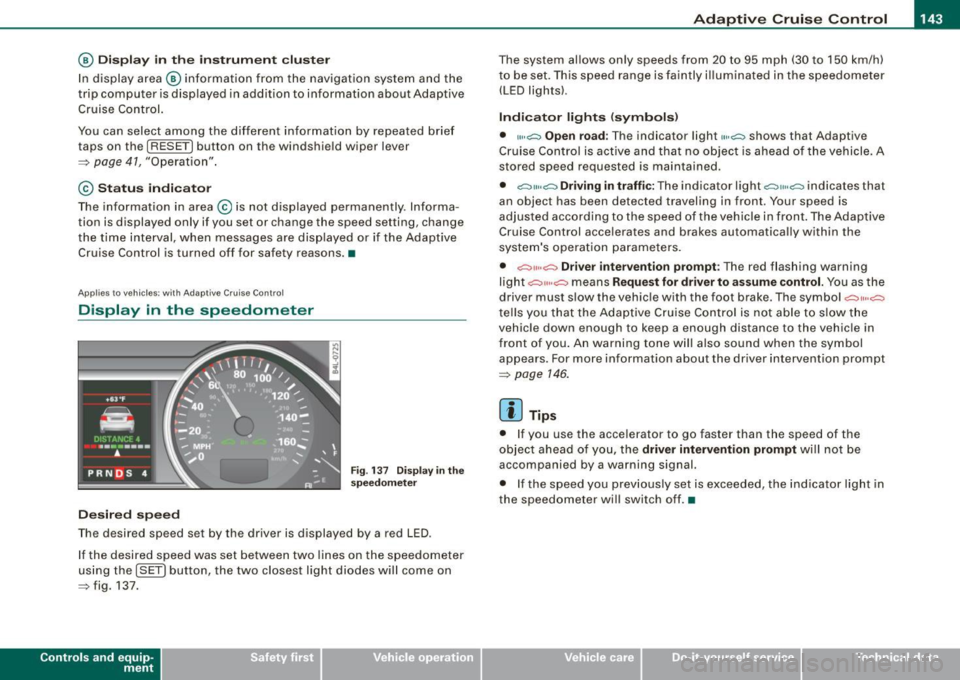
Display in the speedometer
Desired speed
Fig . 1 37 Display in th e
s pe ed om eter
The desired speed set by the driver is displayed by a red LED .
I f the desired speed was set between two lines on the speedometer
us ing the
[ SET ) button, the two closest light diodes will come on
=> fig. 137.
Con tro ls and eq uip
ment
The system al lows only speeds from 20 to 95 mph (30 to 150 km/h)
t o be set. This speed range is faintly i lluminated in the speedome ter
(LED ligh ts) .
Ind icator light s (sy mbols )
• "'' ~ Open ro ad :
The indicator light""~ shows that Adaptive
Cruise Control is active and that no object is ahead o f the vehicle.
A
stored speed requested is maintained .
• ~'" '~ Driving in traffic: The indicator light~""~ indicates that
an object has been detected trav eling in front. Your speed is
adjusted according to the speed of the vehicle in fr ont . The Adap tive
Cruise Control acce lerates and brakes automatica lly within the
system's operation pa rameters.
• ~" "~ Driver inter vention p rompt : The red flashing warning
light
c::::, ,,, ,~ means Request for driver to a ssume control. Yo u as the
drive r must slow the vehic le with the foot brake . The symbol ~,, ..
~
tel ls you that the Adaptive Cruise Control is not able t o slow t he
vehicle down enough to keep a enough distance to the vehic le in
front of you . An warning tone will also sound when the symbol
appears. For more information about the driver intervention prompt
=> page 146.
[ i ] Tips
• I f you use the accelerator to go faster than the speed of the
object ahead of you, the
driver intervention prompt wi ll no t be
accompanied by a warning signal.
• I f the speed you prev iously set is exceeded, the ind icator light in
the speedometer will switch off. •
Vehicle care I I Technical data
Page 149 of 390
_____________________________________________ A_ d_a ...: pc.. t _i_ v _e_ C_ ru_ is_ e_ C_ o_n_ t_ r_ o _ l __ ,n
• To resume the saved speed, release the brake pedal and press
t he control lever~
page 139, "Turning Adaptive Cruise Contro l off
temporarily".
• If you use the accelerator to go faster than the speed of the
object ahead of you, the
drive r int erv enti on prompt will not be
accompanied by a warning signal.
• If the speed you previously set is exceeded, the indicator light in
t he speedometer wi ll switch off .•
Appl ies to veh icles : w ith Ada ptive C ru ise Cont rol
MMI settings
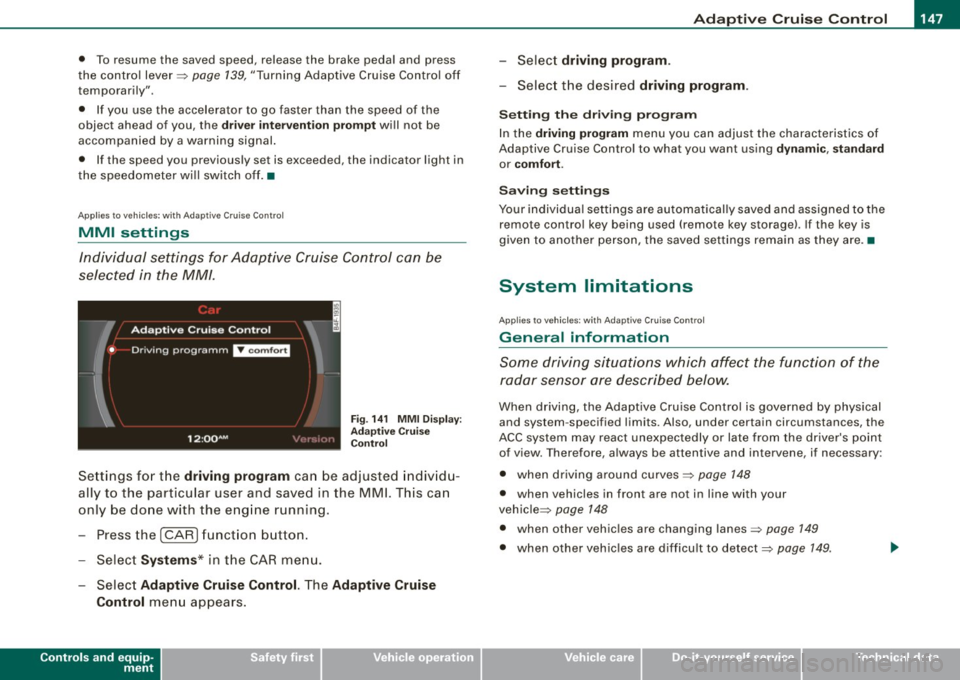
Individual settings for Adaptive Cruise C ontr ol can be
selected in the MM/ .
Fig. 1 41 MMI D isplay:
Ad apti ve C ru is e
Co ntrol
Sett ings for t he driving program can be adjusted indiv id u
ally to the particular user and saved in the MMI. This can
only be done with the eng ine running.
- Press the
I CARI funct ion b utton .
- Selec t
System s* in the CAR menu.
Select
Ad aptive Cruise Control. The Adaptive Cruise
Control
menu appears .
Controls and equip
ment
Select driving progr am.
- Selec t the desi red driving program .
Setting th e dri ving p rogr am
In the dri ving program menu you can adjus t the characteristics of
Adaptive Cruise Contro l to what you want using
dyn ami c, s ta ndard
or co mfort .
Saving setting s
Your individual settings are automat ical ly saved and assigned to the
remote contro l key being used (remote key storage). If the key is
given to another person, the saved settings remain as they a re. •
System limitations
Ap plie s t o v ehi cles: with Ad apt ive Crui se Co nt rol
General information
Some driving situations which affect the function of the
radar sensor ore described below.
When driving, the Adaptive Cru ise Control is governed by physical
and system -specified limits. Also, under certain circumstances, the
ACC system may react unexpec tedly or late from the dr iver's point
of view. Therefore, always be attentive and intervene, if necessary :
• when driv ing around curves~
page 148
• when vehicles in front are not in line with your
vehic le ~
page 148
• when other vehicles are changing lanes~ page 149
• when other vehic les are difficu lt to detect~ page 149.
I • •
Page 152 of 390
-L_!_A~u~d:!!i~la~n~e :...a ~ s~s ~i s ~t _______________________________________________ _
Audi lane assist
Lane assist
Applies to vehic les : w ith lane assist
Description
Lane assist helps you keep your vehicle in your lane.
Lane assist uses a camera to detect lane boundary lines. If the
system detects that your vehicle is about to leave a lane boundary
line, the steering wheel
vibrates to alert the driver . If lane assist
de tects boundary lines on both sides of the vehicle's lane, the
system enters active standby mode, which is indicated by the green
indicator light /: on the instrument cluster.
If the system is in active standby mode and the turn signal is acti
vated before driving over the boundary line, the warning does not
occur since the system allows for intentional lane changes.
The system is designed for driving on freeways and expanded high
ways and thus works only at speeds of 40 mph (65 km/h) or more.
& WARNING
• Lane assist will not keep your vehicle in your lane. The system
only warns the driver when the vehicle is leaving the lane . The
driver is always responsible for keeping the vehicle in the lane .
• The camera is not able to detect all lane boundary lines and in
some cases might also detect lane structures or objects as
boundary lines . This can lead to incorrect warnings or warnings
that fail to go off at all.
• The camera's visibility can be impaired by vehicles ahead of
you , for instance, or by rain, snow, heavy spray or light shining into
the camera lens. This can cause lane assist to fail to detect
boundary lines. •
Applies to veh icle s: with lane assi st
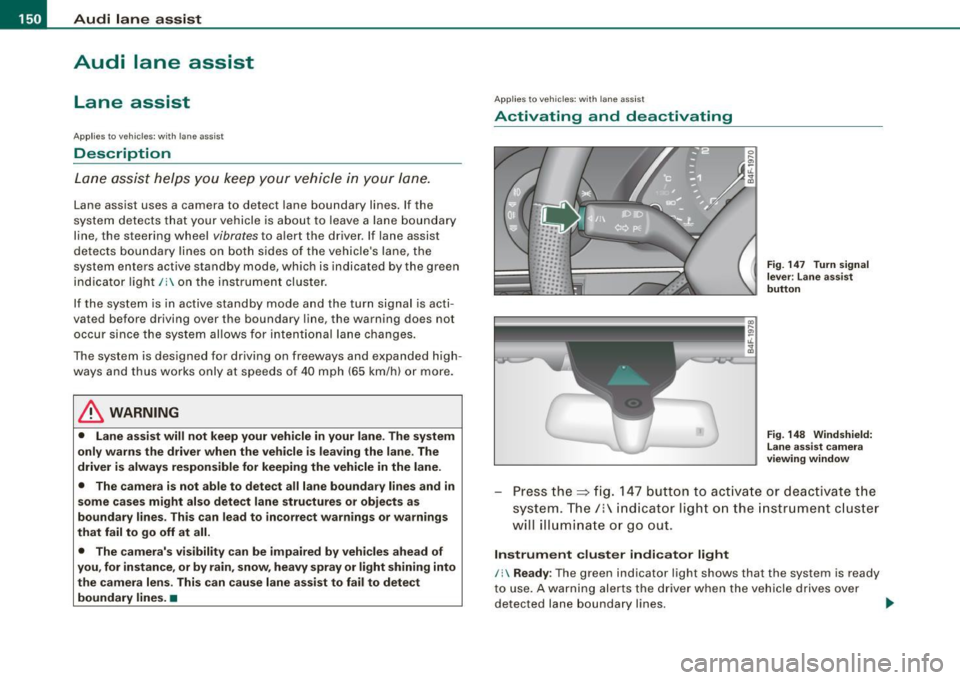
Activating and deactivating
Fig . 147 Turn signal
le ve r: Lane assist
button
Fig . 148 Windshield:
Lane assist camera
viewing window
Press the=> fig. 147 button to activate or deactivate the
system. The/: indicator light on the instrument cluster
will illuminate or go out.
Instrument cluster indicator light
/: Ready : The green indicator light shows that the system is ready
to use. A warning alerts the driver when the vehicle drives over
detected lane boundary lines. -.,
Page 160 of 390
-L-_:A:....::..: u:;. t .:.o.::..:. m.:....:..: a:;. t.:. i;..: c :......: t.:r .:a :...n.: s;;:..:. m;_;_;_ is.::....:: s.:i o .::..:. n.:.... _______________________________________________ _
[ i J Tip s
• When you shift into the next lower gear, the tran smission will
downshift only when there is no possibi lity of over -revv ing the
engin e.
• When the kickdown comes on, th e transmission wil l shift down
to a lower gear, depending on vehicle and engine speeds.
• tiptronic® is inoperative when the transmission is in the fail -safe
mode .•
A pplies to vehi cles : w it h 6- speed automatic trans mission
St ee ring wh eel with tiptroni c®
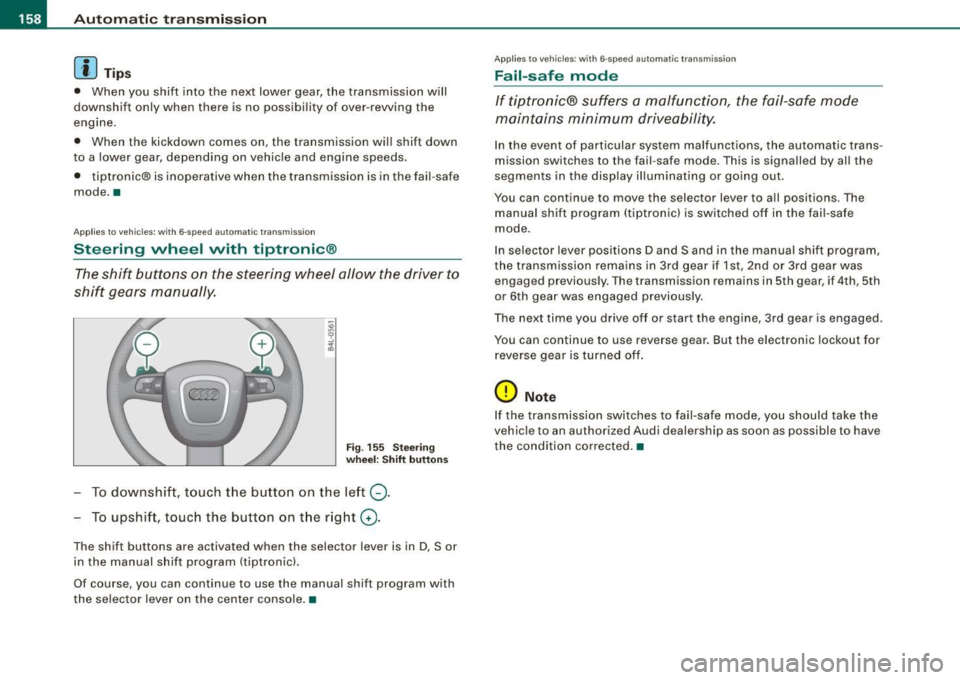
The shift buttons on the steering wheel allow the driver to
shift gears manually.
Fig . 155 Stee ring
whe el: Shift button s
To downshift, touch the button on the left Q.
To upshift, touc h the button on the r ight G) .
The shift buttons are act ivated when the selector lever is in D, Sor
in the manual shift program (tiptronic) .
Of course, you can continue to use the manual shift program with
the selec tor lever on the center console. •
App lies to veh ic les : w it h 6-speed au tomat ic tra n smission
Fail-saf e mode
If tiptronic® suffers a malfunction, the fail-safe mode
maintains minimum driveability.
In the event of particular system malfunctions, the au tomatic trans
mission switches to th e fail -safe mode. This is signalled by al l the
segments in the display illuminating or going out.
You can continue to move the selec to r lever to all positions . The
manual shift program (tiptronic l is switched off in the fai l- safe
mode .
In selector lever positions D and Sand in the manual shift program,
the transmission remains in 3rd gear if 1st, 2nd or 3rd gear was e ngag ed pr evious ly. The transmission remains in 5th gear, if 4 th , 5th
or 6th gear was engaged previous ly .
T he next time you drive off or sta rt the engine , 3rd gear is engaged .
You can continue to use reverse gear. But the electronic lockout for
reverse gea r is turned off.
(D Note
If the transmission switches to fail -safe mode , you should take the
v ehicle to an au thori zed Audi dealership as soon as possible to have
the condition corrected .•
Page 167 of 390
_________________________________________________ A_ u_t_ o_ m_ a_t _i _ c _ t _ra_ n_s_ m __ is_ s_ io_ n _ __.1111
automatic downshifting is interrupted as soon as you apply throttle
again .
[ i J Ti ps
• When you shift into the next lower gear, the engine will down
shift only when there is no possibility of over-revving .
• When the kick-down comes on, the transmission will sh ift down
to a lower gear depending on vehicle and engine speeds.
• The tiptronic® is inoperative when the transmission is in the fail
safe mode .•
Ap plies to vehic les: with multit ron ic® Continuous ly Variable Transm ission (CVT)
Steering wheel with tiptronic ®
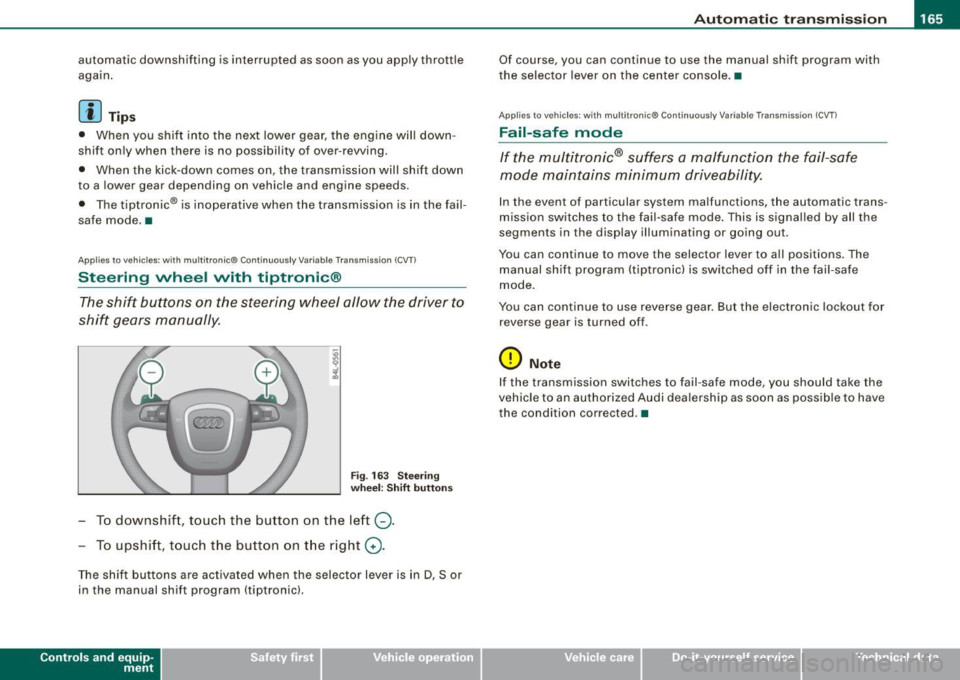
The shift buttons on the steering wheel allow the driver to
shift gears manually.
Fig . 163 S teering
w heel : S hift butt ons
- To downshift, touch the button on the left Q.
- To upshift, touch the button on t he right G) .
The shift buttons are activated when the selector lever is in D, Sor
in the manual shift program (tiptronic).
Contro ls and eq uip
ment
Of course, you can continue to use the manual shift program with
the selector lever on the center console. •
Applies to vehicles : with multitronic® Continuously Var iable Transm ission (CVT )
Fail -safe mode
If the multitronic® suffers a malfunction the fail-safe
mode maintains minimum driveability.
In the event of particular system malfunctions, the automatic trans
mission switches to the fail-safe mode . This is signal led by all the
segments in the display illuminating or going out.
You can continue to move the selector lever to all positions. The
manual shift program (tiptronic) is switched off in the fail-safe
mode.
You can continue to use reverse gear. But the electronic lockout for
reverse gear is turned off .
0 Note
If the transmission switches to fail-safe mode, you should take the
vehicle to an authorized Audi dea lership as soon as poss ib le to have
the condition corrected. •
Vehicle care I I irechnical data
Page 170 of 390
• .___A_ u_d_ i _P _a_ r_ k_ i_ n ..:g=-- S_ y=-- s_t _ e _m _____________________________________________ _
Please note that low objects already signalled by a warning can
disappear fro m the system 's detectio n range and wil l n ot con tinu e
to be signa lled .
If the distance to an obstacle remains the same, the vo lume of the
d istance wa rni ng i s gradually reduced after a bout 4 seconds .
Approaching another obstacle wi ll result in the distance warning
sound ing at the nor mal vo lume agai n.
Malfunctions in the system
If a warnin g tone is audible for about five seconds when you turn on
the ignition, there is a ma lfunction in the system. Have the prob lem
corrected by y our aut horiz ed Aud i dealer .
Keep the sensors in the rear bumper c lean and free from ice so that
t he acoustic park ass is t sy ste m can f unction pro per ly .
& WARNING
• Sensors have dead spaces in which objects cannot be
detected . Be e specially alert for small children and animals , since
they are not always detected by the sensors.
• The Acoustic Parking System is not a substitute for the dr iver's
own caution and alertne ss. Ultimate respon sibility always
remains with the driver during parking and similar maneuvers .
Always watch where you are driving .
• You should always adjust the volume and frequen cy of the
chimes so that you can easily hear the acoustic distance warning
even if the radio is playing , the air-condit ioner blower is on High or
there i s a high level of out side noise .
- Check the settings whenever anyone else has driven the
vehicle before you.
0 Note
• Reme mber that l ow obstacles for wh ic h a warn ing has already
been issued may "dive" below the system's sensing zone if the
v e h icl e is be ing backed u p closer. In this cas e, th e wa rning so und shutting off does
not indicate that you have c
leared the obstacle .
In stea d, impact is im min ent.
• Objects such as trai ler hitches, chains, narrow posts or fences
cov ered by a t hin lay er of p ain t may no t always be dete cte d by t he
system . T hey can stil l damage your vehicle without warning.
[ i ] Tips
K eep the sensors in the rear bumper clean and free of snow and ice
so tha t the acou stic parki ng a ssis t system ca n fu nc tio n proper ly . •
Ap plie s to v ehic le s : w ith Audi P arki ng Syst em ( re arl
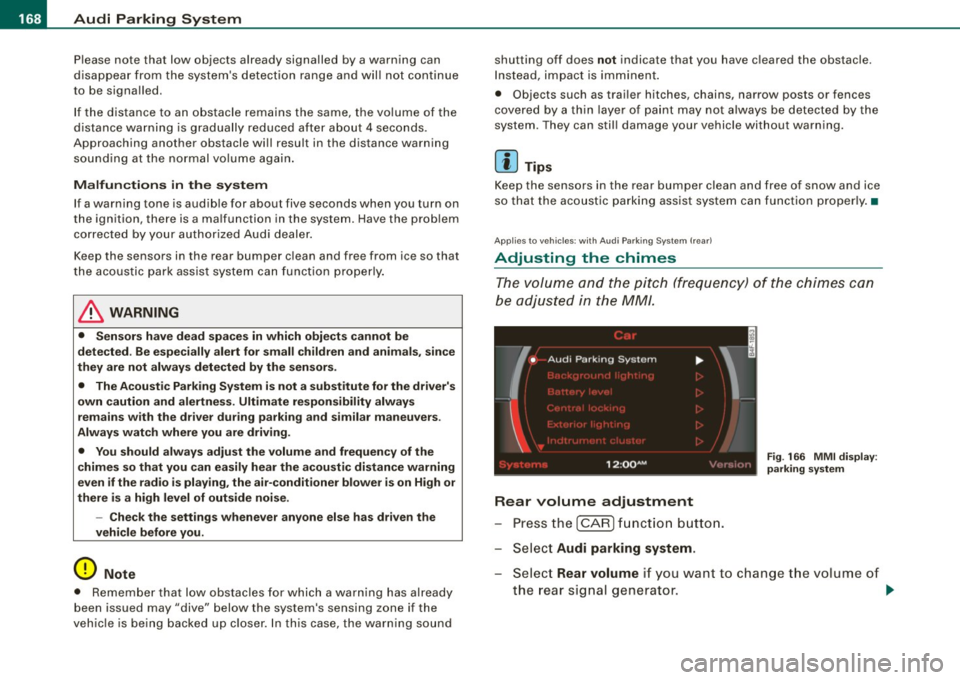
Adjusting the chimes
Th e vo lum e and t he pitc h (freq uency) o f th e c him es can
be adju ste d i n th e
MM/ .
Rear volume adjustment
Pre ss th e [ CAR ] fun ctio n butt on.
S el ect
Audi parking system.
Fig . 166 MMI display :
pa rking system
S elect Rear volume if you want to change t he volume of
t h e rear si gnal genera tor .
~
Page 172 of 390
• .___A_ u_d_ i _P _a_ r_ k_ i_ n ..:g=-- S_ y=-- s_t _ e _m _____________________________________________ _
-Switch the ignition off, the entire acoustic parking
system is automatically deactivated.
The rear-view camera will deactivate automatically when you shift
into a forward gear and drive faster than about
9 mph (15 km/h) .
The delay in deactivating the camera provides an uninterrupted
view behind the vehicle especially when maneuvering in tight parking spaces and prevents the picture from turning off the every
time you shift out of reverse.
The vehicle -obstacle distance at which the sensors start to measure
is
about:
To the side 2 ft (0.60 m)
Center rear 5.2 ft (1.60 ml
Backing up
Distance notification when backing up starts when an obstacle is
detected that is within range of the Audi Parking System. As the
distance decreases, the time between the chimes gets shorter .
When the distance is less than
1 ft (0.30 m), the chime becomes a
continuous tone. Here, at the latest, you should stop backing up.
Please note that low objects already signaled by Audi Parking
System can become so close that they can no longer be detected
and will not continue to be signaled .
If the distance to an obstacle stays the same, the volume of the
distance signal chime is gradually reduced after about
4 seconds
(does not affect the continuous signal tone). Approaching another
obstacle will cause the distance signal to sound again at the normal
volume.
Distance signal tones
Distance is signaled by chimes from the rear signal generator. The
volume and the pitch of the chimes can be adjusted in the MMI
=>
page 178.
Rear-view camera (rear view)
The rear -view camera picture ~ page 173, fig. 172 appears in the
MMI Display as a mirror image . The rear-view camera picture has
orientation lines and marked surfaces projected into it, as an aid to
the parking process=>
page 171 . The red line in the picture
=>
page 171, fig. 168 or=> page 171, fig. 169 indicates the collision
area . Here , at the latest, you should stop backing up~&.
If the warning message appears in the display but not the rear-view
camera picture, read and confirm the warning message. The
acoustic distance signal is always active.
If you press a function button on the MMI terminal, the rear -view
camera picture disappears. The rear-view camera picture reappears
the next time you park.
When the rear -view camera picture is displayed, you can adjust the
volume and frequency of the acoustic parking via the control button
with the
Settings function ~ page 179.
Further information on the warning message and the MMI terminal
can be found in the MMI instruction booklet.
& WARNING
• Sensors have blind spots in which objects cannot be detected.
Be especially careful to check for small children and animals
before backing up. Small children and animals will not always be
detected by the sensors.
• The Audi Parking System is not a substitute for being careful
and alert when backing up. Be especially careful during parking
and similar maneuvers. Always watch where you are driving and
make sure that nothing is in the way.
• Remember that low obstacles which have already been
signaled may pass below the system's sensing zone when the
vehicle is backing up. The fact that the signal stops does not mean
that you have cleared the obstacle. When the signal stops, impact is imminent . Objects such as trailer hitches, chains, narrow posts
or fences covered by a thin layer of paint may not always be
~