key AUDI S6 2008 Owner's Manual
[x] Cancel search | Manufacturer: AUDI, Model Year: 2008, Model line: S6, Model: AUDI S6 2008Pages: 390, PDF Size: 88.42 MB
Page 67 of 390
[ i J Tips
The windows can still be opened and closed for about ten minutes
after the ignition has been turned off. The power windows are not
shut off until one of the front doors is opened .•
Convenience close /open feature vvith the
lock in the driver's door
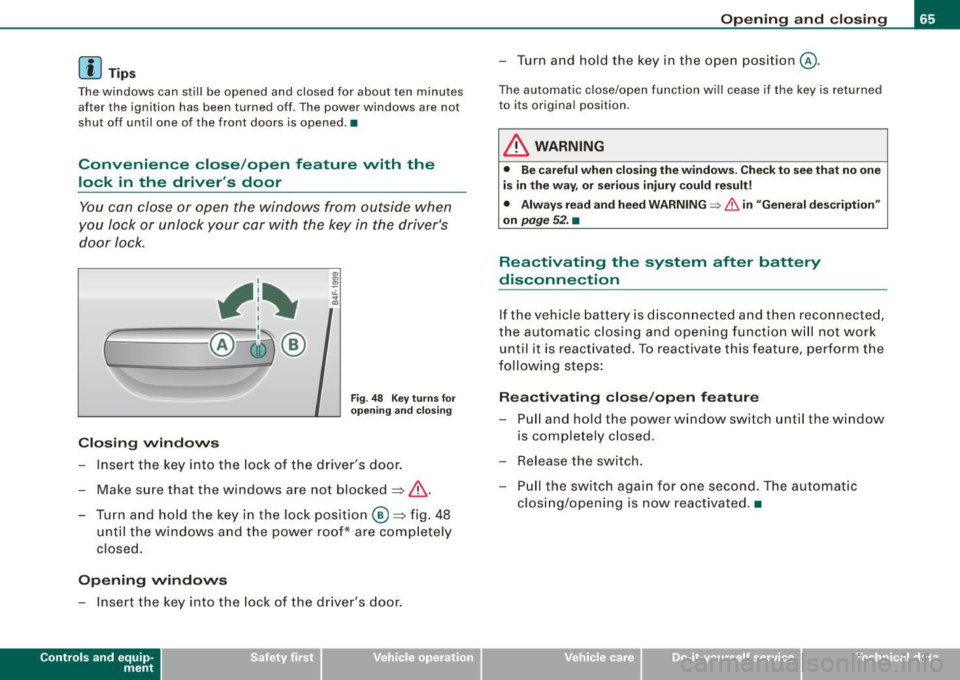
You can close or open the windows from outside when
you Jock or unlock your car with the key in the driver's
door lock.
, 1~
r~ -====-- @~ ®
Closing windows
Fig. 48 Key turns for
opening and closing
Insert the key into the lock of the driver's door.
Make sure that the windows are not blocked~
/n..
- Turn and hold the key in the lock position @~fig. 48
until the windows and the power roof* are completely
closed.
Opening windows
- Insert the key into the lock of the driver's door.
Contro ls and eq uip
ment
Opening and closing
- Turn and hold the key in the open position@.
The automatic close/open function will cease if the key is returned
to its original position .
& WARNING
• Be careful when closing the windows. Check to see that no one
is in the way, or serious injury could result!
• Always read and heed WARNING=>
& in "General description"
on
page 52. •
Reactivating the system after battery
disconnection
If the vehicle battery is disconnected and then reconnected,
the automatic closing and opening function will not work
until it is reactivated. To reactivate this feature, perform the
following steps:
Reactivating close/open feature
- Pull and hold the power window switch until the window
is completely closed .
- Release the switch.
- Pull the switch again for one second. The automatic
closing/opening is now reactivated. •
Vehicle care I I irechnical data
Page 68 of 390
Opening and closing
Sliding/tilting power sunroof
App lies to vehicles: w ith s liding/ tilt ing power sun roof
How the power sunroof works
0
0
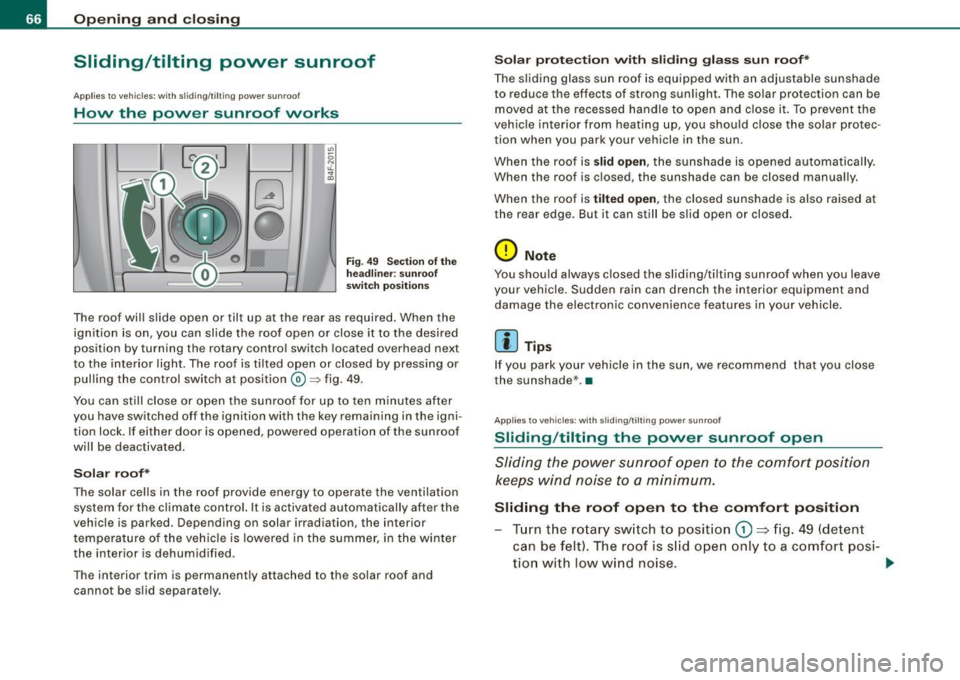
Fi g. 49 Sec tion of th e
h ea dlin er: s unr oof
s wit ch po siti ons
The roof wil l slide open or tilt up at the rear as required. When the
ign ition is on, you can slide the roof open or close it to the desired
position by turning the rotary control switch located overhead next
to the interior light. The roof is ti lted open or closed by pressing or
pul ling the control switch at position@=> fig. 49.
You can sti ll close or open the sunroof for up to ten minutes after
you have switched off the ignition with the key remaining in the igni
tion lock. If e ither door is opened, powered operation of the sun roof
wi ll be deactivated.
Solar roof*
The solar cel ls in the roof provide energy to operate the ventilation
system for the climate control. It is ac tivated automatically after the
vehic le is parked. Depending on solar irradiation, the interior
t empe ratu re of the veh ic le is lowered in the summer, i n the winte r
the interior is dehumid ified .
The interior trim is permanently attached to the solar roof and cannot be s lid separate ly .
S olar prote ction w ith sliding gla ss sun roof*
The s liding glass sun ro of is equipped with an adjustable sunshade
to reduce the effects of strong sun light. The solar protection can be
moved at the recessed ha ndle to o pen and close it. To p revent the
vehic le interior from heating up, you shou ld c lose the solar protec
tion when you park your vehicle in the sun.
When the roof is
slid open , the sunshad e is opened aut omat ically.
When the roof is c losed, the sunshade can be closed manual ly.
When the roof is
tilt ed open, the closed sunshade is also raised at
the rear edge . But it can still be sl id open or closed.
0 Note
You shou ld always closed the sliding/ti lting sun roof when you leave
your vehic le. Sudden rain can drench the interior equipment and
damage the electro nic convenience features in your vehicle.
[ i ] Tips
If you park your v ehicle in the sun, we recom mend that you close
the sunshade* .•
Ap plies to vehicles: with sl iding/tilting power sunroof
Sliding /tilting the power sunroof open
Sliding the power s unroof open to the comfort position
keeps wind n oise t o a minimum.
Sliding the roof open to the comfort position
Tur n the ro ta ry sw itch to posit io n G) ~ fig. 49 (detent
can be felt) . The roof is s lid ope n only to a co mfort posi-
tio n with l ow wind noise. .,.
Page 69 of 390
Sliding the roof open all the way
- Turn the rotary switch to position
0-Airflow over the
fully opened sunroof may cause increase d wind noise.
Tilting the roof open - Turn the rotary switch to position @.
- In position @, briefly
press the control to tilt the roof up
completely.
To tilt the roof open to any intermediate position
press
and hold
the switch until the roof reaches the desired
position.
In position ©, the switch jumps back to position G) again as soon
as the switch is released.
When the glass roof opens, the sun visor, which is designed to ward
off strong sunlight, opens along with it. The visor can be closed
manually when the sunroof is closed.
[ i] Tips
• Be aware that the sunroof may actually be open when the sun
visor is closed. Check and make sure that the sunroof is shut when
parking the car or if it suddenly starts raining.
• If the sunroof is not fully closed but you have pressed and held
the switch for the tilt position, the sunroof will not tilt. •
Appl ies to vehicles: with sliding/tilt ing power sunroof
Closing the power sunroof
Sliding the roof shut
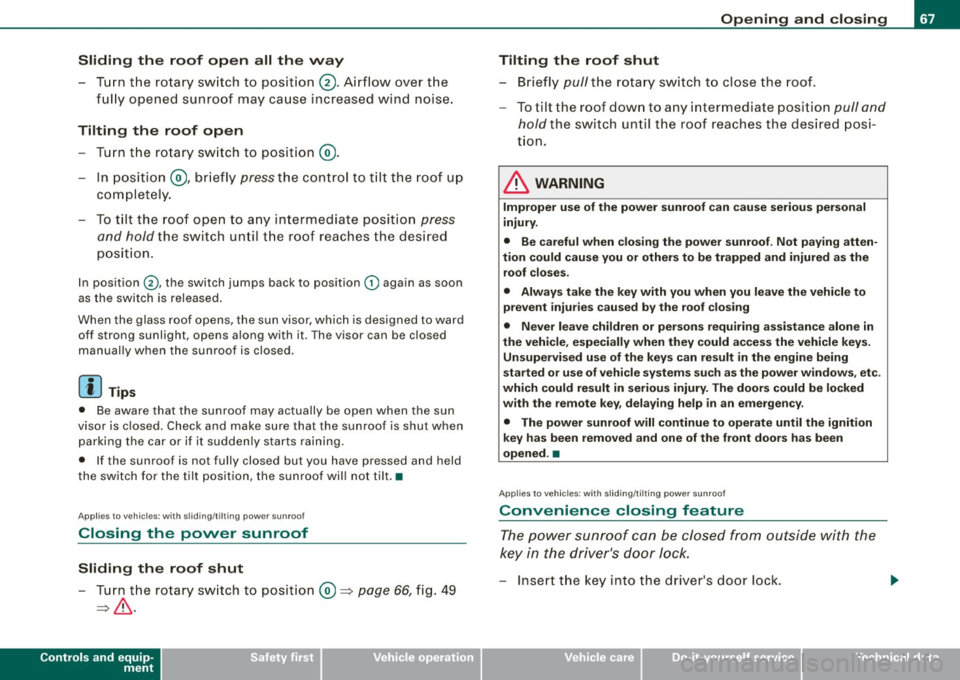
- Turn the rotary switch to position
0 => page 66, fig. 49
=>& .
Controls and equip
ment
Opening and closing
Tilting the roof shut Briefly
pull the rotary switch to close the roof.
To tilt the roof down to any intermediate position
pull and
hold
the switch until the roof reaches the desired posi
tion.
& WARNING
Improper use of the power sunroof can cause serious personal
injury.
• Be careful when closing the power sunroof . Not paying atten
tion could cause you or others to be trapped and injured as the roof closes.
• Always take the key with you when you leave the vehicle to
prevent injuries caused by the roof closing
• Never leave children or persons requiring assistance alone in
the vehicle, especially when they could access the vehicle keys. Unsupervised use of the keys can result in the engine being
started or use of vehicle systems such as the power windows. etc .
which could result in serious injury. The doors could be locked
with the remote key, delaying help in an emergency.
• The power sunroof will continue to operate until the ignition
key has been removed and one of the front doors has been
opened. •
Applies to veh icles: with sliding/t ilting power sunroof
Convenience closing feature
The power sunroof can be closed from outside with the
key in the driver's door lock.
-Insert the key into the driver's door lock.
I • •
Page 70 of 390
Opening and closing
- Turn and hold the key in the lock position ® ::::>page 55,
fig. 35 until the sunroof is completely closed=>
& in
"Closing the power sunroof".
& WARNING
Be careful when closing the power sunroof. Not paying attention
could cause you or others to be trapped and injured as the roof
closes. •
Applies to vehicles: with slid ing/ tilti ng power sunroof
Power emergency closing
The sunroof can still be closed electrically if for some
reason the overload protection function becomes acti
vated.
The power sunroof is equipped with an overload protection
feature. If, under normal conditions, the power sunroof will
not close, you can close it using this feature.
Turn the rotary switch to position ®~page 66, fig. 49 .
- Now pull the switch
and hold it in this position until the
power sunroof closes completely.
& WARNING
Improper use of the power sunroof can cause serious personal
injury.
• Be careful when closing the power sunroof . Not paying atten
tion could cause you or others to be trapped and injured as the
roof closes.
• Always take the key with you when you leave the vehicle to
prevent injuries caused by the roof closing.
& WARNING (continued)
• Never leave children or persons requiring assistance alone in
the vehicle, especially when they could access the vehicle keys.
Unsupervised use of the keys can result in the engine being
started or use of vehicle systems such as the power windows, etc .
which could result in serious injury . The doors could be locked
with the remote key, delaying help in an emergency.
• The power sunroof will continue to operate until the ignition
key has been removed and one of the front doors has been
opened. •
Applies to vehicles: with sliding/tilt ing pow er sunroof
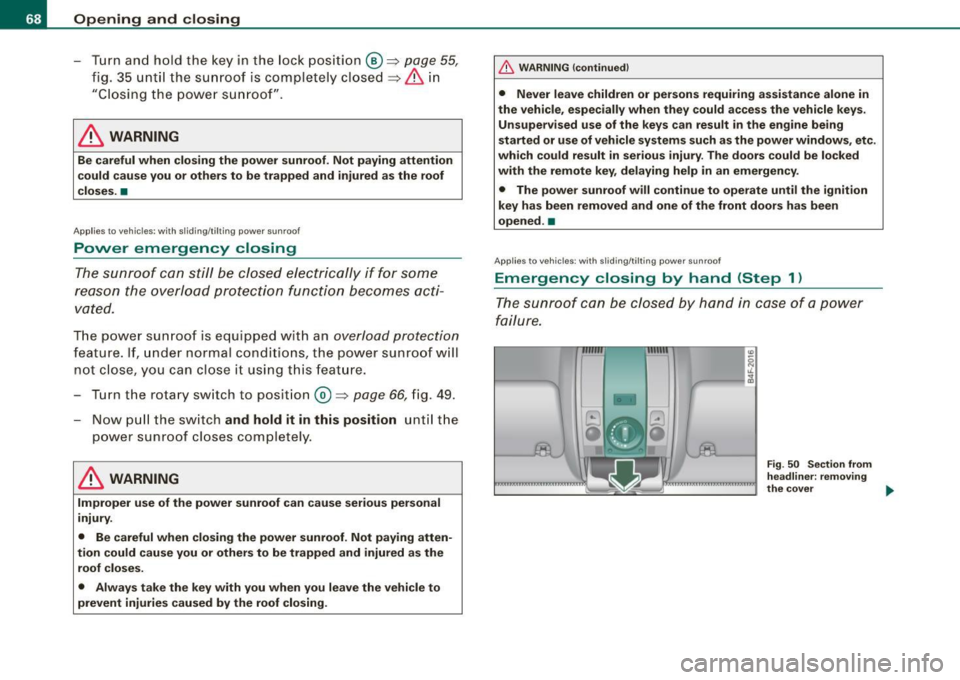
Emergency closing by hand (Step 1)
The sunroof can be closed by hand in case of a power
failure.
-
Fig . 50 Section from
headliner: removing
the cover ..
Page 77 of 390
0 Note
Do not use the high beam or headlight flasher if you know that these
could blind oncoming traffic.•
Interior lights
Front interior lights
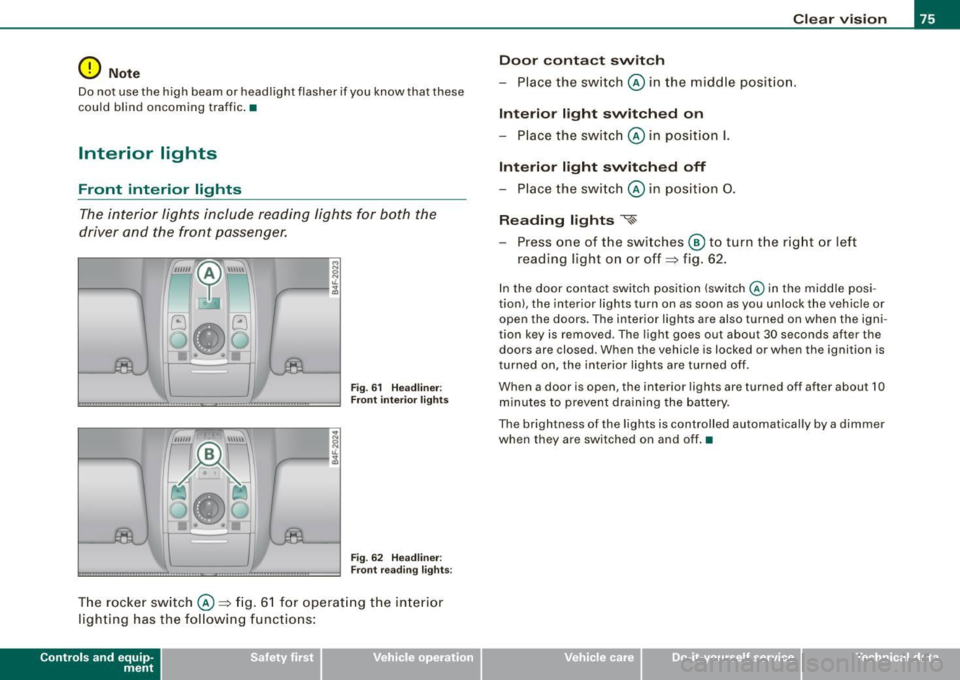
The interior lights include reading lights for both the
driver and the front passenger.
""'' ~ \\\\\
Fig. 61 Headliner :
Front interior lights
Fig . 62 Headliner :
Front reading lights :
The rocker switch @=:>fig. 61 for operating the interior
lighting has the following functions:
Contro ls and eq uip
ment
Clear vision
Door contact switch
- Place the switch @ in the middle position.
Interior light switched on
-Place the switch @ in position I.
Interior light switched off
- Place the switch @ in position 0.
Reading lights '<~
-Press one of the switches @ to turn the right or left
reading light on or off=:> fig. 62.
In the door contact switch position (switch @ in the middle posi
tion) , the interior lights turn on as soon as you unlock the vehicle or
open the doors. The interior lights are also turned on when the igni
tion key is removed . The light goes out about 30 seconds after the
doors are closed. When the vehicle is locked or when the ignition is
turned on, the interior lights are turned off .
When a door is open, the interior lights are turned off after about 10
minutes to prevent draining the battery.
The brightness of the lights is controlled automatically by a dimmer
when they are switched on and off. •
Vehicle care I I irechnical data
Page 86 of 390
Clear vision
Mem ory settin g for th e out sid e mirro rs *
When the seat posi tion is saved in the memory, the posi tion of the
outs ide mirrors is saved at the same time=>
page 91.
If th e position of th e mirror surfac e is changed on a ti lted mirror, this
new position wil l be automatically saved to the remote key when the
vehic le is taken out of reverse gear .
Tilting th e passenger's side out side m irro r (on ly with
e xterior mirror m em ory )
When you move the se lector lever in to R (Reverse), the m irror on the
front passenger's door (knob turned to® =>
page 83, fig. 74) will tilt
s lightly downward. Th is m ake is easier for you to see the curb when
you are backing into a parking spac e.
The mirror returns to its ini tial posit ion as soon as reverse gear is
disengaged and vehic le speed is above about 9 mph (15 km/h). The
mirror also retur ns to its init ia l pos ition if the switch is moved to the
dr iver 's outside mirror
(0 or the ignition is switched off .
Automatic anti-glare for the outside mirror s*
The outside mirrors dim at the same time as the inside mirror . When
the ignition is switched on, the mi rrors automat ically dim
depending on the amount of light striking the mirrors (such as head
lights shi ning into the vehicle from the rear).
When you turn on the interior light, or when you move the selector
lever into
R (Rev erse), the anti-glare function stops and the mirrors
retur n to their original condition (not darkened).
0 Note
• Curved (i .e. convex) mirror surfaces increase you r field o f view .
Remember that vehicles or other objects will appear smaller and
farther away than w hen seen in a flat mirror. If you use this mirr or to
estimate distances of following vehicles when changing lanes , you
cou ld estimate incorrectly and cause an acc ident .
• If the mirror housing is moved unintentionally (for example ,
wh ile pa rking your vehicle), then you must firs t fold the mirro r elec - trically. Do not readjust the mirror housing manually. You cou
ld
damage the m otor wh ich contr ols the mirror .
[ i ] Tips
If the re shou ld be a malfunction in the electrica l system, you can
still adjust the outside mirrors by pressing the edge of the mirror .•
A pplies to vehicle s: w it h a utom ati c d imm ing for out sid e mirro rs
Automatic dimming for outside mirrors
The ou ts ide mirrors are dimmed together with the automa tic
dimming of the inside mirror. When the ign ition is switched on, the
mirrors darken a utomatical ly depending on the lig ht striking them
(e.g. headlights from the rear).
When the interior lighting is switched on and when reverse gear is engaged, the m irrors are switched back to the ir o rigi nal brightness
(not dimmed).
& WARNING
The glas s of the inside rear v iew mirror is layered and contain s an
electrolyte to achieve it s propertie s. Be aware of liquid electrolyte
leaking from a b rok en mirror gla ss . This liquid c an cause irr itat ion
to skin , eyes, and re spiratory sy stem . If you get electrolyte in your
eyes or on your skin , immed iately rinse with plenty of wate r. If i rri
tation persists , seek m edi cal attention .
0 Note
Electrolyte leaking fro m a broken mi rro r glass attacks the veh ic le
paint and p lastic surfaces . Clean up spilled electrolyte immediately
with clear water and a sponge. _,,,
Page 91 of 390
& WARNING !continued)
• Be careful when adjusting the seat height. Check to see that no
one is in the way, or serious injury could result!
• Because the seats can be electrically adjusted with the ignition
key removed, never leave children unattended in the vehicle. Unsu
pervised use of the electric seat adjustments may cause serious
injury. •
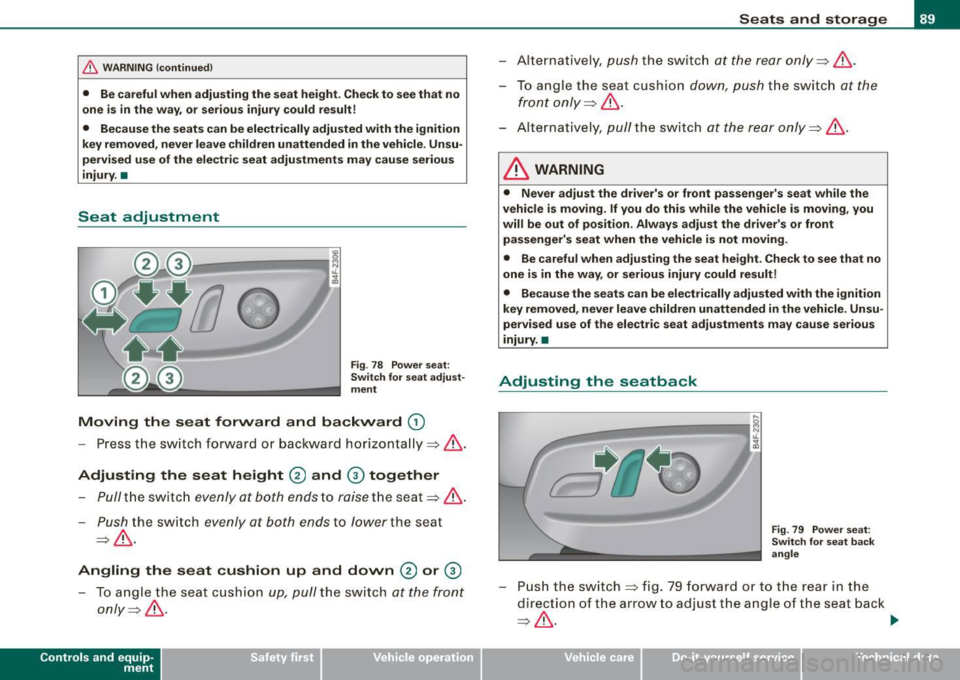
Seat adjustment
Fig. 78 Power seat:
Switch for seat adjust
ment
Moving the seat forward and backward G)
- Press the switch forward or backward horizontally~& .
Adjusting the seat height
® and 0 together
- Pull the switch evenly at both ends to raise the seat~ &.
-Push the switch evenly at both ends to lower the seat
~& -
Angling the seat cushion up and down® or 0
To angle the seat cushion up, pull the switch at the front
only~ &-
Con tro ls and eq uip
ment
Seats and storage
- Alternatively, push the switch at the rear only~& .
-To angle the seat cushion down, push the switch at the
front only~
&-
- Alternatively, pull the switch at the rear only=>& .
& WARNING
• Never adjust the driver's or front passenger's seat while the
vehicle is moving. If you do this while the vehicle is moving, you
will be out of position. Always adjust the driver's or front passenger's seat when the vehicle is not moving.
• Be careful when adjusting the seat height. Check to see that no
one is in the way, or serious injury could result!
• Because the seats can be electrically adjusted with the ignition
key removed, never leave children unattended in the vehicle. Unsu
pervised use of the electric seat adjustments may cause serious
injury. •
Adjusting the seatback
.....
----:-:--- -:--=-=-=-=-1 ~ jg
Fig. 79 Power seat:
Switch for seat back
angle
- Push the switch~ fig. 79 forward or to the rear in the
direction of the arrow to adjust the angle of the seat back
=> & . ...
Vehicle care I I irechnical data
Page 93 of 390
Seat memory
Applies to vehicles: w ith seat memory
Driver's seat memory
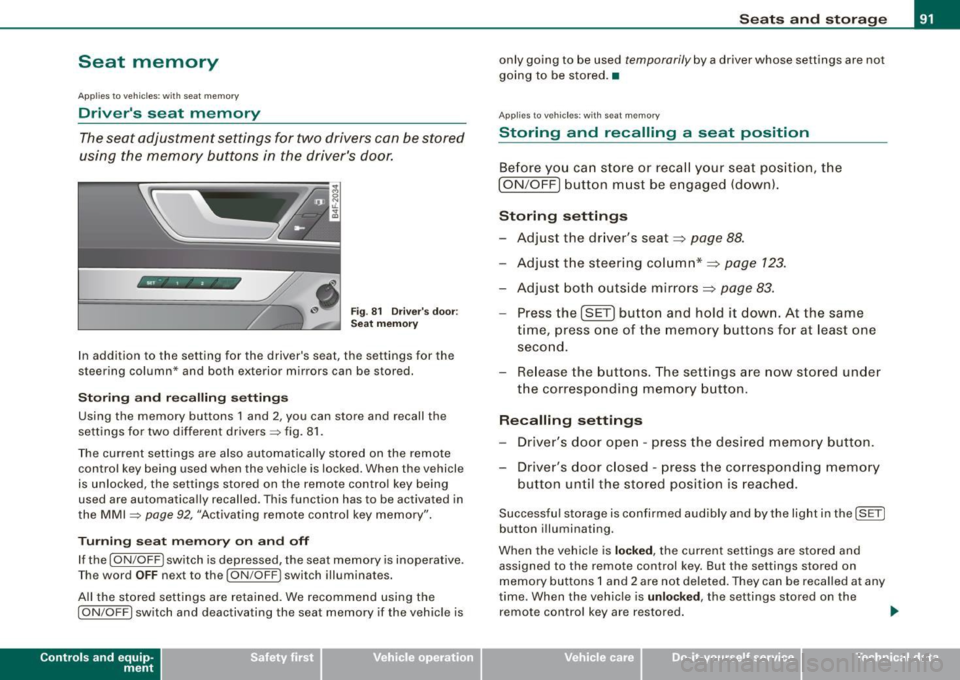
The seat adjustment settings for two drivers con be stored
using the memory buttons in the driver's door.
Fig . 81 Driver's door :
Seat memory
In addition to the setting for the driver's seat, the settings for the
steering column* and both exterior mirrors can be stored.
Storing and reca lling settings
Using the memory buttons 1 and 2, you can store and recall the
settings for two different drivers=> fig. 81.
The current settings are also automatically stored on the remote control key being used when the vehicle is locked. When the vehicle
is unlocked, the settings stored on the remote contro l key being
used are automatically recalled. This function has to be activated in
the MMI =>
page 92, "Activating remote control key memory".
Turning seat memory on and off
If the [ ON/OFF ! switch is depressed, the seat memory is inoperative.
Th e word OFF next to the [ON/OFF) switch illuminates.
All the stored settings are retained. We recommend using the
I ON/OFF] switch and deactivating the seat memory if the vehic le is
Con tro ls and eq uip
ment
Seats and storage
only going to be used temporarily by a driver whose settings are not
going to be stored. •
Applies to veh icles: w ith seat memory
Storing and recalling a seat position
Before you can store or recall your seat position, the
I ON/OFF] button must be engaged (down) .
Storing settings
- Adjust the driver's seat~
page 88.
-Adjust the steering column*~ page 123.
-Adjust both outside mirrors~ page 83.
-Press the !SE T] button and hold it down. At the same
time, press one of the memory buttons for at least one
second.
- Release the buttons. The settings are now stored under
the corresponding memory button.
Recalling settings
- Driver's door open -press the desired memory button.
- Driver's door closed -press the corresponding memory
button until the stored position is reached.
Successful storage is confirmed audibly and by the light in the [ SET)
button illuminating.
When the vehicle is
locked, the current settings are stored and
assigned to the remote control key. But the settings stored on
memory buttons 1 and 2 are not deleted. They can be recalled at any
time. When the vehicle is
unloc ked, the settings stored on the
remote control key are restored . ..,
Vehicle care I I irechnical data
Page 94 of 390
Seats and storage
If your vehicle is driven by other persons using your remote control key, you should save your individual seat position on one of the
memory buttons. You can recall your settings again simply and
conveniently by pressing the corresponding memory button. When
the vehicle is locked, these settings are automatically re-assigned to
the remote control key and stored.
& WARNING
• For safety reasons, the seat setting can only be recalled when
the vehicle is stationary -otherwise you risk having an accident .
• In an emergency, the recall operation can be stopped by
pressing the [
ON/OFF I button or by briefly pressing any given
memory button. •
Applies to vehicles: with seat memory
Activating remote control key memory
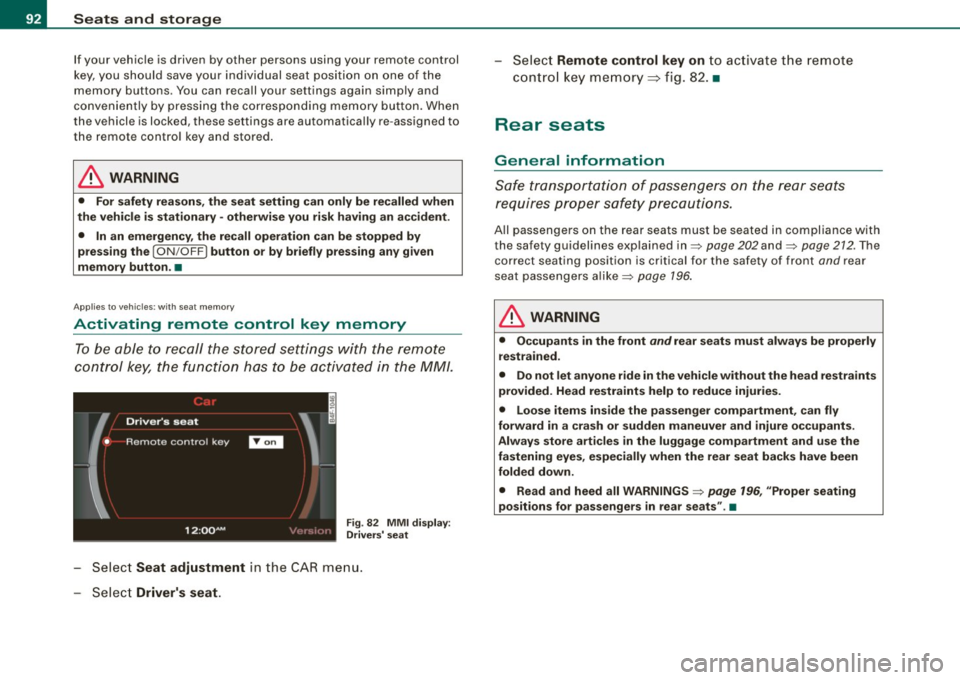
To be able to recall the stored settings with the remote
control key, the function hos to be activated in the MM/.
Fig . 82 MMI display :
Drivers' seat
- Select Seat adjustment in the CAR menu.
- Select
Driver's seat.
-Select Remote control key on to activate the remote
control key memory::::> fig. 82. •
Rear seats
General information
Safe transportation of passengers on the rear seats
requires proper safety precautions.
All passengers on the rear seats must be seated in compliance with
the safety guidelines explained in=>
page 202 and=> page 212. The
correct seating position is critical for the safety of front
and rear
seat passengers alike=>
page 196.
& WARNING
• Occupants in the front and rear seats must always be properly
restrained.
• Do not let anyone ride in the vehicle without the head restraints
provided. Head restraints help to reduce injuries.
• Loose items inside the passenger compartment, can fly
forward in a crash or sudden maneuver and injure occupants.
Always store articles in the luggage compartment and use the
fastening eyes, especially when the rear seat backs have been
folded down.
• Read and heed all WARNINGS=>
page 196, "Proper seating
positions for passengers in rear seats" .•
Page 99 of 390
Returning backrest to upright position
-Pu sh rear seat back rest up until it engages~ &. You will
know that the sea t is proper ly engaged when you can not
see the red marki ng on the lever ®·
Locking the backrest
- Insert yo ur key into t he lock~ page 96, fig. 88 and t urn it
cloc kwise.
Unlocking the backrest
- Inse rt th e key i nto the lock a nd tu rn it co unter-cloc kw ise.
Stowing luggage
- For safe loading and securing of i tems read and follow
the guidelines on~ page 199.
The rear seatback is divided into two segments -one thi rd/two
thirds . You can fold down either or both parts o f the seatback.
T he release levers for the fold ing backrests can be locked when the
backrests are pro pe rly engaged in their up right pos itio n. This
prevents unauthorized access to the luggage compartment from
with in the veh icle. The release levers can on ly be locked with the
master key or emer gency key.
& WARNING
• The ba ck rest must al ways be securely lat ched so that the
safety b elt of the center seating position can work properly to help
protect the o ccupant .
• The backre st must be securely latched in po sition so that no
items contained in the luggage compartment can slide forward
upon sudden brak ing .
• Never allow safety belt s to be come damaged by being caught
in door or seat hardware .
Con tro ls and eq uip
ment
Seats and storag e
& WARNING !continued )
• Torn or frayed safety belts can tear and damaged belt hard
ware can b reak in a cra sh . Inspect the belts periodically . B elt s
showing damage to webbing , bindings, buckles , or retractor s
must be replaced .
& WARNING
Always read and heed WARNINGS ::::;, & in "Loading the luggage
c ompartment " on
page 199.
(D Note
When fo lding the backrest back into p lace, make sure the safety belt
does not get caught, because it can be damaged. A damaged belt
can fail to provide safe restraint . •
Fastening eyelets
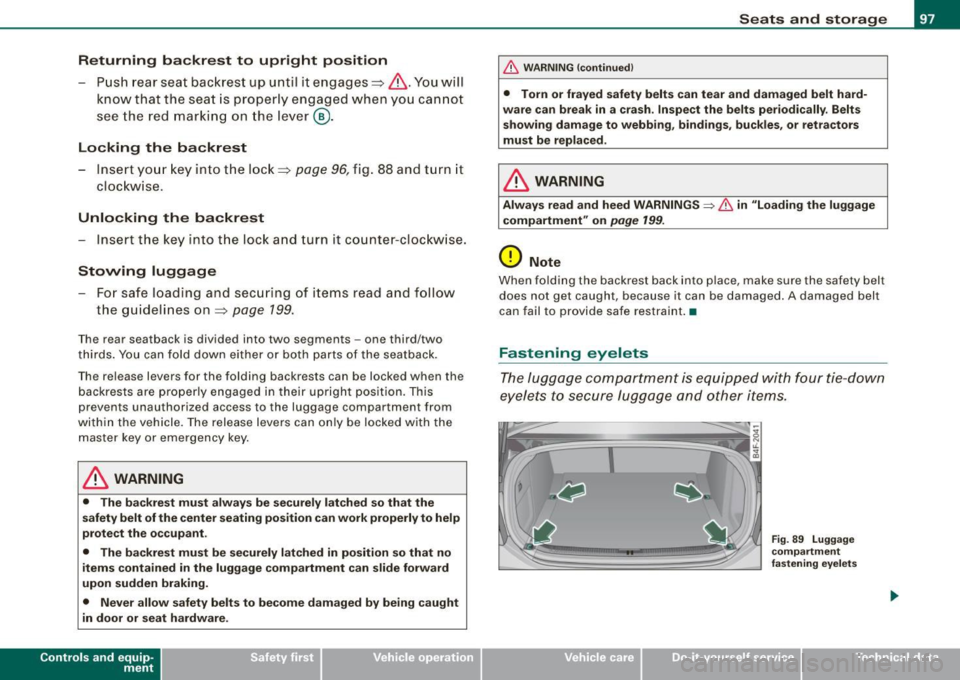
T he luggage compartment is equipped with four tie -down
eyelets to secure lugga ge and other items.
Vehicle care I I
Fig . 8 9 Luggage
co mp artment
fastening eye lets
irechnical data