warning AUDI S6 2008 Service Manual
[x] Cancel search | Manufacturer: AUDI, Model Year: 2008, Model line: S6, Model: AUDI S6 2008Pages: 390, PDF Size: 88.42 MB
Page 60 of 390
Opening and closing
Rear lid
Opening and closing rear lid
You can open the r ea r lid from ins ide the v ehicle using a
sw itc h in the dr iver 's door.
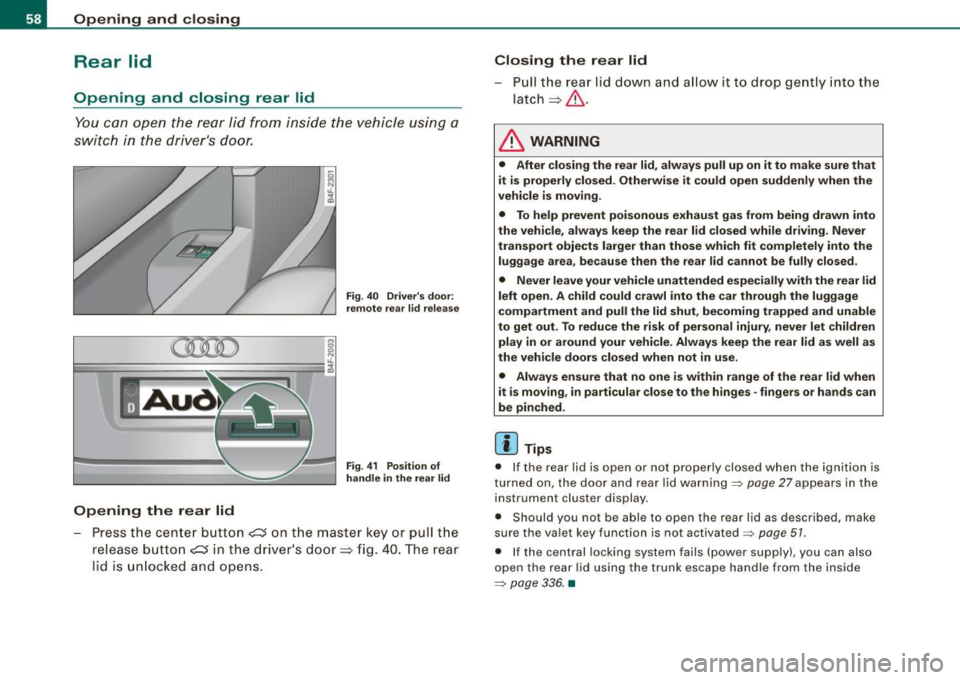
Opening the rear lid
Fig. 40 Driver's door :
remote rea r lid relea se
Fig . 41 Position of
handle in the re ar lid
- Pre ss the ce nte r butto n ~ on t he ma ste r key o r pull the
release butt on
~ in t he d river's door => fig. 40. T he rear
l id is unl ocked a nd opens.
Closing the rear lid
- Pull th e r ear lid dow n a nd a llow i t to drop gently into t he
latch=> &.
& WARNING
• After closing the rear lid , always pull up on it to make sure that
it is properly closed. Otherwise it could open suddenly when the
vehicle is moving.
• To help prevent poisonous exhaust gas from being drawn into
the vehicle, always keep the rear lid closed while driving . Never
transport objects larger than those which fit completely into the
luggage area, because then the rear lid cannot be fully closed.
• Never leave your vehicle unattended especially with the rear lid
left open . A child could crawl into the car through the luggage
compartment and pull the lid shut, becoming trapped and unable
to get out. To reduce the risk of personal injury , never let children
play in or around your vehicle. Always keep the rear lid as well as
the vehicle doors closed when not in use.
• Always ensure that no one is within range of the rear lid when
it is moving , in particular close to the hinges -fingers or hands can
be pinched.
[ i ] Tips
• I f the rear lid is open or not proper ly closed when the ignition is
t urne d on, t he doo r and r ear l id wa rning =>
pag e 27 appea rs in the
instrument cluster display .
• S hould you not be a ble to open t he rear l id as desc ribed, ma ke
s u re the va let key f unction is not activated~
page 51 .
• If the central lock ing syst em fa ils (power supp ly ), you can a lso
o pen the rea r lid usin g th e t runk es cape ha ndle fr om the ins ide
=>
pa ge 33 6. •
Page 61 of 390
Child safety lock
Power child safety lock for the rear doors t
The power child safety lock prevents the rear doors from
being opened from the inside.
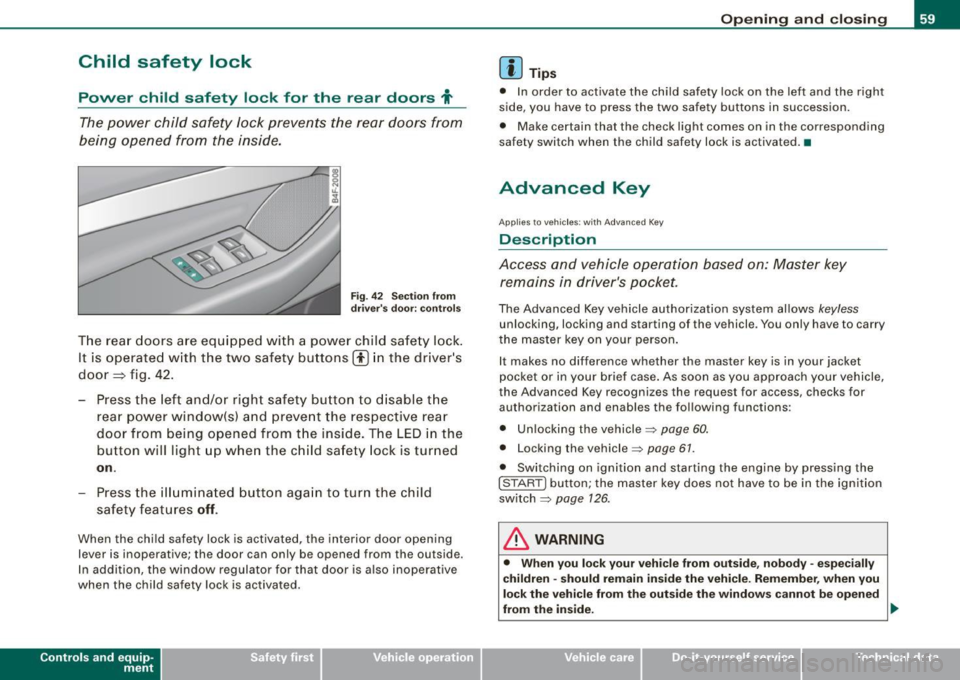
Fi g. 4 2 Sec tio n fro m
dr ive r's door: co ntrols
T he rear doors ar e equip ped with a power child safe ty lock .
It is operated with t he two safety buttons(!) in the driver's
door=} fig. 42 .
- Press the left and/or right safety button to disable t he
rear p ower window(sl and preve nt the respective rear
door from being opened from t he inside. The LED in the
button will light up when the chi ld safety lock is tur ned
on .
- Press the ill umina ted butt on aga in t o turn the child
safety f eatures
off .
When the chi ld safe ty lock is activated, the interior door opening
lever is inoperative; the door can only be opened from the ou tside .
In addi tion, the window regulator for that door is a lso inoperative
when the child safety lock is activated.
Con tro ls and eq uip
ment
Op ening and clo sing
[ i ] Tip s
• In order to activate the child safety lock on the left and the righ t
side, you have to press the two safety buttons in succession.
• Make certain that the check light comes on in the corresponding
safety switch when the child safety lock is activated. •
Advanced Key
Applies to veh ic les: wit h Ad vanced Key
Description
Access and vehicle operation based on: Master key remains in driver's pocket.
The Advanced Key vehicle authori zation system allows keyless
unlocking, locking and starting of the vehicle . You only have to carry
t he master key on your person .
It makes no difference whether the master key is in your jacket
pocket or in your brief case . As soon as you approach your vehicle ,
the Advanced Key recogni zes the request for access, checks for
authori zation and enab les th e following functions :
• Unlocking the vehicle:::::,
page 60.
• Locking th e vehicle :::::, page 61.
• Switching on ignition and starting the engine by pressing the
I STAR T] button; the master key does not have to be in the igni tion
sw itch:::::,
page 126 .
& WARNING
• Whe n you lock your veh icle from o uts id e, nobod y -espe cia lly
c hildren -sh ould re main in side the vehic le. Reme mber , when you
lock the vehicle fr om the out side th e windo ws cannot be open ed
from the inside. .,,.
Vehicle care
I I Technical data
Page 63 of 390
• The proximity sensors are deactivated after a few days to save
power. You then have to pull on the door handle once to unlock the
vehicle and a second time to open the vehicle .
• To prevent the ba ttery from being discharged and to preserve
your vehicle's ability to start for as long as possible , the energy
management system gradual ly swi tches off unnecessa ry conve
nience functions. It is possib le that you will not be ab le to un lock
your vehicle using these convenience functions .•
Ap plie s to v ehicl es: with Adv ance d Key
Locking the vehicle
The vehicle can be Jocked wi thou t op era ting the mas tery
key.
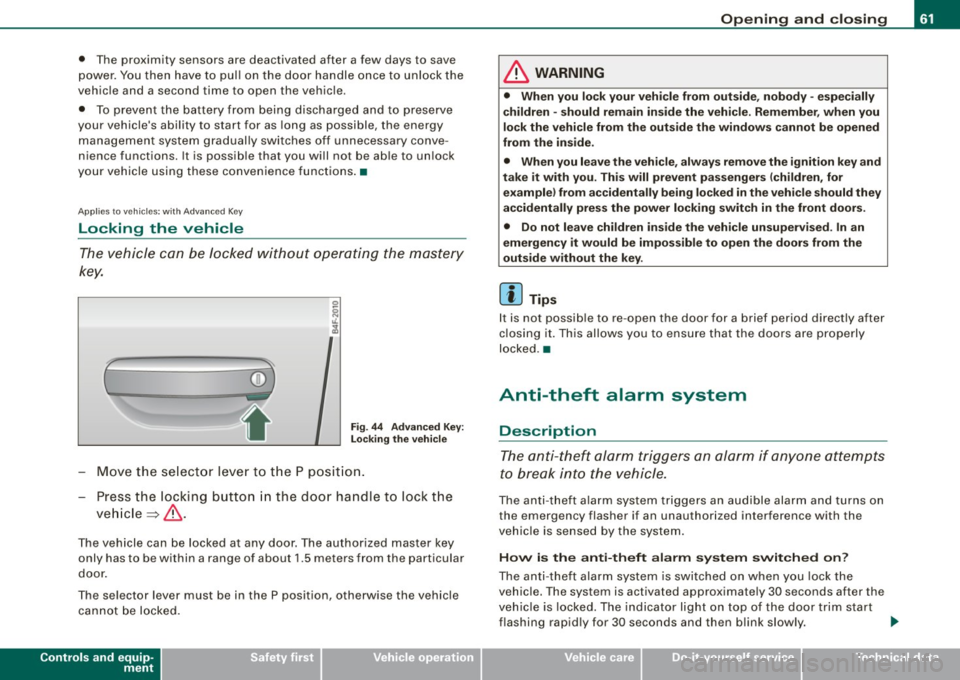
(
i
Fig . 44 Ad vanced Key:
L ock ing th e vehi cle
- Move th e se lect or lever to t he P posit ion.
- Press the locking butto n in the doo r handle to lock the
ve hicle ~ & -
The vehicle can be locked at any door. The authorized master key
only has to be within a range of about 1.5 meters from the particular
door .
The se lector lever must be in the P position, otherwise the vehicle
can not be locked.
Controls and equip
ment
Opening and clo sing
& WARNING
• When you lock your vehicle from out side , nobody -espe cially
children -should remain inside the vehicle . Remember , when you
lock the vehicle from the outs ide the windo ws ca nnot be opened
from the in side .
• When you leave the vehi cle , al wa ys remo ve the ignition key and
t ak e it with you. Thi s will prevent pa ssenger s (children , for
e x ample ) from a ccidentally b ein g locked in the vehic le should they
accidentally pre ss the power locking swit ch in the front door s.
• Do not lea ve ch ildren in side the vehi cle un supe rvised . In an
emergency it would be impo ss ible to open the doors from the
out side w ithout the key .
[ i ] Tips
It is not possib le to re -open the door for a brief period directly after
c losing it. This allows you to ensu re that the doo rs are properly
locked .•
Anti-theft alarm system
Description
The anti- theft alarm triggers an alarm if anyone attempts
to break into the vehicle.
The an ti- theft a la rm system trig gers an audible alarm and turns on
the emergency flasher if an unauthorized interference with the
vehic le is se nsed by the system .
How is the anti-theft alarm s yst em switch ed on?
The anti -theft alarm system is switched on when you lock the
vehic le. The system is activated approximately 30 seconds after the
veh ic le is locked. The indicator light on top of the door trim start
flashing rapid ly for 30 seconds and then blink slow ly. .,_
I • •
Page 65 of 390
The next time t he vehicle is locked, the ti lt sensors a re automaticall y
tu rn ed on again.•
Power windows
Controls
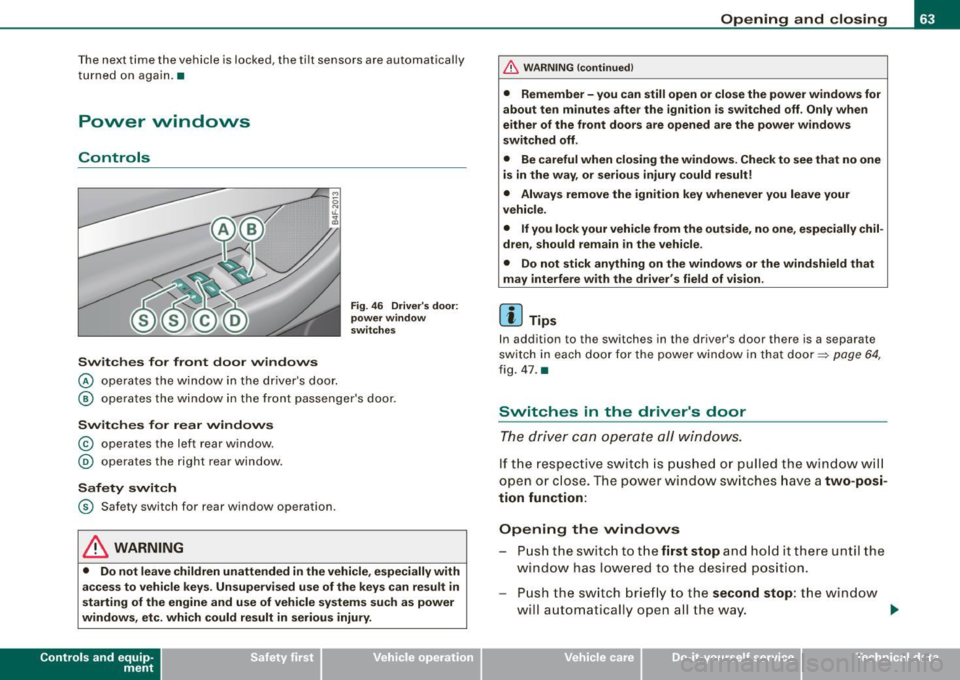
Switches for front door windows
@ o per ates th e wi ndow in th e d river 's d oor.
Fig . 46 Driver 's door:
power window
switches
@ ope ra tes th e window in the fr ont passe nger's door.
Switches for rear windows
© operates the left r ear window .
@ operates the right rear window .
Safety switch
© S afety switch fo r rear window operation.
& WARNING
• Do not leave children unattended in the vehicle , especially with
access to vehicle keys. Unsupervised use of the keys can result in
starting of the engine and use of vehicle systems su ch as power
windows, etc. which could result in serious injury.
Con tro ls and eq uip
ment
Opening and closing
& WARNING !continued)
• Remember -you can still open or close the power windows for
about ten minutes after the ignition is switched off . Only when
either of the front doors are opened are the power windows
switched off .
• Be careful when closing the windows . Check to see that no one
is in the way , or serious injury could result!
• Always remove the ignition key whenever you leave your
vehicle .
• If you lock your vehicle from the outside, no one , especially chil
dren , should remain in the vehicle .
• Do not stick anything on the windows or the windshield that
may interfere with the driver 's field of vision .
[ i ] Tips
In addition to the switches in the driver 's door there is a separate
sw itc h in eac h do or f or the po wer window in th at do or =::> page 64,
fi g . 4 7 .
a
Switches in the driver's door
The dr iver can operate all windows .
If th e re spect ive sw itc h is pu shed or pull ed the w ind ow will
ope n or clos e. T he powe r w in dow swi tc hes ha ve a two-posi
tion function:
Opening the vvindovvs
P u sh the s wit c h to the first stop and hold it there un til the
w ind ow has l ow ered t o th e desired position.
Pu sh the s witch brie fly to the second stop : the win dow
w ill a uto maticall y open a ll the way. _.
Vehicle care I I irechnical data
Page 67 of 390
[ i J Tips
The windows can still be opened and closed for about ten minutes
after the ignition has been turned off. The power windows are not
shut off until one of the front doors is opened .•
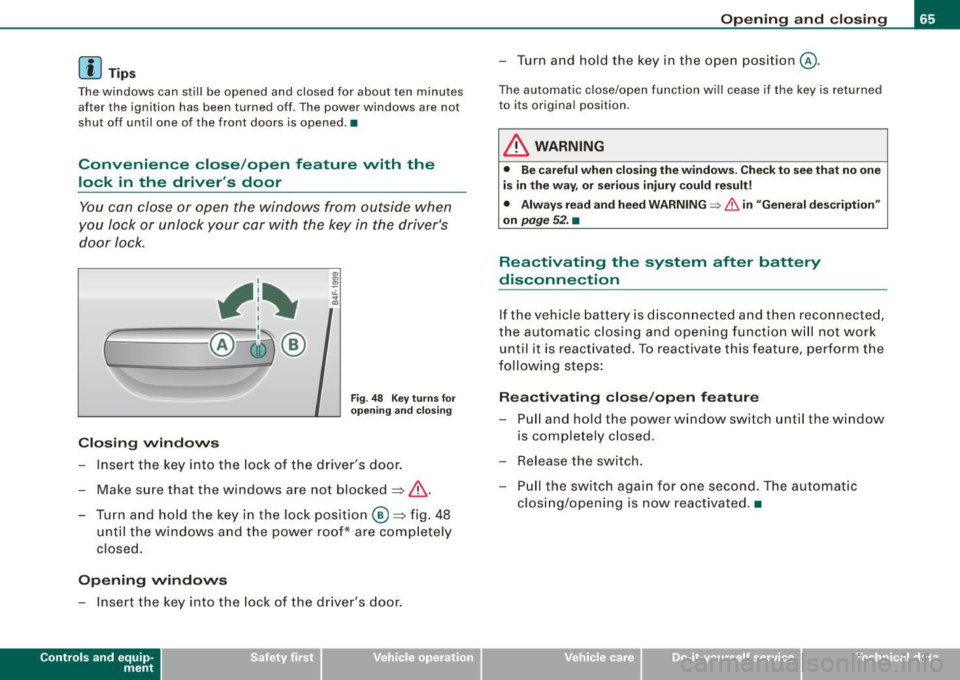
Convenience close /open feature vvith the
lock in the driver's door
You can close or open the windows from outside when
you Jock or unlock your car with the key in the driver's
door lock.
, 1~
r~ -====-- @~ ®
Closing windows
Fig. 48 Key turns for
opening and closing
Insert the key into the lock of the driver's door.
Make sure that the windows are not blocked~
/n..
- Turn and hold the key in the lock position @~fig. 48
until the windows and the power roof* are completely
closed.
Opening windows
- Insert the key into the lock of the driver's door.
Contro ls and eq uip
ment
Opening and closing
- Turn and hold the key in the open position@.
The automatic close/open function will cease if the key is returned
to its original position .
& WARNING
• Be careful when closing the windows. Check to see that no one
is in the way, or serious injury could result!
• Always read and heed WARNING=>
& in "General description"
on
page 52. •
Reactivating the system after battery
disconnection
If the vehicle battery is disconnected and then reconnected,
the automatic closing and opening function will not work
until it is reactivated. To reactivate this feature, perform the
following steps:
Reactivating close/open feature
- Pull and hold the power window switch until the window
is completely closed .
- Release the switch.
- Pull the switch again for one second. The automatic
closing/opening is now reactivated. •
Vehicle care I I irechnical data
Page 69 of 390
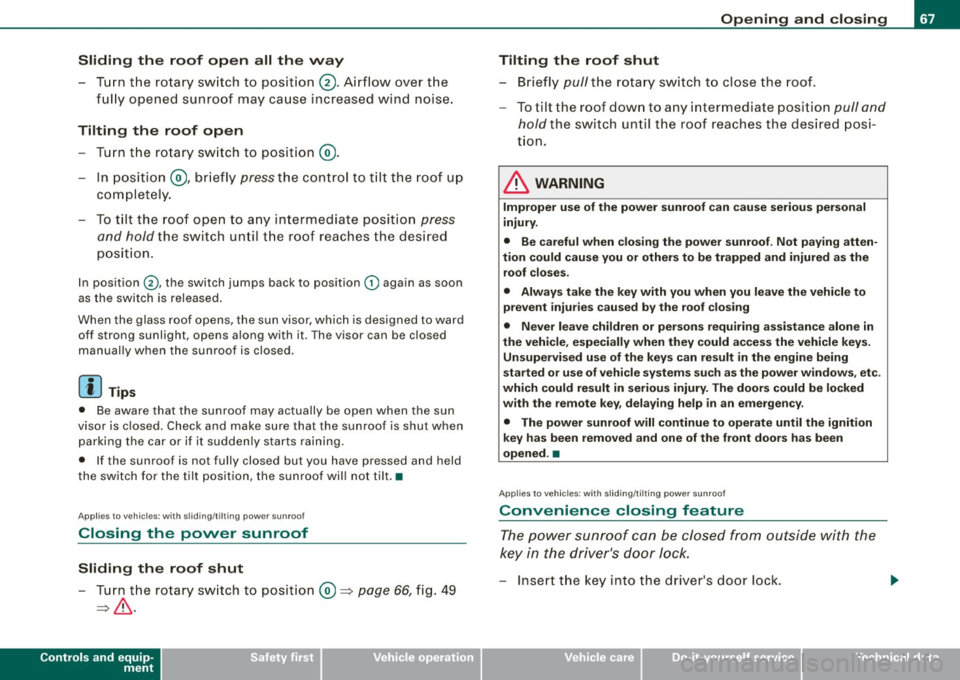
Sliding the roof open all the way
- Turn the rotary switch to position
0-Airflow over the
fully opened sunroof may cause increase d wind noise.
Tilting the roof open - Turn the rotary switch to position @.
- In position @, briefly
press the control to tilt the roof up
completely.
To tilt the roof open to any intermediate position
press
and hold
the switch until the roof reaches the desired
position.
In position ©, the switch jumps back to position G) again as soon
as the switch is released.
When the glass roof opens, the sun visor, which is designed to ward
off strong sunlight, opens along with it. The visor can be closed
manually when the sunroof is closed.
[ i] Tips
• Be aware that the sunroof may actually be open when the sun
visor is closed. Check and make sure that the sunroof is shut when
parking the car or if it suddenly starts raining.
• If the sunroof is not fully closed but you have pressed and held
the switch for the tilt position, the sunroof will not tilt. •
Appl ies to vehicles: with sliding/tilt ing power sunroof
Closing the power sunroof
Sliding the roof shut
- Turn the rotary switch to position
0 => page 66, fig. 49
=>& .
Controls and equip
ment
Opening and closing
Tilting the roof shut Briefly
pull the rotary switch to close the roof.
To tilt the roof down to any intermediate position
pull and
hold
the switch until the roof reaches the desired posi
tion.
& WARNING
Improper use of the power sunroof can cause serious personal
injury.
• Be careful when closing the power sunroof . Not paying atten
tion could cause you or others to be trapped and injured as the roof closes.
• Always take the key with you when you leave the vehicle to
prevent injuries caused by the roof closing
• Never leave children or persons requiring assistance alone in
the vehicle, especially when they could access the vehicle keys. Unsupervised use of the keys can result in the engine being
started or use of vehicle systems such as the power windows. etc .
which could result in serious injury. The doors could be locked
with the remote key, delaying help in an emergency.
• The power sunroof will continue to operate until the ignition
key has been removed and one of the front doors has been
opened. •
Applies to veh icles: with sliding/t ilting power sunroof
Convenience closing feature
The power sunroof can be closed from outside with the
key in the driver's door lock.
-Insert the key into the driver's door lock.
I • •
Page 70 of 390
Opening and closing
- Turn and hold the key in the lock position ® ::::>page 55,
fig. 35 until the sunroof is completely closed=>
& in
"Closing the power sunroof".
& WARNING
Be careful when closing the power sunroof. Not paying attention
could cause you or others to be trapped and injured as the roof
closes. •
Applies to vehicles: with slid ing/ tilti ng power sunroof
Power emergency closing
The sunroof can still be closed electrically if for some
reason the overload protection function becomes acti
vated.
The power sunroof is equipped with an overload protection
feature. If, under normal conditions, the power sunroof will
not close, you can close it using this feature.
Turn the rotary switch to position ®~page 66, fig. 49 .
- Now pull the switch
and hold it in this position until the
power sunroof closes completely.
& WARNING
Improper use of the power sunroof can cause serious personal
injury.
• Be careful when closing the power sunroof . Not paying atten
tion could cause you or others to be trapped and injured as the
roof closes.
• Always take the key with you when you leave the vehicle to
prevent injuries caused by the roof closing.
& WARNING (continued)
• Never leave children or persons requiring assistance alone in
the vehicle, especially when they could access the vehicle keys.
Unsupervised use of the keys can result in the engine being
started or use of vehicle systems such as the power windows, etc .
which could result in serious injury . The doors could be locked
with the remote key, delaying help in an emergency.
• The power sunroof will continue to operate until the ignition
key has been removed and one of the front doors has been
opened. •
Applies to vehicles: with sliding/tilt ing pow er sunroof
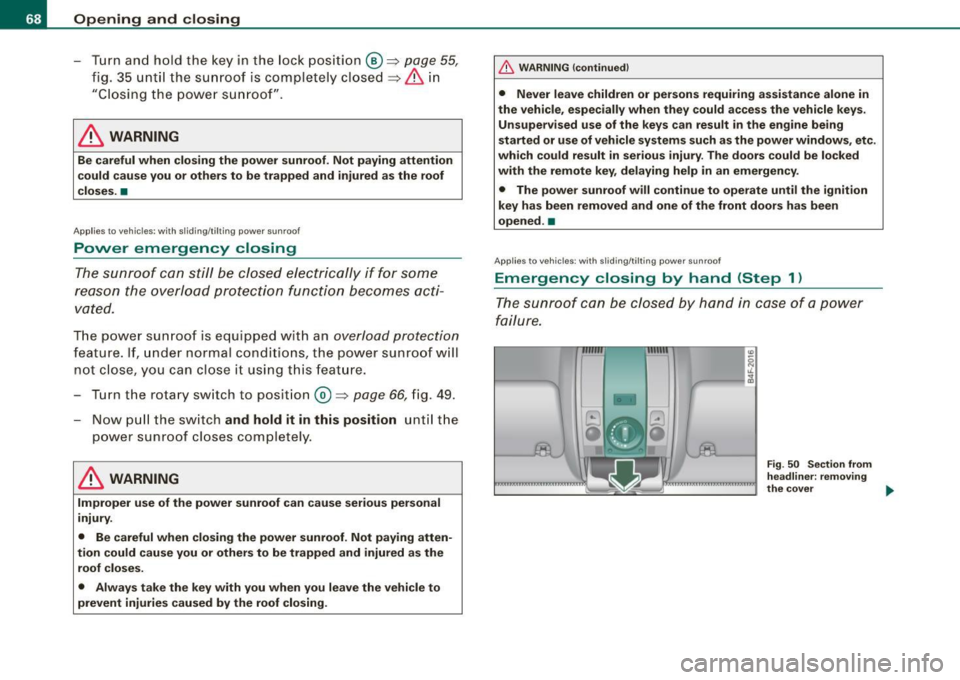
Emergency closing by hand (Step 1)
The sunroof can be closed by hand in case of a power
failure.
-
Fig . 50 Section from
headliner: removing
the cover ..
Page 73 of 390
brightness increases again, the low beams are turned off again
automatically =>& .
In the
AU TO position the low beams are sw itched off automatically
when the ignition is turned off .
Light Sensor M alfun ction
In the event of a light sensor ma lfunction, the driver is notified in the
instrument cluster display:
Automat ic headl ights /autom ati c wipers defe ctive
Fo r safety reasons the low beams are turned on permanently with
the switch in
AUTO . However, you can continue to turn the lights on
and off using the light sw itch. Have the light sensor checked as so on
as possible at a dealership.
& WARNING
• Never use daytime running lights to see where you are go ing.
They are not bright enough and will not let you see far enough ahead for safet y, es peciall y at du sk or when it i s dark . Al way s
s witch on the low beam s at du sk or when it is dark.
• Autom ati c he adlight s are onl y intended to assist the dr iver .
They do not relieve the driver of his re spon sibility to check the
headlight s and to turn them on manu ally a ccordi ng to the current
light and visibility conditions. For ex ample , fog and rain c annot be
dete cted by the l ight sen so rs . S o al ways switch on the headlight s
und er the se we ather conditions and when dr iving in the dark
~D.
• Cra she s c an happen wh en you cannot see the road ahead and
when you cannot be seen by other motor ists.
- Alway s turn on the hea dl ight s so that you can see ahead and
so that others can see your car from the back.
[ i ) Tips
• With the switch in AUTO front fog lights and rear fog lights
cannot be turned on in addition .
Controls and equip
ment
Cl ea r vision
• The light sensor for headlight control is located in the rear view
mi rror moun t. Do n ot app ly any stickers to the windshie ld in this
area to prevent malfunct ions or failures.
• I f you remove the ign ition from the ign ition lock wh ile the head
lights are still on, a buzzer will sound as long as the driver's door is
open to remind you to tur n off the lights .
• Always observe the specific loca l regulations for your area as to
when t o use your ligh ts .•
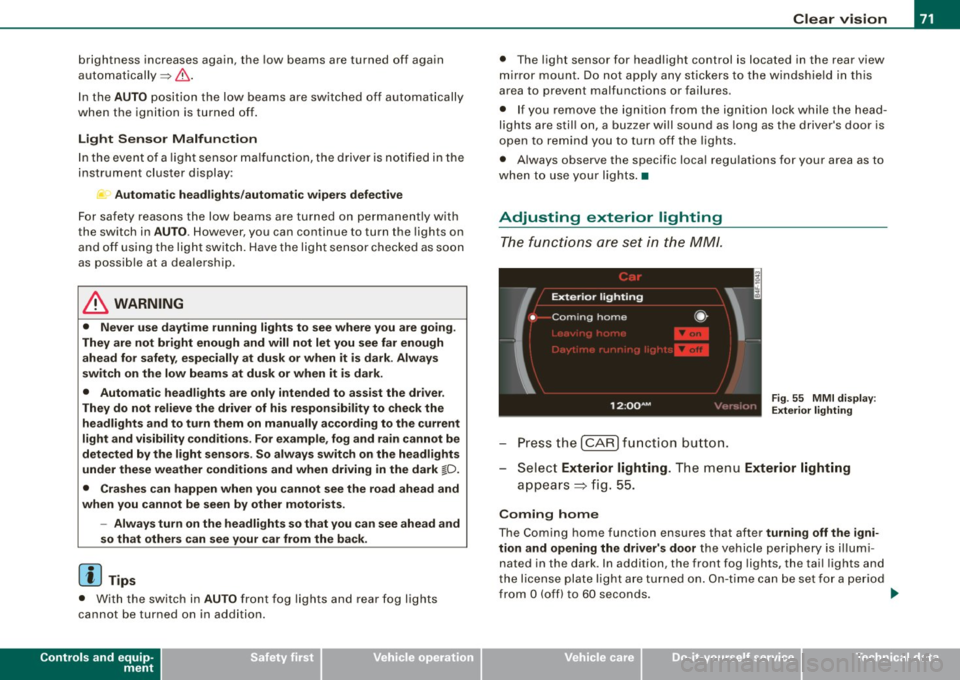
Adjusting exterior lighting
The functions are set in the MM/.
Fig . 55 MMI di splay:
Ex te ri or li ghting
- Press the [ CAR) fu nction button .
Selec t Exte rior lighting . The menu Exterior lighting
a p pears => fig. 55.
Coming home
The Coming home function ensures that after turnin g off the igni
tion and opening the driver' s door
the vehicle periphery is il lumi
nated in the dark . In addition, the front fog lights, the tai l lights and
the license plate l ight are turned on . On-time ca n be set for a pe riod
from
O (off) to 60 seconds. .,_
I • •
Page 81 of 390
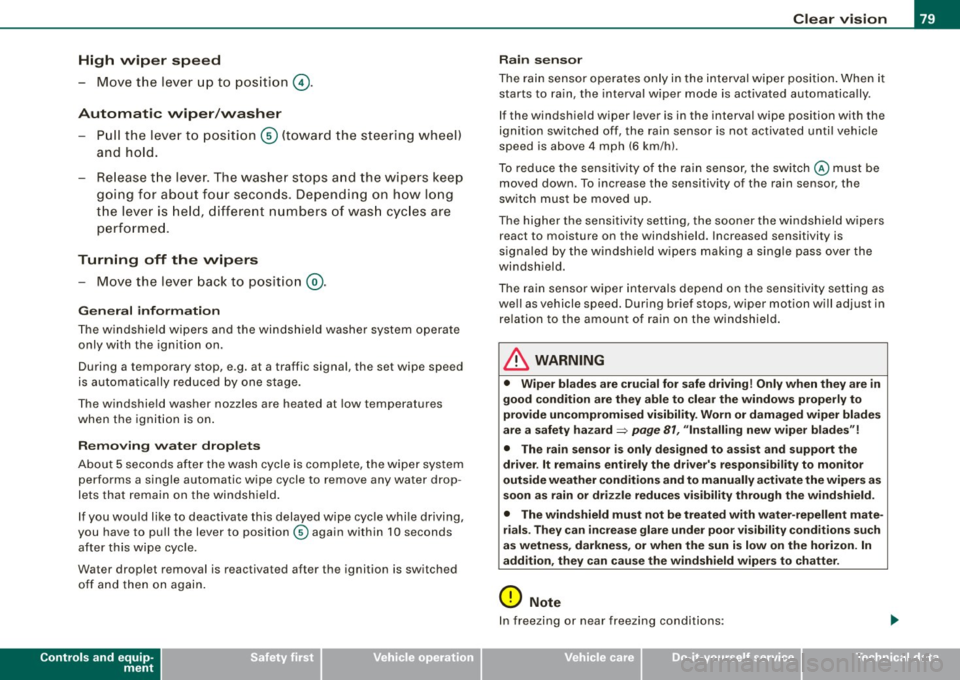
High wiper sp eed
- Move the lever up to pos ition
G) .
Automatic w ip er/ washer
- Pull the lever to pos ition ® (toward the steering wheel)
and hold .
- Re lease t he lever. The washer stops a nd the wipers keep
going f or about four seconds. Depending on how long
the lever is held, d ifferent numbers of was h cyc les are
perform ed .
Turning off the wipers
- Move the lever back to position
® ·
Ge nera l inf ormati on
The w indshield wipers and the windshield washer system operate
only with the ignition on.
During a temporary stop, e.g. at a traffic signal, the set wipe speed
is automatically reduced by one stage.
The windshield washer nozzles are heated at low temperatures
when the ignition is on .
Rem ov ing w ate r dro ple ts
About 5 seconds after the wash cycle is complete, the wiper system
performs a single automatic wipe cycle to remove any water drop
lets that remain on the windshield .
If you wou ld like to deactivate this delayed wipe cycle while driving,
you have to pull the lever to position © again within 10 seconds
after this wipe cyc le.
Water droplet removal is reactivated after the ignition is switched off and then on again .
Controls and equip
ment
Cl ea r vision
Ra in se nso r
The rain sensor operates only in the interval wiper position . When it
starts to rain, the interval wiper mode is activated automatica lly .
If the windshie ld wiper lever is in the interval wipe position with the
ignit ion switched off, the rain sensor is not activated until vehicle
speed is above 4 mph (6 km/h).
To reduce the sensit ivity of the rain sensor, the switch © must be
moved down. To increase the sensitivity of the rain sensor, the
switch must be moved up.
The higher the sensitiv ity setting, the sooner the windsh ield w ipers
react to moisture on the windshield. Increased sensitivity is
s igna led by the windshie ld wipers making a sing le pass over the
windshield.
The rain sensor wiper interva ls depend on the se nsitivi ty setting as
we ll as vehicle speed. During brief stops, wiper motion will adjust in
re lation to the amount of rain on the windshield .
& WARNING
• Wiper bl ade s are cru cial f or s afe drivin g! Only w hen they are in
good condition ar e the y able to cle ar the w indo ws prop erly to
provide uncomp romi sed visibility . Worn or d amaged wiper blade s
a re a sa fety haz ard =>
pag e 81 , "In stalling n ew wiper bl ad es"!
• The rain s ensor i s onl y designed to a ssist and supp ort the
dri ver . It re mains e ntirel y th e dr iver' s res ponsibi lity to m onitor
out side weat her condition s and to manuall y activate the wiper s as
s oon as rain or dr iz zle redu ce s v is ibilit y throug h the wind shield.
• The wind shield mu st not be treat ed with w ater-repell ent mat e
ri als. Th ey ca n in crea se glare und er poor visi bilit y cond ition s s uch
as wetne ss, dar knes s, or when th e sun is low on th e horizon. In
a dd itio n, t hey ca n c aus e the w ind shield wiper s to chatter .
0 Note
In freezing or near freezing conditions :
I • •
Page 84 of 390
Clear vision
& WARNING
Be sure to in sp ec t the cond it ion of y our wiper bl ad es regul arl y. See
y our authorized Audi deale r for repla ceme nt bl ade s.
0 Note
To prevent damage to the wiper sys tem:
• Always loosen blades which are frozen to the windshield before
operating wipers.
• Do not use gasoline, kerosene , paint thinner, or other solvents on
or near the wiper blades .
• Do not attempt to move the wipers by hand .
• The windshield wiper blades must only be replaced when in the
service position ~
page 80! Otherwise, you risk damaging the paint
on the hood or the windshield wiper motor.
[ i ] Tips
Commercial hot waxes app lied by au tomatic car washes affect the
cleanability of the windshield. •
Mirrors
Manual anti-glare adjustment
Standard setting
Move the small lever (located on the bottom edge of the
mi rror) to the fron t.
Anti-glare setting - Move th e sma ll leve r (located on the bottom edge of th e
m irror) to the rear. •
App lies to vehicles: with aut omat icall y dim ming in side mirro r wi th d igit al c om pass
Automatically dimming inside mirror
The automatic dimming function can be turned on and off
if required.
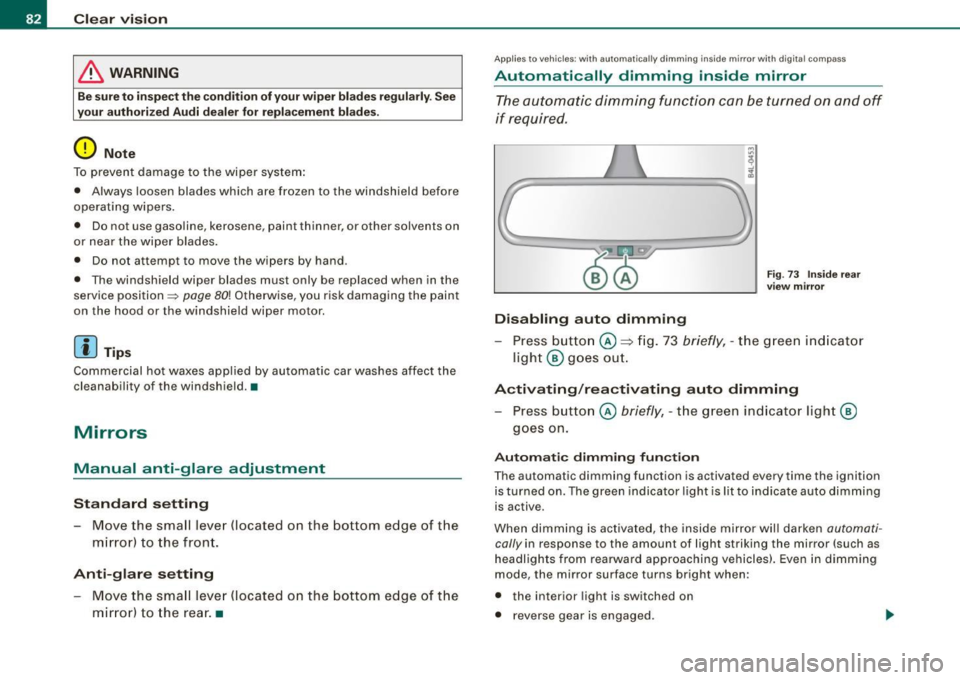
Disabling auto dimming
F ig . 73 Inside rea r
view mi rror
Press button @~ fig . 73 briefly , - the g reen ind icat or
ligh t® goes ou t.
A ctivating /reactivating auto dimming
- Press button @ briefly, -the green indicato r light ®
goes on.
Automat ic dimming fun ction
The automatic dimming function is activated every time the ignition
is turned on. The green indicator light is lit to ind icate auto dimming
is active.
When dimm ing is activated, the inside mirror will darken
automati
cally in response to the amount of light striking the mirror (such as
headlights from rearwa rd approaching vehicles}. Even in dimm ing
mode , the mirror surface turns bright when :
• the interior light is switched on
• reverse gear is engaged .