warning AUDI S6 2009 Owners Manual
[x] Cancel search | Manufacturer: AUDI, Model Year: 2009, Model line: S6, Model: AUDI S6 2009Pages: 398, PDF Size: 43 MB
Page 158 of 398
....... __ A_u_ t_o _m_ a_ t_ ic_ t_ r_a _ n_ s_m _ i_s _s _i_o _n ________________________________________________ _
The selector lever must be in Nor P. If one of the driving positions
is engaged a safety switch will prevent the engine from being
started. See also
=:> page 117.
Before you move the selector lever from the
P position, you must
always apply the brake pedal before and while depressing the
button in the handle of the selector lever .
& WARNING
• Unintended vehicle movement can cause serious injury .
- When the selector lever is in a driving position, the vehicle
may creep, even at idle speed . Therefore do not release the
parking brake or foot brake until you are ready to move,
because power is transmitted to the wheels as soon as a
driving position is engaged.
- Do not accelerate while selecting a driving position. At this
time the engine must be at idle speed so that undue stress is
not placed on the clutches in the transmission.
- Remember: -even when stopped briefly with the automatic
transmission in "D", "S" or "R", engine power is being trans
mitted to the wheels. Your vehicle could "creep" forward or
backward. When stopped, keep the brake pedal fully depressed
and use the parking brake if necessary to keep the vehicle from
rolling.
• If the selector lever is unintentionally moved into N while you
are driving, take your foot off the accelerator pedal and wait for
the engine to return to idle speed before selecting a driving posi
tion .
• Never shift into "R" or "P" when the vehicle is in motion.
• Never get out of the driver's seat when the engine is running .
• If you must get out of the vehicle, move the selector lever
securely into the P position and apply the parking brake firmly.
• If the engine must remain running , never have any driving posi
tion engaged when checking under the hood. Make sure the
selector lever has securely engaged and is locked in "P" with the
& WARNING (continued)
parking brake firmly set=> page 293, "Engine compartment".
Otherwise, any increase in engine speed may set the vehicle in
motion, even with the parking brake applied. •
App lies to vehicles: with 6-speed automatic t ransmission
Selector lever positions
This section describes the selector lever positions and
driving ranges.
Fig . 158 Display in the
instrument cluster:
selector lever in posi
tion D
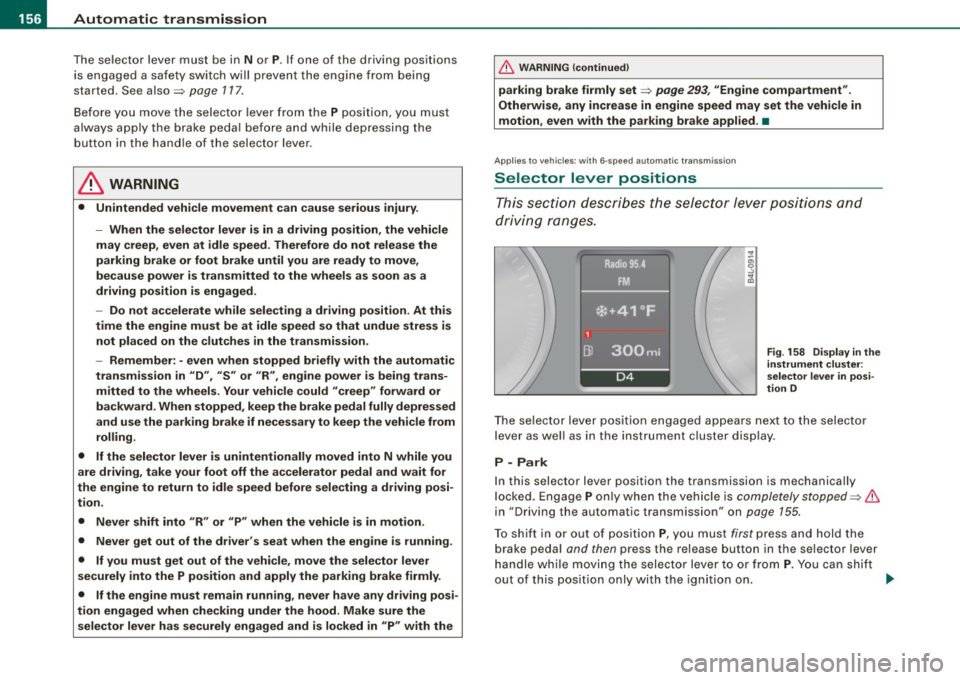
The selector lever position engaged appears next to the selector
lever as well as in the instrument cluster display .
P -Park
In this selector lever position the transmission is mechanically
locked. Engage
P only when the vehicle is completely stopped=> &
in "Driving the automatic transmission" on page 155.
To shift in or out of position
P, you must first press and hold the
brake pedal and then press the release button in the selector lever
handle while moving the selector lever to or from
P. You can shift
out of this position only with the ignition on.
~
Page 159 of 398
_______________________________________________ A_ u_t _o _m_ a_ t_ i_ c _ t_r _ a _n _s_ m_ i_ s _ s_ i_ o _ n _ ___._
R -Reverse
The transmission will automatically select the lowest gear ratio
when you shift into reverse .
Select
R only when the vehicle is at a full stop and the engine is
running at idle speed=>
& in "Driving the automatic transmission"
on
page 155 .
Before you move the selector lever to R, press both the button in the
handle of the selector leve r
and the brake pedal at the same time .
When the ignition is on , the backup lights illuminate when the
selector lever is moved into
R.
N -Neutral
The transmission is in neutral in this position . Shift to this position
for standing with the brakes applied=>
page 157.
When the vehicle is stationary or at speeds below 3 mph (5 km/h),
you must always apply the footbrake befor e and while moving the
lever out of
N.
D -Normal position for driving forward
Position Dis for normal city and highway driving. It ranges from zero
to top speed and all gears shift automatically , depending on engine
load , driving speed and automatically selected shift programs.
When the vehicle is stationary or at speeds below 3 mph (5 km/h),
you must always apply the foot brake before and while moving the
lever to
D out of N.
In certain circumstances it may be advantageous to temporarily
switch to the manual shift program to manually select gear ratios to
match specific driving conditions=>
page 159.
S -Sport position
Select this position for sportier performance . In this position, the
transmission will not upshift as soon, allowing the vehicle to use the
increased power available at higher engine speeds to achieve live
lier acceleration.
Con tro ls and eq uip
ment
When the vehicle is stationary or at speeds below 3 mph (5 km/h),
you must always apply the foot brake before and while moving the
lever to
S out of N.
& WARNING
Read and follow all WARNINGS => & in "Driving the automatic
transmission" on
page 155.
0 Note
Coasting downhill with the transmission in N and the engine not
running will result in damage to the automatic transmission and
possibly the catalytic converter. •
Applies to vehi cle s: with 6 -speed automati c tra nsm is si on
Automatic Shift Lock (ASL)
The Automatic Shift Lock safeguards you against acciden
tally shifting into a forward or the reverse gear and
causing the vehicle to move unintentionally.
Fig. 159 Shift gate:
selector lever lock
positions and interlock
button highlighted
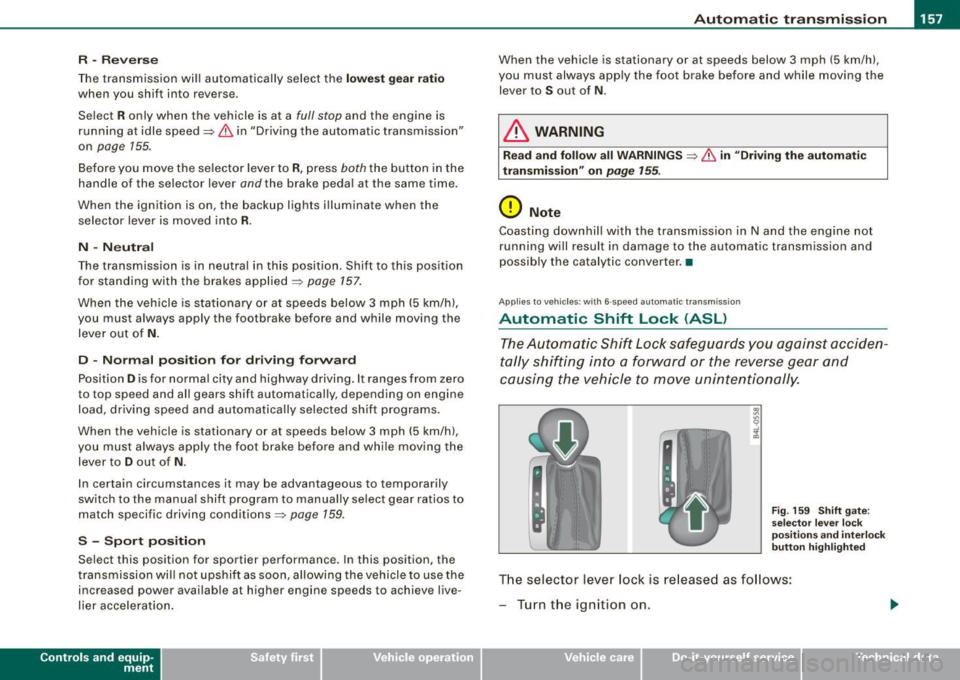
The selector lever lock is released as follows:
- Turn the ignition on.
Vehicle care I I irechnical data
Page 160 of 398
_L-_:..A.:.u:::..: t.:o :..m.:..:.; a:::..: t:.. ic:....: t:.:. r..:a :.. n...:..:: s.:.m _;_:.:, i..::s ..:s :.:.i..:o :..n_;_ _______________________________________________ _
-Step on the brake peda l. At the same time press and hold
the interl ock butto n on t he side of the gear selector kn ob
:::::, fig . 159 with you r thumb until you have moved the
se lector lever to the desired pos ition.
Automatic selec tor lever lo ck
The selector lever is locked in the P and N positions when the igni
tion is turned on. To move the leve r from these positions the driver
must depress the brake peda l. As a reminder to the dr iver , the
following warn ing app ears in the instrument c luster display when
t h e selector is in
P and N :
When station ary apply fo otbr ake while sele cting ge ar
A time de lay e lement prevents the se lector lever from lock ing when
it is moved through the
N position (going from R to Dl. The locking
e lement will lock the selector lever if the l eve r is l eft in N (Neutral)
for more than approximately 1 second , without the brake pedal
being pressed.
At speeds above ab out 3 mph (5 km/h) the Automatic Shift Lock is
automatically deac tivated in the
N position .
Interlo ck button
The lock bu tton on the s elector lever prev ents the lever from being
accidentally shifted into certain positions . Press ing this bu tton
deac tivates the selec tor lever lock . Depending on the dir ection of
t he shift, the se lector lever locks at diffe rent positions . The positions
are highlighted in the illustration~
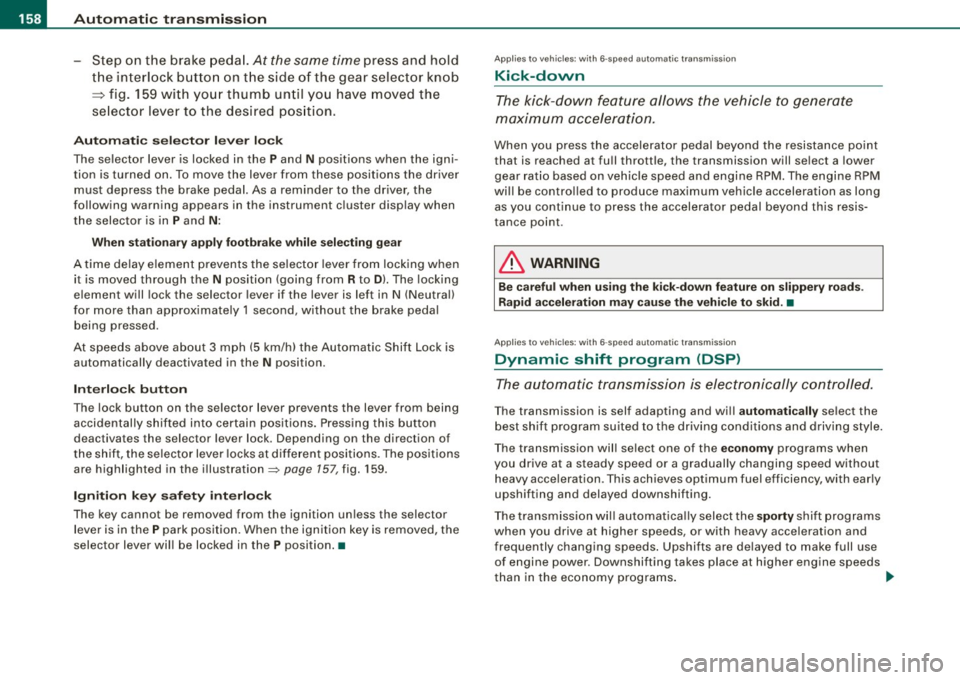
page 157, fig. 159 .
Ignition key safet y interlock
The k ey cannot be remov ed from the igni tion un less the selector
lever is in the
P park p osition. When the ign ition key is removed, the
selector lever wil l be locked in the
P position. •
Applies to vehicles: w it h 6 -spee d au tomat ic tra nsm ission
Kick-down
The kick-down feature allows the vehicle to generate
maximum acceler ation.
When you press the accelerator pedal beyond the resistance po int
that is reached at fu ll thrott le, the transmission will se lect a lower
gear rat io based on vehicle speed and engine RPM . The engine RPM
wi ll be contro lled to produce max imum vehicle acceleration as long
as you continue to press the accelerator pedal beyond this resis
tance point .
& WARNING
Be careful when u sing the kick-down feature on slippery road s.
Rapid ac celerat ion may cause the veh icle to skid. •
Applies to veh icles : wit h 6-s p ee d au to m ati c tra nsmiss ion
Dynamic shift program (DSP)
The aut om atic tr a nsmission is electronically controlled.
T he transmission is self adapting and wi ll automati cally se lect the
b est shift program suited to the driving condi tions and drivi ng s tyle.
The transmission wil l se lect one of the
e conom y programs when
you drive at a steady speed or a gradually changing speed withou t
heavy acceleration . This achieves optimum fuel efficiency, with early
upshifting and delayed downshifting.
The trans mission wil l au tomat ical ly select the
sporty shift programs
when you drive at higher speeds, or with heavy acce leration and
frequently changing speeds . Upshifts ar e delayed to make full use
of engine power . Down shifting takes place at higher engine speeds
t han in the economy programs . _.,
Page 164 of 398
• ..__A_ u_ t_ o_ m_ a_t _i c_ t_ r_ a _ n_ s_m _ is_ s _ io_ n _____________________________________________ _
App lies to vehic le s : w ith mul tit ron ic ® Cont inuous ly Varia ble Transm ission ( CVTl
Driving the multitronic ®
The gear ratio is continuously adapted to vehicle speed
and load .
Starting th e engin e
- The selector lever must be in N or P.
Start in g off
- Press and hold the bra ke pedal.
F ig . 165 Sec tion o f the
c en ter conso le:
sele ctor leve r w ith l ock
b utt on
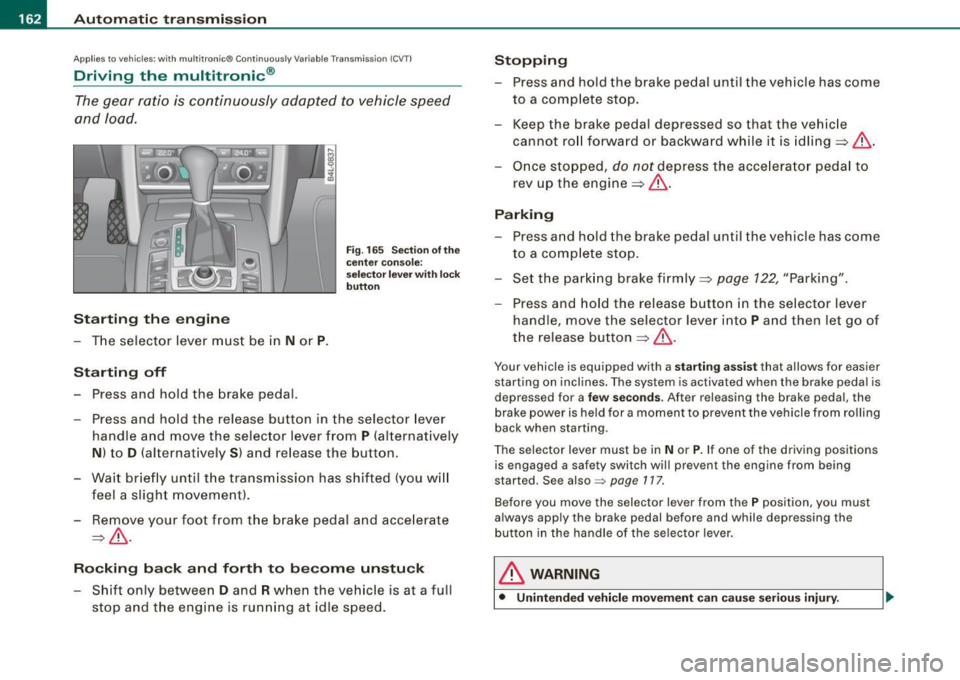
- Press and hold the release button in the selector lever
handle and move the selector lever from
P (alternatively
N ) to D (a lternatively S ) and release the button .
- Wait br ie fl y until t he transm iss ion has shifted (you w ill
feel a slight movement ).
- Remove your foot from the brake pedal and acce lerate
~ & -
Ro cking ba ck and forth to b ecom e un stu ck
- Shift only between D and R when the vehicle is at a full
stop and the engine is running at idle speed .
Stopping
-Press and hold the brake pedal until the vehicle has come
to a comp lete stop.
- Keep the brake pedal depressed so that the vehic le
cannot ro ll forward or backward while it is idling ~& .
Once stopped,
do not depress the acce lera to r pedal to
rev up the engine::::!>&.
Pa rking
- Press a nd hold the brake peda l until the vehicle has come
to a comp lete sto p.
- Set the park ing brake firmly ~
page 122, "Park ing".
- Press and hold the release button in the selector lever
handle , move the selecto r leve r into
P and then let go of
the release button
~ & .
Your vehicle is equipp ed with a sta rtin g assist that a llows for easier
starting on inclines . The sys tem is activated when the brake peda l is
d epr essed for a
few se co nd s. Aft er r eleasing the brak e peda l, the
brake power is held for a moment to prevent the vehicle from rolling
back when starting .
The se lector lever must be in
N or P. If one of the driving positions
is engaged a safety switch wi ll prevent the engine from being
started. Se e also =>
page 117.
Before you move the selector lever from the P position, you must
a lways apply the brake pedal before and while depr ess ing the
button in the handle of the selector lever .
& WARNING
• Unintended vehicl e movem ent can cau se seri ous injury.
Page 165 of 398
Automatic transmission 11'11 __________________________ ___;__:..;____;_ ______ _
& WARNING (continued )
-When the selector lever is in a driving position , the vehi cle
may creep , even at idle speed . Therefore do not release the
parking brake or foot brake until you are ready to move ,
because power is transmitted to the wheels as soon as a
driving position is engaged.
- Do not accelerate while selecting a driving position. At this
time the engine must be at idle speed so that undue stress is
not placed on the clutches in the transmission.
- Remember : - even when stopped briefly with the automatic
transmission in "D", "S" or "R" , engine power is being trans
mitted to the wheels . Your vehicle could "creep " forward or
backward . When stopped , keep the brake pedal fully depressed
and use the parking brake if necessary to keep the vehicle from
rolling .
- If the sele ctor lever is unintentionally moved into N while you
are driving , take your foot off the accelerator pedal and wait for
the engine to return to idle speed before selecting a driving
position .
- Never shift into "R " or "P " when the vehicle is in motion .
- Never get out of the driver's seat when the engine is running.
- If you must get out of the vehicle , move the selector lever
securely into the P position and apply the parking brake firmly .
- If the engine must remain running, never have any driving
position engaged when checking under the hood. Make sure
the selector lever has securely engaged and is locked in "P "
with the parking brake firmly set :::::,
page 293, "Engine
compartment ". Otherwise , any increase in engine speed may
set the vehicle in motion , even with the parking brake
applied .•
Controls and equip
ment
Ap plies to vehic les : wit h m ultit ron ic® Conti nuous ly Va riable Transm ission (CVT)
Selector lever positions
This sec tion des cribes th e sele ctor lev er positi ons an d
dr iv ing ra ng es.
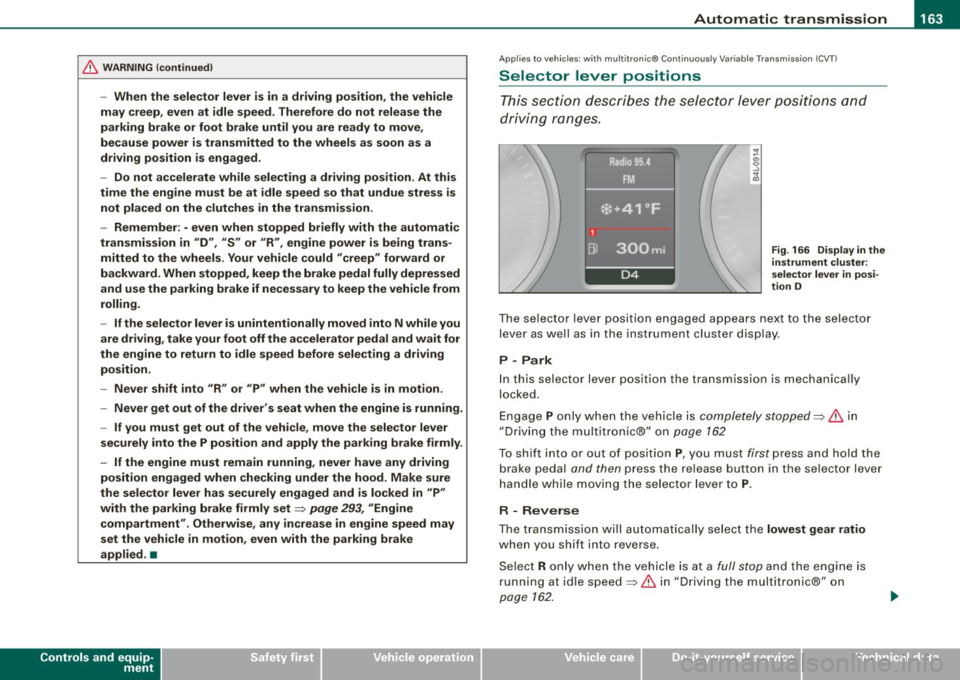
Fig . 166 Display in the
instrument clu ster:
se lector lever in posi ·
tion D
Th e se lecto r le ver p ositi on engag ed app ear s ne xt to th e selec tor
lev er as well as in the instrument cluste r disp lay .
P -Park
In this s electo r lever position the transmission is mechanica lly
lo cke d.
Eng age P on ly when t he veh ic le is
completely stopped=> 11::::. in
" Dr ivin g th e multitroni c®" on
page 162
To s hift int o or out o f pos ition P , you m ust firs t press a nd h old the
brake peda l
and then press the release button in th e se lector lever
h an dle whi le m oving the sele ctor l ev er to P .
R - Reverse
The tra nsm issio n w ill automat ica lly se lect the lowest gear ratio
when you sh ift into reverse .
S ele ct R only wh en th e ve hicle is at a
fu ll sto p and t he engine is
running at id le speed :::::, 11::::. in "Driving t he multitron ic®" on
page 162.
I • •
Page 166 of 398
• ..__A_ u_ t _o_ m_ a_ t_ i_ c _ t_r _a _n_ s_ m_ is_ s_i o _ n ________________________________________________ _
Before you move the selector lever to R, press both, the button in the
handle of the selector lever
and the brake pedal at the same time .
When the ignition is on, the backup lights illuminate when the
selector lever is moved into R.
N -N eutr al
Sh ift to this position for standing with brakes applied=> page 164.
When the vehicle is stationary or at speeds below 3 mph (5 km/h),
you must always apply the footbrake before and while moving the
lever out of
N .
Do not use N for coasting downhill.
D -Normal dr iving po sition f or forward
Depending on the load on the engine, vehicle speed and the
dynamic control program, the transm ission will select the
optimal
gear ratio.
In certain circumstances it may be advantageous to temporarily
switch to the manua l shift program to manually select gear ratios to
match specific driving conditions=>
page 166.
When the vehicle is s tationary or at speeds below 3 mph (5 km/h),
you must always apply the footbrake before and while moving the
lever to
D ou t of N.
S -Spor t p osition
Select this position for sportier performance. In this position, the
transmission wil l not upshift as soon, allowing the vehicle to use the
increased power avai lable at higher engine speeds to achieve live
lier acceleration.
When the vehicle is stationary or at speeds below 3 mph (5 km/h),
you must always apply the foot brake before and whi le moving the
lever to
S out of N .
& WARNING
Re ad a nd follo w all WARNIN GS=> & in "Dr iv ing th e multitr oni c®"
on
page 16 2.
0 Note
Coasting downhill with the transm ission in N and the engine not
operating will result in damage to the automatic transmission and
possibly the catalytic converter. •
Applies to vehicles: with multitronic® Continuous ly Variable Transmission (CVT)
Automatic Shift Lock (ASL)
The Automatic Shift Lock safeguards you against acciden
tally shifting in to a forward or the reverse gear and
causing the vehicle to move unintentionally.
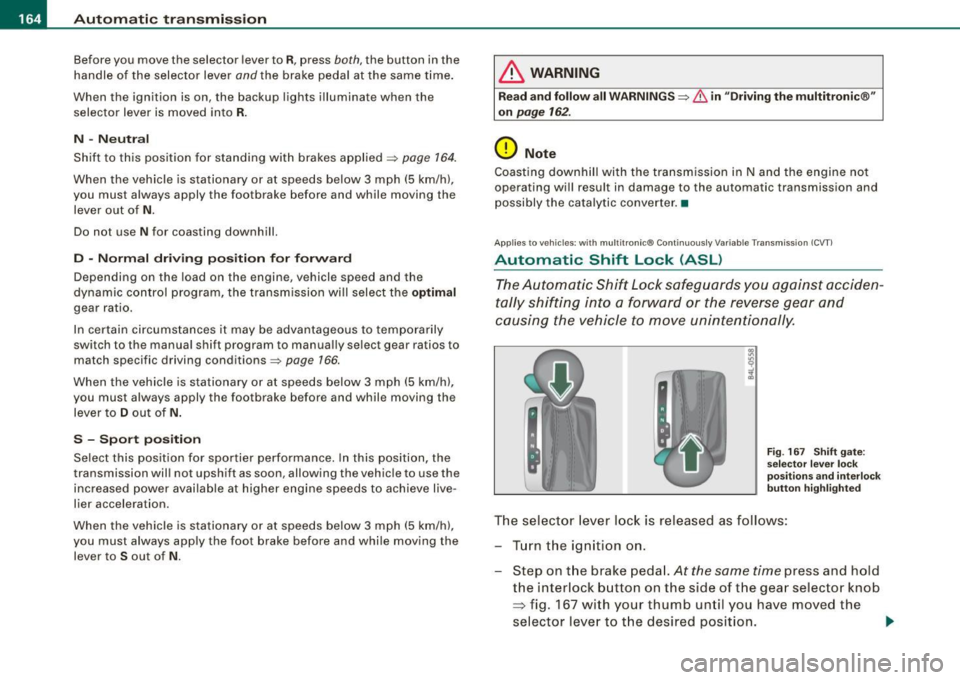
F ig . 167 S hift gate:
se lect or l ever loc k
pos it ions a nd int erl ock
butt on high lighted
The selector lever l ock is rel eased as f ollows :
T u rn the ignition on .
Step on the brake peda l.
At the same time press and hold
the interlock button on the side of the gear selector knob
=> fig. 167 with your thumb until you have moved the
selector lever to t he desired position.
~
Page 167 of 398
_______________________________________________ A_ u_t _o _ m_ a_ t _i_ c_ t_r _a _n _ s_ m __ is_s_ i _o _ n __ llll
Autom ati c selec to r l eve r lock
The se lector lever is locked in the P and N positions when the igni
tion is turned on . To move the lever from these positions the driver
must depress the brake pedal. As a reminder to the driver, the
follow ing warning appears in the instrument cluster disp lay when
the selector is in
P and N :
When stationary app ly footbrake while selecting gear
A time delay e lement preven ts the selector lever from locking when
it is moved through the
N position (going from R to Dl. The locking
e lement will lock the selector lever if the lever is left in N (Neutral)
for mor e than approximately 1 second, without the brake peda l
being pressed .
At sp eeds above about 3 mph (5 km/h) the Automatic Shift Lock is
automatically deactivated in the
N posi tion .
Interl ock button
The lock button on the selector lever prevents the lever from being
accid entally sh ift ed into certain pos it ions. Pressing th is button
deactivates the selector leve r lock . Dependi ng on the direction of
the shift, the se le ctor lev er locks a t different positions . Th e positions
are highligh ted in the illus trati on =>
page 164 , fig. 167 .
Igniti on k ey saf ety in te rlo ck
The key canno t be removed from the ignition un less the selector
lever is in th e
P park position . When th e ignition k ey is remov ed, the
selector lever wil l be l ocked in the
P posi tion .•
A pplies to veh ic les : wit h mu ltit ro nic® Cont inuous ly Va riab le Transm iss io n (CVT )
Kick-down
The kick- down feature allo ws the ve hic le to generate
maximum acceler ati on .
When you press the acce lerator pedal beyond the resistance point
t hat is reached at ful l th rottle, the transmission wi ll select a lower
gear ra tio bas ed on vehic le spe ed and engine RPM. The engine RPM
Controls and equip
ment
wi ll be control led to produce maximum vehic le acceleration as long
as yo u conti nue to press the acce lerato r pedal beyond this resis
tance point .
& WARNING
Be careful when us ing the ki ck-down feature on slippery roads .
Rapid acceleration may cau se the vehicle to skid . •
A pplies to veh icl es : wi th mu ltitro nic® C ontinuo usly V ari ab le Tra nsm iss ion (CVT)
Dynamic shift program (DSP)
The multitronic® tr ansmissi on is elect ro nic ally
controlled.
The transmission se lects the appropriate gear ratio (upshifts and
downsh ifts) automatical ly based on preset driving programs.
The transmission wil l selec t one of the
economy programs when
yo u drive at a steady speed o r a gra dually changing speeds without
heavy acceleration . T his gives bes t fuel efficiency , with early
upshifting and delayed downshif ting .
The transmission will au tomat ically select the
s porty shift programs
when you drive at higher speeds, or with heavy acce leration and
freque ntly changing speeds . Upshifts are delayed to make full use
of engine power. Downshifting takes place at higher engine speeds
t han in t he economy programs .
The se lection of the most suitable shift program is a continuous,
automatic process . The driver can also make the transmission
sw itch to a spor ty progra m by
quickly pressing down the gas peda l.
This caus es the transmission to shift down into a lower gear ratio
and makes qu ick acceleration possible (to pass another vehic le) You
do not need to press the gas peda l into the kickdown range . After
the trans missi on has upshifte d, the o riginal p rogram is selected
according to your driving style . _.,
I • •
Page 171 of 398
_____________________________________________ A_u_ d_ i _P _a_ r_ k_ i_n ..;:g =-- S...:y:- s_ t_ e_ m ___ lfflll
Audi Parking System
Park Assist Systems
Applies to vehicles: with Aud i Par king System
General Information
Different park assist systems may be used for parking or
maneuvering, depending on the vehicle's features .
Audi P ark ing Sys te m (rea r)*:
For the parking system, the acoustic park assist system is installed
in the rear of the vehicle~
page 169 .
The rear parking assist system uses ultrasonic sensors to determine
the distance of the vehicle from a detected obstacle. There are a
total of four sensors located on the rear bumper (two in the midd le
and two on the sides).
Audi P arki ng Sy stem (r e ar , with r ear -v ie w cam era)*:
For the Audi Parking System (rear, with rear-view camera), the rear
acoustic park assist system is integrated in the rear of the vehicle
and the rear-view camera is integrated in the rear lid~
page 171.
The Audi Parking System (rear, with rear-view camera) uses u ltra
sonic sensors to determine the distance of the vehicle from a
detected obstacle. There are a total of four sensors located on the
rear bumper (two in the m idd le and two on the sides). •
Controls and equip
ment
Audi Parking System (rear)
Applies to vehicles: with Audi Parking System (rear )
Rear acoustic park assist
The rear ac oustic park assist warns y ou of obsta cles or
objects behind your car.
D esc ripti on
The rear acoustic parking assist system determines the distance of
the vehicle from an obstacle using ultrasonic sensors. There are 4
sensors in the rear bumper .
The range at which the sensors start to measure is
about:
To the side
A cti va tio n
2 ft (0.60 ml
5.2 ft ( 1.60 ml
Acoustic parking assist is activated automatically when
rever se gear
is engaged . A brief tone confirms that the system is activated.
Warning tones
Distance warning is given by chimes which are generated by the
rear signal generator. The volume and the pitch of the chimes can
be adjusted in the MMI
~ page 170.
Reversing
Distance warning when reversing starts when an obstacle is
detected in the range of the parking assist system . As the distance
decreases, the time interval between the audible tones becomes
shorter .
When the distance is less than 1ft (0.30 ml, the tone becomes
continuous. At this point you should stop backing up .
I • •
Page 172 of 398
• .___A_ u_d_ i _P _a_ r_ k_ i_ n ..:g=-- S_ y=-- s_t _ e _m _____________________________________________ _
Please note that low objects already signalled by a warning can
disappear fro m the system 's detectio n range and wil l n ot con tinu e
to be signa lled .
If the distance to an obstacle remains the same, the vo lume of the
d istance wa rni ng i s gradually reduced after a bout 4 seconds .
Approaching another obstacle wi ll result in the distance warning
sound ing at the nor mal vo lume agai n.
Malfunctions in the system
If a warnin g tone is audible for about five seconds when you turn on
the ignition, there is a ma lfunction in the system. Have the prob lem
corrected by y our aut horiz ed Aud i dealer .
Keep the sensors in the rear bumper c lean and free from ice so that
t he acoustic park ass is t sy ste m can f unction pro per ly .
& WARNING
• Sensors have dead spaces in which objects cannot be
detected . Be e specially alert for small children and animals , since
they are not always detected by the sensors.
• The Acoustic Parking System is not a substitute for the dr iver's
own caution and alertne ss. Ultimate respon sibility always
remains with the driver during parking and similar maneuvers .
Always watch where you are driving .
• You should always adjust the volume and frequen cy of the
chimes so that you can easily hear the acoustic distance warning
even if the radio is playing , the air-condit ioner blower is on High or
there i s a high level of out side noise .
- Check the settings whenever anyone else has driven the
vehicle before you.
0 Note
• Reme mber that l ow obstacles for wh ic h a warn ing has already
been issued may "dive" below the system's sensing zone if the
v e h icl e is be ing backed u p closer. In this cas e, th e wa rning so und shutting off does
not indicate that you have c
leared the obstacle .
In stea d, impact is im min ent.
• Objects such as trai ler hitches, chains, narrow posts or fences
cov ered by a t hin lay er of p ain t may no t always be dete cte d by t he
system . T hey can stil l damage your vehicle without warning.
[ i ] Tips
K eep the sensors in the rear bumper clean and free of snow and ice
so tha t the acou stic parki ng a ssis t system ca n fu nc tio n proper ly . •
Ap plie s to v ehic le s : w ith Audi P arki ng Syst em ( re arl
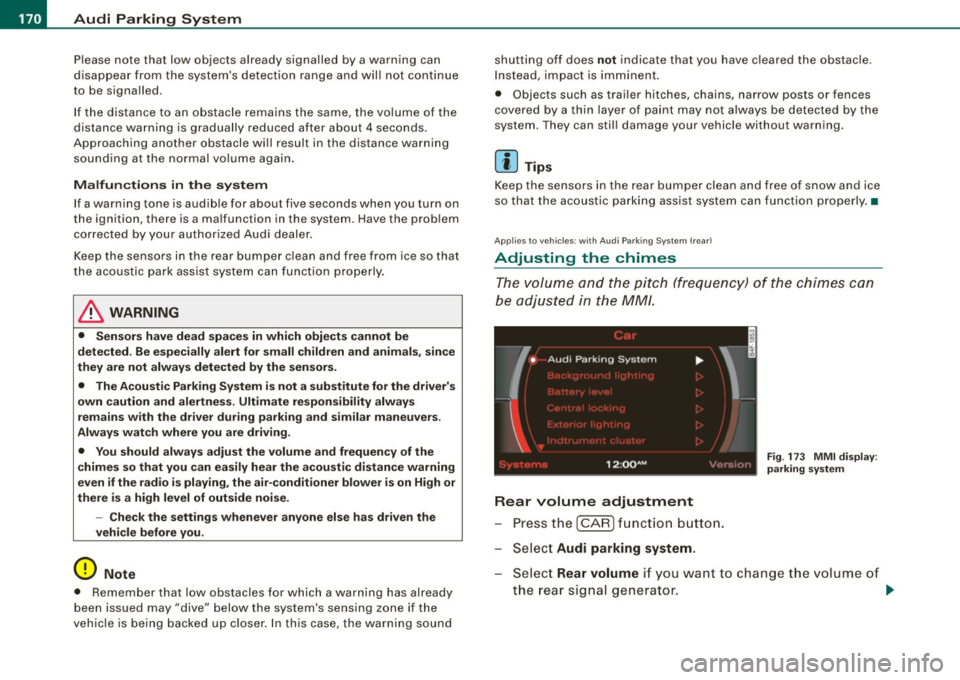
Adjusting the chimes
Th e vo lum e and t he pitc h (freq uency) o f th e c him es can
be adju ste d i n th e
MM/ .
Rear volume adjustment
Pre ss th e [ CAR ] fun ctio n butt on.
S el ect
Audi parking system.
Fig. 173 MMI display :
pa rking system
S elect Rear volume if you want to change t he volume of
t h e rear si gnal genera tor .
~
Page 173 of 398
![AUDI S6 2009 Owners Manual Audi Parking System -
----------------=----=------
Rear frequency adjustment
- Pressthe (CAR]function button.
- Select
Audi parking system.
- Select Rear frequency when you want to cha](/img/6/57595/w960_57595-172.png "AUDI S6 2009 Owners Manual Audi Parking System -
----------------=----=------
Rear frequency adjustment
- Pressthe (CAR]function button.
- Select
Audi parking system.
- Select Rear frequency when you want to cha")
Audi Parking System -
----------------=----=------'
Rear frequency adjustment
- Pressthe (CAR]function button.
- Select
Audi parking system.
- Select Rear frequency when you want to change the
frequency of the rear audible signal generator.
When adjusting the volume and frequency, the new setting will
sound for approx. 2 seconds from each audible signal generator.
The volume and frequency settings are automatically stored and assigned to the master key with remote control.
& WARNING
• You should always adjust the volume and frequency of the
chimes so that you can easily hear the acoustic distance warning
even if the radio is playing, the air-conditioner blower is on High or
there is a high level of outside noise.
- Check the settings whenever anyone else has driven the
vehicle before you. •
Con tro ls and eq uip
ment
Audi Parking System (rear, with rear
view camera)
A pp lies to veh ic les: w ith Aud i Par king System ( rear) and re ar-view came ra
Acoustic parking system in the rear , with rear
view camera
The acoustic parking system gives an acoustic signal
when detecting obstacles, and the rear -view camera
offers further aid in the parking process.
OOID ;
r--= ===~~=~~;;;;;;;;~, ---;!
l_..:..:-=.: ~f---=====:=~.
Activation
Fig . 174 Rear lid: Loca
tion of the rear-view
camera
-Put the vehicle in reverse gear, the acoust ic parking
system with rear-view camera is activated automatically.
Activation of the acoustic parking system is confirmed by
a brief acknowledgement sound.
Deactivation
- Take the vehicle out of reverse gear. The acoustic park ing
system is immediately deactivated, and the rear -view
camera picture is deactivated automatically after a period of about 15 seconds, or
~
Vehicle care I I irechnical data